Customer Ratings & Reviews






- Model:
- ET 4750
- SKU:
- 6042207
Rating by feature
- Value
Rating 4.3 out of 5 stars
- Quality
Rating 4.4 out of 5 stars
- Ease of Use
Rating 4.5 out of 5 stars
Customers are saying
Customers value the excellent print quality and ease of use of the WorkForce EcoTank ET-4750 Wireless All-in-One Printer. Many appreciate its compact size and straightforward setup process. However, some users find the printer noisy and the price point to be a drawback. A few also reported issues with the document feeder and touch screen responsiveness.
This summary was generated by AI based on customer reviews.
- Pros mentioned:Print quality
Great all-in-one printer for a Mac network
Posted .This reviewer received promo considerations or sweepstakes entry for writing a review.I exchanged a HP all-in-one for this printer. The HP had problem after problem. The Epson works perfectly.
I would recommend this to a friend - Cons mentioned:Document feeder, Touch screen
Bad paper handling. Buy something else
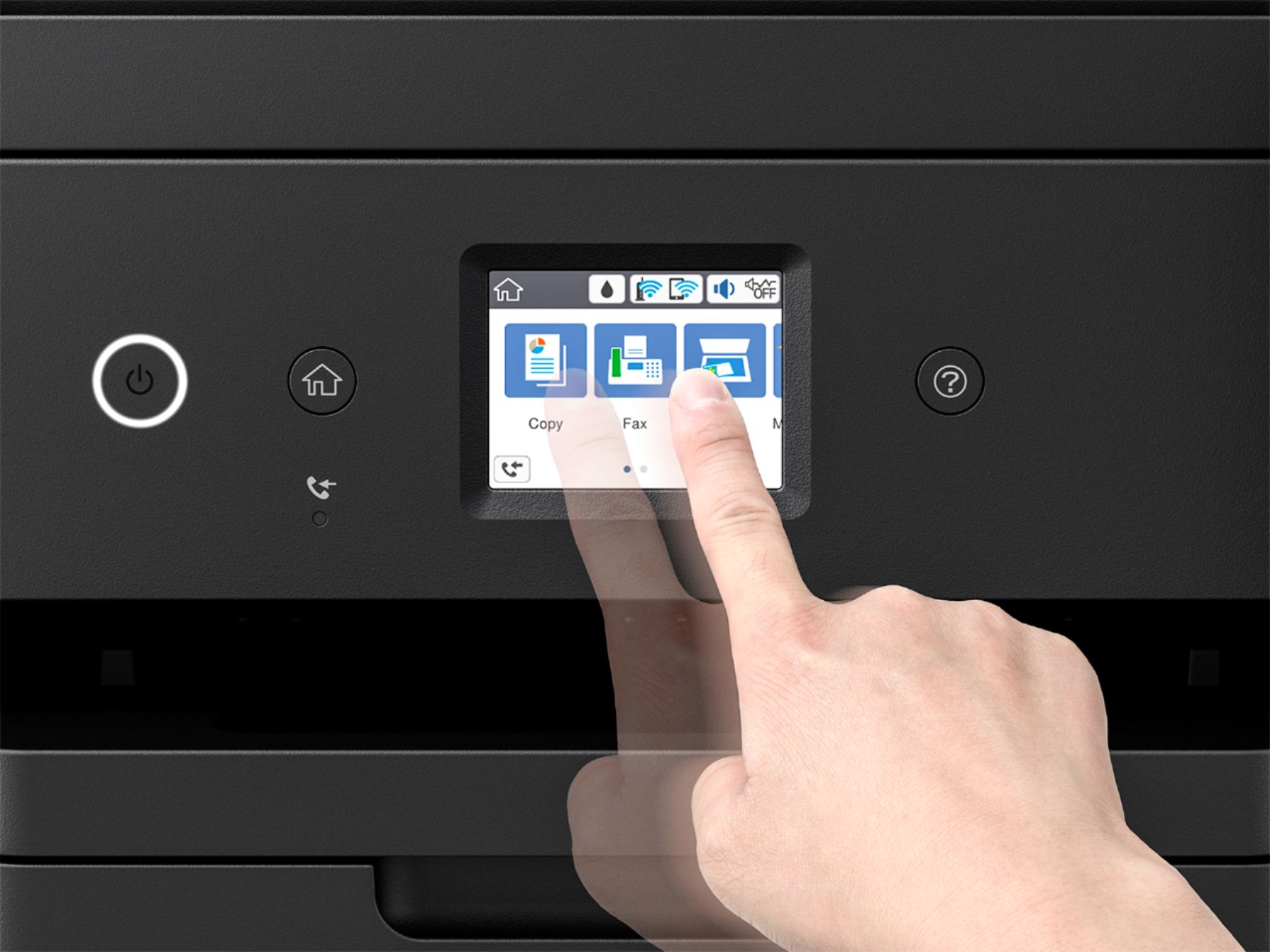
Posted .This reviewer received promo considerations or sweepstakes entry for writing a review.Sorry I bought this. Tank ink is the ONLY good feature. Top document feeder does NOT handle paper properly. Touch screen control is too small, hard to use . Flimsy body construction. Buy something else.
No, I would not recommend this to a friend Major Disappointment. Sub-par Scanning
Posted .This reviewer received promo considerations or sweepstakes entry for writing a review.I replaced an HP 7525 All-in-one printer, because it broke. I was attracted to the ET-4750 because it looked more robust, was newer, and because of the printed page output. The printed page on the Epson 4750 is not as clear as it was on my 10 year old HP 7525, but the biggest disappointment is in the scanning department. I do have frequent need to scan documents, which is the whole reason that I bought a multifunction unit instead of a straight up printer. I was used to scanning stacks of about 15-18 pages on my HP via the ADF, of two-sided documents. That old HP didn't automatically process the two-sided pages, rather, it scanned one side and then prompted me to re-insert the stack of pages upside down so that it could scan the second side. The software shuffled the pages of the scan so that the pages of the resulting pdf document would be in the correct order. (For example, when scanning a stack of 10 pages which are double sided, it would scan pages 1, 3, 5, 7, 9, 10, 8, 6, 4, 2 but the order would be corrected before the pdf file was saved so that the pages would come out in the correct order.) I assumed that the ET-4750 would offer that same capability, especially when considering that the ET-4750 is ten years newer and costs 3 times as much as that old HP. WRONG. The ET-4750 does NOT PROVIDE ANY SUPPORT for two sided document scanning. I've scoured the user manual, the internet, and even had a couple of contacts with Espon Technical Support. Nope, the 4750 does not support any such thing, Hard to believe. I'm left with having to either settle for the pages of scan jobs coming out in the wrong order (unacceptable), or handling each page, one at a time, upon scanning (also unacceptable). This is a simple software programming issue for Epson. Their ADF hardware is no different than HP's, and whereas HP solved the problem with software, Epson does not. This is lacking. Epson, please fix this. Please release updated software that allows the ET-4750 to compete with the decade old HP 7525 which costs 2/3 less.
No, I would not recommend this to a friendLongevitiy Issue
Posted .This reviewer received promo considerations or sweepstakes entry for writing a review.5-star rating for some 3 years, then it went down quickly with first one color blank, then total blank pages. No amount of maintenance or fix-it steps worked. Junked.
No, I would not recommend this to a friendEpson ET-4750, tankless, precision core printer
Posted .This reviewer received promo considerations or sweepstakes entry for writing a review.My previous Epson printer, which was not perfect, had failed in dusty Arizona. I returned it and exercised the extended warranty. I am very satisfied with the new 4750 I brought home. I was able to set it up myself. The Epson I brought home to replace it is WiFi and tankless, It has a larger printer paper tray.
I would recommend this to a friend- Pros mentioned:Print quality
Not so good
Posted .This reviewer received promo considerations or sweepstakes entry for writing a review.I like the eco tank feature--saves a ton on ink and is easy to fill when low. From there this model slumps into the average category. Printing speed is slow and quality of print is just above average. What really frys my cookies is the copy and scan features. This machine shreds paper--won't suck up pages reliably. When scanning, it scans a bunch of pages at once, but puts only the first one in a PDF file. Useless. Configuring the machine to work with my computer required a degree in CS or IT. The savings on ink are about the only thing I like...
No, I would not recommend this to a friend - Cons mentioned:Paper jam
Save Your Money
Posted .This reviewer received promo considerations or sweepstakes entry for writing a review.While the price might be good the quality of this printer fails to stand up to the quality expected from Epson. I have had nothing but issues ranging from autoconfiguration, poor print quality, and consistent paper jams when using the auto feed. It's so frustrating that I reconnected my Artisan 837 whose print quality for business use is much better. The scanner issues are too numerous to mention. Oh, the fax does work, but scanning more than 1 page at a time is an issue. The support desk at Epson would rather you not call or write. Their response and timeliness leave much to be desired.
No, I would not recommend this to a friendBrand response from Epson
Posted .Hello, we apologize for the disappointing experience you’ve encountered with your Epson printer. Your ET-4750 includes free technical support for the life of your product. Please reach out to our Epson Support Team for assistance at (562) 276-4382; Hours: Monday – Friday, 6am – 8pm PT; Saturday, 7am – 4pm PT. We’re here to help. Sincerely, Marina – The Epson Team.

- Pros mentioned:Print quality
Too early to crap out
Posted .This reviewer received promo considerations or sweepstakes entry for writing a review.I liked the printer for one and a half years. Now the printer is junk. Always something. The in bottles are great, the printer is always a problem these days.
No, I would not recommend this to a friend Awful!
Posted .This reviewer received promo considerations or sweepstakes entry for writing a review.I thought that by spending more money this would be a great printer. IT IS NOT! It prints really, really slow-if you have multiple things to print or a really big print job plan on waiting all day for it to finish. While printing it doesn't show you how many pages have printed or how many you have left, nor does it show up in my "printers" on my desktop, it only shows that one document is printing. Scanning and trying to save to my computer is a nightmare. The program is not at all user friendly (no, I'm not a novice), after two months I still haven't got the hang of it, the program is seriously one of the worst that I have ever used. Every time I replace paper to print on (or even open the tray) I have to push buttons saying it is the same paper that I was using before I can print-ridiculous! AND when you put paper in the tray sometimes it gets pushed too far back because there is nothing stopping it, there's no way to know if you've pushed it too far back (and get jammed when you push the tray in) or not far enough for the rollers to pick up. I've printed on card stock and it wouldn't let me change the setting to card stock but also wouldn't let me print on regular paper when I tried to change it. I finally gave up, rebooted the printer and just agreed that it was the same regular paper that I was using before and it finally printed. I tried putting smaller paper through (card stock thank you notes) but they kept getting jammed in the back because there is this big space between the rollers right in the middle and it doesn't pull it through. Yes, I adjusted the holder to the smaller size, the issue was the big hole in the back of the tray-there wasn't anything to stop the cards from going too far back when I pushed the tray in and the rollers wouldn't catch it. I tried printing one check on it, same thing except it jammed because it was a smaller length and the rollers couldn't push it through all the way. I ended up taping it to a blank piece of paper and then it went through. I've been so frustrated with this thing I've finally given up after two months and bought a new HP printer. The HP I had before finally died after 7 years after a lot of daily use (hence buying the Epson) so now I have bought a newer model HP and love it-just like I did before! Lesson learned-a more expensive printer does not mean it is better!
No, I would not recommend this to a friendBrand response from Epson
Posted .Hi BizzyBee, thank you for sharing your experience. Epson takes into consideration all feedback to improve the performance and quality of our products. We will forward your feedback to the relevant Epson department, as we are always looking to make future Epson products better. Once again, thank you. Regards, Marina – The Epson Team.
ET products definitely TANKING
Posted .This reviewer received promo considerations or sweepstakes entry for writing a review.Hope this gets better! After about an hour was able to connect to a very basic network. Still can't get the printer to accept the software update (either by CPU or from printer itself) along with any other software utilities recommended by Epson via the install. Prints however. For the price, not impressed so far! I've had a few Epson Printers, loved the 845 & 3540, however, the ET 4550 which only lasted 20 months & according to Epson support only fix for out of aligned print was to buy a new one so I just bought the ET 4750 and the connection difficulty via network is ridiculous. We'll see about print quality & longevity of device. Seems to me that now paying up front via the hardware vs. the ink the product has DEFINITELY declined in quality! If this one doesn't work out heading back to HP to utilize their ink program! DISAPPOINTED 10 year customer!!
No, I would not recommend this to a friendBrand response from Epson
Posted .Dear Brian, we appreciate your brand loyalty and welcome the opportunity to asisst you with your Epson ET-4750 printer. Our Epson Advanced Support Team can be reached directly at 1-800-241-5794; Hours: Monday – Friday, 6am – 8pm PT; Saturday, 7am – 4pm PT. We look forward to your call. Sincerely, Brandon – The Epson Team.
- Pros mentioned:Print quality
Paper Jam
Posted .This reviewer received promo considerations or sweepstakes entry for writing a review.I bought this printer less than a week ago and O was extremely happy with the quality of the printing, and it was working just fine. Suddenly this morning I was finally able to access my document for my class. I had a huge project which was worth my semester grade. The printer was constantly unable to pick up the paper I was using. I had perfectly new paper taken right out of the packaging. I've even tried other types of paper and it still didn't work. Extremely disappointed the fact that now I have a D- and I can barely fix that since it was worth 75% of my grade. And I'm in high school so this will mess up my record for sure.
No, I would not recommend this to a friendBrand response from Epson
Posted .Hi LwkyWillm, we are sorry to hear that you are having issues with your Epson printer. Your Epson ET-4750 includes a 1-Year Limited Warranty, plus free technical support for the life of your product. Our Epson Support Team would be happy to help and can be reached at (562) 276-4382; Hours: Monday – Friday, 6am – 8pm PT; Saturday, 7am – 4pm PT. Sincerely, Eddie – The Epson Team.
- Pros mentioned:Print quality
Worst printer I've ever bought
Posted .This reviewer received promo considerations or sweepstakes entry for writing a review.I normally don't write reviews but decided to write one today. I've had this printer for year now and it is a waste of money. If all you care about is the cost of ink then this is the printer for you. Scanner produces very poor quality as the text looks like and old fax. Forget about printing color photos that is a waste of cheap ink. If I need a quality scan or print I go to a friends house and use their printer scanner.
No, I would not recommend this to a friendBrand response from Epson
Posted .Hello, we're sorry for the disappointing experience you've encountered with your Epson printer. Your ET-4750 includes free technical support for the life of your product. Please give us the opportunity to assist you by calling our Epson Advanced Support Team. We can be reached at 1-800-241-5794; Hours: Monday – Friday, 6am – 8pm PT. We're here to help.
Sincerely,
Stephan – The Epson Team
Prone to paper jams
Posted .This reviewer received promo considerations or sweepstakes entry for writing a review.Great printer but terrible scanner. It jams so often that I have decided to return it. The unit was rather expensive yet fails to perform as well as much cheaper all-in-ones.
No, I would not recommend this to a friendNo Envelope feeder - are you kidding me!
Posted .This reviewer received promo considerations or sweepstakes entry for writing a review.I should have known better than to assume that a $400 printer made in 2018 would not have a way to feed an envelope without first removing all the paper in the tray and resetting the guides! Really? This is the most stupid design you could imagine. And loud???? Oh yes, you can hear it print from 100 yards away! Never again!
No, I would not recommend this to a friendGarbage
Posted .This reviewer received promo considerations or sweepstakes entry for writing a review.Epson had to replace this piece of junk 3 times. The fourth one is now dying. Ridiculous.
No, I would not recommend this to a friendInk dries out!
Posted .This reviewer received promo considerations or sweepstakes entry for writing a review.Do not buy unless you use it regularly. I let mine sit idle for a few months and now there is no ink flow, reservoirs are full. Prints blank paper. I only used this for a few 10-20 page print jobs, so now it's a $300 paperweight. Even when it worked, printing was not crisp, reminiscent of 90's inkjets. Checking warranty paperwork for amortized refund. Huge waste of money!
No, I would not recommend this to a friendBrand response from Epson
Posted .Hello JimAtHome, we apologize for the disappointing experience you’ve encountered with your Epson printer. Your ET-4750 includes free technical support for the life of your product. Please reach out to our Epson Support Team for assistance at (562) 276-4382; Hours: Monday – Friday, 6am – 8pm PT; Saturday, 7am – 4pm PT. We’re here to help. Sincerely, Patrick – The Epson Team.
Jams too often
Posted .This reviewer received promo considerations or sweepstakes entry for writing a review.I was very disappointed in this epson flag ship Printer. It jammed frequently in both printing and scanning. The peak usage was as advertised. I gave up on it after a few months
No, I would not recommend this to a friendBrand response from Epson
Posted .Hi Cellsail, we are sorry to hear that you are having issues with your Epson ET-4750 printer. Epson provides useful information product in the User’s Guide at www.epson.com/support/et4750 on tips on how to load paper and avoid paper jams. Your Epson includes free technical support for the life of your product. Our Epson Support Team would be happy to help you and can be reached at (562) 276-4382; Hours: Monday – Friday, 6am – 8pm PT; Saturday, 7am – 4pm PT. We appreciate your purchase, and we value your feedback. Sincerely, Patrick – The Epson Team.
Paper Constantly Jams :(
Posted .This reviewer received promo considerations or sweepstakes entry for writing a review.The printer is decent in regards to the ink wells. However, I have had to realign the "lines" to get correct printing many, many times, which seems like a lot only having the printer for less than three months. Also, almost every time I scan documents, the feeder jams and I have to re-do the entire process. Very annoying!
No, I would not recommend this to a friendBrand response from Epson
Posted .Hello kschmidtcsr, we apologize for the disappointing experience you’ve encountered with your Epson printer. Your ET-4750 includes free technical support for the life of your product. Please reach out to our Epson Support Team for assistance at (562) 276-4382; Hours: Monday – Friday, 6am – 8pm PT; Saturday, 7am – 4pm PT. We’re here to help. Sincerely, Patrick – The Epson Team.
Epson 4750 USELESS!!
Posted .This reviewer received promo considerations or sweepstakes entry for writing a review.I love the Epson 4750 when I got it 2 years ago but now it is non functioning!! I can only get Magenta colored images. The Geek Squad is no help!! I’ve tried everything suggested but still only get Magenta prints. I am fed up.
No, I would not recommend this to a friendDisappointed
Posted .This reviewer received promo considerations or sweepstakes entry for writing a review.Cant make 2->2 copies. On my older Epson you could. I want it back!
No, I would not recommend this to a friend