Customer Ratings & Reviews

- Model:
- C11CK63201
- SKU:
- 6516130
Rating by feature
- Value
Rating 4.1 out of 5 stars
- Quality
Rating 4.0 out of 5 stars
- Ease of Use
Rating 4.0 out of 5 stars
Customers are saying
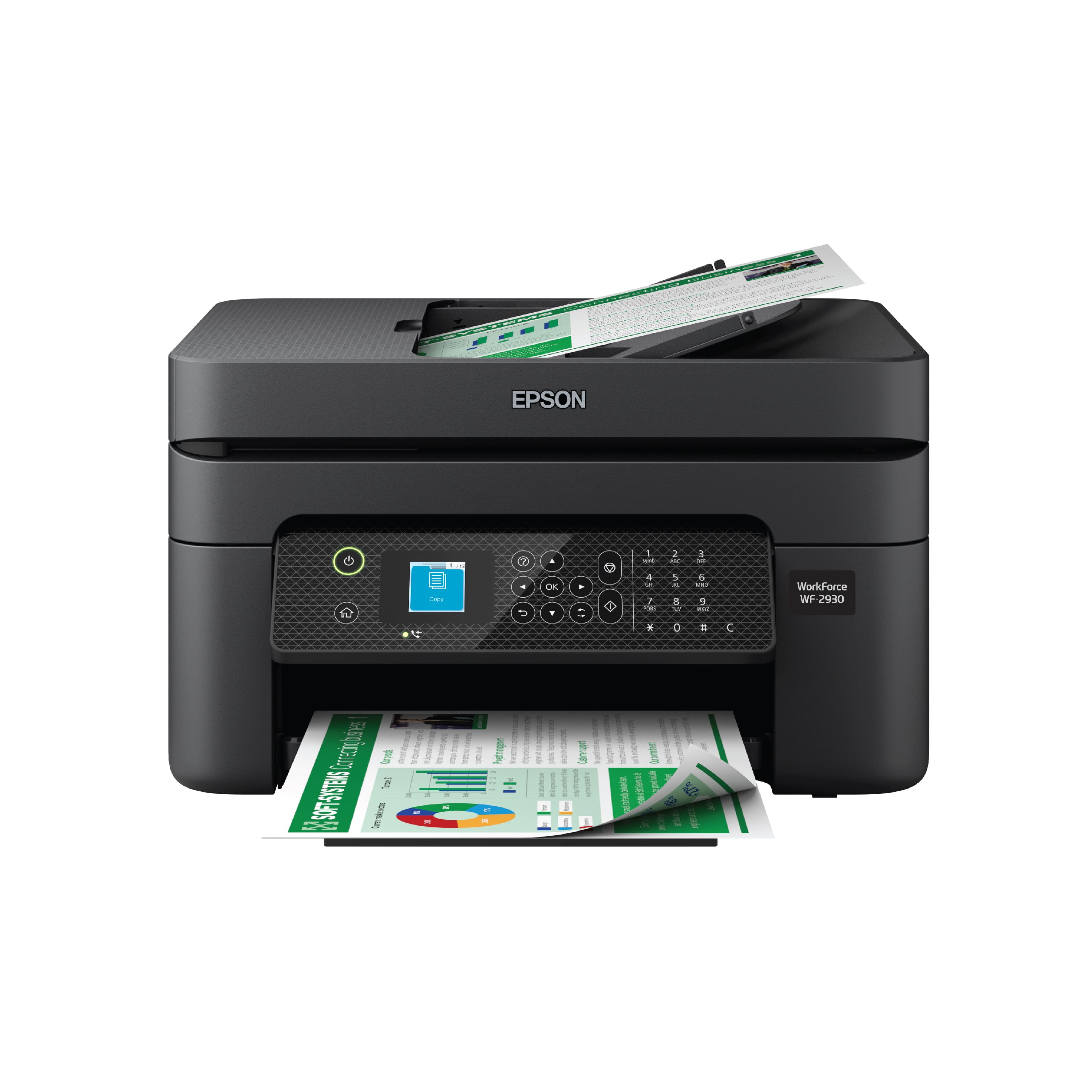
Customers are impressed with the WorkForce WF-2930 All-in-One Inkjet Printer's print quality and ease of use. The printer is also praised for its convenient size, affordable price, and various functionalities like scanning and faxing. Some customers suggest improvements to the control panel's visibility. Overall, the printer's design and connectivity options are well-received, making it a suitable choice for home offices.
This summary was generated by AI based on customer reviews.
Epson ink
||Posted . Owned for 9 months when reviewed.This reviewer received promo considerations or sweepstakes entry for writing a review.Very slow printer and consume ink very much . Pi am not happy and I like some compensation for excessive use of ink.
No, I would not recommend this to a friendBrand response from Epson
Posted .Hi MirjalaledinS, we are sorry you are disappointed with your Epson printer. Your Epson WorkForce WF-2930includes free technical support for the life of your product. Our Epson Support Team may be able to help you customize your settings for a more efficient performance. Please contact us at (562) 276-4382; Hours: Monday – Friday, 7am – 4pm PT. We look forward to your call. Regards, Tony – The Epson Team.

Worst printer I ever owned
||Posted . Owned for 2 months when reviewed.This reviewer received promo considerations or sweepstakes entry for writing a review.You have to coordinate the printer’s app, with your printer’s setup screen and any computers you want to use with it. More pften than not i find myself in a loop that i cant get out of. Im no dummy when it comes to computers and devices but this one is so flaky I am going to have to call Best Buy to send out a geek. Prints are blurry. I’ve run all the maintenance programs several times and it doesnt get better. Uses ink like a madman. I hate it.
No, I would not recommend this to a friendBrand response from Epson
Posted .Hello JGNapa, we appreciate your feedback on the WorkForce WF-2930. Epson considers all feedback to improve the performance and quality of our products. Epson also provides helpful information on FAQs and self-help tools on the product support web page at https://epson.com/Support/Printers/All-In-Ones/WorkForce-Series/Epson-WorkForce-WF-2930/s/SPT_C11CK63201#questions. Your printer also includes a 1-year Limited Warranty plus free lifetime technical support. Please get in touch with our support team directly at (562) 276-4382 between 7 am - 4 pm (PT), Monday - Friday, if you need further assistance. Sincerely, Tony - The Epson Team
Ink always out
||Posted . Owned for 1 month when reviewed.This reviewer received promo considerations or sweepstakes entry for writing a review.Ink runs out so fast it is not worth the printer. Not happy with it this product.
No, I would not recommend this to a friendBrand response from Epson
Posted .Hi KylahW, we are sorry you are disappointed with your Epson printer. Your Epson WorkForce WF-2930 includes free technical support for the life of your product. Our Epson Support Team may be able to help you customize your settings for a more efficient performance. Please contact us at (562) 276-4382; Hours: Monday – Friday, 7am – 4pm PT. We look forward to your call. Regards, Tony – The Epson Team.
Not as expected
||Posted . Owned for 1 month when reviewed.This reviewer received promo considerations or sweepstakes entry for writing a review.Bought for fax feature but didn’t work despite multiple attempts. Paper is also prone to jam.
No, I would not recommend this to a friendWont print without ALL ink- B&W just wont work
||Posted . Owned for 6 months when reviewed.This reviewer received promo considerations or sweepstakes entry for writing a review.After months of struggling and battling this thing I am over it, ink doesnt lastand the printer will not print in black and white only even tho there is an option for it… also i could only get it to print once from my iphone, after that, after updating and troublshooring failed I could only print thru epson app… just a total pain! Avoid!!!
No, I would not recommend this to a friendInk problematic
||Posted . Owned for 1 year when reviewed.This reviewer received promo considerations or sweepstakes entry for writing a review.Ink is to expensive and needs to be replaced often
No, I would not recommend this to a friendWaste of money
||Posted . Owned for 10 months when reviewed.This reviewer received promo considerations or sweepstakes entry for writing a review.Garbage printer. Stopped reading ink carts a month after receipt
No, I would not recommend this to a friendBrand response from Epson
Posted .Hello DnFlwrs, the Epson WF-2930 is designed to use only genuine Epson-brand ink cartridges. Other brands of ink cartridges, and ink supplies, are not compatible, and even if described as compatible, may not function properly or at all. Please ensure you have installed Epson genuine cartridges. If you are still having problems, you may contact our Epson Advanced Support Team at (800) 241-5794; Hours: Monday – Friday, 7 a.m. to 4 p.m. (PT). Sincerely, Joseph – The Epson Team
Search for another
||Posted . Owned for 3 months when reviewed.This reviewer received promo considerations or sweepstakes entry for writing a review.Only used once. I decided to update the printer and after that it no longer worked. Too late to return it :( if you get this printer, then I don’t recommend updating FireWire, it will make the printer stuck and no longer to use. I did enjoy that it came with ink tho
No, I would not recommend this to a friendBrand response from Epson
Posted .Hello Purpleshopping, we apologize for your disappointing experience with the WF-2930 printer. Epson considers all feedback to improve the performance and quality of our products. Epson also provides helpful information on FAQs and self-help tools on the product support web page at https://epson.com/Support/Printers/All-In-Ones/WorkForce-Series/Epson-WorkForce-WF-2930/s/SPT_C11CK63201#questions. Your printer also includes a 1-year Limited Warranty plus free lifetime technical support. Please contact our support team directly at (562) 276-4382 between 7 am - 4 pm (PT), Monday - Friday, if you need further assistance.
Sincerely, Sam - The Epson Team
- Pros mentioned:Ease of use, Print quality

Great Printer
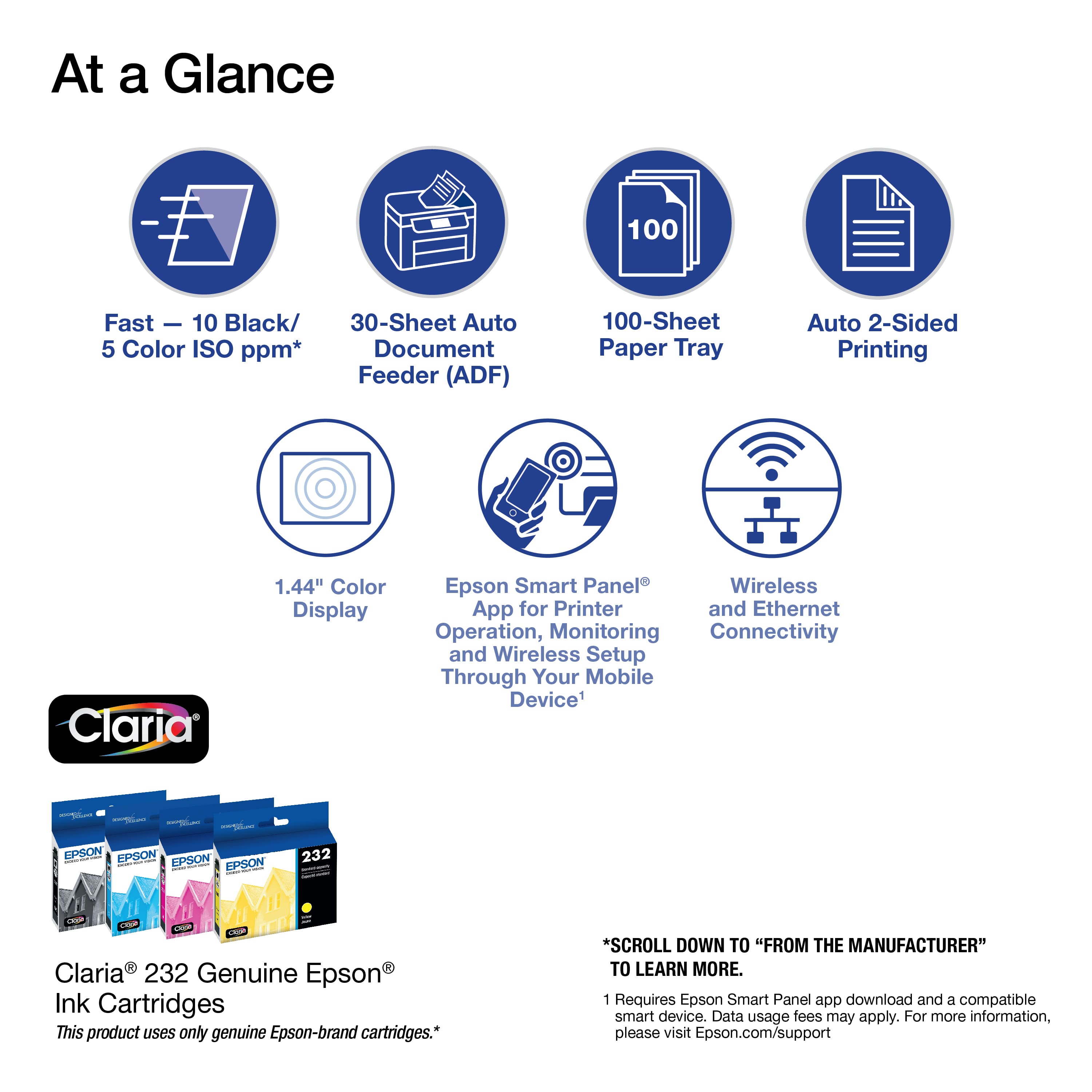
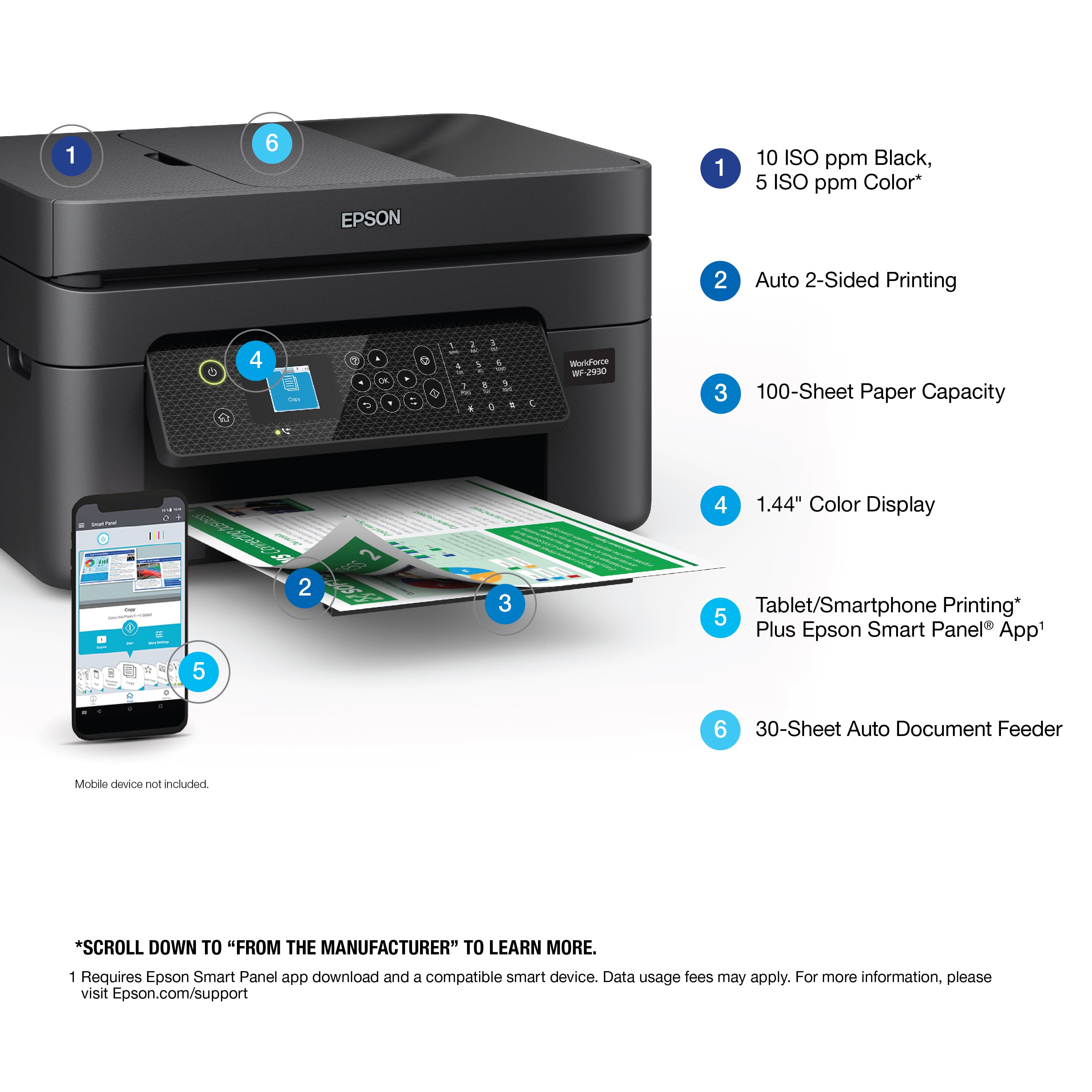
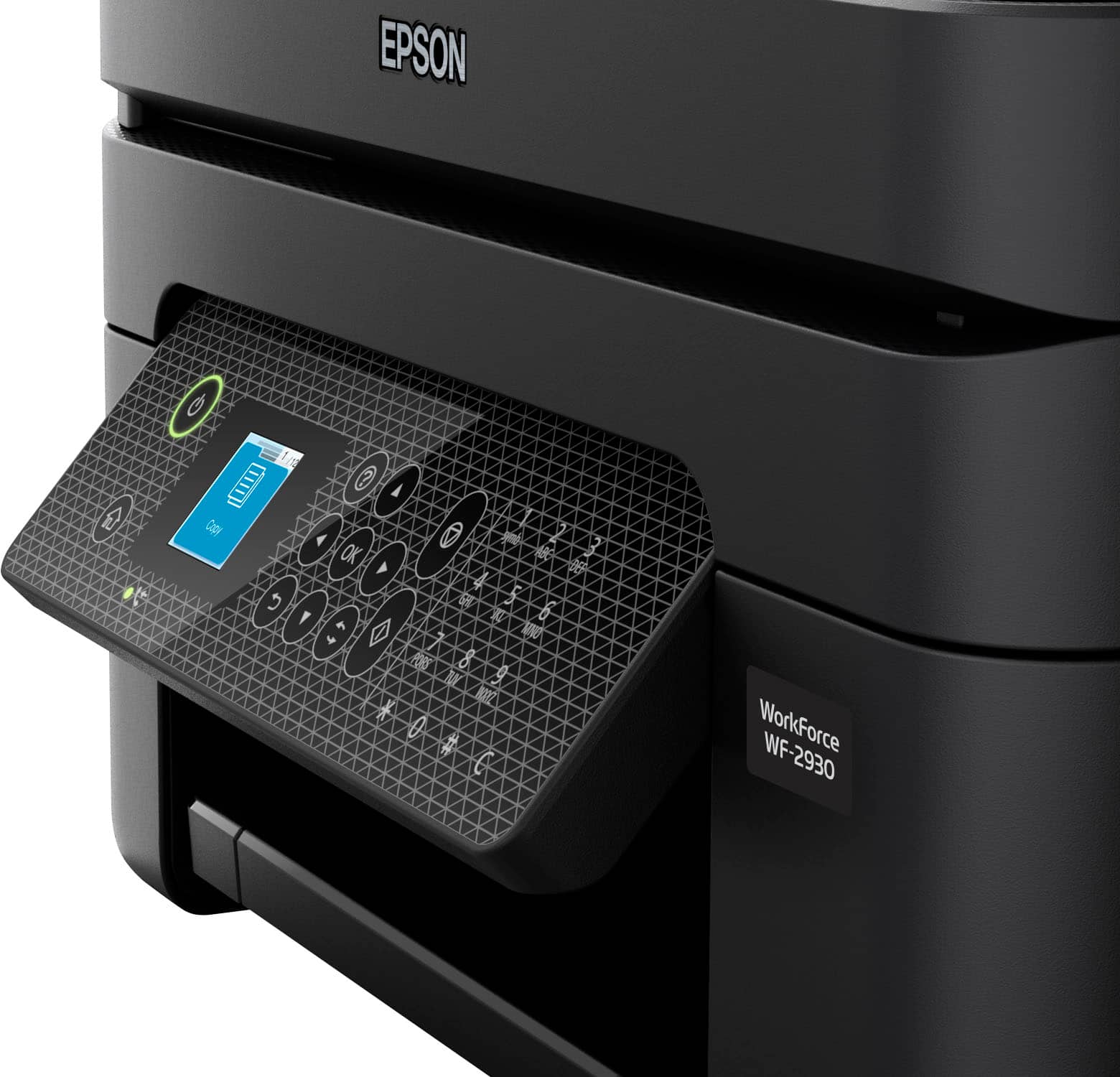
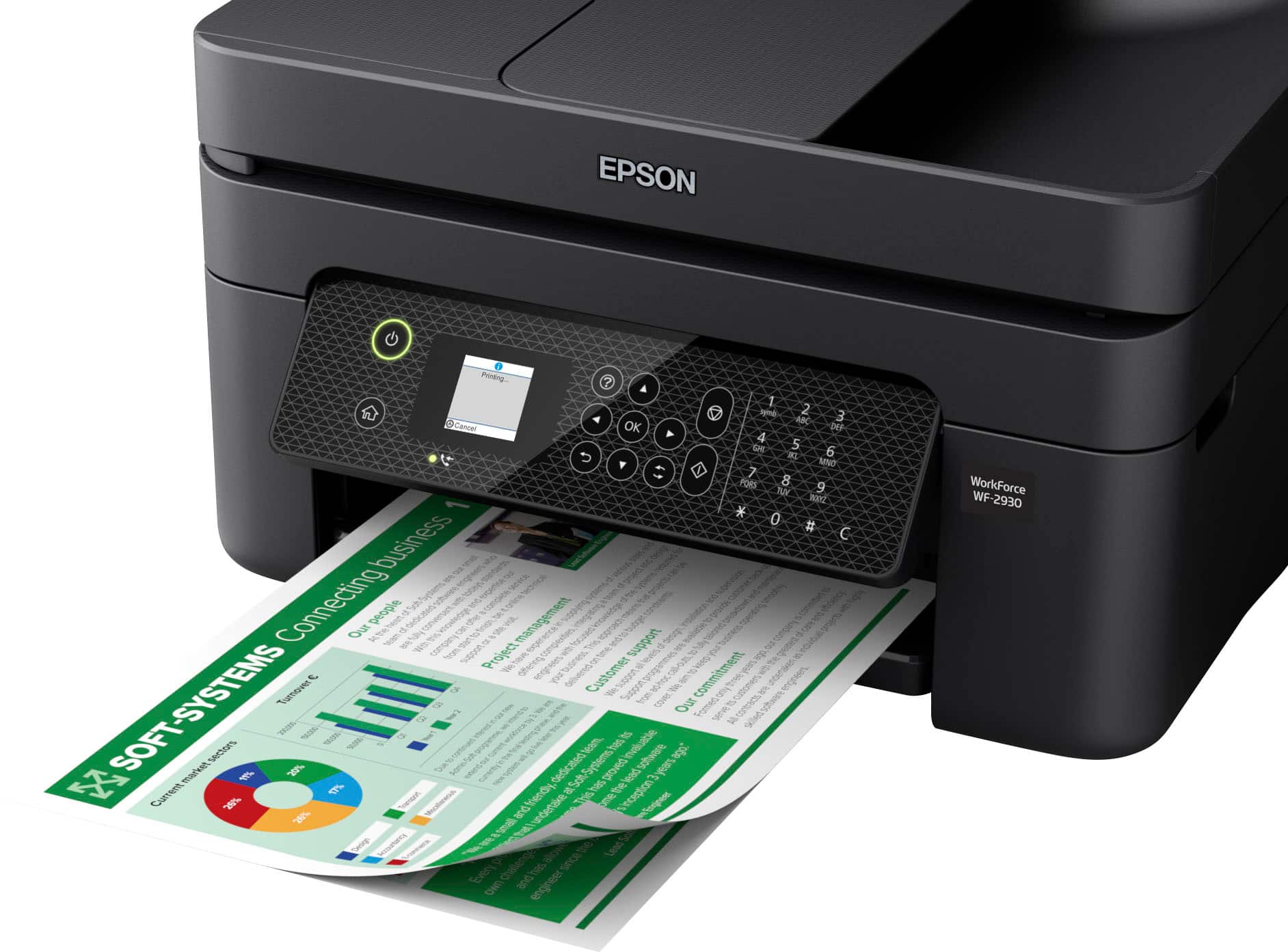
|Posted .This reviewer received promo considerations or sweepstakes entry for writing a review.The Epson WORKFORCE WF-2930 AIO PRINTER is a multi-function printer that holds its own. This printer has crisp print and scan quality. It comes with tons of features. I use his printer almost daily and it satisfies all I need from a printer perspective. The quality of the prints that come from this printer is great. The colors are vivid. It is easy to operate. I downloaded the Epson app and it connects and operates the printer seamlessly. Design: The printer has the usual elegant Epson Printer design with a smooth rectangular build. The printing process is easy and less noisy. Features: The Epson Workforce WF-2930 comes with all the features one needs in a modern printer. It has WIFI connectivity, Copy/Scan, 2-sided print, Fax, Mobile printing, and a great LCD. Overall, the process of setting up the printer and connecting the printer was very easy. The ink cartridges are easy to insert and work seamlessly. This is a wonderful printer that can take adequate care of anyone’s home office needs. I would recommend this printer to my friends.
I would recommend this to a friend The WORST
||Posted . Owned for 1 month when reviewed.This reviewer received promo considerations or sweepstakes entry for writing a review.It takes forever just to print 1 page. Eats up ink and then when in brought new ink it wont even read the new ink, the worst part they only gave me two weeks for return window how can anyone possibly try out a product in that time frame
No, I would not recommend this to a friendBrand response from Epson
Posted .Hello JojoG, we apologize for your disappointing experience with the WF-2930 printer. Epson considers all feedback to improve the performance and quality of our products. Epson also provides helpful information on FAQs and self-help tools on the product support web page at https://epson.com/Support/Printers/All-In-Ones/WorkForce-Series/Epson-WorkForce-WF-2930/s/SPT_C11CK63201#questions. Additionally, your printer includes a 1-year Limited Warranty plus free lifetime technical support. Please contact our support team directly at (562) 276-4382 between 7 am - 4 pm (PT), Monday - Friday, if you need further assistance.
Sincerely, Tony - The Epson Team
Returned it.
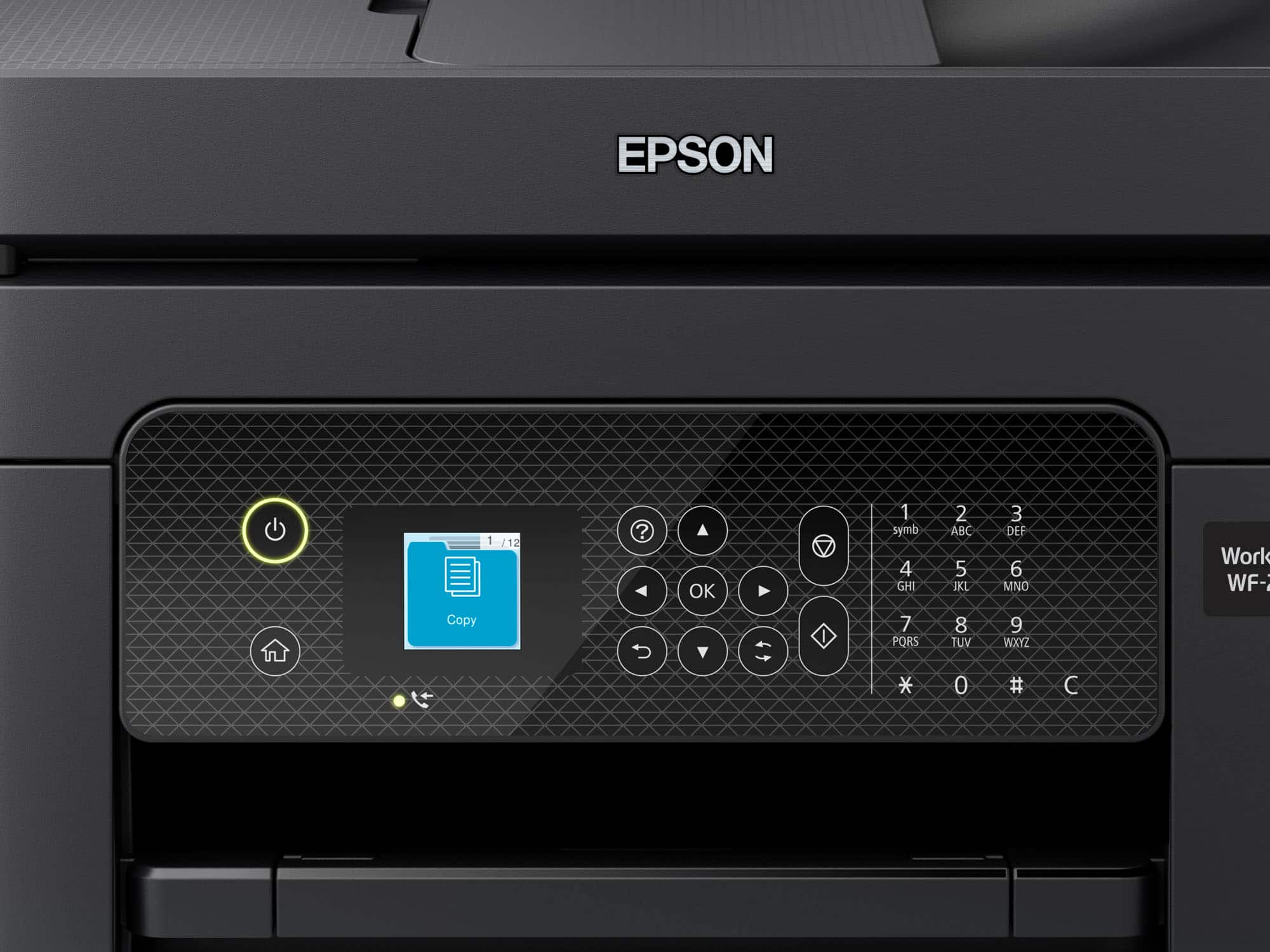
||Posted . Owned for 1 week when reviewed.This reviewer received promo considerations or sweepstakes entry for writing a review.Bought and returned the next day. The led display was about the size of my thumbnail. 3 lines of text and two symbols at the bottom to make selections was absolutely unreadable. Got the XP-4200. Very happy with it!
No, I would not recommend this to a friendBrand response from Epson
Posted .Hello Mudshark, we apologize for your disappointing experience with the WF-2930 printer. Epson considers all feedback to improve the performance and quality of our products. We'll forward this information to the appropriate department for review. Hopefully, we can assist you with a future product. If we can help you with anything else, our support team can be reached by phone at (562) 276-4382; Hours: Monday - Friday, 7 am - 4 pm PT.
Sincerely, Sam - The Epson Team.
- Pros mentioned:Print quality
A true All-in-one printer.
|Posted .This reviewer received promo considerations or sweepstakes entry for writing a review.The Epson Workforce 2930 is a feature rich printer for a great deal. This printer has a fax, scanner, and of course a printer. It can do 2-sided printing, as well as print letters, photos, and much more. You can even use voice activated printing when connected to a supported service like Alexa or Siri. The small 1.44” LCD display is hard to see small writing but the way they managed to handle the interface is very intuitive. For example, each menu option fills up the entire screen making it easy to see. Setting up the printer is simple, all you need to do is follow the on-screen instructions on the printer, or you can download the software from the website and follow the set-up wizard. Through the free software is where you can fully utilize this printer. There are a few that are especially useful like Epson Photo+, this is where you can create CD/DVD labels. There is also Epson Scan Smart, this program lets you scan documents and photos from your printer to your computer. The scanner on this printer is phenomenal! I printed out a document, then scanned the document and the scanned document actually came out clearer and sharper than the original document. Now for the main purpose of the printer, printing. This does a good job at printing documents, they come out clear, the colors are sharp, and it prints pretty fast. Pictures and images come out very vibrant and detailed, especially on photo paper. The main paper tray can hold up to 100 sheets of paper at one time, so you won’t have to keep worrying about having to load more paper. Overall, I really like the Epson Workforce 2930. This is a solid printer, with a ton of features for a great bargain. It can scan, fax, print and copy all in incredible detail. The 1.44” screen is very useful to be able to navigate without the need to turn on your computer. Prints are colorful and clear, and come out fast. I would definitely recommend this anyone looking for a new printer.
I would recommend this to a friend Disappointing
||Posted . Owned for 1 month when reviewed.This reviewer received promo considerations or sweepstakes entry for writing a review.It printed a couple pages at first when we initally hooked it up, and now it doesn't work well at all. I am not sure what the issue is.
No, I would not recommend this to a friendUseless Piece of Junk
||Posted . Owned for 4 months when reviewed.This reviewer received promo considerations or sweepstakes entry for writing a review.This wasn't worth the pidley amount we paid for it. Recently we had to purchase another printer (hp this time) because this is useless.
No, I would not recommend this to a friendRun Forest!!
||Posted . Owned for 4 months when reviewed.This reviewer received promo considerations or sweepstakes entry for writing a review.Not even 4 months old and jamming already. SUCKS up ink with it's continual self checks. My LAST Epson!!
No, I would not recommend this to a friend- Pros mentioned:Print quality, Setup
Excellent Little All-in-one
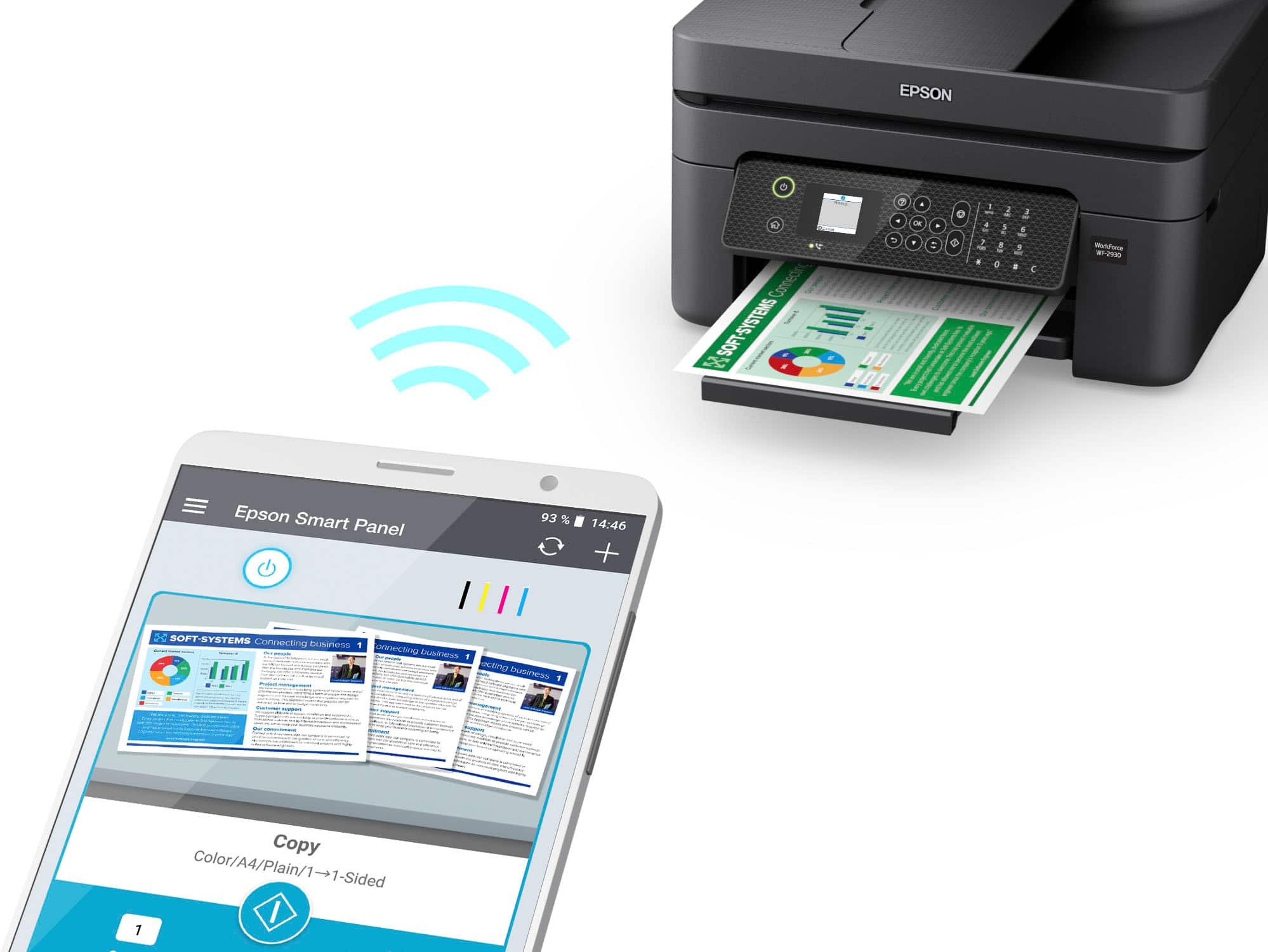
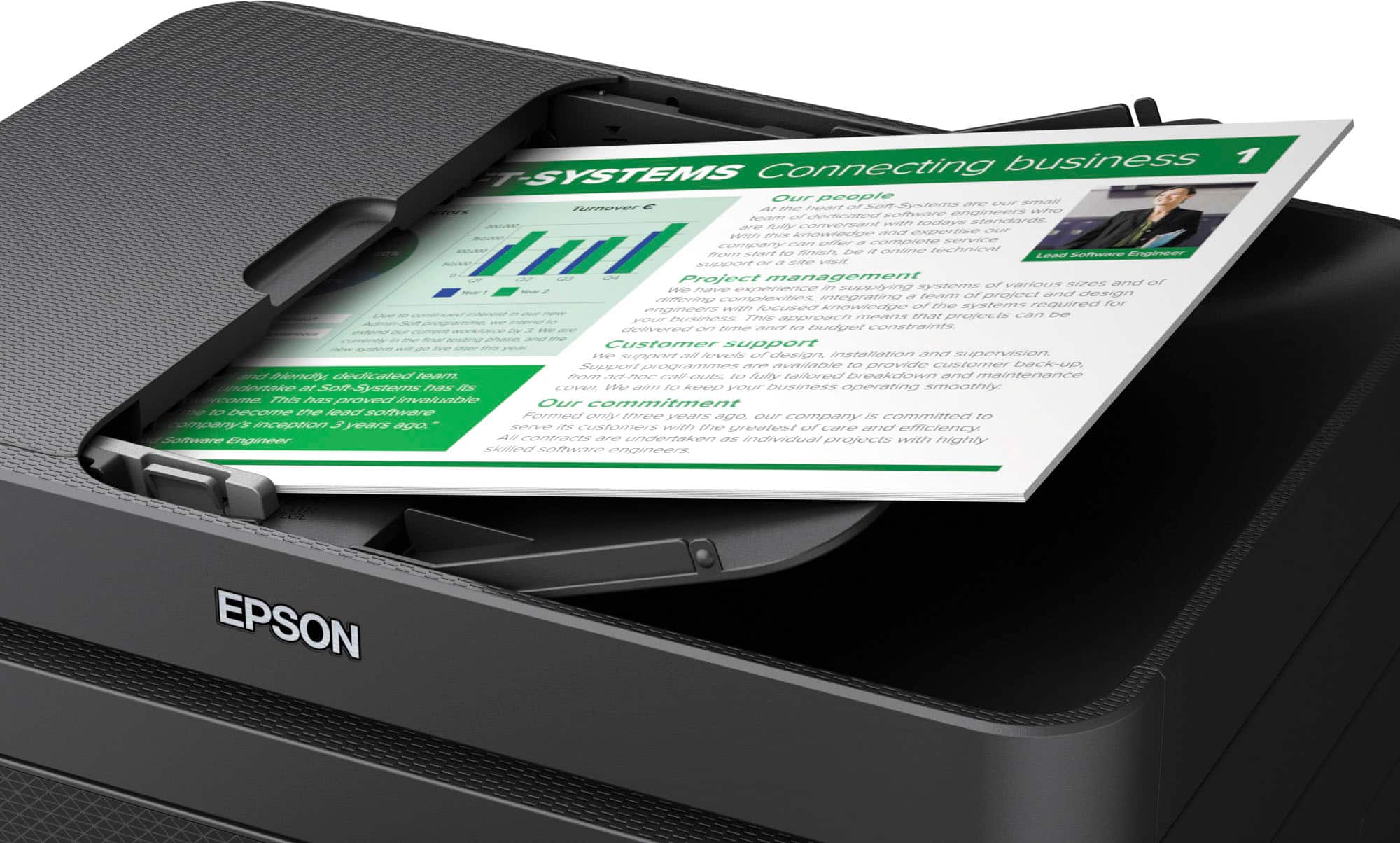
|Posted .This reviewer received promo considerations or sweepstakes entry for writing a review.Unboxing the Epson Workforce WF-2930 printer, you’ll find the printer itself, a full complement of Epson ink cartridges, a power cable, and documentation. There is no phone/fax or USB cable included. The printer has a very small footprint at only 12” x 15”. Setting up the printer itself is an easy process. With the printer unpacked and the Epson Smart Panel app installed to your mobile device, simply follow the chat-like prompts. The app will clearly and concisely walk you through installing the ink cartridges, setting up your network configuration, and aligning the print head. At this point, you can start printing with little additional work. Android 12 & 13 devices in my home on the same wifi automatically found and suggested the printer without any downloads or setup. And Windows 10 computers added the printer easily by downloading and installing software from Epson’s website. Print quality for both documents and photos has been very impressive with sharp edges, solid colors, and dark blacks. Output is fast both from mobile and desktop and operation is quiet. And 2-sided printing worked quickly and reliably. Scanning operations were quick and easy when initiated by either the computer or scanner. Results were impressive with quick operation, sharp images and good color representation. The document feeder, which only works with 1-sided pages, performed reliably with straight images and no jams. Couple of final thoughts: I do not have a landline and was therefore unable to test faxing. Also, this model printer bucks the current trend towards ink tank style printers with large ink capacity. While this is neither pro nor con, it does mean needing to buy ink cartridges more often. That said, cartridges are already available and are only $7 a for a standard capacity cartridge, which is super reasonable. Overall, the Epson Workforce WF-2930 is an excellent little printer.
I would recommend this to a friend Not recommended
||Posted . Owned for 2 months when reviewed.This reviewer received promo considerations or sweepstakes entry for writing a review.Conection is terribly. Really bad. Every ti.e I need I have connection incompatibility and configuration is also bad.
No, I would not recommend this to a friendBrand response from Epson
Posted .Hi AndreT, we’re sorry to hear you’re having issues with your Epson WorkForce WF-2930. Your product includes a 1-year limited warranty and free lifetime tech support. The Epson Advanced Support Team would be happy to help get your printer set up and resolve any issues. Please call us at 1-800-241-5794 between 7 am - 4 pm (PT), Monday - Friday. Sincerely, Tony – The Epson Team.
Low ink
||Posted . Owned for 3 months when reviewed.This reviewer received promo considerations or sweepstakes entry for writing a review.The cartridges are in four different colors and drys out preety quick
No, I would not recommend this to a friendBrand response from Epson
Posted .Hi, we are sorry you are disappointed with your Epson printer. Your Epson WorkForce WF-2930 includes free technical support for the life of your product. Our Epson Support Team may be able to help you customize your settings for a more efficient performance. Please contact us at (562) 276-4382; Hours: Monday – Friday, 7am – 4pm PT. We look forward to your call. Regards, Tony – The Epson Team.
T Dallas
||Posted . Owned for 1 month when reviewed.This reviewer received promo considerations or sweepstakes entry for writing a review.Not good it is difficult to obtain and purchase ink and it does not operate correctly most of the time
No, I would not recommend this to a friendBrand response from Epson
Posted .Hello DallasT, we appreciate your feedback on the WF-2930 printer. Epson considers all feedback to improve the performance and quality of our products. Epson also provides helpful information on FAQs and self-help tools on the product support web page at https://epson.com/Support/Printers/All-In-Ones/WorkForce-Series/Epson-WorkForce-WF-2930/s/SPT_C11CK63201#questions. Your printer also includes a 1-year Limited Warranty plus free lifetime technical support. Please contact our support team directly at (562) 276-4382 between 7 am - 4 pm (PT), Monday - Friday, if you need further assistance.
Sincerely, Sam - The Epson Team
- Pros mentioned:Print quality, Size
Good overall home printer
|Posted .This reviewer received promo considerations or sweepstakes entry for writing a review.I was pleasantly surprised by the Epson Workforce WF-2930. I was expecting a bulky printer given all the features but it is surprisingly compact and takes less room than my old one which has left me with space to store supplies along with it. It came well boxed and packaged. Unless Wylie E. Coyote got involved, nothing was going to damage this printer. I want to thank Epson for including clear and concise set-up directions with the printer so someone doesn't have to go on-line looking for them, a rarity lately. This is a printer my 89 year old mother would be able to set up with little help. She would need help getting it out of the box but not with the set-up itself. As my cell phone is used as just that, a phone, I did my set up with my laptop. It took no time at all to set up the printer or to download the drive for my laptop and then my desktop. The print quality was crisp and clear. It's not the fastest at printing but for a home office or general school and person use, it is fine. The paper is top-loading so no pulling out the printer to add paper. The color ink cartridges are individual so there is no waste of ink. Epson does warn that you must use official Epson inks rather than the generics as they may damage the unit which isn't covered under warranty. That said, the reason for the loss of a star was the difficulty I had in finding ink. It is sold out or not kept in stock at the stores in my area. If you are high-volume, this could be a problem so you may want to source the ink in your area. The Epson website does have a feature where you can locate ink on-line and in-store. Since my child lives with her phone glued to her, I had her download the app and try to print. She had no problems, even using Google Assistant to do it. She's in love. Overall, my only concern with this unit is the ability to source ink. It may just be a supply issue at this time but as we don't use a printer daily, this works for us quite well.
I would recommend this to a friend