Customer Ratings & Reviews

- Model:
- T88511D1
- SKU:
- 6414447
Rating by feature
- Value
Rating 4.5 out of 5 stars
- Quality
Rating 4.6 out of 5 stars
- Ease of Use
Rating 4.7 out of 5 stars
Customers are saying
Customers admire the eufyCam 2 Pro's excellent video quality, even at night, and its straightforward installation and user-friendly interface. The wireless functionality is also a plus for many users. While some users mention battery life as a potential concern, the lack of monthly subscription fees is a significant advantage.
This summary was generated by AI based on customer reviews.
Little delay on recording
||Posted . Owned for 1 month when reviewed.This reviewer received promo considerations or sweepstakes entry for writing a review.Very good battery life. OK on Human detection. It has about a second or two delay on recording on detection.
I would recommend this to a friend- Pros mentioned:Battery life, Camera quality, Night vision

Ooo-fy, I'm impressed with Eufy
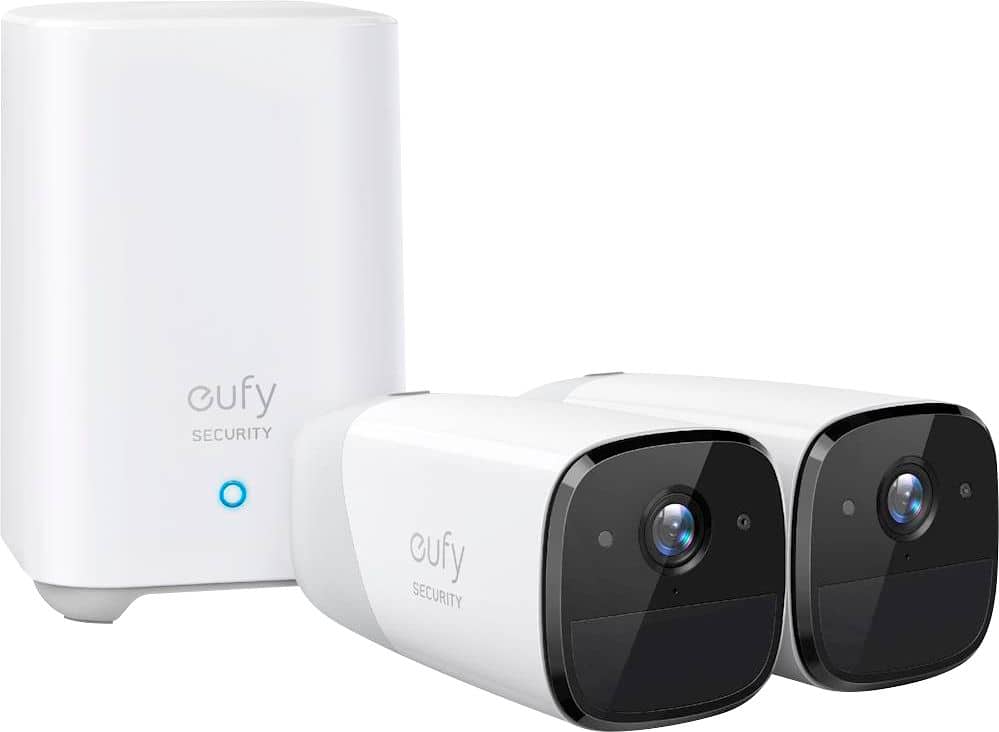
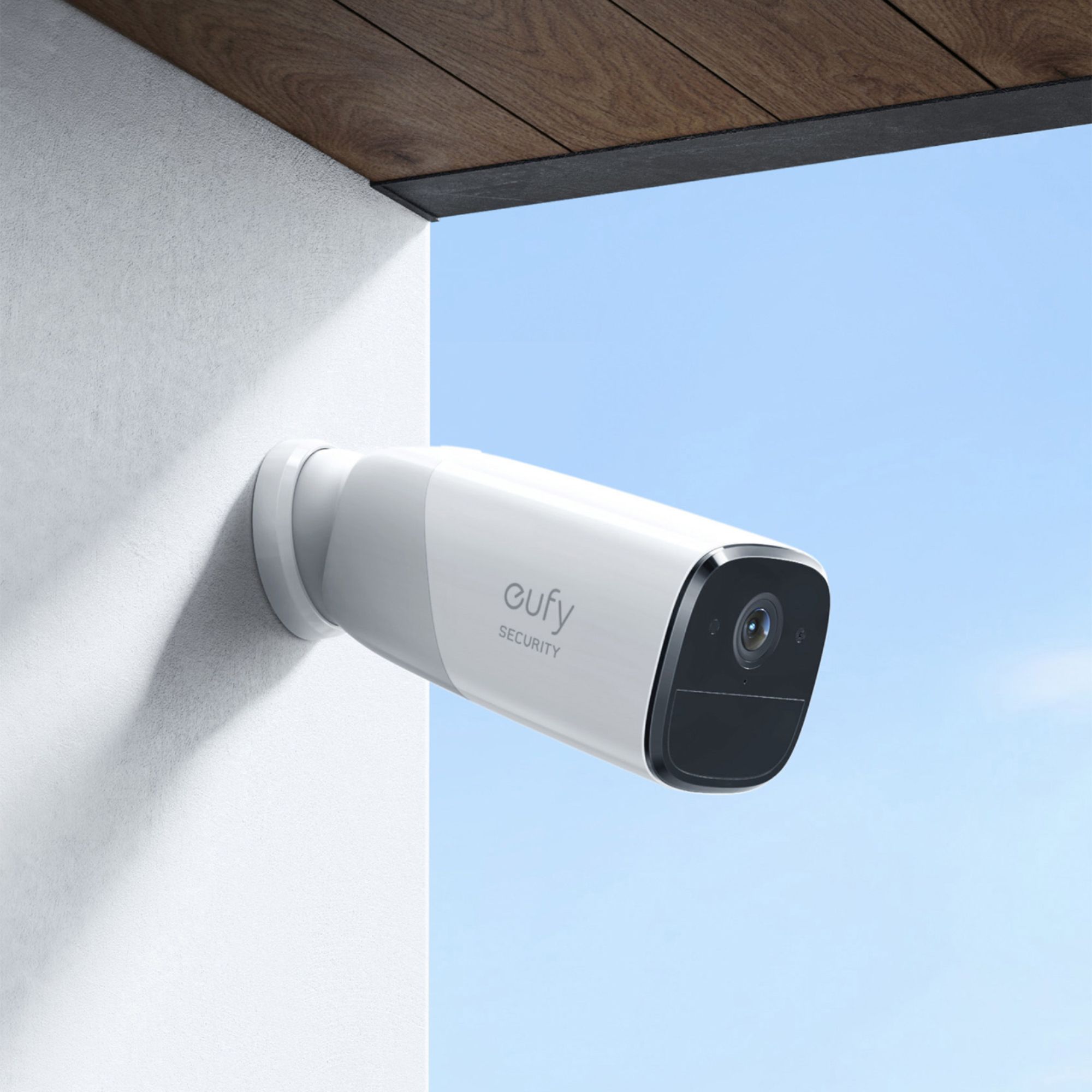
|Posted .This reviewer received promo considerations or sweepstakes entry for writing a review.with the quality and options of the system to where I have yet to explore all the various settings. The package I got comes with the HomeBase 2 and two eufy Cam 2 Pros. Setting up the HomeBase 2 was simple, after downloading the Eufy Security application for my iPhone (there is an android option also), connecting the HomeBase to the router through Ethernet cable, and then power on, a few steps later my HomeBase 2 was up and running in my account. I went ahead and full charged both of my eufy Cam 2 Pros before adding them. The included packaging had anywhere from 8-12 hours for a full charge, and I would say about 4 hours for mine to stop charging out of the box. Adding a camera was efficient. Through the application you choose what device to add, place it near the HomeBase, press sync and less than a minute, done! No issues with adding either of the cameras. There is then a screen to determine distance from the connection strength, I was able to maintain great connection strength with the locations of desired placement for my system. I walked throughout my house, along with possible desired locations outside my home, to get a feel of the connection strength and did not have any issues throughout my home. When adding a new camera, there are default options once can choose to either optimize battery life (company claims up to 365 days/charge) or optimizing surveillance. Even with optimizing surveillance chosen, and the need to be charged more frequently, the mounting set is quite easy to work with and removing the camera for charging if needed, would be simple. Mounting the cameras is straight forward and the company has presented the options well. There is an indoor, magnetic, mounting set and an outdoor, screw-based, mounting set. There are small cards included that have where to drill holes for mounting the device. I found this extremely helpful, as it made spacing simple and effective. The cameras have settings in the application. Options include name, camera power, status LED, auto night vision, anti-theft detection (camera and HomeBase sounds alarm if camera is moved), snooze shortcut, and option to watermark the recording. Further options include motion detection (most important in my opinion), power manager, video quality, audio settings, and NAS. While in the application you can enter the camera view. This view allows you to see and hear (clearly) the live stream, record if desired, or even talk through the camera. The voice through the camera is clear. The video quality of the camera is quite impressive and the ability of the night vision blew me away. Completely satisfied in that aspect. The most important aspect of the camera settings to me is the motion detection. This may be toggled on or off, and an activity zone chosen within the field of view. You may then select the detection sensitivity and then what you want to detect. There is a human only option or an all motion option. The all motion option defaults at night time, as the camera does not have the same detection abilities at night. You are able to get push notifications when motion is detected. I have found two distinct uses personally for the cameras paired with the motion detection. My indoor camera, I have set to no motion detection and I am able to log into the camera to view it at a given time (not recording anything otherwise) while my outdoor camera, I have set to motion detection human. Since the uses for the cameras is different, the options for detection are fabulous! The other aspect of the system to speak on is the application. I have already mentioned the devices sections while speaking about the setup and camera options. There is an events tab that has the recorded “events” that are picked up using the motion detection. Any recorded event has which camera and it is simple to review these and then delete if desired. There is also a security tab, this is where I have not used the application to the fullest yet. I have kept my device is home mode, but there are multiple options like away, disarmed, geofencing, schedule, or customize. This allows for modification of the settings by need. There is much customization to be had, I just personally have not ventured into all of it at this time. Overall, I am impressed with this surveillance system. I feel that recently people have come to prefer personal surveillance systems for the home rather than the traditional “security system”. I can see advantages to the surveillance system in that with these systems as you can record events of what is happening even when not at home, while having personal control with no recurring fees other than what you choose to invest initially. The only issue I identify, is with a surveillance system, as this one, you need to be alert to the event to determine a full threat versus a traditional security system would be notifying authorities if no response is received. I prefer not having the nuisance of accident triggers of an “alarm” and worrying about canceling the response or not, but to each their own. To me, I choose Eufy.
I would recommend this to a friendBrand response from Eufy Team
Posted .So glad you love the product! Thank you for your support. We are super excited to provide something that betters your life. We promise to continue striving to exceed your expectations! Remember your device comes with a 12-month warranty, and anytime you need help just reach out to us via support@eufylife.com or call us at +1 (800) 988 7973. We are more than happy to assist you.

- Pros mentioned:Camera quality
Not bad
||Posted . Owned for 2 weeks when reviewed.This reviewer received promo considerations or sweepstakes entry for writing a review.Good cameras. DO NOT RECORD WHEN WIFI/ROUTER IS DOWN!
No, I would not recommend this to a friendBrand response from Eufy Team
Posted .Yes, the HomeBase will not record onto local storage when wifi/router is down but will sync up to the App once it's connected to the Internet.
Not pleased
||Posted . Owned for 3 weeks when reviewed.This reviewer received promo considerations or sweepstakes entry for writing a review.I spent a lot of money on this for only one camera to work. Tried calling customer support with Eufy, only to be on hold for an hour. The camera that worked was easy to connect.
No, I would not recommend this to a friendBrand response from Eufy Team
Posted .Dear Customer,
I am truly sorry to hear that you are experiencing this issue. We understand how frustrating it can be and we appreciate your patience.
Please rest assured that we stand behind our products and are willing to provide assistance within our capacity. We are committed to ensuring your satisfaction and resolving your concerns promptly.
You can reach out to us via support@eufylife.com or call us at +1 (800) 988 7973. Our customer service team is always ready to help you.
We look forward to your message so we can address your issue as soon as possible. Thank you for bringing this to our attention and giving us the opportunity to make things right.
Best Regards,
Battery used
||Posted . Owned for 1 month when reviewed.This reviewer received promo considerations or sweepstakes entry for writing a review.Camera system good,but eufy app is draining my battery too much....
I would recommend this to a friendTerrible Wi-Fi signal
||Posted . Owned for 1 month when reviewed.This reviewer received promo considerations or sweepstakes entry for writing a review.This system is the worst for constant 2K resolution. Customer service suggested changing to 1080p on my four cameras because of repeatedly recording choppy videos due to weak Wi-Fi. My Comcast Modem is the newest and strongest one they have and still weak inconstant signal, even if placed right next to the Homebase! Calling customer support is a joke, the whole system Would Not Update, you had to email them with the SN# so they could “back push” the updates. I would not recommend this system to anyone!
No, I would not recommend this to a friendBrand response from Eufy Team
Posted .Thank you so much for sharing your experience. We're really sorry you've encountered this issue!
Could you please enable HotSpot on your phone and make the Homebase connect to your hotspot to see if it works? Steps:side menu>my devices>wifi connection>change wifi
If yes, the issue should be related to your wifi settings. Please try the following steps to see if the issue will be resolved quickly.
-Make sure there are no obstacles around HomeBase and make the Homebase closer to the router to see whether it helps.
-In theory, the HomeBase can be 50ft from the WI-Fi router. The actual range will vary depending on a number of factors such as the thickness of walls, obstacles inside the house, and the location of the router.
-Test in the following website to see whether it is because of the slow speed of the WiFi.
https://www.bandwidthplace.com/
-Reboot the router to see whether the problem still exists.
-Try to temporarily disable the firewall setting on your router to see whether the Homebase can connect to WiFi. If so, please check your firewall setting to see if there are any special restrictions for the device. You can check the firewall setting on your router's official website.Please make sure these ports are allowed:
TCP:80, 443
UDP:0-65535
If those don't help, please reach out to us via support@eufylife.com or call us at +1 (800) 988 7973. We are more than happy to assist you further.
We offer a 12-month warranty for this product, plus lifetime technical support. Our standard for responding to email quests is less than 24 hours, and we look forward to hearing from you!
Camera Malfunctioning eufy dragging feet
||Posted . Owned for 9 months when reviewed.This reviewer received promo considerations or sweepstakes entry for writing a review.Very disappointed eufy warranty replace process. Purchased system Nov. 2023. One camera has no alerts for activity in the zones. Contacted eufy July. Troubleshooting = zero. August 2 the camera was sent back to eufy. No replacement yet. Used eufy for years and pleased. Not any more.
No, I would not recommend this to a friendBrand response from Eufy Team
Posted .Dear Customer,
I am truly sorry to hear that you are experiencing this issue. We understand how frustrating it can be and we appreciate your patience.
Please rest assured that we stand behind our products and are willing to provide assistance within our capacity. We are committed to ensuring your satisfaction and resolving your concerns promptly.
You can reach out to us via support@anker.com or call us at +1 (800) 988 7973. Our customer service team is always ready to help you.
We look forward to your message so we can address your issue as soon as possible. Thank you for bringing this to our attention and giving us the opportunity to make things right.
Best Regards,
- Pros mentioned:Battery life, Night vision
Decent picture for wireless security cam!
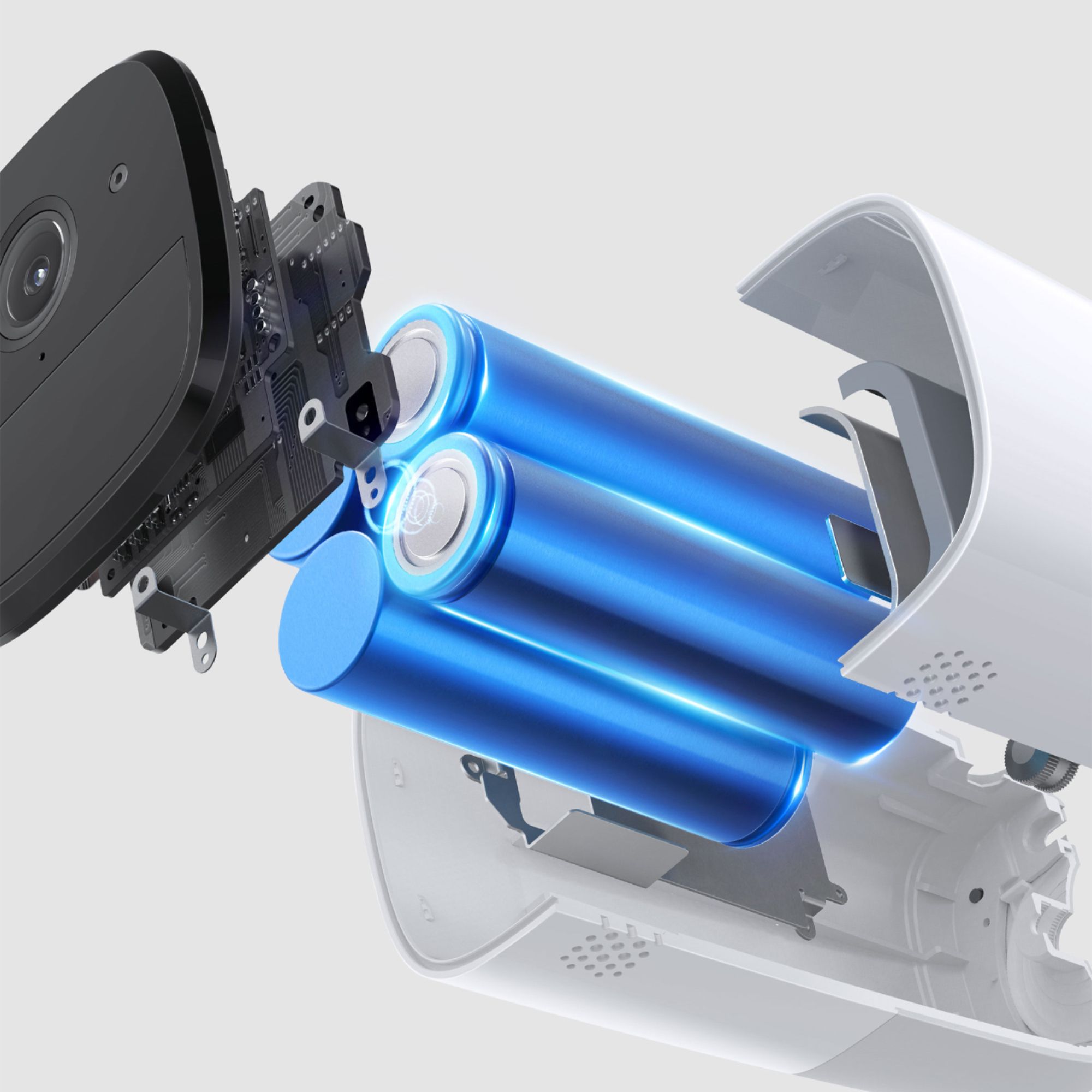
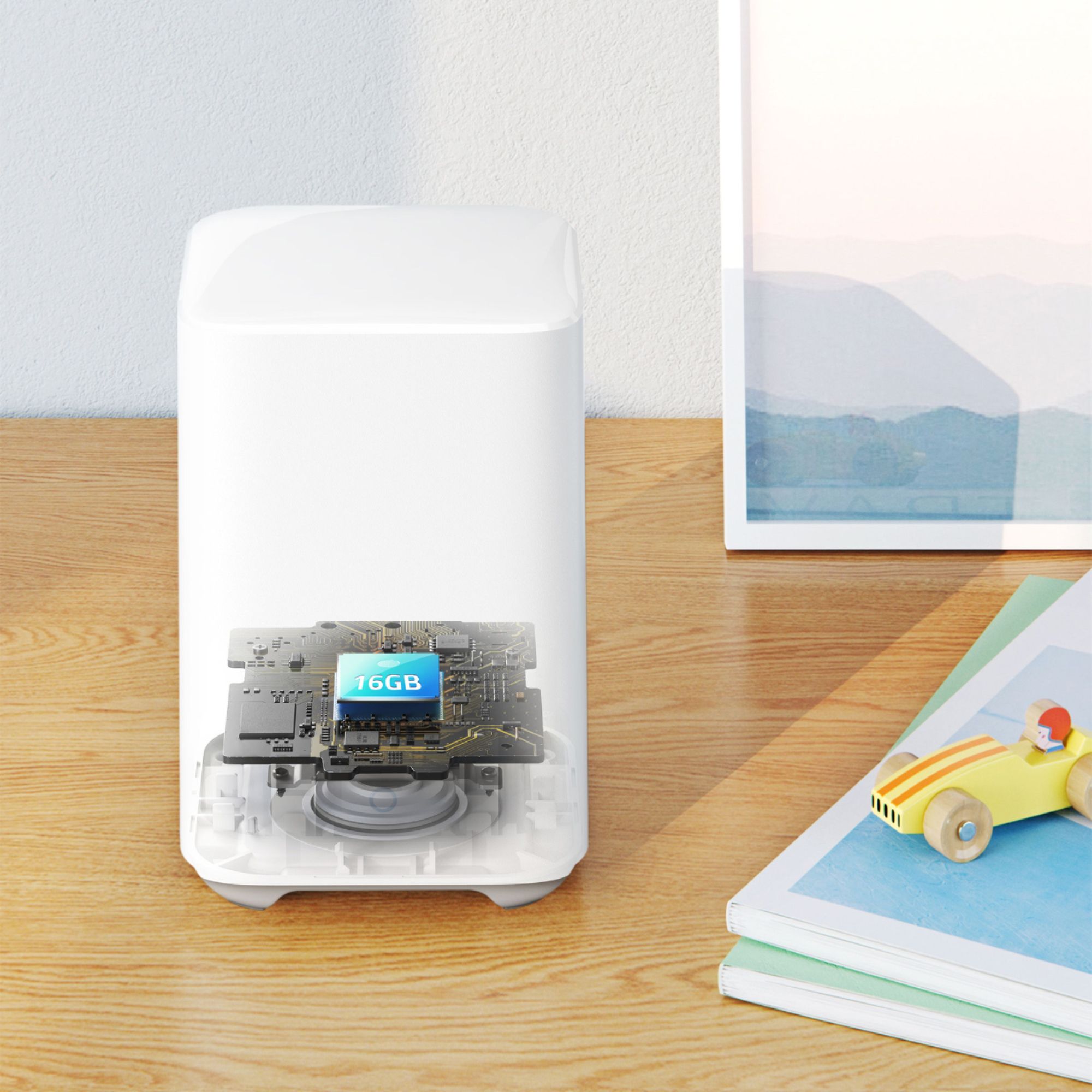
|Posted .This reviewer received promo considerations or sweepstakes entry for writing a review.I will start by saying that I had previously purchased a security camera that was wired and immediately returned it because I was not thrilled about drilling wholes on my house or looking at the white cables go around my walls. I wanted a wire-free camera that did the job and found a perfect one with this eufyCam 2. In short, you will love this camera. Features include: -100% Wire-Free - this is seriously one of the best selling points, if not the only reason why some people would buy it. 2k Resolution - this is the first security system I installed, and since I have the cameras installed on the outside of my house and on our deck, I don't think I truly get the 2k resolution because the WiFi signal isn't the strongest when the camera's are outside the house. Still though, I would say the image looks like a 940 to 1080p image and it works for me. I'm not trying to get 4k resolution from a Wire-Free camera, I just wanted to get some extra eyes on our house in case something ever happens. -1 year battery life - I have only had mine for about a week so I guess time will tell. Battery has not dropped in a week and the charging is super easy. -No monthly fee - okay I didn't even know people were supposed to pay for having security cameras, so I guess it's good or else I would definitely not pay a fee for a camera I already purchased. -Local storage - there is only 16GB of local storage and personally, I don't think I will need more. I will just reset the memory whenever it gets full. -Night vision - surprisingly it works great - see my video! I already caught a fox some to our deck. Human detection - I wish the detection zone was a little quicker because sometimes it catches the person once they are already in front of the camera and not so much when they are on the outskirts of the detection zone. No really complaint though just wish it would detect better movement Smart-image enhancement - it provides you a little icon of the person's face that was captured, so this is a cool feature. Smart-integration - this was super super easy to set up. Basically you turn it on and use your iPhone to add it to your HomeKit. Personally though, I prefer using the eufySecurity app just because it has more features and that's where you can make any adjustments to the camera. Weatherproof - we have gotten rained on nearly everyday since I installed this and it's no problem. I guess I will reconfirm in the winter when we have snow and colder weather. -Intruder Siren - I actually have not tested this yet, I am just afraid is super loud and might bother the neighbors. HomeBase 2 Wifi Extender - works great and does feel like our signal around the house is a little better. I highly recommend this product if you want a wireless security camera that looks good and provides you with good security features. Hopefully we capture a bunch of wild life instead of strangers!
I would recommend this to a friend Terrible Setup
||Posted . Owned for less than 1 week when reviewed.This reviewer received promo considerations or sweepstakes entry for writing a review.I have had a smart home for years. I am an Electrical Engineer and and President of an IT Consulting company for the almost 25 years. This product setup is terrible - set it up in Eufy app fine but then tried to add to homekit - would not work, so I reset the device and added to homekit directly - Homebase would add but cameras would not pair to homebase - reset the cameras, still would not pair. Reset the homepass to try to set back up in the Eufy app - not luck - says it is paired with homekit app.
No, I would not recommend this to a friendBrand response from Eufy Team
Posted .Thank you so much for sharing your experience. So sorry to hear that you are having problems with adding the device to HomeKit. It's unusual for this product to be acting like this, and we'd love to get you what you need!
Normally, after you set the Homebase 2 and camera 2 Pro on the Eufy security app, you can go to “HomeBase settings” on the Eufy security app>“HomeKit setup”>“Homekit Authentication” >"Add accessory">"Choose the camera" to activate HomeKit. Please make sure your Eufy app version is the latest V2.0.1.
I understand you can’t add the Homebase on the Eufy security app, please try to remove the bridge on the Home app and reset the Homebase to retry. If it doesn’t help, please reach out to us via support@eufylife.com or call us at +1 (800) 988 7973. Please provide the SN# of Homebase and camera and your Eufy account in the format of the email address. We are more than happy to assist you further.
We offer a 12-month warranty for this product, plus lifetime technical support. Our standard for responding to email quests is less than 24 hours, and we look forward to hearing from you!
Did not like the video quality
||Posted . Owned for less than 1 week when reviewed.This reviewer received promo considerations or sweepstakes entry for writing a review.I bought these to hopefully replace a nest system that I have to save on the cloud storage. It was simple enough to setup and all the hardware seemed solid but I did not like the overall image quality.
No, I would not recommend this to a friendBrand response from Eufy Team
Posted .Thank you so much for writing. We're sorry that this item doesn’t meet your expectation.
In regards to the video quality, you can choose the resolution on the security app. The recording quality can be up to 2K. Please reach out for us via support@eufylife.com or call us at +1 (800) 988 7973 to help ensure you're 100% satisfied.
You reaching out helps us know what our customers are looking for, which in turn allows us to improve our products and services, so thank you again for writing. We promise to keep improving, and we're so grateful for your support!
Absolute garbage. Avoid at all costs
||Posted . Owned for 1 year when reviewed.This reviewer received promo considerations or sweepstakes entry for writing a review.Garbage. Full Charge last about 3 months not the amount advertised. Misses 4 out of every 5 events, people walking in front of it, cars, delivery workers does not matter misses most things. Eufy’s customer service is also garbage. Phone rings and rings no answer. Avoid this product at all costs, you have been warned.
No, I would not recommend this to a friendBrand response from Eufy Team
Posted .Thank you so much for sharing your experience. We're really sorry you've encountered this issue!
If possible, please try the following steps to see if the issue persists:
- Please expand or delete your activity zone if set up. Steps:Devices>motion detection>activity zone.
- Please increase the sensitivity. Steps: Devices>motion detection>sensitivity level(type)
- Please know that the camera should be installed 7-10 feet above the ground and the depression angle should not be greater than 25°.
If those don't help, please reach out to us via support@eufylife.com or call us at +1 (800) 988 7973. We are more than happy to assist you further.
We offer a 12-month warranty for this product, plus lifetime technical support. Our standard for responding to email quests is less than 24 hours, and we look forward to hearing from you!
- Pros mentioned:Battery life, Camera quality
For a peace of mind
|Posted .This reviewer received promo considerations or sweepstakes entry for writing a review.It's the first time that I'm living alone, not directly in the city - so I wanted to secure my apartment for a peace of mind. I had experience installing a wired security camera prior for a family member and that was a headache. So when it came to purchasing a security cam for my apartment, I knew that I wanted an easy set up and without those hidden monthly fees. So it was a no brainer to pick up a EufyCam 2. With the Eufy Security App and Homebase 2 - set up was simple and straight forward. Set up - a word of caution, set up is a little loud as there is a voice prompt/direction. So I wouldn't be setting this up at night when people are sleeping. But aside from that, set up is pretty simple. Before setting up the homebase 2, I made sure that both cameras were charged up first (~3-6 hours). Then: 1. Connect Homebase 2 to your router 2. Install the Eufy Security App and create an account 3. Add the Homebase 2 and both cameras to your account, pairing them 4. Place cameras Pros: -2K resolution with 140 degree field of view, f2.4 aperature, and night vision - quality recording and responsiveness -Built in memory (16gb local eMMC flash memory - more than enough to hold months of video before older videos are overwritten (~2000 minutes of video). Cloud storage is optional. -Download videos easily from the Homebase to user's smartphone - Watch from your smart phone - Multi-User access -Instant notification -1 year battery life (~won't be able to review until a year later, but that's the battery life that is advertised) - Homekit doubles up as a repeater - extended your wifi signal - Magnetic mount, makes it easy to move the cameras at different angles - Motion detection -Anti-theft alarm (definitely will get anyone's attention) Cons: - Lack ability to expand local storage capacity via SD cards - Surface is curved which may make it difficult to leave on a shelf/other flat surface if you just want to keep it indoors without drilling holes in your home (may need to use a rubber bottom to prevent it from sliding). You are given two types of mounts: outdoor and indoor, but both would require you to drill a hole Overall, the pros definitely outweigh the cons and it provides this girl a peace of mind that my home is safe and secured. I would definitely recommend this to any one that is looking for a security system.
I would recommend this to a friend Not worth the money
||Posted . Owned for 1 year when reviewed.This reviewer received promo considerations or sweepstakes entry for writing a review.It seems like when it got past the 12 month warranty the cameras & homebase started to have issues all the time, and now 2 cameras stop working at the same time.
No, I would not recommend this to a friendBrand response from Eufy Team
Posted .Dear Customer,
I am truly sorry to hear that you are experiencing this issue. We understand how frustrating it can be and we appreciate your patience.
Please rest assured that we stand behind our products and are willing to provide assistance within our capacity. We are committed to ensuring your satisfaction and resolving your concerns promptly.
You can reach out to us via support@eufy.com or call us at +1 (800) 988 7973. Our customer service team is always ready to help you.
We look forward to your message so we can address your issue as soon as possible. Thank you for bringing this to our attention and giving us the opportunity to make things right.
Best Regards,
Maybe a lemon
||Posted . Owned for less than 1 week when reviewed.This reviewer received promo considerations or sweepstakes entry for writing a review.Just got in today, spent 4 hours attempting to set up. Red LED stays on , will not reset, and when I disconnect the router from the homebase it tells me to reconnect to the internet so that's how I know it's not my gear. Will return and look for another product. Eufy struck out. Id give no starts if I could.
No, I would not recommend this to a friendBrand response from Eufy Team
Posted .Thank you so much for sharing your experience. It's unusual for this product to be acting like this, and we'd love to get you what you need!
If possible, please try the following steps to see if the issue persists:
1. Press and hold the SYNC button located on top of the HomeBase for a couple of times until you hear "HomeBase is read yfor setup";
2. If the LED light on the Homebase is red, please reboot the router, reset the HomeBase and adding the Homebase again; 3. Make sure your smartphone and HomeBase are connected to the same wireless router, and the Wi-Fi is not isolated from the LAN.
4. Your phone should not be connected to the Guest Wi-Fi network. The LAN port is not dedcated for a set>top->box.
5. The HomeBase might take up to one minute to boot up. Please wait until the LED on your HomeBase turns from red to white or blue.
If it doesn’t help, please reach out to us via support@eufylife.com or call us at +1 (800) 988 7973. We are more than happy to assist you further.
We offer a 12-month warranty for this product, plus lifetime technical support. Our standard for responding to email quests is less than 24 hours, and we look forward to hearing from you!
- Cons mentioned:Motion detection
Missing motion all the time
||Posted . Owned for 1 month when reviewed.This reviewer received promo considerations or sweepstakes entry for writing a review.These cameras have the worst motion detection on the market. They miss many events. I will be going back to Blink.
No, I would not recommend this to a friendBrand response from Eufy Team
Posted .Thank you so much for sharing your experience. We're really sorry you've encountered this issue!
If possible, please try the following steps to see if the issue persists:
- Please expand or delete your activity zone if set up. Steps:Devices>motion detection>activity zone.
- Please increase the sensitivity. Steps: Devices>motion detection>sensitivity level(type)
- Please know that the camera should be installed 7-10 feet above the ground and the depression angle should not be greater than 25°.
If those don't help, please reach out to us via support@eufylife.com or call us at +1 (800) 988 7973. We are more than happy to assist you further.
We offer a 12-month warranty for this product, plus lifetime technical support. Our standard for responding to email quests is less than 24 hours, and we look forward to hearing from you!
- Pros mentioned:Battery life, Camera quality, Ease of use
Great addition to my house
|Posted .This reviewer received promo considerations or sweepstakes entry for writing a review.I’ve never been big into the idea of wireless cameras. I prefer uninterrupted video and power with constant recording, but wiring can be a huge pain in the butt the way my attic is designed. I already have a hard-wired camera system in my house, but there are some blind spots. This is definitely a good addition for that. This camera system is used to supplement the Eufy Video Doorbell, which I’ve had good success with. I’m somewhat familiar with the Eufy system so the setup was a breeze for me. I already have the Eufy Security App and the HomeBase 2 installed. I found out I wouldn’t need to connect the new HomeBase since I have one installed for my Doorbell camera, which I find very convenient. For me to add the cameras was super easy, just opened the Eufy app and selected Add Device. The only hiccup I had was where I needed to restart the HomeBase from the app for it to pickup the cameras. In a nutshell... My Pros: Camera Quality (Video and build of the camera) Ease of use/Setup Built-in memory 2 Way audio communication Easy to detach and recharge Wide view, encrypted data, and long battery life (per Eufy) My Cons: Mounting Hardware Questionable capture speed Pros in detail: The camera’s record in 2k quality and doesn’t feel cheap. They are an improvement over my existing cameras. The app has lots of options such as a status light, anti-theft, motion detection, video quality, and so forth. Once you charge the cameras they are ready to roll, just sync and you’ll instantly start recording video to your 16gb built in memory on each camera (approx 2000 minutes of video). When you pull up the camera on your phone you have the option to communicate verbally if you like or set an alarm off if you need to. Its pretty accurate on how it determines if a moving object is human, animal, or vehicle for the most part. You also have the capability to Snooze the camera or turn it off completely from your phone, but it still stays connected to wifi so you can turn it back on easily. Cons in detail: Mounting hardware for the outdoors is pretty simple to install, but it doesn’t give you a good angle to raise the camera if you are mounting to a ceiling. The instructions suggest 7-10ft off the ground, but its basically pointing downward at that height because the mounting base blocks the camera from raising any higher. I increased the height install to approx 15 ft and its still pretty limited view range, but better. In order to really take advantage of it you need to mount it against a wall, which for my house isn’t easy because they tell you not to expose the camera to direct sunlight. My house structure doesn’t have many covered options that aren’t brick, but I tried to limit some of the sun exposure. I was also curious how quickly it could detect motion and record. I test this by running quickly past both cameras (both have different fields of view). One camera didn’t appear to record or alert anything, the other one did. The one that did has a larger field of view. This is important if someone runs onto your property and how quickly it can capture it. Right now I’m on the fence about this “Con”, maybe I just need to increase my field of view for the one that missed it. I’m sure you can also adjust motion sensitivity and custom settings to fix this at the cost of battery life. Overall I’m happy with this camera system and am glad I can access my Doorbell Camera along with these from the same app. This will be one of the quickest and painless camera setups you can do for a house. The cameras would probably work best in areas where there isn’t high people traffic to avoid getting constant alerts.
I would recommend this to a friendBrand response from Eufy Team
Posted .It's wonderful to know you've had such a great experience with our camera system. We are excited to be able to produce products and services worth talking about, and your story gives us the motivation we need to be better today than we were yesterday.
Remember your device comes with a 12-month warranty, and anytime you need help just reach out to us via support@eufylife.com or call us at +1 (800) 988 7973. We are more than happy to assist you.
Camera Review
||Posted . Owned for 3 weeks when reviewed.This reviewer received promo considerations or sweepstakes entry for writing a review.Love the simplicity of this system. We have added additional camera after getting the starter kit. Worth every penny if you as our family
I would recommend this to a friendWorst Motion Detection!
||Posted .This reviewer received promo considerations or sweepstakes entry for writing a review.What's the single most important thing in a security cam? Being able to detect intrusion soon as possible. While Eufy claims this will detect at 25-30 feet, after trying 4 cameras (returned the first 2 pack and tried another) the detection did not occur at any more than 7 feet at best. The local storage, daytime video quality etc. are awesome features, but without proper motion detection this thing is only good for your neighbors pet parrot to perch on. Highly disappointed as there seem to be no other alternatives with local storage and cloud-free remote access.
No, I would not recommend this to a friendBrand response from Eufy Team
Posted .Thank you so much for sharing your experience. It's unusual for this product to be acting like this, and we'd love to make things right for you.
The detection distance is also related to the installation location and angle of the camera. Please provide a picture showing the installation location of the camera and the position where you want to trigger the camera. Also, please set the detection mode to “All motions” and increase the sensitivity to see if it helps.
The home base comes with a built-in 16GB eMMC. You can view the video clips on the app. A USB slot that will supports USB storage in the future.
We offer a 12-month warranty for this product, plus lifetime technical support. Please reach out to us via support@eufylife.com or call us at +1 (800) 988 7973. We are more than happy to assist you further.
Exelente
||Posted . Owned for 3 weeks when reviewed.This reviewer received promo considerations or sweepstakes entry for writing a review.Easy Easy so set up and install . Gracias i was in Cancun mx. And checking my cameras from there. Awesome
I would recommend this to a friend- Pros mentioned:Battery life, Camera quality, Ease of use
High quality and easy setup
|Posted .This reviewer received promo considerations or sweepstakes entry for writing a review.I received my EufyCam2 system a few days ago and I have to say Im quit impressed. To start with, the product came very well packaged. Secure and well organized I had a positive first reaction upon opening the box. The set up was very easy. The entire process probably took 15 minutes. Installing and setting up the app, getting the home base module hooked up to my wi-fi, and linking the cameras to that were all very quick and easy. Operation of the app is very intuitive. Linking the cameras to the base is aided with some verbal queues making the process a snap. Once I reached this point I let both cameras fully charge while I played around with their function. The app has multiple settings that allow you to control when and how much video is recorded at a time to suite your needs and help conserve battery life. The picture quality is very clear. Also the cameras have a wider viewing angle than I am used to. Very impressed with the video I’m seeing. The quality of everything feels very solid. They claim a single charge in the cameras can last up to a year. I have no idea if that claim is true yet, but holding one of these cameras in you hand feels like it’s all battery! Once both cameras were fully charged and I had a feel for how well they worked installed them outside. There is a simple feature that allows you to see the signal strength as you are deciding exactly where to mount them. The mounting brackets are very well designed and super easy to install. Once the brackets are up, attaching the cameras is a breeze as well. All in all I’m very impressed. Seems like a high quality product that is very easy to setup. I love that there is no monthly feel of any sort and I have access to my videos whenever I want. My initial feelings are this product deserves a solid A. And if the battery charge on the cameras last as long as advertised, it’s gonna be an A+!
I would recommend this to a friend