Customer Ratings & Reviews

- Model:
- T88511D1
- SKU:
- 6414447
Rating by feature
- Value
Rating 4.5 out of 5 stars
- Quality
Rating 4.6 out of 5 stars
- Ease of Use
Rating 4.7 out of 5 stars
Customers are saying
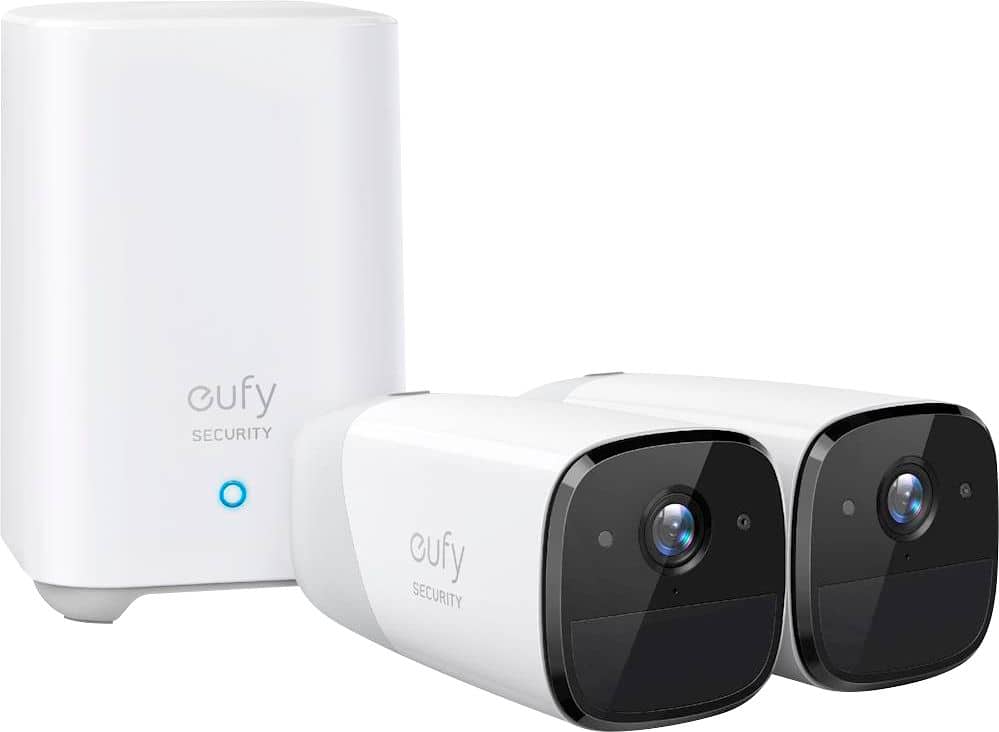
Customers admire the eufyCam 2 Pro's excellent video quality, even at night, and its straightforward installation and user-friendly interface. The wireless functionality is also a plus for many users. While some users mention battery life as a potential concern, the lack of monthly subscription fees is a significant advantage.
This summary was generated by AI based on customer reviews.
Don’t buy this if you expect more than 24 months o
||Posted . Owned for more than 2 years when reviewed.This reviewer received promo considerations or sweepstakes entry for writing a review.Camera stopped at working 24 months and no replacement or refund offered. Expensive item with short life.
No, I would not recommend this to a friendBrand response from Eufy Team
Posted .Thank you so much for sharing your experience. We're really sorry the camera has a problem.
We offer a 12-month warranty for this product, plus lifetime technical support. Please feel free to reach out to us, we will see if the troubleshooting tips can solve the problem.
I apologize for the inconvenience and thank you for your understanding.
Waste of my time and money.
||Posted .This reviewer received promo considerations or sweepstakes entry for writing a review.Poor detection distance, video stops recording too soon. Extremely over priced. Wish I had went another rout.
No, I would not recommend this to a friendBrand response from Eufy Team
Posted .Thank you so much for sharing your experience. It's unusual for this product to be acting like this, and we'd love to get you what you need!
If possible, please try the following steps to see if the issue persists:
1. Set the “Motion detection” to be “All motions” and adjust the “Detection sensitivity” to the highest.
2. Delete the activity zone if it has been set up. Steps:side menu>my devices>motion detection>activity zone.
3. Check the “Working mode” of your camera. If you choose “Optimal battery life”, the video clip length is only up to 20 seconds. Please choose “Customize Recording” and set the Clip length to be 120 seconds at max. Please also disable the function“End clip early if motion stops”.
4. A picture to show the position where you want to trigger the camera
5. The exact time point when the camera missed to capture the movement. Such as November at 19:05.
6. Please download any video from the app and send it to us.
If it doesn’t help, please reach out to us via support@eufylife.com or call us at +1 (800) 988 7973. We are more than happy to assist you further.
We offer a 12-month warranty for this product, plus lifetime technical support. Our standard for responding to email quests is less than 24 hours, and we look forward to hearing from you!
One cam not working
||Posted . Owned for 3 months when reviewed.This reviewer received promo considerations or sweepstakes entry for writing a review.Only one cam work (enough to say for min 50 char req)
I would recommend this to a friendBrand response from Eufy Team
Posted .Thank you so much for sharing your experience. We are sorry to hear you are not satisfied with this item. We really appreciate your feedback to make this item better.
We are dedicated to ensuring your 100% satisfaction. Please reach out to us via support@eufylife.com or call us at +1 (800) 988 7973. We are more than happy to assist you further.
We offer a 12-month warranty for this product, plus lifetime technical support. Our standard for responding to email quests is less than 24 hours, and we look forward to hearing from you!
- Pros mentioned:Battery lifeCons mentioned:Motion detection
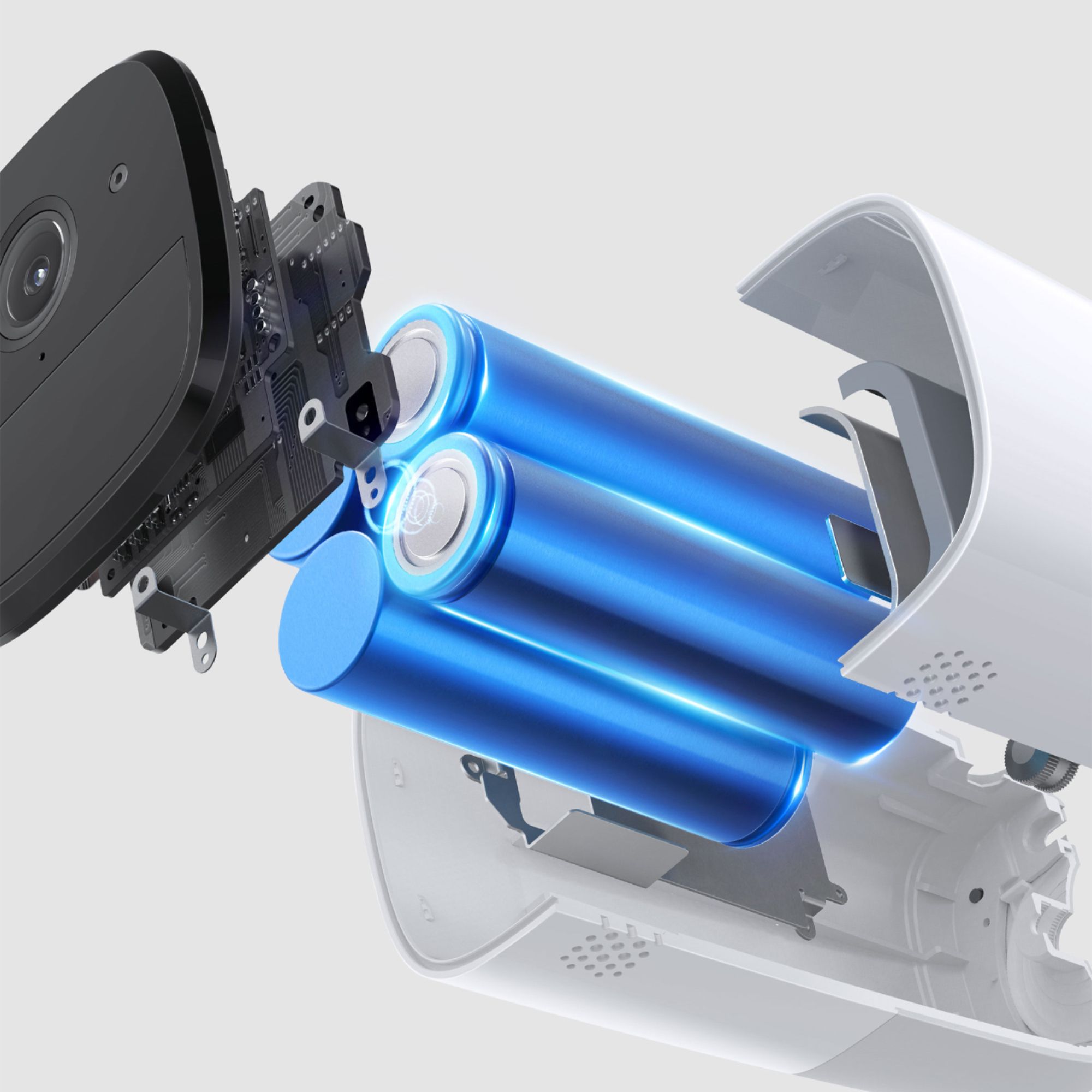
Batteries really do last a year!
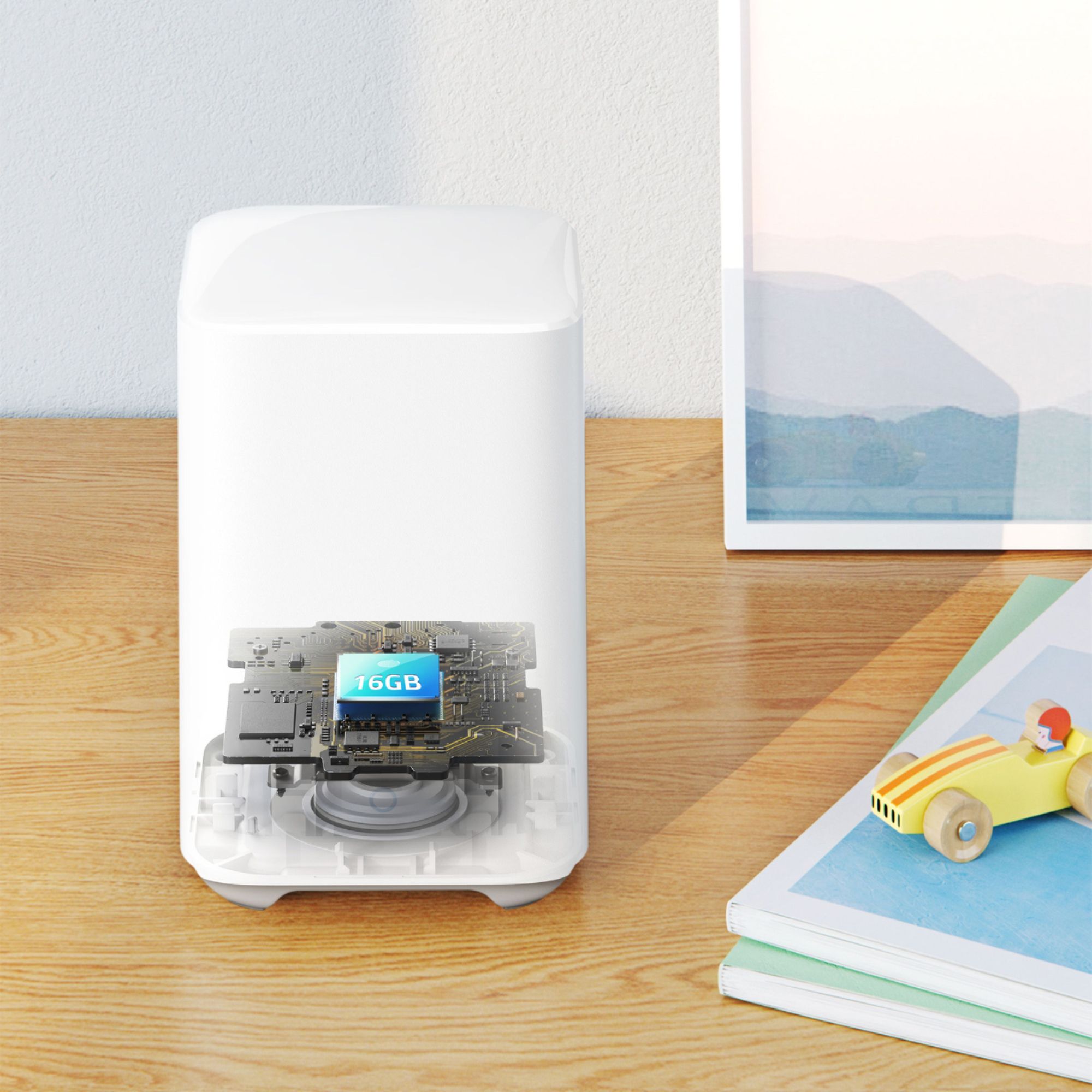
Posted .This reviewer received promo considerations or sweepstakes entry for writing a review.I bought this set to keep a step ahead of critters burrowing under my shed and 3-season room, and it's worked well. I was skeptical of the camera running a full year on a charge, but it's true! Even capturing several clips of activity per week, the batteries ran low but the camera was still working! The magnetic mounts aren't advertised for outdoor use, but have worked perfectly for me, even in Wisconsin weather. I mounted one camera to a tree, and camouflaged it by wrapping it with a cheap camouflage beanie cap held with tree-bark pattern duct tape. Although the image is a full 2K size (2304 × 1296), it seems to lose considerable clarity with its JPEG compression. It does compare well with other similar cameras, and is sufficient for my home use. I sometimes wished the camera had sensed motion from objects farther than it does, but it's easy enough to add more cameras or remote sensors to the system. The phone app works well and I get notifications a few seconds after the camera senses motion. It's easy to save videos to my phone or to the computer with the desktop app. One of the main reasons I chose this system was to avoid paying for a monthly subscription, which is often needed to access older videos. It's been almost a year and my Homebase storage is using less than 500MB out of the available 14.68GB, so at this rate, I could go another 25 years without overwriting older videos! Given the battery performance and storage capacity, I could probably set the cameras to a more aggressive setting to capture more and longer clips of activity. Much of what they're capturing shows amazing wildlife that we had no idea was right in our back yard! I have no regrets on this purchase.
I would recommend this to a friend Waste of money
||Posted . Owned for 3 weeks when reviewed.This reviewer received promo considerations or sweepstakes entry for writing a review.Batteries last a month not a year! And I wish I could return it for a full refund!
No, I would not recommend this to a friendBrand response from Eufy Team
Posted .Thank you so much for sharing your experience. It's unusual for this product to be acting like this, and we'd love to get you what you need!
In most common scenarios, a fully charged eufyCam 2 pro camera can last for one year. Our eufyCam 2 pro's battery test was done in the following conditions:
1.Temperature: 68°F (20°C);
2.10 motion detections per day;
3.Recorded for 30 seconds each time motion was detected;
4.Standby power consumption was included during usage time;
5.No Homekit integration.
The battery life will vary depending on the number of motions detected, the length of recording time, and the ambient temperature. If the Homekit is integrated, the battery will consume more power.
To find the root cause, please provide the following information:
1.Your Eufy account in the format of the email address.
2.The SN# of the camera.
Please reach out to us via support@eufylife.com or call us at +1 (800) 988 7973. We are more than happy to assist you further.
We offer a 12-month warranty for this product, plus lifetime technical support. Our standard for responding to email quests is less than 24 hours, and we look forward to hearing from you!
Won’t connect to WiFi
||Posted . Owned for 3 weeks when reviewed.This reviewer received promo considerations or sweepstakes entry for writing a review.Works fine when homebase is connected with Ethernet but the whole idea is to then move your homebase to where the cameras are to be located. To do this homebase has to connect to a 2.4gb WiFi network. When I could not connect I contacted Eufy customer service. They said I had to go rename my network to take out a space in the name. What a pain that is when I already have Blink cameras, Roomba, Honeywell thermostats, Jandy pool controls, lighting systems and more, all of which have no problem connecting to this standard Bluestream WiFi.
No, I would not recommend this to a friendBrand response from Eufy Team
Posted .Thank you so much for sharing your experience. We're really sorry you've encountered this issue!
In this case, could you please try the following tips to see whether they can help?
-Make sure your wifi is 2.4 Hz wifi
-Confirm if your wifi is encrypted by WEP, WPA-PSK, WPA2PSK, WPAPSK/TKIP, WPA2PSK/TKIP.
-If the LED light on the Homebase is red, please reboot the router, reset the HomeBase and add the Homebase again.
-Some houses have two network devices. For example, one is the ISP-provided Internet gateway/modem and the other is a router purchased separately. During setup, make sure your smartphone and wifi chime are connected to the same wireless router, and the Wi-Fi is not isolated from the LAN.Your phone should not be connected to the Guest Wi-Fi network.
-Try to temporarily disable the firewall setting on your router to see whether the Wifi chime can connect to WiFi. Make sure these ports are allowed:
TCP:80, 443
UDP:0-65535
-Press and the SYNC button located on the back the HomeBase for a couple of times until you hear ""HomeBase is read for setup"".
-When Homebase is connected for the first time, you need to connect Homebase to the router with an ethernet cable. After the normal connection, the LED of Homebase 2 will be blue and steady. If you want to connect Homebase to the router wirelessly after that, you need to switch to Wifi Repeter mode.Steps: My device>Homebase Name>Homebase Settings>Connection>Wifi Setup.
If those don't help, please reach out to us via support@eufylife.com or call us at +1 (800) 988 7973. We are more than happy to assist you further.
We offer a 12-month warranty for this product, plus lifetime technical support. Our standard for responding to email quests is less than 24 hours, and we look forward to hearing from you!
Garbage
||Posted . Owned for 2 months when reviewed.This reviewer received promo considerations or sweepstakes entry for writing a review.Garbage The setup is so confusing Cameras would not connect to the base
No, I would not recommend this to a friendBrand response from Eufy Team
Posted .Thank you so much for sharing your experience. It's unusual for this product to be acting like this, and we'd love to get you what you need!
If possible, please try the following steps to see if the issue persists:
1.Please take off the plastic film on the camera
2.Please press the SYNC button for 2 seconds until you hear a beep, and make sure if there is a blue light on the camera? If the light is red, please try to charge the camera.
3.Please make sure the light in front of the home base is blue and the light on the camera is blue when the camera is pairing with the home base.
4.If you still cannot connect the camera to the APP, please press the SYNC button on the camera five times in three seconds, and then press the SYNC button for 2 seconds until you hear a beep to add the camera.
If it doesn’t help, please reach out to us via support@eufylife.com or call us at +1 (800) 988 7973. We are more than happy to assist you further.
We offer a 12-month warranty for this product, plus lifetime technical support. Our standard for responding to email quests is less than 24 hours, and we look forward to hearing from you!
Terrible
||Posted . Owned for 1 week when reviewed.This reviewer received promo considerations or sweepstakes entry for writing a review.This was a terrible. The picture quality is not like the google nest cameras. The amount of notification of someone is in the cameras. Just from us taking the dogs out it gave me 14 notifications. From every movement. Drains your phone battery. Tried to tie it with apple HomeKit and it’s not up to par as google. Does not have 24 hr playback. Does not record when it should. Very inconsistent. We decided to return these and get some more google camera
No, I would not recommend this to a friendBrand response from Eufy Team
Posted .Thank you so much for sharing your experience. We are sorry to hear you are not satisfied with this item. We really appreciate your feedback to make this item better.
We are dedicated to ensuring your 100% satisfaction. Please reach out to us via support@eufylife.com or call us at +1 (800) 988 7973. We are more than happy to assist you further.
We offer a 12-month warranty for this product, plus lifetime technical support. Our standard for responding to email quests is less than 24 hours, and we look forward to hearing from you!
- Pros mentioned:Camera quality

How a wireless security system should be done!
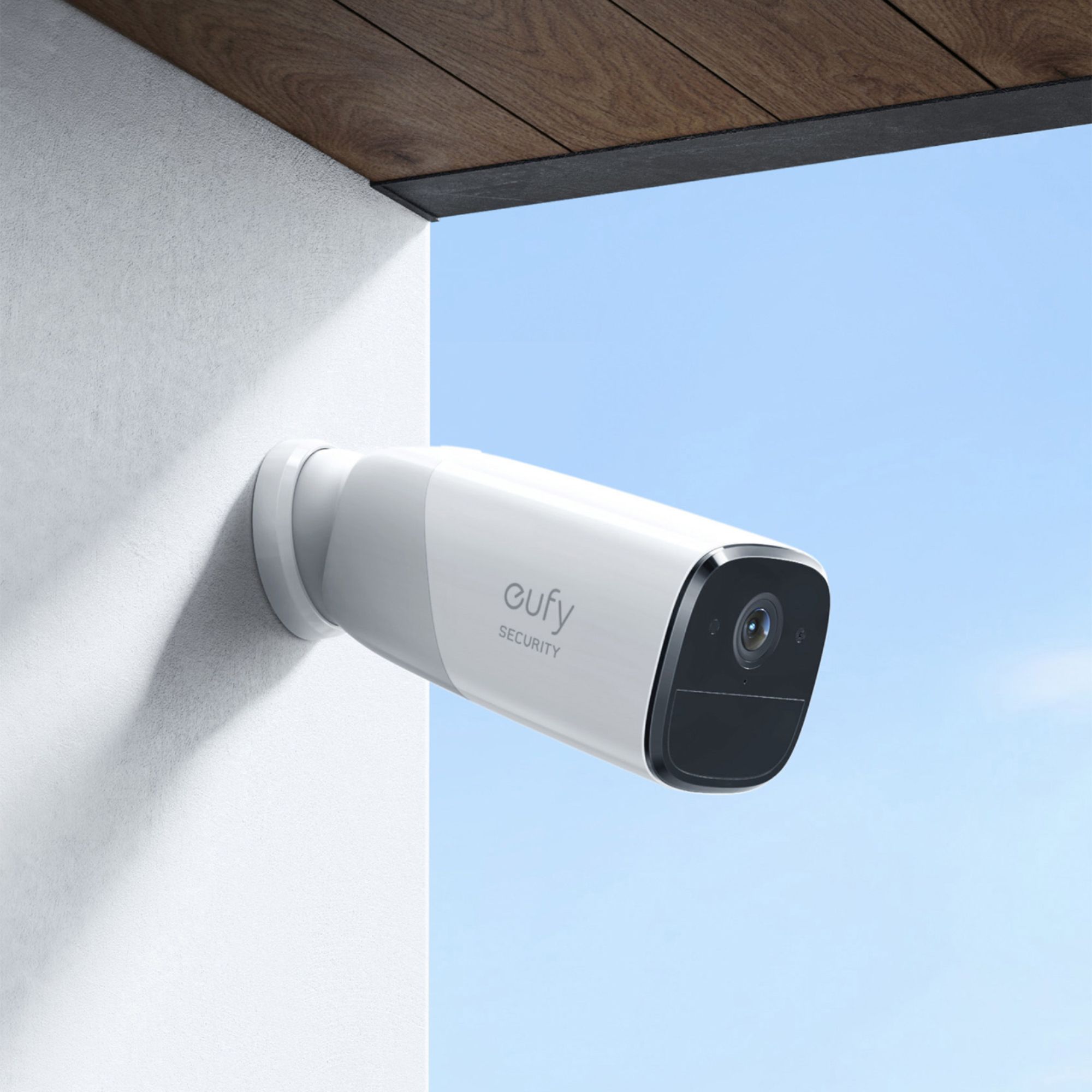
|Posted .This reviewer received promo considerations or sweepstakes entry for writing a review.In getting this unit, I was excited that I would not need to go ahead and drill holes and run wires into my house. That was something I did not want to do myself. I was in the market for a camera system that did just this. Be a wireless system. If you are not aware, Eufy is an Anker brand. If you are familiar with Anker, they have been around for years selling anything from bluetooth headphones to what I know them for, their battery packs for my cell phones. Anker has been a brand I accustomed reliability to and quality for the price you pay. As to the set up of the system, you need to really simply charge the cameras up for the first 12 hours, mine was charging from 80% and just plugged the micro USBs in and charged them for a day. Download the Eufy Security app (I am using a Samsung Galaxy 10e/Android phone for this set up), add the home base/hub, and the two cameras to the app. For me, upon pairing/adding the homebase, the app asked me to do a firmware update which took 5 minutes to install. Afterwards, you can name and assign the cameras if you like. Also you get to see the feed when connected. Like any wireless device, there will be a lag in video, this is not CCTV lol. To prepare myself for the install, I looked at the eves at my house and some corners to see the best angles to get the feed I wanted. Also to test out the wireless range on where you will mount your cameras, you need to bring your phone/device along with the camera you are going to use. The app will let you know if the signal is good enough. If not, don't fret, the homebase can be used as a repeater, meaning you do not need to be physically connected to your router to use the homebase. You just need an outlet and position the homebase in an area that will give you the best signal for your cameras. The next day, I unboxed the rest of the items in the box. This comes with two types of mounts, a magnetic mount, which is recommended to be used indoors and the screw in mounts, which I personally used because I am mounting both cameras outdoors. Along with the drill bit, you will need a good Philips bit or screwdriver to drive in the mounting brackets. I really loved the stickers provided to guide the drill holes for the screw anchors. This helped a lot more than expected. Especially when you are up on a ladder with a driver in 90 degree Texas heat in the afternoon. But right after getting the holes drilled and the brackets mounted, it was smooth sailing from there. I screwed in the first camera and positioned the camera to the angle desired and turned on the anti-theft alarm to the camera. I tried out the camera and found that the motion detection is really well done. You can set zones, but only in rectangle areas, but you can ask to track just humans or all motion. In the daytime, you can opt for human only, but at night, all motion is auto enabled. I have not used the speaker feature, but I don't think I will be using that much other than the back yard maybe? It's a neat feature, but I personally may not use it much. I will see if this wireless set up will last a year. I mean it all depends on how much the camera records motion. Oh and the best feature? No subscription fees! I mean there is a cloud option, but you do note need it to use this system. It doesn't limit the system in any way at all. Can I recommend this? Oh yes. It's a fantastic feature rich system that does everything you need. The set up is really easy once you determine the mounting place. Also the feed is pretty clear and also decent at night. It's a win here in my book!
I would recommend this to a friend - Pros mentioned:Camera quality
Good video quality and no wires!
|Posted .This reviewer received promo considerations or sweepstakes entry for writing a review.I've been using these cameras for the past week and they have been pretty good. The video quality is great and I have no issues with connection range on my property. The motion is activated through to motion sensor below the lense that being said make sure you have the camera pointing up abit or else the motion sensor won't pick anything up at a distance. That is my main issue with the camera is distance, mostly in my backyard. I can see my entire backyard on my image but if im at the back half of my yard, it sometimes wont pick me up till I get closer in its reach since it relies in the motion sensor not by what the camera sees to trigger. It may be my placement, but your mileage may vary. In my driveway it does a great job. THE AI will filter out driving by cars but will show walking people. I dont live on a busy street so it doesnt bother me. So its very handy. Another thing is I had issues during the setup process with the cameras. My advice let the cameras charge, and when your adding the cameras literally place the camera on top of the the base in a silent room. I spent hours and found out it wanted it super close and quiet so it can hear its sync chime. After that they were ready to rock. Install on the house was easy just two screws each and your done and watching your property. Overall the quality is great and the app is good. Definitely happy with these.
I would recommend this to a friend - Pros mentioned:Battery life
Easy setup wireless security system
|Posted .This reviewer received promo considerations or sweepstakes entry for writing a review.I had always wanted one, but this is the first security camera system that I have had to monitor my home. The reason is that I did not want to go through the whole process of installing dedicated wiring/monitors to secure my surroundings. It has an easy setup by connecting the main base to an open port on your internet router. Then you simply link each camera and you are all set. The eufy cams are wireless and run on a battery that is stated to last a whole year without charging (based on 300 seconds of recording per day). The reason for the long battery life and a major difference between this cam and other 24/7 systems is that it will only record when there is movement in the field of view. It will kick on and record short clips when the mailman or package deliveries show up. Most of the time, it is in ‘stand by’ mode just waiting to record when necessary. There are many options to tweak in the app to set up how often and how much motion sensitivity you want based on your needs. It also has two-way audio, an alarm system to alert/scare, and an anti-theft alarm if the camera is moved or taken from the mount. The specs for my recorded clips were 2K resolution (2304x1296) with about 1.3MB/s and 15FPS, but I still felt it was not as crisp and clear as I was hoping. However, it is better than having no security system at all, so I cannot complain too much about that. An example of how I customize the system: I have a cam on the front porch and the other in the backyard. During the day and evening (6am-10pm), the front camera sends a push notification to me and my wife’s phone whenever there is human movement such as deliveries. The backyard camera has the push notifications turned off since there is a lot of activity with kids playing or gardening throughout they day that I don’t want to get constant alerts of movement popping up on my phone all the time. Overnight (10pm-6am), I set both cameras to record, send phone notifications, and sound an alarm through the camera speakers to scare anyone away.
I would recommend this to a friendBrand response from Eufy Team
Posted .Thank you very much for sharing your story! We are super excited to be able to provide something you can depend on when you're at the gym/at work/traveling. We will always strive to exceed your expectations, so please keep letting us know what you love and what you need.
Remember your device comes with a 12-month warranty, and anytime you need help just reach out to us via support@eufylife.com or call us at +1 (800) 988 7973. We are more than happy to assist you.
Doesn’t catch motion
||Posted . Owned for 3 weeks when reviewed.This reviewer received promo considerations or sweepstakes entry for writing a review.Barely recorded anything. Had them for 2 weeks and it did not catch a single delivery driver bringing packages.
No, I would not recommend this to a friendBrand response from Eufy Team
Posted .Thank you so much for sharing your experience. We're really sorry you've encountered this issue!
If possible, please try the following steps to see if the issue persists:
- Make sure you enable the motion detection in the app. Step: Devices- eufyCam- Motion Detection(enable).
- Please expand or delete your activity zone if set up. Steps:side menu>my devices>motion detection>activity zone.
- Please increase the sensitivity.
- Choose the motion test mode to see whether the LED light of the eufyCam is red.
- Please check whether you enable the ""record"" and ""push notification"" function of the camera in the security mode.
- Please know that the camera should be installed 7-10 feet above the ground and the depression angle should not be greater than 25°.
If those don't help, please reach out to us via support@eufylife.com or call us at +1 (800) 988 7973. We are more than happy to assist you further.
We offer a 12-month warranty for this product, plus lifetime technical support. Our standard for responding to email quests is less than 24 hours, and we look forward to hearing from you!
- Pros mentioned:Camera quality, Ease of use
So Easy! Amazing Video!
|Posted .This reviewer received promo considerations or sweepstakes entry for writing a review.Can I give this 10 stars? Wow! It was so easy to setup, done in less than 30 minutes (devices connected but not mounted). The video is amazing, it's like watching a movie. I'm going shopping to see about extra cameras. And I now know what to get my dad for Christmas! Absolutely would definitely recommend.
I would recommend this to a friend - Pros mentioned:Battery life
Awesome cam
Posted .This reviewer received promo considerations or sweepstakes entry for writing a review.Unlike RING this cam os free from subscription. You can have as many videos as you like. And the App is really great and easy to use. The battery lofe is amazing. Never worry about charging your cam only once a year.
I would recommend this to a friend - Pros mentioned:Camera quality, Installation
Great, but (for me) one thing is missing...
Posted .This reviewer received promo considerations or sweepstakes entry for writing a review.Love the picture quality -- installation was effortless. The only thing that took my rating from a possible 5 star to 4 is that Eufy does not have a way to send motion announcements to Alexa. I had that capability with my previous brand and would LOVE that with Eufy.
I would recommend this to a friend - Pros mentioned:Ease of useCons mentioned:Motion detection
Simple and useful
Posted .This reviewer received promo considerations or sweepstakes entry for writing a review.Simple set up. Sufficient for my needs. At times misses some activities, but overall good buy.
I would recommend this to a friend - Pros mentioned:Camera quality, Installation
Great value
Posted .This reviewer received promo considerations or sweepstakes entry for writing a review.We had no problem with it seems to be nice no problem installing we did it ourselves it show very clearly and we got a great deal for it around the thanksgiving sale.
I would recommend this to a friend - Pros mentioned:Camera quality, Installation
Very easy to install and use
Posted .This reviewer received promo considerations or sweepstakes entry for writing a review.We are thrilled with these cameras. So easy to install and the picture is very clear
I would recommend this to a friend - Pros mentioned:Battery life, Camera quality
Camera
Posted .This reviewer received promo considerations or sweepstakes entry for writing a review.Excellent product, battery life is amazing. Clear video and awesome quality.
I would recommend this to a friend - Pros mentioned:Battery life, Camera quality
Great security
Posted .This reviewer received promo considerations or sweepstakes entry for writing a review.Excellent system! Long battery life! Has not been charged for 6 months! Great picture quality
I would recommend this to a friend