Customer Ratings & Reviews
- Model:
- T84201W1
- SKU:
- 6404969
Rating by feature
- Value
Rating 4.4 out of 5 stars
- Quality
Rating 4.5 out of 5 stars
- Ease of Use
Rating 4.4 out of 5 stars
Customers are saying
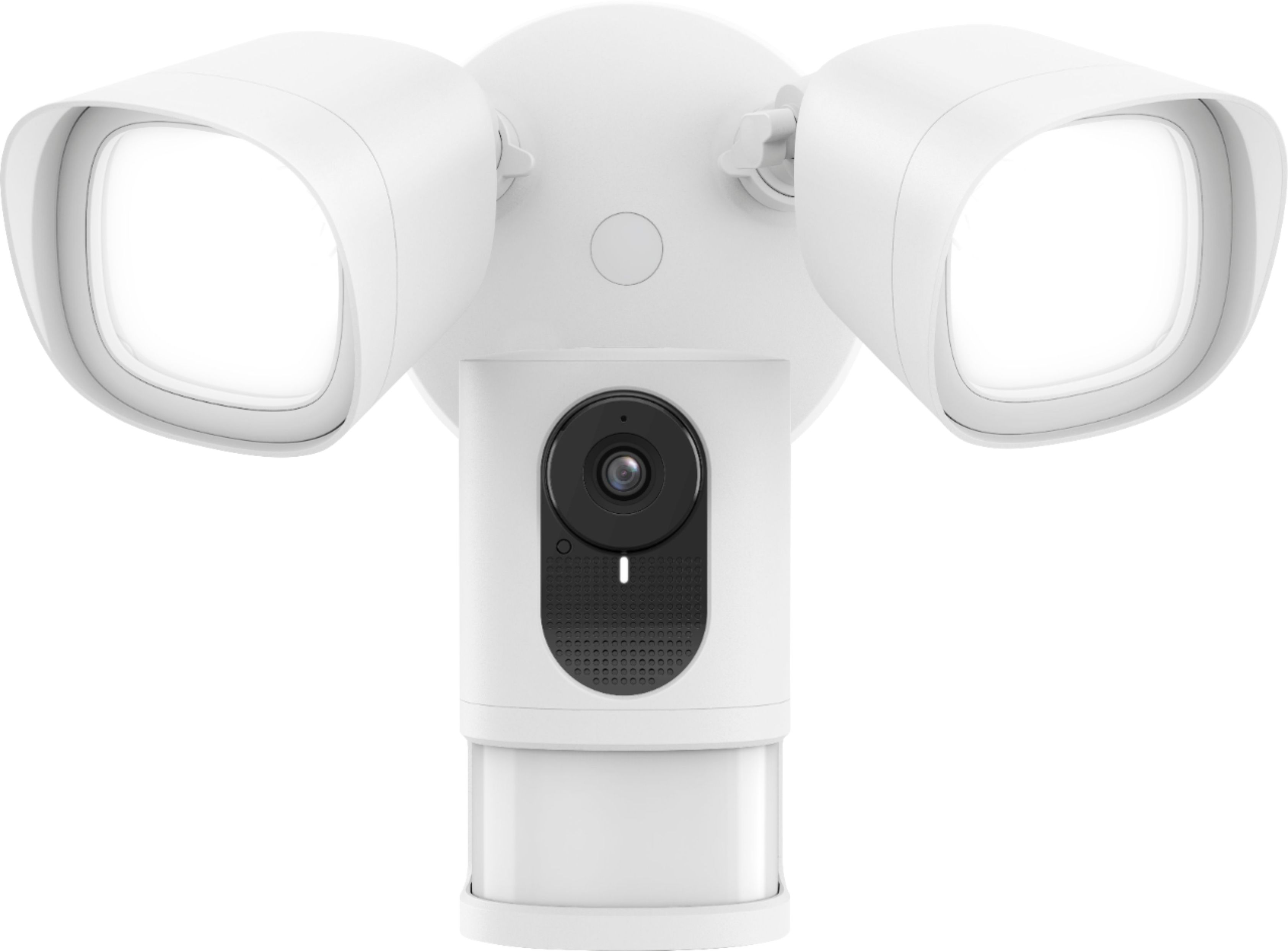
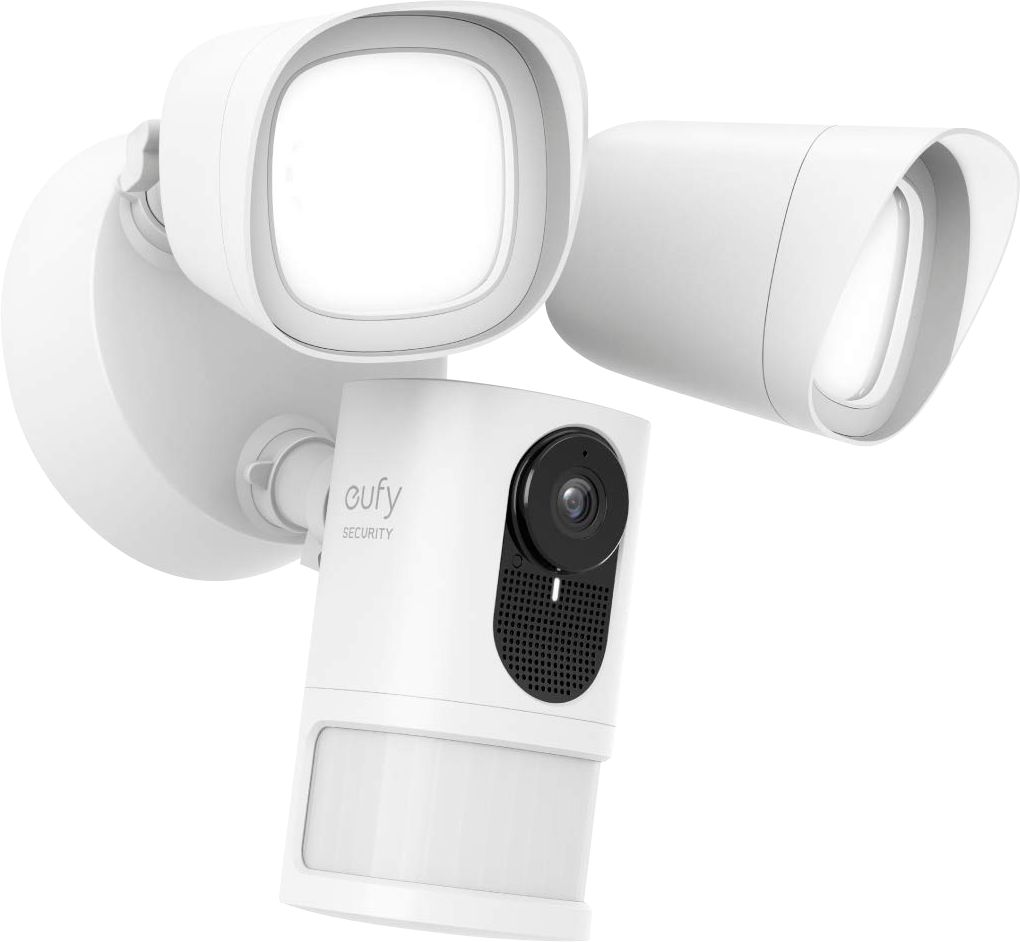
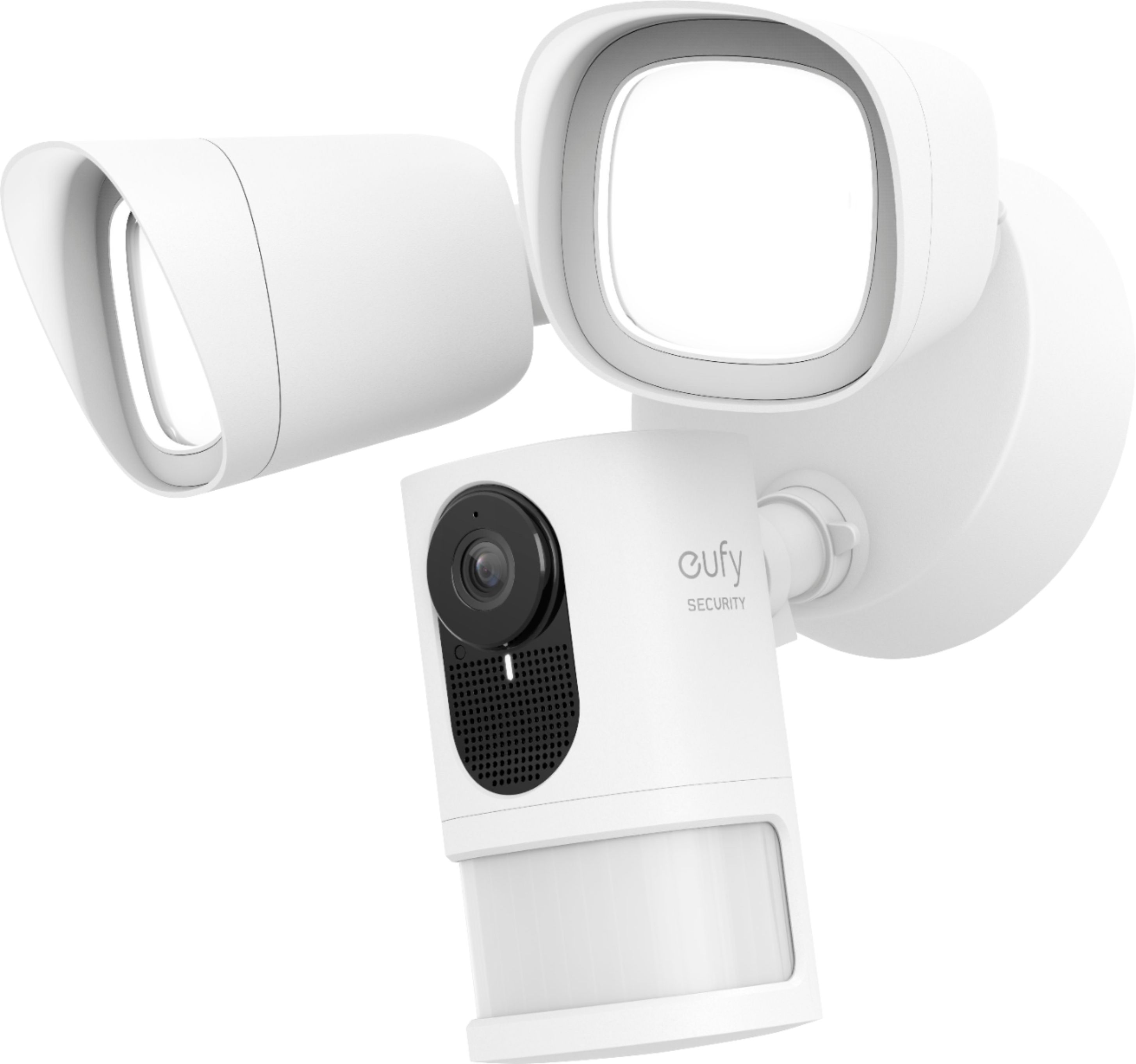
Customers are satisfied with the excellent video and audio quality, ease of installation, and bright light of this Outdoor Wireless 1080p Security Floodlight Camera. Many appreciate the simple installation process and the convenient onboard storage. However, some users experienced inconsistencies with the motion detection feature. The night vision capabilities also received positive feedback.
This summary was generated by AI based on customer reviews.
- Pros mentioned:Camera qualityCons mentioned:Motion detection
Eufy Floodlight Camera Review
||Posted .This reviewer received promo considerations or sweepstakes entry for writing a review.Placed the order for this floodlight camera online and picked it up from the Best Buy nearest to me. The ordering process and pick-up was easy with no problems. I purchased this item at a sales price of $159.99. It usually sells at $199.99. The Eufy Floodlight Camera was relatively simple to install with the aid of the included hook (for holding the unit while I was wiring the device) and my wife who was securing the ladder needed for reaching the mounting location about 10 feet up (above the garage overlooking the driveway). After a month of use, I am glad to report that the floodlight camera works reliably and the application is easy to use for controlling the camera and viewing footage from it. On windy days, the camera's motion sensor is constantly being triggered (by the wind), but that is to be expected. I simply turn off the motion sensor on a windy day to avoid false alarm alerts. The camera has also been handy for capturing footage of deers munching on the flowers in the front garden.
I would recommend this to a friend - Pros mentioned:Camera quality, Light brightness, StorageCons mentioned:Motion detection

Excellent Lighting, Very Good Camera, Great App
|Posted .This reviewer received promo considerations or sweepstakes entry for writing a review.I’m a huge fan of Eufy products. This is my 3rd security camera. The hardware is always well made with quality material. And the accompanying security app is well designed and easy to use. I was hesitant at first when choosing this brand, a year ago, because the Eufy name itself is not well known. But while I was researching this product, I learned it is made by Anker. Anker is a well-established electronics company that was created about 10 years ago by a couple of former Google engineers. They have a strong reputation for making quality products with lithium-ion batteries. This made sense when I picked-up my first pair of Eufy security cameras last year. Using their lithium-ion technology, they could hold a charge for close to a year. Even though this floodlight model is hardwired to power, it still offers the same quality parts as their other security cameras. Namely, the color picture is sharp and clear during day and night; the infrared LEDs do a very good job seeing in total darkness; and the bright-white LED floodlights do an excellent job lighting up the surrounding area. Physically installing the light is easy if you already have electrical running to a junction box outside. If you currently have a floodlight, then you’ll most likely have the necessary and proper electrical hookup. The most important step is to make sure you turn off the power at the breaker box before you start the physical installation. After the installation or when you first supply power to the unit, you’ll need to download the Eufy Security app to complete the setup. Unfortunately, I had a little trouble going through the steps on the app because it said I’ll need to turn off my cellular radio in order to continue. The app takes you to your phone’s call settings, but it didn’t provide any guidance or helpful tips on how to disable your cell’s radio. I was installing the app on a Samsun Galaxy S10 with the latest Andriod 10 operating system on AT&T’s network. I first guessed and turned on airplane mode. Knowing that airplane mode also turns off the phone’s Wi-Fi network, I manually turned the phone’s Wi-Fi back on because I knew I needed that for the install. Well, that didn’t work. After turning off airplane mode, I eventually found a setting called Mobile Data under the Mobile Network menu. I disabled Mobile Data and the app finally allowed me to continue the install process. Up until then, I was kind of stuck in a loop in the app. It wouldn’t allow me to continue and it kept on going back and forth between the app and my phone’s settings. That part was frustrating, but I’m glad I figured it out eventually because the rest of the install process was easy and the app itself is well designed with a lot of options. You don’t have to use all the options, but they’re there if you want to customize the floodlight and its motion sensor or the camera and its separate motion detection. One last comment regarding the aforementioned app installation issue. I ended up not needing to contact Eufy’s tech support for this issue, but I do recall needing to contact them a year ago when I was installing my other set of Eufy cameras. I believe I used the instant chat feature within the app that instantly connected me to a live support person. They were extremely helpful and were able to solve my support issue. The hardware itself does an excellent job sensing motion to trigger the floodlights. Separately, the camera detects motion and always captures the movement on clear video. The floodlight and camera work hand-in-hand, but like I mentioned earlier, you can customize it to meet your needs. For example, I lowered the sensitivity on the physical motion sensor to allow it to only turn on the floodlights if there is movement close to the house. But at the same time, I was able to set the camera’s motion detection zones separately, to begin recording when motion is detected in the areas I specified. I also have a unique case where I do not want the camera to turn on its infrared sensors at night. Since I have a gate near the camera, the infrared does too well of a job lighting up the area in front of the gate. When it does this though, the white balance is thrown off and I can’t see anything beyond the gate. Since Eufy allows for a wide range of features, I was able to turn off the infrared at night and allow the camera to record beyond the fence without any problems. If someone does get close to house, the floodlights still turn on and the camera records the person very clearly and in color even at night. It is important to note that this camera does not have Eufy’s special AI chip installed that allows it to differentiate movement caused by a person versus some other object or animal. Sometimes this can be helpful if all you’re concerned about is only capturing movement of individuals. My other Eufy camera (eufyCam 2) has this chip technology and it not only detects human movement, it also captures a picture of their face and provides it as a preview when you review the clips within the app. This feature was very impressive, and it was included for free with the eufyCam 2 hardware. Other companies charge extra in their monthly cloud backup plan to get a feature such as this. Eufy, on the other hand, does not require a service plan. All your recordings are locally stored on the device for this camera. They specifically mention that the recordings do not get uploaded to their computers/server/cloud. All your recordings stay private and encrypted on your local device. And when you view the camera and its recordings through your app, the camera is sending the video wireless to your phone. For those security concise people who do not want their recordings accidently leaked or viewed by the manufacturer, this design feature is well worth it. And for those who still prefer a cloud backup, Eufy does offer a very reasonably priced cloud subscription. Price-wise, it’s on par or less than its competitors. Other companies can charge a lot more for their cloud options. A couple of other things I want to mention is how fast the app connects to the camera when you want to view live footage. When you open your app to view the camera, there isn’t a lag. The live video comes up in a second or two. Other security camera’s I’ve used can take up to ten seconds or more. I love this about their product. The connections are fast on all three Eufy cameras I own. A separate note is about the brightness of the floodlight. The brightness can be customized. If it’s cranked up all the way, it can be very bright. I lowered my down to like 30% and it’s perfect for my patio area. The light itself is the bright white light (5000 Degrees Kelvins). There isn’t the ability to change the light’s color temperature, say down to the soft white temperature of around 2700K. Since it’s a floodlight, I can live with the light’s bright color temperature. If it was lighting the inside my house, that would be a different story. Overall, I really like this unit. It does what it’s supposed to do very well. The motion detection works, the camera records really well in day and night, and the app is very dependable and easy to use.
I would recommend this to a friend Switched from Arlo
||Posted . Owned for less than 1 week when reviewed.This reviewer received promo considerations or sweepstakes entry for writing a review.Have Arlo at home but switched to Eufy because no subscription required. Installed at family cabin partially for security but also to see what wildlife might be around. Installed yesterday and got a dozen videos this morning of elk in the yard. My kids had fun talking to the elk thru the microphone. My install was a little tricky because junction boxes were under eaves on an angle. In order to get camera angle pointed out, rather than down, I built these little boxes to level out the camera. Other than that, installation and sync was very easy. WiFi range seemed fine. Night vision ok and video clarity is good. App works very well too. Will probably be buying more. Eufy should fix the camera angle adjustment issue though this seems to be common with all floodlight cameras.
I would recommend this to a friend- Pros mentioned:Camera quality
Better than expected
||Posted . Owned for 1 month when reviewed.This reviewer received promo considerations or sweepstakes entry for writing a review.This is a great product , camera is excellent and the lights are wonderful. It is as clear as daylight.
I would recommend this to a friendBrand response from Eufy Team
Posted .What an amazing compliment! Thank you so much for your kind words. We are honored to be a brand you can trust and be proud of. Remember your device comes with a 12-month warranty, and anytime you need help just reach out to us via support@eufylife.com or call us at +1 (800) 988 7973. We are more than happy to assist you.

- Pros mentioned:Camera quality
Great Camera at no additional Cost….!!!!!!!
||Posted . Owned for 2 months when reviewed.This reviewer received promo considerations or sweepstakes entry for writing a review.Good lighting and camera. Only disadvantage is that the range for motion is short distance and will not pick up camera shot longer than 20 ft. Having purchased different brands Eufy has surprised me. That I even purchased and additional camera. I just wished that Eufy decides to make a 24hr recording system.
I would recommend this to a friend - Pros mentioned:Camera quality
Works really well
||Posted . Owned for 1 week when reviewed.This reviewer received promo considerations or sweepstakes entry for writing a review.The picture quality is good. The thing I don’t like is the lack of HDR during the day. But at night the picture is excellent. Eufy needs to add 2FA to their service.
I would recommend this to a friendBrand response from Eufy Team
Posted .So glad you love the product! Thank you for your support. We are super excited to provide something that betters your life. We promise to continue striving to exceed your expectations! Thanks again for your suggestion.
Remember your device comes with a 12-month warranty, and anytime you need help just reach out to us via support@eufylife.com or call us at +1 (800) 988 7973. We are more than happy to assist you.
- Pros mentioned:Installation, Light brightness, StorageCons mentioned:Motion detection
Bright Floodlight Camera! Great Video Quality!
|Posted .This reviewer received promo considerations or sweepstakes entry for writing a review.I have been using wired camera systems for outdoor for past 5 years and looking for adding flood lights with camera. I got Eufy - Security Floodlight Camera. Setup is easy. It came with prewired with a plug for initial setup. I have downloaded Eufy security app from App Store and configured the floodlight in less than 5 mins including the latest firmware. I have removed the existing flood light from the backyard and installed Eufy floodlight in 15 mins. It is very bright flood light equipped with a 1080P resolution Wi-Fi camera and two 2500-lumen LED bulbs for day and night viewing. It has built-in microphone and speaker allow to talk back through the phone. Build quality is solid and lights can be controlled separate from camera from app. It records in color in daytime as well as night. Lights are dimmable and great color contrast with sharpness. The nice feature is no monthly fee required for recording. It comes with built-in 4GB local storage which can store 14 days of recordings. The Built-in 100dB siren creates a loud alarm as harsh warning to scare off any unwanted visitors. 140° field of view captures a wide area of your property for high-level security all the time. It works with Alexa or Google Assistant and activity can be monitored by voice commands. It is easy to configure notifications and set trigger to record when motion is detected. The only negative is no option to configure motion detection with humans only. As all the recordings done in memory card and no upload to cloud, Eufy Security Floodlight Camera will be a perfect device for users looking for security devices to record locally. I will be buying few more flood lights to complete my home security.
I would recommend this to a friend - Pros mentioned:Light brightness
No Buyer's Remorse here...
||Posted . Owned for 1.5 years when reviewed.This reviewer received promo considerations or sweepstakes entry for writing a review.I'm quite please with these very responsive & bright floodlights that I have installed around my home. I also use several other eufy devices & can easily/quickly manage them all via the eufy Security app.
I would recommend this to a friend Eufy outdoor security floodlight - Thumbs Up!
||Posted . Owned for 3 weeks when reviewed.This reviewer received promo considerations or sweepstakes entry for writing a review.I replaced the traditional floodlights around my house with the Eufy outdoor wireless 1080p security floodlight cameras. Best Buy had a sale prior to Christmas and purchased 2 black units. From my perspective, I like or dislike about the Eufy floodlight cameras: Like * Easy setup and installation instructions * Wide view camera angle * Solid construction of casing around the camera and lights * Adjustable brightness on the LED lights * No subscription fees for video storage * Audible alarm sound to deter intruders Dislike * No app feature to pan or tilt camera angles * Lightbulbs are pre-installed in the unit. The lightbulbs can not be replaced when burned out.
I would recommend this to a friendBrand response from Eufy Team
Posted .Thank you for telling the world about how this product works for you! You sharing your story helps other know what to expect from this device, which is more valuable than the few pictures and words we ourselves can say about it. We will keep striving to improvie our products. Thanks again for your sincere feedback.
Remember your device comes with a 12-month warranty, and anytime you need help just reach out to us via support@eufylife.com or call us at +1 (800) 988 7973. We are more than happy to assist you.
- Pros mentioned:Camera quality
kind of expensive but it is a nice product
||Posted . Owned for 1.5 years when reviewed.This reviewer received promo considerations or sweepstakes entry for writing a review.This was a little too expensive for my comfort zone but I splurged anyway. It works great.
I would recommend this to a friend - Pros mentioned:Camera quality
Perfect!
||Posted . Owned for 1 week when reviewed.This reviewer received promo considerations or sweepstakes entry for writing a review.Very clear image and the sound quality is excellent and picks up from farther away
I would recommend this to a friendBrand response from Eufy Team
Posted .Thank you for telling the world about how this product works for you! You sharing your story helps others know what to expect from this device, which is more valuable than the few pictures and words we ourselves can say about it. Knowing how it performs in real-life situations is what really matters, so thanks again. We promise to keep producing products you can depend on!
Remember your device comes with a 12-month warranty, and anytime you need help just reach out to us via support@eufylife.com or call us at +1 (800) 988 7973. We are more than happy to assist you.
- Pros mentioned:Camera quality, Ease of use, Light brightness
Nice addition to my system
|Posted .This reviewer received promo considerations or sweepstakes entry for writing a review.I’m moving away from wired surveillance systems and this is my third wireless video camera that I am installing in my property. I have two different brands and this is my favorite system now. This flood light camera has a high resolution video and it is quick and easy to install. The app is user friendly and easy to pair with the camera. There are only two minor issues that I am willing to deal with: the material quality is not high end (all metal) and the installation angle is not very wide... in other words there is a limit of ways where the camera can be pointed at. However, the range of the motion sensor makes up for it. Light is very bright, I’ve already caught someone trying to open the cars. It has two way communication which is a nice feature. It comes with small amount of internal memory so no need for monthly subscription unless more space is needed. It can also be linked to the Home app in iOS which now can record videos. I’d encourage use of a pro electrician if direct electrical wire connection will be used, though it come with a regular three prong, regular outlet connector... ready to plug and play.
I would recommend this to a friend The Best Surveillance Camera
||Posted . Owned for 3 weeks when reviewed.This reviewer received promo considerations or sweepstakes entry for writing a review.I just moved to FL and needed to have some sort of surveillance system that was affordable but also that it would provide the safety net I needed for my family. Wow!!! This Eufy is the best investment I’ve made all year long.
I would recommend this to a friendBrand response from Eufy Team
Posted .It's wonderful to know you've had such a great experience with eufy . We are excited to be able to produce products worth talking about, and your story gives us the motivation we need to be better today than we were yesterday.
Remember your device comes with a 12-month warranty, and anytime you need help just reach out to us via support@eufylife.com or call us at +1 (800) 988 7973. We are more than happy to assist you.
- Pros mentioned:Light brightness, Storage
Great floodlight and camera combo!
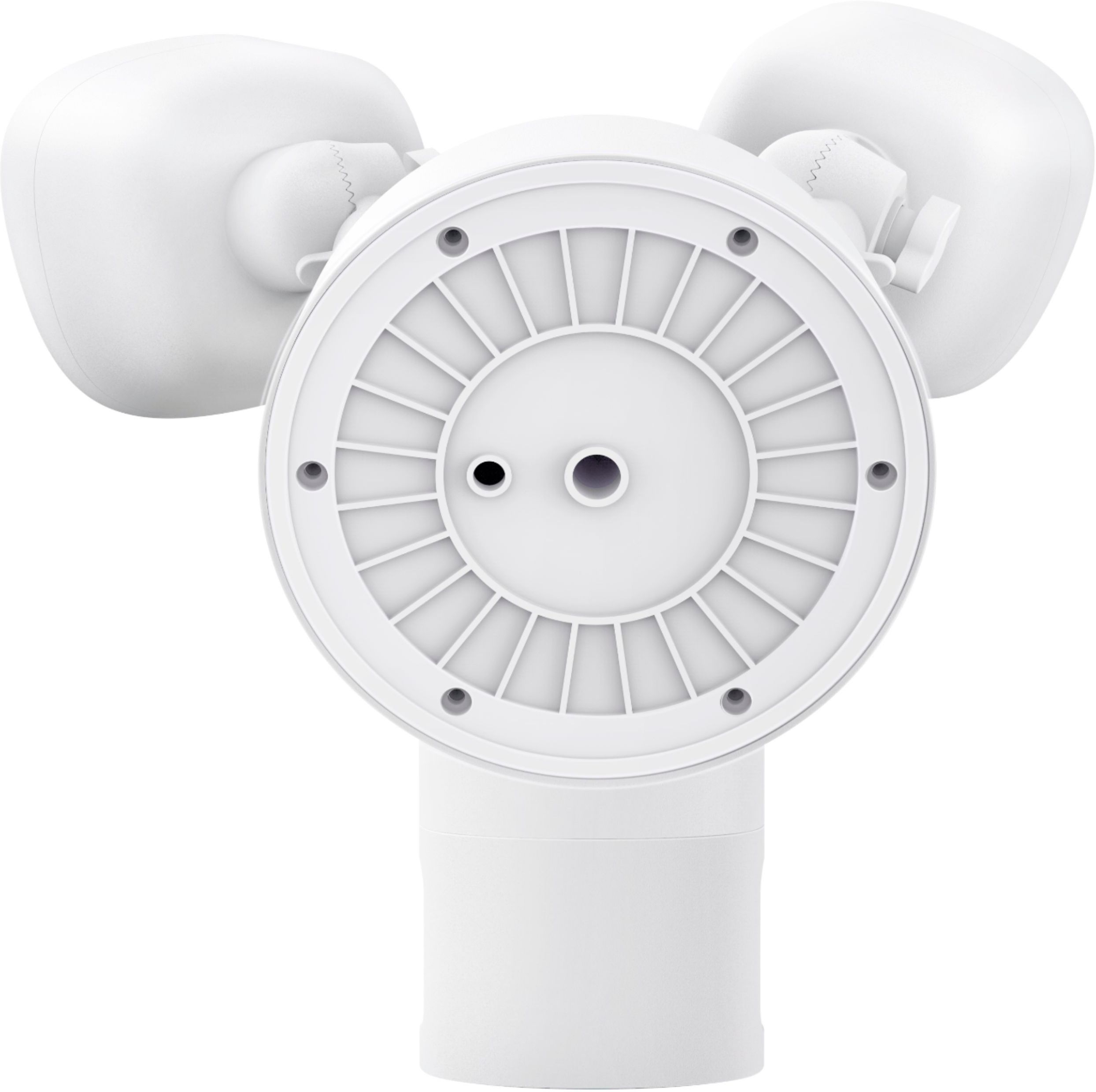
|Posted .This reviewer received promo considerations or sweepstakes entry for writing a review.A flood / spotlight camera isn’t something that I had considered before, but a broken back light and lack of camera coverage proved it was time. The way it shipped made sense: keep it protected. In the box were some instructions and mounting hardware, including a hook to keep the light from falling, or using the wires as retention. The instructions were lacking something very simple: QR codes to download from their respective App/Play stores; you do run the risk of downloading the wrong Eufy App, if you’re not paying attention. The Eufy (I’ll just call it that, instead of the floodlight camera) came wired to a 3-prong plug for setup, prior to mounting or installing outside. The setup was easy, however there is a drawback -- you had to disable mobile data during the install and there was no getting around it. The menu option for that isn’t all that easy to find - even if it gets you to the settings. Once I found it, I forgot to re-enable mobile data and rolled my eyes when my phone told me that I couldn’t download an MMS a few days later. Once the mobile data thing was squared away, the setup was a breeze. It ran itself through a firmware update (honestly, I don’t remember updating it - so it could have been done ‘automagically.’ Naming the device, testing the lights (wowzers bright) and siren (loud!) indoors proved to be the right way to do it; who wants to go through the hassle of cutting power, removing an old fixture, etc only to have a faulty unit. In replacing an old light outside, the recessed junction box (of sorts) had a narrower screw to hold the previous mounting bar on it. The screws that come with the Eufy are thicker and did not fit. Instead of drilling it out a little, I just used the older screws and moved along. Is it upside down? Right side up? Well, there’s a tiny hole that tells you where “down” is - I imagine for any water that got in, to drain out. Once it was mounted & power restored,. I went right into the App and enabled the motion sensor test, to see where it would catch the motion. For me, I wanted more distance, so I raised the sensitivity and that’s fine, I can deal with false positives. In my usage, I’m pretty sure I’ve used all of the features, so let me break some of them down form you: - The siren is loud and can be triggered easily from the App - Fine tuning the motion detection area is a breeze; you create multiple rectangles to cover different areas. - Two-way audio is good and there is *minimal* lag talking via the App, in comparison to another vendor’s product I have. - The brightness of the light can be set differently, depending on how it was set off; manually make it 22% (the lowest it can go), set off by motion, make it 100% - for example. You can also have different "lights stay on" duration after an event. - You can easily trigger the light on the ‘preview’ screen, along with snoozing alerts (say, you’re doing yard work and don't want to eat up all the storage). Other nifty features include a ‘status’ light for the fixture that indicates connectivity status (I don’t use it because I have a solid network connection and it indicates there’s something ‘different’ about this fixture), night vision (a must, if it’s typically really dark where it’s placed) and (for me), a needed 24-hour time indication in the App. One of the last configuration items I did, was that I integrated it with Google Home. Once that was done, I could display the camera on the Nest Home devices I have, as well turning the lights on and off. "Hey Google, show me back yard" or "Hey Google, turn back yard lights on" were all pretty simple. Full disclosure, I did suffer a roughly 24-hour outage with voice control, as Google said it couldn’t communicate with Eufy; I even tried “repairing” and un-linking/linking again, but to no avail. Everything else worked fine during the Eufy outage (Nest, Hue), so it could have been a fluke with Eufy. The recordings captured by the camera are stored locally and you get about 3.5GB of room to play with. After more than a week, I've only used less than 1GB. If you want 30-days of rolling clips, you can pay for a subscription monthly or annually; there are different prices for 1 vs > 1 cameras. As you can see, the time/date stamp can be lost a bit with a light background. Being able to change that would be a nice feature for the future. After 2 solid weeks of use, I’d go with 5 stars on this bad-boy. I hope it withstands the crazy weather of New England!
I would recommend this to a friend - Pros mentioned:Camera quality, Light brightness
Solid build needing software update
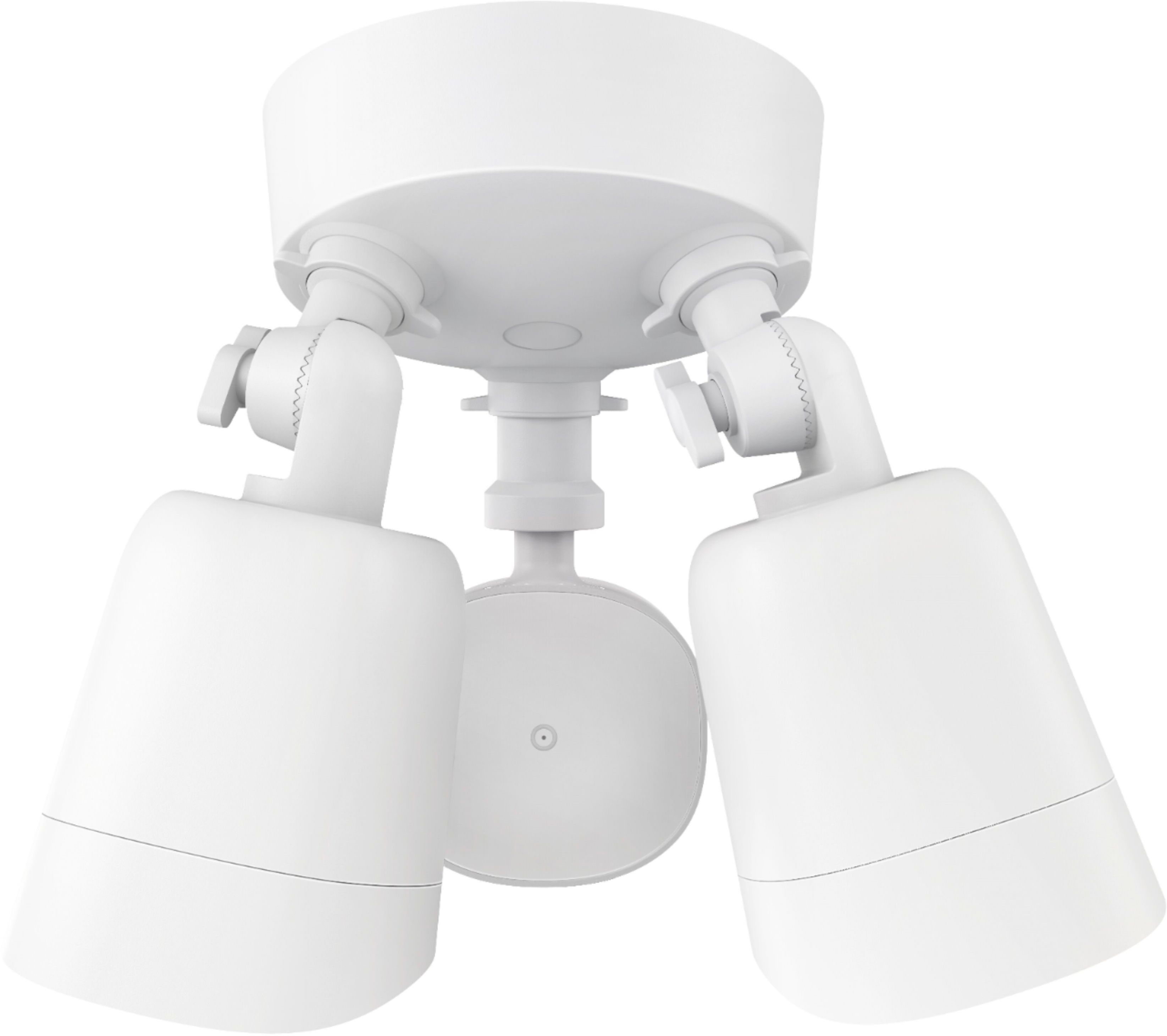
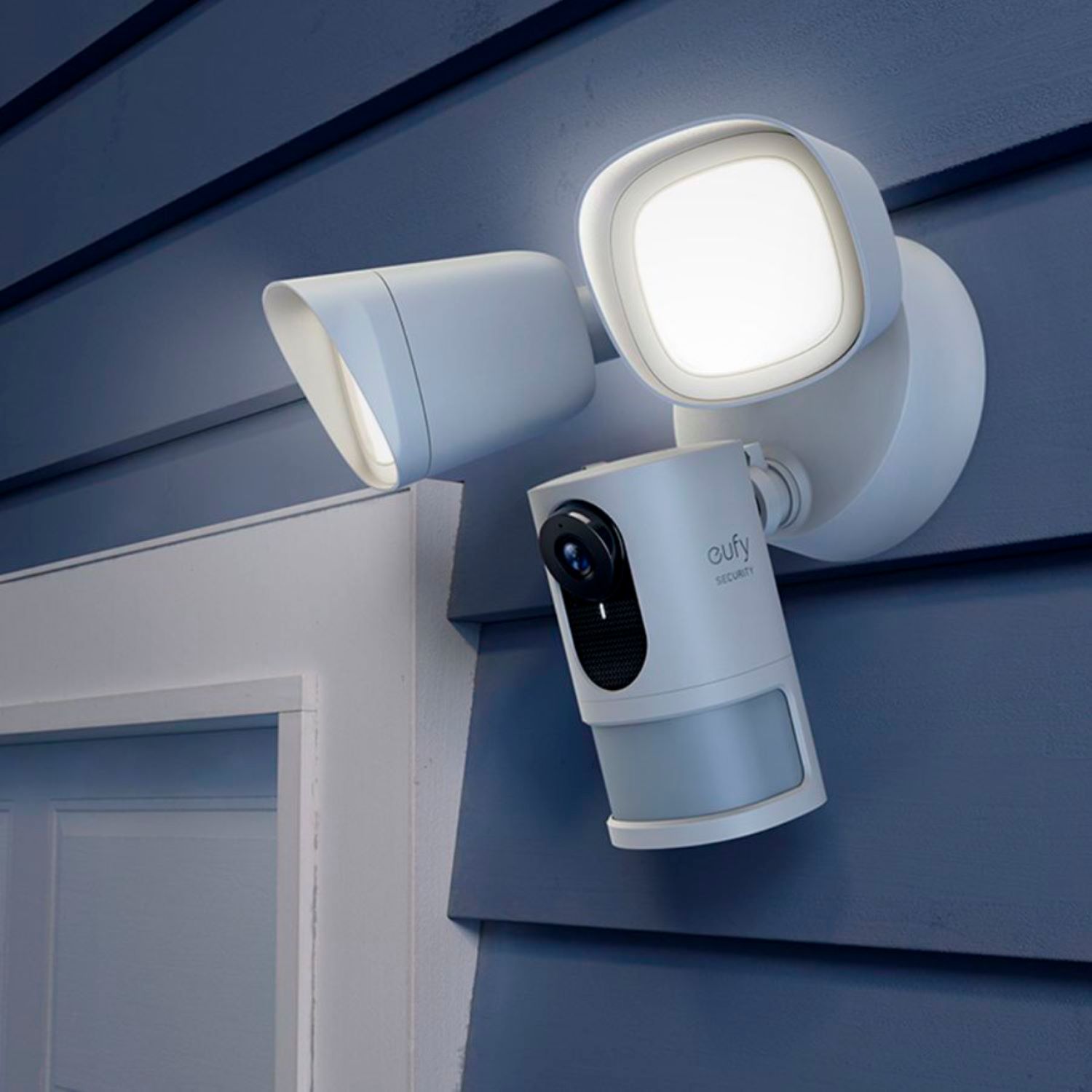
|Posted .This reviewer received promo considerations or sweepstakes entry for writing a review.Pros Solid metal build, except camera housing Bright floodlights provide very even lighting Multiple options for lighting Lights can be controlled separate from camera Camera works in both color and night vision Camera can be forced to stay in color mode if desired Multiple security profiles including GeoFencing Very simple setup Lights are dimmable No subscription fees Wide 140-degree field of view Good color contrast and sharpness 2-way talk is very clear when it works Decent Wi-Fi range Quick app launch Support for Alexa and Google Assistant No dependence on internet to record Cons Limited smart home integrations 1080P for such a wide field of view reduces clarity Heavy compression further reduces overall clarity Dynamic range not very good Heavy motion blur and ghosting in dark lighting Motion sensor can’t distinguish between tree moving and person Motion detection range only approximately 25 feet Can’t record distant motion due to dependence on sensor first No option for person detection No option for RTSP stream or other continuous recording Doesn’t support base station recording yet IR lights are placed too close to camera attracting bugs to block view Flood lights only have 2 axis of motion limiting proper adjustment of shield Design The main body and lights are made of metal. The camera housing is plastic with four IR LEDs on the sides of the camera lens. The camera and motion detection module are adjusted via a keyed ball and socket joint. The flood lights have 2 axis adjustment with wingnuts. Recordings and motion processing is all done locally and internet is only used for remote access to settings and recordings. This means reliable recording is not dependent on a consistent internet connection. Setup The floodlight comes prewired with a plug for initial setup close to your Wi-Fi. Installation is easiest if you are replacing an existing flood or spotlight and already have a box. Only 3 wires are needed to install. The camera’s slotted ball makes adjustment straightforward. However, the 2-axis adjustment on the flood lights is less than ideal. The tops of the flood lights have a rain hood that needs to be on the top of the light to function properly. The issue is you can only move the light in two directions. This means that at some angles the hood is tilted instead of at the top. The lights and the camera can be configured to operate independently. You have adjustments for lighting for motion, manual, and scheduled. With dimming options this means you can set the lights to a dim setting on a schedule and have them change to full brightness with motion. The camera can be configured with up to 4 rectangular shaped motion activity zones. The motion sensitivity is adjusted via a slider. There are options for different security modes that allow you to change options quickly. You can also define your own security profiles or use the Geofencing option. Reports say that Eufy will add the functionality to save recordings to a base station used by their other cameras in the future. Unfortunately, there are no reports of adding RTSP stream support like their other cameras have. The closest option to continuous recording is you can change the retrigger period to 0 seconds which allows multiple back to back recordings of motion. Performance The video has a 3 second pre buffer so in most cases, even with fast motion, you still get the recording. The speed of notifications to a mobile device are very quick if your phone has good internet. The app opens quickly to a preview as well. The video a very wide 140 degrees meaning you could put one in your front or back yard and capture nearly the entire yard. The video looks very clear on a smartphone. Unfortunately, you will find how limiting the 1080p video and heavy compression is when recording a wide field of view if you zoom in. If you try to zoom in on an area in a recording you will quickly find the image becomes pixelated and unusable. Furthermore, the compression causes the picture to look as though it is shifting around in such a way that, from experience, may cause some courts to consider the video as modified and invalid. A better option would be at least 2K recording with larger storage and lighter compression. Overall contrast is good, but the dynamic range isn’t very poor. This means evenly lit spaces will look good but daytime videos won’t do well in shaded areas. The shadows will be dark enough to allow someone hide from view and recording. Night videos are well exposed with the IR lights with even lighting across the entire video with no significant hot spot. The only issue with this is the IR emitters are so close to the camera that bugs will hang around the camera lens and block the view. Professional security cameras leave a suitable gap to prevent such issues. Night videos with the flood light are good from a distance but if you get too close the dynamic range issues comes up again causing over exposure and subjects become washed out and unidentifiable. The best way around this would be set the brightness of the floodlights to a dimmer setting so you can get proper exposure close-up. This would sacrifice overall range but allow clear video up close. On max brightness, the floodlights are bright enough to illuminate an area of 75x75ft. Although not specified, motion detection seems to have two parts. The motion sensor is used to trigger a recording but will only do so if the motion is within the defined activity zone. This is counter intuitive as one would expect an activity zone be used to define if activity is seen in this zone you should record it, but only if another sensor saw it first. You can define up to 4 rectangular shaped zones. The industry standard is now the more flexible polygon motion zones. Depending on the motion sensor to trigger recordings first for a camera with such a wide view seems strange. The camera can see so much but only record if what is happening is within approximately 25 feet. Furthermore, it seems easily fooled by inanimate objects causing false triggers. It would be nice if Eufy was able to, via an update, add the intelligence to allow recording based on motion in the defined activity zone combined with basic AI to only alert if the motion is human. Of course, this would depend on the processing power, but their battery powered cameras can do this. Overall, the Eufy Floodlight Camera is a solidly built product. Except for relatively low-resolution camera for the viewing angle, the other issues are either small or could potentially be improved via future software updates. Feature wise it lags beyond the industry but what makes it unique is the focus on privacy and storing your data locally and note requiring another monthly subscription. Eufy has been aggressively updating the software for its product line over the years and there is no reason to expect them to not do the same with the Floodlight Camera. If privacy is your first concern over having every fancy, cloud connected feature then the Eufy Floodlight Camera could be a good fit for you.
I would recommend this to a friend - Pros mentioned:Camera quality, Ease of use
Sharp clear image quality, Bright LED Floodlight.
|Posted .This reviewer received promo considerations or sweepstakes entry for writing a review.The camera's image quality is superb. It sensed motion both in front of the camera and 50-feet away down the driveway. The LEDs are very bright, 5000 kelvin, bright white light. This is great since it replaces a dual head LED fixture of similar brightness. The camera is auto focus and has great sensitivity. The BW night vision does a stand-up job if you choose to have it on. That what's neat about the software. It lets you pick the options you need and want. Installation was easy. As mentioned, it takes the place of an existing fixture. I love the S-hook Eufy supplies for hanging the fixture while connecting the wiring. I learned this trick many years ago and I think it's great they supplied it for someone who didn't know the trick. The foam gasket seals the electrical octagon box from the elements and bugs. You'll notice the weep hole on the bottom of the fixture body as well as a molded UP notation on the back of the light so you orient it correctly. I had some trouble trying to get the Android app on my moto phone to link up the light before installing it on the garage wall. But, I had no trouble using my iPad. This works instantly. They do mention during the android app the cell's radio might interfere, so I gave up after a few attempts and loaded up the Apple app and like I said , it worked great. Once installed on the wall, the app on my cell phone worked like a champ. I was able to position the camera for my desired field of view, test the lights and siren (its LOUD!), and check overall coverage. I will look into the video subscription portion of this flood light camera, but, so far, it doesn't require it as the camera has a fairly large built in memory drive.
I would recommend this to a friend - Pros mentioned:Camera quality, Storage
Lots to like about this Floodlight with camera
|Posted .This reviewer received promo considerations or sweepstakes entry for writing a review.I have many years of experience selling professional video surveillance cameras for enterprise use, so I was anxious to try out this eufy floodlight and camera to see how the homeowner market cameras were coming along and to decide if indeed this was an upgrade to the competitive floodlight camera I purchased from the leading DIY security camera company. The packaging is very sturdy, and the camera arrived intact, a concern as motion sensors can be very delicate (they usually get brittle over time and are the first part of the light to break). The manual that accompanied the product was understandable and easy to follow. It is also a thoughtful touch to cover the lights with cardboard logos so they do not shine into a person's eyes during installation. I like the fact that they include the "pigtail" lead wires with plug to allow you to configure the camera prior to putting it up on the wall. It is an extra cost for the manufacturer but saves the installer a lot of time not having to spend more time on the ladder than necessary. All the necessary parts were in the box and not a lot of excess. I would have liked to have seen a few more window stickers in the box as studies have shown that the stickers are a very effective deterrent to crime. A typical installation would probably take around 30 minutes. In my case, it took significantly longer because the junction box holding my original floodlight was a low--profile "pancake" style and it was installed right next to a piece of exterior wood trim. The circumference of the eufy floodlight base is larger than that of a typical floodlight, so it caused me to have to carefully shave down the trim piece to allow for an almost-flat mounting of the eufy. It did not go quite flush (and thus weather-sealed) because of the way the wiring fit into the pancake, so I will have to perform some weather sealing soon. Please take the larger circumference into consideration when selecting a mounting location. After installing the floodlight/camera, it took a couple of tries to get my phone to connect to the camera. After it did, I was able to use the phone app to adjust my Field of View. The connection thus far has been very stable. I tried the alarm and it is very loud - good! I have not tested the Alexa connectivity yet and cannot speak to how well that integration works.. I show some photos of my backyard in both day and night. Note that the camera will record in color at nighttime because of the added lighting. The lighting is very bright, significantly brighter than the competitor's product I already had installed, thus the proper rendering of colors at night. As for resolution, notice that the photos on the eufy website show capture of a license plate at about 10 feet. I am hoping to capture faces at about 25 feet, so I would have preferred a 4 MP camera option instead of the only offer of 1080 HD to get the necessary pixels-per-foot to identify faces when they enter the scene and not until they are close to the camera (remember that I placed the camera up about 12 feet so you have to take the height in when doing your pixels-per-foot calculation). After I use this for a while, I may choose to relocate this to a different position to capture video closer to the house. . To summarize, I think the resolution is average and I will continue to prefer professional cameras with better lens options and higher resolution which can be had at this price. The app works well so far and is intuitive, even though the set-up manual does not address features such as setting up motion zones. I really want to try this feature to see if it will eliminate false alarms due to my trees moving in the wind. The best feature is their decision to provide on-board recording and not try to build a company strictly around monthly recurring revenue. That keeps your total Cost of Ownership for these products very low in comparison to the competition. I am not ready to buy in to the entire eufy line until I have some experience with this camera. The fact that they even mention Wide Dynamic Range, AES-256 encryption and power issues shows they are savvier than most of their competition at this DIY level. I would really like to see them move into PoE cameras at a higher resolution before buying more of their products. In the meantime, I'll enjoy not paying monthly fees for securing my home and move it around until I find the optimal location.
I would recommend this to a friend Serves my needs
||Posted . Owned for 9 months when reviewed.This reviewer received promo considerations or sweepstakes entry for writing a review.Needs a sensitivity setting between 4 and 5 other than that, it's great.
I would recommend this to a friend- Pros mentioned:Camera quality, Light brightness
Excellent floodlight cam; no subscription required
|Posted .This reviewer received promo considerations or sweepstakes entry for writing a review.While researching the Eufy online, I was at first skeptical dealing with a name I hadn't heard before, but then I saw that it was a subsidiary of Anker. I've used Anker products before with good results; so decided to give it a try. Upon arrival, I was immediately while unboxing. The first thing I noticed was the heft of it. I've got about half a dozen floodlights around the house; discounting the weight of the camera, I would say the floodlight assembly alone is 2 to 3 times the weight of the ones I already own. The build looks solid, & my impression is that they're not going to flake, rust, or in the case of plastic, crack after a couple of years. Second thing I noticed was that it comes with a standard outlet plug temporarily installed so you can power it & set it up while still on the ground instead of fussing with it in the air. Setup was easy enough, downloaded the Eufy Security app (which of course required an update as soon as it was installed - pretty common thing nowadays.) App recognized the camera, picked up my wifi signal (about 25 feet from router) and we were on to the install. You might notice from my photos that this is not an ideal install due to the low height, this is only temporary to check out its performance; I plan to later move it to replace a floodlight I have mounted further up the wall. I encountered a minor hitch during the install; the directions refer to the need for a junction box to do the wiring. For those that don't know, a junction box is an octagonal shaped electrical box you've seen many times in your attic or basement. Well, to my surprise, when I pulled down the porch light, I didn't find a junction box, but rather a standard electrical box (like the ones you have behind all your electrical outlets.) Problem was that a junction box takes 8-32 screws, a standard outlet box takes 6-32 screws. Only 8-32 screws are provided in the package. So I had to go rummaging in the spare parts bin to find the proper screws to complete the install. You might want to check your outlet before doing an install, or you might be off to Home Depot for a package of screws. Once the install was done, we then went on to fine tune the setup. The picture is nice & clear, the microphone was sensitive enough to pick up squirrel activity on my porch. A nice feature is the ability to zone in the motion detection. At first, it was picking up the motion of passing cars in the street, so I was getting alerts way too often. I then set the field to just scan my lawn & path, which worked out perfect. No alerts unless someone was coming towards my door. I was also able to set the Eufy up with the Alexa app, so she can turn the lights on & off and also adjust the brightness. And they are bright - I have them set to 35% and that's more than enough light to flood the porch. Upon motion detection they go to full brightness. So far, very happy with the Eufy. Oh, did I forget to mention my favorite feature - no subscription required?
I would recommend this to a friend - Pros mentioned:Camera quality, Light brightness
Clear Security for all
|Posted .This reviewer received promo considerations or sweepstakes entry for writing a review.Cameras are everywhere these days and with good reason. They’re an inexpensive way to know your home is safe when you’re not home. This camera is attached to a set of spotlights which ensures the images you want are crystal clear. The Uffy camera and lights are easy to set up, easy to use, and easy to share with your family. Set up starts with plugging the lights in before you even go outside. They come with a cord attached to a 3 prong plug so you can download the app, connect to the lights, and configure your network from the comfort of your couch instead of at the top of a ladder. This also confirms that all is OK before installation starts. The package includes all you need other than a screwdriver to get up and running. The lights are bright and energy efficient. The LED lights cast 2300 lumens, which is equivalent to about 300W worth of output. The LED lights use only a fraction of that. They provide good visibility of my whole front yard. The app will notify you when someone or something crosses the zones that you define. The lights will also turn on, providing notice to whomever is there along with good lighting for the camera to record all the action. The action is auto recorded onto a non-removable local memory card. Cloud recording is available for an additional monthly fee. If no further motion is detected, the lights will go off after a configurable interval which defaults to 30 seconds. Overall, I really like this light. It provides a nice supplement to my video doorbell for when there are expected or unexpected visitors. You can frighten them away with lights and a siren, as well. Uffy makes a complete line of security products which all use the same app. When you put it all together, it’s the complete package!
I would recommend this to a friend