Customer Ratings & Reviews

- Model:
- T8520J11
- SKU:
- 6425484
Rating by feature
- Value
Rating 4.5 out of 5 stars
- Quality
Rating 4.6 out of 5 stars
- Ease of Use
Rating 4.7 out of 5 stars
Customers are saying
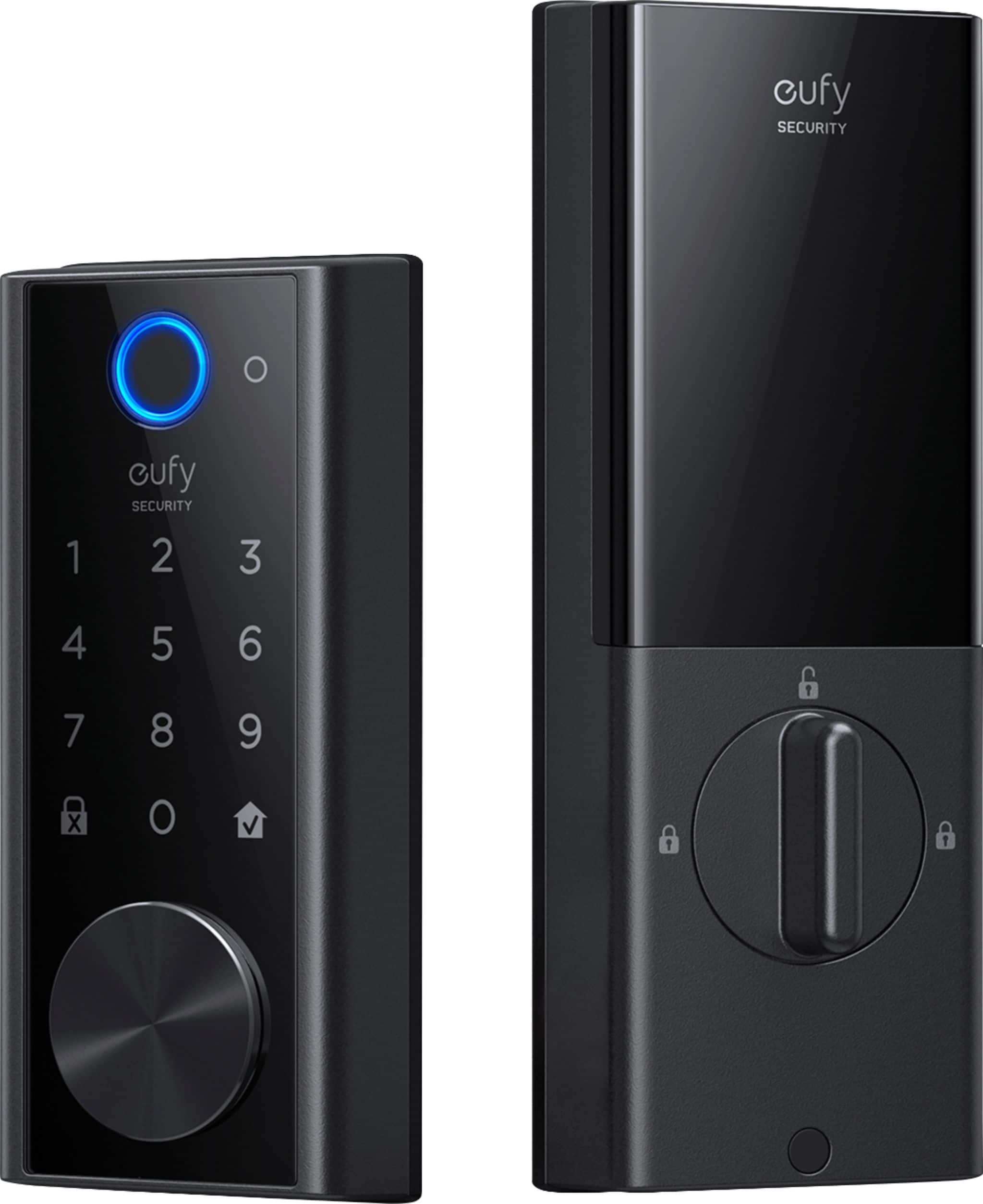
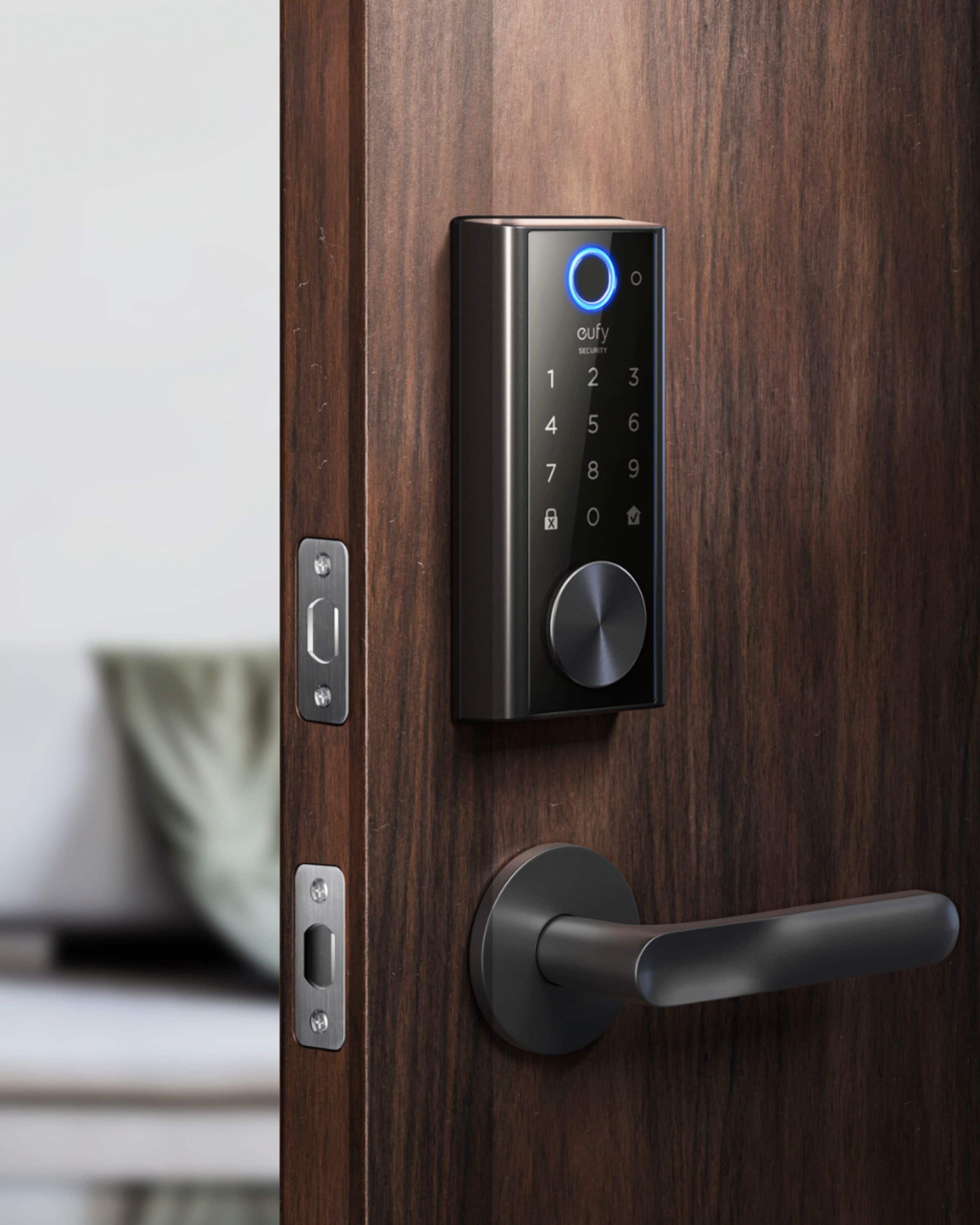
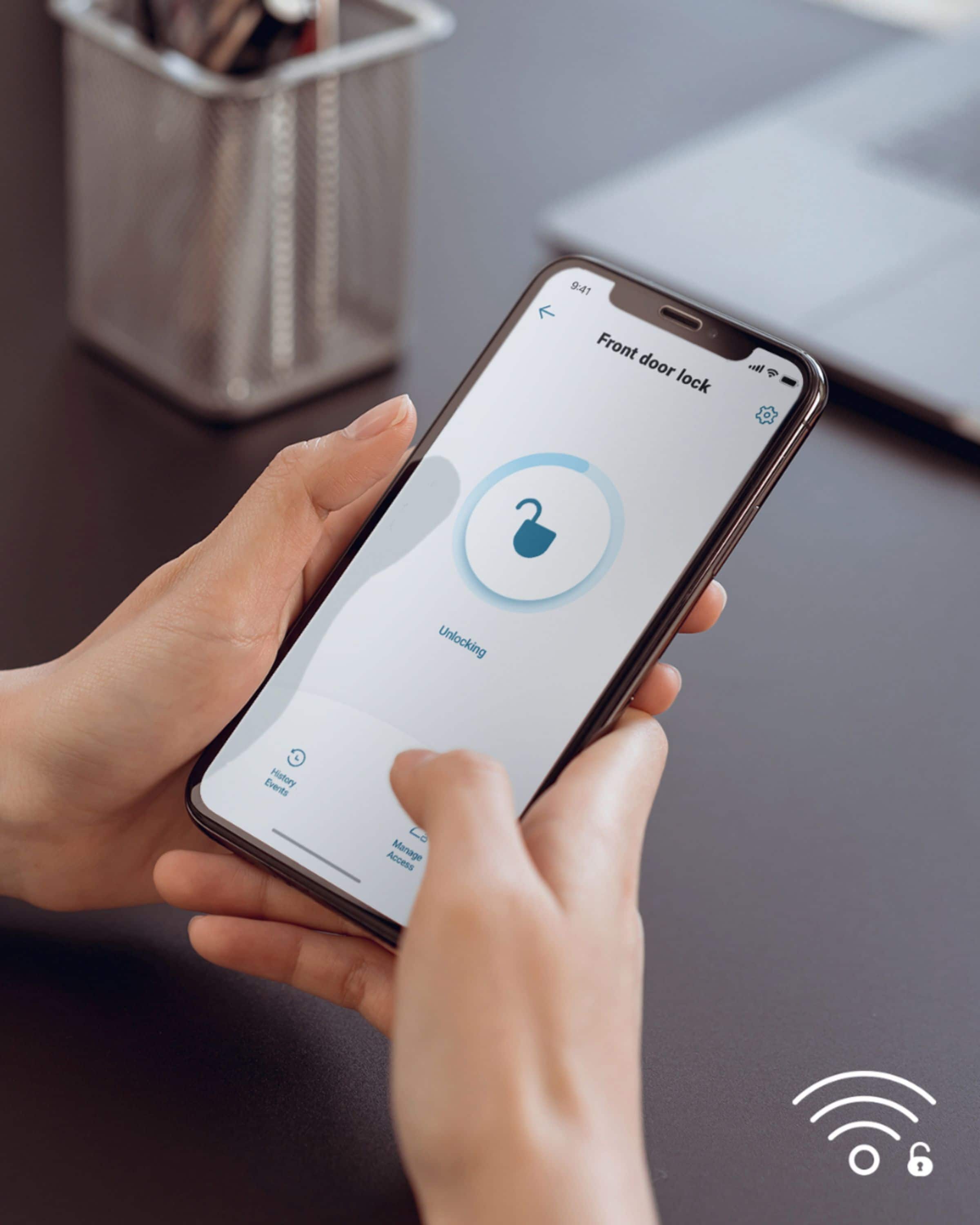
Customers recognize the Smart Lock Wi-Fi Replacement Deadbolt for its ease of use, long battery life, and simple installation. Many appreciate the quality, security features, and user-friendly app, while some find the fingerprint reader inconsistent. A few customers have noted issues with the key getting stuck, and some have expressed concerns about the color and size of the lock.
This summary was generated by AI based on customer reviews.
Conveninet, secure, and smart!
||Posted . Owned for 1 month when reviewed.This reviewer received promo considerations or sweepstakes entry for writing a review.Works as described. Paired it to my alexa and works flawlessly.
I would recommend this to a friendEasy install
||Posted . Owned for 3 months when reviewed.This reviewer received promo considerations or sweepstakes entry for writing a review.Easy setup installed in less than 30 min. Replaced kwikset that came with the home
I would recommend this to a friendGreat Buy
||Posted . Owned for 1 week when reviewed.This reviewer received promo considerations or sweepstakes entry for writing a review.This is a total upgrade, easy to use, great added security
I would recommend this to a friendVery disappointed with Eufy-Anker
||Posted . Owned for 2 weeks when reviewed.This reviewer received promo considerations or sweepstakes entry for writing a review.Dead in less the 15 days. Eufy support asked even for the serial number, considering that it's registered to my account where I have many other Eufy devices... Eufy support is rude and doesn't care about the fact that it's an important device for the house safety. Very disappointed with Eufy/Anker - I'm a long-time customer, actually when they started to sell their very first products.
No, I would not recommend this to a friendBrand response from Eufy Team
Posted .Thank you so much for sharing your experience. We are sorry to hear you are not satisfied with this item. We really appreciate your feedback to make this item better.
We are dedicated to ensuring your 100% satisfaction. Please reach out to us via support@eufylife.com or call us at +1 (800) 988 7973. We are more than happy to assist you further.
We offer a lifetime technical support. Our standard for responding to email quests is less than 24 hours, and we look forward to hearing from you!
Great Purchase
||Posted . Owned for 1 month when reviewed.This reviewer received promo considerations or sweepstakes entry for writing a review.Excellent product! Works extremely well and reliable.
I would recommend this to a friendAutolock doesnt work
||Posted . Owned for 3 months when reviewed.This reviewer received promo considerations or sweepstakes entry for writing a review.I buy smart doorlock so it will automatically lock at 8 pm. Some days it does some it doesnt so i get a new one from eufy as i told them the issue.... same thing happens with the new one horrible product
No, I would not recommend this to a friendBrand response from Eufy Team
Posted .Dear Customer,
I am truly sorry to hear that you are experiencing this issue. We understand how frustrating it can be and we appreciate your patience.
Please rest assured that we stand behind our products and are willing to provide assistance within our capacity. We are committed to ensuring your satisfaction and resolving your concerns promptly.
You can reach out to us via support@eufylife.com or call us at +1 (800) 988 7973. Our customer service team is always ready to help you.
We look forward to your message so we can address your issue as soon as possible. Thank you for bringing this to our attention and giving us the opportunity to make things right.
Best Regards,
Mr
||Posted . Owned for 1 month when reviewed.This reviewer received promo considerations or sweepstakes entry for writing a review.Works perfect looks very nice I made good choice ..
I would recommend this to a friendWorth every penny
||Posted . Owned for 1 month when reviewed.This reviewer received promo considerations or sweepstakes entry for writing a review.Very convenient and works really well. Satisfied..
I would recommend this to a friendPoor battery life
||Posted . Owned for 7 months when reviewed.This reviewer received promo considerations or sweepstakes entry for writing a review.They are lieing to you about the battery life.... you will be lucky to get a month out of a charge.
No, I would not recommend this to a friendBrand response from Eufy Team
Posted .Thank you so much for sharing your experience. We are sorry to hear you are not satisfied with this item. We really appreciate your feedback to make this item better.
We are dedicated to ensuring your 100% satisfaction. Please reach out to us via support@eufylife.com or call us at +1 (800) 988 7973. We are more than happy to assist you further.
Our standard for responding to email quests is less than 24 hours, and we look forward to hearing from you!
- Pros mentioned:Ease of use, Quality

This Is The Best Made Lock I've Ever Had!!!!
|Posted .This reviewer received promo considerations or sweepstakes entry for writing a review.When I first received the box and opened it, I was immediately impressed by the high quality metal that the lock was made of. I then went to my door to switch out everything and ran into a few stumbling blocks, like when I put everything together screws and all, the plug came out on the inside, so I had to take everything apart, plug it back up, and screw everything back in again. Then I realized that the battery pack needed to be charged, so I had to go plug that in and charge it. Then I was having a few issues with the app, which I had to uninstall and install a few different times. At least setup was a breeze as long as you follow the step-by-step instructions and not try to skip anything. Another thing that I didn't like, was how hard it is to get the battery cover off and on of the lock itself. After everything was hooked up and ready to go, Iike programming the lock with my phone, inputting my code and fingerprint, which was pretty easy and effortless. I begin testing it out and making sure everything worked. There were no issues when scanning my fingerprint, adding the code, using the app to lock and unlock the door, and pushing the button to lock the door from the outside. What I don't like, is the fact that when you lock the door from the outside, you have to hold the lock button for a few seconds. It would be nice if you could just push it once and it locks. I would also like to input more than one code for different people. Other than that, this lock set is phenomenal! I don't ever recall thinking this about a product before, but I think this one is underpriced for everything you get! The Wi-Fi is a big plus, to lock and unlock your door from anywhere for anyone. I also love the notifications of when the doors unlocked and locked. I also sent my daughter a link so she can have the same type of access I have, and she loves it! She especially likes the fact that when she has a lot of grocery bags in her hand, she doesn't have to fumble with the key to unlock the door, she can just unlock the door with the app before she even gets out the car. I also like the really cool feature, of how the door can automatically lock, if you set it, when it's closed. There has been a few different times when my daughter and myself has forgotten to lock the door. This is a must-have for anyone who appreciate quality and well made products!
I would recommend this to a friendBrand response from Eufy Team
Posted .Thank you very much for sharing your story! We are super excited to be able to provide something you can depend on. We will always strive to exceed your expectations, so please keep letting us know what you love and what you need.
Remember your device comes with a 12-month warranty, and anytime you need help just reach out to us via support@eufylife.com or call us at +1 (800) 988 7973. We are more than happy to assist you.
Not User Friendly
||Posted . Owned for 1 month when reviewed.This reviewer received promo considerations or sweepstakes entry for writing a review.The web interface with this product is terrible. Hard to manage access and share account, especially if your household has more than one owner. Fingerprint does not work particularly well.
No, I would not recommend this to a friendBrand response from Eufy Team
Posted .Dear Customer,
I am truly sorry to hear that you are experiencing this issue. We understand how frustrating it can be and we appreciate your patience.
Please rest assured that we stand behind our products and are willing to provide assistance within our capacity. We are committed to ensuring your satisfaction and resolving your concerns promptly.
You can reach out to us via support@eufylife.com or call us at +1 (800) 988 7973. Our customer service team is always ready to help you.
We look forward to your message so we can address your issue as soon as possible. Thank you for bringing this to our attention and giving us the opportunity to make things right.
Best Regards,
Not good
||Posted . Owned for 1.5 years when reviewed.This reviewer received promo considerations or sweepstakes entry for writing a review.Save your money! Absolutely horrible. I constantly gets sucked “geek squad” came to fixed still with the same issue. It happens mainly during summer or winter
No, I would not recommend this to a friend- Pros mentioned:Battery life, Quality
The Smartest Smart Lock Available
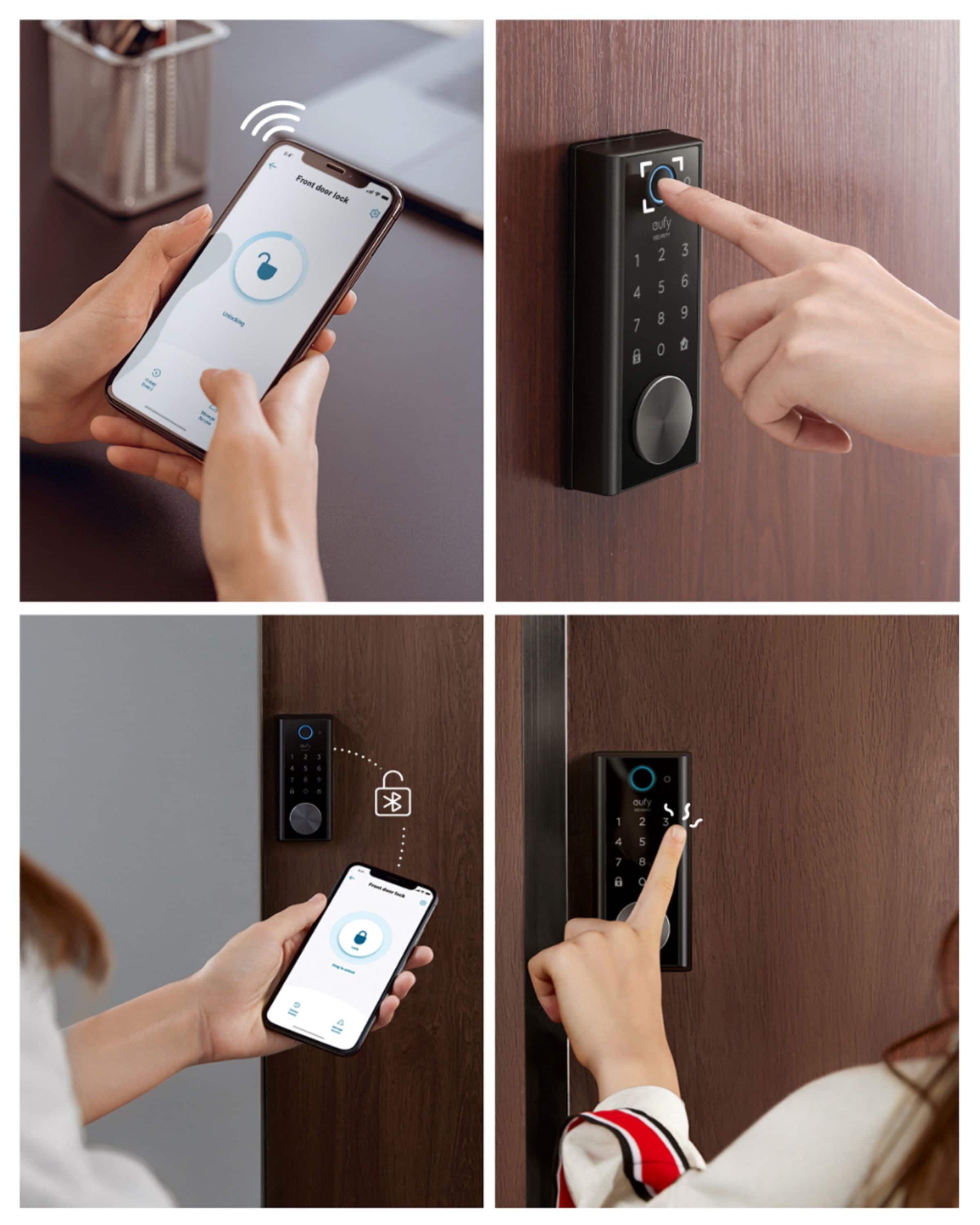
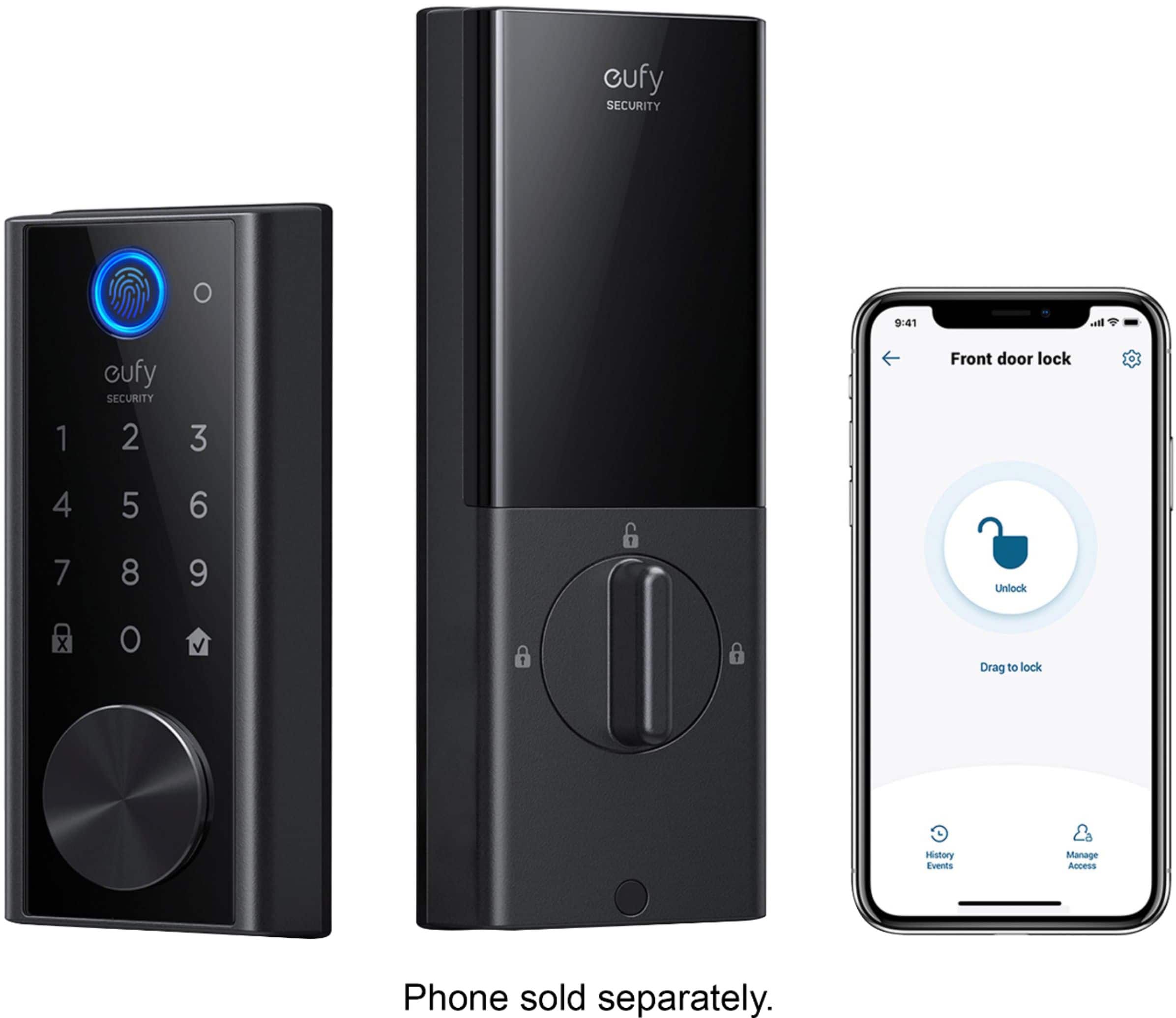
|Posted .This reviewer received promo considerations or sweepstakes entry for writing a review.I have used numerous smart home devices over the last few years including three different brands of smart locks. Each had their strengths and weaknesses so I was curious to see what the new Eufy Smart Lock Touch & Wi-Fi had to offer. Upon receiving the box its weight alone was impressive and surprising. The actual lock is well made and has a high quality feel and look. The parts are made of drill proof and magnet proof steel. Unboxing revealed a plethora of parts and boxes. I was initially thought this installation appeared like it may be confusing and laborious. Not so. This feeling faded quickly as each box is clearly labeled with what step of the installation process the parts are needed for. The included installation manual is very simple to follow and is quite detailed. The manual first instructs you to download the Eufy security app to your mobile device. You’ll need it later during the installation. I jumped right in with the first step being the removal of your existing lock. Please note that the only tool required for installation is a screwdriver. This took moments but you sure sense at that point that there’s no turning back. Following the instructions I next installed the included deadbolt. You’re then ready to the begin the Eufy hardware installation. You start with the exterior assembly. The exterior assembly is the part with the fingerprint reader and keypad. You then attach the interior mounting plate to the inside of your door. The mounting plate attaches using screws that pass through the existing hole in your door. You next thread a cable from the exterior assembly through the mounting plate to the interior assembly. The cable only attaches one way so you can’t mess it up. You next simply attach the interior assembly to the mounting plate using a few screws. The interior assembly is the inside part of the lock with the battery compartment and the thumb toggle to lock the door. You next install the included 10,000 mAh rechargeable battery and then the Eufy came to life. This completed the extent of the actual hardware installation. What a breeze. The entire installation may have taken me 15 minutes. At this point you move on to the setup part of the installation. Here you now need the Eufy security app. Using the app you simply select add a device in the app and select the Eufy Smart Lock Touch & Wi-Fi. You’re prompted to scan a QR code located on the interior assembly. Next you push the setup button below the battery pack and you’re ready to connect the Eufy to your WiFi network. Upon completion you can calibrate the locking function and then setup an access code and register your fingerprint so you can unlock your door with either the code using the keypad or by scanning your fingerprint. This is pretty much the extent of the setup process and you’re ready to use the lock. I did notice within the app that there was a firmware update available which quickly installed. I immediately wanted to test how well the Eufy Smart Lock Touch & Wi-Fi worked. I started with the fingerprint reader. I was immediately impressed with it accuracy, speed, and its quiet operation. You can add several fingerprints if you like. This sure comes in handy so you are set to scan either hand if one hand is full. I love the fact that there are 6 ways to unlock your door including using your phone with WiFi or Bluetooth, using your passcode entered on the keypad, using the fingerprint reader, using an included physical key, 5 are included, or by using Google or Alexa voice assistant. Additionally the same 6 options also lock the door. There is also an auto lock feature that will detect when you close your door and will lock it automatically after a delay that you set in the app from 1 second to 3 minutes. A great feature so you never forget to lock your door. I quickly found the fingerprint locking and unlocking to be easiest method for me but I’m sure I will use the other methods depending on circumstances. It’s great to have all these options. Other smart locks I’ve owned were not this smart! In fact one great advantage the Eufy has is that it uses WiFi. My other locks were Bluetooth only and that made them much more limited in functionality. With WiFi you can lock or unlock your door from anywhere and you get instant notifications anytime your door is locked or unlocked. You can also check a list of lock events that show you when the Eufy is locked or unlocked and by which user. That’s right you can add users, assign passcodes or register their fingerprints. That way every family member can have their own access. Great way to monitor when the kids are coming and going. Another fantastic feature is the ability to add guest access. I imagine this coming in handy when having family or friends visit. You give them access within the app and they will receive an email notification to install the app and gain access to your Eufy. No need to worry about handing out keys or having to be present to let a house guest into your home. I own other Eufy smart home products and the Eufy Smart Lock Touch & Wi-Fi is a great addition. This smart lock is by far the smartest and most full featured smart lock I’ve owned. The design is attractive and the build quality is fantastic. The Eufy is in fact rated to last 30 years. Now that is a well made product. I have zero complaints about this product. Highly recommended.
I would recommend this to a friendBrand response from Eufy Team
Posted .Thank you for telling the world about how this product works for you! You sharing your story helps others know what to expect from this device, which is more valuable than the few pictures and words we ourselves can say about it. Knowing how it performs in real-life situations is what really matters, so thanks again. We promise to keep producing products you can depend on!
Remember your device comes with a 12-month warranty, and anytime you need help just reach out to us via support@eufylife.com or call us at +1 (800) 988 7973. We are more than happy to assist you.
- Pros mentioned:Battery life, Installation
A very solid and well designed product
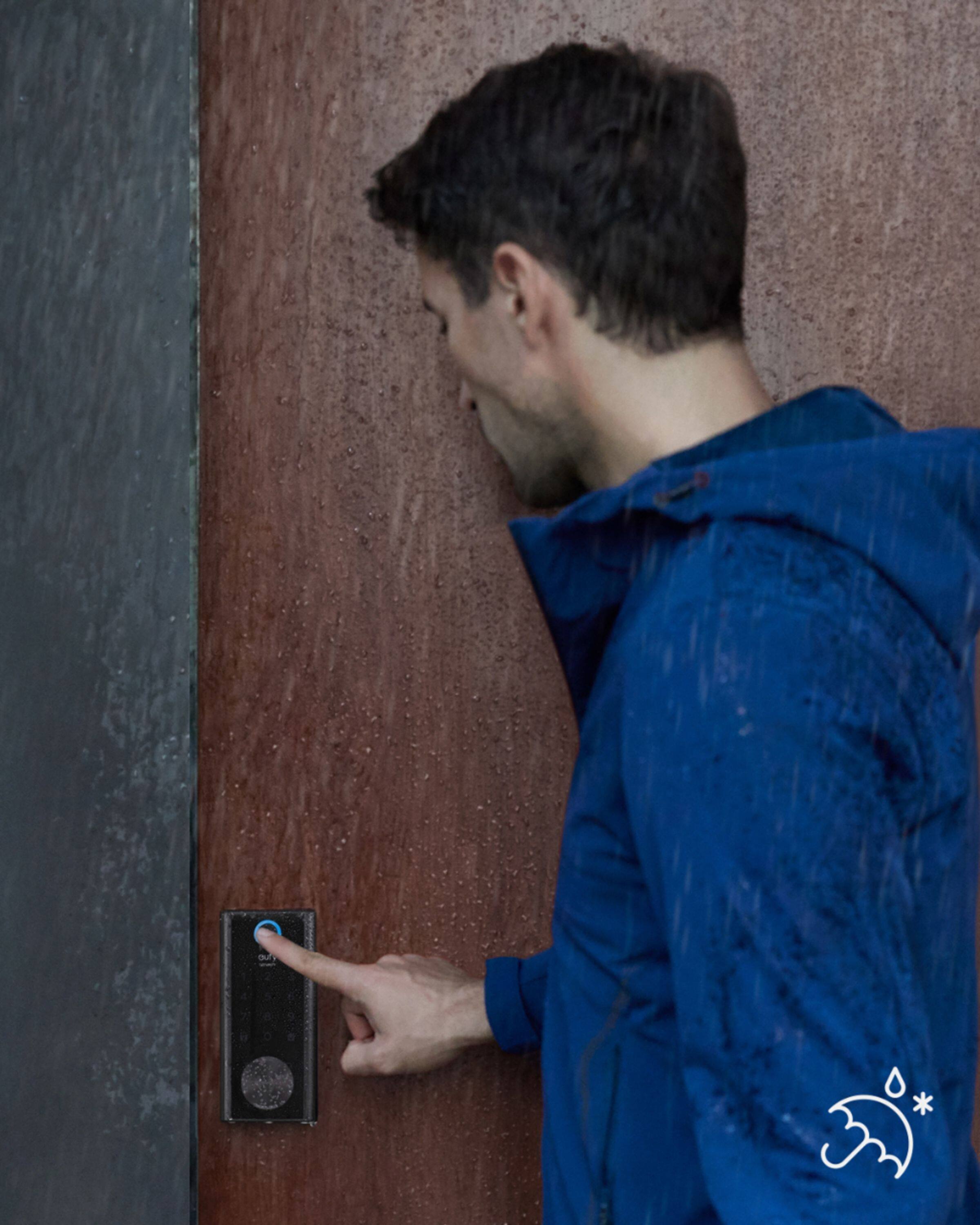
|Posted .This reviewer received promo considerations or sweepstakes entry for writing a review.I recently installed the Eufy Smart Lock Touch & Wi-Fi deadbolt on a door leading to our screen enclosure. The door originally had a manual deadbolt sitting above the doorknob. Out of an abundance of caution, we would always lock the original deadbolt if we found it unlocked. A bit paranoid perhaps, but there have been too many cases where intruders have taken advantage of unsecured doors. Often, I would step outside to do some yard work only to find that ‘someone’ had locked the back door behind me. I needed a deadbolt that would allow me to reenter despite it being locked. An automated deadbolt like this Eufy was high on my list of wants because of this. First, let me give Eufy a big thumbs-up for how well documented the installation process is. I hope other companies take notice and do the same for their products. Each component/process in the installation is identified as “Step 1”, “Step 2”, and so on. The install process was seamless and removing the old deadbolt and installing the Eufy couldn’t have taken more than 30 minutes. The very first thing I did after unpacking everything was to remove the rechargeable battery and hook it up to a USB charger. The battery has an LED indicator on it that shows blue when fully charged although I let it charge for about 8 hours just to be sure. The battery – under normal use – is expected to keep the deadbolt powered for up to a year. I won’t get into the installation process itself, yet will confirm that it was easy from start to finish. The thing that most surprised me most was how solid feeling the technology is. The documentation says that “it is constructed from a rugged zinc alloy and stainless-steel frame, and that it is tested to handle the comings and goings of a busy household for over 60 years”. I believe it! One of the final steps of the installation process is to install the Eufy Security app on your phone. If you already have an Anker login, use that as your login to the app. If you don’t have an established username and password, then you’ll have to create one. Once logged in, you will need to identify the kind of device you are installing. Note that this is the Touch & Wi-Fi model, not the older Bluetooth version. Once all is set up, the app will walk you through adding users to the system by assigning a name and password to each user, and a fingerprint, if desirable. The Settings portion of this app permits you to select which features you want turned on or off. For example: • Auto-lock: If turned on, this will automatically lock the door after a specific period of time when unlocked. How quickly the auto- lock happens is user selectable (1 second, 30 seconds, or up to 3 minutes). It also has a Schedule option that lets you to select which hours of the day the Auto-lock will occur. • Wrong-Try Protection: This will pause the Eufy from unlocking if someone fails to enter a proper code from 3 to 10 times (user selectable). And if it does pause because of failed attempts, the pause can be from 1 minute to 5 minutes (also user selectable). • Scramble Password is an interesting feature. Let’s say that you have an assigned password of 765432. If Scramble Password is turned on, it allows you to enter numbers before and/or after your real password. So, I could enter 32376543211 and it would recognize that the “765432” in the middle as correct. This is handy if you have someone nearby that might see parts of the code you’re entering. If Scramble Password is turned off, only exact number matches are accepted. Fingerprints are entered on a per-person basis. To enter a fingerprint, touch your selected finger to the fingerprint scanner 8 times for the scanner to digitize your fingerprint from different angles. After your fingerprint has been stored, use that same finger on the Eufy’s fingerprint scanner to lock/unlock the unit. The Eufy’s fingerprint scanner is extremely responsive, so much so that it quite frankly runs circles around other products I’ve used. It takes a fraction of a second to read and activate the deadbolt. Connecting this unit to my home network was simple. Once configured to my network, I linked Eufy to my Google Home app. I named the deadbolt “Back Door” in the Eufy Security App, so my Google Assistant commands looked like this: • Status of Back Door (Tells you if the Eufy is locked or unlocked) • Lock Back Door (If unlocked, it causes the Eufy to lock) • Unlock Back Door (if locked, it causes the Eufy to unlock, but will prompt you for the passcode). I haven’t found a command to tell me the battery level, although the app itself shows an image of the battery. I hope the app will send out an alert when the battery level falls below, say, 10% battery remaining. When linking the Eufy to Google Home, I was required to provide a 6-digit passcode that I would be required to provide when using Google Assistant to remotely unlock the unit. That way, someone in possession of my phone wouldn’t be able to remotely unlock the door without knowing the passcode. Note that this deadbolt has an IP65 rating, which certifies that it is designed to work under different weather conditions, rain or shine. All in all, I’m quite impressed with this lock and will be giving it a 5-star rating.
I would recommend this to a friendBrand response from Eufy Team
Posted .Thank you for telling the world about how this product works for you! You sharing your story helps others know what to expect from this device, which is more valuable than the few pictures and words we ourselves can say about it. Knowing how it performs in real-life situations is what really matters, so thanks again. We promise to keep producing products you can depend on!
Remember your device comes with a 12-month warranty, and anytime you need help just reach out to us via support@eufylife.com or call us at +1 (800) 988 7973. We are more than happy to assist you.
Great lock, growing pains, BAD customer service
||Posted . Owned for 3 weeks when reviewed.This reviewer received promo considerations or sweepstakes entry for writing a review.Love the lock, but surprisingly the customer service is bad. I didn't expect that from Anker... The current issue is that the autolock schedule feature doesn't work correctly. I have called multiple times with promise that someone will call me back, but that never happens.
No, I would not recommend this to a friendBrand response from Eufy Team
Posted .Thank you so much for sharing your experience. It's unusual for this product to be acting like this. We desire every interaction you have with us to be as smooth and as hassle-free as possible, but apparently, we were not able to achieve that this time around.
We'd love to get you what you need! If possible, please try the following steps to see if the issue persists:
1.Upgrade the security APP version and the firmware of the door lock to the latest.
2.Close the door and recalibrate your lock via the app, steps: Menu>Lock settings>lock Calibration.
3. If the issue persists, please provide us with the SN# of your dock lock.
Please reach out to us via support@eufylife.com or call us at +1 (800) 988 7973. We are more than happy to assist you further.
We offer a 12-month warranty for this product, plus lifetime technical support. Our standard for responding to email quests is less than 24 hours, and we look forward to hearing from you!
Battery Weak
||Posted . Owned for 1 month when reviewed.This reviewer received promo considerations or sweepstakes entry for writing a review.Battery last 3 days. Been on support to help for a week but nothing has been done.my unit stopped being able to connect online after 2 days
No, I would not recommend this to a friendBrand response from Eufy Team
Posted .Thank you so much for sharing your experience. We are sorry to hear you are not satisfied with this item. We really appreciate your feedback to make this item better.
We are dedicated to ensuring your 100% satisfaction. Please reach out to us via support@eufylife.com or call us at +1 (800) 988 7973. We are more than happy to assist you further.
We offer a 12-month warranty for this product, plus lifetime technical support. Our standard for responding to email quests is less than 24 hours, and we look forward to hearing from you!
- Pros mentioned:Ease of useCons mentioned:Fingerprint reader
Love the number of options
|Posted .This reviewer received promo considerations or sweepstakes entry for writing a review.I love the number of options this Eufy smart lock gives for locking and unlocking. It was easy to install. I've never replaced or installed a door lock before, but it wasn't a problem. The instructions are easy to follow and there are videos as well. My only hiccup was getting the bolt to slide easily in the striker plate as my house has settled over the years. I knew beforehand that I would need to move the striker plate so the lock can easily slide into place. The lock won't calibrate if there is any resistance. That was the hardest part of the whole setup. The rest was really quite easy once I was able to get it calibrated. The app walked me through the setup process. The lock itself has voice to help you set it up and tell you the status of the lock after setup. The volume of voice status can be adjusted. The number of options is amazing. 1. The best option, in my opinion, is the FINGERPRINT scanner. Love it! So easy, so convenient. To set up your lock for fingerprint scanning, just place your index finger or thumb in the app where indicated 8 times. Tip: Place your finger/thumb at slightly different angles each time. I have had no problem at all with the lock reading any of our fingerprints. Yes, you can set up multiple profiles for each person. Up to 100 users. 2. You can each set an access code. For extra security where there may be people around when you're using your code, you can set a scramble passcode making it difficult for others to gain your code. 3. Wifi access. Use the phone app to lock/unlock your door. 4. Use the key 5. Set up with Google or Alexa for voice control. I set mine up with Google. Using voice control with Google on my phone works great. However, I have not been able to get my Google devices to recognize the lock yet. And since the fingerprint scan option is so convenient I really haven't spent any time on figuring it out yet. The app will notify you when the lock has been used which is nice in case someone is trying to use it without permission. Failsafe mode: 5 failed attempts at fingerprint reading disables the scanner. 5 failed attempts at the access code will disable the scanner and code reader. Keeping those without access out. Automatic door locking can be customized up to 3 minutes or disabled if it's not wanted. With wifi, updates can be done OTA. This Eufy smart lock makes it so easy to have security and convenience in one. As someone who has locked myself out of the house 3 times in as many years, I couldn't be happier with this lock.
I would recommend this to a friendBrand response from Eufy Team
Posted .Thank you for telling the world about how this product works for you! You sharing your story helps others know what to expect from this device, which is more valuable than the few pictures and words we ourselves can say about it. Knowing how it performs in real-life situations is what really matters, so thanks again. We promise to keep producing products you can depend on!
Remember your device comes with a 12-month warranty, and anytime you need help just reach out to us via support@eufylife.com or call us at +1 (800) 988 7973. We are more than happy to assist you.
- Pros mentioned:Battery life, Ease of use
Fantastic lock
Posted .This reviewer received promo considerations or sweepstakes entry for writing a review.Have had installed for over a week now and cannot be happier. Followed all directions and used the included hardware. Added to my Alexa app as well, which requires a verbal passcode, but that is fair, so an open window can't have someone yell, "Alexa, open the front door." The battery has stayed full and properly unlocks with my finger print. Locking by holding the bottom left button is great and you can hear the chime through the door for a successful lock. Easy to install, easy to set up and easy to operate. 5/5 Had to order a new keyless knob for the bottom so I don't lock it as I always do. A tad pricey, but so worth the money for piece of mind. The physical key also works if the battery dies between charges.
I would recommend this to a friend - Pros mentioned:Battery life, Installation
Excellent Smart Lock
|Posted .This reviewer received promo considerations or sweepstakes entry for writing a review.I removed our current dead bolt lock and installed the new Eufy – Smart Lock Touch & Wi-Fi. Installation was quick and easy, took me approximately 15 minutes, just follow the Eufy – Smart Lock instruction. After you have installed the Eufy – Smart Lock, and you insert the rechargeable battery, a voice from the Smart Lock, will instruct you to download the Eufy app. We already had the Eufy Homebase unit and app for our Eufy exterior security cameras so all we had to do was add the Eufy – Smart Lock, which was quick and simple to complete. The Eufy app is great and has worked flawlessly, to date, with our Eufy cameras. Connecting to our Wi-Fi network was extremely quick and now it was time to calibrate the door lock. When calibrating the lock, you can do this from the inside. If you chose to calibrate the lock from the outside, I suggest you take one of the five provided keys with you, so you do not accidentally lock yourself out. The dead bolt must slide without any drag. I installed both the strike plate reinforcer and the strike plate. The strike plate reinforcer is a heavy-duty plate, with a slightly larger opening, this plate mounts to your door frame and the strike plate mounts over the reinforcer. Due to the weather stripping around our door, we had a slight drag on the dead bolt and the lock jammed. I had to remove the strike plate, leaving the reinforcer only to complete the testing. I will reinstall the strike plate later, however I will have to modify the strike plate slightly to allow free movement of the dead bolt. The reinforcer strike plate is mounted using 2 exceptionally large heavy-duty screws and provides extra security for your dead bolt. Once the above was completed I continued with the setup. Again, a quite simple procedure. Using the fingerprint pad on the door lock and the Eufy app you will, set up your Access Code, set a Scramble Passcode (optional), register your Fingerprint, test all the provided keys, and the new Eufy – Smart Lock is ready to go. Great looking Smart Door Lock with a lot of nice security features such as auto lock, timed locking, recording door operations (opening and closing), and a few more security features which can all be set using the Eufy app. Response to any of the above operations is quick, within a second. You can set up to 100 access codes and 50 fingerprint inputs. The rechargeable battery allegedly will operate for 365 days depending on the number of operations per day. Our Eufy security cameras stated they would last up to 6 months on a single charge and they have exceeded the 6 months with heavy operation. To recharge the battery, remove the battery, and use the supplied USB cable, charge the battery, and reinstall the battery. Another easy operation. I did not add any pictures, we still have our original door handle, which is an antique brass finish, and it takes away from the nice finish of the new dark colored Eufy – Smart Lock. I will change the door handle to one that will match the new Eufy – Smart Lock. The Eufy – Smart Lock is not only nice looking it is very functional.
I would recommend this to a friendBrand response from Eufy Team
Posted .Thank you very much for sharing your story! We are super excited to be able to provide something you can depend on. We will always strive to exceed your expectations, so please keep letting us know what you love and what you need.
Remember your device comes with a 12-month warranty, and anytime you need help just reach out to us via support@eufylife.com or call us at +1 (800) 988 7973. We are more than happy to assist you.
Piece of junk
||Posted . Owned for 1 month when reviewed.This reviewer received promo considerations or sweepstakes entry for writing a review.Don't buy this since its a peace of junk. Got 2 and both kept disconecting from the home wifi and couldn't reconnect to the same wifi by itself.
No, I would not recommend this to a friendBrand response from Eufy Team
Posted .Thank you so much for sharing your experience. It's unusual for this product to be acting like this, and we'd love to get you what you need!
Please reach out to us via support@eufylife.com or call us at +1 (800) 988 7973 and provide the following information. We are more than happy to assist you further.
1.The SN# of the smart lock, you can remove the battery cover and find it.
2.Your Eufy account in the format of the email address.
We offer a 12-month warranty for this product, plus lifetime technical support. Our standard for responding to email quests is less than 24 hours, and we look forward to hearing from you!