Customer Ratings & Reviews
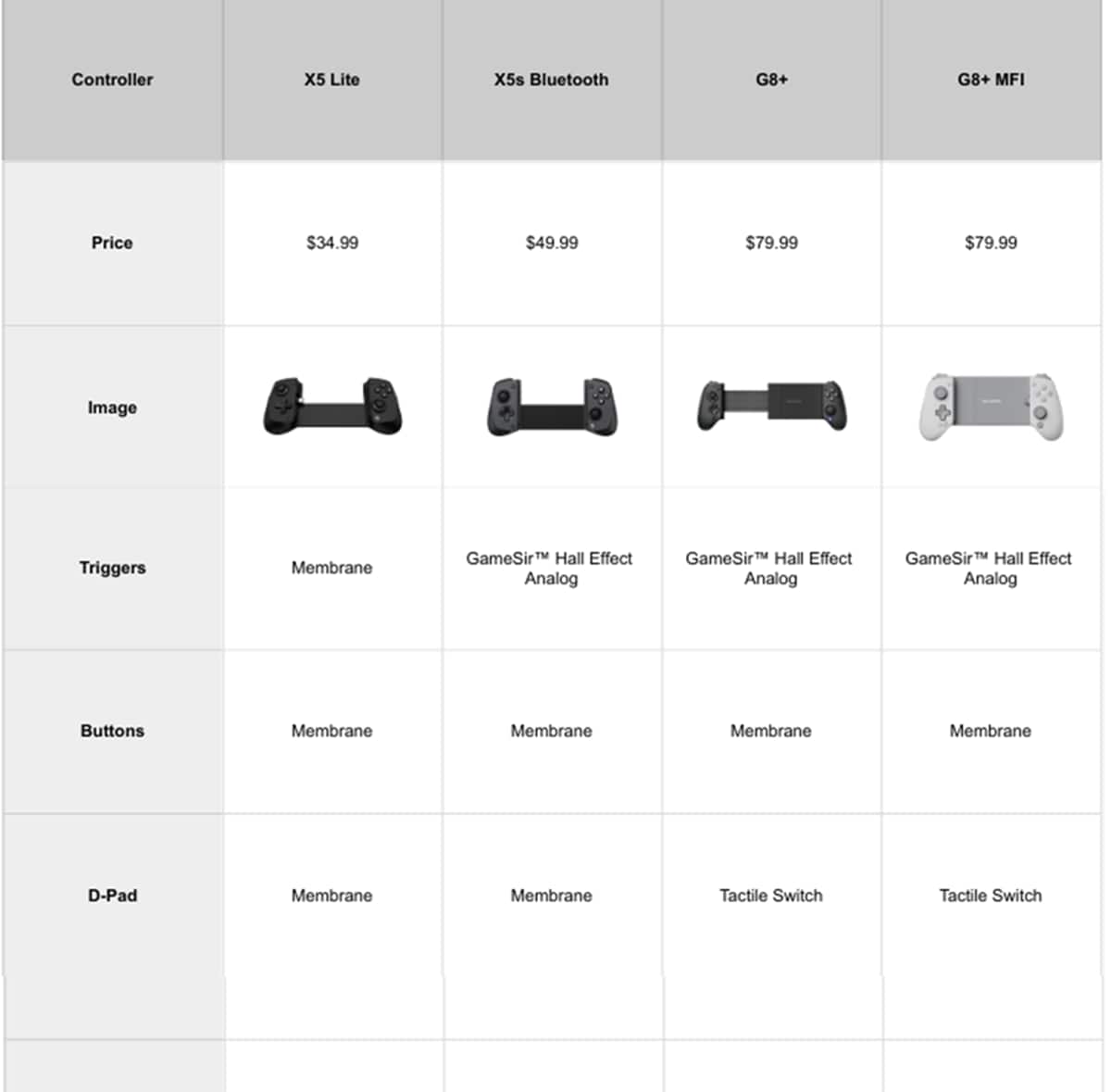
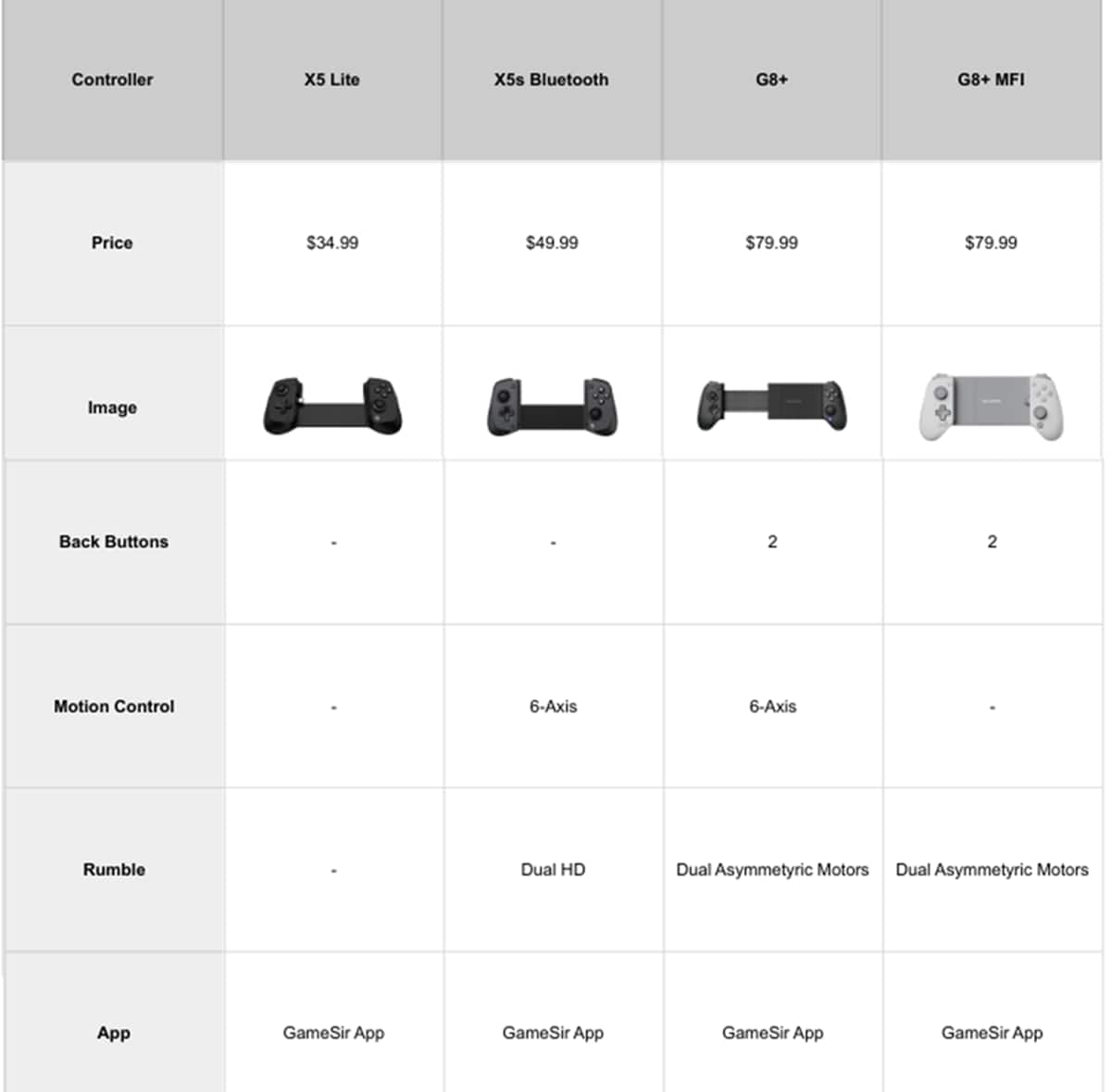
- Model:
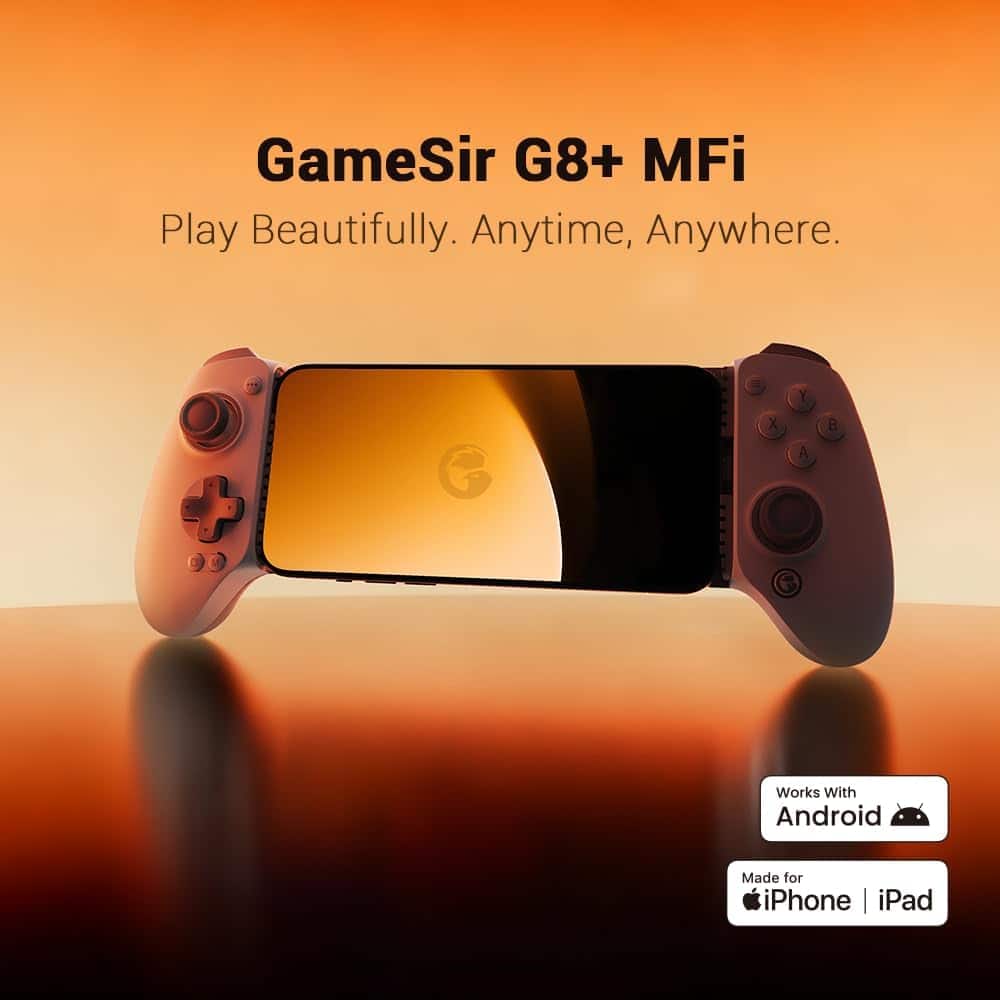
- Gamesir G8+ MFi
- SKU:
- 6625297
Rating by feature
- Value
Rating 4.6 out of 5 stars
- Quality
Rating 4.5 out of 5 stars
- Ease of Use
Rating 4.8 out of 5 stars
Customers are saying
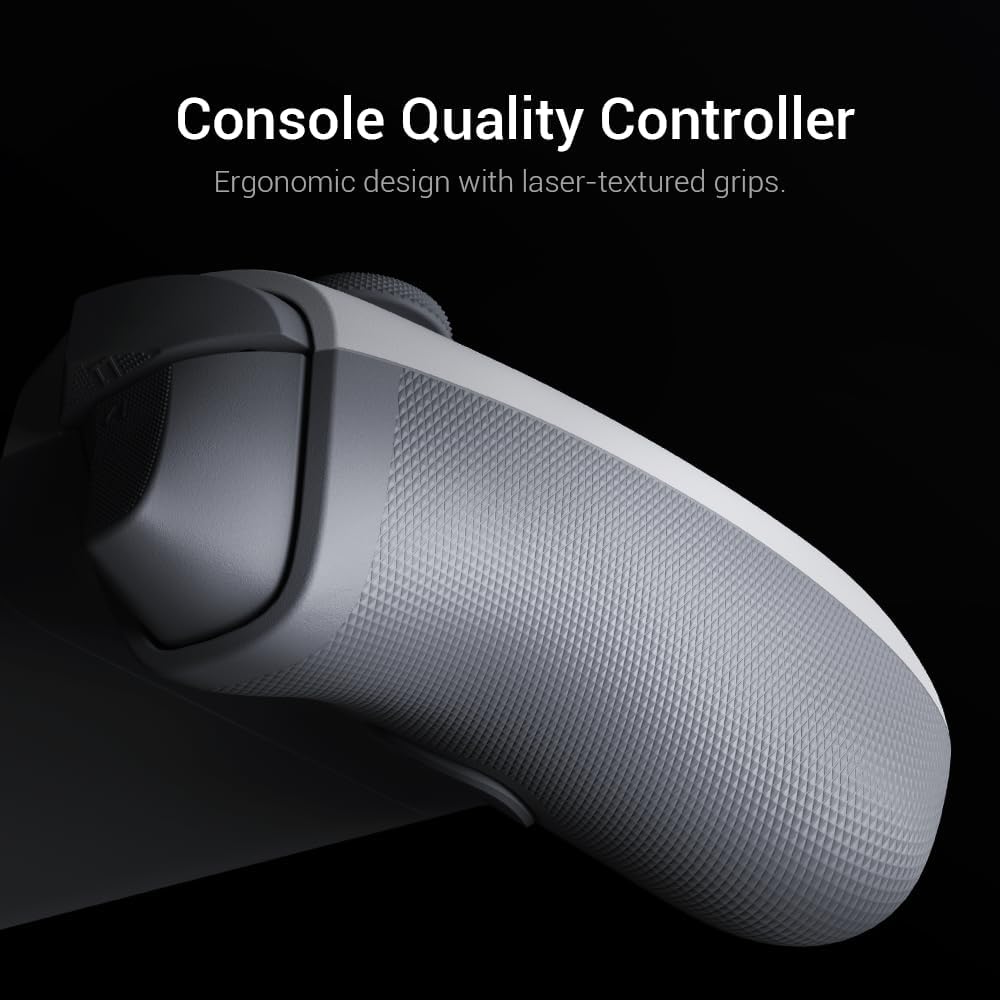
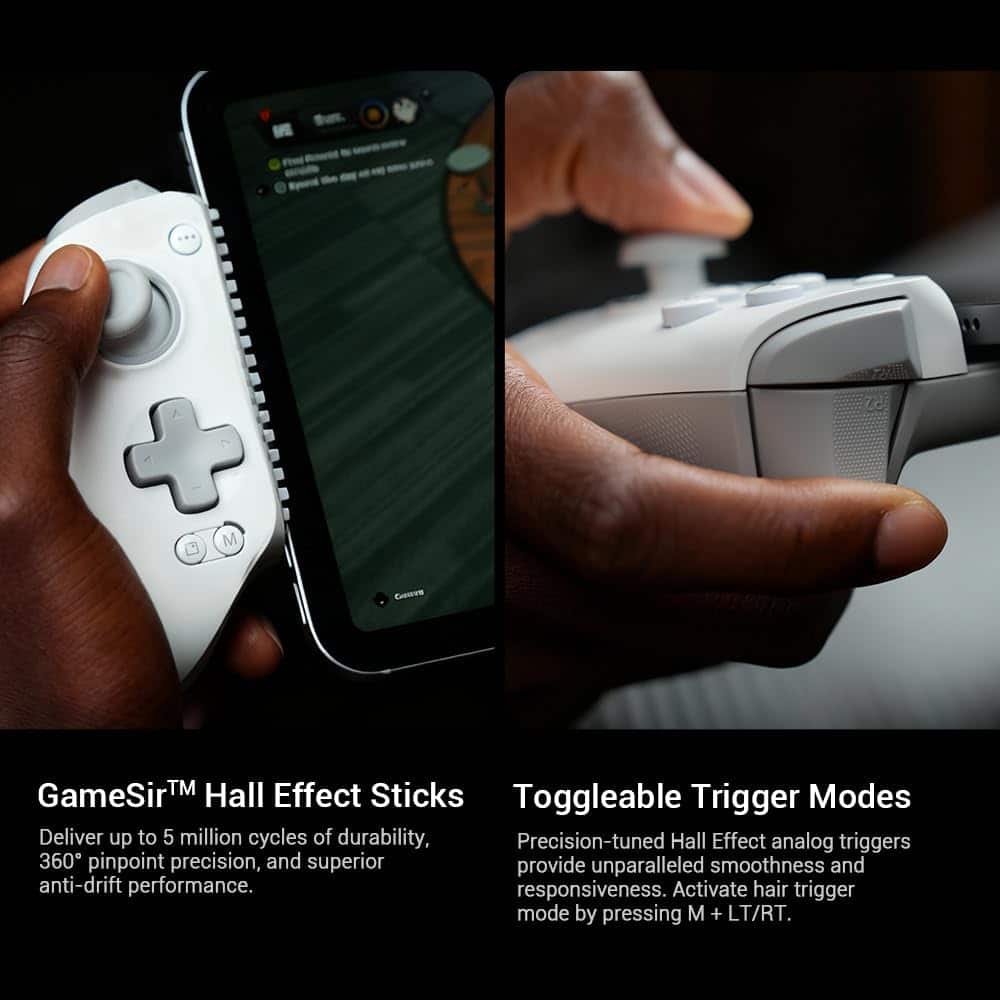
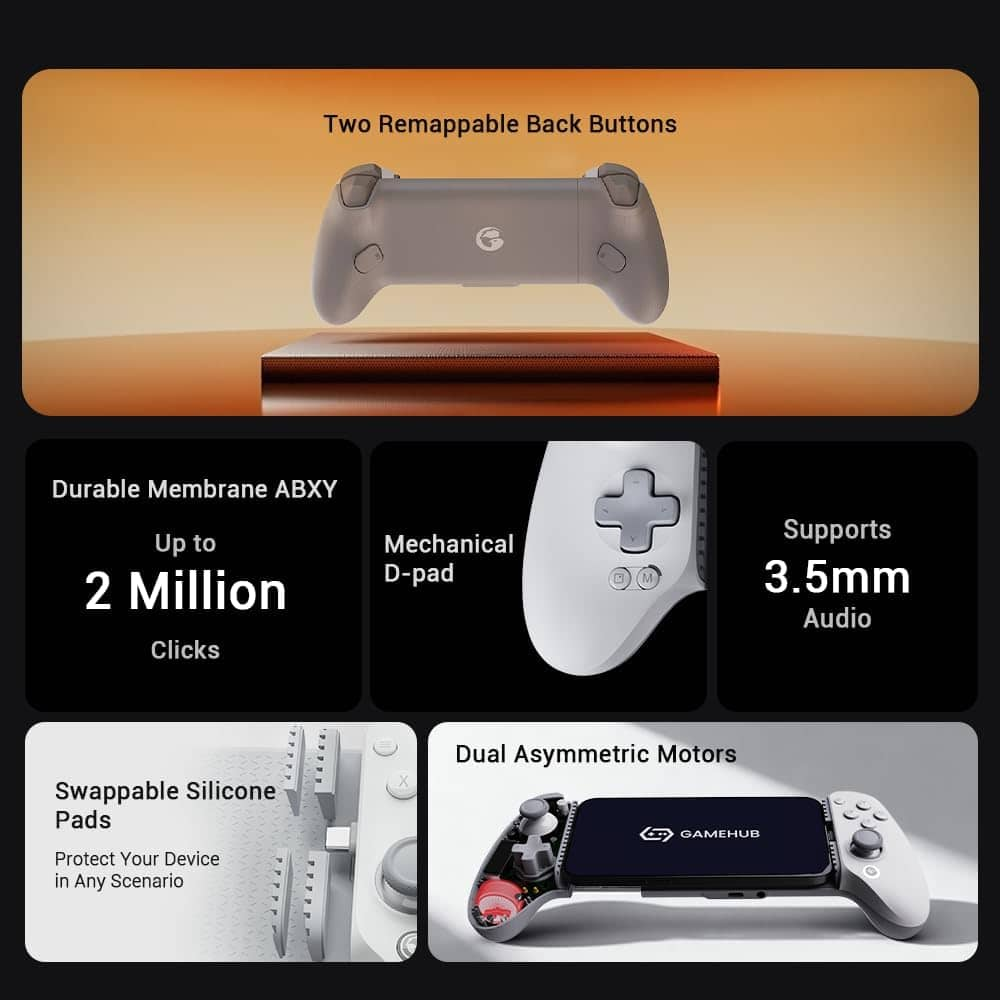
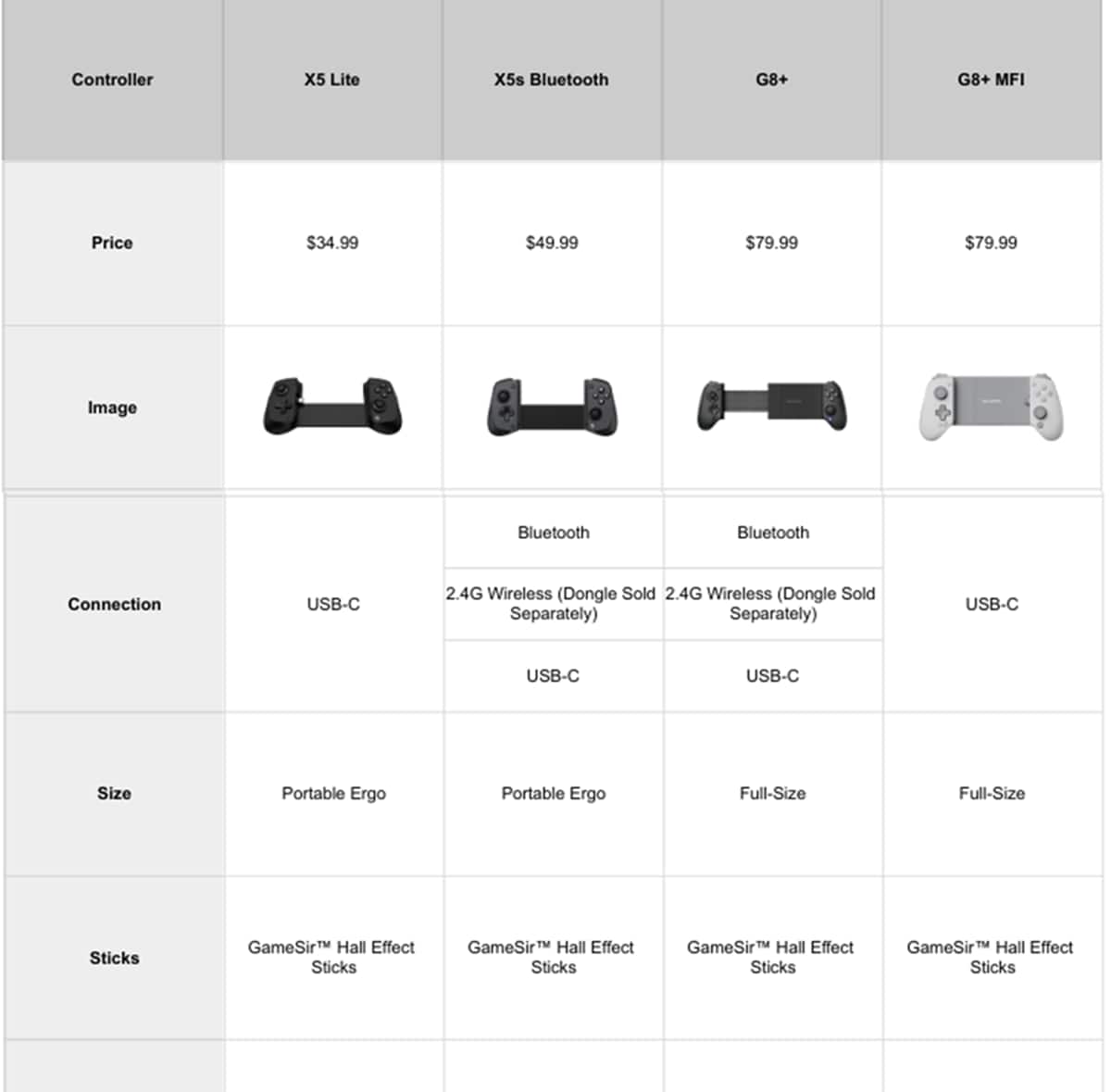
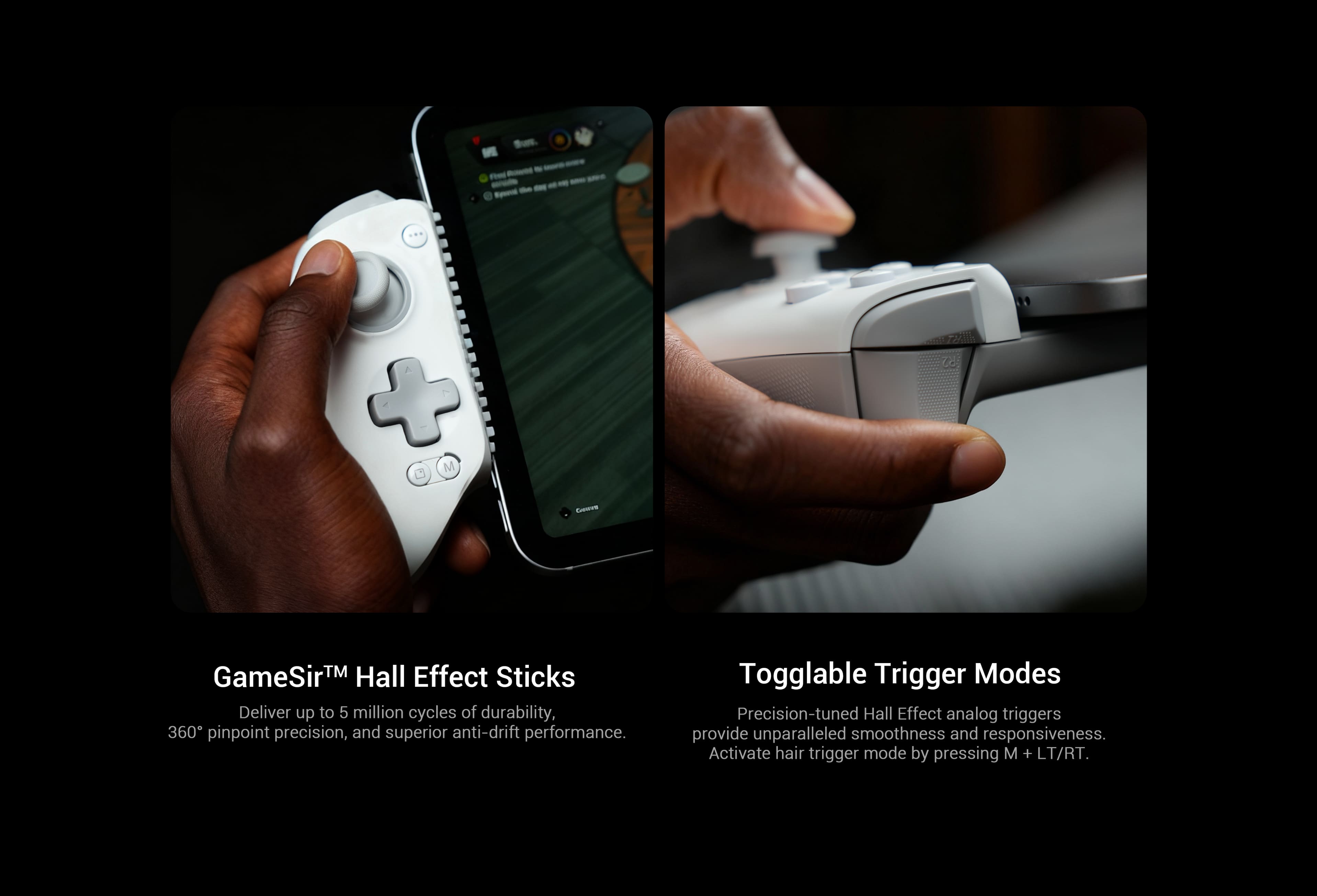
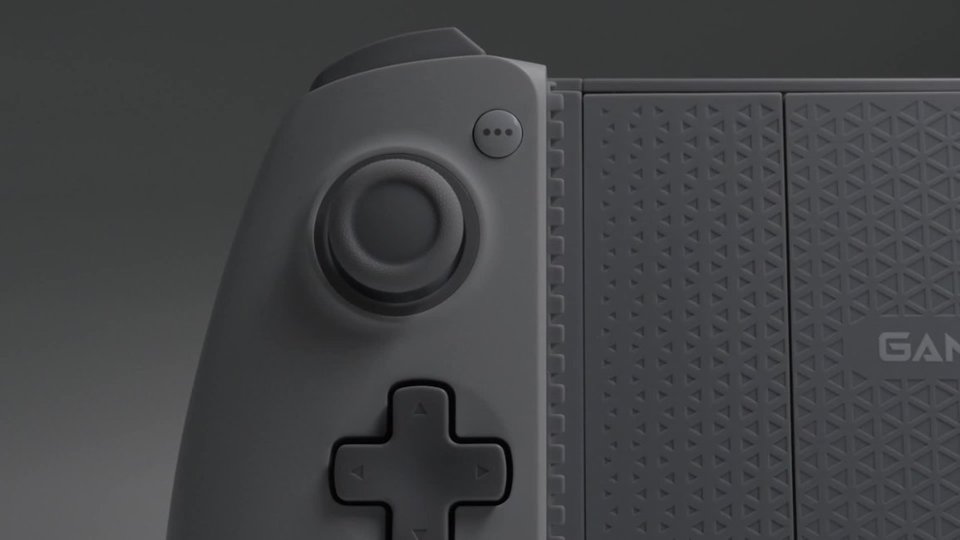
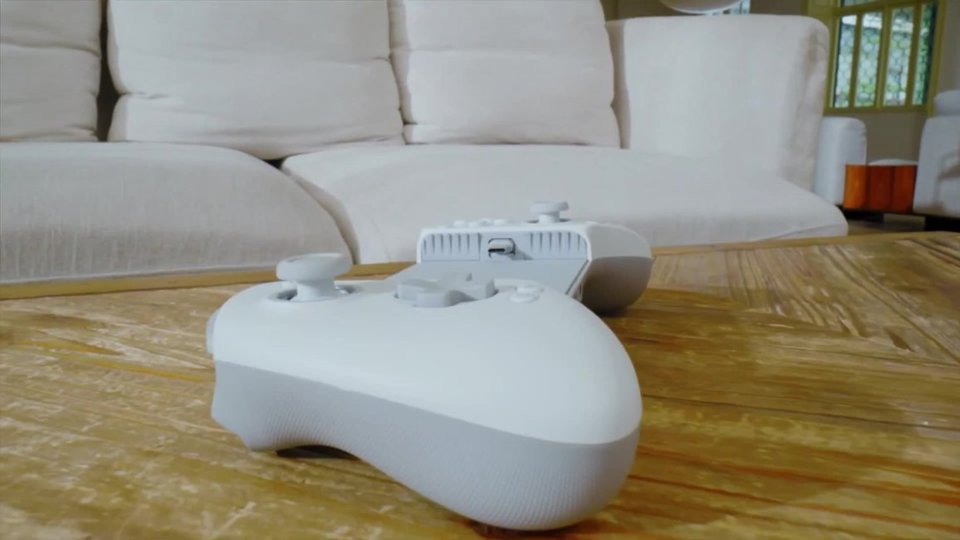
Customers regard the product's build quality as very solid, contributing to a feel similar to an actual handheld console. Its connectivity via USB-C, console-level ergonomics, and Hall Effect sticks and triggers are highly appreciated. Additionally, its compatibility with thick phone cases and perfect charging performance through the device are noted benefits.
This summary was generated by AI based on customer reviews.
- Pros mentioned:Build quality, Compatibility
A Game Changer!!
||Posted . Owned for 1 month when reviewed.This reviewer received promo considerations or sweepstakes entry for writing a review.Excellent build quality, The USB-C with the new detachable silicone pads let you use help to use with thick phone cases making it the best controller for mobile of the market right now.
I would recommend this to a friend - Pros mentioned:Build quality, Ergonomics
Best deal on mobile controllers, hands down!
||Posted . Owned for 2 weeks when reviewed.This reviewer received promo considerations or sweepstakes entry for writing a review.Beats my backbone pro, and half the price. Fits in your hand better, bigger joysticks (with extras included), just feels much more sturdy, and not flimsy like the backbone. I use this with my phone and PC!
I would recommend this to a friend - Pros mentioned:Build quality, Connectivity, Hall effect sticks

Turns my iPhone into a Portable Game Console!
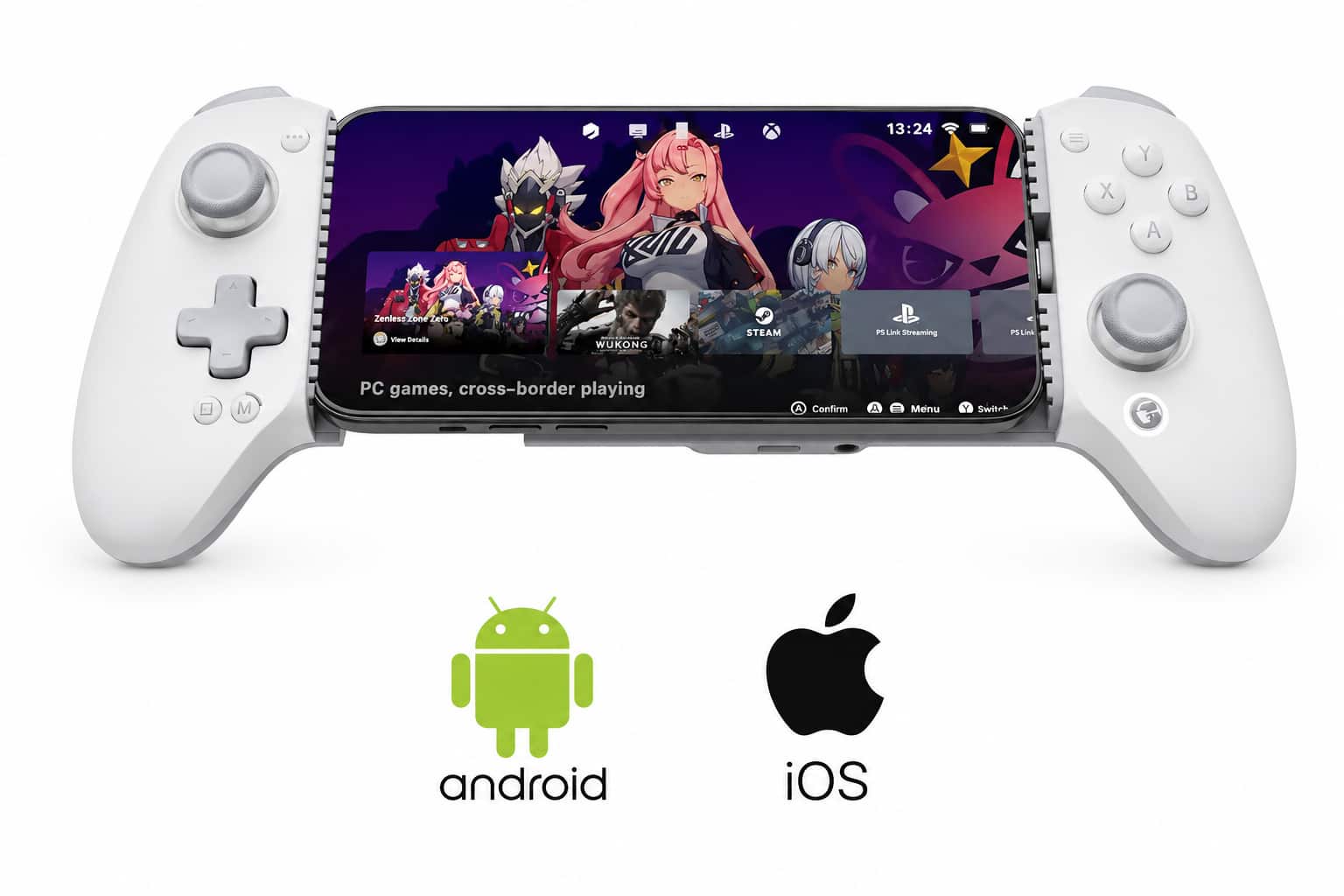
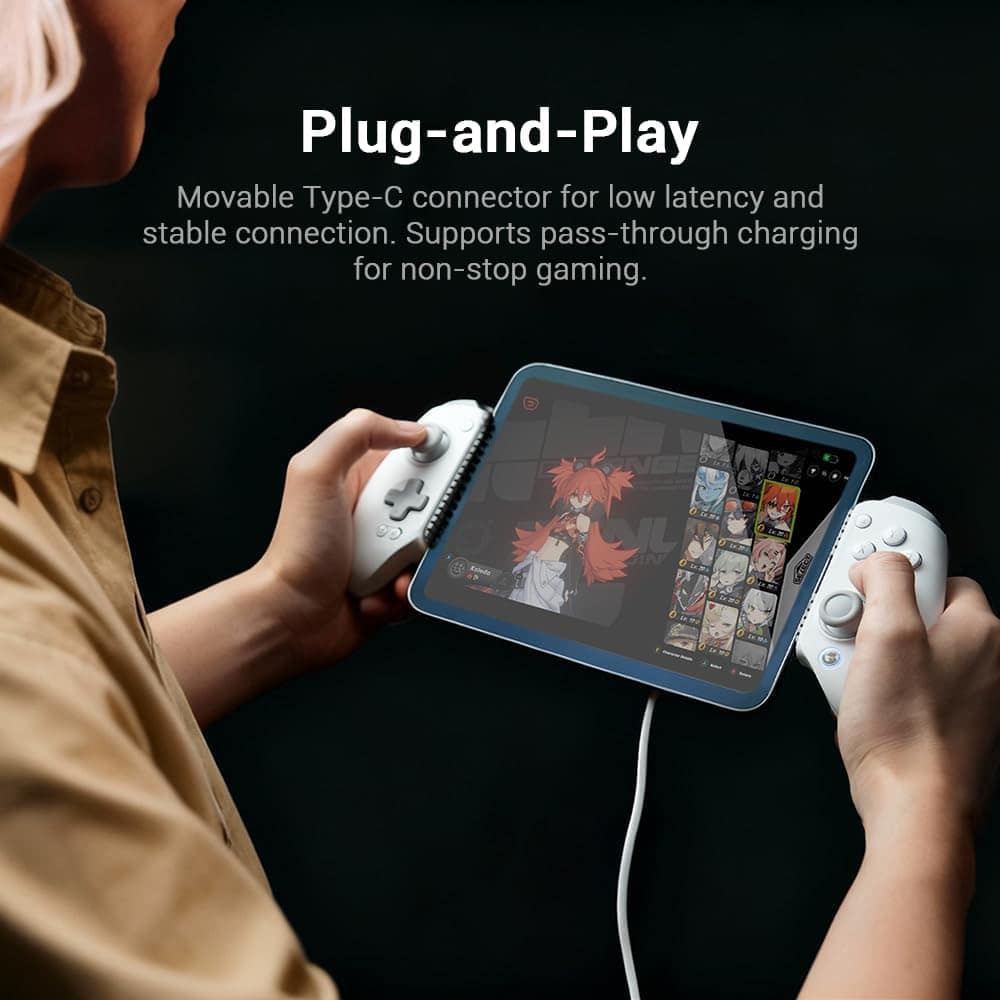
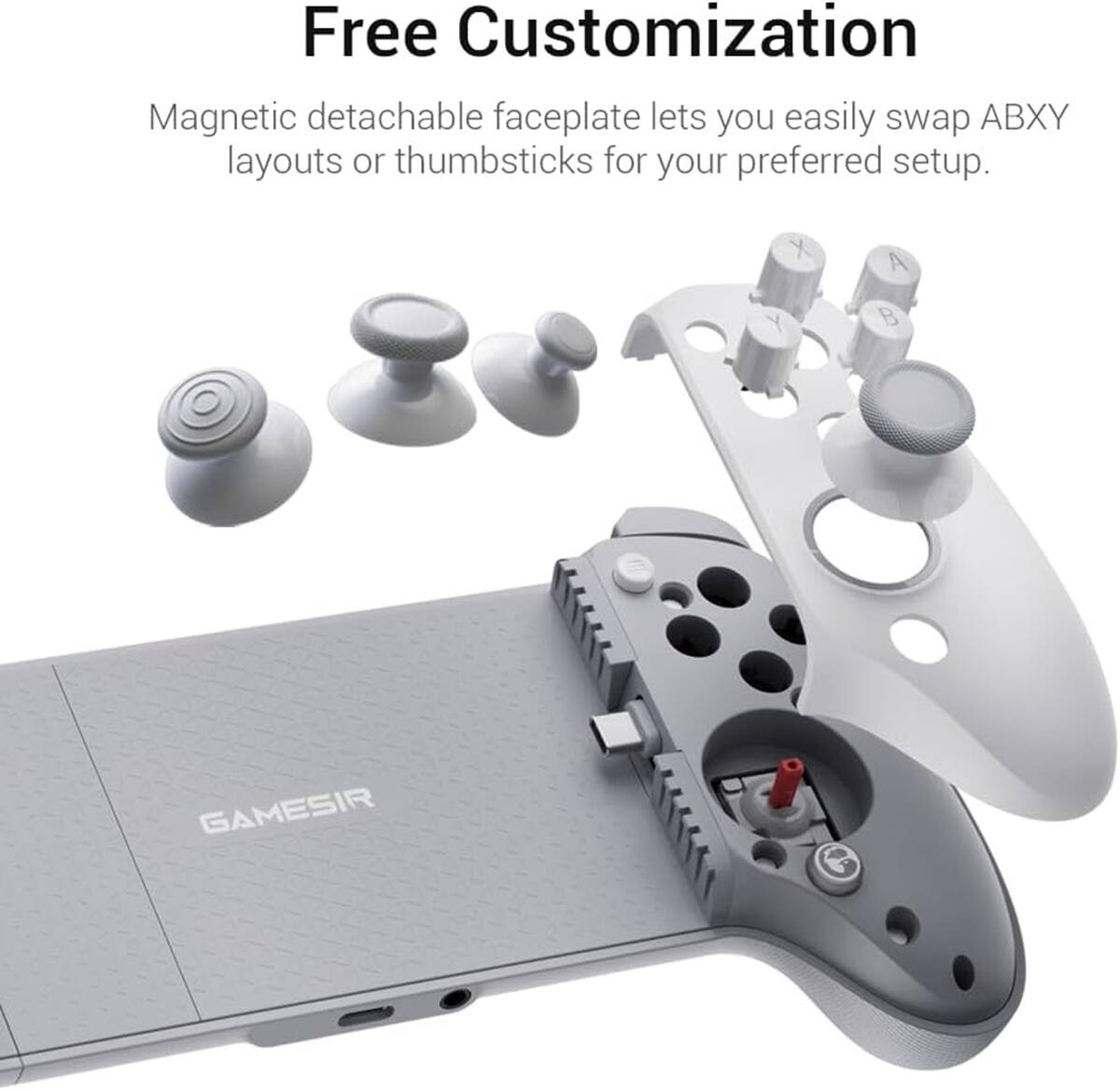
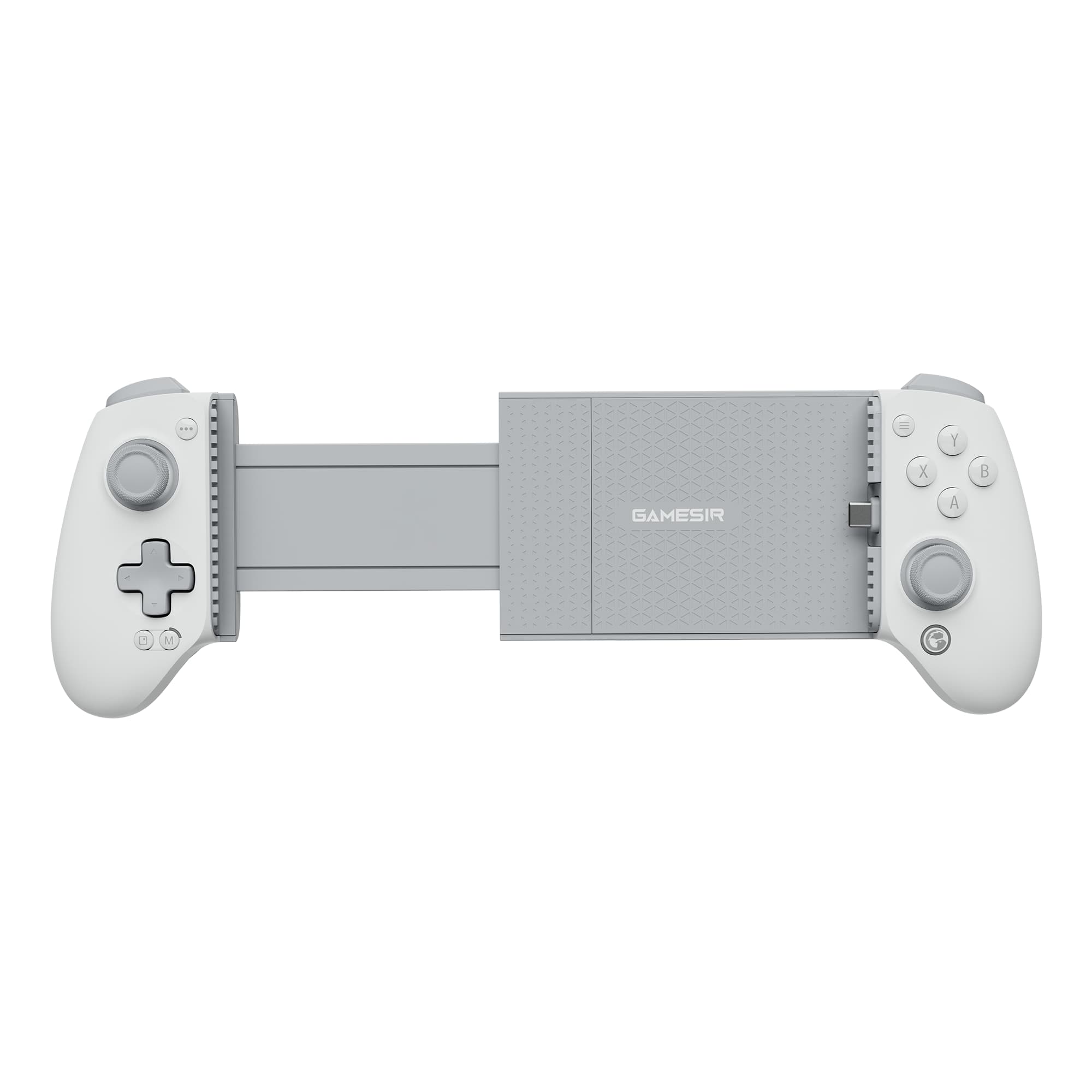
|Posted .This reviewer received promo considerations or sweepstakes entry for writing a review.I’m not a big mobile gamer probably because touchscreen interfaces on most platformers or action games annoy me. I’ve also never had a dedicated controller for my phone but I really like the GameSir G8, as it basically turns my phone into a portable game console. The controller has a standard controller design but will stretch so that you can place your phone inside. It’s made of plastic but feels sturdy and well-built. It's a little smaller than a standard controller but wider when you put the phone inside. There is a moveable USB-C connector that can fit a variety of phone positions and cases. The controller also comes with 3 different sizes of magnetic bumper pads that provide grip for the phone. It comes with three additional sticks that are easily swapped out by popping the front faceplate off. You can even rearrange the ABXY buttons if you prefer a Switch layout. The controller is There is a USB port on the bottom of the controller that is used to charge your phone, not the controller. The controller draws power from your phone’s USB-C port and as you’ll be gaming you can expect your phone battery to drain much faster than normal so having the passthrough charging is a welcome feature. There’s also a headphone jack which is pretty cool as phones no longer come with them. I used this with my iPhone 17 Pro mostly but my son also tested it with his regular iPhone 17. Both have plastic cases on which was not a problem. However, on the Pro, the camera bump is so large that the phone does not sit parallel with the controller. Not a big deal just a minor gripe if you have OCD like me. It looks unbalanced but doesn’t affect gameplay. My wife’s larger iPhone 16 Pro had no problem and fit flush. As mentioned above, I’m not a big mobile gamer, but the fact that you can play Xbox Cloud games with Gamepass turns my phone + this controller into a mini Xbox. Everything was smooth with the controller while playing cloud games. I could not detect any latency from the controller at all as I was able to still land tricks in games like Tony Hawks Pro Skater. The Hall Effect sticks performed smoothly and will have a much lower risk of stick-drift over time. To sum it up the controller performed just as well as if I was using my ROG Xbox Ally for cloud gaming. Neither my son nor I had any problems with games recognizing the controller if they supported controllers. They all were plug and play. The fact that no Bluetooth pairing or charging is necessary makes it very easy for both him and I to share the controller and quickly get into gaming. He also did not install the GameSir app on his phone so it’s not necessary at least on iOS. The only problem I had with the controller is the passthrough charging. It is very finicky. It doesn’t work with all chargers or cables. For instance, it wouldn’t work with my iPad or Mac charger (which are PD) but would work with a basic USB-A charging block and a USB-A to USB-C cable. Pros: - Wired connection – no Bluetooth lag/interference - Xbox-like design and controller layout - Hall Effect sticks and triggers - Hair-trigger mode - Fits iPhone with USB-C, Android or even iPad Mini - Fits with most slim silicone or plastic cases. - Passthrough charging and headphone Jack - Plug and Play - MFi certified for iPhone - Easily can be thrown into a bag. - Includes a variety of sticks for customization - Also works as a wired controller for PC Cons: - Passthrough charging doesn't work with all chargers - Some phones with big camera bumps or cases may not fit. - Smaller design may feel cramped in adult hands Overall – this is an excellent controller for mobile phone gamers. I love that it’s plug and play, never has to be charged, includes a headphone jack, and can charge my iPhone at the same time.
I would recommend this to a friend - Pros mentioned:Build quality, Connectivity, Ergonomics
Everything I wanted in a mobile controller
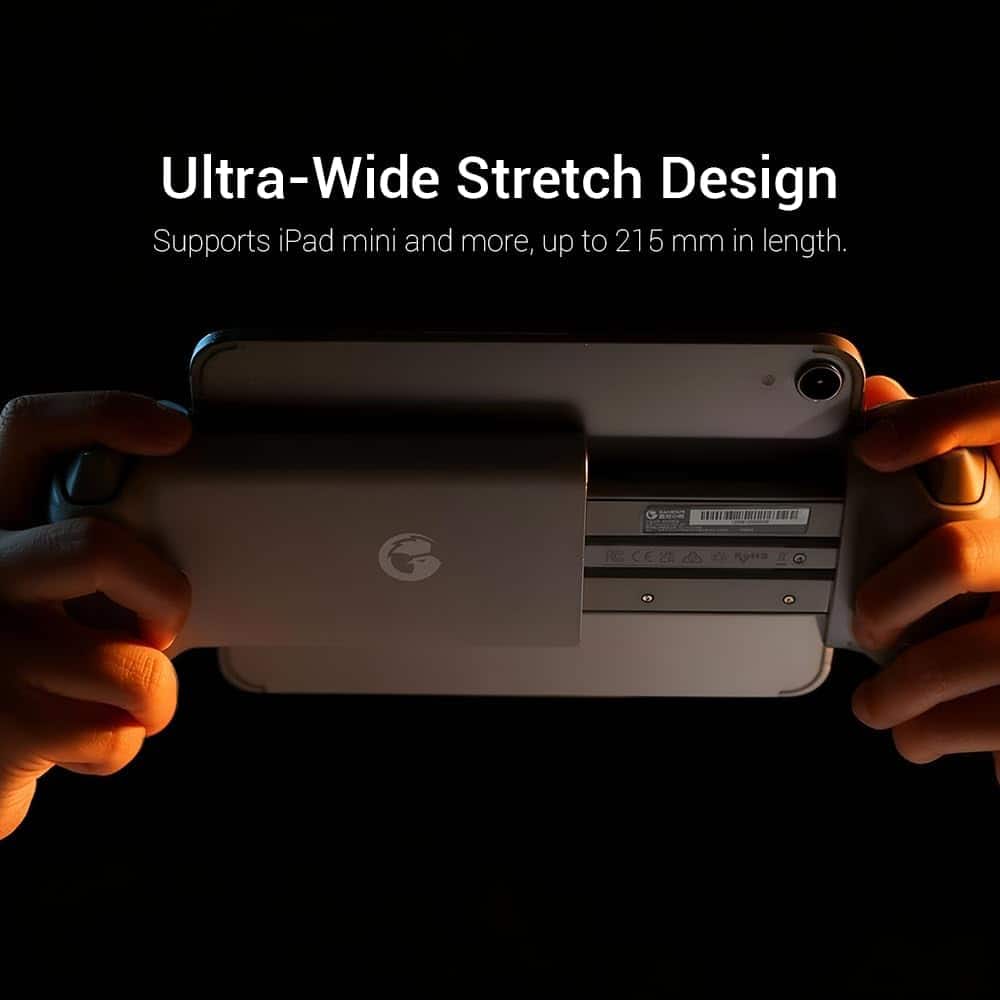
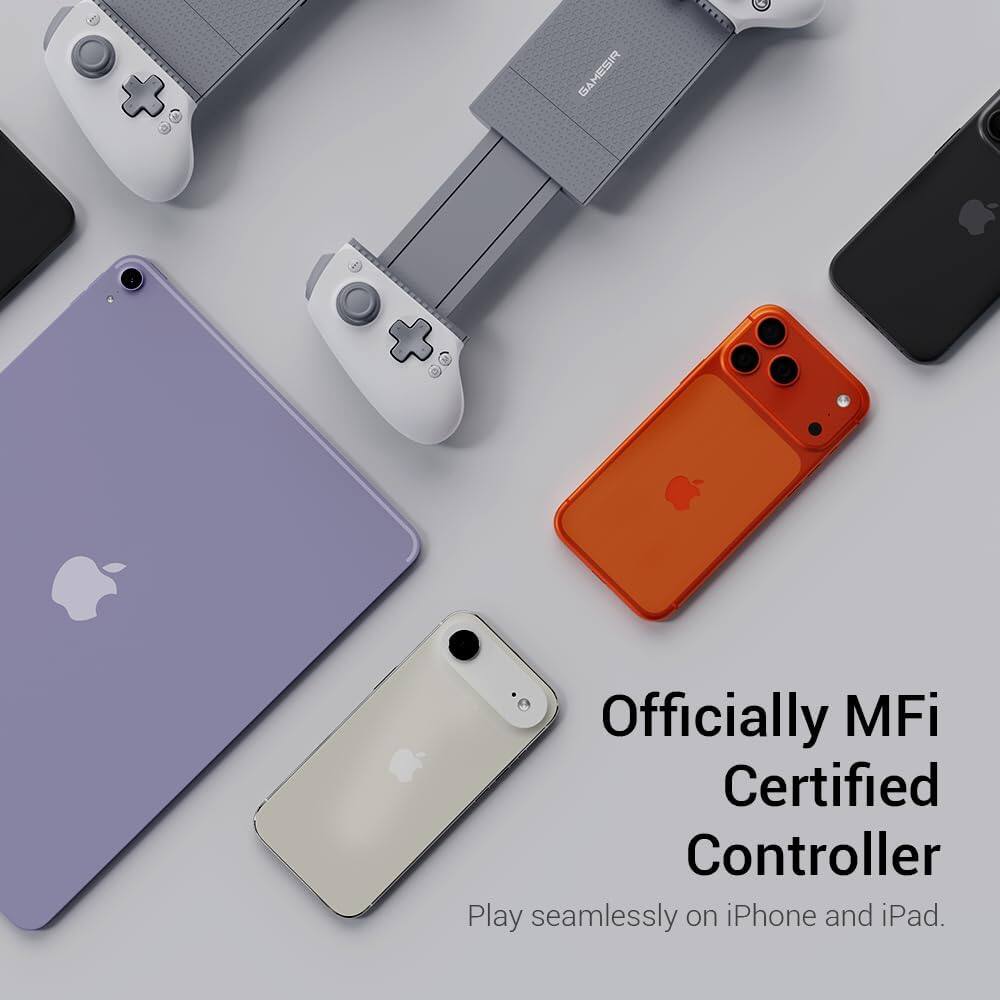
|Posted .This reviewer received promo considerations or sweepstakes entry for writing a review.My review will come from a different perspective than you may find elsewhere—I’m a fairly casual gamer who is a first-time controller user. I don’t have the perspective of a long-time gamer evaluating this controller in comparison to many others, so I’ll share my “newbie” views of getting up to speed with this controller. If you’re shopping for a controller for the first time, I hope this will be helpful to you. As I’ve gotten more into gaming, especially arcade-style games on my phone, I’ve increasingly been thinking that a controller would make the experience much better. The market for phone controllers seems to be growing, so there are lots of choices, but too many of them require an ongoing subscription. Perhaps that makes sense if you want to be on the cutting edge, getting the latest features as soon as they’re available, but for me that’s a show-stopper. Since this is my first controller, I wasn’t really sure what to expect. I thought it might be fairly cheap-feeling, but I was pleasantly surprised to find that not to be the case at all. The Gamesir G8+ MFi is a solid controller that feels great and is packed with features. Physical options: the controller is ready to go out of the box, but there are a number of adjustments available if needed. This thing is very customizable. The 4 main buttons attach magnetically, allowing you to change their configuration to mimic the Xbox or PlayStation layout. Three extra joysticks are included, so you can use whatever you prefer. They don’t change the way the joysticks function, but they feature different surface textures and sizes, which is nice. You can also swap out the rubber bumpers that grip the phone in the case, to accommodate phones and cases of different thicknesses. Even the faceplates attach magnetically, giving the option to purchase replacements in different colors. Lastly, there’s a panel in the “floor” of the controller (under the phone) that can be removed to provide a little more space for the camera bump. Getting started: An important thing to note about this controller is that it is a USB-C controller, not Bluetooth. It features an innovative movable USB-C connector, so you can move the connector to the proper angle to connect to the phone. Once that’s done, expand it to fit around the phone. The Gamesir logo button lights up to indicate a successful connection. It illuminates in white for iPhones, and blue for Android phones (I tested both). I do wish the controller did a better job of accommodating thicker phones/cases. I have a phone grip attached to my case that is not any thicker than the camera bump, but it is enough to prevent the left side of the phone to line up with the silicone pad on the left side. Taking the case off corrects this, but I wish I didn’t have to do that. It plays just fine with the case on, but it doesn’t feel as secure. Gameplay: As I said above, my experience with controllers is limited, but I was pretty pleased with the G8+. It offers both left and right joysticks and a D-pad, depending on what you prefer and what your game will support, which is pretty standard. I found all the controls to be very responsive, but just like a new pair of shoes doesn’t make me faster, a good controller didn’t make me a better gamer! The controller worked well with sports games, city-builders (yep, even those), and classic arcade games, letting me explore Apple Arcade more deeply. Versatility: The G8+ is designed to be used with a number of different devices: phones, tablets and even your PC. Connecting to a PC is accomplished via an additional USB-C connector on the bottom of the controller. This connector also provides pass-through power to your phone, meaning you never have to stop playing to recharge your phone. Connecting to a tablet seems awkward, but it actually works. Other reviews have dinged the G8+ because of limitations on how wide it can be expanded, but this is mistaken. The included documentation doesn’t mention this, but the controller can actually be separated enough to accommodate a tablet. To do this, pull it to its widest point, then bend it slightly while pulling, and it will separate, revealing a set of 5 springs. Doing this makes you think you’re going to break it, but it’s tough enough to take it. Sure, you’ll have a set of exposed springs behind your tablet, but I think there may be covers available. The G8+ does support rumble, but not when used with an iPhone. That’s because MFi does not support rumble, but hopefully Apple will allow this in future update to the spec. Gamesir app: Gamesir provides an app, which is necessary for things like firmware updates. Mine immediately found a firmware update, but it took a few tries to apply it. A number of settings can only be tweaked in the app, so it’s definitely necessary. I’ve seen people say the app didn’t work for them, but I had no trouble with it, and used it to tweak things like joystick dead zones and enabling the hair triggers. I’m very happy with the G8+, and I’m confident it will help me to enjoy playing mobile games much more than I would have otherwise. It comes at a reasonable price, does not require a subscription, doesn’t need batteries and is very well built. This is a great addition to a crowded market, and it deserves your consideration. For me, it’s a keeper!
I would recommend this to a friend - Pros mentioned:Build quality, Connectivity, Ergonomics
A must have for everyone who games on their phone.
|Posted .This reviewer received promo considerations or sweepstakes entry for writing a review.You will absolutely love your GameSir G8 controller, I can almost guarantee it! I have been having a blast while using my controller and almost forgot that I actually owned a cell phone, since I have been using it to play games so much. The first thing you will notice is the quality of the controller. It feels more premium than some PC gaming controllers I own. The buttons are extremely durable, and joysticks are nice and tight and very responsive. I have a Galaxy s24 Ultra, and the controller is plug and play. You do not have to pair or sync the controller; it just recognized it and asks you if you want to "connect". You hit OK, and you are good to go. I have been playing almost every game I own on my phone and it has worked perfectly every time. While you are using it, it makes you feel like you are using a much more expensive gaming unit. Almost like a portable Steam device or Switch. It just feels natural. It includes some different joysticks you can change out, and some different bumpers to keep your phone in place. So far, I have not used them as everything has worked great right out of the box. Once your phone is connected, you can even charge it via the pass through USB C port on the controller. There is also a headphone jack on the controller. The only thing that I don't absolutely love about this controller is taking my phone in and out of it. I have to remove my case first, then you have to line up the USB C connector to your phone's port. Then removing it can be tricky when dealing with the spring loaded function of the controller. That is literally the only thing slightly negative I can say, and feel it will get better the more I use it. Overall, I feel that owning a GameSir G8 controller is a must for anyone who likes gaming. You can take it with you while traveling and just pick up and play when hanging around the house. I took it to work and every one of my co-workers were drawn in to the controller and wanted one of their own.
I would recommend this to a friend - Pros mentioned:Build quality, Connectivity
A very nice controller
|Posted .This reviewer received promo considerations or sweepstakes entry for writing a review.The GameSir G8+ wired game controller can be used with iOS or Android USB C phones. It only connects via USB. My first impression is that it is a high quality controller, with textured plastic grips and a smooth front. It weighs 10.9oz (which is about 35% less than a Xbox controller 15.7 oz) and about the same size. It is a highly user customizable controller. It can either be customized via the controller directly or re-mapped via their application. Any paddle or button can be remapped. They include 3 additional thumb sticks that you can change out for different styles of thumbstick. Individual paddles can be disabled or remapped. The controller can also control the audio/mic from a wired headset (std 3.5mm connector). All the buttons are laser etched and can be replaced. The controller face plated (right and left) can easily be removed and replaced (held on with magnets). The GameSir App can be loaded from the Apple store or the Android play store (there is not currently a windows app). The app provides a graphic interface to remapping all paddle/button remapping. You can also change the performance curve of buttons, so a small press does nothing or a small press triggers very quickly; widely customizable. The app provides a means to update the controllers firmware, and a button to quickly get to the documentation (and other products GameSir offers). Connecting the controller to your device is easily done using the USB-C connector to the right side of the controller, once connected the bottom left button lights up showing you are connected (no buttons to press to turn it on). There is a USB-C port on the bottom of the controller that provides pass through power to your device (including fast charging). This version of the controller doesn't have any batteries in it, keeping the weight down. I tried both with Asphalt Legends, Pacman and several RaceRoom games all worked as expected. The controller is instantaneous responsiveness. The feel of the controller is very good, I do wish the back had more of a rubberized feel. The light weight controller felt great. I re-mapped the "Y" and "A" buttons to be shift up/shift down and it worked perfectly. The quality of GameSir's in box documentation is not great (lots of languages with tiny print). The step-by-step setup information is sufficient (it's the size of the printing). But they do have a GQ code that takes you to online versions (setup and app documentation) which is much better. If you want better control of your hand held games this is a very nice controller. The degree/flexibility of remapping all paddles/buttons is quite excellent. Using the GameSir app is pretty good. I do wish it would let me have named or numbered profiles that could be saved to handle re-mapping for different games. Here they lose a point.
I would recommend this to a friend - Pros mentioned:Build quality, Compatibility, Ergonomics
Very well designed and comfortable
|Posted .This reviewer received promo considerations or sweepstakes entry for writing a review.I was not sure what to expect from this portable gaming controller, as I had never heard of GameSir before now. I have tried other known brands before and had many complaints about them such as needing to remove my phone case or not finding them very comfortable to hold. I am pleased to say that this GameSir G8 Plus controller not only works wonderfully with my iPhone 16 pro max but also does so with my dbrand case still installed and feels remarkably similar to a conventional Xbox controller in my hands, except a lot wider. The sticks are smooth and accurate, the face buttons feel just right, and the triggers have a nice long throw just like I am used to. It includes a pass-through USB-C port for charging while playing and a 3.5mm jack on the bottom, extra sticks to change the shape and size to your preference, and small magnetic inserts for the right side where it plugs into your phone to be able to change the depth and accommodate a case or different types of phones. It is a remarkable design that works incredibly well. The USB-C port swivels so you can work your phone into the controller while plugging it in easily and it has a strong spring mechanism to hold the phone in place snugly. There is an app for button mapping and other things like that, but it is not necessary to use it for remote play or other controller supported gaming if you want to just plug and play. It supports force feedback and has nice grips and a very solid overall build quality. The biggest downside is just that it is large and a bit more difficult to tote around as a result, but I feel that is more than worth it for the comfort and quality in exchange. I am very impressed with this device and finding myself much more willing to game on my phone with it available. Definitely recommend it without hesitation.
I would recommend this to a friend - Pros mentioned:Build quality, Compatibility, Ergonomics
A Plus Controller Experience
|Posted .This reviewer received promo considerations or sweepstakes entry for writing a review.[PROS] Thoughtfully Designed: Although plastic, the G8 Plus is sturdy enough for day to day use. I enjoy the membrane buttons because it allows me to keep my gaming quiet as possible. The removable faceplates and additional parts make it easier to tailor the controller towards my needs. Responsive Inputs: While gaming, I was able to execute actions and complete movements without any delay. Everything registered just as quickly as I pressed the buttons. Robust Compatibility: Not only is the G8 Plus useful for Android and Apple devices, but it works well with a variety of software. I primarily use the controller for emulation and PC game streaming (Moonlight/Artemis). I ran into 0 issues, and didn't need to tweak any settings. Intuitive App: The GameSir app is very convenient for adjusting and testing the controller. The GameSir device was immediately recognized, and the menus were self explanatory. [CONS] Basic Charging Speed - The passthrough charging is dismal. If a lot of apps and background tasks are disabled then the charging is serviceable. However, it may not be as game changing without some prior optimization beforehand. [MIXED BAG] Semi-Case Friendly - The G8 Plus fitting an encased phone is dependent on dimensions. My phone has a slightly thick case so it is unable to be slotted into the controller. This would probably work with some other cases, but it is a small hassle to have to remove my case in every instance in which I want to use the G8 Plus. [CONCLUSION] The GameSir G8 is a competent and useful wired controller. It's customizable as well as compatible with different devices and software. It's definitely one to take on the go when needing to kill time or to play with while relaxing on the couch.
I would recommend this to a friend - Pros mentioned:Build quality, Connectivity, Ergonomics
Uncompromising gaming experience on mobile devices
|Posted .This reviewer received promo considerations or sweepstakes entry for writing a review.This G8 Plus is a real professional grade mobile controller that feels more like an Xbox than a mobile accessory. With Android devices I tested, it was just as easy as plug and play... I had some issues with Iphone 17. Detection and function was not 100% complete. A major issue (so the rating 4/5) is that you really need 3 hands to successfully and safely insert the phone in it. I am not seeing it done safely by a kid or maybe a teenager. Large devices really require a good amount of force pulling and another holding in place while safely placing the device over the USB-C connector. While it is moving well up and down and incline, it is still a bit fragile looking. Pros: - Better gaming experience than flat device. Console-level ergonomics making gaming experience cramp-less (almost). - The hardware is high quality with easy snap-on magnetic accessories. Joysticks and triggers are very accurate and thanks to hardwire connection, there is almost 0 delay. - Good vibration feedback. Amazing for playing and feeling the game. - Charging and using headphones while playing. The controller allows connecting a charger and headphones (using headphones jacks) while the phone is inserted. - The controller is very well priced! Cons: - Inserting the device: What I mentioned in the beginning. The struggle of doing it with only 2 hands. It looks easy to break the connector if not doing it carefully. - Most of the buttons are not well configured for iOS. Mostly repeated functions. I am not a heavy gamer. I just enjoy playing my games on computers, consoles, and phones from time to time. This controller, for the listed price, offers a good gaming comfort and very console-like experience. Using your phone for gaming is also a good advantage since you are wires-free (internet, screen, power,...) and completely mobile. Buy it if you like to have your full gaming experience even on smart phones or tablets. Just be careful when you are inserting your device in the controller.
I would recommend this to a friend - Pros mentioned:Ergonomics
Stellar Controller for Gaming on the Go
|Posted .This reviewer received promo considerations or sweepstakes entry for writing a review.The GameSir G8+ MFI controller is my favorite mobile gaming controller. It even doubles as a PC controller complete with rumble. It is customizable with swappable pads to fit phones with or without cases. Buttons, sticks, and faceplates can be swapped out. GameSir even includes additional thumb sticks. The entire package has weight and feels super polished. This is a great controller for iPhone and Android users. My only major nitpick has been the GameSir application that has been a bit haphazard with connectivity problems and a clunky interface. Also, while the controller has many customizations and modes, those extra modes are often locked behind combination key presses that are not exactly intuitive. Still, out of the box, this is a highly polished offering and is quite easy to recommend. Unboxing: GameSir includes the controller, three extra thumb sticks, magnetic pads to adjust for phone fit. The extra sticks remind me of the sticks on my old Nintendo GameCube controller. GameSir also included magnetic pads you can swap out for phones with a case. I needed the thinner pads for my S24+ case. Experience: This controller is Apple MFI certified, but I evaluated the controller with a Samsung Galaxy S24+. The USB-C plug swivels to make it easier to plug the phone into the controller. This controller has a textured grip and weight too it. Not too much weight, it never felt too heavy, but there was some heft and it all felt super solid with my phone in place. Controller has removable faceplates, swappable buttons, and replaceable sticks. It is all super easy and most of the pieces are held in place with magnets. You can swap the buttons for a more Nintendo friendly layout and can change the default button layout to Nintendo mode via some button presses on the controller (more on that later.) Experience with games was a bit hit-or-miss, but mostly because controller support for mobile games can be a bit haphazard. The controller itself works great, but since many mobile games are geared for touch controls first, a physical controller can feel like an afterthought. Still, playing the new “Division,” “TMNT: Shredders Revenge,” and “Castlevania Symphony of the Night” all worked well with the control pad. Those wanting to stream games via Steam Link, GeforceNOW, of XBOX should know that the controller works great. But I never could get the controller’s rumble functions to work unless I plugged the controller into the PC directly. My biggest complaint is the GameSir application, which was clunky and, frankly, often did not work. I could plug the controller into the phone, and the app would recognize the controller, but if I left the application, played a game, and then came back to the GameSir app, it would not recognize the controller without me physically unplugging and plugging the phone back in. The application would randomly crash and cease working. Unfortunately, the application seems to be the primary method for firmware updates, but my application did not detect an updated firmware for the controller. That would not be important in and of itself but trying to change controller settings via macro buttons is unintuitive. There is no way I can remember how to change all the controller settings with the combination of start and select or mode plus random button press. During my play testing, I had to have the manual or the online version of said manual nearby at all times. A mode toggle would have been super useful. For instance, some controllers have physical switches for trigger sensitivity. Conclusion: This is a great controller. Software customizations can be a bit clunky and the GameSir application felt broken to me, but the controller itself is great. Anyone wanting a controller for Steam Link, GeforceNOW, or XBOX streaming should give this controller a look. 4.5/5 Recommended
I would recommend this to a friend - Pros mentioned:Build quality, Connectivity
Impressive controller from GameSir
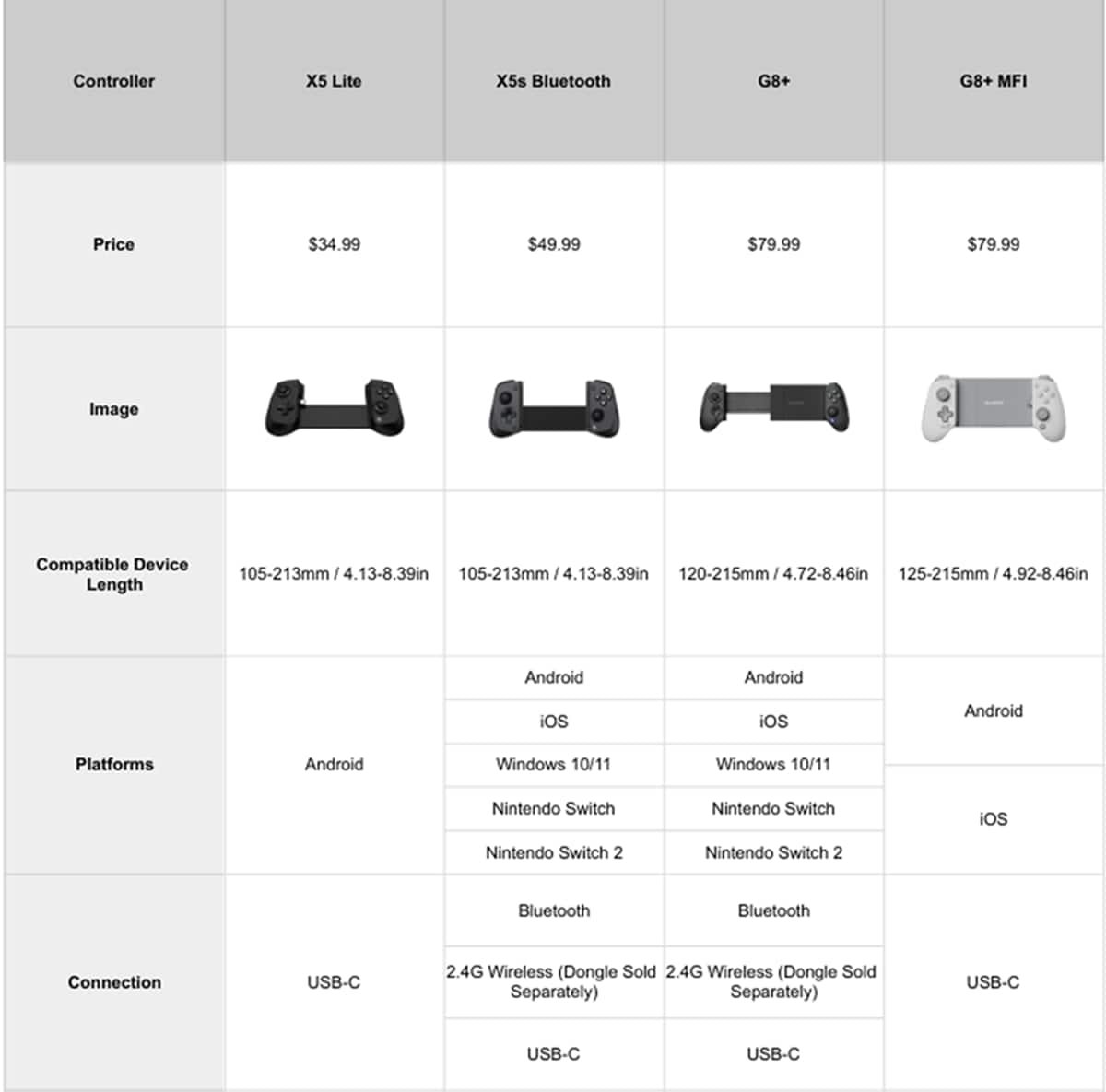
|Posted .This reviewer received promo considerations or sweepstakes entry for writing a review.Preface note: I only have a spare Android phone to test this controller on, despite that it is capable of connecting to an iPhone. In a sea of game controllers designed to wrap around your phone, what does this have that the others don’t? A quick look at the market segment shows that there are a couple of things, maybe three. For starters, the controller connects through USB-C. The silicone padding near the USB-C port can be swapped out or removed entirely, allowing for phones with thin cases to be used. I find that to be a good plus because it doesn’t require having to take the phone out of the case to use it. The faceplate is held down by magnets and allows switching the thumbsticks and ABXY buttons to be changed or replaced. I believe the use of magnets for the silicone padding and faceplate are smart design choices that allow the controller to possibly last for a long time. Hall effect thumbsticks and triggers seem to be the standard these days. And since there’s no Bluetooth, there is no battery to charge. Using a Google Pixel 9 Pro XL with a dbrand phone case, I was able to connect the controller to the phone, but only after removing the silicone padding next to the USB-C port. I ran through two games as a trial run on how it holds up. The first is Genshin Impact, which I don’t normally play on mobile devices. In order for the controller to work, the game’s input control has to be manually set to “Controller” each time. Once set, it works out of the box with no configuration change. It was difficult for me, as a PC user, to play the game as I fumbled around the controls. But overall, it works flawlessly. The second game on the list is the recently released Mongil: Star Dive. The game recognizes the controller connection immediately and automatically switches to controller mode once I press a button. The companion GameSir app helps in seeing all of the available settings for the controller, including updating the firmware. While some functions can be done without the app via button combinations, I find it easier setting it through the app. The manual mentions a PC/Xbox mode but does not describe the process on how to access this mode. There are 3 additional thumbsticks included with the controller. One of the two is a replacement for the preinstalled sticks. The other two are a smaller top and the other with circular ridges. The ABXY buttons, set in Xbox layout, can be changed to a Nintendo layout. Just remember to set the controller to this mode after physically changing the layout. Overall, I think this is an interesting controller. While it does technically support a tablet, the controller can only fit up to 215mm in width. For the Apple users, only the iPad Mini tablet can fit into this controller. I do like the magnetically held silicone padding and faceplate. It helps with replacing some of these parts easier. Also, pass-through USB-C charging is nice for long gaming sessions as well as using a 3.5mm headphone with it. Is it worth it? I don’t know. But it is a nice controller and one that may be built to last for a long time. The Good: Hall effect sticks+triggers, USB-C connection means low latency response, magnetic faceplate for easy access to sticks+buttons, magnetic silicone padding The Bad: up to 215mm width limits what tablets you can use The Ugly: the awkward size of a tablet surrounded by game controllers Verdict: if you need/want it, get it
I would recommend this to a friend Classic games on my phone
|Posted .This reviewer received promo considerations or sweepstakes entry for writing a review.It was confusing at first to use. I kept wondering why the phone was not detecting the game controller. Then I realized the USB-C port was not making full contact with the phone. It was the installed spacers. It was pushing the phone away. It comes with other spacers. Found the right one and now it detects it. I tried it with both iPhone 17 Pro Max and Google Pixel Fold. Both have cases and both work, just make sure you use the correct spacer with your configuration. I ended up using my Pixel Fold. I tried a few arcade games. I like retro and found many were plagued with ads. They were fine but just a bad experience. I loaded up Retroarch and a few games. First, I tried a classic fighting game. The controller feels like my old Super Nintendo. Button placement, the feel – just wider. Playing on it is comfortable. I didn’t notice any lag with inputs. It’s not wireless, all good there. Retroarch detected the controller just fine. Next, I tried a side scroller classic. This particular game I couldn’t figure out how to rotate the screen 90 degrees. I will have to play around with it more. There are some thumbsticks you can interchange if you don’t like how the ones installed feel. The ones installed have a smooth center. There is one with a textured center. Another one that’s a smaller size. You can even replace the X,Y,A,B buttons. But I didn’t see any come with any additional set. These buttons and spacers are held in place by magnets. The thumbsticks are on with a peg. Just pull up to replace. The USB-C on the controller moves up and down to support different size phones and port position. There’s even a headphone jack next to the USB-C pass-through port on the bottom. The USB-C port on the bottom is pass-through, so you can charge your phone while playing for hours. Here’s one thing to consider, the weight of your phone. Depending on your phone, the entire package can be a little heavy. Having a foldable phone, I did noticed the weight of it immediately. No problem, I ended up playing on the desk. Putting my hands on the table so I didn’t have to carry the weight when playing. I like the set up. I can bring classic games with me now without having to bring my raspberry pi. It’s portable and convenient.
I would recommend this to a friendIt fits the iPad mini
|Posted .This reviewer received promo considerations or sweepstakes entry for writing a review.There is an app for this controller, there are three areas, the setting/cloud back and that whole menu, a store with a ton of other controllers available to buy, and the settings which enable you to change the vibration, button mapping, upgrade firmware, and test the button controllers. No attempt to add a subscription service of their own or anything like that, this is simply a controller for your phone/tablet. Now if you are a dedicated Roblox user there are ways to remap the buttons as that game I had the most trouble with getting the controller to work properly in Roblox, the jump wouldn’t work in the games, I ended up going into settings and forcing it to controller from automatic and then it worked perfectly. Fortnite worked perfectly the first time. I have found that I love Fortnite on the iPad mini with a controller. The screen is big enough to look good and play the game easily, I struggle with Fortnite on a normal phone screen (iPhone 15 pro) just because it’s hard to keep track of everything on such a small screen but the iPad mini really makes mobile gaming easier. The z fold 6 is a little weird to play just because of the placement of the USB C port on it versus the center mount on the iPad but it looks good too. Every time I have gone to do a review on it I convince myself I need to play a round of Fortnite just to try it again and make sure I like it and I end up playing Fortnite instead of writing a review. I think the real game change for the controller is the ability to plug my iPad mini into it. The USB C side also has different magnetic ‘grips’ that you can change depending on if you have a case or no case on the device you use with it. There is an Aux port and a USB C charging port center mounted on the bottom, so it doesn’t stick out at all to get hit or get in the way, charging worked perfectly through it as well as the Aux port. Though I tend to just use my Bluetooth headset most of the time. If you want a controller to game with your iPhone, android, or iPad mini; I think this is my favorite one I have tried so far. It is comfortable creates an awesome mobile gaming experience.
I would recommend this to a friend- Pros mentioned:Build quality
Great For Gaming
|Posted .This reviewer received promo considerations or sweepstakes entry for writing a review.Design and build is super premium in hand. I love the quick screenshot button and the passthru charging and audio jack for those times when your bluetooth headphones die. The spring grip is strong and sturdy, but not so much you cannot pull it part. The USB-C tip is flexible so it makes it really easy to slide the phone in at an angle and then slide the grip a part. I tested this with both my S24 Ultra and Pixel 10 Pro Fold. Compatibility is a little hit and miss with games, sort of. Technically it is compatible with ALL games, however, that is because it runs a macro/button map to simulate screen touch for games that are not or do not already have compatibility with the Gamesir platform. So on the one-hand that is pretty awesome that you can make any game compatible, on the other, it can mean that the on-screen touch controls are still there, so you don’t get a full screen immersion. I tested four games during my first week of use: GTA: Vice City COD: Mobile TMNT Arcade Warplanes: WW2 Dog Fight For COD:Mobile I use my XBOX controller via Bluetooth and have never had any issues with it recognizing the controller. GameSIR does not have a direct connect option like these other controllers via Bluetooth for the S8+ MFi, but there was already a community macro/button map, so all I had to do was select it for use while in the game. I went to the Shooting Range to do so so i can tweak it if need be as will depend on screen size for accuracy. The downside(?) is you will not be put on a server with other players with controllers since the game does not recognize the Gamesire G8+ and you are just emulating/simulating touches on the screen. This also means the touchscreen buttons are still on the display and the mapped buttons R1, L1, R2, L2, etc are on the screen over those locations that they are mapped to. And of course, you can remap or setup your own button map. I did find strafing and direction were pretty slow and had to crank that up in the COD settings. It was passible, but was still pretty slow. So while you will have a definite advantage in some areas over players on the Server using touchscreen, you are at a disadvantage for how fast you can turn/look. But you can also still shoot and run with more ease while doing it. As for the other games on my list, I had to go into settings and turn on Controller in each game menu. GTA and TMNT do not have the on-screen touch areas when doing this and so it is full immersion on-screen. Warplanes: WW2 Dog Fight was in the GameSir app for lists of compatible games. I am glad I found it as it is pretty fun. While it is compatible, the onscreen buttons are still visible, but the mapped buttons are not as the game itself adds the button map to the on-screen buttons. Overall the controller performs as you would hope. It does require having the GameSir app running in the background for all games for it to work and with that does require quite a bit of permissions for the app.
I would recommend this to a friend - Pros mentioned:Build quality, Connectivity
Beautiful well made controller
|Posted .This reviewer received promo considerations or sweepstakes entry for writing a review.I've been looking for a new controller to use for my phone for some time, ever since the first generation of these came out and I got one, I've needed something a little more capable of handling the larger current generation phones. This is just the ticket. Packaging: To start, it's well packaged, has a premium feel, the sticks come with foam protecting them, there are 3 replacement sticks and a set of replacement bumpers for where the phone clamps in. It just feels like a lot of thought was put into not only the design, but the 'nice to haves' and I havent even made it to the actual usage. Use: It's solid, feels well made, phone clamps in and doesn't feel like it's going to shake loose and it looks good with the Galaxy S25 Ultra in it. Even works with the case I have on it (admittedly it's not a terribly thick case, but it does still work. I cant imagine it working properly with something like an otterbox though. I will say I was a little stressed when the USB-C connector popped up at almost a 45' angle, but it's made to move around to accomodate phones of different sizes so there was no concern. I've played a bit of The Division Resurgence and it really feels like I'm playing on a portable console, it reacts well and works well. Overall: If you need a controller for your phone whether to play phone games or something like Steam or XBox games on your phone, this is definitely a worthwhile consideration, looks good, feels good and is very responsive. I heartily recommend it.
I would recommend this to a friend - Pros mentioned:Build quality, Hall effect sticks
Nice phone holder controller.
||Posted . Owned for 2 months when reviewed.This reviewer received promo considerations or sweepstakes entry for writing a review.I gave 4 stars out of 5 because yes it has hall effect sticks and triggers, which is unusual btw. But it also has problems. The first problem is that the gamesir app it's meant to be used with is ..... meh. Use it with chiaki instead, it just works better, and you wouldn't know that without someone specifically pointing it out, so, yw. 2nd, not for use on mobile! This makes me sad, because I was hoping to use it for this, but no, it really won't. Works great for couch play though, and or other room play, so in that way this product works just fine. Lastly, people say use it with an old phone sometimes for things like this. Just....mmmm no. Use it with your newest phone you can afford. (preferably that you already have long as its a smart phone.) The phone has to do some heavy lifting here, so don't cheap out and use an old phone. Use the old phone for old phone things like messenger apps etc, not gaming! Far as build quality goes and everything else this thing has to offer. It's top notch, hence 4/5 stars. That is all I can really say, I haven't used it much due to the mobile limitations, and I'm using it on a pixel 10a, so it doesn't get much newer, better maybe, but not much newer. Hope this helps, have fun!
I would recommend this to a friend - Pros mentioned:Connectivity
GameSir - G8 Plus MFi Certified Controller
|Posted .This reviewer received promo considerations or sweepstakes entry for writing a review.The GamSir G8 Plus is a wonderful addition to any mobile gamer's arsenal of tools. It offers a highly refined gaming experience compared to using your phone as controllers. It allows for a more traditional gaming experience without the need to carry additional hardware. Connection is simple. Slide open the controller, connect the USB-C port to the phone and let the spring design compress the controller tightly together. The USB-C attached to the controller is very flexible and can bend and shift accordingly to accommodate any thickness variations in phones, cases, or how it is inserted. This eliminated the fear of breaking the controller or causing damage to the phone's port. When connected to iPhone, I was offered the chance to download the companion GameSir app, which I did. This app allows for the control of various features, such as vibration, button mapping, etc. The app worked in horizontal landscape to accommodate the position of the phone. When connected to Google Pixel, I was not offered the change to download the companion app, however, one exists on the Google Play store, and was easily downloaded. It offered the same features as the iPhone app. I found the controller to be very comfortable with nice rubbery grips, buttons were clicky and responsive. Joysticks felt precise and accurate. Rear triggers and top buttons were easily in reach. There is a USB-C port on the bottom that can be used to plug in and charge the phone while gaming. I found it very easy to play any game, whether it be a platformer, adventure, racing, shooter, sports. They all felt natural when using the GameSir. Even more competitive online titles like Fortnite felt like I had an advantage over players not using a controller. Simply put, this is a really nice controller that work with both iOS and Andorid without issue. It's easy to connect and remove, offers charging while playing and is a joy to use. There really isn't any reason to not consider the GameSir if you are in the market for a mobile controller. It's well thought out, does what it is supposed to do, and isn't problematic. I highly recommend.
I would recommend this to a friend - Pros mentioned:Ergonomics
Comfortable and case-friendly
|Posted .This reviewer received promo considerations or sweepstakes entry for writing a review.## Design The Gamesir G8+ Galileo Type-C Mobile Controller is a cool concept: a game controller that allows you to place your phone in the center and use it for gaming in a similar style to the Nintendo Switch. Gamesir executes this very well: the controller is very comfortable in my hands and makes long gaming sessions very doable. My favorite feature is the fact that I don't need to remove my phone's case in order to use it! If you have a very thick, heavy-duty Otterbox case on your phone, it probably won't fit, but thin cases should be fine. The USB-C connector has some give to it which makes it easier for placing your phone in the controller. It also protrudes enough to overcome the extra thickness of a case. There is also a USB-C port on the bottom of the controller that you can use for pass-through charging to your phone. To place your phone in the controller, you pull both sides away from each other to expand the center to fit your phone. The tension is strong and makes it somewhat awkward to hold the controller open while trying to place your phone and line up the connector. Another nice feature is that the controller is very customizable. You can pull off the faceplates as they're magnetically attached. The package also includes alternate joysticks and thicker and thinner padding if the default padding doesn't work with your device. You can also change the physical buttons if you prefer the Nintendo layout. ## Performance The Gamesir G8+ Galileo MFi Wired Game Controller fits iPhones, iPad Minis, and Android phones with a USB-C port. Please note that older iPhones (14 and before) and iPad Minis use a Lightning port and would be incompatible with this controller. I found the controller works great with the Delta app as well as streaming games with Amazon Luna. I was able to play Fortnite via Luna without an issue. I found the controls to be comfortable and responsive. There is an app for the controller available (in fact, I was prompted to install it the first time I connected my iPhone). The app allows you to customize the controls, calibrate the joysticks, and install firmware updates. ## Summary The Gamesir G8+ Galileo Type-C Mobile Controller is comfortable, responsive, and customizable for smartphone gaming. It only supports devices with USB-C ports, including iPhone 15 and newer, as well as Android devices. You can make the controller your own with interchangeable faceplates (not included) and joysticks (included).
I would recommend this to a friend - Pros mentioned:Build quality
Perfect for Red Dead Redemption on Android
|Posted .This reviewer received promo considerations or sweepstakes entry for writing a review.A mobile phone controller that actually works well! The GameSir G8 Plus is an Xbox style controller that uses your phone as a center set screen like a Switch. It works great with my Samsung S25 Ultra and is practically plug and play after the initial setup. My only gripe is that I have to remove my phone case in order for it to fit, but that experience will vary depending on the phone and case used. Outside of that, it’s a well built unit that feels solid and uses hall effect joysticks to eliminate stick drift. The controls are responsive, the triggers and buttons have good tactile feedback, and there’s even rumble effects which I didn’t expect. I haven’t tried it with an emulator, but it works great on games with native controller support. I’m shocked how good Red Dead Redemption is on my phone and I’m having a blast playing Sonic Mania, TMNT: Shredder’s Revenge and Streets of Rage 4. The pass through charging port also comes in the clutch so you can keep playing while your phone is charging. It’s been an absolute joy playing games on my phone that aren’t simple touch games like Plants vs Zombies. RDR plays like it’s on a console, amazing! I highly recommend the G8 Plus controller if you want to take your mobile gaming to another level. PROS - Responsive controls - Well built - Works great on Android games with controller support - Playing Red Dead Redemption on my phone - Hall effect joysticks (no stick drift) - Fits Samsung Ultra 25 - Pass through charging port - Headphone port - Screenshot button CONS - Doesn’t work for all games - Need to remove phone case (experience will vary) - Limited Android games
I would recommend this to a friend awesome for playing games on your phone
|Posted .This reviewer received promo considerations or sweepstakes entry for writing a review.I was a little hesitant with this product because I normally dislike gaming on my phone because its never as good as a true gaming system. The reason was mostly due to the controls and just never feeling right. The GameSir G8 fixed that and using my phone as a gaming device feels just as good as my switch. The phone I used for this is a google pixel 8. I downloaded the gamesir app and placed my phone into the dock. That was it, the phone was setup and ready to use as a gaming pad, no other information needed, no other hoops to jump through, it just worked. It showed some games I already had on the phone in the app that I could use and also provided a list of games to use as well. I did a basic test with fornite as that is a game you need a control for and the gamesir worked flawlessly. Next, I tried out amazons gaming service Luna and honestly was blown away! I tried a couple of racing games ones that I normally play on my gaming desktop computer. The control with my phone felt just as responsive as my desktop. It really felt like I was playing a game from desktop on a smaller screen. The control is so comfortable to hold for a long time, and the buttons are so easy to use. The gamesir really makes mobile gaming a fun and enjoyable reality! I love how the control itself is customizable with different joysticks (also included) and face plates. The control can expand pretty far to be able to use with an ipad mini, which now makes me want an ipad mini to use with this for gaming! Overall, I wish I got this device sooner as it makes playing games on my phone so enjoyable. I hate taking my switch out with me for fear of damaging or losing it, plus it's just another device to keep track of. I always have my phone on me so adding this just makes sense, plus it's reasonable priced that I do not fear losing or damaging it. This will make a great travel companion or just keep in my bag for use at work on my lunch break.