Customer Ratings & Reviews






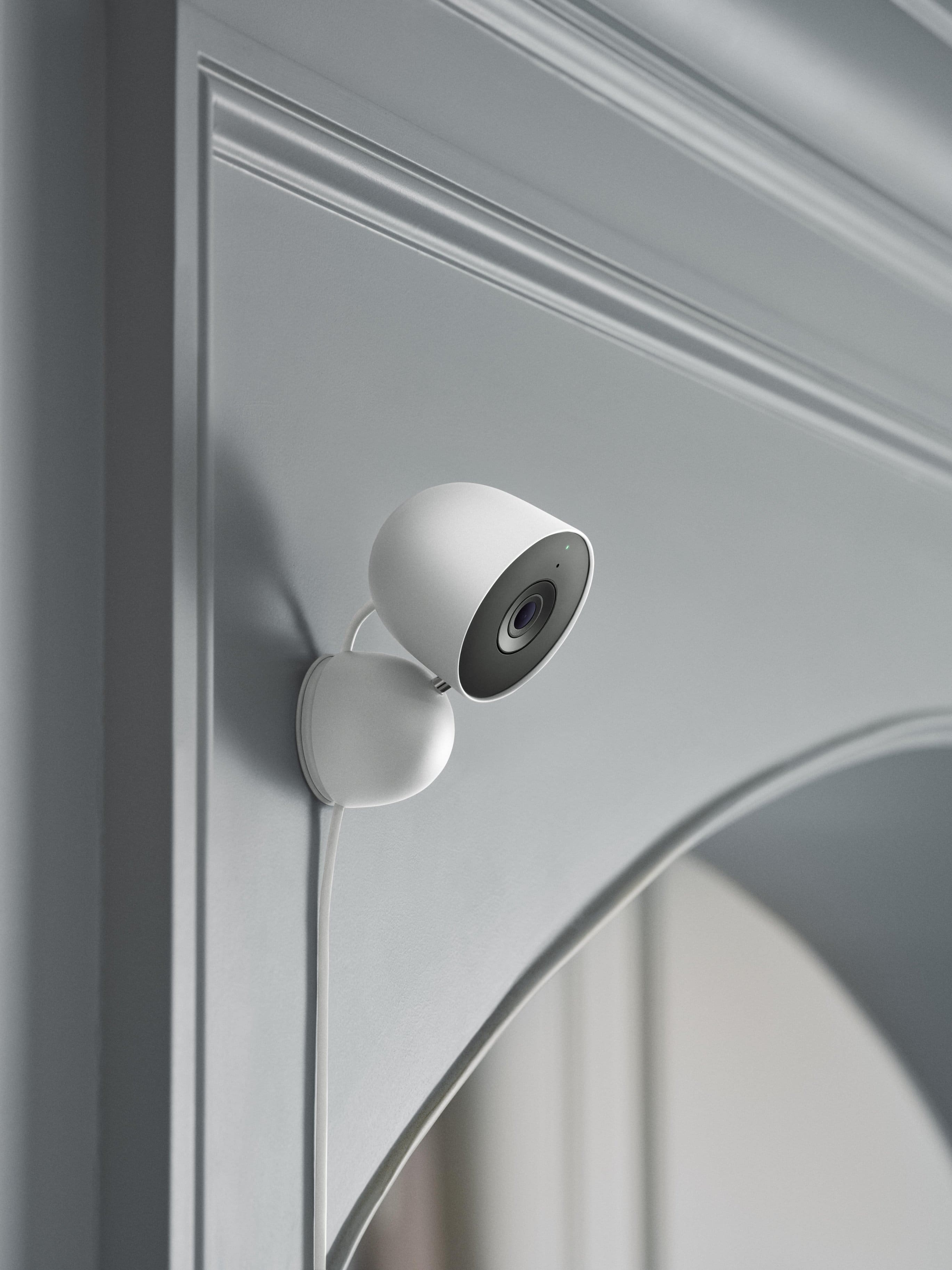
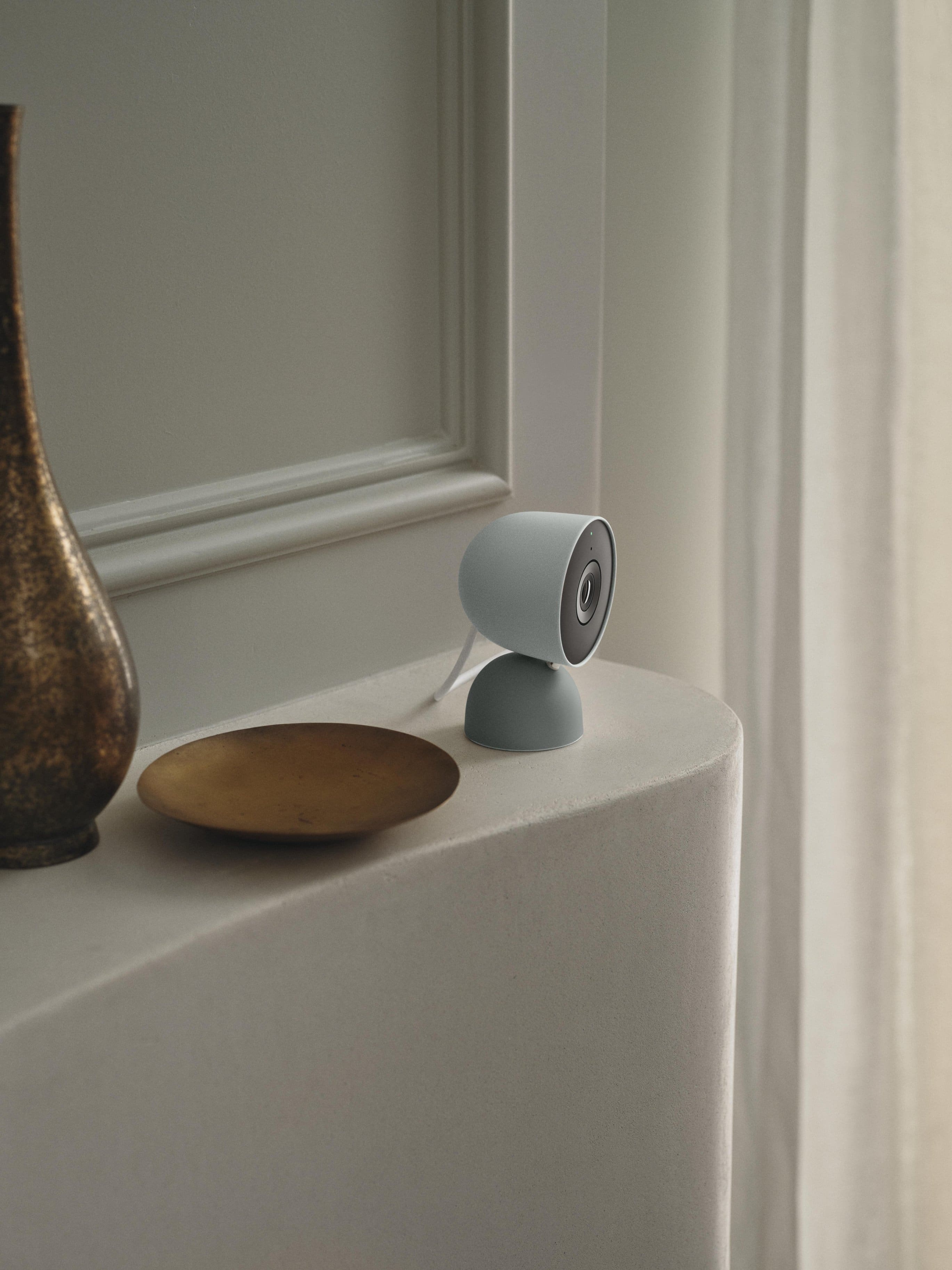
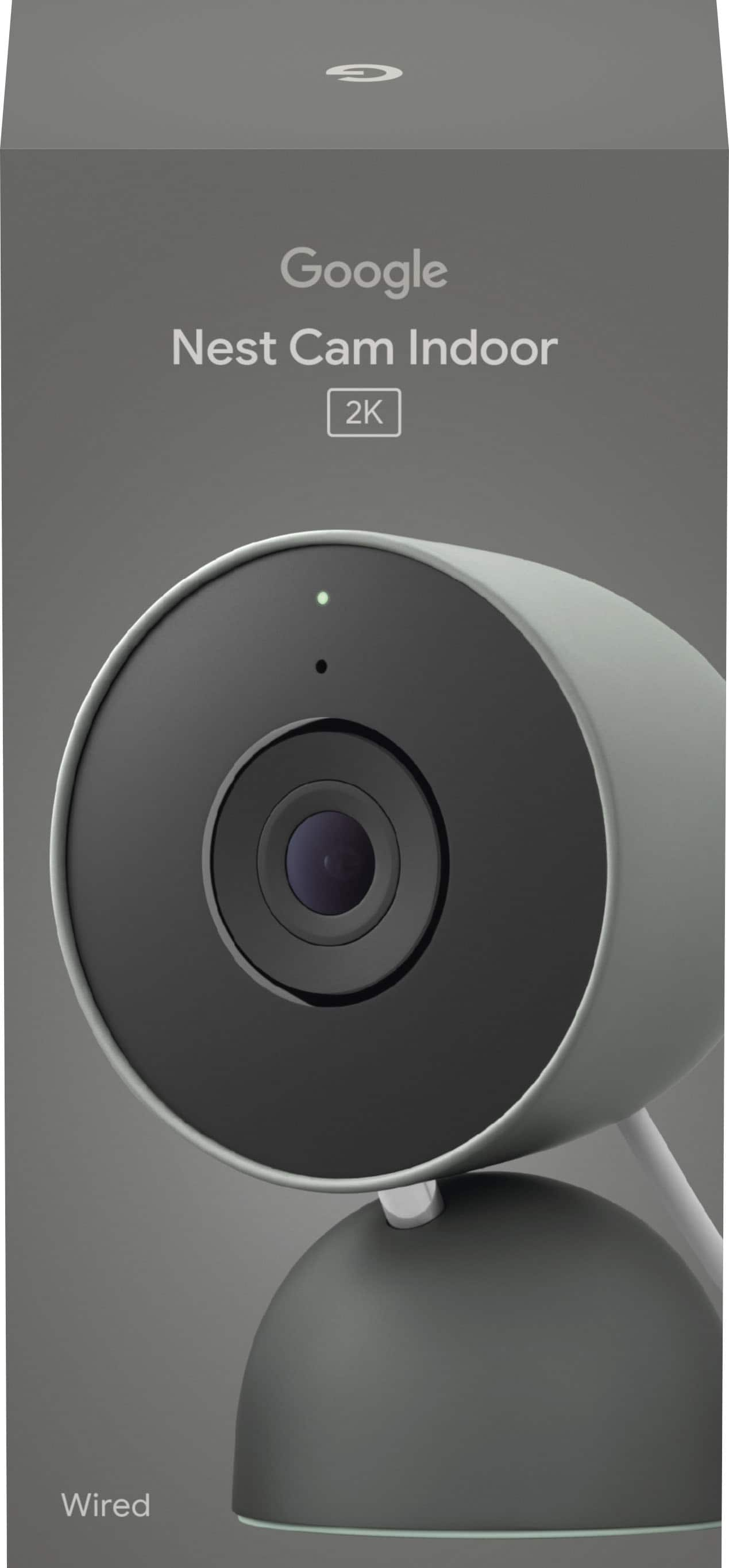
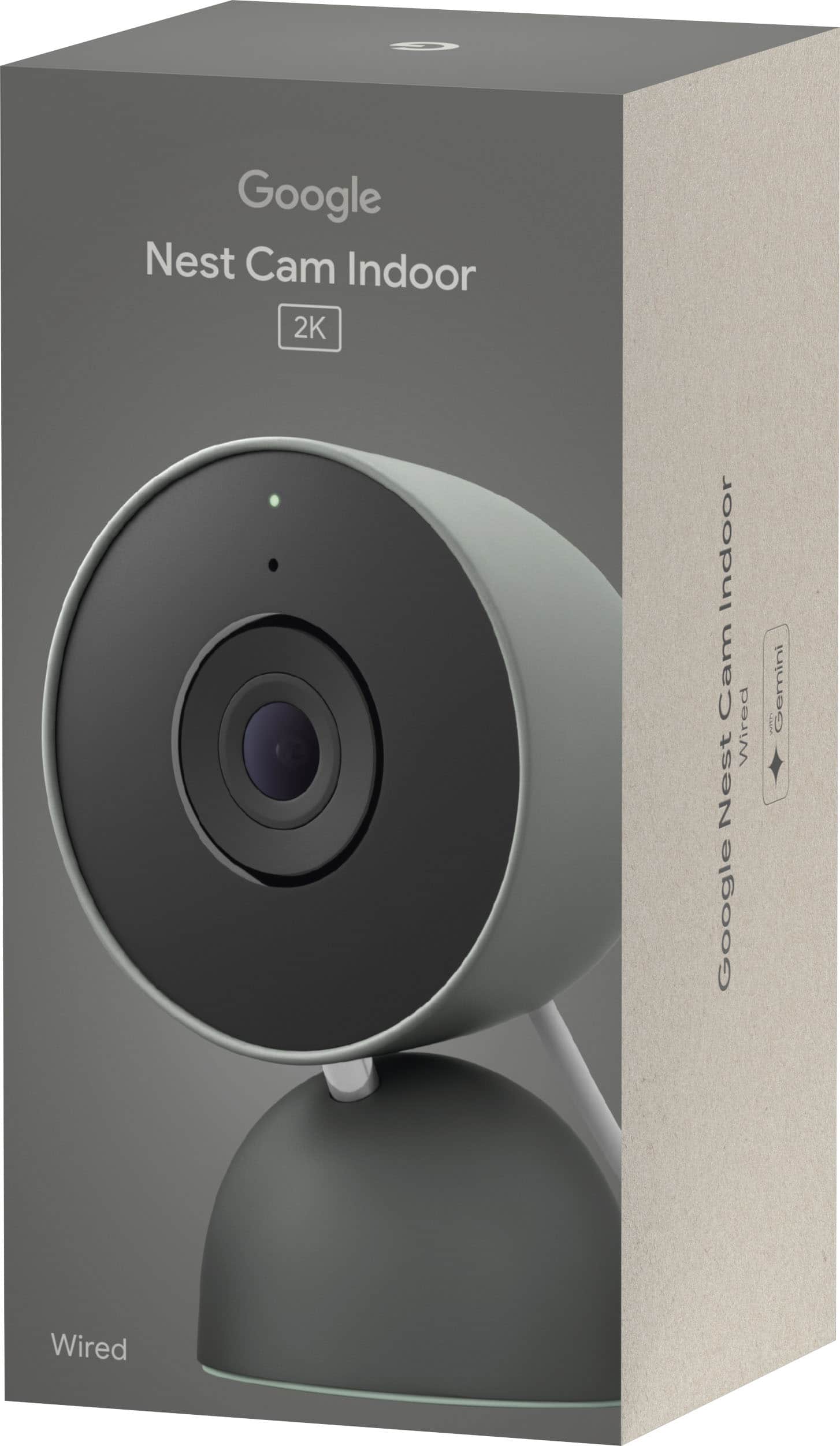
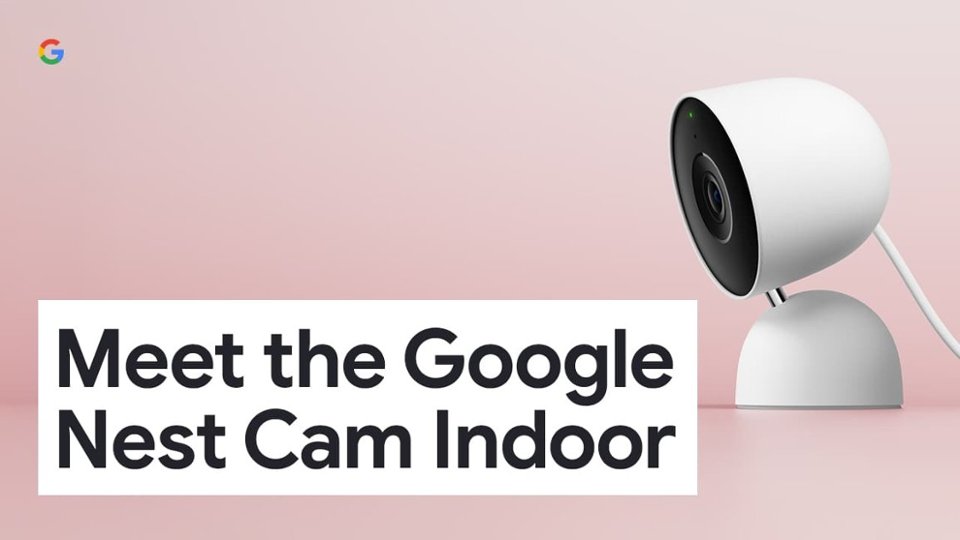

- Model:
- GA09975-US
- SKU:
- 6642731
Rating by feature
- Value
Rating 4.7 out of 5 stars
- Quality
Rating 4.9 out of 5 stars
- Ease of Use
Rating 4.8 out of 5 stars
Customers are saying
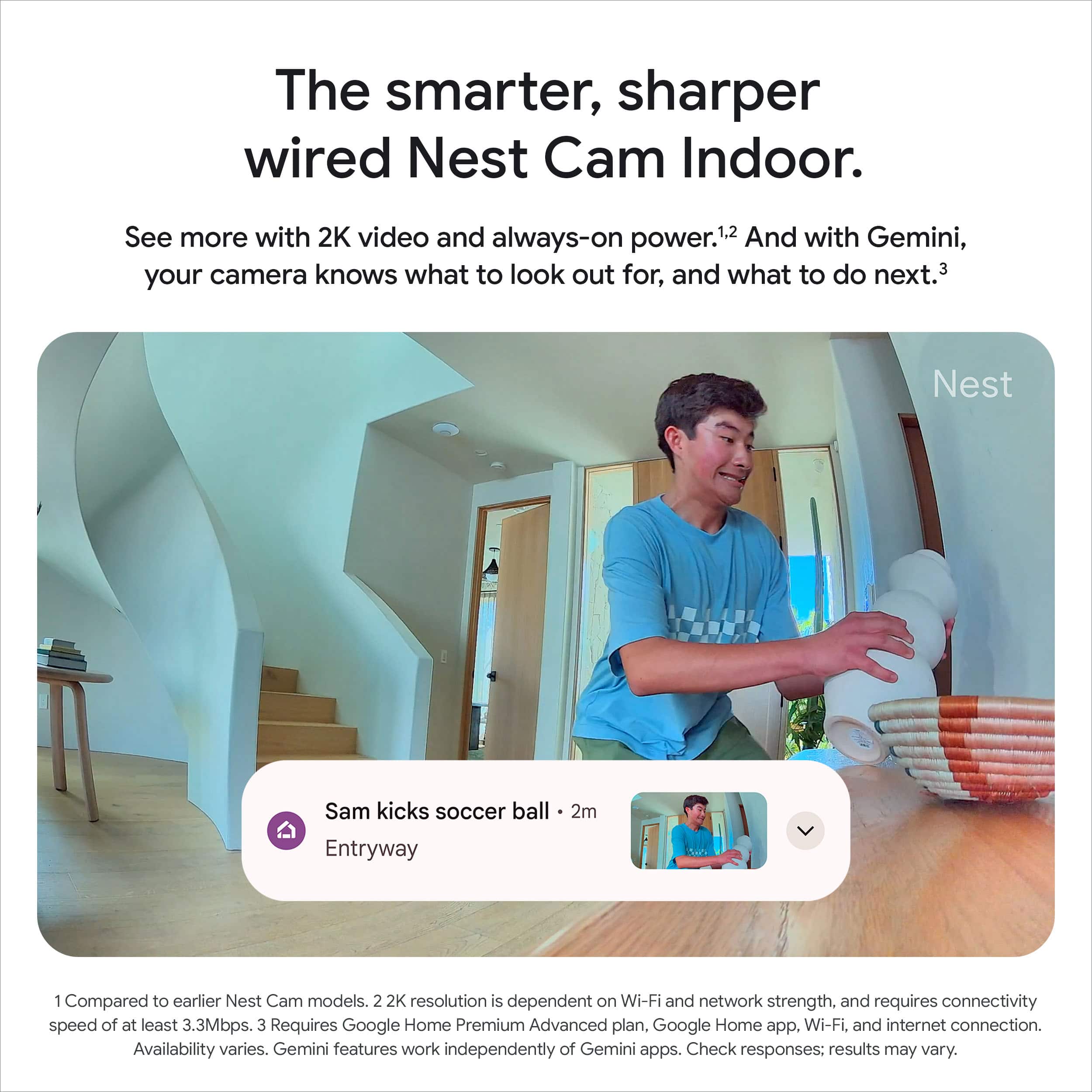
Customers frequently mention that the video quality of the Nest Cam Indoor is fantastic. Users also find the camera quite easy to set up. Additionally, the design of the camera is well-received.
This summary was generated by AI based on customer reviews.
Worth it
||Posted .This reviewer received promo considerations or sweepstakes entry for writing a review.Love it. I have two in my house. Easy to set up!!!
I would recommend this to a friendNot as Good as I Hoped.
||Posted . Owned for 2 weeks when reviewed.This reviewer received promo considerations or sweepstakes entry for writing a review.First one I bought wouldn’t power on so had to replace it. The second one goes offline all the time. They say it’s probably related to the WiFi but my other Nest camera (2nd gen) and other Google devices work just fine. Not really sure about this 3rd gen camera.
No, I would not recommend this to a friendBrand response from Google Team
Posted .Hi there, JulianR. Sorry to hear you’re running into connectivity issues with the Nest Cam Indoor (Wired, 3rd Gen). We’d be happy to continue investigating what may be happening and get you the best resolution — when you get a second, talk to us here: https://support.google.com/googlenest/gethelp

Frequent shopper
||Posted . Owned for 1 week when reviewed.This reviewer received promo considerations or sweepstakes entry for writing a review.View is to stretched out for a full room view doesn’t have a rotate option
No, I would not recommend this to a friendBrand response from Google Team
Posted .Thanks for reaching out about your Nest Cam Indoor (Wired, 3rd Gen), UNImom. We hear your concerns regarding image quality and we’d like to look into this further to get you the best experience possible — when you get a moment, reach out to us here: https://support.google.com/googlenest/gethelp
- Pros mentioned:Design, Field of view, Video quality

High Resolution with AI Features
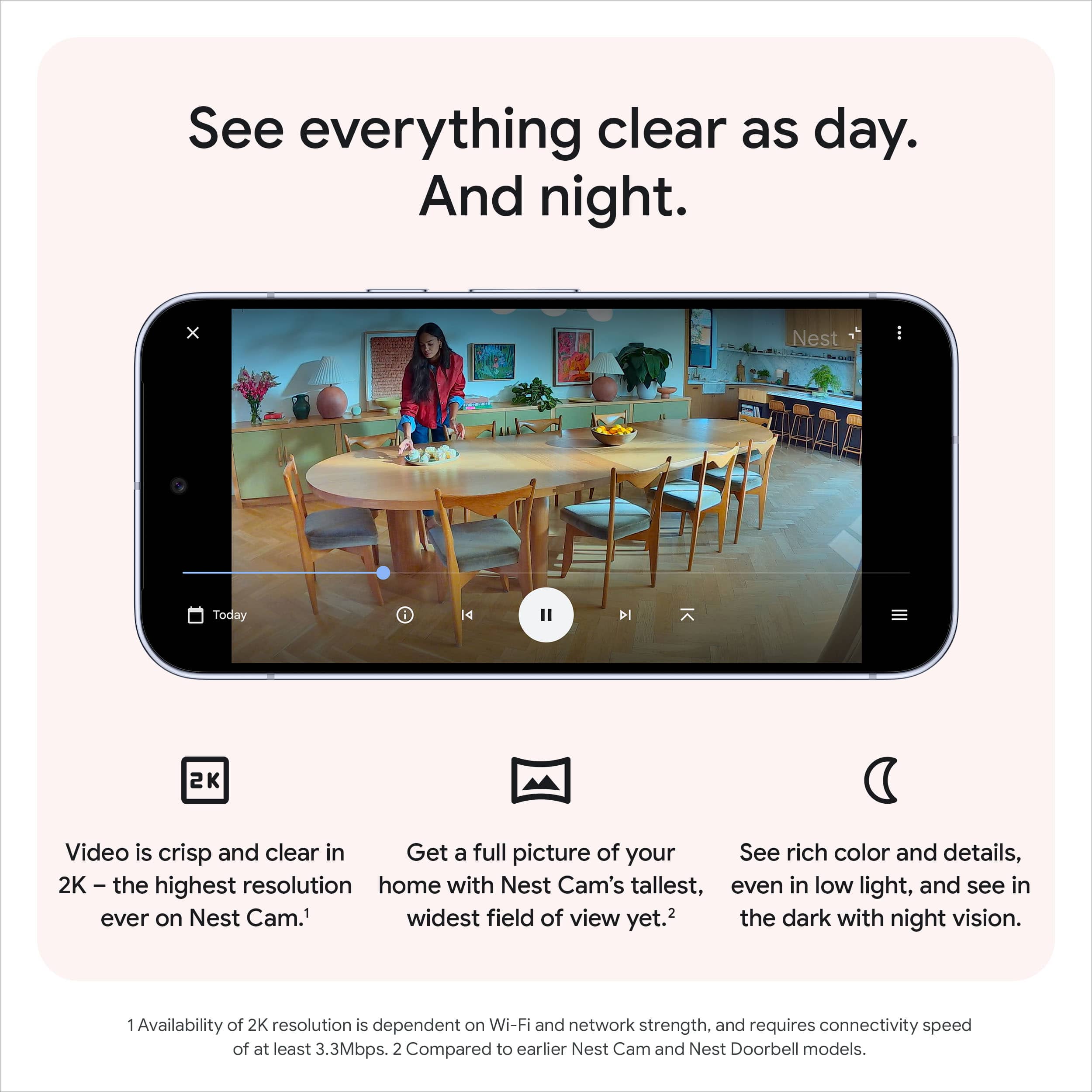
|Posted .This reviewer received promo considerations or sweepstakes entry for writing a review.The Google Nest Cam 3rd generation is quite an improvement from the previous Nest Cam that I have used. It captures video a 2K resolution - which is enough to get details and zoom in on areas when needed. Color stay clear even in low light settings, making it great to see what is happening at any time. The 2K resolution gives a large field of view, capturing areas that my previous camera could not. The Gemini features on this camera are pretty useful. They can tell you when people are detected. You can ask natural langue questions about items that were captured by the camera. It can also provide summaries for events that have happened, which helps make alerts more meaningful. You can set custom activity zones to keep alerts only for areas that you are interested in. I like that you can look back at previews with six hours of ten second previews. This has been enough for me to keep track of goings on, but you can also subscribe for more event history. It is a nicely designed camera, easy to set up with the Google Home app, and plenty of useful features.
I would recommend this to a friend - Pros mentioned:Night vision, Video quality
Sharp / Clear Ai Augmented Video
|Posted .This reviewer received promo considerations or sweepstakes entry for writing a review.The video on the Google Nest Cam (wired, 3rd gen) is excellent 2K HDR quality — sharp and clear, significantly sharper than what’s produced by the average 1080p camera. You can zoom in without it fuzzing out, which is very useful for me when I want to check and see whether the dog is curled up on the couch or one of the cats are getting crazy on the table. The wide viewing angle captures most of a room, and night vision is surprisingly effective in dark or dimly lit rooms. Setup was fast and painless. Plug it in, hook up to Wi-Fi and you’re good to go. Because it’s wired, you don’t have to worry about recharging batteries, but where you put it is contingent on having an outlet nearby. I mounted mine near the entrance to my great room where it can soak up all the action. The clean look works with the room’s decor; subtle, yet modern. By far the best is Gemini integration. The AI-driven alerts and summaries are more than just bodily motion detection. I receive targeted alerts for motion in specific zones (like the pet area), and it even tells me what caused the motion! When I travel for business, an app opens and within seconds all is well in real time on my screen. The app interface is no-frills, and the two-way audio feature does indeed work — I’ve used it to speak with the pets a handful of times. Video playback is decent, provided you have a good Wi-Fi connection. The only downsides are that it’s an indoor-only camera (so you wouldn’t want to use it outdoors), and some of its smarter features do require a subscription plan if you want full access to history and advanced alerts. Final Thoughts: If you want to use high-resolution video and helpful smart features to keep tabs on your home or pets, the Nest Cam Indoor (3rd Gen) is a good bet for any price. It feels as solid and premium as it looks, with high image quality, ease of setup, and reliability. I've grown to rely on it for peace of mind — particularly when I'm away for the day or traveling. It’s one of the most practical gadgets in my smart home setup because I can check in on the dog and our little trio of cats in real time, receiving clear video and smart notifications.
I would recommend this to a friend - Pros mentioned:Night vision, Video quality
Fixed the night vision, now awesome
|Posted .This reviewer received promo considerations or sweepstakes entry for writing a review.If there was one major drawback to the previous gen of Nest Indoor Cams, it was the night vision capabilities. They simply weren't as good as other comparable products, and left a lot of the viewing frame bathed in a murky mess of grey and black that made it hard to distinguish what was happening. It was infuriating getting a notification about movement on the Nest Cam, and then struggling to make out what exactly was happening. This model, however, fixes all of that. The normal light and daytime video is excellent, and now the nighttime video is as well. Excellent camera quality across the board. The build quality is excellent is always, just like the previous generation. This a sturdy and well-built camera they will survive a fall triggered by a curious pet. The unit has a decent weight to it, too, so it won't fall to easily when jostled by accident. This new model has improved motion detection and a shorter wait time to access the camera. This isn't a huge difference, but it is speedier than the previous gen. There are advanced AI features, but you need the premium Home subscription plan to access them. This is an excellent and durable camera without those features. The integration with the Home app is seamless and great. You can see all your cameras at a glance when opening the app and easily view your event history from either a notification or the Home app. In short, the improvements to video quality take all of the things that made the previous model great and and make it that much better in this gen. This is an excellent choice as a first step in setting up a quality home security system with sturdy and reliable equipment. And because it's made by Google, software and hardware problems will get addressed over the life of the device, which is something you can't be confident about with some other manufacturers. A great camera and an excellent first step in building a home security setup. Strongly recommended if you use any other Neet products and are familiar with the Home app.
I would recommend this to a friend - Pros mentioned:Design, Video quality
Incremental Upgrades with AI Smarts
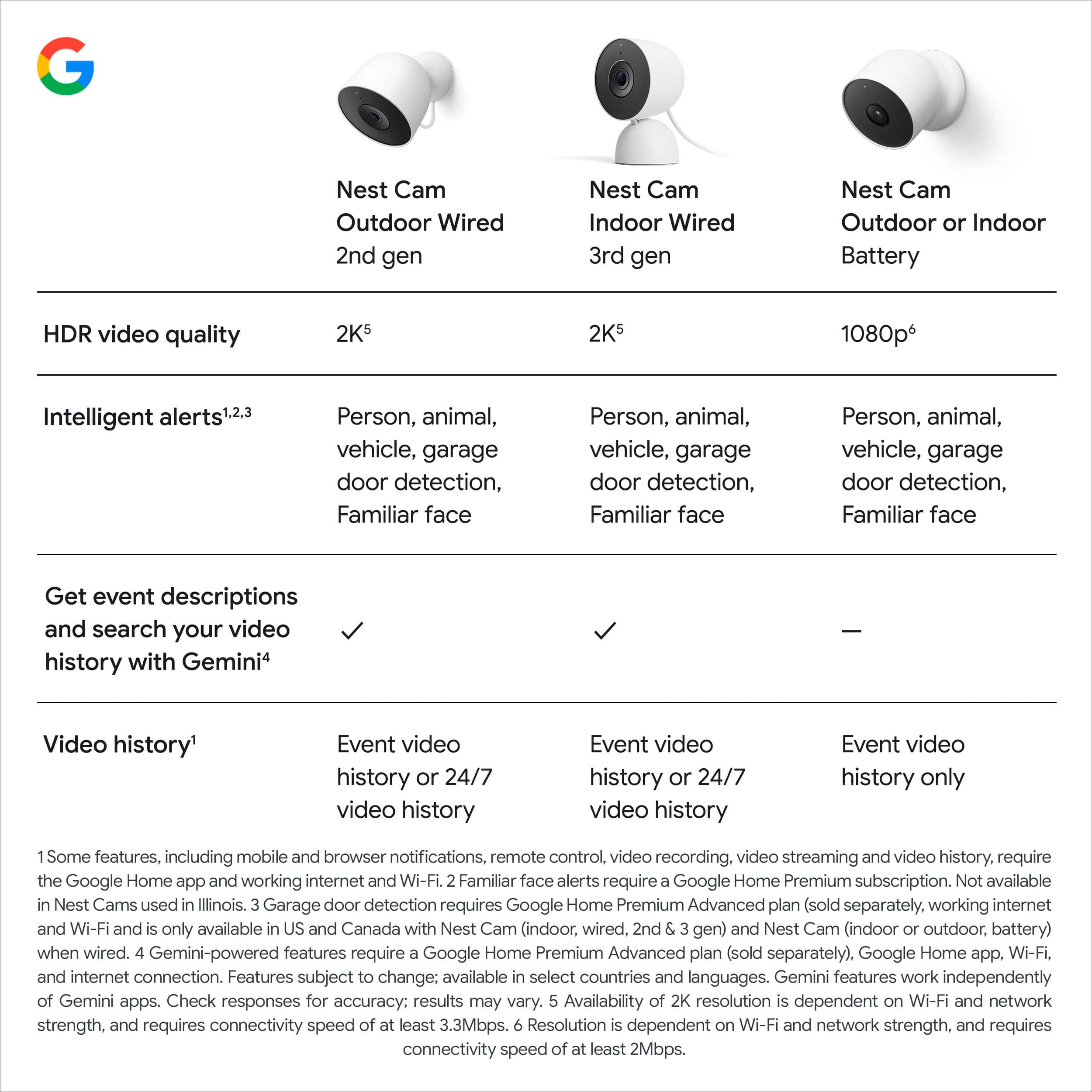
|Posted .This reviewer received promo considerations or sweepstakes entry for writing a review.The latest update to the series of Nest Cams promises incremental upgrades with the inclusion of AI smarts. As an owner of both 1st and 2nd generation indoor nest cams, I was interested to see how this newest 3rd generation stacks up. In short, if you're coming from a 2nd gen cam, I don't feel like there's enough here to warrant the upgrade. If you're coming from the 1st gen, the decision is a little more clear; this camera offers enough upgrades that it's probably worth consideration. Physically, this version looks nearly identical to the 2nd gen; the mounting plate appears identical, as does the overall design, allowing you to either mount this on a wall or just place it on a flat surface. Similarly, picture quality overall appears very similar as well with the exception of what appears to be a wider field of view on the new version, which could be good or bad depending on your usage. The newest version does get a bump to 2k over 1080p, which gives it a slight bump in sharpness, but in practice, this isn’t a huge leap forward. The bump from the first generation feels more substantial, however, as you get not only the resolution bump but also the inclusion of HDR (which the 2nd generation also had). Overall, the picture quality here is very good and works well day and night. One of the biggest features being advertised here is the inclusion of Gemini integration. At current time, I haven’t had much of a use for these features yet. This should give users the ability to search timelines using natural language, as well as giving more logical event descriptions. It’s not clear, however, what Gemini features specifically will be exclusive, if any, to the gen 3 that won’t be available via the Home app with gen 2 or gen 1 cameras. Thus far, it seems like a bit of a gimmick that will likely grow in usefulness over subsequent updates. The elephant in the room with all Nest Cam products is the fact that in order to unlock full functionality, you need a subscription. While this isn’t unique to Nest cams on the surface, what makes this more of an issue here is the fact that there’s no ability to have localized storage as your primary source of storing footage. What this means in practice is that, without the subscription, you get 3 hours of “events” playback, which gives you the bare minimum of footage to look back on. Other products on the market have the option to store footage using onboard storage, allowing much more flexibility in how you use your camera. This subscription issue gets extended further with the 3rd gen Nest cam, as one of the banner features this year is the deeper integration of AI/Gemini. This, predictably, requires a subscription to fully utilize. One final downside I’ll note here is the fact that the power cable is hardwired into the camera (which again, is in line with the 2nd gen camera). This is an issue for 2 reasons. First, if the included 10ft cable isn’t long enough, you’ll need to figure out an extension cord instead of simply buying a longer cable instead. Second, if the cord gets damaged, you’re basically out of luck with the camera. I wish they’d go back to a removable USB cable as they had with the first generation camera. Overall, the 3rd gen Nest Cam is one of the better cameras on the market, especially if you’re already in the Nest ecosystem. While the lack of true onboard storage means you’ll be tethered to a pricey subscription if you want full video history, the upside is that a single Nest subscription gives you access for all devices you may own.
I would recommend this to a friend - Pros mentioned:Field of view, Video quality
Great!
|Posted .This reviewer received promo considerations or sweepstakes entry for writing a review.We have really enjoyed the Google nest cam indoor. It is a wired camera and their latest model. We currently have it set up in our garage. This is a 2000 square foot area not attached to our house. My husband uses this garage for work. Now that we know we can check on it at any time, It makes it a lot less stressful. I would highly recommend this camera if you already used other nest products. We haven't dug super deep into the AI Gemini features. But we have really liked The sharper image that this camera has with the 2K video. The clarity at night has been great. I have done a couple searches with the video history, nothing super crazy but it's definitely helpful. We have not set up any automations sent. It's just in our garage. I do like that the field of view is much larger than the battery powered, and that it keeps 6 hours of video previews. All in all if you are looking for an indoor nest camera we definitely recommend this one. You can't go wrong with clear pictures and good memory.
I would recommend this to a friend - Pros mentioned:Video quality
Next-Level Smart....
|Posted .This reviewer received promo considerations or sweepstakes entry for writing a review.The Nest Cam Indoor (wired, 3rd gen) is a clean, low-profile security cam that actually delivers. I got it for indoor monitoring, and it’s been sharp—literally. The 2K HDR video gives you crisp detail, even in low light. Wired setup means no battery drama, and it’s been rock solid on Wi-Fi. What really sets it apart is Gemini: it doesn’t just detect motion, it tells you what’s happening. You can ask it things like “What did the dog do today?” and it’ll pull clips. That’s next-level smart, but you’ll need the Google Home Premium plan to unlock those features. Setup’s easy through the Google Home app (not the old Nest app), and it can ID people, pets, and vehicles. Familiar face recognition is a nice touch too. Downsides? You’ll need decent internet for full 2K streaming, and some Gemini features are still rolling out. For $99.99, it’s a strong pick if you want smart indoor coverage with real context—not just motion blur and vague alerts. Great for keeping tabs on pets, family, or your space without going full surveillance mode.
I would recommend this to a friend - Pros mentioned:Night vision, Video quality
Outstanding camera packing a punch, easy set up
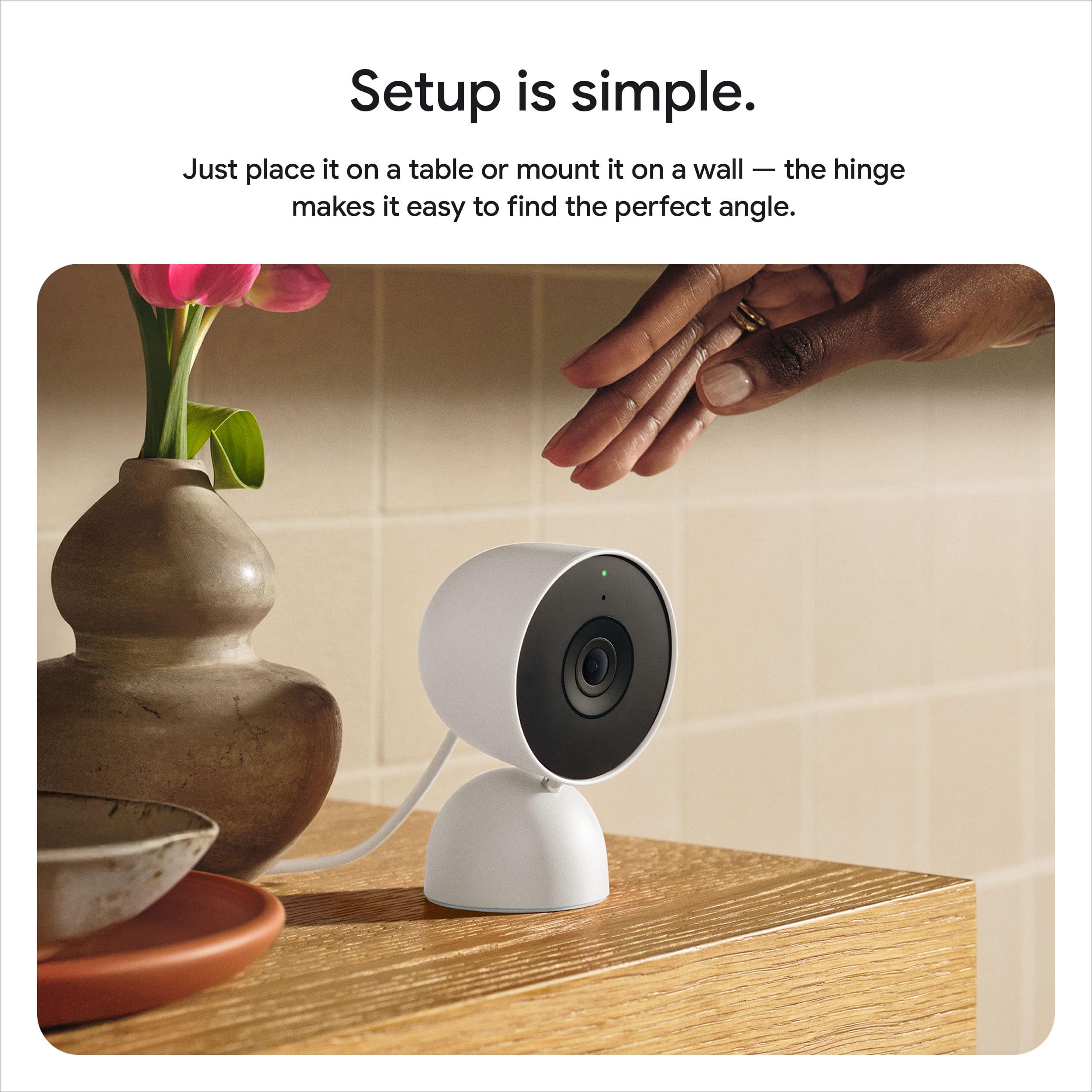
|Posted .This reviewer received promo considerations or sweepstakes entry for writing a review.Ive owned all types of security camera both wired and wireless and some are much easier to use than others and switching my entire home eco system infrastructure over to Google was the smartest decision I made for my smart home. Not only do these camera hold up to any type of climate and environment, they are easy to set up and sync with the Google Home app and also syncs with my other smart home products like doorbells, locks etc. This camera also has a very long cord to mount this magnetically anywhere in your home, which I did like, and you can mount on a wall or just have it sitting on a shelf or table. It gives a clear picture, recording time is adequate and it helps to keep your home secure. This also has night vision which helps to give a nice glimpse of what is happening day or night in your home. With the ease of use and ease of setup, it provides serious competition to several others in a very crowded security camera market with many that are similar but not the quality build Google provides.
I would recommend this to a friend Dont buy
||Posted . Owned for 1 week when reviewed.This reviewer received promo considerations or sweepstakes entry for writing a review.You cant activate these anywhere. There is no 3rd gen option in the app.
No, I would not recommend this to a friendBrand response from Google Team
Posted .Hi there, Speedy. We’re sorry to hear you had an issue with setting up the Nest Cam Indoor (Wired, 3rd Gen). You’ll want to make sure you’re using the Google Home app to add the device — here’s how to add the camera:
1. Open the Google Home app.
2. From the Home tab, tap Add > Device > Scan QR code.
3. Choose the home you want to add your camera to, or select Add another home to create a new one. Then, tap Next.
4. The app looks for nearby devices. When prompted, select the camera model you have as the device you want to set up.
5. Use your phone’s camera to scan your camera’s QR code. You can also tap Continue without scanning and enter the setup code.
6. The app walks you through setup and installation.
If you need any extra help, contact us here: https://support.google.com/googlenest/gethelp?
- Pros mentioned:Video quality
Great Upgrade
|Posted .This reviewer received promo considerations or sweepstakes entry for writing a review.I have been using a Nest doorbell camera for a few years now, and a couple of years ago added another indoor camera. When I saw the new Nest Indoor Cameras I thought it was time to add a second indoor camera. I’ve been using this new Gen 3 camera for a little more than a week now and I can easily say that this was a great addition to your setup. The video and audio is very clear. I already thought my older Nest cameras were great, but this new one definitely adds some fidelity to both the video and audio. Video is very clear even at night when the house is dark you can still easily make out details. A cool new feature that thankfully came to all of my Nest cameras is the addition to Gemini. While I thought it was a bit of a gimmic at first, I am happy to see that it is actually quite useful. Instead of just getting a notification that there was motion from a camera it gives you a brief description. I was at work and got a notification that there was a person with a leaf blower at our front door. Sure enough, our gardener was out taking care of the yard. I’ve also had numerous notifications from this indoor camera where the description says that our dog is on the couch. I can only imagine that these notifications will get better as the AI integration matures. I have been very happy with our Nest cameras which is why I have 3 of them. This new one is a nice upgrade to both video and audio quality. Setup is a breeze and it’s nice that they include some hardware to mount the camera on the wall as well. The power cable is very long so that should make it easier to find an effective place to set the camera up. The new Gemini are just icing on an already delicious cake. This is an easy recommendation.
I would recommend this to a friend - Pros mentioned:Video quality
Clear video, easy setup
|Posted .This reviewer received promo considerations or sweepstakes entry for writing a review.I cant rant about this google indoor nest camera enough! My husband works out of town alot so when we go stay wherever he is working we love to have eyes on our home and our belogings.... pretty much everything we have worked so hard for over the years. I was rushing to leave one day when i needed to get this camera set up. It took me about 15 minutes to get it setup and placed in the area i wanted. I put it in my living room facing at an angle that would catch both openings, one into my kitchen and one into my dining area. There is a back door in the kitchen that i wanted to make sure i had eyes on because the knob is broken. This small camera caught every angle of my living and into the other two rooms giving me a perfect clear view had anyone broke in. I loved that i was able to control it through the app on my phone, i was able to watch it 24/7 while not at home, it showed clups of any movement in the home and gave me clear live feed anytime i opened the app. It also has clear sound. Overall i was very please with this camera, how well it captured angles, wuality of the camera and the easy install.
I would recommend this to a friend - Pros mentioned:Overall performance, Video quality
Good Indoor Camera But...
|Posted .This reviewer received promo considerations or sweepstakes entry for writing a review.There’s always a tradeoff when it comes to buying into an ecosystem. In this case, Google’s device ecosystem can be both a blessing and a curse. Unfortunately for the Nest Cam Indoor, it’s the latter. That isn’t to say that the hardware is bad. It’s the functionality of the camera and the software that runs with it. The good part is the camera itself works great and integrates well with Google’s Home ecosystem. The video quality is good with a pretty high field of view. But what you gain in tight integration with Google’s ecosystem, you lose out in small conveniences. There is no way to save clips to an alternative storage device (ie. a NAS). And lengthy video storage requires a subscription. As an indoor camera, the functionality is fairly basic if you choose to not subscribe to Google’s “Home Premium” subscription. Yet despite its basic featureset, it handles motion sensing and notifications as one expected for an indoor camera. It handles motion zones so that activity is only picked up within the defined zone. There’s no recognition at all and is locked behind Google’s Home Premium subscription. Sadly there are competing alternatives that can almost match the hardware specs this camera has with better prices. Additionally, those alternatives can potentially utilize local storage (built in or SDcards) or NAS for video storage. With these in mind, it’s very hard to recommend the camera at all. If you’re heavily invested in Google’s ecosystem, perhaps all the drawbacks won’t matter. Still, there are good reasons to seek a different indoor camera that doesn’t rely on cloud storage and a paid subscription. The Good: Wide field of view, tight integration with Google Home app The Bad: no local or NAS storage, subscription optional The Ugly: the thought of having a big pile of service subscription bills Verdict: not recommended, unless you already have many Google/Nest hardware
No, I would not recommend this to a friendBrand response from Google Team
Posted .Hey there, Sixshot. Sorry to see the Nest Cam Indoor (Wired, 3rd Gen) may not be the best fit for you. Your insights are incredibly valued, and we encourage you to share them with us — here’s a survey when you’re ready: https://google.qualtrics.com/jfe/form/SV_2aStd8wsbcLGvwG
- Pros mentioned:Video quality
Love these cameras
|Posted .This reviewer received promo considerations or sweepstakes entry for writing a review.I love these little Google cameras. We had a previous model and it worked great until it took a fall it didn't survive but otherwise these hold up to life with kids and pets pretty well. This is probably the fastest and easiest device setup I've experienced with testing various brands and styles. The Google home app is pretty straightforward and it takes a couple mins to get things set up and updated. After that you've got a solid camera that doesn't look like an ugly home security device ready to go. The cord is nice and long and allows for mounting pretty much anywhere without worries. I like how clear the picture is even when zooming in. Might vision is clearer on this camera than any other option I've tried in the past. It's easy to manage multiple cameras with the app if you'd like as well. The red color was too hard to pass up, it adds a nice little touch. We ended up using this one as more of a security camera and have it facing our front door. This is used to double check doors are locked as needed and also alerts if someone were to enter the home unexpectedly. I like these so much I've purchased some to share with family.
I would recommend this to a friend - Pros mentioned:Video quality
Much better!
Posted .This reviewer received promo considerations or sweepstakes entry for writing a review.The video is very crisp! I already had a Nest Hub Max but the live video rarely plays correctly, so I was skeptical on this purchase. However, it's much more responsive and way better for viewing. Also it's super tiny! The cable is long and much appreciated. I have no complaints thus far!
I would recommend this to a friend - Pros mentioned:Video quality
Nice camera but expensive to use its functions
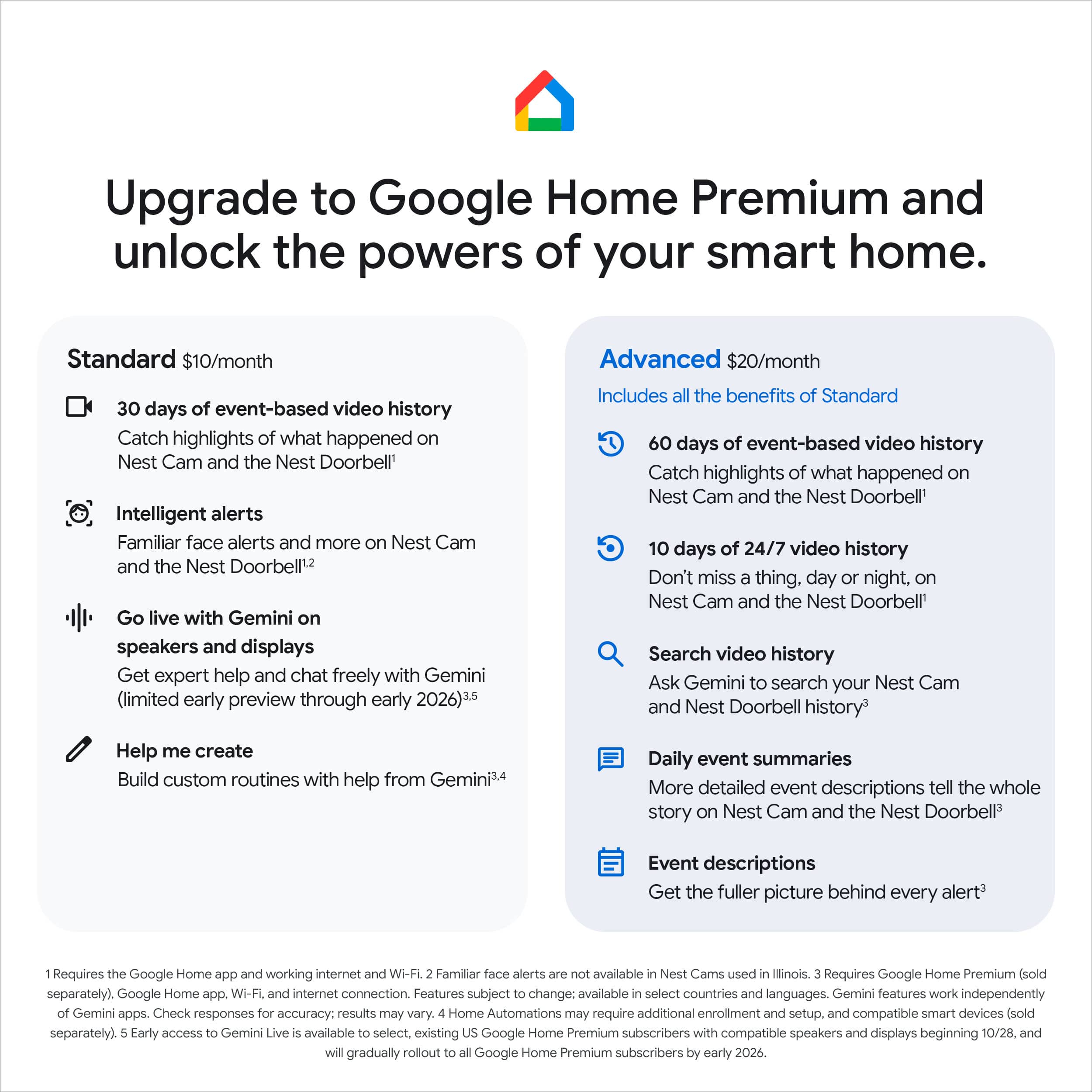
|Posted .This reviewer received promo considerations or sweepstakes entry for writing a review.This is my first indoor camera. I have half a dozen outdoor cameras. With this camera you get Google Gemini capabilities. More on that later. This camera records full 2K color video night or day. The camera has a full 2K 152-degree diagonal view as opposed to the previous version’s 1080P 130-degree view. This camera requires a Google Home Premium Subscription. It is simple to connect to your Google Home Network and once you do, Gemini gives you lots of power that you didn’t have before. You can get daily summaries of everything that the camera sees throughout the day. You can go back to see what you missed. The screen shows 10 second previews for up to 6 hours of activities. The videos will have Gemini generated detailed event descriptions. You can zoom in on the videos to see what is important, and crop out what doesn’t matter. The camera also has the ability to do continuous recording as opposed to just event recording. Gemini allows you to automate tasks by just talking to the application. You could for example tell Gemini to “Set the inside camera to continuous recording whenever nobody is home.” Gemini will then write an automation that sets the camera to continuous recording whenever there is nobody home and you are in away mode. The fact that it creates detailed event descriptions allows you to use plain language searches. You can for example ask it “Which of the dogs ate my shoe?” and it will bring up videos that show your dogs eating a shoe. Overall it’s a nice camera. The resolution is much better than the previous version and the integration with Gemini makes it a lot easier to use. My big complaint is that fact that in order to use the new Gemini features, you must be a subscriber of Google Home Premium. It can only store up to 6 hours of clips and many of the features require that subscription. They offer 2 versions, Standard and Advanced. Standard costs $10 per month or $100 for a year and Advanced costs $20 per month or $200 per year. That can be a significant cost to factor into your purchase. While I have been a big Google Home user for a number of years, I personally feel that the price of integrating Gemini is higher than I am willing to pay. As a result, I don’t recommend this camera.
No, I would not recommend this to a friendBrand response from Google Team
Posted .Hey there, SciFiFan. We’re glad you’re liking the new features on the Nest Cam Indoor (Wired, 3rd Gen). That being said, we hear your concerns regarding Google Home Premium. While you don’t need the subscription to use the device, having it unlocks additional features such as continuous video recording, person detection, and more. Here’s a link with more benefits: https://support.google.com/googlenest/answer/9233159?hl
Don't hesitate to reach out to us with any additional questions: https://support.google.com/googlenest/gethelp
Next Gen Google / Nest Indoor Camera
|Posted .This reviewer received promo considerations or sweepstakes entry for writing a review.This camera is wired and is intended for indoor use (should be obvious, but...). I got this camera to replace a previous generation indoor camera that I will recycle to another part of our home. There are a few fundamental differences between the prior generation and the third-generation cameras. One is camera resolution - 2K video (for both day and night) for the third-generation product versus 1080p for the second-generation product. Another is the integration of Google Gemini AI, which is Google's AI chatbot. Yet one more is there are two additional color offerings for the third-generation indoor camers - berry and hazel. Both nice colors, but white worked best for our home. My experience with Google Gemini AI is limited at this time, but it does appear to offer some compelling benefits, such as searching for a specific item or event by way of a query. It is possible to define activity zones so that other areas can be excluded, and, conversely, the activity zone becomes the primary area of focus for alerts. We purchased the advanced subscription, and that get us 60 days of event-based video history, ten days of 24/7 continuous video history, descriptive notifications, the ability to search video history, event descriptions, and daily summaries. While the review is about the camera, many of the camera's benefits (for our use-case, at least) and intertwined with this subscription service. This is a tremendous camera for the money.
I would recommend this to a friendEchoing my thoughts
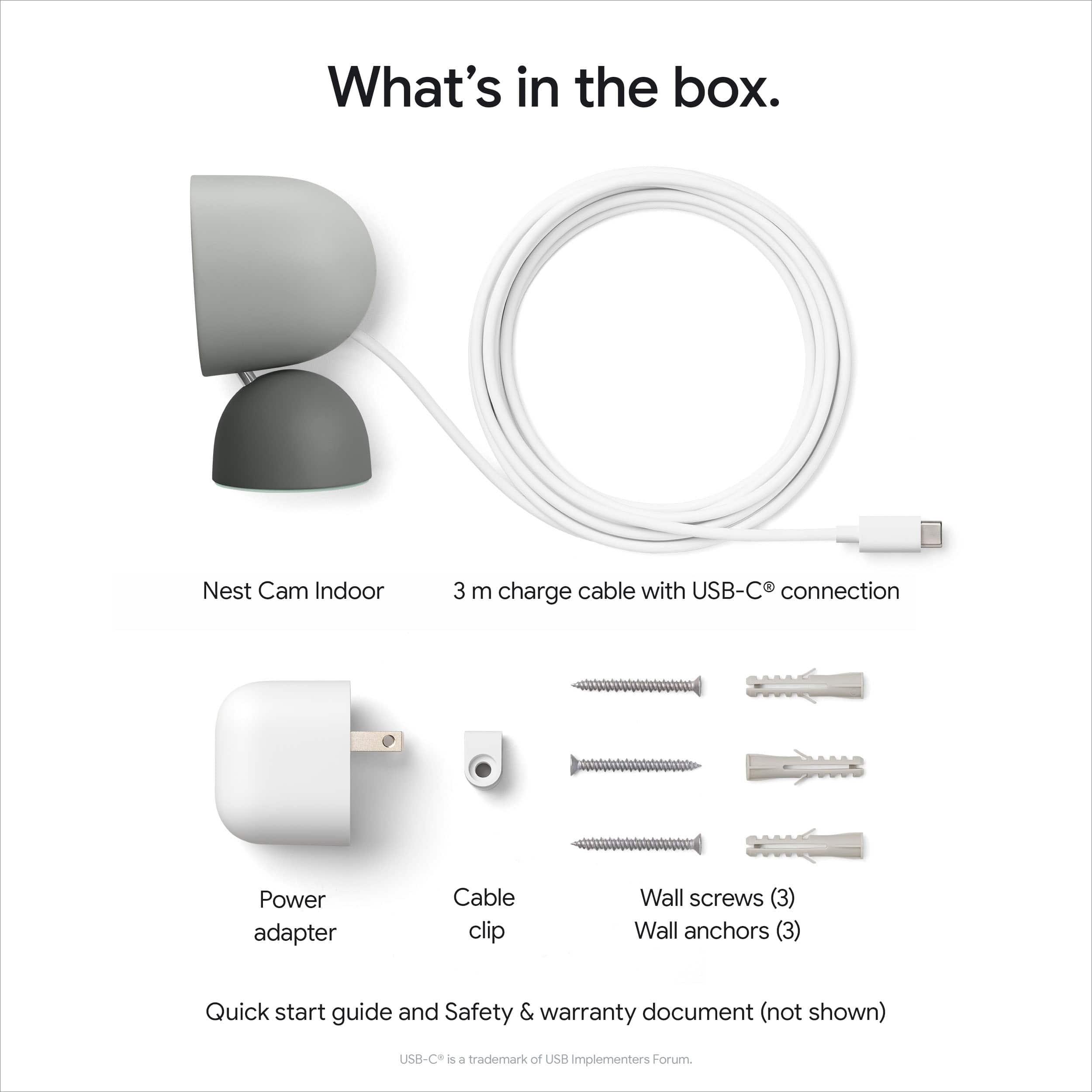
|Posted .This reviewer received promo considerations or sweepstakes entry for writing a review.This camera is a solid choice for anyone looking for a tad more security since… what else is a camera for? Out of the box, this is minimal, solid packaging as you’re buying from a major tech company like Google, who gets what they’re doing. The camera is inside the box alongside warranty, setup instructions, mounting screws, and power plug. Setup was very simple as this is all pretty bare bones. The cord is probably 8ft as a guess, as they want you to be able to reach far off places. I didn’t mount my camera but used it in our loft to monitor the dog while I’m at work. The camera and base are stable, sturdy, and also happen to rotate with manual assistance, so you can get this setup at your preferred angle. As for setup, it was kind of easy? There was a QR code sticker on the front of the camera lense and I assumed you could scan that to get going, since that’d make the most sense. Wrong. Scanning that takes you to a Google search with irrelevant info. After glancing at the simple included instructions, it forward me to download the Google Home app. It’s a Google product so you can bet that first things first, you get to connect them to WiFi, give them access to your phone data, microphone, location, Bluetooth connectivity, camera, etc. sigh. Even setup had its hiccups though, as I didn’t see the need to give Google access to my phone camera, and nothing indicated that it was necessary, so I declined their request. Eventually I stalled out in my setup process but after troubleshooting, they couldn’t tell me what the issue was and the app gave no notice. Eventually I went back and gave them camera access and was able to complete my setup. Just be aware you’ll have to give them access to everything on your phone. Once setup, you’re off to the races. Picture quality is really solid. There’s a two way speaker on the camera so you can watch the feed from your phone and communicate back and forth. The audio is quite clear though there seems to be a very noticeable delay when trying to speak through the camera. Additionally it’s very unclear how, if at all to change the settings of camera audio. The audio is very sensitive to where if I’m in the same room, and decide to use my app to speak through the camera (for testing purposes cause why would you normally do that), it just creates an endless audio loop that eventually loops so much it’s piercing noise. You can’t seem to control the volume on the camera either, it just comes out at the predetermined volume whether you like it or not which is quite puzzling. The app will, without paying for a premium subscription, record and store any human movement within the last 5 hours. While helpful, I wish there was setting to capture animal movement but there doesn’t seem to be and it’s very good at distinguishing the two, so you’ll need even accidentally get animal recordings. All said, when it comes to ease of use and camera quality, this is a solid get, but leaves a bit to be desired on the setup process and execution.
I would recommend this to a friendA no-brainer upgrade for existing Nest Subscribers
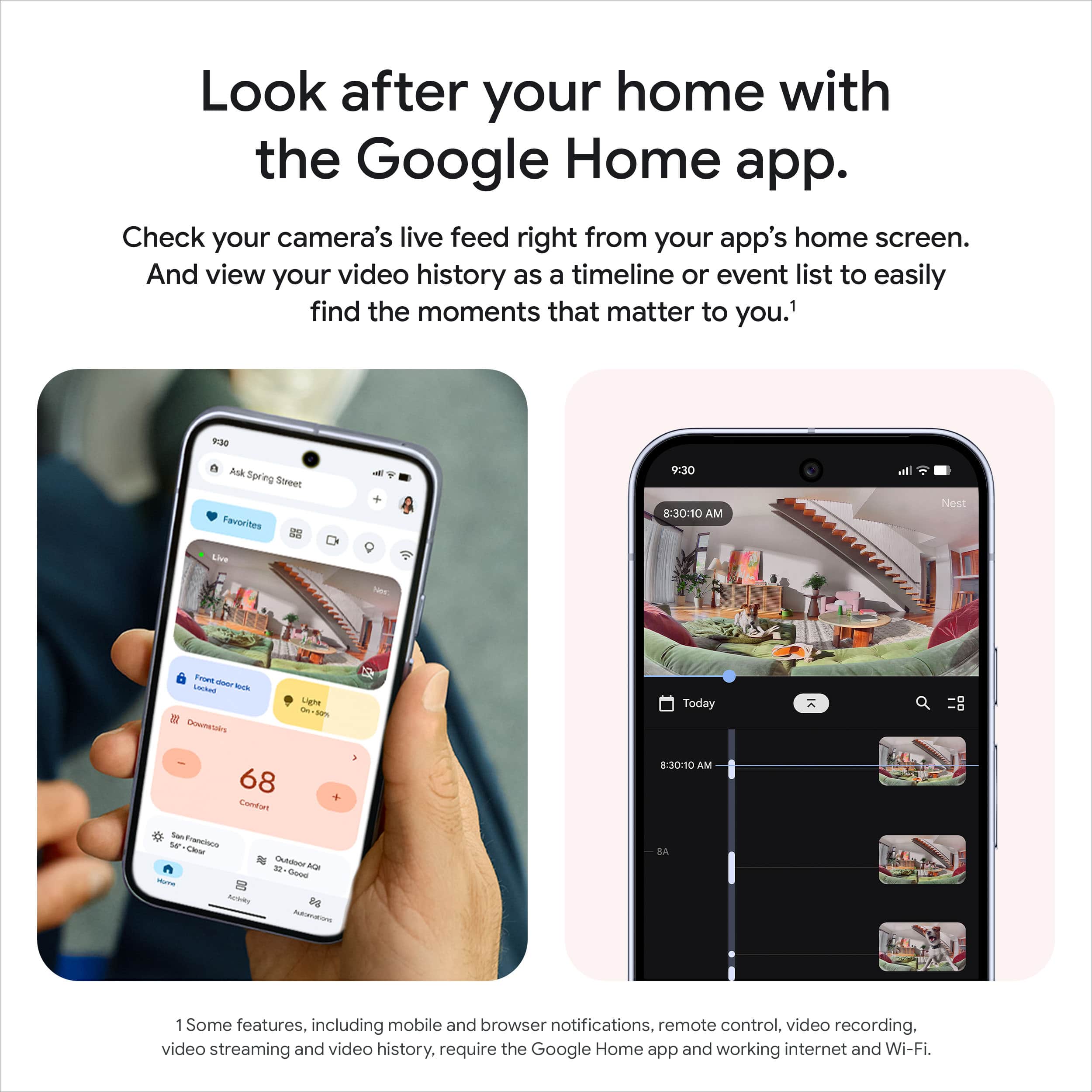
|Posted .This reviewer received promo considerations or sweepstakes entry for writing a review.I’m impressed with the hardware design of this camera. The camera mount is designed to work on either a flat surface or be twisted to support attaching flat against a wall while still allowing vertical and horizontal adjustment of the camera. It’s a fantastic design that requires no assembly. The 2K camera with HDR provides up to a 6x zoom capturing an excellent amount of detail for such a small device. On the software side, connecting to Google Home took a few seconds, and a new Cameras section appeared in the Google Home app with a thumbnail view of the live feed from the camera. Tapping it reveals a split screen navigation with the camera image on the top of the screen and a recent clips history below. The past clips default to a view telling you what you are looking for with a timestamp and a clip length followed by a looping fast video playback of the each clip. I love that the clips automatically fast play, giving me an almost instant understanding if the clip can be ignored or if it needs to be played back for a more detailed review. If you don’t like it, there’s a toggle switch to go to a traditional static timeline view without the auto clip playing. The software experience is easy to navigate and simple to use as long as you are currently using Google Home for your Smart Home. Where I start to get frustrated is that Nest continues to be a closed ecosystem where paid subscribers get great features, but the device is handicapped unless you subscribe. There’s no local storage on this device and no method to bring your own storage. I run Home Assistant and this device can not be brought into Home Assistant without first playing Google a fee to access the API’s and even then the cameras are not able to use my existing storage servers. Instead Google offers 6-hour video preview without a subscription, or moving up to Google Home Premium gets you 60 days of history. It’s only with Google Home Premium Plus subscriptions that you get access to continuous video recording, but archiving is only good for 60 days. Bottom line: if you are already a Google Nest User with a subscription, this is a great camera to upgrade to.
I would recommend this to a friendBrand response from Google Team
Posted .Hi there, vortex0007. We appreciate all your feedback that you’ve provided us. It’s important for us to know how we’re doing — when you get a second, here’s a survey to share more about your experience: https://google.qualtrics.com/jfe/form/SV_2aStd8wsbcLGvwG