Early Black Friday DealsNew Doorbusters every Friday.Shop now

Main Content

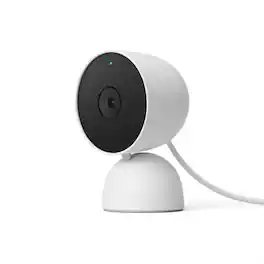
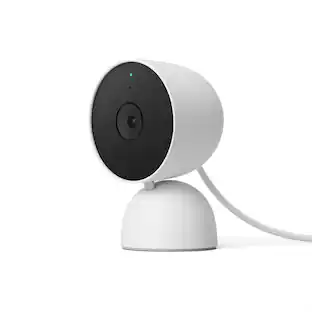
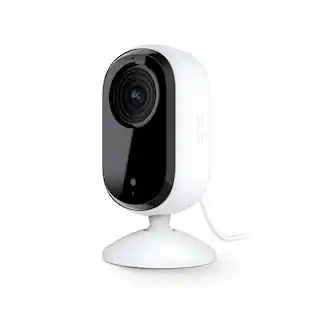
Google - Nest Cam Indoor (wired, 3rd gen) - Latest Model - 2K Video and Gemini - Hazel

Model: GA09975-US
SKU: 6642731
$99.99
Save $25
Comp. Value: $99.99
or
Finance OptionsView your offers
Special OffersOn related products
Availability
Fulfillment Options

FREE shipping to

Sold by Best Buy
Standard Geek Squad Protection

More Buying Options

Highlights

  • Key Specs
    • Video Camera Resolution: 2K (1440p) (Refers to the number of pixels, both horizontally and vertically, used to capture video/images. The higher the resolution the finer the detail that can be seen.)
    • Night Vision: true
    • Number Of Cameras Included: 1
    • Camera Power Source: Cable with AC Adapter/Plug-in, Cable with AC Adapter/Plug-in
    • Works With: Google Home, Amazon Alexa (Compatible with or able to be connected to other smart devices or applications.)
    • Maximum Operating Temperature: 104 degrees fahrenheit (The highest recommended ambient (surrounding) temperature in which the product can ideally operate stated by the manufacturer. Generally long-term exposure of the product to temperatures more than the maximum can result in ineffective operation.)
    • Storage Type: Cloud
    • Indoor Or Outdoor Use: Indoor (Indicates the appropriate environment product was designed to be used in.)
    • Minimum Operating Temperature: 32 degrees fahrenheit (The lowest recommended ambient (surrounding) temperature in which the product can ideally operate stated by the manufacturer. Generally long-term exposure of the product to temperatures less than the minimum can result in ineffective operation.)
    • Audio Communication: 2-way (1-way communication devices allow a user to hear detected audio, while 2-way communication adds the ability for a user to talk back through the device.)
  • General
    • Brand: Google
    • Model Number: GA09975-US
    • Product Name: Nest Cam Indoor (wired, 3rd gen) - Latest Model - 2K Video and Gemini
    • Color: Hazel
  • Camera
    • Video Camera Resolution: 2K (1440p) (Refers to the number of pixels, both horizontally and vertically, used to capture video/images. The higher the resolution the finer the detail that can be seen.)
    • Camera Resolution: 2560 x 1440 (Refers to the number of pixels, both horizontally and vertically, used to capture video/images. The higher the resolution the finer the detail that can be seen.)
    • Night Vision: true
    • Night Vision Distance: 15 feet
    • Camera Movement: Fixed
    • Zoom Mode: Digital
    • Number Of Cameras Included: 1
    • Day/Night Mode: true (Captures images/video with optimal clarity by automatically adjusting settings to various light levels.)
    • IP Camera: true (An Internet Protocol (IP) camera is able to record and display image/video data via the internet, without need for a local recording device.)
    • Image Sensor Type: CMOS (CCD and CMOS are the two main technologies used in image sensors. CCD, the older of the two types, turns analog light signals into digital pixels. This conversion happens without distortion, resulting in high-quality images. Newer CMOS sensors use transistors at each pixel to move electrical charges. CMOS sensors are typically less expensive, but also require more light to create distortion-free images.)
    • Infrared Cut Off Filter: true (Often referred to as an IR or heat-absorbing filter, this camera feature is designed to block infrared light during the day to produce optimally lit images, while still allowing for night vision capabilities in low light.)
    • Focal Length Control: Fixed focal (Fixed cameras do not allow for adjustments to the focal length, and typically provide a wide angle view. Vari-focal cameras allow manual adjustments, while motorized zoom cameras can be adjusted from either the camera or control center.)
  • Power
    • Camera Power Source: Cable with AC Adapter/Plug-in, Cable with AC Adapter/Plug-in
  • Compatibility
    • App Compatible: true (The product can be connected to a program or software application on a mobile device, which then receives collected data from the product.)
    • Compatibility: Works with Google Home, Compatible with Amazon Alexa
    • Brand Compatibility: Google
    • Operating System Compatibility: Android
    • Works With: Google Home, Amazon Alexa (Compatible with or able to be connected to other smart devices or applications.)
    • Voice Assistant Built-in: No (A digital assistant built into the device that uses voice commands to answer questions and control smart devices.)
  • Connectivity
    • Camera Connectivity: Wireless (Security system cameras can be set up in several ways. Wired cameras require cables for power and footage transmission, while wire-free cameras don't need cables for either. Wireless cameras still require cables for receiving power but are able to transmit footage via a wireless network.)
    • Frequency Band: 2.4 GHz, 5.0 GHz (Bands may be grouped into categories such as low- and high-band VHF (Very High Frequency), low- and high-band UHF (Ultra High Frequency), or certain frequency channels (measured in MHz or GHz). Generally, higher frequencies transmit information faster but have shorter range than lower frequencies.)
    • Encryption Type: WEP, WPA, WPA2, WPA3 (The security protocols or certification programs that protect the Wi-Fi network.)
  • Recording & Playback
    • Streaming Video: true (The ability to transmit a live video feed from the product.)
    • Video Recording Capability: true
    • Video Recording Features: Motion, people, animals and vehicle detection
    • Records Audio: true
    • Video Recording Prompt: Continuous Video Recording (CVR)
  • Performance
    • Maximum Operating Temperature: 104 degrees fahrenheit (The highest recommended ambient (surrounding) temperature in which the product can ideally operate stated by the manufacturer. Generally long-term exposure of the product to temperatures more than the maximum can result in ineffective operation.)
    • Indoor Or Outdoor Use: Indoor (Indicates the appropriate environment product was designed to be used in.)
    • Minimum Operating Temperature: 32 degrees fahrenheit (The lowest recommended ambient (surrounding) temperature in which the product can ideally operate stated by the manufacturer. Generally long-term exposure of the product to temperatures less than the minimum can result in ineffective operation.)
  • Storage
    • Storage Type: Cloud
  • Features
    • Audio Communication: 2-way (1-way communication devices allow a user to hear detected audio, while 2-way communication adds the ability for a user to talk back through the device.)
    • Audio-Only Option: false
    • Mount Type: Wall mount, Freestanding
  • Dimensions
    • Product Height: 3.9 inches (The out of box height of the item. Height is measured as the vertical distance from the bottom of the item to the top as it would be primarily used or placed.)
    • Product Width: 2.5 inches (The out of box width of the item. Width is measured as the horizontal distance from one side of the item to the other as it would be primarily used or placed.)
    • Product Depth: 2.2 inches (The out of box depth of the item. Depth is measured as the distance from the front of the item to the back as it would be primarily used or placed.)
    • Product Weight: 0.88 pounds (The out of box weight of the item.)
  • Included
    • Cable(s) Included: true
  • Warranty
    • Warranty - Parts: 1 year
    • Warranty - Labor: 1 year
  • Other
    • UPC: 840353926387

Meet the smarter, sharper wired Nest Cam Indoor with 2K video and Gemini. Get more peace of mind about the things that matter with the intelligence of Google Home. It provides more details, summarizes what happened, and lets you search video history simply by asking for something.¹,²,³

  • Always in the know with always-on power.: No need to recharge batteries or replace them. Nest Cam also powers 24/7 continuous video recording when you subscribe to Google Home Premium Advanced.
  • Keep up with what’s important to you.: With the intelligence of Google Home, get more detailed event descriptions and search your video history just by asking (subscription required).³
  • See everything clear as day.
And night.: Video is crisp and clear in 2K, Nest Cam’s highest resolution ever.² See rich color and details, and see in the dark with night vision.
  • Scroll less. Find more.: Search your video history with help from Gemini.³ Try something like “What happened to the vase in the living room?” to see a summary and clips (subscription required).
  • Get the fuller picture behind every alert.: With Google Home Premium, you can know even more about what’s happening outside with notifications like “Dog jumps out of playpen.”.³
  • Nest Cam’s widest and tallest field of view yet.: With a wider, taller field of view, almost nothing’s out of frame – you can see even more of a long hallway or large room.¹
  • Check in anytime.: See your home’s live video feed in the Google Home app. Check your video history to see what you missed, and talk to someone in your home.⁴
  • Intelligent alerts that are actually intelligent.: Nest Cam sends built-in alerts when it spots a person, vehicle, or animal.⁴
  • Knows a face. And a name.: With a Google Home Premium subscription, Nest Cam can learn the faces of your friends and family, so you know who’s coming and going.⁵
  • Know more about what went down.: With an Advanced subscription to Google Home Premium, get more detailed event descriptions and tap to see a longer summary of what happened.³
  • Catch up on your home at a glance.: See a summary of recorded events in a daily recap with help from Gemini, so you don’t miss a thing at home (subscription required).³
  • Focus on what matters most.: With Zoom & Crop in the Google Home app, you can zoom in and crop your Nest Cam view to stay focused on one important spot, like a baby crib.⁴
  • See what you missed.: If you miss an alert, check out event video previews with 10-second clips of each event that happened over the past 6 hours.⁴
  • Don’t miss a thing with Google Home Premium.: Get 30 days of event video history – or 60 days of event history plus 10 days of continuous video recording with an Advanced subscription.⁴
  • Create easy home automations with Gemini.: With a Google Home Premium subscription and Help me create, just type what you want to do in the Google Home app, like “Lock the doors and turn off the lights at bedtime.”.³,⁶
  • Always in the know with always-on power.: No need to recharge batteries or replace them. Nest Cam also powers 24/7 continuous video recording when you subscribe to Google Home Premium Advanced.
  • Keep up with what’s important to you.: With the intelligence of Google Home, get more detailed event descriptions and search your video history just by asking (subscription required).³
  • See everything clear as day.
And night.: Video is crisp and clear in 2K, Nest Cam’s highest resolution ever.² See rich color and details, and see in the dark with night vision.
  • Scroll less. Find more.: Search your video history with help from Gemini.³ Try something like “What happened to the vase in the living room?” to see a summary and clips (subscription required).
  • Get the fuller picture behind every alert.: With Google Home Premium, you can know even more about what’s happening outside with notifications like “Dog jumps out of playpen.”.³
  • Nest Cam’s widest and tallest field of view yet.: With a wider, taller field of view, almost nothing’s out of frame – you can see even more of a long hallway or large room.¹
  • Check in anytime.: See your home’s live video feed in the Google Home app. Check your video history to see what you missed, and talk to someone in your home.⁴
  • Intelligent alerts that are actually intelligent.: Nest Cam sends built-in alerts when it spots a person, vehicle, or animal.⁴
  • Knows a face. And a name.: With a Google Home Premium subscription, Nest Cam can learn the faces of your friends and family, so you know who’s coming and going.⁵
  • Know more about what went down.: With an Advanced subscription to Google Home Premium, get more detailed event descriptions and tap to see a longer summary of what happened.³
  • Catch up on your home at a glance.: See a summary of recorded events in a daily recap with help from Gemini, so you don’t miss a thing at home (subscription required).³
  • Focus on what matters most.: With Zoom & Crop in the Google Home app, you can zoom in and crop your Nest Cam view to stay focused on one important spot, like a baby crib.⁴
  • See what you missed.: If you miss an alert, check out event video previews with 10-second clips of each event that happened over the past 6 hours.⁴
  • Don’t miss a thing with Google Home Premium.: Get 30 days of event video history – or 60 days of event history plus 10 days of continuous video recording with an Advanced subscription.⁴
  • Create easy home automations with Gemini.: With a Google Home Premium subscription and Help me create, just type what you want to do in the Google Home app, like “Lock the doors and turn off the lights at bedtime.”.³,⁶
Whats Included
  • Nest Cam Indoor camera
  • 3 wall anchors
  • 3 wall screws
  • Cable clip
  • Charge cable, 10 ft (3 m) with USB-C connection
  • Power adapter
  • Quick start guide
  • Safety and warranty document
  • Nest Cam Indoor camera
  • 3 wall anchors
  • 3 wall screws
  • Cable clip
  • Charge cable, 10 ft (3 m) with USB-C connection
  • Power adapter
  • Quick start guide
  • Safety and warranty document
Disclaimers
  • ¹ Compared to earlier Nest Cam and Nest Doorbell models.
  • ² Availability of 2K resolution is dependent on Wi-Fi and network strength, and requires connectivity speed of at least 3.3Mbps.
  • ³ Requires Google Home Premium Advanced plan (sold separately), Google Home app, Wi-Fi, and internet connection. Features subject to change; available in select countries and languages. Gemini features work independently of Gemini apps. Check responses for accuracy; results may vary.
  • ⁴ Some features, including mobile and browser notifications, remote control, video recording, video streaming and video history, require the Google Home app and working internet and Wi-Fi.
  • ⁵ Familiar face alerts require Google Home Premium subscription, working Internet and Wi-Fi. Not available in Nest Cams used in Illinois.
  • ⁶ Home Automations may require additional enrollment and setup, and depend on working internet, Wi-Fi and service availability for compatible smart home devices (sold separately) included in the automations.
  • ¹ Compared to earlier Nest Cam and Nest Doorbell models.
  • ² Availability of 2K resolution is dependent on Wi-Fi and network strength, and requires connectivity speed of at least 3.3Mbps.
  • ³ Requires Google Home Premium Advanced plan (sold separately), Google Home app, Wi-Fi, and internet connection. Features subject to change; available in select countries and languages. Gemini features work independently of Gemini apps. Check responses for accuracy; results may vary.
  • ⁴ Some features, including mobile and browser notifications, remote control, video recording, video streaming and video history, require the Google Home app and working internet and Wi-Fi.
  • ⁵ Familiar face alerts require Google Home Premium subscription, working Internet and Wi-Fi. Not available in Nest Cams used in Illinois.
  • ⁶ Home Automations may require additional enrollment and setup, and depend on working internet, Wi-Fi and service availability for compatible smart home devices (sold separately) included in the automations.
Sponsored

Compare similar products

Google - Nest Cam Indoor (wired, 3rd gen) - Latest Model - 2K Video and Gemini - Hazel
4.6(18)

Meet the smarter, sharper wired Nest Cam Indoor with 2K video and Gemini. Get more peace of mind about the things that matter with the intelligence of Google Home. It provides more details, summarizes what happened, and lets you search video history simply by asking for something.¹,²,³

Google - Nest Cam Indoor Wired Security Camera - Snow

The indoor Nest Cam knows the difference between a person, pet, and vehicle, and alerts you about the things that matter to you, instead of the things that don't. 24/7 live view shows you what’s happening from anywhere.* With 3 hours of free event video history, you can go back and see what you missed. And it comes in different colors to fit your style. The indoor Nest Camera requires the Google Home app and a Google Account – it’s not compatible with the Nest app or the home.nest.com site.

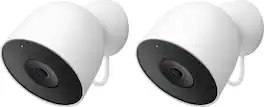
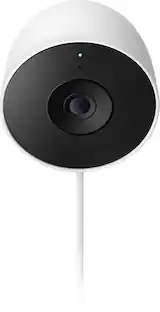
Google - Nest Cam Outdoor (wired, 2nd gen) - 2K Video and Gemini - 2-Pack - Snow
4.6(24)

Meet the smarter, sharper wired Nest Cam Outdoor with 2K video and Gemini. Get more peace of mind about the things that matter with the intelligence of Google Home. It provides more details, summarizes what happened, and lets you search video history simply by asking for something.¹,²,³

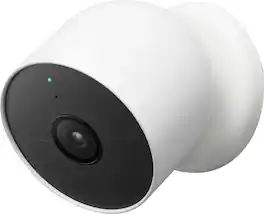
Google - Nest Cam Indoor/Outdoor Wire Free Security Camera - Snow

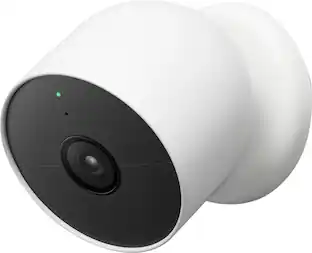
Who’s in the garden? Are the kids doing their homework yet? Nest Cam is wire-free, so it goes almost anywhere, outside or in. It knows the difference between people, animals, and vehicles, so you can get the alerts that are important to you. Listen and speak through the camera right from the Google Home app. Check in anytime with 24/7 live view.* If you miss a notification, you can always go back and see what happened with 3 hours of free event video history.* And it’s easy to install yourself – no outlet or wires required. Nest Camera Battery requires the Google Home app and a Google Account – it’s not compatible with the Nest app or the home.nest.com site. *** Stand and cable sold separately

Pros for Google - Nest Cam Indoor (wired, 3rd gen) - Latest Model - 2K Video and Gemini - Hazel
There were no pros for this productThere were no pros for this productThere were no pros for this productCamera Quality, Ease of use, Installation, Night Vision
Cons for Google - Nest Cam Indoor (wired, 3rd gen) - Latest Model - 2K Video and Gemini - Hazel
There were no cons for this productThere were no cons for this productThere were no cons for this productBattery Life, Motion Detection, App Compatibility, Compatibility, Connectivity

Specs

Reviews

Customer Images

The vast majority of our reviews come from verified purchases. Reviews from customers may include My Best Buy members, employees, and Tech Insider Network members (as tagged). Select reviewers may receive discounted products, promotional considerations or entries into drawings for honest, helpful reviews.

  • Rated 5 out of 5 stars

    Pretty nice indoor wired camera!

    I have two outdoor Google Nest cameras - a camera and a doorbell (more for the camera) but this is the first time I’ve invited Google as a “camera” into my home without it being attached to something else (Nest hub, phone, etc). Some good / bad and indifferent first, then more details - and will include (pic) when I back it up with proof … Good: Weight / Balance Daylight Clarity Google Home App USB-C to power Meh: Nighttime clarity Can’t turn off the “I’m here” light Bad: Wall/ceiling mount angle I have lots of cameras all around the outside of my home - wired PoE, Blink and a battery operated Google Camera (which is unfortunately out of battery today) - so I proudly display stickers that we record both audio & video. I currently have a Google Home Premium subscription (I have the Nest Doorbell), so my experience may be different than those that don’t have it - since there are more benefits, so take that into consideration. Initial thoughts - pretty heavy, nice grippy base and USB-C to the small sideways angled power brick. The gray is a nice look as well. My first bit of use was while I was out of town & had people coming & going to feed the pets. I was notified promptly of the guests and got snippets of their actions when in the view of the camera. Listening remotely, I found the sound was clear and at times LOUD - as I caught my mom watching youtube on the couch at 110% volume. With the subscription, it kept the videos, identified people vs pets and the quick clips and even gave a preview “zoomed in” on what made that trigger go off. Example: cat was jumping off the couch. Instead of the entire room being replayed for a small animal jumping, the preview showed a zoomed in cat - and when I clicked on the video to watch the replay, it was the entire room & I could choose to zoom where I wanted. Pretty slick. More common App customizations are motion zones, if you want to record audio with your alerts (or only during live view), how bright to make that stupid “I’m here status” light, (and none of those are “off”), and to use faces to let you know who’s there (if you set that up). I did find that when looking at night across a very open room with high ceilings, it looked rather hazy - as if the IR + camera were trying too hard & was making it look bad (pic). However, the color & clarity of the videos during daylight hours were great - no complaints there (pic). After those few days, the camera was relocated to its final destination - the garage. In the Google Home App, it’s ready for this designation! You can set it to watch for open garage doors & then alert numerous times at specified intervals; I set it for 5 reminders at 30 mins apart - mainly because I forget to shut the garage door in the late afternoon & with it getting dark earlier, I don’t want to find a coyote in there staring at me when I go to grab a beer. As the garage has a lower ceiling and is a much smaller room, night vision is perfectly fine (pic) and I am happy with how it looks - live, or recorded. I initially wanted to mount it to the ceiling & point at the garage door specifically but found that I hit the base when angling the camera back for a higher view. Even swiveling the camera so it’s facing the rear of the base didn’t help, so it landed on the fridge (pic). All in all, this is a very good camera. I do wish the larger area night vision wasn’t so hazy and that the ceiling mount could angle properly for me, but to me, it’s a solid wired camera. Recommended!

    Posted by nhtechie

  • Rated 5 out of 5 stars

    Great video and audio. Do you like subscriptions?

    Unboxing the Google Nest Cam Indoor was very straightforward. Inside the box is the camera (this thing is hefty for its size and feels like it’s forged from a single steel billet), a 10-foot USB-C power cable (hard-wired), power adapter, wall anchors and screws, and a quick-start guide. Packaging is clean and minimal and completely recyclable. Setup couldn’t be simpler: Plug it in using the included AC adapter, open the Google Home app, and follow the prompts. Easy. Camera placement is limited only by the presence of the power cord. It must be within 10 feet of a wall outlet, and I’ll have to get creative to properly conceal the cord. The Google Nest Cam Indoor can be placed on a table, windowsill, shelf – wherever – and it can also be wall mounted. I have currently placed the camera on a bookshelf in the office. The 2K HDR video is impressive. Colors are accurate, even in low light. Motion is smooth (I noticed no stutter or lag), and the field of view is wide enough to cover the entire room without distortion – though I do note a bit of a fisheye effect. Night vision is outstanding with illumination provided by two infrared LEDs. Yes, the night vision is black and white, but it is easy to identify faces and make out details in little or no light. The LEDs have sufficient range to view the entire office (about 15’) with the lights off. Audio is full-duplex, and it works well. I tested the two-way talk feature with my wife, and it was like using a walkie-talkie with a built-in mute button. Again, no lag, and speech is easily intelligible. Solely based on the function and quality of the audio, I’m contemplating upgrading our video doorbell to Nest. The camera’s built-in intelligence seems pretty cool. Documentation indicates it reliably detects people, pets, and motion, and it can send alerts. With Gemini integration, you can ask plain-language questions and get relevant responses complete with summary and pertinent video clips. Unfortunately, the camera is currently on a shelf in my home office where there is minimal activity. My plan is, come springtime, to set it up in the sunroom where it will have adequate shelter (it is an indoor cam) and a view overlooking the back yard and pool; it’s going to be awesome for monitoring activity. If you’ve ever used the Google Home app, getting to know your Google Nest Cam is very intuitive. Everything works just as you expect, and the interface is clean and easy to navigate. Here is my only complaint: Functionality is hobbled without a subscription. There are no event alerts (people, pets, cars). You’re limited to 3 hours of event video previews. No full video history. No continuous recording. To unlock the full feature set – like 30-day (Standard) or 60-day (Advanced) event history, facial recognition, and 24/7 recording – you’ll need a Google Home subscription, currently either $10/mo. or $20/mo. It’s not outrageous, but it’s a little disappointing. I wish more of the camera’s capabilities were available out of the box. The camera picture and sound quality are excellent. Build quality feels solid. It has a pleasing, unobtrusive design. The performance is top-tier. If you’re already in the Google ecosystem and don’t mind the subscription, this is a fantastic indoor security solution. Overall, the Nest Cam Indoor delivers sharp, colorful video with super-simple setup. Just be aware that full functionality resides behind a paywall. If you’re okay with that, it’s a great addition to your home.

    Posted by GamerDad

  • Rated 4 out of 5 stars

    Priceless Security!

    My first Nest camera was the Hello Video Doorbell. It was revolutionary to me, discovering the ability to capture all what occurred outside my residence. Based off that experience, I added the Nest Cam IQ Indoor camera. Even though there were more affordable options, my decision to go with that model was the fact that it was years ahead in terms of technology back then. The Google Nest Cam Indoor (wired, 3rd gen) has a similar appearance with a smaller formfactor. While not as expensive as the Nest Cam IQ Indoor was when it was available for purchase, this new addition to Google’s indoor cameras is a genuine contender to the IQ’s reign in my household. As packaged: • Google Nest Cam Indoor (wired, 3rd gen) • 10ft power cable with USB-C adapter • Cable clips (x2) • Wall screws and anchors (3 each) • Quick start guide • Safety & warranty document As previously mentioned, the Google Nest Cam 3rd gen is smaller than my previous Nest Cam IQ but actually weighs more at about 393g. It features a wider 152-degree diagonal field of view and is capable of 2K video resolution (2560 x 1440) at 20fps. Zooming capability is capped at 6X. Night vision is excellent thanks to two high-powered infrared LEDs. There is a status light to indicate video activity. Wireless connectivity is via Bluetooth and along with 802.11ac standard (2.4GHz/5GHz) for Wi-Fi. As formidable as the technical specifications may be, software capable of harnessing all of this is equally important. The device works with the Google Home app. My older generation Google Nest devices work with the Nest app and are accessible via the Google Home app albeit with limited use; timelapse for example is only available via the Nest app for these devices. In the Google Home app, there is no such feature. With incorporation of Gemini in the Google Nest Cam Indoor 3rd gen, review of footage is easier than actually scrolling through time lapse. One simply asks the Gemini via the Google Home app and wait on the response. One of my favorites is the daily brief where all observations are summarized for the user. It must be added that along with responses, Gemini provides clips to back them up. Another pleasant surprise was the seamless integration of my familiar faces from the Nest app. With Gemini onboard, captured events are displayed with description for notifications and to see faces tagged is quite refreshing to me. Setup was fairly straightforward. From the Google Home app, there is an option to scan the provided device QR code or search using your smartphone/tablet’s Bluetooth. Hardware appears well-built. Videos are clear with crisp audio. Two-way communication works the same way they have with my other devices: unmute the microphone to speak and then mute to hear the other person. Activity zones can also be created to focus on specific zones should you choose. Various settings for heard and seen events can help you fine tune your events for notifications. Given that my other Nest/Google devices are still actively working, my new Google Nest Cam 3rd gen should be around for a while. I have always had a subscription for my cameras. The previous Nest Aware Plus was the only option which provided 10 days of continuous video recording and 60 days of stored events I found useful for my needs. It is now called the Advanced plan under the rebranded Google Home Premium moniker. This subscription tier allows me to harness the most potential of Gemini, in my opinion. 60 days of access to stored events implies 60 searchable days by Gemini. The descriptions delivered with the notifications are also only available with the Advanced plan. While I am a loyal subscriber, this may be a dealbreaker for others once realization sets in they may not be using their devices to their utmost potential. The tradeoff in my opinion is the relatively lower price of the device itself compared to the Nest Cam IQ in its prime. Gemini is without fault but it is also continuously evolving. In summary, the Google Nest Cam 3rd gen is the culmination of years of development. With the integration of Gemini, a new era of boundless possibilities may be upon us, in my opinion. If there was any improvement for the next iteration, I would recommend a larger zoom capability and a possible return of the Supersight feature for tracking. As packaged, this device provides robust security with subscription which is priceless in my opinion. I totally recommend.

    Posted by Knivels

No content
Sponsored

Similar products from outside of Best Buy

sponsored

Finance Options

My Best Buy® Credit Card
10% back in rewardson your first day of purchases when approved for the My Best Buy® Credit Card.
Buy Now, Pay Later
4 payments starting at $18.75

Special Offers

Top Offers
Trending
Save 50% on Google Nest device with TV