Early Black Friday DealsNew Doorbusters every Friday.Shop now

Main Content

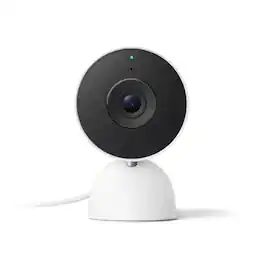
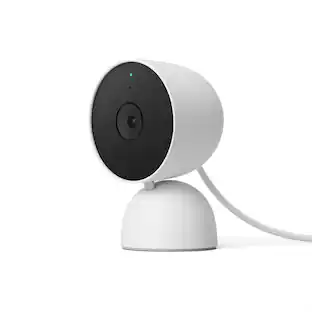
Google - Nest Cam Indoor (wired, 3rd gen) - Latest Model - 2K Video and Gemini - Snow

Model: GA09973-US
SKU: 6642734
$74.99
Save $25
Comp. Value: $99.99
or
Finance OptionsView your offers
Special OffersOn related products
Availability
Fulfillment Options

FREE shipping to

Sold by Best Buy
Standard Geek Squad Protection

More Buying Options

Highlights

  • Key Specs
    • Video Camera Resolution: 2K (1440p) (Refers to the number of pixels, both horizontally and vertically, used to capture video/images. The higher the resolution the finer the detail that can be seen.)
    • Night Vision: true
    • Number Of Cameras Included: 1
    • Camera Power Source: Cable with AC Adapter/Plug-in, Cable with AC Adapter/Plug-in
    • Works With: Google Home, Amazon Alexa (Compatible with or able to be connected to other smart devices or applications.)
    • Maximum Operating Temperature: 104 degrees fahrenheit (The highest recommended ambient (surrounding) temperature in which the product can ideally operate stated by the manufacturer. Generally long-term exposure of the product to temperatures more than the maximum can result in ineffective operation.)
    • Storage Type: Cloud
    • Indoor Or Outdoor Use: Indoor (Indicates the appropriate environment product was designed to be used in.)
    • Minimum Operating Temperature: 32 degrees fahrenheit (The lowest recommended ambient (surrounding) temperature in which the product can ideally operate stated by the manufacturer. Generally long-term exposure of the product to temperatures less than the minimum can result in ineffective operation.)
    • Audio Communication: 2-way (1-way communication devices allow a user to hear detected audio, while 2-way communication adds the ability for a user to talk back through the device.)
  • General
    • Brand: Google
    • Model Number: GA09973-US
    • Product Name: Nest Cam Indoor (wired, 3rd gen) - Latest Model - 2K Video and Gemini
    • Color: Snow
  • Camera
    • Video Camera Resolution: 2K (1440p) (Refers to the number of pixels, both horizontally and vertically, used to capture video/images. The higher the resolution the finer the detail that can be seen.)
    • Camera Resolution: 2560 x 1440 (Refers to the number of pixels, both horizontally and vertically, used to capture video/images. The higher the resolution the finer the detail that can be seen.)
    • Night Vision: true
    • Night Vision Distance: 15 feet
    • Camera Movement: Fixed
    • Zoom Mode: Digital
    • Number Of Cameras Included: 1
    • Day/Night Mode: true (Captures images/video with optimal clarity by automatically adjusting settings to various light levels.)
    • IP Camera: true (An Internet Protocol (IP) camera is able to record and display image/video data via the internet, without need for a local recording device.)
    • Image Sensor Type: CMOS (CCD and CMOS are the two main technologies used in image sensors. CCD, the older of the two types, turns analog light signals into digital pixels. This conversion happens without distortion, resulting in high-quality images. Newer CMOS sensors use transistors at each pixel to move electrical charges. CMOS sensors are typically less expensive, but also require more light to create distortion-free images.)
    • Infrared Cut Off Filter: true (Often referred to as an IR or heat-absorbing filter, this camera feature is designed to block infrared light during the day to produce optimally lit images, while still allowing for night vision capabilities in low light.)
    • Focal Length Control: Fixed focal (Fixed cameras do not allow for adjustments to the focal length, and typically provide a wide angle view. Vari-focal cameras allow manual adjustments, while motorized zoom cameras can be adjusted from either the camera or control center.)
  • Power
    • Camera Power Source: Cable with AC Adapter/Plug-in, Cable with AC Adapter/Plug-in
  • Compatibility
    • App Compatible: true (The product can be connected to a program or software application on a mobile device, which then receives collected data from the product.)
    • Compatibility: Works with Google Home, Compatible with Amazon Alexa
    • Brand Compatibility: Google
    • Operating System Compatibility: Android
    • Works With: Google Home, Amazon Alexa (Compatible with or able to be connected to other smart devices or applications.)
    • Voice Assistant Built-in: No (A digital assistant built into the device that uses voice commands to answer questions and control smart devices.)
  • Connectivity
    • Camera Connectivity: Wireless (Security system cameras can be set up in several ways. Wired cameras require cables for power and footage transmission, while wire-free cameras don't need cables for either. Wireless cameras still require cables for receiving power but are able to transmit footage via a wireless network.)
    • Frequency Band: 2.4 GHz, 5.0 GHz (Bands may be grouped into categories such as low- and high-band VHF (Very High Frequency), low- and high-band UHF (Ultra High Frequency), or certain frequency channels (measured in MHz or GHz). Generally, higher frequencies transmit information faster but have shorter range than lower frequencies.)
    • Encryption Type: WEP, WPA, WPA2, WPA3 (The security protocols or certification programs that protect the Wi-Fi network.)
  • Recording & Playback
    • Streaming Video: true (The ability to transmit a live video feed from the product.)
    • Video Recording Capability: true
    • Video Recording Features: Motion, people, animals and vehicle detection
    • Records Audio: true
    • Video Recording Prompt: Continuous Video Recording (CVR)
  • Performance
    • Maximum Operating Temperature: 104 degrees fahrenheit (The highest recommended ambient (surrounding) temperature in which the product can ideally operate stated by the manufacturer. Generally long-term exposure of the product to temperatures more than the maximum can result in ineffective operation.)
    • Indoor Or Outdoor Use: Indoor (Indicates the appropriate environment product was designed to be used in.)
    • Minimum Operating Temperature: 32 degrees fahrenheit (The lowest recommended ambient (surrounding) temperature in which the product can ideally operate stated by the manufacturer. Generally long-term exposure of the product to temperatures less than the minimum can result in ineffective operation.)
  • Storage
    • Storage Type: Cloud
  • Features
    • Audio Communication: 2-way (1-way communication devices allow a user to hear detected audio, while 2-way communication adds the ability for a user to talk back through the device.)
    • Audio-Only Option: false
    • Mount Type: Wall mount, Freestanding
  • Dimensions
    • Product Height: 3.9 inches (The out of box height of the item. Height is measured as the vertical distance from the bottom of the item to the top as it would be primarily used or placed.)
    • Product Width: 2.5 inches (The out of box width of the item. Width is measured as the horizontal distance from one side of the item to the other as it would be primarily used or placed.)
    • Product Depth: 2.2 inches (The out of box depth of the item. Depth is measured as the distance from the front of the item to the back as it would be primarily used or placed.)
    • Product Weight: 0.88 pounds (The out of box weight of the item.)
  • Included
    • Cable(s) Included: true
  • Warranty
    • Warranty - Parts: 1 year
    • Warranty - Labor: 1 year
  • Other
    • UPC: 840353926349

Meet the smarter, sharper wired Nest Cam Indoor with 2K video and Gemini. Get more peace of mind about the things that matter with the intelligence of Google Home. It provides more details, summarizes what happened, and lets you search video history simply by asking for something.¹,²,³

  • Always in the know with always-on power.: No need to recharge batteries or replace them. Nest Cam also powers 24/7 continuous video recording when you subscribe to Google Home Premium Advanced.
  • Keep up with what’s important to you.: With the intelligence of Google Home, get more detailed event descriptions and search your video history just by asking (subscription required).³
  • See everything clear as day.
And night.: Video is crisp and clear in 2K, Nest Cam’s highest resolution ever.² See rich color and details, and see in the dark with night vision.
  • Scroll less. Find more.: Search your video history with help from Gemini.³ Try something like “What happened to the vase in the living room?” to see a summary and clips (subscription required).
  • Get the fuller picture behind every alert.: With Google Home Premium, you can know even more about what’s happening outside with notifications like “Dog jumps out of playpen.”.³
  • Nest Cam’s widest and tallest field of view yet.: With a wider, taller field of view, almost nothing’s out of frame – you can see even more of a long hallway or large room.¹
  • Check in anytime.: See your home’s live video feed in the Google Home app. Check your video history to see what you missed, and talk to someone in your home.⁴
  • Intelligent alerts that are actually intelligent.: Nest Cam sends built-in alerts when it spots a person, vehicle, or animal.⁴
  • Knows a face. And a name.: With a Google Home Premium subscription, Nest Cam can learn the faces of your friends and family, so you know who’s coming and going.⁵
  • Know more about what went down.: With an Advanced subscription to Google Home Premium, get more detailed event descriptions and tap to see a longer summary of what happened.³
  • Catch up on your home at a glance.: See a summary of recorded events in a daily recap with help from Gemini, so you don’t miss a thing at home (subscription required).³
  • Focus on what matters most.: With Zoom & Crop in the Google Home app, you can zoom in and crop your Nest Cam view to stay focused on one important spot, like a baby crib.⁴
  • See what you missed.: If you miss an alert, check out event video previews with 10-second clips of each event that happened over the past 6 hours.⁴
  • Don’t miss a thing with Google Home Premium.: Get 30 days of event video history – or 60 days of event history plus 10 days of continuous video recording with an Advanced subscription.⁴
  • Create easy home automations with Gemini.: With a Google Home Premium subscription and Help me create, just type what you want to do in the Google Home app, like “Lock the doors and turn off the lights at bedtime.”.³,⁶
Whats Included
  • Nest Cam Indoor camera
  • 3 wall anchors
  • 3 wall screws
  • Cable clip
  • Charge cable, 10 ft (3 m) with USB-C connection
  • Power adapter
  • Quick start guide
  • Safety and warranty document
Disclaimers
  • ¹ Compared to earlier Nest Cam and Nest Doorbell models.
  • ² Availability of 2K resolution is dependent on Wi-Fi and network strength, and requires connectivity speed of at least 3.3Mbps.
  • ³ Requires Google Home Premium Advanced plan (sold separately), Google Home app, Wi-Fi, and internet connection. Features subject to change; available in select countries and languages. Gemini features work independently of Gemini apps. Check responses for accuracy; results may vary.
  • ⁴ Some features, including mobile and browser notifications, remote control, video recording, video streaming and video history, require the Google Home app and working internet and Wi-Fi.
  • ⁵ Familiar face alerts require Google Home Premium subscription, working Internet and Wi-Fi. Not available in Nest Cams used in Illinois.
  • ⁶ Home Automations may require additional enrollment and setup, and depend on working internet, Wi-Fi and service availability for compatible smart home devices (sold separately) included in the automations.

Q: Do both the new nest cams keep recording when Internet is down and upload the recordings when it connects like the previous version? Also they have Alexa in the description on this product

A: Thanks for asking, Allan. Yes, the Nest Cam Indoor (Wired, 3rd Gen) has enough internal memory to store up to one hour of recorded events when they're offline. When your camera reconnects, locally stored video is uploaded to the cloud and removed from your camera's internal memory. Check out this guide for more details: https://support.google.com/googlenest/answer/9242083

Q: how to connect to wifi

A: Hi there. To set up the Nest Cam Indoor (Wired, 3rd Gen), you’ll need to add it to the Google Home app — here’s how: 1. Open the Google Home app. 2. From the Home tab, tap Add > Device > Scan QR code. 3. Choose the home you want to add your camera to, or select Add another home to create a new one. Then, tap Next. 4. The app looks for nearby devices. When prompted, select the camera model you have as the device you want to set up. 5. Use your phone’s camera to scan your camera’s QR code. You can also tap Continue without scanning and enter the setup code. 6. The app walks you through setup and installation. If you'd like an extra hand, reach out to us here: https://support.google.com/googlenest/gethelp?

Q: Is there not a 3rd gen Outdoor Nestcam?

A: Thanks for asking, Josh. There’s our new Nest Cam Outdoor (wired, 2nd Gen) which is now available. We’re here for you if you have any additional questions: https://support.google.com/googlenest/gethelp?

Sponsored

Compare similar products

Google - Nest Cam Indoor (wired, 3rd gen) - Latest Model - 2K Video and Gemini - Snow
4.5(26)

Meet the smarter, sharper wired Nest Cam Indoor with 2K video and Gemini. Get more peace of mind about the things that matter with the intelligence of Google Home. It provides more details, summarizes what happened, and lets you search video history simply by asking for something.¹,²,³

Google - Nest Cam Indoor Wired Security Camera - Snow

The indoor Nest Cam knows the difference between a person, pet, and vehicle, and alerts you about the things that matter to you, instead of the things that don't. 24/7 live view shows you what’s happening from anywhere.* With 3 hours of free event video history, you can go back and see what you missed. And it comes in different colors to fit your style. The indoor Nest Camera requires the Google Home app and a Google Account – it’s not compatible with the Nest app or the home.nest.com site.

Google - Nest Cam Outdoor (wired, 2nd gen) - 2K Video and Gemini - 1-Pack - Hazel
4.6(23)

Meet the smarter, sharper wired Nest Cam Outdoor with 2K video and Gemini. Get more peace of mind about the things that matter with the intelligence of Google Home. It provides more details, summarizes what happened, and lets you search video history simply by asking for something.¹,²,³

Google - Nest Cam Indoor/Outdoor Wire Free Security Camera - Snow

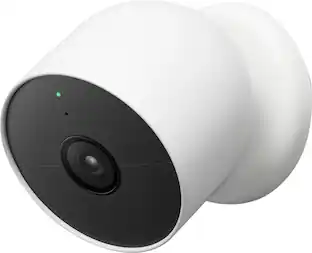
Who’s in the garden? Are the kids doing their homework yet? Nest Cam is wire-free, so it goes almost anywhere, outside or in. It knows the difference between people, animals, and vehicles, so you can get the alerts that are important to you. Listen and speak through the camera right from the Google Home app. Check in anytime with 24/7 live view.* If you miss a notification, you can always go back and see what happened with 3 hours of free event video history.* And it’s easy to install yourself – no outlet or wires required. Nest Camera Battery requires the Google Home app and a Google Account – it’s not compatible with the Nest app or the home.nest.com site. *** Stand and cable sold separately

Pros for Google - Nest Cam Indoor (wired, 3rd gen) - Latest Model - 2K Video and Gemini - Snow
There were no pros for this productThere were no pros for this productThere were no pros for this productCamera Quality, Ease of use, Installation, Night Vision
Cons for Google - Nest Cam Indoor (wired, 3rd gen) - Latest Model - 2K Video and Gemini - Snow
There were no cons for this productThere were no cons for this productThere were no cons for this productBattery Life, Motion Detection, App Compatibility, Compatibility, Connectivity

Specs

Reviews

Customer Images

The vast majority of our reviews come from verified purchases. Reviews from customers may include My Best Buy members, employees, and Tech Insider Network members (as tagged). Select reviewers may receive discounted products, promotional considerations or entries into drawings for honest, helpful reviews.

  • Rated 4 out of 5 stars

    Nest Cam Now Has AI

    Summary The Nest Cam Indoor is now powered with AI. The 3rd Gen Nest Cam Indoor has arrived. It has basically all of the same features that the Gen 2 camera had, but now those who subscribe to the Google Home Premium plan can utilize AI features powered through Gemini. Features There’s not a whole lot new with the camera itself. The new selling point here is really the added Gemini AI concept. Here’s the basic list of features: • 2K video (2 settings for quality in the app) • Night Vision • Meant to be used indoor • AC Adapter powered • Phone alerts for movement • Learning facial recognition (in the settings) • Audio recording and speaking • Google Home & Alexa compatible • Wireless Connection (2.4 GHz and 5.0 GHz) • Gemini AI Important to Know Subscription – You will need a Google Home Premium subscription to do things such as use the Gemini AI, record 24/7 video, use facial recognition, get detailed summaries of events, or create home automations. Subscription Price – The price for the Google Home Premium went up in 2025. I assume that this is to pay for the Gemini addition. I do not see an alternative price for those not interested in using the AI features. My Experience I’ll skip describing the use of the camera as it’s basically the same thing that the Google Nest cameras have always been. This one does 2K video instead of 1080P, but otherwise mostly the same as previous versions. Gemini Summary – The camera can produce a daily summary of events that took place within the camera’s view. If it recognizes a face it could use the person’s name and tell you what that person did. My experience with the summaries were that they weren’t always accurate. For instance, I moved a trash can behind my dog’s crate, and AI thought that I placed a trash bag in my dog’s crate. The bag never left the can, so the interpretation was off. Another time, the summary said that a person picked up a blue dog and placed it in a bag. Well, we don’t have a blue dog, so I don’t know what it was talking about. My family finds the summaries amusing sometimes because the descriptions are specific but vague at the same time. We set up this camera to be our doggy cam (it’s focused on our dog crate so that we can check in on our crate training dog.) We have a cropped view of just the crate. Because of the cropped view, the camera never sees anyone’s faces, so it tries to describe each person by their pants. The camera never knows us by name. It just says the person in the tan pants versus the person with the black pants. I have attached screenshots of the Gemini summaries in my review so that you can see an example. Video Clips and AI Tags – Every time something moves in front of the camera it gets registered as an event. The AI program will generate description tags to go along with each clip so that you can find the type of event easier. For instance, if your dog chewed through a toy the AI clip might say “brown dog tore up stuffed animal” or something similar. Or if you fed your dog the tag might say “black dog eats from white bowl”. Overall The Google Nest Cam Indoor 3rd Gen is an interesting progression in security cameras. It has all of the features of the previous cameras, but has added AI and updated to 2K video. I’d like to see a 4K camera in the future. The AI is still buggy, but I do like the added clip tags. The camera comes at a decent price point, and I am considering getting an additional camera (or more). I have decided that if I must pay for a Google Home Premium subscription (since I want the 60-day recording), I’d rather have multiple cameras to justify paying for the subscription (doorbell, outdoor, and indoor). Since the AI is not perfect and there’s still room to upgrade the video quality, I am giving this a 4 star rating.

    Posted by sgriesch

  • Rated 5 out of 5 stars

    Simply perfection

    When it comes to home cameras, there are Nest Cams, and then there’s everything else. I’ve been a big fan of Nest since before Google acquired them, and I’ve been consistently impressed with how Google has continued to improve both their quality and reliability. My first Nest Cam purchase was back in 2015, when my son was born and we wanted to use it as a baby monitor. Ten years later, that same camera is still plugged in, still working, and the video quality looks just as good as the day I bought it. That reliability alone says a lot. However, this new Indoor Nest Camera takes everything up a notch. The video quality is dramatically better, and it comes with several new features that make it a real upgrade. One of the biggest strengths of the Nest ecosystem is how seamlessly everything works together. The thermostat, temperature sensors, doorbells, and cameras all communicate for a truly connected home experience. When paired with a Nest Aware subscription (now called Google Home Premium), which stores cloud history for an unlimited number of cameras, you get a ton of extra functionality that’s actually useful in day-to-day life. One of my favorite Nest features has always been continuous recording. It lets you scroll through an entire day (or week) to see what happened, rather than just relying on short event clips. When my son was a baby, that feature solved more mysteries than I can count. We used it to find lost toys, check in on him at night, and even caught moments like his first steps, all because Nest records continuously. Most home cameras only record short motion clips, and once you’ve used full-day playback, it’s hard to go back. This Nest Camera also includes automatic night vision using infrared lights, and the results are outstanding with the higher video quality. The night-time clarity is noticeably better than my older model. Probably my favorite new feature, though, is the integration with Google Gemini AI. As soon as I added the camera to my network, I was prompted to enable it. Now, instead of vague alerts like “Animal seen in den,” I get specific notifications such as “Kittens playing with toys in den.” These events are also tagged in the app, so you can easily filter or search across multiple cameras. The camera comes with a wall mount, which is especially helpful if you’re using it as a baby monitor. It’s flexible and easy to position exactly where you need it. Areas for improvement: While this model is wired, I’d love to see a small backup battery added in future versions to keep it running through brief power outages or surges. I also miss the timelapse feature from the original Nest app, which hasn’t made its way into the Google Home app yet. After trying so many different home cameras over the years, Nest continues to be my favorite. My original camera has outlasted every other brand I’ve tried, and this new model appears to be even higher quality, with better integration, and smarter features. You'll be hard pressed to find another camera line this polished and reliable, especially when paired with the Google Home Premium subscription.

    Posted by CatCity

  • Rated 4 out of 5 stars

    AI features not quite ready for Primetime

    The Nest Indoor Cam wired 3rd gen is more than just Google’s next iteration of their smart camera. The 3red gen indoor Nest camera comes equipped with upgraded specs and Gemini capabilities. So, what’s new for the 3rd gen edition? 1. The Nest Cam 3rd Gen comes equipped with a 2k (2560X1440) sensor that’s an upgrade from 1080p. 2. The field of view has been increased from 135 degrees to 152 degrees. 3. The event-based previews have been increased from 3 hours to 6 hours’ worth of history. 4. New color options for the 3rd Gen 5. Nest Aware has been replaced with Google Home Premium. There are many manufacturers with smart cameras however, Google has integrated Gemini in the software which sets them apart from the competition. After spending some time with the new Nest Cam indoor, I’ve come to the conclusion that it’s not about the hardware at all. I’ve spent most of my time getting comfortable with the software surrounding the Nest Cam. For this reason, I have some thoughts on the Nest Camera 3rd Gen, and Google Home Premium Standard/Advanced. Nest Cam 3rd Gen Google kept the same design language and upgraded some parts of the Nest Cam. Night vision mode incorporates infrared LEDs and displays awesome picture clarity. The field of view is massive and the resolution of the image quality is on point. I don’t have any complaints surrounding the camera itself. The only issues I have, is most of the best features are locked behind a paywall. The best features require a yet another subscription. Google Home App Using the Google Home App has vastly improved from years past. I don’t mind managing all my devices from the Google home app now. The app has been refined and it’s less clunky. All of my favorite devices are right on the home screen of the Google Home app which allows me to access them quickly. Google Home Premium and Gemini – Although the concept is pretty cool in theory, the AI features aren’t ready for primetime. I currently subscribe to Google Home Premium Advanced which is Google most capable plan. The 60-day event and 10 days of 24/7 video history are nice to have. The familiar face alerts do not work consistently. I have several family members saved and it either doesn’t recognize the people I have saved, or it may think it’s another family member all together. The daily summary within Gemini is pretty cool as well, but most of them are marred with incorrect statements. I continue to provide feedback within the Google Home app to get some of these issues rectified daily. Having the ability to have Gemini scrub through footage for specific events is awesome while using the summary feature, it’s just not reliable yet. Most of the descriptive notifications work as intended however the familiar faces really suffers at recognizing saved faces. I can’t recommend paying for the Advanced subscription until Google irons out the issues that I have mentioned above. Once those issues are ironed out, the Nest Cam 3rd with Google Home Premium will be well worth the cost of ownership.

    Posted by kriserikka

No content
Sponsored

Similar products from outside of Best Buy

sponsored

Finance Options

My Best Buy® Credit Card
10% back in rewardson your first day of purchases when approved for the My Best Buy® Credit Card.
Buy Now, Pay Later
4 payments starting at $18.75

Special Offers

Top Offers
Trending
Save 50% on Google Nest device with TV