Google - Nest Cam Indoor (wired, 3rd gen) - Latest Model - 2K Video and Gemini - Berry
Customers are saying
Customers recognize the exceptional video quality as the standout feature of this product, frequently praising its clarity. Users also appreciate the smooth and straightforward setup process, along with the device's sleek, minimal design. Additionally, many are impressed by the expansive field of view and the reliable performance of the night vision capabilities.
Color
BerryHighlights
Ranked #1 in image quality for 2026 indoor cameras by DXOMARK.⁴,⁵
Always in the know with always-on power.
No need to recharge batteries or replace them. Nest Cam also powers 24/7 continuous video recording when you subscribe to Google Home Premium Advanced.
Keep up with what’s important to you.
With the intelligence of Google Home, get more detailed event descriptions and search your video history just by asking (subscription required).³
See everything clear as day. And night.
Video is crisp and clear in 2K, Nest Cam’s highest resolution ever.² See rich color and details, and see in the dark with night vision.
Scroll less. Find more.
Search your video history with help from Gemini.³ Try something like “What happened to the vase in the living room?” to see a summary and clips (subscription required).
Get the fuller picture behind every alert.
With Google Home Premium, you can know even more about what’s happening outside with notifications like “Dog jumps out of playpen.”.³
Nest Cam’s widest and tallest field of view yet.
With a wider, taller field of view, almost nothing’s out of frame – you can see even more of a long hallway or large room.¹
Check in anytime.
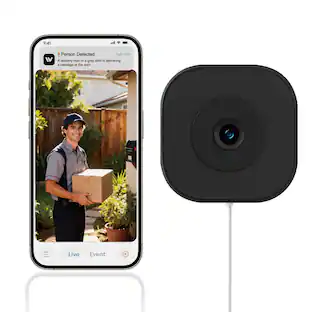
See your home’s live video feed in the Google Home app. Check your video history to see what you missed, and talk to someone in your home.⁶
Intelligent alerts that are actually intelligent.
Nest Cam sends built-in alerts when it spots a person, vehicle, or animal.⁶
Knows a face. And a name.
With a Google Home Premium subscription, Nest Cam can learn the faces of your friends and family, so you know who’s coming and going.⁷
Know more about what went down.
With an Advanced subscription to Google Home Premium, get more detailed event descriptions and tap to see a longer summary of what happened.³
Catch up on your home at a glance.
See a summary of recorded events in a daily recap with help from Gemini, so you don’t miss a thing at home (subscription required).³
Focus on what matters most.
With Zoom & Crop in the Google Home app, you can zoom in and crop your Nest Cam view to stay focused on one important spot, like a baby crib.⁶
See what you missed.
If you miss an alert, check out event video previews with 10-second clips of each event that happened over the past 6 hours.⁶
Don’t miss a thing with Google Home Premium.
Get 30 days of event video history – or 60 days of event history plus 10 days of continuous video recording with an Advanced subscription.⁶
Create easy home automations with Gemini.
With a Google Home Premium subscription and Help me create, just type what you want to do in the Google Home app, like “Lock the doors and turn off the lights at bedtime.”.³,⁸
- Video Camera Resolution2K (1440p)Night VisionYesNumber Of Cameras Included1Camera Power SourceCable with AC Adapter/Plug-in, Cable with AC Adapter/Plug-inWorks WithGoogle Home, Amazon Alexa
Reviews
Rating 4.7 out of 5 stars with 243 reviews
- Video Quality (129)
- Setup Ease (54)
- Design (15)
- Field of View (15)
- Night Vision (11)
Customer Images
The vast majority of our reviews come from verified purchases. Reviews from customers may include My Best Buy members, employees, and Tech Insider Network members (as tagged). Select reviewers may receive discounted products, promotional considerations or entries into drawings for honest, helpful reviews.

Compare similar products
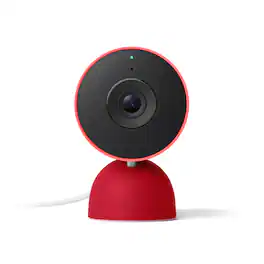
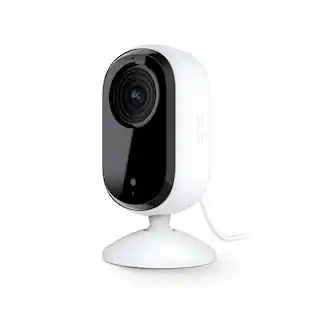
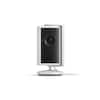
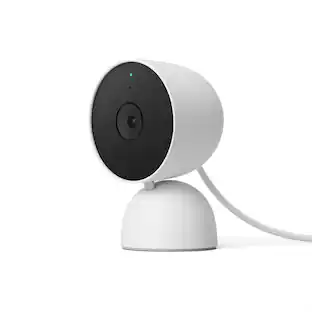
Meet the smarter, sharper wired Nest Cam Indoor with 2K video and Gemini. Get more peace of mind about the things that matter with the intelligence of Google Home. It provides more details, summarizes what happened, and lets you search video history simply by asking for something.¹,²,³
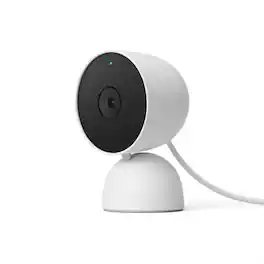
The indoor Nest Cam knows the difference between a person, pet, and vehicle, and alerts you about the things that matter to you, instead of the things that don't. 24/7 live view shows you what’s happening from anywhere.* With 3 hours of free event video history, you can go back and see what you missed. And it comes in different colors to fit your style. The indoor Nest Camera requires the Google Home app and a Google Account – it’s not compatible with the Nest app or the home.nest.com site.
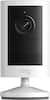
Who’s in the garden? Are the kids doing their homework yet? Nest Cam is wire-free, so it goes almost anywhere, outside or in. It knows the difference between people, animals, and vehicles, so you can get the alerts that are important to you. Listen and speak through the camera right from the Google Home app. Check in anytime with 24/7 live view.* If you miss a notification, you can always go back and see what happened with 3 hours of free event video history.* And it’s easy to install yourself – no outlet or wires required. Nest Camera Battery requires the Google Home app and a Google Account – it’s not compatible with the Nest app or the home.nest.com site. *** Stand and cable sold separately

Meet the smarter, sharper wired Nest Cam Outdoor with 2K video and Gemini. Get more peace of mind about the things that matter with the intelligence of Google Home. It provides more details, summarizes what happened, and lets you search video history simply by asking for something.¹,²,³
| Pros for Google - Nest Cam Indoor (wired, 3rd gen) - Latest Model - 2K Video and Gemini - Berry | |||
|---|---|---|---|
| Video Quality, Setup Ease, Design, Field of View, Night Vision | Overall Performance, Video Quality, Design, Night Vision | Overall Performance, Night Vision, Camera Quality, Ease of use, Installation | Video Quality, Setup Ease, Field of View, Resolution, Connectivity |
| Cons for Google - Nest Cam Indoor (wired, 3rd gen) - Latest Model - 2K Video and Gemini - Berry | |||
| There were no cons for this product— | Connectivity, App Compatibility, Compatibility, Features, Resolution | App Compatibility, Connectivity, Compatibility, Battery Life, Charging Cable | Cable Length |
Specs
Customers often buy these together
Smart Doorbell






Home Security System
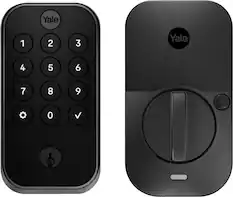
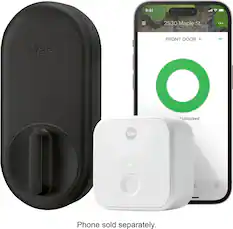
Yale - Assure Lock 2 - Smart Lock Wi-Fi Deadbolt with Push Button Keypad | Key Access - Black Suede
$169.99The price was $259.99
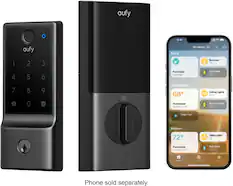
eufy - FamiLock S3 Max WiFi Replacement Deadbolt with 2K Video Doorbell and Palm Scanner - Gray
Top Deal$329.99The price was $399.99



More recommended items
 Smart Speakers and Displays
 Networking
 Sensors and Detectors
More to consider
 Top Deal$29.99The price was $39.99

Control, Comfort, Convenience Sponsored
 Top Deal$149.99The price was $199.99
 Top Deal$399.99The price was $499.99
Discover related products
 $169.99The price was $199.99




Keep exploring
 $599.99The price was $999.99
 $669.99The price was $1,079.99
 $474.99The price was $729.99