Customer Ratings & Reviews








- Model:
- GA09973-US
- SKU:
- 12338901
Rating by feature
- Value
Rating 4.7 out of 5 stars
- Quality
Rating 4.8 out of 5 stars
- Ease of Use
Rating 4.8 out of 5 stars
to a friend
Notice: shorter preview windows
||Posted .This reviewer received promo considerations or sweepstakes entry for writing a review.This new model only comes with 10s preview without subscription. For the old version, it used to be at most 3 minutes
No, I would not recommend this to a friendBest cam so far
||Posted . Owned for less than 1 week when reviewed.This reviewer received promo considerations or sweepstakes entry for writing a review.Setup is easy and smooth. Up and running with no time.
I would recommend this to a friendPortable Camera
||Posted . Owned for 3 weeks when reviewed.This reviewer received promo considerations or sweepstakes entry for writing a review.Average indoor camera, sometimes gets blurry. I like the fact that is easy to move around.
I would recommend this to a friendNest for the win
||Posted .This reviewer received promo considerations or sweepstakes entry for writing a review.We love our nest system. Love that we have adt linked to it as well.
I would recommend this to a friendoutdoor cam
||Posted .This reviewer received promo considerations or sweepstakes entry for writing a review.a great camera - it's responsive, reliable, and provides good resolution.
I would recommend this to a friendNot bad
||Posted .This reviewer received promo considerations or sweepstakes entry for writing a review.Good value honestly. Like the new google features.
I would recommend this to a friendLove the new color
||Posted . Owned for 1 month when reviewed.This reviewer received promo considerations or sweepstakes entry for writing a review.Great product, easy to setup and colors look great in the home.
I would recommend this to a friendQuality and reliability
||Posted .This reviewer received promo considerations or sweepstakes entry for writing a review.Plug and play easy to connect to google home app great addition
I would recommend this to a friendCamera
||Posted . Owned for 3 weeks when reviewed.This reviewer received promo considerations or sweepstakes entry for writing a review.Great camera you can see it clearly you’re surrounded area.
I would recommend this to a friendEasy install
||Posted .This reviewer received promo considerations or sweepstakes entry for writing a review.Quick and Easy setup app provided detailed setup guide.
I would recommend this to a friendWorth it
||Posted .This reviewer received promo considerations or sweepstakes entry for writing a review.Love it. I have two in my house. Easy to set up!!!
I would recommend this to a friendNot as Good as I Hoped.
||Posted . Owned for 2 weeks when reviewed.This reviewer received promo considerations or sweepstakes entry for writing a review.First one I bought wouldn’t power on so had to replace it. The second one goes offline all the time. They say it’s probably related to the WiFi but my other Nest camera (2nd gen) and other Google devices work just fine. Not really sure about this 3rd gen camera.
No, I would not recommend this to a friendBrand response from Google Team
Posted .Hi there, JulianR. Sorry to hear you’re running into connectivity issues with the Nest Cam Indoor (Wired, 3rd Gen). We’d be happy to continue investigating what may be happening and get you the best resolution — when you get a second, talk to us here: https://support.google.com/googlenest/gethelp

Frequent shopper
||Posted . Owned for 1 week when reviewed.This reviewer received promo considerations or sweepstakes entry for writing a review.View is to stretched out for a full room view doesn’t have a rotate option
No, I would not recommend this to a friendBrand response from Google Team
Posted .Thanks for reaching out about your Nest Cam Indoor (Wired, 3rd Gen), UNImom. We hear your concerns regarding image quality and we’d like to look into this further to get you the best experience possible — when you get a moment, reach out to us here: https://support.google.com/googlenest/gethelp

High Resolution with AI Features
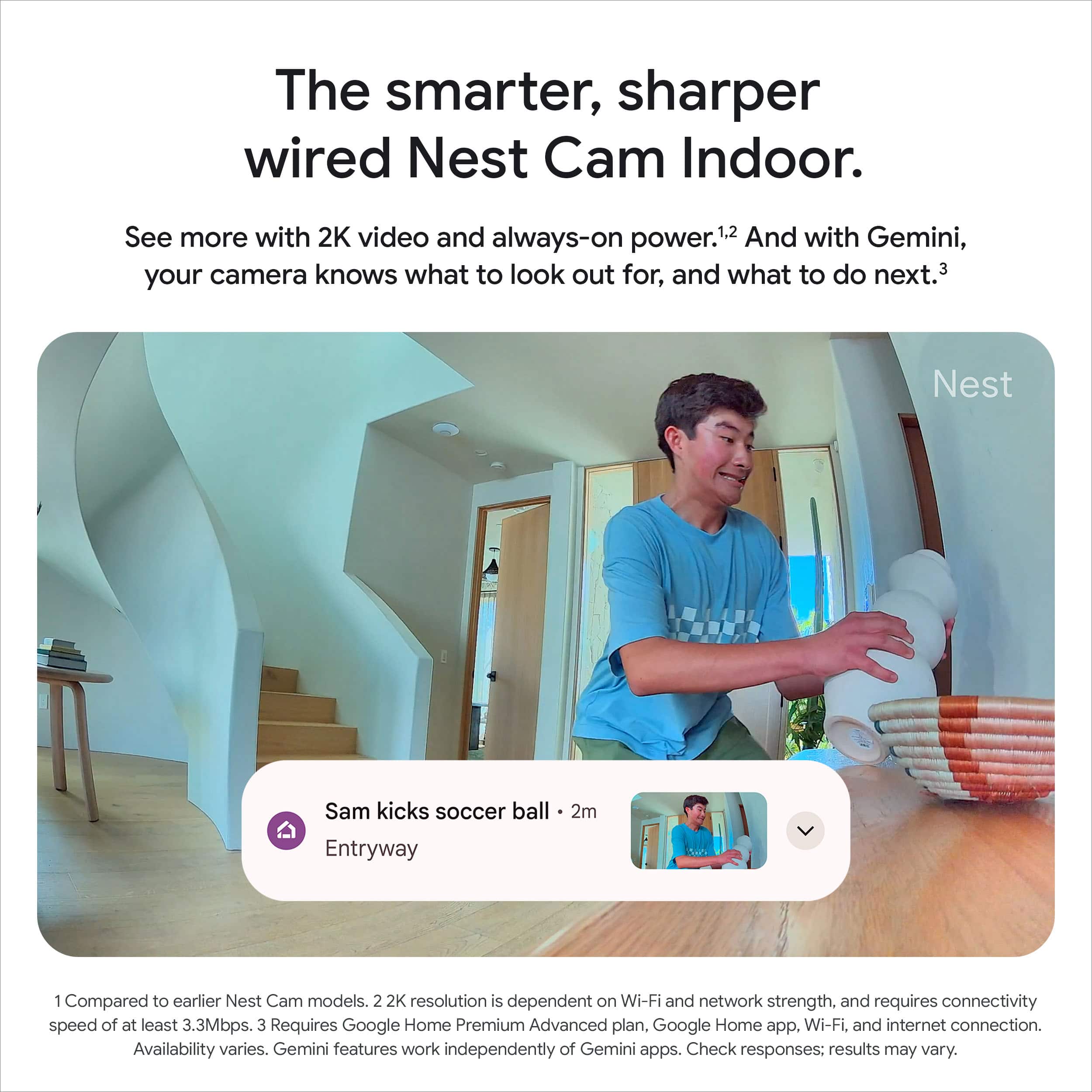
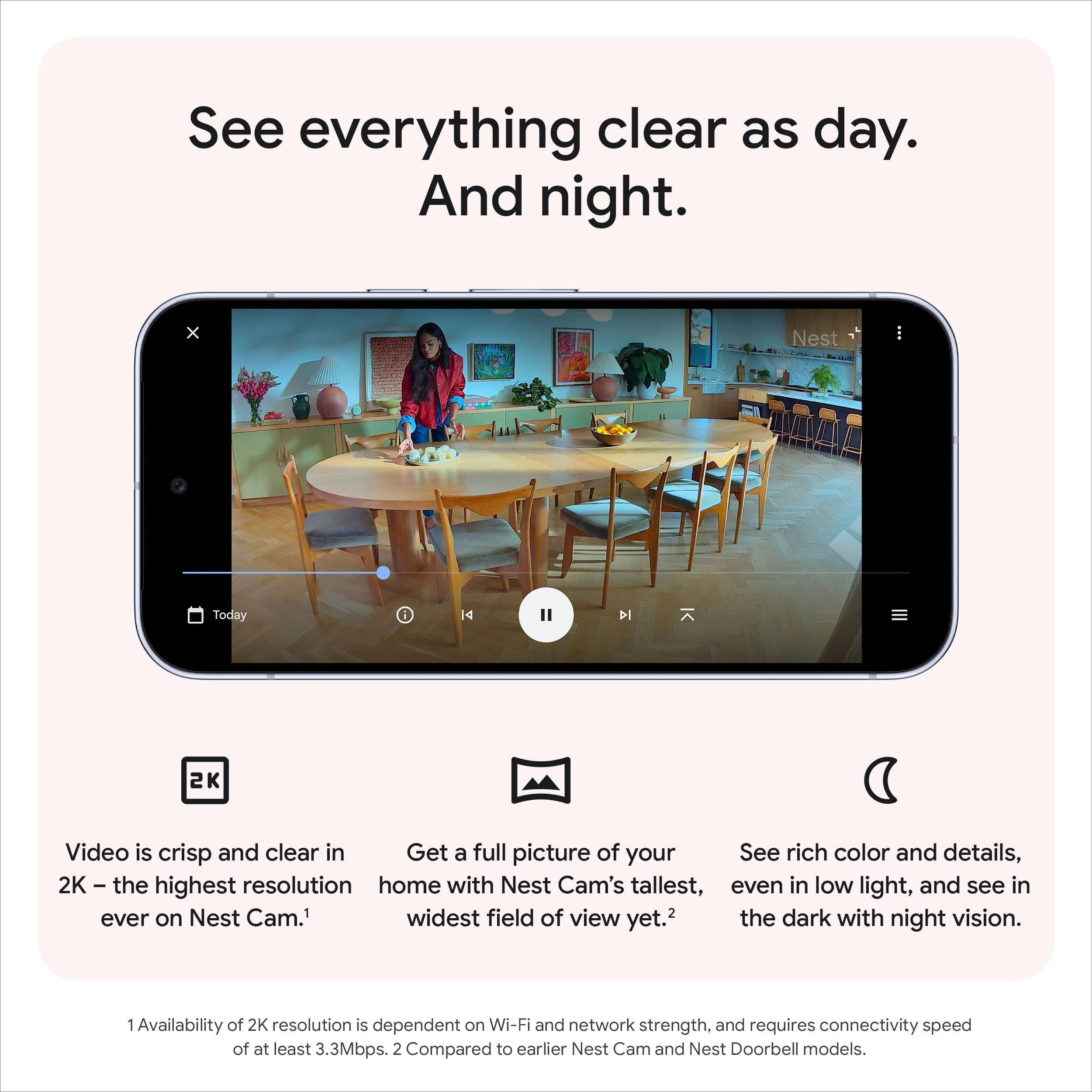
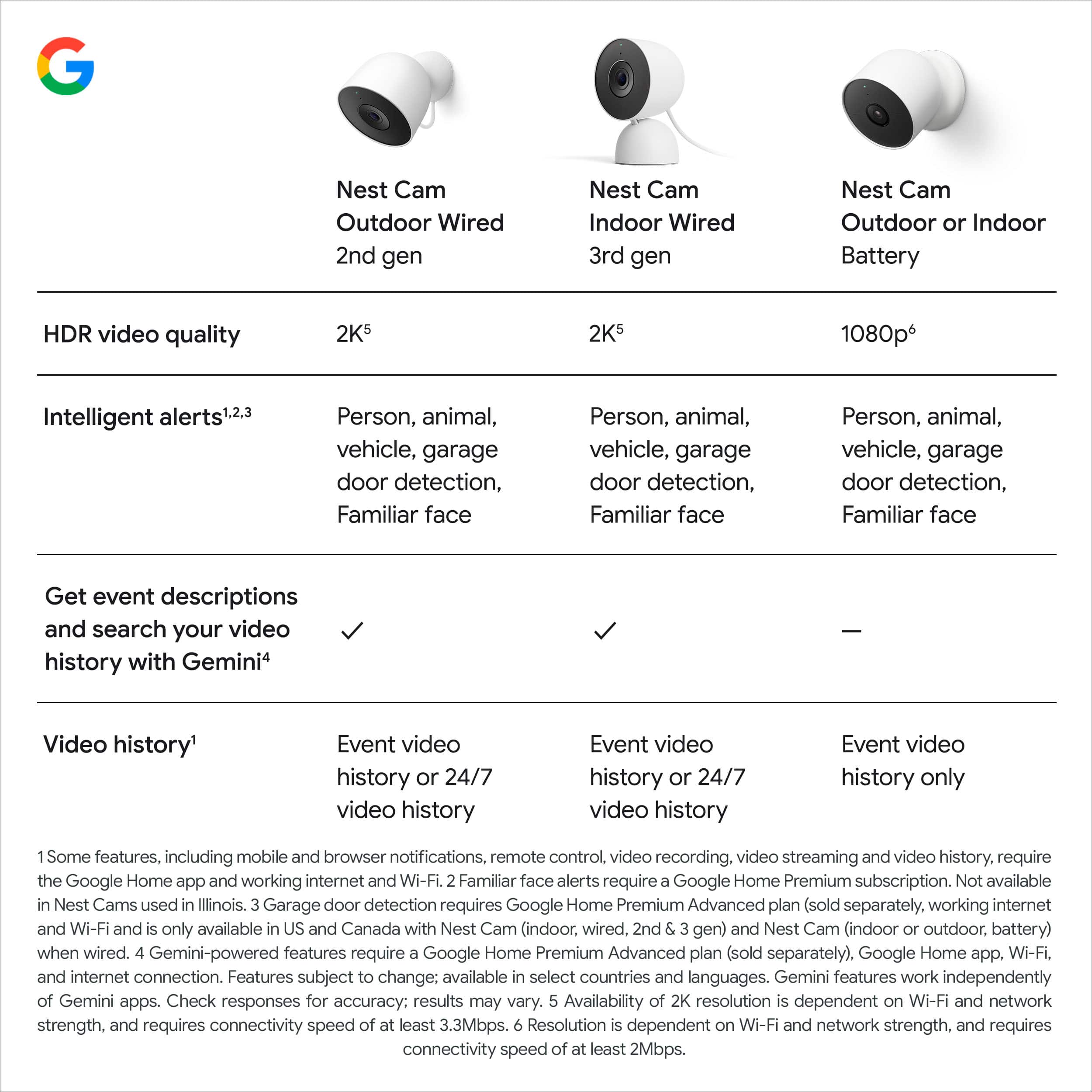
|Posted .This reviewer received promo considerations or sweepstakes entry for writing a review.The Google Nest Cam 3rd generation is quite an improvement from the previous Nest Cam that I have used. It captures video a 2K resolution - which is enough to get details and zoom in on areas when needed. Color stay clear even in low light settings, making it great to see what is happening at any time. The 2K resolution gives a large field of view, capturing areas that my previous camera could not. The Gemini features on this camera are pretty useful. They can tell you when people are detected. You can ask natural langue questions about items that were captured by the camera. It can also provide summaries for events that have happened, which helps make alerts more meaningful. You can set custom activity zones to keep alerts only for areas that you are interested in. I like that you can look back at previews with six hours of ten second previews. This has been enough for me to keep track of goings on, but you can also subscribe for more event history. It is a nicely designed camera, easy to set up with the Google Home app, and plenty of useful features.
I would recommend this to a friendSharp / Clear Ai Augmented Video
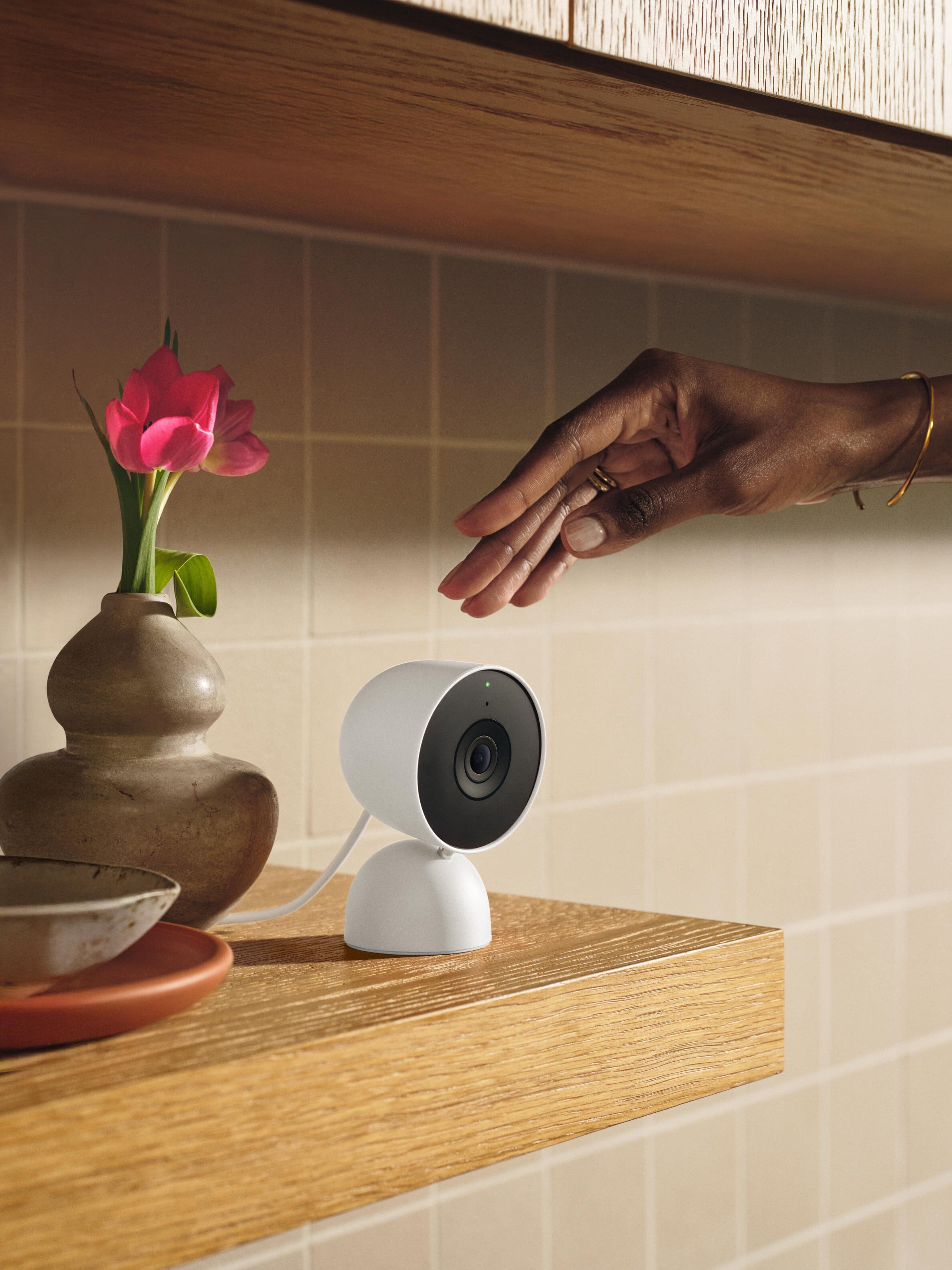
|Posted .This reviewer received promo considerations or sweepstakes entry for writing a review.The video on the Google Nest Cam (wired, 3rd gen) is excellent 2K HDR quality — sharp and clear, significantly sharper than what’s produced by the average 1080p camera. You can zoom in without it fuzzing out, which is very useful for me when I want to check and see whether the dog is curled up on the couch or one of the cats are getting crazy on the table. The wide viewing angle captures most of a room, and night vision is surprisingly effective in dark or dimly lit rooms. Setup was fast and painless. Plug it in, hook up to Wi-Fi and you’re good to go. Because it’s wired, you don’t have to worry about recharging batteries, but where you put it is contingent on having an outlet nearby. I mounted mine near the entrance to my great room where it can soak up all the action. The clean look works with the room’s decor; subtle, yet modern. By far the best is Gemini integration. The AI-driven alerts and summaries are more than just bodily motion detection. I receive targeted alerts for motion in specific zones (like the pet area), and it even tells me what caused the motion! When I travel for business, an app opens and within seconds all is well in real time on my screen. The app interface is no-frills, and the two-way audio feature does indeed work — I’ve used it to speak with the pets a handful of times. Video playback is decent, provided you have a good Wi-Fi connection. The only downsides are that it’s an indoor-only camera (so you wouldn’t want to use it outdoors), and some of its smarter features do require a subscription plan if you want full access to history and advanced alerts. Final Thoughts: If you want to use high-resolution video and helpful smart features to keep tabs on your home or pets, the Nest Cam Indoor (3rd Gen) is a good bet for any price. It feels as solid and premium as it looks, with high image quality, ease of setup, and reliability. I've grown to rely on it for peace of mind — particularly when I'm away for the day or traveling. It’s one of the most practical gadgets in my smart home setup because I can check in on the dog and our little trio of cats in real time, receiving clear video and smart notifications.
I would recommend this to a friendFixed the night vision, now awesome
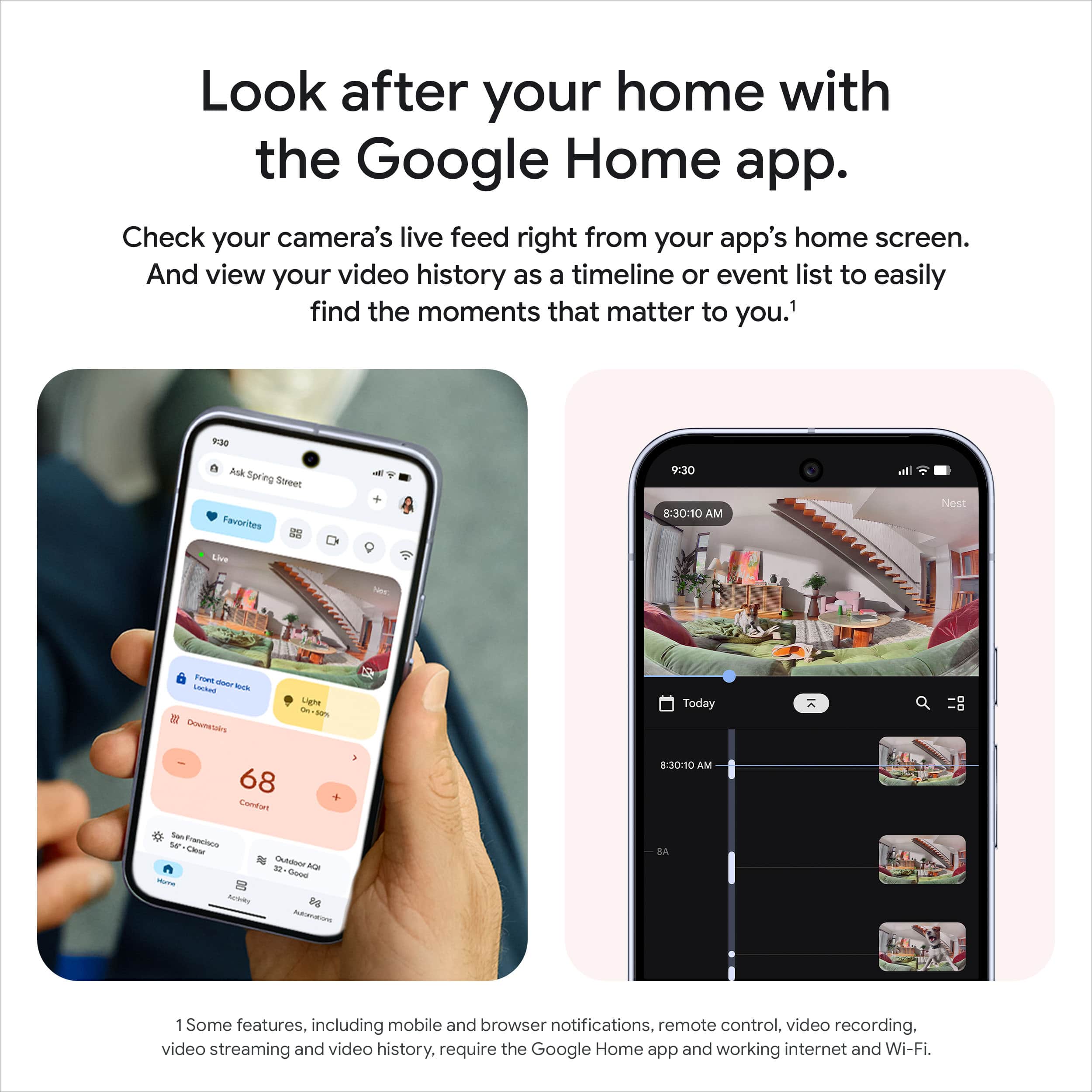
|Posted .This reviewer received promo considerations or sweepstakes entry for writing a review.If there was one major drawback to the previous gen of Nest Indoor Cams, it was the night vision capabilities. They simply weren't as good as other comparable products, and left a lot of the viewing frame bathed in a murky mess of grey and black that made it hard to distinguish what was happening. It was infuriating getting a notification about movement on the Nest Cam, and then struggling to make out what exactly was happening. This model, however, fixes all of that. The normal light and daytime video is excellent, and now the nighttime video is as well. Excellent camera quality across the board. The build quality is excellent is always, just like the previous generation. This a sturdy and well-built camera they will survive a fall triggered by a curious pet. The unit has a decent weight to it, too, so it won't fall to easily when jostled by accident. This new model has improved motion detection and a shorter wait time to access the camera. This isn't a huge difference, but it is speedier than the previous gen. There are advanced AI features, but you need the premium Home subscription plan to access them. This is an excellent and durable camera without those features. The integration with the Home app is seamless and great. You can see all your cameras at a glance when opening the app and easily view your event history from either a notification or the Home app. In short, the improvements to video quality take all of the things that made the previous model great and and make it that much better in this gen. This is an excellent choice as a first step in setting up a quality home security system with sturdy and reliable equipment. And because it's made by Google, software and hardware problems will get addressed over the life of the device, which is something you can't be confident about with some other manufacturers. A great camera and an excellent first step in building a home security setup. Strongly recommended if you use any other Neet products and are familiar with the Home app.
I would recommend this to a friendIncremental Upgrades with AI Smarts
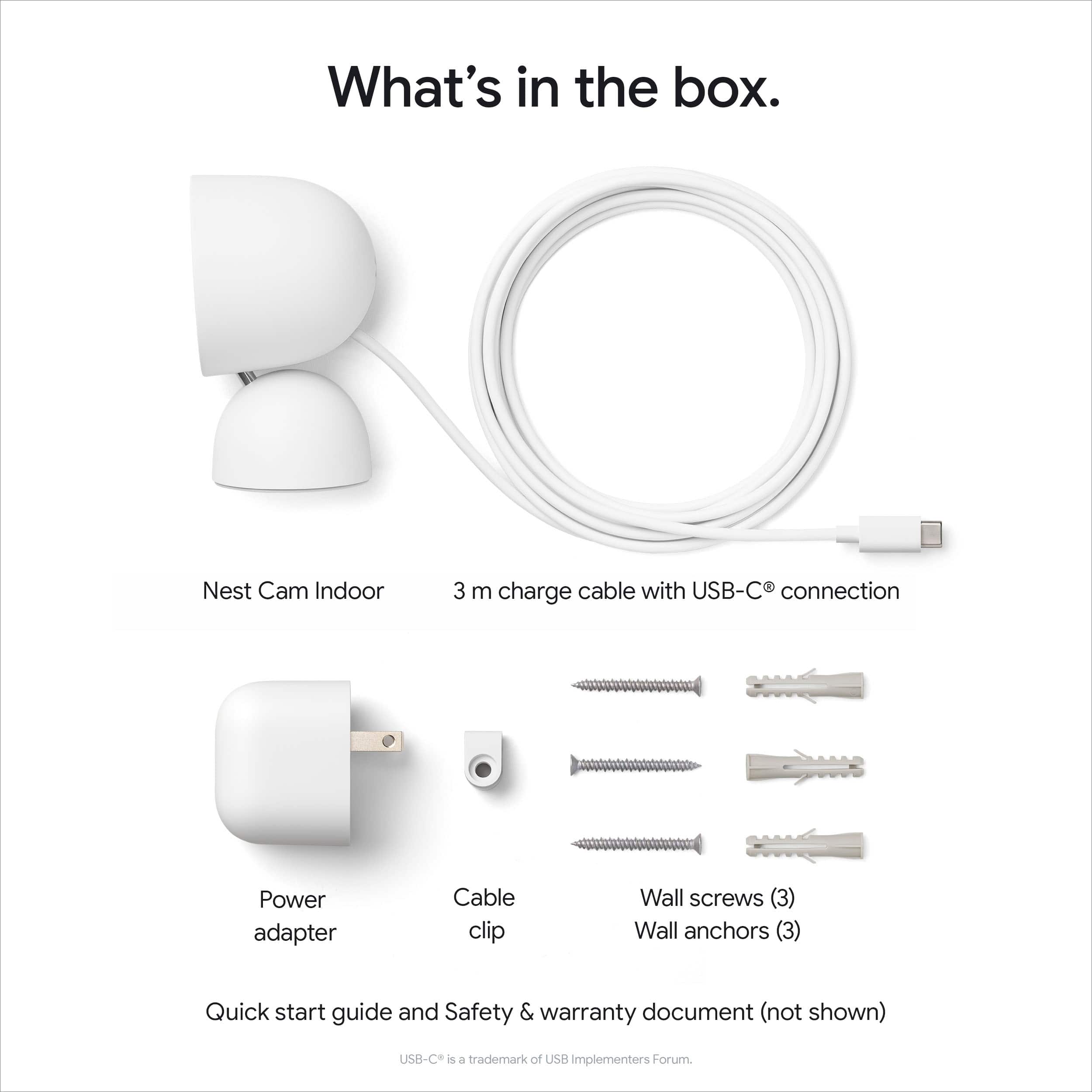
|Posted .This reviewer received promo considerations or sweepstakes entry for writing a review.The latest update to the series of Nest Cams promises incremental upgrades with the inclusion of AI smarts. As an owner of both 1st and 2nd generation indoor nest cams, I was interested to see how this newest 3rd generation stacks up. In short, if you're coming from a 2nd gen cam, I don't feel like there's enough here to warrant the upgrade. If you're coming from the 1st gen, the decision is a little more clear; this camera offers enough upgrades that it's probably worth consideration. Physically, this version looks nearly identical to the 2nd gen; the mounting plate appears identical, as does the overall design, allowing you to either mount this on a wall or just place it on a flat surface. Similarly, picture quality overall appears very similar as well with the exception of what appears to be a wider field of view on the new version, which could be good or bad depending on your usage. The newest version does get a bump to 2k over 1080p, which gives it a slight bump in sharpness, but in practice, this isn’t a huge leap forward. The bump from the first generation feels more substantial, however, as you get not only the resolution bump but also the inclusion of HDR (which the 2nd generation also had). Overall, the picture quality here is very good and works well day and night. One of the biggest features being advertised here is the inclusion of Gemini integration. At current time, I haven’t had much of a use for these features yet. This should give users the ability to search timelines using natural language, as well as giving more logical event descriptions. It’s not clear, however, what Gemini features specifically will be exclusive, if any, to the gen 3 that won’t be available via the Home app with gen 2 or gen 1 cameras. Thus far, it seems like a bit of a gimmick that will likely grow in usefulness over subsequent updates. The elephant in the room with all Nest Cam products is the fact that in order to unlock full functionality, you need a subscription. While this isn’t unique to Nest cams on the surface, what makes this more of an issue here is the fact that there’s no ability to have localized storage as your primary source of storing footage. What this means in practice is that, without the subscription, you get 3 hours of “events” playback, which gives you the bare minimum of footage to look back on. Other products on the market have the option to store footage using onboard storage, allowing much more flexibility in how you use your camera. This subscription issue gets extended further with the 3rd gen Nest cam, as one of the banner features this year is the deeper integration of AI/Gemini. This, predictably, requires a subscription to fully utilize. One final downside I’ll note here is the fact that the power cable is hardwired into the camera (which again, is in line with the 2nd gen camera). This is an issue for 2 reasons. First, if the included 10ft cable isn’t long enough, you’ll need to figure out an extension cord instead of simply buying a longer cable instead. Second, if the cord gets damaged, you’re basically out of luck with the camera. I wish they’d go back to a removable USB cable as they had with the first generation camera. Overall, the 3rd gen Nest Cam is one of the better cameras on the market, especially if you’re already in the Nest ecosystem. While the lack of true onboard storage means you’ll be tethered to a pricey subscription if you want full video history, the upside is that a single Nest subscription gives you access for all devices you may own.
I would recommend this to a friendGreat!
|Posted .This reviewer received promo considerations or sweepstakes entry for writing a review.We have really enjoyed the Google nest cam indoor. It is a wired camera and their latest model. We currently have it set up in our garage. This is a 2000 square foot area not attached to our house. My husband uses this garage for work. Now that we know we can check on it at any time, It makes it a lot less stressful. I would highly recommend this camera if you already used other nest products. We haven't dug super deep into the AI Gemini features. But we have really liked The sharper image that this camera has with the 2K video. The clarity at night has been great. I have done a couple searches with the video history, nothing super crazy but it's definitely helpful. We have not set up any automations sent. It's just in our garage. I do like that the field of view is much larger than the battery powered, and that it keeps 6 hours of video previews. All in all if you are looking for an indoor nest camera we definitely recommend this one. You can't go wrong with clear pictures and good memory.
I would recommend this to a friendNext-Level Smart....
|Posted .This reviewer received promo considerations or sweepstakes entry for writing a review.The Nest Cam Indoor (wired, 3rd gen) is a clean, low-profile security cam that actually delivers. I got it for indoor monitoring, and it’s been sharp—literally. The 2K HDR video gives you crisp detail, even in low light. Wired setup means no battery drama, and it’s been rock solid on Wi-Fi. What really sets it apart is Gemini: it doesn’t just detect motion, it tells you what’s happening. You can ask it things like “What did the dog do today?” and it’ll pull clips. That’s next-level smart, but you’ll need the Google Home Premium plan to unlock those features. Setup’s easy through the Google Home app (not the old Nest app), and it can ID people, pets, and vehicles. Familiar face recognition is a nice touch too. Downsides? You’ll need decent internet for full 2K streaming, and some Gemini features are still rolling out. For $99.99, it’s a strong pick if you want smart indoor coverage with real context—not just motion blur and vague alerts. Great for keeping tabs on pets, family, or your space without going full surveillance mode.
I would recommend this to a friendOutstanding camera packing a punch, easy set up
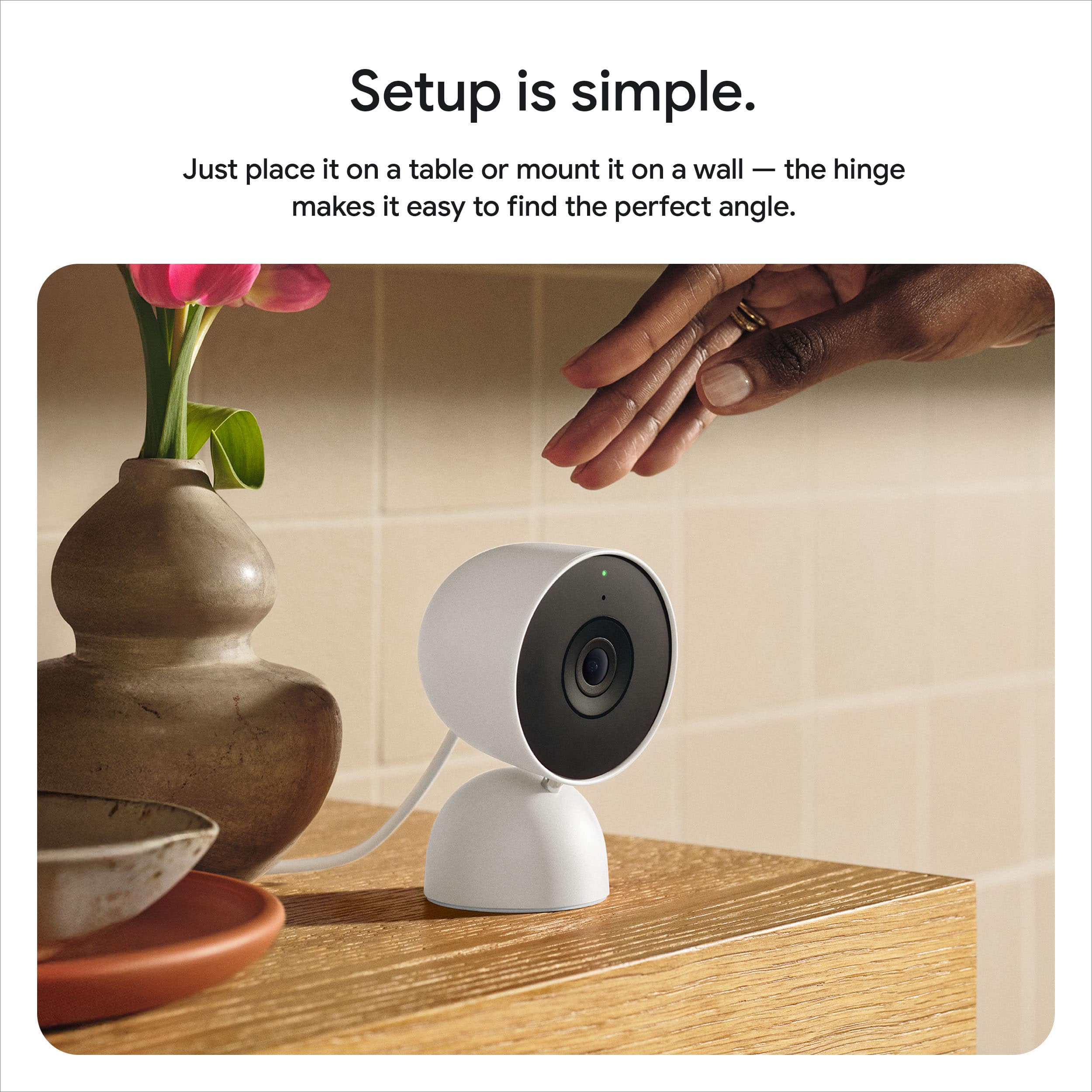
|Posted .This reviewer received promo considerations or sweepstakes entry for writing a review.Ive owned all types of security camera both wired and wireless and some are much easier to use than others and switching my entire home eco system infrastructure over to Google was the smartest decision I made for my smart home. Not only do these camera hold up to any type of climate and environment, they are easy to set up and sync with the Google Home app and also syncs with my other smart home products like doorbells, locks etc. This camera also has a very long cord to mount this magnetically anywhere in your home, which I did like, and you can mount on a wall or just have it sitting on a shelf or table. It gives a clear picture, recording time is adequate and it helps to keep your home secure. This also has night vision which helps to give a nice glimpse of what is happening day or night in your home. With the ease of use and ease of setup, it provides serious competition to several others in a very crowded security camera market with many that are similar but not the quality build Google provides.
I would recommend this to a friend