Last-Minute SavingsLimited quantities.Shop now

Main Content

Customer Ratings & Reviews
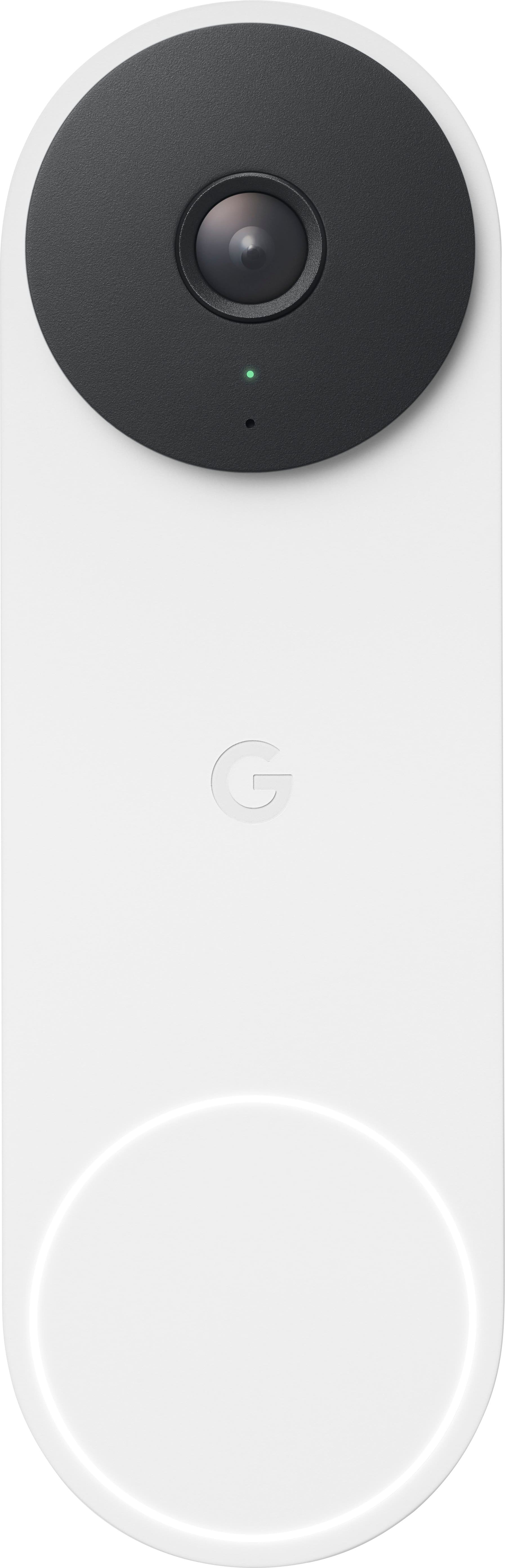
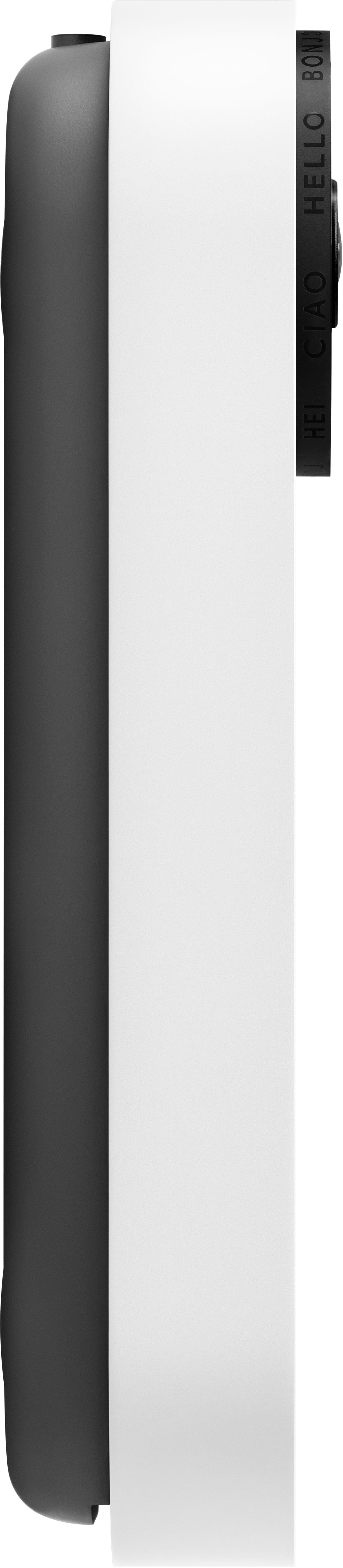
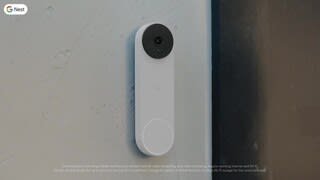
Your price for this item is $110.90
The comparable value price is $179.99

Customer reviews

Rating 4.5 out of 5 stars with 437 reviews

Rating Filter

Rating by feature

  • Video Quality

    Rating 4.6 out of 5 stars

  • Mobile App

    Rating 4.4 out of 5 stars

  • Sound Quality

    Rating 4.5 out of 5 stars

Pros mentioned filter

Cons mentioned filter

There aren't enough negative mentions yet.
88%would recommend to a friend
The vast majority of our reviews come from verified purchases. Reviews from customers may include My Best Buy members, employees, and Tech Insider Network members (as tagged). Select reviewers may receive discounted products, promotional considerations or entries into drawings for honest, helpful reviews.
Page 22 Showing 421-437 of 437 reviews
  • Tech Insider Network Member

    Rated 3 out of 5 stars

    Not Truly an Upgrade Over the Original Nest Hello

    |
    Tech Insider Network Member
    Posted .
    This reviewer received promo considerations or sweepstakes entry for writing a review.

    I've been patiently waiting for the successor to the incredibly good Nest Hello Doorbell that launched a few years ago, and it's finally here in the Nest Doorbell Wired. It features an upgraded aesthetic and supposedly upgraded imaging, but in practice, I'm not sure it's truly an upgrade, especially when factoring in that they force you towards the Google Home app instead of the far superior Nest App. Setup is straightforward. If you've got an existing wired smart doorbell, this will be a mostly trivial swap over. One important point to note, though, is if you are coming from a 1st gen Nest Hello, make sure you remove the chime connector for that; it’s explicitly stated to not be compatible with the 2nd gen doorbell. Registration to the Google Home app was seamless for me, and I had this up and running in a matter of minutes. The Doorbell Wired features an incredibly attractive aesthetic (honestly, the best looking smart doorbell out there in my opinion) with a metal exterior and VERY solid metal button. This is one area that's a very clear upgrade from the Nest Hello, which wasn't a bad looking device either at the time it launched, but whose plastic exterior makes it look quite dated side by side with the new version. There are a few color choices that might make them blend more seamlessly with your home styling, and while I appreciate the effort in making a more contemporary looking device, I do wish they at least offered an all black version for those not looking to make a style statement. Overall, the doorbell works well enough. However, I can't help but feel like this was an overall step backwards from the Nest Hello for one primary reason; the app. The Nest app worked very well for what its purpose was; the timeline view just worked and notifications/alerting just worked. I've found the Google Home app to be woefully inadequate in terms of reliability, timeline views, and notifications. At this point, they phased out the Nest app years ago, and they STILL don't have a true 1-1 feature parity set, let alone a superior app in Google Home. They've made a lot of strides quite recently, but in general, the app has hindered my true enjoyment in using this Doorbell. In terms of picture quality, the camera is good. Here again, however, it feels like a minor step back, settling for a lower resolution compared to the Nest Hello in favor of AI based HDR upscaling. The net effect in my usage is a night vision experience that's slightly inferior, but a daytime viewing experience that's mostly superior. Additionally, the field of view has been reduced, but the aspect ratio has also been adjusted, meaning you actually get more vertical viewing frame but less horizontal view. Being honest, the changes to the optics as a whole are a step back for me, which is not great given this is a years newer device which probably would've benefited from a better camera. Other features for the Nest Doorbell are mostly tied to their Nest Aware subscription service. Since I have a number of Nest Cameras around my house already, I'm able to fully utilize this doorbell to the maximum, including 30 days of event history and 10 days of continuous video recording. I'd recommend opting for at least the base subscription. While you do get 3 hours of event history without a subscription (which is pretty solid), if there's an event that happens overnight, it'll be wiped from your video history before you awake to see what happened. If you're not overly interested in being able to go back in time, you'll likely be very pleased with what you get out of the box without a subscription as compared to a lot of the competitors, including features like intelligent motion, people, and package alerts. I'm glad they've moved towards offering more features for free instead of locking more of them behind a paywall, which seems to be the direction of the industry at the moment. In summary, I'm left feeling underwhelmed. Taken at face value, the Nest Doorbell is one of the best on the market, giving you solid features with and without a subscription in a package that looks simply great. Compared to the device with which this is the true successor, the Nest Hello, however, it fails to truly impress, seemingly taking some steps backward for reasons that I don't quite understand. Optics aside, I'm hopeful (though not totally confident) that the app issues I've seen will be improved over time with software updates. However, I've seen this before with Google's Nest Hub devices. They made upgrades over time that actually severely degraded the performance of those devices, so unfortunately, I'm not entirely hopeful they'll rectify the issues here either.

    No, I would not recommend this to a friend
    • Brand response from Nest Support
      Posted .

      Hi Jturn, thanks for sharing the details of your feedback about the Nest Doorbell (wired, 2nd gen), and we’re sorry to hear it didn’t meet your preferences and needs.

      We understand that longtime Nest users enjoy viewing their Nest camera feeds from the Nest app. However, our priority with this launch was building a complete experience for our new cameras and doorbell in the Google Home app. We’re working on bringing full functionality to the Home app as we want to create an integrated experience with other Nest and smart home devices.

      Pixel count is only one factor that impacts video quality, and it shouldn’t be the only deciding factor when choosing a camera. Nest Doorbell has HDR video quality that’s optimized for a clear view in bright sun or dark. And we designed the new Nest Doorbells to have a taller, 145° diagonal view, so you can see people in full, and deliveries left on the ground stay within view, unlike other video doorbells. Luckily, the Nest Doorbell (wired, 2nd gen) comes with a wedge that you can use to adjust the doorbell's camera angle if it's located in a corner. And it can angle your doorbell horizontally up to 20°. To get the camera view you want, you have to adjust the doorbell’s position by hand. Use the Home app to check the camera’s view so you can adjust the position from the mounting plate or wedge if you need to. To use the wedge for a better camera view, make sure to install the wedge then position the baseplate plate over the wedge with the G positioned upright and use the wedge screws to secure it in place. We’re also focused on giving our customers value for the price, including three hours of event history right out of the box for the first time ever. On-device processing also gives our customers smart alerts and Activity Zones, which historically have required a subscription.

      We request your patience as we’re working on a seamless solution to create a better user experience. Meanwhile, we suggest having the latest version of the Google Home app that may improve camera playback controls to make it easier to play, pause, and navigate between events from the camera history view for cameras set up in the Google Home app. And if you find yourself in need of any help or guidance, please contact us anytime here: https://support.google.com/googlenest/gethelp Nest

  • Tech Insider Network Member

    Rated 3 out of 5 stars

    Not compatible with our existing system

    |
    Tech Insider Network Member
    Posted .
    This reviewer received promo considerations or sweepstakes entry for writing a review.

    We are currently using a competitor’s wired door camera that functions, although the picture quality has never been up to our requirements. Current system it does not include 3-hours of video history, and/or 1-hour of video backup if power is lost. When this Google - Nest Doorbell Wired (2nd Generation) with enhanced specs was released, my wife and I jumped on it as a higher quality and more feature rich video door bell replacement. On paper it checked off all of our requirement boxes. The installation was fairly easy and straight forward using the provided information augmented with online video information. Very similar to our current video door bell setup, other than the addition of a wired “Chime Connector”. But evidently our existing wired door bell system does not provide sufficient power to support the Nest system. After reviewing options like complete replacement of our current wired door bell system, installation of a second wired doorbell that will function properly with the Nest system, or paying an outside installer, we regretfully decided this is not the video door camera for our existing home.

    • Brand response from Nest Support
      Posted .

      Hi Buddy, thanks for sharing the details of your feedback on Nest Doorbell (wired, 2nd gen). We appreciate you for highlighting some of its features, and we’re sorry to hear it didn’t work with your current doorbell system. Google Nest doorbells can replace your home's current doorbell. However, some doorbell systems are incompatible or can't deliver enough power. So, if you plan to connect a Nest doorbell to your current doorbell's wiring, you should first confirm that your doorbell system works.

      If you’re willing to try the Nest doorbell again in the future, you may visit this link to learn more about the Nest doorbell compatibility: https://support.google.com/googlenest/answer/9247132 Nest

  • Tech Insider Network Member

    Rated 3 out of 5 stars

    Good Doorbell Camera, Installation Frustrations

    |
    Tech Insider Network Member
    Posted .
    This reviewer received promo considerations or sweepstakes entry for writing a review.

    I was upgrading from the 1st gen Nest doorbell so the physical installation went pretty smoothly for the most part. Google provides a wire connector that bridges the wires between the house and the doorbell. However, room for the extra wires wasn't accounted for in the doorbell so you have to smash the wires as you install the doorbell. In the instructions that are explained in the Google Home app (Nest app is no longer supported for this Doorbell), it clearly states that the Chime Connector is required for the doorbell to work properly. After installing the Chime Connector (and verifying my transformer met the requirements), the doorbell would not ring the chime. I engaged with support and after some back and forth, they indicated just to leave the Chime Connector unconnected to make it all work. Very strange to say it's required, but then say it isn't. The second issue I encountered was that I had Nest Aware on the Gen 1 Nest doorbell. I found no way to transfer that to the Gen 2 doorbell. Contacted support and they said that the Nest Aware for 1st Gen is no longer supported and I would need to cancel that subscription and subscribe to the new Nest Aware. Again, zero information with the doorbell or in the app to indicate this. Overall the doorbell works well. The one issue I have (besides the installation ones mentioned above) is that a number of times when I am notified of an activity (person, animal, etc.) and I go to the app to view the event, I am given a message of "video isn't ready yet". Kind of frustrating honestly. The video provided by the doorbell seems to be fine and the field of view works well for my setup (but does seem to be diminished from the previous generation). Overall, the 2nd gen Nest doorbell works well, but if your first gen Nest doorbell still works, you won't see much benefit in upgrading.

    I would recommend this to a friend
    • Brand response from Nest Support
      Posted .

      Hi bobcats9498, thanks for sharing the details of your feedback on Nest Doorbell (wired, 2nd gen), and we’re sorry to hear it didn’t meet your expectations.

      Once a subscription has been assigned to a camera, it can’t be moved to a different one. But if you’re subscribed to the Nest Aware (2nd gen), it covers all cameras added on the same home structure. The maximum number of cameras per Home is 10. Since you can have a maximum of 5 Homes, you can hypothetically have 50 cameras among those 5 Homes, each with Nest Aware (2nd gen) attached to each Home structure and applied to each camera.

      For the notification quality issue, here are some recommended troubleshooting steps that may help improve your experience with the doorbell:
      - If you have a lot of open apps on your phone, they can slow down its overall performance. Try closing some apps, including the Home app, and then re-open it.
      - If that doesn’t work, you can try restarting your phone or device.
      - Check your network as your doorbell announcement/notifications can also be delayed by a slow network connection.
      - Other devices in your home may be using a lot of bandwidth. You can temporarily stop a device’s bandwidth use manually by quitting an app or program, disconnecting it from Wi-Fi or ethernet, or by turning it off.
      - The announcement/notifications can be delayed if your camera, phone, tablet or computer is connected to a Wi-Fi extender, which adds extra relay time to any device that’s using it. In this case, connect your camera directly to your Wi-Fi router to help reduce the delay.

      You can adjust your cameras’ video quality that may improve the resolution. The higher the video quality setting you choose, the sharper and more detailed your footage can be, but it also uses more of your internet bandwidth. This setting lets you pick the maximum video quality for your cameras. But whichever level you choose, your camera will automatically adjust its resolution and compression according to how much bandwidth is available. Check this link to learn more: https://support.google.com/googlenest/answer/9218596

      We’d be happy to share your feedback, about the installation, with the right team for future improvement. In the meantime, please feel free to let us know if you have concerns about the Nest doorbell by visiting us here: https://support.google.com/googlenest/gethelp Nest

  • Rated 5 out of 5 stars

    Nice upgrade

    Posted .
    This reviewer received promo considerations or sweepstakes entry for writing a review.

    I upgraded from the original Nest Hello. I dont appear to have any of the issues mentioned in other reviews. The picture quality is slightly more clear. The field of view is less wide but taller which is perfect as it still sees my full porch but now sees lower for things like packages. It also has more intelligent notifications than the Nest Hello and is catching people and animals way more accurately than before. Overall im very pleased with the upgrade.

    I would recommend this to a friend
  • Rated 1 out of 5 stars

    No MetaData Googles Biggest Piece of JUNK

    Posted .
    This reviewer received promo considerations or sweepstakes entry for writing a review.

    The BIGGEST disappointment from Google that I have ever seen. Absolutely useless for practical purposes. Installation needlessly difficult due to exceptionally poor design. Camera Quality is BAD. Low resolution. It's like looking at video from an original Motorola Razr. Very BAD. The night vision is okay though. Motion activation is okay. Not great but okay. The installation is needlessly difficult due to the way they designed the doorbell and mounting bracket combined with the included wiring harness which is probably 4 inches long. It's too long to stuff into the mounting bracket easily. There is one tiny little screw that holds the Doorbell to the mounting bracket and it's BAD. It could have been designed better. The BIGGEST PROBLEM with the entire Nest Doorbell, which is a security Doorbell, is that the video is NOT timestamped. There is NO metadata when you download a video. I never seen anything so stupid and ridiculous in my entire life. It is a security camera that may very well catch a CRIME on your doorstep and Google decided that the video shouldn't have metadata. I bought the Doorbell camera as a crime deterrent and an actual serious crime occurred right in front of my door and it was captured on the Doorbell but there is NO metadata. I have never seen anything so stupid in my life and I feel like I was ROBBED for my money. What good is a security camera with no metadata? Last. It's impossible to activate the Google Nest Aware service after installation if you don't choose it right away apparently. I tried all day today to activate Nest Aware (Googles needlessly obtuse name for expanded video recording) and it can't be done from the Home app. Google made me download the Nest app and that wont work either. I had to uninstall the Doorbell to scan the QR code on the back of the Doorbell, which is already fading from weather, and after scanning the code in the Nest app I tried to reattach the the Doorbell to the mounting bracket and it was a 20 minute struggle because the design is so POORLY conceived. After finally attaching the Doorbell and going back into the Nest and Home app it still will not allow me to subscribe to the Nest Aware. Google has made some great and not as great products over the years but I have never seen a BIGGER piece of JUNK than the Nest Doorbell. There is no customer service to speak of. You can't get through to someone on phone. Save yourself some time and aggravation and buy a Ring Camera.

    No, I would not recommend this to a friend
    • Brand response from Google Nest Support
      Posted .

      Hey there, Justin. We hear your feedback on the Nest doorbell wired 2nd gen and sorry it wasn’t what you expected. We’re here 24/7 to help with any questions or concerns you may have — don’t hesitate to reach out to us: https://support.google.com/googlenest/gethelp? Nest

  • Rated 5 out of 5 stars

    A great upgrade

    Posted .
    This reviewer received promo considerations or sweepstakes entry for writing a review.

    I just purchased this doorbell the other day as an upgrade from my Nest Hello. It was really easy to set up, The picture quality is great. I love the fact that it can see packages coming from so far away. I also love the fact that it knows when my nephew is home, and I can see the notifications on my phone. Overall it's a really good camera.

    I would recommend this to a friend
  • Rated 5 out of 5 stars

    Wired Gen 2 Google door cam.

    Posted .
    This reviewer received promo considerations or sweepstakes entry for writing a review.

    I like that google changed the lock on this one. Broke 2,just trying to unlock 1st generation. Very poor design. I know better then to buy a battery model,cause it wont work in the cold.

    I would recommend this to a friend
  • Rated 5 out of 5 stars

    Excellent

    Posted .
    This reviewer received promo considerations or sweepstakes entry for writing a review.

    Went from Vivent security camera to this and this thing is so much better. Great picture and lots of cool Settings. Love how it rings through all our speakers we have in every room.

    I would recommend this to a friend
  • Rated 5 out of 5 stars

    Glad we got it

    Posted .
    This reviewer received promo considerations or sweepstakes entry for writing a review.

    Easy to install and it works great. Picture is clear day and night

    I would recommend this to a friend
  • Rated 5 out of 5 stars

    Added security

    Posted .
    This reviewer received promo considerations or sweepstakes entry for writing a review.

    Working great so far, No more surprise opening of doors to be met by a solicitor, like I've been suffering 3x a week.

    I would recommend this to a friend
  • Rated 5 out of 5 stars

    Such a great product

    Posted .
    This reviewer received promo considerations or sweepstakes entry for writing a review.

    Absolutely love this!! I buy them for my clients all the time!!

    I would recommend this to a friend
  • Rated 1 out of 5 stars

    Technology actually went BACKWARDS !

    Posted .
    This reviewer received promo considerations or sweepstakes entry for writing a review.

    I’ve been a fan of Nest pretty much since they came out with their Nest Thermostat. I have their Nest Protect, original Nest Drops (cams) and of course had to have the Nest Hello when it came out in 2018….. that’s about the time they were acquired by Google and it’s gone downhill from there….. leading up to my disappointment in the 2nd Generation Wired Doorbell. I have NEVER bought NEW/Current technology where after 5 years.. the tech went BACKWARDS! All compared to the Original Nest Hello: Video Quality is worse (grainy video at best, gets worse when you zoom), functions are harder to change, video lags in the app when scolling, went from a wide view (could see my whole patio and driveway to now only my front stoop, but hey! I can see the ceiling???) and the Night Vision Sensor is weak. With minimal patio lighting, I had full color video’s 24/7…. The new cam? As soon as the sun sets, it goes to b/w video. So why did I change? Sadly, they made the Nest Hello with a battery that over 4 years degrades and it can’t be replaced… even though it’s a wired doorbell, it cuts power and runs off a battery whenever the doorbell button is pushed. When it can no longer hold a charge, it goes dead for a minute and reboots. For as big and powerful as Google is supposed to be…. They blew it with this product. Save your money and look at other options as anything will be better than this!

    No, I would not recommend this to a friend
    • Brand response from Nest Support
      Posted .

      Hey there, whoknewbc. It’s unfortunate to hear your experience with the Nest Doorbell (wired, 2nd gen). We appreciate all your efforts, interest in Google Nest Products and we’re sorry for the inconvenience this has caused you. We’ll use your feedback to work on improving how we handle customer concerns with accuracy and efficiency. In the event the same issue reoccurs in the future, please contact us again and we’d be happy to look for all possible options to help you best: https://support.google.com/googlenest/gethelp Nest

  • Rated 1 out of 5 stars

    Landfill. Avoid it.

    Posted .
    This reviewer received promo considerations or sweepstakes entry for writing a review.

    Landfill after a few years. Warranty is worthless. Google is helpless. Mine no longer rings the chime inside the house on the first or second button push. No one is going to push it multiple times. Spent an hour with customer support trouble shooting, and a few hours of my own time. Googles solution. "Buy a new one." These work great when they work but the just be prepared to replace it every few years. Google does not stand behind their hardware.

    No, I would not recommend this to a friend
    • Brand response from Nest Support
      Posted .

      Hello there, abonnema. Thanks for sharing your feedback about your Nest Doorbell (wired, 2nd gen). We're sorry to hear that your experience with the device didn't meet your expectations. We hear your concerns, and have taken note of it. If you need any help in the future, please don't hesitate to contact us on our Google Nest Help page here: https://support.google.com/googlenest/gethelp Nest

  • Rated 1 out of 5 stars

    Notification previews are useless

    Posted .
    This reviewer received promo considerations or sweepstakes entry for writing a review.

    Similar to other reviews on here, the notifications do not show the actual subject that triggered the notification in the first place. Translation: “person seen” notifications with previews that show my empty porch when I press and hold the notification (rather than the person standing on my porch). Spent 2 hours on the phone with Google support and now they’re sending me a new one. Seems like there are some bugs to iron out. Now I’m questioning my upgrade from the Nest Hello (gen 1) wired doorbell.

    No, I would not recommend this to a friend
    • Brand response from Nest Support
      Posted .

      Hi Chris, thanks for taking the time to share your feedback. We're sorry to hear that you are having some delays with notifications with your Nest Doorbell (Wired).

      Nest Doorbell (Wired) determines when something moves based on how much an image changes over a short period of time. So, your camera may not send an alert if the following is true:
      - The activity is out of your camera’s field of view.
      - An object is blocking the camera’s view.
      - The camera is very far away from the activity.
      - The lighting in the scene is dim or washed out.

      We recommend moving your camera, change your camera’s angle, or change something in the scene so that you don’t miss important activity. If your camera detects a lot of activity in a specific area (for example, a busy sidewalk), you can create a zone and set notifications for activity outside the zone only. If you set notifications for activity outside the zone, it can help when you get too many camera alerts but don’t want to turn notifications off completely. Here's a detailed guide you can follow in setting up activity zones: https://support.google.com/googlenest/answer/9207697

      If you havent' tried yet, you may also contact our support team, and we'll gladly walk you through some of the awesome features for your Nest Doorbell Wired. You may visit us here: https://support.google.com/googlenest/gethelp Nest

  • Rated 1 out of 5 stars

    Failed

    Posted .
    This reviewer received promo considerations or sweepstakes entry for writing a review.

    First gen failed after 2.5 years. Camera shuts off when door bell rings because battery in wired model failed that keeps camera on when door chime is engaged. Poorly engineered. I doubt 2nd gen is any better. If chime turned off camera will stay on but door bell only heard outside not inside so no functional door bell and app push and email notifications also fail when chime turned off.

    No, I would not recommend this to a friend
    • Brand response from Nest Support
      Posted .

      Hi there, RolandM. Thanks for sharing your experience on the Nest Doorbell (wired, 2nd Gen). We're sorry for the challenges you've encountered with the first-generation model. It's certainly understandable that you feel frustrated, especially with the short lifespan and unexpected camera-battery dependency. We want to make sure that we're able to provide a better resolution on your concern. We recommend reaching out to our dedicated team of specialists on the Google Help Center here: https://support.google.com/googlenest/gethelp Nest

  • Rated 1 out of 5 stars

    Worthless

    Posted .
    This reviewer received promo considerations or sweepstakes entry for writing a review.

    Does not support 24/7 video recording, even with a subscription.

    No, I would not recommend this to a friend
    • Brand response from Google Nest Support
      Posted .

      Hey Zack, We apologize that your recording feature isn't working as expected, despite having a subscription. Please reach out to us at this link so we can work together to find a solution: https://support.google.com/googlenest/gethelp?hl=en Nest

  • Rated 1 out of 5 stars

    Google doorbell camera

    Posted .
    This reviewer received promo considerations or sweepstakes entry for writing a review.

    Does not record all the time. Notice when outdoor light missing. I have notice it will say someone at front door one there.

    No, I would not recommend this to a friend
    • Brand response from Nest Support
      Posted .

      Hi there, RubenU. Thanks for the feedback. We’re sorry to hear that your experience with the Nest Doorbell (wired, 2nd gen) is below ideal.

      Checking the doorbell settings can help. You can choose which events to trigger recordings (people, motion, packages, etc.) and use activity zones to focus on specific areas. Also, there are different factors that can affect the Night Vision. Try to angle your doorbell away from bright lights, or to install it in a shady spot. You should also make sure that any nearby surfaces or objects (like a wall) are out of view, since the doorbell’s infrared light can reflect off a surface. You can also try the simple steps outlined at the following link: https://support.google.com/googlenest/answer/9259738

      Our dedicated support team is also available to assist you directly with more in-depth troubleshooting. Feel free to reach out here: https://support.google.com/googlenest/gethelp Nest

Sponsored