Skip to contentGo to Product SearchGo to Footer
Main Content

Customer Ratings & Reviews
Your price for this item is $54.99
Clearance
The comparable value price is $179.99

Customer reviews

Rating 4.5 out of 5 stars with 447 reviews

Rating Filter

Rating by feature

  • Video Quality

    Rating 4.6 out of 5 stars

  • Mobile App

    Rating 4.4 out of 5 stars

  • Sound Quality

    Rating 4.5 out of 5 stars

Pros mentioned filter

Cons mentioned filter

There aren't enough negative mentions yet.
88%would recommend to a friend

Customers are saying

Customers are pleased with the Nest Doorbell Wired (2nd Generation)'s video quality, ease of use, and night vision capabilities. Many also appreciate the improved motion detection and quicker notifications. However, some users experienced issues with connectivity and app compatibility, while others found the size to be larger than expected. A few also reported that the battery life was not as advertised.

This summary was generated by AI based on customer reviews.

The vast majority of our reviews come from verified purchases. Reviews from customers may include My Best Buy members, employees, and Tech Insider Network members (as tagged). Select reviewers may receive discounted products, promotional considerations or entries into drawings for honest, helpful reviews.
Page 22 Showing 421-440 of 447 reviews
  • Tech Insider Network Member

    Rated 5 out of 5 stars

    Nice Design. Great Hardware. Fantastic Software.

    |
    Tech Insider Network Member
    Posted .
    This reviewer received promo considerations or sweepstakes entry for writing a review.

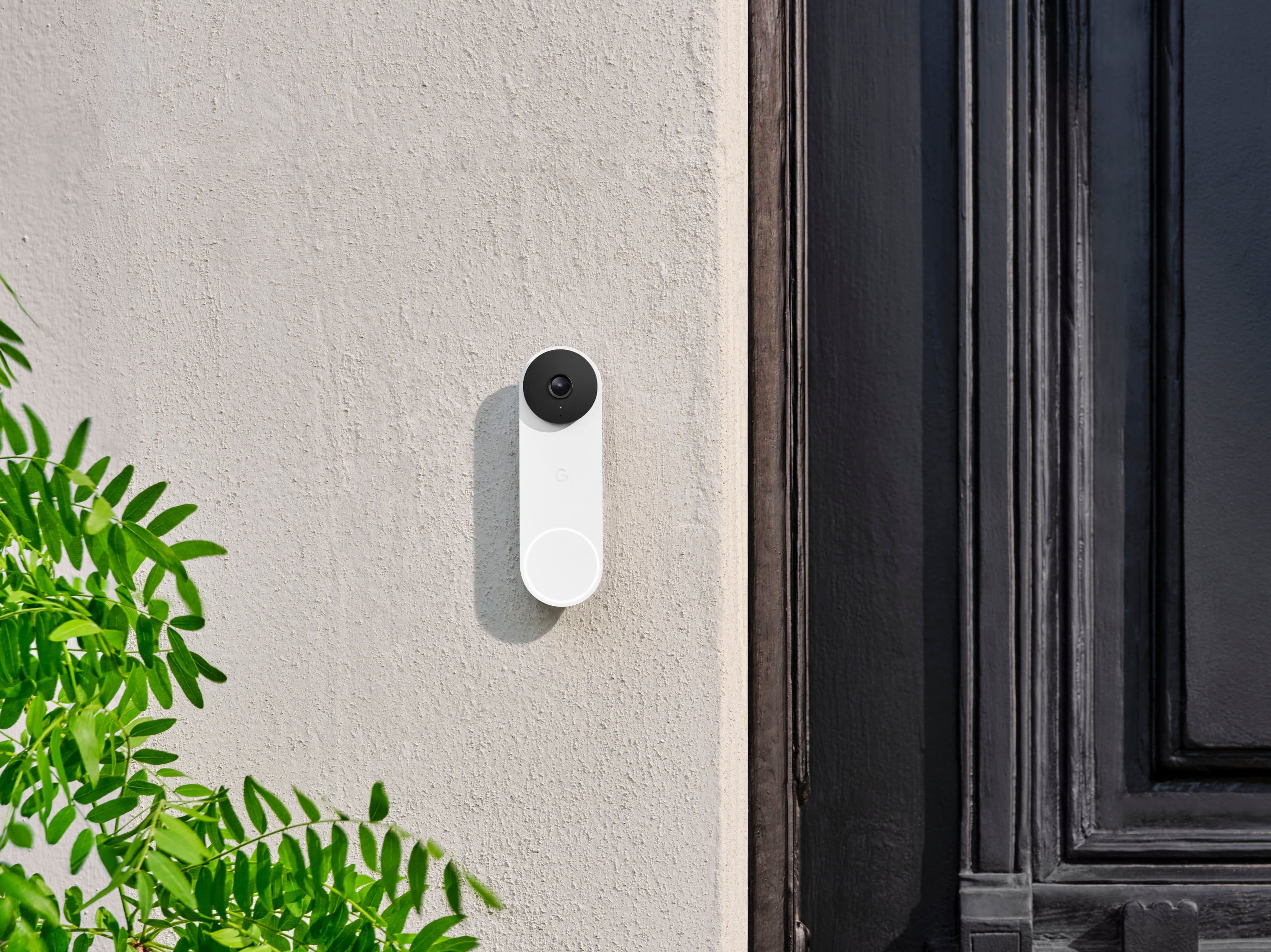
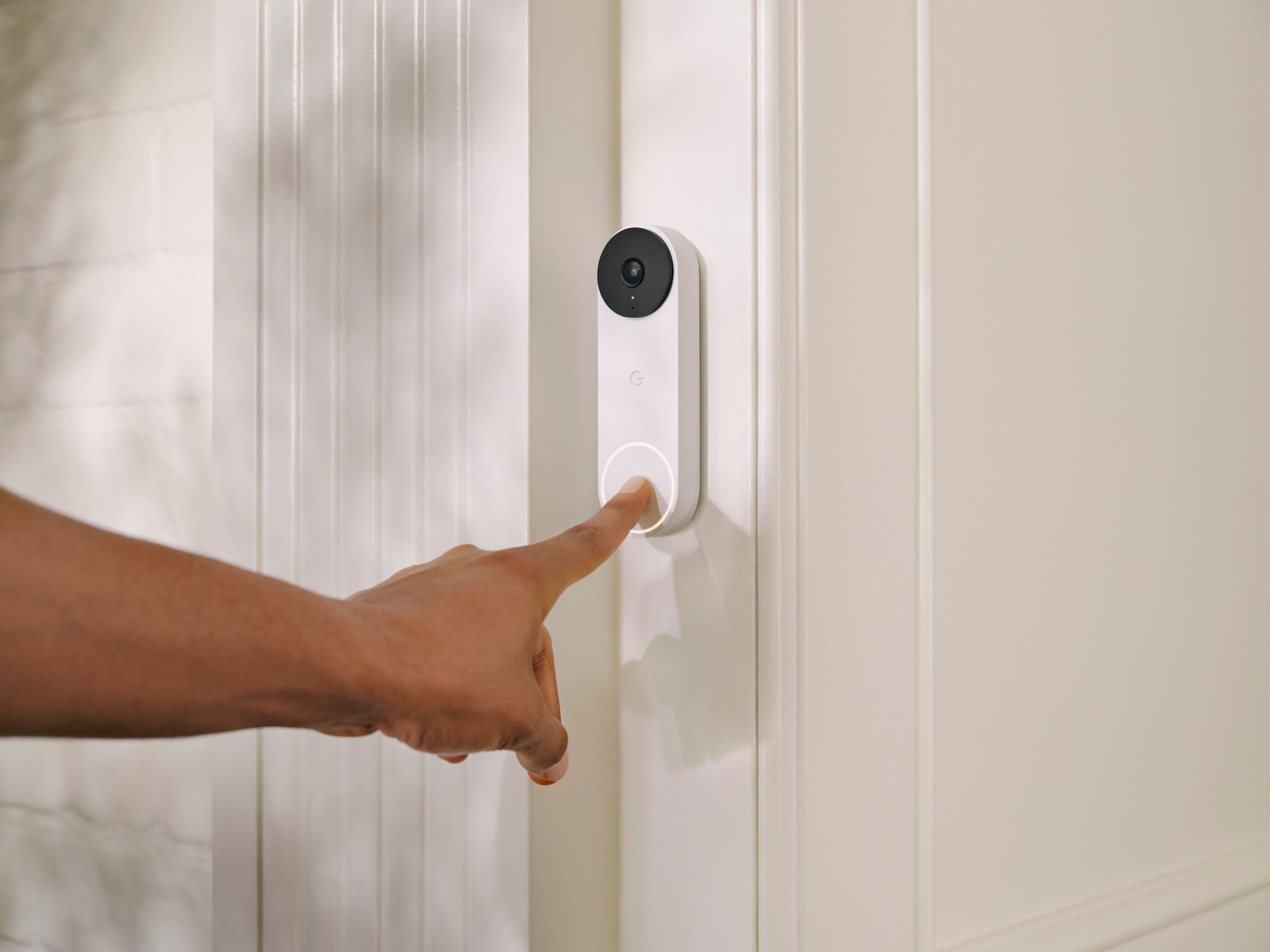
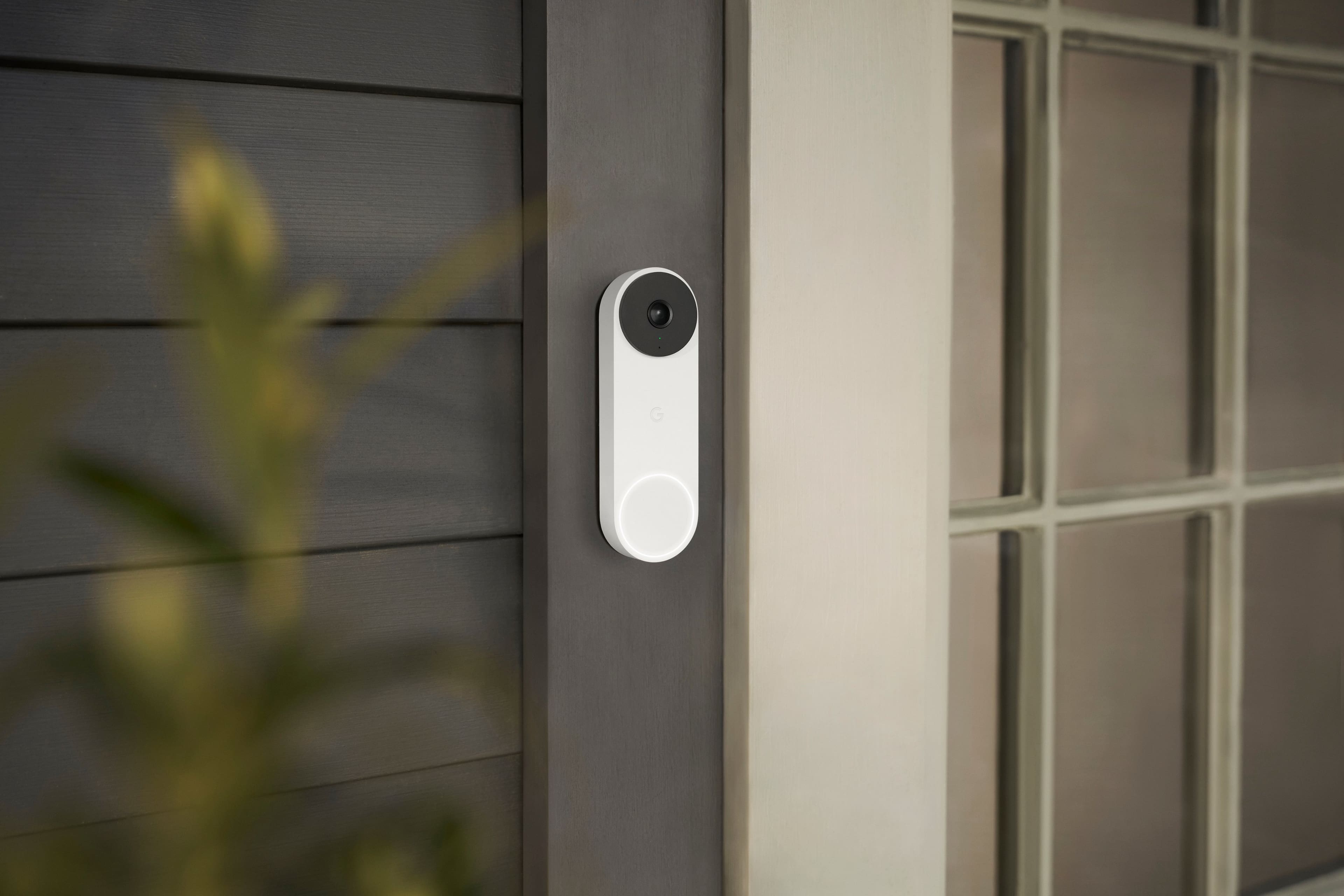
    I have been thinking about a “smart” doorbell for some time, and while I probably waited too long, it seems the tech has gotten even better. Beyond all the smarts, which I will comment on in a bit, I just really like the design here. I mean, it is a doorbell, but I just don’t really like the looks of most of the competition in the space. They are fine, I guess, but this has a more simple, clean, compact, and modern look to it. Kind of the like the rest of the products Google is putting out these days. Perfect for me. Further, it blends in better with the doorframe and looks more like it is part of the house than some random add on. It seems well-built and I imagine it should stand up for quite some time. Installation was one of the things holding me back from making the move sooner, and, honestly, after getting this in, I feel a little foolish for putting it off. I am sure each situation will be different, but it went a lot better than I was expecting. I would say it was about 25 minutes, but a lot of that was me going slow and making sure. Also, I more or less had a “plug and play” set-up that did not require a lot of work from me. They provided everything I needed (and some) with the kit (and a window decal lol). Again, take it with a grain of salt, and look into your own situation, but I think most should be ok doing it on your own. If you opt for a professional install, it should be a breeze for that individual. Once up, I was very impressed. Admittedly, when I saw the resolution specs, I was a little hesitant. Frankly, while Google excels in imagery, they have been a “little” behind in video, and I did not know what to expect. Well, I don’t have a lot of other experience here, but I think the picture looked great for what it is. Images are crisp and there is a nice tall and wide view. Day or night. I am sure there is some computational video work going on somewhere. Whatever it is, it looks great, and I am happy. I think where the doorbell really shines in on the software side. As I am already in the Google ecosystem, using the Home App is second nature to me, and I found everything familiar and easy to set-up, customize and use. That said, it is all pretty intuitive, and most should be able to pick it all up quickly. Everything here is done pretty well. It is definitely worth the time investment to go to the settings to get everything dialed in to how you really want the doorbell to work. Set up activity zones. Set up your notification settings. They give you a ton of control to get whatever level of notification/alert you want to deal with. I found all of the communications arrived quickly and in a timely manner, which having no experience in this space prior, was another thing I was a bit worried about. It is a non-issue. Hand in hand with how well the software works is what you actually get. I would say, out of the box, you get just about everything you are looking for. To their credit, a bit, Google does a pretty good job here. It would be great to have all of the premium features (familiar face detection, 30 or 60 days of video event history, etc…) added in, but I get it. They are there if you want or need them. If not, they are not truly needed, and the device excels as is out of the box. In the end, this is exactly what I was looking for. I am quite happy with it. The video looks good, detection works well, the notification/alert system is timely (and highly customizable), and the software is fantastic. Regardless of setup, I think it is a great choice, but if you are already invested into the Google Home ecosystem it’s really hard for me to recommend another choice. It integrates so well with other devices in the chain, it really makes for a nice cohesive setup.

    I would recommend this to a friend
  • Tech Insider Network Member

    Rated 5 out of 5 stars

    Ding Dong, One Of The Best Doorbells Is Here

    |
    Tech Insider Network Member
    Posted .
    This reviewer received promo considerations or sweepstakes entry for writing a review.

    I currently have an inexpensive doorbell camera that gets the job done but doesn’t have a whole lot of advanced features, so the Google Nest Doorbell definitely piqued my interest and I gave it a test drive. I’ll give my overall impressions first and then break it down a little more afterward for those that are interested. Overall Impressions: The Google Nest 2nd Gen Wired Doorbell does just about everything right. With its incredible wide lens that lets you capture packages that are right up against your door, easy configuration and operation via Google Home, and even the installation process itself, Google just seems to get everything right with this product. The omission of a plug-in chime seems odd at first, but the way that the Nest doorbell integrates into your phone and your voice assistants, like Google Home, it won’t be a concern for long and free up an outlet to use for something else. Some very specific features like longer recording retention still remain behind a monthly subscription fee and the lack of an option for an SD card to locally record is disappointing, but those are features that most won’t use or need. There’s not much to nitpick here and that’s what makes the Google Nest 2nd Gen Wired Doorbell one of the better doorbell cams on the market. Installation: You’ll get everything you need to install the Nest doorbell in the box. The installation is super simple if you’re replacing an existing doorbell, especially if it was already a smart doorbell. If not please follow the directions on how to redirect power from your old chime to the doorbell for power. Everything is lined up and straightforward forward and there are plenty of videos on the web that will guide you through in detail if you need extra help. You won’t need much more than a screwdriver for most installations unless you’re drilling into brick or harder siding. Operation: The Google Home app will be the center of your Nest Doorbell experience. You’ll receive alerts and notifications of people at the door through the app. It seemed to work great on my iPhone and I had no issues getting notifications when someone was at the door. One of the coolest features was the ability to reply with a pre-recorded message to people that were at the door. Being able to actually talk to the person at the door in real-time is also useful, but I don’t see myself using that function all that often. Reviewing events is easy as well on the app as is setting your detection zones and other individual camera functions. Functionality and Features: All your standard security camera features are included with the Nest doorbell, with only continuous recording and longer recording retention really being kept behind a subscription paywall. Night vision, detection zones, and all levels of alerting will be accessible without paying anything extra, which is awesome to see as some lower-priced cameras will keep a lot of these features behind a subscription in order to recoup some of their costs. Camera clarity was fantastic, even with its advertised 960p which is lower than some other cameras that advertise 1080p and even 2k and 4k resolutions. I saw no discernible difference from the 1080p camera that it replaced and actually thought the quality, color, and motion were much better than my previous 1080p model. I believe most people will be totally happy with the Nest Doorbell and it exceeded all my expectations, even surprising me at some points with its ease of use and ability to function great even without an add-on chime. This doorbell will suit just about anyone looking for a doorbell camera and especially those already integrated into a Google/Nest system in their home.

    I would recommend this to a friend
  • Tech Insider Network Member

    Rated 5 out of 5 stars

    A great smart doorbell without privacy concerns

    |
    Tech Insider Network Member
    Posted .
    This reviewer received promo considerations or sweepstakes entry for writing a review.

    The second generation Google Nest Doorbell is a great doorbell camera to replace your existing traditional doorbell. If, like me, you have a first generation Nest Doorbell, you will notice that the second generation is smaller – thinner, and about an inch shorter. This is great, as one of my few complaints about the first generation device is that it’s a bit bulky. Everything you are likely to need is in the package, and installation is generally simple. I say generally, as the Nest requires a doorbell transformer that operates between 16 and 24 VAC. If you have a relatively new doorbell (say, from the last few decades) then you’re probably okay, but it’s best to check anyway. The VAC should be listed on the transformer case, but to be safe you should probably use a voltmeter to measure the current. If you have an older 9VAC transformer, you’ll need to replace it. This is simple enough if you’re comfortable working with low-voltage wiring, and the transformer can be purchased at a very low cost from your local hardware store. Once the transformer issue has been resolved, installation is a matter of connecting a couple of wires and installing the mounting screws and optional angle plate. Once installed, the Nest delivers crisp images and a great field of vision. If you’re concerned that the resolution is only 960p, you shouldn’t be. Through some combination of an excellent lens and intelligent software design, the Nest makes it easy to make out details. Alerts arrive quickly, as the logic for detecting people / packages / vehicles is contained in the camera. I receive alerts while the delivery person is still there, not 30 seconds after the pull out. One thing that carries over from the first generation, though, is that large animals generally get reported as people. I’ve had bear, elk, and deer reported as people at my door. One of the more refreshing things about the Nest camera is the length of recording time without a paid subscription. The most recent three hours of activity is always available. Using the enhanced Google Home application, you can now filter history by keywords, such as “vehicle” or “person.” With a subscription, you can store up to 30 days of history and add detection of familiar faces, or see around-the-clock monitoring of the last 10 hours. The Nest Doorbell is a great smart doorbell, and comes without the privacy concerns that have dogged some competitors. I highly recommend this.

    I would recommend this to a friend
  • Tech Insider Network Member

    Rated 5 out of 5 stars

    Great video doorbell, improved over the prior gen.

    |
    Tech Insider Network Member
    Posted .
    This reviewer received promo considerations or sweepstakes entry for writing a review.

    The 2nd gen wired Nest Doorbell is a great improvement over the previous generation of Nest doorbells. My sister has the wireless gen 1 doorbell and the picture, audio, and night vision quality on this new gen 2 wired doorbell are greatly improved over the earlier version. The new smaller size of the doorbell and the included wedge kit make it easy to install this doorbell in most doorways quickly and easily. The step-by-step instructions for installing the doorbell are easy to follow and are available inside of the Google Home app when adding the doorbell as a device. It takes you through all of the steps for installing the doorbell including the steps required for wiring up the chime adapter depending on the configuration of your homes chime. One thing to note is that unlike other wired video doorbells that completely bypass your home chime and make it necessary to have an external chime, the Nest Doorbell just hooks into your existing chime allowing you to power the doorbell and still have your original house chime still working. This is not entirely clear in the instructions as it states that you need either a Nest Hub or one of the Nest speakers to have notifications, this is not entirely true as long as your existing house chime works you can still get the doorbell sound, however, if you want the smart notifications where the doorbell announces who is at the door, you will need either the Hub or a speaker for that functionality. The best thing about the Google Nest Doorbell is the fact that basic functionality is NOT locked behind a paywall, all of the smart features are included out of the box with the only exception being familiar face detection and the length of video history that you can save varying on which Nest Aware subscription you have. So if you don't want to pay an additional monthly cost after buying this doorbell you will have the included intelligent alerts, activity zones, and 3 hour event history. If you want additional event history length as well as the familiar face detection you will need to pay for a subscription but as long as you are fine without those you can buy this doorbell and be happy knowing that it works straight out the box (after installing) with no subscription required.

    I would recommend this to a friend
  • Tech Insider Network Member

    Rated 5 out of 5 stars

    Quality video doorbell with great features!

    |
    Tech Insider Network Member
    Posted .
    This reviewer received promo considerations or sweepstakes entry for writing a review.

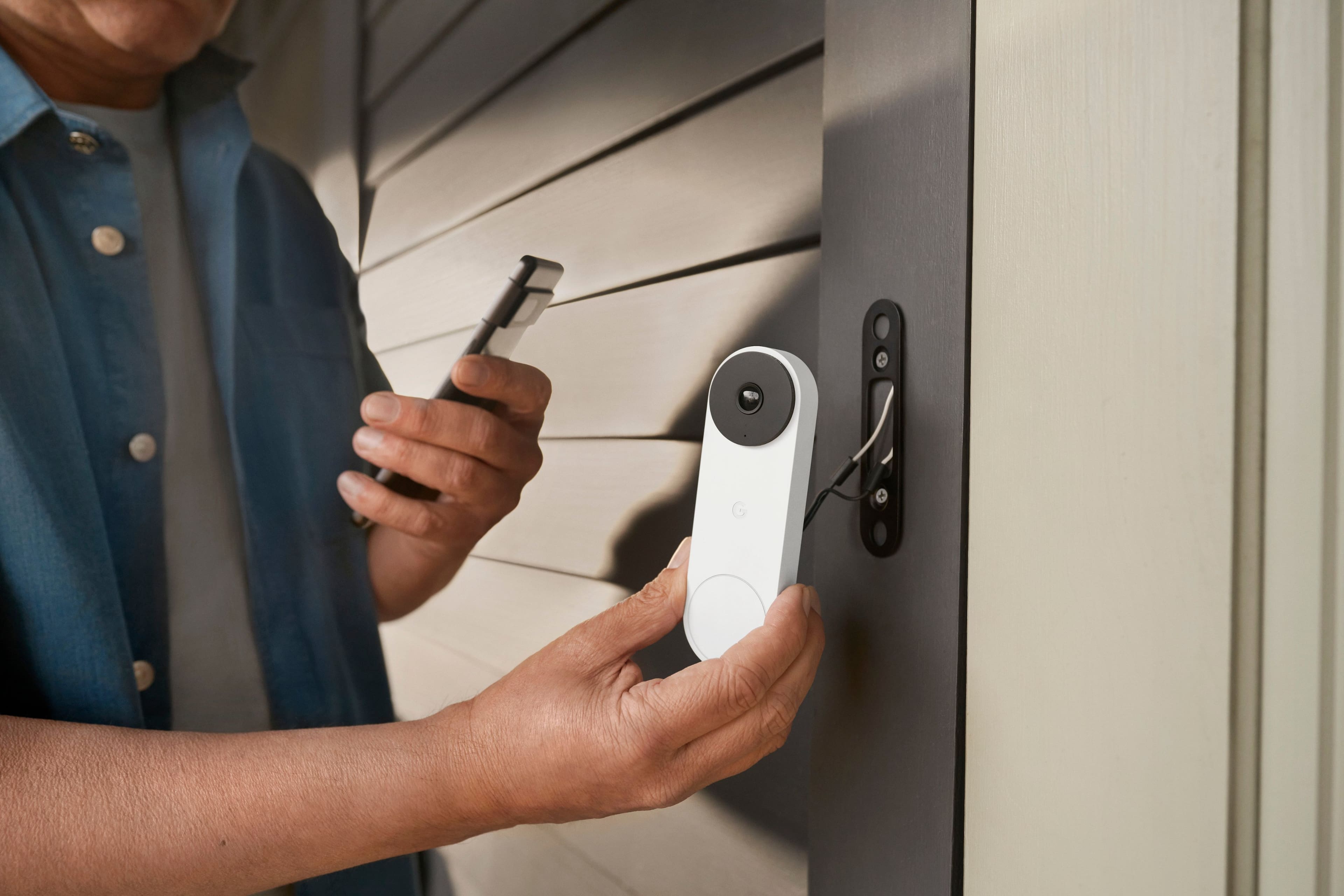
    I was looking to upgrade my front doorbell to a video doorbell and got Google - Nest Doorbell Wired (2nd Generation) – Snow. It came with a Nest Doorbell, Base plate, Chime puck, wedge, wire connector, Hex key, 2 sets of wall screws, anchors and spacers, extra security screw, window decal, and quick start guide. The setup is easy. I have turned off the power and removed the old doorbell. I have watched the installation video which was very helpful to install the doorbell. Google Home app does provide step-by-step instructions as well. The entire installation took only 15 mins, and the latest firmware was available to update. The video quality is superb during daytime as well as nighttime with HDR. There is no subscription required for recording and 3 hours of event video history are included by default. The wired Nest Doorbell spots and records important activity with clips up to 5 minutes long and 2-second previews for context. If the Wi-Fi goes out, the Nest Doorbell automatically records events for up to an hour. When it’s back online, it is easy to see exactly what happened during that time. I have subscribed to Nest Aware plan which provided more functionalities like Facial recognition, package recognition, and recordings for 30 days. Visitor announcements (with Nest Aware plan) can be enabled in the Google Home app under the settings. It is easy to view the live camera feed on the Nest display by saying “Hey Google, show me my front doorbell”. I have used Quick Response which is handy during meetings and quiet time is another great feature to disable the doorbell ring for a specific time. With the recent launch of Google home on the web, it was very convenient to watch the live video feed from a laptop or desktop. With Software tuning and Machine learning improvements, the video quality is better than other doorbells quality I have seen at other places. With the vertical field of view, it is easy to see head to toe, including packages as close as 8” from the doorbell. It is definitely a great addition to the existing Google ecosystem at home.

    I would recommend this to a friend
  • Tech Insider Network Member

    Rated 5 out of 5 stars

    Google Nest Is Best

    |
    Tech Insider Network Member
    Posted .
    This reviewer received promo considerations or sweepstakes entry for writing a review.

    Google builds solid products that work well. My Google Assistants and the Google Home app have become the key pieces of my smart home. I have multiple products from different vendors and Google makes them all work together like one happy family. Speaking of happy families, doorbells aren't good for my house. We have two dogs and knocks on the door and the ringing of doorbells drives them bonkers. My love affair for Google products made the Nest Doorbell the only viable option. I knew everything would be well documented, would work without much fuss and look great. The hardest part of my install was removing the existing video doorbell installed by a previous owner. Once that was done, the install of the Nest Doorbell was straightforward. Google provides a nice pair of spade connectors to connect to the back vs looping the wires around the screws for a more secure connection. Mounting the doorbell to the base was a little tricky to get the wires in the right spot, but once that was done everything else fell into place. Now when the doorbell rings, my Google Assistant says "there's someone at the front door" and the dogs haven't figured out what that means - yet. Video quality is great and it makes it easy to determine if you want to answer the door or ignore it. We don't have an issue with packages being stolen from our front porch, but having the option to know when something is there or alerting if an unexpected visitor shows up on the doorstep is nice. Like most Google products, the Nest Doorbell is a quality product.

    I would recommend this to a friend
  • Rated 5 out of 5 stars

    Best of the 3 brands I've tried.

    Posted .
    This reviewer received promo considerations or sweepstakes entry for writing a review.

    I had the Ring Pro for several years and it was ok. I upgraded to the Arlo Doorbell to go with my Arlo cameras and the notifications were horrible. It just rings your phone as if you're getting a call when someone rings your bell and on an Android phone you can't change the ringtone to make it different than an actual call. The Arlo cameras and doorbell all share the same motion notice sound. So I can't tell if it's my cat in the back yard or someone approaching my front door without looking at my phone. The doorbell should be unique. I have several nest displays so I thought I'd try the new Nest. I love it! It works flawlessly. I have no notification problems as mentioned in other reviews. Someone approaches and I get a notification. If they ring the bell the doorbell camera shows the camera feed to all 4 of my displays and it rings all my google speakers seamlessly. If I miss a ring I just tap on the notification and the last event is displayed through the home app in an instant. I can then hit the rew/back button and it goes back to the last event before the most recent and so on in case I missed more than one event. My only critique is I find the Field of View a little narrow. The Arlo had a 180 degree FOV to the Nest 145. It's enough for my needs since I have the Arlo cameras as well. It does show head to toe and because it's not so wide there's almost no distortion. The image quality is also very good.

    I would recommend this to a friend
    • Brand response from Nest Support
      Posted .

      Hi JohnS, thanks for giving us time to share your feedback on Nest Doorbell (wired, 2nd gen). We’re glad that you love it, and that it works flawlessly. The new Nest Doorbells have a taller, 145° diagonal view, which means you can see people in full, and deliveries left on the ground stay within view, unlike other video doorbells. Also, the Nest Doorbell (wired, 2nd gen) comes with a wedge that you can use to adjust the doorbell's camera angle if it's located in a corner. And it can angle your doorbell horizontally up to 20°. To get the camera view you want, you have to adjust the doorbell’s position by hand. Use the Home app to check the camera’s view so you can adjust the position from the mounting plate or wedge if you need to. To use the wedge for a better camera view, make sure to install the wedge then position the baseplate plate over the wedge with the G positioned upright and use the wedge screws to secure it in place.

      We’re always here for your support needs, simply let us know if there’s anything we can help you with: https://support.google.com/googlenest/gethelp Nest

  • Rated 4 out of 5 stars

    Good product, may not be worth for some.

    Posted .
    This reviewer received promo considerations or sweepstakes entry for writing a review.

    Giving 4 stars only because of incorrect information in the manuals and device info. No, it does not work with 16V 10VA. Trust me. I am confident working on electronics, and thought of working with existing 16V 10VA transformer even though so many customer reviews mention that it does not work with 10VA. Now I am fine with spending 20 bucks more replacing my existing transformer, which I did. However, factory resetting info was also wrong in the manual/app. They so desperately want you to call a pro, and people who don't do well with troubleshooting unfortunately have to spend extra. I love the build quality of Google products and their software. I have a Google ecosystem in my house, and once it is installed, it works great. However, the initial headache is probably not worth for some people. Beware if you want to DIY but are not familiar with Google ecosystem/electronics/electrical work. You may not like the initial headaches.

    I would recommend this to a friend
    • Brand response from Nest Support
      Posted .

      Hey there, Chinmay. Thank you for sharing your experience in installing your Nest Doorbell (wired, 2nd gen) and we're sorry to hear that it was less than ideal. We appreciate your feedback and we've taken note. If you need any help in the future or have additional questions, you can always reach out to our support specialists on our Google Help page here: https://support.google.com/googlenest/gethelp Nest

  • Tech Insider Network Member

    Rated 5 out of 5 stars

    Great reliable video doorbell

    |
    Tech Insider Network Member
    Posted .
    This reviewer received promo considerations or sweepstakes entry for writing a review.

    This review is for the Google - Nest Doorbell Wired (2nd Generation) - Snow. The install and setup up went very smoothly. If you have never changed out a doorbell before it is only two wires and it is low voltage. I used the supplied wedge bracket to angle the camera for the best view in my situation. After the install I opened my google home app and added the door bell very easily. There were some updates but didn’t take long at all. I installed this unit only hours before leaving for a funeral 1,000 miles away. I found the video quality to be quite well. And you can skip though the video history very easily. I still need to find tune the motion zone for the notifications. I like that I don’t get notifications for cars or animals passing by at night. I’m still playing with a feature called familiar faces. Where you can set up with people you know use this door and then you can get a notification telling you who is at the door. It has been good at telling me when the camera seen a person with a package. So after I could call my neighbors to move the package inside for me. And if you have a google hub like me this door bell works very well with it. Not only can you see who is at your door but you can also talk with them from wherever you are.

    I would recommend this to a friend
  • Tech Insider Network Member

    Rated 4 out of 5 stars

    Used but then took it down, not an improvement.

    |
    Tech Insider Network Member
    Posted .
    This reviewer received promo considerations or sweepstakes entry for writing a review.

    My transformer is inside but right up front and met the required specs. No issue swapping out my nest gen 1 wired doorbell for this one. I tried for 8 days but went back to my first gen model, better image quality and wider view in my opinion. Google took its time with this newer and supposedly better quality but I am accustomed to my better quality image from my gen 1 setup and bigger angle. I like the voice clarity though and I mounted this to my rear door where I get most of my deliveries because it does get a longer up/down view. This is great for packages on the ground. Recording via the cloud is fantastic and the view on Google home app is acceptable but not sure why they would not allow it to work with their own wonderful nest app…idiotic. Silly to now have multiple apps…I wonder. I like the verbal announcing of persons and knowing my package has been delivered. I now have both ups and fedex delivery to my rear door and this camera view is great as rear camera. I just wish they made the clarity better, I know it is very very good but the gen 1 is better…not sure why they skimped on that most important aspect, lens,

    I would recommend this to a friend
    • Brand response from Nest Support
      Posted .

      Hi redderr, we appreciate you for sharing your experience with Nest Doorbell (wired, 2nd gen) and we're sorry to hear that it didn't meet your expectations when compared to the 1st gen device that you currently have. Our goal is to create an integrated experience and make the Google Home app as the one place you can control all your Nest and other smart home devices with the Google Assistant. Your patience is appreciated as we improve further with integrating your Nest products with the Google Home app. If you need any technical assistance or have additional questions with your Nest Doorbell, please don't hesitate to contact us on our Google Help page here: https://support.google.com/googlenest/gethelp Nest

  • Tech Insider Network Member

    Rated 3 out of 5 stars

    Not Truly an Upgrade Over the Original Nest Hello

    |
    Tech Insider Network Member
    Posted .
    This reviewer received promo considerations or sweepstakes entry for writing a review.

    I've been patiently waiting for the successor to the incredibly good Nest Hello Doorbell that launched a few years ago, and it's finally here in the Nest Doorbell Wired. It features an upgraded aesthetic and supposedly upgraded imaging, but in practice, I'm not sure it's truly an upgrade, especially when factoring in that they force you towards the Google Home app instead of the far superior Nest App. Setup is straightforward. If you've got an existing wired smart doorbell, this will be a mostly trivial swap over. One important point to note, though, is if you are coming from a 1st gen Nest Hello, make sure you remove the chime connector for that; it’s explicitly stated to not be compatible with the 2nd gen doorbell. Registration to the Google Home app was seamless for me, and I had this up and running in a matter of minutes. The Doorbell Wired features an incredibly attractive aesthetic (honestly, the best looking smart doorbell out there in my opinion) with a metal exterior and VERY solid metal button. This is one area that's a very clear upgrade from the Nest Hello, which wasn't a bad looking device either at the time it launched, but whose plastic exterior makes it look quite dated side by side with the new version. There are a few color choices that might make them blend more seamlessly with your home styling, and while I appreciate the effort in making a more contemporary looking device, I do wish they at least offered an all black version for those not looking to make a style statement. Overall, the doorbell works well enough. However, I can't help but feel like this was an overall step backwards from the Nest Hello for one primary reason; the app. The Nest app worked very well for what its purpose was; the timeline view just worked and notifications/alerting just worked. I've found the Google Home app to be woefully inadequate in terms of reliability, timeline views, and notifications. At this point, they phased out the Nest app years ago, and they STILL don't have a true 1-1 feature parity set, let alone a superior app in Google Home. They've made a lot of strides quite recently, but in general, the app has hindered my true enjoyment in using this Doorbell. In terms of picture quality, the camera is good. Here again, however, it feels like a minor step back, settling for a lower resolution compared to the Nest Hello in favor of AI based HDR upscaling. The net effect in my usage is a night vision experience that's slightly inferior, but a daytime viewing experience that's mostly superior. Additionally, the field of view has been reduced, but the aspect ratio has also been adjusted, meaning you actually get more vertical viewing frame but less horizontal view. Being honest, the changes to the optics as a whole are a step back for me, which is not great given this is a years newer device which probably would've benefited from a better camera. Other features for the Nest Doorbell are mostly tied to their Nest Aware subscription service. Since I have a number of Nest Cameras around my house already, I'm able to fully utilize this doorbell to the maximum, including 30 days of event history and 10 days of continuous video recording. I'd recommend opting for at least the base subscription. While you do get 3 hours of event history without a subscription (which is pretty solid), if there's an event that happens overnight, it'll be wiped from your video history before you awake to see what happened. If you're not overly interested in being able to go back in time, you'll likely be very pleased with what you get out of the box without a subscription as compared to a lot of the competitors, including features like intelligent motion, people, and package alerts. I'm glad they've moved towards offering more features for free instead of locking more of them behind a paywall, which seems to be the direction of the industry at the moment. In summary, I'm left feeling underwhelmed. Taken at face value, the Nest Doorbell is one of the best on the market, giving you solid features with and without a subscription in a package that looks simply great. Compared to the device with which this is the true successor, the Nest Hello, however, it fails to truly impress, seemingly taking some steps backward for reasons that I don't quite understand. Optics aside, I'm hopeful (though not totally confident) that the app issues I've seen will be improved over time with software updates. However, I've seen this before with Google's Nest Hub devices. They made upgrades over time that actually severely degraded the performance of those devices, so unfortunately, I'm not entirely hopeful they'll rectify the issues here either.

    No, I would not recommend this to a friend
    • Brand response from Nest Support
      Posted .

      Hi Jturn, thanks for sharing the details of your feedback about the Nest Doorbell (wired, 2nd gen), and we’re sorry to hear it didn’t meet your preferences and needs.

      We understand that longtime Nest users enjoy viewing their Nest camera feeds from the Nest app. However, our priority with this launch was building a complete experience for our new cameras and doorbell in the Google Home app. We’re working on bringing full functionality to the Home app as we want to create an integrated experience with other Nest and smart home devices.

      Pixel count is only one factor that impacts video quality, and it shouldn’t be the only deciding factor when choosing a camera. Nest Doorbell has HDR video quality that’s optimized for a clear view in bright sun or dark. And we designed the new Nest Doorbells to have a taller, 145° diagonal view, so you can see people in full, and deliveries left on the ground stay within view, unlike other video doorbells. Luckily, the Nest Doorbell (wired, 2nd gen) comes with a wedge that you can use to adjust the doorbell's camera angle if it's located in a corner. And it can angle your doorbell horizontally up to 20°. To get the camera view you want, you have to adjust the doorbell’s position by hand. Use the Home app to check the camera’s view so you can adjust the position from the mounting plate or wedge if you need to. To use the wedge for a better camera view, make sure to install the wedge then position the baseplate plate over the wedge with the G positioned upright and use the wedge screws to secure it in place. We’re also focused on giving our customers value for the price, including three hours of event history right out of the box for the first time ever. On-device processing also gives our customers smart alerts and Activity Zones, which historically have required a subscription.

      We request your patience as we’re working on a seamless solution to create a better user experience. Meanwhile, we suggest having the latest version of the Google Home app that may improve camera playback controls to make it easier to play, pause, and navigate between events from the camera history view for cameras set up in the Google Home app. And if you find yourself in need of any help or guidance, please contact us anytime here: https://support.google.com/googlenest/gethelp Nest

  • Tech Insider Network Member

    Rated 3 out of 5 stars

    Not compatible with our existing system

    |
    Tech Insider Network Member
    Posted .
    This reviewer received promo considerations or sweepstakes entry for writing a review.

    We are currently using a competitor’s wired door camera that functions, although the picture quality has never been up to our requirements. Current system it does not include 3-hours of video history, and/or 1-hour of video backup if power is lost. When this Google - Nest Doorbell Wired (2nd Generation) with enhanced specs was released, my wife and I jumped on it as a higher quality and more feature rich video door bell replacement. On paper it checked off all of our requirement boxes. The installation was fairly easy and straight forward using the provided information augmented with online video information. Very similar to our current video door bell setup, other than the addition of a wired “Chime Connector”. But evidently our existing wired door bell system does not provide sufficient power to support the Nest system. After reviewing options like complete replacement of our current wired door bell system, installation of a second wired doorbell that will function properly with the Nest system, or paying an outside installer, we regretfully decided this is not the video door camera for our existing home.

    • Brand response from Nest Support
      Posted .

      Hi Buddy, thanks for sharing the details of your feedback on Nest Doorbell (wired, 2nd gen). We appreciate you for highlighting some of its features, and we’re sorry to hear it didn’t work with your current doorbell system. Google Nest doorbells can replace your home's current doorbell. However, some doorbell systems are incompatible or can't deliver enough power. So, if you plan to connect a Nest doorbell to your current doorbell's wiring, you should first confirm that your doorbell system works.

      If you’re willing to try the Nest doorbell again in the future, you may visit this link to learn more about the Nest doorbell compatibility: https://support.google.com/googlenest/answer/9247132 Nest

  • Tech Insider Network Member

    Rated 3 out of 5 stars

    Good Doorbell Camera, Installation Frustrations

    |
    Tech Insider Network Member
    Posted .
    This reviewer received promo considerations or sweepstakes entry for writing a review.

    I was upgrading from the 1st gen Nest doorbell so the physical installation went pretty smoothly for the most part. Google provides a wire connector that bridges the wires between the house and the doorbell. However, room for the extra wires wasn't accounted for in the doorbell so you have to smash the wires as you install the doorbell. In the instructions that are explained in the Google Home app (Nest app is no longer supported for this Doorbell), it clearly states that the Chime Connector is required for the doorbell to work properly. After installing the Chime Connector (and verifying my transformer met the requirements), the doorbell would not ring the chime. I engaged with support and after some back and forth, they indicated just to leave the Chime Connector unconnected to make it all work. Very strange to say it's required, but then say it isn't. The second issue I encountered was that I had Nest Aware on the Gen 1 Nest doorbell. I found no way to transfer that to the Gen 2 doorbell. Contacted support and they said that the Nest Aware for 1st Gen is no longer supported and I would need to cancel that subscription and subscribe to the new Nest Aware. Again, zero information with the doorbell or in the app to indicate this. Overall the doorbell works well. The one issue I have (besides the installation ones mentioned above) is that a number of times when I am notified of an activity (person, animal, etc.) and I go to the app to view the event, I am given a message of "video isn't ready yet". Kind of frustrating honestly. The video provided by the doorbell seems to be fine and the field of view works well for my setup (but does seem to be diminished from the previous generation). Overall, the 2nd gen Nest doorbell works well, but if your first gen Nest doorbell still works, you won't see much benefit in upgrading.

    I would recommend this to a friend
    • Brand response from Nest Support
      Posted .

      Hi bobcats9498, thanks for sharing the details of your feedback on Nest Doorbell (wired, 2nd gen), and we’re sorry to hear it didn’t meet your expectations.

      Once a subscription has been assigned to a camera, it can’t be moved to a different one. But if you’re subscribed to the Nest Aware (2nd gen), it covers all cameras added on the same home structure. The maximum number of cameras per Home is 10. Since you can have a maximum of 5 Homes, you can hypothetically have 50 cameras among those 5 Homes, each with Nest Aware (2nd gen) attached to each Home structure and applied to each camera.

      For the notification quality issue, here are some recommended troubleshooting steps that may help improve your experience with the doorbell:
      - If you have a lot of open apps on your phone, they can slow down its overall performance. Try closing some apps, including the Home app, and then re-open it.
      - If that doesn’t work, you can try restarting your phone or device.
      - Check your network as your doorbell announcement/notifications can also be delayed by a slow network connection.
      - Other devices in your home may be using a lot of bandwidth. You can temporarily stop a device’s bandwidth use manually by quitting an app or program, disconnecting it from Wi-Fi or ethernet, or by turning it off.
      - The announcement/notifications can be delayed if your camera, phone, tablet or computer is connected to a Wi-Fi extender, which adds extra relay time to any device that’s using it. In this case, connect your camera directly to your Wi-Fi router to help reduce the delay.

      You can adjust your cameras’ video quality that may improve the resolution. The higher the video quality setting you choose, the sharper and more detailed your footage can be, but it also uses more of your internet bandwidth. This setting lets you pick the maximum video quality for your cameras. But whichever level you choose, your camera will automatically adjust its resolution and compression according to how much bandwidth is available. Check this link to learn more: https://support.google.com/googlenest/answer/9218596

      We’d be happy to share your feedback, about the installation, with the right team for future improvement. In the meantime, please feel free to let us know if you have concerns about the Nest doorbell by visiting us here: https://support.google.com/googlenest/gethelp Nest

  • Rated 5 out of 5 stars

    Nice upgrade

    Posted .
    This reviewer received promo considerations or sweepstakes entry for writing a review.

    I upgraded from the original Nest Hello. I dont appear to have any of the issues mentioned in other reviews. The picture quality is slightly more clear. The field of view is less wide but taller which is perfect as it still sees my full porch but now sees lower for things like packages. It also has more intelligent notifications than the Nest Hello and is catching people and animals way more accurately than before. Overall im very pleased with the upgrade.

    I would recommend this to a friend
  • Rated 1 out of 5 stars

    No MetaData Googles Biggest Piece of JUNK

    Posted .
    This reviewer received promo considerations or sweepstakes entry for writing a review.

    The BIGGEST disappointment from Google that I have ever seen. Absolutely useless for practical purposes. Installation needlessly difficult due to exceptionally poor design. Camera Quality is BAD. Low resolution. It's like looking at video from an original Motorola Razr. Very BAD. The night vision is okay though. Motion activation is okay. Not great but okay. The installation is needlessly difficult due to the way they designed the doorbell and mounting bracket combined with the included wiring harness which is probably 4 inches long. It's too long to stuff into the mounting bracket easily. There is one tiny little screw that holds the Doorbell to the mounting bracket and it's BAD. It could have been designed better. The BIGGEST PROBLEM with the entire Nest Doorbell, which is a security Doorbell, is that the video is NOT timestamped. There is NO metadata when you download a video. I never seen anything so stupid and ridiculous in my entire life. It is a security camera that may very well catch a CRIME on your doorstep and Google decided that the video shouldn't have metadata. I bought the Doorbell camera as a crime deterrent and an actual serious crime occurred right in front of my door and it was captured on the Doorbell but there is NO metadata. I have never seen anything so stupid in my life and I feel like I was ROBBED for my money. What good is a security camera with no metadata? Last. It's impossible to activate the Google Nest Aware service after installation if you don't choose it right away apparently. I tried all day today to activate Nest Aware (Googles needlessly obtuse name for expanded video recording) and it can't be done from the Home app. Google made me download the Nest app and that wont work either. I had to uninstall the Doorbell to scan the QR code on the back of the Doorbell, which is already fading from weather, and after scanning the code in the Nest app I tried to reattach the the Doorbell to the mounting bracket and it was a 20 minute struggle because the design is so POORLY conceived. After finally attaching the Doorbell and going back into the Nest and Home app it still will not allow me to subscribe to the Nest Aware. Google has made some great and not as great products over the years but I have never seen a BIGGER piece of JUNK than the Nest Doorbell. There is no customer service to speak of. You can't get through to someone on phone. Save yourself some time and aggravation and buy a Ring Camera.

    No, I would not recommend this to a friend
    • Brand response from Google Nest Support
      Posted .

      Hey there, Justin. We hear your feedback on the Nest doorbell wired 2nd gen and sorry it wasn’t what you expected. We’re here 24/7 to help with any questions or concerns you may have — don’t hesitate to reach out to us: https://support.google.com/googlenest/gethelp? Nest

  • Rated 5 out of 5 stars

    A great upgrade

    Posted .
    This reviewer received promo considerations or sweepstakes entry for writing a review.

    I just purchased this doorbell the other day as an upgrade from my Nest Hello. It was really easy to set up, The picture quality is great. I love the fact that it can see packages coming from so far away. I also love the fact that it knows when my nephew is home, and I can see the notifications on my phone. Overall it's a really good camera.

    I would recommend this to a friend
  • Rated 5 out of 5 stars

    Wired Gen 2 Google door cam.

    Posted .
    This reviewer received promo considerations or sweepstakes entry for writing a review.

    I like that google changed the lock on this one. Broke 2,just trying to unlock 1st generation. Very poor design. I know better then to buy a battery model,cause it wont work in the cold.

    I would recommend this to a friend
  • Rated 5 out of 5 stars

    Excellent

    Posted .
    This reviewer received promo considerations or sweepstakes entry for writing a review.

    Went from Vivent security camera to this and this thing is so much better. Great picture and lots of cool Settings. Love how it rings through all our speakers we have in every room.

    I would recommend this to a friend
  • Rated 5 out of 5 stars

    Glad we got it

    Posted .
    This reviewer received promo considerations or sweepstakes entry for writing a review.

    Easy to install and it works great. Picture is clear day and night

    I would recommend this to a friend
  • Rated 5 out of 5 stars

    Added security

    Posted .
    This reviewer received promo considerations or sweepstakes entry for writing a review.

    Working great so far, No more surprise opening of doors to be met by a solicitor, like I've been suffering 3x a week.

    I would recommend this to a friend
Sponsored