Customer Ratings & Reviews






- Model:
- GA00122-US
- SKU:
- 6131501
Rating by feature
- Value
Rating 3.9 out of 5 stars
- Quality
Rating 4.6 out of 5 stars
- Ease of Use
Rating 4.6 out of 5 stars
Customers are saying
Customers enjoy the Pixelbook's keyboard quality, ease of use, and long battery life. Many appreciate its lightweight design and attractive aesthetics. However, some customers find the price to be high and wish it had more USB ports. The speakers also received mixed reviews.
This summary was generated by AI based on customer reviews.
- Pros mentioned:Battery life, Keyboard quality

Setting a new standard for quality
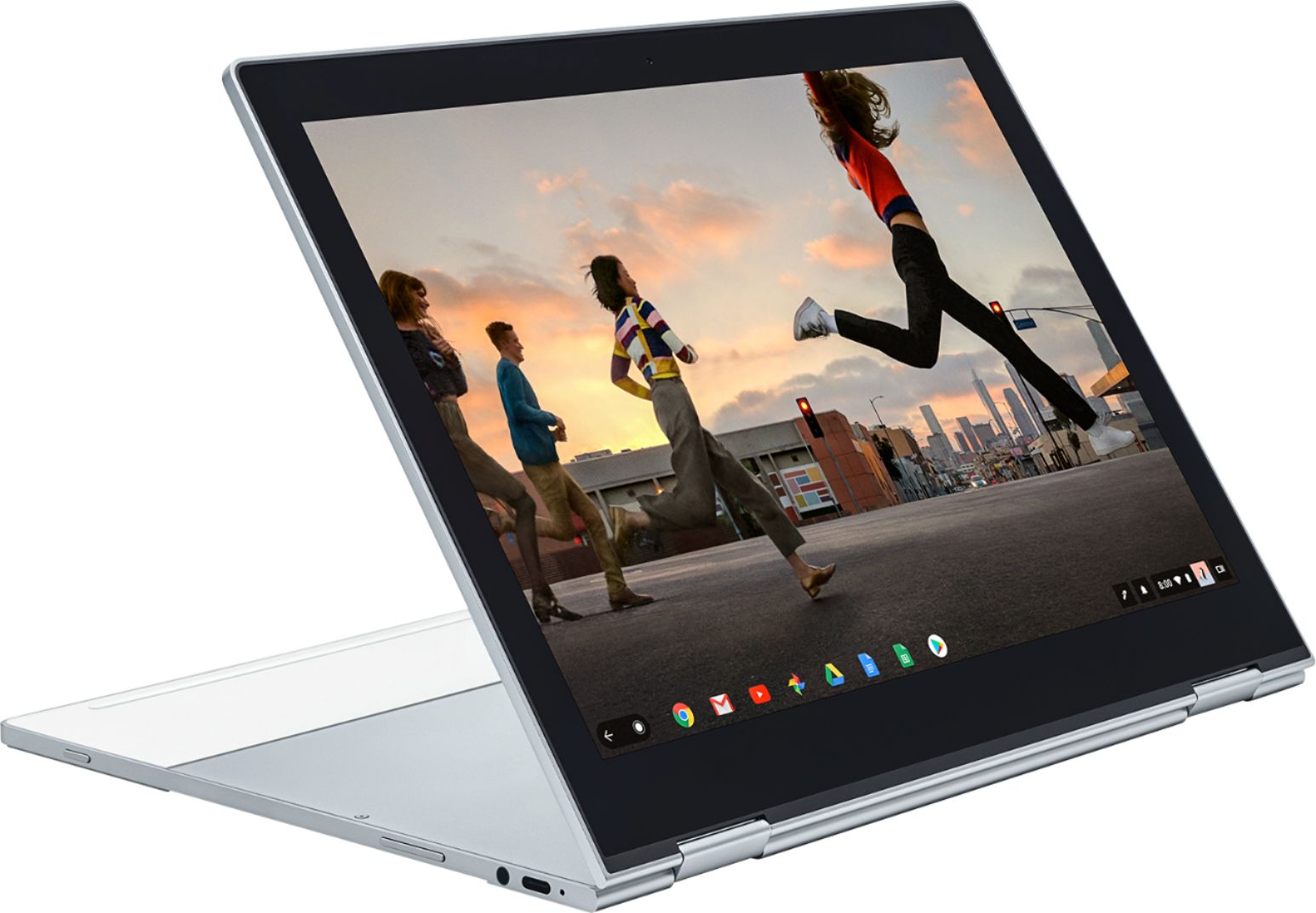
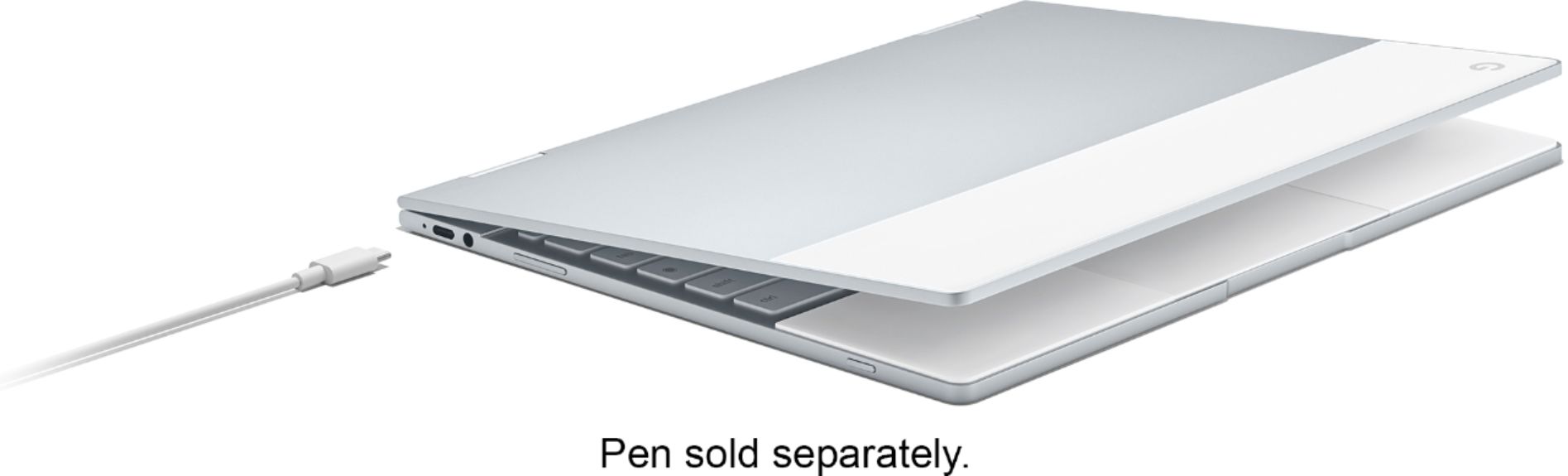
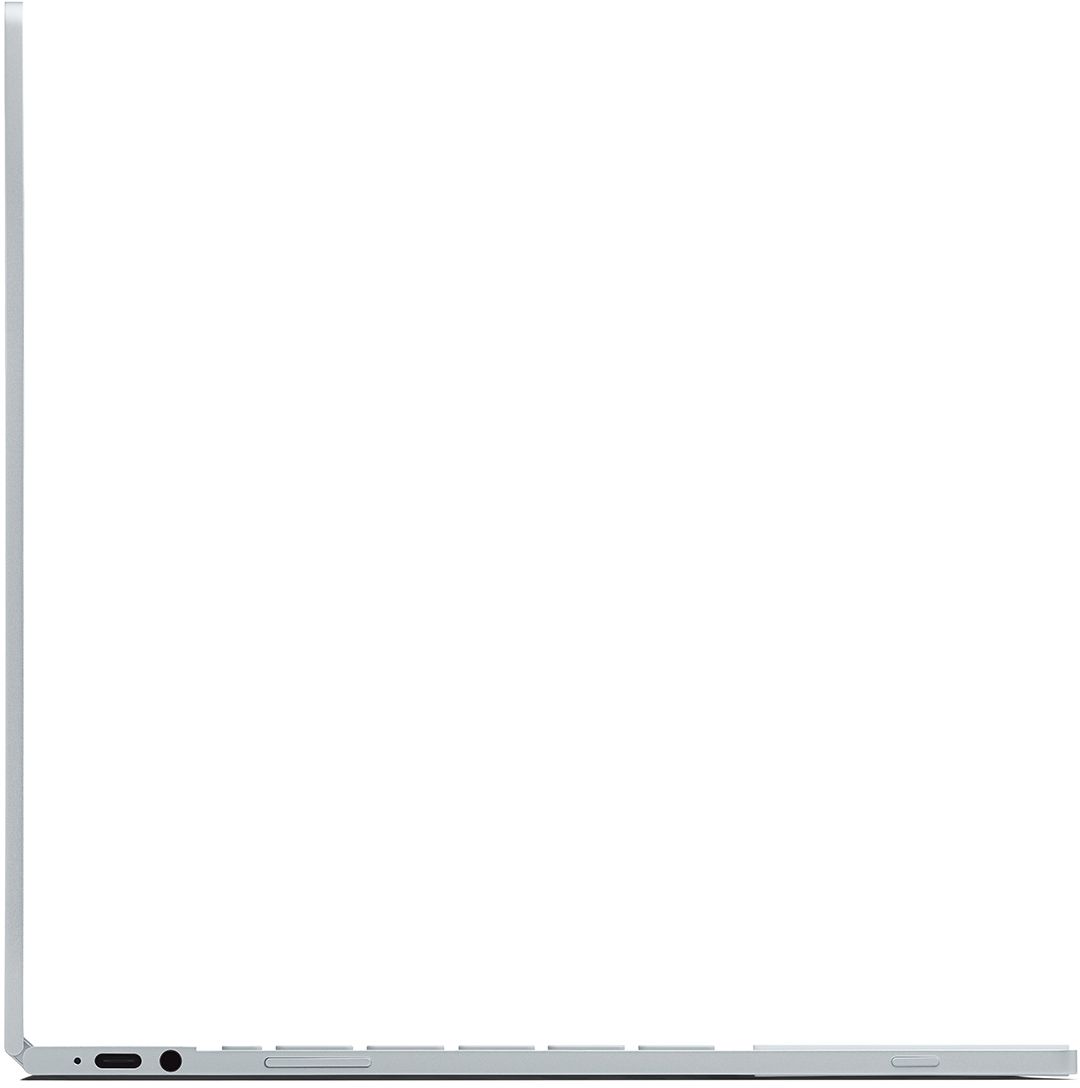
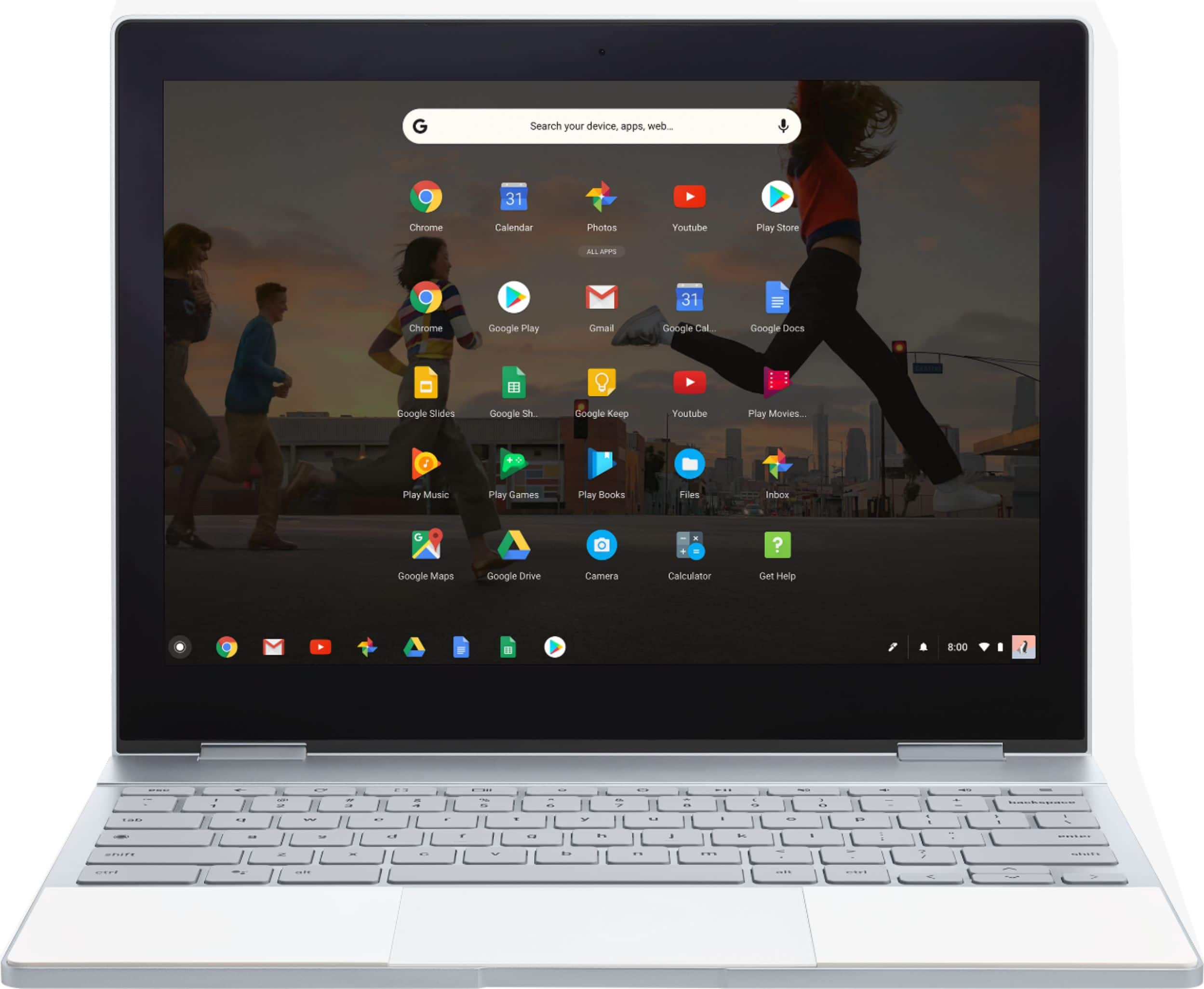
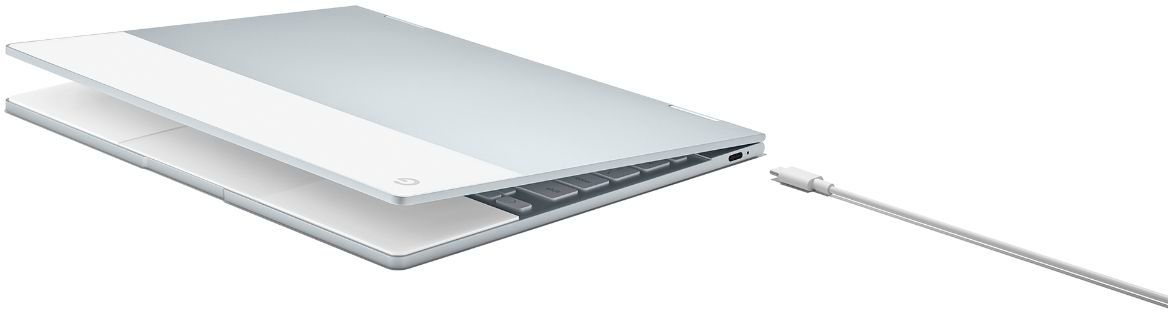
|Posted .This reviewer received promo considerations or sweepstakes entry for writing a review.Google - Pixelbook 12.3" Touchscreen Chromebook - Intel Core i5 - 8GB Memory - 128GB Solid State Drive - Silver The new Google Pixelbook is without a doubt one of the most high quality notebook computers I have ever had the pleasure to use. From the very fast speed, excellent backlit keyboard, high resolution touch display, glass touchpad, glass and aluminum form factor and 10 hour battery life finding something to complain about can only be nitpicking. But no matter how nice any product is, there is always room for improvements. For the new Pixelbook the chassis is a bit on the sharp side. Not so that you can cut yourself but it can be uncomfortable if you have it pressed against a your bare skin. The other issue I have is the transition to the Chrome operating system from Windows. If you are already use Chrome as your operating system which is now very common in schools this is a non issue. But for a lifetime Windows user getting to know Chrome, even though it’s my browser of choice is a bit of a challenge. For those who already use Chromebooks that wouldn’t be an issue. For those on the fence about getting a Chromebook there are a lot of reasons to give it a try. Security, great battery life and now most newer Chromebooks fully support Android applications are just some of the advantages. Really I could go on about how nice this notebook is. It’s clear Google intended to show the market what a Chromebook can be. This version is for those users that want the very best that Google can show off and also can sit right next to the best Windows and Apple notebooks and be right at home. It is going to take a bit of time getting used to Chrome as an operating system but the advantage far outweigh the negatives. For example my company now uses the cloud to host their office applications. So anything I can do on my Windows notebook I can do with a Chromebook. There are lower cost notebooks than the Pixelbook and Chrome will be the same on each one. One final feature to take note of here is the Pixelbook only has two fully powered USB type C ports. One on each side and both can be used to charge the notebook. This is both good and bad. The truth is the industry is moving to this better USB connection. Most new smartphones are already using this connection type. So although you might need adapters today such as if you want to connect a mouse it is the future and the Pixelbook is an excellent contender of computing’s future.
I would recommend this to a friend Outdated
||Posted . Owned for 1 year when reviewed.This reviewer received promo considerations or sweepstakes entry for writing a review.It's a niche product that was worth considering at the time it was released. Can definitely get better ones now.
No, I would not recommend this to a friendWaste of Money!
||Posted . Owned for more than 2 years when reviewed.This reviewer received promo considerations or sweepstakes entry for writing a review.I don't normally writer reviews but now I feel obliged to let others know that this is a big west of money! I bought this pixel book for my daughter almost two years ago. It worked fine for a year and half she loved and took good care of it. Last march it started to act up by not connecting to the WIFI network and shortly after the screen completely blacked out. We contacted google many times and waited almost two months as they try to research the issue-by the way the worst customer service experience ever!!. Finally They told as as it was older than a year and out of warranty to take it to 'u break I fix'. We mailed the pixel book to the store and was told it is un-repairable. Please do not waste your money on this unreasonably expensive pixel book if you are planning to use it for more than a year.
No, I would not recommend this to a friendNot my best Purchase
||Posted . Owned for 1 year when reviewed.This reviewer received promo considerations or sweepstakes entry for writing a review.After a year of purchasing, the pixel book started flickering and glitching constantly. Do not recommend.
No, I would not recommend this to a friendNot there yet
||Posted .This reviewer received promo considerations or sweepstakes entry for writing a review.As much as I enjoyed the hardware, the Pixelbook software and especially mobile apps still have a good way to go.
No, I would not recommend this to a friendWorst purchase of my life
||Posted . Owned for 1 year when reviewed.This reviewer received promo considerations or sweepstakes entry for writing a review.Not worth the price at all. I was looking for a computer to edit pictures with and this computer can't even support the editing software, it will only download the app version of it. The storage space is terrible. I had issues with the screen going black/shorting out when the screen was moved almost immediately after I bought it. Almost the only thing I like about it is the touch screen. I wasn't allowed to return it though because I didn't purchase a warranty with it even though I told an employee specifically what I wanted to buy a computer for, storage space and editing pictures, and this is what was recommended, and it is not good for either of those things. You could buy a much better computer for the price they are charging for this piece of junk. This thing is worth maybe $250.
No, I would not recommend this to a friendOverpriced, but fast.
||Posted .This reviewer received promo considerations or sweepstakes entry for writing a review.My first one of these had a busted down arrow. Second one is good. It's just an expensive chromebook.
I would recommend this to a friend- Pros mentioned:Keyboard quality, Weight
Another Good Google products
|Posted .This reviewer received promo considerations or sweepstakes entry for writing a review.I had written a long raving review about this laptop and while writing my review while using it it literally just froze on me and I was forced to exit and all of it was lost so that may be a good thing since I got to see a negative. Overall it’s a great sleek design, lightweight, vibrant beautiful screen, a nice place to rest your wrists while typing is also included in the design. Google has another success. Only cons I noticed were size, they don’t utilize the full screen, and some force closed issues, sound was also just average.
I would recommend this to a friend BEWARE IF IT STOPS WORKING!
||Posted . Owned for 1 year when reviewed.This reviewer received promo considerations or sweepstakes entry for writing a review.Was a great machine when it worked but 14 months (2 months after the warranty ended) it stopped charging. Google sends you to uBreakiFix who could not figure it out. Google wouldn't do anything and so I have a $999 brick. If you buy, buy the extended warranty. uBreakiFix says that Google Pixelbooks are tough if not impossible to fix and so prepare for the worst and expect to need an extended warranty. Best Buy Geek Squad is not allowed to fix. When it worked it was great.
No, I would not recommend this to a friendGift
||Posted . Owned for 1.5 years when reviewed.This reviewer received promo considerations or sweepstakes entry for writing a review.Bought as gift for my mother. 3 times slower than her laptop.
No, I would not recommend this to a friendJust way too buggy
||Posted .This reviewer received promo considerations or sweepstakes entry for writing a review.Really nice hardware completely taken out at the knees due to the mess that is ChromeOS. One foot in desktop, one in mobile and horrible at either. It still can't even run mobile Outlook without major issues. Makes a nice dumb terminal though.
No, I would not recommend this to a friend- Pros mentioned:Keyboard quality, SpeedCons mentioned:Speakers
The best laptop I've ever owned
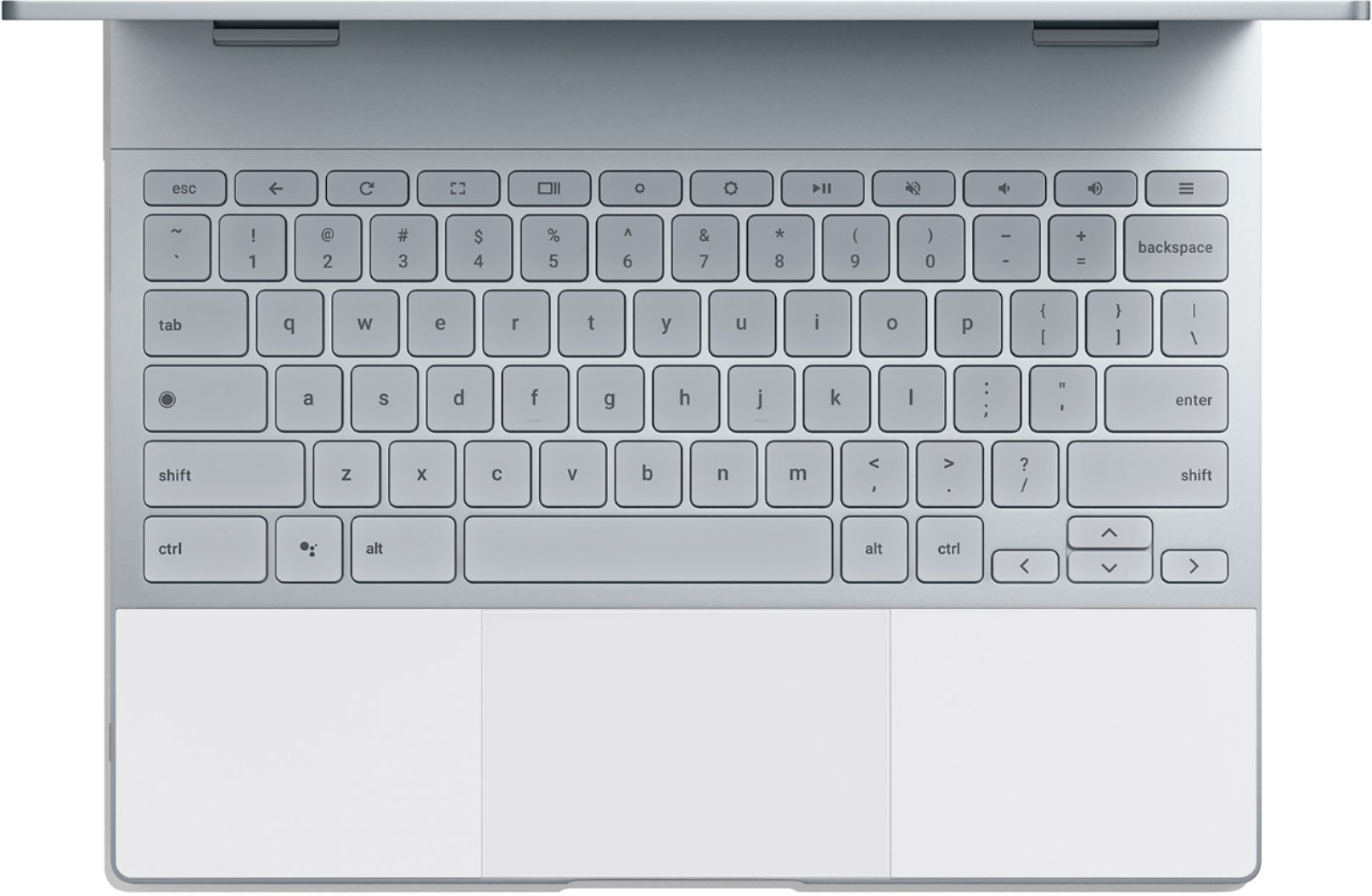
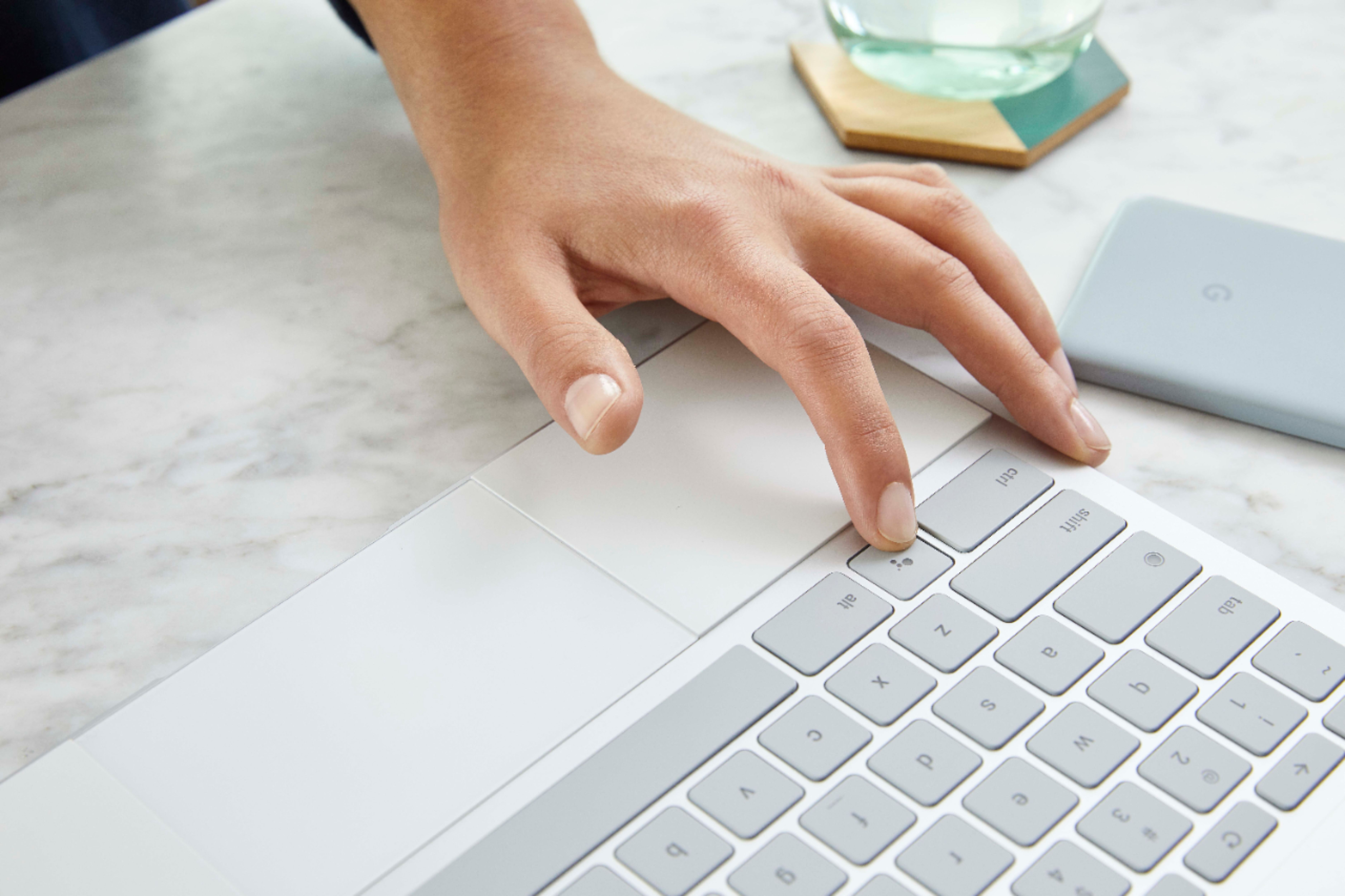

Posted .This reviewer received promo considerations or sweepstakes entry for writing a review.The Pixelbook is the best laptop that I have ever owned, bar none. The hardware is absolutely stellar and now that Google has opened up Linux and Android support, I can do anything I want on it. The display is absolutely gorgeous. People complain about the bezels but, much like that stupid notch everyone is adding to phones, after you use it for a while, you stop noticing them. The brightness on the screen is enough that I have never had an issue seeing it in any environment, and the colors are beautiful. The system is fast, booting up in seconds and never lagging on me. I use my Pixelbook all day at work and have never had a lag on it, and I am using the low-end model. USB-C charging from either side is one of those things that you will wonder why everyone isn't including it in their laptops. I can share the same charger between my Pixelbook and my S8+, so I only have to carry one charger to work. Being able to plug it in on either side means that the charge port is always on the same side as the power outlet. The keyboard... Oh, this amazing keyboard. It feels so great to type on that I want to start writing the great American novel, just so I can use it. It has the perfect amount of travel and just the right amount of click on the keys to make it feel great on my fingers. The keyboard backlight is also the perfect amount of glow. The trackpad is also the best I have ever used. It feels great under my fingers and is always responsive when I use it. Tablet mode on the Pixelbook is also very usable. Yes, it is a bit heavy for a tablet, but it isn't a tablet, it's a convertible laptop, so that is to be expected. When it's folded back in tablet mode, it's a bit weird to feel the keyboard on the back, but you get used to it. I use mine in tablet mode for reading on the couch, and I use Squid with the Pixelbook Pen to take notes in meetings. It is great for that. So, what would I change about the Pixelbook? I would reduce the bezels around the screen. Sure, you get used to them, but they are a bit large for a high-end laptop in 2018. I'd also add a way to keep the Pen with the Pixelbook. My previous Chromebook was a Samsung Chromebook Plus, and it was so nice to always have the stylus when I needed it. With the Pixelbook, I have to go to the case to pull out the Pen when I need it. Also, I'd improve the speakers on it. Considering the size of the Pixelbook, they are actually pretty good. My Chromebook Plus was often hard to hear in certain situations and I've never had issues hearing the Pixelbook, but the sound from the speakers is quite thin. It would be nice if they were a bit fuller. Finally, I'd reevaluate the rubber on the case. The palm rests feel great when you are using it and work well to keep it from sliding around on a table while using it in tablet mode. However, the rubber on the bottom is almost a bit too grippy. When I'm using it on a desk or table and want to move it a bit to get it in a better position, it won't slide. I have to actually pick up the Pixelbook and move it. Yeah, it's a bit nit-picky, but it is an annoyance. Most all of my complaints on the Pixelbook are minor, and things that you quickly get used to when using it every day. As an aside, the Pixelbook Pen is really nice, but at $100, it probably isn't the best option. Having a pen is important to complete the experience of the Pixelbook in my opinion, but Lenovo makes a pen that you can buy for $25 that does almost everything the Pixlebook Pen does. It is plastic, so it doesn't feel as nice, but for 1/4 the price, I think it's a better option for most people who aren't trying to use the Pixelbook for artwork. Overall, I wouldn't hesitate to recommend the Pixelbook to anyone who has the budget to buy it.
I would recommend this to a friend Google customer service is a nightmare
||Posted . Owned for 8 months when reviewed.This reviewer received promo considerations or sweepstakes entry for writing a review.We got a defective unit and google interrogated us and took forever in order to get a replacement. They only replaced our defective unit with a refurbished one. Best Buy doesn't offer geek squad protection on these computers for a reason. It's a fun laptop but if you want to use it for conventional programs then look elsewhere. This product is only for Google fanatics. Won't ever buy a Google product again after this one.
No, I would not recommend this to a friendDon't buy google products
||Posted . Owned for more than 2 years when reviewed.This reviewer received promo considerations or sweepstakes entry for writing a review.For a chromebook this expensive I expect either no issues or excellent support. Neither of those things happened. I returned 3 of these devices and they all had the same issue, the top of the device did not line up with the bottom and it would not sit flat on a table. I get that it's not a huge deal, but for the price of the thing, I expect better. Google's customer support was useless as usual
No, I would not recommend this to a friendCan't be repaired?
||Posted . Owned for 9 months when reviewed.This reviewer received promo considerations or sweepstakes entry for writing a review.The glass on the back fractures for no apparent reason. What is worse, the glass cannot be repaired!? Google does not cover the glass under any warranty. The machine is less than a year old, never been out of the house and never dropped, yet it cannot be repaired. Amazing!
No, I would not recommend this to a friendNot worth the money
||Posted .This reviewer received promo considerations or sweepstakes entry for writing a review.I really wish it had worked for me but it is horrible great design everything else was terrible
No, I would not recommend this to a friendClunker
||Posted . Owned for 5 months when reviewed.This reviewer received promo considerations or sweepstakes entry for writing a review.I purchased this device six months ago. The battery now won't charge despite the device indicating it is connected to the power supply. WiFi drops connection sporadically even though other devices nearby do not.
No, I would not recommend this to a friend- Pros mentioned:Battery lifeCons mentioned:Speakers
Lacks utility, hinders productivity
|Posted .This reviewer received promo considerations or sweepstakes entry for writing a review.[ Preamble ] I feel it’s important to start off with putting this review into perspective. I’m in no way biased against Google. On the contrary, I have a Google Pixel phone which I’m very fond of and which I rated highly in my review of that product. Google services are also heavily ingrained into my daily life, both in desktop and mobile device usage. This is my first experience with Chrome OS. I feel like Chrome OS is only just now becoming worth consideration, with the introduction of Google Assistant and good start at support for Android apps, among other features that Google is slowly pulling over from Android. However, Chrome OS is still missing many important usability and utility features. The Pixelbook also suffers from a lack of features and some design drawbacks on the hardware side. I know Google is very capable of making high quality products that fit their target markets well. However, to me, the Pixelbook seems like an overpriced toy. [ Outer design and featureset ] As has come to be expected from Google hardware, the material selection and production quality is fantastic. With an aluminum body that feels extremely sturdy, glass section behind the display for increased WiFi signal strength, premium rubber [?] wrist pads that also help protect the screen when closed, extremely tight alignment of surfaces and angles, and gentle curves in the right places, impeccable engineering is the first thing seen when unpacking the Pixelbook. The Pixelbook is remarkably thin, but this comes with some pretty severe trade-offs when compared to competing products. While featuring two USB-C ports, it lacks any USB-A port, HDMI port, or SD card slot, which significantly hampers utility. Also noticeably missing are GPS and a cell modem. With even extremely cheap tablets having GPS, and with the older Chromebook Pixel--as well as some other Chromebooks and tablets--having offered a cell modem option, it feels like the Pixelbook doesn’t cater as well as it could to current generations of hyper-connected users demanding these types of products. [ Hardware ] Display: The display is very vibrant, with a great max brightness level that significantly outshines most competing devices I’ve seen. Google intelligently chose a 3:2 aspect ratio which fits well with the implementation of Android app support, many of which are designed with fixed portrait orientation and aspect ratio. Touch responsiveness is decent, but I had trouble at times with accuracy and tap-and-drag gestures, which sometimes required me to resort to using the touchpad for various tasks. Battery: Great battery life, with quick and convenient charging through USB-C ports. Keyboard: The keyboard--in my opinion--is absolutely horrible. The extremely limited key travel (more so than any other keyboard I’ve used) translates to very limited tactile feedback which has a significantly negative impact on typing accuracy (for me, anyway). The consistency of the backlighting is worse than in any other backlit keyboard I’ve seen, to the point that it looks downright trashy. The backlighting seems to have a mind of its own, turning off and on seemingly randomly in various indoor lighting conditions, and with no apparent way of controlling its behavior. While the onscreen keyboard--like on Android--has a ubiquitous voice input option, the physical keyboard has no such key (or even key combo, that I’ve been able to find). This means in many scenarios, I can’t benefit from voice dictation unless I switch to tablet mode, or manually enable the onscreen keyboard, but doing the latter has it pop-up any time a text-input element is given focus (until disabled). I found the lack of ‘home’ and ‘end’ keys to be a significant disadvantage when writing/editing any meaty body of text. The key combos to replicate these functions are Ctrl + Alt + Up Arrow and Ctrl + Alt + Down Arrow, respectively, while moving to the beginning and end of the input field are bound to Ctrl + Search + Left Arrow and Ctrl + Search + Right arrow, respectively. Even besides being cumbersome to use and deviating from familiar conventions, the choice of these key combinations downright boggles me. All together, I’ve found this keyboard to be a major impediment to productivity while using the Pixelbook. Camera, microphones, speakers: Decent camera captures better than average color and detail with indoor lighting conditions compared to laptops I’ve owned and used around this price point. The microphones however are rather lackluster, tending to easily pick up annoying background noise and doing a rather poor job of echo/feedback cancellation. Maximum volume of the speakers are better than average, but the quality is nothing ground-breaking, with low and mid frequency ranges being neglected as much as I’ve come to expect in laptop speakers. CPU, memory, storage: The hard stats seem fairly reasonable. While low compared to similarly priced laptops, they should be entirely sufficient for the types of tasks expected from a Chromebook. The major issue I have, however, is that the CPU heats up the aluminum body very quickly while running even a rather simple 3D game, with the passive cooling performing disappointingly in these scenarios. The panel between the keyboard and the display especially becomes very hot to the touch, with heat spreading to a lesser degree to other surfaces. Chrome OS: Despite recent improvements, Chrome OS is still lacking in so many ways, that it looks like a joke compared to the alternatives… even Android. We have access to a single-row ‘shelf’ which we can had shortcuts to, compared to a full desktop on most OSes, or the multiple home screen pages of Android. With Android, we have access to useful widgets we can display on our home screens, where as with Chrome OS… we’re stuck with a simple background picture. While the Chrome browser can add and print to local (USB-connected) printers, it seems such printers are not visible to Android apps. As for a peripheral more complex, such as a scanner… well, that’s just completely out of the question. While Google has a good start on Android app compatibility, it’s far from a solid experience. Some apps crash, some refuse to behave the same way they do on Android, some have display issues, and for many apps, the Google Play store warns of the apps not being ‘optimized’ for Chrome OS. Even in my first hour using the laptop, I had already run into several OS bugs, such as switching to tablet mode and back again resulting in the cursor being stuck upside down (requiring switching back and forth again to fix), and ghost tray icons that remain after unpinning, requiring re-pinning and then again un-pinning the shortcut in question to get rid of it. While the bugs individually were minor, collectively over time they became an annoyance. Unfortunately, the inadequacies of Chrome OS don’t end there. The frustrating thing about it all is that these issues *could* be addressed without compromising the core values of the operating system, if the developers actually cared about utility and productivity. However, it seems to me this isn’t a primary concern of theirs.
No, I would not recommend this to a friend Don’t buy
||Posted . Owned for 5 months when reviewed.This reviewer received promo considerations or sweepstakes entry for writing a review.Waste of money. Lasted 4 months and then broke. For the cost you are better off buying a pc or Mac. A pc and Mac offer a lot more for your money.
No, I would not recommend this to a friendGoogle Pixel Quality is poor
||Posted .This reviewer received promo considerations or sweepstakes entry for writing a review.Product quality is not good... I have Screen hair line crack
No, I would not recommend this to a friend