Customer Ratings & Reviews


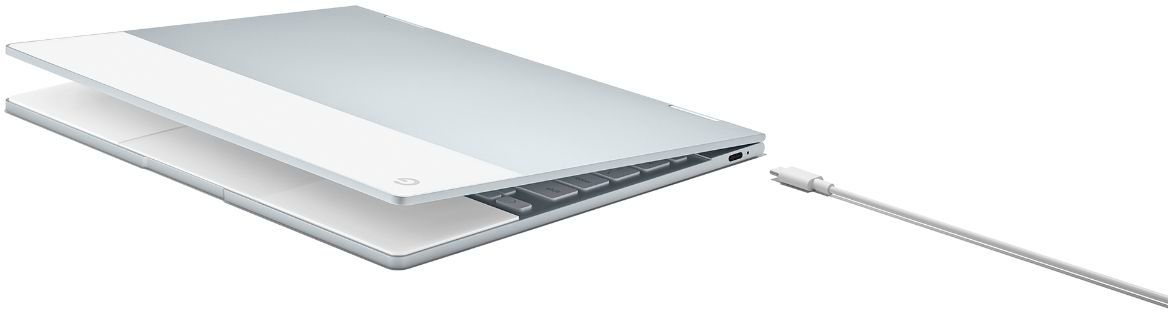




- Model:
- GA00122-US
- SKU:
- 6131501
Rating by feature
- Value
Rating 3.9 out of 5 stars
- Quality
Rating 4.6 out of 5 stars
- Ease of Use
Rating 4.6 out of 5 stars
Customers are saying
Customers enjoy the Pixelbook's keyboard quality, ease of use, and long battery life. Many appreciate its lightweight design and attractive aesthetics. However, some customers find the price to be high and wish it had more USB ports. The speakers also received mixed reviews.
This summary was generated by AI based on customer reviews.
- Pros mentioned:Keyboard quality, Speed
Blazing fast and a joy to use
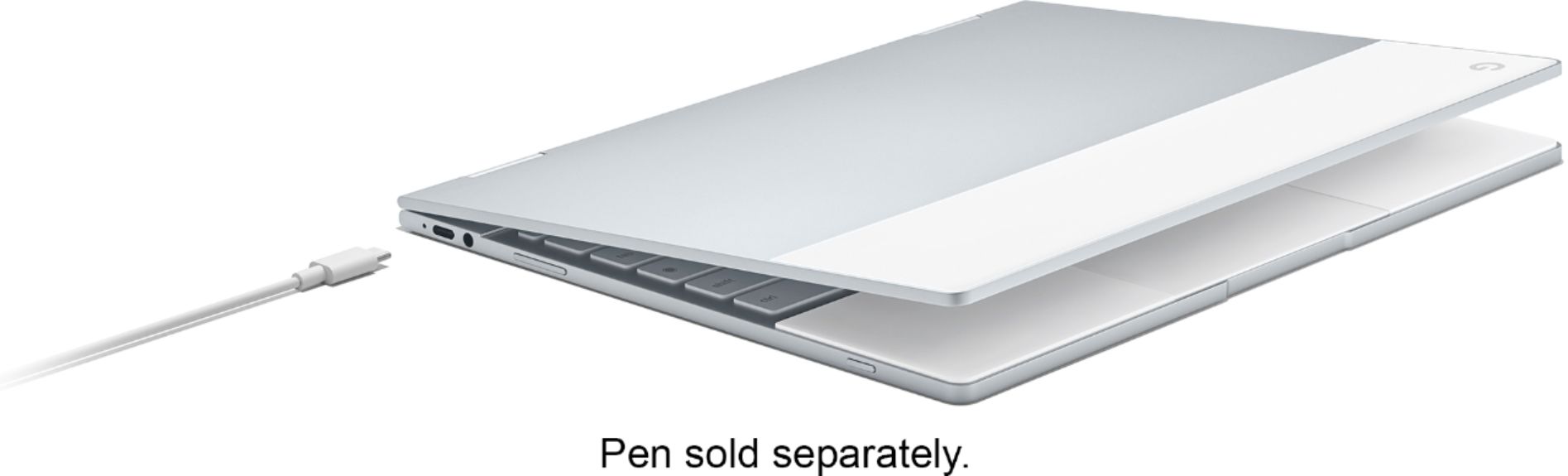
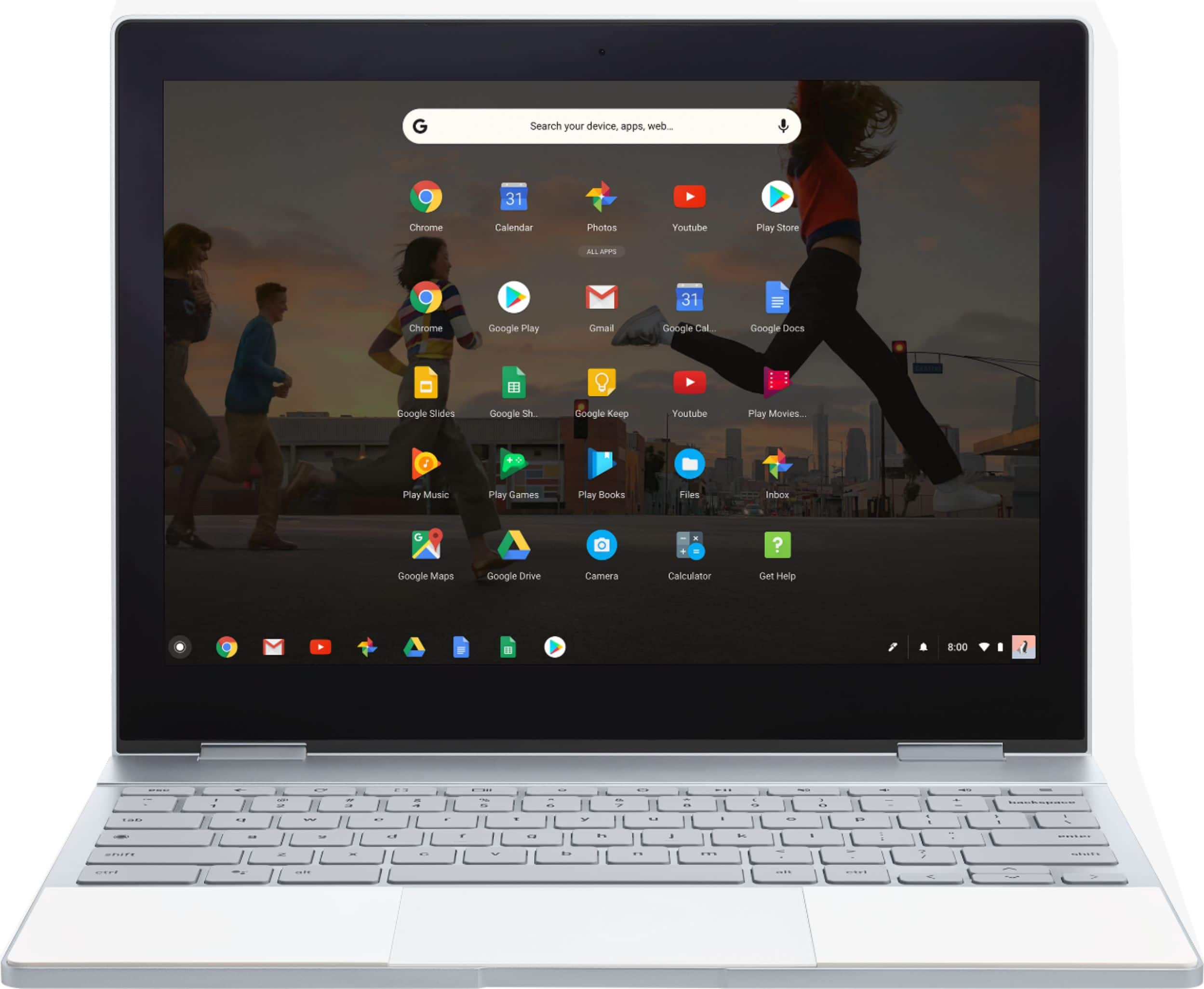
Posted .This reviewer received promo considerations or sweepstakes entry for writing a review.This Chromebook is amazing! The device is beautiful, it feels wonderful to type on, the trackpad is fantastic and feels amazing when you use it, the touchscreen is easy to use and feels amazing, the pen is easy to use, and the display is beautiful. There are also tons of apps available. I have installed everything I want and still have 96% of the hard drive free. I use cloud storage for my files, so I am not worried about only having 128GB. I know I mentioned it is really fast, but it feels like I am using my desktop, everything opens immediately and apps download and install in a second. This is so much better than my prior Chromebook I can't believe it. Before this, I felt like having a Chromebook was a compromise or a device that was only for checking emails and social media. Now I can do practically anything I want to on this machine. The only cons I can think of are: the pen is a separate purchase and should come with it, there should be storage for the pen so it doesn't get lost, and some features of sync with your phone may only work if you have a Pixel or Nexus phone because they have the newest version of Android before other phones.
I would recommend this to a friend Returned it
||Posted .This reviewer received promo considerations or sweepstakes entry for writing a review.Not for me it was very nice but it was impossible to do the things I wanted to do
No, I would not recommend this to a friendregret
||Posted . Owned for more than 2 years when reviewed.This reviewer received promo considerations or sweepstakes entry for writing a review.unless your needs are minimal, take a pass on the chromebook.
No, I would not recommend this to a friend- Pros mentioned:Battery lifeCons mentioned:Usb port
Chrome OS has improved a lot since last year
Posted .This reviewer received promo considerations or sweepstakes entry for writing a review.I would have given 3 star for Pixelbook last year after I bough it, but the beauty of Chrome OS is the constant software improvements, and I am very happy with the way things have been improving since last year. Pixelbook hardware is still great, for this form factor, one year after launch. Chrome OS stability, UI and performance (especially regarding Android Apps) has improved and really enjoyable in my opinion right now. Here are a couple of issues, which still persists, but frankly the rest of the experience is so good, that did not convince me to lower the 5 star: - Bluetooth is still not good enough. Better connectivity, and better codecs (Aptx, Bluetooth 5.0) are certainly welcome for any other chrome OS devices being launched. - Given the form factor and size of the device, display can be bigger. - Intel Core I5-Y series (7th Gen) is not the best mobile/desktop processor out there. Performance could be better, even though not noticeable and totally fine on Chrome OS as it is right now. - Battery life, for me (consider myself a heavy user), is Medicare (7-8 hours) compared to competition right now.
I would recommend this to a friend beginner computer
||Posted .This reviewer received promo considerations or sweepstakes entry for writing a review.The interface is not what you would expect if you have used a PC or a MAC. Google/android pushes their games and ultimately it is not what I was expecting.
No, I would not recommend this to a friend- Pros mentioned:Keyboard quality
Wow!
Posted .This reviewer received promo considerations or sweepstakes entry for writing a review.This is the perfect Chromebook. I have used a Dell 13 (i3) and a Asus 302c. Both are excellent Chromebooks, but were lacking in one or two areas: the Dell I had lacked a touchscreen; the Asus trackpad, while accurate, was plastic and made me long for the glass trackpad of my old Dell. But the Pixelbook tops them both. The design is brilliant. To my mind, it's simply perfect. If you have the money, it's worth it. If it's out of your budget, I recommend the Asus c302.
I would recommend this to a friend - Pros mentioned:Battery life

Really, really cool piece of hardware
|Posted .This reviewer received promo considerations or sweepstakes entry for writing a review.Right out of the box there was very little to set up. Just log in to your Google account and off you go. Everything synced and all my bookmarks were right there. So simple and I love simple. For the price, it should have come with the stylus but it is what it is. The lighted keyboard did go dark on me in the middle of typing a couple time but seems to have straightened itself out over the last few days. Also had no sound once when I opened up the Netflix app and had to reboot to get it back. None of the volume buttons worked but all was well again after a reboot. Also going full screen on a couple apps from the play store caused the buttons of the app to not align with the touch screen and made them useless at full screen. There was a warning when I clicked full screen that it may not function correctly and I guess they were correct :) Other than those minor issues, this is a wonderful machine. It's sleek looking, lightweight and a perfect companion. The display is fantastic but I wish the bezels were a little smaller and would have allowed for a slightly larger screen. The resolution is great and Netflix looks great. Battery life is advertised at around 10 hours with mixed usage and that's right around what I'm getting. This also has the new "pinch-zoom" feature right on the track pad. Took me a while to figure out where they hid the sound as there are no visible speakers. They have them hidden underneath the keyboard and they sound great!!. Little lacking in the bass department but plenty loud and clear enough. This is certainly not a full-featured laptop but with the thousands of available apps on the Play Store, you can customize this to your heart's content. Highly recommended, I love it
I would recommend this to a friend - Cons mentioned:Usb port
great chromebook
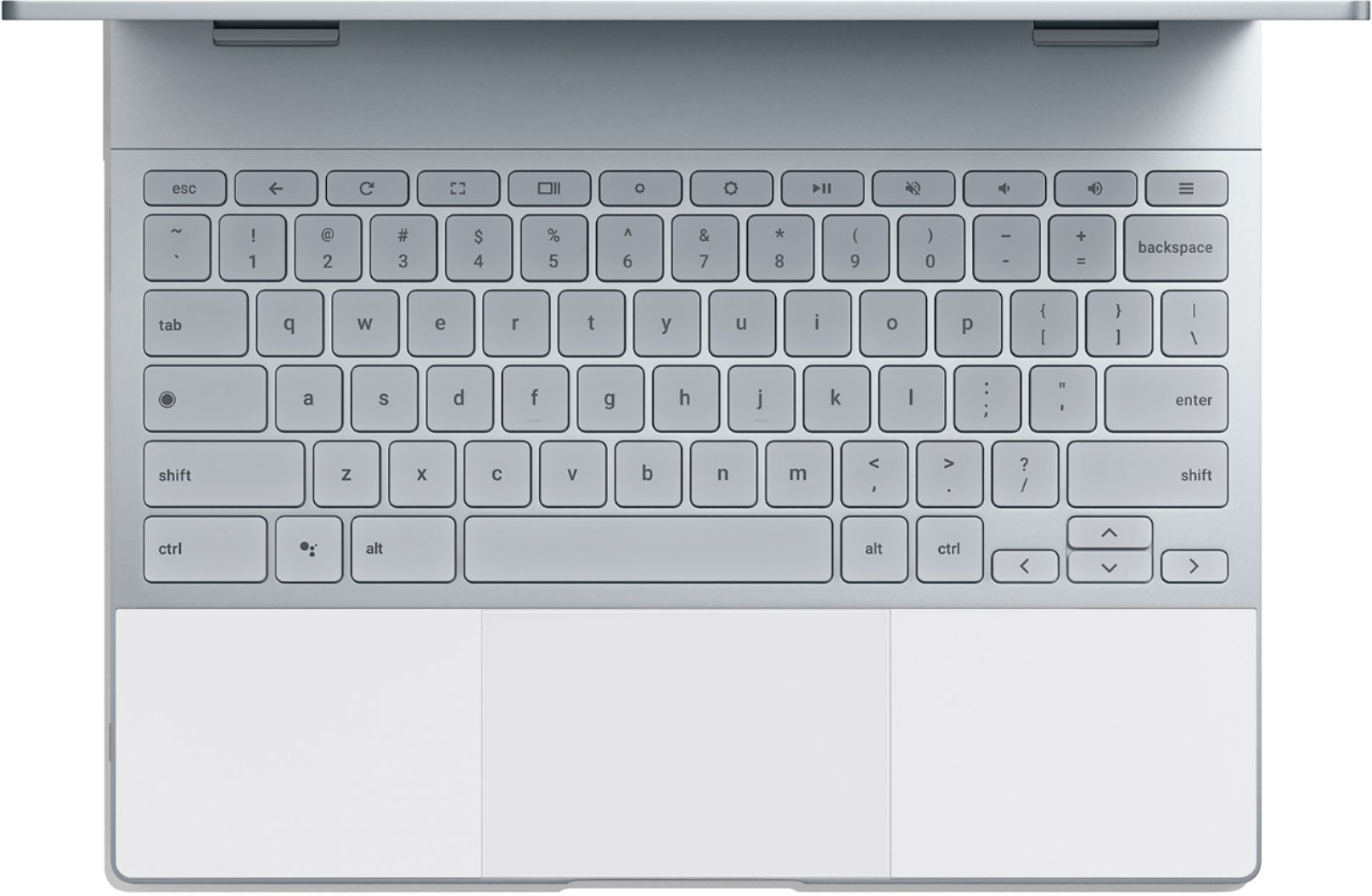
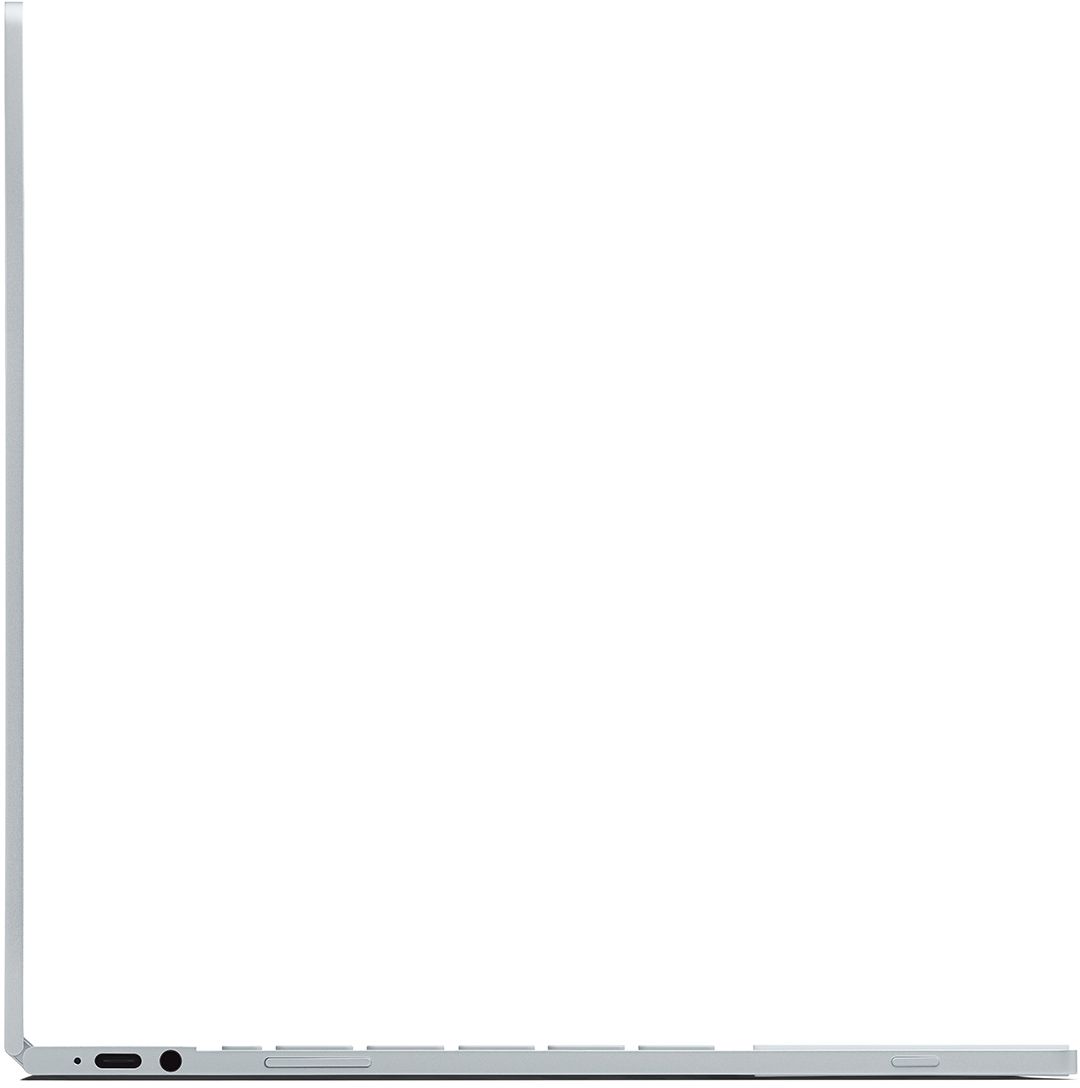
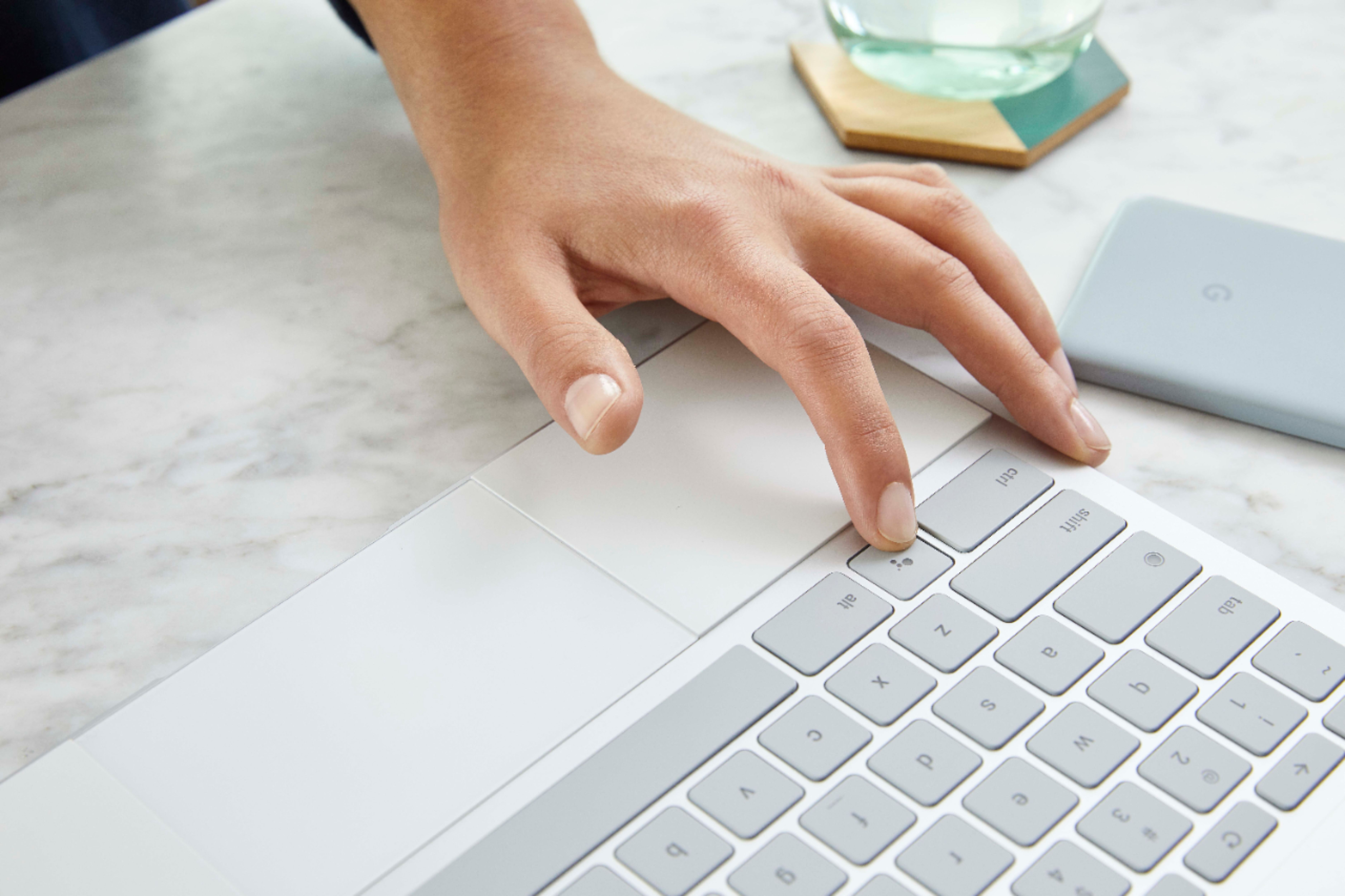
|Posted .This reviewer received promo considerations or sweepstakes entry for writing a review.love this chromebook for the most part. its fast and powerfull for what it is. the price is not bad when considering what you are getting for specs compared to others out there. the issues i do have though are small but maybe something one might consider. it is limited on usb ports. it only has 2 usb c ports and that is it for usb. being most things still use the standard usb port i would have hoped to see 1 or 2 of those as well. would have been nice to be able to plug in a mouse when at a desk. so i would have liked to see more ports. i would have also liked to have seen maybe an adaptor provided since there was not standard usb port. because of this lack, i have not be able to try out a mouse with this yet. also makes it hard to be able to plug in a few things if you are charging. it also does not have any SD slots. so with the lack for the port, i would like to have at least seen more ports like i said and if all where usb c then i would have liked to seen a adaptor or 2 provided or maybe provide a small portable mouse with this. you are also limited to what you can have as far as apps and what would work. it uses the chrome os. was hoping it would have worked with some of my wifes programs she uses on a laptop so that she would use this instead. i enjoy gaming. but they dont so still would use laptop. and the speakers are not all that loud. but it does have a 3.5m jack so you can use a headset or plug in a speaker. and does have bluetooth. the built in touch pad seems to also lack in a scroll function. used to having that on other touch pads. but like i said those things are small. there are many nice options with this. if you hold down shift, or ctrl, or alt, those acts as function or secondary keys and then gives you more options. for instance at the top are some keys that you can turn brightness for screen up, down, etc. when you hold the alt key and press the brightness keys they now become your brightness for the backlight on the keyboard. the screen resolution is amazing as well. and you can view from all angles. the plug for power is a decent lenght. overall if you are wanting a very fast and powerfull chromebook, then this is well worth it and will do. small, light and easy to pack around.
I would recommend this to a friend - Pros mentioned:Battery life
Situationally Useful - for the right person
|Posted .This reviewer received promo considerations or sweepstakes entry for writing a review.I have to say I was a little apprehensive at the idea of an expensive Chrome OS based laptop. This was my first foray into the 'chromebook' world and it's been an interesting one. To start off, the machine is superbly built. The specs, feel and design are easily on par with that of any high end ultrabook from any of the major manufacturers, and better than some. The feel of it in your hands is unlike many other devices in that it just 'feels' good. It's made of premium materials that just work well together with a great deal of thought into the design and particularly the portability of the device. It's clear the amount of work that went in to making a premium device. The overall experience is rather good too. The device is quick as one would expect from specs such as these. The new layout to the Chrome launcher as well as the support of the entire Android play store library gives this device a huge amount of software to pick from out of the gate. So you may ask, why the 3-star review. My answer is simply this. Chrome OS. For this price, despite the extremely high end feel and excellent hardware of the device, you're still limited to what is essentially a tablet or 'chromebook' experience. It certainly excels at some things, browsing, Android gaming (fortunately it has a touchscreen). But on a productivity level, you'd be far better served by using this same money on a full fledged Windows or MacOS experience. There is just not the software library for high end productivity in Android/Chrome OS that you would see with Windows or MacOS, not to mention development in this area. Again, don't get me wrong, this device really shows that with the backing of Google, there is potential that Chrome OS could eventually make itself a third competitor in this area, but still, at this time, what you gain with this expensive of a device over a half-this-cost Chromebook from a competitor or even a high end Android tablet with detachable keyboard is going to be limited. Outside of that, the speakers leave something to be desired, but honestly in most ultrabook platforms the speakers are not great as there is simply not the room in the chassis of any super mobile platform to have great speakers. To sum it up, for the right person, this may very well be the ultramobile platform that specific person needs, possibly someone that travels a lot, wants a simple experience and already owns a number of Android devices. It might also work for someone that is less technically savvy and needs the simplified experience. But a productivity device this is not. I will hesitantly say that yes, I would recommend it to someone, provided they knew what they were getting in to in purchasing a Chrome OS based device, especially at this price point. Positives: Excellent hardware Great Battery life High quality look and feel High resolution screen Negatives: Chrome OS No fingerprint reader Poor speakers
I would recommend this to a friend - Pros mentioned:Keyboard quality
Nice weight
|Posted .This reviewer received promo considerations or sweepstakes entry for writing a review.This is my first “non-windows” laptop. I really wanted to like it, but I’m kinda struggling the OS which is Google Chrome. I’m not really sure what it should do as a laptop. There is ample on board storage, 128g, but there doesn’t appear to be much that you can actually do without being connected to the internet. It’s nice to be able to use the google play store for apps that you normally use on your phone or tablet. The laptop is lightweight and works beautifully as a tablet. The touchscreen is nice and the display is bright and crisp. The battery is about 6 hours and I did note that it got VERY warm while charging at least once. It’s nice for Facebook and web surfing since the display is larger than most tablets, but still lightweight. I’m just not sure that it can replace my actual 15.6 laptop or my Samsung 13” 2n1, with Windows 10. I haven’t yet figured out how to get my files, such as my photos to load from other devices without using cloud storage which we can’t do because of limited data. We also haven’t been able to connect to our HP printer. Still a work in progress.
No, I would not recommend this to a friend - Pros mentioned:Keyboard qualityCons mentioned:Usb port
It really wasn't what I was looking for
Posted .This reviewer received promo considerations or sweepstakes entry for writing a review.I’m getting older and my ability to focus on small print seems to be letting me down. I’ve been nursing my Samsung Galaxy Note Pro for far too long and it is showing its age now. I love it because it has a 12-inch screen and when not using it for work it is a good platform to stream videos. Nobody makes big tablets anymore and that is what I wanted. I was told that a Chromebook would solve my problem as it runs Android apps. I asked the Chrome rep and he said it will run what my phone can. He was a bit off on that estimation. The Pixelbook from a hardware point of view is a very nice slim device with all of the desirable features. It has a very fast solid-state drive and the screen gives good but not spectacular pictures. It’s compact design and ability to flip over for tablet mode is a great idea. The keyboard is responsive and only took a short time to get acquainted to. The touchpad is nice but it is a one button mouse. I would like to see more external ports but at present it has a pair of USB C charging ports one on each side and a headphone jack. There is no SD card slot which I think should be included and no USB port which would be nice for file transfer from a thumb drive. The network capabilities are extremely good. The inclusion of an Intel processor is a nice touch, and for the device it has plenty of RAM. I wish I could say as much for the software. Several of the apps that I use on my tablet don’t work on it. I even went to the store and spoke with another Google rep and he informed me that most of the apps that don’t work will tell you so in the App Store. Only one of three of mine told me the other two just went to a black screen and did nothing. Using the Facebook app took some getting used to in tablet mode as the videos tended to fight being removed from the screen. It took me some time to figure that one out. I couldn’t find a tech support number for the machine but there was email and forum support. The bottom line is that you are spending a thousand dollars for something with a very narrow scope of use. While Chrome OS is stable and far more reliable than Windows it doesn’t run the things that many people are getting a laptop for. Let’s face it for the same money or just a little more you can get a 2 in 1 laptop with Windows on it that you can use emulators for Android applications that will run both PC and Android. The same or better hardware for the same or slightly higher price with more options. I really wish I could endorse this product as it is a very good idea but unfortunately it doesn’t meet my needs and I’m afraid I’m going to have to return mine and nurse my 12-inch tablet for a while longer. If you need a Chromebook this one is fast and has great hardware. It is on the pricey side but it is durable and should last you for several years.
No, I would not recommend this to a friend - Pros mentioned:Keyboard quality
Definitely an impressive flagship product.
|Posted .This reviewer received promo considerations or sweepstakes entry for writing a review.Full disclosure... I always thought of Chromebooks as a “poor man’s notebook computer.” That view has changed with the Pixelbook. It has all the style and substance of a MacBook, but with the armies of Android apps supporting it. This computer has serious internal muscle, and everything loads and runs buttery smooth. They keyboard is crisp and the screen pops. ChromeOS has come a long way since it’s introduction a few years ago. It’s a quick, organic system for jumping through the various tasks google offers to make life simpler. Toss in the Google Assistant and you got a brainy secretary too! For those of you who love the look of the MacBooks but have been invested in the Google digital economy, this is your time and Pixelbook is your product!
I would recommend this to a friend Just died after 3 weeks
||Posted .This reviewer received promo considerations or sweepstakes entry for writing a review.Three weeks of regular use and was happy overall. Only a few app issues. Today IT IS A PAPERWEIGHT. Won't boot up even after charging. Over $1000 for what will be difficult to return/replace.
No, I would not recommend this to a friendExcellent Chromebook
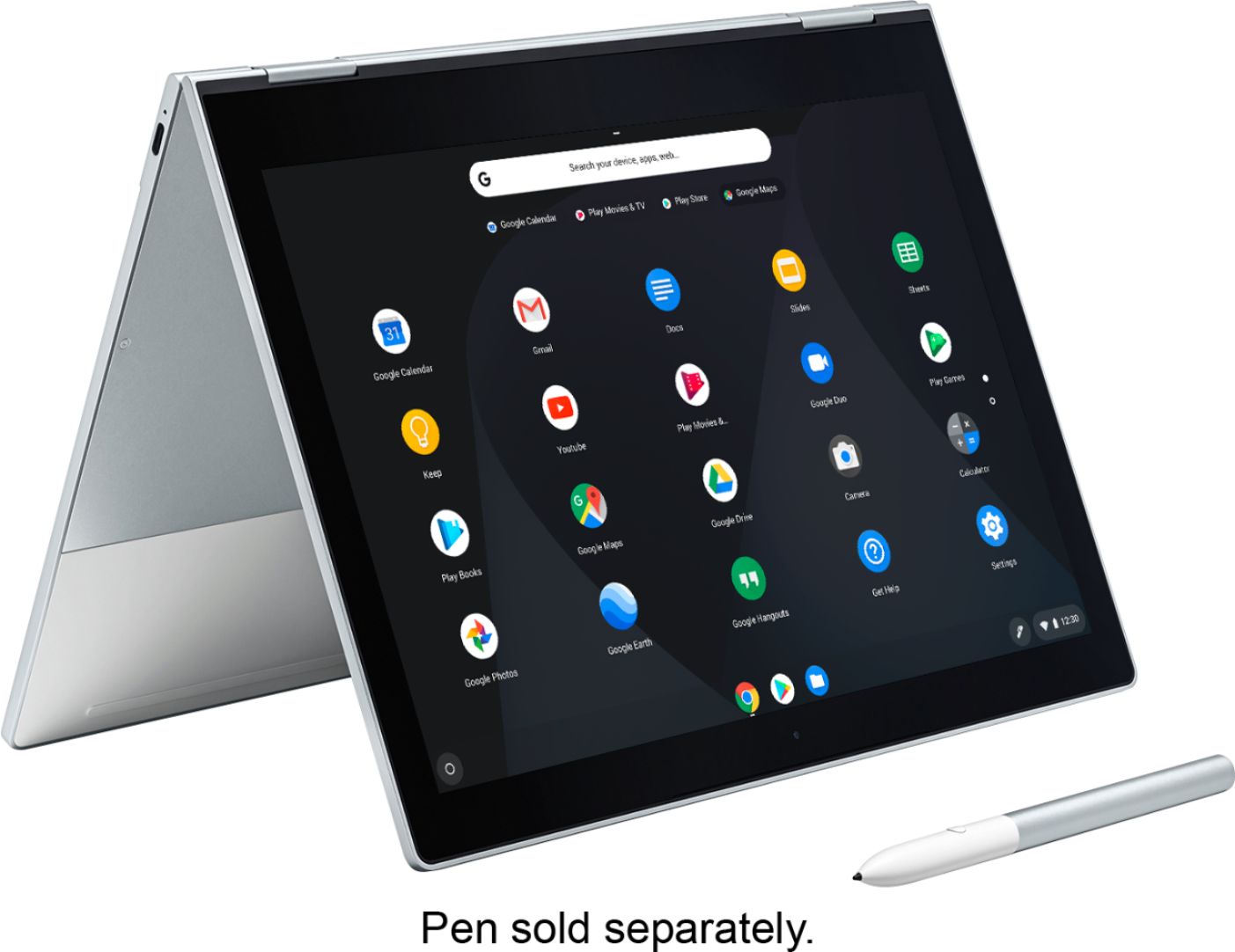
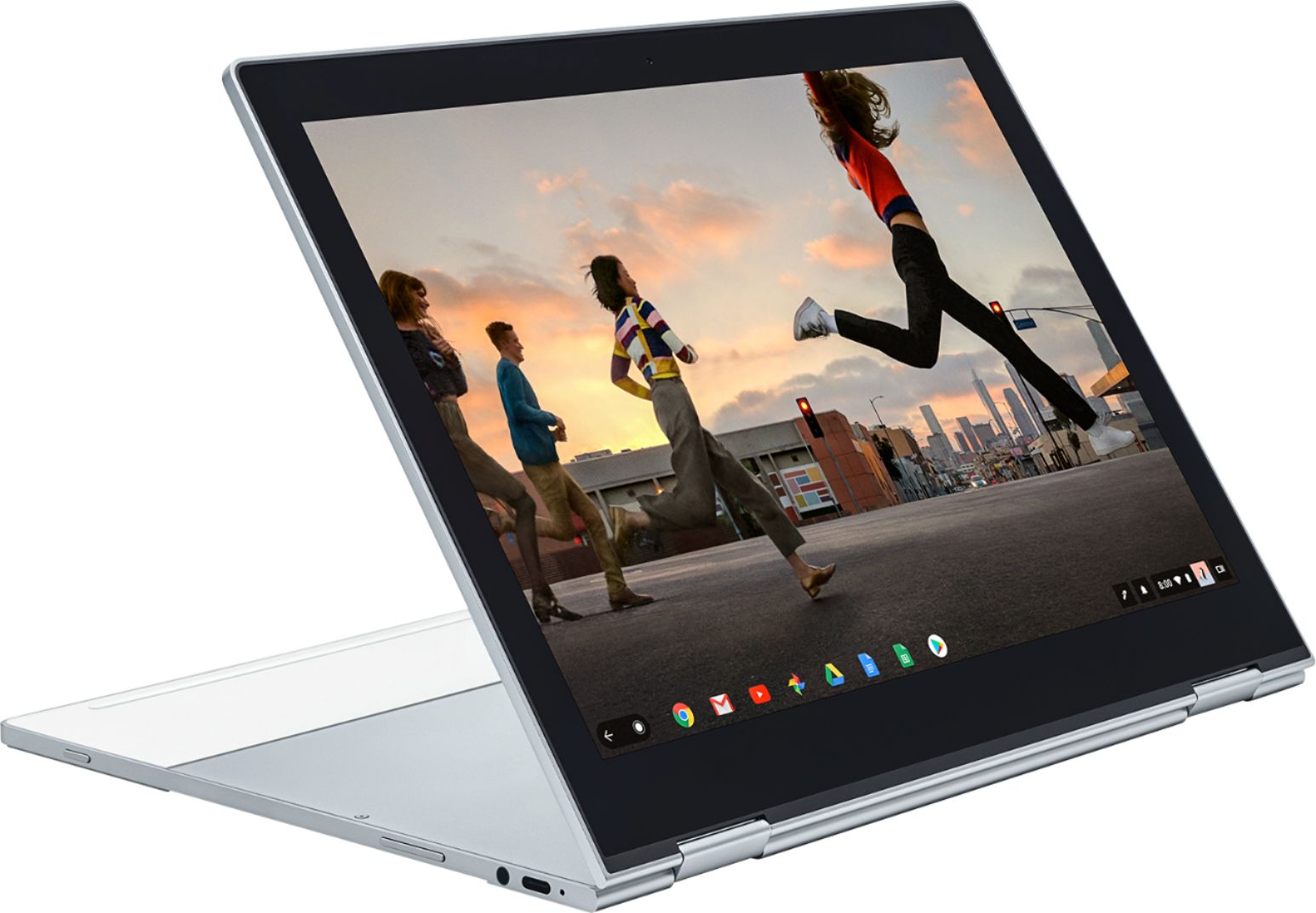

|Posted .This reviewer received promo considerations or sweepstakes entry for writing a review.The Pixelbook is Google's further push into the hardware space. Like the Pixel phones, it is intended to compete with other high-end devices. And in many ways, the Pixelbook succeeds. The razer-thin metal body makes an amazing first impression. The touch-screen is bright, beautiful and very responsive. The convertible 360° hinge feels solid and operates smoothly. The keyboard is sized well and the different function-like keys are intuitive and very useful. On the downsides, the speakers, hidden beneath the keyboard, are a little weak. And if you do invest in the Google Pen (which is a bit expensive for what it is) there is no place on the laptop to stow it. Chrome OS, in some ways, feels like a Android on a laptop. And that's not necessarily a bad thing. Quick start up, easy setup, frequent updates, fast, stable, and access to the Play Store parallel its smaller Pixel phone cousin. And with access to many (though apparently not all) of its productivity and entertainment apps, if you're already vested in the Google ecosystem, you will quickly feel at home on the Pixelbook. There are some quirks: Unless you have a newer printer with Google's cloud print, setting up printing can be a touch challenging. And there currently seems to be a bug where the on-board sound stops working periodically and requires a reboot. This will surely be fixed via an update soon. All of that said, do understand: The Pixelbook and Chrome OS are heavily reliant on having a internet connection. Where you can take a traditional laptop some place without internet access and work with local files or programs, using the Pixelbook without an internet connection requires planning ahead. You would need to pin/download your files to the device and work with an installed app (e.g. Google Sheets, Google Docs, etc) rather than a cloud/brower-based app. This difference isn't inherently bad, just requires proper expectations.
I would recommend this to a friendSituationally great
|Posted .This reviewer received promo considerations or sweepstakes entry for writing a review.This Pixelbook could be really great for you if you need specific, limited things. For starters, the look and feel of the computer are pretty good. Not Apple caliber stuff or anything, but it doesn't feel like a hunk of plastic either. It feels sturdy and heavy and like it's a real computer. One large downside for me is the bezel on the screen seems VERY large. I'm not sure if I'm just used to looking at screens that are a lot less lacking in the bezel department or if this one just happens to be that huge. My MacBook Pro and XPS 13 both have much slimmer, nicer bezels around their screen, though. Not a huge fan. The one time the larger bezel did come in handy, a little bit, was when folding into "tablet mode". Having an area for your fingers to rest without actually resting on the screen is nice. That's where tablet mode niceness stops, though. This isn't a light machine. For a laptop, it's a pretty standard weight. When sitting it in my lap to use it like a normal laptop computer, it feels fine. When you fold it into tablet mode and have to hold it with one hand while touching the screen with the other, it feels very heavy. I wouldn't recommend this pretty much ever. Instead, you can fold the keyboard to face down and rest it on your lap. This worked well for me in the limited time I used "tablet mode". A minor issue with using it this way is, although I'm sure the keyboard is disabled, you press the keys a lot on the bottom of the system and it feels a little weird. The main reason you'll want to use tablet mode is one of the nicer features for me. You can install Android applications and use them like you were on a tablet. I was able to install Hearthstone from the Amazon App Store (you need to enabled developer mode to install the Amazon App Store, but it isn't a difficult task) and it ran really well with the keyboard flipped underneath while using touch to control things. I didn't test many other android apps but you have access to the main Google Play store out of the box and any "unsigned" applications can be installed if you turn on developer mode. For a person who almost exclusively uses Apple products, having a device that runs Android applications (and is fast enough to run most anything you throw at it) is very nice for me. I'm not sure how useful it is if you already have a nice Android phone or tablet, though. The ChromeOS is very limiting for me and the reason why I say this product is situationally great. The machine runs well and if you're only really using it to check mail, browse the internet, maybe touch up some photos (I haven't tested connecting a camera to it, but it is supposed to support them). ChromeOS is essentially just a Chrome web browser as the entire operating system (with some added bells and whistles that help store files and connect peripherals). Basically, if you need to run Android applications and almost exclusively use websites that you can access from any browser, this is probably a good fit for you. If you need to run Windows or Mac applications, you're SOL. I may attempt to install Linux on mine. Bottom line, this is a well built machine that seems fast enough for any task you possible COULD throw at it, but most of the tasks you can throw at it aren't going to be super intensive as they will probably be web applications and android apps. If you're already familiar with ChromeOS and this is what you're looking for, I'd recommend this system.
I would recommend this to a friendKeyboard Malfunction
||Posted . Owned for 1 year when reviewed.This reviewer received promo considerations or sweepstakes entry for writing a review.The Google Chromebook didn't last long for me. I am disappointed with it. I can't use the keyboard.
No, I would not recommend this to a friend- Pros mentioned:Keyboard qualityCons mentioned:Price
Excellent Product
Posted .This reviewer received promo considerations or sweepstakes entry for writing a review.Great Build Quality Excellent Track Pad, fine screen and keyboard. Feels like quality. Very happy with this purchase. I looked at this for a month. Price was to high. I finally pulled the trigger as I can return if not what it I was expecting. I am very impressed. Everything about this is quality. Remember it is a Chromebook and is intended to surf the internet. It does a fine job. Speaker work fine and are clear. Sound comes from under the keyboard. Illuminated keyboard comes on automatically as needed. A real joy to use. I am very pleased so far. Only negative is price, but if you look at the hardware included and build quality, it is probably pretty close to being fairly priced. Chrome works great for what it 's made to do. If you are a Chromebook fan, and are looking for the best, check it out.
I would recommend this to a friend The pinnacle of hardware
Posted .This reviewer received promo considerations or sweepstakes entry for writing a review.Exchanged my 2017 Surface Pro for this. Was a bit nervous at first, but knew what I was getting into with ChromeOS. The hardware is absolutely phenomenal and tops anything Apple has ever produced. It's art. ChromeOS, along with the Play Store, means I can use it for 100% of what my needs are. I don't edit Hollywood movies or build Boeing jets on my laptop, so it's perfect for me. YMMV as the internet seems to do these things on a daily basis whilst trashing ChromeOS. Sure thing. If you can afford it, I can say it's 100% worth it.
I would recommend this to a friendOk chrome book
||Posted . Owned for 1.5 years when reviewed.This reviewer received promo considerations or sweepstakes entry for writing a review.Bought this on sale it works great only wish it had a USB port
No, I would not recommend this to a friendA good looker & high performer!
|Posted .This reviewer received promo considerations or sweepstakes entry for writing a review.Have been fighting the temptation to try out the Chrome OS for a while, and decided to give it a go to see how this OS compares to traditional Windows and Mac systems. If you’re going to do it, do it right – so got a “high end” Chrome OS machine to avoid the spurts and sputters that come along with any bargain priced ($200 or less) devices. The Google Pixelbook has not been a disappointment! This is a beautifully styled and well-crafted device that provides the best of both worlds, with ample storage space to allow work in non-connected places that quickly synchronize and update once you get back to a good internet connection. This one issue has been the main reason I didn’t want to go Chrome OS, and the Google Pixelbook capably handles that concern. Most have commented that the price point is high, and I agree that this would not be a choice for those that don’t want or need the ultimate in Chrome OS performance. For those of us that want to have the best available (within reason) this machine will not fail to satisfy. Moving from a primarily Windows-based experience for daily use and function, the Google Pixelbook handles most everything without a hiccup. With the new rollout of apps and functions available to the Chrome OS, there is really nothing lacking for most needs. All that is missing would be specialty and specific software for design, engineering, and so forth that are only written for the Windows or MAC platforms, but most users don’t have the need for this specific software. If you need AutoCAD or Photoshop, you already know your required platform. The rest of the world can do quite well with the Chrome OS. The overall fit and finish of this machine is quite an eye-catcher, and most who have asked about my unit have been quite surprised to hear it is a Chrome OS unit. In my mind they probably felt the same way I did… that the Chrome OS was “low end” and only designed for slower, low-functioning machines and users. Most have been suitably impressed with the Pixelbook and many have said they would strongly consider going “Chrome OS” and “Pixelbook” for their next laptop purchase. If you are a long-term Windows/MAC user like myself, I heartily recommend checking out the Chrome OS before deciding on your next laptop computer. I believe you, like myself, will be surprised at the functionality of the Chrome OS, and the style and performance of the Google Pixelbook!
I would recommend this to a friend