Customer Ratings & Reviews



- Model:
- RCHT9610WFSW2003
- SKU:
- 6332966
Rating by feature
- Value
Rating 4.4 out of 5 stars
- Quality
Rating 4.6 out of 5 stars
- Ease of Use
Rating 4.5 out of 5 stars
Customers are saying
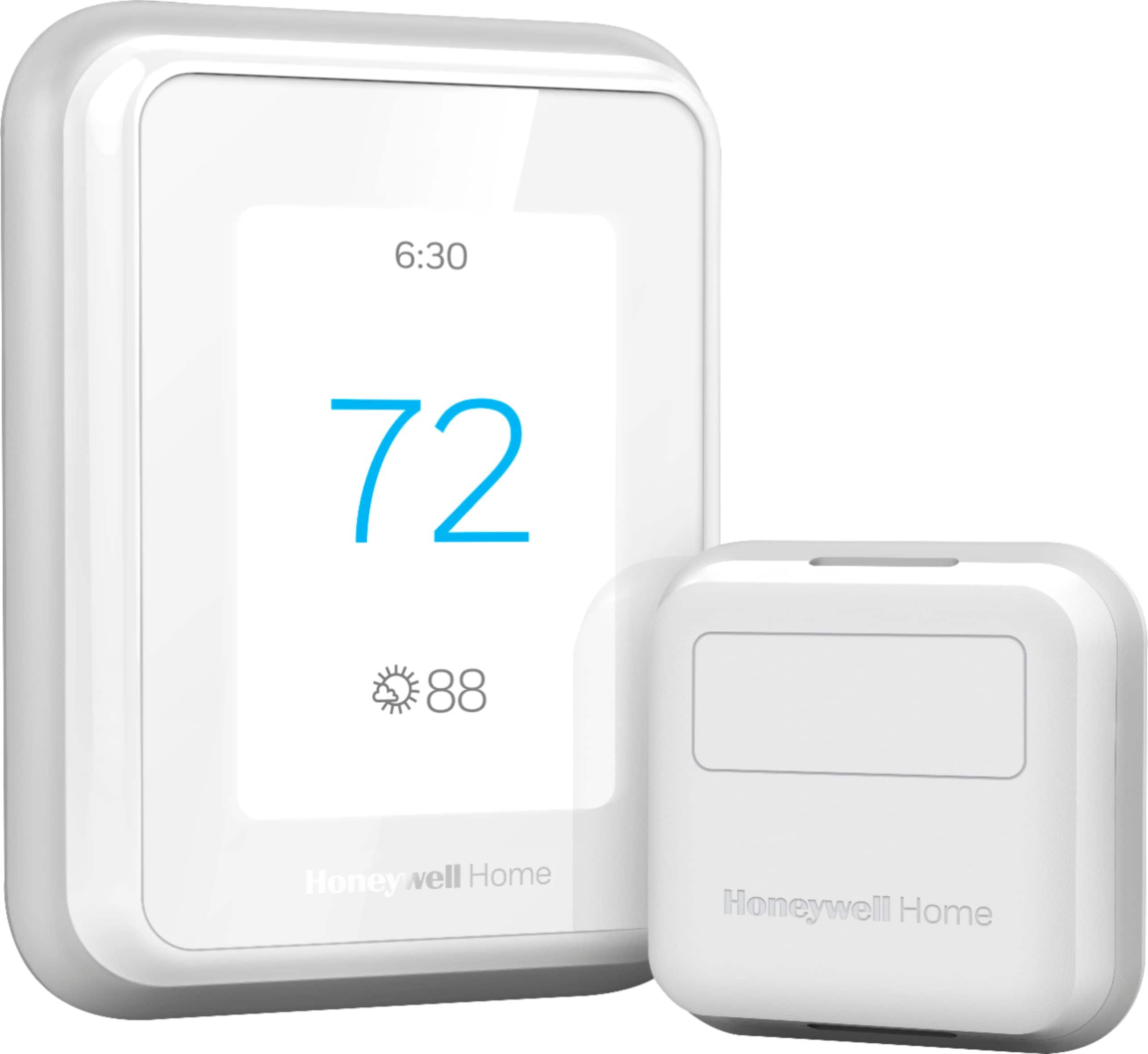
Customers enjoy the T9 Smart Thermostat for its user-friendliness, precise temperature management, and straightforward installation. Many appreciate its overall performance and Wi-Fi connectivity, while the accompanying app is also praised for being simple to use. There were no cons mentioned for this product.
This summary was generated by AI based on customer reviews.
- Pros mentioned:Installation, Temperature control

Great features, easy to use
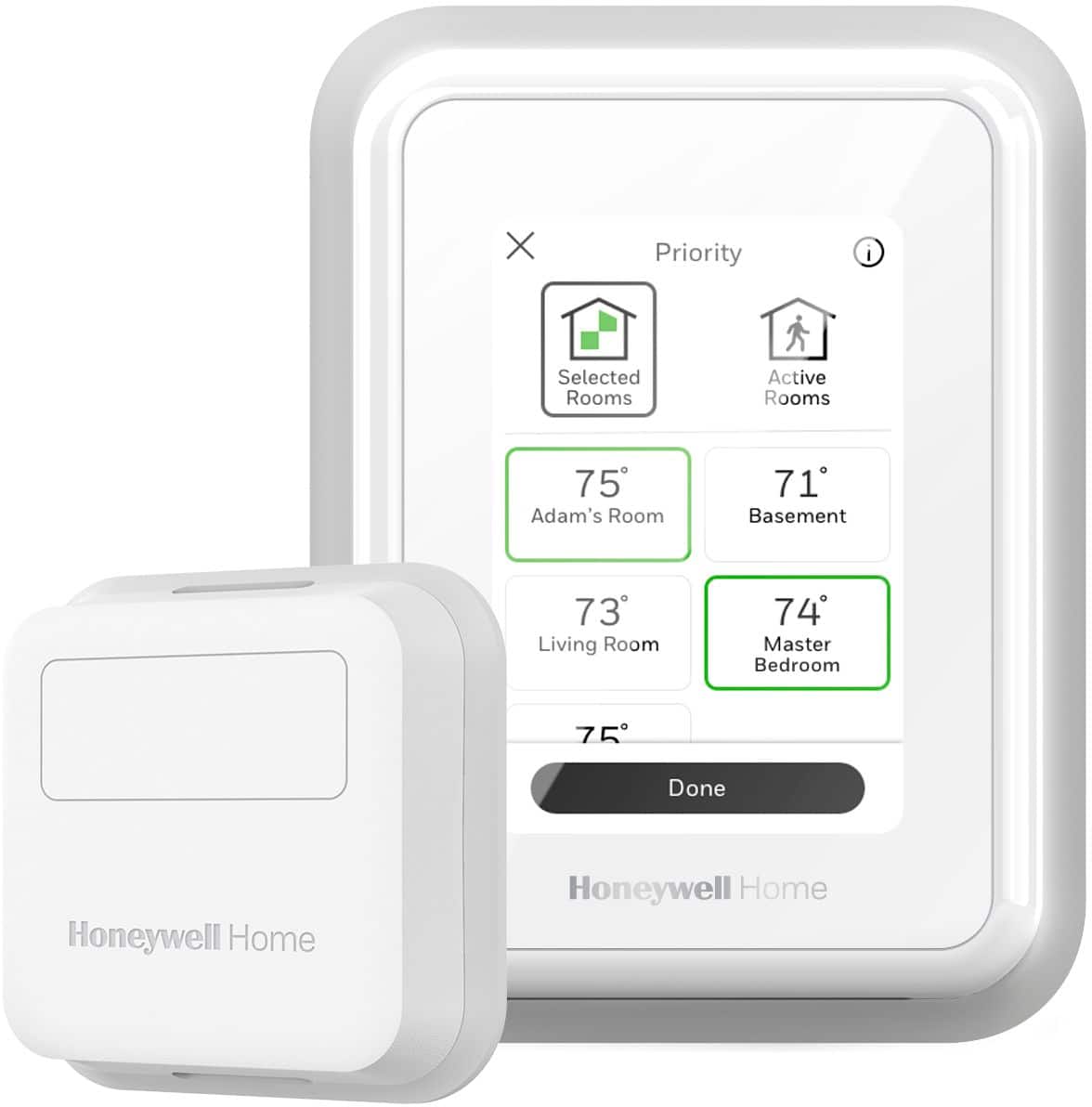
|Posted .This reviewer received promo considerations or sweepstakes entry for writing a review.I have been very impressed with this thermostat. It has similar features and learning capabilities to the Nest lineup, but I think the square shape is a bit more traditional and up-scale looking. Setup was pretty standard thermostat installation fare, the instructions are clear and easy to follow. I enjoy the remote temperature sensor that comes with this model, as it allows you to regulate temperature either at the thermostat itself, or by the remote sensor. This is great if people are over causing certain areas of your house to become too hot or cold, or if the majority of your time is spent in an area away from the thermostat itself. It just adds more flexibility and convenience, especially in single-thermostat households. Not everyone has the luxury of having different temp zones across their home, but this Honeywell is a huge step up from a conventional thermostat.
I would recommend this to a friend - Pros mentioned:Connectivity
Good Improvement Over Dumb Thermostat
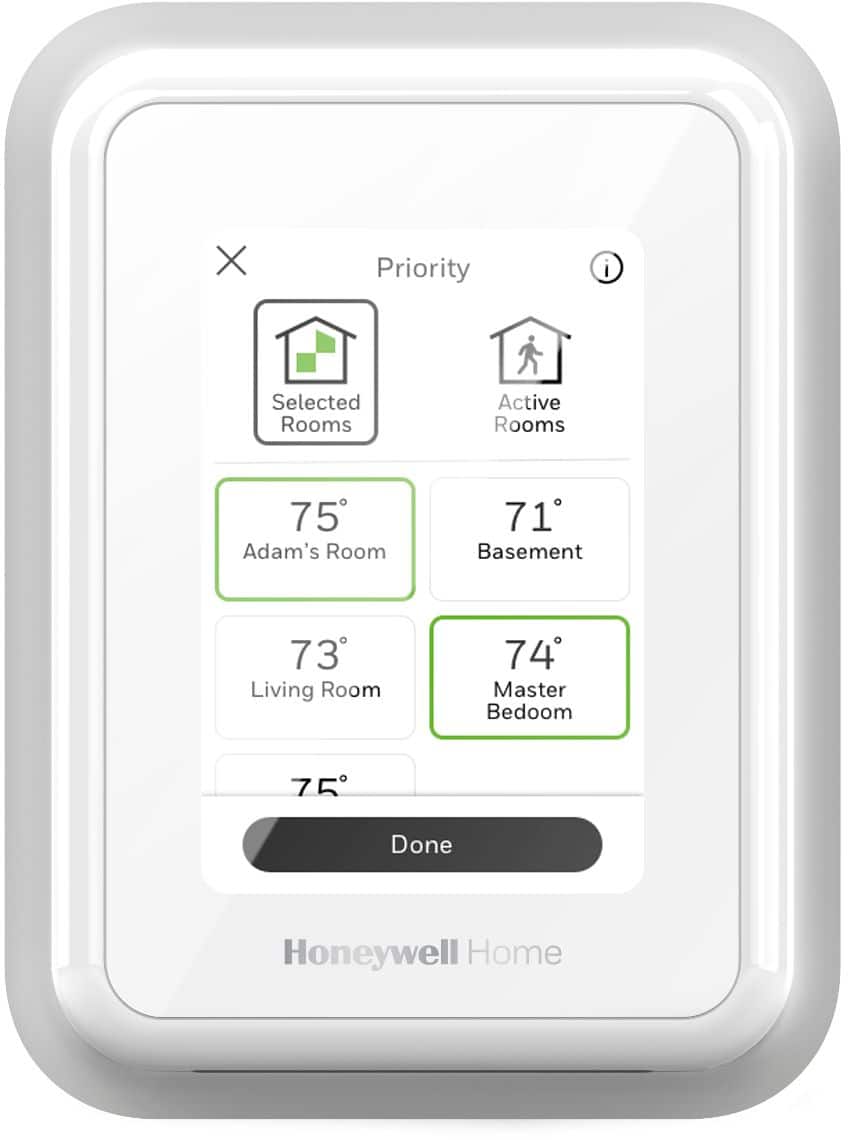
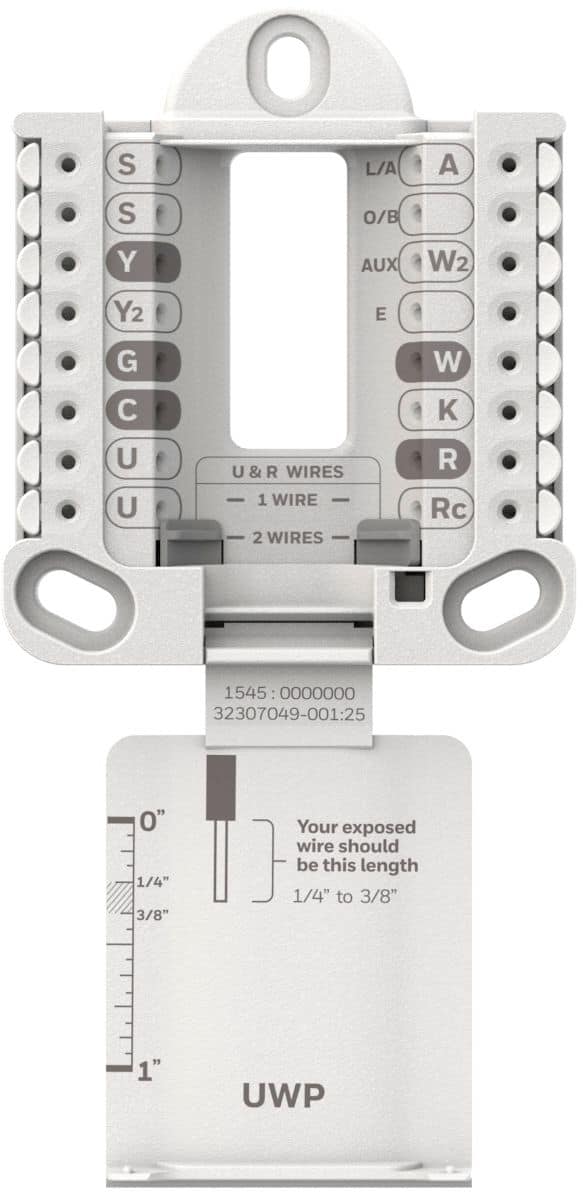
|Posted .This reviewer received promo considerations or sweepstakes entry for writing a review.The Honeywell T9 Smart Thermostat is a thermostat replacement that gives you a solid set of features. Foremost, it can do everything your old thermostat can do, namely control heating and cooling, set schedules for temperature, and allow for manual override. It drastically expands over this by allowing much more customized schedule times, wifi connectivity to display the weather and be controlled by app or smart assistant, additional sensors to let you drive heating and cooling based on the temperature of a particular room (or set of rooms) as opposed to just the one in which the main thermostat happens to be installed. I'll be up-front, this is not a "learning" thermostat. The sensors certainly allow it to be smart and being app controlled gives you great flexibility, but some of the smarts will necessarily need to come from the user. Prior to setup, you'll need to actually install the dang thing. Unfortunately, it likely doesn't use the same mounting points as your existing thermostat, so you'd need to drill new holes for wall anchors. This uses three of them in a triangle shape. . .so be careful. If you want to cover the existing hole for your thermostat wiring, that top anchor will likely need to be drilled with the bit pointing towards your wiring! So you'd need to go a bit shallow on that one. The anchors and screws needed came with the thermostat, though I ended up looking in my parts bin for a shorter screw for that top anchor. The one supplied was long enough that it could penetrate to my existing wiring. Once the wall plate was in place, I moved forward to wiring. Actually, let's back up. Following the instructions, I checked out my existing wires, particularly looking for a "C" wire. This will supply power to the thermostat. It wasn't used with my old one, but the wire was there. Going down to my furnace, I found the other end. . .not hooked up to anything. However, my furnace's board had a slot for it, so I was able to complete the install. If you don't have this at all, the kit includes a "C" wire adapter. After taking care of the wiring, one installs the main thermostat body, then turn power back on to the circuit. Setup then proceeds using the touchscreen on the thermostat. It was pretty responsive and I was impressed with the keypad that shows up to enter the wifi password (pretty similar to ones on a smartphone). This includes setting up the bundled sensor which is a temperature/air/motion sensor you can use in a remote location. I personally love this as I have a basement bedroom that is hard to keep in sync with the thermostat in the upstairs living room. Next followed setting things up with the Honeywell Home app, then linking to my google home account. Now, I get to actually use it. The first thing I did was just see if it worked. I set the mode to heat only, told it to prioritize only the main thermostat (living room), and bumped up the temperature. Sure enough, I heard the furnace cycle on (well, the fan) within a minute. This I did from the touchscreen on the thermostat. Going to the app, I could see the temp for both rooms and control the thermostat from the app. I also took the opportunity to play a bit with the priority setting to see how it tries to average the two room temperatures or drive the furance with one or the other. That will definitely be useful for me. It would be really cool when you start getting vent covers that the thermostat can control to fine tune the temperature for all rooms so instead of averaging the temperature you can get each room to the exact temp desired. Looking at the schedule settings, I found that you can either have one group of settings that applies to every day or configure settings on a per-day basis. The settings default to the wake, away, back home, and sleep events but you can actually throw in more (or disable some and have less). It also supports geofencing which is that based on your phone's location, it will adjust the temperature setting to save energy if it detects that you're away. I can't see this being useful for anyone with more than one adult at home. But being able to control the temperature over the internet is good enough for me as I can just manually throttle things down (switch from a per-day to the everyday vacation settings) at the airport or rest stop when going on a trip. Later in the evening, I noticed a downside of having a "screen" centric thermostat - the screen is always on! Luckily, going through the menu on the thermostat, I found not one but two inactive settings. One for "day" and one for "night" with the night time being configurable. This lets you select the backlight brightness for an inactive screen with an option for backlight off. The LCD still displays stuff, just in the dark, you have a hard time reading it. That's a small feature that had an outsized impact on how much I liked this thermostat. I ultimately left my rating at 4 stars. Could this be better, yes, but I think it does a good job and I'm happy to have it smarten up my home.
I would recommend this to a friendBrand response from Honeywell Support
Posted .Hi zboot! Thank you for your recent rating of our new T9 Wi-Fi Thermostat. We're happy to hear that everything is going well and you are enjoying your new device. We'd love to speak with you at your convenience to discuss your experience thus far. Feel free to give us a call at 1-800-633-3991 and reference case # 01361953. We hope to hear from you soon and we look forward to working with you. Thanks again for the great feedback and have a great day! -John

- Pros mentioned:Installation, Temperature control
easy even for a non-mechanically inclined person!
|Posted .This reviewer received promo considerations or sweepstakes entry for writing a review.I received the T9 thermostat and opened the box and saw the stickers and notes that help is available to install this and advised against returning it to the store .Oh no. I'm not mechanically inclined and I let it sit in the box for a few days before getting the courage to open it up and actually follow the instructions. With some trepidation, I followed them and lo and behold, it went smoothly. I did try to call tech support to confirm something and they were closed, so I went on intuition and nervously restored power to the unit and it powered up and after downloading the app and following the on screen instructions to set up the thermostat and included sensor, it worked fine. It heats and/or cools according to the prescribed parameters or I can adjust it manually like I could the former unit. The ability to adjust the temperature remotely to help cool down or warm up the home prior to arrival helps me to economize and ensure comfort at the same time. I will be adding sensors to extend the benefit.
I would recommend this to a friendBrand response from Honeywell Support
Posted .Hi RDUNC! Thank you for your recent rating of our new T9 Wi-Fi Thermostat. We're happy to hear that everything is going well and you are enjoying your new device. We'd love to speak with you at your convenience to discuss your experience thus far. Feel free to give us a call at 1-800-633-3991 and reference case # 01362137. We hope to hear from you soon and we look forward to working with you. Thanks again for the great feedback and have a great day! -John
- Pros mentioned:Temperature control
Nice Upgrade
|Posted .This reviewer received promo considerations or sweepstakes entry for writing a review.Setup is fairly easy. Installation can be a little challenging if you don't follow the instructions clearly. Use the website for wiring and label matching. Comes with 1 battery operated smart room sensor Control any room with Smart Room Sensors. When you add Smart Room Sensors to your system, you can prioritize living areas during the day and bedrooms at night. Comfort where you want it and when you need it. Prioritize living areas during the day and bedrooms at night for comfort where you want it, when you need it Either use 7-day scheduling or Geofencing technology, using your smartphone's location to know when you're away and when you return, to help make you comfortable Intelligently learns your home's heating and cooling cycle times to deliver the optimal temperature at the right time, reminding you to change your filters when you need to Add smart room sensors to your system, and balance the temperature of multiple rooms, creating a more comfortable home Thermostat can configure itself - just answer a few questions to get started; the included power adapter is an easy-to-install, low-voltage alternative to a C-wire, so the thermostat is compatible with most homes When you add smart room sensors to your system, your thermostat can know the temperature in any room - like your bedroom, to help make the room more comfortable for a great night's sleep Honeywell home has teamed up with utility companies to help reward you for saving energy; you can get paid just for signing up, or earn rewards from your utility each season for your energy efficiency. If you have any questions do not hesitate to get a professional to install or contact honeywell for help.
I would recommend this to a friendBrand response from Honeywell Support
Posted .Hi Nismo456! Thank you for your recent rating of our new T9 Wi-Fi Thermostat. We're happy to hear that everything is going well and you are enjoying your new device. We'd love to speak with you at your convenience to discuss your experience thus far. Feel free to give us a call at 1-800-633-3991 and reference case # 01362291. We hope to hear from you soon and we look forward to working with you. Thanks again for the great feedback and have a great day! -John
- Pros mentioned:Installation
Well designed, with a huge privacy issue
|Posted .This reviewer received promo considerations or sweepstakes entry for writing a review.I travel a lot, so a smart thermostat seems like an excellent way to control my home when I’m away. The reality, though, is a bit more nuanced. While the instructions look daunting, installation was actually quite simple. Start to finish, including up and down stairs to get to the furnace and grab a tool I forgot here and there, it took about an hour. I live in the Rocky Mountains, so no air conditioning meant just four wires to connect at the thermostat and one at the furnace. My recommendation would be to make sure you are marking the wires correctly when you disconnect the old thermostat – R is easy to confuse with Rc, G with C, etc. Once the wiring is done and the backplate installed using three screws, the entire unit just snaps into place. When power is turned back on, the thermostat leads you through initial connection to your home network. Setting custom time programs is simple to figure out. The T9 also supports up to 20 remote sensors – install these in rooms you want to prioritize, and select the room you want to raise to the target temperature. The T9 remote sensors and thermostat can also determine what room people are currently using and prioritize the temperature setting accordingly. Out of the box, this unit comes with one additional sensor. The app was easy to find and set up, and controls on the app are intuitive and simple. It connected to the unit quickly. Anyone attempting to access your T9 using the app will need physical proximity, as a verification code, displayed on the thermostat, is required for connection. Geofencing is available, allowing the thermostat to tell when you depart or arrive at home and change the settings accordingly. There is one negative point, and that is privacy. Reading through the privacy agreement, Honeywell retains information that appears to include details of the user’s daily life, such as arrival, departure, and what rooms you are in for how long. While you can delete messages on the app, I have not found a way to erase this history or prevent it from being captured. Because of this, I turned off all motion sensors and geofencing and am relying strictly on pre-set timers and remote changes as I see appropriate. It’s unfortunate, because if they had a simple way for me to control what information they kept and for how long, this would have easily been a five star rating. Without this, some of the T9’s most useful features are of no value to me. Would I recommend this to a friend? I’m torn. If the friend doesn’t care about privacy, yes, certainly. In general, though, I had to say no.
No, I would not recommend this to a friend - Pros mentioned:Temperature control
Geofencing and sensors work well
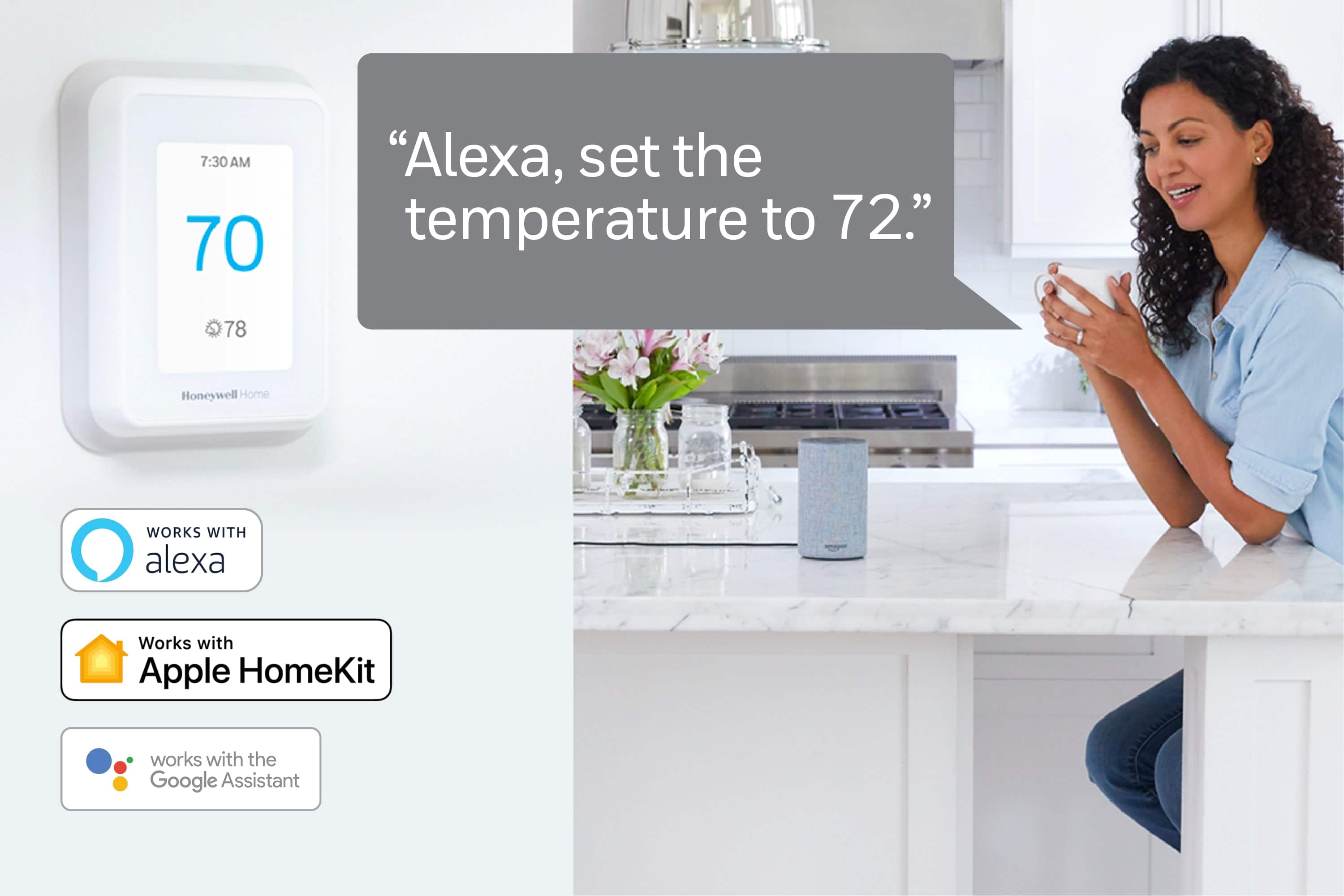
|Posted .This reviewer received promo considerations or sweepstakes entry for writing a review.This took about 60 minutes to install and program for schedules for functionality the same as the older replaced Honeywell unit. What took the most time was realizing that it didn't want to connect to the WiFi of a mesh router system that combines the 2.4 Ghz and 5 Ghz networks under one SSID. It just wouldn't connect. I connected it to another regular 5 Ghz network and it connected right away. Then I added a sensor and set it as temperature to pay attention to at night, and placed it in the coldest occupied room. This worked well and kept that room at a comfortable temperature overnight. I also tested out the Geofencing, which you register your cellphone(s) and when they are sensed at home, the thermostat acts on your at home settings. And when all the registered cellphones are away from the house, the thermostat goes to away settings automatically. A neat feature. The smartphone App works reasonably well, but it is a different App than the other Honeywell Thermostats have used in recent years, took a bit to get used to. Also you cannot change the background color of the LED display to match your décor like you could do on recent Honeywell smart Thermostats. I'm not sure why they would remove a feature like that. I set it up and tested with Amazon Alexa, and voice control worked, but I don't see myself using that very often. All in All a very modern smart thermostat with enough features to be able to customize, and can add sensors so the temperature in the space where it is mounted doesn't have to dictate how warm you want a specific room at night, or how cool you want a specific room during the day.
I would recommend this to a friendBrand response from Honeywell Support
Posted .Hi Loomis1975! Thank you for your recent rating of our new T9 Wi-Fi Thermostat. We're happy to hear that everything is going well and you are enjoying your new device. We'd love to speak with you at your convenience to discuss your experience thus far. Feel free to give us a call at 1-800-633-3991 and reference case # 01362058. We hope to hear from you soon and we look forward to working with you. Thanks again for the great feedback and have a great day! -John
- Pros mentioned:Installation
Easy to Install and simple to operate
|Posted .This reviewer received promo considerations or sweepstakes entry for writing a review.I have been using a different manufacturer’s thermostat that works with remote sensors for a couple of years and for the most part it has worked well except for the occasional arbitrary reboot or the handful of occasions that it just goes dead and has to be removed and reset. That’s why when I was offered the chance to review the Honeywell T9 Smart Thermostat, I jumped at the chance given Honeywell’s long history with thermostats It has all of the features I want in a smart thermostat without looking like a wall mounted tablet: Compatibility with Alexa or Google Home, a remote app and remote sensors. The remote sensors are important to me because I live in an older home that has hot and cold spots, and the sensors help maintain a more even heating/cooling distribution throughout my home. Installation was easy. Just connect the wires to the wall plat and secure it to the wall. Then just snap the thermostat onto the wall plate and you’re good to go. Just turn the power back on and the thermostat will come up and start walking you through the setup process. Download the free app. It is the Honeywell Home app not the Honeywell Connect Comfort. It is easy to install, and you will need to create an account. From here you can set schedules or manage the temperature. Overall I am impressed with the Honeywell T9 Thermostat. It is has a simple interface that gives you outdoor temp, indoor humidity and remote sensor information. The thermostat itself is low key looking device that and blends in well with any décor.
I would recommend this to a friendBrand response from Honeywell Support
Posted .Hi GH06903! Thank you for your recent rating of our new T9 Wi-Fi Thermostat. We're happy to hear that everything is going well and you are enjoying your new device. We'd love to speak with you at your convenience to discuss your experience thus far. Feel free to give us a call at 1-800-633-3991 and reference case # 01361865. We hope to hear from you soon and we look forward to working with you. Thanks again for the great feedback and have a great day! -John
Can’t Enter Enroll Mode
||Posted . Owned for 1 year when reviewed.This reviewer received promo considerations or sweepstakes entry for writing a review.Moved houses took my thermostat with me and now it says Can’t Enter Enroll mode… cant add any of my sensors i have to my T9
No, I would not recommend this to a friendBrand response from Resideo Team
Posted .Hi Chris, thanks for reaching out! This is something you should not expect. When you have a moment, please reach out through Facebook/Twitter under Honeywell Home.— Charlie

- Pros mentioned:Ease of use
Outstanding thermostat!
|Posted .This reviewer received promo considerations or sweepstakes entry for writing a review.I have been holding out on getting another thermostat until I saw this one and the features it offered. This one had the look and features I was looking for and I am glad I grabbed it. Installation was pretty straightforward although I had to call to get assistance to get the unit cooling properly and after just 5 mins on the phone with their support they told me exactly which wires I had wrong. Once they helped me and I programmed the thermostat correctly for my type of system it was working great! The app was very easy to setup and get connected to so I can see and adjust the thermostat from wherever I am. One key feature I really like is the geofence feature so whenever my wife and I leave at least 1 mile from the house it automatically raises the temperature up to save energy. It also has a remote temperature monitor that I put into my guest room to allow me to set that as the main zone when my family comes to visit to keep the guest room warm/cool based on the time of year. We have had this installed now for a week and have been very happy with it. I would highly recommend it for the features, looks, and ease of installation.
I would recommend this to a friendBrand response from Honeywell Support
Posted .Hi ShaunOrlando! Thank you for your recent rating of our new T9 Wi-Fi Thermostat. We're happy to hear that everything is going well and you are enjoying your new device. We'd love to speak with you at your convenience to discuss your experience thus far. Feel free to give us a call at 1-800-633-3991 and reference case # 01361697. We hope to hear from you soon and we look forward to working with you. Thanks again for the great feedback and have a great day! -John
Finally a "smart" Honeywell thermostat!
|Posted .This reviewer received promo considerations or sweepstakes entry for writing a review.For as long as the electronic thermostats have been out, the problem has been that unless you were at the thermostat, the temperature was not consistent from a single outdoor condenser heat pump (in my case) system. If you have multiple outdoor units, you can control things better. And I'm sure there is some advanced damper system for indoor units, to direct flow to different areas. Individual electronic vent dampers are a challenge to keep up with (batteries, programming, etc.) and not worth the effort. Anyway so far, there had been nothing I'm aware of or could afford, until this came along. While it cannot do what a zoned system does, it can give priority to rooms based on your programming. And it knows that if it takes a certain amount of time to heat up or cool down, it learns this and adjusts. This is a first as far as I know. And a great feature. So, all of that said, this thermostat is a way of helping to average out the injustices done to those who are not in the immediate area of the thermostat by using smart sensors - up to 20 of them can be used, while also providing a real life solution to when people are not home when the timer thermostats are adjusted expecting they are. It makes no sense to have the heat/AC running when I'm not home, even though some days I am and some days I am not, no two weeks or days, or months are the same. Working from home is a perfect example. Or when I'm out of the house on appointments, and that schedule is not consistent. It senses I'm here and stays on. But as I leave the area and no more motion is detected, it adjusts automatically. And if someone is unexpectedly home, it adjusts for that too. Ultimately having multiple outdoor units to heat and cool multiple zones in my house is the way to go, however until I hit the lottery, having something like this is definitely going to help out keeping things evened out and also to reduce energy costs even further than just my simple timer thermostat. Give it a try. If you were worried about compatibility, Honeywell tech support is amazing. This comes with a C wire power adapter, which I don't need because I have a C wire, but for those who need it, it comes with it. Since this is my 3rd Honeywell thermostat, I've already got the wiring thing down to a science. My first switch from a standard thermostat to this was a small challenge, but Honeywell tech support was simply amazing. They knew what I needed to do and helped me through each step without sounding stressed out at all.
I would recommend this to a friendBrand response from Honeywell Support
Posted .Hi stevefromtheburbs! Thank you for your recent rating of our new T9 Wi-Fi Thermostat. We're happy to hear that everything is going well and you are enjoying your new device. We'd love to speak with you at your convenience to discuss your experience thus far. Feel free to give us a call at 1-800-633-3991 and reference case # 01362308. We hope to hear from you soon and we look forward to working with you. Thanks again for the great feedback and have a great day! -John
- Pros mentioned:Ease of use
Great Thremostat
|Posted .This reviewer received promo considerations or sweepstakes entry for writing a review.After using this product for over q week I can say if makes life easier. The set up was very easy. Gives you everything you would need and the step by step instructions are great! Even with little to no electrical experience you can install this yourself. Once installed the setup ess simple on screen and through the app. We use the schedule so the house is cooler when we sleep and warms up when awakening or coming home from work! Highly recommend it anyone looking for a smart thermostat!!!
I would recommend this to a friendBrand response from Honeywell Support
Posted .Hi HUNTER! Thank you for your recent rating of our new T9 Wi-Fi Thermostat. We're happy to hear that everything is going well and you are enjoying your new device. We'd love to speak with you at your convenience to discuss your experience thus far. Feel free to give us a call at 1-800-633-3991 and reference case # 01362066. We hope to hear from you soon and we look forward to working with you. Thanks again for the great feedback and have a great day! -John
Honeywell
|Posted .This reviewer received promo considerations or sweepstakes entry for writing a review.Prior to owning and installing the T9, I had the previous generation Honeywell smart thermostat (Smart Color). Set up and use of that was a breeze. Because I already had a Honeywell smart thermostat, set up for the new T9 was not all that difficult. I think it's safe to say that the newer your home is, the easier it is to set up smart products. People in older homes may experience a bit more difficulty with the wiring, but Honeywell does provide good instructions. There are also tons of video tutorials out there for this kind of thing. I only have the one sensor included with the thermostat and my house is relatively small. It seems effective in my house and I feel like the energy usage is efficient, but the warmer months are coming and that will be the bigger test I think. As mentioned, I had the previous generation Honeywell thermostat and so was a little frustrated that the T9 uses a completely different app. This meant signing up all over again. However, the new app works well and getting everything set up on my Wifi network was very simple.
I would recommend this to a friendBrand response from Honeywell Support
Posted .Hi glspark2007! Thank you for your recent rating of our new T9 Wi-Fi Thermostat. We're happy to hear that everything is going well and you are enjoying your new device. We'd love to speak with you at your convenience to discuss your experience thus far. Feel free to give us a call at 1-800-633-3991 and reference case # 01361637. We hope to hear from you soon and we look forward to working with you. Thanks again for the great feedback and have a great day! -John
Be Cool…or Hot
|Posted .This reviewer received promo considerations or sweepstakes entry for writing a review.This is my first "smart" thermostat. Overall mine was a challenging setup because my HVAC is installed horizontally in the attic. That meant finding the C-wire on the HVAC board was tricky. Of course, this is not the T9's fault. As far as I know, all smart thermostat require the C-wire. The two features I really like are the geofencing and the remote sensor. Geofencing allows the thermostat to detect when registered mobile phones have entered or left the home, and adjust the temperature accordingly. There is also a remote sensor you can put in another area of the house that tells the thermostat to prioritize the temperature that it's placed in. You can purchase additional sensors as well. This is a nice upgrade from old school thermostats. It can be installed as DIY, but I encourage you to look at Honeywell's site and search YouTube for related videos so you get a good sense of what needs to be done.
I would recommend this to a friendBrand response from Honeywell Support
Posted .Hi ricks! Thank you for your recent rating of our new T9 Wi-Fi Thermostat. We're happy to hear that everything is going well and you are enjoying your new device. We'd love to speak with you at your convenience to discuss your experience thus far. Feel free to give us a call at 1-800-633-3991 and reference case # 01361796. We hope to hear from you soon and we look forward to working with you. Thanks again for the great feedback and have a great day! -John
- Pros mentioned:Ease of use
Excellent smart thermostat
Posted .This reviewer received promo considerations or sweepstakes entry for writing a review.Keeps temps more accurately than the Nest gen 2 we replaced. Easy swap for DIY installation. UI is simpler and easier to use.
I would recommend this to a friend Great thermostat, terrible app
Posted .This reviewer received promo considerations or sweepstakes entry for writing a review.We love the thermostat, but hate the app. We've purchased two of these thermostats, as we lived in two different states in the past five years. If it weren't for the app, I'd give five stars. The app is very slow to update, making it inaccurate the majority of the time. The app is very antiquated for 2024, and in dealing with it for a few years, it seems to only seems to get worse. Super frustrating and unreliable.
No, I would not recommend this to a friendBrand response from Resideo Team
Posted .Hi, we sincerely apologize you're experiencing this with the Resideo app. Please feel free to get in touch with us for support at 800-633-3991, you can also find us on Facebook and Instagram under Honeywell Homes. -Joey
Not really an upgrade and has glitches
|Posted .This reviewer received promo considerations or sweepstakes entry for writing a review.I used this thermostat to replace the Honeywell RTH 9580. I have two HVAC systems; one still uses the RTH 9580 and the other uses the T9. Let’s start with the good. This device comes with a satellite temperature sensor so that another room will be the exact temperate you desire (like a bedroom). The sensor was easy to set up. It has geofencing which allows it to learn and adjust to your presence in the home. You can use this feature, a schedule or both. It has better vacation adjustments allowing you to set and exact date vs permanent hold (which is also available). So why 2 stars? Let’s start with setup. I am pretty savvy with electronics and expected this to take 20 minutes. It took 4 hours. I could not get it to connect to the app. It said it was connected to wifi but not the cloud. I tried my guest network as well and got a different error. I called support who didn’t seem to know what the issue was. They tried to get me to connect to my 5 GHz network but mine is combined. That turned out to be the problem. I use an Orbi mesh router. It’s the one that allows you to put satellites throughout your home. My RTH 9580 works fine on it along with the 100+ devices connected. I primarily use the Orbi as an access point and disabled wifi on my fios router. I enabled the wifi under a different network name on my fios router and it worked. Support should have known this compatibility issue. I later googled the thermostat online and read another story with the exact same issue and extensive time to diagnose. Moving on, the next issue is the app. The RTH 9580 uses Honeywell Total Connect Comfort app and the T9 uses Honeywell Home. You can’t connect both to the same app. So for me to adjust the temp in my house, I have to open up two separate apps. Unacceptable. The app isn’t as clean as the Honeywell connect comfort interface but you get more options like adjusting the system. The t9 does not allow you to adjust the display background color like the RTH does. The t9’s depth is lightly more than the RTH and as always, the mounting holes don’t come close to lining up so you better get the spackle and touch up paint out. I’m still debating if I will keep this or reinstall my RTH. The geofencing and satellite are great features but not ones I will use. This should have been an upgrade from the RTH and it really isn’t for my purposes but Honeywell could have combined the features and apps to make it more consumer friendly and a better product. If you use an Orbi as your only router, you might have issues unless an update is released. In a nut shell, it just feels this was not ready for prime time. Honeywell is a big company and should have integrated it better with their existing products.
No, I would not recommend this to a friendBrand response from Honeywell Support
Posted .Thanks again for sharing this with us. We wanted to provide an update that the problems you describe have been fixed with a recent firmware update, which is automatically delivered over the wireless connection. Additionally, this spring, the Honeywell Home app will begin allowing you to import your TCC Wi-Fi thermostats, so that you can control both thermostats within the Honeywell Home app – which should address your other concern. We would love to get in touch with you to help get everything working as intended. If possible, contact us directly on 800 633 3991 and reference case #01324039. We're committed to providing the best support possible for these concerns and we look forward to working with you soon.
Not Ready For Prime-time
|Posted .This reviewer received promo considerations or sweepstakes entry for writing a review.Not Ready For Prime-time. Not even close. Installation: Installing was not really hard but not necessarily easy. Had I had a furnace/thermostat that had a "C" wire, it would have been a breeze, but without that, I had to use the included adapter. Is that a deal-breaker? No, but certainly worth noting. WiFi Connectivity: I have both 2.4 and 5 gig in my house. After multiple attempts on the 5 gig, I absolutely could not connect. I decided to try the 2.4 and it connected straight away with the app on my phone. Again, is it a deal breaker? Well, no, but it is quite frustrating. Setup: Once installed and connected to the app, setup was relatively easy. Is it outstanding? No, but it's functional. Operation: Yeah, it's ok. Again, nothing outstanding but it does what you expect. So far, you are probably asking why is this guy giving a 1 star rating? Fair question because so far we are somewhere between a 3 and 4 star. So why did I give it a 1 star? Please read on... A great deal of the reason we chose this was because all over everywhere with anything regarding the Honeywell T9, it is advertised as being compatible with several SmartHome platforms including Alexa, Google Assistant, Cortana and SmartThings as well as others. When we went to connect to the Google Assistant, it told me to go to mytotalconnectcomfort.com and sign up. OK, no problem... Signed up and went to register the T9 and it asked me for the MAC and the Device CRC. MAC was no problem, easy to get. Entered it and then went to look for the CRC. After trying several things that while not specifically listed as CRC, they might have been just under a slightly different nomenclature. Nope, nothing worked. I finally surrendered and decided to call Tech support. After a less-than satisfactory interaction with the initial agent and several bouts of being on hold, I was told that no, it does not actually work with Google Assistant or any other home control. Being frustrated, I asked to speak to her supervisor and he confirmed it was not currently compatible but a future release would hopefully make it compatible. Offering that this was on a grand scale, false advertising, the supervisor forwarded us to the Honeywell Escalation Service Team. I called them and left message and am currently waiting on call back. Not impressed. In closing, I would generally go into more detail regarding features, both positive and negative, but to be honest, I simply can not because the feature set is incomplete. In all, no, I absolutely would not recommend to a friend. NOT IMPRESSED.
No, I would not recommend this to a friendBrand response from Honeywell Support
Posted .Hi Posted1! Thank you for bringing this to our attention - that's definitely not how the app/device should be responding. There may be some troubleshooting we can do to get that sorted out. At your convenience, please give us a call at 1-800-633-3991. -John
OK, but Alexa does not work ®ularly drops WiFi
Posted .This reviewer received promo considerations or sweepstakes entry for writing a review.Do NOT expect this to work with Alexa. Master bedroom worked for a bit, then stopped. Living room worked for year then stopped. Some but not all commands. Google Assistant "seem" to work but who knows for how long. Had I known the Honeywell Home app only had a 3.5 review I would not have bought this thermostat. WiFi regularly drops out. I bought for the Honeywell name but there have to be thermostats out there that work reliably with WiFi and have a better review than this. I charitably gave 3 start because if you do not wish to use Alexa/phone app to program the thermostat it seems to work fine.
No, I would not recommend this to a friendGreat
|Posted .This reviewer received promo considerations or sweepstakes entry for writing a review.Great thermostat. Wasn't able to place in my home because of old wiring, but my dad used it at his remodeled home and works perfect!
I would recommend this to a friendBrand response from Honeywell Support
Posted .Hi mmwp ! Thank you for your recent rating of our new T9 Wi-Fi Thermostat. We're happy to hear that everything is going well and you are enjoying your new device. We'd love to speak with you at your convenience to discuss your experience thus far. Feel free to give us a call at 1-800-633-3991 and reference case # 01361546. We hope to hear from you soon and we look forward to working with you. Thanks again for the great feedback and have a great day! -John
Honeywell T9 Smart Thermostat
Posted .This reviewer received promo considerations or sweepstakes entry for writing a review.Quality product. Good price. Excellent service. Love shopping at Best Buy.
I would recommend this to a friend