Customer Ratings & Reviews

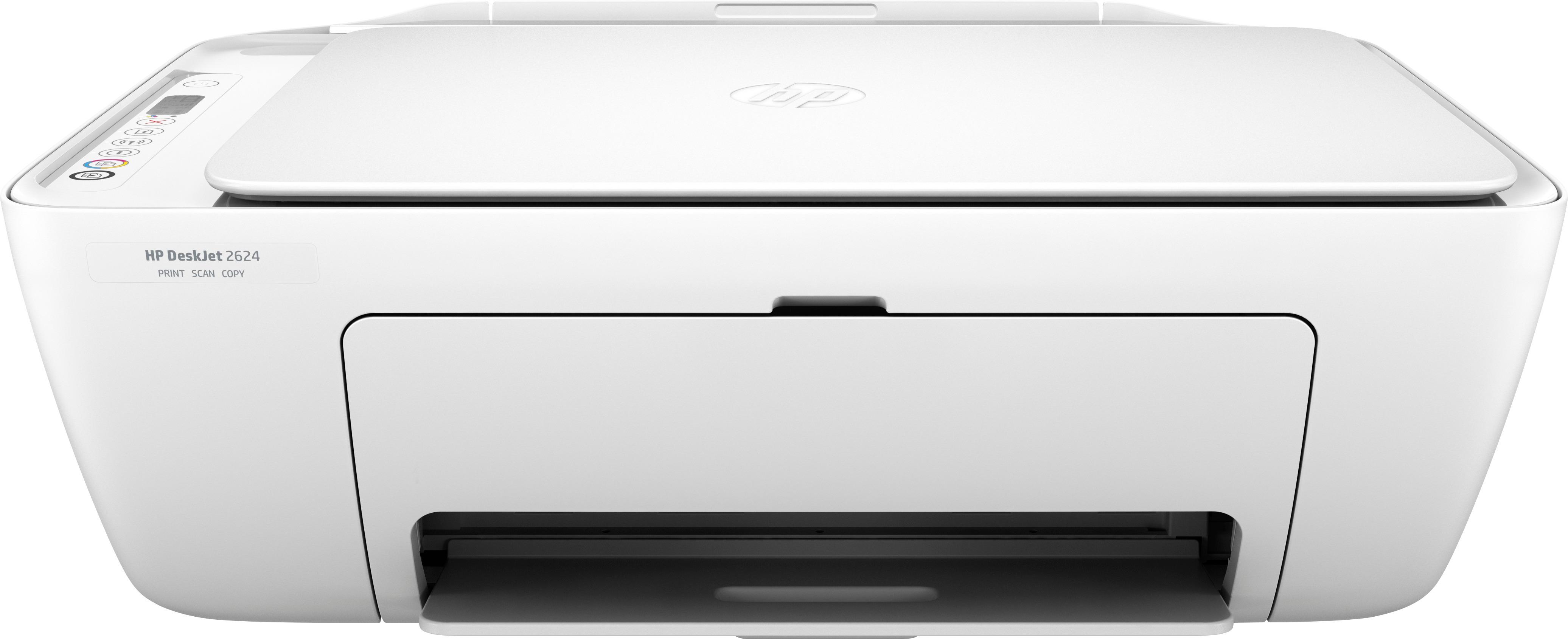
- Model:
- V1N08A#B1H
- |
- SKU:
- 6102800
Customer reviews
Rating 4.5 out of 5 stars with 2282 reviews
(2,282 customer reviews)Rating by feature
- Value4.3
Rating 4.3 out of 5 stars
- Quality4.1
Rating 4.1 out of 5 stars
- Ease of Use4.1
Rating 4.1 out of 5 stars
Customers are saying
Customers consistently note the DeskJet 2624 as a great printer for its price point. They appreciate the easy setup process and the convenience of wireless printing. Many users are also impressed with the print quality and compact size of the printer. However, a few customers have expressed concerns about the slow printing speed and durability of the printer.
This summary was generated by AI based on customer reviews.
- Pros mentioned:Print quality
Rated 5 out of 5 stars
Great printer for the price!
Posted .This reviewer received promo considerations or sweepstakes entry for writing a review.I just purchased this printer today. I was a little skeptical since it only costs $20. But if it's not good then I'm only out 20 bucks, so why not. Plus the replacement ink is inexpensive. It was $14 for black and $15 for color. I was able to set it up with no problems. It took approximately 20 minutes to set up and that included 2 windows laptops and 2 Samsung phones. Some reviews stated it was a difficult process to connect to wifi. I only had to click a few buttons on the hp website and my computer connected it. Not sure why those others had trouble. The print quality is very good though not very fast. I don't print very much so it will be perfect for me. I highly recommend this printer!
I would recommend this to a friend Rated 5 out of 5 stars
A tiny little wonder
Posted .This reviewer received promo considerations or sweepstakes entry for writing a review.Really bought this printer for two reasons: (1) wanted a printer that would work with Linux (kudos to HP for supporting Linux); (2) cannot beat the price :) And alas: this cheap little wonder just worked out of the box with Linux and Windows (including my little tablet) as well! Yeah, yeah, printer quality may not be top notch, but it does the job well and it is a quiet printer (not as noisy as my other Canon printer), something that HP printers are. Very happy with this little one. Would be happier if the color was not white, but even so, no complains...
I would recommend this to a friend- Pros mentioned:Ease of use
Rated 5 out of 5 stars
Printer
Posted .This reviewer received promo considerations or sweepstakes entry for writing a review.Nice printer its very eassy to use abd also never give me any problem
I would recommend this to a friend - Pros mentioned:Wireless
Rated 5 out of 5 stars
HP Printer
Posted .This reviewer received promo considerations or sweepstakes entry for writing a review.HP makes great printers and this was no exception. Does everything you need.
I would recommend this to a friend - Pros mentioned:Ease of use, Wireless
Rated 4 out of 5 stars
Beautiful Look
Posted .This reviewer received promo considerations or sweepstakes entry for writing a review.Easy to use, great look and big enough to do all the simple things we need to do. Copy, Printing, Scanning, etc. The wireless option with your cell is great !
I would recommend this to a friend Rated 4 out of 5 stars
Printer
Posted .This reviewer received promo considerations or sweepstakes entry for writing a review.This printer wifi have problems. Trying to fix it. It’s not working
No, I would not recommend this to a friend- Pros mentioned:Ease of use, Print quality
Rated 5 out of 5 stars
great printer for home
Posted .This reviewer received promo considerations or sweepstakes entry for writing a review.this is a awesome printer. set up was easy. I can scan my documents and photos. printing from phone also works fine and it comes with hp instant ink program
I would recommend this to a friend - Pros mentioned:Print quality
Rated 5 out of 5 stars
Pink tech
Posted .This reviewer received promo considerations or sweepstakes entry for writing a review.This printer is cost effective. It compact design save space in small office or confined area. This HP deskjet all in one printer prints up to 7.5 pages per minutes. It does print, copy and scan. Prints wireless and from mobile device. It is good gift for a high school student.
I would recommend this to a friend - Pros mentioned:Wireless
Rated 5 out of 5 stars
HP Wireless Printer
Posted .This reviewer received promo considerations or sweepstakes entry for writing a review.we bought this printer as an anniverasry gift. we bought it while it was a Black Friday deal. it will be great for their college courses small business they run and they can print from their smart phones as well as their laptops. shipping was free and it shipped fast.
I would recommend this to a friend Rated 5 out of 5 stars
Great
Posted .This reviewer received promo considerations or sweepstakes entry for writing a review.The printer cam along with the ink. It was a great value for money
I would recommend this to a friend- Pros mentioned:Ease of use
Rated 5 out of 5 stars
Easy
Posted .This reviewer received promo considerations or sweepstakes entry for writing a review.I'm not real tech savvy but this was very easy to set up and use!! Great purchase!
I would recommend this to a friend Rated 1 out of 5 stars
Couldn’t make it work
Posted .This reviewer received promo considerations or sweepstakes entry for writing a review.Man, I _really_ wanted this to work, since it looked like just what I was looking for - an inexpensive all-in-one for very occasional color printing, scanning + copying. But after spending waaay too much time trying to get it to connect to my home network (about 6 hours total over 2 days), it just wouldn’t work. I tried. I tried the “HP Smart” mobile app, and while it could _find_the printer, it couldn’t communicate enough (apparently) to set it up. But it said I could “easily complete setup by going to 123.hp.com”. So I did, on my computer, and downloaded HP Smart there and installed it. Still no luck. Did it maybe just show up as an Airprint/Bonjour printer? Nope. Nope nope nope. I went to the HP support page and online chatted with support. With my (reluctant) agreement, they took over my screen (via Teamviewer), and they couldn’t make it work either. They then called me and told me it “must be a network problem” and offered to troubleshoot that for $150 (not kidding!). Uh, no thanks. (BTW, my Samsung TV, AppleTV, Roku stick, Brother wireless laser, and of course, my internet setup, all seem to be working fine on this same home network - it apparently only doesn’t like HP (!)) Next day I tried with another computer. No luck. I tried connecting the printer directly with USB. Nope. Based on what the “wireless quick start guide” the printer will print for you says, I looked for the “HP Utility” icon in the Mac applications folder - it’s not there, nor is anything similar in the Mac app store. HP.com will only offer to download yet another copy of “HP Smart” to you. I consider myself reasonably tech savvy, so as a last try, I went “under the hood”, and based on what I could glean from hints I found at HP, I made sure that the HP setup wifi network from the printer was renamed _exactly_ the same as my home network. Didn’t help. Made sure my router wasn’t running MAC filtering (it wasn’t). And I tried to set it up as a WPS printer. Nope. And on and on. Obviously, YMMV. Based on reviews, the “easy setup” usually is. But if it isn’t (like it was for me), don’t waste hours like I did - just bring it back to BB (which deserves kudos for a great return policy) and think about getting a different brand of printer - preferably one from a company that makes a better effort with Macs and/or with support in general.
No, I would not recommend this to a friendRated 2 out of 5 stars
No duplex printing
Posted .This reviewer received promo considerations or sweepstakes entry for writing a review.Best Buy lists there is duplex printing with no manual intervention. The printer does not have duplex printing, prints only on one side. BUT, the setup was simple with a mac. You don't even need to plug in the USB when using for the first time. Overall, I would have given this 4 stars had Best Buy stated the correct features.
No, I would not recommend this to a friendRated 1 out of 5 stars
No Automatic Duplex printing
Posted .This reviewer received promo considerations or sweepstakes entry for writing a review.The product description in best buy site says it will automatically print two-sides without any manual intervention. There is no duplex printing in this model Deskjet 2624, I have confirmed the same with HP Support. I bought this for Duplex printing and cheap price, I wasted my time trying to find duplex printing settings for this printer.
No, I would not recommend this to a friendRated 5 out of 5 stars
Printing
Posted .This reviewer received promo considerations or sweepstakes entry for writing a review.Great so far bought it for my son to use for school work.
I would recommend this to a friendRated 2 out of 5 stars
Incomplete
Posted .This reviewer received promo considerations or sweepstakes entry for writing a review.The item was in good condition and working fine although a bit slow using the wireless printing. I would like to try printing using usb cable except that the cable is missing. I tried calling customer service and the only option is to refund or bring the printer to the store for full replacement. Why would you give me more inconvenience for your mistake. It would be courtesy just to send me the usb cable which orginally included in the item.
No, I would not recommend this to a friendRated 3 out of 5 stars
Good printer for everyone
Posted .This reviewer received promo considerations or sweepstakes entry for writing a review.USB cord was missing from the printer, very disappointed.
No, I would not recommend this to a friendRated 1 out of 5 stars
This is the worst hp printer I have ever ordered
Posted .This reviewer received promo considerations or sweepstakes entry for writing a review.I bought a hp deskjet 2624 from Best Buy. This is the worst printer I have ever used. It’s power botton always blinking. It’s really hard to connect with any other device. I wasted my money. Finally I have to garbage it. I don’t not recommend people to buy hp printer. I will never look for hp printer.
No, I would not recommend this to a friendRated 1 out of 5 stars
Literal garbage
Posted .This reviewer received promo considerations or sweepstakes entry for writing a review.won't connect to wifi and when it does, drops instantly. can't print because hp instant ink needs connection and no ethernet port
No, I would not recommend this to a friendRated 1 out of 5 stars
Unhappy
Posted .This reviewer received promo considerations or sweepstakes entry for writing a review.This printer is cheap and made cheap. It also will not connect to my laptop. Very unhappy. Also paper goes in the back of the printer to print out. So that doesn't work for me.
No, I would not recommend this to a friend