Customer Ratings & Reviews


- Model:
- K7G18A#B1H
- SKU:
- 5962003
Rating by feature
- Value
Rating 4.5 out of 5 stars
- Quality
Rating 4.4 out of 5 stars
- Ease of Use
Rating 4.5 out of 5 stars
Customers are saying
Customers are enthusiastic about the ENVY Photo 6255's print quality and ease of use, frequently praising its wireless capabilities and compact size. Many appreciate the printer's straightforward setup and quiet operation, along with its ability to scan documents effectively. While some users found the paper tray design less intuitive, the overall positive feedback highlights the printer's value and reliability.
This summary was generated by AI based on customer reviews.
Very poor
||Posted .This reviewer received promo considerations or sweepstakes entry for writing a review.Hard to set up. Ink that came with is all dried up. Printer streaks . Very unhappy with this product
No, I would not recommend this to a friendHome use
||Posted . Owned for 10 months when reviewed.This reviewer received promo considerations or sweepstakes entry for writing a review.Is a great printer for a home use.I would recommend it to a friend.
I would recommend this to a friendPrinter
||Posted .This reviewer received promo considerations or sweepstakes entry for writing a review.This printer quality was not the greatest I could not Scan documents to my email to be able to print
No, I would not recommend this to a friend- Pros mentioned:Print quality, Wireless

Great little printer for the money
|Posted .This reviewer received promo considerations or sweepstakes entry for writing a review.The HP Envy photo is a solid entry level photo/bluetooth printer. The picture quality is more than an acceptable for a printer under $200 dollars. It connects to my wifi and bluetooth with ease and allows printing from my ipad/iphone and computers. The setup was simple and easy and only took a few minutes. I'm usually more of a laser printer style person because of the cost of ink for these type of printers. But this does the job in a lot of different area! I recommend this printer to anyone looking for a solid entry level photo printer with wireless capabilities.
I would recommend this to a friend it’s bulky
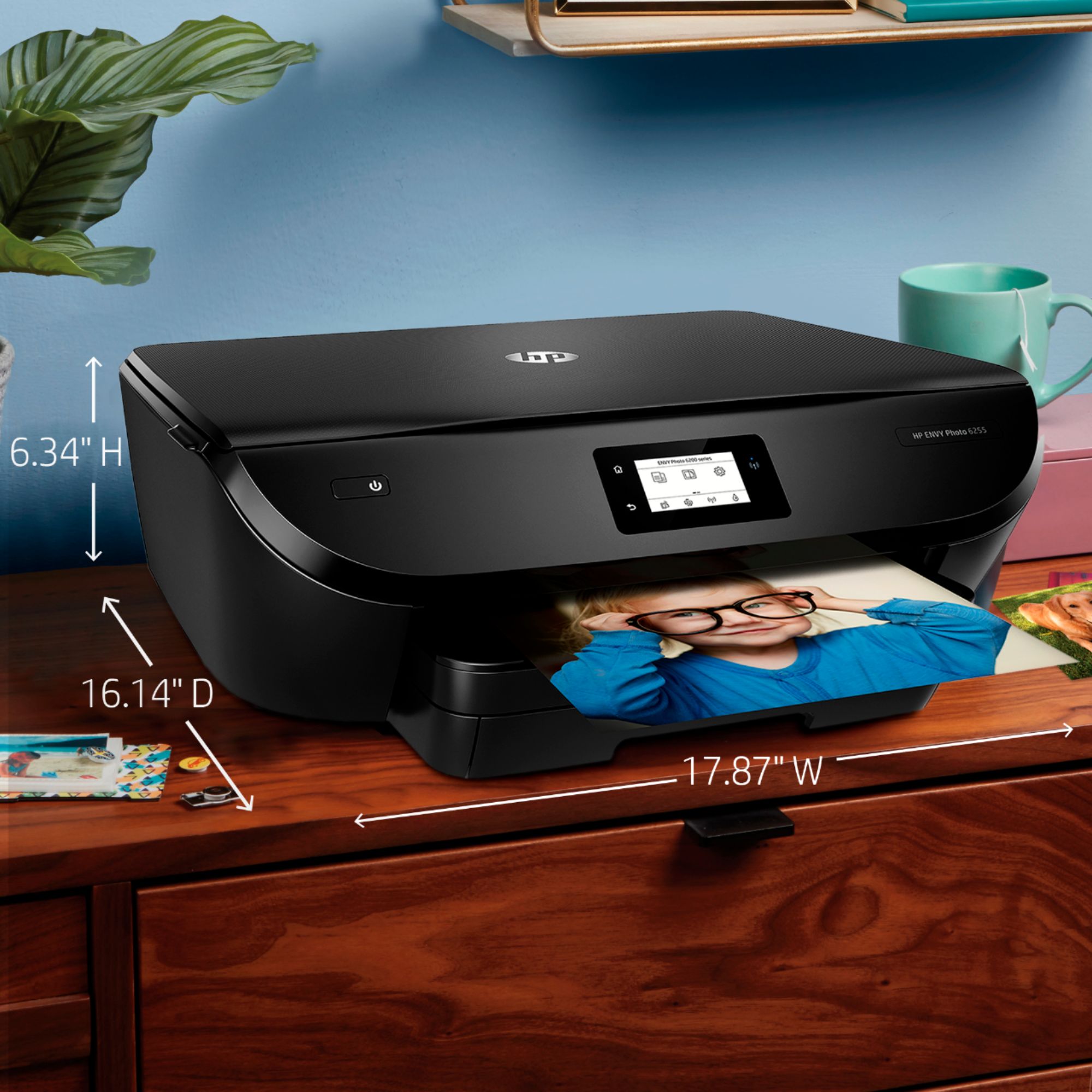
||Posted . Owned for 7 months when reviewed.This reviewer received promo considerations or sweepstakes entry for writing a review.I bought this because I needed one and it was on sale. It’s really big
I would recommend this to a friendClear printing and photos
||Posted .This reviewer received promo considerations or sweepstakes entry for writing a review.Was not long before ink warning came on! Make sure to judge purchase on ink plus price for comparisons.
I would recommend this to a friendFair printer
||Posted .This reviewer received promo considerations or sweepstakes entry for writing a review.Printer was easy to set up and is compatible with my older Mac. Having some problem with color printing.
I would recommend this to a friendNot ideal
||Posted .This reviewer received promo considerations or sweepstakes entry for writing a review.Not in love with this printer. The BB store tech sold us on this but then quickly realised maybe okay for occasional usage but we used up the ink cartridge for one low key project! The ink replacement options are not ideal. We ended up plugging back in our old printer for daily use & probably will only use Thai for occasional pic projects, etc.
No, I would not recommend this to a friendBrand response from HP Team
Posted .Hey there,
I'm so sorry to hear that you aren't happy with the printer's ink consumption. We're certainly committed to providing a more economical experience with our printers, so I can imagine how disappointing this must be. With that said, let's see what I can do to help.
I have a few suggestions you can try for lowering ink consumption. First, I recommend using the printer's draft mode, as this can often improve ink usage. Following that, you could also set the printer to print black and white only. If your printer usage is minimal, one thing you might consider is our Instant Ink subscription plan that allows you to print 15 pages a month for free. For more details, you can visit this link: HPinstantink.com
For any other issues, please don't hesitate to reach out to us for support. We’re always here to help! You can get in touch anytime via your preferred method at this link: hp.com/contactHP
Chelsea
HP Care
hp.com/support
Nothing to write home about
||Posted . Owned for 3 months when reviewed.This reviewer received promo considerations or sweepstakes entry for writing a review.Average printer. Goes offline quite frequently. For that part, it is a pain in the butt.
No, I would not recommend this to a friendso so
||Posted . Owned for 3 months when reviewed.This reviewer received promo considerations or sweepstakes entry for writing a review.need to reboot every time you want to scan a copy of something or it freezes
No, I would not recommend this to a friendDidn't meet my needs
||Posted .This reviewer received promo considerations or sweepstakes entry for writing a review.I returned it because it didn't have a document feeder necessary for what I needed to do
No, I would not recommend this to a friendGood Price
||Posted . Owned for 1 year when reviewed.This reviewer received promo considerations or sweepstakes entry for writing a review.Shame that the ink cartridges are so expensive and dry up if not used every day.
I would recommend this to a friendehhh
||Posted . Owned for 1.5 years when reviewed.This reviewer received promo considerations or sweepstakes entry for writing a review.My wife killed this in less then 6 months as a scout leader.
No, I would not recommend this to a friendAwful for beginner
||Posted .This reviewer received promo considerations or sweepstakes entry for writing a review.Have had for two weeks and STILL not set up for what I need. Want to print from computer, sometimes from phone, but this thing doesn't come with hard disk to install - it's all wifi, but connection to printer via wifi means can't use wifi for Internet so HOW ARE YOU SUPPOSED TO DOWNLOAD SOFTWARE ? Yeah. Freaking out over here.
No, I would not recommend this to a friendBrand response from HP Team
Posted .Hi there,
I'm sorry to hear that your wireless experience with the printer hasn't been very straightforward so far. I can certainly understand the concern that this raises. Moving forward though, let's see if I can help remedy this for you with some suggestions.
First and foremost, it sounds like your printer may be connected via Wi-Fi Direct, which sometimes means that the Wi-Fi can only be used singularly as you mentioned.
With that said, if your printer is setup via a standard wireless connection, you should have no problem using the Internet while your printer is connected. For details on how to set this up, you can visit chapter 7 of your printer's user guide: h10032.www1.hp.com/ctg/Manual/c05632129.pdf
If you're still having difficulties with this, please feel free to contact us directly for support. We're always here and would be more than happy to work through any necessary troubleshooting with you. You can get in touch via your preferred method at this link: hp.com/contactHP
Chelsea
HP Care
hp.com/support
Ok printer.
||Posted . Owned for 10 months when reviewed.This reviewer received promo considerations or sweepstakes entry for writing a review.I like the app, but the printer isn’t great. Maybe it needs ink.
No, I would not recommend this to a friendNot good for photo booth printing
||Posted .This reviewer received promo considerations or sweepstakes entry for writing a review.Bought to use for a photobooth. Prints too slow. Would just use for a normal printer
No, I would not recommend this to a friendPrinter
||Posted .This reviewer received promo considerations or sweepstakes entry for writing a review.This is not a bad printer. Works well. However the 7155 is much easier to use!
I would recommend this to a friendOK printer
||Posted .This reviewer received promo considerations or sweepstakes entry for writing a review.Works fine for a low end printer, may want to look for a little bit better model
I would recommend this to a friendnot so great
||Posted .This reviewer received promo considerations or sweepstakes entry for writing a review.Printer is not very users friendly and you have to copy one page at a time
No, I would not recommend this to a friendThe Unit would not connect
||Posted . Owned for 1 week when reviewed.This reviewer received promo considerations or sweepstakes entry for writing a review.I really liked the way it looked. During the set up the printer would not connect to my computer or the network. The USB cord was working but the computer could not detect the printer. When I tried the wireless, I have access to about 7 networks and 2 of mine. It could not detect mine. Trying to set it up on the printer, the screen could not function in the set up. I spent three days trying to manually connect it, but it just could not be detected. I returned it for a HP8025. Everything worked and within 30 minutes, it was set up, connected, and registered. I feel I just got a bad unit but others had indicated the above problems.
No, I would not recommend this to a friend