Rating 4.5 out of 5 stars with 1658 reviews
4.5- Print Quality (647)
- Ease of use (540)
- Wireless (112)
- Price (77)
- Size (51)
- Paper Tray (6)
Customer Images
The vast majority of our reviews come from verified purchases. Reviews from customers may include My Best Buy members, employees, and Tech Insider Network members (as tagged). Select reviewers may receive discounted products, promotional considerations or entries into drawings for honest, helpful reviews.
- Rated 5 out of 5 stars
Good budget printer
quickly prints with good quality. Easy to connect wireless devices and computers.
Posted by Kel15108
- Rated 5 out of 5 stars
fine little machine
compact and easy to use . copies and prints are very sharp. good quality
Posted by carlos
- Rated 4 out of 5 stars
Good value
I like the printer, but connecting for wireless printing is still a problem. There are a lot of programs that HP offers and the set up can seem lengthly and complicated. The INK program is great and I'd recommend signing up for it--a definite savings and convenience. You can find out about it at Best Buy or online. Once I figure out how to get it all working with the wireless connection, I'll be much happier. If you have an old HP printer cord, KEEP IT! I'm using my old one to connect my laptop until the wireless set up works. The cords go for $25, so save your old one if you can.
Posted by Barb
- Rated 5 out of 5 stars
Very capable printer, packed with features!
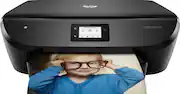
If you’ve owned an HP printer before, this Envy has all the features and functionality you’ve come to expect from HP printers. Pros: Easy to setup, multiple ways to connect to device (computer, tablet etc), HP e-print, easy to use, ink subscription service, quiet mode, prints on both sides. Cons: Paper tray capacity (photo tray sits on top of letter tray), small LCD screen (thankfully it’s not needed for many things), no fax, no card readers, no automatic paper feeder. Setup: I was pleasantly surprised how easy the HP Envy 6255 was to setup. I thought I would have to perform the setup steps utilizing the small screen on the printer. Instead, I plugged in the new printer, went to "123.hp.com", connect to the printer’s wifi, I then selected my wifi SSID. The printer picked up the wifi password seamlessly. Pop in the 2 ink cartridges, run through the rest of the setup and you’re off and running. HP has an ink subscription service that it offers. This is the first time I’ve come across this program, the inkjet printer I purchased approximately 4 years ago didn’t offer this. The prices seem reasonable, the plans are $2.99 for 50 pages a month, $4.99 for 100 pages a month or $9.99 for 300 pages a month. According to HP this can save you $132-$792 a year compared to purchasing ink as you normally would. Your printer would order the ink automatically. Seems like a convenient feature to have, no more rushing out at 8:00PM to buy ink for a school project due the next morning! Printing: There are numerous ways to connect and print from the Envy: USB cable (old school), wireless via wifi, AirPrint (Apple devices), HP app (Android and iOS) and ePrint (email unique HP email address assigned to your printer from anywhere). You can also connect directly to the printer via Wifi direct and print without a router. HP e-Print: I want to share a great way to use the ePrint feature as I’m a big fan of it. As you know, ePrint allows you to send print jobs to the printer wherever you are simply by emailing it to your unique HP printer e-mail address. I use this for my elderly parents who are not tech savvy at all…they basically just mastered using the microwave oven! A typical call from my mom is “something happened to my computer, it’s not working…I didn’t do anything”. So this feature allows me to print whatever they may need from the comfort of my home 20 miles away. Scan: I was pleasantly surprised on the scanning app, I was able to use the app to initiate the scanner and the image appeared on my phone! I could save the image to my phone and email it. From the printer LCD screen, you can also scan it to your computer. Print quality: Of course all the features and apps wouldn’t matter if the print quality wasn’t good. I tested the printer by printing a few photos onto the included sample HP Advanced photo paper. The results were very good. I compared this to 2 other printers I have in the house, 1 a dedicated photo printer made by a camera company with 8 separate color cartridges and the other an HP 8600 Premium inkjet. Of the 3 printers, the picture from the Envy came out the closet to the picture on my phone. The photo from other 2 printers were bad, it probably needed some tweaking, I normally print to the large photo printer using Lightroom and I don’t normally use the 8600 for photos. The HP app does not allow for exposure correction or color adjustments before printing, you would need to make your edits in another program before printing with HP Smart. I also printed out a few maps for hiking trails for an upcoming trip. The print is crisp and sharp, the map detailed, just like the PDF I printed from. Conclusion: Overall, I really like this printer. The print quality is excellent, if you are looking for a new printer, you should definitely look into the Envy 6255. There are some features missing as noted on the “Cons” list, but these may not be important to everyone. For this price, this printer offers a lot of features and performance in a relatively small footprint.
Posted by Gizmo
- Rated 5 out of 5 stars
Great printer
Bought 2. On WiFi so access is remote for cellphone and laptop.
Posted by Buddy