Customer Ratings & Reviews


- Model:
- K7G18A#B1H
- SKU:
- 5962003
Rating by feature
- Value
Rating 4.5 out of 5 stars
- Quality
Rating 4.4 out of 5 stars
- Ease of Use
Rating 4.5 out of 5 stars
Customers are saying
Customers are enthusiastic about the ENVY Photo 6255's print quality and ease of use, frequently praising its wireless capabilities and compact size. Many appreciate the printer's straightforward setup and quiet operation, along with its ability to scan documents effectively. While some users found the paper tray design less intuitive, the overall positive feedback highlights the printer's value and reliability.
This summary was generated by AI based on customer reviews.
Loud and crashes
||Posted . Owned for 1 year when reviewed.This reviewer received promo considerations or sweepstakes entry for writing a review.I previously had another HP printer and loved it. Unfortunately after years it died so I had to get a new one. The first one I bought crashed and would even let me set it up, so I exchanged it. The second one worked, but it's very loud and sometimes sounds like the gears are grinding. I would've returned this one too but I'm a grad student and just don't have them time and energy to deal with it. I just need something to print and scan. The only nice feature is the double-sided printing. I know printers make noise but they shouldn't be this loud and sound like there is something wrong. I've been a HP user for over a decade for all my computer needs, but when I replace this printer in the future, I'll probably look at another brand.
No, I would not recommend this to a friendNot enough features
||Posted .This reviewer received promo considerations or sweepstakes entry for writing a review.Difficult to set up with wireless. Must go online for instructions
No, I would not recommend this to a friendK
||Posted .This reviewer received promo considerations or sweepstakes entry for writing a review.I'm not qualified to send you a review!!!!!!!!!!!!!!
I would recommend this to a friendPrints ok
||Posted .This reviewer received promo considerations or sweepstakes entry for writing a review.It doesn’t communicate well with my laptop (also HP) or my iPhone.
No, I would not recommend this to a friend- Pros mentioned:Print qualityCons mentioned:Paper tray

Another HP Printer I Don't Like
|Posted .This reviewer received promo considerations or sweepstakes entry for writing a review.My last HP printer frustrated me to no end so I replaced it with this shiny new printer. OK, so it is not technically shiny but more of a flat black, more resistant to fingerprints. Setup was kind of easy, although it keeps prompting you to setup via the HP app you do not need to. I actually downloaded it an immediately stopped when it requested location info and push notifications. Why do I need to receive push notifications to setup a printer? So I figured out I could cancel installation on the printer display and there was a slightly hidden "manual setup" option. This let me load the ink and setup my network right on the printer. I then loaded the paper into the tray without an issue. I then decided to try and print a photo right from my phone. I opened the paper tray yet again to load the photo paper but the paper trays did not go in so easy. They actually felt like something was blocking them but the "paper tray open" message went away so I figured maybe that was as far as it goes. So I then attempted to print my photo. The printer immediately made a bad sound and a paper jam error message comes on. A piece of paper got stuck since the tray was not fully closed. I then had to disassemble the inside to push the paper out then reach my hand in underneath to pull the paper out. I then realized that the power cord had actually entered the exposed back and inside of the printer not allowing the tray to close. Uggghh! Closed it all back up and tried to allow the photo to proceed. No luck. The paper jam had caused an error that completely locked up the printing process and froze.I had to unplug the printer and restart my phone (phone notification would not go away either). This was kind of good because it also allowed me to train the power cord in the back to make sure that it could not enter the back of the printer again. I then was finally able to print a single photo. It was not bad actually, the photo came out great. The regular printed pages on 8.5x11 were very smooth too. The one thing I noticed right away was how small the ink cartridges were. My last HP printer had huge XL size cartridges and they didn't seem to last very long so I can imagine what this thing will do. I can't help but see a correlation between the cartridges getting smaller and the new auto refill ink program HP offers where the printer automatically orders new ink for you when it's low. Hmmm. Not a bad overall printer, but just too many familiar issues that I have experienced with every other HP printer I have ever owned (4 total).
No, I would not recommend this to a friend it makes copy ok hard to set up
||Posted .This reviewer received promo considerations or sweepstakes entry for writing a review.Do not like the home touch screen hard to understand simbul
No, I would not recommend this to a friendOk printer
||Posted . Owned for 2 weeks when reviewed.This reviewer received promo considerations or sweepstakes entry for writing a review.Purchased 1/30/20 and found out the warranty expired 2/22/20. Still trying to get that straightened out. Took over an hour for HP to get the wireless to work. I've had at least 5 HP printers and the last 2 HP had to get them to work wireless.
No, I would not recommend this to a friendBrand response from HP Team
Posted .Hi there.
I’m sorry to hear that your printer has been troublesome regarding wireless connectivity, and that you’ve received questionable information about the warranty. I can understand how that would be an unsettling combination, so I’ll point you toward some resources that I hope might help.
First, to clarify, HP printers have a one-year warranty from their purchase date that covers hardware as well as ink supplies. You can verify the warranty using the following link: support.hp.com/us-en/checkwarranty
Next, you can find troubleshooting guides (including one on wireless issues) as well as user manuals, video tutorials and software updates for your printer here:
- support.hp.com/us-en/product/hp-envy-photo-6200-all-in-one-printer-series/9073045/model/9073046
As I suspect you already know, if any issues persist or you have questions about your printer, reach out to us so we can work through any necessary troubleshooting with you. We’re always here to help, so you can get in touch via your preferred method at this link: hp.com/contactHP
Keith
HP Care
hp.com/support
Average
||Posted .This reviewer received promo considerations or sweepstakes entry for writing a review.Color cartridges run out very quick so bad printer
No, I would not recommend this to a friendCan't be used wirelessly with a Chromebook
||Posted .This reviewer received promo considerations or sweepstakes entry for writing a review.All of my attempts to use this printer wirelessly with a Chromebook failed since it was not cloud ready. And if a printer is not cloud-ready, the wireless use instructions HP offers are not relevant to use with a Chromebook. I ended up exchanging it for an Epson.
No, I would not recommend this to a friendBrand response from HP Team
Posted .Hey there,
It's so disappointing to hear that you weren't able to use your Chromebook with the printer. This isn't at all the experience we intend on providing, so I can certainly imagine how frustrating it must have been. With that said, I'm glad that you were able to facilitate an exchange.
In the future, please remember that we're always here for support, should you need it. I hope that you'll allow us the opportunity to help find you a printer that best suits your needs next time. If you have any further questions or concerns, don't hesitate to reach out: hp.com/contactHP
Chelsea
HP Care
hp.com/support
- Pros mentioned:Ease of use, Print quality
A great printer that have modern features!
|Posted .This reviewer received promo considerations or sweepstakes entry for writing a review.HP ENVY Photo 6255 All-in-One Printer is a fantastic printer that affordable and give you all the features you are looking for. I was surprised at what you get and all the basics are here to fulfill all the needs of a modern home. The design is nice coming out slimmer then HP's previous printers. There is also a touchscreen to use all the features right from the printer. Set up is easy not wasting your time. Once set up you are ready to go. The HP ENVY Photo 6255 All-in-One Printer does come with Wifi and Bluetooth smart making it extremely useful for smartphones. Using iOS all I have to do is hit the airprint and the printer easy print out my documents or shipping labels I need. You can scan / copy / print / and Fax all from this awesome printer. HP Smart app is also easy to use but you don't need it to use the printer but more features are on the app itself. The printer does high quality photos but that shouldn't be a surprise, HP printers have been among the best in the past. If you don't feel like going out to find the ink HP have a service called "Instant Ink" where you can have in delivered to your doorstep and the service is nice when you run out. (Replacement Cartridge are 64 / 64 XL) Nothing much else to say, this is a great printer that gives you enough features for home use. I love the printer and have been using it for weeks and it works out well when I print out documents and labels to ship. It's a affordable and reliable printer that does what it needs to do without problems. So far I have no cons at all. Good job HP!
I would recommend this to a friend Connectivity issues
||Posted . Owned for 3 months when reviewed.This reviewer received promo considerations or sweepstakes entry for writing a review.Prints just frequently enough to avoid trashing it. We generally don't have connectivity issues with other devices on our network. Likely less frustrating just to walk down to the library for your printing needs.
No, I would not recommend this to a friendBrand response from HP Team
Posted .Hi there.
I’m sorry to hear that your printer has failed to maintain a reliable wireless connection. I can understand how the lack of reliability you describe would quickly become aggravating, so I’ll offer some resources and information I hope will help.
First, I recommend you visit a page on our support site that has diagnostic tools for various problems, including wireless connectivity and printer-offline issues. Visit that page here:
- support.hp.com/us-en/topic/diagnostics
If the problem persists, I recommend that you contact us directly at +1 800-474-6836 so we can guide you through the proper troubleshooting. (Please note that because of restrictions on personal movement and workplace attendance associated with the COVID-19 pandemic, wait times for agents are longer than normal. Thanks in advance for your understanding.) To expedite the process, I recommend gathering the following information before the call:
- Model number
- Serial number
- Your location
- Case number (from any previous contact with HP support)
I'll also mention that HP printers have a one-year warranty from their purchase date that covers hardware as well as ink supplies, so if it comes to that, you might consider making use of it. You can verify the warranty using the following link: support.hp.com/us-en/checkwarranty
Keith
HP Care
hp.com/support
You get what you pay for
||Posted . Owned for 2 weeks when reviewed.This reviewer received promo considerations or sweepstakes entry for writing a review.My old Canon photo printer died and as I was buying a new HP computer I bought this printer. What a mistake. Had nothing but problems setting it up, the first tricolor cartriage was bad, and it eats the color ink like crazy! Would have been cheaper to buy a GOOD printer instead of getting this cheaper one and having to pay for the ink. Don't make the same mistake I did.
No, I would not recommend this to a friendBrand response from HP Team
Posted .Hi there,
I’m tremendously sorry to hear that you've had a poor experience with the printer so far. I can imagine how disappointing this has been, especially since we always aim to provide much more overall quality. That said, I want to assure you that we'll do everything we can to make this right.
First, I have a few suggestions for lowering overall ink consumption. To start, I recommend using the printer's draft mode, as this can often improve ink usage. Following that, you could also set the printer to print black and white only. If you still find you're using quite a bit, Instant Ink is another option to consider. Many customers like our available plans, as they're based on how many pages you print monthly. If your printer usage is minimal, Instant Ink also offers a subscription plan that allows you to print 15 pages a month for free. For more details, you can visit this link: HPinstantink.com
For anything else specific we can assist with, please remember that you can always reach out to us for support. We're always here and would be more than happy to help you make the most of your experience with the printer. You can get in touch with us via your preferred method at this link: hp.com/contactHP
Chelsea
HP Care
hp.com/support
Its ok..
||Posted .This reviewer received promo considerations or sweepstakes entry for writing a review.I was looking for something that was good with pictures, and it turns out they don't come out too good. It was recommended to me by a Best Buy employee as being very good for pictures but I was not too happy. It does good with regular documents.
No, I would not recommend this to a friendBrand response from HP Team
Posted .Hi Jazmin,
I am very sorry that you aren't pleased with the quality of the photos. Perhaps we can make those better for you by having you adjust the settings.
Before working with the settings, you might consider upgrading the firmware and downloading the full-featured software for your printer. Doing that often enhances the all-round performance. If you'd like to do that, you can go to: support.hp.com/us-en/drivers/selfservice/hp-envy-photo-6200-all-in-one-printer-series/9073045/model/9073046
If doing the upgrades doesn't fix the print quality by itself, you can follow the steps online here: support.hp.com/document/c05551181
If there is anything else that we can help with, contact us: hp.com/contactHP
Mary
HP Care
hp.com/support
- Pros mentioned:Print quality
Great Wireless All in One Printer Scanner Copier
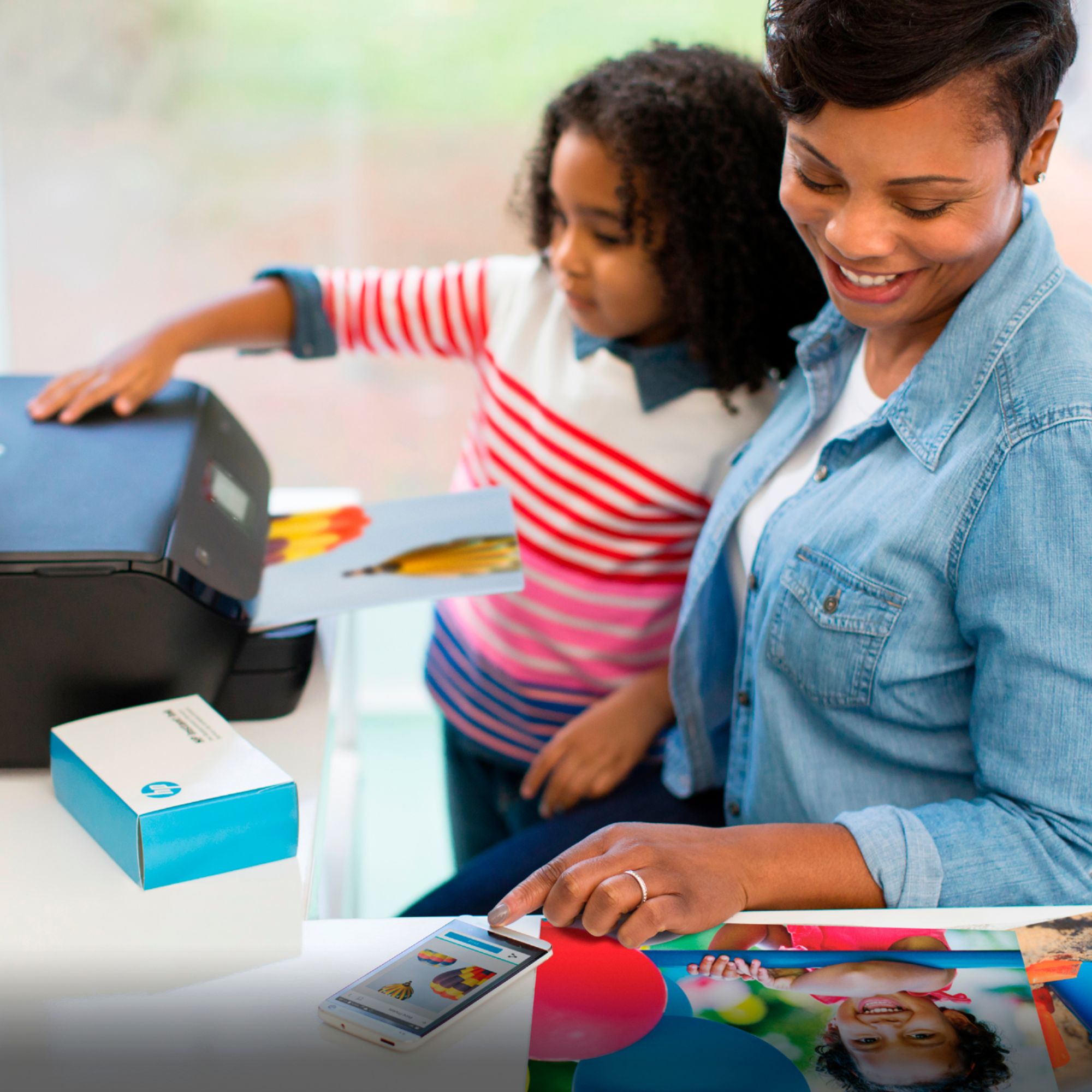
|Posted .This reviewer received promo considerations or sweepstakes entry for writing a review.HP ENVY Photo 6255 All-in-One Printer is a Wireless printer/copier/scanner. The assembly is simple and straight forward: Take it out of the box, pop in the ink. The Setup is very easy, either download the HP app for your android or IOS device and follow the on screen instructions. This will allow you to pair your device to the printer and set up the wireless connection to your router. After the printer is set up you can print wirelessly from your device or your computer. If you do not have a wireless phone or tablet you can download the install and driver package from HP for windows 10 https://support.hp.com/us-en/drivers/selfservice/hp-envy-photo-6200-all-in-one-printer-series/9073045/model/9073046. I think there is a way to log into the web console for the printer and set it up but it is not documented. Once set up you can print to 8x 10 for paper or photo paper from the lower tray or 4x6 photo paper from the photo paper tray. The pictures from this printer on the 4x6 photo paper are outstanding. The colors are rich and bright and there is no running of the ink. If you use photo paper the ink will not smear and dries very quickly. The print speed is reasonably quick for a home printer. Hp has a new program where they will supply you with ink for a monthly fee, you choose the print volume you want. If you go over they have a set per page fee. This is great for convenience. I can save money on ink if you print a lot. I you are a casual printer user you may not benefit from this program. You are not obligated to join the program and can buy ink in the traditional way if you prefer. Overall this is a very good home photo printer. The mobile phone app makes printing images directly from your mobile device quick and easy with very high quality.
I would recommend this to a friend Cheap printer, low quality.
||Posted . Owned for 1 year when reviewed.This reviewer received promo considerations or sweepstakes entry for writing a review.Cheap $50 printer. Low speed, quality and not reliable. Kept dropping wireless after a few hours every day. Returned it.
No, I would not recommend this to a friendAbsolutely Not
||Posted . Owned for 8 months when reviewed.This reviewer received promo considerations or sweepstakes entry for writing a review.This item is a piece of junk. It makes the loudestttt noises, which are possibly louder on quiet mode. It spazzes out more times than not and just no.
No, I would not recommend this to a friend- Pros mentioned:Print quality
Good, Simple, but Not the Best
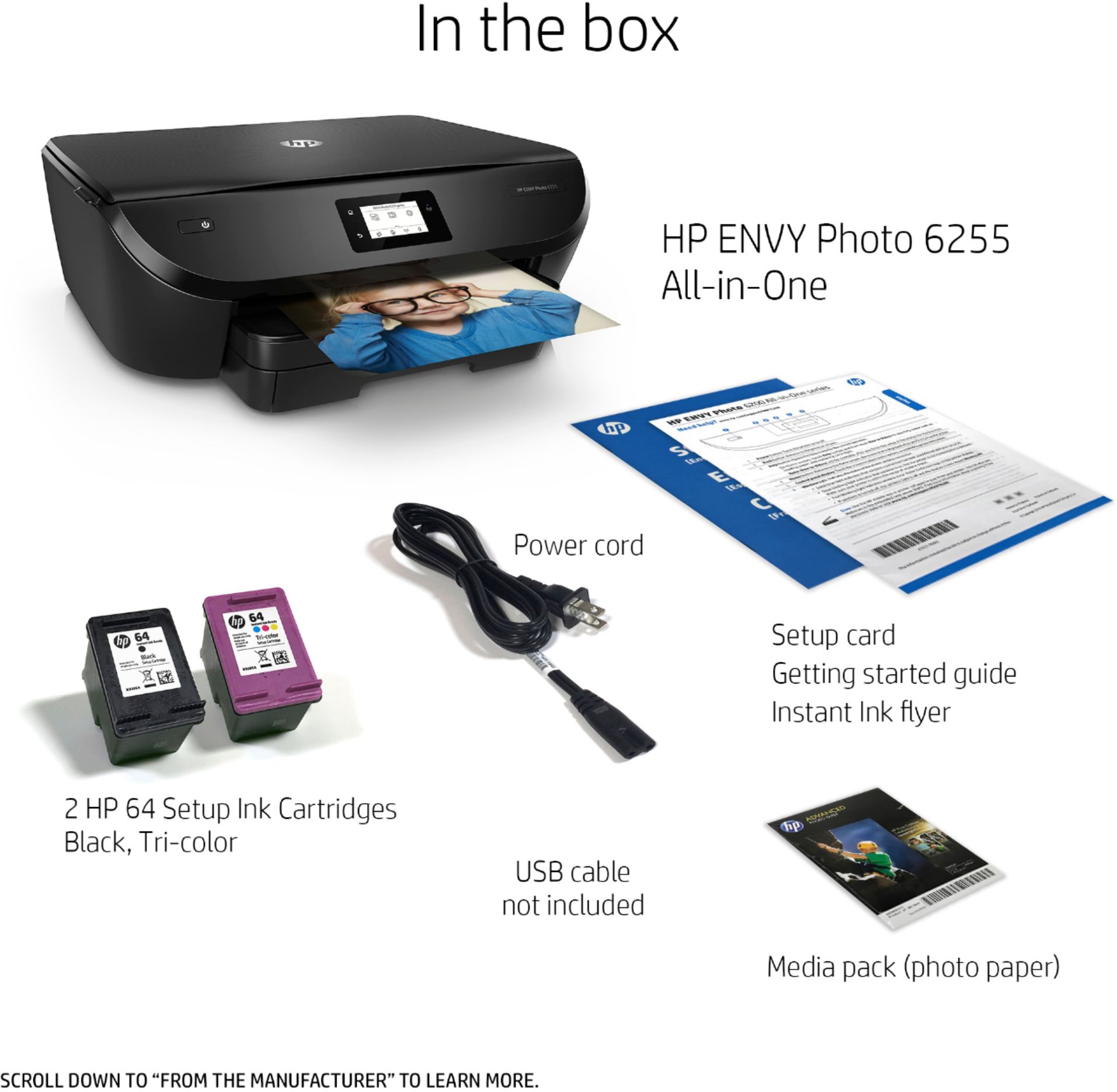
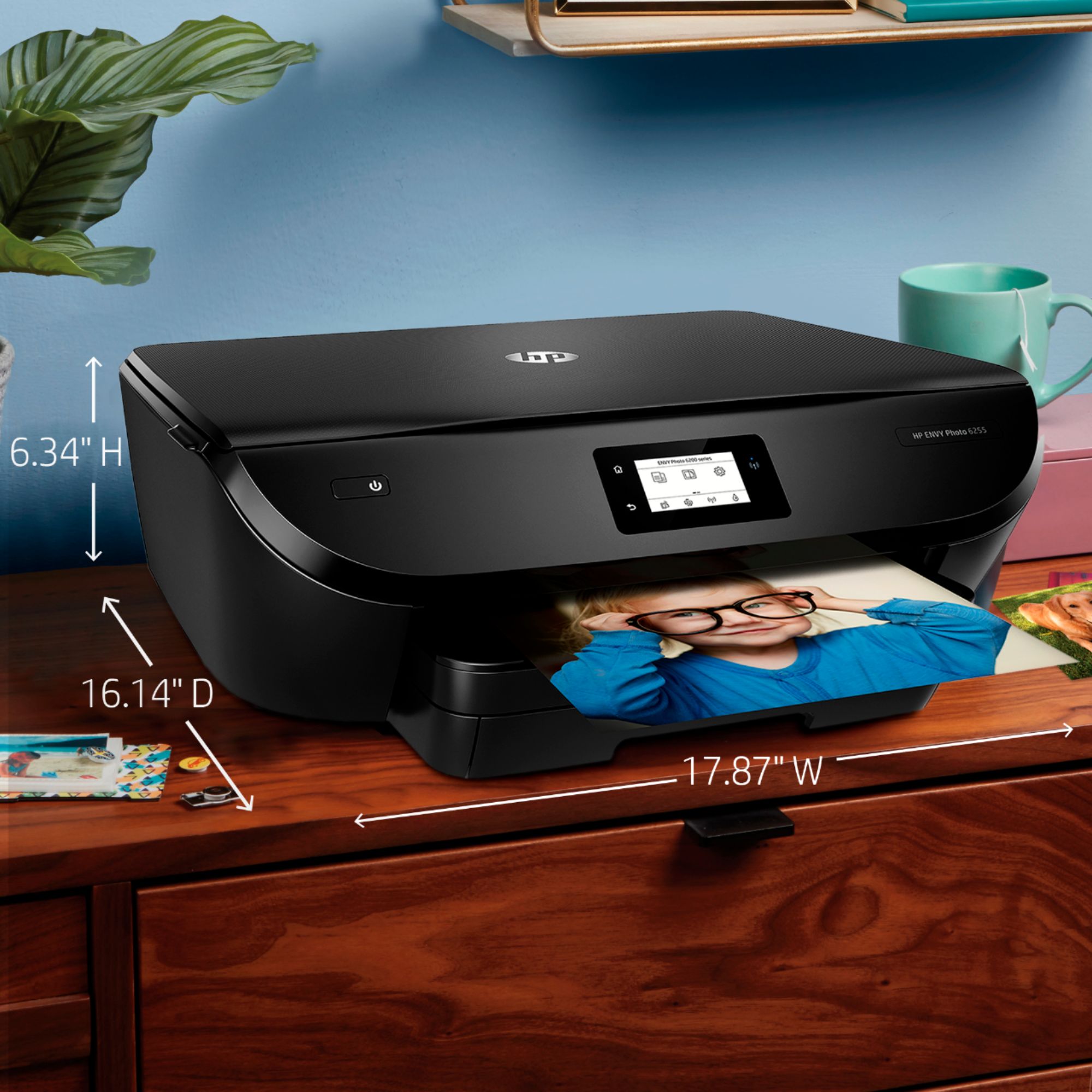
|Posted .This reviewer received promo considerations or sweepstakes entry for writing a review.In a world where there are so many printers from so many different companies, it is not unusual to have a couple of different ones sitting besides a computer. I currently have 4, from a small label-only printer to a large multi-function machine with automatic duplexing and other bells & whistles. Each does its job well and reliably. I was intrigued to try the newest photo-printer from HP, and the results were, as noted above, good--which is to say in this day and age, average. The positives are many: installation (including connecting to the network through wi-fi) was a delight! The HP app is beautiful, efficient, and fast. It does almost everything automatically, asking only for you to make a couple of basic decisions, and it helps with useful suggestions. It's just about as easy to install as is a toaster. Paper loading is relatively easy, but you must remove (also very easy) the output tray. In an era where flimsiness seems to be the norm, everything about this printer seems very solid. There's an unexpected sturdiness to the cover and other parts, and when something is intended to click into place, it does so firmly and, again, solidly. The "feel" of the machine inspires confidence in workmanship and likely durability. Processing speed shames some other (older) printers. From the time I clicked "print" to the start of printing was near-instantaneous. Some dimensions buyers might want to consider: It's not very tall and would easily fit on a 7" high self, if one did not need to raise the cover. But it is WIDE: (about 18") and deep (16" without the output tray extension). The screen interface is SMALL and monochrome. The bright backlight is nice, but it is hard to read with a small (non-adjustable) font. As for the real purpose, producing high-quality prints, it does fine. There are only 2 cartridges (black and tri-color) and while they produce fine prints for sharing and everyday use, they simply do not compare favorably with more advanced technologies and printers with five or more color cartridges. In sum, a nice printer with some nice features, and no one should avoid it unless he or she needs very high quality output.
I would recommend this to a friend HP ENVY 6255 printer
||Posted . Owned for 1 year when reviewed.This reviewer received promo considerations or sweepstakes entry for writing a review.It prints, but not without issues. Sometimes the computer doesn’t recognize the printer, sometimes the WiFi connection disconnects.
No, I would not recommend this to a friendDon't Buy This One
||Posted .This reviewer received promo considerations or sweepstakes entry for writing a review.I used to think HP printers were always a good choice. Well I was definitely wrong about this model. After spending 90 minutes on the phone with HP support, I was told that this model cannot handle the speed of current computers. I had to create a separate wifi link with half the speed (2.4 Ghz) of my network because the printer cannot handle full speed. I have to go back and forth between wifi links when I want to print from either my Mac or my iPhone. If I had known I never would have bought this model.
No, I would not recommend this to a friendBad quality print, had to return
||Posted .This reviewer received promo considerations or sweepstakes entry for writing a review.I had to return two of these on the same day. Both times I tried printing from three different computers using photos from my camera, scanned, and internet. Every time there were lines across the picture (on both units). Spent over an hour with tech support and they wanted to send new cartridges out...but the same issue with two brand new printers? I'm avoiding this one and trying something else.
No, I would not recommend this to a friendBrand response from HP Team
Posted .Hey there,
I'm really sorry about the difficulties you've experienced with both printers. I can certainly imagine how frustrating this must be, especially since the issue affects your ability to print reliably. Though you've contacted support, let's see if I can suggest one more thing you might've not tried, just in case.
Given the description you've provided, it sounds like this could be a print quality issue. What I'd recommend for this is following the suggested steps in the following document: support.hp.com/us-en/document/c05551181
If the issue persists after this, I hope you'll consider reaching out to us for support again. We'd love the opportunity to make this right and provide you with a more seamless experience.
Chelsea
HP Care
hp.com/support