Customer Ratings & Reviews

- Model:
- W1A52A#BGJ
- SKU:
- 6348964
Rating by feature
- Value
Rating 4.3 out of 5 stars
- Quality
Rating 4.4 out of 5 stars
- Ease of Use
Rating 4.3 out of 5 stars
Customers are saying
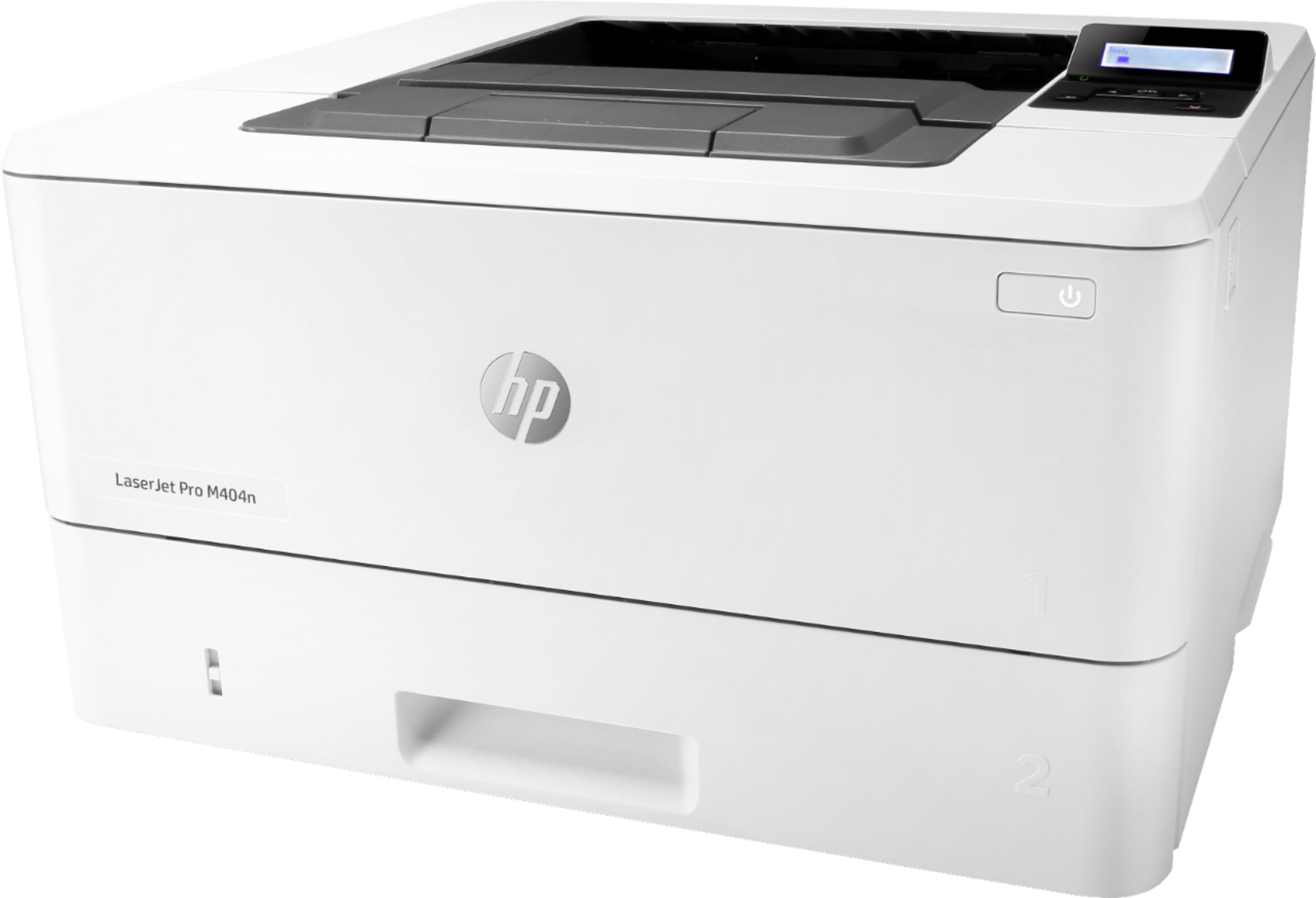
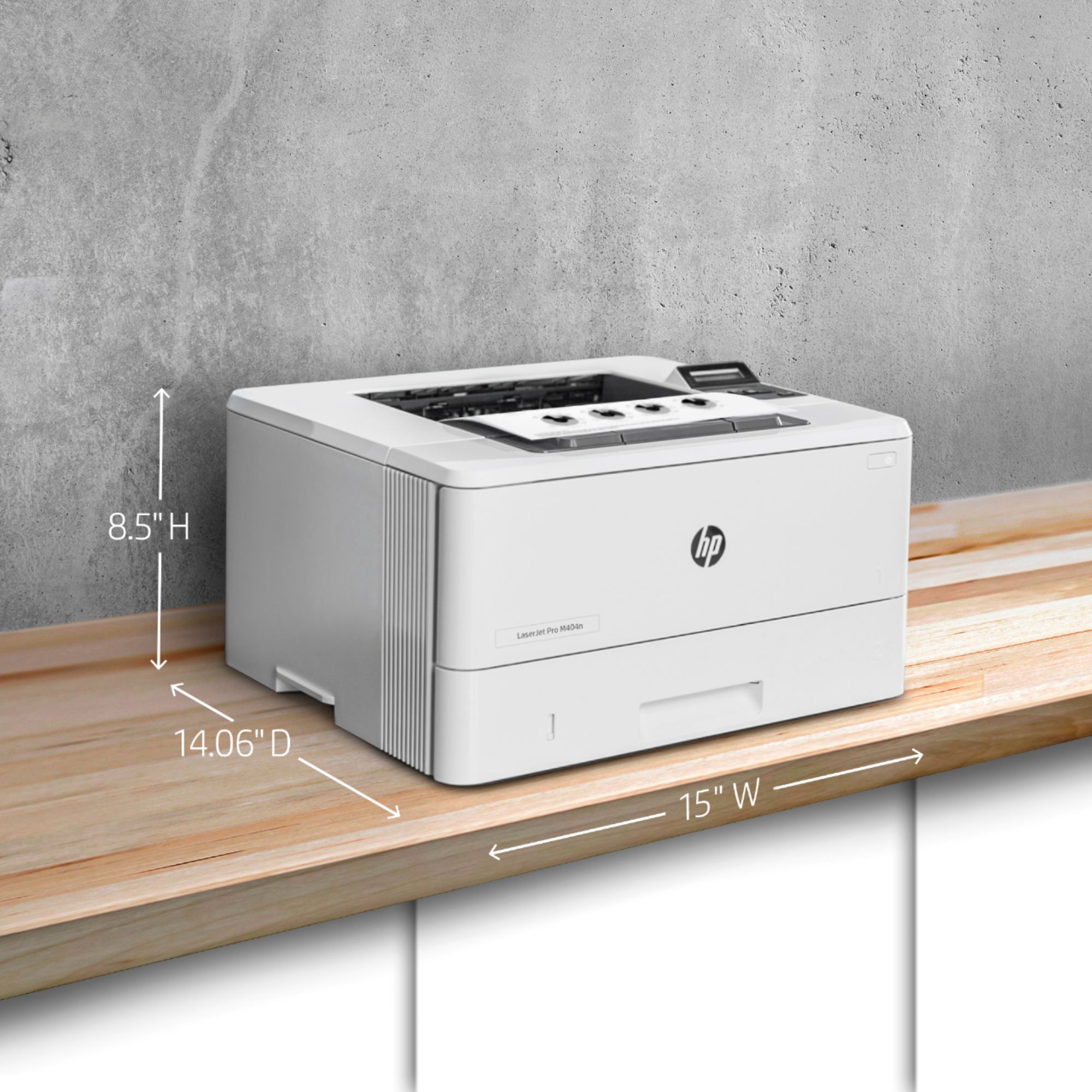
Customers are delighted by the LaserJet Pro M404n's excellent print quality, ease of use, and reliability. Many appreciate its compact size and affordable price, along with the straightforward setup process. However, some users experienced challenges with wireless connectivity and printer drivers. Overall, the positive feedback on print quality and ease of use outweighs the negative experiences reported by a smaller number of users.
This summary was generated by AI based on customer reviews.
Reliable and fast
||Posted . Owned for 3 weeks when reviewed.This reviewer received promo considerations or sweepstakes entry for writing a review.Excellent printer. Reliance and fast. Will handle what ever you need it to do.
I would recommend this to a friendNice
||Posted . Owned for 1 month when reviewed.This reviewer received promo considerations or sweepstakes entry for writing a review.Works well with WiFi, color printing is quality doesn’t look like home print job.
I would recommend this to a friendHP Printer Order
||Posted . Owned for 1 month when reviewed.This reviewer received promo considerations or sweepstakes entry for writing a review.The ordering process was secure, intuitive and efficient.
I would recommend this to a friendCheap but good printer.
||Posted . Owned for 7 months when reviewed.This reviewer received promo considerations or sweepstakes entry for writing a review.Does it’s job for a much lower cost then most printers l. No complaints!
I would recommend this to a friendHP Printer
||Posted .This reviewer received promo considerations or sweepstakes entry for writing a review.Very good printer. It works perfectly. recommended for purchase.
I would recommend this to a friendExcellent. Exactly what we need for our office
||Posted .This reviewer received promo considerations or sweepstakes entry for writing a review.HP has always produced a great product for us, which is why we continue to use them.
I would recommend this to a friendGood printer
||Posted . Owned for 10 months when reviewed.This reviewer received promo considerations or sweepstakes entry for writing a review.This was a quick printer to fit a single user need. Worked for me
I would recommend this to a friendPrinter Review
||Posted . Owned for 2 months when reviewed.This reviewer received promo considerations or sweepstakes entry for writing a review.great printer for small business! speed & quality very good!
I would recommend this to a friendHP LaserJet Pro
||Posted . Owned for 2 months when reviewed.This reviewer received promo considerations or sweepstakes entry for writing a review.Hp is very good printer, I always use for my work and school
I would recommend this to a friendPleased
||Posted . Owned for 3 weeks when reviewed.This reviewer received promo considerations or sweepstakes entry for writing a review.By no means am I tech savvy. The setup to my pc was easy. Very pleased.
I would recommend this to a friendgreat quality printer
||Posted . Owned for 1 month when reviewed.This reviewer received promo considerations or sweepstakes entry for writing a review.good overall printers for business work or home. supplies are expensive.
I would recommend this to a friendHP LaserJet
||Posted . Owned for 1 month when reviewed.This reviewer received promo considerations or sweepstakes entry for writing a review.Fast and robust. Great for getting blank and white prints out fast.
I would recommend this to a friendgreat printer
||Posted . Owned for 10 months when reviewed.This reviewer received promo considerations or sweepstakes entry for writing a review.nothing but the best from the best at awesome price
I would recommend this to a friendFast printing for small business
||Posted . Owned for 4 months when reviewed.This reviewer received promo considerations or sweepstakes entry for writing a review.Good and portable and useful for home and business
I would recommend this to a friendNew Printer install with Windows 10
||Posted .This reviewer received promo considerations or sweepstakes entry for writing a review.The printer wouldn't install with my upgrade to Windows 10 ... don't think it was a problem with the printer .... Can't review functionality
I would recommend this to a friend- Pros mentioned:Print quality
Printer
||Posted . Owned for 3 months when reviewed.This reviewer received promo considerations or sweepstakes entry for writing a review.It took a long time to get it set up...printed once and quality was great. Now the system is not working. Would not buy again!
No, I would not recommend this to a friend Hp laser, printer
||Posted . Owned for 1 year when reviewed.This reviewer received promo considerations or sweepstakes entry for writing a review.Fats the only bad thing it’s only black I should have read the instructions 1st.
I would recommend this to a friendNot working properly
||Posted .This reviewer received promo considerations or sweepstakes entry for writing a review.it’s not printing at first shot. Have to turn it off and then back on to get it to print. Also, it gets really hot when printing
No, I would not recommend this to a friendBrand response from HP Team
Posted .Hello there,
I want to deeply apologize for all the inconvenience the printer has been causing. We certainly build our printers with the intent of providing a reliable experience for our customers, so I can imagine how frustrating and disappointing a situation like yours can be.
Due to the vague nature of the issue, please reach out to us for support. We'd be more than happy to work through any troubleshooting or initiate a replacement under your printer's warranty. You can give us a call at +1 800-474-6836 between the hours of 8 am - 9 pm ET. To expedite things a bit, I recommend gathering this information beforehand:
- Model number
- Serial number
- Your location
- Your case number (from prior contact with support)
On a related note, I'd like to mention the fact that HP printers do also have the warranty from their purchase date, so if you find you need to use it, I hope you will. To verify the warranty, you can use the following link: support.hp.com/us-en/checkwarranty
In case of further queries, please do not hesitate to contact us at: hp.com/contactHP
Kacper
HP Care
hp.com/support
Very temperamental and difficult to install softwa
||Posted . Owned for 6 months when reviewed.This reviewer received promo considerations or sweepstakes entry for writing a review.I purchased this printer for my business as an extra printer and it took me 2 days to download the software from HP. My brand new HP computer then crashed after 3 weeks and I had to purchase another one. Now this printer will not install and my new computer after 2 days of downloading software. When the printer was working it would randomly print and other times it would say there's no connection. The printer was connected by USB cord right into my computer. I've had other printers hooked up to this computer and never had a problem until this one. Not buying another HP printer
No, I would not recommend this to a friendBrand response from HP Team
Posted .Hello there,
This is so disappointing to learn about all those inconveniences the printer has been causing. I can assure you that we certainly build our printers with the intent of providing a reliable experience for our customers, so I can imagine how frustrating and disappointing a situation like yours can be.
Due to the possibly complicated nature of the issue, please reach out to us for support. We'd be more than happy to work through any troubleshooting or initiate a replacement under your printer's warranty. You can give us a call at +1 800-474-6836 between the hours of 8 am - 9 pm ET. To expedite things a bit, I recommend gathering this information beforehand:
- Model number
- Serial number
- Your location
- Your case number (from prior contact with support)
To verify the warranty, you can use the following link: support.hp.com/us-en/checkwarranty
In case of further queries, please do not hesitate to contact us at: hp.com/contactHP
Kacper
HP Care
hp.com/support
- Pros mentioned:Print quality

VERY Fast Printer...but VERY Slow Warm-Up
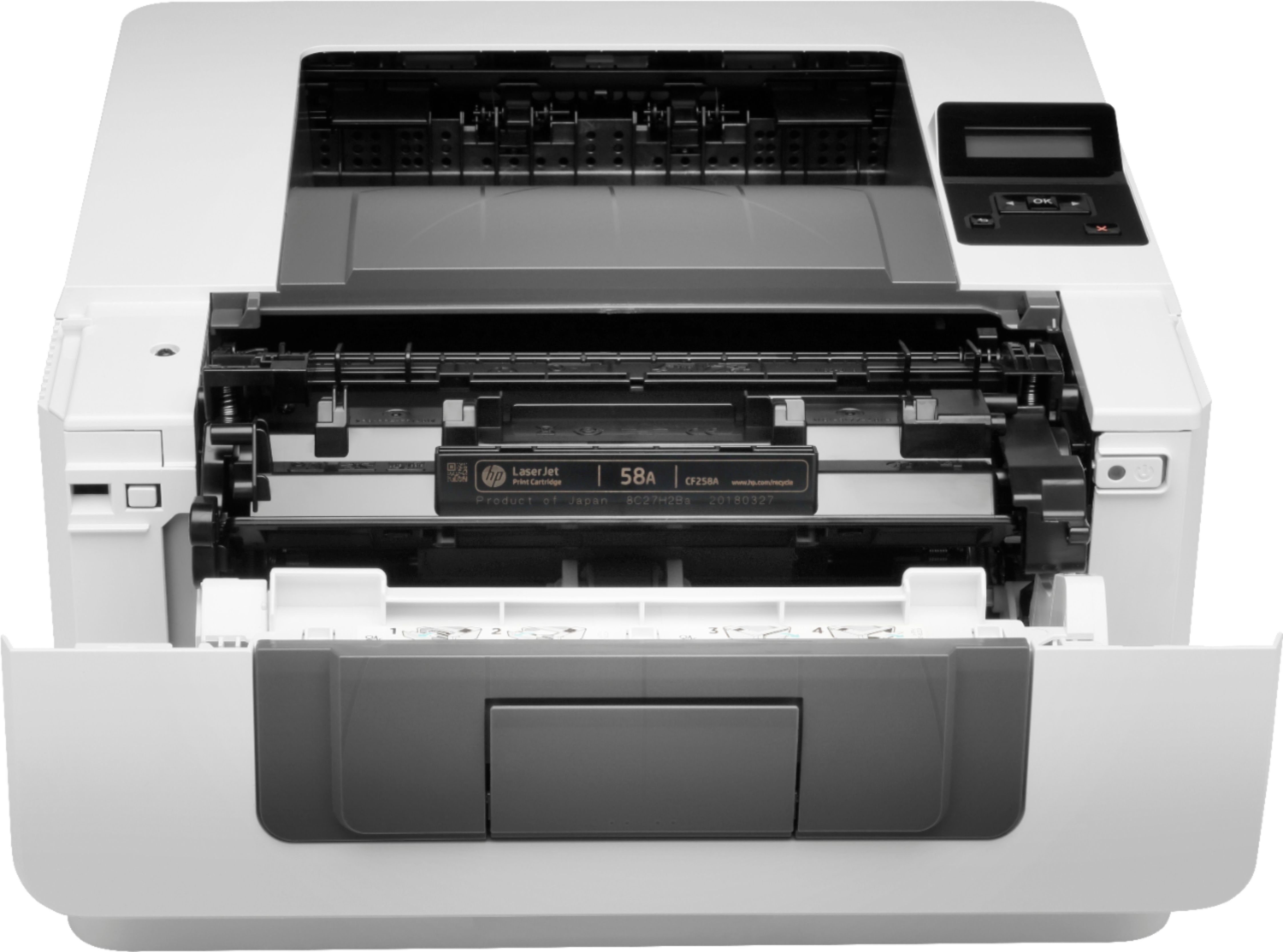
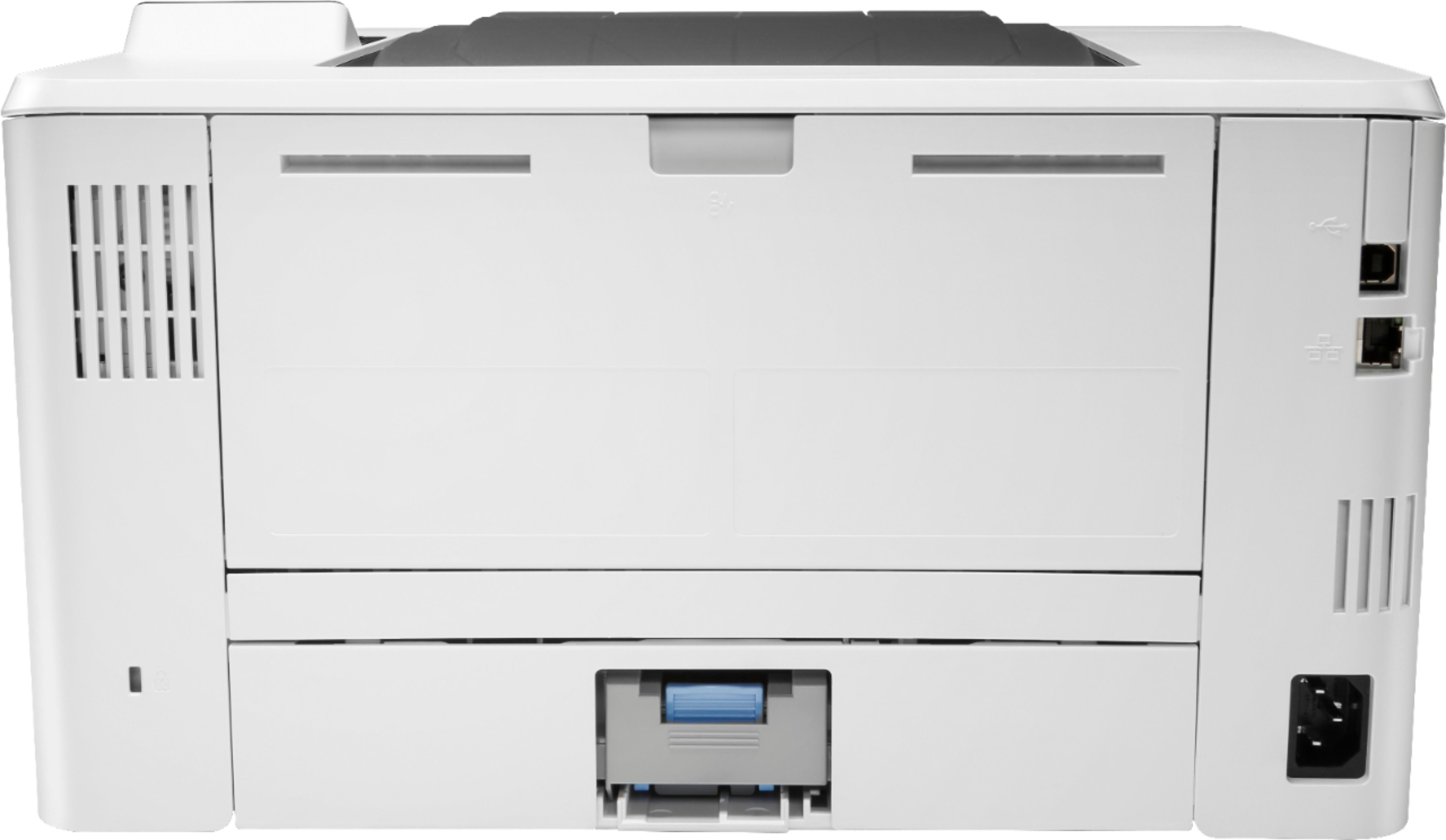
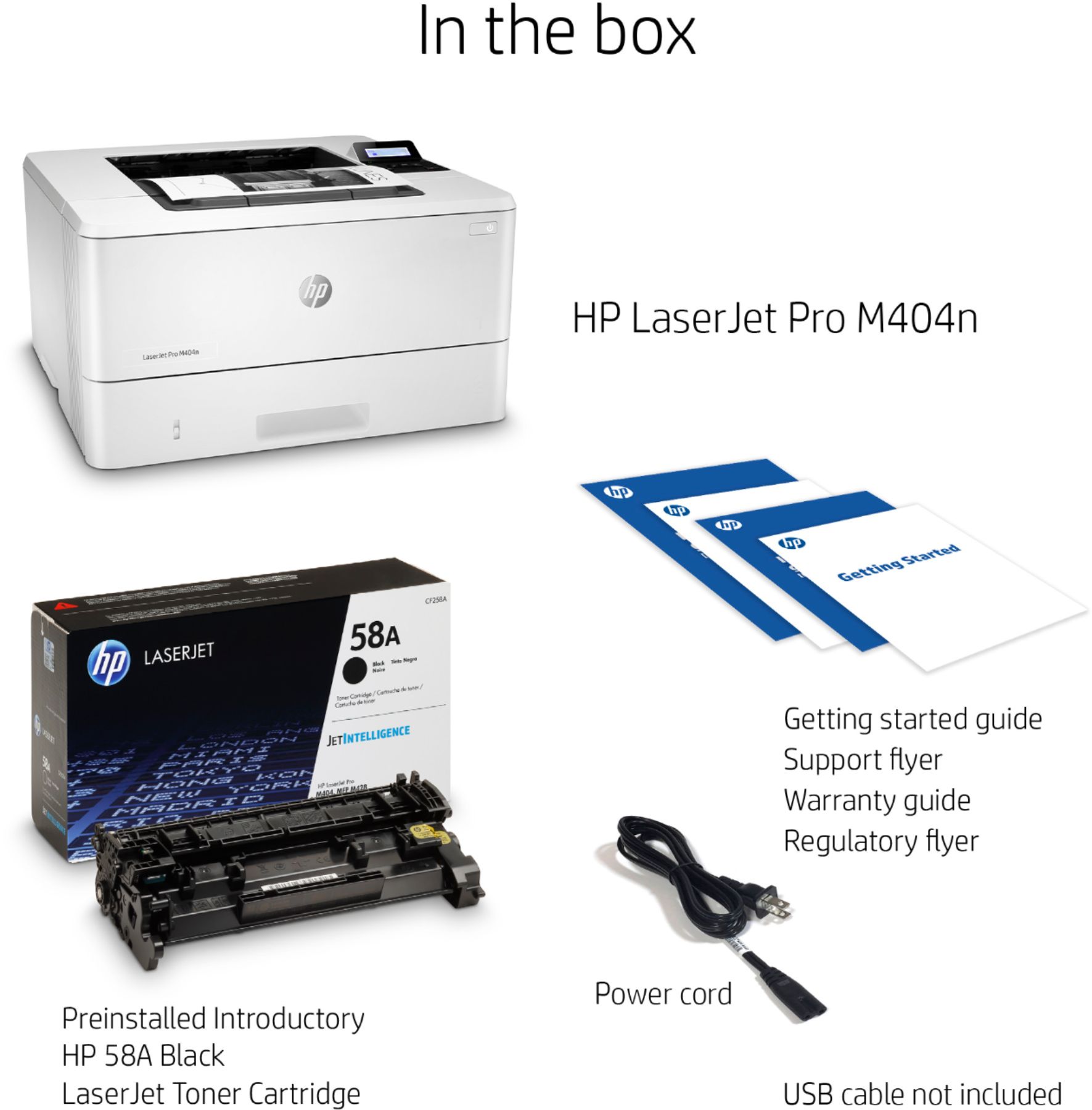
|Posted .This reviewer received promo considerations or sweepstakes entry for writing a review.Laser printers have several advantages over inkjet printers…but, at the same time, there are certain advantages that ink jet printers have over laser printers. The HP LaserJet Pro M404n is a perfect example. Is the M404n right for you? We shall see………. UNBOXING & INITIAL IMPRESSIONS: Many companies have switched to “environmentally-friendly packaging” (cardboard, as opposed to Styrofoam), including HP in many of their lower-end printers. Unfortunately, HP still uses (a lot of) Styrofoam in packaging their higher-end printers. While it does keep the printer ‘safe’ during shipping, the impact to the environment will last for several human generations. As for cables, the ONLY cable included is the power cord…there are no USB and/or Ethernet cables included. On the ‘bright’ side, the printer’s toner cartridge comes pre-installed. SETUP: This was both simple, and difficult. The physical setup, as well as installing the drivers & software, were a breeze. Setup consisted of plugging in the power cable, connecting the Ethernet cable (the printer can be connected directly to a single computer, via USB, if you don’t want/need network printing capabilities), powering the printer up, and answering a few simple questions on the printer’s 2-line LCD display. For driver/software installation, you have two options – you can download the HPEasyStart file (6.43MB), or you can download the full-install package (111.5MB). The first option is the easier, and smarter, way to go, as it will only download the components needed for your specific setup, and will walk you through every (well, almost every, as I later discovered, and will explain, below) step of the install/configure process. As mentioned, there is a slight problem in configuring everything, that being that, while configuring the EWS (Embedded Web Server settings, the ‘Internet connection’ is not automatically connected. After installation is complete, if you go to the “Web Services” tab, on the ‘Summary’ page, under ‘Internet connection’, it will indicate “Not Connected”…even though ‘Web Services Status’ shows “Enabled”, and ‘Printer connection to HP Connected’ indicates “Connected”. As discovered during a phone call with HP’s tech support, the printer’s Network connection needs to be set to a static IP, as opposed to the dynamic IP setting configured during the setup. You do this in a 2-step process. First, on the “Network” tab, under ‘General’, click on ‘Network Protocols’, and change it to “Enable IPv4 only”, then click <Apply>. Next, go to ‘Wired’ (“Network” tab), then ‘IPv4 Configuration’, and change the IP Address Configuration from “DHCP” to “Manual IP”. If everything is working as it should, your previously auto-assigned IPv4 information should automatically be filled into the ‘Manual IP’ & ‘DNS’ boxes. To finish, just click <Apply>. If you go back to the “Web Services” tab, under ‘Summary’, the Internet connection line should now read “Connected”. Needless to say, a relatively minor problem, but a bit of a PitA in regards to getting the info needed to fix it (the HP tech support person didn’t provide the solution…it was jointly discovered during the phone call. PRINT QUALITY AND SPEED: This is one area that laser printers greatly excel over inkjet printers. Print quality IS OUTSTANDING…the blacks are “black”, grayscale is “grayscale”, text & images are sharp…no more, and no less, than what I would have expected. HP claims a maximum print speed of 40ppm, and it’s quite accurate…and not accurate. Using a 42-page document, I ran three tests, although the first two tests produced almost-identical results. First, I printed one page, from the printer in “Sleep Mode”, then one page with printer ‘awake’, and finally the remaining 40 pages, also with the printer ‘awake’. Whether the printer was ‘asleep’, or ‘awake’, it made no difference, which I’ll explain. With an inkjet, printing is, essentially, a 1-step process – you click <Print>, the computer sends the print data to the printer, and it prints whatever was sent. With laser printers, on the other hand, it is a 2-step process. Step 1 consists of clicking <Print>, which sends a command to the printer that a print job is about to start, the laser printer “warms up”, and finally the printer sends back a command that it’s “ready to receive the print data”. The second step consists of said print data being sent to the printer, and the printer printing what it received. In ALL three tests, the first step took approx 1.5 minutes (+/- 4 seconds). In the first two tests, the printer completed the second step in approx 10 seconds. As such, while the “printing” took only 10 seconds, the total printing process took approx 1 minute, 40 seconds. Moving onto the final test, the second step took 62 seconds. So, in essence, this does prove that HP’s claim of “printing” up to 40ppm is accurate…however, when combining the time of both steps, the total printing process took just under 2.5 minutes. While the “total printing process” might be much longer than HP’s 40ppm claim, that’s still faster than most inkjet printers. Considering that the printing was done at the ‘Normal’ setting, an equivalent print job on an inkjet might have taken considerably longer (even if printing “black only”). ADDITIONAL THOUGHTS: HP lists the LaserJet Pro M404n as having two paper trays…and, in a matter of speaking, it does…but, not entirely. What is labeled as ‘Tray 2’ is actually your primary tray, located at the bottom of the printer, and capable of holding up to 250 sheets. Before I cover ‘tray 1’, I will mention that you can purchase/install an additional paper tray (which becomes ‘tray 3’), and has a 500-sheet capacity. Getting back to ‘tray 1’, this is accessed by opening the front panel, and manually loading (up to 150 sheets) the paper (a flip-up extender allows it to accommodate legal-length paper), or envelopes. While you could, technically, leave ‘tray 1’ loaded all the time, its real use is in temporary usage. If you want two different paper-types loaded on a regular basis, I would highly suggest/recommend purchasing the 500-sheet ‘tray 3’. Also, the 2-line display could be better. At minimum, a 3-line display should have been included. Better yet, a color touch-screen display, as seen in almost off of HP’s other LaserJet printers (including less-expensive models, wouldn’t have been too much to ask for. Looking at all their LaserJet printers in the same general price-range ($200-399), there are 9 different ‘series’, 5 of which have touch-screen displays, including two models that are up to $100 cheaper than the M404n. THE GOOD: • Excellent print quality • Extremely high-speed printing • Easy to understand/use software • (Mostly) Simple to set up • Compact size (for a business-oriented laser printer) THE BAD: • Getting the printer “internet connected” isn’t automatically accomplished, requires manual settings • No auto-duplex printing THE UGLY: • For the price, HP could have easily included a touch-screen display FINAL VERDICT: If you’re only printing a few pages at a time, then an inkjet printer is probably your best bet. If you need to print in color, I stand by that same comment. Lastly, if your monthly printing is fairly low (say, less than 50 pages/month), then you should ask yourself if you REALLY need a laser printer. However, if you have any need for printing high-volume print jobs and/or you print over 100pages/month and/or you need printouts to be waterproof (inkjet prints are NOT waterproof, and WILL bleed if gotten wet), then a laser printer will fit your needs. The are less expensive laser printers (from HP, as well as from other manufacturers), but they will have less features/functions, slower print speeds, and (typically) only a single tray). There are also laser printers with lots more features/functions (including fax capability), faster print speeds (up to 60ppm w/ HP), and multiple trays (up to 5 w/ HP), but they can cost into the thousands of dollars. If you’re looking for a reasonably-priced black-only laser printer, with a reasonable number of features/functions, that also prints fast, HP’s M404-series of LaserJet printers will fit the bill. There are five models to choose from, with the M404n being the middle-of-the-pack. Disclaimer: This product was provided free, or at reduced cost, for the purpose of reviewing the product. Nevertheless, the above review, be it positive, negative, or anywhere in-between, is a 100% honest review, and the price paid played absolutely no part in my review.
I would recommend this to a friend