Customer Ratings & Reviews

- Model:
- W1A52A#BGJ
- SKU:
- 6348964
Rating by feature
- Value
Rating 4.3 out of 5 stars
- Quality
Rating 4.4 out of 5 stars
- Ease of Use
Rating 4.3 out of 5 stars
Customers are saying
Customers are delighted by the LaserJet Pro M404n's excellent print quality, ease of use, and reliability. Many appreciate its compact size and affordable price, along with the straightforward setup process. However, some users experienced challenges with wireless connectivity and printer drivers. Overall, the positive feedback on print quality and ease of use outweighs the negative experiences reported by a smaller number of users.
This summary was generated by AI based on customer reviews.
Toner Gulper
||Posted . Owned for 3 months when reviewed.This reviewer received promo considerations or sweepstakes entry for writing a review.This thing uses more toner than any other printer I have purchased.
No, I would not recommend this to a friendBrand response from HP Team
Posted .Hello there,
I'm very sorry to hear that you are not satisfied with how much toner this printer is using. This is certainly not the experience we are aiming to provide with our products so let me help you out.
There are some tips you might try for limiting toner consumption and improving the lifespan of the cartridges:
- You can use the printer's draft mode setting, whenever possible, to save toner.
- It is worthwhile to perform printer cleaning procedure, instruction can be found in the User Manual.
- Shutting the printer down between uses can also help; however, always use the power button on the printer itself to turn it off. That lets the printer “park” itself.
- Using the font that requires less toner is advisable.
Furthermore, please remember that you can always contact us. We will be more than happy to help you. You can reach us at: support.hp.com/us-en/contact-hp
Kacper
HP Care
hp.com/support
Printer
||Posted .This reviewer received promo considerations or sweepstakes entry for writing a review.It is good to have this product I want to buy again this very nice product.
I would recommend this to a friendIt’s ok
||Posted . Owned for 1 month when reviewed.This reviewer received promo considerations or sweepstakes entry for writing a review.I ordered this a month ago and still haven’t figured out how to connect it.
No, I would not recommend this to a friendBrand response from HP Team
Posted .Hello Court,
I'm so sorry to hear that you stumbled upon some issues with the setup of your printer. Despite this experience, I want to assure you that it’s always our intention to provide long-lasting reliability with our printers. On that note, I regret that we fell short this time, so, let me try to help you.
First of all, there is an official document that HP prepared to guide you on how to set up your printer. We cannot list direct links here at this time, but you can locate this guide by searching the web using keywords “HP Support c03676506.” The document should be at the top of the search results.
Also, you can contact us for support at any time. Find our official support site by searching the web with the keywords “HP Support.” I will also mention that HP printers have a one-year warranty from their purchase date, so you might make use of it if you need to. To verify the warranty, look for an icon on our support site labeled “Check Warranty Status.”
Last but not least, I just want to say that in response to the COVID-19 pandemic, Amazon has set necessary safety precautions in comments that prevent us from providing direct links to documents and tools that we have commonly used to help you resolve issues. Nonetheless, we want to assure you we still care about you – our customers – and your experience. We recommend that if you have detailed questions, you contact either your vendor, Amazon Support, or HP Support for help in getting the precise answers you need.
Kacper
HP Care
It ok
||Posted . Owned for 1 month when reviewed.This reviewer received promo considerations or sweepstakes entry for writing a review.Its ok... it does the job if you dont have much printing to do
No, I would not recommend this to a friendGreat
||Posted . Owned for 3 weeks when reviewed.This reviewer received promo considerations or sweepstakes entry for writing a review.Hp nees more CD installation and more cord connection then wifi
I would recommend this to a friendInk sucks
||Posted . Owned for 1 year when reviewed.This reviewer received promo considerations or sweepstakes entry for writing a review.The printer itself is fine. But the ink goes so quickly and it’s very very expensive. Choose a different printer with ink options that don’t cost $500 every time. Might be good for home use but if you use it for a business I wouldn’t.
No, I would not recommend this to a friendBrand response from HP Team
Posted .Hello,
I’m really sorry to know that this printer could not match your expectations. Please, let me help you to understand what happened exactly and also how to improve the number of pages available to print.
Please, considers these tips to improve the yield of your cartridge:
- High density prints (such as photos, for example) usually use more ink than low-density prints (such as text, for example), especially if the type of paper absorbs more or if the environment is particularly dry.
- Using the “draft mode” option when printing can help save ink.
- Turn off the printer at intervals when it is not being used, it helps prevent the cartridges from drying out.
-You could consider accessing the Instant Ink service, which sends you new cartridges when you need them, with flexible monthly plans for your needs. You can find our official Instant Ink here: www.hp.com/printers/instant-ink.html
Denise
HP Care
hp.com/support
Not really that good.
||Posted . Owned for 2 months when reviewed.This reviewer received promo considerations or sweepstakes entry for writing a review.Kinda terrible printer ngl. I was expecting different quality from this expensive of a printer. The sales rep also didn’t warn me of the lack of features expected in a modern day printer. Especially one so expensive. I was trying to get past this with how expensive it was. But I just can’t. Now I can’t even return so it’s a hunk of junk just sitting in my office...
No, I would not recommend this to a friendBrand response from HP Team
Posted .Hello there,
I want to sincerely apologize for all the problems the printer has been causing. We certainly build our printers with the intent of providing a reliable experience for our customers, so I can imagine how frustrating and disappointing a situation like yours can be.
Due to the vague nature of the issue, please reach out to us for support. We'd be more than happy to work through any troubleshooting or initiate a replacement under your printer's warranty. You can give us a call at +1 800-474-6836 between the hours of 8 am - 9 pm ET. To expedite things a bit, I recommend gathering this information beforehand:
- Model number
- Serial number
- Your location
- Your case number (from prior contact with support)
On a related note, I'd like to mention the fact that HP printers do also have the warranty from their purchase date, so if you find you need to use it, I hope you will. To verify the warranty, you can use the following link: support.hp.com/us-en/checkwarranty
In case of further queries, please do not hesitate to contact us at: hp.com/contactHP
Kacper
HP Care
hp.com/support
Don't Waste Your Money
||Posted . Owned for 1 month when reviewed.This reviewer received promo considerations or sweepstakes entry for writing a review.Never purchasing HP products again. The toner is very expensive and won't last. The quality and speed don't exceed much cheaper printers. Any customer service issues with HP require a payment. HP is by far the worst brand I've ever dealt with.
No, I would not recommend this to a friendBrand response from HP Team
Posted .Hi there.
I'm terribly sorry to hear that your printer has rendered prints slowly and used toner more rapidly than you’d anticipated. Even more so, it's awful to hear about the experience you had when reaching out to support. Unfortunately, support feedback of that nature is often linked to fraudulent companies or individuals.
There is no charge for standard support during your one-year warranty period. In case you need to, you can double-check the warranty status of your printer at:
- support.hp.com/checkwarranty
We know that fraudulent companies and individuals find their way to people by many means, and often they appear totally legitimate. On our support site we have a section that contains information on how to protect yourself from scams, and what to do if you’ve been the victim of one. Visit that page here:
- support.hp.com/us-en/document/c05404707
Regarding the difficulties you’ve had with the device, I recommend that you follow a guide on our support site that covers improving print speed; choose whichever of the following two links matches your operating system:
- Windows: support.hp.com/us-en/document/bud03409
- Mac OS: support.hp.com/us-en/document/c01928898
If any problem persists – and for input on ways to save toner – I suggest that you contact us directly at +1 800-474-6836 so we can help you assess the situation and find a solution. (Please note that because of restrictions on personal movement and workplace attendance associated with the COVID-19 pandemic, wait times for agents are longer than normal. Thanks in advance for your understanding.) To expedite the process, I recommend gathering the following information before the call:
- Model number
- Serial number
- Your location
- Case number (from any previous contact with HP support)
Keith
HP Care
hp.com/support
- Pros mentioned:Print qualityCons mentioned:Wireless

Get off your InkJet!!! Near Perfect for home
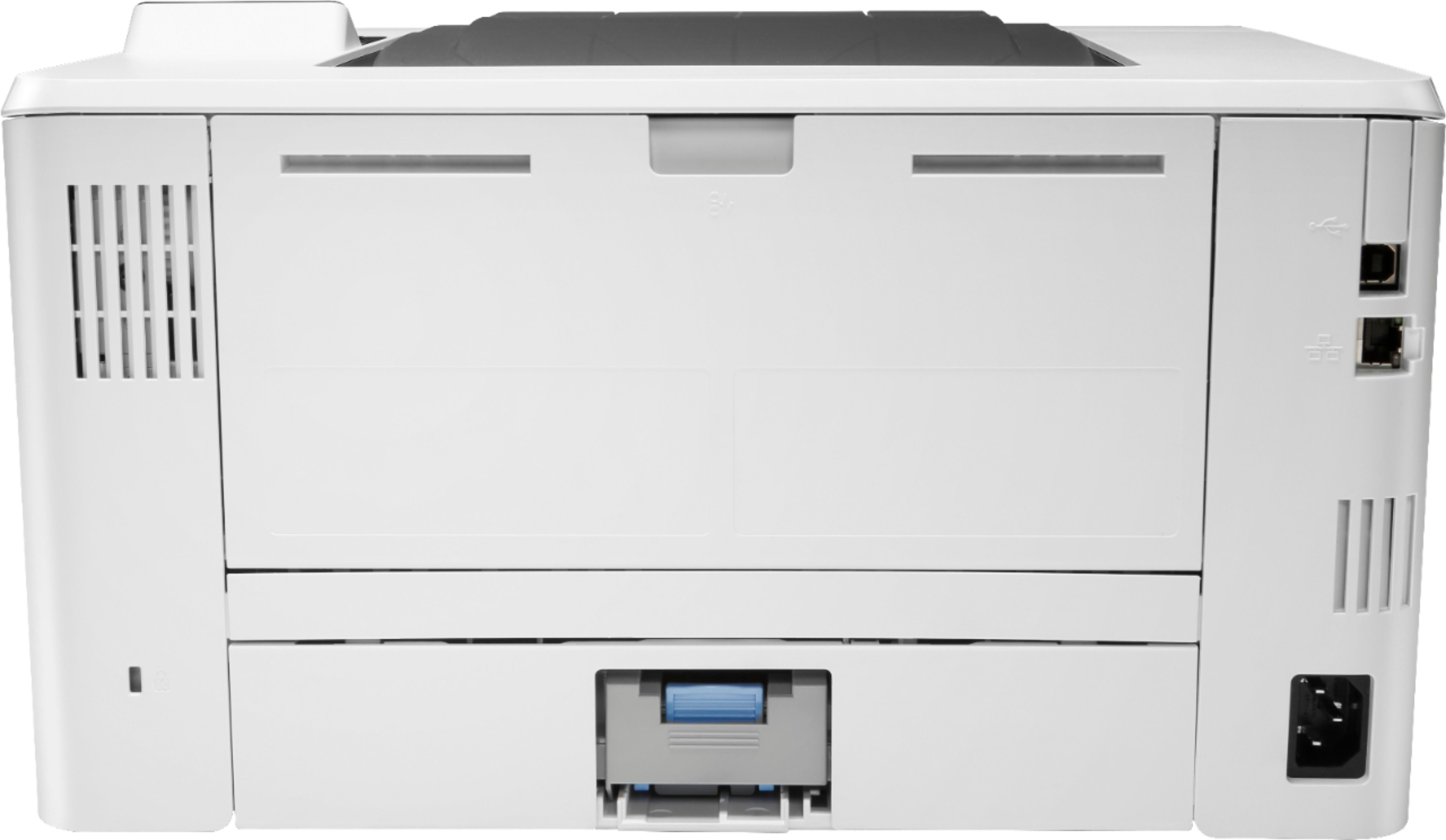
|Posted .This reviewer received promo considerations or sweepstakes entry for writing a review.So... we all have that printer, that we curse at because the ink jams up, or runs out... and all we need to do is print a simple page. Don't by another expensive ink-jet black cartridge, upgrade to this. Every home, should have a simple Black and White laser printer. This printer, spits out the first page really quick... and can print nearly 40 pages a minute... that is pretty quick. You can get that book report out in seconds as they run out the door, and forgot it. Cost efficient, as Per Page printed, the cost of toner for a laser printer is a LOT cheaper then inkjet, and they don't dry out. Use it every hour, or just once a month... it will print perfectly each time. Easy to connect to your computer via USB, or to your home network. The only downside of this printer (about .25 star), is that it doesn't have built in WiFi connectivity. So if you are connecting it to your network, you will need an ethernet cable and a connection to your router. Crisp black and white print outs, Holds a good amount of paper with the default tray, but HP offers an upgrade to hold 550 pages. (basically an entire standard size package of paper). On average it is about $100 for the replacement toner cartridge, for the 1,500 page version about $0.15 a page.. BUT for about $225, you can get the HIGH YIELD toner cartridge... that goes for an estimated 10,000 pages (I haven't printed that many yet). That is less then $0.03 a page for the ink... And for most homes, that one cartridge is going to last you well over a year. Save your InkJet for your family photos or the coversheet of that report. Get a B&W Laser Printer for your daily and quick prints.
I would recommend this to a friend - Pros mentioned:Print quality, Size
The Basic SOHO Laser Printer That Could
|Posted .This reviewer received promo considerations or sweepstakes entry for writing a review.Pros: Sharp text and graphics, print speed, wired networking built in, AirPrint relatively compact. Cons: Laser printer warm up time, no wireless networking. I have always favored laser printers for printing text and graphics because of print speed and quality of prints (see sharpness). In particular, I have always sought out HP laser printers as it was ubiquitous at school and in the workplace. My HP laser printers have always served me well and the LaserJet Pro M404n does not disappoint. The M404n printer is a no frills SOHO printer and has all the basic functionality in a laser printer that I was looking for - relatively small form factor, excellent print quality and speed (once warmed up). While the M404n lacks built-in wireless networking, I am able to AirPrint with my printer connected with a network cable to my wireless router. What a lot of people would consider the few minutes it takes to warm up when powering on or waking up from standby a detractor, that is pretty standard in my experience with all the laser printers I’ve owned, and copy machines for that matter. It comes with the territory. If you’re looking for quick prints in a hurry, look into getting an inkjet, but you do sacrifice on text and graphic print quality. I knew exactly what I was looking for and what to expect with the M404n and I am completely satisfied with this printer. For reference, I am using this printer for my home office. I leave the heavy lifting, figuratively and literally for the printers at work.
I would recommend this to a friend Setup is a nightmare
||Posted . Owned for 1 month when reviewed.This reviewer received promo considerations or sweepstakes entry for writing a review.After spending three hours on the phone with HP, Best Buy, and the Geek Squad, I finally gave up trying to set up the device. I'll be returning the product and the cartridge. Save yourself the hassle and go with another product.
No, I would not recommend this to a friendNot at all the right item
||Posted .This reviewer received promo considerations or sweepstakes entry for writing a review.Says online you can print off your phone and WiFi enabled. Totally not the case. You need to wire the printer to your computer and still you cannot print from your phone! Boo! This thing is a dinosaur.
No, I would not recommend this to a friend- Pros mentioned:Price, Print quality
Great printer in a small form factor
|Posted .This reviewer received promo considerations or sweepstakes entry for writing a review.The M404n is a very nice printer at a very reasonable price. Setup was a breeze, and it comes with a GDPR option that allows you to prevent data from being transmitted back to HP, a useful feature for we privacy hounds. Printing is fast and nearly silent, and text is crisp and clear. An excellent little laser printer for home or office. Highly recommended.
I would recommend this to a friend wired printer
||Posted . Owned for 1 month when reviewed.This reviewer received promo considerations or sweepstakes entry for writing a review.not WI FI compatible I have to hook up my laptop every time I want to print.
No, I would not recommend this to a friendBrand response from HP Team
Posted .Hello there,
This is really upsetting to hear that you are not entirely satisfied with this printer. Despite this experience, I want to assure you that it’s always our intention to provide reliability with our printers. On that note, I want to thank you for your review. We are always grateful for any feedback received regarding our products and user experience. Your reviews allow us to adjust our future product design.
Also, please remember that we are always there to help. troubleshoot and advise you with selecting the product that suits your needs the best at: support.hp.com/us-en/contact-hp
Kacper
HP Care
hp.com/support
Not recommended
||Posted .This reviewer received promo considerations or sweepstakes entry for writing a review.Not user friendly to set up, model could not be found on app. Very disappointing.
No, I would not recommend this to a friendBrand response from HP Team
Posted .Hello there,
I'm so sorry to hear that you stumbled upon some issues with the setup of your printer. Despite this experience, I want to assure you that it’s always our intention to provide long-lasting reliability with our printers. On that note, I regret that we fell short this time, so, let me try to help you.
First of all, the document listed below may prove helpful in guiding on how to set up your device properly:
- Wireless Printing: support.hp.com/us-en/document/c03676506
Last of all, If all of the above fails, we would be more than happy to help so please feel free to contact us through: support.hp.com/us-en/contact-hp
Kacper
HP Care
hp.com/support
Not what I expected
||Posted . Owned for 1 month when reviewed.This reviewer received promo considerations or sweepstakes entry for writing a review.I return this item as it was not what expected. I decided to go to a different printer in the HP line for my office.
No, I would not recommend this to a friendBrand response from HP Team
Posted .Hello there,
I'm really sorry to hear that the printer turned out to be not what you expected but at the same time I'm incredibly happy that you decided to stay with HP.
I do hope that you will be satisfied with the new device and if there happen to be any problems, please remember that we are always there to help troubleshoot and advise you with selecting the product that suits your needs the best at: support.hp.com/gb-en/contact-hp
Kacper
HP Care
hp.com/support
Toner Refill System is Terrible
||Posted .This reviewer received promo considerations or sweepstakes entry for writing a review.Awful printer....toner ran out very quickly, purchased a new toner, got stuck when installing new toner refill, wasted that toner, opened the second toner refill and it wouldn't turn to unload.
No, I would not recommend this to a friendBrand response from HP Team
Posted .Hello there,
This is disappointing to hear that you stumbled upon some difficulties with cartridge replacement in your printer. Let me see how can I help you out.
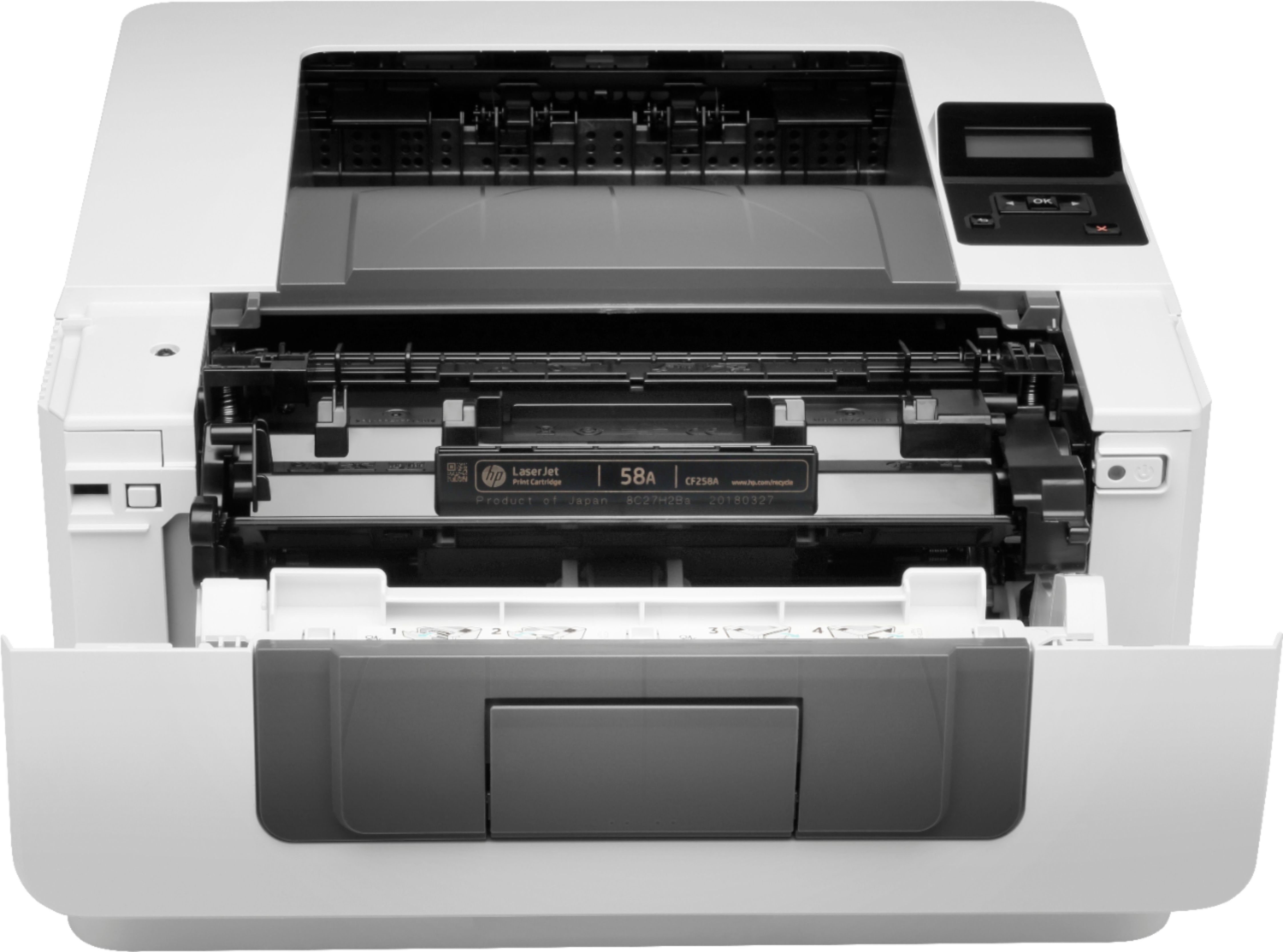
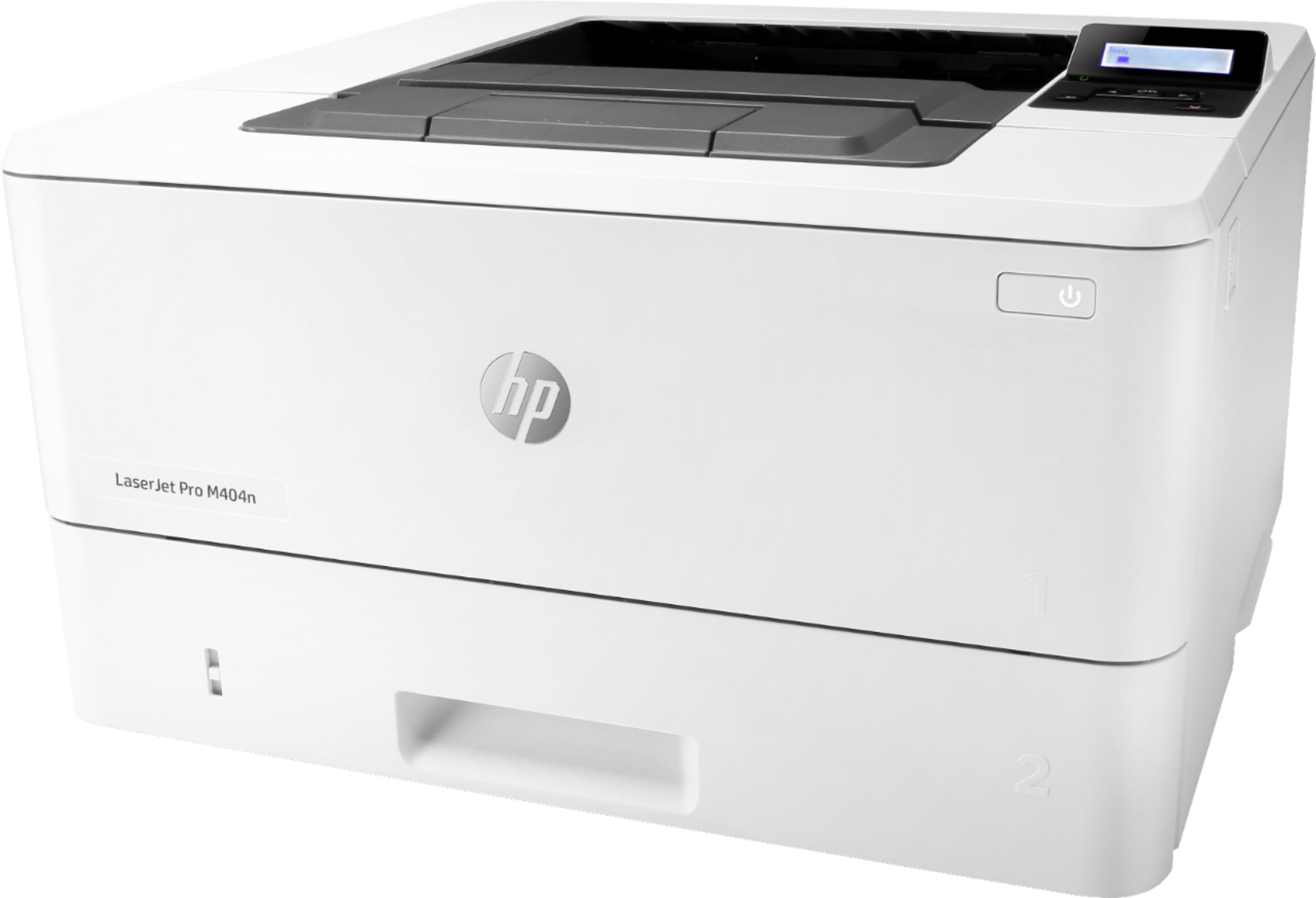
First of all, there is a specific guide that will help you understand how to replace toner cartridges in HP - LaserJet Pro M404n Black-and-White Laser Printer :
- support.hp.com/us-en/document/c06392751
Also, HP does not recommend using non-genuine cartridges. HP printers and original HP cartridges deliver the best quality, security and reliability. When cartridges are cloned or counterfeited, the customer is exposed to quality and potential security risks, compromising the printing experience.
Furthermore, I want to just simply remind you that we are always more than happy to help, you can reach us at: support.hp.com/us-en/contact-hp
Hope that helps!
Kacper
HP Care
hp.com/support
HP Laserjets are the best. Period.
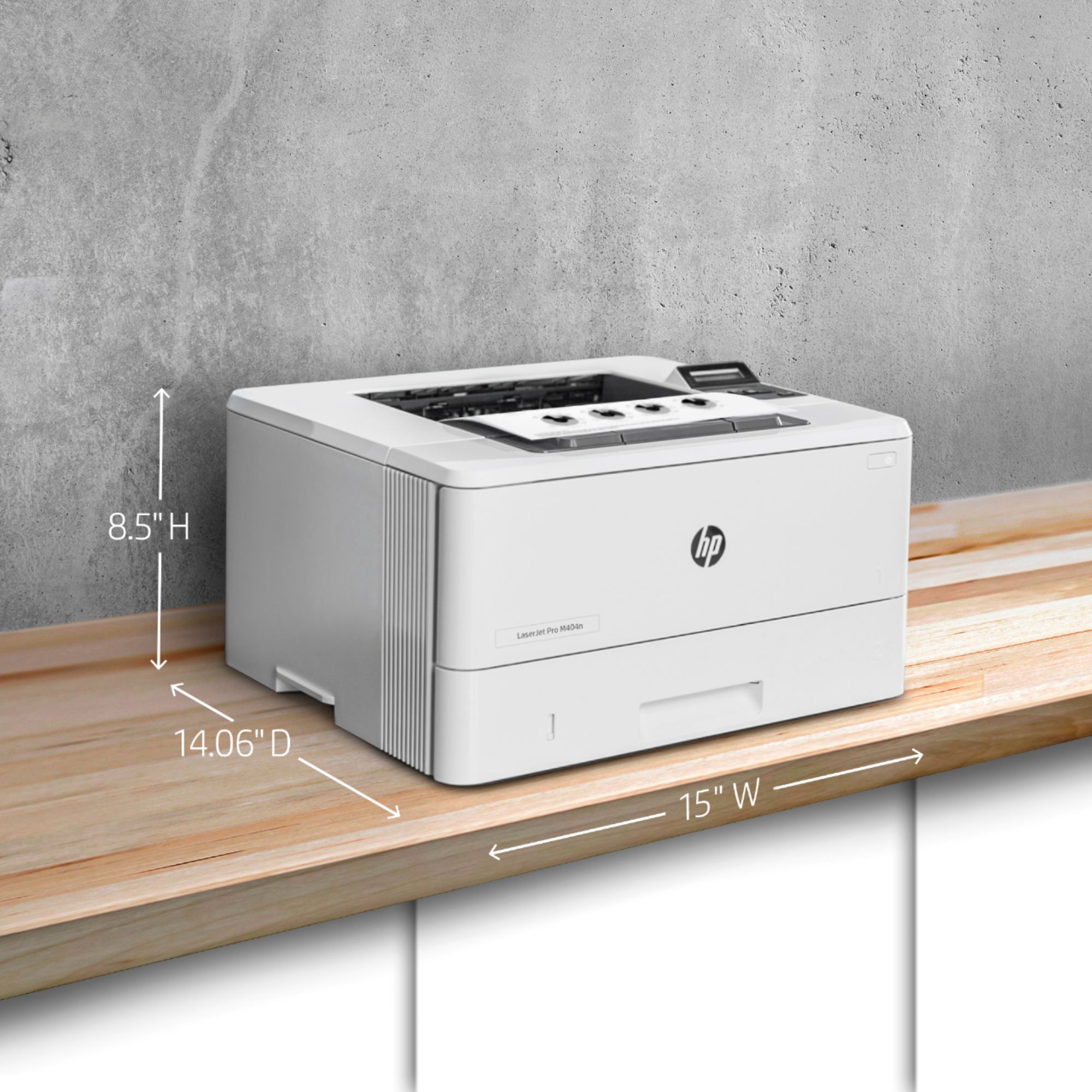
|Posted .This reviewer received promo considerations or sweepstakes entry for writing a review.I’ve always been a big fan of HP laser printers. They are fast, have great print quality, usually dependable and easy to set up. For the most the part the HP- LaserJet Pro M404n Black-and-White Printer holds up to that HP standard. The first important thing to understand before you buy this printer is know what you are buying. This M404n is a network printer. Yes, you can install it with a USB cable but it is designed with the intent that is it going to be connected to a network via an Ethernet cable. This is not a wireless printer and I am perfectly happy with that. I am a bit old school when it comes to printers, I prefer the solid reliability and ease of installation of a hard-wired network printer. Or so I thought (more on that.) Installation – The initial installation went smooth. Basically, put the paper in, plug in your Ethernet cable and plug it in. From your computer download and install the software. The software instantly recognizes the printer and you are ready to go. I installed the software on the LG Gram with Windows 10 (fully updated.) Unfortunately, I just could not get it to print from any program or browser . I could print test pages no problem but it just either would not print or take forever to print. I uninstalled the printer and redid everything several times but it was always the same. To be honest, I cannot tell if it was my computer or the HP software. I really think it is something with the HP software. I do use multiple laptops so I decided to install the printer on my MacBook without the HP software. Since HP M404n was connected to the network, it was installed in a few seconds. Everything worked flawlessly. Now if you look at some other reviews, they did run into the issue of installing the printer on a windows system. The problem may lie with that you should install the software first and then install the printer. HP should really look into this . Performance – This is where the printer showed what it can do. The Bestbuy page states that it prints 38 pages per minute but that is for A4 size paper. For standard 8.5 X 11 paper, you can get 40 PPM . I was able to print about 8 pages in about 10 seconds, so HP is right on mark. It is fast, relatively quiet and everything a network printer should be. Design – I am a true network printer user. I do not care about the size of the LCD screen, I want utility. Some people did not like that the screen is small but the reality is that most people should not even use the screen once it is installed. This is not a inkjet photo printer, the M404N is designed to be a fast workhorse and it is every bit of that. Now the really nice thing is the size. This is about 15” X 15” X 9”. Very small for a printer capable of pushing 40 PPM and have a duty cycle of 80,000 pages. Cons – Well there are not many here. I did have that issue with set up on a Windows device but not with a Macbook. It would have been nice if they included an Ethernet cable and a USB cable. But that is only a “it would have been nice.” The real con is the cost of the replacement toner cartridge. A 3000 page toner cartridge is $106 and a 10,000 page extra large toner is a whopping $222. I get this where HP makes most of their money but it is too high. It still is far cheaper in the long run compared to inkjets . Conclusion – So the big question is would I recommend it? Yes. It is fast, quiet and does what it is supposed to. Barring the installation hiccup, the HP M404n hits high marks in all the important categories. Know what you are buying and you will love this printer.
I would recommend this to a friendOwner
||Posted . Owned for 2 months when reviewed.This reviewer received promo considerations or sweepstakes entry for writing a review.Piece of junk. Had 2 months doesn't work. On phone for over an hour two different times with HP with no solution
No, I would not recommend this to a friend- Pros mentioned:Print qualityCons mentioned:Driver issues
Good Print Quality - Bad Software
|Posted .This reviewer received promo considerations or sweepstakes entry for writing a review.Unboxing: - The printer was easy to unpackage, but did not include an ethernet cable, or a USB cable. Installing: - This is one of the worst pats about this printer. There was no cable in the box, but thankfully it uses just a standard ethernet cable if you install it over the network, or a USB A to B cable if you configure it over USB. I had spare of both lying around so at least I could get up and running without a necessary purchase. - Drivers: The drivers for this printer are a nightmare. The instructions recommend going to 123.hp.com/laserjet to get started. Navigating to this page is simple, and straight forward. However, the installation process takes and extremely long time. - Installation Issues: o The first computer I installed the printer on worked fine. o The other two computers continue to run into issues the drivers would install fine, but when attempting to print from ANY application (Word, Chrome, Adobe, Notepad, even printer properties test page) would cause the application to hang for minutes before allowing me to continue to print. o Uninstalling the printer allowed the applications to print fine immediately to my other printers I have in the home. o I tried more manual routes instead of using the “123.hp.com/laserjet” page I also tried manually download the drivers from HP’s driver page. I tried the Basic and Full feature driver packages. I also tried the integrated windows drivers, and all of them provided the same disappointing results. o Performing a factory reset on the printer and trying again did not improve the results. o I was able to eventually make printing usable by manually going to the advanced printer properties and assigning the “HP Laserjet CP1525” driver and using that instead. This prevented the applications from hanging when trying to print. Printing: - If you can get your documents to print, you will be pleased with the results. The prints are quick and very clear. Overall: - Printer drivers should not be this difficult of a process. I could excuse the oversized drivers if the process was truly simple and problem free, but the fact that these drivers making applications hang when trying to print is preventing me from recommending this product.
No, I would not recommend this to a friendBrand response from HP Team
Posted .Hello there,
I'm so sorry for the inconveniences this printer has been causing. We certainly build our printers with the intent of providing a reliable experience for our customers, so I can imagine how problems you described could cause frustration.
Regarding the trouble with drivers that you mention, please visit the following site in order to access the latest releases of Drivers, Firmware and Software:
support.hp.com/us-en/drivers/selfservice/19203833/model/19202535
Please also remember that we are always there to assist you, so feel free to contact us anytime through: support.hp.com/contact-hp
Hope this helps!
Tom
HP Care
hp.com/support