Customer Ratings & Reviews

- Model:
- W1A52A#BGJ
- SKU:
- 6348964
Rating by feature
- Value
Rating 4.3 out of 5 stars
- Quality
Rating 4.4 out of 5 stars
- Ease of Use
Rating 4.3 out of 5 stars
Customers are saying
Customers are delighted by the LaserJet Pro M404n's excellent print quality, ease of use, and reliability. Many appreciate its compact size and affordable price, along with the straightforward setup process. However, some users experienced challenges with wireless connectivity and printer drivers. Overall, the positive feedback on print quality and ease of use outweighs the negative experiences reported by a smaller number of users.
This summary was generated by AI based on customer reviews.
Slow printing
||Posted . Owned for 1 month when reviewed.This reviewer received promo considerations or sweepstakes entry for writing a review.Slow printing and difficult to add to Windows 10 and Mac
No, I would not recommend this to a friendBrand response from HP Team
Posted .Hello Jose,
I am so sorry that the printer is slow and difficult to connect. This is far from the reliable and satisfying experience we wish to offer our Customers. I can understand how disappointing these issues must have been for you.
To resolve the connectivity issues you are having I recommend looking through the following documents. These steps often resolve the problem and guarantee stable connection:
- Windows: support.hp.com/us-en/document/c04249080
- Mac: support.hp.com/us-en/document/c04249334
If this doesn't provide a resolution, please get in touch with us directly for support at: support.hp.com/us-en/contact-hp
Despite this printer not working well for you, I hope that you'll consider allowing us an opportunity to rectify this. We would love a chance to make things better with the quality experience that we intended on providing from the start.
Tom
HP Care
hp.com/support
- Pros mentioned:Print quality

Business class laser printer!
|Posted .This reviewer received promo considerations or sweepstakes entry for writing a review.This printer is great in nearly every aspect. It looks nice, is modern and the smart toner seems to actually work really well. Setup is easy and of course, it offers network printing capability right out of the box to handle the workload for an office or home office. Quality - Print quality is what you'd expect to see from an HP LaserJet with crisp clear text and an overall good looking print. It doesn't curl the paper so you can easily bind or fold it. Speed - This printer is fast, with a quick warm-up from the energy saving mode.so it's ready to go quickly and it shoots out pages quickly making it perfect tor either the small office with multiple users or home office. The only feature this unit was missing that i wanted was a duplexer but I do believe there is another model that comes with that option. The cost of toner is a bit high but don't let that let you down as each cartridge will last several thousand pages or more depending on what you print and what settings you print on. The footprint of this printer is shockingly small for what it is when comparing to it's earlier predecessors. If you're looking for a simple, high quality work horse of a printer this machine is it. It matches up to the same HP LaserJet Pro quality that you'd see from earlier models except that this one is faster, quieter and uses new technology to make printing secure which is the last thing I'd say is important. If you print sensitive documents and you're concerned about security (like if you are a firm that handles customer information, PII or other information that you'd print on forms) this printer is essential in terms of protecting you and your customers from a breach. You can control this setting and as an administrator turn it off if it's not needed. These days, security goes beyond computers and HP seems like it's staying ahead of the curve by offering a printer that closes another potential vulnerability. I'd definitely recommend this printer for anyone that needs one to handle B/W printing with ease for light to medium business use. Even aside to that, just having one that is low cost to print on this one fits the bill perfectly.
I would recommend this to a friend - Pros mentioned:Print quality, Reliability
Sharp, crisp, fast, reliable printing
|Posted .This reviewer received promo considerations or sweepstakes entry for writing a review.At the current sale price of $189.99 (MSRP $269.99) this is pretty much a no brainer purchase. You get a major bang for your buck with this printer. I actively use 3 HP LaserJet printers and all have been great and reliable and have lasted me years. I'm not surprised of the M404n's speed, reliability, and consistency. It performs well like I'd expect it to. It's a great printer that gets the job done and produces really clear cut print outs. Highly recommended.
I would recommend this to a friend It won't stay connected to my cmputer.
||Posted . Owned for 1 month when reviewed.This reviewer received promo considerations or sweepstakes entry for writing a review.It is connected to my computer by USB. It won't stay connected. I'm about to return it.
No, I would not recommend this to a friendBrand response from HP Team
Posted .Hello Greg,
I'm so sorry for the inconvenience this printer has been causing. We certainly build our printers with the intent of providing a reliable experience for our customers, so I can imagine how setup problems could cause frustration.
In order to fix the issue, please feel free to contact us at: http://hp.com/contactHP.
We are always there to assist you with troubleshooting.
Hope this helps!
Tom
HP Care
hp.com/support
- Pros mentioned:Print quality
Excellent for a college student or small business!
|Posted .This reviewer received promo considerations or sweepstakes entry for writing a review.With my prior experiences in having HP products my expectations were high. It's always been a durable and reliable brand and this one doesn't disappoint at all. You can wire this up through USB or use it wirelessly. I chose to use it through USB due to a disconnect issue constantly with my previous printer so the experiences listed here were from that setup only. One of the first things I look for is response time from when I click print to the time it actually starts printing. I did set it to energy saver and was very happy with hos fast it began working. The DPI made the print nice and crisp and easy to read. even with my farsightedness haha. Overall I was definitely pleased with the size and performance of this machine. Would recommend to any college student or small business owner, even personal office use.
I would recommend this to a friend - Pros mentioned:Print quality
Great for small or large business use
|Posted .This reviewer received promo considerations or sweepstakes entry for writing a review.Not a lot to say here. Hey it’s a Laser Jet B+W printer. Most folks who have ever worked in an office, are probably familiar with this type of business printer. Large monthly use capacity for a small or large business. B+W printing only. So make sure you don’t need color printing, photocopies or scanning. Front of machine folds down for legal size paper printing. Like the Ivory color of the machine. Good for home or office use IMO. It helps that printing is fast too. Ink supposed to be smudge free and fast drying. Glad box had two cut outs for easy carrying down or up stairs. Whatever happened to the big poster HP used to use to help users get started ? Recommend this printer for what it’s intended for.
I would recommend this to a friend - Pros mentioned:Print quality
Affordable Laser Quality
|Posted .This reviewer received promo considerations or sweepstakes entry for writing a review.The HP - LaserJet Pro M404n, is a Laser printer, smaller than your dad's Laser (If he had one) and quiet small footprint for setting in a small office or Student Desk area. This is network compatible so going wireless is no issue. The easy to use online instruction to download program and drivers is a sinch, if the term plug and play, this would be Plug-in and download to play. It prints at approx 2 pages per second, is a black and white only printer so Ideally great for homework, B&W reports and such. A real game-changer because I like the ability to only use B&W without worrying about the settings for that on color printers. The quality of the print quality is outstanding and at $269.99 for a fricken Laser printer, you go out today or to back to school days and pick this gem for the whole family to use. This is great for small business or for Family use especially since you can use the Print Anywhere feature and print directly from your phone to printer for quick and easy jobs.
I would recommend this to a friend So many glitches
||Posted .This reviewer received promo considerations or sweepstakes entry for writing a review.Not worth the money. Hard to load paper and keep it running smoothly
No, I would not recommend this to a friendBrand response from HP Team
Posted .Hello Drew,
I want to deeply apologize for the inconvenience the printer has been causing. We certainly build our printers with the intent of providing a reliable experience for our customers, so I can imagine how frustrating a situation like yours can be. I would really love to provide some help on how to proceed in this situation.
As I do not have any specific information about what error is occurring, I would suggest reaching out to us for support. We'd be more than happy to work through any troubleshooting or initiate a replacement under your printer's warranty. You can give us a call at +1 800-474-6836 between the hours of 8 am - 9 pm ET. To expedite things a bit, I recommend gathering this information beforehand:
- Model number
- Serial number
- Your location
- Your case number (from prior contact with support)
To verify the warranty, you can use the following link: support.hp.com/us-en/checkwarranty
In case of further queries, please do not hesitate to contact us at: hp.com/contactHP
Kacper
HP Care
hp.com/support
Not so Fast
||Posted . Owned for 3 weeks when reviewed.This reviewer received promo considerations or sweepstakes entry for writing a review.I returned this yesterday. It wasn’t as fast as I need.
No, I would not recommend this to a friend- Pros mentioned:Print quality
Workhorse
|Posted .This reviewer received promo considerations or sweepstakes entry for writing a review.This printer is a workhorse! If you are looking for a printer that performs and gives high quality print outs this is your printer. Opening: It was very simple to slide out and setup. It took me all of five minutes to get this printer up and running. I was impressed at how dark the printouts came out and didn’t leave smudges or and weird after marks from the drum. Performance: I printed out about 90 pages in roughly a 10 minute period and it performed like an office champ! This printer can print out a lot of sheets. Drum replacement is a little low but can net you around 350-400 pages. Overall: This is a printer I am excited to use for daily office tasks at a home office. The printer has a lot of functions that make it worthwhile, yet excels at its most important job, printing.
I would recommend this to a friend - Pros mentioned:Print qualityCons mentioned:Wireless
Great Quality and Speed - But Lacks Key Features
|Posted .This reviewer received promo considerations or sweepstakes entry for writing a review.The HP - LaserJet Pro M404n was, frankly, a disappointment for me. PRO: • It has the high-quality black-and-white laser printing that I've come to expect from HP. And the speed is excellent for multiple-copy jobs. CON: • I wrongly assumed that having AirPrint capabilities meant it would also function as a wireless network printer. My bad. It has to be connected via a USB or Ethernet cable in order to show up on the network (via it's connected computer). This created a number of unanticipated inconveniences for me. I believe the advertising should make this clearer. • The overall build has a more fragile, plastic feel than my other HP printers. • Due to the issues mentioned above, setup was more challenging than usual. If you're looking for a quick, high-quality, dedicated B/W printer that is plugged in and useful for multiple-copy jobs, this may be worth considering. If you're looking for a quality, B/W printer that is easy to set up and use wirelessly on your wifi network, I do not recommend the HP - LaserJet Pro M404n. HP has others that work much better.
No, I would not recommend this to a friendBrand response from HP Team
Posted .Hi there,
Thank you so much for your detailed feedback! You've provided some very helpful information that will be using to improve the overall user experience. That said, I would like to clarify the printer naming convention.
Within the printer's model:
- 'n' stands for Cable Network
- 'w' stands for Wireless
- 'd' stands for Duplex
If there's anything else we can help with, please don't hesitate to contact us. We're always more than happy to provide support, so you can reach out anytime via your preferred method here: hp.com/contactHP
Marco
HP Care
hp.com/support
Speedy and very capable B&W Printer
|Posted .This reviewer received promo considerations or sweepstakes entry for writing a review.I have been a fan of HP printers for a while now, since my Masters Program days (15 years ago!). This is a great printer, albeit it is only Black & White. That works for me because I wanted this only for research papers and essays. For a laser printer it is not heavy at all, which is a major requirement for me. After several weeks working around it at my home office, here are my thoughts: Pros: -Looks. I love the modern sleek look to this. It was an easy set up and required little effort in connecting it to my home network. It is small enough where I have this and a colored ink printer next to each other. -Print Quality. It's clear and crisp like most HP laser printers. I use both 20lb and 24lb white paper and the quality on the heavier paper looks amazing. -Speed. What's impressive is the speed of printing. After pressing "print", I did have to wait for it to warm up which took about 3 minutes. For a 20 page research paper, it took under 2 minutes to fully print out.. That's pretty fast for a home office printer. I printed out another paper of similar length and produced it in same timing. No issues whatsoever. Most impressive. -Multiple trays. The primary tray at the bottom has a 500-sheet capacity. There is also another tray that you can access on the front panel where it can feed envelopes and otehr 8.5x11 paper. I like that option to print onto envelops to give you that more professional look. Cons: -No LCD screen. This is a big one for me. Laser printers in the 21st century should have an LCD. It sounds petty, but that is where the direction should go. Just my personal opinion. -No ethernet cord. This should automatically be included. Thankfully I have several lying around. -Double-page: you "can" print double pages but here's the catch. You have to print it one side at a time. Now, if time is of the essence than you will be pulling out your hair because this requires patience to flip it around. Overall, besides the 3 cons I listed, I do think this prints very crisp and excellent quality. COmpact size is essential for me in my home office and offers speedy prints.
I would recommend this to a friend- Pros mentioned:Print quality
Fast And Clear Printing - But With Problems
|Posted .This reviewer received promo considerations or sweepstakes entry for writing a review.This HP M404 is a compact black-and-white laser printer for home and home office use. It doesn't have the paper capacity or simplicity of other functionality that you should expect in a printer for a high-capacity home office (and I don't think it is advertised as such). The toner cartridge was already loaded into the printer so everything was almost ready to go out of the box. Except it wasn't. In order to establish the printer as a network printer, it is necessary to connect the printer to you computer using a standard USB cable - but they failed to include that cable in the box. No problem since I had a spare USB cable - but it took a while to find it. If this printer requires a USB cable for setup or use, why isn't it included? But even though the setup software detected my new printer immediately (through the USB cable they didn't provide), and the setup identified the correct network I was using and even the correct associated password, the printer refused to connect to my network. How is that even possible in 2019? I think this would be a great asset for someone looking to make crystal clear B&W prints - like I said it is very clear and surprisingly fast. But I'm profoundly disappointed in HP for failing at even the simplest of installs. I can definitely recommend this printer for the quality of its output, but the software/network problem is BAD and senseless. I really think HP needs to get this right for distribution!
No, I would not recommend this to a friendBrand response from HP Team
Posted .Hi there,
I'm so sorry to hear that there have been complications with installing the printer. We certainly aim to provide a much more streamlined process, so I can completely understand the frustration there.
Despite these initial hiccups, I'm happy to hear that you were able to install the printer. I'm also very glad that it's printing well.
For any future needs that you might have, please don't hesitate to contact us for support. We're always more than happy to help, so you can get in touch via your preferred method at this link: hp.com/contactHP
Marco
HP Care
hp.com/support
- Cons mentioned:Driver issues
Serious driver issues - avoid until they're addres
Posted .This reviewer received promo considerations or sweepstakes entry for writing a review.I am envious of the people who got their HP M404 printers working. We bought this printer for office use to replace a P3010 that was having issues with its fuser. What we got is an absolute nightmare for driver issues. We added the printer like we normally do for any small business network environment, which is to add it through the Devices and Printers "Add a Printer" dialog box. We bring it up as a network printer and point it to the Basic PCL6 V3/V4 drivers that were offered for download from HP; connecting to the printer via IP address. That should be the extent of what needs to be done, but no. We start having driver issues with the printer from the get-go. First off, despite having a static IP address, the printer randomly goes offline/drops off. We have to end up having to add the printer again or restart the machine for it to work. Second, the printer dialog box randomly starts freezing up, making it impossible for workers with this printer installed to print. The only way we can fix this is by removing the printer. Third, it makes Microsoft Office programs freeze up *while loading*, which is a significant issue since MS Office programs are a mainstay for most business machines. If they're unable to use Office, you WILL have users who call you back immediately. I'm genuinely surprised there's so little information about the issues these drivers are giving people. Out of the 20+ machines with mixed operating systems installed in our office, only TWO machines had no problems with the driver. One machine (Win 8.1) even throws a "catastrophic failure" when we try to install the driver! If you know what's best for you AVOID THE M404 at all costs. I'm sure the printer itself is fine, but the driver issues will make you go nuts. I'm assuming this printer does fine when directly hooked up via USB but if you hook it up either via Ethernet you're going to run into serious networking issues and the thing randomly dropping out. Avoid at all costs! HP normally is great about drivers as I've had zero issues with drivers for all their other printers, from big DesignJets to small Inkjets, but something is seriously wrong with this driver. We installed the latest drivers from the website dated AUGUST 7TH and we're STILL having issues. I have a friend who works as a field tech for Best Buy's GeekSquad who does house calls. I will obviously not disclose any more info about him, but I can confirm that he had to repeatedly tell customers to NOT buy the M404 or return it because of these very driver issues. They simply buy a different HP printer model and avoid these issues, but these finicky drivers is very unlike HP. They need to issue a fix for these issues ASAP.
No, I would not recommend this to a friendBrand response from HP Team
Posted .Hello there,
I'm so sorry for the inconvenience the printer has been causing. We certainly build our printers with the intent of providing a reliable experience for our customers, so I can imagine how problems you described could cause frustration.
As there seems to be a couple of different issues with the printer, I'd first recommend updating your printer's Firmware, it is always good to stay up-to-date. You can find the latest versions at this location: support.hp.com/us-en/drivers/selfservice/model/19202535
under "Firmware (1)" drop down list.
Then, from the same location, from the "Driver-Product Installation Software (4)" drop down - please install "HP LaserJet Pro M404/M405dn/M404/M405n/M404m Printer Full Software Solution" driver.
If there are any other issues with the printer, please visit the following site: support.hp.com/us-en/topic/printscandoctor
and launch HP PRINT AND SCAN DOCTOR software.
Please also remember that you can contact us anytime at: support.hp.com/contact-hp
We are always there to assist you.
Hope this helps!
Tom
HP Care
hp.com/support
Great buy for a desktop printer
Posted .This reviewer received promo considerations or sweepstakes entry for writing a review.I haven't had any issue with it. It works great for a desktop printer. I had a prior model that was just getting old and causing lines down the page which I attributed to the fuser going out. That really was the only problem I had with that printer. And, it works great for printing envelopes. Other printers in the office will not feed envelopes -- this one does without any issue.
I would recommend this to a friend- Pros mentioned:Print quality
Review
Posted .This reviewer received promo considerations or sweepstakes entry for writing a review.A good HP B&W printer similar to many that have gone before.
I would recommend this to a friend About to go Office Space on this printer
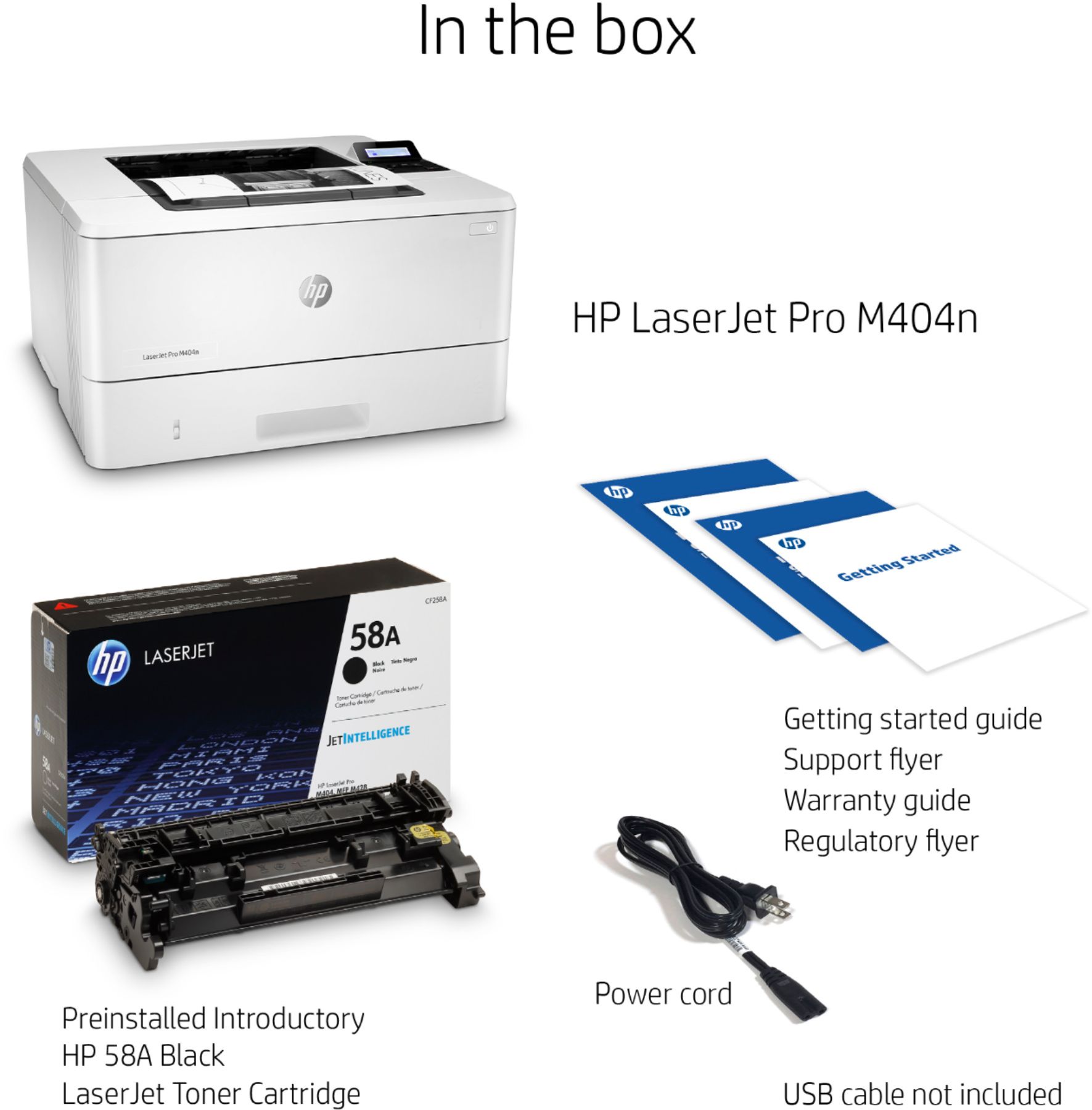
Posted .This reviewer received promo considerations or sweepstakes entry for writing a review.I WILL NEVER BUY AN HP PRINTER AGAIN. This is the second one we purchased. The first one was an OfficeJet printer that lasted awhile, but we constantly had issues with Internet connectivity. With the HP Color LaserJet Pro M454, read the fine print carefully because the one we purchased is not wireless Internet ready. It has to be connected with a cable ... because this is 1995?! The printer arrived with a few booklets, a power cord and no USB cord to hook it up to the Internet. The information it provided on paper and online had erroneous information. The marketing messaging is misleading at best. My husband and I are returning this latest albatross of crap to the nearest Wal-Mart. With the OfficeJet printer, we're taking it into the backyard to beat the inconvenience of it all and the poop pie that is 2020 into glorious submission. Never again will I ever purchase HP. Suggestion for new tagline: "When you want to waste your money and time on POINTLESS AND MISLEADING INSTRUCTIONS." Get it together, multi-billion dollar company. GET. IT. TOGETHER.
No, I would not recommend this to a friendHorrible buying experience
Posted .This reviewer received promo considerations or sweepstakes entry for writing a review.The printer does not work. Buyer beware. Do not purchase this product unless you test the product at the store
No, I would not recommend this to a friend