Customer Ratings & Reviews
- Model:
- M281FDW
- SKU:
- 5981801
Rating by feature
- Value
Rating 4.4 out of 5 stars
- Quality
Rating 4.6 out of 5 stars
- Ease of Use
Rating 4.5 out of 5 stars
Customers are saying
Customers enjoy the easy setup, fast printing, and wireless feature of the LaserJet Pro MFP M281fdw Color Wireless All-In-One Laser Printer. They appreciate the print quality and the ability to scan documents to attach to emails. However, some customers have concerns about the expensive replacement toner and the noise level of the printer.
This summary was generated by AI based on customer reviews.
Multiple problems, not true dual sided printing
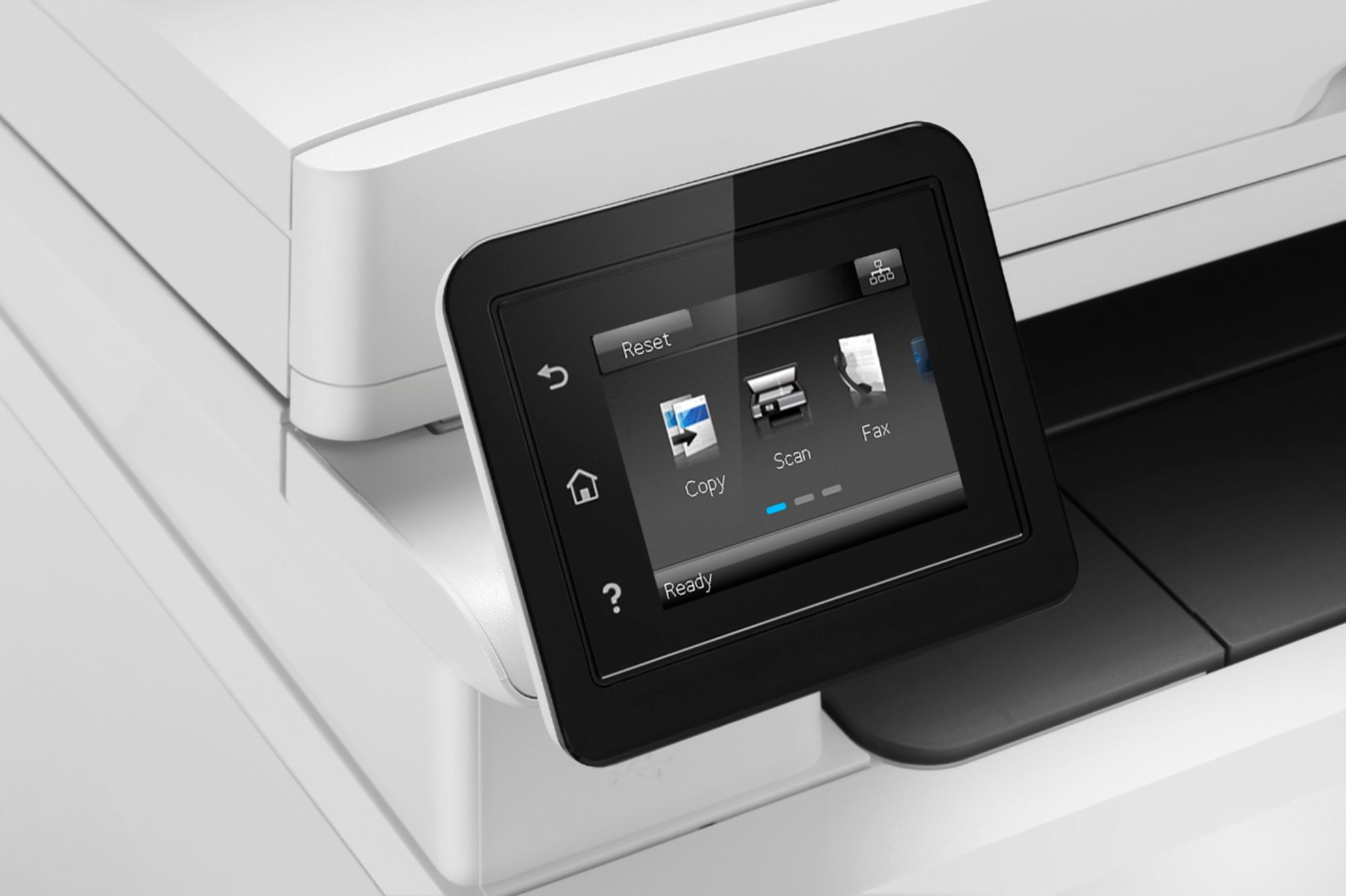
||Posted .This reviewer received promo considerations or sweepstakes entry for writing a review.I would not recommend this product at all. Every HP printer I have purchased in the past has been excellent. This particular model randomly goes offline. Is not a true dual sided laser printer, cartridges are expensive and photos are poor quality. Display difficult to use with touch
No, I would not recommend this to a friendwirelss printing doesn't work
||Posted . Owned for 6 months when reviewed.This reviewer received promo considerations or sweepstakes entry for writing a review.Wireless printing doesn't work. The first time I cue it up to print, it works fine, but then after that, it just will not print. I have to shut it down and start it up every time I want to print something. I tried updating the drivers and the firmware. I spent two hours on it the other day. A little searching on the internet shows that I'm not the only one with this issue. It's frustrating because it does work at times and the software shows that I'm connected and the print dialog seems to indicate that all is well, it just sits there. I'm using Mac OS. It might be fine on Windows.
No, I would not recommend this to a friendBrand response from HP Team
Posted .Hey there,
I'm so sorry to hear that the printer isn't maintaining a steady connection to your network. I can certainly understand how inconvenient this must be and I assure you that it’s far from the seamless experience that we intend on providing. With that said, let's try a few things to remedy this.
First, I'd recommend using this troubleshooter to tend to frequent connection inconsistencies:
- Windows: support.hp.com/us-en/document/c04249080
- Mac: support.hp.com/us-en/document/c04249334
As a supplement to that, the following link will help guide you through solutions to a wide range of wireless issues: hp.dezide.com/ts/start.jsp?guide=Printer_Does_Not_Maintain_Wireless_Connection.net
If this falls short, please don't hesitate to reach out to us for support. We would be more than happy to work with you on resolving this. You can get in touch via your preferred method at this link: hp.com/contactHP
Chelsea
HP Care
hp.com/support
Will NEVER buy another HP product again.
||Posted . Owned for 1 year when reviewed.This reviewer received promo considerations or sweepstakes entry for writing a review.I will never buy another hp printer. If you don't turn off automatic updates, firmware updates will prevent you from using any toner other than hp's overpriced (5 times more) cartridges. One minute they work and then firmware upgrade happens and the printer is useless. What a joke. Is this even legal?
No, I would not recommend this to a friendUnreliable
||Posted .This reviewer received promo considerations or sweepstakes entry for writing a review.The most nosiest printer I've ever owned. Clacks loudly for every print as if the toner cartridges are coming out of the machine. After three years it prints everything with smears of ink across every page, no matter if it is in color or just black and white. We haven't used the printer much for color, so to see it fail with such a low duty is really a disappointment.
No, I would not recommend this to a friendTerrible machine!
||Posted .This reviewer received promo considerations or sweepstakes entry for writing a review.After 3 months, the machine started to make noise when you print or scan. Grinding noise from the motor. Scanned picture had black lines even though everything seems clean. I exchanged for another one same model, because I spent $150 on ink cartridges. Same problem after 1 month. I guess this is the last trip I'll make to Best Buy to return and never have to buy this HP model again. Don't buy this!
No, I would not recommend this to a friendBrand response from HP Team
Posted .Hi there,
I'm so sorry that both printers have posed these issues with off-quality scans! I can also imagine how distracting the grinding noises have been, so I'd really like to see how I can help resolve this for you.
Being that your printer is yielding scans with black lines, an issue of scan quality is likely at play. With that said, I recommend taking the steps in this scan quality improvement guide to resolve things: support.hp.com/document/c05343887
Then, I'd like to clarify something about the noisiness. While your printer is powered up, it makes sure that the nozzles are regularly cleared, which can be a bit noisy, especially if the printer is on a hard surface. One thing to try is placing the printer on a padded surface to muffle the vibrations that occur.
If you feel the grinding is related to a potential hardware issue, however, I strongly suggest getting in touch with us for support. We'd be more than happy to work on resolving this with you. You can get in touch anytime via call or chat at this link: hp.com/contactHP
I hope this helps!
Chelsea
HP Care
hp.com/support
Did not like.
||Posted . Owned for 2 weeks when reviewed.This reviewer received promo considerations or sweepstakes entry for writing a review.The HP color laser I did not like at all. The key pad was way too sensitive and I could never get it to do what I wanted it to so I returned it.
No, I would not recommend this to a friendWon’t stay connected to network
||Posted . Owned for 10 months when reviewed.This reviewer received promo considerations or sweepstakes entry for writing a review.It will not stay connected to network. I have called tech support 6 times. Every time they do the same thing. It works for a week and then done again. I told them I want them to return it and give me a new one they said no. This is crazy. U buy a printer to print. So if u want to print don’t buy this printer. It is terrible.
No, I would not recommend this to a friendToo sophisticated for my age and taste.
||Posted . Owned for 3 weeks when reviewed.This reviewer received promo considerations or sweepstakes entry for writing a review.I wish HP would supply me with instructions. I don't know how to send a fax. I don't know how to print an image smaller than 8 X 10. HELP
I would recommend this to a friendBrand response from HP Team
Posted .Hi Bobby,
I'm sorry that the printer's in-box components weren't what you expected. I can understand how disappointing this is and I assure you it was never our intention to provide you with anything less than a reliable experience from the start. That being said, I'd like to provide you with some helpful resources for general use.
Here are some helpful resources:
- Setup Guide: hp.com/ctg/Manual/c05545998.pdf
- User Guide: hp.com/ctg/Manual/c05543371.pdf
If there's anything we can help with along the way, please don't hesitate to contact us for support. We're always here to help, so you can get in touch anytime via this link: hp.com/contactHP
Chelsea
HP Care
hp.com/support
STAY AWAY!
||Posted .This reviewer received promo considerations or sweepstakes entry for writing a review.Absolute garbage printer. Lasted less than a year before it stopped printing in color. My son has the same printer and his is dead as well. I could never get the Wi-Fi to work. Had to connect to wireless AND connect a printer cable just to get it to print. Get a Brother instead.
No, I would not recommend this to a friendQuit printing after 6 months
||Posted . Owned for 6 months when reviewed.This reviewer received promo considerations or sweepstakes entry for writing a review.Set up wirelessly and worked great at first. Six months later it would sporadically finish print jobs. HP support was not helpful at all. Replaced with a Canon that fired right up, is quicker (printing and just overall response time in admin screen over LAN). Don’t think I’ll buy another HP ever again.
No, I would not recommend this to a friendWorse Printer Ever
||Posted . Owned for 1 year when reviewed.This reviewer received promo considerations or sweepstakes entry for writing a review.This is the most expensive printer that I have purchased but yet it's a headache. I'm constantly having to reboot the printer or having to remove and re-add the printer back to my systems. Unfortunately i didn't get the extended warranty to so I am stuck with this piece of garbage.
No, I would not recommend this to a friendTerrible corporate policy
||Posted . Owned for 1 year when reviewed.This reviewer received promo considerations or sweepstakes entry for writing a review.Printer worked great but with HPs firmware change requiring genuine only cartridges, this printer is now too expensive to operate so I’ve had to sell it at a large loss.
No, I would not recommend this to a friendPbp
||Posted . Owned for 1 year when reviewed.This reviewer received promo considerations or sweepstakes entry for writing a review.Never connects to the internet and keeps connected when you leave the building
No, I would not recommend this to a friendHP printer
||Posted . Owned for more than 2 years when reviewed.This reviewer received promo considerations or sweepstakes entry for writing a review.The first one had to be replaced the second appears not to like a Mac
No, I would not recommend this to a friendNot so good
||Posted .This reviewer received promo considerations or sweepstakes entry for writing a review.Associate- just plug it in, it should work. Right!
No, I would not recommend this to a friendBrand response from HP Team
Posted .Hello,
I'm sorry to hear that you were unhappy that your new printer needs some setting up before it works.
If you have any problems during the setup, we would be happy to help: hp.com/contacthp
Mary
HP Care
hp.com/support
Not that good
||Posted . Owned for 3 weeks when reviewed.This reviewer received promo considerations or sweepstakes entry for writing a review.WiFi is not reliable. It goes off WiFi every time and you have to reset.
No, I would not recommend this to a friendBuy a Canon instead
||Posted . Owned for 3 weeks when reviewed.This reviewer received promo considerations or sweepstakes entry for writing a review.Third HP printer I have had that continually goes offline and cannot print. Geek Squad said this is a constant problem with HP printers. All 3 times they advised me to return it and get a Canon. On the third time, I finally took their advise.
No, I would not recommend this to a friendA TOTAL PIECE OF GARBAGE! BEWARE!!!
||Posted . Owned for 1 year when reviewed.This reviewer received promo considerations or sweepstakes entry for writing a review.A TOTAL PIECE OF GARBAGE! BEWARE!!! This printer has a mind of its own. It does not stay connected to the network on wifi or ethernet cable. Settings also change to just whatever whenever.
No, I would not recommend this to a friendFAILED IN TWO MONTHS
||Posted . Owned for 10 months when reviewed.This reviewer received promo considerations or sweepstakes entry for writing a review.Total Garbage! Failed after a few months. Thankfully, I purchased Best Buy Protection and got a replacement printer. WOULD NOT RECOMMEND.
No, I would not recommend this to a friendLemon
||Posted . Owned for 1 year when reviewed.This reviewer received promo considerations or sweepstakes entry for writing a review.One year and 13 days the printer head went out!! I always ask any buy the extended warranty this time it shows it was not on the receipt. My bad for not looking it was not there!! But it is Best Buys fault for not making sure it was on there.
No, I would not recommend this to a friend