Customer Ratings & Reviews
- Model:
- Y5S53A#BGJ
- SKU:
- 6238315
Rating by feature
- Value
Rating 4.5 out of 5 stars
- Quality
Rating 4.5 out of 5 stars
- Ease of Use
Rating 4.3 out of 5 stars
Customers are saying
Customers love the LaserJet Pro MFP M29W's print quality, ease of use, and small size, frequently praising its performance and convenient setup. Many appreciate its wireless capabilities and affordable price point. While some users expressed minor concerns about the paper tray and instructions, the overwhelmingly positive feedback highlights the printer's strengths. The printer's reliability and scanning functionality also received positive comments.
This summary was generated by AI based on customer reviews.
Quirky little printer
||Posted .This reviewer received promo considerations or sweepstakes entry for writing a review.Its has a mind of its own. Doesn't take kindly to printing out a multiple page document. Not for any serious print projects. Disappointing for an HP product. Price should be $40.
No, I would not recommend this to a friendBrand response from HP Team
Posted .Hi, Sonny.
I’m sorry to hear that your printer has not performed like it should on multiple-page print jobs. It’s easy to understand why that would be quite a disappointment, so I’ll offer some information I hope will help.
First, I recommend you visit a page on our support site that has diagnostic tools for various problems. There you’ll also find a general-purpose tool called the HP Print and Scan Doctor. If you use Windows, the tool will help identify and guide you through solutions to a wide range of common printing and scanning issues. Visit that page here:
- support.hp.com/us-en/topic/diagnostics
If the problem persists, I suggest that you contact us directly at +1 800-474-6836 so we can help you assess the situation and guide you through any applicable troubleshooting. (Please note that because of restrictions on personal movement and workplace attendance associated with the COVID-19 pandemic, wait times for agents are longer than normal. Thanks in advance for your understanding.) To expedite the process, I recommend gathering the following information before the call:
- Model number
- Serial number
- Your location
- Case number (from any previous contact with HP support)
Keith
HP Care
hp.com/support
Big Mistake
||Posted . Owned for 1 month when reviewed.This reviewer received promo considerations or sweepstakes entry for writing a review.If I could give it -star I would. I hate, hate, hate it. Sometimes it works, sometimes it doesn't. My son had an Epson. I wouldn't use wifi, I would just plug in the cord and print. This will do that...sometimes. Or sometimes it will print wifi; or sometimes it will scan, sometime it won't. Did I say I hate it? What a waste of money.
No, I would not recommend this to a friendNice size
||Posted . Owned for 3 weeks when reviewed.This reviewer received promo considerations or sweepstakes entry for writing a review.Although it is a great desk top size it get paper jams ( 1 piece) frequently. Even though the amount of paper is less , it still jams.
No, I would not recommend this to a friendBrand response from HP Team
Posted .Hi, Gene.
I’m sorry to hear that your printer is experiencing frequent paper jams. I can understand why that would quickly become frustrating, so I’ll offer some information and resources that I hope will help.
First, I recommend following the steps in this guide to clearing as well as avoiding paper jams:
- support.hp.com/us-en/document/c05904030
If the problem persists, I hope you’ll reach out to us so we can work through any necessary troubleshooting with you. We’re always here to help, so you can get in touch via your preferred method at this link: hp.com/contactHP
Keith
HP Care
hp.com/support
Worst hp printer I've ever dealt with.
||Posted . Owned for 1 week when reviewed.This reviewer received promo considerations or sweepstakes entry for writing a review.DO NOT BUY THIS PRODUCT! Worst hp printer I've ever dealt with. Boot computer up and you can print OR scan, whichever you choose kills the other one. scanning will sometimes just hang for many minutes. sometimes it won't print or scan until you run their little 'doctor' tool and then it will print or scan maybe but not both.
No, I would not recommend this to a friendBrand response from HP Team
Posted .Hi there.
I’m sorry to learn that your printer has performed poorly. Your frustration comes as no surprise, considering the device’s print and scan functions have not worked in conjunction with one another, and that your remedial efforts have not succeeded. I want to help you out of this dilemma. I hope you’ll use the resources below to make that happen.
I can’t tell from your review why the printer is performing the way you describe. I recommend that you contact us directly at +1 800-474-6836 so we can help you assess what’s happening and find the best course of action. (Please note that because of restrictions on personal movement and workplace attendance associated with the COVID-19 pandemic, wait times for agents are longer than normal. Thanks in advance for your understanding.) To expedite the process, I recommend gathering the following information before the call:
- Model number
- Serial number
- Your location
- Case number (from any previous contact with HP support)
I'll also mention that HP printers have a one-year warranty from their purchase date that covers hardware as well as ink supplies, so if it comes to that, you might consider making use of it. You can verify the warranty using the following link:
- support.hp.com/us-en/checkwarranty
Keith
HP Care
hp.com/support
HP LaserPro printer
||Posted . Owned for 9 months when reviewed.This reviewer received promo considerations or sweepstakes entry for writing a review.The HP printer works well when it works. But, every time Microsoft has an update the printer does not print and/or scan so I have to remove the printer software and reload new software every time there is an update to my HP computer. Other proposed fixes do not work. This seems to be a problem everyone is having. This is such a hassle I will not buy another HP printer.
No, I would not recommend this to a friendWaste of Time
||Posted . Owned for 1 year when reviewed.This reviewer received promo considerations or sweepstakes entry for writing a review.HP has to figure out how to make a decent printer. I purchased this thinking I would give them one last try. It is constantly disconnected. Every time I print, I have to reboot. Another annoying thing is that you have to create an account with HP to be able to scan from this printer. I'm sick of the hassle. Moving on to a new brand.
No, I would not recommend this to a friendBrand response from HP Team
Posted .Hi, Matt.
I’m sorry to learn that your printer has failed to maintain a reliable wireless connection, and that you’re dissatisfied with its scanning feature. It’s no surprise that you’re frustrated here. I want to help you resolve as many issues as possible and get the most from the device, so I’ll direct you to some resources designed to make that happen.
First, I recommend you visit a page on our support site that has diagnostic tools for various issues, including wireless connectivity. On the same page you’ll find a general-purpose tool called the HP Print and Scan Doctor. If you use Windows, the tool will help identify and guide you through solutions to a wide range of common printing and scanning difficulties. You can find that page here:
- support.hp.com/us-en/topic/diagnostics
If any problem persists, I suggest that you contact us directly at +1 800-474-6836 so we can help you assess the situation and find the best course of action. (Please note that because of restrictions on personal movement and workplace attendance associated with the COVID-19 pandemic, wait times for agents are longer than normal. Thanks in advance for your understanding.) To expedite the process, I recommend gathering the following information before the call:
- Model number
- Serial number
- Your location
- Case number (from any previous contact with HP support)
Keith
HP Care
hp.com/support
Only lasts but so long.
||Posted . Owned for 1 year when reviewed.This reviewer received promo considerations or sweepstakes entry for writing a review.It’s been a year and the printer lags obsessively. Tried to print a page and it printed the next day.
No, I would not recommend this to a friendHP laser jet
||Posted .This reviewer received promo considerations or sweepstakes entry for writing a review.Difficulty with set up. Quite difficult, difficult to set up. Didn't have opportunity to even use it. Returned this item.
No, I would not recommend this to a friendHp
||Posted .This reviewer received promo considerations or sweepstakes entry for writing a review.Horrible printer to connect with wifi is a headache i had a tech with HP helping me once and i got charged a fee after being with them for 1 hour trying to figure how to connect me with my wifi the tech said maybe a product defect because normally it should connect to wifi its been connected automatically
No, I would not recommend this to a friendStarts slow and Stops in between and resumes
||Posted . Owned for 3 weeks when reviewed.This reviewer received promo considerations or sweepstakes entry for writing a review.I've bought this HP M29W model laserjet printer. When I tried sample prints I see that it stops in between and also take lot of time to start the print. Not sure if it is due to over heat. It looks you are not supposed to print more than 2-5 pages. I'm regretting for this purchase. If there is an option left, I will return this product and buy a better one.
No, I would not recommend this to a friendBrand response from HP Team
Posted .Hi, Hanu.
I’m sorry to hear that your printer has performed poorly. I can easily understand why having the printer stop for long periods of time after printing only two to five pages would be perplexing and ultimately quite frustrating. I want to help you resolve this situation, so I’ll provide a resource and some information I hope will reach that end.
I can’t tell from your review why the printer has performed this way. I recommend that you contact us directly at +1 800-474-6836 so we can help you assess the situation and find the best course of action. (Please note that because of restrictions on personal movement and workplace attendance associated with the COVID-19 pandemic, wait times for agents are longer than normal. Thanks in advance for your understanding.) To expedite the process, I recommend gathering the following information before the call:
- Model number
- Serial number
- Your location
- Case number (from any previous contact with HP support)
I'll also mention that HP printers have a one-year warranty from their purchase date that covers hardware as well as ink supplies, so if it comes to that, you might consider making use of it. You can verify the warranty using the following link:
- support.hp.com/us-en/checkwarranty
Keith
HP Care
hp.com/support
Poor Quality
||Posted . Owned for 3 weeks when reviewed.This reviewer received promo considerations or sweepstakes entry for writing a review.I still haven’t figure out how to use as a copier. I guess when you buy cheap you get cheap.
No, I would not recommend this to a friendBrand response from HP Team
Posted .Hi there.
I’m sorry that you’ve not been able to use your printer’s copy feature because you lack instructional materials. Your review is brief, but I can understand your frustration, especially if copying is a significant part of why you purchased the device. I want to help you learn more about the printer and all its functions. I hope the resource below will reach that goal.
First, I recommend that you consult the printer’s main user manual on our support site. Scroll to section five in the table of contents, labeled Copy. Click on the word or page number, and you’ll be guided to instructions on using the copier. Find that manual here:
- www1.hp.com/ctg/Manual/c05847830.pdf
You can find that manual as well as how-to documents, troubleshooting guides, software updates and other product information here:
- support.hp.com/us-en/product/model/16647096
If you need further assistance, I hope you’ll contact us directly at +1 800-474-6836 so we can help you assess what’s happening and find a solution. (Please note that because of restrictions on personal movement and workplace attendance associated with the COVID-19 pandemic, wait times for agents are longer than normal. Thanks in advance for your understanding.) To expedite the process, I recommend gathering the following information before the call:
- Model number
- Serial number
- Your location
- Case number (from any previous contact with HP support)
Keith
HP Care
hp.com/support
Wady
||Posted . Owned for 3 weeks when reviewed.This reviewer received promo considerations or sweepstakes entry for writing a review.Very difficult printer to set up wirelessly I called Best Buy geek squad and the 800 none could figure it out over the phone. One of my customers helped to set it up wirelessly then after a few days the wireless stopped working and now I have it in my office and I cannot print anything because the wireless its not connected
No, I would not recommend this to a friendOverheats Too Easily - Struggles with 2-sided docs
||Posted . Owned for 1 year when reviewed.This reviewer received promo considerations or sweepstakes entry for writing a review.Printer overheats when printing larger print jobs and shuts itself down. Not what you want when you are printing college papers. The paper comes out hot. I keep envisioning The Office episode where the Sabre printers catch on fire. Never had a printer overheat before this one. Wouldn’t you think these things would be tested on large print jobs before selling the to the public?
No, I would not recommend this to a friendPoor quality, poor design and not frindly use
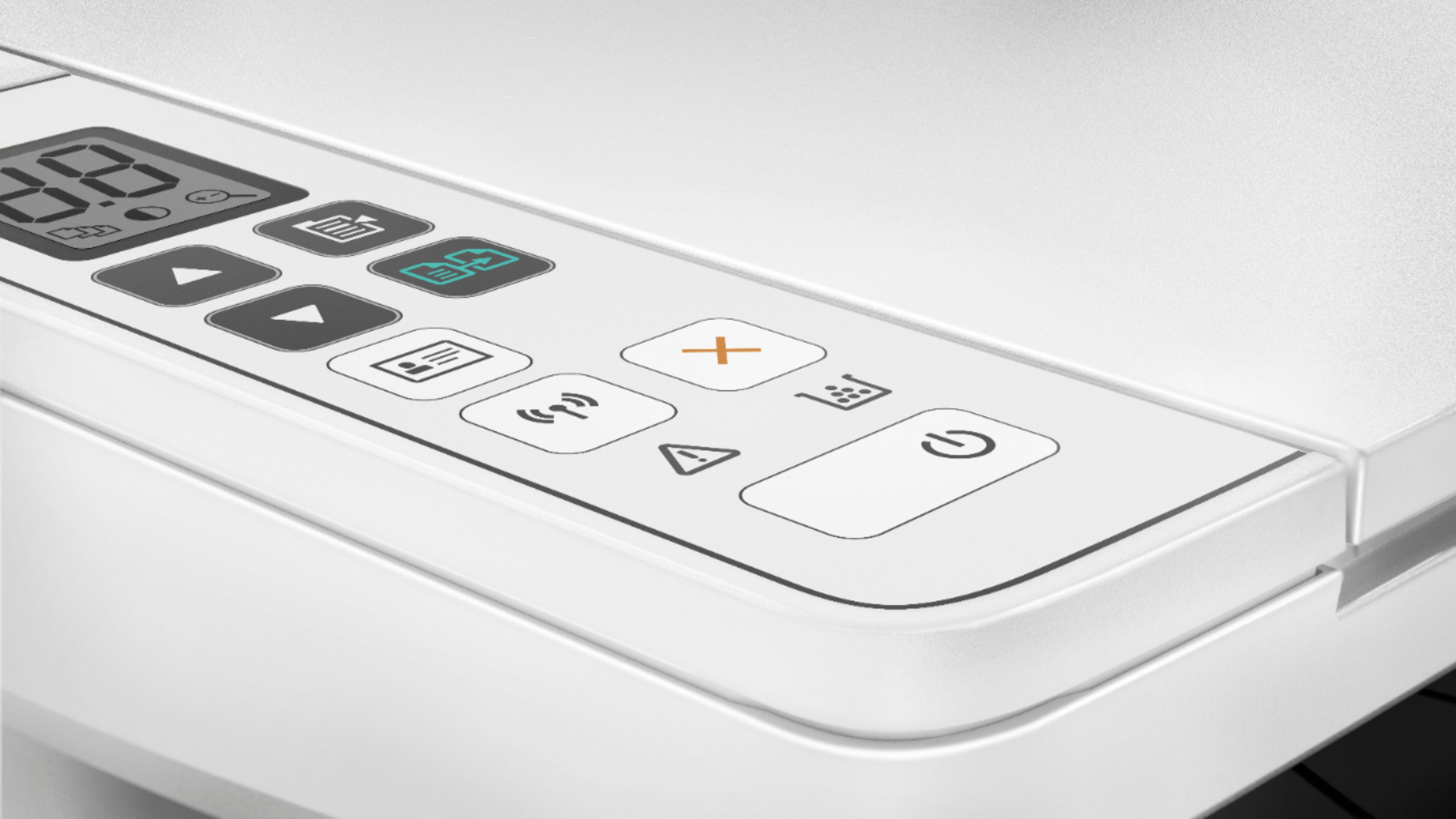
||Posted .This reviewer received promo considerations or sweepstakes entry for writing a review.The printer HP MFP M29W has a number of defects: 1. The wireless function never works properly. 2. There are numbers of small dots on the left-hands side of each page consistenly from every printing, scanning and copying. 3. The touch panel is too simple and the buttons are not easily to be figured out what they are for.
No, I would not recommend this to a friendBrand response from HP Team
Posted .Hi there.
I’m sorry to hear that your printer has failed to maintain a reliable wireless connection and has had print quality issues. I can understand why that would be a frustrating combination, so I’ll offer some information and resources that I hope will help.
First, I recommend you visit a page on our support site that has diagnostic tools for various problems, including wireless connectivity issues. You can also find the HP Print and Scan Doctor, a general diagnostic tool. If you use Windows, the tool will help identify and guide you through solutions to a wide range of common printing and scanning issues. Reach that page by following this link:
- support.hp.com/us-en/topic/diagnostics
I also suggest following the steps listed in this guide to improving print quality, including smeared, fuzzy, dark or faded prints as well as loose, partially missing or scattered toner:
- support.hp.com/us-en/document/c05879357
If the problem persists, I recommend that you contact us directly at +1 800-474-6836 so we can help guide you through the proper troubleshooting. (Please note that because of restrictions on personal movement and workplace attendance associated with the COVID-19 pandemic, wait times for agents are longer than normal. Thanks in advance for your understanding.) To expedite the process, I recommend gathering the following information before the call:
- Model number
- Serial number
- Your location
- Case number (from any previous contact with HP support)
I'll also mention that HP printers have a one-year warranty from their purchase date that covers hardware as well as ink supplies, so if it comes to that, you might consider making use of it. You can verify the warranty using the following link: support.hp.com/us-en/checkwarranty
Keith
HP Care
hp.com/support
CHEAP, BUT NOT WORTH ITS COST
||Posted . Owned for 1.5 years when reviewed.This reviewer received promo considerations or sweepstakes entry for writing a review.Cheap product, for seasonal use. Failed in less than 2 years, with slight usage.
No, I would not recommend this to a friendBrand response from HP Team
Posted .Hi there.
I’m sorry to learn that your printer stopped working even though you hadn’t used it often. It’s easy to understand why this would be an unwelcome surprise. I can’t tell from your review what caused the device to stop working, but I want to help you resolve the situation, so I’ll provide some resources and information I hope will make that happen.
First, HP printers have a one-year warranty from the purchase date that covers basic support as well as hardware and supplies. Some buyers purchase extended warranties that go beyond one year. I’m not sure whether you did, but if you need to double-check the device’s warranty, you can do so by using the following link:
- support.hp.com/us-en/checkwarranty
If your printer is still covered, you can contact us directly at +1 800-474-6836 so we can help you assess the situation and find the best course of action.
If your printer is no longer covered, you might consider posting the details of your issue on our support forums. This is an active community of seasoned experts, including some former and current HP employees, who can work with you to get your printer running as it should. To access this, visit the following link:
- hp.com/supportforum
I hope this helps and, again, our sincerest apologies.
Keith
HP Care
hp.com/support
Hugely Disappointed
||Posted . Owned for 1 year when reviewed.This reviewer received promo considerations or sweepstakes entry for writing a review.I wish I bought another printer. The feeder doesn't work right. You need to give the paper a little nudge.
No, I would not recommend this to a friendPrinter
||Posted .This reviewer received promo considerations or sweepstakes entry for writing a review.It is suppose to copy a certain amount of papers but it sometime runs hot and has to stop to cool down before continuing.
No, I would not recommend this to a friendBrand response from HP Team
Posted .Hi, Chrissy.
I’m sorry to hear that your printer is not functioning like it should. I can understand why a printer that overheats while making copies would be puzzling as well as frustrating, so I’ll offer you some information and resources I hope will help.
I can’t tell from your review what’s causing the printer to overheat, so I recommend that you contact us directly at +1 800-474-6836 so we can help you through the proper troubleshooting. (Please note that because of restrictions on personal movement and workplace attendance associated with the COVID-19 pandemic, wait times for agents can be longer than normal. Thanks in advance for your understanding.) To expedite the process, I recommend gathering the following information before the call:
- Model number
- Serial number
- Your location
- Case number (from any previous contact with HP support)
I'll also mention that HP printers have a one-year warranty from their purchase date that covers hardware as well as ink supplies, so if it comes to that, you might consider making use of it. You can verify the warranty using the following link: support.hp.com/us-en/checkwarranty
Keith
HP Care
hp.com/support
Disappointed
||Posted . Owned for 1 month when reviewed.This reviewer received promo considerations or sweepstakes entry for writing a review.Print quality is below average. Set took more time than indicated. I would not recommend this printer, very disappointed.
No, I would not recommend this to a friendBrand response from HP Team
Posted .Hi there.
I’m sorry to hear that your printer is not delivering the print quality it should, and that it took longer to set up that you expected. I can understand why that would be disappointing, so I’ll offer some information and resources that I hope will help.
First, I recommend following the steps in this guide to improving print quality:
- support.hp.com/us-en/document/c05879357
If the problem persists, or if you have any other questions or concerns, I hope you’ll reach out to us so we can work through any necessary troubleshooting with you. We’re always here to help, so you can get in touch via your preferred method at this link: hp.com/contactHP
Keith
HP Care
hp.com/support
Huge hassle to set up
||Posted . Owned for 1 week when reviewed.This reviewer received promo considerations or sweepstakes entry for writing a review.Setting the printer up was such a hassle, was not happy with it.
No, I would not recommend this to a friendReturned
||Posted . Owned for 5 months when reviewed.This reviewer received promo considerations or sweepstakes entry for writing a review.Tried this out for one day. Had issues connecting then it printed very small pages. Something was way off that I couldn’t fix.
No, I would not recommend this to a friend