Customer Ratings & Reviews
- Model:
- LaserJet Tank 2604sdw
- SKU:
- 6508030
Rating by feature
- Value
Rating 4.3 out of 5 stars
- Quality
Rating 4.2 out of 5 stars
- Ease of Use
Rating 4.1 out of 5 stars
Customers are saying
Customers praise the LaserJet Tank 2604sdw for its excellent print quality, ease of use, and straightforward setup. Many appreciate its compact size and quiet operation, along with the added convenience of the scanner. However, some users experienced challenges with maintaining a consistent wireless connection. The printer's value for its price point is also frequently noted.
This summary was generated by AI based on customer reviews.
- Pros mentioned:Ease of use, Print quality

Easy to Setup and Economical Print Cost Per Page
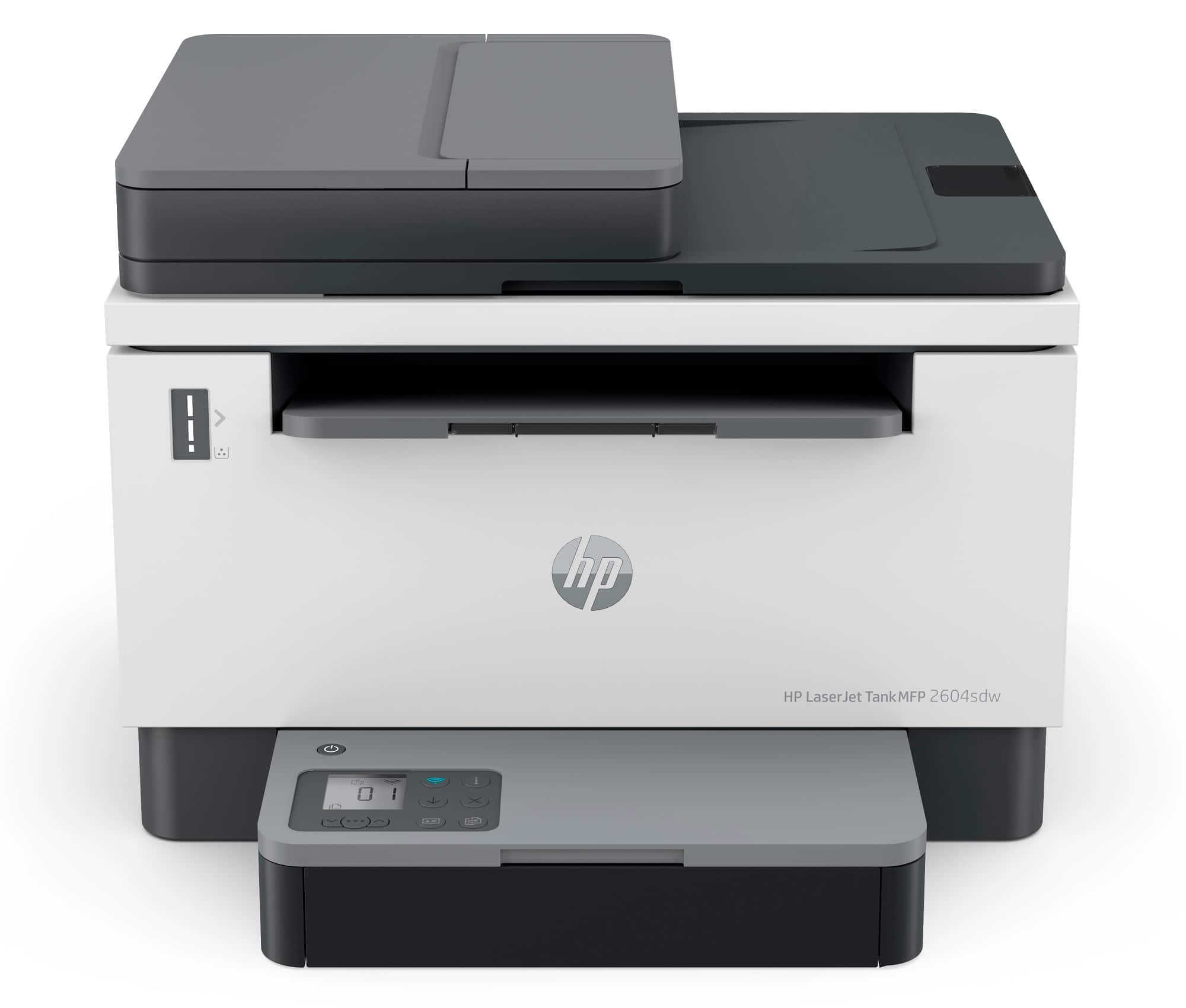
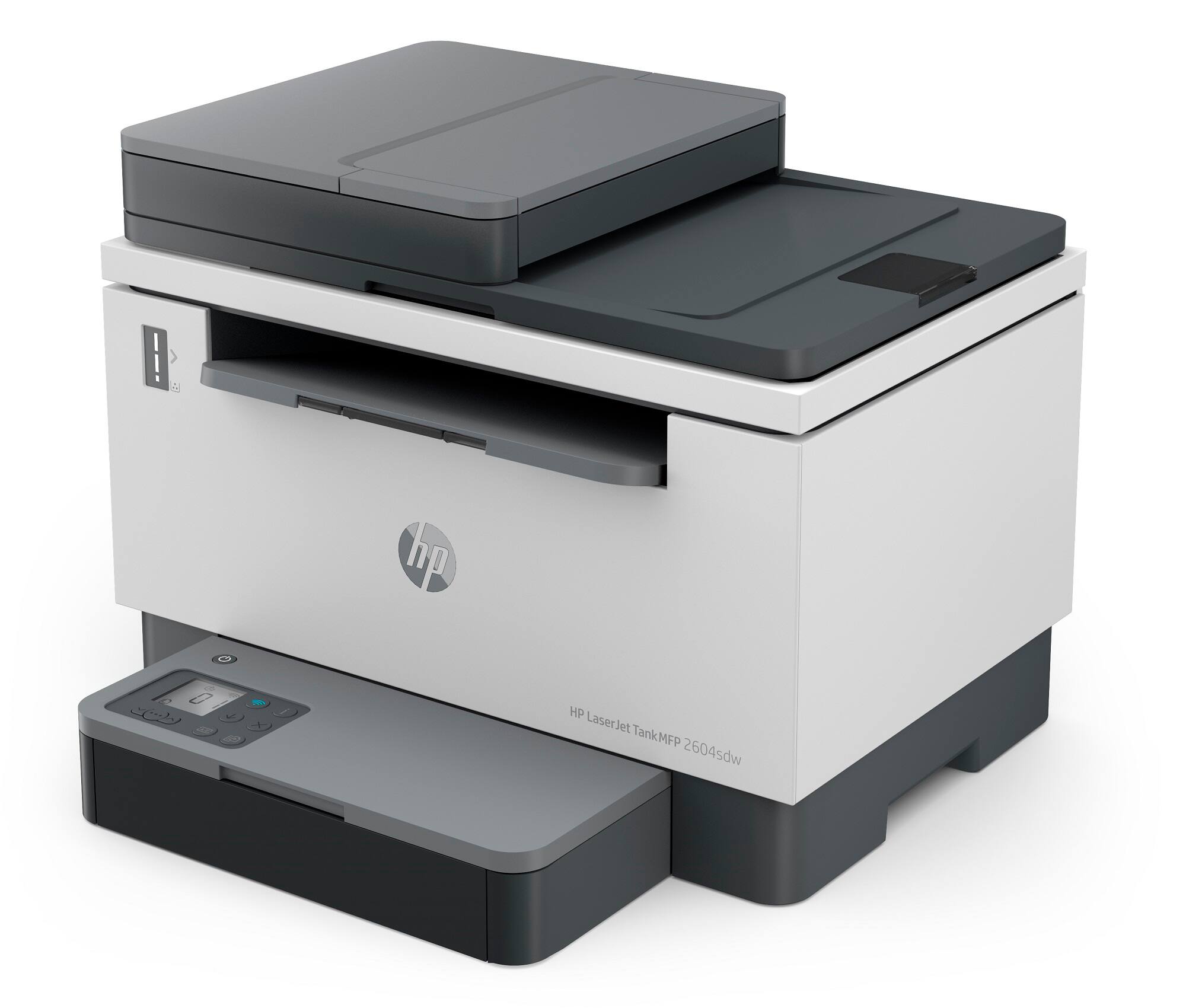
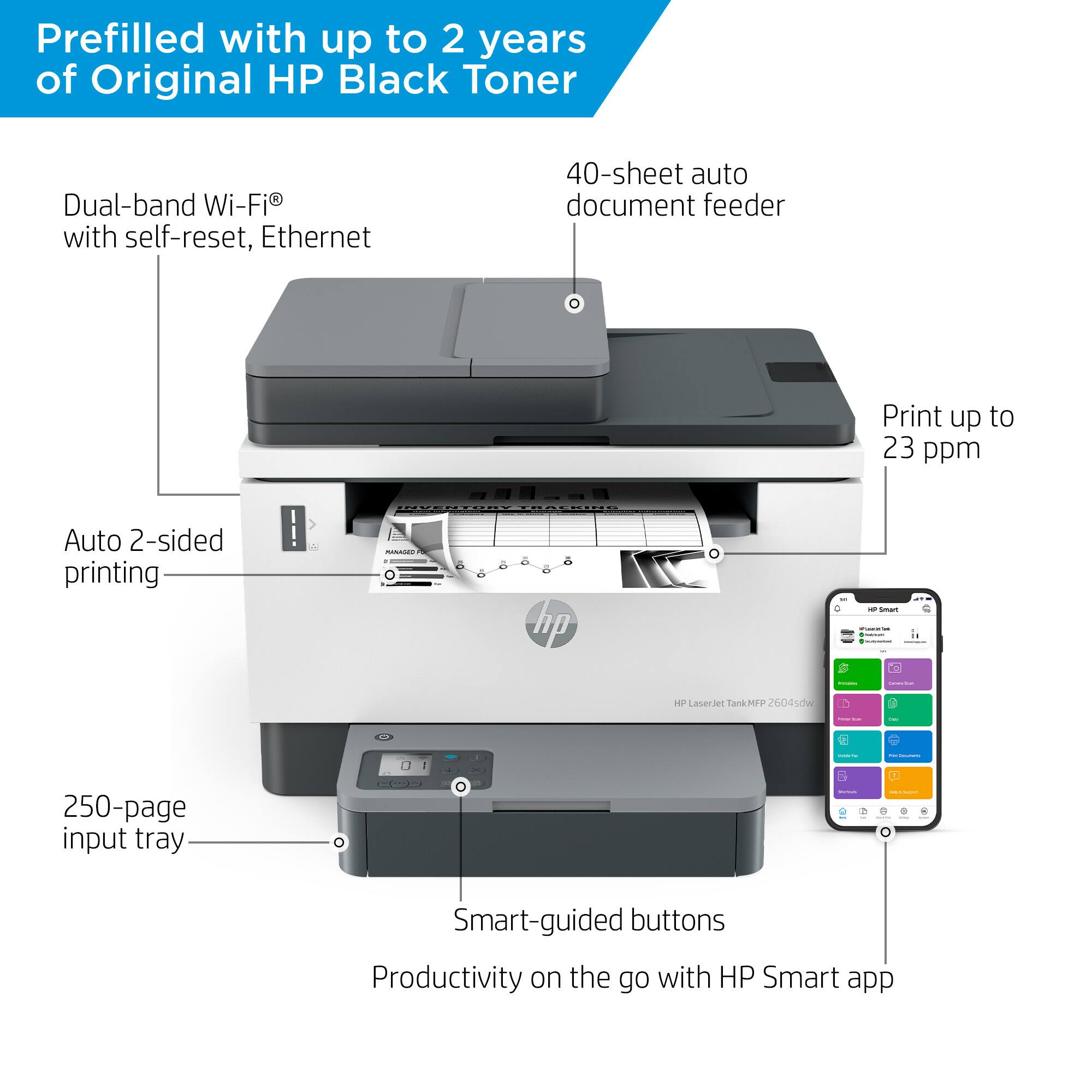
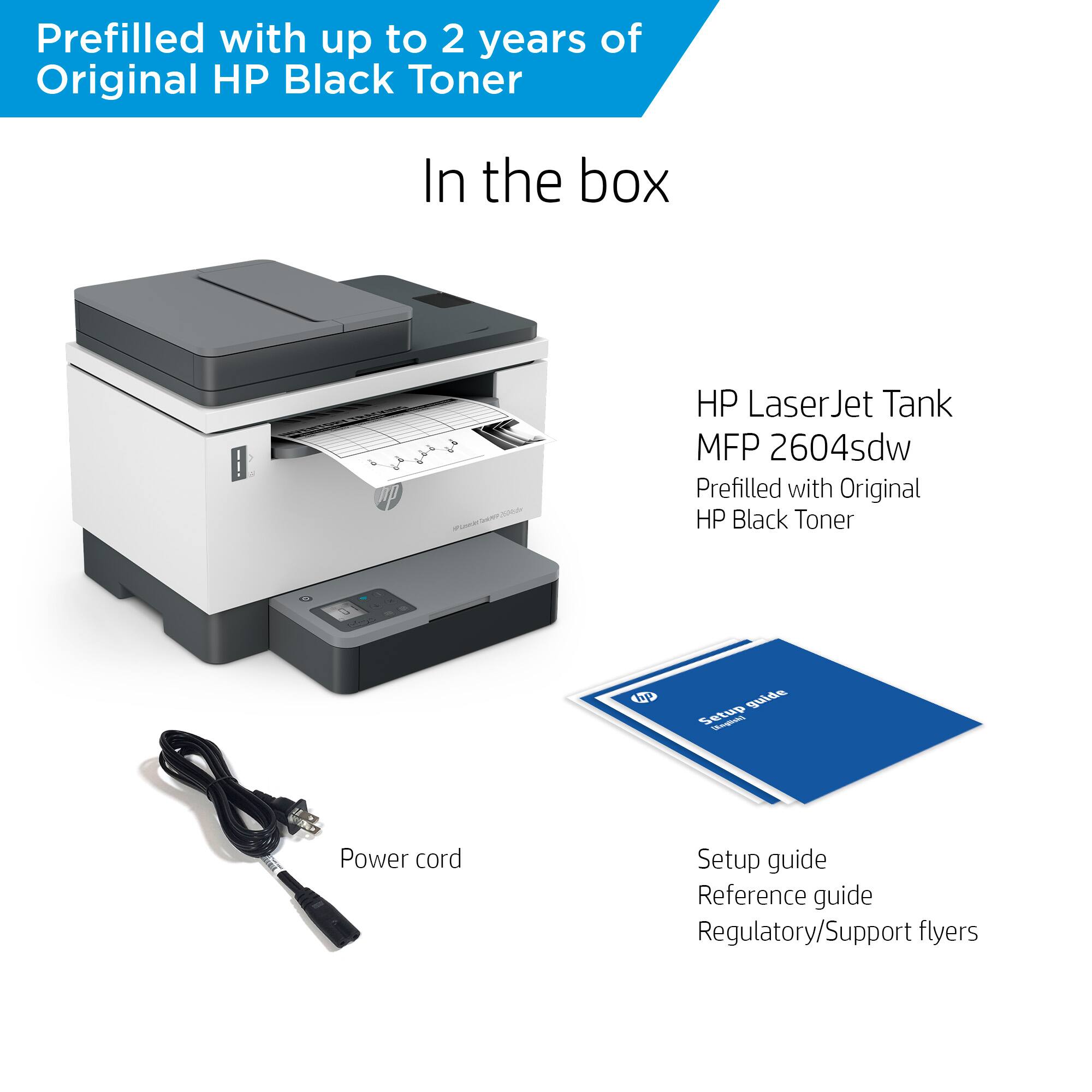
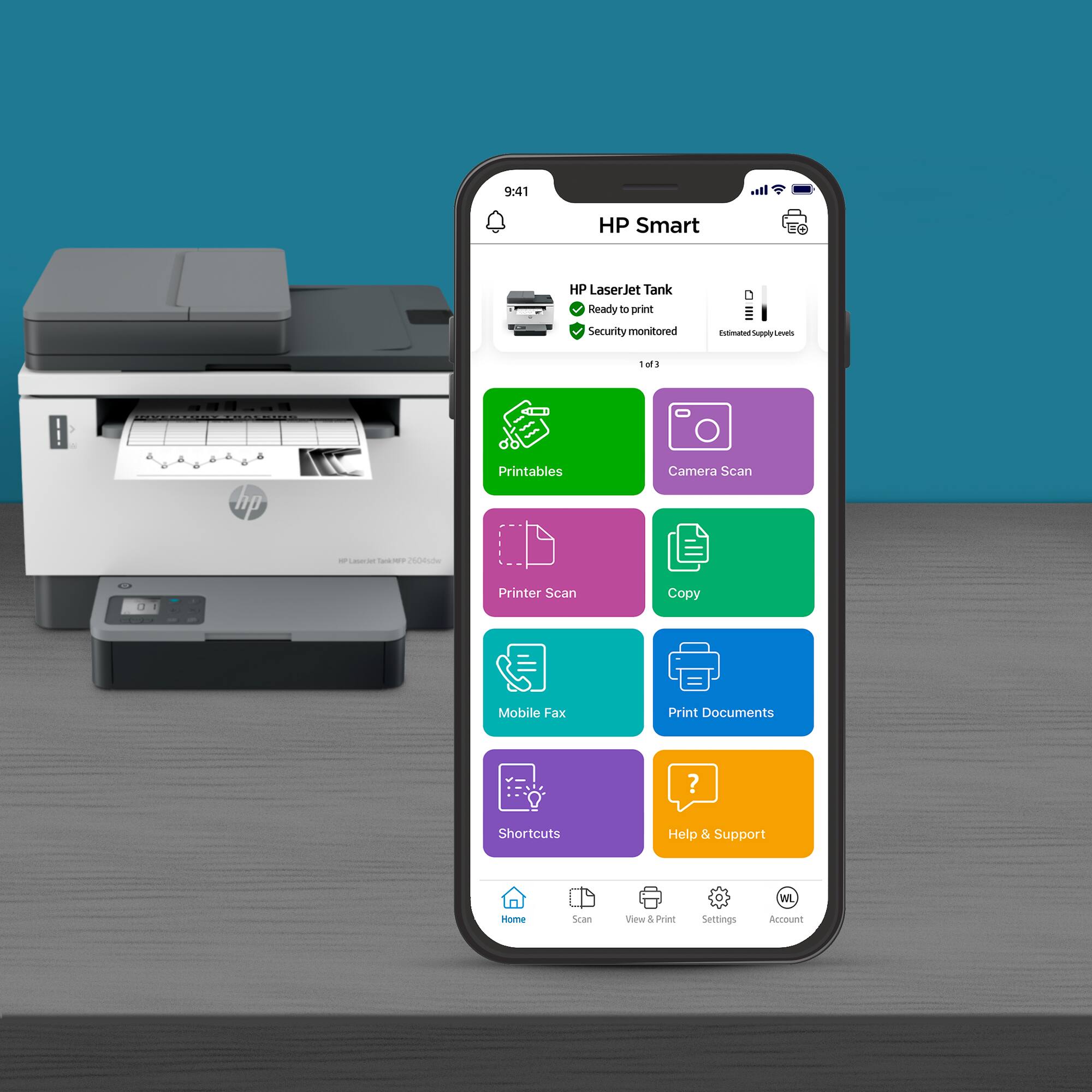
|Posted .This reviewer received promo considerations or sweepstakes entry for writing a review.The HP Laserjet Tank printer is one of the easiest printers that I have ever set up. Since the toner is already installed, all you have to do is remove the packing, plug it in, and download the hp app to your Android phone or other device. When you run the app, it finds the printer and takes over the installation process. The printer also becomes available to all other devices (computers, tablets, phones) on your network. The printer is well specified with a speed of up to 23 ppm, a resolution of 600x600 dpi, automatic two sided printing, scan capability, and a 40 page automatic document feeder. But what really separates the HP Tank from other laser printers is that it comes with 2 years of Original HP Toner that allows you to print up to 5000 pages. I have long been frustrated with both ink jet and laser printers that may print great but always seem to require ink or toner cartridge replacement. The HP Tank goes a long way toward solving this problem and leads to low cost per page printing. In actual operation, the HP Tank seemed very fast and resulted in very sharp print results. No jams occurred in over 100 pages of printing. I highly recommend the HP Tank to anyone looking for an easy to setup monochrome laser printer with longer duration between refills and lower cost printing per page.
I would recommend this to a friend - Pros mentioned:Ease of use, Print quality
Fast printing and affordable toner!
|Posted .This reviewer received promo considerations or sweepstakes entry for writing a review.This is my first laser jet printer. I am mostly retired from a family business and sell real estate part time. I have worked largely from home the last few years due to retirement and Covid. I get 20–40-page financial documents from the family business plus the real estate documents that I generate and receive. While my inkjet printers are fine, they seem painfully slow at times. I often go to one of the offices to print large documents. This printer is rated at up to 23 pages per minute which is claimed to be fastest in its class. Unlike my HP inkjet printers, this printer does not come with eligibility for the 6-month trial of instant ink but instead it comes pre-loaded with enough toner to last up to 2 years or 5000 pages. The toner refills are very inexpensive and HP claims that this printer delivers the lowest cost per page in black and white. I found this printer easy to set up. This printer uses the same HP Smart app that my HP inkjets use so I had no real learning curve. We had all of our computers, phones and tablets up and printing in no time. This printer is blazingly fast compared to my inkjet, especially with larger documents. There is a large document feeder for copying and scanning. Copying is much faster than my inkjet as well. I had resisted purchasing a home inkjet in the past due to the cost of both the printers and supplies. This feature rich printer is reasonably priced, has very inexpensive toner and is a huge speed improvement over my previous printer. I wish I had done this sooner.
I would recommend this to a friend - Pros mentioned:Print quality, Size
Another Great HP Printer
|Posted .This reviewer received promo considerations or sweepstakes entry for writing a review.HP seems to make the best printers out there and this one is no exception. This compact but rich printer is definitely worth the purchase. Size - this printer is designed to fit into smaller spaces than most printers similar. There are no trays or other items sticking out (other than the one paper try) Toner- the biggest challenge with most printers is they use a good deal of toner. While I have only used this printer for a short time, the level of toner has not decreased and I expect to get a good yield. Speed - one of the biggest challenges with home printers is the time it takes for them to print. This printer is very responsive once you hit print with very little delay. Compatibility - I tried this printer with both a Windows machine and a Mac and both ran flawlessly. The setup for the Windows machine was very easy and the Mac was able to find it wirelessly as well. I am very impressed with this printer. For the price you can’t go wrong with choosing this for your home office.
I would recommend this to a friend - Pros mentioned:Print quality
Satified purchase
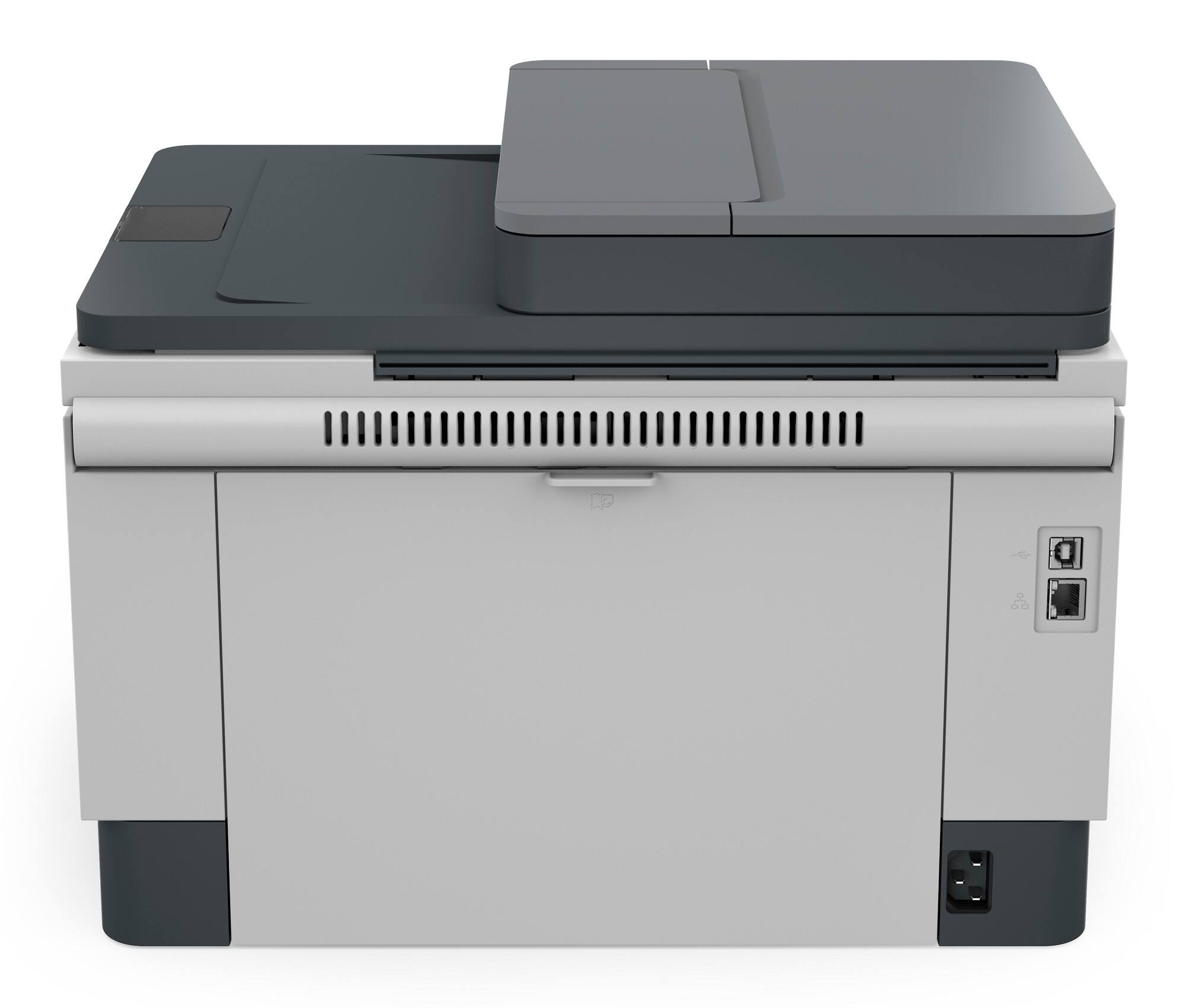
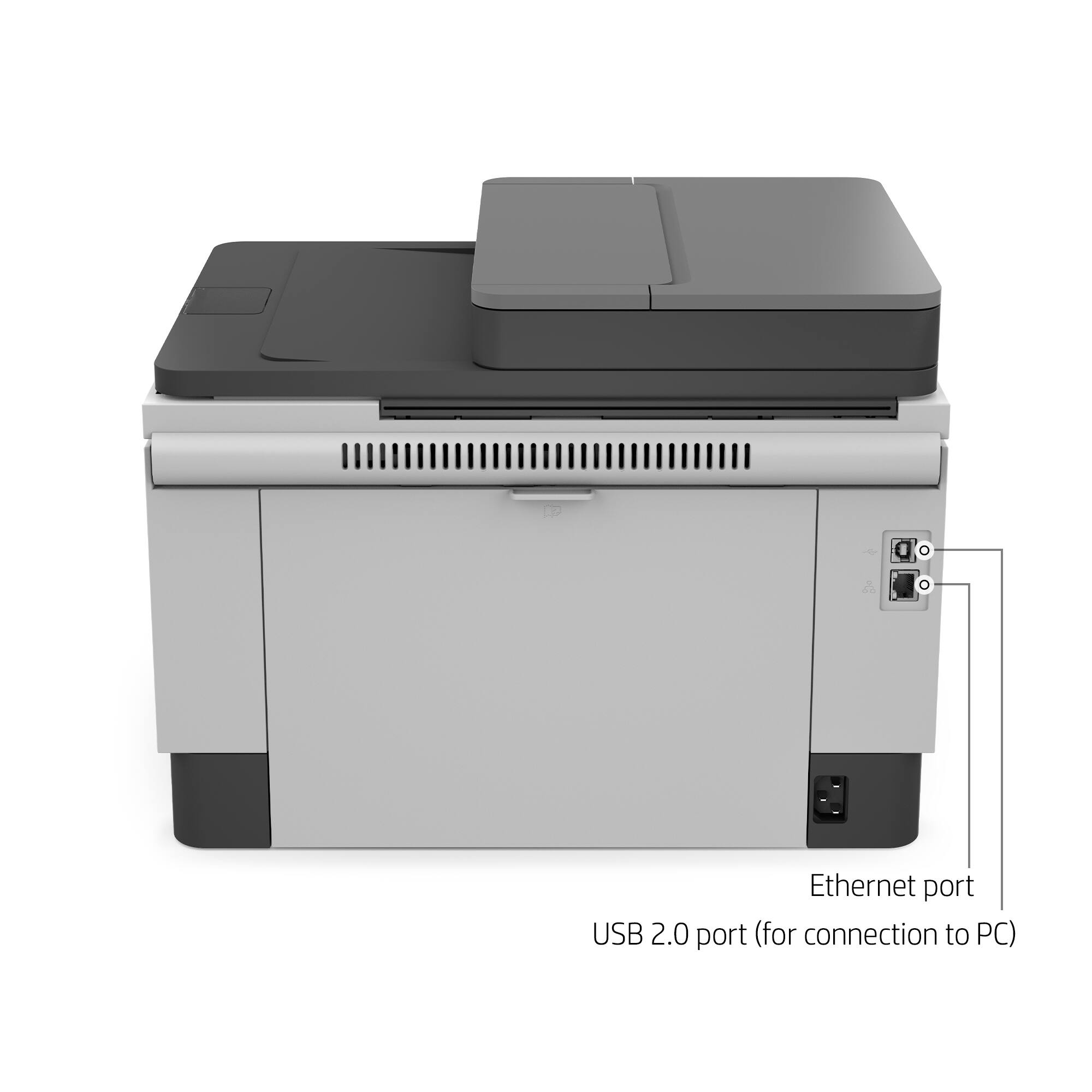
Posted .This reviewer received promo considerations or sweepstakes entry for writing a review.Purchased this to replace older laser printer. It works good, except it has a pause between prints after the first few pages when sending multiple pages from computer to printer. It will eventually print all the pages, you just have to remember what you have sent so you don't reprint thinking you forgot to hit send because it didn't print it immediately after you sent it. Not sure if that is a printer issue or a computer issue. I have it hard wired with an Ethernet cable. I did not set up the WIFI at this time. It makes good copies and the print clarity and quality is good for average printing.
I would recommend this to a friend - Pros mentioned:Print quality
Another quality HP printer
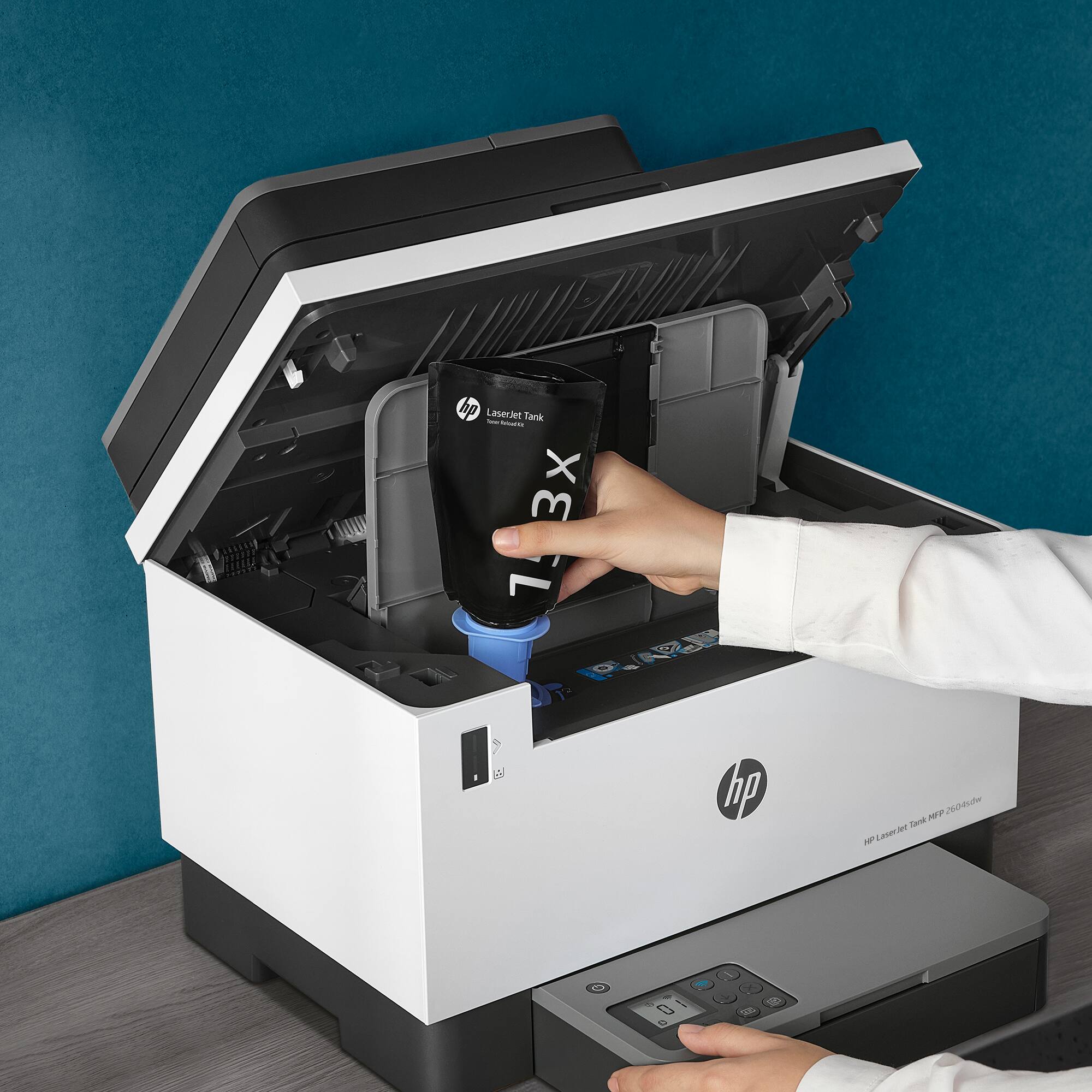
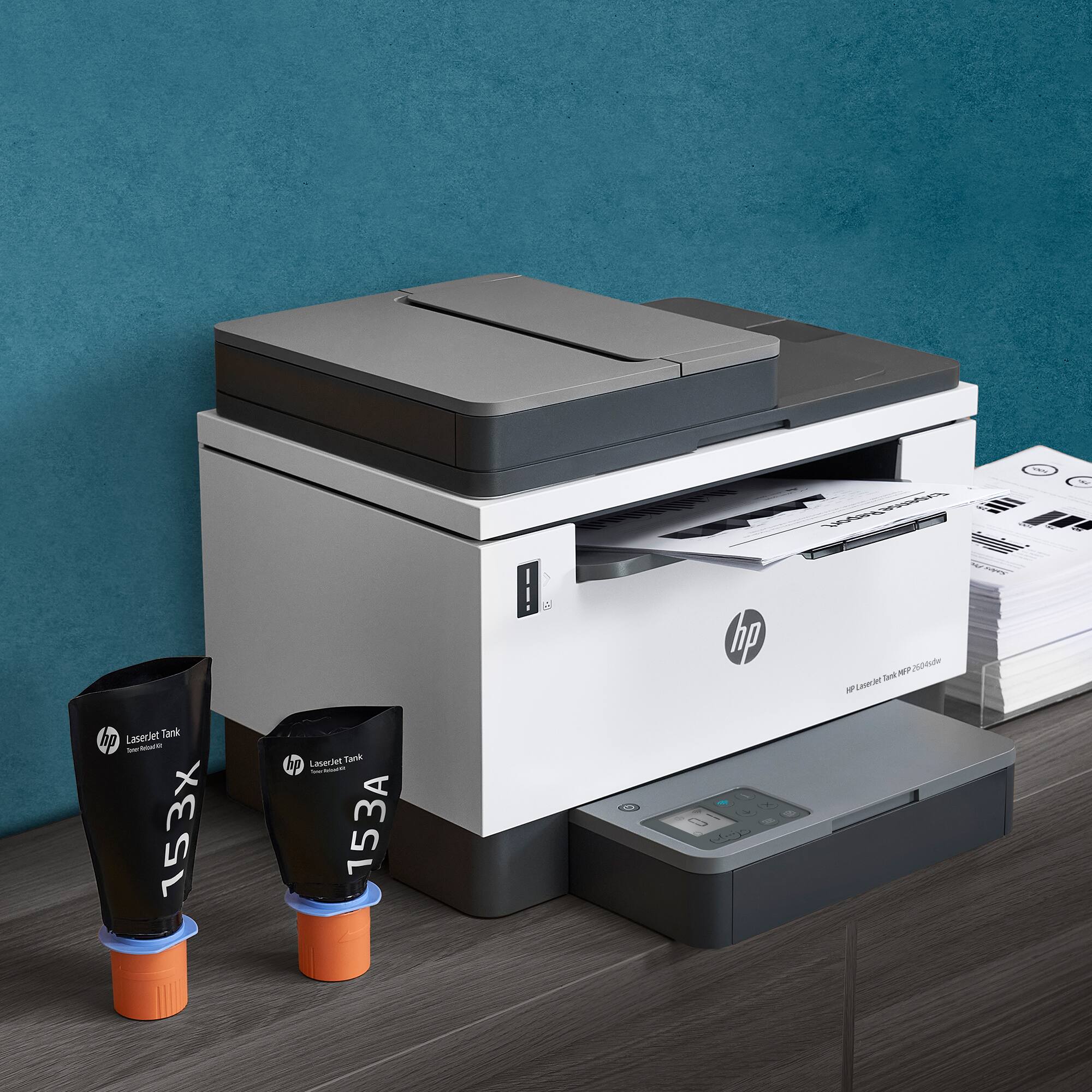
|Posted .This reviewer received promo considerations or sweepstakes entry for writing a review.With the recent change in ink/cartridges, i was looking forward to trying some of these newer ones out and see if they'd be more cost effective than their predecessors. This is your "normal" HP Laserjet however this one comes with a toner tank instead of the normal toner cartridge. Instead of replacing toner cartridges like before, this one you simply refill with actual toner into the tank located inside the printer. Now HP is notorious for having some of the most expensive toner cartridges on the market. So, depending on your printing needs, it's not always the most economical decision to get a HP Laserjet seeing as how expensive their toner cartridges get. This one, hopefully, will address the monetary setbacks of having a HP Laserjet. This is pretty much your standard size/weight/print quality Laserjet from HP. It has the normal wifi, app enabled, printer, scan, etc., as far as bells and whistles. Not sure if it's just me but I always seem to have issues initially setting up my HP printers. This one took about half and hour since it kept getting stuck on the initial setup. Eventually I got it setup and, so far, it's been great. The print quality is pretty standard right out of the box. Good quality for your black/white printing needs and print speed is also pretty good. I don't normally print a whole lot but I do every once in awhile. Having a Laserjet just makes those printing sessions a little bit quicker than your normal inkjet printer. What I really liked wasn't even printer related. HP came out with their HP+ awhile back and it was standard that you had to buy into it in order to even print. Initially they had a .99/month plan but then upped it to $4/month which was ridiculous for me. With this printer, it was optional to sign up for HP+ so that made it all the better for me. Overall, good quality printer that's fast and doesn't take up too much space. Really curious to see how long the initial toner lasts as well as how good the refills are for these.
I would recommend this to a friend - Pros mentioned:Print quality
Fast, economical work horse printer
|Posted .This reviewer received promo considerations or sweepstakes entry for writing a review.The HP LaserJet Tank 2604 is a game changer for me. It’s always been a battle of inject vs laser printers with each better at different things. I like laser because you can pump out a ton of paper fast and the detail is decent. Although the cartridges can be speedy, they last for a long time and from my experience have been the most economical. On the other hand inkjets have a level of detail that can’t be touched by a laser printer. And with the technology of recent years where you can refill your ink bins without buying cartridges that can tightened the competition between the two. Until seeing this printer, I didn’t know laser printer had gone to ink refill trays as well. Although this is only black and white printing, it was what I wanted anyway. Honestly in sick of buying color cartridges when all we do is use it for black and white anyway. It calls itself an all in one, but really it’s not. It’s a flatbed scanner and a printer. I know it’s not an option in this printer, but I’d like to see an integrated e-fax option. Granted, the fax machine is an old tool, but since this is being used in my wife’s business it’s still a relevant business tool. Would be a nice option, but I knew what I was getting so I’m not mad about it. So the website throws a bunch of numbers at you and tells you the resolution is good. Well awesome, but I don’t have anything to make a comparison with. So how does it look?! It’s sharp. For black and white it’s crisp and has excellent resolution. The best setting is 600 x 600 dpi. To the eye it’s awesome and that’s how I gauge it. Not “good enough”. It’s actually really good resolution and I’m happy with it. The printer has an app that I’m still playing around with. Fairly intuitive app, and it was easy to set up and link my printer. Not sure that I will use it that often. But it does give you the opportunity to fine tune your printer as well as other things like the ability to order supplies. Of note one thing I really liked was the tray capacity. It took like half a ream of paper which was a little more than the one it’s replacing. Also it prints much faster than the laser printer I have. Maybe it’s the ink vs toner? Not sure, but this printer was substantially faster. At the end of the day, would I recommend it? Definitely. It’s a big win for anyone needing a black and white work horse printer. I’m really happy I have it and I’d get another one if I needed one for sure.
I would recommend this to a friend - Pros mentioned:Print quality, Setup
Master
Posted .This reviewer received promo considerations or sweepstakes entry for writing a review.I purchased the HP -LAZER JET TANK PRINTER, because of the the price on the sale item. I didn't realize, how easy it was to set-up and easy to follow instructions. The machine is everything they stated it to be and you receive very good B/W prints.
I would recommend this to a friend - Pros mentioned:Print quality
Another phenomenal all in one laser from HP
|Posted .This reviewer received promo considerations or sweepstakes entry for writing a review.Another phenomenal all in one laser Printer from HP. The quality and functionality we’ve all come to expect from an HP printer. This is a large capacity laser that comes loaded with a massive 2 years’ worth of toner right out of the box that is said to be good for 5000 pages of print. They recommend and market this printer towards small business applications but I’m using it at home and couldn’t be happier. I’ve always preferred laser to inkjet when printing in black and white. Productivity doesn’t stop with this printer quick first page out coupled with automatic duplex printing at 23 pages per minute. I also must mention how much I appreciate the large 40 sheet auto feeder for making larger copies and/or scans a breeze. This is one feature I will never again go without. It is so much quicker and easier than a standard flatbed scanner that you have open and switch pages out of constantly. If you scan and/or copy multi page documents a lot this is a MUST HAVE. Also has a large 250 sheet paper tray so you’re not constantly needing to add paper. These both function flawlessly, I’ve not had any paper jams or issues at all with either. Connectivity is easy for any device with wifi, usb, Bluetooth or ethernet. The HP smart app has become the go to standard for printer management and is great for all the setup as well as your all-around print/scan/copy functions. If you’re already familiar with the app then transitioning to this machine is seamless and simple, just adds another one to the list of available options.
I would recommend this to a friend Great quality and very inexpensive to use
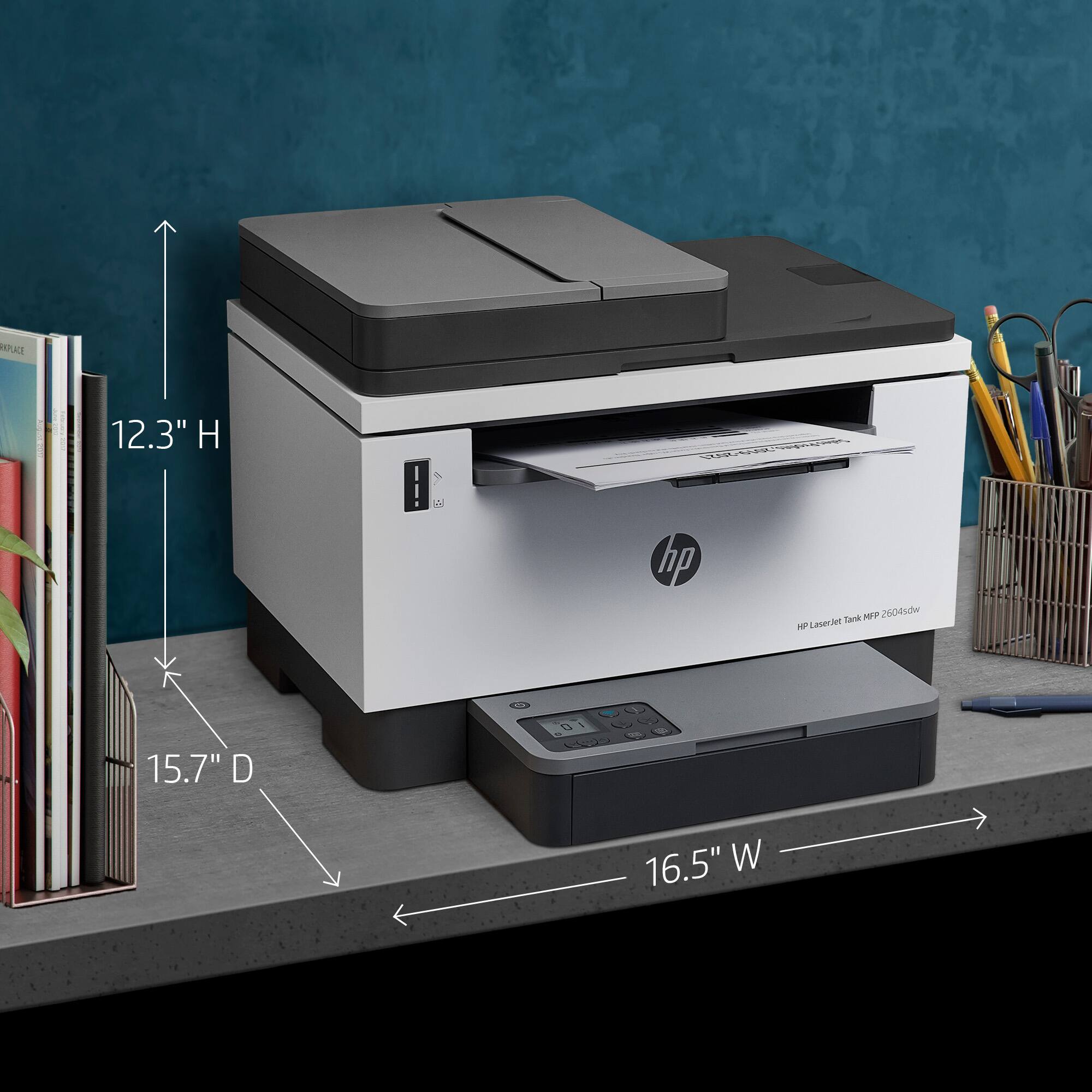
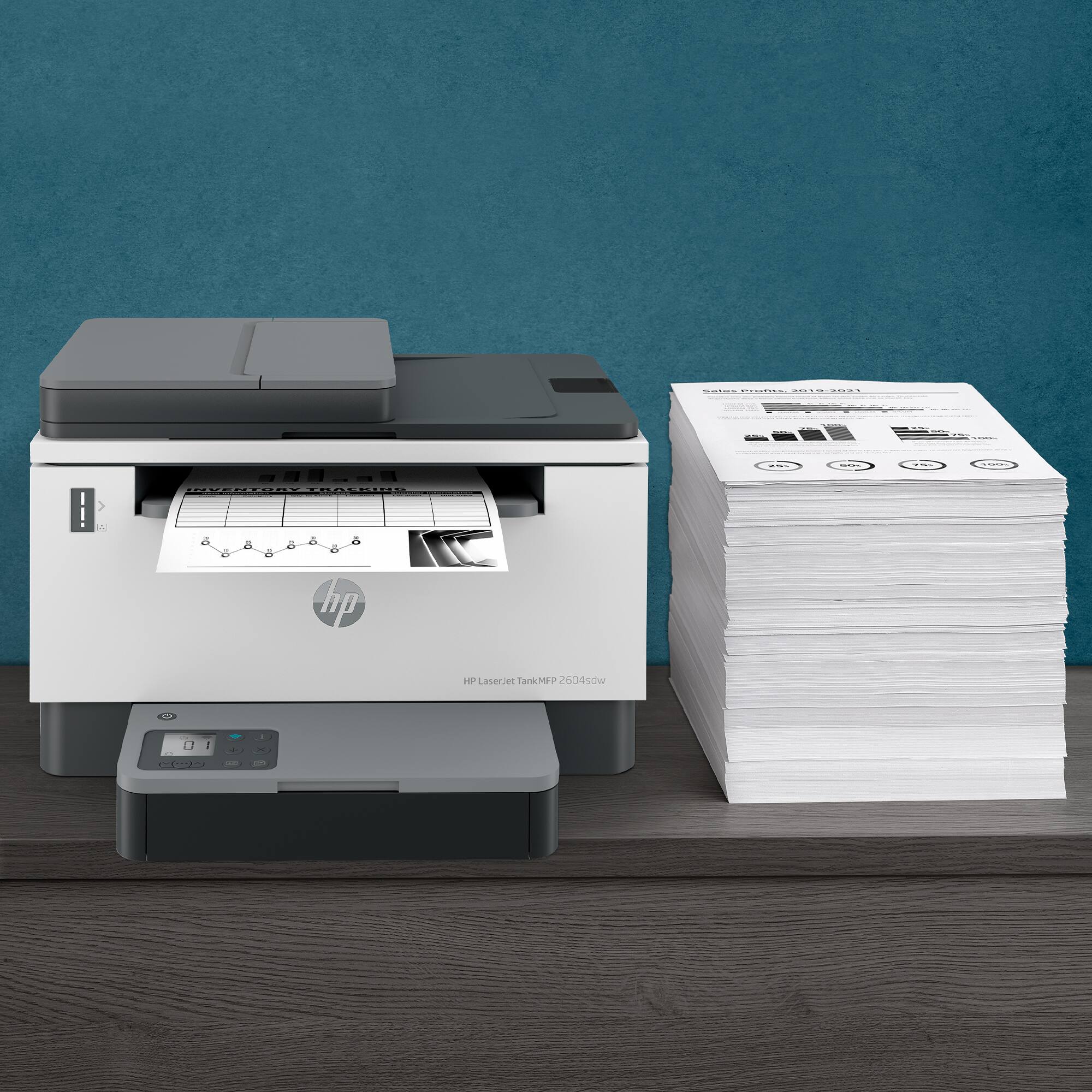
|Posted .This reviewer received promo considerations or sweepstakes entry for writing a review.My first impression of this printer was that it came in a very heavy box and was very well packed. It’s unlikely that it could be damaged in shipment. My second impression was that the printer itself was very heavy and much larger than expected - even though I’d read the dimensions prior to ordering. It is 16.5 x 16.5 inches and 12 inches tall. I tried to fit it into my workspace, but it was too tight. I kept bumping the printer with my mouse which would close out the tab I was working out of and I would lose all my work. I found another place for the printer that’s not ideal, but should work. The wireless feature allows flexibility in locating the printer. Initially it looked like the set up was going to be a snap. I went into the HP Smart app and it immediately found the printer and set it up. It took less than 5 minutes with no wireless issues. The test page printed fine. However adding the printer in Windows 10 was another matter. It didn’t show up in the Printers and Scanners function and when I tried to connect it, I kept getting the message “That Didn’t Work”. At some point it asked me to enter the printer PIN number, which I located in the toner compartment. But that’s not the PIN it wanted. It wanted a number that eventually printed on a piece of paper. Once the printer was successfully added, I assumed my printing issues were over. Not so. Every time I tried to print, I got a message that the printer was offline. Occasionally something would print, but the next minute it wouldn’t. I did all the troubleshooting steps suggested by HP. I downloaded the HP Print and Scan Repair Doctor and used the app troubleshooting function. Both said everything was working perfectly. To finally fix the problem I had to delete the printer in both Add or Remove Programs and in Printers and Scanners, uninstall the HP Smart app and start all over from the beginning. After 8 hours of frustration, it is finally up and running. Now that I can actually use it, it looks like it will be a great printer - as long as it keeps its connection. During set up I looked for the toner cartridge to remove the sealing tape, but there wasn't one. This printer uses a toner reload kit which looks like a bag of toner that is squeezed into the toner port. It’s supposed to take 15 seconds. Time will tell if it’s foolproof or if it could create a mess. The toner level is clearly visible on the front of the printer. The reload kit uses 75% less plastic than the standard toner cartridge and looks like it will cost less than $30 for 5,000 pages. That compares to $40 for approximately 500 pages for an inkjet printer and $80 for 3,000 pages with my other laser printer. Per the manufacturer, this printer has the lowest cost per page available. If it performs as expected, I would agree. It has a 40 page document feeder, a 250 sheet input tray and a 100 sheet output tray. It is very easy to add paper. The problem I have with most printers is that they don’t do a good job printing shipping labels. The ink jet printers smear the ink (and are very expensive to use) and the smaller HP printers I’ve tried couldn't handle the thicker label stock and pulled the paper in crooked. One laser printer I tried didn’t get hot enough to fix the toner, and the print would flake off to the point that the shipping address was illegible. The shipping labels printed with the HP LaserJet Tank printer are great. They are very sharp with no smearing or flaking. One cool thing about the printer is that it has an ID copy function that can be used to copy both sides of an id card or small document so that it looks like the original. Of all the printers I’ve used, this one had the most set up problems by far. But for a black only printer/scanner/copier that is inexpensive to use, the HP LaserJet Tank printer can’t be beat. I would have given it 5 stars if it weren't for the connection issues.
I would recommend this to a friend- Pros mentioned:Print quality
Innovative Toner Refill
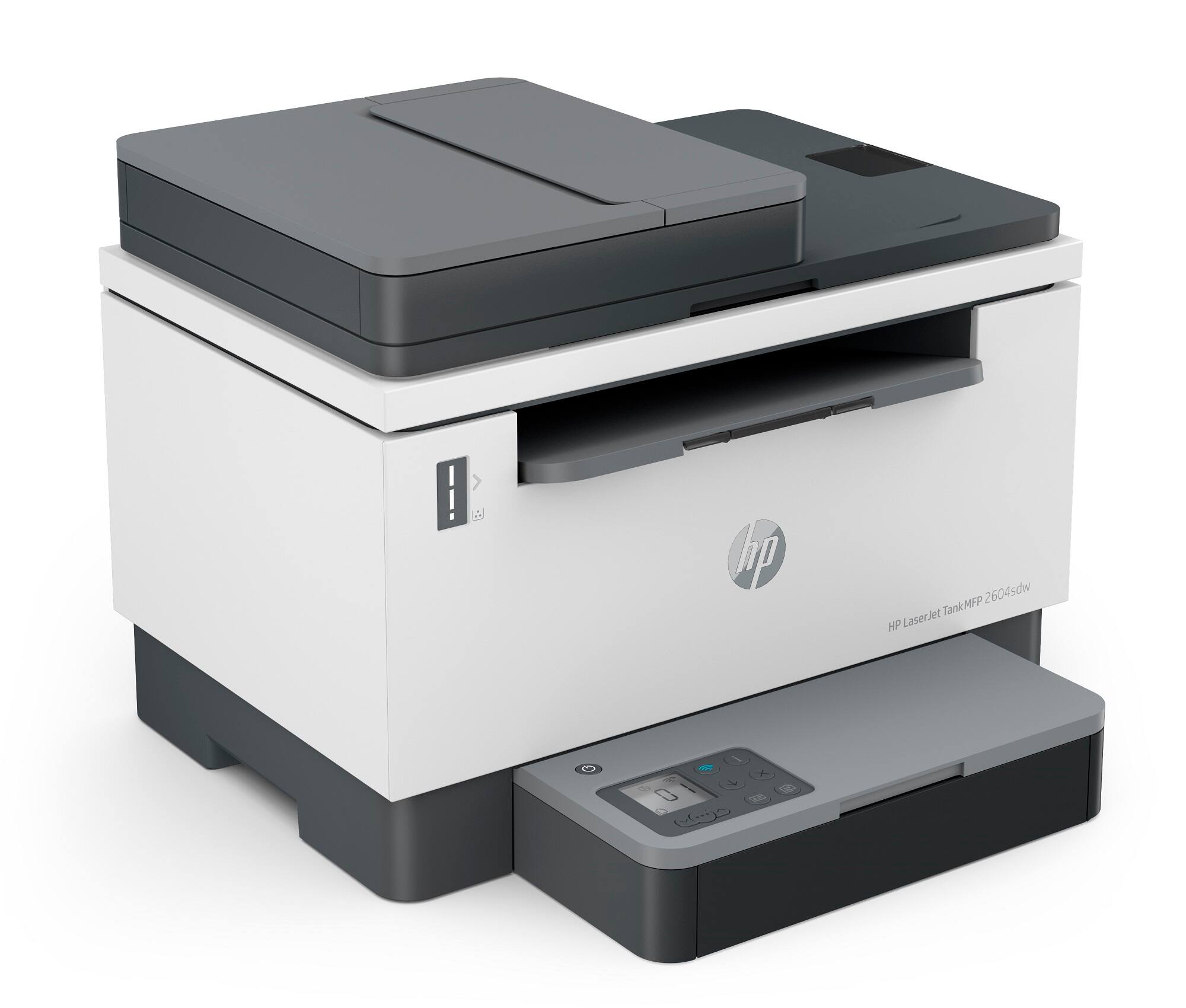
|Posted .This reviewer received promo considerations or sweepstakes entry for writing a review.A lot of what I print in our home office is monochromatic. Besides that, we often have a lot to print and little time or money to waste. This printer addresses that by printing up to 20 pages per minute and both sides of the paper automatically. It connects wirelessly, which gave us the flexibility of moving it to an area that didn’t have Ethernet cabling. It looks big on pictures, but it is much smaller in person. One interesting thing that I noticed is that the LCD screen is on top of the paper bin, and it folds as needed. The location is odd, but it hasn’t been an issue so far. I like that Wi-Fi is dual band. I avoid 2.4Ghz as there is too much noise, which causes interference and performance issues. Thus, I’m using 5Ghz instead. It also scans fast. All that in a compact form factor. We do print a lot, but with a capacity of 5,000 pages for the included toner, it will take us a good amount of time to go through it. Being able to print from a phone or even via e-mail is nothing new but what I liked the most is the new toner refill. Finally, something new in toner cartridge replacement. After decades, HP finally got this right. That’s the best feature in this printer. I just wish it could also print in color for when we need that, instead of using an InkJet. That’s the only thing missing.
I would recommend this to a friend - Pros mentioned:Print quality
Possibly the lowest cost per page Laser Printer BW
|Posted .This reviewer received promo considerations or sweepstakes entry for writing a review.The HP - LaserJet Tank 2604sdw Wireless Black-and-White All-In-One is the newest HP entry into the low price per page print market. Gone are the days of high cost and bulky toners, not earth-friendly and the need to recycle just to clear the clutter from your office. Now replaced by a small bag to refill, you can get up to 5000 pages or 2-years of printing before needing to refill. Everything you have come to expect from an HP printer without the bulk, waste, and costs of toner replacements. I found the HP LaserJet Tank to be a welcomed addition to my home office. I have several projects and charities I am working with and often donate the printing costs to help them. The HP Tank offers a new way to print high volume without breaking my wallet in the process. Refilling is simple and not messy if done correctly. I only wish this was a color/BW version! PROS - HP brand and quality - HP printer design and innovation - Low-cost toner refills - Capacity: 250 page tray, 100 page holder - Life: Up to 5000 pages or 2-years - Color copier, 1-sided - BW print with full duplex for 2-sided prints CONS - Only missing color options.
I would recommend this to a friend - Pros mentioned:Setup
Easy setup, prints very fast
|Posted .This reviewer received promo considerations or sweepstakes entry for writing a review.I have several HP printers in my household and this one was by far the easiest to setup and get operational. There were no toner cartridges or ink to install as everything was pre-installed from the factory. I plugged it in, booted up the HP Smart App and in less than ten minutes, I was able to start printing. The printer came with an estimated two years of ink pre-installed based on normal usage and the instructions show how to replace it when it gets empty. The footprint isnt too large for a multifunction printer. It copies very fast and in good quality. I havent used the scanner yet so i cant speak to that feature, but so far, i have been very pleased with this printer. HP continues to produce quality products that are simple to setup and easy to use. I do wish the paper tray held a bit more paper, but 250 sheets is better than some that I have seen. All in all this is a very good multi-function unit and is perfect for a small office or for a student who needs the abilty to print fast, copy and scan documents. I highly recommend this printer.
I would recommend this to a friend - Pros mentioned:Ease of use, Print quality
Printer Review
Posted .This reviewer received promo considerations or sweepstakes entry for writing a review.Excellent printer. Easy to set up and use. High quality black and white printing.
I would recommend this to a friend Fantastic, Fast, Sharp Printer
|Posted .This reviewer received promo considerations or sweepstakes entry for writing a review.This HP 2604sdw is very similar to the HP M234sdwe that we have in the household. I've had a number of HP printers over the years. This one is a good build and I'm sure will work great for years to come. Awesome that it comes with 2 years of toner vs many printers that only have a "starter" cartridge. Setup was pretty easy with the app. Plug it in and follow the steps. Simple controls on the bottom tray platform. Printed about 25 sheets so far and tested scanning and copying to my computer. All worked fine and prints looked great. Printed page was pretty quick from cold as well. Relatively small and compact compared to some other laser multi-function options. Definitely recommended!
I would recommend this to a friend- Pros mentioned:Print quality
good printer
Posted .This reviewer received promo considerations or sweepstakes entry for writing a review.good printer for the money..very sharp txt and pictures
I would recommend this to a friend - Pros mentioned:Ease of use
Nice
Posted .This reviewer received promo considerations or sweepstakes entry for writing a review.Great product! Easy set up. Easy for any type of print job machine.
I would recommend this to a friend - Pros mentioned:Print quality
Great printer
Posted .This reviewer received promo considerations or sweepstakes entry for writing a review.It is a great printer ... make copies, scan and fax. I strongly recommend this product.
I would recommend this to a friend - Pros mentioned:Print quality
Great value .
Posted .This reviewer received promo considerations or sweepstakes entry for writing a review.works just fine .I am pleased with it .Nice quality copies and fast too .
I would recommend this to a friend hp laser jet
Posted .This reviewer received promo considerations or sweepstakes entry for writing a review.this gets the job done but I am disappointed hp didn't add instant ink to this model
I would recommend this to a friendFor What ?
Posted .This reviewer received promo considerations or sweepstakes entry for writing a review.So Far So Good ! Great Value for the price for Black Friday or Cyber Monday --- $200 instead of $425
I would recommend this to a friend