Customer Ratings & Reviews




- Model:
- OFFICEJET PRO 9135E/404M0A#B1H
- SKU:
- 6565473
Rating by feature
- Value
Rating 4.3 out of 5 stars
- Quality
Rating 4.3 out of 5 stars
- Ease of Use
Rating 4.2 out of 5 stars
Customers are saying
Customers highly value the excellent print quality, overall performance, and ease of use and setup, noting its convenient connectivity, compact size, and noticeable speed. However, some customers have noted that the device can be a bit noisy. A few users also expressed concerns regarding the accompanying software.
This summary was generated by AI based on customer reviews.
- Pros mentioned:Print quality
I love
||Posted . Owned for 2 months when reviewed.This reviewer received promo considerations or sweepstakes entry for writing a review.I love this printing, very easy installation and good quality.
I would recommend this to a friend GARBAGE...PLEASE PAY ATTENTION TO THE REVIEWS!!
||Posted . Owned for 8 months when reviewed.This reviewer received promo considerations or sweepstakes entry for writing a review.If I could burn it and send it back I would! If I could give it 0 stars I would! Out of all my experiences with HP printers this is the worst and a big inconvenience when you're operating a business! I refuse to believe these are the same products I have been purchasing from HP for 20+ years. Can't print or scan from scanner bed continuously you'll have to start scanning from desktop app after having to constantly reset it. It will randomly stop printing from computer and phone. After a missed day of work being able not to print, it gave an Event Code to reset or contact the person who set the printer up. For the price I paid for this printer, I can't believe HP produced this piece of low budget equipment. Looking for another brand because HP is garbage now and doesn't have good reviews on there products anymore.
No, I would not recommend this to a friend- Pros mentioned:Overall performance
Very good
||Posted . Owned for 2 months when reviewed.This reviewer received promo considerations or sweepstakes entry for writing a review.Awesome! The best printer. I recommending it’s all in one.
I would recommend this to a friend - Pros mentioned:Print quality
HP OfficeJet Pro 9135e
||Posted . Owned for 3 weeks when reviewed.This reviewer received promo considerations or sweepstakes entry for writing a review.Best printer I ever purchased. Easy to install/prints great, colors perfect.
I would recommend this to a friend - Pros mentioned:Ease of use
HP Officejet Pro9130
||Posted . Owned for 1 week when reviewed.This reviewer received promo considerations or sweepstakes entry for writing a review.I really love the printer. The touch screen is very accessible and easy to understand and use. It functions smoothly.
No, I would not recommend this to a friend DAC IJ 9153 HP
||Posted . Owned for 2 weeks when reviewed.This reviewer received promo considerations or sweepstakes entry for writing a review.Excellent HP IJP once difficult setup is complete.
I would recommend this to a friendWaste of time and money
||Posted . Owned for 6 months when reviewed.This reviewer received promo considerations or sweepstakes entry for writing a review.Save your money and buy a different brand. The printer cannot handle anything over 20 pages without having a paper jam, only printing half the page, or disconnecting from the HP app and the internet. Further, once one of the above happens and you try to cancel the job to start over it does not cancel the job. It will keep trying to reprint the same job over and over again.
No, I would not recommend this to a friendIssues with HP printers
||Posted . Owned for 3 weeks when reviewed.This reviewer received promo considerations or sweepstakes entry for writing a review.I bought this printer because my old one, an HP Printer, kept disconnecting from the laptop. This one was supposed to "automatically" correct this error. Well it doesn't and many times I still have the same issue of "Scan to Computer is currently unavailable". Ouch
No, I would not recommend this to a friendNew Epson printer!
||Posted . Owned for 1 month when reviewed.This reviewer received promo considerations or sweepstakes entry for writing a review.I’m very excited to start using this Epson printer since I had bought a new HP printer before this and was disappointed with what it could not do in comparison.
I would recommend this to a friend- Pros mentioned:Connectivity, Print qualityCons mentioned:Noise level

Big features for a small office
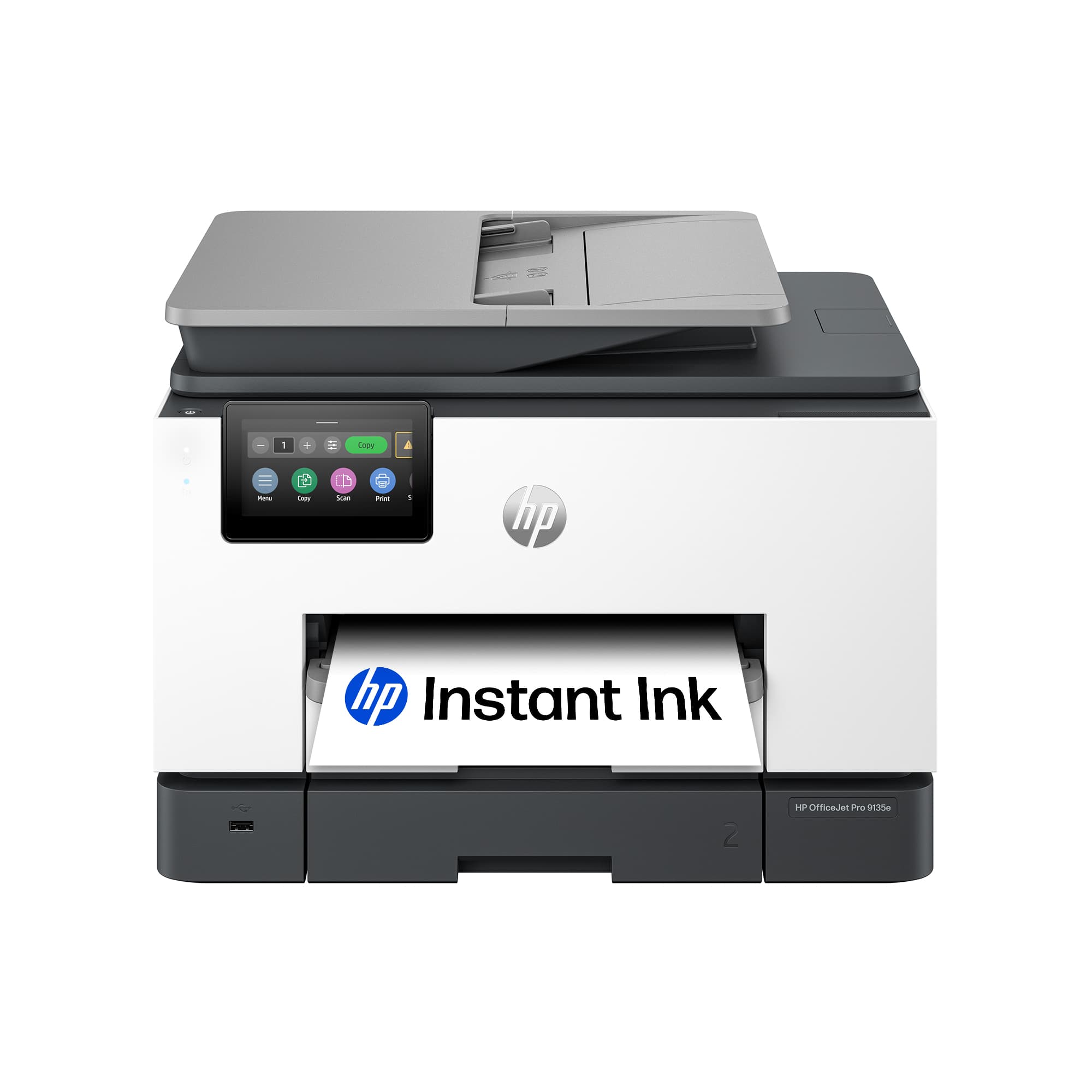
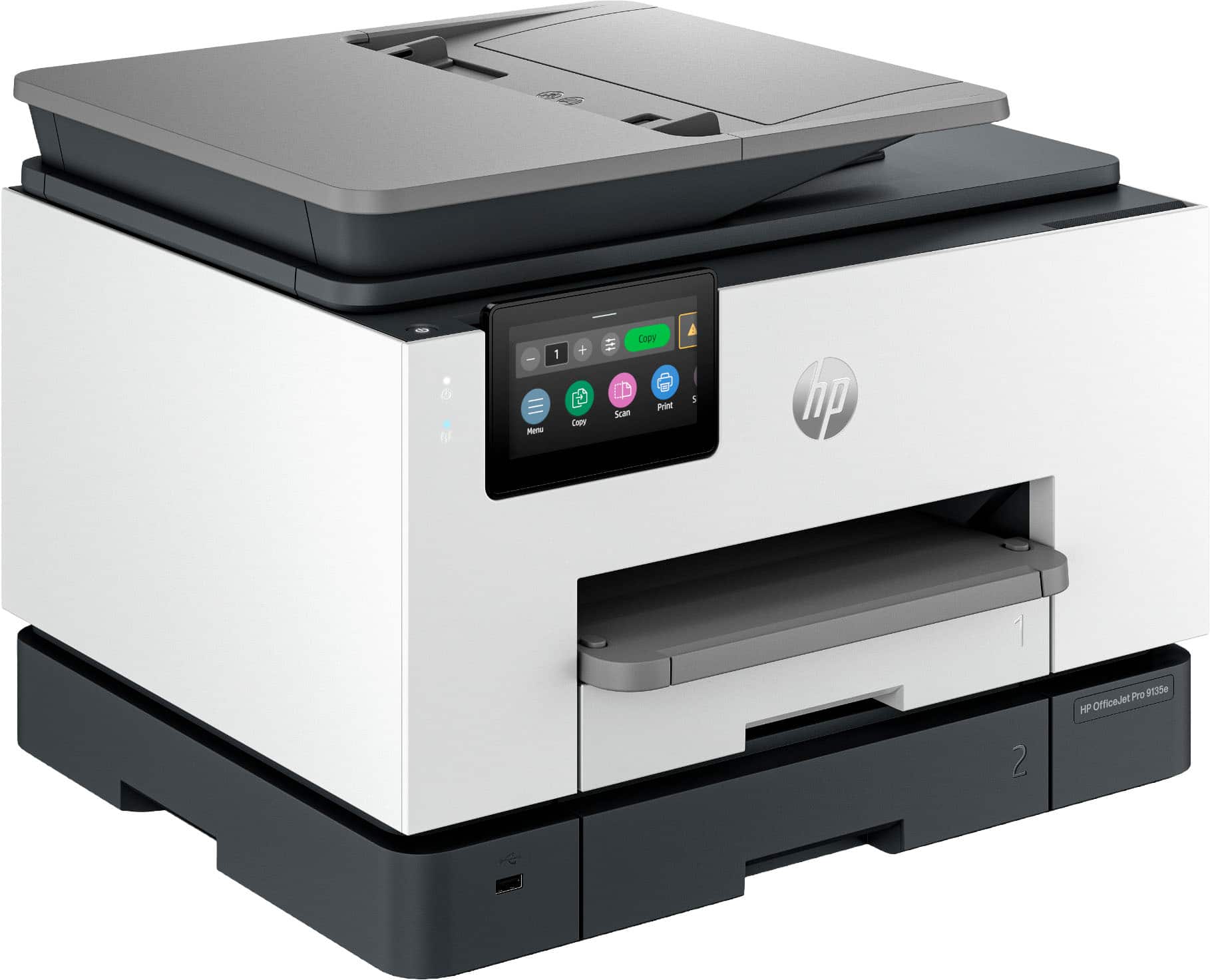
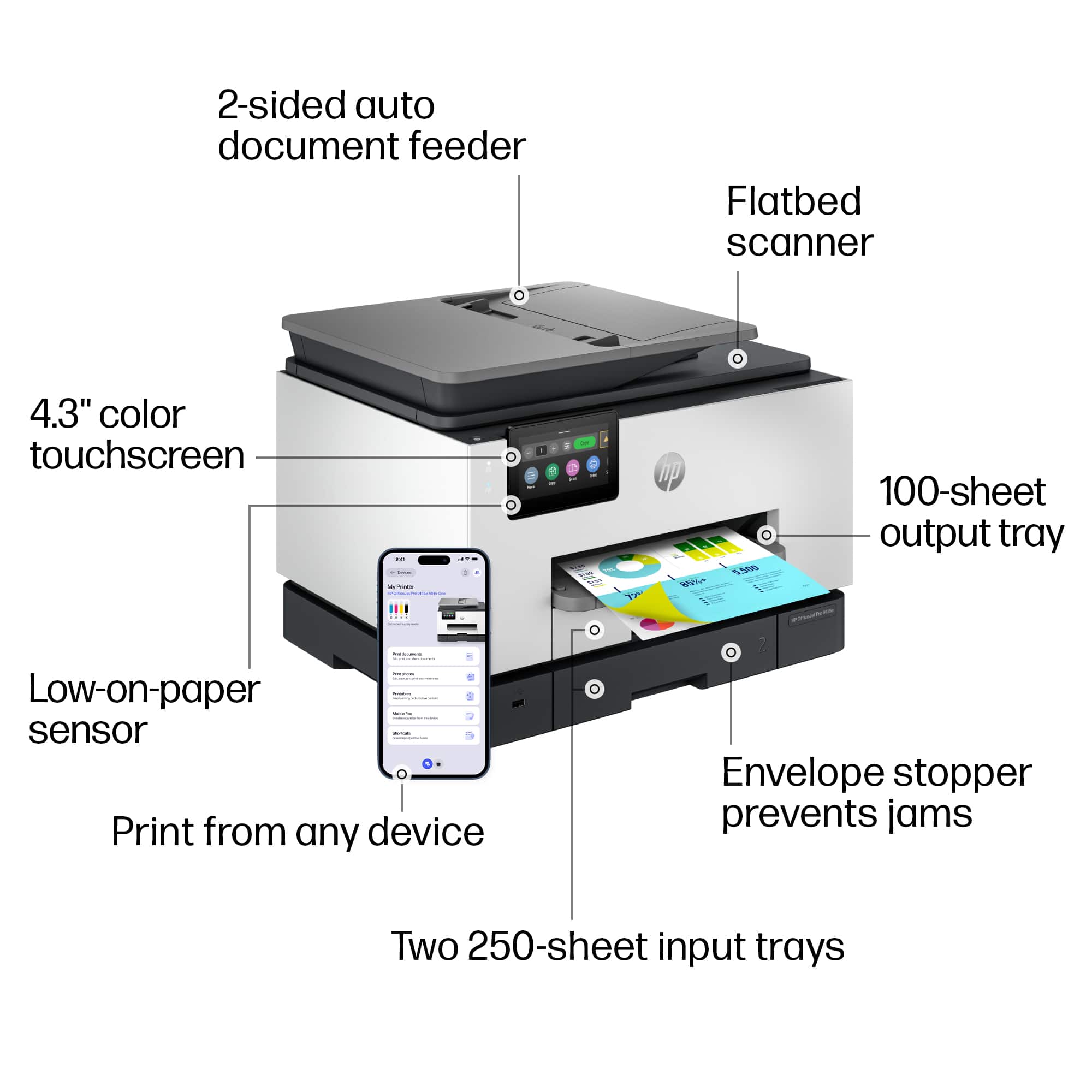
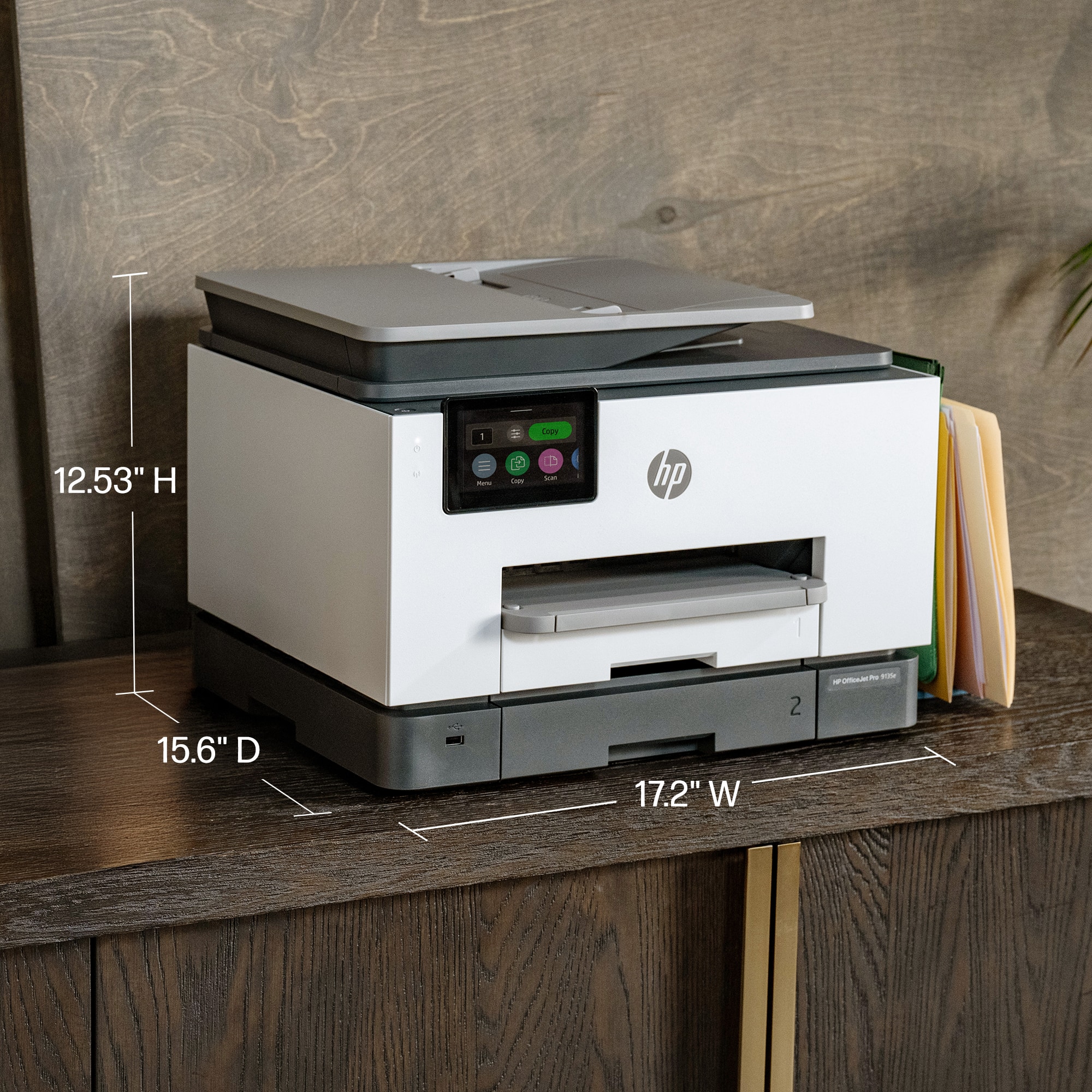
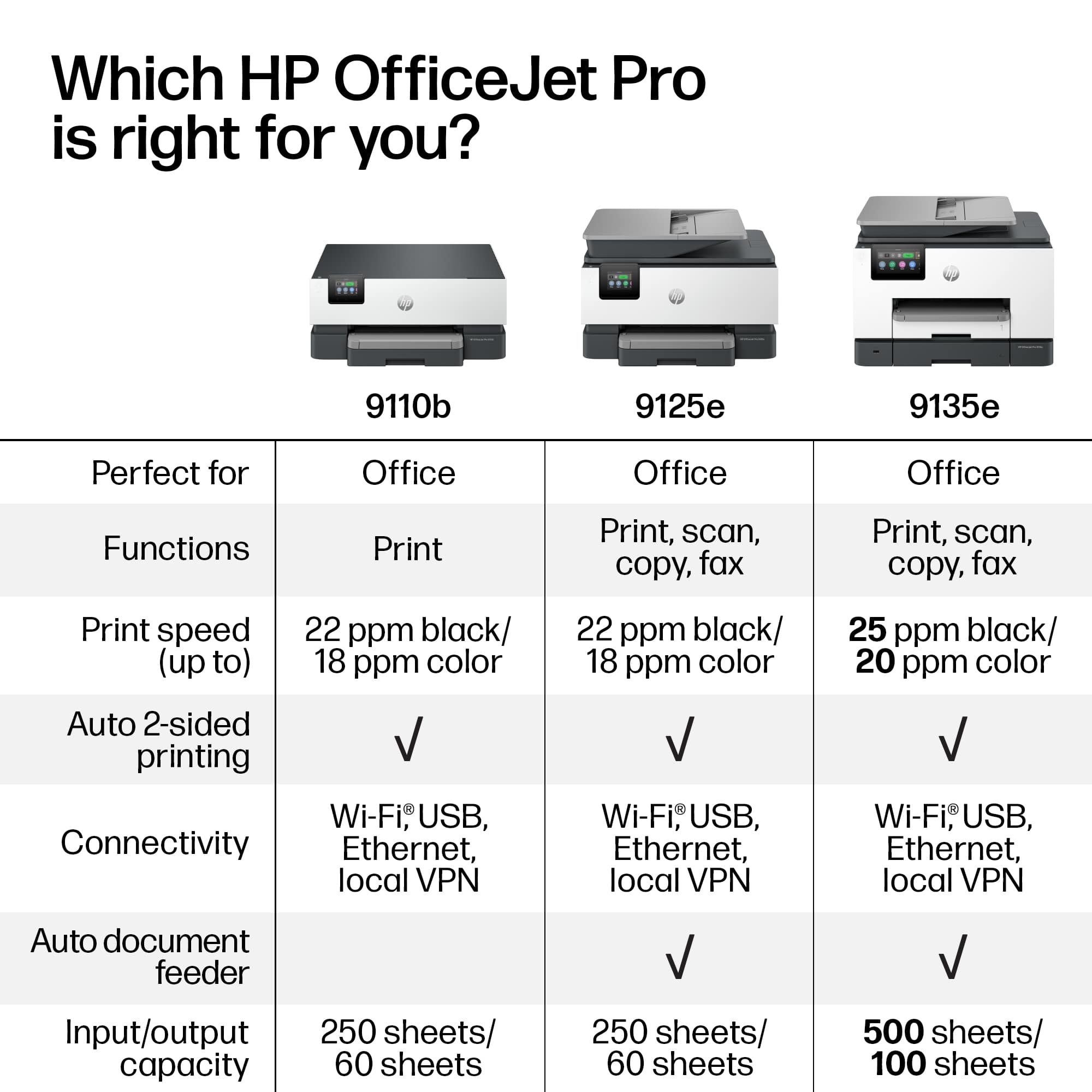
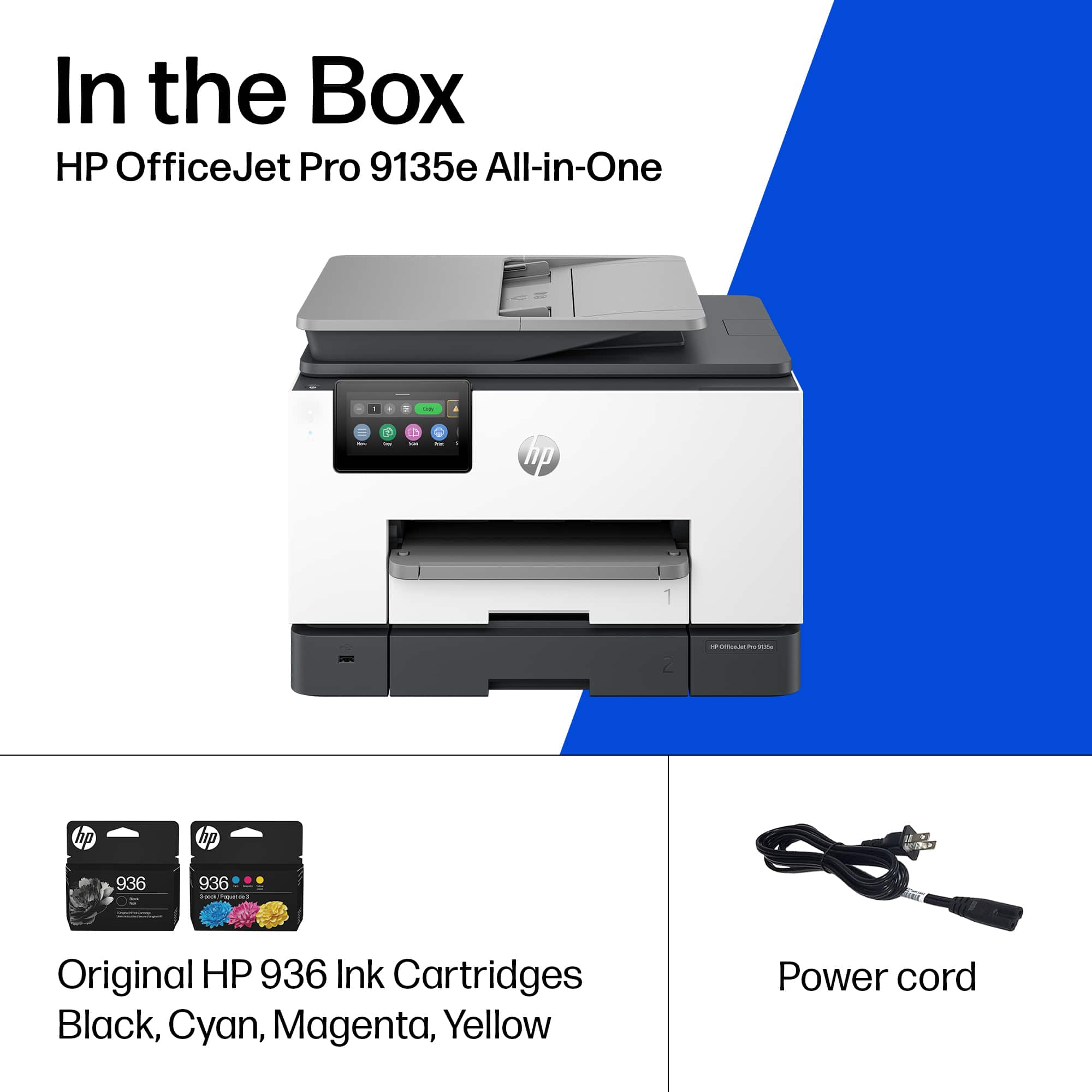
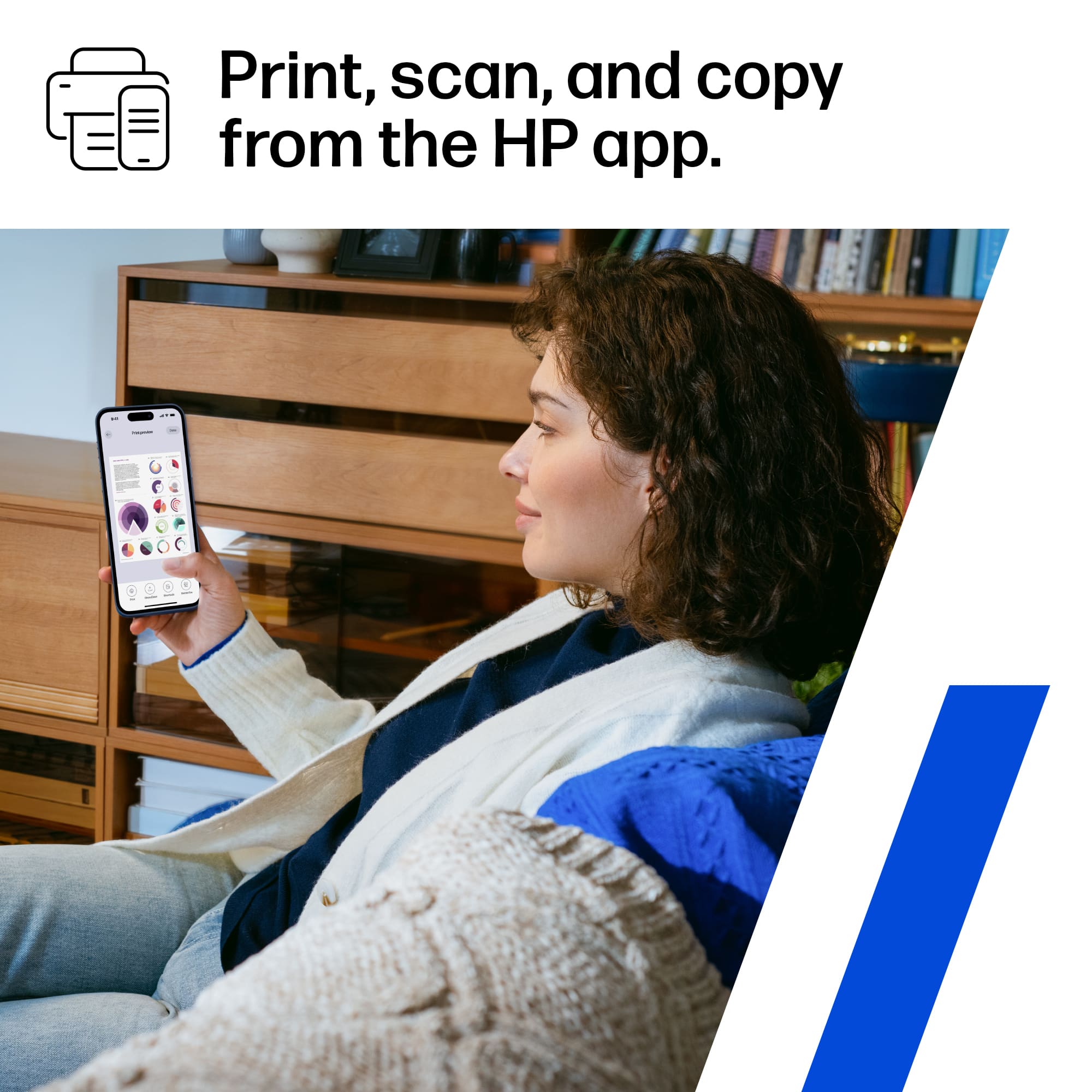
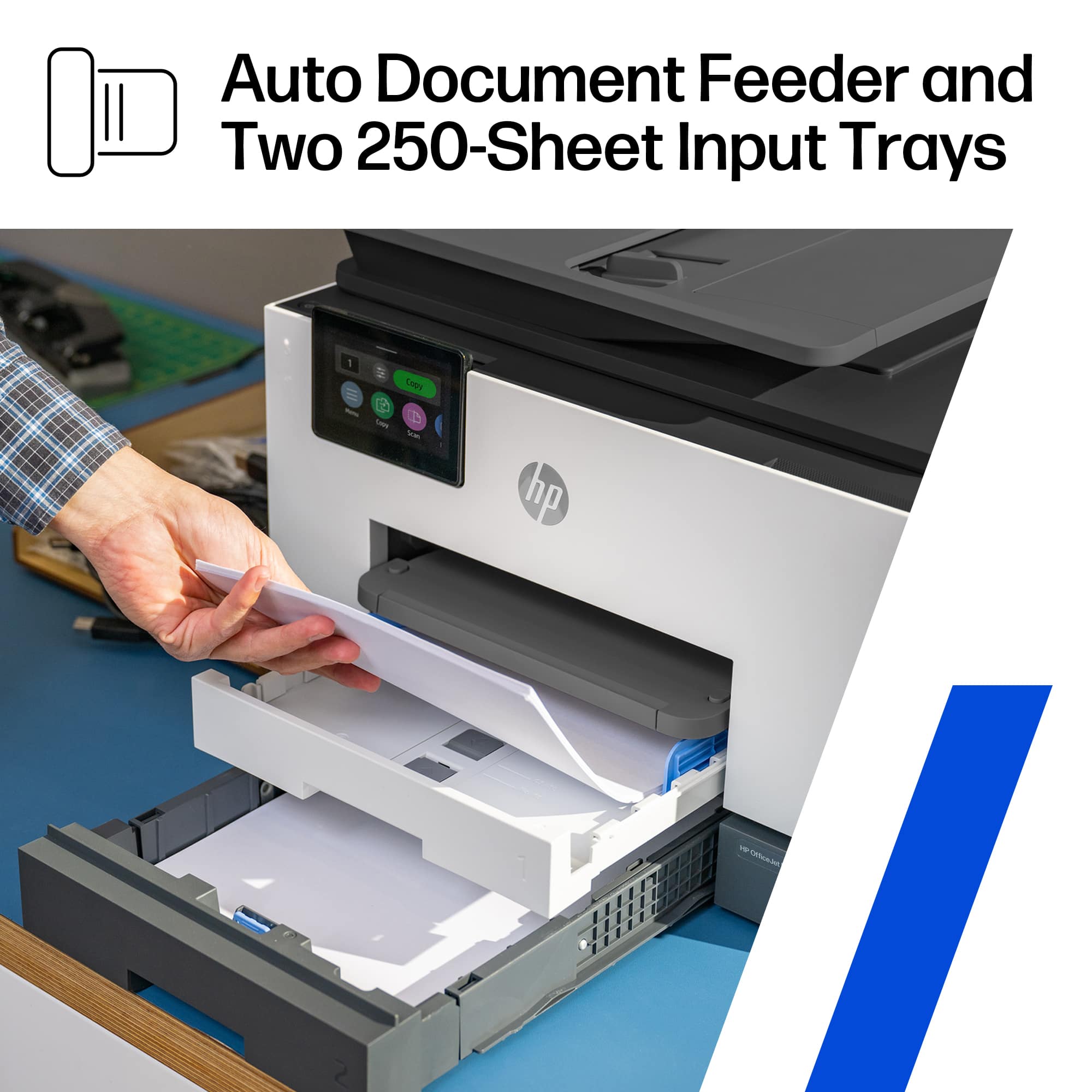
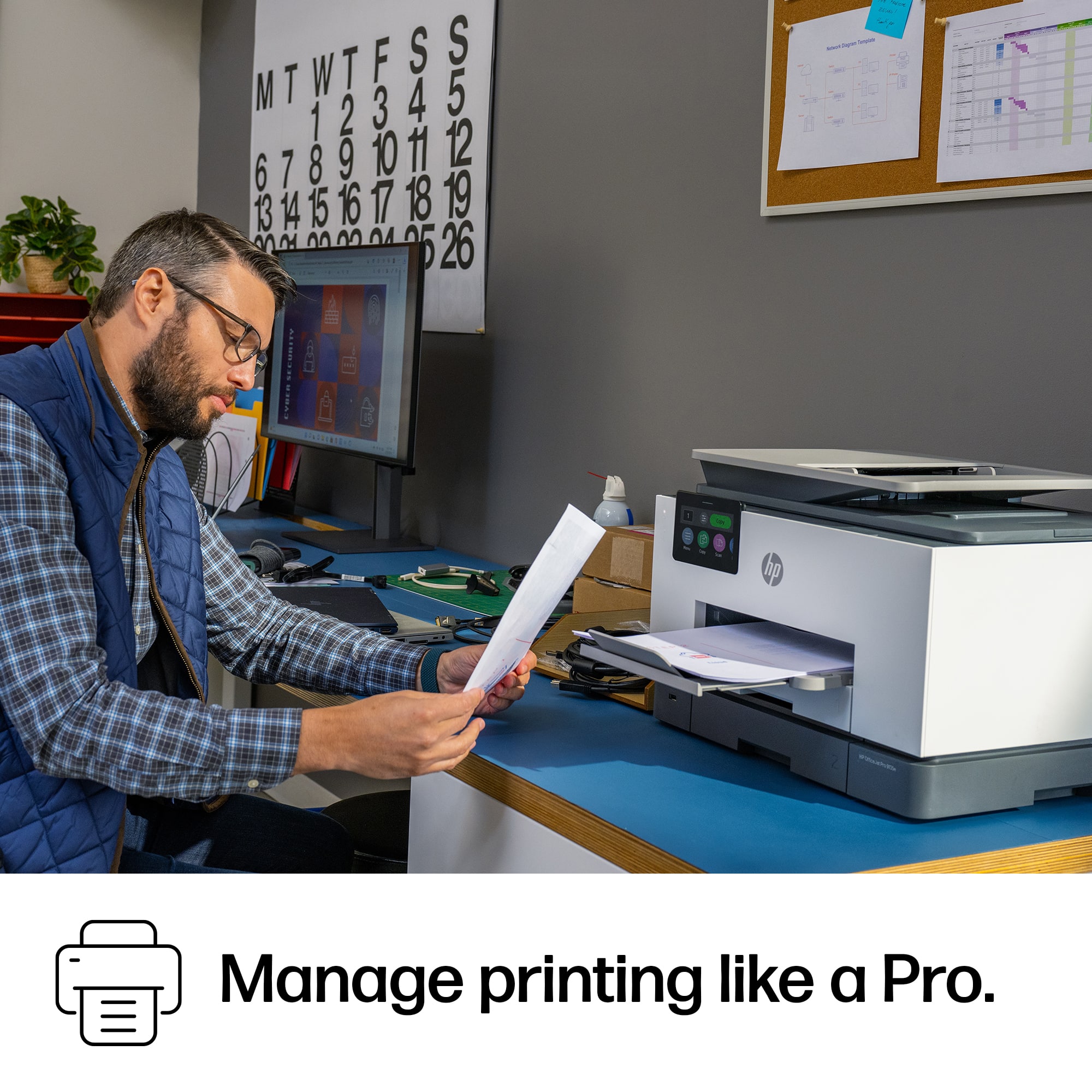
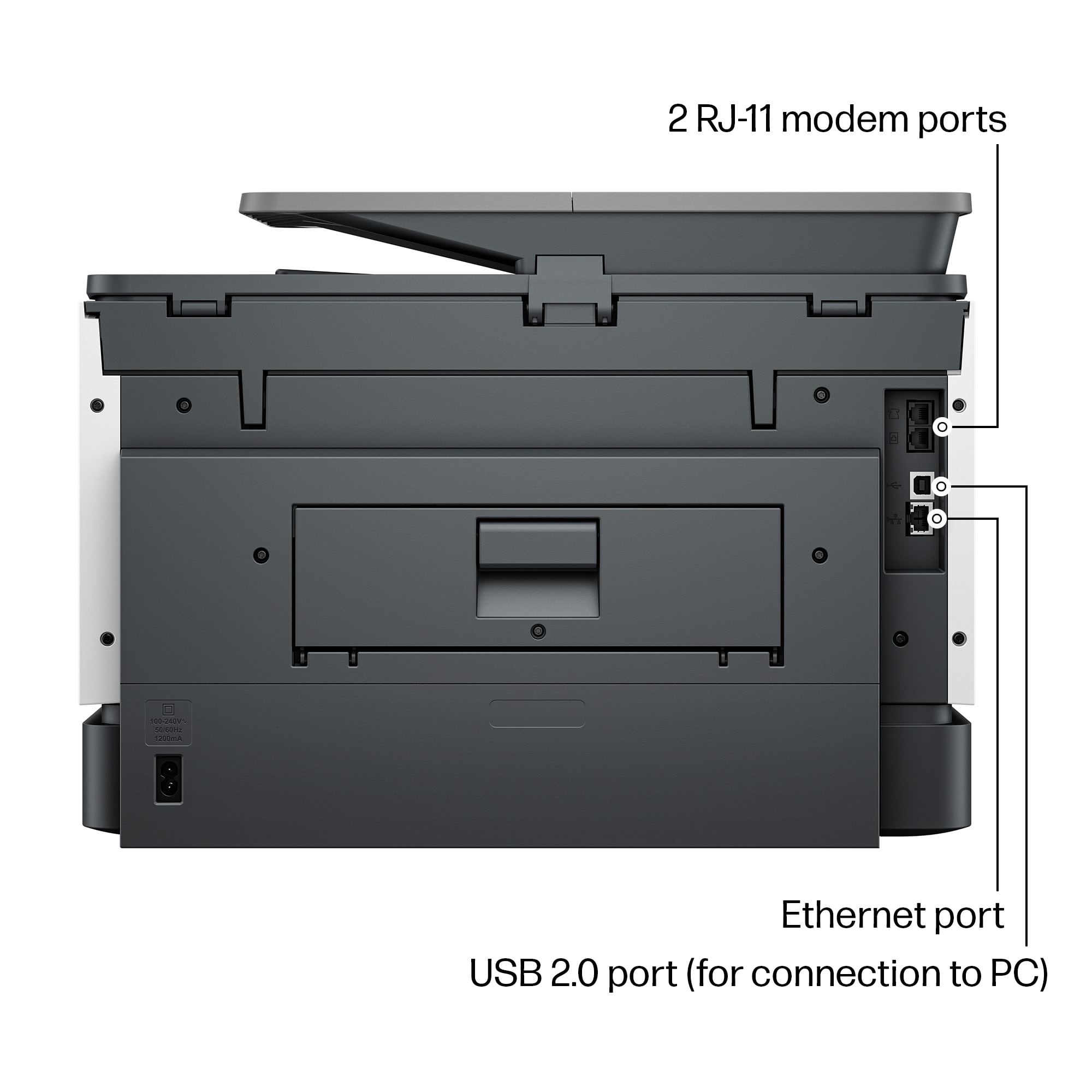
|Posted .This reviewer received promo considerations or sweepstakes entry for writing a review.This OfficeJet Pro was a great choice for a color printer for my home office. It offers a lot of functionality: 2-sided scanning and printing, fast color printing, and lots of paper capacity/size options. I have owned a few HP printers, which have all been reliable and easy to use - so far, this new OfficeJet has met all my expectations. ---Pros--- 1. Size and design. I like the low profile, square edges, color combination, and the large adjustable color screen - making this printer look very modern. The printer easily fits on my 20x20 side table with a few inches to spare in every direction - keeping in mind that you need to leave a little space for access to the back paper feed door (has not happen to me, but this is used to clear jams). It is about 26lbs, but 2 integrated, textured hand holds along the bottom edge help you move it if needed. 2. Input paper capacity and variety. It has 2 x 250 sheet trays (500 total, better than my laser printer) that are both expandable up to 8x14in (legal paper). Tray 1 also takes a variety of other sizes, including envelopes, stock for cards/photos (3x5in, 4x6in; 5x7in, 8x10in). 3. Automatic double-sided printing AND scanning. You have to use the document feeder for double sides scans and copies, but it works well. For double sided scans to a file in the HP app, you have to select the "2 sided feeder" input source option in the scan settings. 4. Scan (300dpi) and print quality (1200x1200dpi) are good even just using copy paper and the document feeder text copies are sharp and look professional. I did not try it with photo paper, but color images on regular paper were sharp with accurate color tone; I am sure it could produce frameable photo prints with the right paper. 5. The HP Smart app is the awesome. Both wireless scanning and printing using the app are easy and quick. It works well on every platform I have tried; I have this app on my computer, tablet, my wife's iPhone, and my Android phone. I often print email attachments directly from my phone or scan a document without having to turn on my computer. You can also see ink levels (even order ink) and change lots of printer/scanner settings. 6. Front USB port for thumb drives is handy, allowing you to print or scan without any device. It reads my thumb drive with no issues, and navigating through the folders and files on the printer's touchscreen is easy, and you can preview before you print. 7. Fax capability (phone line in and out), wired USB-B direct connection (covered with a removable sticker recommending Wi-Fi), and wired network port (LAN). 8. Wireless printing and scanning work perfectly with the ChromeOS built in utility on my Chromebook. ---Things to Consider--- 1. Quick multi-page printing - this printer is fast; I have seen well over 20ppm black & white set on draft quality (it is rated up to 25ppm in the specs). The only issue is that it takes a little longer to get started than I was expecting. The quoted first page out time of 10 seconds is worse than my laser printer (with warm up) and with larger or high-quality printer jobs, it sometimes takes 15-25 seconds for the first page. Once it gets going, I was impressed with my real-world results for my typical small to medium sized printer job: black & white, draft quality, one-sided ~22ppm; color, normal quality, one-sided ~10ppm; color, high quality, one-sided ~ 3ppm; grayscale, normal quality, one-sided ~ 14ppm. For double-sided printing the speed is just under half the one-sided speed (as expected). 2. This printer uses the HP 936 ink cartridge that is rated at 1,250 black pages and 800 color pages which is around 1 cent per page for black and 16 cent per page for color at the current price for the 4 pack (black + cyan + magenta + yellow). You can purchase just one cartridge if you run out (black is my most used). For a mixed-use printer this is pretty reasonable, although laser is probably a better option if you only ever want black & white. 3. The paper output receiver (or "tray" I guess) capacity for holding finished print jobs is only 100 sheets in the specs and I would not even get close to that number (maybe 50 pages). It also has to be extended or the printer will throw your printed papers on the floor. This is a minor issue in a small home office, but walking over to extend the output paper receiver after someone else has pushed it in really defeats some of the "wireless" printing fun. 4. The power cable could be a bit longer at just under 5ft but was not an issue for me. No USB or phone cable are included for the fax or direct connection to a computer. 5. Lots of options are available in the settings for managing where scans are sent directly from the printer (email, cloud, network folder) - I did not try this feature, because the HP SmartApp works so well for sharing scans. 6. This printer makes some noise, especially printing double sided. It does offer a quiet mode (that reduces printer speed approximately in half) to cut down on noise - it does help but the paper handling clicks are still noticeable. It is in the same room as my computer and it doesn't bother me, but I would not use it for double-sided printing during a conference call.
I would recommend this to a friend - Pros mentioned:Ease of use, Overall performance, Print quality
Much needed upgrade
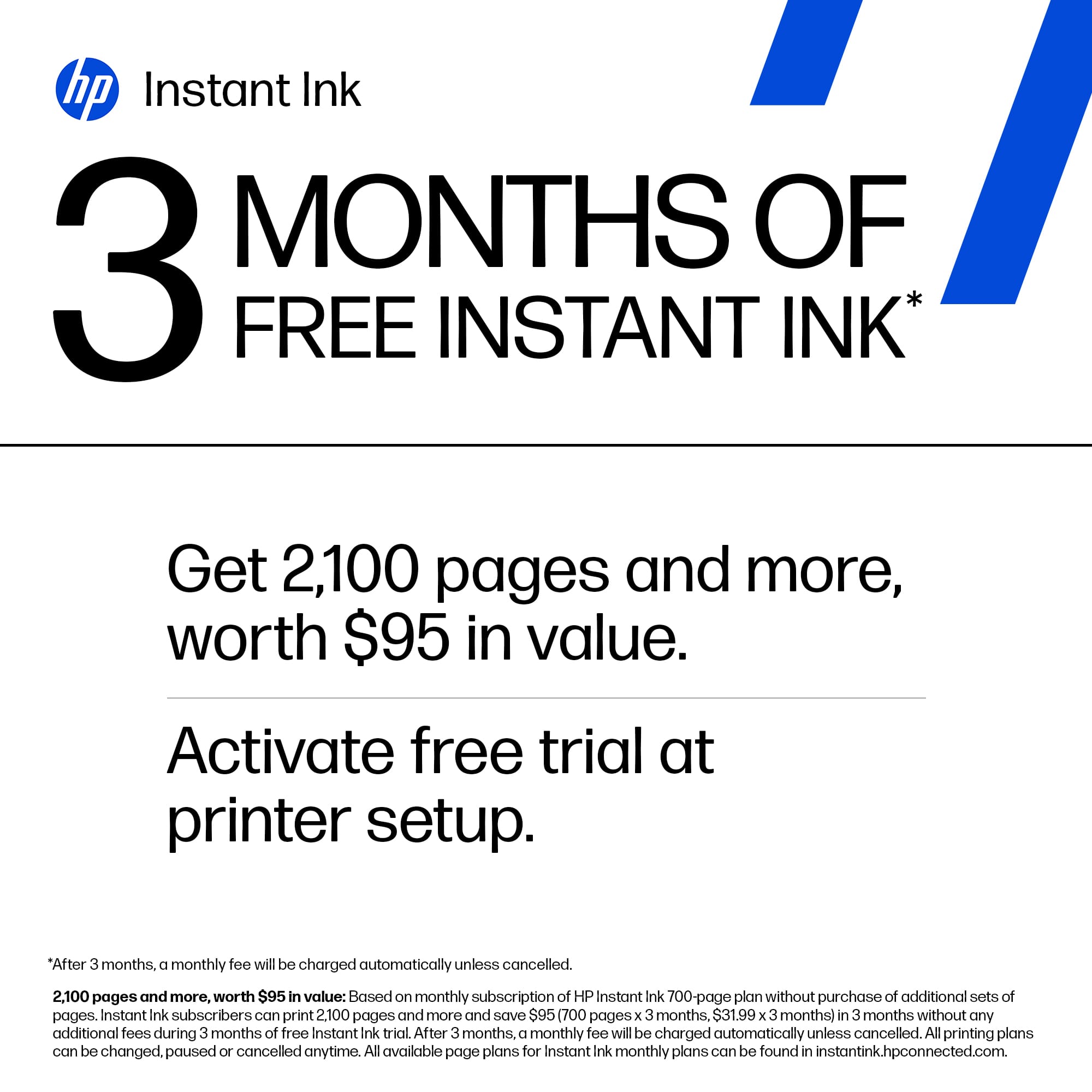
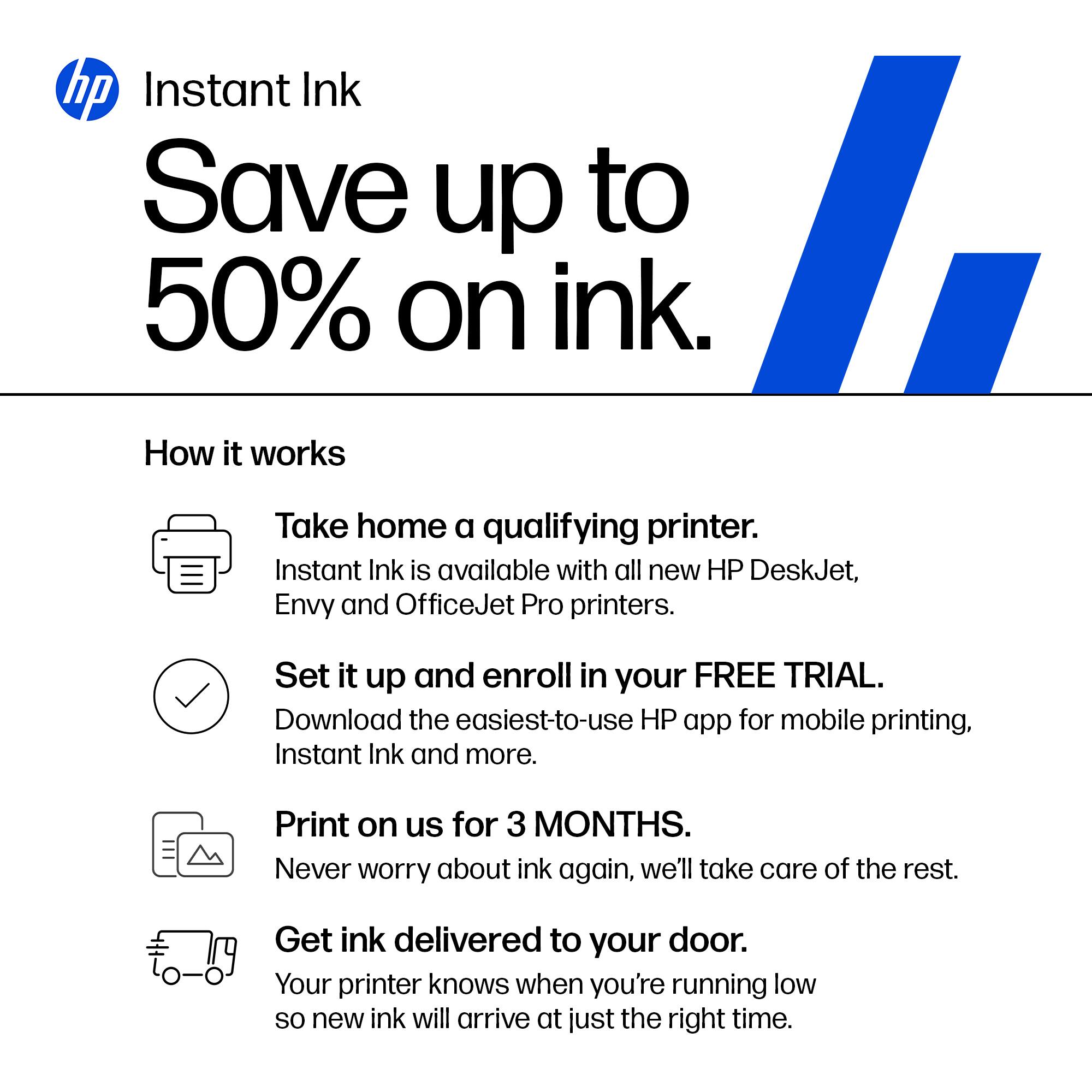
Posted .This reviewer received promo considerations or sweepstakes entry for writing a review.Such a wonderful machine. This all in one was like a breath of fresh air. The difference in speed,quality, and simplicity were instantly noticeable. And the 3 months free instant ink was the cherry on top! Definitely satisfied with this machine to say the least!!
I would recommend this to a friend - Pros mentioned:Connectivity, Print quality
Easy set-up, Fast Printing, Ink Concerns
|Posted .This reviewer received promo considerations or sweepstakes entry for writing a review.The HP OfficeJet Pro 9135e is incredibly simple to set up onto your network using the HP Smart application for MacOS. I did not trial this product out on a Windows machine so I don't have much to offer for that operating system. Set up is easy - take the machine out of the box, attach the power cord & plug into an outlet, open system up to install four (4) ink cartridges - standard magenta, cyan, yellow, and black. The wifi set up process was all done through the HP Smart application on my computer and went relatively seamlessly. For an inkjet printer, this machine actually spits out prints fairly quickly - it's rated to be able to produce 20-25 pages/minute for color and monochromatic printing, respectively. Printer resolution can be changed but the maximum is 1200x1200 for monochromatic and 4800x1200 for color printing. These are plenty sufficient specifications for a simple printer. I should note that I don't intend to use this for photo printing, so super high quality printing isn't of important to me. I'm only using one of the two paper trays available but it's nice that there are options as you can load two different sizes of paper and choose between the two, as necessary. There's also an auto feeder on top for quick copying. The printer is equipped to be able to do double-sided printing as well, which is a convenient feature for a printer this small in stature. There's a small 4.3" LCD screen on the printer itself to navigate through various settings and to use the scanner/fax options. There's also a USB port available to print directly from an external storage device. My main concern came up when I opened up the (included) ink cartridges - HP offers 3 months of Instant Ink included with the HP+ subscription plan - a monthly payment plan that starts getting charged after 3 months. I believe the perk is that you get ink delivered (within 10 days) when you run low on ink. Though, the supposed benefit is that you "only pay for pages printer, not the amount of ink you use. Color costs the same as black & white." Something about this feels odd and changes my mindset of HOW I want to pay for ink- if anything, it sort of forces you to look at the quantity and frequency of your printing to better estimate if the subscription service is right for you or if you should purchase the refills a la carte. Taking a quick look at prices online for ink refills - a full set (all four colors) is currently going for $125 (February 2024), with the black being capable of 1450 pages and 800 pages per color. The recommended subscription is for 100 pages/mo at $6.99/mo, which comes out to be more affordable. For example 800 pages of color printing would cost $125 (all four cartridges) vs. 800 pages of color printing on the subscription would be $56 (for whichever cartridges need refilling). What I personally don't want is to add on ANOTHER subscription service in my life so I'd probably opt for the a la carte option, which would theoretically be at a higher cost to me; though, I won't have to worry about ongoing payments.
No, I would not recommend this to a friend - Pros mentioned:Print quality, Setup
One of the Best All-in-One Printers
|Posted .This reviewer received promo considerations or sweepstakes entry for writing a review.I recently had the chance to upgrade my old HP printer to the HP OfficeJet Pro 9135e and it has exceeded my expectations with its array of features that cater to both productivity and convenience, making it a standout option in its category. The setup for this printer is by far one of the easiest wireless setups I have come across to date. Setting it up on my network was a breeze, just download the HP smart app from your app store on your phone or laptop on the windows store or the app store for Mac and add a new device and follow the steps and you are ready to go.the ability to print seamlessly from multiple devices, including my smartphone, Desktop, tablets,and laptop adds a level of flexibility that simplifies my workflow.No longer am I having to forward something on my phone to my laptop to print anymore. Print speed and quality are two crucial factors for any printer, and the OfficeJet Pro 9135e excels in both areas. As someone who has to print documents that can be up to 100 pages the printing speed ensures that I don't have to wait around for my documents, and the print quality is consistently sharp and clear with so far no smearing or ink bleed on the pages. The inclusion of automatic double-sided printing is a noteworthy feature, saving me a ton of time not having to take the page out and flip it back into the feeder like I had to do with my old printer. As someone who also mails out a lot of envelopes, tray 1 has the ability to print envelopes and can hold up to 20+ envelopes at a time has saved me a ton of time in my work process and not having to worry about individually loading one envelope at a time like I also had to do with my old printer. The scanner and copier provides high-resolution scans and copies with speed and ease. The automatic document feeder (ADF) is a valuable addition, allowing for efficient scanning or copying of multiple pages at once. The touchscreen control panel is user-friendly and responsive, making it simple to navigate through the various functions and settings. The only real negative thing I encountered was the installation of the ink cartridges, in that it uses a spring system to load the ink, where I had issues with the ink cartridges not fully seating in causing it to get stuck and had to forcibly pull the ink cartridge back to reseat it and it finally clicked in after some force and I havent had an issues since. Overall the HP OfficeJet Pro 9135e Wireless All-in-One Printer has proven to be a valuable asset to my home office. Its combination of wireless connectivity, fast printing, and ADF scanning make it a top contender in the realm of all-in-one printers. You can not go wrong with this printer and I highly recommend this printer for all your printing and copying needs.
I would recommend this to a friend - Pros mentioned:Print qualityCons mentioned:Noise level
Decent for a small office
|Posted .This reviewer received promo considerations or sweepstakes entry for writing a review.I have a small home office, all in one room. I currently use a canon printer for my home office. Out of the box, it looks akward but this printer slides out of the side of the box. The top of the box does not come off from the top. As with most printers this has a decent setup. Make sure your phone is on the WiFi you want the printer to connect to. I always use a “guest” type WiFi for security. Out of the box for setup, have your own paper on hand. There is another new version of the ink cartridges you will need to install. You press them in, watch out the printer can spit them back out at you. This did take several tries for the app and printer to connect to my WiFi. My phone was connected and the app says it was. It is still frustrating. One thing I noticed, this is super noisy. If you have a small home office you will definitely notice as the printer figures out what it wants to do. The basic functions are on the printer. You can print pretty fast in black. I have not priced the cost per page. But you should always look this up. Once again there is another new printer cartridge. I didn’t see the chips that block you from refilling these. But I didht take the cartridge apart. It looks like a full replacement for ink is about $125
I would recommend this to a friend - Pros mentioned:Ease of use, Print quality
Great little office printer
|Posted .This reviewer received promo considerations or sweepstakes entry for writing a review.It’s a solid unit. Well-built, feels sturdy and heavy. Takes a little oomph to lift it out of the box and set it on the stand. Set up is about as easy as it comes. I am not a fan of having to use an app to set up a printer, and HP obliges by making set up entirely possible from the front panel. The front panel is a brightly colored 4.3” LCD screen and very responsive to the touch. My main use for the 9135e is as a black and white printer/scanner. My wife is a teacher and is printing out literally hundreds of pages a week, as well as scanning in papers and uploading them to the cloud. The 9135e excels at both. Print quality is excellent, and scan quality with an auto feeder is excellent. I low how there are two trays for paper. My wife often needs to print visual aids on card stock, and having a separate tray that can hold card stock is such a benefit! No more need to swap paper in and out of a tray or accidentally print regular docs on expensive card stock. This is truly a great option to have on a home office printer. Print cost is always something that is interesting to consider. I have a couple of printers that have the large ink tanks on them that can be refilled, and I do get spoiled by the low cost of printing. A replacement black HP 936 cartridge is around $42 and says it should yield 1,450 pages. Math turns out to be around 3 cents a page for black and white. Color of course is a bit more expensive, with the replacement carts (all three) costing around $80 for ~800 pages. That’s around 10 cents a color copy which isn’t too bad…. But could be better. If you are using this printer as a mostly black and white printer, I feel like you can’t go wrong.
I would recommend this to a friend - Pros mentioned:Print quality
Compact Powerhouse for Home and Small Offices
|Posted .This reviewer received promo considerations or sweepstakes entry for writing a review.Introduction The HP OfficeJet Pro 9135e is a versatile wireless all-in-one inkjet printer designed for home and small office users. It stands out for its fast color printing, duplex (two-sided) printing, copying, faxing, and duplex scanning capabilities. Design and Aesthetics Sporting a boxy design with curved edges, the printer measures 12.5 inches in height, 17 inches in width, and 15.5 inches in depth. Its color scheme combines white and dark gray with light gray accents, creating a professional look. Weighing 26 pounds, it's relatively easy to set up and move. The build quality is premium, making it compact yet robust for an all-in-one device. Setup and Connectivity Unboxing was straightforward, thanks to the solid styrofoam packaging, with the physical setup taking less than five minutes. Wireless connectivity via Wi-Fi is seamless, especially with the HP Smart App, enabling quick connection within minutes. I've effortlessly connected the printer to various devices, including PCs, laptops, Android devices, iPhones, iPads, and MacBooks. An Ethernet port is also available for direct network connections, enhancing its versatility. Print Quality and Speed The printer excels in both black and white and color printing, delivering clear, detailed outputs. Its printing speed is impressive, averaging around 20 pages per minute, which aligns with competing printers. This speed, combined with high-quality outputs, makes it ideal for demanding home and office environments. Multifunction Capabilities Scan quality is sharp, supporting up to 1200 DPI, and the duplex scanning feature streamlines scanning double-sided pages. Copy quality is commendable, producing nearly identical replicas. The faxing function adds to its comprehensive feature set, making it a multifaceted tool for any office. User Interface and Software While the printer's user interface could benefit from enhancements, it remains functional for daily operations. The HP Smart App's performance varies; when operational, it significantly contributes to the printer's ease of use, although it can be prone to occasional loading issues. Pros and Cons Pros: Fast and high-quality printing. Robust multifunction capabilities including duplex printing and scanning. Seamless wireless connectivity and diverse device compatibility. Compact and premium build. Cons: User interface and software experience can be inconsistent. Heavier than some competitors, which may affect portability. Price and Value The HP OfficeJet Pro 9135e offers a compelling feature set at a competitive price point. When compared to similar models, it provides excellent value for money, thanks to its comprehensive capabilities and performance. Conclusion The HP OfficeJet Pro 9135e is highly recommended for those in need of a reliable, feature-rich all-in-one printer for home or small office settings. Its combination of speed, quality, and multifunctionality, paired with competitive pricing, makes it an excellent choice for a wide range of users.
I would recommend this to a friend - Pros mentioned:Print quality, Setup
Amazing multifunctional printer
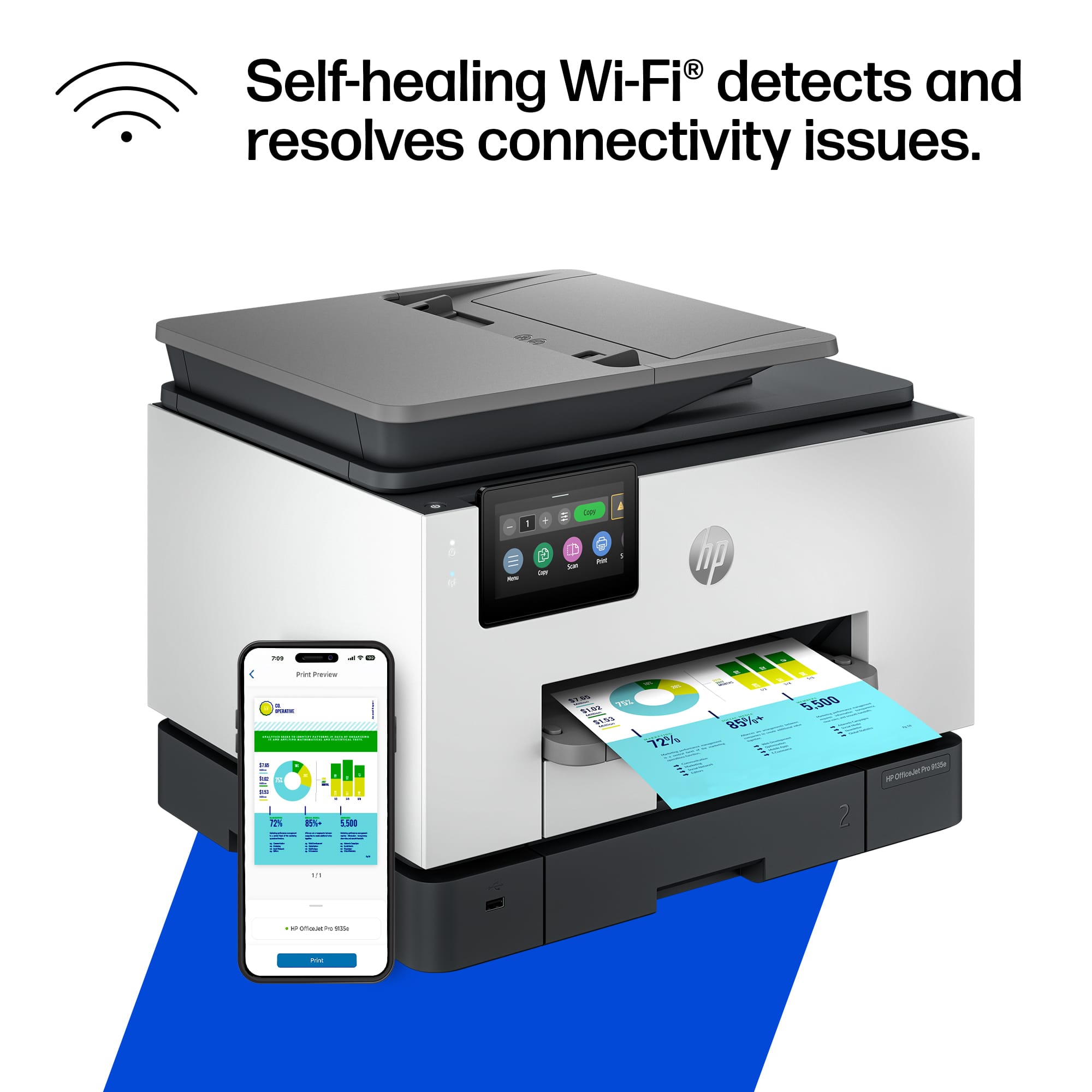
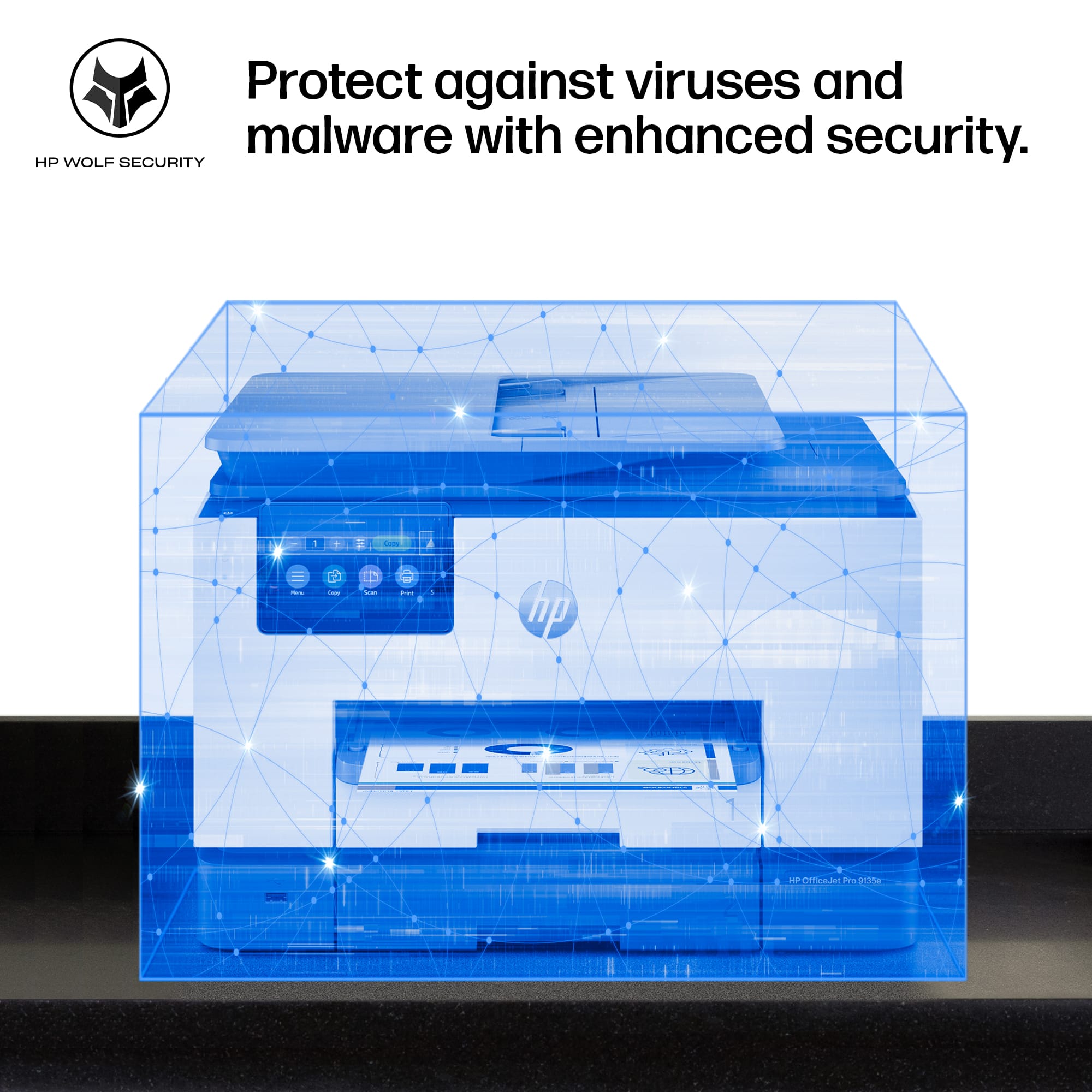
|Posted .This reviewer received promo considerations or sweepstakes entry for writing a review.A new addition has joined my HP collection, and this all-in-one model stands out from the others I currently own. While I have the Pro, Tango, and NeverStop versions, this new model surpasses them all in performance. It carries a professional design, with each component crafted from high-quality materials, 40% of which are recycled plastic. The 4.3-inch touchscreen display is vibrant, high-resolution, and remarkably smooth to navigate, providing a phone-like experience without any lag. Equipped with two adjustable paper trays, accommodating various paper sizes, including envelopes. The printing speed is impressive, delivering vibrant colors. In comparison to my non-HP brand all-in-one printer, which constantly disconnects from Wi-Fi, this HP model has dual-band Wi-Fi capability, has addressed my issues related to the 2.4GHz frequency. The setup process, facilitated through the HP app, was straightforward, requiring the PIN code located behind the front cover for printer identification. Noteworthy features include Print from Anywhere functionality and enhanced security through the HP Wolf Pro system, ensuring the protection of the network. The HP app offers valuable perks and services, including a cost-effective Instant Ink option and tools for calibration, enhancement, and troubleshooting. The Print from Anywhere feature operates seamlessly, exemplified by my flawless experience printing a label from my office for retrieval at home. Overall, this all-in-one printer is a fantastic addition, combining printing, scanning, copying, and faxing capabilities in a single, efficient machine. Highly recommended.
I would recommend this to a friend - Pros mentioned:Ease of use
Powerful small office All-In-One
|Posted .This reviewer received promo considerations or sweepstakes entry for writing a review.I have found this HP Office Jet Pro all-in-one printer to be the best office product I have owned to date. The setup is friendly and it is incredibly fast. It has every feature that I would ever need for my work room, including a fax feature that is often omitted in other products. This machine has some nice additional features that are only found with higher end models, such as the dual paper tray and the automatic duplexing for printing, copying and scanning. The scanning feature gives one varied of options through the HP Smart application, including the ability to save the document, email it or even fax it once scanned. The HP Smart application is a user friendly and very helpful application with several features. It can be used from your computer or your mobile device. It also allows for cloud based services which is handy on the go. The copying and scanning is also fast compared to anything else I have used. The scans look very good, as do the copies that it makes. The features are available from the application or the printer console itself. The printer console is easy to read and navigate. I have tested the functionality from an iPhone, iPad, Samsung Galaxy Fold 4, Windows 11 and my MacBook Pro. As with any new product, be sure to update to the newest firmware available to ensure that all features function optimally.
I would recommend this to a friend - Pros mentioned:Ease of use, Overall performance, Print quality
HP Printer
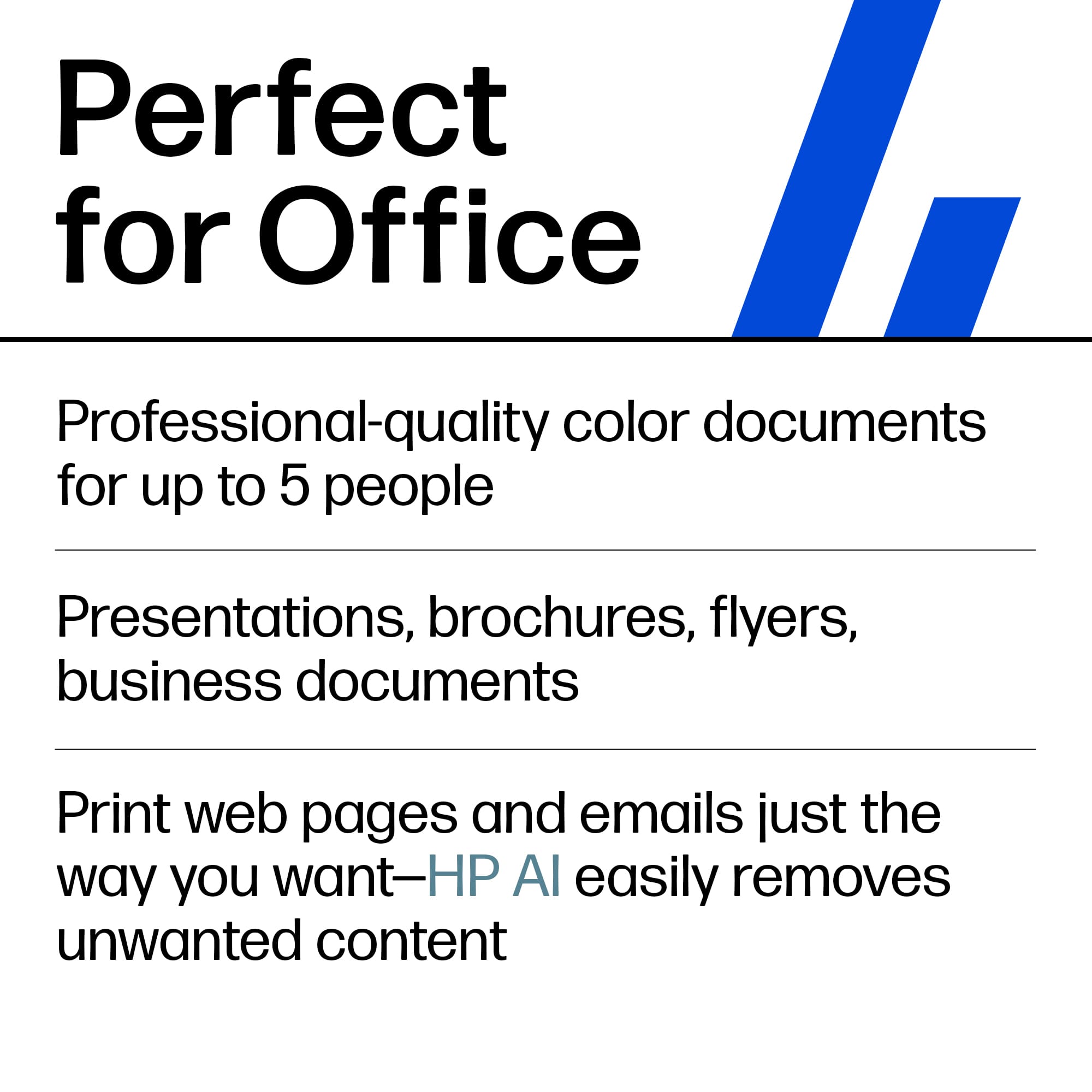
||Posted . Owned for 1 week when reviewed.This reviewer received promo considerations or sweepstakes entry for writing a review.Meet the new HP 9135e all-in-one printer. This beautiful printer is feature-packed and is incredibly powerful. When looking for a printer, I need something that prints fast, is easy to use, and can be a workhorse for my business. Ink supplies need to be readily available and affordable. The 9135e exceeds my expectations in all of these categories. Here are some highlights that I found important and I needed in a printer. - Fastest color print, copy, scan, and fax; features faster scan; mobile/wireless - Professional-quality color for presentations, brochures, and flyers - Ink subscription ready - HP Wolf Security - Print Speed: Black: Up to 24 pages per minute; Color: Up to 20 pages per minute - Equipped with two 250-page input trays - Upgraded 4.3” Touchscreen control panel.
I would recommend this to a friend - Pros mentioned:Print quality
Easy Setup, Great Software, Tricky Ink Cartridge
|Posted .This reviewer received promo considerations or sweepstakes entry for writing a review.I have always enjoyed HP printers and was looking forward to upgrade my legacy printer to the Pro 9135e. It was packaged very well and pretty light to make it easy installation. I went through using my phone for the setup which is recommended through the start up guide. However you are able to use the HP software for PC setup if preferred. Upon starting the printer it does force you to use the online setup so there is not an option to setup through the printer screen menu directly. My only concern during the setup was insertion of the ink cartridges. I did not like how flimsy the casing was and how you have to push the ink cartridges into the spring. You must be vary careful to make a direct insert and not wobble the cartridge too much. My concern is that over time that ink cartridge container is going to wear/warp and break. Printer is quick and not as load as other legacy printers. The ink quality for pictures and papers look really great and did not see any signs of smudges or skips. The scan is also quick and has picked up everything I scanned without issues. Speaking of scanning , the pc software for the HP Scan has a larger user interface in this latest version. It is really nice to be able to read and navigate however would have loved the ability to change the window size. My only issue is the forced sending Data collection settings during setup along with the HP cartridge chip to only allow approved HP ink cartridges for use. I can understand the HP ink cartridges as you would not want to damage your new printer with a bad 3rd party ink cartridge. However there is no reason you should be forced to allow data collection and cannot opt out during setup. Luckily you can go back into the HP Scanner Assistance software > Data Collection Settings and disable. Overall this is a great printer with easy install , setup and easy to use software. Have to be careful with that data collection and worry that ink cartridge frame is going to wear. However time will tell if that ink cartridge is durable after long usage.
I would recommend this to a friend