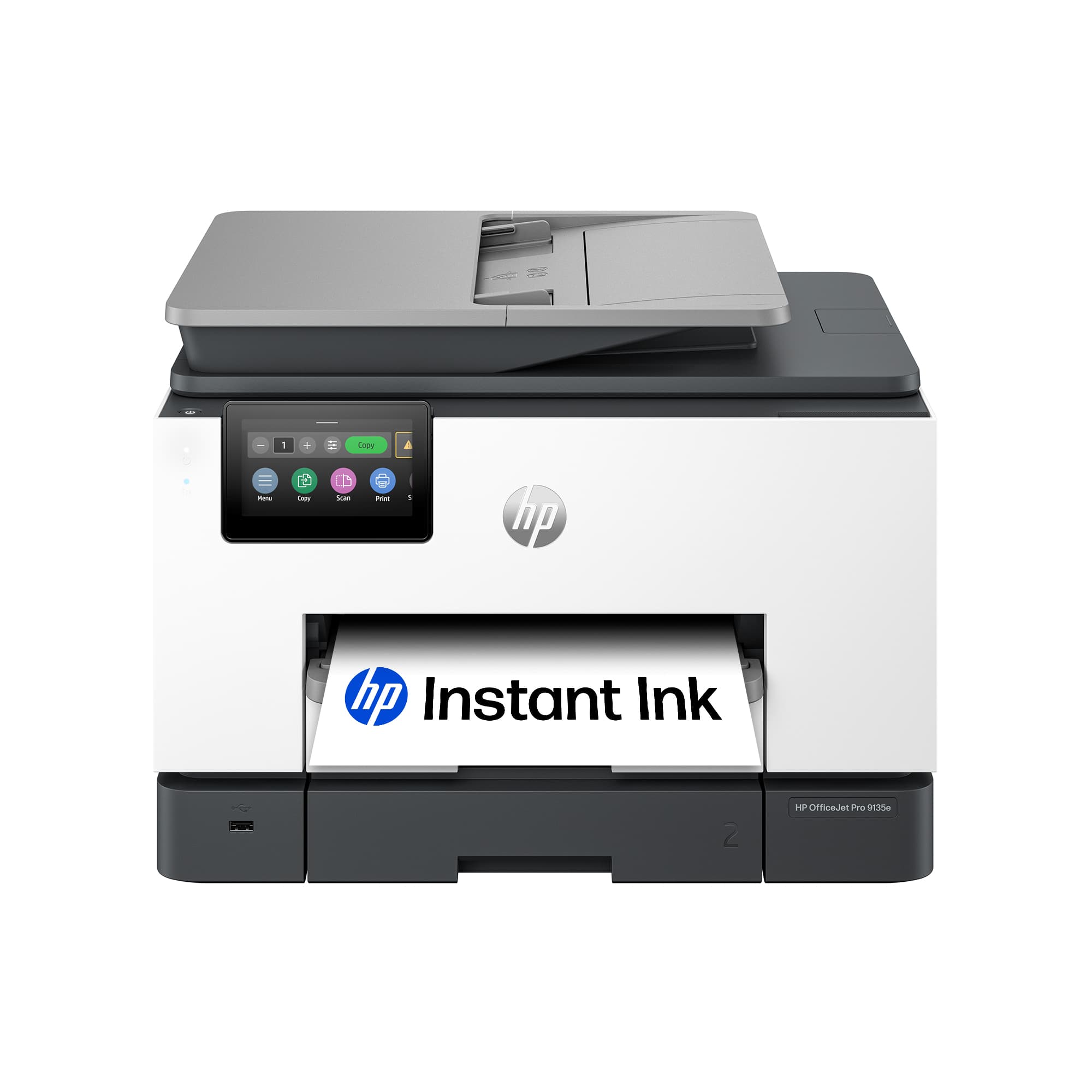
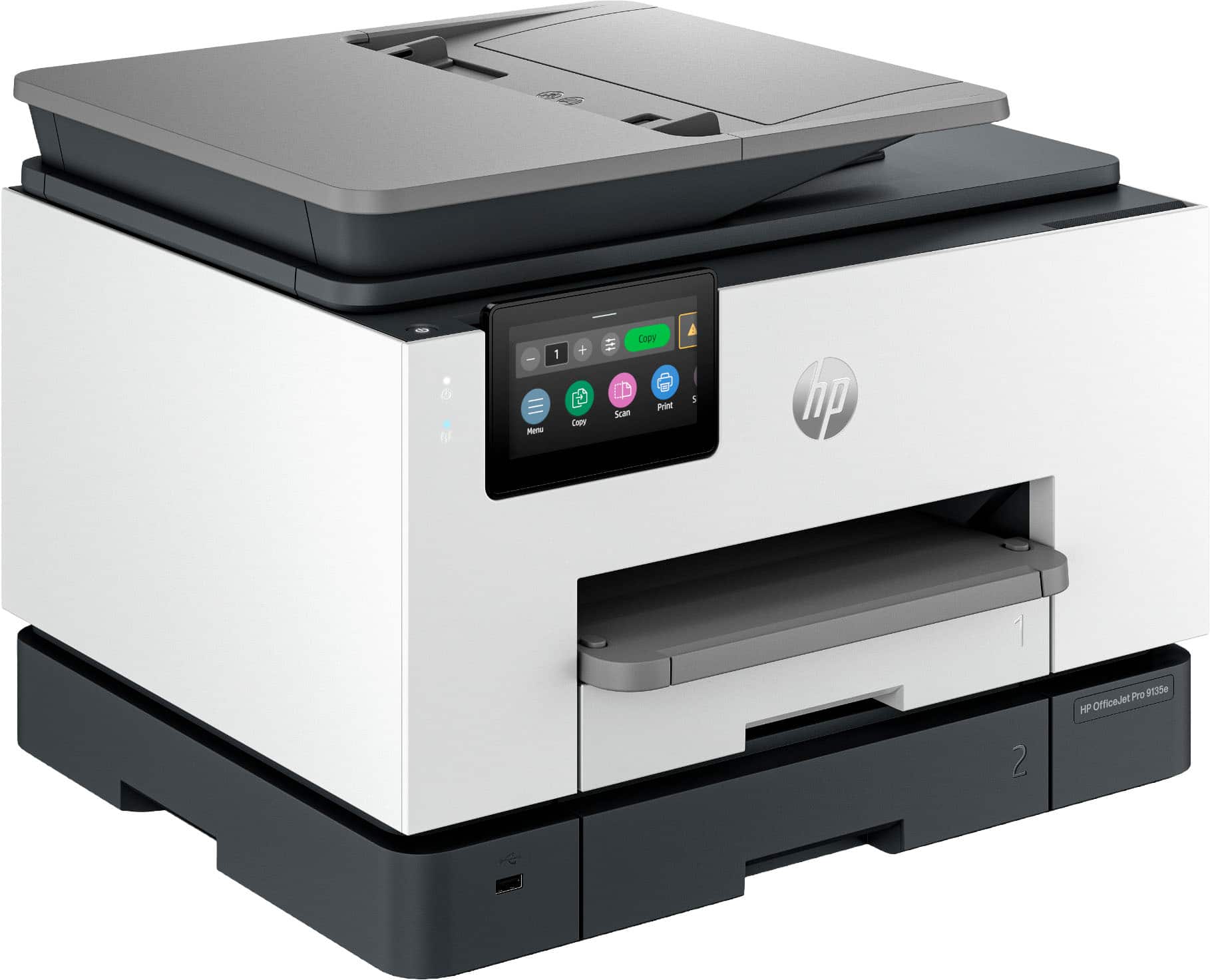
Customers are pleased with the OfficeJet Pro 9135e's print quality, ease of use, and overall performance, making it a great printer for various needs. The printer is also praised for its easy setup, suitable size for small offices, and impressive speed. However, some customers have noted concerns about the printer's noise level and connectivity issues. Additionally, a few customers reported issues with the printer's software.
This summary was generated by AI based on customer reviews.
The vast majority of our reviews come from verified purchases. Reviews from customers may include My Best Buy members, employees, and Tech Insider Network members (as tagged). Select reviewers may receive discounted products, promotional considerations or entries into drawings for honest, helpful reviews.
Page 21 Showing 401-420 of 438 reviews
Rated 1 out of 5 stars
Failed
|
|
Posted . Owned for 3 weeks when reviewed.
This reviewer received promo considerations or sweepstakes entry for writing a review.
Printed one document...then completely quit working. Could not power on at all.
No, I would not recommend this to a friend
Rated 1 out of 5 stars
Trash
|
|
Posted .
This reviewer received promo considerations or sweepstakes entry for writing a review.
Jammed every third page. Would not buy this again, waste of money.
No, I would not recommend this to a friend
Pros mentioned:
Print quality, Setup
Rated 4 out of 5 stars
Good printer. Lousy philosophy.
|
Posted .
This reviewer received promo considerations or sweepstakes entry for writing a review.
HP printers do a good job at their primary function. I haven't had any issues with them as far as them just being printers (or scanners or copiers). My biggest gripe is just the philosophy behind the company and how expensive it is to replace the ink. This isn't new news but with recent remarks stating their whole goal is to DRM all of their ink and push everyone into subscriptions, I'm just not a huge fan.
As far as the printer goes, it was pretty easy to set up. I ran into a hiccup that just sort of resolved itself when setting up the wifi settings. You do everything from the app which gave me the option to skip logging in (surprising) but I already had an HP account so I logged in anyways. You follow the steps to insert paper (they say to insert paper into the bottom tray, but the bottom tray is labeled 2 which just irks me), insert the ink that's included, print out a test/calibration page and connect to wifi. I tried over and over to connect to my wifi and kept getting an error message. Google told me that I could resolve it by changing a setting on my router but I eventually just bypassed the setup on the printer and printed out a wifi connection page that said all of my wifi details were correct and that it was receiving an IP. So who knows what that was about. It took a little bit of time but eventually my phone and computers started seeing the printer on the network. So the hiccup didn't really stop anything but it was annoying at the time.
Usage is nice and simple. Most devices just see the printer on the network and allow me to print straight away. I don't need any extra drivers or anything. Just select the printer and use the device's print dialog to send it. The copy screen is displayed up front on the printer's screen so it's easy to access and you can just insert some papers into the tray or lift the top and then copy with minimal effort. Scanning will definitely depend on your setup. You can set some things up inside the printer to send any scans to a network drive. Or even email them to you. I think the easiest way to go about it (since USB thumb drives are so cheap and everywhere) is to just insert a USB drive into the port on the front and tell the scanner to send the scans there. No extra setup required. Just works.
Print quality is quite nice. I haven't used anything but standard paper and thicker stock standard paper and the prints look good. Images print out nicely. I'm not sure it'll replace a professional photo style printer or anything but it gets the job done. Copy/scanning quality is also top notch. I haven't seen a ton of improvements on this front for many years. This one doesn't disappoint.
My favorite thing about this printer (and past HP printers I've used) is just needing wifi and that's it. Being able to plug it into power without worrying about connecting a network cable or powering on a PC it's connected to is just so nice. Being able to print from any device without a lot of extra steps (i.e. not needing extra drivers on most devices) is very nice. Like I said, HP printers are good printers. I'm just not a fan of how much they price gouge their ink and how gung-ho they are on getting everyone to subscribe to their ink subscription plan. Their subscriptions are based on how many pages you print and they charge you every month no matter if you hit this number or not but they only send you a new set of inks if they detect that you're running low. I'm just not a fan of their ink policy even if I enjoy using their printers.
Bottom line, if you need a printer for the office and you're confident you'll save money on an ink subscription, this might be the printer for you. It does it's job correctly, just be ready for the cost of ink as you move forward.
I would recommend this to a friend
Rated 1 out of 5 stars
Terrible Printer.
|
|
Posted . Owned for 3 weeks when reviewed.
This reviewer received promo considerations or sweepstakes entry for writing a review.
It it not user friendly. It does not scan properly and only does one page at a time into a USB. And it prints the second side page upside down. Not a good printer.
No, I would not recommend this to a friend
Rated 1 out of 5 stars
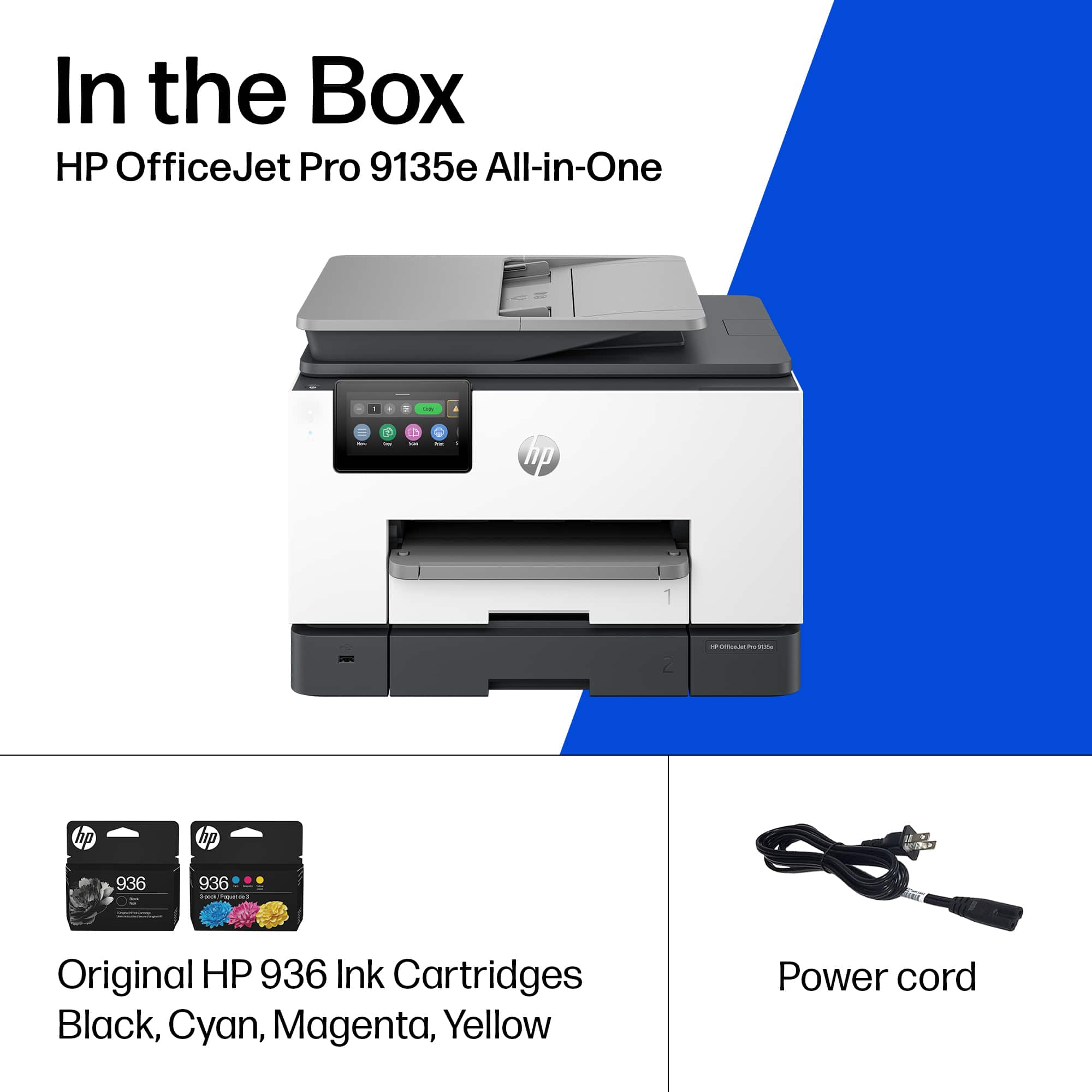
Missing power cord -- no idea how it works
|
|
Posted . Owned for less than 1 week when reviewed.
This reviewer received promo considerations or sweepstakes entry for writing a review.
Missing power cord. Best Buy's customer service is not helpful. I am returning this tomorrow!
No, I would not recommend this to a friend
Rated 1 out of 5 stars
Anonymous
|
|
Posted . Owned for 1 week when reviewed.
This reviewer received promo considerations or sweepstakes entry for writing a review.
Took 2 hours with HP tech support to set up. Slow to print.
No, I would not recommend this to a friend
Brand response from HP Team
Posted .
Hi,
Apologies for the bad experience. We'll like to help. Here's a detailed unboxing & setup video:
This reviewer received promo considerations or sweepstakes entry for writing a review.
First the good news. The HP OfficeJet Pro 9135e is fast. Now the bad news. The positive reviews can’t be trusted. The truth is, this printer is so poorly designed that it shouldn't even be on the market.
It’s a cheap looking, ugly, square-cornered box. It’s noisy unless you use Quiet Mode, which slows it down. Worst of all, there’s no way to stop a print job in progress.
You can’t leave envelopes or labels in Tray 1. If you do, the printer will grab them every time it runs out of letter paper in Tray 2, creating a huge paper jam.
If Tray 1 is empty when the paper in Tray 2 runs out, the printer ought to continue printing when more paper is loaded. It won’t. The user has to intervene by pressing buttons on the control panel.
1. Printer runs out of paper in Tray 2 and stops printing. Control panel displays an “Out of paper” message. DO NOT press “OK.”
2. Load paper into Tray 2, and close the drawer.
3. The message on the control panel changes to, “Did you change the paper?” Press “OK.” This message persists for only a few seconds, so be sure to press “OK” immediately. If the message doesn’t appear, open and close the paper drawer until it does.
4. Control panel displays the “Out of paper” message again. This time, press “OK.” Printing will resume.
If the user fails to follow this procedure exactly, the printer will stop printing after the current job completes and won’t print anything more. The control panel will continue to display an “Out of paper” message even though paper has been fully loaded. The only way to get the printer to start printing again is to reset it by unplugging it and plugging it back in or by turning it off with the power button and waiting for it to boot.
The same remedy applies when it refuses to print after a software update. Unplug it and plug it back in, or turn it off and wait for it to boot.
It shouldn’t need updates in the first place. The product should have been finished before it was brought to market. The updates improve the printer’s performance not one iota anyway.
This printer turns pressing an application’s Print button into an adventure. The user never knows whether it’s going to print or not. When it doesn’t, no explanatory message appears on either the control panel or the computer screen. Nothing will print, but the user doesn’t know why. The baffled user has no recourse but to reset the printer. When he/she presses the power button to turn it off, the notification, “Error printing” may appear. How helpful!
Sometimes, it loses contact with the wireless network. When it does, and the user tries to print, the notification, “Printer offline” appears on the computer screen. In this case, pressing the power button to reset it won’t work. The power button has no effect at all. The printer has to be unplugged and plugged back in to get it to print.
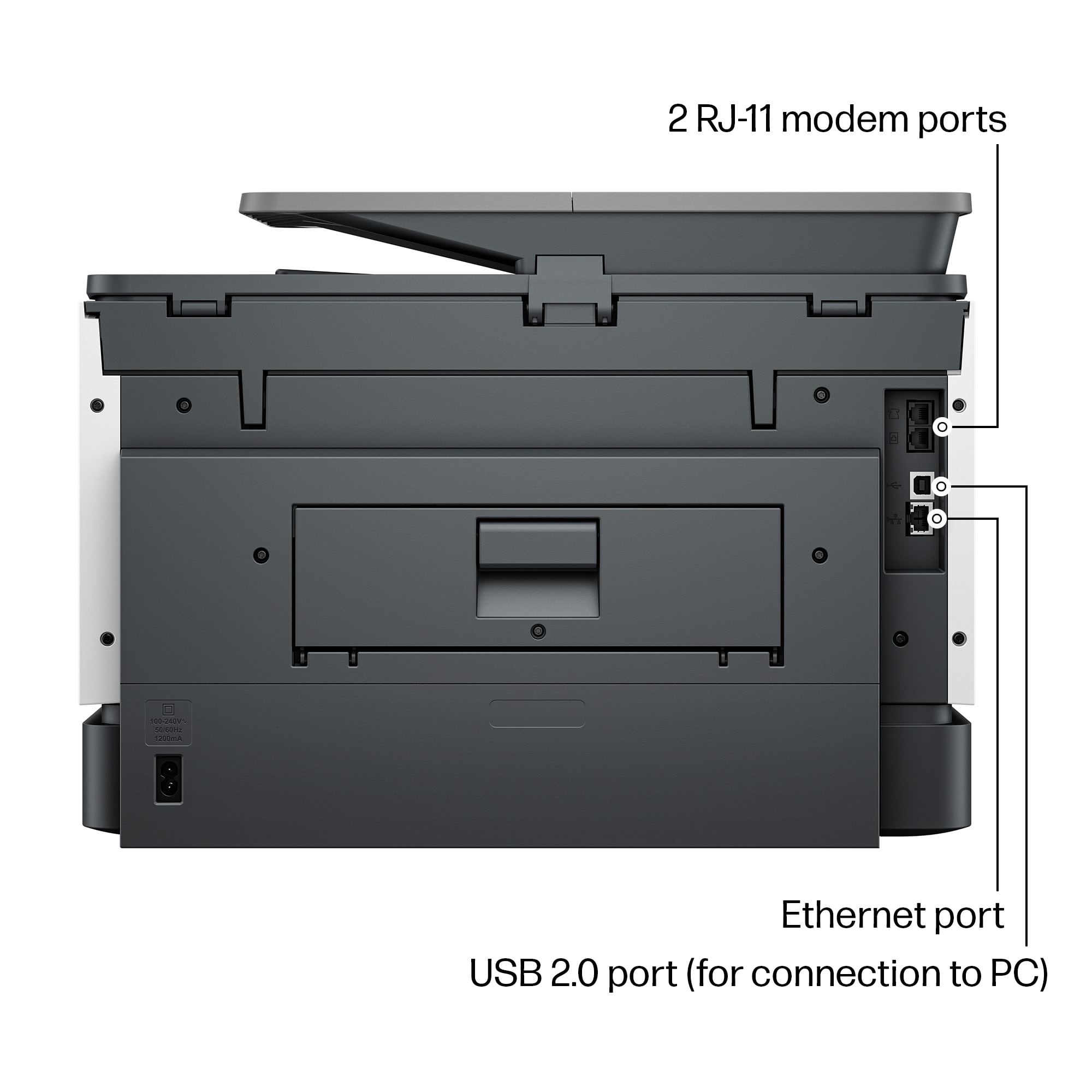
You can avoid the wireless connectivity problem by connecting the printer to your router by an Ethernet cable or to your computer by a USB cable (neither supplied). Do this after the initial WiFi setup.
However, even after the printer is connected to the router or computer, it frequently refuses to print. There’s never any apparent reason except that the software controlling the printer is defective. Every time the printer balks, the user has to press the power button and wait while the printer shuts down and reboots before it finally starts to print again.
HP’s warranty is worthless. If you’re fed up with struggling with this printer, and you think you’ll get a better one if you return it to HP, you’ve never been more mistaken. The “replacement” you’ll receive will have no ink and no printhead. If you try to install the ink and printhead from your original printer in the “replacement,” you’ll find that you can’t. The “replacement” lacks not just ink cartridges and printhead. It’s also missing the mechanism that holds them in place. It’s a useless shell.
If you’re foolish enough to buy this printer after reading this and other negative reviews, you will get exactly what you deserve for your foolishness: a horrible printer. Be sure to buy it form a retailer that offers a generous return window.
No, I would not recommend this to a friend
Pros mentioned:
Print quality
Cons mentioned:
Noise level
Rated 3 out of 5 stars
Solid Printer, But Still An Inkjet
|
Posted .
This reviewer received promo considerations or sweepstakes entry for writing a review.
HP has been a mainstay in the area of printers for just about as long as I have been using a computer. They have had their ups and downs, but generally they always make a solid product. I am a big fan of their LaserJet series and am a big proponent of laser over inkjet in nearly every case. The new OfficeJet 9135e intrigued me because it was designed for heavier use and speed. So, I gave it a try.
The unit is relatively compact (smaller than my LaserJet anyways) multifunction printer. It was easy to setup and install the four ink cartridges. All told it probably took five minutes from opening the box to printing my first page so setup was a breeze. The unit seems well built and is fairly heavy so keep that in mind if you are going to place this on a shelf. The full color capacitive display is responsive and allowed me to get the printer online quickly. It has two paper trays so you can easily swap between paper stock or size depending on need. The scanner is pretty standard for a multifunctional printer in this class and works quickly with great output. I scanned a few documents both manually and through the auto document feeder to my MacBook Pro and desktop PC without issue. It just works and works well so that shouldn't be a concern. Actual print output is FAST. It is laser fast which is really impressive when you consider the difference in technology. I didn't actually measure speed, but HP claims 22ppm and I believe it absolutely could do it. Also, it was fast whether printing black or color and output was razor sharp.
So why only three stars you might ask. Well, first off the unit is LOUD. I mean so loud it sounded like it is in my office from the other side of my house. Granted, my house is a pretty open floor plan so there aren't a ton of walls between me and the unit, but it is several orders of magnitude louder in print operation than my LaserJet. So be cognizant of that if you plan to put it where something like that might matter. I spend a lot of time in meetings as I work from home so a super loud printer isn't great. Next, despite how great the output looks it still has the same problem every inkjet has: paper saturation. Unless you use a heavier paper stock (think 80lb+) your paper is going to be a little wrinkled looking when it comes out. The ink even might bleed through a little so be mindful that it has many of the same traits one might expect from any inkjet based printer. Last, but not least, HP has DRMed their ink tanks. While they provide a convenient plan to send refills on a regular basis based on usage just remember that it isn't the Wild West anymore with third party cartridges and refills. So you will be an HP customer for the life of the printer whether you want to be or not. I get much more use out of a set of toner cartridges and little worry about ink drying out with laser.
For me, the OfficeJet doesn't bring much to the table over my current laser printer. For the price, one could find a color laser that would be nearly as adept as what HP is offering. The single advantage that the OfficeJet has is photo printing. With photo stock inkjets are still king, but that isn't something I do so it is back to my trusty laser for now.
No, I would not recommend this to a friend
Pros mentioned:
Ease of use, Print quality
Rated 3 out of 5 stars
Quirky
|
Posted .
This reviewer received promo considerations or sweepstakes entry for writing a review.
My primary all-in-one printer is an HP OfficeJet Pro 9025e, and after almost 3 years of use it is still performing well. Having an opportunity to try out the new 9130e, I anticipated a new, upgraded model. Well, it does have a larger screen. The 9130e may be new; but, otherwise, my “old” 9025e is the winner.
With one exception the Initial setup of the 9130e is easy using HP Smart. If you don’t already have the app loaded, it can be downloaded from HP. The site URL is provided in the instructions that come with the printer. The exception mentioned was getting connected to 2.5 wi-fi. My default network is via eero Pro 7 tri-band mesh wi-fi, which includes 2.5 and works very well with all other 2.5 devices in my house. After several annoying attempts, I tried my old dual band network, and that worked. Go figure! The rest was then easy.
Printing: Initially, printing was a slow process. On the first couple of trials, the printer would make a loud (kerchunk) noise, then jerk as if it were having a spasm of some sort. That continued several times until the printed item was completed. The next day, the kerchunk was gone and the printing process was much improved. It still shakes a bit when printing, but it’s no more than you might expect. Other than photos, print quality is particularly good. From my experience with HP printers, photos are not done well anyway. For document printing, HP consistently does well.
Scanning (Duplex): This is the function that is most important to me, because I do a lot of scanning. Eliminating paper files is cleaner and doesn’t require a filing cabinet. The 9130e’s duplexing is seamless and quick, as it should be. Rather than the document being fed through and then pulled back to get the other side, both sides are done in one pass. Then, the scanned document is easily saved to file.
Copying: This function is done well and reasonably quick. Plus, the copy is an excellent match to the original. That is if you copy using the printer’s touch screen. Often, it won’t copy using HP Smart. You get a message that the printer is offline. The problem with that is you can scan and print with HP Smart, so obviously the printer is online. Otherwise, HP Smart would show it to be offline. Other than copying one or two single page items, this “offline” quirk makes copying an awful chore.
On the third day of use, after booting up, a message appeared on the printer’s screen. It said it was performing maintenance and it should not be interrupted. After almost 20 minutes of waiting, I shut it down. When I turned it back on after a couple of minutes, it was up and running. What was that about?
Working with the new 9130e made me appreciate my “old” 9025e, which has never let me down. Possibly, this particular printer is a “lemon” and not typical of the 9130e series, but I am not impressed by it. The 9025e is still on the market, and that’s the one I’d recommend.
No, I would not recommend this to a friend
Pros mentioned:
Print quality, Size
Rated 5 out of 5 stars
Easy to set up and use and HP quality is the best!
|
Posted .
This reviewer received promo considerations or sweepstakes entry for writing a review.
HP Printers are the top echelon printer with some competition but not much holds up against them. I have used other printers like Epson and Brother but non compare to HP. Plus with the HP subscription ink program, its even better. This is my third HP printer, in the past I have owned a laser jet, but this printer stands alone, due to its compact size and versatility and print quality. It has a built in scanner capability and the on screen commands along with the companion app and the print from anywhere capability make this ahead of its time and staying current with the latest trends. This was very easy to set up and calibrate and it was ready to go within 10 minutes since I already had the app downloaded. The print quality and the use of ink jet instead of a larger laser toner catridge helped ot make this an ideal every day printer for my office and one that I can say I will get much use out of being that it is quality and HP reputation,. I would highly recommend this printer to anyone looking for quality and ease of use.
Pros mentioned:
Print quality
Rated 5 out of 5 stars
Easiest/Fastest printer I have ever used - period
|
Posted .
This reviewer received promo considerations or sweepstakes entry for writing a review.
THIS…. Is the HP Office Jet Pro 9135e and has proven to me that printing….doesn’t have to be so bad after all. From opening the box to printing my documents, I spent no more than 10 minutes! A fraction of the time, and better yet, absolutely zero curse words involved!
Taking the printer out of the box, you are instructed through a simple paper to go online using a QR code which takes you step by step in the manual setup process such as inserting the ink and removing the protective bits and pieces. Once the manual work is done, you are prompted to download the HP app if you don’t already have it and BOOM it pops up in the app and almost instantly connects to your network. I was easily able to immediately print papers and photos as well as scan and copy documents through the touch screen interface. Seriously, this printer has… a nice snappy screen?
As far as printing on your desktop/laptop, there is a dedicated desktop app that is as effortless as the app and gives you some more options but…none that I was missing in the mobile app.
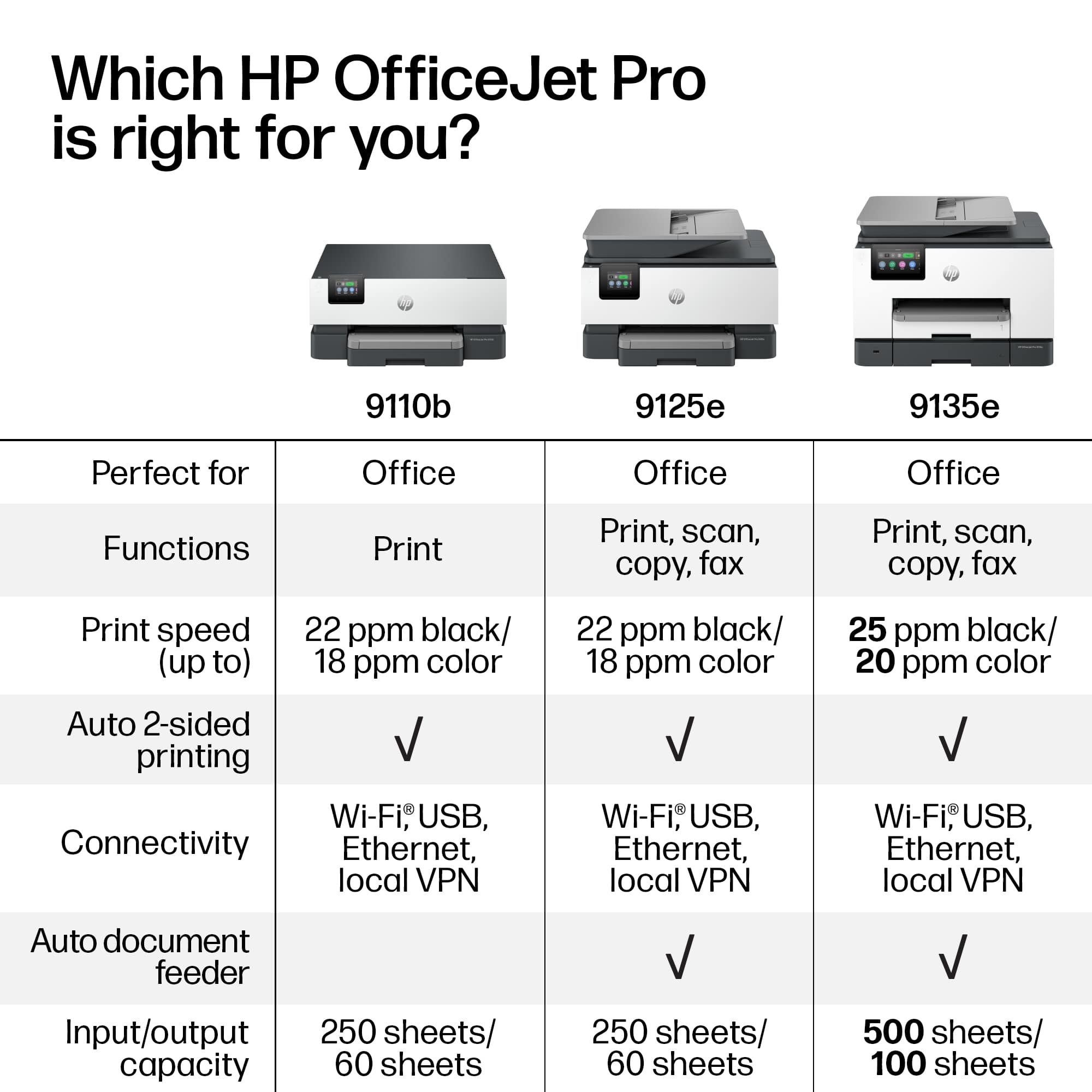
As far as metrics are concerned, it prints at 25 ppm black and 20 ppm color which translates to fast enough. I didn’t clock the time on it but it printed faster than I could find the next document to print and allows you to que prints if it is a rather involved print. It printed photos well, and only showed some scanning lines on full page images. I really enjoyed the large 250pg storage and double sided printing and scanning for my lecture notes and slides.
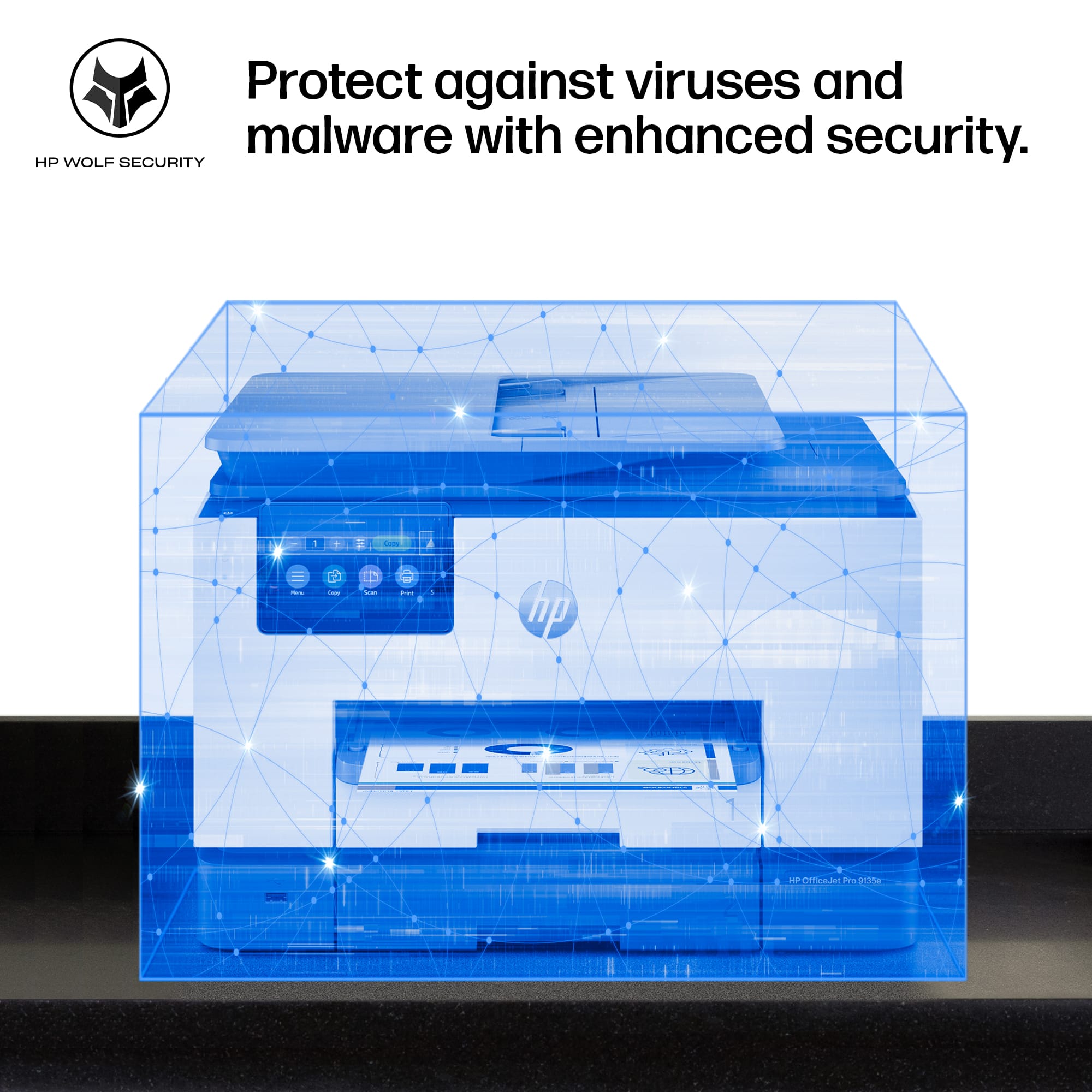
HP touts their built in wolf pro security features, which is not something that I am nessicarly worried about. That being said, apparently, HP will brick your printer if you don’t use HP branded ink moving forward for reasons that are not entirely logical. This bums me out as paying $50 every couple months when I am currently paying around half or less of that for ‘security’ features I am not interested in. This is at home in my office, HP states that the reason is that non HP branded ink is banned is due to the fact that you can have a security breach on unauthorized cartridges containing malware….sure. Anyways, back on track here, the printer does use 40% recycled plastic making this printer which is something I want to see more of.
To round this out, I would look at the cost for ink vs the amount you use the printer to see if this one is cost effective for you…if it is then I have to say this is by far the best printer I have ever used with a screen that is exceptionally way to good for this printer. Seriously, the engineers and app devs are on a MISSION at HP to make the best printer ever, and it is obvious they use the products they make as every bug or flaw that could pop up…just doesn’t exist. The best part of the whole thing is, when you buy this at best buy… you never have to worry about getting a bad product, Best Buy has an excellent return policy and even better customer service, so you never have to worry about buying a product that you don’t like… so why not test it out?!
I would recommend this to a friend
Pros mentioned:
Ease of use, Size
Rated 5 out of 5 stars
Highly recommend
Posted .
This reviewer received promo considerations or sweepstakes entry for writing a review.
Easy set up. Lots of features. A great office printer! It’s perfect if you don’t want something commercial and that takes up to much room.
I would recommend this to a friend
Pros mentioned:
Print quality
Rated 4 out of 5 stars
Great Printer for a Small to Mid-Sized Business
|
Posted .
This reviewer received promo considerations or sweepstakes entry for writing a review.
The HP officejet pro 9135 e wireless all-in-one inkjet printer is an excellent, affordable piece of hardware for your small to mid size office. Especially when compared against IT and print subscription services, this is such a great price.
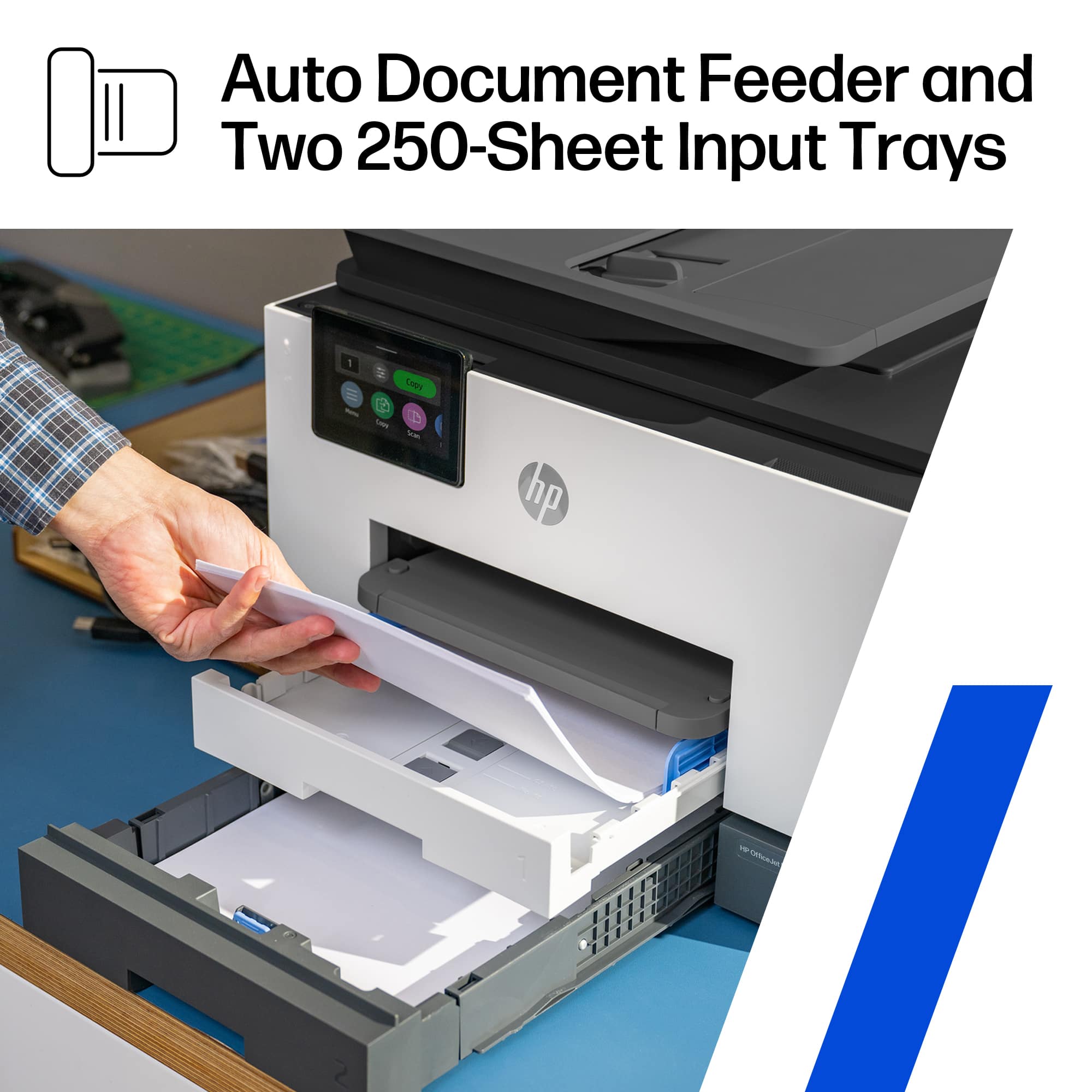
First off, right out of the box, it struck me how large the paper storage trays were, and that there were two of them. A larger storage tray means that you run out of paper less often, and can focus more on doing work.
Double-sided printing and scanning give this the full gamut of capabilities that a typical small to mid size office would need.
Color print jobs looked amazing, even just on standard paper. Although the photo paper quality was even more impressive.
The HP SmartApp allows you to print remotely, as well as share scans, etc. You can also set up the printer to automatically send scans to a network folder, an email address, or even a cloud drive. This allows for amazing workflows, especially at any businesses that require lots of scanning, such as mini law firms. This device can make ediscovery scanning and placement on network drives incredibly simple.
There is a printer ink service that you can subscribe to, which is great and convenient if you have an overcast office manager. It's also great for when you always need the highest quality of prints. Is the lack of ability to use generic ink. While this doesn't suit every use case, being able to use generic ink can save a lot of money for businesses and individuals who do a lot of printing. That said, HP touts that using this printer a black and white page is about a penny to print in ink, and the color pages about 16 cents. You can use those figures to help determine if this is the right printer for you, but also, if you have this printer, use those numbers for larger print jobs to determine if you need to take that job to a print shop or can just use this printer.
I would recommend this to a friend
Pros mentioned:
Print quality
Rated 5 out of 5 stars
Great Printer for my Home Office
|
Posted .
This reviewer received promo considerations or sweepstakes entry for writing a review.
In the fast-paced world of office work, finding a reliable and efficient printer is paramount. My search ended with the HP OfficeJet Pro 9135e, a sleekly designed powerhouse that transformed my document management routine. Below, I delve into the features that stand out, making this printer a staple in my home office.
Professional-Quality Color Printing
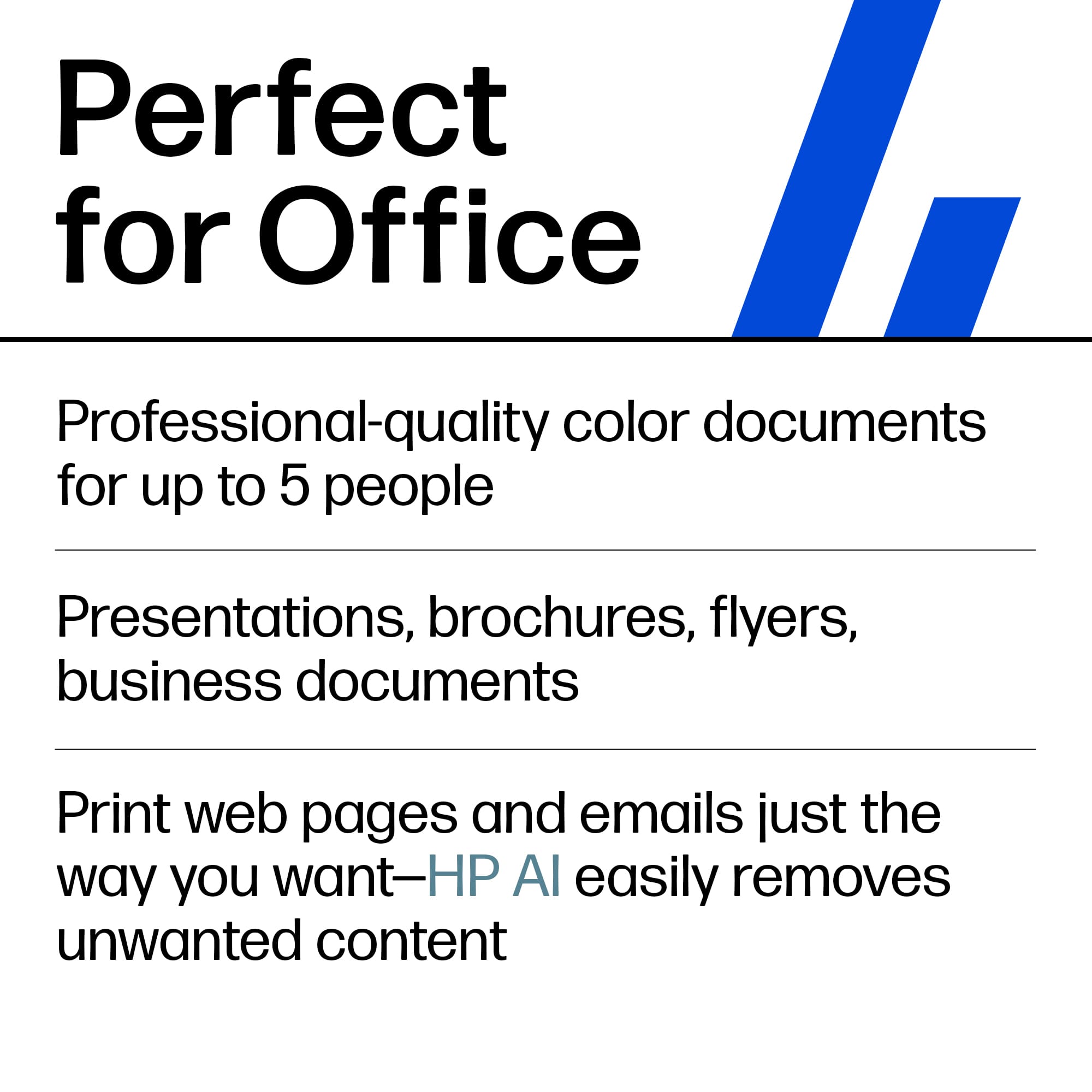
The HP OfficeJet Pro 9135e shines when printing professional-quality color documents. The output is consistently crisp and vibrant, whether it is presentations, brochures, or flyers. With print speeds of up to 20 ppm in color and 25 ppm in black, my workflow has seen significant efficiency improvements.
Upgraded Features for Enhanced Productivity
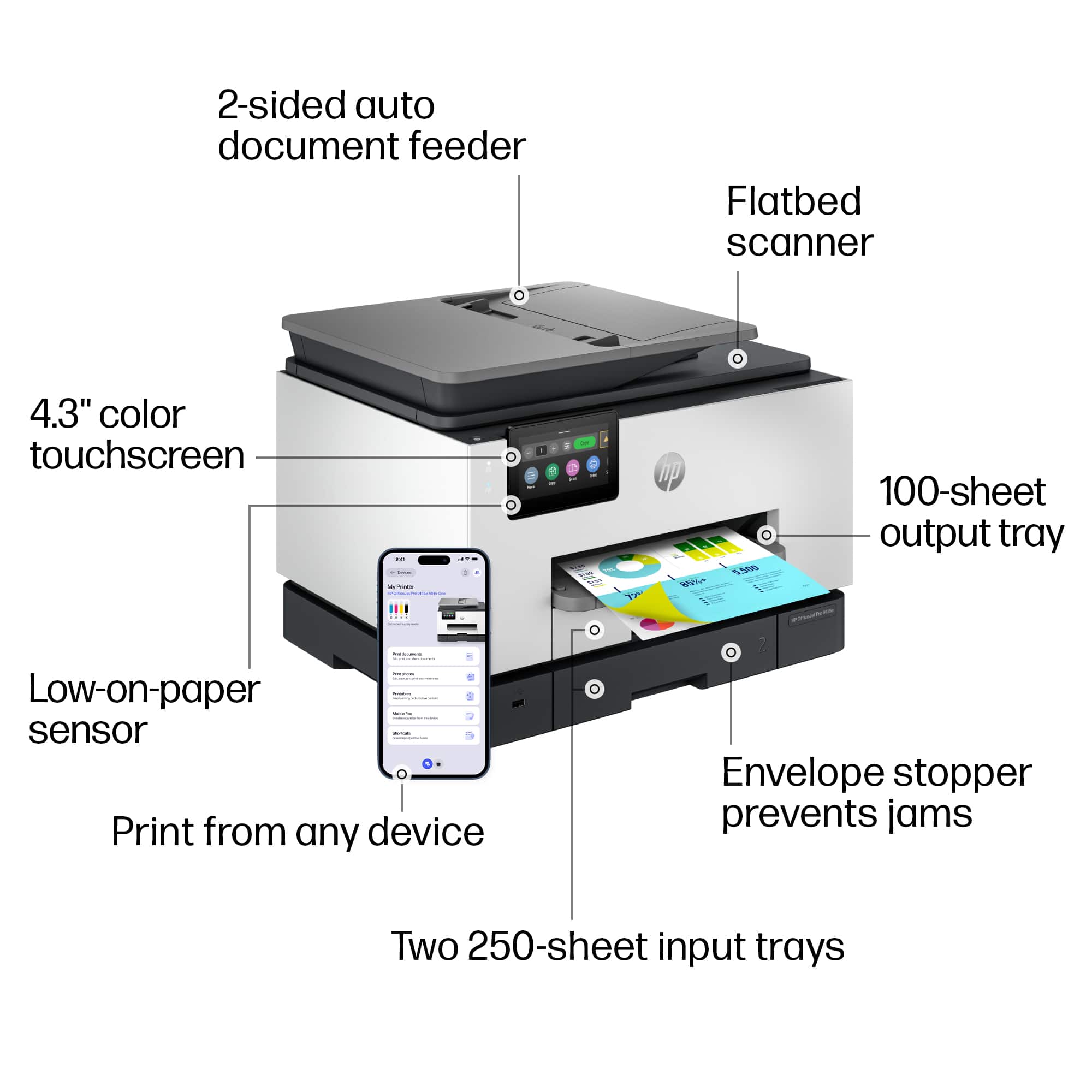
This printer doesn't just print; it is an all-in-one device designed to cater to all my office needs. The fast color printing, copying, faxing, and auto 2-sided printing and scanning are just the tip of the iceberg. Including an auto document feeder and two 250-sheet input trays ensures I spend less time managing the printer and more on what matters.
Seamless Wireless Printing Experience
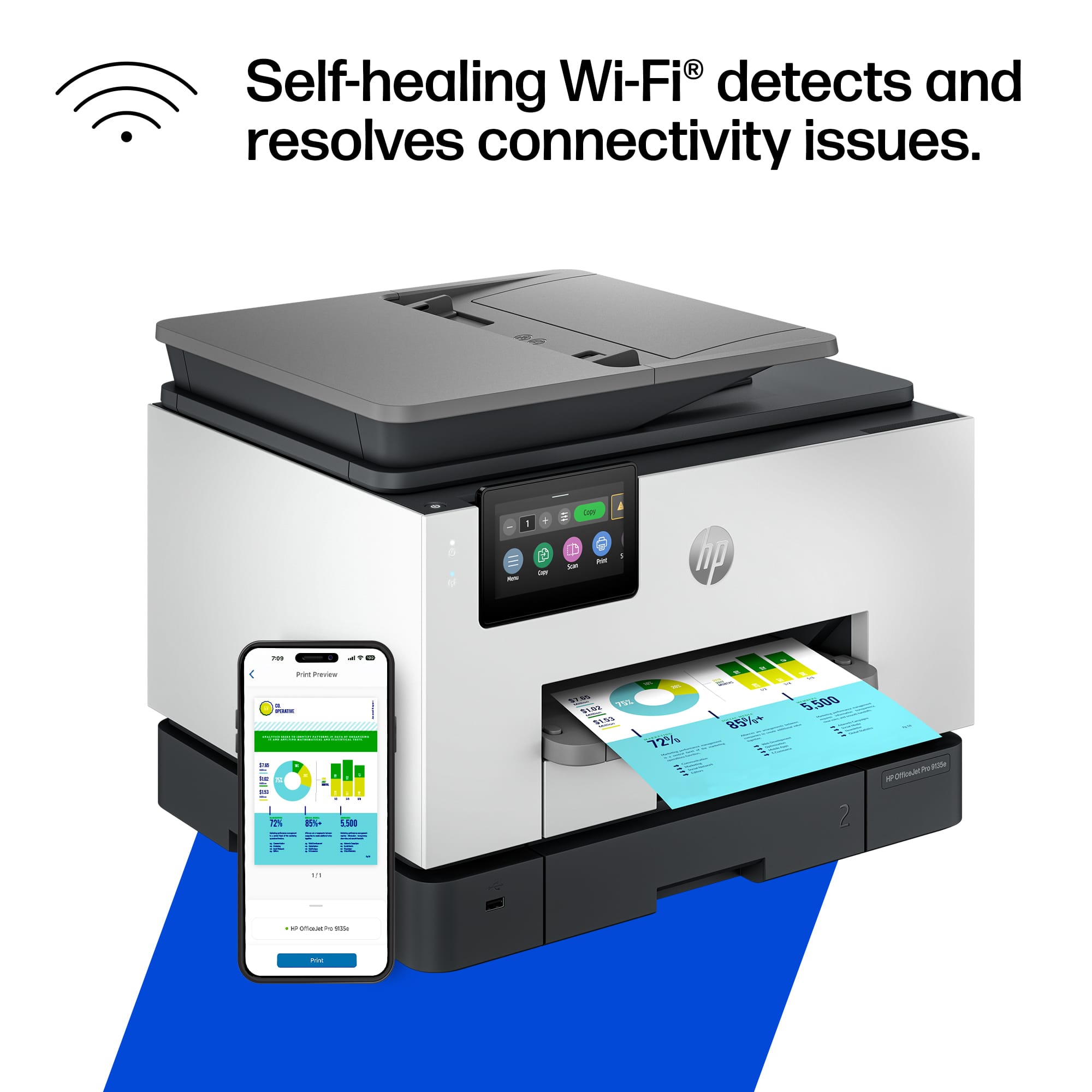
The dual-band Wi-Fi connectivity of the OfficeJet Pro 9135e is a game-changer. It keeps me connected reliably with an intelligent system that automatically detects and resolves connection issues. The freedom to print from anywhere in the office without worrying about connectivity issues is a significant advantage.
Simplified Printing with the HP App
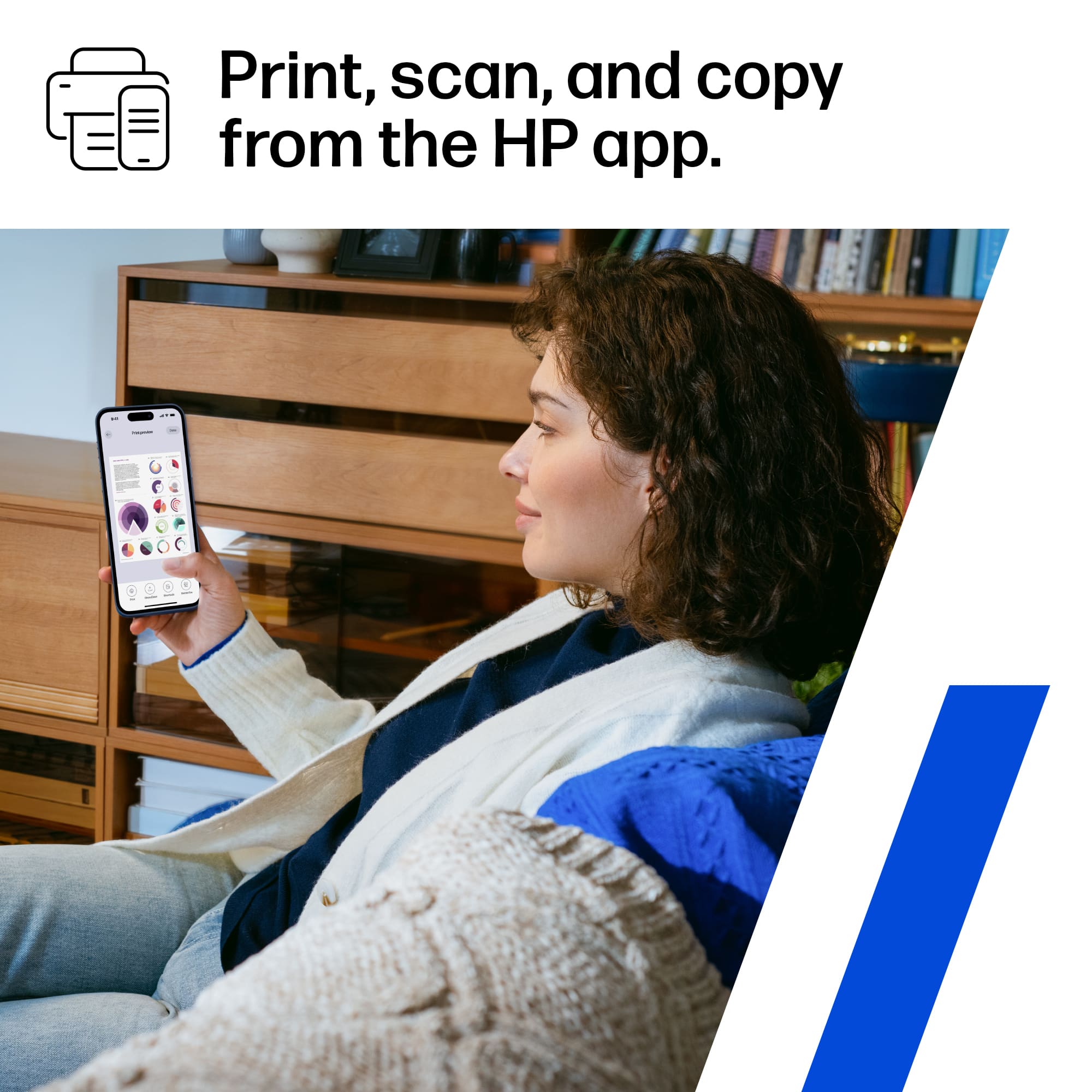
The HP app integration has made this printer even more indispensable. The ability to print, scan, copy, or fax right from my smartphone is the epitome of convenience. It is user-friendly and the most straightforward print app I have encountered, streamlining my document management process.
Cost-Effective Printing Solutions
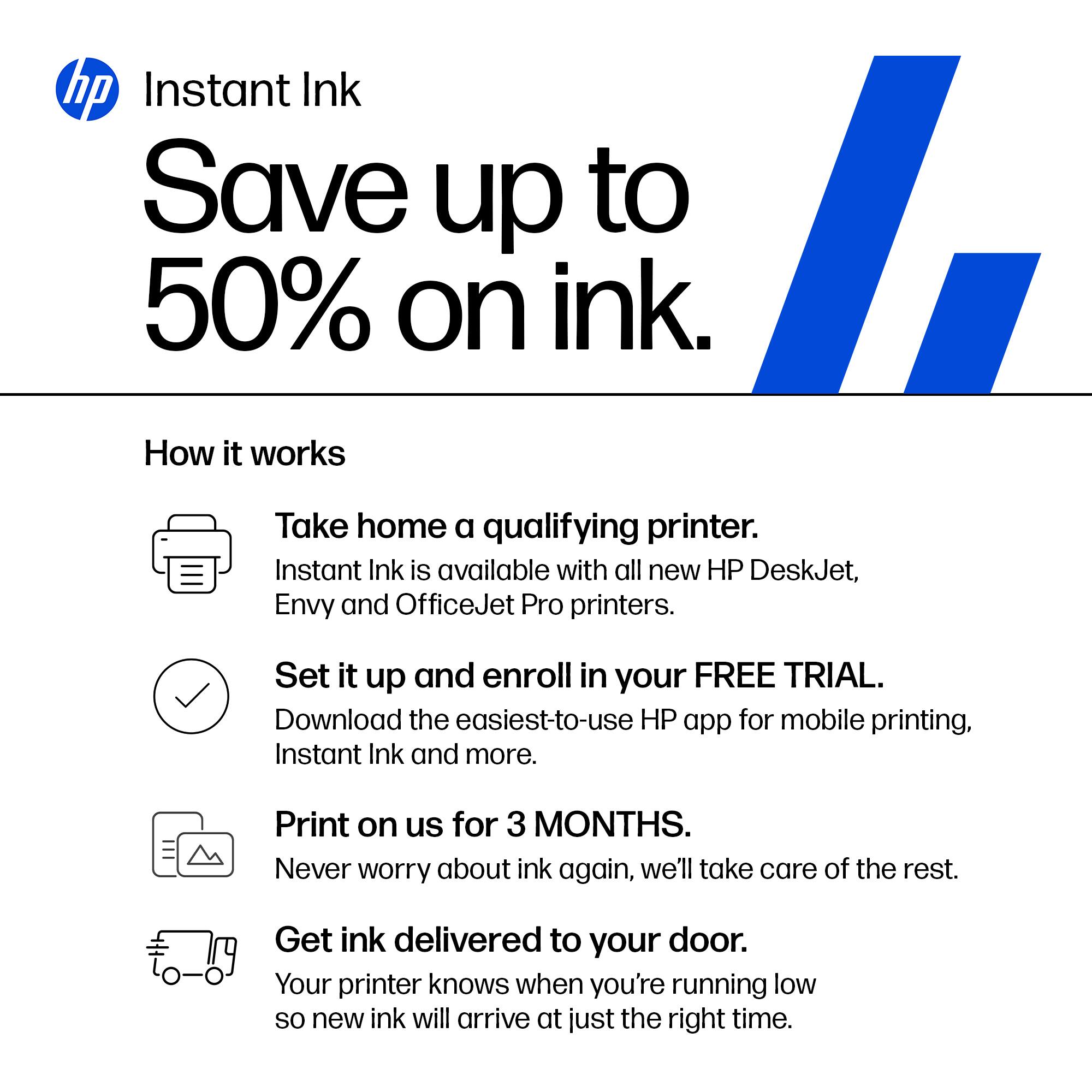
HP's Instant Ink delivery service is a revelation. With three months of printing included, I hope to take the convenience of having ink delivered to my door and significant savings. The subscription service, which is optional after the initial period, will reduce my printing costs by up to 50%.
Uncompromised Data Security
In today's digital age, security is non-negotiable. The HP Wolf Pro Security features provide peace of mind with customizable tools to bolster security and protect against cyber threats and malware. This added layer of security is crucial for sensitive documents and data.
Intuitive User Interface
The 4.3-inch touchscreen with a phone-like user interface is another highlight. Navigating the printer's features has never been easier, allowing for a more efficient and pleasant user experience.
Commitment to Sustainability
The sustainable design of the OfficeJet Pro 9135e, made with over 40% recycled plastic, reflects HP's commitment to environmental responsibility. It is reassuring that my choice of printer contributes positively to the planet.
Smart Cartridge System
HP's decision to ensure the printer works only with cartridges equipped with original HP chips or circuitry might seem restrictive, but it guarantees optimum performance and security. The periodic firmware updates keep the system running smoothly and securely.
Conclusion
The HP OfficeJet Pro 9135e Wireless All-in-One Color Inkjet Printer has exceeded my expectations in every aspect. From its professional-quality prints to its robust security features and commitment to sustainability, it is an invaluable asset to my office. I highly recommend it to anyone seeking a reliable, efficient, and feature-rich printing solution.
I would recommend this to a friend
Pros mentioned:
Print quality
Rated 5 out of 5 stars
Productivity Powerhouse with a Twist
|
Posted .
This reviewer received promo considerations or sweepstakes entry for writing a review.
First, this HP OfficeJet Pro 9130e is a feature-packed all-in-one printer designed for busy professionals and small businesses. If you don’t print a lot, it may not be for you. I am giving you a breakdown of its key strengths and weaknesses to help you decide if it's the right fit for you:
Pros:
• Sharp text and vibrant colors. Perfect for making a lasting impression.
• Impressive speed for a non-laser printer: black/white documents at speeds of 25 ppm and color documents at up to 20 ppm. That’s a full color page in 3 seconds.
• Go beyond printing with copy, fax and scanning capabilities with an automatic document feeder for multi-page tasks.
• Auto 2-sided printing. This is one of my favorite features in a printer.
• Two 250-sheet input trays. That’s 500 hundred sheets and up to 1000 pages.
• Supports dual-band Wi-Fi (2.4Gh and 5Ghz). Most wireless printers usually support only 2.4Ghz, thus affecting performance.
• Print, scan and fax directly from your smartphone using the HP Smart app. You can also print using just iOS which can find the printer automatically.
• 4.3-inch touchscreen is a very good size as it allows you to easily navigate the menu options. Try that with a smaller size and you’ll notice how important that is.
• Instant Ink convenience: only worth it if you print a lot, but when you do, it can save you a lot.
Cons:
• Somewhat high initial cost: the printer itself might be a significant investment upfront compared to some competitors, although it is not excessively expensive, and I like the quality compared to others. Current discounts make it a lot more affordable.
• Cartridge restrictions: HP's policy of blocking non-HP cartridges can be a drawback for some users seeking lower-cost alternatives.
• Somewhat large footprint: Consider the size and weight of the printer before purchasing. However, I’ve seen the competition with a much larger footprint for the same features.
Overall, the HP OfficeJet Pro 9130e is a powerful and versatile all-in-one printer ideal for professionals and small businesses demanding high-quality output, fast printing speeds, and convenient features. However, its slightly high initial cost and cartridge restrictions might deter budget-conscious buyers. If sustainability and ink convenience are priorities, the included Instant Ink subscription can be a valuable perk, especially if you print a lot. But if you're on a tight budget or prefer flexibility with ink cartridges, consider exploring alternative models. Since I tend to print a lot, the subscription will work well for me.
Pros mentioned:
Print quality
Rated 5 out of 5 stars
HP never lets me down! Bigger LCD!!
|
Posted .
This reviewer received promo considerations or sweepstakes entry for writing a review.
My first PC was Hewlett Packard, throughout the years I’ve had numerous products from their company, whether it be printers, scanners, copiers, or pc. The one thing that always came to be true was that I never had an issue with any of them. Setup was always simple and easy. Just as with this HP OfficeJet Pro 9135e All-in-One Printer was.
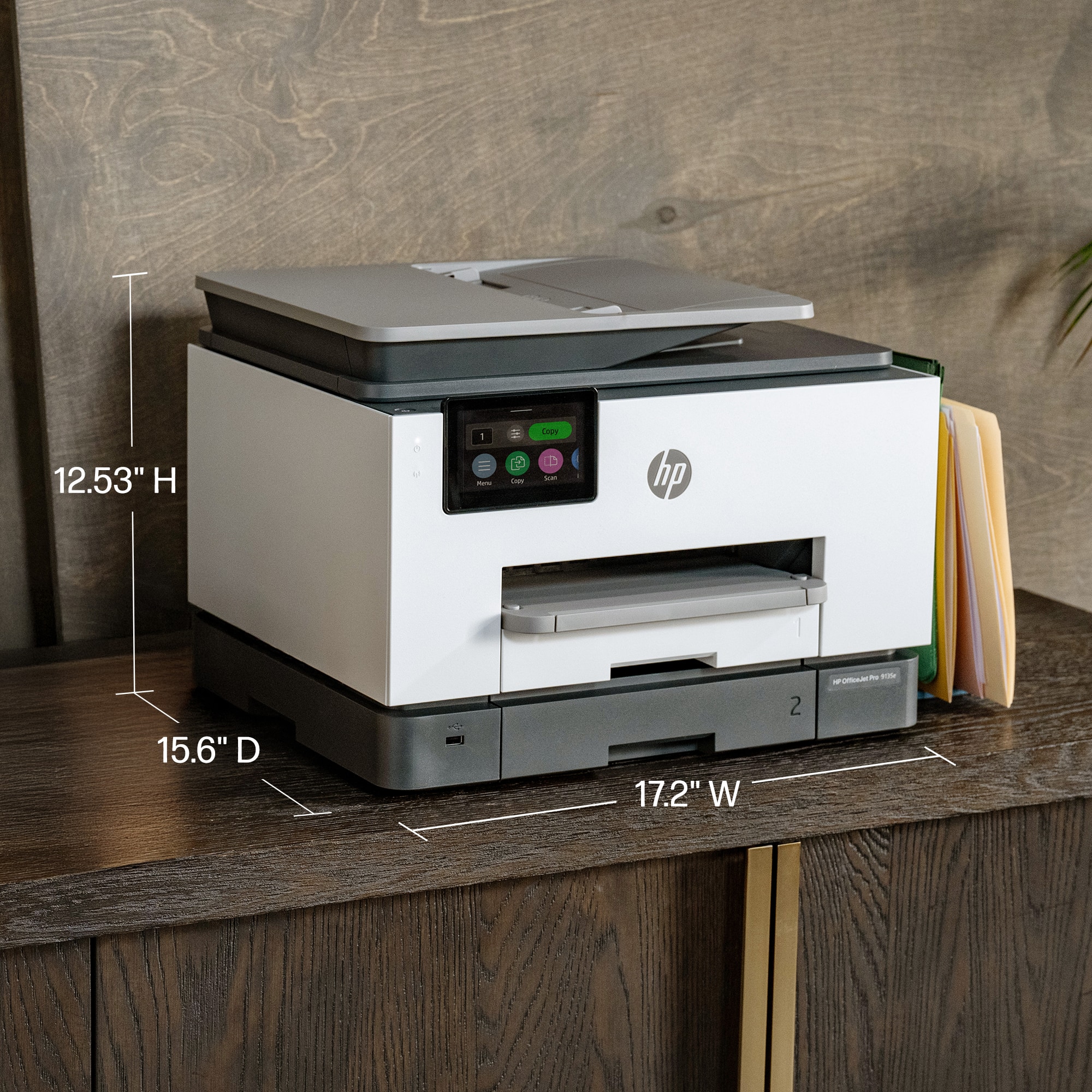
One of the first things that stands out from my last HP printer, copier, and fax, was the size of the touch screen LCD screen which was noticeably larger at 4.3 inches now, and easier to read as well as manipulate through the settings. You can use it wirelessly or wired, it’s Energy Star compliant which is always a plus. Color print speed are about 20 pages per minute and Mono Print Speed is roughly 25 pages per minute. It doesn’t take much desktop space being at 12.53 height, 17.2 width, and 15.6 depth. And you’re getting multiple devices all wrapped up in one.
Other things I liked were it automatically prints double sided prints, tray capacity is 250. As far as the scanner the resolution is 1200 x 1200. It has 4 separate cartridges for the different ink colors and black. This does come with 3 months of free HP’s ink program. Printer resolution for black is up to 1200 x 1200, and for color up to 4800 x 1200.
In using it they’re super fast. I haven’t tried to print any pictures out as of yet but as far as documents everything I throw at it, it handles with ease. I would highly recommend this to others
I would recommend this to a friend
Pros mentioned:
Print quality
Rated 5 out of 5 stars
Great Printing! Easy Setup!
|
Posted .
This reviewer received promo considerations or sweepstakes entry for writing a review.
So far the printing ability of this printer is fantastic. It prints extremely fast black and white and color, prints two sided, and works perfectly when printing from computers, phones, and tablets. The major bonuses for me are the additional tray that allows me to keep legal paper in the bottom tray and letter sized paper in the top tray and the fast scanning and two sided scanning.
Set up was easy using the HP app. I do have a few notes about set up though. First, you do not need the app on every device like it says you do. It's easy to add the printer to any PC and once connected to wifi, the printer shows up on phones and tablets with no need to have the app installed on everything. Second, and this may be why the try to get you to install the app on every device, is you are going to be hounded about HP plus and an Instant Ink subscription. The bombardment of reminders and begging to sign up for those paid subscriptions is constant throughout setup. We are using this as a family printer and we do not print a ton, so after reading through the fine print, the Instant Ink subscription appears to be rip off for us. If you plan on printing ALOT, then you may want to consider a subscription as it appears to be a good deal for heavy printer users.
Now, hopefully this printer will last longer than our previous printer that was a Brother.
I would recommend this to a friend
Pros mentioned:
Overall performance, Print quality
Cons mentioned:
Connectivity
Rated 1 out of 5 stars
Not reliable.
Posted .
This reviewer received promo considerations or sweepstakes entry for writing a review.
As a long-time HP loyalist, I’ve always trusted their products and, over the past year, I’ve purchased three different models (9025, 9015, and 9135). When they work, they perform well. The print quality is solid, they operate fairly quietly, and I like their sleek design. However, they don’t seem to be as durable as older models.
Unfortunately, I’ve experienced frequent issues across all three printers. HP Smart often fails to detect the scanner, requiring me to spend 30 minutes rebooting or toggling between wired and wireless connections just to get it working. At times, the printer mistakenly reports that it's out of paper when it’s fully stocked or shows as offline even though it’s connected to the same network and accessible via the web interface.
I’ve spent countless hours on the phone with HP support, but despite the printers being under warranty, the issues remain unresolved, and no replacements have been offered. Frustrated, I’ve finally switched to Canon. HP, you’ve lost a loyal customer.
No, I would not recommend this to a friend
Pros mentioned:
Print quality
Rated 5 out of 5 stars
Rapid and good
Posted .
This reviewer received promo considerations or sweepstakes entry for writing a review.
Quick and efficient Good clarity. Very rapid delivery 12 hours
This reviewer received promo considerations or sweepstakes entry for writing a review.
This printer is a beast. It looks like any other hp office all in one printer. It's white and blends well into my area. It was fairly simple to setup. I use it with my PC, my Laptop and my smart phone. The software and app are great and sync with the printer very easily. I have had no issues printing, scanning or copying while using the app. I really like the dual trays and the ability to scan double sided documents is great. I was able to scan so many personal documents, that had information on both side, so easily and super quick compared to scanning one side at a time. The print speed is excellent. It shoots anything out super fast. The quality of the printer is also very good. I have printed a range of things, from documents to photos, and it has printed them with ease. The photos turned out really well on both standard paper and photo paper. I don't notice and smudging or dripping on anything that I have printed. The best part is that it's wireless. Just great at what it's supposed to do. Overall, I am extremely happy with this all in one printer. HP did it again.