Customer Ratings & Reviews






- Model:
- OFFICEJET PRO 9135E/404M0A#B1H
- SKU:
- 6565473
Rating by feature
- Value
Rating 4.3 out of 5 stars
- Quality
Rating 4.3 out of 5 stars
- Ease of Use
Rating 4.2 out of 5 stars
Customers are saying
Customers highly value the excellent print quality, overall performance, and ease of use and setup, noting its convenient connectivity, compact size, and noticeable speed. However, some customers have noted that the device can be a bit noisy. A few users also expressed concerns regarding the accompanying software.
This summary was generated by AI based on customer reviews.
Dud. Let's see if HP comes through
||Posted . Owned for 1 week when reviewed.This reviewer received promo considerations or sweepstakes entry for writing a review.During set up it wouldn't recognize the yellow print cartridge. By the end of my 45 minutes on the phone with tech support it wouldn't recognize any of the cartridges. Now HP is sending me a new one. But it won't arrive until 3 weeks from now. This is on top of a disastrous set up attempt with the 7301 Eco Tank model. I'm either cursed or HP printers are something to run away from.
No, I would not recommend this to a friend- Pros mentioned:Connectivity, Ease of use, Overall performance
Good Printer
Posted .This reviewer received promo considerations or sweepstakes entry for writing a review.I’ve read a lot of the other reviews regarding this printer and it has worked great for us. Since this was an upgrade from my old HP printer it was easy to set up. And syncing to my mobile devices and laptops was easy. Would recommend this printer as a good small business printer.
I would recommend this to a friend Horrible
||Posted . Owned for 1 week when reviewed.This reviewer received promo considerations or sweepstakes entry for writing a review.Setup was horrible, HP wants all your informationan and wants you to setup an account to just do basic things. Installed on a windows 11 unit. Took forever. Worst install i have seen. I have setup 100s of small desktop all in ones. The process for this unit is ridiculously over complicated. I would never recommend to a friend or customer to go this route.
No, I would not recommend this to a friendHP 935e Printer
||Posted . Owned for 2 weeks when reviewed.This reviewer received promo considerations or sweepstakes entry for writing a review.Unfortunately the quality of HP printers has significantly eroded. The 9135e didn't work from the time I took it out of the box. Setup software in the unit had an error in recognizing the ink catridges no matter how many times I tried OR how many cartridges I got from HP to try and make it work. Finally gave up and returned it
No, I would not recommend this to a friendInk cartridge issue
||Posted .This reviewer received promo considerations or sweepstakes entry for writing a review.Ink cartridge loading issue, returning to geek squad to take a look. Brand new out the box haven't being able to use
No, I would not recommend this to a friendPrinter
||Posted . Owned for 1 week when reviewed.This reviewer received promo considerations or sweepstakes entry for writing a review.Out of the box it said the ink cartridges were missing or broken! Had to return for refund.
No, I would not recommend this to a friendUnknown
||Posted . Owned for 1 week when reviewed.This reviewer received promo considerations or sweepstakes entry for writing a review.There was a problem with the printer and the ink was producing an error that resulted in an hour setup and call with hp. Hp is sending another printer but it will take 7-10 days and I had to pay a $1 deposit. Hopefully, second time is a charm.
No, I would not recommend this to a friendWorst Printer Ever
||Posted . Owned for 3 months when reviewed.This reviewer received promo considerations or sweepstakes entry for writing a review.The worst printer you could ever buy. I have been having issue after issue since I bought it. Don't waste your money or time getting this printer.
No, I would not recommend this to a friend- Pros mentioned:Print quality, Setup

Good printer. Lousy philosophy.
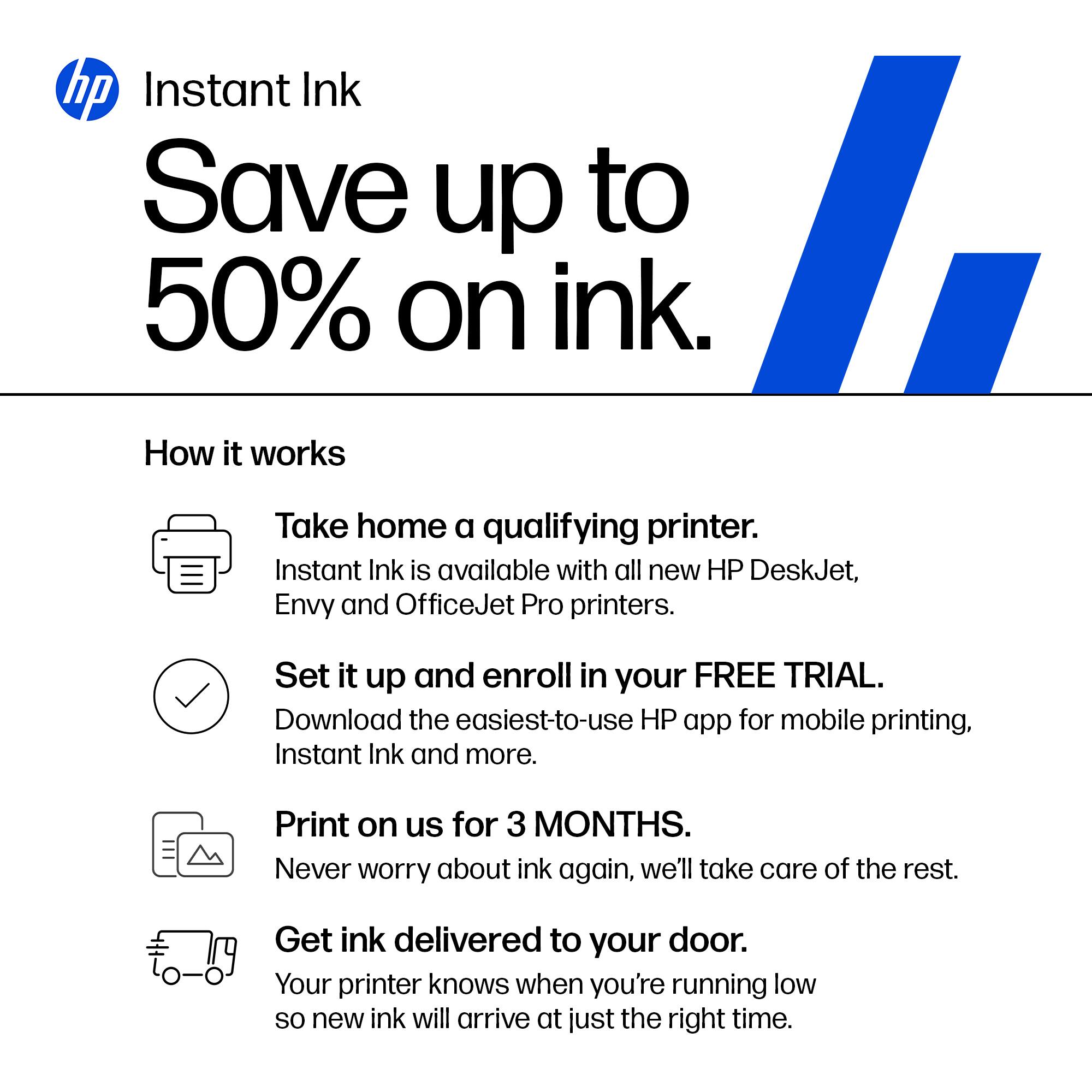
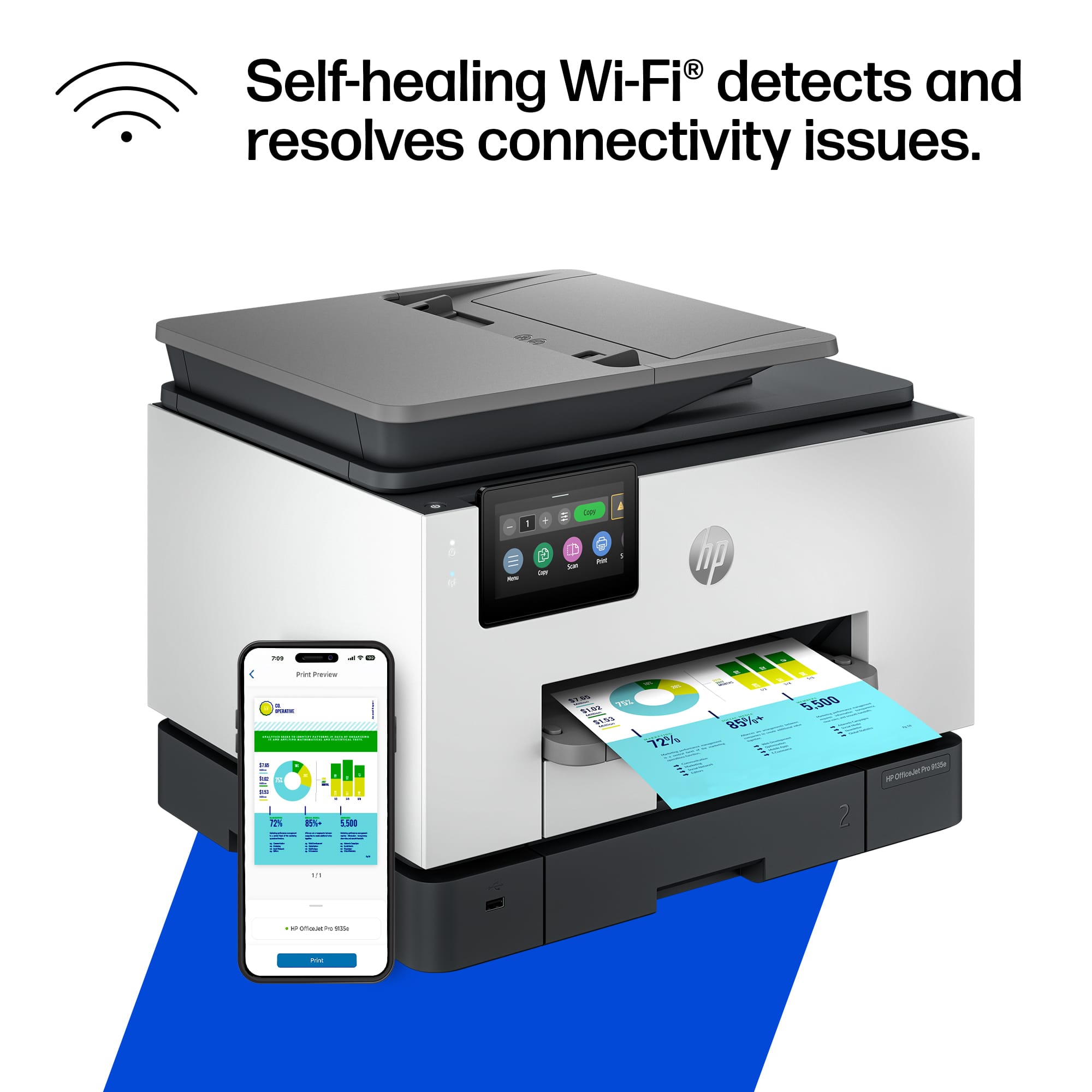
|Posted .This reviewer received promo considerations or sweepstakes entry for writing a review.HP printers do a good job at their primary function. I haven't had any issues with them as far as them just being printers (or scanners or copiers). My biggest gripe is just the philosophy behind the company and how expensive it is to replace the ink. This isn't new news but with recent remarks stating their whole goal is to DRM all of their ink and push everyone into subscriptions, I'm just not a huge fan. As far as the printer goes, it was pretty easy to set up. I ran into a hiccup that just sort of resolved itself when setting up the wifi settings. You do everything from the app which gave me the option to skip logging in (surprising) but I already had an HP account so I logged in anyways. You follow the steps to insert paper (they say to insert paper into the bottom tray, but the bottom tray is labeled 2 which just irks me), insert the ink that's included, print out a test/calibration page and connect to wifi. I tried over and over to connect to my wifi and kept getting an error message. Google told me that I could resolve it by changing a setting on my router but I eventually just bypassed the setup on the printer and printed out a wifi connection page that said all of my wifi details were correct and that it was receiving an IP. So who knows what that was about. It took a little bit of time but eventually my phone and computers started seeing the printer on the network. So the hiccup didn't really stop anything but it was annoying at the time. Usage is nice and simple. Most devices just see the printer on the network and allow me to print straight away. I don't need any extra drivers or anything. Just select the printer and use the device's print dialog to send it. The copy screen is displayed up front on the printer's screen so it's easy to access and you can just insert some papers into the tray or lift the top and then copy with minimal effort. Scanning will definitely depend on your setup. You can set some things up inside the printer to send any scans to a network drive. Or even email them to you. I think the easiest way to go about it (since USB thumb drives are so cheap and everywhere) is to just insert a USB drive into the port on the front and tell the scanner to send the scans there. No extra setup required. Just works. Print quality is quite nice. I haven't used anything but standard paper and thicker stock standard paper and the prints look good. Images print out nicely. I'm not sure it'll replace a professional photo style printer or anything but it gets the job done. Copy/scanning quality is also top notch. I haven't seen a ton of improvements on this front for many years. This one doesn't disappoint. My favorite thing about this printer (and past HP printers I've used) is just needing wifi and that's it. Being able to plug it into power without worrying about connecting a network cable or powering on a PC it's connected to is just so nice. Being able to print from any device without a lot of extra steps (i.e. not needing extra drivers on most devices) is very nice. Like I said, HP printers are good printers. I'm just not a fan of how much they price gouge their ink and how gung-ho they are on getting everyone to subscribe to their ink subscription plan. Their subscriptions are based on how many pages you print and they charge you every month no matter if you hit this number or not but they only send you a new set of inks if they detect that you're running low. I'm just not a fan of their ink policy even if I enjoy using their printers. Bottom line, if you need a printer for the office and you're confident you'll save money on an ink subscription, this might be the printer for you. It does it's job correctly, just be ready for the cost of ink as you move forward.
I would recommend this to a friend Trash
||Posted .This reviewer received promo considerations or sweepstakes entry for writing a review.Jammed every third page. Would not buy this again, waste of money.
No, I would not recommend this to a friendTerrible Printer.
||Posted . Owned for 3 weeks when reviewed.This reviewer received promo considerations or sweepstakes entry for writing a review.It it not user friendly. It does not scan properly and only does one page at a time into a USB. And it prints the second side page upside down. Not a good printer.
No, I would not recommend this to a friendFailed
||Posted . Owned for 3 weeks when reviewed.This reviewer received promo considerations or sweepstakes entry for writing a review.Printed one document...then completely quit working. Could not power on at all.
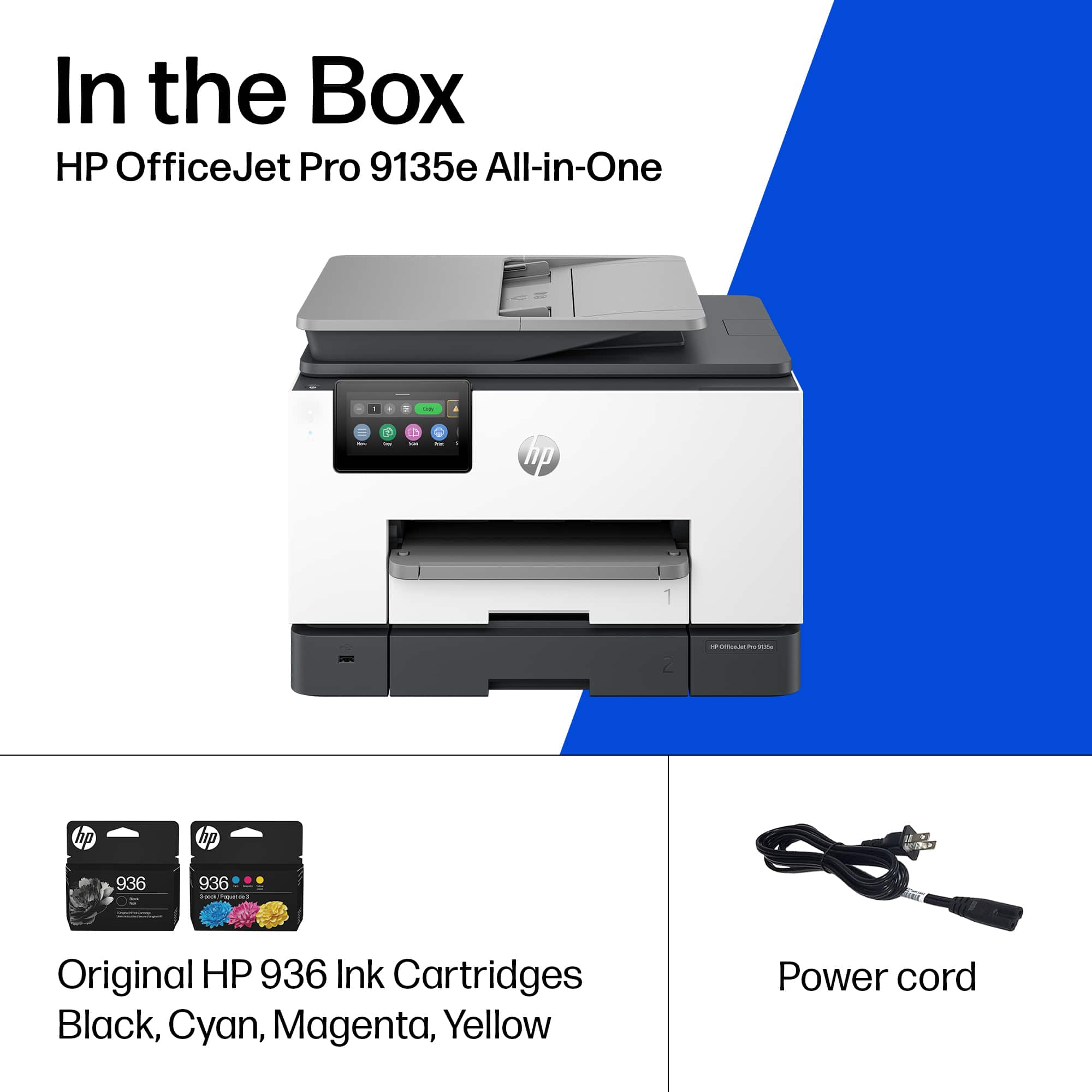
No, I would not recommend this to a friendMissing power cord -- no idea how it works
||Posted . Owned for less than 1 week when reviewed.This reviewer received promo considerations or sweepstakes entry for writing a review.Missing power cord. Best Buy's customer service is not helpful. I am returning this tomorrow!
No, I would not recommend this to a friendAnonymous
||Posted . Owned for 1 week when reviewed.This reviewer received promo considerations or sweepstakes entry for writing a review.Took 2 hours with HP tech support to set up. Slow to print.
No, I would not recommend this to a friendBrand response from HP Team
Posted .Hi,
Apologies for the bad experience.
We'll like to help. Here's a detailed unboxing & setup video:
https://www.youtube.com/watch?v=_9dfvlwFz1Y
We'll like to suggest doing a Firmware update to improve the overall reliabiity of the printer. This resource will show how it's done.
Update Printer Firmware (via Control Panel):
https://www.youtube.com/watch?v=HDzj0LkNIPY
If a 2nd Device needs to be added, this resource (example) will be useful:
https://www.youtube.com/watch?v=dq4pjCA-xSo
Hope that helps!
Sincerely,
Teo
- Pros mentioned:Print qualityCons mentioned:Noise level, Software
Thus printer is a disaster
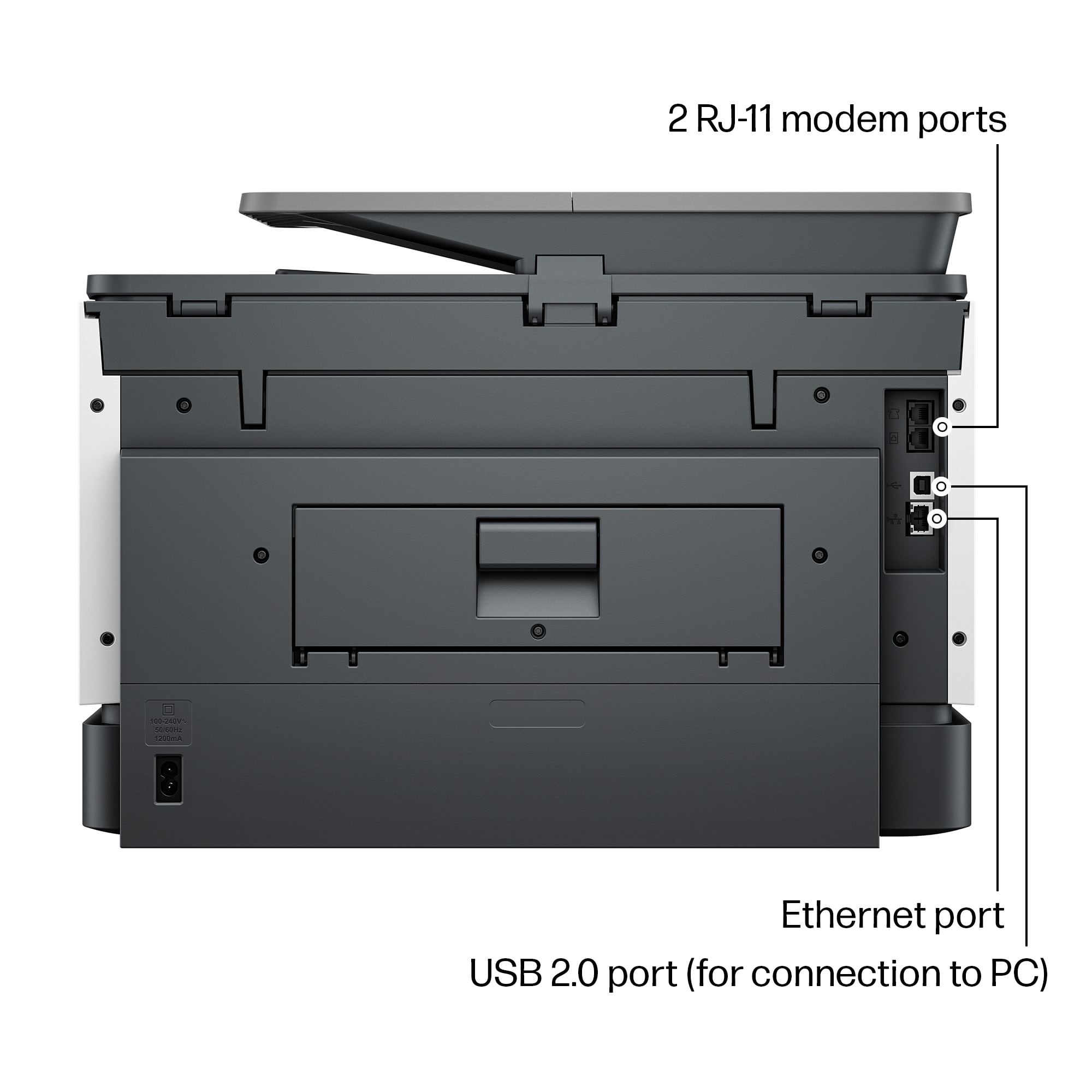
Posted .This reviewer received promo considerations or sweepstakes entry for writing a review.First the good news. The HP OfficeJet Pro 9135e is fast. Now the bad news. The positive reviews can’t be trusted. The truth is, this printer is so poorly designed that it shouldn't even be on the market. It’s a cheap looking, ugly, square-cornered box. It’s noisy unless you use Quiet Mode, which slows it down. Worst of all, there’s no way to stop a print job in progress. You can’t leave envelopes or labels in Tray 1. If you do, the printer will grab them every time it runs out of letter paper in Tray 2, creating a huge paper jam. If Tray 1 is empty when the paper in Tray 2 runs out, the printer ought to continue printing when more paper is loaded. It won’t. The user has to intervene by pressing buttons on the control panel. 1. Printer runs out of paper in Tray 2 and stops printing. Control panel displays an “Out of paper” message. DO NOT press “OK.” 2. Load paper into Tray 2, and close the drawer. 3. The message on the control panel changes to, “Did you change the paper?” Press “OK.” This message persists for only a few seconds, so be sure to press “OK” immediately. If the message doesn’t appear, open and close the paper drawer until it does. 4. Control panel displays the “Out of paper” message again. This time, press “OK.” Printing will resume. If the user fails to follow this procedure exactly, the printer will stop printing after the current job completes and won’t print anything more. The control panel will continue to display an “Out of paper” message even though paper has been fully loaded. The only way to get the printer to start printing again is to reset it by unplugging it and plugging it back in or by turning it off with the power button and waiting for it to boot. The same remedy applies when it refuses to print after a software update. Unplug it and plug it back in, or turn it off and wait for it to boot. It shouldn’t need updates in the first place. The product should have been finished before it was brought to market. The updates improve the printer’s performance not one iota anyway. This printer turns pressing an application’s Print button into an adventure. The user never knows whether it’s going to print or not. When it doesn’t, no explanatory message appears on either the control panel or the computer screen. Nothing will print, but the user doesn’t know why. The baffled user has no recourse but to reset the printer. When he/she presses the power button to turn it off, the notification, “Error printing” may appear. How helpful! Sometimes, it loses contact with the wireless network. When it does, and the user tries to print, the notification, “Printer offline” appears on the computer screen. In this case, pressing the power button to reset it won’t work. The power button has no effect at all. The printer has to be unplugged and plugged back in to get it to print. You can avoid the wireless connectivity problem by connecting the printer to your router by an Ethernet cable or to your computer by a USB cable (neither supplied). Do this after the initial WiFi setup. However, even after the printer is connected to the router or computer, it frequently refuses to print. There’s never any apparent reason except that the software controlling the printer is defective. Every time the printer balks, the user has to press the power button and wait while the printer shuts down and reboots before it finally starts to print again. HP’s warranty is worthless. If you’re fed up with struggling with this printer, and you think you’ll get a better one if you return it to HP, you’ve never been more mistaken. The “replacement” you’ll receive will have no ink and no printhead. If you try to install the ink and printhead from your original printer in the “replacement,” you’ll find that you can’t. The “replacement” lacks not just ink cartridges and printhead. It’s also missing the mechanism that holds them in place. It’s a useless shell. If you’re foolish enough to buy this printer after reading this and other negative reviews, you will get exactly what you deserve for your foolishness: a horrible printer. Be sure to buy it form a retailer that offers a generous return window.
No, I would not recommend this to a friend - Pros mentioned:Print qualityCons mentioned:Noise level
Solid Printer, But Still An Inkjet
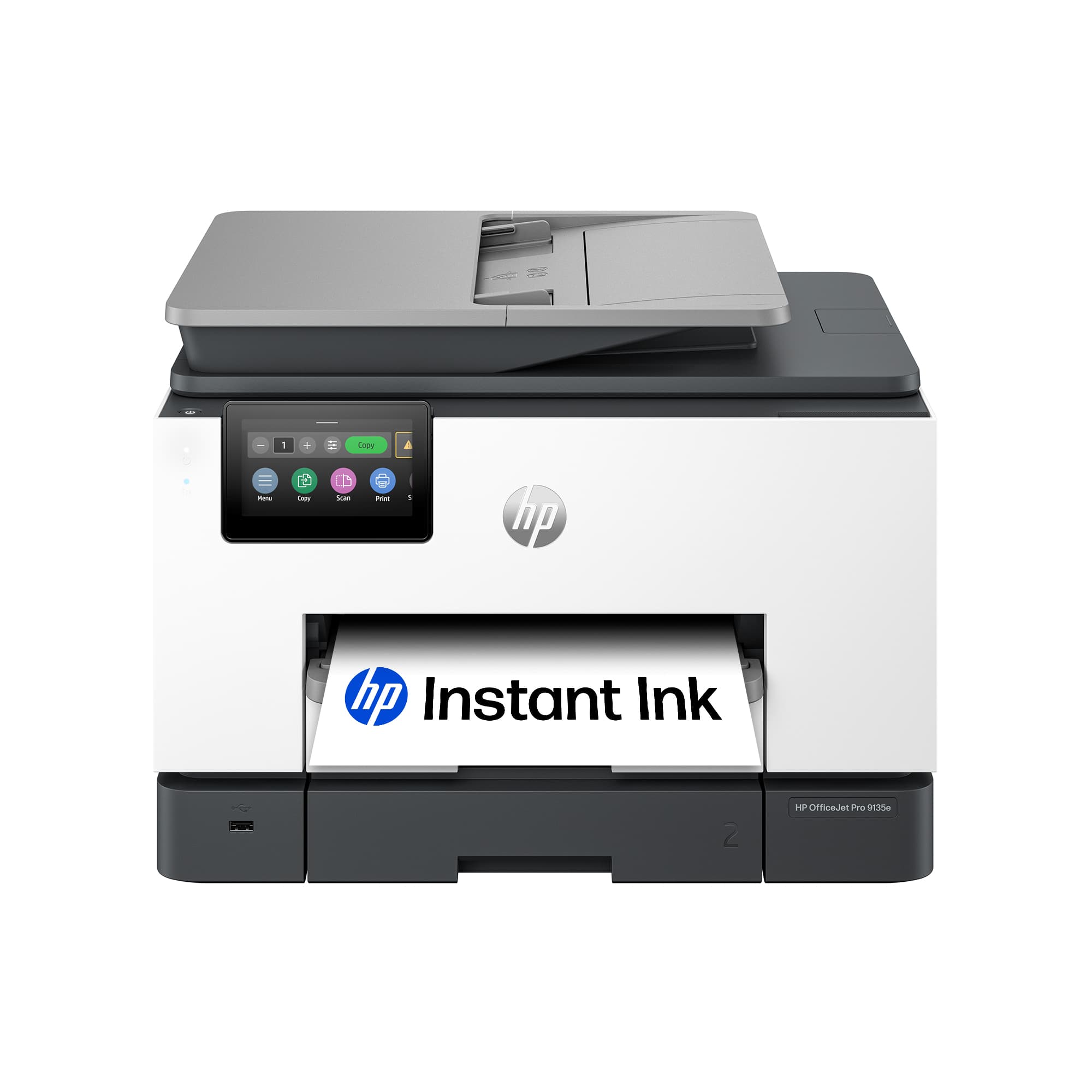
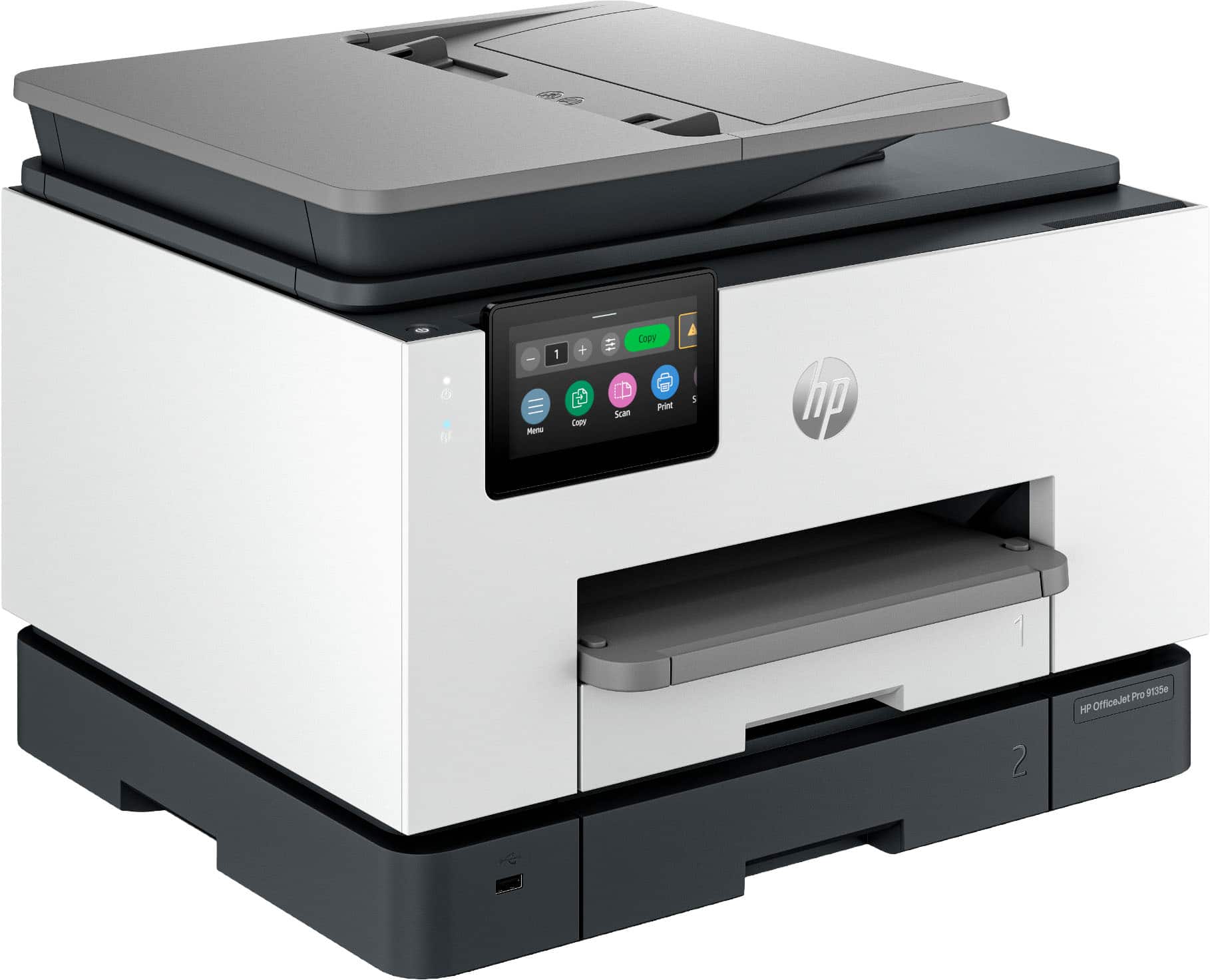
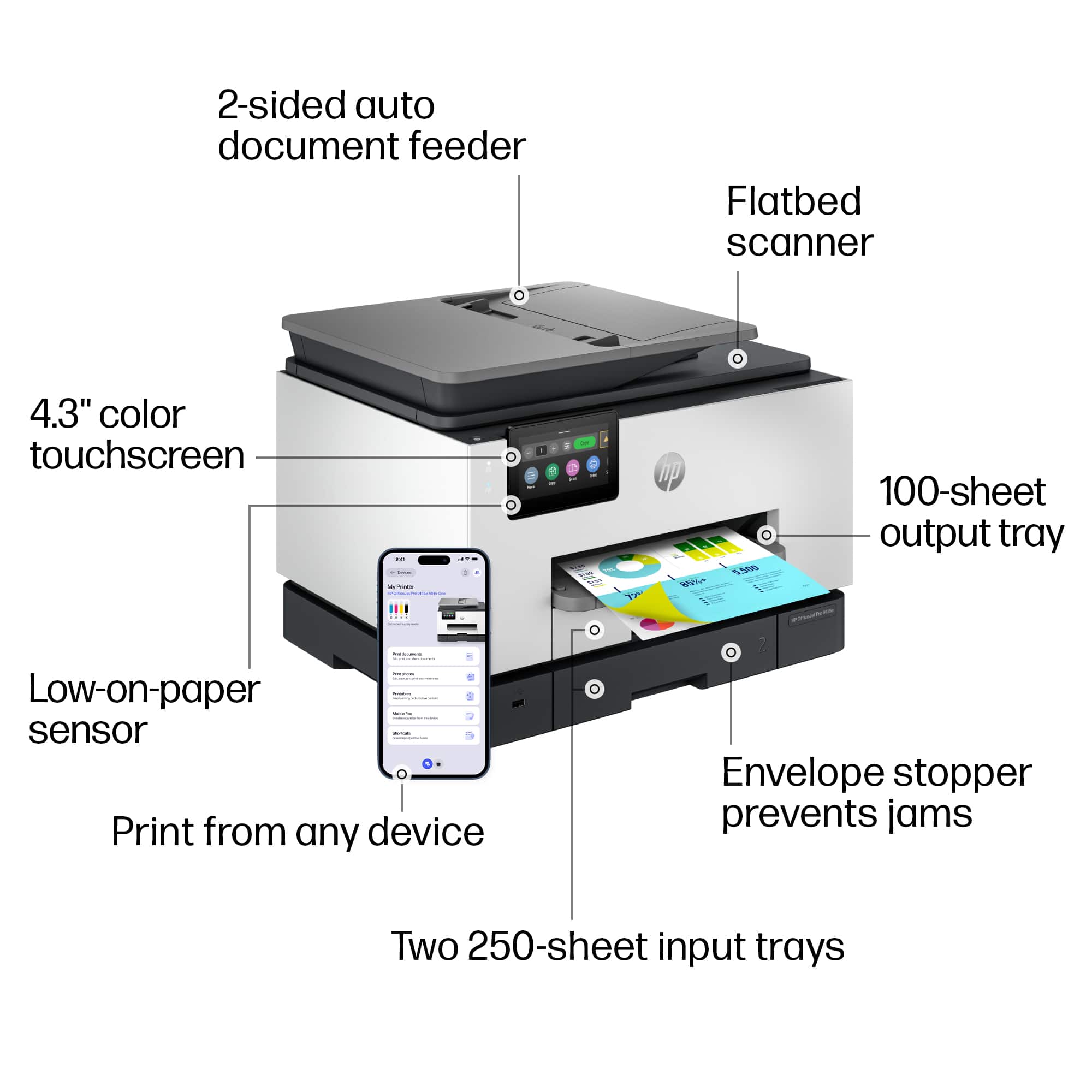
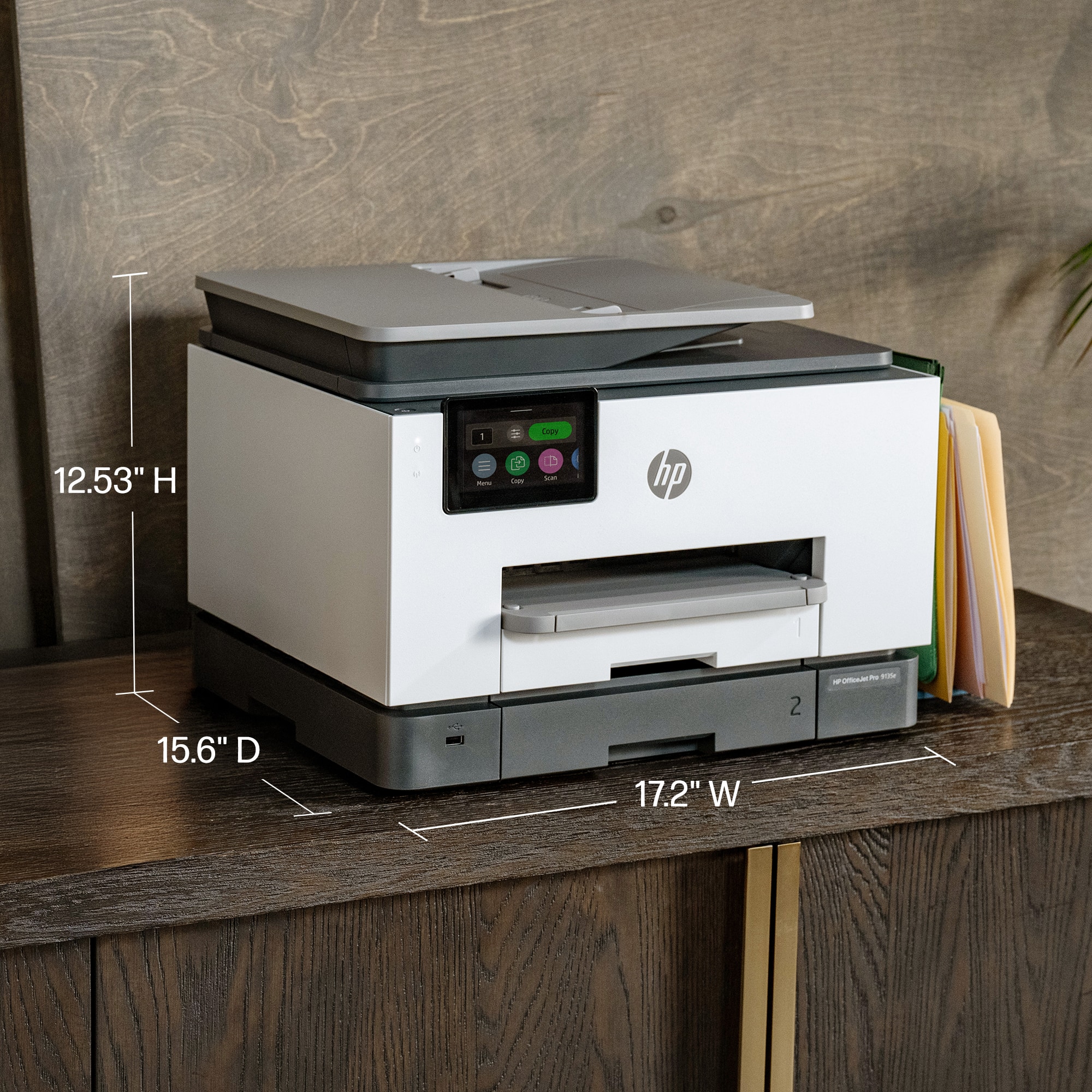
|Posted .This reviewer received promo considerations or sweepstakes entry for writing a review.HP has been a mainstay in the area of printers for just about as long as I have been using a computer. They have had their ups and downs, but generally they always make a solid product. I am a big fan of their LaserJet series and am a big proponent of laser over inkjet in nearly every case. The new OfficeJet 9135e intrigued me because it was designed for heavier use and speed. So, I gave it a try. The unit is relatively compact (smaller than my LaserJet anyways) multifunction printer. It was easy to setup and install the four ink cartridges. All told it probably took five minutes from opening the box to printing my first page so setup was a breeze. The unit seems well built and is fairly heavy so keep that in mind if you are going to place this on a shelf. The full color capacitive display is responsive and allowed me to get the printer online quickly. It has two paper trays so you can easily swap between paper stock or size depending on need. The scanner is pretty standard for a multifunctional printer in this class and works quickly with great output. I scanned a few documents both manually and through the auto document feeder to my MacBook Pro and desktop PC without issue. It just works and works well so that shouldn't be a concern. Actual print output is FAST. It is laser fast which is really impressive when you consider the difference in technology. I didn't actually measure speed, but HP claims 22ppm and I believe it absolutely could do it. Also, it was fast whether printing black or color and output was razor sharp. So why only three stars you might ask. Well, first off the unit is LOUD. I mean so loud it sounded like it is in my office from the other side of my house. Granted, my house is a pretty open floor plan so there aren't a ton of walls between me and the unit, but it is several orders of magnitude louder in print operation than my LaserJet. So be cognizant of that if you plan to put it where something like that might matter. I spend a lot of time in meetings as I work from home so a super loud printer isn't great. Next, despite how great the output looks it still has the same problem every inkjet has: paper saturation. Unless you use a heavier paper stock (think 80lb+) your paper is going to be a little wrinkled looking when it comes out. The ink even might bleed through a little so be mindful that it has many of the same traits one might expect from any inkjet based printer. Last, but not least, HP has DRMed their ink tanks. While they provide a convenient plan to send refills on a regular basis based on usage just remember that it isn't the Wild West anymore with third party cartridges and refills. So you will be an HP customer for the life of the printer whether you want to be or not. I get much more use out of a set of toner cartridges and little worry about ink drying out with laser. For me, the OfficeJet doesn't bring much to the table over my current laser printer. For the price, one could find a color laser that would be nearly as adept as what HP is offering. The single advantage that the OfficeJet has is photo printing. With photo stock inkjets are still king, but that isn't something I do so it is back to my trusty laser for now.
No, I would not recommend this to a friend - Pros mentioned:Ease of use, Print quality
Quirky
|Posted .This reviewer received promo considerations or sweepstakes entry for writing a review.My primary all-in-one printer is an HP OfficeJet Pro 9025e, and after almost 3 years of use it is still performing well. Having an opportunity to try out the new 9130e, I anticipated a new, upgraded model. Well, it does have a larger screen. The 9130e may be new; but, otherwise, my “old” 9025e is the winner. With one exception the Initial setup of the 9130e is easy using HP Smart. If you don’t already have the app loaded, it can be downloaded from HP. The site URL is provided in the instructions that come with the printer. The exception mentioned was getting connected to 2.5 wi-fi. My default network is via eero Pro 7 tri-band mesh wi-fi, which includes 2.5 and works very well with all other 2.5 devices in my house. After several annoying attempts, I tried my old dual band network, and that worked. Go figure! The rest was then easy. Printing: Initially, printing was a slow process. On the first couple of trials, the printer would make a loud (kerchunk) noise, then jerk as if it were having a spasm of some sort. That continued several times until the printed item was completed. The next day, the kerchunk was gone and the printing process was much improved. It still shakes a bit when printing, but it’s no more than you might expect. Other than photos, print quality is particularly good. From my experience with HP printers, photos are not done well anyway. For document printing, HP consistently does well. Scanning (Duplex): This is the function that is most important to me, because I do a lot of scanning. Eliminating paper files is cleaner and doesn’t require a filing cabinet. The 9130e’s duplexing is seamless and quick, as it should be. Rather than the document being fed through and then pulled back to get the other side, both sides are done in one pass. Then, the scanned document is easily saved to file. Copying: This function is done well and reasonably quick. Plus, the copy is an excellent match to the original. That is if you copy using the printer’s touch screen. Often, it won’t copy using HP Smart. You get a message that the printer is offline. The problem with that is you can scan and print with HP Smart, so obviously the printer is online. Otherwise, HP Smart would show it to be offline. Other than copying one or two single page items, this “offline” quirk makes copying an awful chore. On the third day of use, after booting up, a message appeared on the printer’s screen. It said it was performing maintenance and it should not be interrupted. After almost 20 minutes of waiting, I shut it down. When I turned it back on after a couple of minutes, it was up and running. What was that about? Working with the new 9130e made me appreciate my “old” 9025e, which has never let me down. Possibly, this particular printer is a “lemon” and not typical of the 9130e series, but I am not impressed by it. The 9025e is still on the market, and that’s the one I’d recommend.
No, I would not recommend this to a friend - Pros mentioned:Print quality
Easy to set up and use and HP quality is the best!
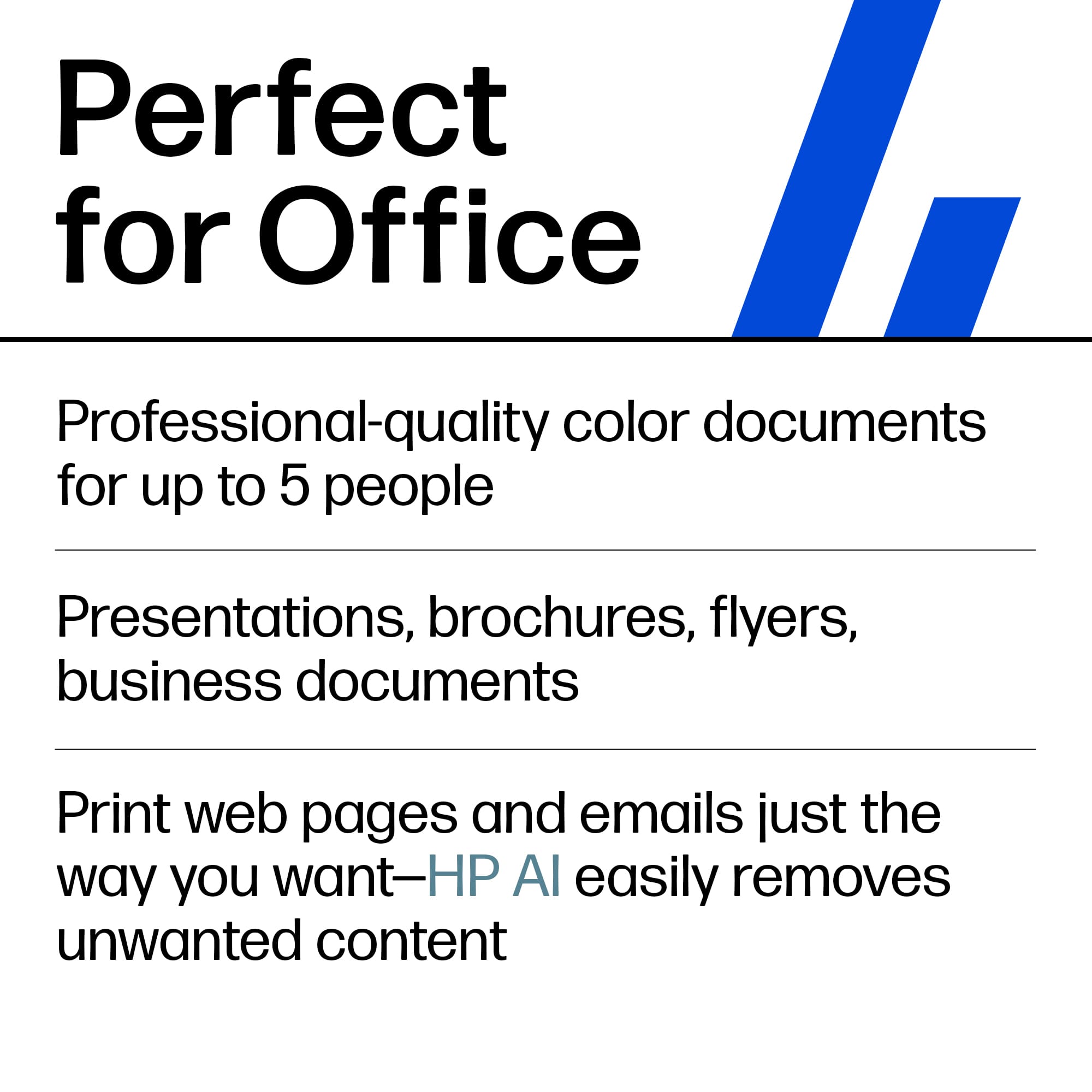
|Posted .This reviewer received promo considerations or sweepstakes entry for writing a review.HP Printers are the top echelon printer with some competition but not much holds up against them. I have used other printers like Epson and Brother but non compare to HP. Plus with the HP subscription ink program, its even better. This is my third HP printer, in the past I have owned a laser jet, but this printer stands alone, due to its compact size and versatility and print quality. It has a built in scanner capability and the on screen commands along with the companion app and the print from anywhere capability make this ahead of its time and staying current with the latest trends. This was very easy to set up and calibrate and it was ready to go within 10 minutes since I already had the app downloaded. The print quality and the use of ink jet instead of a larger laser toner catridge helped ot make this an ideal every day printer for my office and one that I can say I will get much use out of being that it is quality and HP reputation,. I would highly recommend this printer to anyone looking for quality and ease of use.
- Pros mentioned:Print quality
Great Printer for a Small to Mid-Sized Business
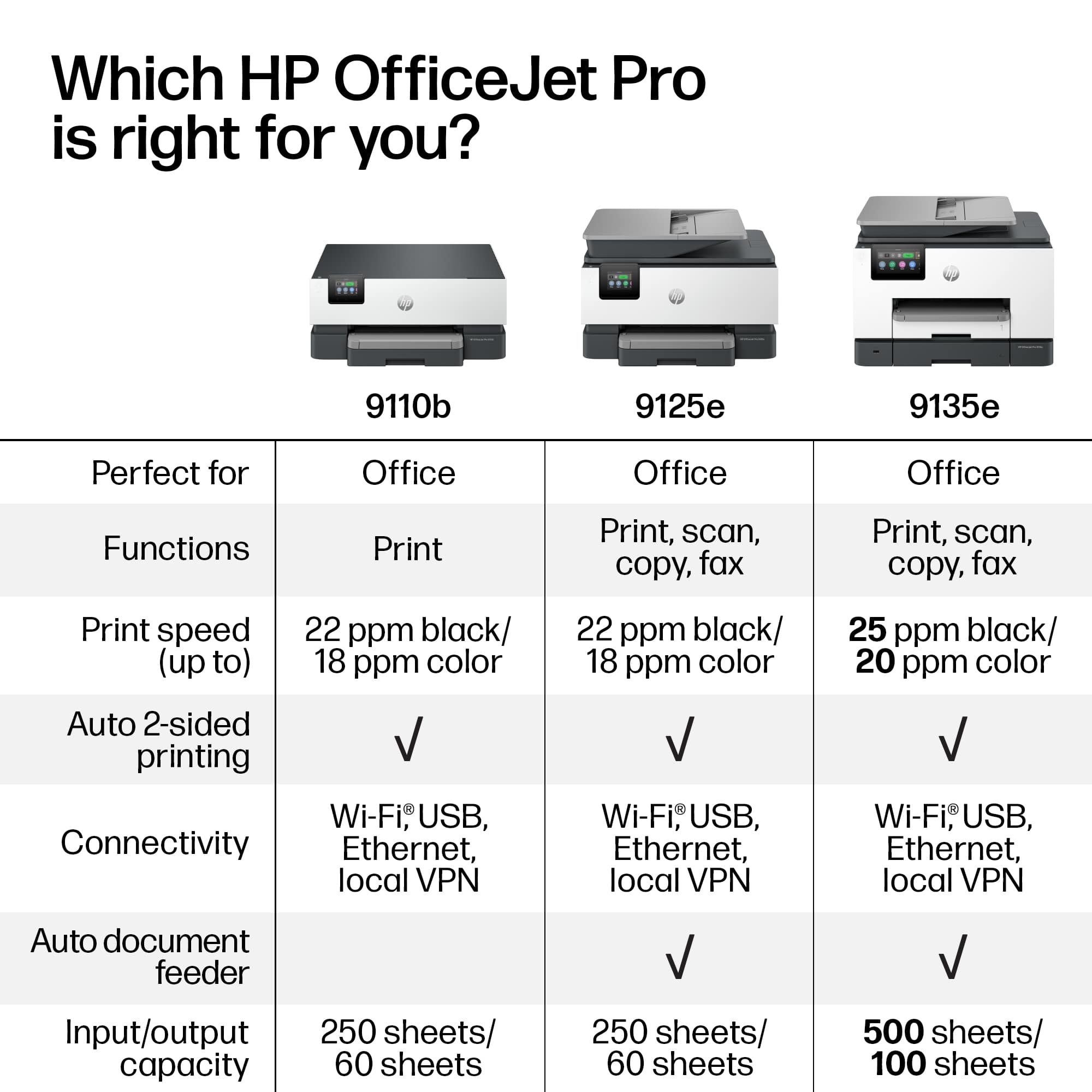
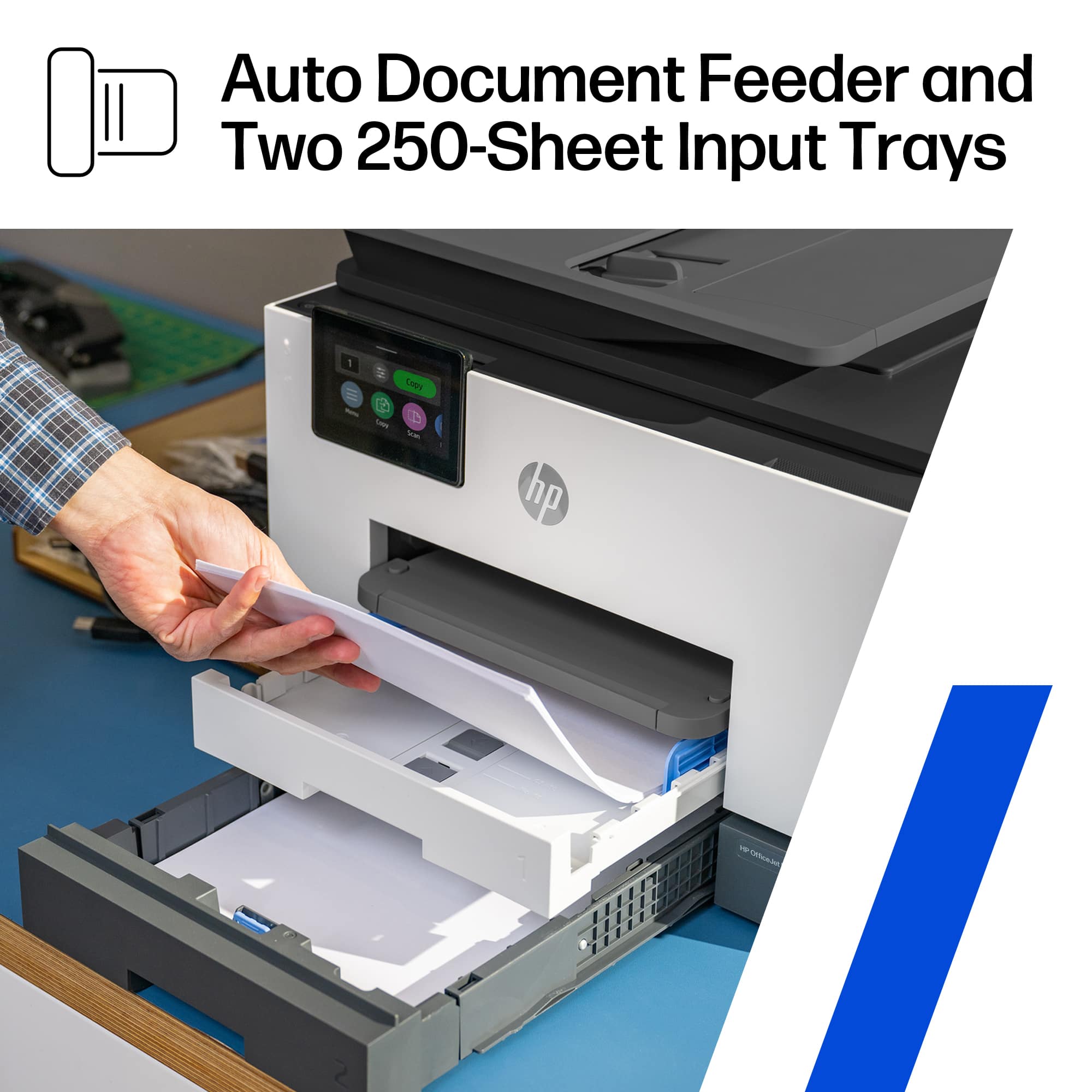
|Posted .This reviewer received promo considerations or sweepstakes entry for writing a review.The HP officejet pro 9135 e wireless all-in-one inkjet printer is an excellent, affordable piece of hardware for your small to mid size office. Especially when compared against IT and print subscription services, this is such a great price. First off, right out of the box, it struck me how large the paper storage trays were, and that there were two of them. A larger storage tray means that you run out of paper less often, and can focus more on doing work. Double-sided printing and scanning give this the full gamut of capabilities that a typical small to mid size office would need. Color print jobs looked amazing, even just on standard paper. Although the photo paper quality was even more impressive. The HP SmartApp allows you to print remotely, as well as share scans, etc. You can also set up the printer to automatically send scans to a network folder, an email address, or even a cloud drive. This allows for amazing workflows, especially at any businesses that require lots of scanning, such as mini law firms. This device can make ediscovery scanning and placement on network drives incredibly simple. There is a printer ink service that you can subscribe to, which is great and convenient if you have an overcast office manager. It's also great for when you always need the highest quality of prints. Is the lack of ability to use generic ink. While this doesn't suit every use case, being able to use generic ink can save a lot of money for businesses and individuals who do a lot of printing. That said, HP touts that using this printer a black and white page is about a penny to print in ink, and the color pages about 16 cents. You can use those figures to help determine if this is the right printer for you, but also, if you have this printer, use those numbers for larger print jobs to determine if you need to take that job to a print shop or can just use this printer.
I would recommend this to a friend - Pros mentioned:Print quality
Easiest/Fastest printer I have ever used - period
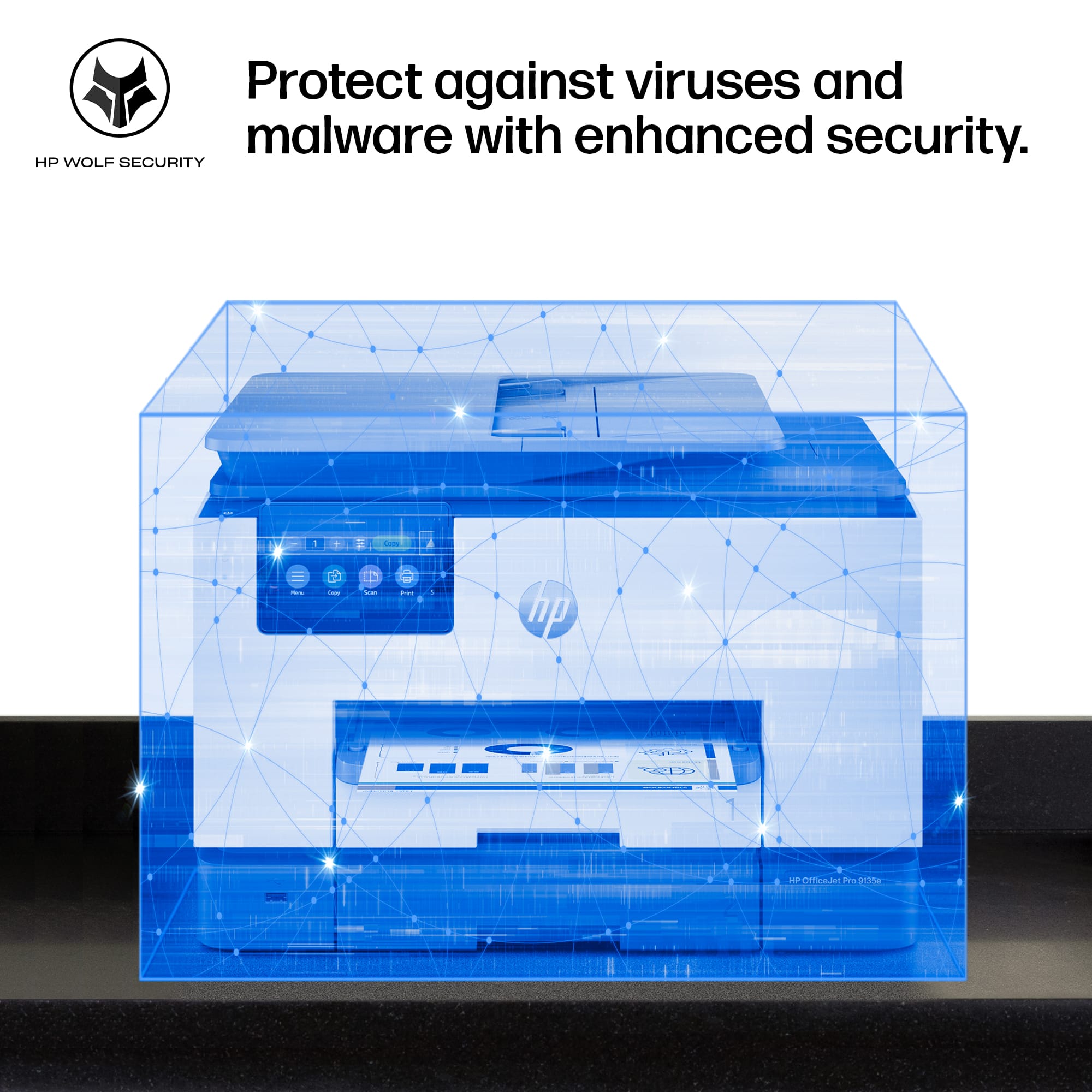
|Posted .This reviewer received promo considerations or sweepstakes entry for writing a review.THIS…. Is the HP Office Jet Pro 9135e and has proven to me that printing….doesn’t have to be so bad after all. From opening the box to printing my documents, I spent no more than 10 minutes! A fraction of the time, and better yet, absolutely zero curse words involved! Taking the printer out of the box, you are instructed through a simple paper to go online using a QR code which takes you step by step in the manual setup process such as inserting the ink and removing the protective bits and pieces. Once the manual work is done, you are prompted to download the HP app if you don’t already have it and BOOM it pops up in the app and almost instantly connects to your network. I was easily able to immediately print papers and photos as well as scan and copy documents through the touch screen interface. Seriously, this printer has… a nice snappy screen? As far as printing on your desktop/laptop, there is a dedicated desktop app that is as effortless as the app and gives you some more options but…none that I was missing in the mobile app. As far as metrics are concerned, it prints at 25 ppm black and 20 ppm color which translates to fast enough. I didn’t clock the time on it but it printed faster than I could find the next document to print and allows you to que prints if it is a rather involved print. It printed photos well, and only showed some scanning lines on full page images. I really enjoyed the large 250pg storage and double sided printing and scanning for my lecture notes and slides. HP touts their built in wolf pro security features, which is not something that I am nessicarly worried about. That being said, apparently, HP will brick your printer if you don’t use HP branded ink moving forward for reasons that are not entirely logical. This bums me out as paying $50 every couple months when I am currently paying around half or less of that for ‘security’ features I am not interested in. This is at home in my office, HP states that the reason is that non HP branded ink is banned is due to the fact that you can have a security breach on unauthorized cartridges containing malware….sure. Anyways, back on track here, the printer does use 40% recycled plastic making this printer which is something I want to see more of. To round this out, I would look at the cost for ink vs the amount you use the printer to see if this one is cost effective for you…if it is then I have to say this is by far the best printer I have ever used with a screen that is exceptionally way to good for this printer. Seriously, the engineers and app devs are on a MISSION at HP to make the best printer ever, and it is obvious they use the products they make as every bug or flaw that could pop up…just doesn’t exist. The best part of the whole thing is, when you buy this at best buy… you never have to worry about getting a bad product, Best Buy has an excellent return policy and even better customer service, so you never have to worry about buying a product that you don’t like… so why not test it out?!
I would recommend this to a friend