Customer Ratings & Reviews

- Model:
- 14-KD0013DX/D2VJ1UA#ABA
- SKU:
- 6668006
to a friend
Customers are saying
Customers are enthusiastic about the product's modern and elegant design. They also appreciate its portability, which allows users to have performance without compromise.
This summary was generated by AI based on customer reviews.

Beautiful 3k touch display and excellent speakers
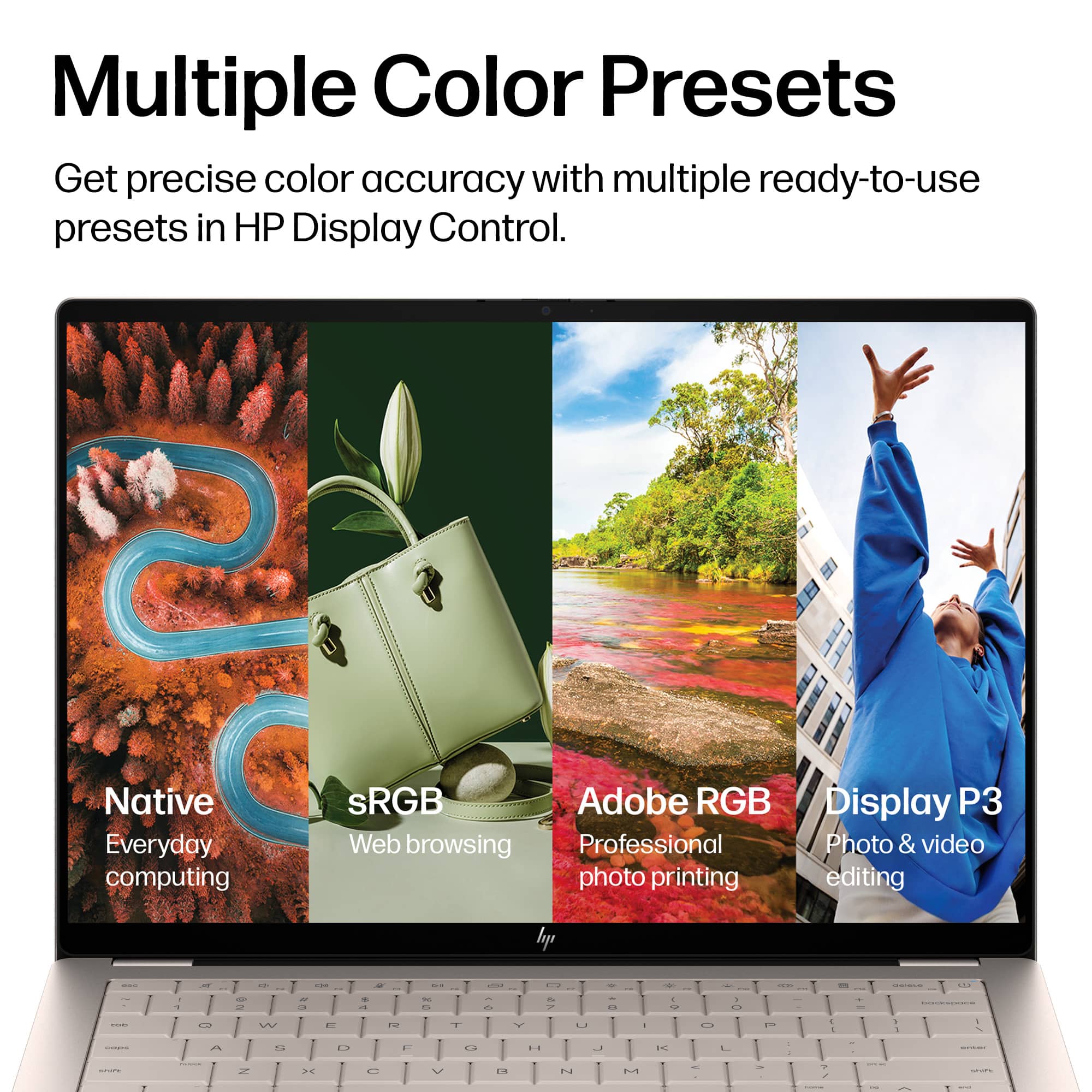
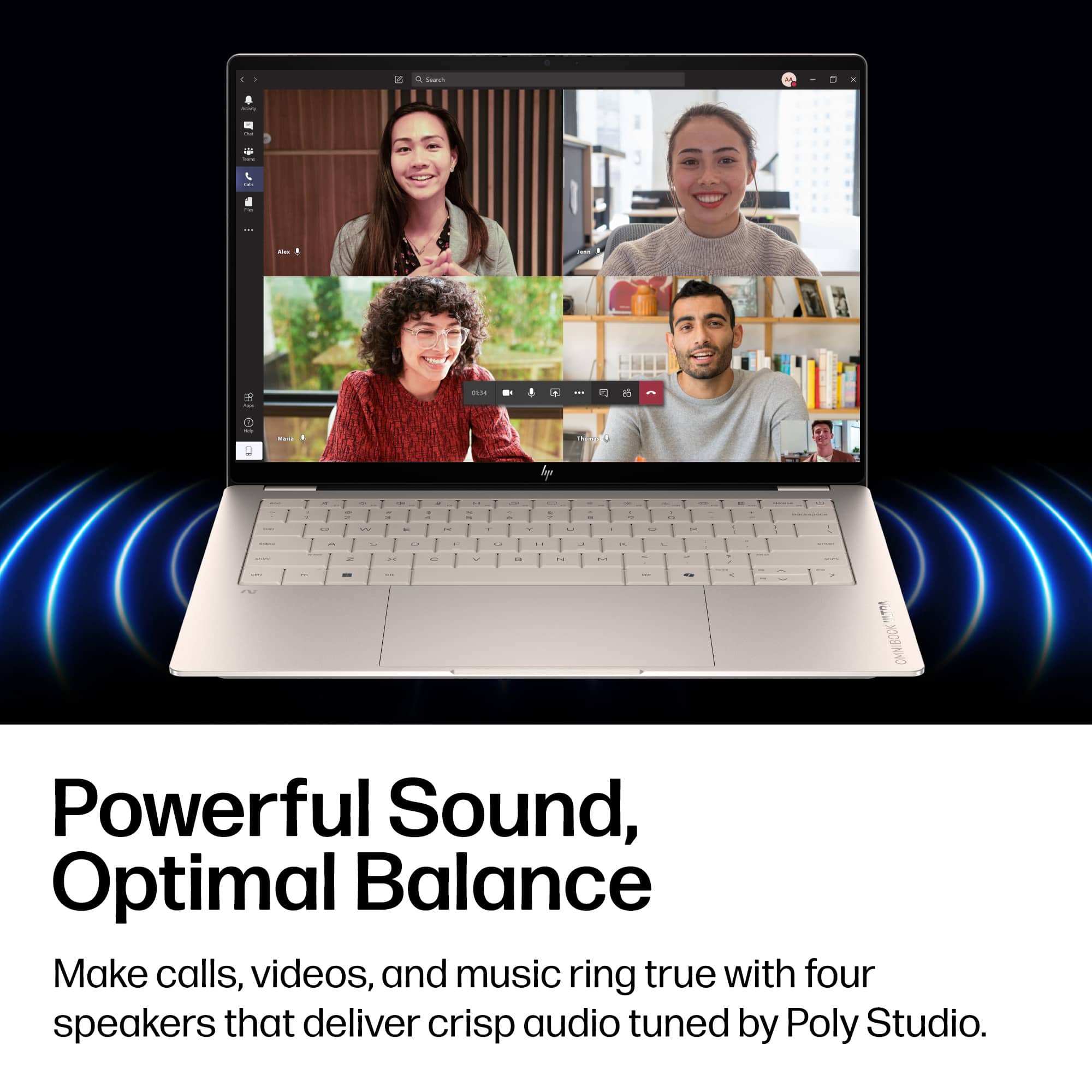
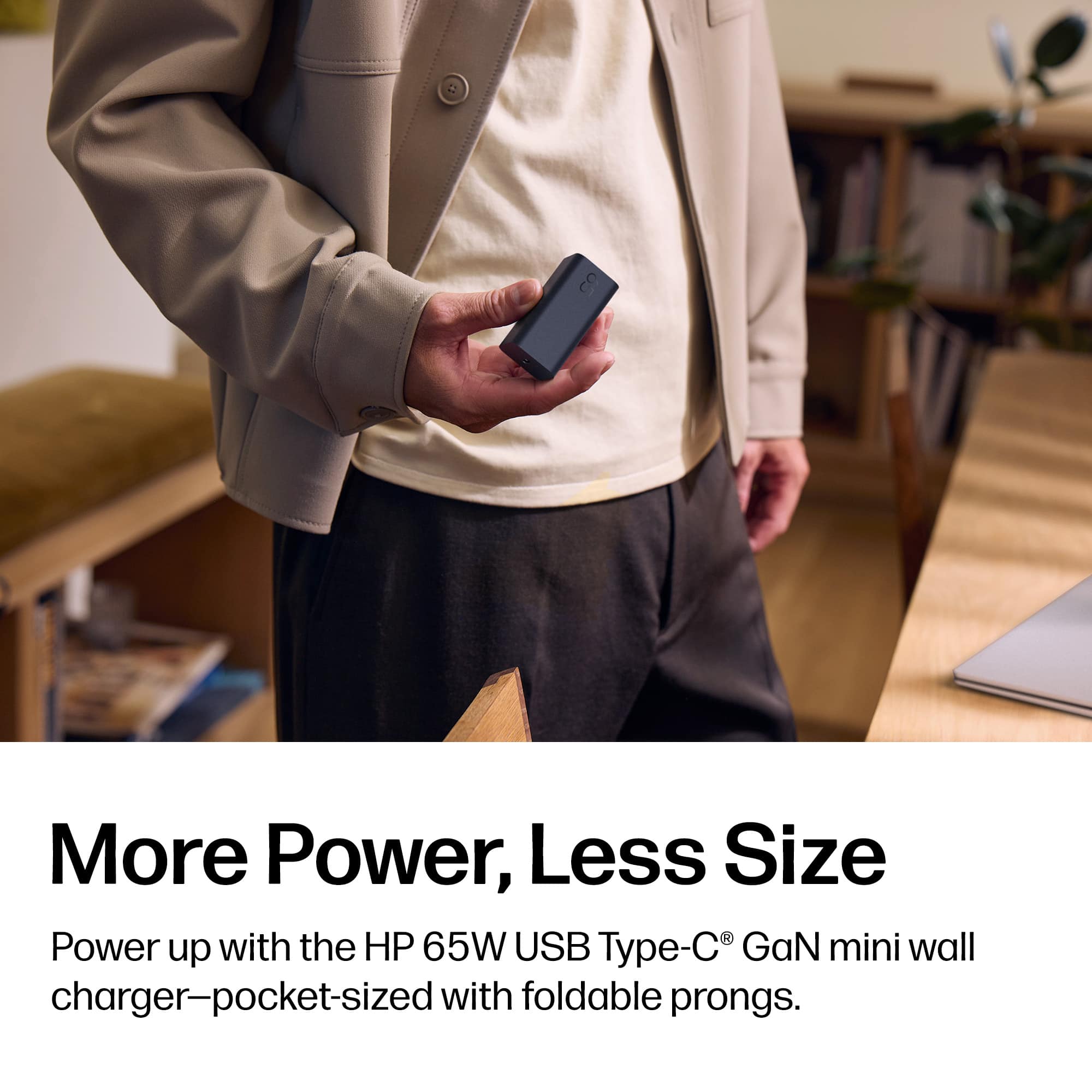
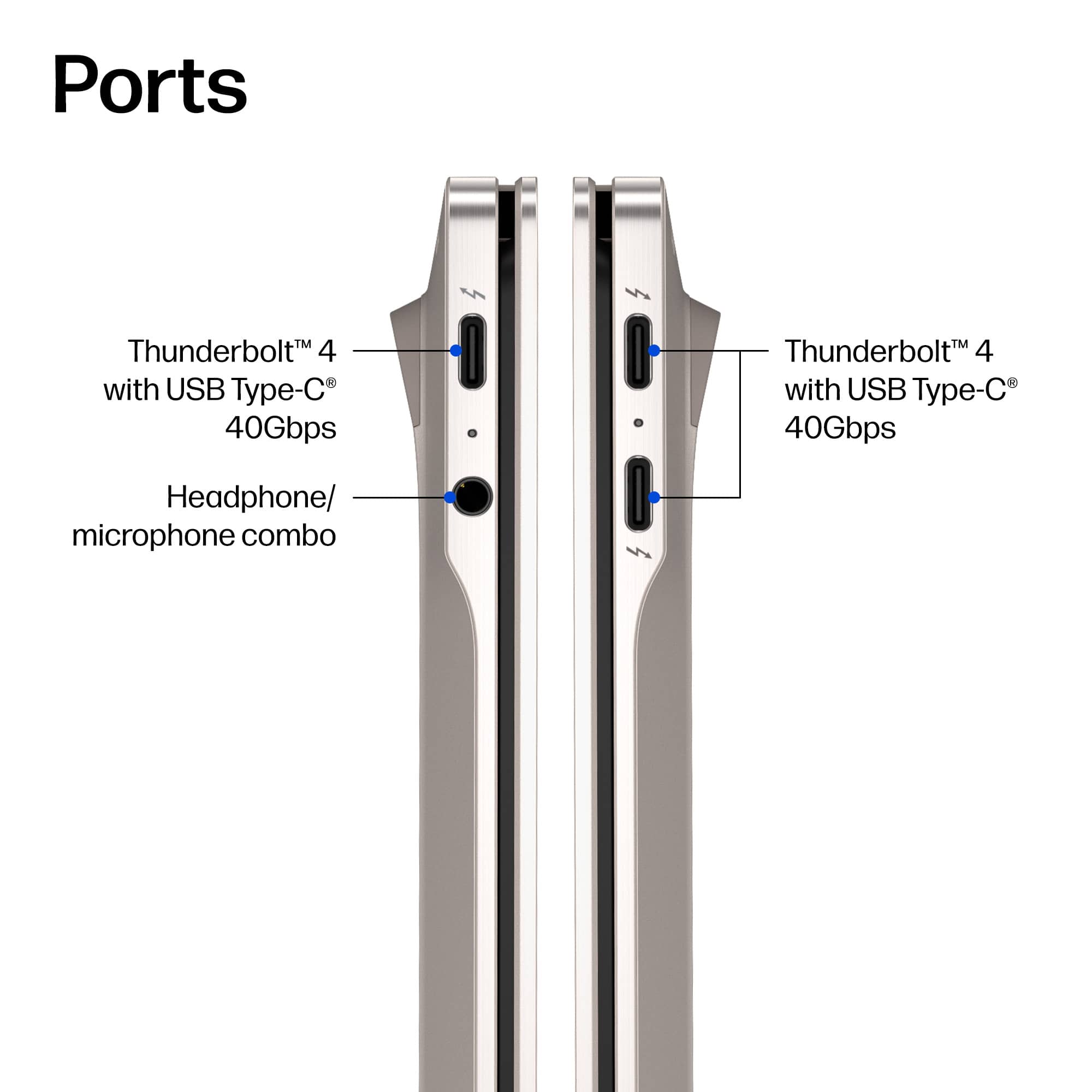
|Posted .This reviewer received promo considerations or sweepstakes entry for writing a review.I love the design and performance of this laptop. The 3k touch screen and speakers are excellent. The modern Core i7 processor, fast 1TB solid state drive (SSD), and DDR5 memory (RAM) offer great performance and good battery life. There are also lots of little design details, upgrades, and useful features that give this laptop a premium feel. Pros - The 3k screen is perfect and it is also a touchscreen! It is crystal clear and bright, with great color and dark blacks. Videos and pictures look great. Thanks to the increased resolution you can also get a lot of desktop space on the 14" display when needed by adjusting your Window's scaling setting (mine is set to 150%; default is 200%). - The quad speakers are some of the best laptop speakers I have tried. Impressive volume, depth, and clarity with decent bass. - Premium build quality and style. The brushed metal case feels solid and the screen hinge stays where you position it, with no wiggle. The rounded corners and hidden vents are clean and modern. - Excellent multi-tasking performance. I connected a 3 monitors (1080p x 2 and a 4k) via a USB-C dock and pushed this laptop hard. Watching videos, listening to music, shopping, researching a trip, editing/encoding videos, and chatting with Copilot. I had a ton of windows open across multiple screens. There was no lag and the RAM was well managed (although it did reach near 100% full a few times, especially with some share memory being used by the GPU). - The 1TB SSD has plenty of usable space (890GB out of 954GB total), with only 62GB being used by pre-installed software. The drive is a BG8 series manufactured by KIOXIA, a major Japanese memory manufacture. I tested it with Crystal Disk Mark and got an impressive 10,300MB/s read and 7,800MB/s write (sequential). - Minimal cooling fan noise (only a soft whir) and good temperature management, even under load with system control (via the HP app) set to "Performance". - The keyboard has an adjustable backlight and a ton of useful function buttons (volume +/-/mute, media play/pause, microphone mute, wireless display toggle, screen capture, screen brightness, keyboard backlight, system utility, calculator). Button feel and spacing are also very good for a 14" laptop. There are even little led status lights for speaker mute, microphone mute, function lock, and caps lock. - The built-in camera and microphone are above average and the camera has a privacy shutter. The camera resolution is great (5.2MP photos and 1440p videos) with less noise than I expected (acceptable even in modest indoor light). On video calls, people noted that the image was very clear (even better than my older iPhone) and that I sounded good. - The large multi-finger touchpad works well. It is precise and has a good click feel. The multi-finger support allows you to do things like scroll or pinch to zoom. Additional functions can be customize using the HP app. - Wi-Fi 7 support. This laptop worked well with my mesh dual band Wi-Fi 7 network; simultaneously using the 2.4Ghz and 5Ghz bands to get 900Mbps up and down from a router approximately 15ft away. - Bluetooth works well. I paired a mouse and headset with no issue. I was able to walk around a room a way while using the headset without issue. - The included USB-C power supply is compact (with a folding plug) and includes a 6.5ft USB-C cable. Things to Consider - Battery life is good, maybe even great, as long as you don't expect to normally get the 20+ hour battery life HP claims (read the fine print on the settings required). I made no attempt to conserve battery (full display resolution, 75% brightness, system control mode set to "Smart Sense" via the HP app) and got approximately 9 hours of continuous mixed use on a full charge. I am pretty happy with that and know I could reasonably get a few more hours with just a few setting adjustments. I also like that HP allows you to enable Smart Charging to limit the battery level to 80% when plugged in, which helps to preserve battery health and extend its useful lifespan. - Limited ports - there are only 3 USB-C ports (one of which must be used for charging) and a headphone jack. You will need a dock and/or adapters for USB-A devices and to connected additional screens. The good news is that this computer is fully compatible with many USB-C docks that provide power and allow you to connect many devices/monitors at once (I used it with an HP G Series Universal USB-C dock connected to 3 monitors, camera, speakers and a full keyboard/mouse... it works beautifully). - While great for business or personal use, I would not recommend this computer for gaming or high resolution editing (4k plus). The Intel Integrated Graphics based GPU (with up to 9GB of share memory) might be a concern if you do a lot of high resolution video or photo editing. I did not try gaming (despite HP including OMEN software), but most of the games I play require a discrete (separate) GPU. It did work well for light video editing/encoding (full length 1080p or short 4k clips). It quickly encoded multiple 1080p videos from a GoPro in the background with no performance impact.
I would recommend this to a friendBeautiful design, plus great performance for most
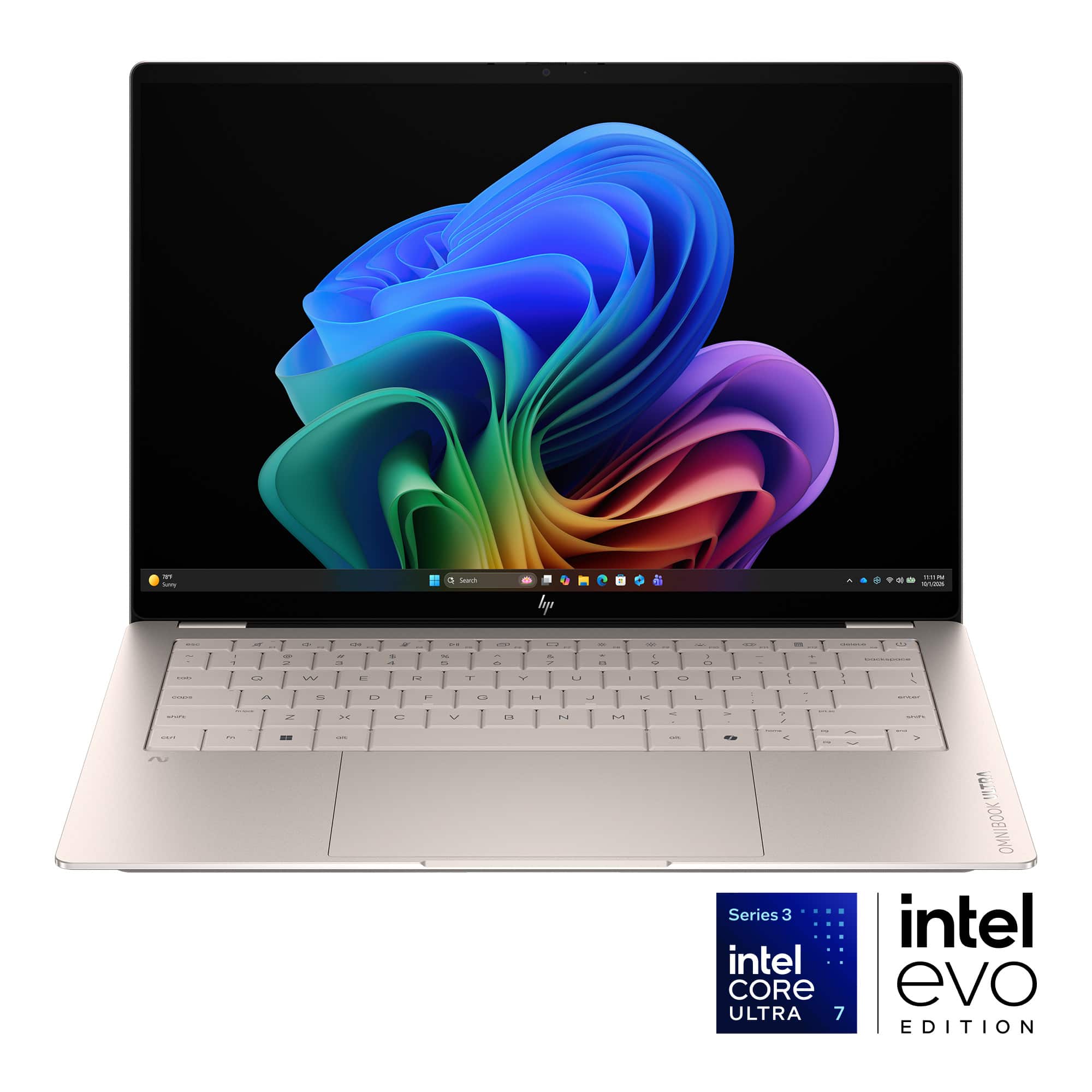
|Posted .This reviewer received promo considerations or sweepstakes entry for writing a review.I’ve really enjoyed this ultrabook so far. It has a premium feel and titanium-like tone that stands out - while being subtle. HP has done a lot to make this powerful, lightweight and attractive in a modern take on a higher-end everyday laptop. All of the small choices come together to create a great look. The small bevels on keys help separate the keys without creating gaps and come right up to a fantastic glass trackpad with a similar bevel where they meet. The screen is gorgeous with Gorilla Glass protecting a beautiful 3k OLED that is the perfect pixel density at this size. This OLED brings the best of deep blacks and color accuracy with 100% DCI-P3 compliance all while being a touchscreen as well. On the bottom, a fine speaker/ventilation grill sits between two long silicone feet that help with grip when holding in one hand and provide good clearance underneath. The backlit keyboard looks fantastic in low-light situation, but I did find it bit hard to read keys when on while using in a lit room, causing the backlight to essentially match the color of the keys themselves (usually only at the lowest setting). In other words, turning it off at times may be necessary. The overall look of the Silk Sand color is very nice. At first I thought it was a mild-champagne color, but it’s much more of a ‘titanium,’ - or a dark, warm silver, which ended up matching with my smartwatch well. Sanded and polished sides look awesome. Inside edges have small bevels with just the top edge remaining a bit sharp. Unlike other thin and light computers, HP achieved its lightness with forge-pressed metal in the chassis rather than a CNC process. This made for a lightweight, but I’ve noticed a few small quirks. For one, the screen has a 1mm gap at the side-seals when closed due to some slight upward bowing away from the hinge… which could eventually allow dust to get inside to the keyboard. Second, the perforated area on the bottom is very slightly wavy when viewed at some angles, suggesting that it may not be as rigid as it feels. Of course this is flanked by rigid feet and some overall geometry that makes the computer feel very secure in the hand. Nothing creaks and it gives a solid impression. The included USB charging cable is a bit more thick and uninteresting than I would have liked, but a very compact and travel-ready charger makes up for it. Regarding computing performance, this svelte computer has a very respectable Intel core 7 processor that is snappy with an AI-ready NPU boost. Graphically, it can handle just about any average workload with great speed, but it’s not the best for anything that involves 3D processing. 3D games, for instance, typically only run at low frame rates (or not at all) in my testing and I wouldn’t recommend this laptop for gaming beyond simple 2D games... or those that were already designed to be optimized for phones, etc. Intel’s integrated graphics are respectable, but they aren’t set up for these use cases. Media playback is still well supported, and watching Netflix or similar on this machine looks fantastic on its OLED. It also has enough power to support three thunderbolt 4 ports on this machine, all in the USB-C form factor and providing great connections for charging and plugging in your peripherals, or connecting to a monitor at great transfer speeds. No ethernet port here as this computer is just too thin, so these ports can come in handy with dongles if needed. In any case, Wifi 7 provides a speedy connection. Overall, this is a fantastic, beautiful machine. You can tell this is one of HP’s top lines - bolstered by a great screen, portability, and battery life you’d want for travel, school, work and more. I love the titanium-look of the Silk Silver color and the keyboard and trackpad are fantastic. As a Windows user, you’ll love this machine.
I would recommend this to a friendA Darn Near Perfect School/Work Laptop!
|Posted .This reviewer received promo considerations or sweepstakes entry for writing a review.This review is going to be easy. Rarely have I come away from setting up a laptop for my own use or for friends/family without SOME quibble about it, but frankly, for what it's for (school/work), the HP OmniBook Ultra 14 is a darn near perfect computer. Ok, I did have two quibbles, but they were easily overcome and or not an issue for its intended user (my goddaughter). I'll hit them here first just to get them out of the way. If neither of them is an issue for you, and you are looking for a beautiful and capable laptop for work of school, just go out and buy the OmniBook Ultra. This is HP's new designation for what used to be the Spectre line and just like those laptops, this one is top notch. Quibble 1: For the first time in YEARS I had a pretty major hang-up while setting up the laptop. I actually thought I might have to send it back, but after pressing through, I think it was a simple hiccup and everything got resolved with my full update run after I got to the desktop. Without being able to replicate it, and it's seemingly ephemeral nature, I almost hesitated to put it in the review, but I thought someone else might run into the same thing and I wanted to let them know, that you can continue with the set up and once everything it updated, you'll never know anything even happened. Quibble 2: practically no bass from the speakers. Granted I wasn't expecting any really, but if you plan on playing music or games utilizing the built-in speakers... well, I wouldn't. That being said, having run my headphone testing playlist on the OmniBook, I was rather blown away by how well it handles mids and highs. Both are incredibly well controlled for built-ins and I would actually bet that HP tuned them more for voice and casual video rather than games or movies. Some of the test songs can really stress a speakers sibilance response (the sharp SSSS sound that you can sometimes get through mediocre speakers/headphones), but the OmniBook handled it like a pro. I mean, I was EXPECTING the sibilance, and when it didn't show up, I was kinda shocked. Considering that my goddaughter already has a pair of top notch headphones (courtesy of moi), and she will mostly be using the OmniBook's speakers for online classes and videos, this is a moot point to both of us. Other than those two relatively minor points, The HP OmniBook Ultra, while not cheap by any measure, is completely WORTH its price. The build quality, typing experience, screen, power, and battery life, are all stellar. I'm a Mac guy and this thing is making me a tad jealous. I'm betting that this HP OmniBook Ultra is going to carry her through her four years of college and perhaps on to grad school. Nice Job, HP. Nice Job.
I would recommend this to a friendNext Gen AI PC Done Right: HP’s OmniBook Ultra 14
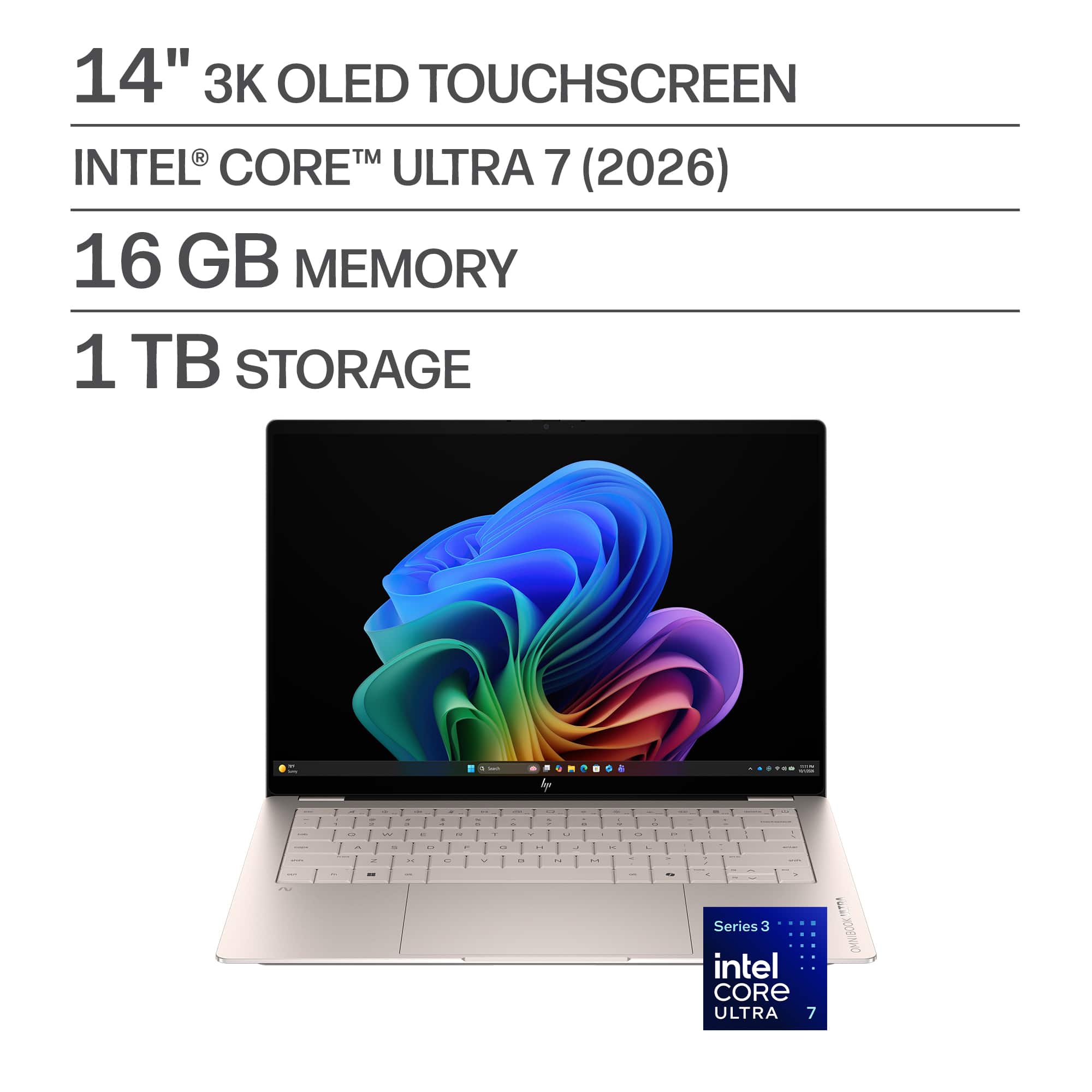
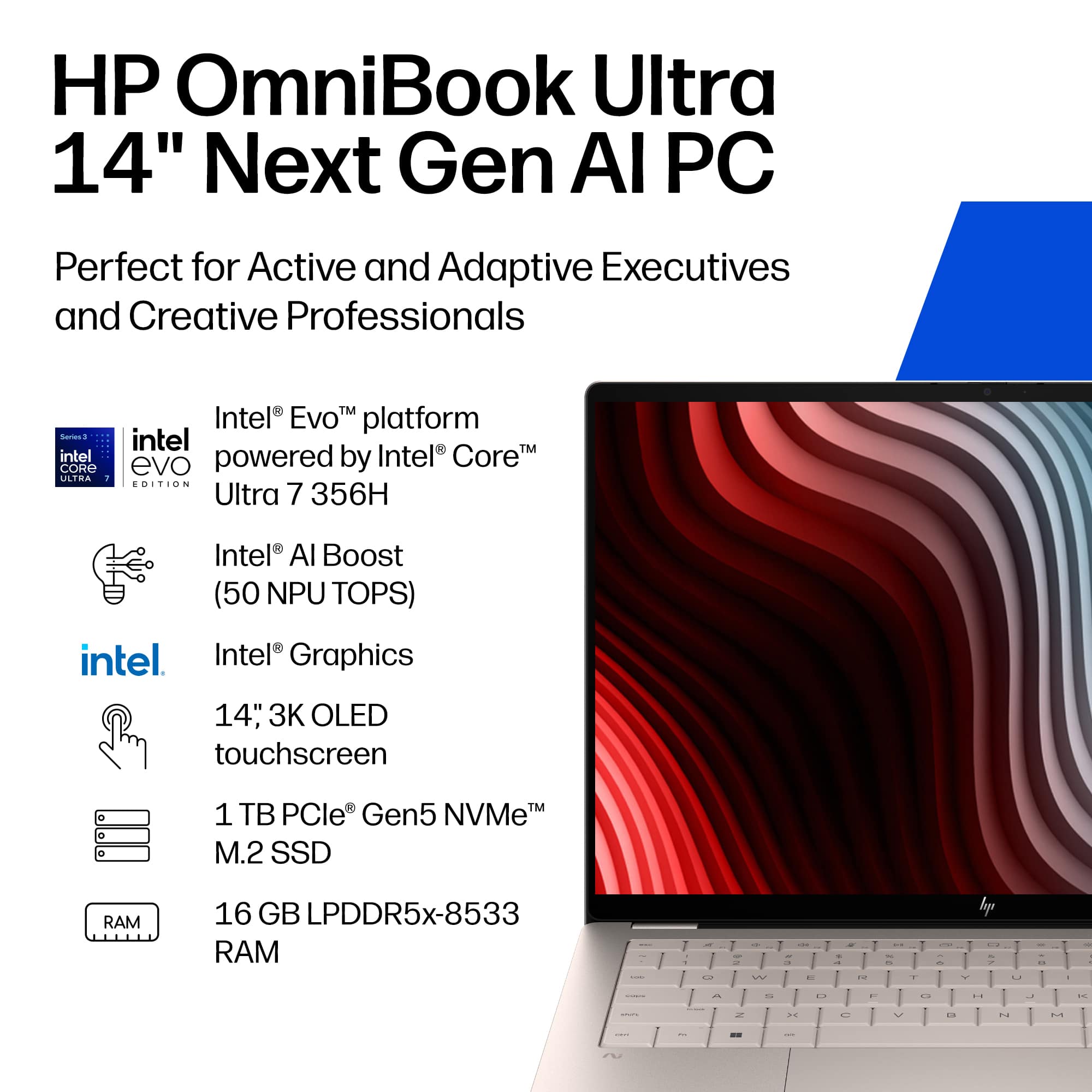
|Posted .This reviewer received promo considerations or sweepstakes entry for writing a review.The HP OmniBook Ultra 14 (2026) makes a strong first impression. It’s compact, solidly built, and the design shows clear intention in both the lines and materials. It looks modern and confident without trying to draw attention. The chassis uses HP’s Forged Aluminum and has passed 20 MIL SPEC tests, giving it a rare mix of durability and clean aesthetics. It’s an ideal fit for mobile professionals, students, hybrid workers, or home users who want a portable, high performance laptop that adapts easily to everyday tasks. “Next Gen AI PC” was a new term to me until the OmniBook arrived, but it turns out the label has a very specific meaning in today’s AI focused hardware landscape. It refers to Microsoft’s Copilot+ PC class - systems built around powerful on device AI acceleration, specifically NPUs delivering 40+ TOPS. The OmniBook Ultra 14 clears that bar with a 50 TOPS NPU, which is legitimately impressive. And that matters, because HP’s 2026 redesign isn’t just a spec refresh - it’s a platform shift. The new Intel Ultra 7 Evo architecture brings noticeably better balance than my 2024 OmniBook Ultra Flip, which is already a capable machine. The CPU stays responsive under load, the integrated GPU performs above expectations, and the NPU quietly offloads background AI tasks that used to bog systems down. The result is a system that feels lighter on its feet: apps open instantly, multitasking stays smooth, and the machine runs cooler because the CPU isn’t being hammered by every AI related process. The display builds on that foundation. HP’s 14 inch 3K OLED panel is bright, sharp, and color accurate without draining the battery. Text stays crisp, motion stays clean, and the system doesn’t need to spin up the GPU just to render the desktop. It’s the kind of screen that makes long sessions - coding, writing, editing - feel effortless. Out of curiosity, I loaded a fairly demanding title - Civilization VI - fully expecting tearing and stutters. Instead, the game ran at the native 2880×1800 resolution with a mix of medium and high settings and stayed smooth throughout. To be clear, this isn’t a gaming machine, but the fact that it handled Civ VI this well says a lot about the efficiency of the new platform. Intel’s Ultra 7 architecture shows its maturity here. It’s no longer about raw clock speeds - it’s about orchestration. The hybrid design, paired with the 50 TOPS NPU, gives the system a balance and efficiency the older platforms never had. The 2026 OmniBook remake delivers the kind of responsiveness that feels genuinely modern - a platform built around a new set of rules. Key Specs • 1 TB PCIe Gen5 NVMe M.2 SSD • 3× USB C (USB4 / Thunderbolt 4, 40 Gbps) • 16 GB LPDDR5x • Wi Fi 7 BE211 (2×2) — solid 4.8 Gbps • Bluetooth 6.0 • Premium trackpad • “Battery life: up to 22.75 hours” • Fast charge: ~50% in 45 minutes • 65W ultra compact GaN USB C adapter • 1.28 kg, 10.6 mm thin • Intel Core Ultra 7 356H (2 nm process) Bottom line: The OmniBook Ultra 14 (2026) is a confident step forward for HP’s thin and light line. The redesign is meaningful, the 3K OLED upgrade is transformative, and Intel’s Ultra platform finally feels like a complete, well orchestrated solution. For mobile professionals, students, and hybrid workers, it stands out as one of the most balanced ultraportables of the year. What surprised me most is how much advancement HP delivered in a 14 inch form factor.
I would recommend this to a friendUltra Portable for workload of AI & still have fun
|Posted .This reviewer received promo considerations or sweepstakes entry for writing a review.Review of HP OmniBook The latest laptop from HP for Ultra Mobile category out of box holding on hand feels very compact and light, almost as could be as a tablet with keyboard. In the box, it comes simply the notebook itself OmniBook Ultra, Charging Cable and Adapter. Then the usual and for long known Microsoft Windows processes to update and completion that would take between 3 to 4 hours if one wants to have all the updates. Once its initial setting is completed, as starting to navigate in browser and opening multiple windows and task, can notice its speed for which accelerate the processing. It feels smooth the order in which the windows being opened and can move around across different area of the window, doesn’t lag while moving the windows and images. It’s 3k OLED Display excel the experience as it all even reading comfortable to the eyes. Typing the keyboard, feels comfortable as well. Can feel the bouncing effect smoothly as type with speed. With backlit feature, make the case for the type of notebook. Now, on its weight, it weight appx 2.81lb, to give idea the Dell XPS with Serie 3 Intel Core 5 weight appx 2.2lb (1kg)., and approximately equivalent to 6 of iPhone 17 Pro. Another remarkable and unique to the HP Ommibook is the charging adpater is a 65 W USB Type-C® GaN power adapter, and the charging cable can be detachable. This although is a minor detail, it makes practical to place in the backpack or for trips organization. The HP OmniBook connectivity consist of - 1 headphone/microphone combo - 3 Thunderbolt™ 4 with USB Type-C® 40Gbps signaling rate (USB Power Delivery 3.1, DisplayPort™ 2.1, HP Sleep and Charge) And for the camera includes cover which makes handy for security purpose or privacy during meeting. The primary battery is a 4-cell, 70 Wh Li-ion polymer, which makes above average level of battery, and allow to use during the flight. And it can be used for long hours for tasks from light as browsing and watching movies to heavy coding. Regarding the chip, the Intel Core Ultra 7 is for purpose of Making AI content, editing videos, multitasking, and using advanced apps. With 16gb of memory and 1tb of storage, give enough resources for heavy usage. Moreover if it is intended for AI, it has Intel® AI Boost (50 NPU TOPS) that gives sufficient enough for the workload while optimizing the battery life as per its specifications. I haven’t tested to its detail to the extend of benchmarking, 50NPU is beyond the normal usage. Based on the short time of usage, to summarize, HP Omnibook Ultra 14” is very practical but still focused on the heavy usage range and not coming short for AI processing and still be able to have entertainment all in a single notebook. As only last detail, nothing to do with performance, would have loved to see that the power adapter have included adaptable for international outlet since it has been designed to be cable detachable and GaN power adapter.
I would recommend this to a friendAwesome thin laptop
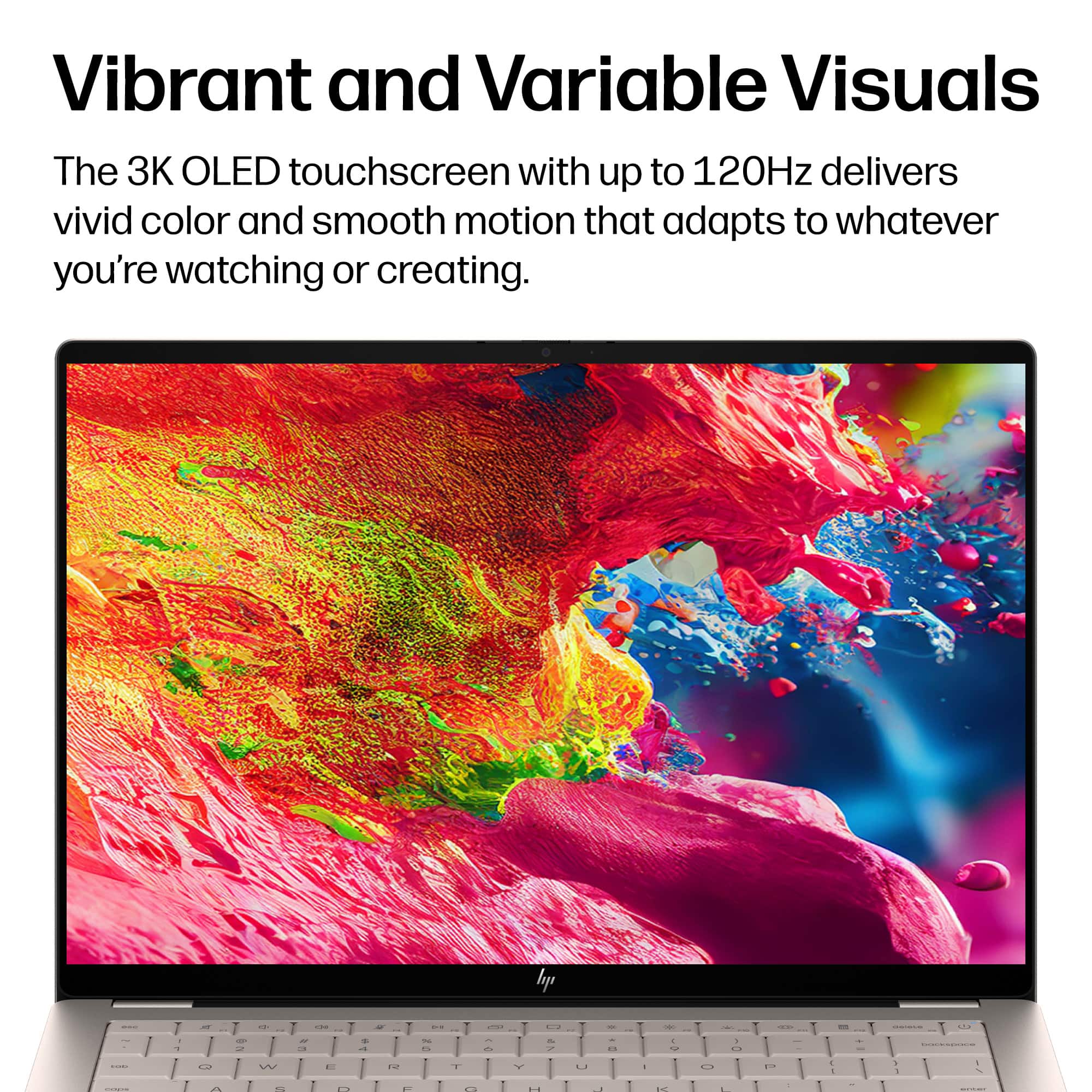
|Posted .This reviewer received promo considerations or sweepstakes entry for writing a review.The HP Omnibook Ultra with Copilot is HP’s new line of ultraslim laptops that compete against that slim laptop named after a fruit. Released in two variants namely one with an X9 processor and 32Gb RAM and another with a Core Ultra 7 chip with 16Gb of RAM. This review is for the Core Ultra 7 variant. This Omnibook is a 14-inch laptop that sports an OLED display which has a 3K display (2880 x 1800 resolution) at 120Hz for a smooth video display. It is quite bright having 1,100 nits meaning the display is topnotch. As mentioned earlier, this is the Core Ultra 7 which is faster than the older i7. It has 16Gb RAM which is now the standard in personal computing and it also comes with a generous 1TB of storage. Given that storage is now at a premium due to AI, this is what I would describe as a “perk” for this laptop. And speaking of AI, this laptop is also AI powered. Given that, this is a speed demon. And with that this laptop is perfect for media creation and mid-tier gaming. The combination of the Core Ultra 7 chip and AI functionality also means that it can compete with gaming PCs even without a dedicated GPU. Then again this is AI powered meaning it has an NPU. Due to this, the laptop boasts of a 22-hour battery life. So far I have performed only one battery cycle and clearly it wasn’t 22 hours. This remains to be seen though. Aside from having 3K resolution, if I may add, is that this laptop is touchscreen capable. Now this may be divisive for some as this not a flip laptop meaning it has no tablet mode. This translates to the laptop being limited to having quick signature capabilities and the convenience of doing presentations without need for a mouse. The main downside really is it is not suitable for illustrations. Personally, I find this limiting as my other laptop is also an HP but it is the flip version and I find tablet mode very convenient. Being an ultraslim laptop, this Omnibook has three Thunderbolt ports. There are no HDMI ports, USB A ports and not even a built-in micro-SD card reader. Likewise it does not have an ethernet port but I understand this is Wi-Fi 7 capable for what it’s worth. One thing I’ve noticed though is that there is a lot of bloatware. While these are not very obvious, but when memory diagnostics are run, used memory is already at 72 percent upon start-up. In comparison, my other HP laptop only has 48 percent used memory upon startup. Definitely, I will make a clean install of Windows one of these days. And lastly, another gripe of mine is that the keyboard is not backlit. A laptop at this price point should also have at least a lighted keyboard. Overall, this laptop is a solid performer despite its quirks, If those are fine with you then this laptop will be a decent choice for you,
I would recommend this to a friendA Beautifully Designed Premium Ultrabook
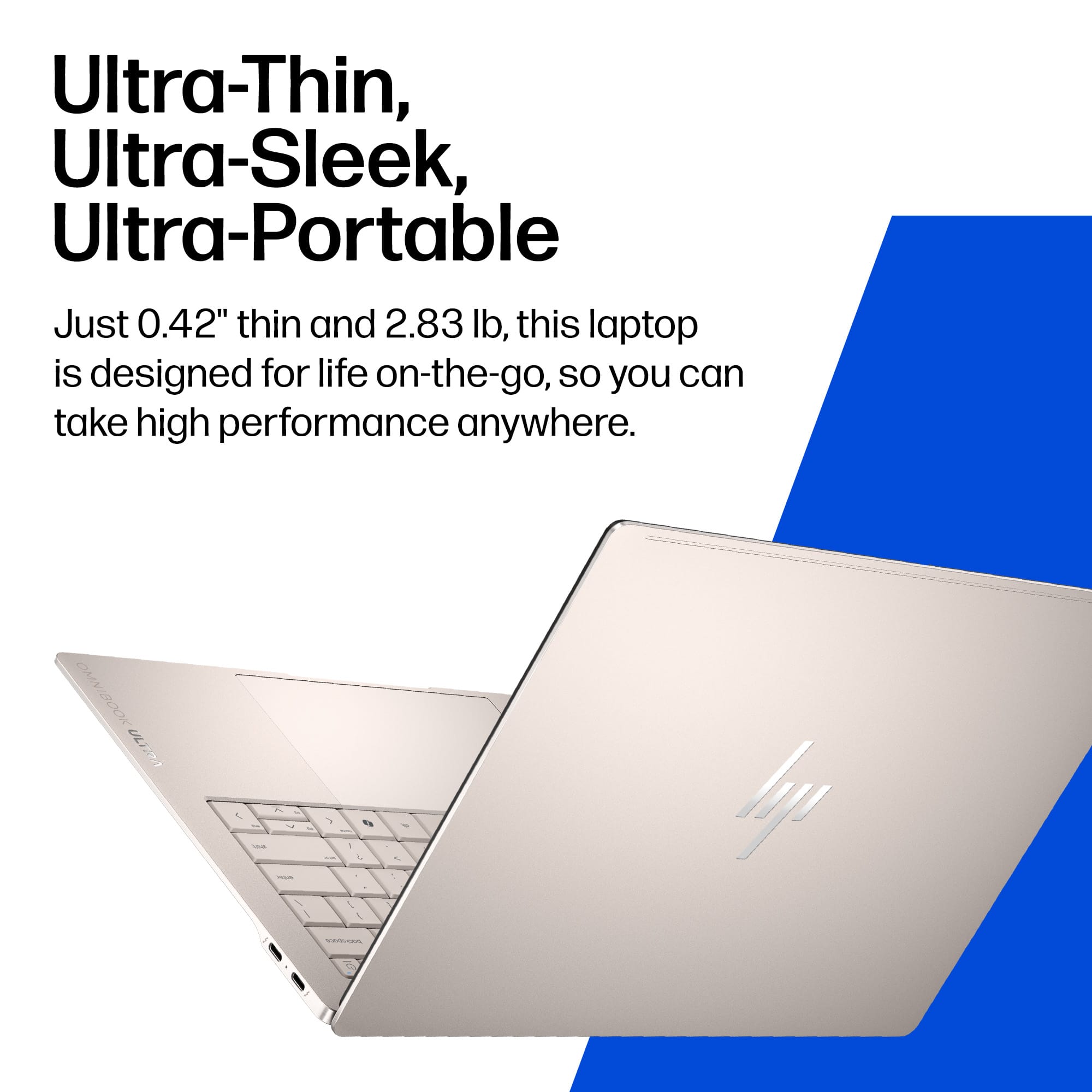
|Posted .This reviewer received promo considerations or sweepstakes entry for writing a review.HP Omnibook Ultra 14 Review Let me begin this review by saying that my first impression of the HP laptop is that it is a great example of industrial design and construction. The Silk Sand color is beautiful and the sandblasted aluminum chassis feels nice and makes fingerprints essentially invisible. It truly has to be seen and touched to be fully appreciated. It is lightweight, at under three pounds, and it feels solid and sturdy. The screen of this laptop is a 14.0 inch 3k OLED panel, with a variable refresh rate of up to 120 Hz. This gives it all the advantages of OLED like deep blacks and high contrast, but it will use more battery than a lower resolution LCD especially with HDR video content with up to 1100 nits brightness. The screen makes the HP a great device for YouTube, Netflix and other video content. As an added bonus it is also a touchscreen! The Intel Core Ultra 7 processor and the 1Tb SSD provide a snappy, no lag experience while performing basic modern computing tasks. I am not a gamer, and this laprop is not a gaming focused machine, so I can't really say more about that aspect. I do photo editing, and this device is fine for that. The webcam and microphones are good, and the camera has AI features: auto framing, background blur, and eye contact. The speakers are fine, especially for the ultrabook laptop category. The HP settings app does provide an equalizer to tailor the speaker sound to some extent, and the app also has settings over and above the standard Windows settings. The last area I will comment on is battery usage. Over the course of my testing, I have seen an average of eight hours of screen on time for mixed use cases and about nine hours of YouTube streaming at 30% brightness (which sounds low but is actually a quite useable level in most cases). The price you pay for the bright, crisp OLED screen is unfortunately a shorter battery life. I would say that I recall just a few years back I was lucky to see five hours screen time, so I see this as a pretty good result. Of course your results will be different since no two people use their computers alike. Charging time from 0 to 100 is approximatly two hours. The included 65 watt GaN compact charger is very good. The haptic trackpad of the Omnibook is excellent. It is large and of couse as you would expect is made from glass. The back-lit keyboard is okay, but like most thin ultrabook laptops it needs more key travel to be truly great. Quick Summary Design 5/5 Fit & Finish 5/5 Screen 5/5 Speakers 4/5 Speed 5/5 Battery/Charging 3/5 Webcam 5/5 Microphones 4/5 Trackpad 5/5 Keyboard 3/5
I would recommend this to a friendGreat Performance and Design in a Portable Size
|Posted .This reviewer received promo considerations or sweepstakes entry for writing a review.I’ve been using the HP OmniBook with the Intel Core Ultra 7 356H, and it has been an excellent upgrade for everyday productivity. It feels fast, responsive, and reliable for work, browsing, streaming, and general use. The performance is smooth with this processor. Apps open quickly, multitasking is effortless, and the system stays responsive even with multiple windows and tabs open. It’s not designed for heavy gaming or demanding 3D work, but for productivity and daily tasks, it performs extremely well. The touchscreen is sharp, colorful, and very responsive. It’s great for navigation and media, though I do wish it had a matte finish. The glossy screen looks nice but reflects surrounding objects more than I prefer, especially in bright rooms. The backlit keyboard is one of my favorite features. It feels premium and comfortable to type on. The trackpad has a unique, satisfying click that sets it apart from other laptops I’ve used. The audio is surprisingly loud for a laptop this size. It easily fills a room and stays clear during videos, calls, and music. Much better than I expected from a compact device. Copilot integration has been genuinely useful. It helps me look up information quickly, stay organized, and get things done faster. It feels like a natural part of the workflow. With 16 GB of RAM and a fast SSD, the system handles multitasking well and stays quick when opening files or switching between apps. Storage is generous and should last a long time before needing cleanup. The size and weight are perfect for portability. I moved down from a 16 inch laptop, and this feels much easier to carry while still offering plenty of screen space. The overall design looks and feels high end, with a solid build and clean finish. You can do light gaming on this laptop, but for newer or more demanding titles, you’ll want something with a dedicated GPU. This machine is built for productivity first, gaming second. Overall, the HP OmniBook with the Intel Core Ultra 7 356H is a premium feeling, highly portable laptop that delivers excellent everyday performance. The keyboard, trackpad, touchscreen, audio, and Copilot features all come together to create a modern, well rounded device that’s great for work, travel, school, and general use.
I would recommend this to a friendPortable, powerful work laptop
|Posted .This reviewer received promo considerations or sweepstakes entry for writing a review.This is an excellent work computer. It is snappy, compact, lightweight, has long battery life, a gorgeous 3K OLED screen, and comfortable keyboard. It does everything that you would want to and more for a daily use workload. It is also very well designed and has an appealing look and feel to it, with a lightly bronzed aluminum finish, laser etched logos, and the matte sandblaster metal is pleasing to the palms while typing on it and stays much cleaner than other devices I have used. It is very thin, easy to carry, logs in quickly with the windows hello capable camera that has a privacy slider built in, and the touch screen and multi touch track pad make navigating menus easy. This is by no means a gaming computer, as it does not have discrete graphics, but the core Ultra 7 makes quick work of general tasks such as word processing, web browsing, spreadsheets, and all of the above simultaneously. It has 3 Thunderbolt 4 ports that can all be used to charge or plug in external devices such as a monitor or other peripherals. Wifi 7 means gigabit speeds wirelessly for incredible internet performance on my network. Bluetooth performance for my external mouse and keyboard is also excellent. Sound quality is phenomenal for its size as well, it produces substantially more high-def sound than I initially thought possible. Overall, the purpose for which this laptop is intended is where it excels, and it is so light and portable that it makes everything that much better when on the go. Its only real negatives are that it only has 3 USB ports, and they are all the same type C meaning adapters are required for older peripherals. I appreciate having 1TB of internal storage but acknowledge that it is not expandable so it is a good thing that at least it has a decent amount. I have never noticed any slowdown with anything I have done on this machine so far, it is a powerhouse. HP is doing good things these days and I am very impressed with this laptop in particular. It is already making my job easier and that is what I needed.
I would recommend this to a friendGreat laptop! Almost perfect.
|Posted .This reviewer received promo considerations or sweepstakes entry for writing a review.My expectations HP’s laptops have really come a long way. They weren’t always the prettiest, but they were feature rich, and offered some good specs. The same is true with the Omnibook Ultra, but this time, they do bring the pretty. Initial Thoughts I do like me some minimal packaging, and the packaging engineer that came up with the design did a great job. The laptop is very thin and very light. The most surprising aspect is that it doesn’t come with your run of the mill power brick and AC plug, in it’s place is a USB-C to USB-C cable and what I can only describe as a phone brick. What’s in the box? I think the big focus here was minimalism. Out of the box you get the laptop, the 65W mini power brick, a long USB-C to USB-C cable, and a black envelope containing some inserts including a quick start guide in case you’ve never owned or used a laptop before. Try it out So upon turning it on, you go through the usual welcome hurdles. Then you’re asked to buy or try a bunch of windows applications. At least you’re given the option to manually opt into Window’s latest “feature” called recall. I think this is a security disaster waiting to happen. I wish I could uninstall it in case a future update turns it on and I don’t have a clue what it’s doing in the background. I digress. Again, the laptop is beautiful. It’s a brushed aluminum. I think it’s a uni-body design, I could be wrong. The design engineers did a great job making the Omnibook look modern and sleek. The laptop screams luxury and quality. The keyboard is nice and responsive. The touchpad has a large surface to work with. The touchpad is smooth and the multi gestures work well. I do like it when laptops come with cameras. This allows the use of Windows hello. This is just an easy way to login to the laptop using your face. The speakers sound pretty good considering the sound seems to be emanating from underneath. I put it on max volume and I didn’t hear any distortion or vibration from the chassis. The OLED 3K screen is a sight to behold. The OLED screen has by far the best visuals. Deep blacks, colors that pop. I watched a movie for about 15 minutes to gauge the quality, and it didn’t disappoint. (I will never get used to a touch screen laptop. Mostly because I don’t want to put fingerprints all over the screen) I did however, use it for the review. It was responsive. I don’t expect to use it daily or often if I’m honest. I’m just too lazy to reach over and keep my arm suspended to do something I can do with the touchpad. It’s interesting that this doesn’t have a GPU at this price point, but I’m thinking it’s more geared towards productivity or even streamers. It can play games at low to mid settings at 1080p which is actually surprising. Thoughts HP did a great job with the design aesthetics, as well as the overall feel of the Omnibook Ultra. I wish it came with at least a mid level GPU, but I’m guessing it would make the laptop larger and heavier which goes against the identity of this laptop. The likes No fingerprints. I like the matte finish. No fingerprints anywhere except the screen. The dislikes The laptop comes with a good amount of bloatware installed. A disappointing amount. Microsoft really has to cut back with the marketing and blatant attempts at trying to get me to sign up for their other services. What’s one thing I would change? I would include an option to turn off the touchpad so I don’t touch it when I’m typing. It’s always been a pet peeve of mine. Verdict Yes, it’s pricey, but it’s a great every day use laptop. I would recommend it.
I would recommend this to a friend- Pros mentioned:Design, Portability
The HP OmniBook Ultra: A Premium Ultraportable
|Posted .This reviewer received promo considerations or sweepstakes entry for writing a review.I received the HP OmniBook Ultra several days ago, and I've been able to spend some time with it both at work and at home. I have come away impressed! This is a sleek, luxurious machine with a high-end feel. If I had to say who this laptop is aimed at, I would say it is for users who desire portability without sacrificing performance. After several days of daily use, including demanding engineering tasks, I can see why HP has placed the OmniBook Ultra at the top of its lineup. Design and Build Doing some research on HP's website, it looks like the OmniBook Ultra has a forged aluminum chassis, which is what gives it a sturdy feel with some heft. The Silk Sand finish is really sharp. Looks unique. I am a little concerned about how much dirt it will pick up and reflect, but it is popping. I got several comments on how gorgeous the laptop was. It is thin enough and light enough that it slipped into my backpack without a problem and I never felt like it became a burden. There is a lot of plastic, which is a bummer, but it still feels solid. My understanding is that the OmniBook laptops underwent military testing, so that is saying something for its ability to travel and be portable. I found the keyboard to be comfortable for long typing sessions, and the touchpad is responsive. The keys are jammed a little close together, and there is no number keypad, but that is to be expected for a 14" display. Display Easily one of the best parts of this laptop. It is a 14-inch 3K OLED touchscreen with a resolution of 2880x1800, and the colors pop. It is very vibrant, with deep blacks that make HDR content and detailed visuals easy to see. Whether I'm reviewing schematics, editing documents, or simply browsing, the edge-to-edge glass and high refresh rate make everything feel smooth and sharp. Touch response is quick and accurate, which is a nice bonus for occasional annotation or navigation. It's a noticeable upgrade over standard IPS panels I've used in the past. Performance in Real-World Use This model packs an Intel Core Ultra 7 (2026 series) processor, 16 GB of LPDDR5x RAM, and a 1 TB SSD. In everyday tasks—web browsing with dozens of tabs, Microsoft Office suite, video calls, and file management—it feels exceptionally snappy. Boot times are near-instant, and app launches are quick. Where it has impressed me most is with more intensive workloads. I regularly run hydraulic modeling software (such as tools similar to EPANET or HEC-RAS for simulations and analysis) along with other processor- and memory-heavy engineering applications. The combination of the powerful CPU, efficient architecture, and solid SSD keeps things responsive even when juggling large datasets or running multi-threaded simulations. There's minimal lag during multitasking, and the system handles these demanding programs better than I expected from such a thin chassis. The integrated cooling seems effective at keeping fan noise low during sustained loads. Battery life has been strong for a machine with this level of performance. I've easily gotten through a full workday of mixed productivity and modeling work with juice to spare, and lighter days push well beyond that. Other Notes A quick word on gaming: this is not a gaming laptop, and it doesn't pretend to be. That said, it can handle some lighter or older titles at reduced settings surprisingly well for casual sessions—nothing demanding, but a pleasant surprise for downtime. Ports are mostly USB-C/Thunderbolt focused, so plan on a dock or adapters if you need legacy connections. The webcam and audio quality are solid for professional video calls. Final Thoughts Overall, I feel that the HP OmniBook Ultra is perfect for professionals who need a lot of processing power on the go. The OLED display, responsive performance in real engineering workflows, and premium build make it an excellent choice in the ultraportable category. It's not perfect for every use case — those needing discrete graphics for heavy rendering or high-end gaming will need to look elsewhere. But for my use case, it is a refined and capable machine.
I would recommend this to a friend - Pros mentioned:Design, Portability
Gorgeous Screen, But a Few Compromises.
|Posted .This reviewer received promo considerations or sweepstakes entry for writing a review.I’ve been spending some time with the new HP OmniBook Ultra 14, and honestly, it feels like HP finally hit their stride with this one. If you loved their older premium laptops, you’ll feel right at home, though this definitely stands on its own as a super-sleek, modern machine. The real star of the show here is the screen. It is absolutely gorgeous—the colors pop, the picture is incredibly sharp, and everything just looks smooth and fluid. It easily handles daily tasks without breaking a sweat, and the battery life is seriously impressive. I easily get through a full day of work without needing to reach for the charger. That said, it’s not entirely perfect. This model only comes with 16 GB of memory, which is a bit of a bummer for a premium laptop in 2026. While it's totally fine for everyday stuff and having a bunch of browser tabs open, you might hit a wall if you're trying to edit heavy 4K videos or run intense creative apps. HP also decided to drop the standard USB ports, so you’re going to need an adapter if you have older accessories. But overall, if you’re looking for a highly portable laptop with a killer screen for daily use, this one is absolutely worth a look. The Good Stuff * The Display: The screen is easily one of the best I've seen on a laptop this size. It's bright, beautiful, and fantastic for both work and watching movies. * Battery Life: This thing sips power. You can realistically expect all-day battery life even if you're using it constantly. * Build Quality: It feels incredibly solid despite being super thin and light. It looks great and feels like it's actually built to last. The Not-So-Good * Only 16 GB of Memory: For a laptop this expensive, 16 GB feels a little tight. It's plenty for most people, but heavy multitaskers or creative pros might find it limiting down the road. * The Ports: You only get USB-C / Thunderbolt 4 ports. If you still use standard flash drives or older mice, you'll need a little adapter. Final Verdict If you aren't doing heavy video editing and can look past the port situation, this is a fantastic everyday laptop. It's fast, the screen is beautiful, and it lasts all day.
I would recommend this to a friend Compact Performance and Slick
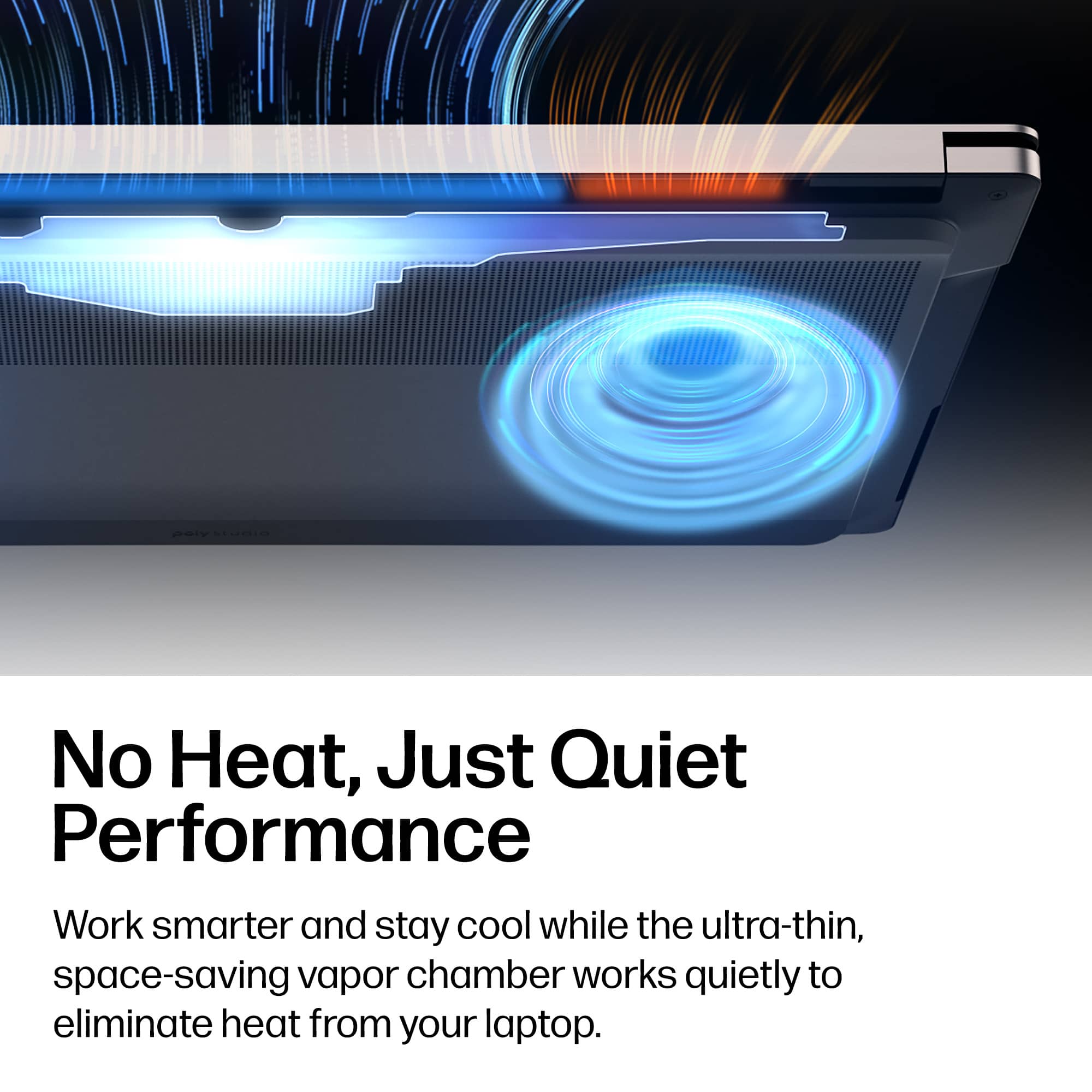
|Posted .This reviewer received promo considerations or sweepstakes entry for writing a review.I have an HP 16” OmniBook and I love it. However, lately, I have been traveling more was in need of a more compact laptop that allowed me to not only write/work but also have the ability to entertain me. And that’s why I went with the OmniBook Ultra 14” laptop. Set Up: Like most electronics these days, setting up this device was incredibly easy. I think the biggest issue was needing to charge it right out the box. After it was fully charged, I simply logged into my existing Microsoft account, allowing me to transfer all of my documents that were in the cloud storage. Performance: As I mentioned earlier, I love my previous HP OmniBook Ultra, but it’s a bigger model whereas this 14” is smaller and that provides a more compact experience. What I mean by that is that the keyboard isn’t as wide which means my hands aren’t traveling as far when typing. I noticed that the keystrokes sound softer compared to my experiences with other laptops. I typically will have several programs running at once while I work. And I can admit that some of the programs aren’t for work because I get easily distracted. At one point, I had a video player, Word, Apple Music and Xbox Cloud Gaming opened. There wasn’t any slowdown/lag. All work seamlessly. Since I mentioned gaming, I downloaded my copies of Gears of War Reloaded (I’ve been on a Gears kick lately). It looked beautiful as if does on my other HP OmniBook Ultra. I will admit that the sound from the speaker on this Ultra sound deeper and more immersive. The screen display is sharp and radiates videos and games. This isn’t a gaming laptop, but it will satisfy some basic gaming desires when you cannot access your console or gaming tower. I also noticed that the bottom of the OmniBook didn’t get warm when being on my lap for a couple of hours. I don’t know what sort of new ventilation design HP implemented, but it works. I do have to mention that if you’re looking for that 2 in 1 laptop experience then this OmniBook is not for you. This laptop does not fold backward to make itself into a tablet. I felt the need to put that disclaimer because sometimes people will just assume that it is. But the screen is a responsive touchscreen in case you might be wondering. What’s Not to Like? Compact design Beautiful 3K display Touchscreen 3 USB-C ports Built in camera 1TB SSD 16GB Ram And this design is modern elegant. I feel that you or whomever you may buy this for will be extremely happy and productive.
I would recommend this to a friendSleek*Refined*Powerful*Bright Display*Lightweight
|Posted .This reviewer received promo considerations or sweepstakes entry for writing a review.The HP OmniBook Ultra lives up to its name. It really is the ultimate top-tier level for a laptop. On the outside, it presents as sleek and refined, almost impossibly thin and very lightweight. The color is refreshingly unique (not taken from the boring usual slate of blacks, greys and silvers); it is a professional-looking shade of champagne, subtly classy. Upon opening it up, you will experience a responsive backlit keyboard that is surprisingly very quiet when in use—I type at an average of 100 wpm and it is whisper soft. The speakers are located on the bottom of the laptop, but nevertheless I was surprised with the good quality of sound. While the price of this laptop is on the higher side, it is well worth it. The specs are excellent, with 1TB storage and 16GB RAM. Yet the best, most eye-catching spec (literally!) is the 14-inch OLED screen with 120Hz refresh rate. It is, without a doubt, spectacular. You have to actually see it to believe it, it is so crystal clear, sharp, and bright with breathtaking colors that are not oversaturated at all. And that screen is a touchscreen as well. In tandem with having a touchscreen, there is a generous-sized touchpad that I would say is one of the best I have ever used in any laptop in terms of responsiveness. I also appreciate that the webcam has a privacy shutter. The laptop comes with a 65-watt power supply that is not a heavy and bulky brick but is rather slim and relatively unobtrusive, with foldaway prongs. Overall, a superb, super-thin lightweight laptop with the top specs and the ultimate OLED screen for the best experience in business, school, and/or personal use.
I would recommend this to a friendGood balance of power and portability
|Posted .This reviewer received promo considerations or sweepstakes entry for writing a review.I have been a big fan of HP products for a long time. I still use the 40-year-old financial calculator that got me through college. I managed a datacenter full of HP 9000 Unix servers in the late 90’s, and I’ve been using my Spectre x360 laptop for 6 years now. There’s really nothing wrong with that laptop, but I was ready for something updated a bit lighter for travel. I found this Omnibook Ultra with all the latest specs, so I ordered it. Unboxing it, I can see it’s well-packaged for shipping in its own box which saves weight and material. All of the packaging is made from recyclable paper products. The contents are minimal – the Omnibook Ultra, a 65w USB power block, a USB C-to-C cord, and an envelope with a fold-out pictorial “getting started” guide. I appreciate the minimalist packaging. The first thing I noticed about this OmniBook Ultra is its lightness and thin size. The aluminum housing is thin and sleek. It’s very portable, and while it’s a bit small for serious all-day work, the 14” screen is perfect for travel. The 3K resolution OLED display is crisp, bright and easy to read and its touchscreen works flawlessly. The keyboard is decent. It feels pretty much the same as the one on my HP Spectre in terms of travel and spacing. Being a compact laptop, many of the navigation keys (home, end, paging, etc.) are shifted functions instead of having dedicated keys. In my work, I rely on those a good bit, so it’s a trade-off I have to live with to get the portability. One thing I noticed is that while the light-colored keyboard looks nice, the symbols on the keys become almost invisible with the backlight on in a well-lit room. I had to turn off the backlighting to see them. Of course in low light, having a backlit keyboard is a good feature, but I don’t like having to toggle it off and on like that. With most laptops, I just leave it on and they are visible in all lighting environments. In terms of performance, with 16GB of RAM and a 1TB SSD, it has plenty of power for what I need when on the road. I use Adobe Photoshop, Acrobat, Microsoft SQL Server (installed locally), Visual Studio and Office 365. I upgraded to Windows 11 Pro for connecting to my domain server. All in all, performance is great. I think this machine is faster than my desktop PC on most tasks. The graphics processor is a typical Intel chip that’s adequate for business use, but probably not what a gamer would want. This is a CoPilot+ PC, so it has onboard AI processing, but not through a dedicated GPO – it’s just a function of the Intel Core Ultra 7 Evo CPU. I don’t generally rely on local AI processing or CoPilot, but it seems to work well when offline. The OmniBook Ultra comes with 3 Thunderbolt USB-C ports for connectivity. The only other port is a 2.5mm headset jack. It has a built-in Wi-Fi 7 adapter plus Bluetooth, and a 5MP webcam. Any of the Thunderbolt ports work for charging. There is no HDMI port, but external monitors work through the USB ports. I have a portable monitor that’s USB powered and it worked just fine. I also tried an external port replicator device that the OmniBook Ultra handled flawlessly. I like this OmniBook Ultra, but I do have two complaints that prevent me from giving it a 5-star rating. First of all, the rubber anti-skid strips on the bottom look nice and thick, but they are sloped so only a tiny bit of the edge contacts the table. They are useless for keeping the laptop from sliding on a table. That also makes it impossible to open the screen with one hand. Second, the touchpad is odd. It lacks a physical “click” when pressed. Instead, it has a setting for haptic feedback, but my brain expects to feel the movement and mechanical click so it’s a bit of a learning exercise. Also, multi-finger gestures don’t respond unless there is a bit more space between contact points than other touchpads I’m used to. I have large fingers, and I still have to slightly spread my fingers to get a two-finger right-click. Other than that, this laptop is the perfect balance between power and portability. It’s well-made and the battery lasts for nearly 6 hours with constant, heavy usage. It’s a good value and I highly recommend it.
I would recommend this to a friendGreat laptop
|Posted .This reviewer received promo considerations or sweepstakes entry for writing a review.This laptop is super solid and a fantastic device. The build quality and the overall performance of the laptop really stands for itself and I find that to be the biggest draw to this. The chassis is very well made as it should be for this price point. It's solid and metal and doesn't attract too many fingerprints in my experience. It's very sleek but it does seem a little heavier than some other 14" laptops. The trackpad is wide and feels very responsive. The keyboard is impressive on this. It has a boxy shape to it that provides some depth and separation for each key and using it feels akin to using an actual dedicated keyboard. The screen is beautiful and the touchscreen is responsive as well. Editing photos or videos on this, the colors are very accurate to my eyes. Games look great as well but since this isn't a dedicated gaming laptop, don't expect perfect FPS, but it can run games with decent graphics and fps. It's respectable for gaming on the go with such a compact size too. The battery seems to last me a day with just normal day-to-day productivity use, nothing too power intensive.
I would recommend this to a friend