Customer Ratings & Reviews





- Model:
- 13-AW0013DX
- SKU:
- 6376412
Rating by feature
- Battery Life
Rating 4.5 out of 5 stars
- Speed
Rating 4.7 out of 5 stars
- Display
Rating 4.9 out of 5 stars
Customers are saying
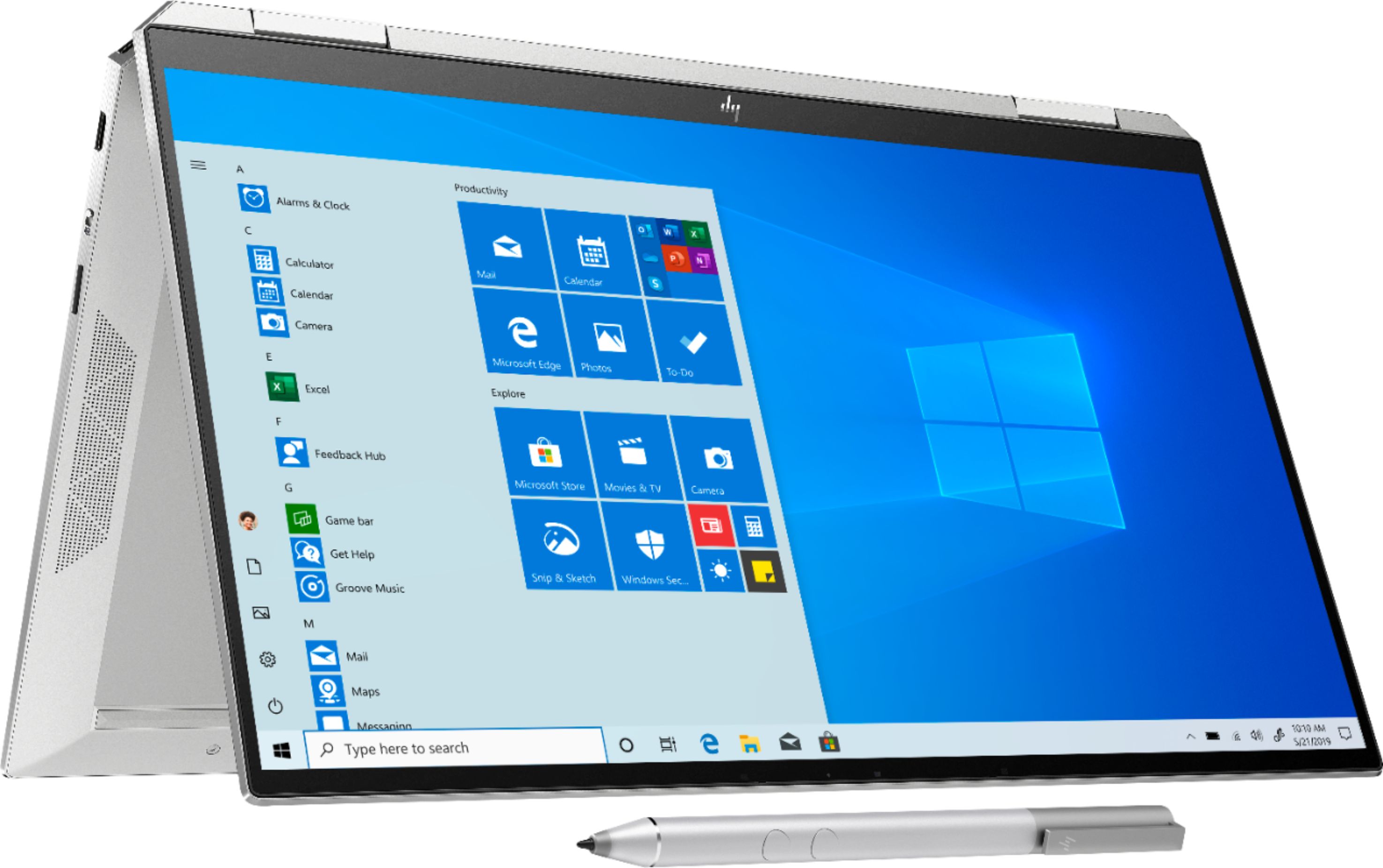
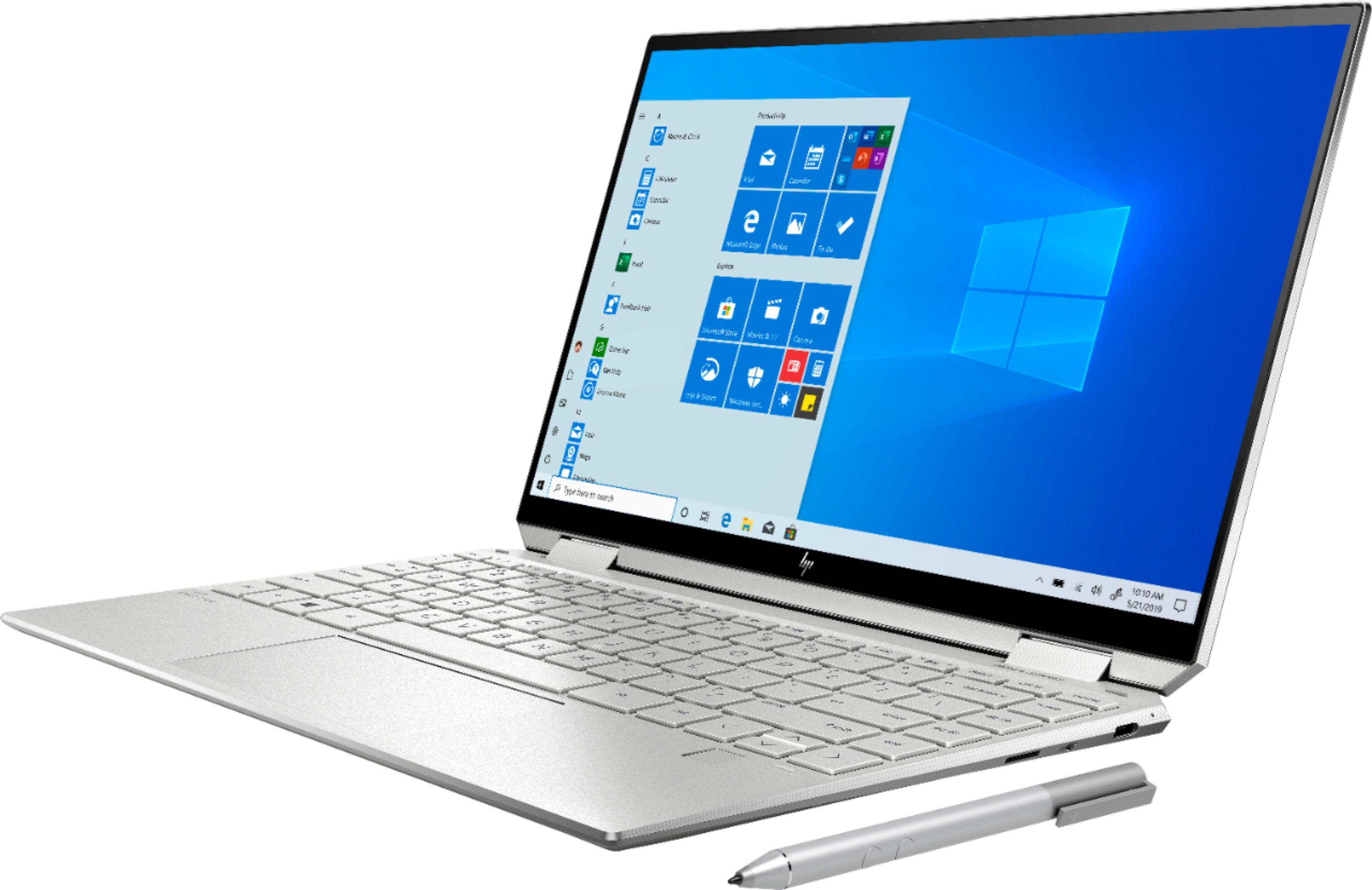
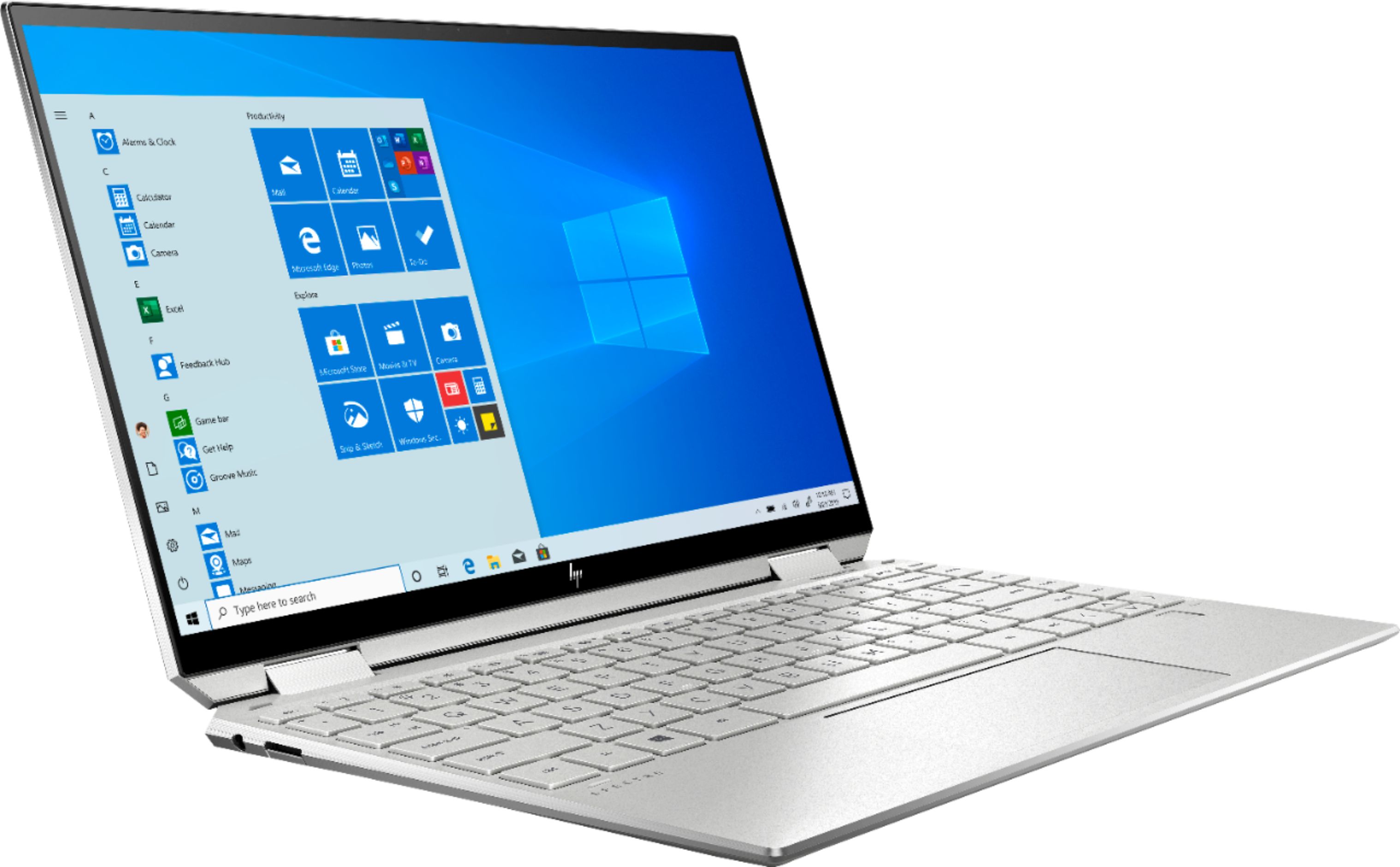
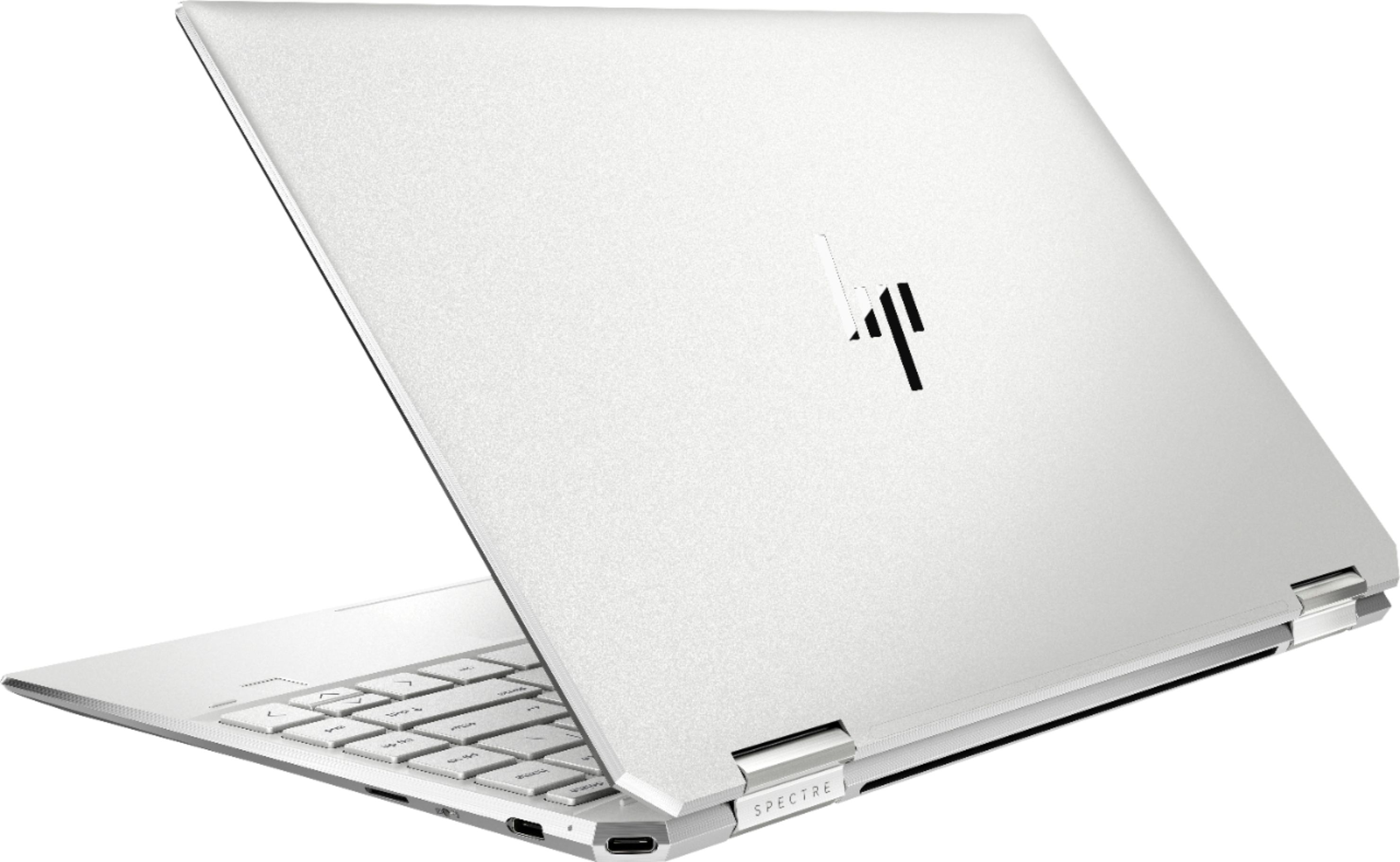
Customers regard the Spectre x360 as a portable, fast, and lightweight laptop with a long battery life. They appreciate its price, screen, and design. However, some customers have concerns about the fan noise, overheating, limited memory, and muffled speakers at higher volumes.
This summary was generated by AI based on customer reviews.
- Pros mentioned:Fast
Tift County Republican Party, Inc.
||Posted . Owned for less than 1 week when reviewed.This reviewer received promo considerations or sweepstakes entry for writing a review.We love it! It is fast and light weight. This works perfect for our meetings and business. This was at the apex of our budget but it will last us for a good 10 years I believe. If you're a Republican give us a visit online. Best Buy is a great place for the latest technology.
I would recommend this to a friend Great for students!
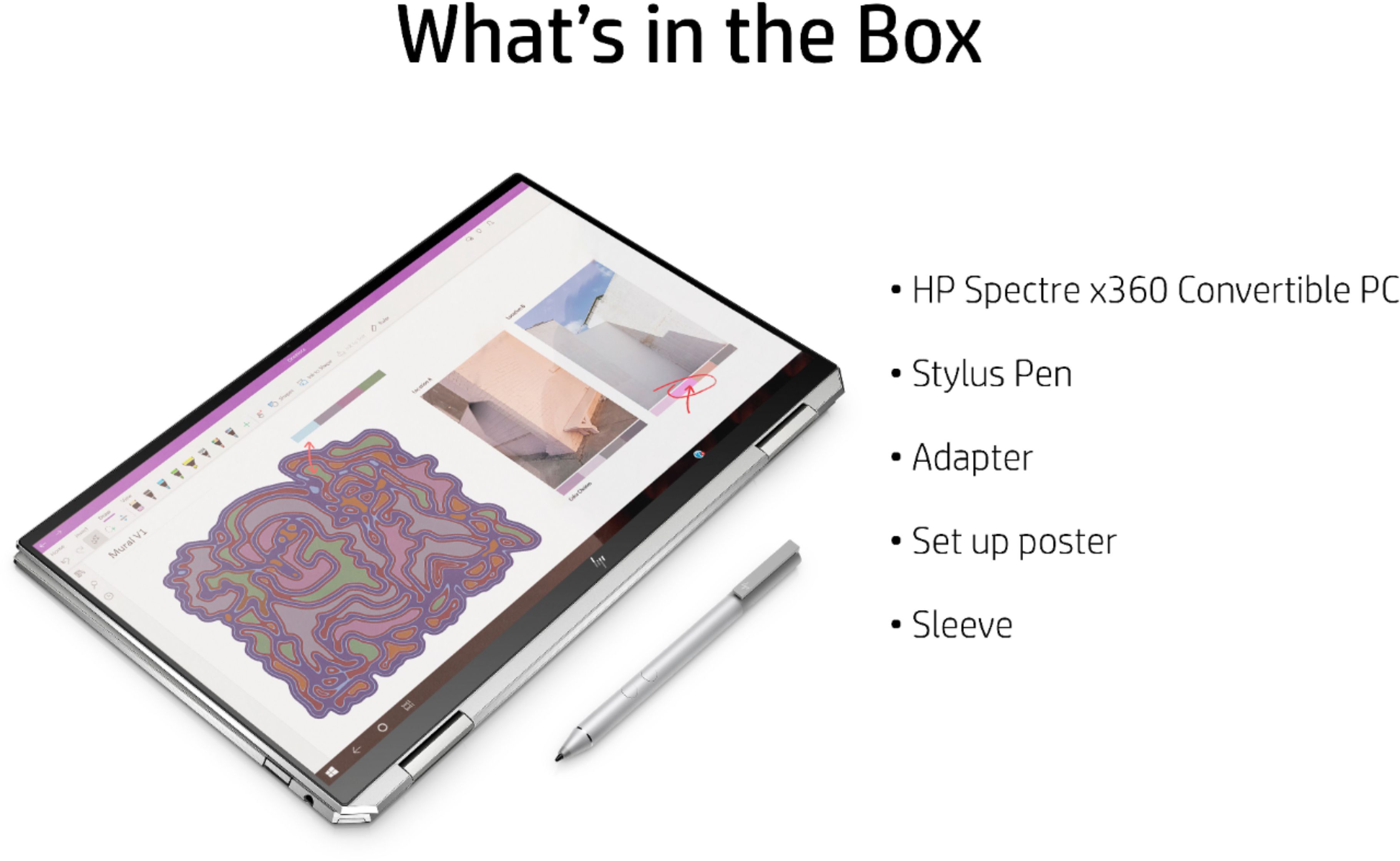
||Posted . Owned for 2 weeks when reviewed.This reviewer received promo considerations or sweepstakes entry for writing a review.I am an accounting student and I really love this laptop for the use of Microsoft access/visio/etc ! Ive had a macbook for 5 years, it was okay, but I wanted to try something new & this cute little thing has everything you need. Included : leather sleeve & pen
I would recommend this to a friend
Headturner!
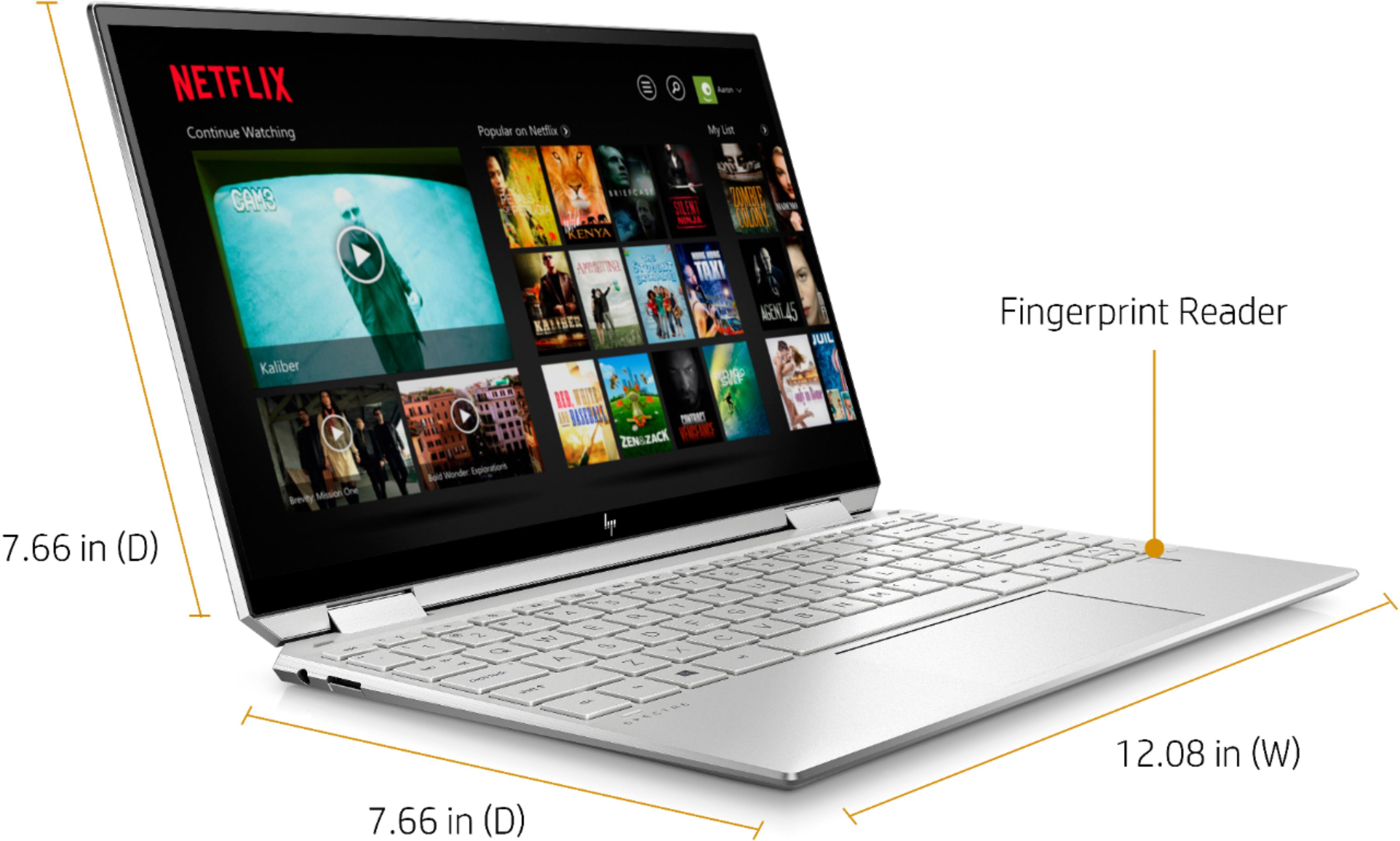
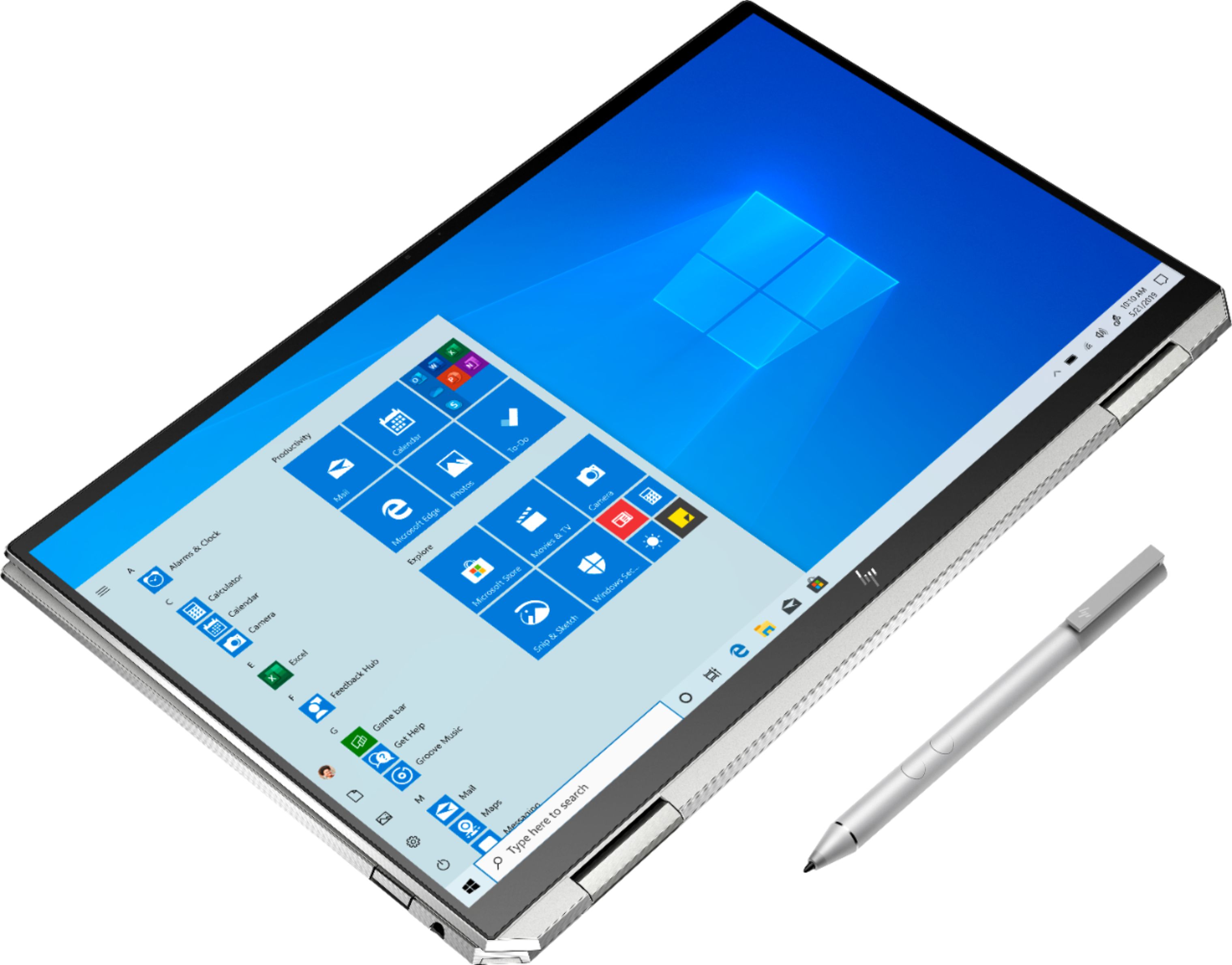
|Posted .This reviewer received promo considerations or sweepstakes entry for writing a review.This laptop truly is stunning, it screams sexy from the minute you open the box. The design aesthetic is really modern and the build quality is solid. Everything from the super thin bezels to the "strange" diamond cuts and the full metal body itself, give it a premium feel. The hinge feels like it will last a life time, it has almost no sway, and you can easily swivel it with one hand, without worrying about twisting one hinge more than the other. But going with that shiny, metal theme, HP have put a glossy screen on this machine, and overall I was not that impressed with it. I much prefer a matte screen and it just felt like there was a bit of motion blur when watching sports on this. And a washed out feeling to it whenever brightness is increased. It is either the panel itself or the factory settings for the display. IO wise - it has 3 USB ports - a Thunderbolt port (acts as the charging port as well), another USB-C port and another USB-A (collapsible port). It has a 3.5mm headphone jack (thanks HP!), and a micro SD card reader. I guess asking for a collapsible Ethernet port and an HDMI port is too much to ask here, I'll survive. The keyboard is good, not IBM good, but good. The track pad seems smooth, and the clicks are clean. The inbuilt audio is actually pretty decent for a small form factor. And the webcam and mic both lend to a really good video calling experience. Love the physical switch to turn off the camera, a little piece of mind in our paranoid world (but if you are really paranoid, will you trust the physical switch :) ) Performance wise, this thing is after all not built for gaming or any heavy video encoding tasks. It did handle all of my daily chores easily, thanks to the 10th Gen i7 processor, 8GB of RAM and the SSD. Don't be fooled by the base clock of 1.3GHZ, this processor can handle whatever you throw at it. And lends itself to a really good battery life. CPU intensive games like old AOE, or Football Manager work fine you just have to tweak the game graphics settings. This machine is something you can carry around with you daily, take it out, work, play (a little), and pack it back up. Its a "mobile" device, and an absolute great one at that. The 2-in-1 for factor helps with that mobile experience, you can set it up as a pyramid to watch content, or you can fold it up into a tablet to create content. Which takes us to the stylus that comes with it (it comes with its own AAAA battery). The stylus is good if not great, and you can use it up to take notes, or draw to your heart's content. There are a couple of magnets on the body which can hold the stylus, but I don't believe they were meant for this, because it is a really awkward hold, and not that strong. I have liked the touch screen responsiveness as well (and so has my 2 year old!). Overall, I think I have listed down more negatives that I thought I will when I sat down to write this review. But I believe that's just because I don't think any of the issues I have listed above is going to stop me from using this daily. For daily tasks I don't feel I am giving up anything from my other beast laptop with an integrated GPU and extra ram for that gaming power. This is a full on recommendation from me. If I could take away half a star I would - because the screen is not to my taste, and the HP support site doesn't seem to be updated for this model yet. Hopefully, that's coming soon. Minor stuff for the end - The power brick is pretty small (good!). If you get the HP cover for the laptop, it has a nice little pocket for your stylus, and is a really nice slug fit over your laptop, and is thick enough to provide decent protection from falls. (Oh, and the power button is hidden in that "diamond cut" side on the top left corner, you are welcome! Took me ages to turn this thing on!!)
I would recommend this to a friendGood quality
||Posted .This reviewer received promo considerations or sweepstakes entry for writing a review.Good price Fast laptops Windows 10 home Nice design
No, I would not recommend this to a friend- Pros mentioned:Battery life
Small, powerful and well built 13.3" convertible
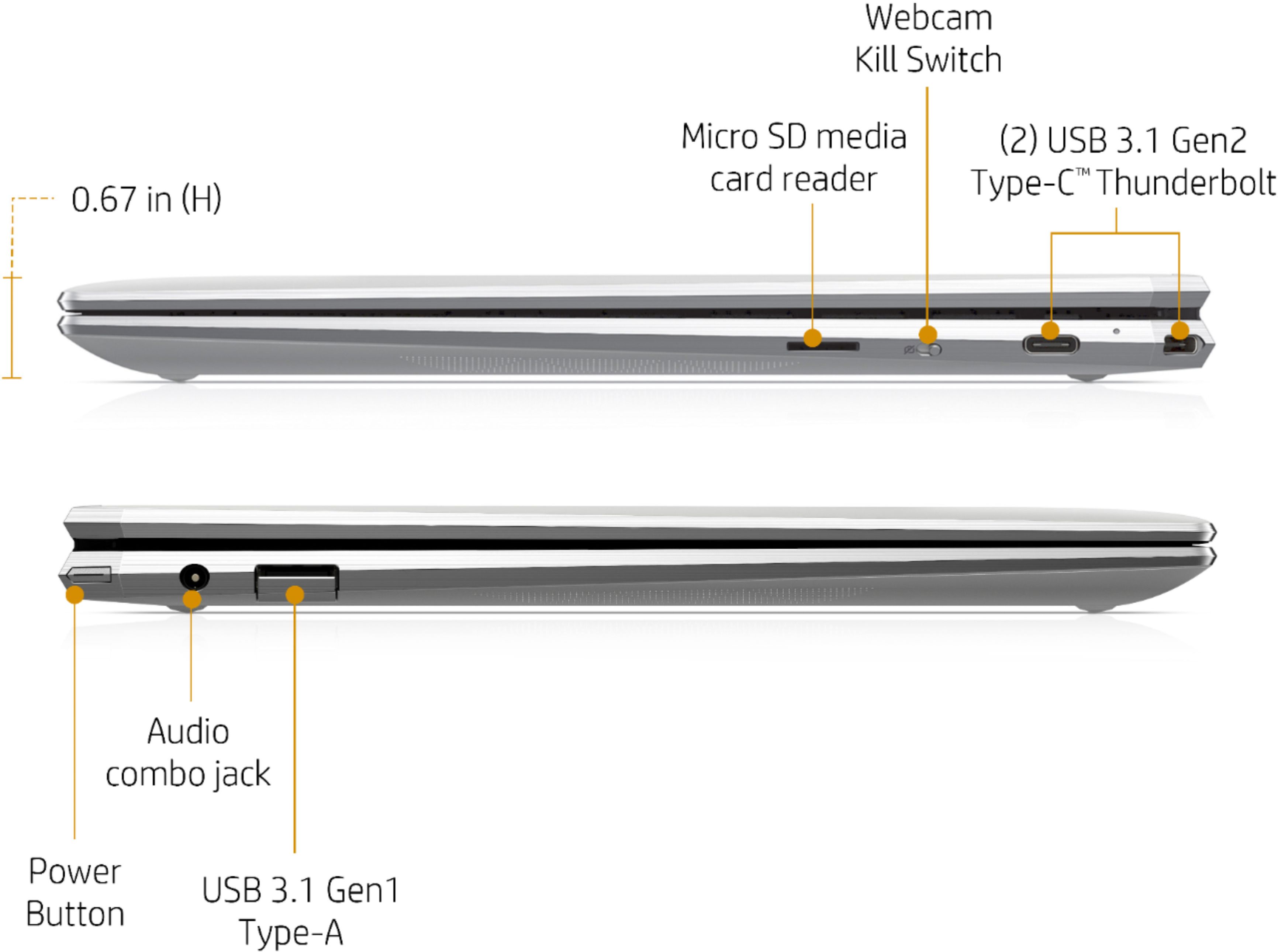
|Posted .This reviewer received promo considerations or sweepstakes entry for writing a review.Small, powerful and well built 13.3" convertible 2-in-1 laptop. HP is one of the best computer brand, I would say in the top 3 and in my experience, HP makes top quality laptop and is the brand I would go to first if I want top quality and affordability. You get best bang for your buck. This new Spectre x360 2-in-1 2019 model is as expected well built and well designed. It is smaller than the 2017 model I have with the same size screen and keyboard due to its super-slim screen bezel. Comes with Intel’s 10th generation Ice Lake CPU (the latest CPU) and Iris Plus graphics which is as good as MX150. It start up very fast and does everything quickly. I can play Fornite in medium setting where I had to set to low setting when using the 2017 model. Even with its smaller size, it has amazing battery life up to 22 hours for FHD screen. I used the laptop for 2 days on and off without recharging. I will definitely bring this on long plane trip. Also it is not hot and not noisy thanks to the more efficient CPU and laptop design. The power button is at angled corner on the left prevents unintentional pushes. The touchpad is definitely improved over the 2017 model. It has Two USB 3.1 Gen2 Type-C Thunderbolt 3 ports. One USB 3.1 Gen1 Type-A port. IR webcam for Windows Hello login and the webcam is on the top of the screen. A Webcam Kill Switch switch that disables the webcam, no need sticker. A MicroSD card reader. The rest you can read from the specification page. It also comes with an active pen and laptop sleeve. Thankfully the power brick is only 3.5" by 2" small. Finally the laptop only weight 2.7 lb !! I am very happy with this laptop.
I would recommend this to a friend - Pros mentioned:Fast
Fast, High End, Laptop with Great Battery Life
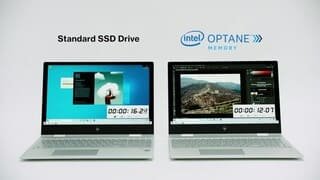
|Posted .This reviewer received promo considerations or sweepstakes entry for writing a review.The HP Spectre X360 is what a laptop should be. It looks great, it's fast, and the battery life is excellent! Packaging The packaging is the first thing you notice. You open the outer box and inside you'll find an elegant, shrink-wrapped inner box (see picture). Open that and you'll find the laptop, a nice AC adapter, an Active Stylus, and a think leather-like case. The power cord that goes from the small brick on the AC adapter to the laptop is braided - which may seem small but it's still a sign of the quality of this laptop. You can see the AC adapter in one of the pictures. It's small with a short cord that goes to the wall and then the long, maybe 6 feet long, cable that goes to the laptop. Not only that but this laptop charges via USB C. It will charge fastest, but not too fast, with the included power adapter of course but you could probably use most USB C chargers, like for a smart phone, to charge it. They'll just take longer. I used one from another laptop that had a lower power charger with it and that worked fine, it just takes longer. Design It's looks great! When you open it you will notice the small bezel around the display and small amount of room around the spacious keyboard. Space is used well! It has funky top corners but they look cool. The one on the left has the power button and the one on the right has one of two USB C ports. I'm a big fan of the 2-in-1 form factor for a Windows 10 laptop. There are lots of great apps that run on Windows 10 and are designed for touch input. they really need a 2-in-1 to use them well. I also like to fold it back with the keyboard down when I use it on the sofa to show photos or video to family or browse on my own. The case that it comes with looks great and offers some protection. I'm also very happy it includes the Active Stylus. While there is no built in storage for it, a stylus can be very helpful for some apps and if you need it your finger really will not cut it. The Stylus takes one AAAA battery which is included. It also has Bang & Olufsen tuned audio. I haven't done much audio playback yet but they sound very good. Audio sounds rich for laptop speakers and the volume is good. Ports The HP Spectre X360 13.3 has two USB C ports, One USB Type A, one MicroSD slot, one stereo audio jack (headphone jack). It also has a camera that works with Windows Hello and a fingerprint reader. In addition there's a physical switch on the right side of the laptop that lets you disable the camera instead of putting an ugly cover over it. The USB type A port, which is on the left side, actually closes part way when not in use. This lets the laptop keep a cleaner look making the cut of the angles around the laptop match on the sides. The mechanism works very well, so it's still easy to insert a USB cord with one hand. The USB Type A port is USB 3.1 Gen 1 and the two USB C ports are USB 3.1 Gen 2. Both USB C ports can be used for data or charging the laptop. Windows Hello This is the first laptop I've had that supports Windows Hello with both the camera and the fingerprint reader. Both work very well for me! In general use I use the camera most because it's the easiest and it basically works by accident. I need to move my face out of the way to use the fingerprint reader. Anyway, both recognize me fast. The fingerprint reader is very fast. The camera may take a second or two but seems basically instant to me. Sometimes it wants me to swipe up too but that seems to be when I lock it. When I reboot the laptop it seems to go right in when the camera sees my face. it's easy to tell when it's looking for you because besides seeing an eye animation on the screen there are two red LED lights that flash above the display. Performance and Battery life This laptop is fast and has great battery life! The version with 256GB of storage is rated for up to 22 hours of battery life! All I can say is I've never needed to charge it more than once a day so far and I've done a lot in a day that would normally take a lot of battery power, like installing all the needed Windows Updates. Not only did it do that without breaking a sweat it was probably on for at least four hours or more and still only down to 75% or so. I did turn the display brightness down for some of this but either way, taht's good. The Windows Updates installed very quickly, maybe an hour or two which was very fast for how many were installed and the fact that some were large ones. I'm most surprised by how the battery lasted through that. Besides Windows Updates I've installed a number of other applications like GIMP, Blender, and Audacity. Everything downloads quickly, installs run fast, and applications run fast! It's noticeably faster than my still fast but aging i7 laptop from 3.5 years ago. The 10th Gen i7 CPU is a 10nm processor which means it's pretty power efficient and doesn't generate a ton of heat. It also has 4 physical cores and 4 hyper-threaded cores for a total of 8 logical CPUs, which is very good for a laptop! The 32GB of Intel Optane Storage apparently makes the already fast 500GB (You actually have 476GB usable on drive C:) SSD faster. Software It included a trial of McAfee, Office, and some other things you may or may not find helpful. I like HPs software to check for updates from HP. There were a few items to install when I got it. One Change to Make Out of the box Windows will not show you the amount of time remaining for the battery. It will give you a % but that's all. Thankfully, it's not too hard to change. If you go into the BIOS on the laptop you can find the settings for the battery to report time left and then exit, saving your settings. Windows will then show the amount of time left. Sure, it will not be perfect but I find it much more helpful than the %. To get into the BIOS press the <ESC> button repeatedly when you first turn the laptop on. If you get it in time you'll get to an HP startup screen instead of Windows and from there you can choose to go into the BIOS, I think it's <F10>. You can find the setting in there to enable the time left in Windows. The HP Spectre x360 2-in-1 13.3" is one that I highly recommend. The size, performance, battery life, form factor, and included case and stylus make it a great package. Some people may need 16GB of RAM depending on what you're doing. If so, buy a model that has that! Otherwise 8GB of RAM and 512GB of Storage should be good for most people. You're getting a great package for your money with the HP Spectre X360 Windows 10 2-in-1.
I would recommend this to a friend Marginally better than the best laptop I've owned
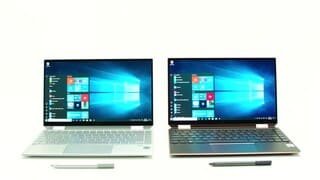
|Posted .This reviewer received promo considerations or sweepstakes entry for writing a review.In a previous review of an earlier model of the HP Spectre x360 13-aw0013dx (Model 13-aw0013dx), I noted that Hewlett-Packard's home computers were among the best available in the 1990s, very competitive with home computers from IBM and Apple. But somewhere along the line (maybe when they merged with Compaq) HP lost its glamour. Their desktops and laptops became very middle-of-the-road, functional machines, but nothing special. I always purchased another brand. But when I began using the HP Spectre x360 Model 13-aw0013dx in 2016, I fell in love with both the style and performance of this machine. Many times, I thought to myself, "I will never have to get another laptop, this one is so great." But you know how it goes. That was back in 2016, and this is 2019, so it was time to see how these Spectre x360 machines have improved. Well, maybe I was right back in 2016. The 2019 Spectre x360 has a number of small, incremental improvements over the 2016 model, but I am honestly not that excited about switching laptops yet, with all the hassle of reinstalling all of my applications, switching licenses, and so forth. Yes, it is nice beginning with any new, uncluttered computer, but it is not yet clear whether this factor plus the small improvements are enough for me to make the change yet. I believe I will continue using my older laptop for a while. Which is not to say that the newer Model 13-aw0013dx isn't a great laptop. If I have been feeling like I could use my 2016 laptop forever, and the 2019 model is a tiny bit better, then I can see myself using it for a long time, too. Both laptops are super light—my postage scale reads 2.75 pounds for both of them. Both have beautiful, sleek, silver bodies. Both have a pretty good display with 1920x1080 resolution, although the glossy screens on both sometimes reflect light in an annoying way. The backlit keyboard on each is handy in dim light. It took me awhile to realize that you need to shut this off in good light, however, with the F5 key or you will not be able to read the keys. Both switch to tablet mode if you flip the display 360° (which I suppose is why they call these x360 laptops), although I am not a big fan of the Windows 8 metro interface in tablet mode. I am happy enough being able to touch the screen occasionally in tablet mode. The audio (Bang & Olufsen) on both is mediocre but acceptable. Although the audio system is the same on both, the sound seems a bit louder and brighter on maximum volume on the older model, I think because some of the sound leaks through the heat vent on the top surface of the laptop. The newer model's heat vent is in the hinge. The sound is actually designed to be projected out of the bottom of the laptop, so maybe I am just imagining the difference. Sadly, the camera on the newer model is not as good, with top quality at .9MP, 16:9, 1280x720. In contrast, the top quality of the camera on the older model is 2.1 MP, 16:9, 1920x1080. The difference is notable. Pictures on the older model are darker but not as fuzzy. Speaking of heat vents, the 2019 model seems to run a bit hotter than the 2016 model. But if heat is a problem, you can make an adjustment in the settings to reduce power for a little less heat. I haven't felt the need to do this because I haven't blistered myself yet on the newer model. Both laptops have powerful i7 processors and fast SSD drives for lightning-quick processing. I have 8 GB RAM on both although I understand that there might be versions with 16 GB. A flaw with both is that the amount of RAM is fixed so that you cannot upgrade yourself. Both have one USB-A and 2 USB-C Thunderbolt ports, one of which can function as the power supply input. I had some trouble connecting device to the Thunderbolt ports on my older machine, but that seems to have been cleared up on the 2019 model. I often had to plug my Samsung Galaxy into the USB-A port when the USB-C port didn't recognize it. At least in theory, the Thunderbolt port is faster than the USB-A port, and would be better for apps like Samsung DeX (which is incredibly cool with the Spectre, by the way.) So, the USB-C port needs to work reliably. This is really important if you want HDMI or Ethernet connections because you will need to plug dongles into the USB-C port. And because there are only two of these ports and one is likely to be dedicated to power, you might want to invest in a little Thunderbolt dock, which I eventually did. (That's the thing about these ultrabooks. You can end up getting all kinds of accessories like docks and portable DVD drives such that the total hardware mass is the same as a normal laptop. But at least you have a choice not to carry around all the accessories if you don't need them on a particular day.) So, what are the improvements on the 2019 model of the HP Spectre x360 Convertible Model 13-aw0013dx? The footprint is ever-so-slightly smaller (see picture of my two Spectres side-by-side). However, it is a tiny bit thicker at the hinge, which makes it somehow feel clunkier than the older model even though, overall, the 2019 model is smaller. Another thing I like about the 2019 model is HP's decision to cut off the corners at the top of the laptop base, placing one of the USB-C ports on the right-hand cut-off corner and the power button on the other cut-off corner. This doesn't matter when your power supply is coming from the right side of the computer, but makes plugging in the power supply cord less awkward when your power supply is coming from your left. And, after I finally found the location of the power button (I had to look at the one-page set of instructions to locate it), I am able to get to the power button much more easily than the tiny button that is on the left edge of the 2016 model. The 2019 model has fingerprint recognition as well as face recognition for logging on, and the former is supposed to be more secure than the latter. The fingerprint recognition works for me about 80% of the time. But when it does not work it is unforgiving—if your print is not recognized after two tries you are forced to use your PIN. I think I like the newer power supply, which has a fabric rather than plastic cord, a little better, although there is no objective reason why. My earbuds with fabric cords do not tangle the way my earbuds with plastic cords used to, so maybe that's why I like the newer power supply, although I never noticed any tangling with the plastic cords on the old power supply. The 2019 power supply is 65W and outputs between 5V@3A up to 20V@3.25 amps, compared to the older power supply's 45W and outputs between 5V 3 A up to 20V@2.25amps. The SSD of the 2019 model is double that of the 2016 model, 512 compared to 256 GB. I went the longest time without needing to worry about space on my older laptop, but recently I've been warned about low disk space with only about 20 GB free. Finally, the 2019 model of the Spectre x360 comes with a light pen. I'm not sure I'll ever use it in a serious way, although I tried it out in Paint and it works very nicely. So, there you are. The 2019 model of the Spectre x360 is marginally better than the best laptop I have ever owned, one that feels like I could use forever. So, at some point I will make the transition to the newer model.
I would recommend this to a friendSleek, Small device performs great! OK Keys.
|Posted .This reviewer received promo considerations or sweepstakes entry for writing a review.Tl;dr Smaller by a centimeter makes a difference in tight spots like trains & airplanes. This light, but sturdy machine provides the power and style of a Surface with the added versatility of Thunderbolt AND USB-A. 512GB capacity paired with super-fast Optane and a comfortable keyboard inspire productivity. Muddy microphones and a low contrast keyboard mar an otherwise stand-out device. HP Service is slow. Full Review The HP Spectre x360 (2019) competes well against Surface as a short ultrabook. HP has reduced the lid size by a cm, while leaving the screen size the same comfortable 13.3” as the previous model. This size is ideal as it maintains a full size keyboard with exceptional tactile feedback. The extra compact size makes it small enough to fit on a lap in tight seats like those on a train or plane, but still extend the screen to a proper viewing angle. Boot times are amazing. Even compared to a Samsung model from earlier this year, the machine goes from hibernation to functional in 4 seconds vs 7. As an added bonus, the HP starts reading your face to unlock Windows nearly as soon as the power switch is pressed. The 512GB drive is becoming the new standard in this class. Not only is boot time improved, but program launch time is also nearly instantaneous. Even with the standard 8GB or RAM, all web browsing, audio recording, and Office applications were extremely responsive. No lag was detected with many large spreadsheets open simultaneously. I would attribute this to Windows’ swap file leaning on the included Optane drive. HP includes a bright screen which keeps things sharp. Videos display with no noticeable lag. The machine quickly switched from laptop mode to tablet mode. Despite being a touch screen fingerprints we're not an issue. The screen remained very usable even after using the touchscreen extensively. Typing was also very comfortable as a keys have a significant amount of travel. Palm rejection was significantly better than on other ultrabooks I’ve used. Never did the cursor jump from where I wanted to be, even when resting my hands on the machine. The keyboard itself looks very nice with the silver keys lining up against the chrome colored case. However, it creates low contrast with the black lettering, especially with the backlight on. My preference would be a black keyboard with white lettering. In the dark, the lighted keyboard makes it easy to type. In mixed lighting, it's almost impossible to use as the light makes the lettering white against the silver keys. The fingerprint reader was very fast and accurate. I never had the issues with it failing to identify me. The microphones were fairly good at noise rejection, but also didn’t pick me up as clearly as other machines. I needed to use an external mic for speech recognition, unlike other machines. The overall design is very pleasant. The notches on the top provide additional space for the USB-C connections and moves the power button out of the way of everything else. While not marked as such, the 2 USB-C connections are Thunderbolt 3. I was able to drive 2 monitors at 4K off the port for a total of 3 very responsive screens. Connecting a Bluetooth mouse was also easy and responsive. It feels light, despite its weight. It's well-balanced when carrying it either in Ultrabook or tablet mode. HP ships the machine with a leather carrying case that includes a spot for the provided stylus. In brief usage, the stylus was accurate and easy to use. My work doesn't call for much need of a stylus. The one issue I had with quality was the keyboard. While comfortable, there was one key which didn’t always respond. Sending it in to HP is a pain, with the part needed on back order. If you have a similar issue, hopefully the machine will still be in stock at your local store and they’ll swap it out for you. Overall, it’s a very nice machine which packs quite a punch. I predict it will be one of the more popular machines in its class!
I would recommend this to a friendThin, light, Nearly perfect.
|Posted .This reviewer received promo considerations or sweepstakes entry for writing a review.For years, I have avoided both 2in1 and small form factor laptops. Don’t get me wrong, I have always wanted one, but they always seemed to miss the mark. Compared to larger, non-touch alternatives, there were just too many sacrifices. This time around though, the stars seemed to align, and the sacrifices have nearly disappeared... A small, effective form factor, with truly thin bezels, a windows hello camera, 4 core/8 Thread CPU, a good sized SSD, a good trackpad with windows precision drivers.... This list goes on and on. The one downside…. The RAM is NOT upgradeable. If you can, it may benefit you to purchase the higher end model to get 16GB of RAM. I have been using this laptop for a about a week now, and so far, I can say that I am glad I waited for this unit. My previous laptop, while still nice was an obtrusive experience, a burden to haul around. In an age where tablets and large smartphones sit front and center, it is refreshing that when I need to get actual work done, I can just grab this and go. Its thin, light, comfortable to use and fast. It just makes things easy. With the current state of Windows 10, I am not convinced that a touch screen laptop is necessary, but I will say that it has been a nice feature to have. Sometimes it just makes sense to touch the screen or flip it over to use in tablet form. This isn’t going to replace a tablet, but it has been an enjoyable feature to have. The interfaces of this laptop are great. It has a good, solid keyboard, a nice sized trackpad that has not been in the way. And speaking of the trackpad, it has a nice feel and uses Windows Precision Drivers. Finally! The 1080p IPS screen is great, and its glossy finish is appropriate for the touchscreen. The performance is exactly what I was looking for. This computer screams through standard productivity tasks (Excel, PowerPoint, Word, etc), web browsing, streaming, etc…. Its powerful enough to handle applications like Adobe Premiere Elements, though its not a comparable experience to my beefier desktop PC. I’ve always enjoyed a bit of gaming, and I understand while this does not of a discrete GPU, the new Iris Plus graphics is supposed to be a big upgrade over the previous integrated graphics. So yeah, this is not a gaming laptop. But you might be able to enjoy some older and less demanding games with some sacrifices. - Rocket league: Even at 720P and “Performance” settings, the experience was not acceptable for an enjoyable experience. - Portal 2: I had to Lower to 900P and medium settings. The game wasn’t always fluid, but for the most part, it was able to hold 60 FPS and after 30 minutes went by, I had been pulled into the gaming experience and had forgotten I was just testing the capabilities of the computer. - Zwift (3D Cycling Simulator): It takes a bit for this game to load, but after that, it runs okay. At 1080p, you can almost hold 30 FPS. At 720p, it runs around 45-60 FPS. Overall, my first week with this laptop has been outstanding, and I highly recommend this laptop. The fact that this laptop still has a USB-A port, a headphone jack, and a Micro-SD slot, has made it to where I haven’t had to adjust my other equipment. That “little” detail is far more important to me than having a couple more USB-C/Thunderbolt ports. Pros: - Thin and light - Great Build Quality - Legacy Ports (USB-A, Headphone/Mic Jack, Micro SD card) - Good performance - Included accessories (Padded Sleeve and HP Tilt Pen) Cons: - Non-Upgraded able RAM - Function Keys Default to the Secondary features and cannot be changed in the OS. I had to change this setting back in the BIOS - No discrete GPU
I would recommend this to a friendHP Does Not Disappoint
|Posted .This reviewer received promo considerations or sweepstakes entry for writing a review.I have a 2016 Spectre x360 with the Kaby Lake chip set that I love, but it has a battery drain issue, so I was looking to replace it. This new Spectre does not disappoint. Open up the typical laptop box and you'll find a spiffy box inside that makes it feel like an Apple product. The build quality and design are excellent. I initially thought the corner cut-outs were a little strange, but I like that the power button sits on the corner as it’s each to find, but difficult to accidentally hit it. The one design choice I don’t like is the USB 3 port. Because the edge is double beveled, the USB port has a tab you need to move to access the port, which I can see getting snagged on something over time. I like the addition of the web camera on/off switch and the fingerprint reader. I like to have the camera turned off or covered, so having the fingerprint reader makes for a quick login without the camera. The smaller bezel around the screen makes this Spectre’s screen 1 inch smaller, making the whole laptop smaller in that dimension. The Full HD screen’s quality is as expected, and the touch screen is accurate and in the past week has not shown any fingerprints with light touchscreen use. The smaller size doesn’t compromise the keyboard or touch pad through. The keyboard has a nice feel to it and I like how when you have the backlight on, it will turn off after a period of inactivity. The touch pad on my 2016 Spectre was the best I had used on a laptop. This new Spectre’s touch pad is even better. It is accurate and smooth. I can even use the two finger scroll effectively and smoothly without accidentally clicking on a link (which would happen on my old Spectre). From a Software perspective, this laptop doesn’t come with much, which is good. It has the HP JumpStart and HP Support Assistant software, plus McAfee, a couple of games, a VPN client and Dropbox. I like how it didn’t come too much software I would need to uninstall. I really like my 2016 Spectre x360, so I had high expectations for this laptop. This new Spectre x360 exceeded my expectations with the webcam on/off switch, fingerprint reader, improved touch pad and power button placement. There really isn’t much room for improvement, so this laptop easily earns 5 stars. Pros - Build quality and attention to detail - Web Camera on/off switch - Fingerprint reader - Leatherette case, which includes a nice have Velcro flap and active pen slot Cons: - Smaller bezel on a 360 degree touchscreen means more likelihood of accidentally hitting the X button, closing apps accidentally - Power cord is braided instead of a plastic cord, which will attract dust - USB 3 port’s hatch, although ascetically pleasing, may be prone to breakage
I would recommend this to a friend- Pros mentioned:Portable, Price
Amazing laptop w Most Bang for Your Buck
||Posted . Owned for 2 weeks when reviewed.This reviewer received promo considerations or sweepstakes entry for writing a review.I absolutely love this laptop. When it comes to buying tech, I'm a big time researcher and comparison shopper. I had to decide between this HP Spectre, a Dell XPS 2-in-1, and a Lenovo Yoga C940, and I'm definitely glad I went with the Spectre. You just can't beat the specs of this laptop for this price point (I bought on sale for $1k). The Dell with the same specs would be about $400 more. It's very compact, relatively light, yet sturdy like good tech should be. The jewel cut edges look awesome. The screen is beautiful and immersive. The keyboard is really about as good as you can get in a thin-and-light laptop like this. The only downside I've found so far is the relatively-meh 720p webcam, but at the same time it lets you do Windows Hello, which is way cooler than I thought it would be. Couldn't be happier with this laptop!! (Full disclosure: I went into a physical store to buy this laptop after checking that it was in stock, but once I got there it wasn't, so they had it shipped to me next-day for $6 (awesome). When I got it, there was a dead pixel (not awesome) so I had to bring it back to a different store and exchange it. That process went very smoothly and quickly and the people who helped me were all awesome, so I don't feel it merits a lowered score).
I would recommend this to a friend - Pros mentioned:FastCons mentioned:Fan
Excellent small laptop
||Posted .This reviewer received promo considerations or sweepstakes entry for writing a review.I normally don't write reviews but this product deserves some love. This HP laptop is a gem. Here are some quick thoughts: - the Keyboard is wonderful for typing - the screen is great. At this size a 4k screen is not practical and it would eat up more juice - 8 GB of RAM is plenty for almost all tasks... for more serious tasks, like 4k video editing, choose another laptop - Thunderbolt 3 ports x2, wireless ax, 2 antennas all nice features - trackpad is nice but I like to use a mouse (you can set windows can disable the trackpad when a mouse is connected) - super light, comes with a stylus and a nice faux leather (?) sleeve - you can UPGRADE the NvMe drive!! (but not the memory) - battery life is fantastic - Windows Hello - Gorilla glass screen improves build quality - This is a super speedy little machine! Cons: - fan is loud when it revs up for cooling (you can manage this via an app) but only for a minute - Trackpad should be centered under the keyboard's space bar - Camera is grainy due to small size - Wish it had an ethernet port (I hate dongles, I even hate the word "dongle") This is NOT a gaming laptop, 4k video editing laptop, or CAD design machine. It's just a great all around laptop that feels as good as it looks. All in all, this is a great laptop. I've had several different laptops and HP has been the best for me as far as quality, support, and features. I'll probably never use the tablet mode but who knows what the future holds...
I would recommend this to a friend - Pros mentioned:FastCons mentioned:Memory
Very well made. Solid machine
||Posted . Owned for 1 month when reviewed.This reviewer received promo considerations or sweepstakes entry for writing a review.At first I wasn't sure about getting this as I was looking at some Alienware machines but I did decide to purchase it and I haven't looked back since. This is not a gaming machine. The specs are a little low for any real gaming but everything else works like a charm. The keyboard is very nice. The screen has some amazing color and overall it is a perfect laptop for me. It's not loud, it doesn't get hot and it's really fast for daily workloads. The only thing I do not like about it is that you cannot add memory to it. Please make sure you get the one with the amount of memory you need or you will be stuck. Overall, if you are looking for a nice laptop to carry around that's fast enough for daily work, take a look at this one.
I would recommend this to a friend Stunning and Powerful all-screen laptop
||Posted . Owned for less than 1 week when reviewed.This reviewer received promo considerations or sweepstakes entry for writing a review.What is not to like? Beautiful, powerful, long-lasting battery, plenty of ports, great keyboard, brilliant 1080p screen, decent speakers, and delightful form factor. Oh and the trackpad finally works too! Webcam kill switch is great, and kudos to HP for adding a fingerprint scanner so quick logins are possible without the webcam. This laptop in silver really looks and feels premium. The machined aluminum shines - literally - in silver and HPs attention to detail is impressive here. Many reviews have complained about the 16x9 screen and 1080p resolution, but honestly both are perfect. 1080p on a screen this size is perfectly sharp and clear - no pixilation and no need for more pixels. Colors are well saturated, viewing angles are just fine, and backlight is plenty bright. Bonus: using 1080p helps tremendously with battery life. Plus, the 16x9 is the perfect size for portability, easily fitting on the most cramped of airline seats and easy to carry. HP's engineers figured out how to push the screen out to the edges which makes it look like the screen is framed by the tiniest of bezels. HP actually created the world's thinnest webcam and IR camera just to preserve the thin bezels. HP finally fixed its cruddy trackpads - this one is easily up there with the best there is. As big as a MacBook Pro? No, but who needs that much trackpad when the whole screen is a touchpad? Performance is great with Intel 10th generation i7, Optane caching for the SSD, and speedy ram. Battery life is competitive with the class of ultrabooks, and it is nice having 2 Thunderbolt ports, a micro sd slot, and a full size USB. From a value perspective, HP including both an active stylus and a nice carry case in the box is something you won't find with other manufacturers and both are high quality. The charger with its fabric wrapped cable screams old school quality. Price to price, this is the best value on the market, doubly so when considering the high quality. It charges really quickly via USB-C too. Is it perfect? Frankly, almost. I could pick at the lack of bass in the speakers although they do get loud. The keyboard backlighting is manually adjusted and keys can't be seen in lit rooms with the backlight on. The Delete key is too small (why is it half the size of HOME key, which nobody uses?). And the fans do occasionally come on and when they do they make some noise. But overall for a laptop about the size of a MacBook Air this HP Spectre is the best I have ever seen.
I would recommend this to a friend- Pros mentioned:Portable
A Little Beast!
||Posted . Owned for less than 1 week when reviewed.This reviewer received promo considerations or sweepstakes entry for writing a review.I did a large about of research before choosing the Spectre x360 2in1. I considered the lenovo c940 and c740, the Dell xps 13 and inspiron 13 and the hp Envy. I settled on the Spectre because of great youtube reviews, the style and bang for the buck. I have the natural silver edition. This 2in1 ticked all my boxes: light weight, high screen to body ratio, core i7 10th gen, Thunderbolt 3, USB 3 at least, Intel Iris plus, decent size ssd 512gb all for under $1000 which was my absolute limit. The only real misgiving was 8GB ram, would have preferred 16gb The more I use it the more I like it. It has excellent performance. I am a teacher and will have to work from home for the foreseeable future. I need to run several applications at once with an external monitor and storage attached. This machine handled it all. I was even able to play some games from my Xbox ultimate pass.(settings turned down though...but still) Finally, I am happy with my purchase. Setup was straightforward and went through without a hitch...but lengthy. As a Network technology instructor I expected all the windows update. I would recommend this machine to anyone wanting a fast lightweight 2in1 ample port access and power. After a few weeks of use I will update my review.
I would recommend this to a friend - Pros mentioned:Battery life
Great 2-in-1!
||Posted . Owned for 1 month when reviewed.This reviewer received promo considerations or sweepstakes entry for writing a review.I bought this laptop for my daughter, a high school senior. Its battery life is impressive-- she'll go days without charging it! Keep in mind that her assignments are mostly writing and testing. Whenever she uses it for more, such as for social media, streaming videos and music, video chat, and reading, it lasts about 10 hours without having to be recharged. A pen is included in the box, unlike other 2-in-1's where it must be bought separately. The pen is easy to use and having downloaded the appropriate apps, can be used to write notes for school. The box also includes a nice, black leather pouch to keep both the laptop and pen securely in. The touchpad could be a little easier to use, but it's not bad. They keyboard is nice, especially with 2 backlit options for night studying. Startup is immediate, a plus for impatient people. The video camera could be higher quality, but again, it's not bad. My biggest critique is that the speaker is now split into 2, one on each side, as opposed to the earlier model having a speaker bar on top of the keyboard. Since it's on the side now, higher volumes become muffled.
I would recommend this to a friend - Pros mentioned:Portable, Price
Great 2 in 1 laptop with one little issue
||Posted .This reviewer received promo considerations or sweepstakes entry for writing a review.I love this laptop and picked it up on a BB Deal of the Day. For the price I paid, it's a steal. I love the size, portability, and screen with small bezels. The keyboard will take some getting used to as the layout seems short and wide. However, for a laptop this size, I love love love the key travel. It makes it much more enjoyable to use over a Macbook Air or Macbook Pro. I will update later as I spend more time with this laptop, but so far I love everything about it that I returned my Macbook Pro 2019.
I would recommend this to a friend - Pros mentioned:PortableCons mentioned:Fingerprint scanner
A decent laptop overall, but EXCELLENT ultrabook
||Posted . Owned for 3 weeks when reviewed.This reviewer received promo considerations or sweepstakes entry for writing a review.Having had this for a month now, with almost daily use, I've come to be really impressed with the overall quality of the new Spectre. Its lightweight, the 2 in 1 design allows flexibility for use and for display. The processor definitely gets the job done, coming from my ryzen 3700x desktop, I really haven't noticed any lag or weak performance from it so far. I've used it for mainly internet, media streaming, I've managed to run both CIV 5 and CIV 6 relatively well, so its capable of *some* gaming. Display: the thin bezel that the new model sports is really great for viewing. The downside is that you almost have to touch the screen to open the laptop, which can make it easy to smudge. The resolution and color is perfectly fine for a small size laptop, I couldn't justify the price difference of the 4k, given that the smaller the screen, the less 4k matters. It can run warm at times, especially during charging, and the fans exhaust right down from the keyboard. but if you flip the keyboard back and use it as a tablet, you can point the vents upward and keep it cool while watching videos/charging. The keyboard is backlit with multiple brightness settings, you can adjust that along with volume and screen brightness at the top of keyboard. It has an 'ok' fingerprint scanner, its not always fast at recognizing your print. And there is a physical switch to disable the camera, which is always a plus! Mine also came with a stylus and a leather carrying case! I recommend it, especially if you can find it for <1k, but make sure you don't get the old model by accident ( it can be identified by the much larger bezel)
I would recommend this to a friend - Pros mentioned:Fast, Portable
Impressed
||Posted . Owned for 2 weeks when reviewed.This reviewer received promo considerations or sweepstakes entry for writing a review.This is my second HP laptop in the last 10 years. My last one (15 inch) was fine and I mainly used it for word processing and web browsing. It was big and heavy with a huge bezel. Needless to say, this laptop is a huge change. I expected to miss the 15 inch screen but because the bezel is so thin, it feels like the screen is larger than 13 inches. . This laptop is extremely more portable, has a brighter screen and is blazing fast. My last HP had an I-7 processor as well, but it was nowhere near as quick. Truthfully, I feel it's every bit the equal of my 2019 MacBook Air (Work laptop). In a few ways I prefer the Spectre. The keyboard is far and away better than the Air's much maligned keyboard, it has just as nice of a screen and is faster starting up and opening Microsoft Office. The battery doesn't seem to last quite as long as the Air but it's close enough that it hasn't presented a problem for me. The only real issue I have with the Spectre is the heat it generates. If I'm using it for anything other than web browsing, it starts getting pretty dang hot. I've had to go back to using a cooling fan just because I don't want to take the risk of damaging the internal components. The issue may come from the low profile of the shell. It's so thin that it doesn't really get any clearance off the surface it's sitting on, so the heat doesn't have any way to dissipate. If you're looking for a powerful, portable, good looking laptop, then do yourself a favor and take a look at this one.
I would recommend this to a friend - Pros mentioned:Portable
Impressive in a small package!
||Posted . Owned for 1 month when reviewed.This reviewer received promo considerations or sweepstakes entry for writing a review.The HP Spectre is beyond most peoples expectation in quality and performance. First the bad news $900-range, depending on sale dates. Now that is out of the way. Forget the price, it is a high end laptop, period. It has a beautiful high resolution touch screen that is almost edge to edge. You can't fit a larger screen in any smaller and lighter of a device. The diamond style cut aluminum chassis is just over 2 1/2 pounds and a tiny bit over a 1/2 inch thick when closed. The screen wraps 360 degrees around for tablet mode, tent mode or standard laptop configuration. The hinges are solid and stable and the laptop does not bend easily thanks to the IPS touchscreen. The laser etched "Spectre" on the hinges screams executive. It comes with a speedy 512GB Intel Optane memory SSD, 8 GB of Ram and a quad-core I7 processor with Hyperthreading. All of this for less than $900. The next models up are the black and copper Spectres at around $1700. They are in a class of their own beautiful. If you want price, high end performance and quality for just about half what the top of line laptops are going for, I would strongly suggest taking a look at the HP Spectre x360 Core I7. The intel processor is a 10-generation so battery life is outstanding. I charge it up on the weekend and it lasts all week with plenty of power to go when I get ready to charge it up again. The SSD is almost turbocharged using 32GB of Optane memory for frequently loaded programs and even the WiFi chipset is 802.11.ax which is WiFi 6 ready. Believe it or not, I was literally holding a current model Mac Air in my hand when I just couldn't put down the HP Spectre x360. I love the quality of Apple products and they last for years. I still have my 2011 Mac Mini, 2012 Mac Air and they work perfectly today. The HP Spectre just jumped off the shelf at me in looks, price and loaded with top-end performance features that exceed the competition. If the price is in your budget, and you are looking for a smaller, lighter easy to pack Windows 10 laptop with a long lasting battery, this one checks the boxes. You won't be disappointed. Even the quality of packaging is top tier and it includes a custom fit leather sleeve and digital stylus. I hated to throw away the box it was no nice. I couldn't imagine any more features and options in a device at that price. Not too big, not too heavy and all the components exceed available standards so you do not sacrifice anything buying this ultra quality executive style laptop for the sub $1000 price.
I would recommend this to a friend