Customer Ratings & Reviews
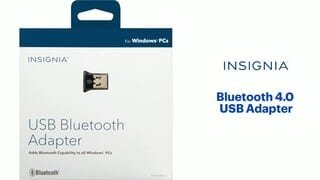
- Model:
- NS-PCY5BMA2
- SKU:
- 4884001
Rating by feature
- Value
Rating 4.1 out of 5 stars
- Quality
Rating 4.1 out of 5 stars
- Ease of Use
Rating 4.0 out of 5 stars
Customers are saying
Customers praise the Bluetooth functionality, ease of use, and compatibility of this USB adapter, frequently citing its affordability and compact size. Positive feedback also highlights the straightforward setup and reliable performance. However, some users experienced difficulties with driver installation and reported that the range and signal strength could be improved.
This summary was generated by AI based on customer reviews.
Bluetooth to USB
||Posted . Owned for 2 months when reviewed.This reviewer received promo considerations or sweepstakes entry for writing a review.Was not able to get it to work with 2 of my computers so I returned. May of worked with an older computer.
No, I would not recommend this to a friendI does not work on Window 20.
||Posted . Owned for less than 1 week when reviewed.This reviewer received promo considerations or sweepstakes entry for writing a review.It did not work on Window 10. There is no driver for the device. Exchenged for Asus's product.
No, I would not recommend this to a friendBrand response from InsigniaCustomerSupport
Posted .Hello, Thank you for taking the time out of your busy schedule to leave a review of the Bluetooth adapter. I am sorry to read that you are having issues with the drivers. Kindly contact us to be able to check all options.
Grecia M. Insignia Products | https://www.insigniaproducts.com/contact-us
discontinued
||Posted .This reviewer received promo considerations or sweepstakes entry for writing a review.Did not work with my new system looked up the product and insignia says its no longer supported for driver updates.
No, I would not recommend this to a friendInsigina Bluetooth 4.0
||Posted . Owned for 2 months when reviewed.This reviewer received promo considerations or sweepstakes entry for writing a review.Quit working after a month and a half. Recomme not purchase. Had perioded trouble 6wks after I bought this item.
No, I would not recommend this to a friendBrand response from InsigniaCustomerSupport
Posted .Hi!
Thank you so much for writing a review for our Bluetooth 4.0 USB Adapter, we truly appreciate your feedback and I personally would like to apologize for the experience that you're going through, I know it can be really frustrating, however I'd really like you to contact our support team for further assistance, our agents will be more than happy to assist you, please follow the link bellow.
Roberto E.
www.insigniaproducts.com/contact-us
Didn’t work on my computer
||Posted .This reviewer received promo considerations or sweepstakes entry for writing a review.Never worked on my computer. It said I needed a driver installed and Best Buy said it would cost me over $150 for that driver.
No, I would not recommend this to a friendBrand response from InsigniaCustomerSupport
Posted .Hi, there.
I certainly apologize about the situation with your Adapter. The unit is designed to work properly with the compatible devices. I would really love to provide you with alternatives for your product. This is why I kindly as you to reach us at https://www.insigniaproducts.com/contact-us so we can properly assist you.
Cesar G. - Insignia Support
Terrible
||Posted .This reviewer received promo considerations or sweepstakes entry for writing a review.As a former BBY employee I should have known better than to buy Insignia. Constantly drops connection. Stay far far away.
No, I would not recommend this to a friendBrand response from InsigniaCustomerSupport
Posted .Hello,
The feedback that you provided is very much appreciated, I can assure you that this adapter is top of the line. If it is not working then most likely there is an internal issue with your product. I would recommend that you contact us as soon as possible.
https://www.insigniaproducts.com/contact-us
Brian C. -Insignia Support
Easy and Inexpensive
||Posted .This reviewer received promo considerations or sweepstakes entry for writing a review.My laptop's internal Bluetooth sucked. I installed this and was able to get all my Bluetooth devices to connect.
I would recommend this to a friendis not recognized by windows 10
||Posted .This reviewer received promo considerations or sweepstakes entry for writing a review.there is an issue with this an windows 10, it does not recognise it and even trying to load drivers does not make it work
No, I would not recommend this to a friendBrand response from InsigniaCustomerSupport
Posted .Hi there!
Thank you for writing a review about our Bluetooth 4.0 USB Adapter! We know how disheartening is when a product does not work as expected, and we are sorry for this. We would love to assist you further! Please feel free to contact us at the link below.
-Angelica G. | Insignia Support.
https://www.insigniaproducts.com/contact-us
Doesn't work on windows 7
||Posted .This reviewer received promo considerations or sweepstakes entry for writing a review.It doesn't work on Windows 7, there are no drivers available. On the specifications it says it does work on Win7.
No, I would not recommend this to a friendCheap Junk
||Posted . Owned for 1 month when reviewed.This reviewer received promo considerations or sweepstakes entry for writing a review.This didn't work had to return it. Plugged into computer and device was not recognized by computer.
No, I would not recommend this to a friendBlue tooth adaptor
||Posted .This reviewer received promo considerations or sweepstakes entry for writing a review.Failed to work on windows 10 platform. Desk top did not have Bluetooth capability
No, I would not recommend this to a friendBrand response from InsigniaCustomerSupport
Posted .Hello JAB2000,
I am so sorry to hear that your experience with our Insignia™ - Bluetooth 4.0 USB Adapter - Black has not meet your expectations. Customer satisfaction is our top priority, and I am truly sorry that wasn't demonstrated to you. While we'd love the opportunity to regain your trust, we understand how frustrated you must be. We would love to check this situation further with you, so please feel free to contact us, our agents will be more than happy to assist you, please follow the link bellow or reach as at 877-467-4289. We are available to take your calls from 8 am to 9 pm CST, 7 days a week.
Insignia Support
Louise
www.insigniaproducts.com/support
Obsolete.
||Posted . Owned for 3 weeks when reviewed.This reviewer received promo considerations or sweepstakes entry for writing a review.Does not work with newer versions of windows. Outdated/Obsolete Hardware.
No, I would not recommend this to a friendBrand response from InsigniaCustomerSupport
Posted .Hello,
Thank you for taking the time to leave a review. I am truly sorry to read about the inconvenience you experienced in getting this Insignia™ - Bluetooth 4.0 USB Adapter. We do have a variety of models so I am sure you can find one that works out for you. In the case that you still have this, feel free to contact my team for further help.
Dina | Insignia Support | https://www.insigniaproducts.com/contact-us
Works great
||Posted .This reviewer received promo considerations or sweepstakes entry for writing a review.Works very well at a distance of 20 feet to 25 feet. Like it very much.
I would recommend this to a friendFragile device
||Posted . Owned for 2 months when reviewed.This reviewer received promo considerations or sweepstakes entry for writing a review.Very fragile. Bought the adapter open box. Plugged it in and it shattered when I took it out of my pc tower.
No, I would not recommend this to a friendBrand response from InsigniaCustomerSupport
Posted .Hello, Thank you for taking the time out of your busy schedule to leave a review of the Bluetooth adapter. I am sorry to read that the unit broke after disconnecting it. Kindly contact us to check all options.
Grecia M. Insignia Products | https://www.insigniaproducts.com/contact-us
don't waste your money
||Posted . Owned for 1 month when reviewed.This reviewer received promo considerations or sweepstakes entry for writing a review.don't waste your money. Buy the next best or even the best.
No, I would not recommend this to a friendBrand response from InsigniaCustomerSupport
Posted .Hi DennisD,
Thank you for taking the time to review our Insignia™ - Bluetooth 4.0 USB Adapter - Black. I understand you found it uncomfortable to use and that can be discouraging. We are continuously working on improving our products and their designs, so we definitely appreciate your feedback. If you have any questions or concerns, please use the link below to reach us and also you can contact this phone number 877-467-4289 for further assistance.
Insignia Products
Nikki
https://insigniaproducts.com
No thank you, never again.
||Posted . Owned for 6 months when reviewed.This reviewer received promo considerations or sweepstakes entry for writing a review.Didnt work at all. Drivers caused conflicts. I dont know what i expected but this isnt the one to get.
No, I would not recommend this to a friendBrand response from InsigniaCustomerSupport
Posted .Hello Kris, thank you for taking the time to leave a quick review of the Bluetooth 4.0 USB Adapter. I am sorry to read that you are having driver issues with your product, please try the following troubleshooting points:
If the computer doesn't install the driver automatically, try this:
1: Go to Device Manager (this can be done by left clicking on most start buttons. including 7/8.1/10)
2: Plug in USB Bluetooth Device
3: Check Device Manager and look for your Bluetooth device, which should come up as BCM20XXXXX (BCM20702A0) (the X's will be different depending on your exact model but it is not important, what is important, is that you find the proper device. The device should pop up as soon as you plug it in and you will see display manager flicker and it will repopulate its listing. you will probably see a yellow mark on the icon telling you something is wrong, which is correct. )
4: Right Click on the BCM20702A0 in device manager and click on "update driver software"
5: Select Browse my computer for updates,
6: Select "Let me pick from a list of Device Drivers"
7: Select Bluetooth Radius
8: Select "Broadcom" on the left list of manufactures.
9: Select "BCM2033 Single" Driver on the right.
10: Click Install
11: Reboot computer
Duban M- Insignia support
INSIGNIAPRODUCTS.COM/CONTACT-US
Good adapter for the price
||Posted .This reviewer received promo considerations or sweepstakes entry for writing a review.Works great in wife's laptop. Was purchased to add ability connect wireless speakers and have had issues.
I would recommend this to a friendDon’t get
||Posted . Owned for 3 weeks when reviewed.This reviewer received promo considerations or sweepstakes entry for writing a review.Don’t waste your money doesn’t really work tells you to download driver but you can’t
No, I would not recommend this to a friendBluetooth
||Posted .This reviewer received promo considerations or sweepstakes entry for writing a review.Wanted add Bluetooth to my Asus computer. Down loaded the software to match the device but could not get Bluetooth to work. Returned to product.
No, I would not recommend this to a friendDoes not connect to bt brick
||Posted .This reviewer received promo considerations or sweepstakes entry for writing a review.I have insignia blue tooth brick And this device will not connect Online could not help and geek squad wanted to charge me 40.00 to help me in store
No, I would not recommend this to a friend