Rating 4.1 out of 5 stars with 4462 reviews
4.1- Bluetooth (1061)
- Ease of use (879)
- Compatibility (430)
- Price (158)
- Size (93)
- Driver Installation (203)
- Range (99)
- Signal Strength (25)
Customer Images
The vast majority of our reviews come from verified purchases. Reviews from customers may include My Best Buy members, employees, and Tech Insider Network members (as tagged). Select reviewers may receive discounted products, promotional considerations or entries into drawings for honest, helpful reviews.
- Rated 5 out of 5 stars
THIS *DOES* WORK ON WINDOWS 7. Follow these steps!
A "NerdyGirl" posted, this DOES work with Windows 7 EVEN THOUGH THE PACKAGING SAYS IT DOESN'T. I am an industrial engineer and I am using this on my personal Xeon workstation. This is FANTASTIC news if you can't stand or hate Windows 10. You just need to download the proper Windows 7 compatible Bluetooth driver. You can get the driver on this page: https://www.driverscape.com/download/bcm20702a0 The direct download link is: https://www.driverscape.com/files/2015/Bluetooth/broadcom_bluetooth_12_0_0_9980.zip I have also uploaded the driver to my FTP in case the above links stop working in the future: http://sdfox7.com/bluetooth/win7/broadcom_bluetooth_12_0_0_9980.zip
Posted by Stephen
- Rated 5 out of 5 stars
Replaces broken onboard bluetooth
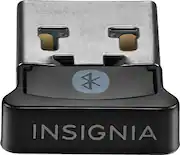
I am very happy with my purchase of this item. It has allowed me to use my bluetooth ear buds with my pc. For some reason the bluetooth built into my pc will allow connection but the audio was only heard when I put the earbuds about an inch from the keyboard of my laptop, around the 7 key. I asked a Best Buy associate about this and he stated something might be wrong with the chip and to try this adapter. It took me awhile to get it to work because I didn't realize that I needed to go in to device manager and disable the bluetooth inside the pc. But once I got that figured out, it works great. I really like that it is small and fits right next to the adapter for my mouse. I can just leave it in and it is not in the way when using or moving my laptop around.
Posted by Figi419
- Rated 5 out of 5 stars
Perfect
Needed Bluetooth to transfer pics from camera & phone to laptop. Win10, plugged it in, system found & installed, works flawlessly since.
Posted by DoDahMan
- Rated 5 out of 5 stars
Better than anything I tried
This is a great Bluetooth adapter. Very easy to set up and connects every Bluetooth device so easily. Strong connection and works as it should.
Posted by jonah7777
- Rated 5 out of 5 stars
driver is hidden in windows update
Plug the dongle in first. If Windows can see the device but cannot find the driver for it, do this: Start > settings > update & security > windows update > view optional updates > driver updates > "Broadcom Corporation driver update for Micro size usb to Bluetooth Dongle"
Posted by itworkedeventually