Customer Ratings & Reviews
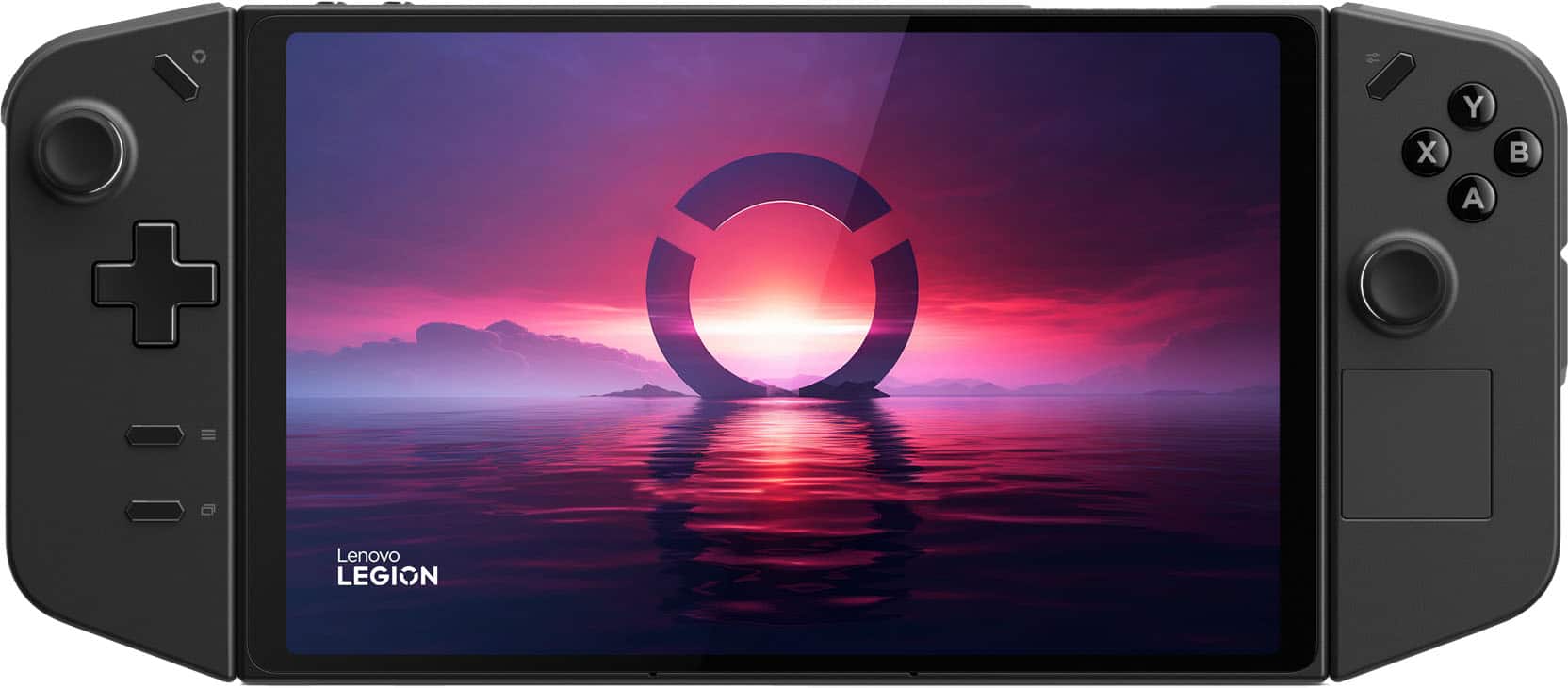
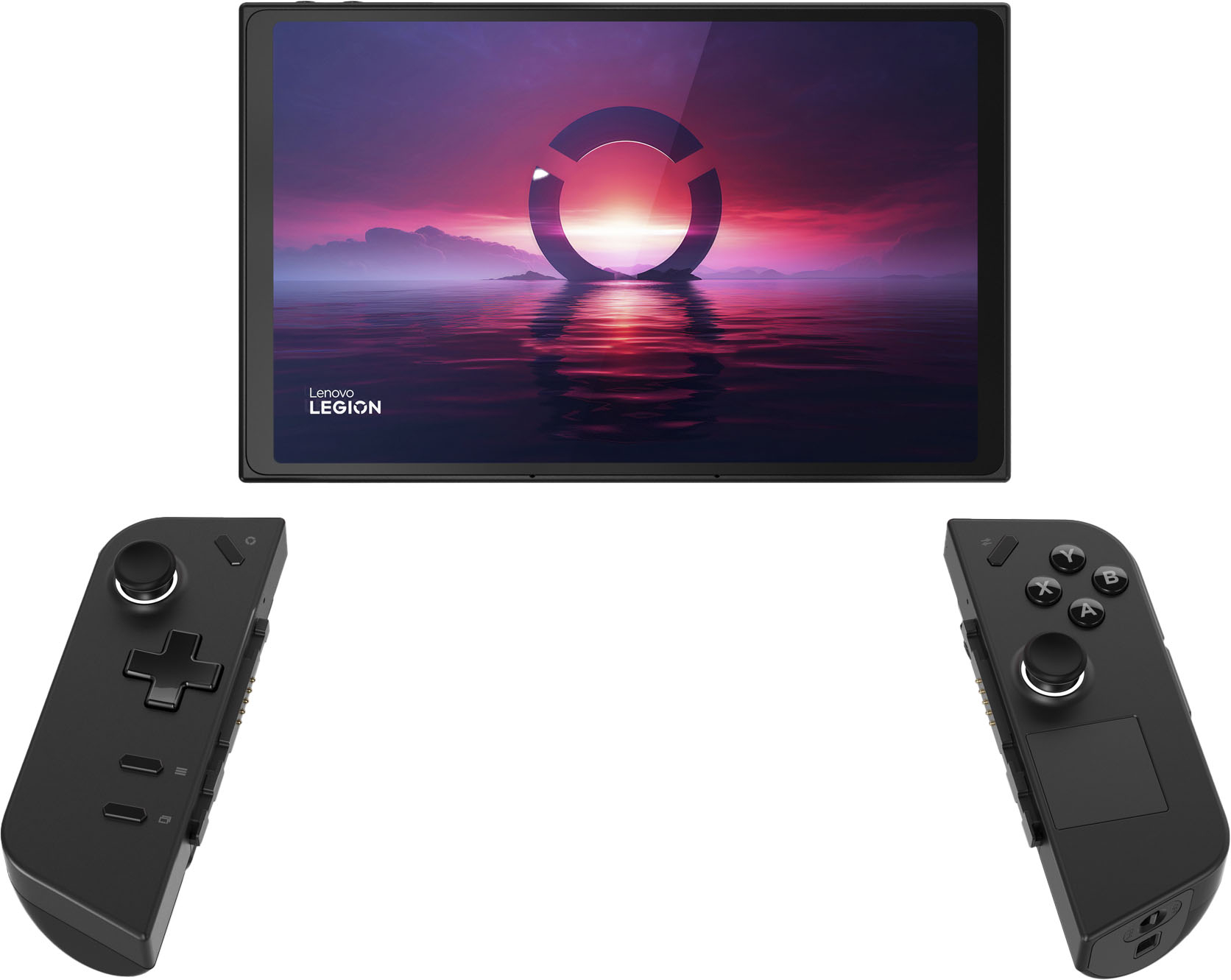
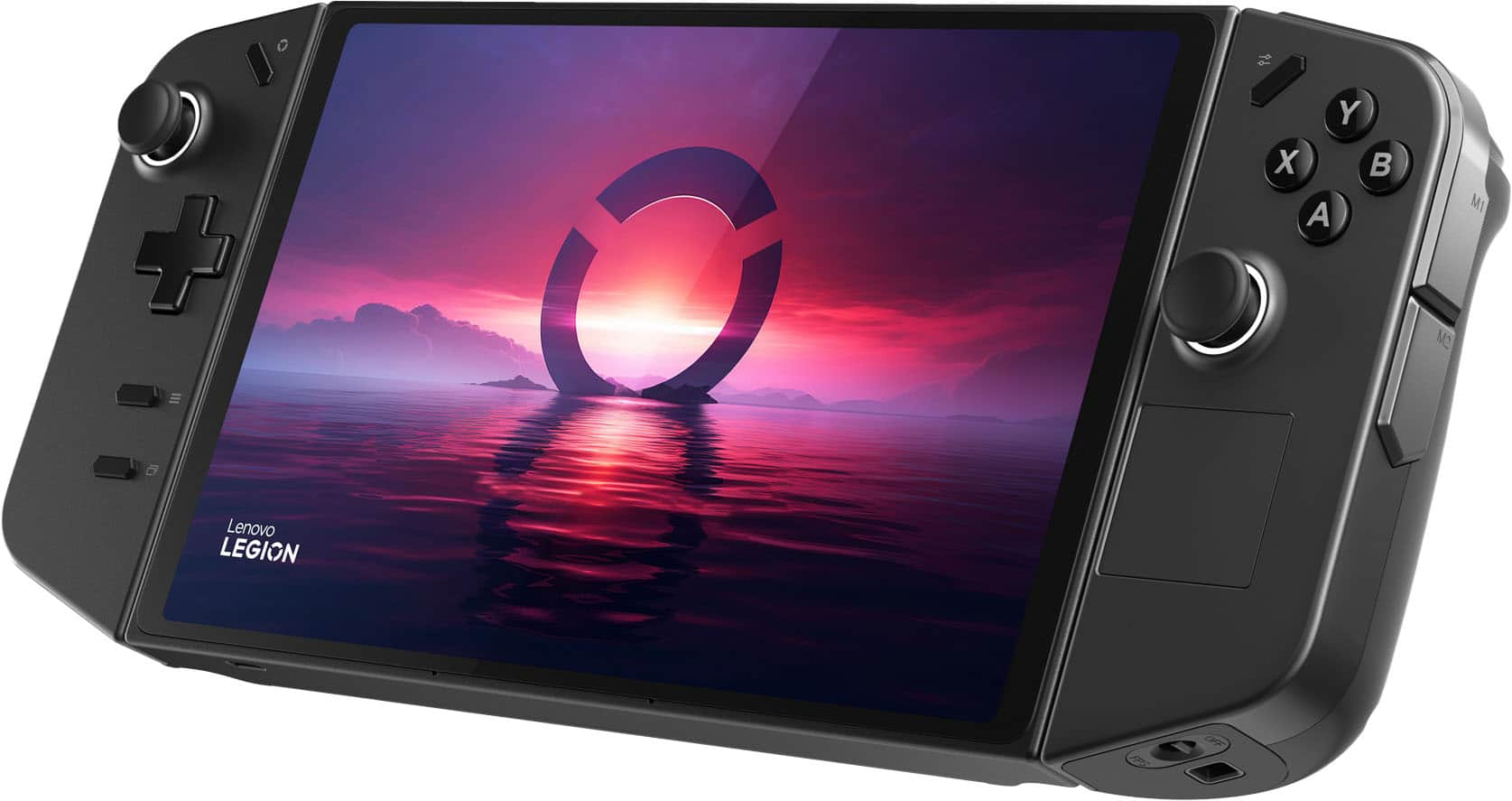
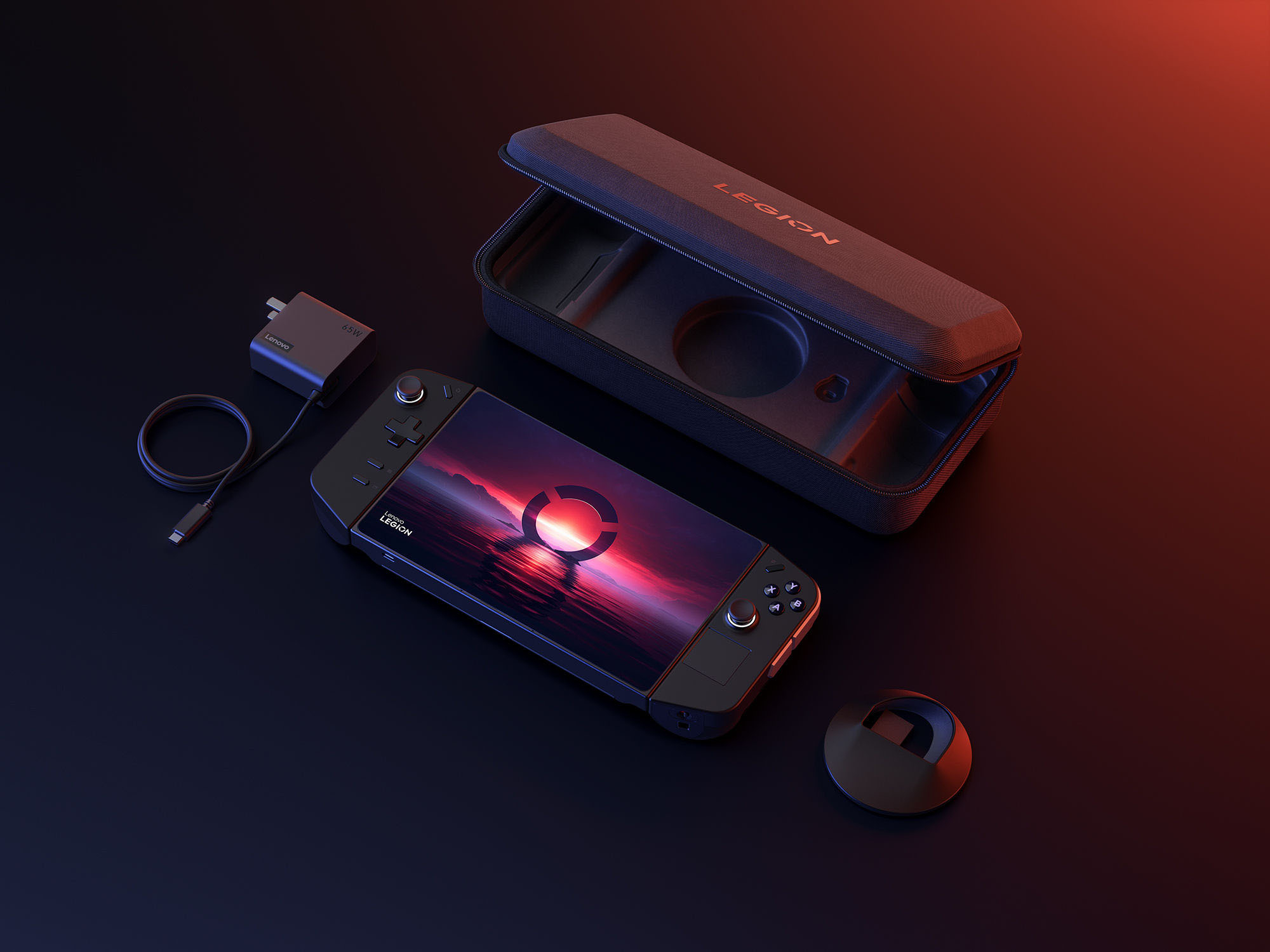



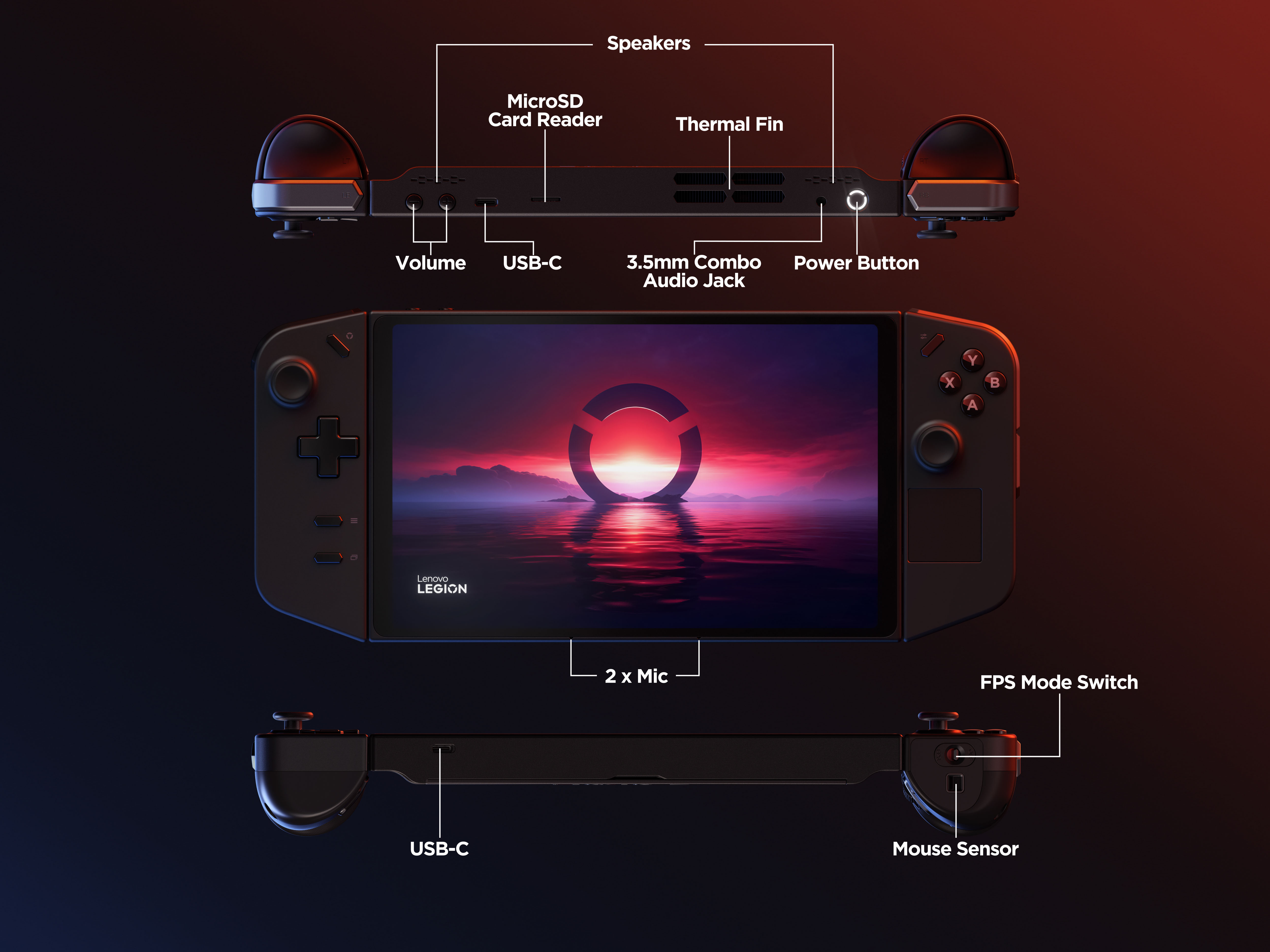


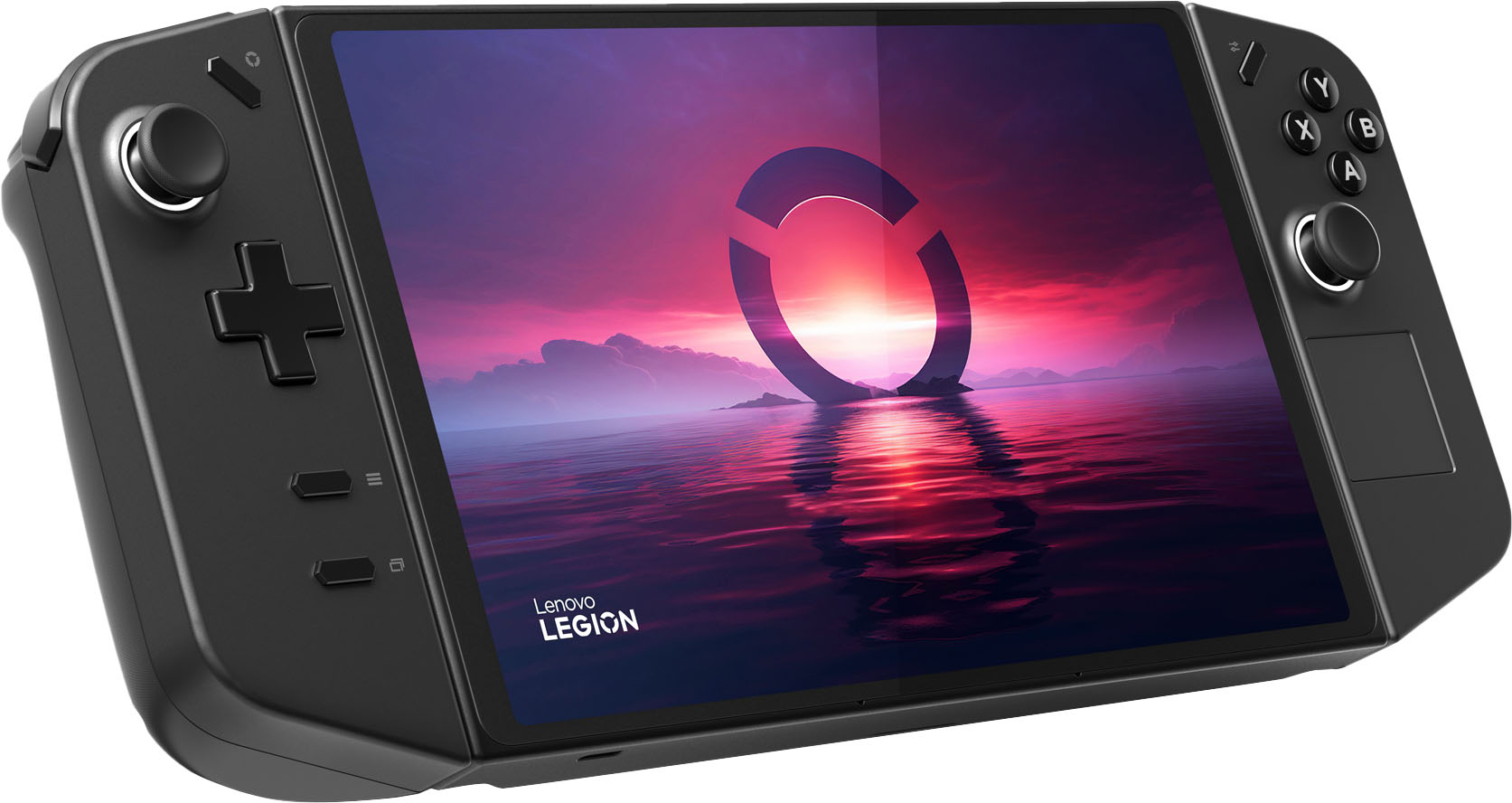
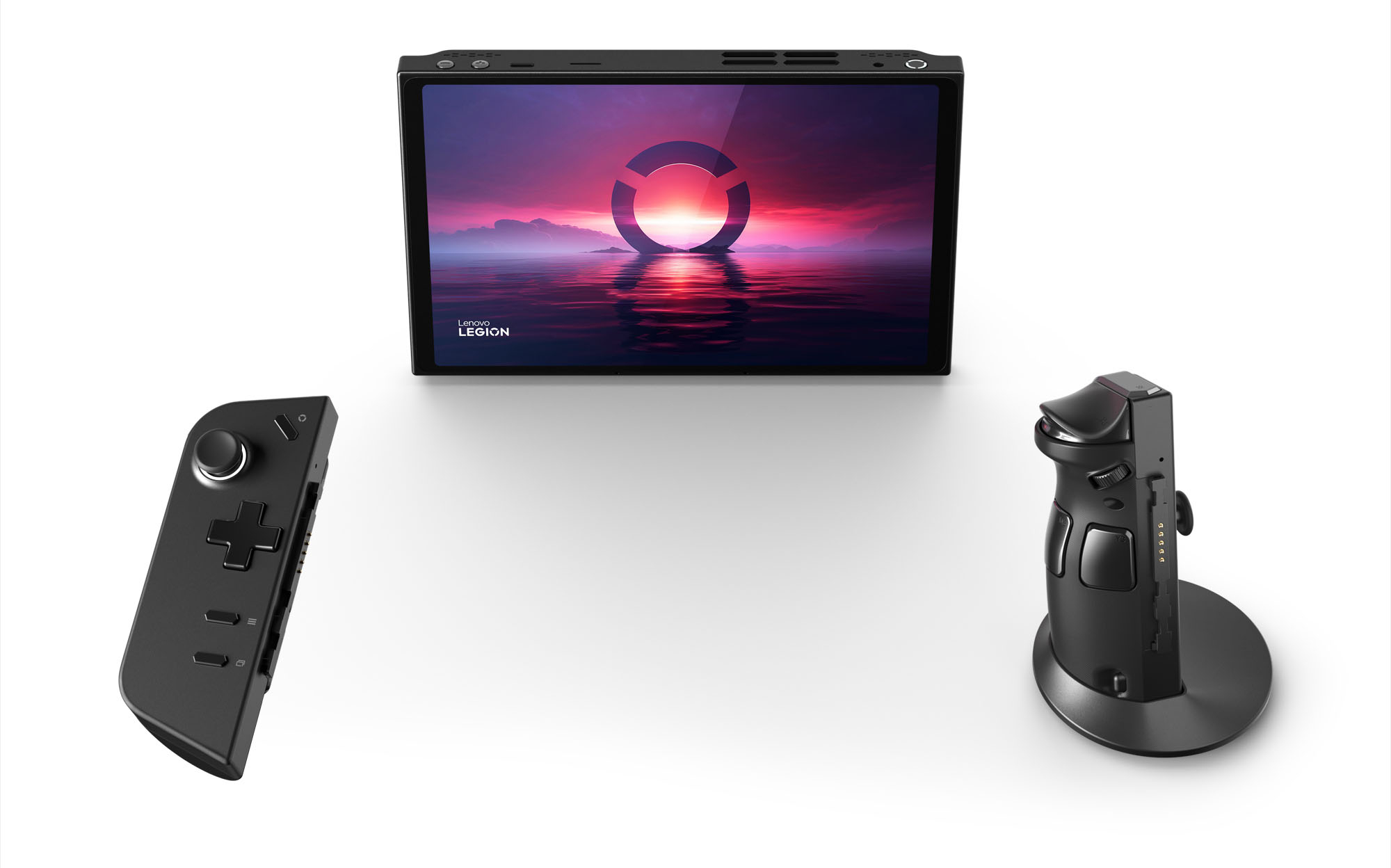


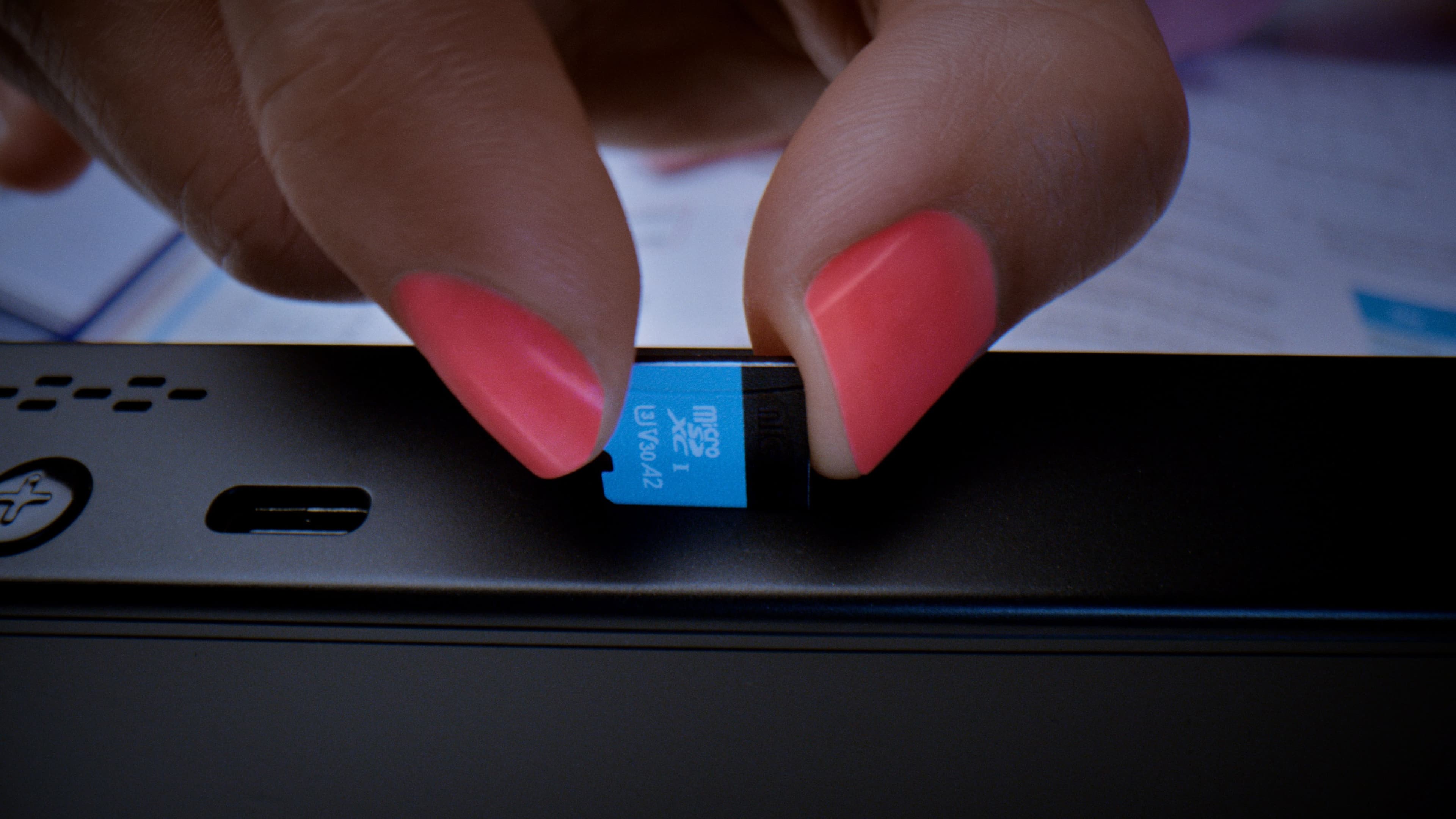

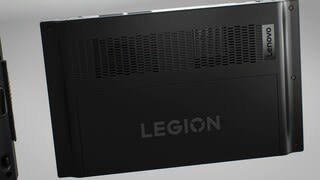

- Model:
- 83E10000US
- SKU:
- 12587148
Rating by feature
- Performance
Rating 4.6 out of 5 stars
- Storage Capacity
Rating 4.3 out of 5 stars
- Controller
Rating 4.4 out of 5 stars
Customers are saying
Customers are delighted by the product's overall performance, with many praising its excellent screen quality and portability. The detachable controller design is also a popular feature. However, a significant concern for users is the battery life, which many find to be a major drawback. Additionally, some customers have noted issues with the device's noise level, weight, and tendency to overheat.
This summary was generated by AI based on customer reviews.
Was rushed
||Posted . Owned for 2 weeks when reviewed.This reviewer received promo considerations or sweepstakes entry for writing a review.Product has potential but has cheaply made parts system is buggy and needs more accesories
No, I would not recommend this to a friend- Pros mentioned:Overall performance, Screen qualityCons mentioned:Battery life, Noise level
Powerful Handheld Gaming PC
||Posted .This reviewer received promo considerations or sweepstakes entry for writing a review.I’ve been using the Lenovo Legion Go for a while, and it’s an impressive handheld gaming device. The 8.8” QHD+ display is bright, sharp, and smooth with a 144Hz refresh rate, making games look fantastic. The performance is strong thanks to the Ryzen Z1 Extreme chip. Since it runs on full Windows 11, you can play games from any launcher and even use it like a mini PC. The detachable controllers, built-in kickstand, and USB-C ports add flexibility. Pros: • Large, sharp 8.8” QHD+ 144Hz display • Powerful performance for AAA games • Full Windows 11 for maximum compatibility • Detachable controllers and kickstand • Dual USB-C ports for accessories and charging Cons: • Heavy and bulky compared to competitors • Short battery life (1–2 hours for heavy gaming) • Fans can get loud under load • Windows interface isn’t ideal for handheld use • Occasional software glitches Overall, the Legion Go is a powerhouse handheld for those who want flexibility and performance. However, it’s not as portable or user-friendly as a Steam Deck or Switch.
I would recommend this to a friendBrand response from Lenovo Product Expert
Posted .Hey Keer,
Thanks for choosing Lenovo and for sharing your feedback with us!
We are glad to read that you are impressed with the Legion Go.
Please feel free to reach out to us via the Q& A section of this product page should you have any questions or need assistance.
Best,
Lenovo
- Pros mentioned:Overall performanceCons mentioned:Heat dissipation, Noise level
Great Portable System!
||Posted . Owned for 11 months when reviewed.This reviewer received promo considerations or sweepstakes entry for writing a review.At first I was skeptical about handheld gaming consoles, but after using this legion go for a few months I absolutely love it! For the games I play this is perfect (Schedule 1 , COD, Day Z, and Minecraft) depending on how you configure your settings you can get really great FPS out of this small device. At home I would pair with an external monitor with keyboard & mouse and made it even better. Only issue for me was the fan noise and how quickly this thing overheats. Which is understandable for the size of this device and how much it’s trying to compute on certain titles / programs. I definitely recommend buying one open box to get the most bang for your buck on the Legion Go though.
I would recommend this to a friendBrand response from Lenovo Product Expert
Posted .Hi AOC1-
Thank you for choosing Lenovo and sharing your experience with us. We are thrilled to hear that you are enjoying the performance and portability of the Legion Go. We aim to offer great user experience and would like to offer you some suggestions to improve battery life and reduce noise.
Firstly, we recommend running and installing all available drivers updates through Legion Space and Windows Update Settings, these updates are crucial to the device’s health and can adjust power allocation leading to improved thermals and battery life. To check for updates within Legion Space begin by launching the application, then click "Disks and Drivers" located at the bottom of the display, then select "Check for Updates". To check for Windows Updates, start by launching the Settings app, then selecting the Windows Update tab on the left-hand side of the page, finally select the “Check for updates’ button located in the top right of the page.
The Legion Go can adjust the active performance profile and fan speed of the device based on your needs. To start press the hexagonal options key located on the right controller, then select the performance tab represented by the rocket ship, from here you can adjust the performance mode. We suggest using Quiet Mode which will reduce power consumption and fan noise, leading to longer, quieter gaming sessions. Whenever possible, we also suggest lowering the resolution of the Legion Go S to extend battery life.
Please reach out to us through the Q & A section of this product page if you have any questions or need any assistance.
Best wishes,
Lenovo
- Pros mentioned:Screen qualityCons mentioned:Battery life
When your review has more than 3 paragraphs...
Posted .This reviewer received promo considerations or sweepstakes entry for writing a review.I would have gave this device at 3.5 out of 5 if I could. But since I can't I'll just round up to the nearest ten. The issue isn't necessarily the functionality or the features of the device. As a matter of fact, they make this device stand above its other recent and relevant competition. From playing it as the handheld it was desinged as, to using it as a a strong Windows tablet, only surpassed by the Asus Flow Z13 (2022-2023), the Go trys to incorporate itself a wide range of users While a little bit overkill and lacking VRR, the screen is a 2k IPS with great SRGB coverage at 144MHz. I do want to mention that I can not detected any screen tearing when not using vsync on any game I've played so far on the Go. I think that's because of the native and none obtainable 144 frames per second portrait LCD. The detachable controllers have a proprietary connection that doesn't need Bluetooth on to use wirelessly with the Go but it can be connected through Bluetooth so it can be used on other devices like your gaming PC or cellphone. . The battery last for well over 4 hours when detached. The left controller not only has a single bevied touchpad similar to the putrudding dual pads found on the Steam Deck, but it also has the optional built in mouse featrue Lenovo calls FPS mode. Not to mention hall effect analog controls and a PD 65w fast changing USB4 Type-c. The issue arrises from the lackluster Lenovo software, and delayed hardware drivers. The is magnified by Windows 11's distain for all PCs that come with built-in controllers. Without going into too much more details. Ill just mention that if you're a fan of first or third person shooters and you dont attention to use the FPS mode, I'd wait til the end of January before picking one. That gives Lenovo time to improve a basic necessity like the ability to calabrate the analog sticks or use truly custome TDP settings under 25 watts. Few other problems stand out like the detach and retach functions for the controls feeling extremely awkward and forceful. The systems Up-firing speakers requiring custom equalizer settings to be barable and the sub 3-hour battery life on most if not all triple-a titles. Overall,the extras added to this package makes it the most versatile yet hardest handheld yet. To be clear, everything but the sound will improve over time... 3.5 out of 5!
I would recommend this to a friend - Pros mentioned:Overall performanceCons mentioned:Battery life
Very cool, not perfect.
Posted .This reviewer received promo considerations or sweepstakes entry for writing a review.I was a little worried about performance meeting the gorgeous 8.8 IPS display, but AMD/Lenovo have done an incredible job with integer scaling and making it work very well. It's very much a high powered tablet, gaming machine, productivity work horse. I think the Truestrike controllers are very comfy, they use hall effect joysticks and they are very thought out overall. The only place the device is lacking is the same place most of these devices are and that's the Legion Space software. Updates have been great it seems and more are coming, but on Windows you have so many tools at hand so it's not a huge ordeal. It's rocking the same Z1 Extreme chipset the Rog Ally is a little bit faster memory. None of these devices are perfect, but I'm really digging this, overall windows and the battery life hold it back the most.
I would recommend this to a friendBrand response from Lenovo Product Expert
Posted .Hello, Brandondwn. Thank you for choosing Lenovo! We are glad to hear that your Legion Go seems to be a good fit for you. You make a great point, as we are working on improving Legion Space constantly to improve the user experience. We appreciate you taking the time to share your experience.
- Pros mentioned:Overall performance, Portability, Screen qualityCons mentioned:Battery life
Huge screen, windows tablet with a controller
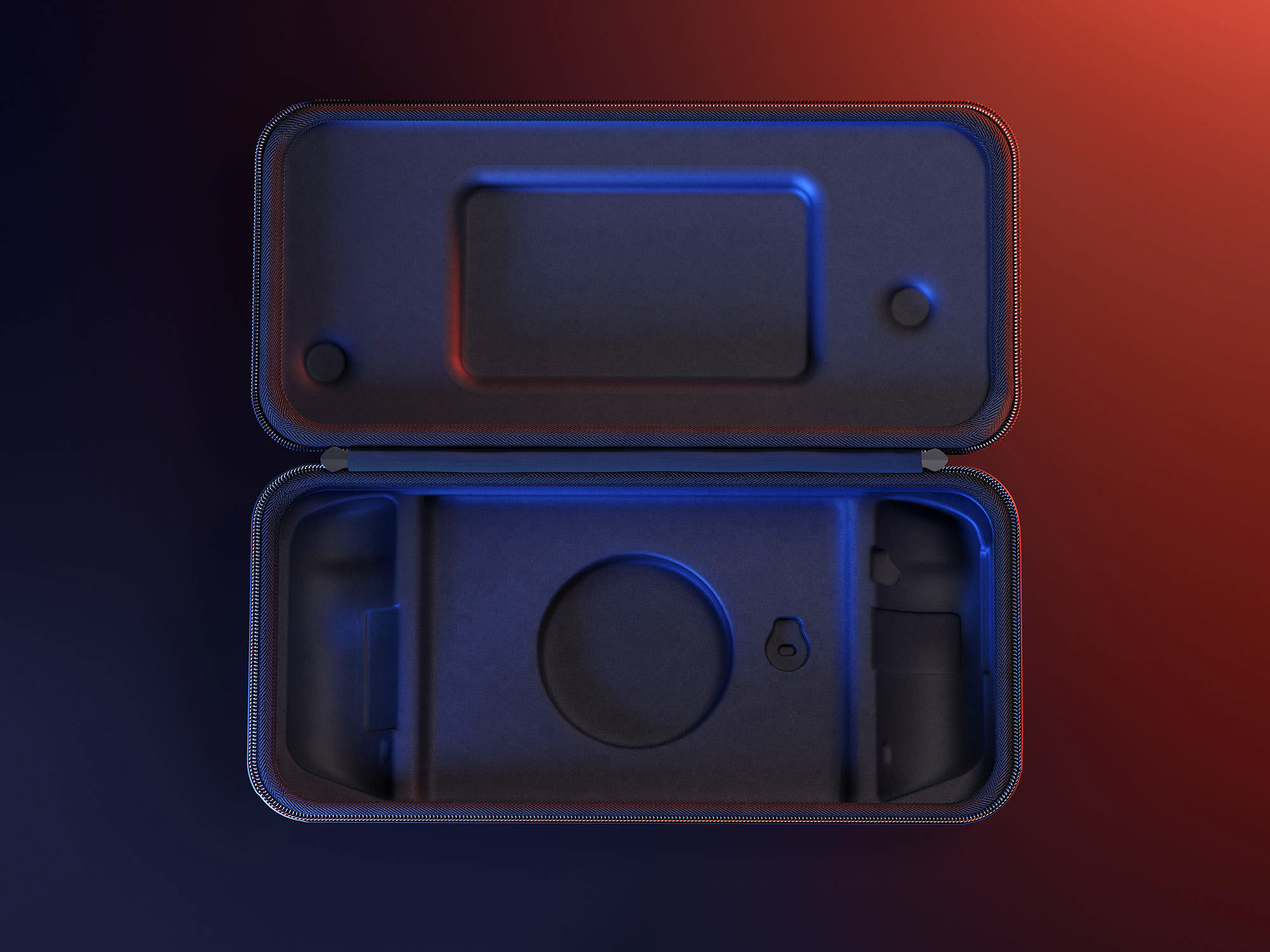
||Posted . Owned for 1 week when reviewed.This reviewer received promo considerations or sweepstakes entry for writing a review.Really, it's a high-powered Windows tablet with (for a lack of a better word) joycons. I chose this over the Rog for the larger screen (easier to see), dual USB C and faster ram. If you have ever used a Windows tablet or PC with touch controls (in tablet mode), then you will know what to expect. For a gaming handheld it does great. Higher frames than I expected. The SD card reader or the SD card I picked up isn't fast enough for AAA titles (it just takes forever to load), but moderate or emulators will work fine. Battery life is around 2 hours and charges fast. Game pass cloud gaming works like a champ. All and all its a gread device would recommend it to anyone looking for something portable. Oh and the case is pretty good too!
I would recommend this to a friend - Pros mentioned:Controller design, Overall performanceCons mentioned:Heat dissipation
The best I’ve ever had
||Posted . Owned for 2 months when reviewed.This reviewer received promo considerations or sweepstakes entry for writing a review.*5/5 Stars - A Gaming Powerhouse on the Go!* I've had the privilege of hands-on experience with the Lenovo Legion Go, and I'm blown away by its exceptional performance, sleek design, and innovative features. This portable gaming monster has redefined the standards for handheld gaming devices. *Pros:* 1. *Lightning-Fast Performance*: The Legion Go's AMD Ryzen 7 processor and NVIDIA GeForce RTX 3070 graphics card deliver seamless gaming experiences, even with demanding titles. 2. *Stunning Display*: The 6-inch FHD+ display boasts vibrant colors, crisp visuals, and a 144Hz refresh rate, ensuring immersive gaming sessions. 3. *Ergonomic Design*: The device's weight distribution and contoured grips provide comfort during extended gaming sessions. 4. *Customizable Controls*: The Legion Go's removable controllers and customizable buttons allow for personalized gaming experiences. 5. *Long-Lasting Battery*: Up to 8 hours of gaming on a single charge is impressive, considering the device's power. *Cons:* 1. *Heat Management*: The device can get warm during intense gaming sessions, but Lenovo's cooling system helps mitigate this issue. 2. *Limited Storage*: The base model's 512GB storage may fill up quickly, but expansion options are available. *Verdict:* The Lenovo Legion Go is an outstanding handheld gaming device that sets a new benchmark for portability, power, and performance. Its impressive specs, innovative design, and seamless gaming experiences make it a must-have for serious gamers. *Rating Breakdown:* - Performance: 5/5 - Display: 5/5 - Design: 5/5 - Battery Life: 4.5/5 - Value: 4.5/5 *Recommendation:* If you're seeking a premium handheld gaming experience, look no further than the Lenovo Legion Go. Its impressive capabilities and portability make it an ideal choice for gamers on-the-go. Would you like me to make any changes or add anything?
I would recommend this to a friendBrand response from Lenovo Product Expert
Posted .Hey, JasmineW, thank you for choosing Lenovo! We are happy to hear that your Legion Go excels across the board for you, and we appreciate you taking the time to detail your feedback and experience for us.
- Pros mentioned:Controller design, Overall performance, PortabilityCons mentioned:Battery life
Worth it to Me
||Posted . Owned for 1 month when reviewed.This reviewer received promo considerations or sweepstakes entry for writing a review.The Lenovo Legion Go is a compelling choice for handheld gaming, especially if you want Windows flexibility, a large high-refresh display, and detachable controllers. The battery life is underwhelming, often lasting 2–4 hours depending on settings. It includes a microSD card slot to expand storage beyond its SSD, a useful feature given the large size of modern game files.
I would recommend this to a friendBrand response from Lenovo Product Expert
Posted .Hi user187562, thanks for choosing Lenovo! We are glad to hear that your Legion Go has great value to you, and we appreciate you taking the time to share this perspective with us.
- Pros mentioned:Overall performance, Portability, Screen qualityCons mentioned:Battery life
Best portable gaming PC
||Posted . Owned for 2 months when reviewed.This reviewer received promo considerations or sweepstakes entry for writing a review.Pros: great screen, runs windows instead of Linux for max compatibility. Great performance for the size and portability. Has 2 USB C ports (1 top, 1 bottom). Cons: Battery only lasts a couple of hours, Controller works but layout takes get used to compared to controllers. No slow charge, charging requires specific wattage to start charging.
I would recommend this to a friendBrand response from Lenovo Product Expert
Posted .Hey Allenis2002, thanks for choosing Lenovo! We are thrilled to hear that your Legion Go is the best gaming handheld to you. We appreciate you taking the time to share your experience with us.
- Pros mentioned:Overall performance, Portability, Screen quality
Great device
||Posted . Owned for 1 year when reviewed.This reviewer received promo considerations or sweepstakes entry for writing a review.Excellent device for gaming on the go. The screen looks and feels amazing and it has enough power for casual games and has mouse support built into the right controller.
I would recommend this to a friendBrand response from Lenovo Product Expert
Posted .Hi Trashguyman-
Thank you for choosing Lenovo and sharing your experience with us. We are thrilled to hear that you are enjoying the display quality and performance of the Legion Go.
Please reach out to us through the Q&A section of this product page if you have any questions or need any assistance.
Best wishes,
Lenovo
- Pros mentioned:Controller design, Overall performance, Screen qualityCons mentioned:Battery life
Convenient and fun to use
||Posted . Owned for 1 month when reviewed.This reviewer received promo considerations or sweepstakes entry for writing a review.My wife and I went with the legion for the removalable controllers and bigger screen and we definitely do not regret our decision. Its played all our games perfectly. Only draw back is the battery life is short when its in performance mode but thats not a big deal for us.
I would recommend this to a friendBrand response from Lenovo Product Expert
Posted .Hi JeffreyP,
Thanks for choosing Lenovo!
It is good to hear that your Legion Go has been convenient for you, and we appreciate you taking the time to share this with us.
- Pros mentioned:Controller design, Screen qualityCons mentioned:Size
This is the pc gaming handheld to beat.
||Posted . Owned for 1 month when reviewed.This reviewer received promo considerations or sweepstakes entry for writing a review.Overall, a very good device with a few minor quirks. Fortunately, all of the quirks are software related and Lenovo has been working overtime to patch and fix the issues. The hardware is excellent. The screen is big and bright. So far, this handheld has been able to play everything I have thrown at it. The out of the box experience is more like a laptop. The typical Windows login and updates cycle, so expect it to take a while before you'll be able to play on it. The Steam Deck was much quicker from start to play fresh from out of the box. A lot of the quirks that were a problem initially are rapidly being fixed, so be sure to update the BIOS and Legion Space once Windows updates finish. The biggest issue (imho) was joystick deadzones being way too high for joysticks that use hall effect sensors. The latest version of Legion Space now allows you to adjust it. The only downside to this product that cannot be fixed with BIOS and software updates is that the screen isn't variable refresh rate. However, to be fair, I haven't noticed any issues with it. Also, some people may struggle with the handheld's size and weight but it doesn't seem to an issue for someone of average size. Overall an amazing handheld at this price point. It has a bigger screen than its competitors and detachable controllers! It's closest competitor is the ASUS ROG ALLY and it trumps the ALLY in almost all areas. Bigger screen, detachable controllers, a built in kickstand, and having a touch pad make it the best and most powerful mainstream handheld available. If you are in the market for a handheld gaming pc, this is one to get.
I would recommend this to a friend - Pros mentioned:Overall performance, Screen quality
Small form factor
||Posted .This reviewer received promo considerations or sweepstakes entry for writing a review.Everyone jumped on the handheld pc bandwagon once the steam deck made its debut a console like experience with a pc library. This is Lenovo’s windows based version. Which they did a fantastic job with overall on there first attempt. Biggest complaints I have is Lenovo’s atrocious driver software support can take forever from them to put out firmware and driver updates. My second complaint is the joysticks feeling like the have little to no resistance. Which can be resolved by installing aftermarket joysticks but for average user who may not be tech savvy or not willing to take the risk of breaking there controller that’s a deal breaker. Lots of tinker has to be done in order to get games software or even applications to run properly at decent frame rates without proper driver and firmware support. Meaning at a minimum you should see driver and or firmware updates every couple months. The last official driver update took roughly 8 or more months to come out hopefully they will do better with the go 2 only time will tell. Overall was happy and enjoy using the handheld specifically being able to detach the controllers and sit the display on my lap or table and play. It is quite the versatile handle compared to others on the market and well built if you can overlook the short comings.
I would recommend this to a friend - Pros mentioned:Controller design, Overall performance, Screen quality
A fun, cutting edge device
||Posted . Owned for 3 weeks when reviewed.This reviewer received promo considerations or sweepstakes entry for writing a review.This handheld is comprised of excellent hardware, though software leaves something to be desired. If you are a PC gamer this is an easy transition. It might be a bit more unnatural for console gamers, as games require tweaking and troubleshooting to get ideal performance. Overall, I am very happy with this device and I'm looking forward to the software improvements Lenovo has planned. Pros: - detachable controllers add a lot of versatility - screen is big and looks great - the hinge feels solid and functions well - windows runs very well and facilitates access to a ton of games - games run at impressive quality for such a small device Cons: - games require a lot of in game and OS adjustments if you want to optimize - Lenovo custom software is a work in progress. You can't remap keys, the joysticks have large deadzone, gyroscope isn't working yet - carrying case doesn't fit the charger - the bottom edges of the controllers are uncomfortable on my palms (can be fixed by adjusting your hand grip)
I would recommend this to a friend - Pros mentioned:Overall performanceCons mentioned:Battery life, Size
Big Screen and Big Processor but Big Weight....
||Posted . Owned for 1 month when reviewed.This reviewer received promo considerations or sweepstakes entry for writing a review.The Lenovo Legion Go is a powerful handheld PC gaming console. It's similar to the Steam Deck (which I also own) but bigger in every way, both good and bad. The highlight of the Legion Go is the massive 8" touch screen with very high pixel count and buttery smooth 165 hs refresh rate. Actually the resolution is so high you really should dial it down to 1200p for most games. It has a faster AMD CPU/GPU combo as well, plays most games at around 15 percent higher frame rates. A nice feature is it has two USB-C ports. In fact it's got USB-C 4 so I can plug it into my external GPU when playing at home. The detachable controllers are a nice touch as well. Maybe my favorite thing about it is that it runs actual Windows 11, which means I can use more than just my Steam Library of gamrs. The only issue I have with the Go is it's size and weight. It's heavy and the grip of the controllers after a while start to irritate me. It also sucks down power fast. So bring your charger. Still, it's an impressive feat of engineering, like carrying around a portable Xbox One with you wherever you go.
I would recommend this to a friend - Pros mentioned:Controller design, Overall performance, Screen qualityCons mentioned:Size
Good gaming handheld
||Posted . Owned for less than 1 week when reviewed.This reviewer received promo considerations or sweepstakes entry for writing a review.This one is bulkier compared to other handheldss but superb performance Screen is very sharp. I love that you can just remove the controllers from the body. Overall, great job producing this monster gaming handheld
I would recommend this to a friendBrand response from Lenovo Product Expert
Posted .Hey, AneL, thank you for choosing Lenovo! We are glad to hear that your Legion Go has been great overall, and we appreciate you taking the time to share your feedback with us.
- Pros mentioned:Overall performance, Portability
Love it!
||Posted . Owned for 9 months when reviewed.This reviewer received promo considerations or sweepstakes entry for writing a review.This replaced my laptop. I travel a lot and it easily fits in any bag I carry. It does everything I want it to and if I want a bigger screen, I can easily cast it to an available TV or plug it into my PC monitor. Well worth the money.
I would recommend this to a friend - Pros mentioned:Overall performance, Portability, Screen qualityCons mentioned:Noise level
Best Gaming Handheld on the market
||Posted .This reviewer received promo considerations or sweepstakes entry for writing a review.I’ve had the legion go for about 6 months and it has been perfect for play on the go and at home. The screen is massive with great controllers. Only downside for me is the fan noise but it makes up for it in the power that it produces.
I would recommend this to a friendBrand response from Lenovo Product Expert
Posted .Hello, Daniel. Thank you for choosing Lenovo! We are glad to hear that your Legion Go has been great, and we appreciate you taking the time to share your experience with us. Also, if you go into the Legion Space app > Settings > Performance, you can make adjustments to fan settings. But be cautious that lower fan speed greatly can limit performance for system safety.
- Pros mentioned:Overall performance, Portability, Screen quality
The Best Gaming Handheld To Date!
||Posted . Owned for 2 weeks when reviewed.This reviewer received promo considerations or sweepstakes entry for writing a review.This is by far the best gaming handheld that is on the market in the US. The 1600p screen is magnificent. Detachable controllers let you turn this into a ultra portable gaming tablet. Plus this thing can play any game you throw at it with ease. Old school emulation on this is crazy awesome. The only problem I'm having is Lenovo hasn't released the ability to use the controllers to the fullest. You can't map buttons easily and some buttons refuse to show up at all. And if you are use to dedicate Steam and Xbox buttons good luck. I still have figured out how to use those without just tapping on the touch screen. I have a Steam Deck and a ROG Ally and this is the one to rule the all and after some software updates and controller tweaks...nothing will stand in its way!
I would recommend this to a friend - Pros mentioned:Controller design, Overall performance
Decent hardware, deplorable software.
||Posted . Owned for less than 1 week when reviewed.This reviewer received promo considerations or sweepstakes entry for writing a review.Let's start out with the positives, and I will be comparing this device to the ROG Ally and Steam Deck as I have owned all 3 (sadly returned the ally to a 2nd sd card reader failure). I will start with the more obvious differences first. I really love the larger 8.8 inch display. It's great for reading text in games and UI elements. Colors and contrast are way better than a Steam Deck, and are on par with the Ally. FPS mode is actually great. It does take a few hours to get used to where all the commonly used buttons (interact and croutch) are, but slowly muscle memory will take over. The kickstand is very high quality and will firmly hold the GO at any angle it is capable of. The controllers attach and detach easily with less movement required than a switch (it takes a few tries to get the hang of it) and don't cause any error in game if you attach/remove during a game. Includes a high quality case just like the Steam Deck (Ally shade here) Performance is on par with the Ally (better at higher wattage than the Steam Deck). Makes sense as it uses the same Z1 Extreme chip. The faster 7500 MT/s ram doesn't seem to add any additional performance from what I've seen. 1-2 fps here and there isn't noticeable to me. Analog sticks are hall effect and will not drift over time. Something that can't be added at all to the Ally, and are a DIY project for the Steam Deck. The SD card slot doesn't seem to get as hot as the Ally, but after running Cinebench for 30 minutes it did feel warm when removed. Trackpad is nice, but Steam Deck has better pads/functionality. Now the negatives. The software is an absolute disaster. Steam OS is the king and even Armory Crate is MILES ahead of Legion Space. Legion space takes forever to launch on boot. You have to keep seeing the same splash screen, loading screen, and boot animation every time you turn it on. Yes, you can disable it but then you have no quick settings menu, etc until you start the Legion software. Additionally, Legion Space is full of bloat. No one wants your store, your "recommended" screen (which is just ads for games on your crappy store), the "Cloud Game" and the "Android Game" buttons just redirect you to install things from the windows store like the Amazon Appstore or open pages into a built in web browser. WHY?!?!? Maybe this is why it takes so long to load up? Is this delay to load all the bloat? REMOVE IT, LENOVO. Legion Space won't close most of my games when attempting to do so from the Legion Space software and for those games the only way to leave the game if there isn't a menu to do so is to restart the GO. Steam Deck can close any running game at any time by pressing the Steam button. Asus saw that a "close program or alt+f4" was needed so they added it to the quick buttons. The GO needs this also. When opening up the Legion Quick Settings or menu while a game is running controller input is sent to the game and the settings menu. This is bad. Both Steam Deck and Armoury Crate disable the controller input to the rest of the system when the settings menus are open. Legion Space also throws an error at every shutdown for me. Controller buttons can be customized, but in controller mode it can only be customized to controller buttons ONLY. It would be great to be able to customize the back buttons to function keys or macros. Seriously most controllers in windows will allow macro programming and this just doesn't have that (yet?). I don't have a need for a 2nd A button. Or a 2nd R1. Give us macros, Lenovo! Button placement is also odd/bad. Start/select can't easily be reached. Why are the legion buttons where start/select are? To accommodate FPS mode? Why can't those buttons be start/select when in controller mode and automatically change when in FPS mode? Gyro can't be assigned to mouse, must be right stick or left stick. Dpad is very shallow and makes for a poor experience playing SF6 and other fighting games. VRAM can't be adjusted in software like in Armoury Crate and can currently only be set to 3, 4, and 8GB. It requires a boot to bios and the bios. Controller input isn't supported in BIOS for some reason, you have to poke at the screen to make changes. Steam Deck bios can use controller input and the Ally doesn't even really ever need to boot to bios, everything you would want to adjust can be done so in Armoury Crate. The SSD is far away from the fan and gets zero airflow and will thermal throttle when installing games. No fingerprint scanner/windows hello for faster sign in. No way to 'right click' at all in controller mode. Tap and hold doesn't work on most things to get a right click and the trackpad doesn't support two finger tap for right click. I wish there was a way to add right click to a back button or something when in Windows. Native portrait display (looking at Sergey? from the Lenovo forums here) after telling customers that it would be native landscape. This causes issues with many games not filling the screen (such as Final Fantasy X from steam). Also no VRR/Freesync support. Difficult to open and access internals first time opening (clips are stiff). SSD is a pain to peel the rf blocking wrap off of. Thermal paste replacement will also be a chore (long term maintenance). Release driver is from July. Promises from Lenovo for new drivers soon. This means as of now, no Starfield. Speakers are quiet, but can be EQ'd to sound way better in the Realtek software. Slow charging when in use, even when using a 100w power brick. So here we are again. Another overly hyped handheld that as with the Steam Deck (took about a year) Ally (still a work in progress) needs more time to bake (and then reheated again). I can't really recommend it in it's current form.
No, I would not recommend this to a friend