Customer Ratings & Reviews

- Model:
- 81A5001UUS
- SKU:
- 6061700
Rating by feature
- Value
Rating 3.8 out of 5 stars
- Quality
Rating 3.6 out of 5 stars
- Ease of Use
Rating 3.8 out of 5 stars
Customers are saying
Customers praise the 14" Laptop for its budget-friendly price point and lightweight design, making it suitable for basic personal use. However, concerns are raised regarding its limited storage capacity, insufficient memory, and overall performance, which may not be suitable for multitasking or demanding tasks.
This summary was generated by AI based on customer reviews.
- Pros mentioned:Price
Good value
||Posted .This reviewer received promo considerations or sweepstakes entry for writing a review.Works great Super cheap Good value Great for a kid
I would recommend this to a friendBrand response from Lenovo Product Expert
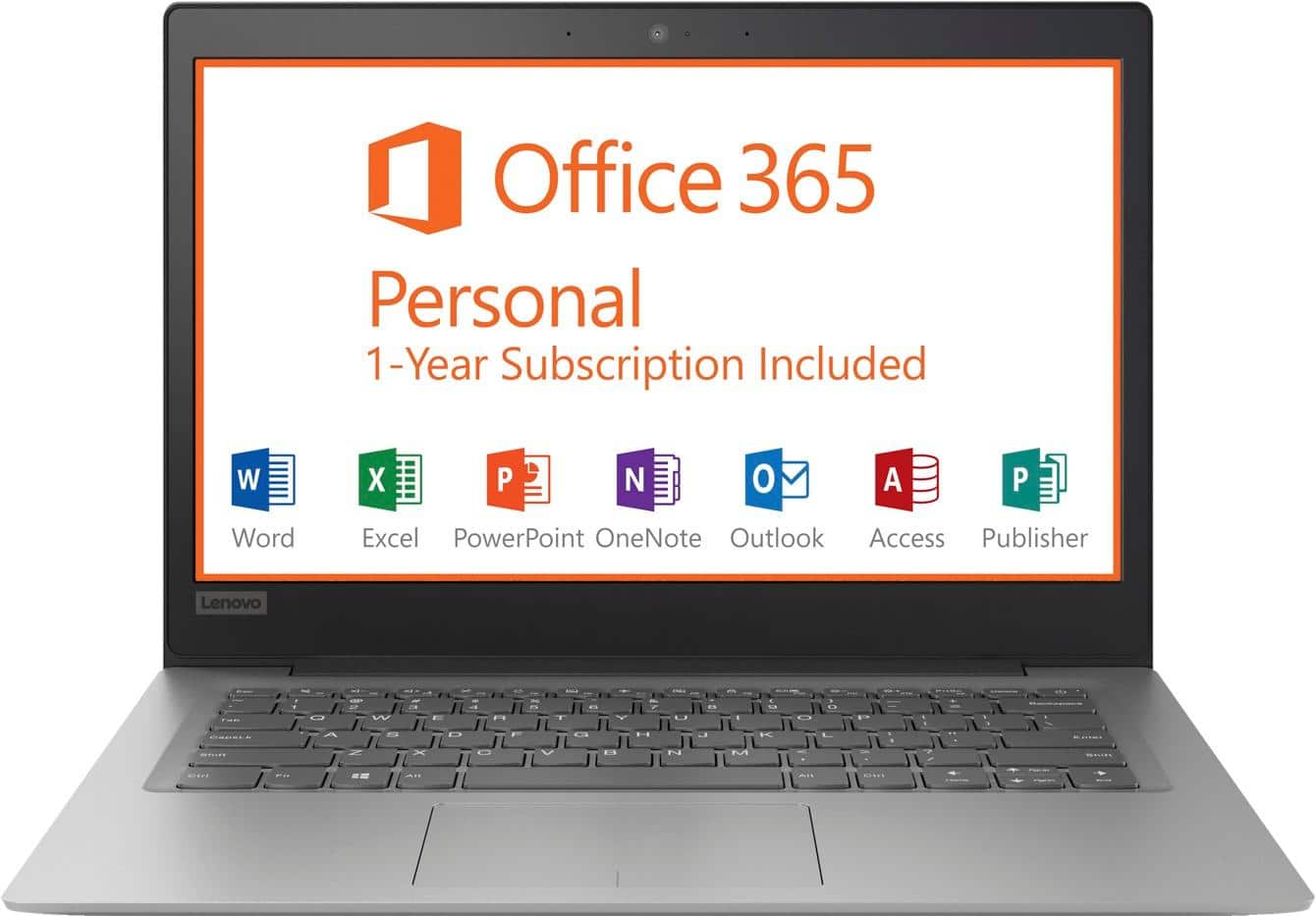
Posted .Thank you for choosing the lenovo IdeaPad 120s-14 laptop. We are pleased to hear that the IdeaPad 120s-14 meets your computing needs so well. This is an entry level, light use computer system. It uses Windows 10 Home 64-Bit as its operating system, which requires less than 2GB of RAM to run. There is a 32GB solid state hard drive on this device for fast boot up and file recall. This device has the latest WiFi capability, with 802.11AC connectivity. There is a free 1-year subscription to Microsoft Office 365, a $69.00 value on this device. If your requirements fit this profile, this device is a good choice.

Great customer service, computer works great.
||Posted .This reviewer received promo considerations or sweepstakes entry for writing a review.Excellent service, wonderful store. Great environment and great products. Love shopping here
I would recommend this to a friend- Pros mentioned:Price
great starter laptop
||Posted .This reviewer received promo considerations or sweepstakes entry for writing a review.this is a great starter laptop at at very good price!
I would recommend this to a friendBrand response from Lenovo Product Expert
Posted .Thank you for choosing the Lenovo IdeaPad 120s-14 laptop. You are correct, the IdeaPad 120s-14 is an entry level, light use computer system. It uses Windows 10 Home 64-Bit as its operating system, which requires less than 2GB of RAM to run. There is a 32GB solid state hard drive on this device for fast boot up and file recall. This device has the latest WiFi capability, with 802.11AC connectivity. There is a free 1-year subscription to Microsoft Office 365, a $69.00 value on this device. If your requirements fit this profile, this device is a good choice.
- Pros mentioned:Price
Great for a beginner
||Posted .This reviewer received promo considerations or sweepstakes entry for writing a review.It's a good laptop for the price, so happy with it
I would recommend this to a friendBrand response from Lenovo Product Expert
Posted .Thank you for choosing the Lenovo IdeaPad 120s-14 laptop. We are pleased to hear that the IdeaPad 120s-14 meets your computing needs so well. This is an entry level, light use computer system. It uses Windows 10 Home 64-Bit as its operating system, which requires less than 2GB of RAM to run. There is a 32GB solid state hard drive on this device for fast boot up and file recall. This device has the latest WiFi capability, with 802.11AC connectivity. There is a free 1-year subscription to Microsoft Office 365, a $69.00 value on this device. If your requirements fit this profile, this device is a good choice.
What I expected
||Posted .This reviewer received promo considerations or sweepstakes entry for writing a review.I got it for my 12 year old so he could do his homework. No problem so far. Works great!
I would recommend this to a friendBrand response from Lenovo Product Expert
Posted .Thank you for choosing the Lenovo IdeaPad 120s-14 laptop for your child. We are pleased to hear that the IdeaPad 120s-14 is working out so well for your child.
- Pros mentioned:Lightweight
Great computer for an even better price
||Posted .This reviewer received promo considerations or sweepstakes entry for writing a review.I bought this computer for my son to use in school. He really enjoys the ease of use and size of this laptop. It is lightweight and can handle all of his class work and day to day usage. I definitely recommend this for anyone looking for a starter laptop.
I would recommend this to a friendBrand response from Lenovo Product Expert
Posted .Thank you for choosing the lenovo IdeaPad 120s-14 laptop for your son. We are pleased to hear that the ease of use and performance of the IdeaPad 120s-14 meets your son's computing needs so well. This is an entry level, light use computer system. It uses Windows 10 Home 64-Bit as its operating system, which requires less than 2GB of RAM to run. There is a 32GB solid state hard drive on this device for fast boot up and file recall. This device has the latest WiFi capability, with 802.11AC connectivity. There is a free 1-year subscription to Microsoft Office 365, a $69.00 value on this device. If your requirements fit this profile, this device is a good choice.
- Pros mentioned:Price
simple but practical
||Posted .This reviewer received promo considerations or sweepstakes entry for writing a review.very good relation price product, ideal for students
I would recommend this to a friendBrand response from Lenovo Product Expert
Posted .Thank you for choosing the Lenovo IdeaPad 120s-14 laptop. We are pleased to hear that the value and performance of the IdeaPad 120s-14 meets your computing needs so well.
- Pros mentioned:Lightweight
Good value
||Posted .This reviewer received promo considerations or sweepstakes entry for writing a review.Lightweight, fairly user friendly. Comes with Office.
I would recommend this to a friendBrand response from Lenovo Product Expert
Posted .Thank you for choosing the Lenovo IdeaPad 120s-14 laptop. We are pleased to hear that the ease of use and performance of the IdeaPad 120s-14 meets your computing needs so well.
- Pros mentioned:Price
nice simple laptop
||Posted . Owned for 1.5 years when reviewed.This reviewer received promo considerations or sweepstakes entry for writing a review.I got this laptop after I spilled water into my old one mid semester. It's not the best laptop ever and you definitely get what you pay for. I liked that it was affordable and good for the simple tasks I needed it for.
I would recommend this to a friend - Cons mentioned:Speed
Don’t buy
||Posted .This reviewer received promo considerations or sweepstakes entry for writing a review.Wish I knew it was slower than my old windows 98 laptop I wouldn’t have bought it ....this computer is good for nobody not even children
No, I would not recommend this to a friendBrand response from Lenovo Product Expert
Posted .This is an entry level, light use computer system. It uses Windows 10 Home 64-Bit as its operating system, which requires less than 2GB of RAM to run. There is a 32GB solid state hard drive on this device for fast boot up and file recall. This device has the latest WiFi capability, with 802.11AC connectivity. There is a free 1-year subscription to Microsoft Office 365, a $69.00 value on this device. If your requirements fit this profile, this device is a good choice.
- Pros mentioned:Usage
Great Product, Great Value
||Posted .This reviewer received promo considerations or sweepstakes entry for writing a review.I was discourage from buying this laptop in store. All I needed a laptop for was 1-2 days a week of internet and excel spreadsheets. Has worked great. Boots up and off slower than previous computers but that was expected. Highly recommend.
I would recommend this to a friendBrand response from Lenovo Product Expert
Posted .The Lenovo IdeaPad 120s-14 should boot up fast thanks to the 32GB Flash solid state hard drive. Be sure any software you installed is compatible with Windows 10. There is no need to install Microsoft Office software. The software is already part of the operating system, you just need to activate the software with a purchased product key. If you have installed a copy of Microsoft Office, this is conflicting with the existing copy on the system and this will slow your system down. If you have installed a 3rd party anti-virus program, be sure that Windows Defender is turned off and that the trial version of McAfee Anti-Virus software is uninstalled. There can only be one anti-virus program on the system. You may need to restore your system to original factory default settings if any of the programing errors have occurred. You can do that by typing "restore" in the Cortana search window. Just click on the magnifying glass icon at the bottom left of your Windows 10 Desktop. Click on "Reset This PC" Then click on "Get Started" and follow the on screen directions to restore to factory defaults. If the problem persists, we recommend you contact Lenovo Tech Support at: 877-453-6686.
Great for basic computer needs
||Posted .This reviewer received promo considerations or sweepstakes entry for writing a review.You may not get what you pay for, but you will always pay for what you get. It's slow, doesn't have much memory or CD drive, but I can surf the internet, use MS Office, play games and download movies and music. It does what I need it to do.
I would recommend this to a friendBrand response from Lenovo Product Expert
Posted .This is an entry level, light use computer system. It uses Windows 10 Home 64-Bit as its operating system, which requires less than 2GB of RAM to run. There is a 32GB solid state hard drive on this device for fast boot up and file recall. This device has the latest WiFi capability, with 802.11AC connectivity. There is a free 1-year subscription to Microsoft Office 365, a $69.00 value on this device. If your requirements fit this profile, this device is a good choice.
Good Basic Laptop
||Posted .This reviewer received promo considerations or sweepstakes entry for writing a review.Nice basic laptop if you are not into CPU intensive games. Add a 32 or 64 GB micro SD to bring storage level up, along with using cloud storage and you will be ok for most tasks even with only 2 GB of Memory. Included Microsoft Office 365 Personal (1 Year) included makes it even a better deal.
I would recommend this to a friendBrand response from Lenovo Product Expert
Posted .Thank you for choosing the Lenovo IdeaPad 120s-14 laptop. We are pleased to hear that the value, features and performance of the IdeaPad 120s-14 meets your computing needs so well. The Lenovo IdeaPad 120s-14 laptop is an entry level, light use system with its Intel Celeron processor, 2GB of RAM and a 32GB eMMC solid state hard drive. It is not meant for multi-tasking or demanding programs. It is good for Microsoft Office and light internet browsing. The IdeaPad 120s-14 laptop ships with a free 1-year subscription to Microsoft Office 365 (a $69.00 value). If this describes your computing needs, the IdeaPad 120s-14 laptop would be a good choice. For 2018, Lenovo retained its place for a second year as the best laptop vendor:
https://www.laptopmag.com/articles/laptop-brand-ratings
Great for a kid
||Posted .This reviewer received promo considerations or sweepstakes entry for writing a review.I got this for my son for Xmas it was a great price it’s ok but great for a kid
I would recommend this to a friendBrand response from Lenovo Product Expert
Posted .Thank you for choosing the Lenovo IdeaPad 120s-14 Laptop for your son. We are pleased to hear that the IdeaPad 120s-14 is working out so well for your son.
Wife laptop
||Posted .This reviewer received promo considerations or sweepstakes entry for writing a review.Saw and bought the laptop for my wife. She is now enjoying her online viewing.
I would recommend this to a friendBrand response from Lenovo Product Expert
Posted .Thank you for choosing the Lenovo 120s-14 laptop for your wife. We are pleased to hear that the IdeaPad 120s-14 is working out so well for your wife.
- Cons mentioned:Storage
Good for simple internet searches
||Posted . Owned for 1.5 years when reviewed.This reviewer received promo considerations or sweepstakes entry for writing a review.I purchased this laptop for college homework originally and used it during my online classes. After Windows updated and took up most of my storage space on it, the laptop started to slow down and I wasn’t able to have the same speed it originally had. It doesn’t have enough internal storage to run properly, even for simple internet researching and online test. The hinge that attaches the screen to the keyboard is also very weak and now I have to get it fixed.
No, I would not recommend this to a friend - Cons mentioned:Speed, Storage
Terrible
||Posted .This reviewer received promo considerations or sweepstakes entry for writing a review.This computer is too slow. I was looking for a cheap laptop for the wife to shop and use FB so I got her this. The 32 gb flash HDD is a joke. It has maybe 5 gb available then it installs mcaffee and you have like 1 gb left. I am currently trying to wipe the laptop and take it back now but it is telling me that there is not enough hdd space to reset it. How does that make any sense? It doesn't have enough space to erase everything?
No, I would not recommend this to a friendBrand response from Lenovo Product Expert
Posted .There is a 30-day trial of McAfee software already on the device. If you installed another copy of McAfee, there may be a software conflict causing the issue you describe. This system is equipped with OneKey Recovery System. There is a very small pin hole on the right side of the device, right near the Micro-SD card slot on the device. You will need a pin to push this reset button. Plug the device in. Let the battery charge for about 15 minutes. Push the reset button. The system should boot to a choice screen where you can choose "Restore To Factory Default". Select this. It will delete everything from the hard drive except the original factory install of the operating system. You will need to reinstall all programs and files after the reset. If you don't have copies of the files, try to make one before you restore by selecting "Boot to desktop" and trying to back up your files. If the problem persists after the factory reset, we recommend you contact Lenovo Tech Support at: 877-453-6686.
- Cons mentioned:Speed
So so
||Posted . Owned for more than 2 years when reviewed.This reviewer received promo considerations or sweepstakes entry for writing a review.Ok laptop for the price but its pretty slow. My boys use it for school only, but chrome books are better as far as function and speed imo.
No, I would not recommend this to a friend - Cons mentioned:Performance
Poor performamce
||Posted .This reviewer received promo considerations or sweepstakes entry for writing a review.I have owned four different brands of laptops, including this Lenovo. This is by far the worst. I needed a new laptop, and this, on sale, fit into my limited budget. I also looked at reviews of other Lenovo laptops before taking a chance on an unfamiliar brand. It was a mistake. While I knew I would be getting limited storage on this particular laptop, I was not prepared for the poor performance. It runs very slowly more so than any I have owned or used. Frequenly, when clicking on a link in an emai, I will get a "hmmm --- can't reach this page". It will then take anywhere from two to five attempts before I finally get to the link destination. In addition, it will occasionally freeze while reading an article. I will never purchase another Lenovo product, nor will I recommend them to anyone.
No, I would not recommend this to a friendBrand response from Lenovo Product Expert
Posted .This is an entry level, light use computer system. It uses Windows 10 Home 64-Bit as its operating system, which requires less than 2GB of RAM to run. There is a 32GB solid state hard drive on this device for fast boot up and file recall. This device has the latest WiFi capability, with 802.11AC connectivity. There is a free 1-year subscription to Microsoft Office 365, a $69.00 value on this device. If your requirements fit this profile, this device is a good choice. With regard to internet connectivity and speed issues, this device uses 5G 802.11AC WiFi frequency. Although 802.11AC is backward compatible to older b/g/n frequencies, be sure your router has the latest firmware updates offered by the router manufacturer. You can check for firmware updates for your specific router model at the router manufacturer's web site.
- Pros mentioned:Price
FUNCTIONAL, DOES THE JOB INTENDED, VERY SLOW.
||Posted .This reviewer received promo considerations or sweepstakes entry for writing a review.I BOUGHT THIS TO BE USED IN A GROUP SETTING, NOT TOP OF THE LINE, BUT FUNCTIONAL.BEST TO BE EXPECTED FOR PRICE PAID.DEFINETELY NOT FOR STREAMERS, STUDENTS OR PROFESSIONALS.
No, I would not recommend this to a friendBrand response from Lenovo Product Expert
Posted .This is an entry level, light use computer system. It uses Windows 10 Home 64-Bit as its operating system, which requires less than 2GB of RAM to run. There is a 32GB solid state hard drive on this device for fast boot up and file recall. This device has the latest WiFi capability, with 802.11AC connectivity. There is a free 1-year subscription to Microsoft Office 365, a $69.00 value on this device. If your requirements fit this profile, this device is a good choice.