Customer Ratings & Reviews

- Model:
- 81A5001UUS
- SKU:
- 6061700
Rating by feature
- Value
Rating 3.8 out of 5 stars
- Quality
Rating 3.6 out of 5 stars
- Ease of Use
Rating 3.8 out of 5 stars
Customers are saying
Customers praise the 14" Laptop for its budget-friendly price point and lightweight design, making it suitable for basic personal use. However, concerns are raised regarding its limited storage capacity, insufficient memory, and overall performance, which may not be suitable for multitasking or demanding tasks.
This summary was generated by AI based on customer reviews.
- Cons mentioned:Performance, Speed
Very slow
||Posted .This reviewer received promo considerations or sweepstakes entry for writing a review.It's very slow. My daughter doesn't like it and I don't know how to make it faster
No, I would not recommend this to a friendBrand response from Lenovo Product Expert
Posted .This is an entry level, light use system with its Intel Celeron processor and 2GB of RAM. It is not meant for multi-tasking or demanding programs. It is good for Microsoft Office and light internet browsing. If this describes your computing needs, the IdeaPad 120s-14 laptop would be a good choice.

unbelievable price
||Posted .This reviewer received promo considerations or sweepstakes entry for writing a review.Needed an urgent low cost portable Windows based device for Freshman in college. Unbelievable price! Works superbly for internet in class access. So inexpensive so that if it breaks or gets stolen will just replace it.
I would recommend this to a friendBrand response from Lenovo Product Expert
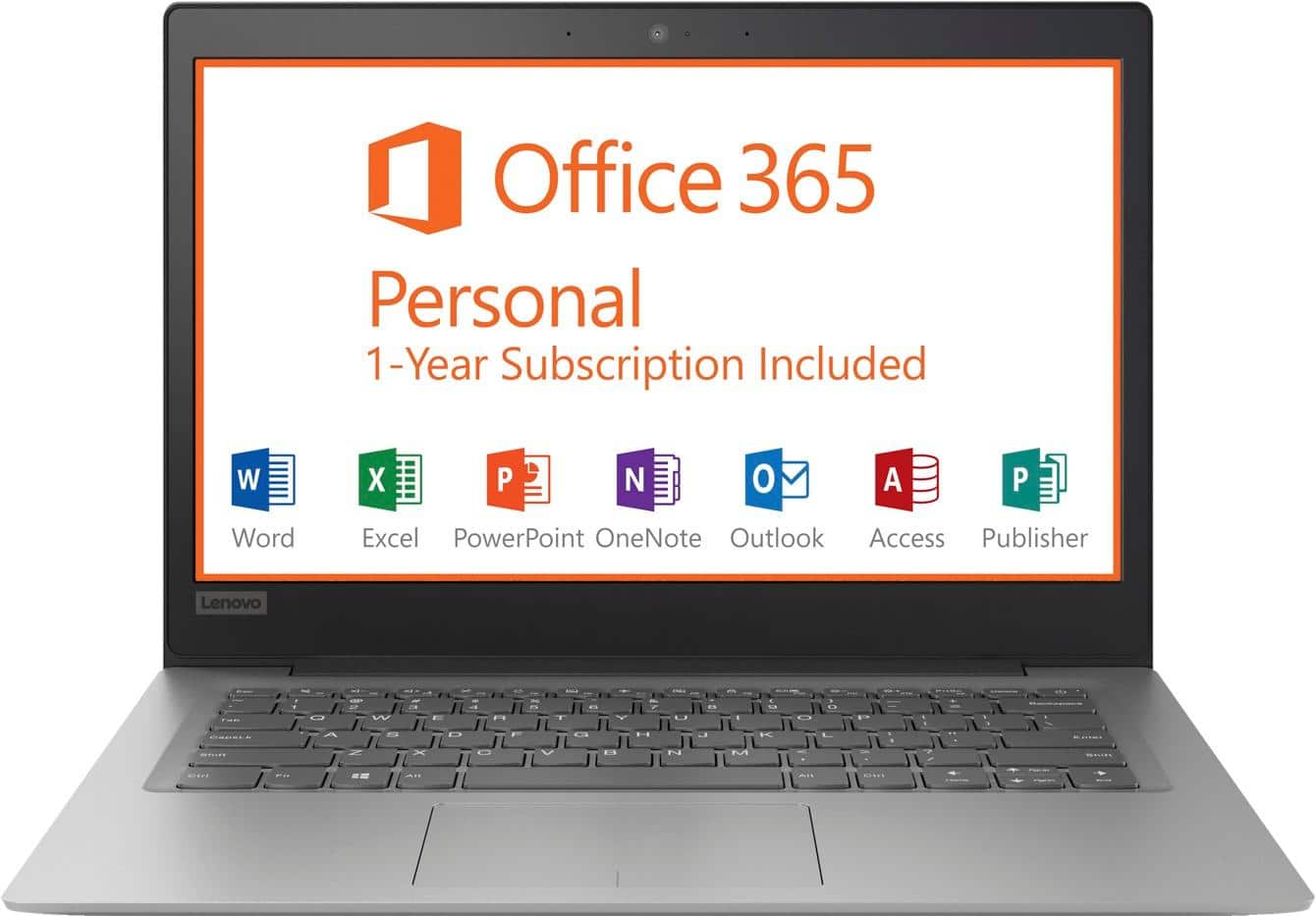
Posted .Thank you for choosing the lenovo IdeaPad 120s-14 laptop. We are pleased to hear that the value and performance of the IdeaPad 120s-14 meets your computing needs so well. This is an entry level, light use computer system. It uses Windows 10 Home 64-Bit as its operating system, which requires less than 2GB of RAM to run. There is a 32GB solid state hard drive on this device for fast boot up and file recall. This device has the latest WiFi capability, with 802.11AC connectivity. There is a free 1-year subscription to Microsoft Office 365, a $69.00 value on this device. If your requirements fit this profile, this device is a good choice.
- Cons mentioned:Speed
Good for the basic purpose
||Posted .This reviewer received promo considerations or sweepstakes entry for writing a review.I liked the system is very cute however the purpose did not solve due to slow performance. hence I have returned it.
No, I would not recommend this to a friendBrand response from Lenovo Product Expert
Posted .This is an entry level, light use computer system its Intel Celeron processor, 2GB of RAM and 32GB of solid state storage space. It is not meant for multi-tasking or demanding programs. It is good for Microsoft Office and light internet browsing. This device has the latest WiFi capability, with 802.11AC connectivity. There is a free 1-year subscription to Microsoft Office 365, a $69.00 value on this device. If your requirements fit this profile, this device is a good choice.
Great Laptop
||Posted . Owned for 1 month when reviewed.This reviewer received promo considerations or sweepstakes entry for writing a review.I have purchased this laptop for work. It is limited in disk space (by design) but as a RDP computer it is great. I love that it comes with a subscription to Office 365. That makes up for the disk space.
I would recommend this to a friendBrand response from Lenovo Product Expert
Posted .Thank you for choosing the Lenovo IdeaPad 120s-14 laptop. The Lenovo IdeaPad 120s-14 laptop is an entry level, light use system with its Intel Celeron processor, 2GB of RAM and a 32GB eMMC solid state hard drive. It is not meant for multi-tasking or demanding programs. It is good for Microsoft Office and light internet browsing. The IdeaPad 120s-14 laptop ships with a free 1-year subscription to Microsoft Office 365 (a $69.00 value). If this describes your computing needs, the IdeaPad 120s-14 laptop would be a good choice.

Perfect budget laptop!
||Posted .This reviewer received promo considerations or sweepstakes entry for writing a review.I have a power laptop for heavy work. Note this laptop can't handle games and anything heavy. I needed a cheap laptop that I can carry around for internet browsing and email. Gets the job done. For the price its okay.
I would recommend this to a friendBrand response from Lenovo Product Expert
Posted .Thank you for choosing the Lenovo IdeaPad 120s-14 laptop. This is an entry level, light use computer system. It uses Windows 10 Home 64-Bit as its operating system, which requires less than 2GB of RAM to run. There is a 32GB solid state hard drive on this device for fast boot up and file recall. This device has the latest WiFi capability, with 802.11AC connectivity. There is a free 1-year subscription to Microsoft Office 365, a $69.00 value on this device. If your requirements fit this profile, this device is a good choice.
Great Unit
||Posted .This reviewer received promo considerations or sweepstakes entry for writing a review.This unit is so thin and lite you don't even know you are carrying it. I got it for my elderly Mom so I'm glad it's lite. She can see it and it's just the right size for her lap. It's fast, clear and easy to setup.
I would recommend this to a friendBrand response from Lenovo Product Expert
Posted .Thank you for choosing the Lenovo IdeaPad 120s-14 laptop for your mother. We are pleased to hear that the features and performance of the IdeaPad 120s-14 meets your mother's computing needs so well. The Lenovo IdeaPad 120s-14 laptop is an entry level, light use system with its Intel Celeron processor, 2GB of RAM and a 32GB eMMC solid state hard drive. It is not meant for multi-tasking or demanding programs. It is good for Microsoft Office and light internet browsing. The IdeaPad 120s-14 laptop ships with a free 1-year subscription to Microsoft Office 365 (a $69.00 value). If this describes your computing needs, the IdeaPad 120s-14 laptop would be a good choice. For 2018, Lenovo retained its place for a second year as the best laptop vendor:
https://www.laptopmag.com/articles/laptop-brand-ratings
thrilled with her ability to always be ready
||Posted . Owned for 1.5 years when reviewed.This reviewer received promo considerations or sweepstakes entry for writing a review.The novel way to use the Laptop, we don't have to have large hard drives for storage. Time stopped here, and the speed flew, ... thrilled with her ability to always be ready!
I would recommend this to a friendLenovo - 14" Laptop - Intel Celeron - 2GB
||Posted . Owned for more than 2 years when reviewed.This reviewer received promo considerations or sweepstakes entry for writing a review.It's a budget laptop, but it does the job for light office work. Look elsewhere if you want to stream and edit photos.
No, I would not recommend this to a friend- Cons mentioned:Memory, Speed
Laptop not great
||Posted . Owned for more than 2 years when reviewed.This reviewer received promo considerations or sweepstakes entry for writing a review.Very slow. Always says memory is full. Not a good laptop
No, I would not recommend this to a friend Great investment
||Posted . Owned for 11 months when reviewed.This reviewer received promo considerations or sweepstakes entry for writing a review.I purchased this laptop just for work purposes and I can admit it’s been holding up. If you’re just looking for something small for typing papers and surfing the web this is what you wanna have.
I would recommend this to a friendNice laptop
||Posted .This reviewer received promo considerations or sweepstakes entry for writing a review.I needed a bigger screen and faster processor so I could do my job on it. It would be perfect for people who need a computer to browse the web.
I would recommend this to a friendBrand response from Lenovo Product Expert
Posted .This is an entry level, light use computer system. It uses Windows 10 Home 64-Bit as its operating system, which requires less than 2GB of RAM to run. There is a 32GB solid state hard drive on this device for fast boot up and file recall. This device has the latest WiFi capability, with 802.11AC connectivity. There is a free 1-year subscription to Microsoft Office 365, a $69.00 value on this device. If your requirements fit this profile, this device is a good choice.
- Cons mentioned:Storage
Accomplished it's goal, but...
||Posted .This reviewer received promo considerations or sweepstakes entry for writing a review.I was traveling to Brazil For the time that I was there, I wouldn't need all of the tools/ and features of my regular laptop, but I still needed to have one to work when not in the office. However, I would not recommend due to the 32gb limit of the solid state drive, which is not upgradeable. Especially problematic if you have multiple applications to add.
No, I would not recommend this to a friendBrand response from Lenovo Product Expert
Posted .The Lenovo IdeaPad 120s-14 laptop is an entry level, light use system with its Intel Celeron processor, 2GB of RAM and a 32GB eMMC solid state hard drive. It is not meant for multi-tasking or demanding programs. It is good for Microsoft Office and light internet browsing. The IdeaPad 120s-14 laptop ships with a free 1-year subscription to Microsoft Office 365 (a $69.00 value). If this describes your computing needs, the IdeaPad 120s-14 laptop would be a good choice. For 2018, Lenovo retained its place for a second year as the best laptop vendor:
https://www.laptopmag.com/articles/laptop-brand-ratings
Great Bargain Buy!!
||Posted .This reviewer received promo considerations or sweepstakes entry for writing a review.Needed a laptop to work from home and one able to handle remote desktop for work. Though it is slightly slower than a desktop or powerful Apple it does the work just fine. No complaints at all!
I would recommend this to a friendBrand response from Lenovo Product Expert
Posted .Thank you for choosing the Lenovo IdeaPad 120s-14 laptop. The Lenovo IdeaPad 120s-14 laptop is an entry level, light use system with its Intel Celeron processor, 2GB of RAM and a 32GB eMMC solid state hard drive. It is not meant for multi-tasking or demanding programs. It is good for Microsoft Office and light internet browsing. The IdeaPad 120s-14 laptop ships with a free 1-year subscription to Microsoft Office 365 (a $69.00 value). If this describes your computing needs, the IdeaPad 120s-14 laptop would be a good choice. For 2018, Lenovo retained its place for a second year as the best laptop vendor:
https://www.laptopmag.com/articles/laptop-brand-ratings
Excellent laptop for the price
||Posted .This reviewer received promo considerations or sweepstakes entry for writing a review.Love the product. It's screen and picture quality are amazing and the storage is phenomenal for the price. I just need it for school work and editing videos and pictures and couldn't get a better deal.
I would recommend this to a friendBrand response from Lenovo Product Expert
Posted .Thank you for choosing the Lenovo IdeaPad 120s-14 laptop. We are pleased to hear that the value and performance of the IdeaPad 120s-14 meets your computing needs so well. This is an entry level, light use computer system. It uses Windows 10 Home 64-Bit as its operating system, which requires less than 2GB of RAM to run. There is a 32GB solid state hard drive on this device for fast boot up and file recall. This device has the latest WiFi capability, with 802.11AC connectivity. There is a free 1-year subscription to Microsoft Office 365, a $69.00 value on this device. If your requirements fit this profile, this device is a good choice.
Lenovo - 14" Laptop
||Posted . Owned for more than 2 years when reviewed.This reviewer received promo considerations or sweepstakes entry for writing a review.Lenovo - 14" Laptop - Intel Celeron - 2GB Memory - 32GB eMMC Flash Memory its great for business , yes it 32 GB but it huge for saving document and a it for sure very fast
I would recommend this to a friendSimple and great!
||Posted .This reviewer received promo considerations or sweepstakes entry for writing a review.Just needed something simple and faster than my dyeing desktop! This laptop is light and very functional. Battery life is very good! All the functions are easy for people to understand and navigate quickly.
I would recommend this to a friendBrand response from Lenovo Product Expert
Posted .Thank you for choosing the Lenovo Ideapad 120s-14 laptop. We are pleased to hear that the features and performance of the Ideapad 120s-14 meets your computing needs so well.
- Cons mentioned:Speed
Get what you pay for
||Posted .This reviewer received promo considerations or sweepstakes entry for writing a review.Like the title says, you get what you pay for. Bought it solely to stream videos to my TV through Netflix. No other purpose. Not even good for that. It is slower than you’d expect even for $150.00. Best Buy in a Chico was sold out of all computers up to $700 (couldn’t believe it). So I bought the only cheap computer. Lesson re-learned. Don’t buy cheap crap.
No, I would not recommend this to a friendBrand response from Lenovo Product Expert
Posted .This is an entry level, light use computer system. It uses Windows 10 Home 64-Bit as its operating system, which requires less than 2GB of RAM to run. There is a 32GB solid state hard drive on this device for fast boot up and file recall. This device has the latest WiFi capability, with 802.11AC connectivity. There is a free 1-year subscription to Microsoft Office 365, a $69.00 value on this device. If your requirements fit this profile, this device is a good choice.
Excellent
||Posted .This reviewer received promo considerations or sweepstakes entry for writing a review.We purchased this for my daughter who goes to school online after her computer crashed. The setup was easy and the computer has worked very well. We have found the key size and placement very comfortable.
I would recommend this to a friendBrand response from Lenovo Product Expert
Posted .Thank you for choosing the Lenovo IdeaPad 120s-14 laptop for your daughter. We are pleased to hear that the easy setup, features and performance of the IdeaPad 120s-14 meets your daughter's computing needs so well.
- Cons mentioned:Speed
I hate it
||Posted .This reviewer received promo considerations or sweepstakes entry for writing a review.Would not recommend, constantly freezing up from running so slow. It’s more a tablet than a laptop.
No, I would not recommend this to a friendBrand response from Lenovo Product Expert
Posted .We are sorry to hear that you are having issues with your Lenovo IdeaPad 120s-14 laptop. Be sure any software/files you have installed on the IdeaPad 120s-14 are compatible with Windows 10 and this specific device configuration. This is an entry level, light use computer system. It uses Windows 10 Home 64-Bit as its operating system, which requires less than 2GB of RAM to run. There is a 32GB solid state hard drive on this device for fast boot up and file recall. This device has the latest WiFi capability, with 802.11AC connectivity. There is a free 1-year subscription to Microsoft Office 365, a $69.00 value on this device. If your requirements fit this profile, this device is a good choice.
Decent laptop
||Posted .This reviewer received promo considerations or sweepstakes entry for writing a review.This laptop was almost great for the price except the sound function failed and the speakers and headphone jack no longer produce sound
No, I would not recommend this to a friendBrand response from Lenovo Product Expert
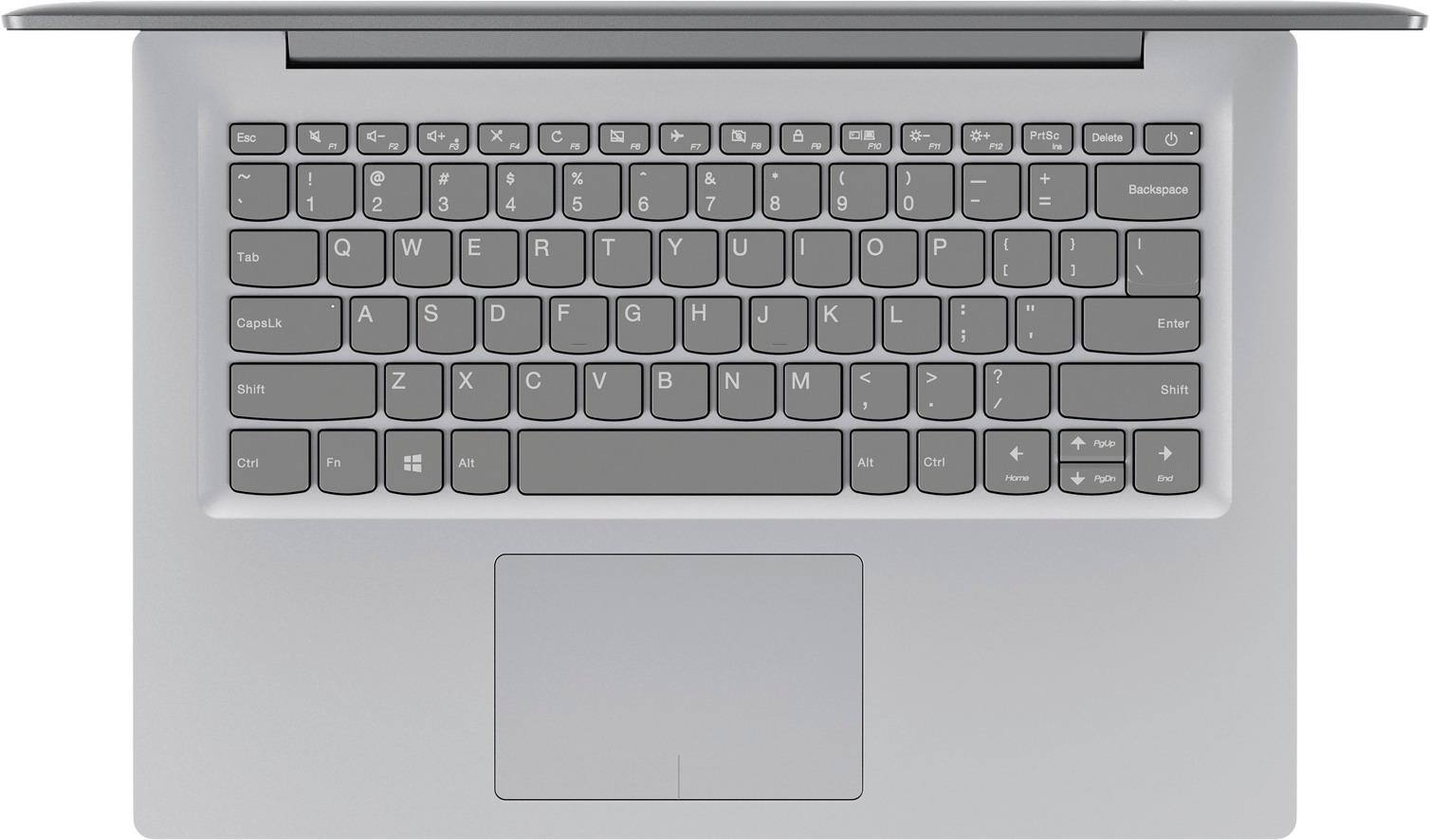
Posted .Thank you for choosing the Lenovo IdeaPad 120s-14 laptop. We are sorry to hear you are having issues with the audio on your IdeaPad 120s-14. First, try tapping the HotKey in the F1 position on your keyboard. This toggles the audio (both speakers and headphones) on/off. Then tap the Hot Key in the F3 position on the keyboard. This increases the audio volume. If this does not fix the issue, check to be sure you have the latest version of Windows 10 on the computer and that all of the support BIOS files and drivers are up to date. You will need to add storage space to the IdeaPad 120s-14 if there are updates waiting. You can use a Micro-SD card or any USB-based external hard drive for the temporary extra storage space you will need. You can easily check whether the operating software is up to date by scanning the computer with the Lenovo Utility software installed on the device. This system has Lenovo utilities installed to help maintain the health of the device and keep the operating system software up to date. Type "Lenovo Vantage" in the Cortana Search window (if Lenovo Vantage is not installed on your device, you can download the APP and install it now). Select Lenovo Vantage from the list. In the window that opens, click on "Health and Support". In the expanded menu, select "Hardware Scan" In the window that opens, select "Run Quick Tests". This will scan your entire system for errors. Follow any directions that may pop up. If the problem continues after this scan, now click on "System Update". First select Windows update from the menu. Scan your system to be sure you have the latest version of Windows 10. Once that scan is complete, select "Additional Updates". This will scan your device to be sure there are no new BIOS/Driver updates needed. Follow any instructions that may pop up. If the issue still continues after these updates, we recommend you call Lenovo Tech Support at: 877-453-6686 for additional help. For 2018, Lenovo retained its place for a second year as the best laptop vendor:
https://www.laptopmag.com/articles/laptop-brand-ratings