Customer Ratings & Reviews


- Model:
- IDEAPAD 330 15 - 81D2008FUS
- SKU:
- 6266402
Rating by feature
- Value
Rating 4.2 out of 5 stars
- Quality
Rating 4.0 out of 5 stars
- Ease of Use
Rating 4.2 out of 5 stars
Customers are saying
Customers find value in the affordable price, user-friendly interface, and ample storage space of the 330-15ARR laptop. They appreciate its gaming capabilities and lightweight design, making it suitable for various tasks. However, some users have concerns about the battery life and screen quality, while others find Windows 10 to be less intuitive and the fan noise to be noticeable.
This summary was generated by AI based on customer reviews.
- Pros mentioned:Speed
Great laptop hands down!
Posted .This reviewer received promo considerations or sweepstakes entry for writing a review.Great laptop pretty fast. But how much video memory dose this have?
I would recommend this to a friendBrand response from Lenovo Product Expert
Posted .Thank you for choosing the Lenovo IdeaPad 330-15 laptop. This configuration does not have a discrete graphics card. Graphics processing is integrated within the AMD Ryzen 3 2200U processor. It is the Radeon Vega 3 Graphics version. The Radeon Vega 3 Graphics will use the 8GB of system RAM when processing video.

Nice computer
Posted .This reviewer received promo considerations or sweepstakes entry for writing a review.Great computer. Lasted a long time. My son used constantly. Will say, keyboard broke and Best Buys warranty would have covered it, but we had to send away for 5 weeks to get it fixed and that wasnt feasible during home schoolong. That was my only disappointment.
I would recommend this to a friend- Cons mentioned:Screen
I'd like to go all "Office Space" on it
Posted .This reviewer received promo considerations or sweepstakes entry for writing a review.Roughly every 3rd time I turn it on, I get a Poltergeist screen. Sometimes when it goes to sleep, it won't come back from the black screen & I have to turn it off/on again, which messes things up from being shut down improperly. AND the headphone jack won't pick up a mic, which is essential for me. I was excited to have a new computer because my old one was getting so slow. Sending it out for 9 business days under factory warranty is going to slow me down a lot more. In the movie version of my life, I drop it off a cliff, hurl it into a volcano, or at least take it into an open field with a baseball bat. Service rep just signed off our call with, "Thank you for choosing Lenovo," which is something that will never happen again.
No, I would not recommend this to a friendBrand response from Lenovo Product Expert
Posted .We are sorry to hear that you are having issues with your Lenovo IdeaPad 330-15 laptop. From the description you provide of the issue you are experiencing, first be sure any software you installed is compatible with Windows 10. There is no need to install Microsoft Office software. The software is already part of the operating system, you just need to activate the software with a purchased product key. If you have installed a copy of Microsoft Office, this is conflicting with the existing copy on the system and this will slow your system down. If you have installed a 3rd party anti-virus program, be sure that Windows Defender is turned off and that the trial version of McAfee Anti-Virus software is uninstalled. There can only be one anti-virus program on the system. You may need to restore your system to original factory default settings if any of the programing errors have occurred. You can do that by typing "restore" in the Cortana search window. Just click on the magnifying glass icon at the bottom left of your Windows 10 Desktop. Click on "Reset This PC" Then click on "Get Started" and follow the on screen directions to restore to factory defaults. Second, if there is no incompatible software on the computer, scan the device with the Lenovo Utility software installed on the computer, to make sure you have the latest version of Windows 10 and the proper BIOS files and drivers installed. This system has Lenovo utilities installed to help maintain the health of the device and keep the operating system software up to date. Type "Lenovo Vantage" in the Cortana Search window (if Lenovo Vantage is not installed on your device, you can download the APP and install it now). Select Lenovo Vantage from the list. In the window that opens, click on "Health and Support". In the expanded menu, select "Hardware Scan" In the window that opens, select "Run Quick Tests". This will scan your entire system for errors. Follow any directions that may pop up. If the problem continues after this scan, now click on "System Update". First select Windows update from the menu. Scan your system to be sure you have the latest version of Windows 10. Once that scan is complete, select "Additional Updates". This will scan your device to be sure there are no new BIOS/Driver updates needed. Follow any instructions that may pop up. If the issue still continues after these updates, we recommend you call Lenovo Tech Support at: 877-453-6686 for additional help.

- Cons mentioned:Battery life
POOR LAYOUT BETWEEN EDGE OF LAPTOP TO KEYBOARD. WA
Posted .This reviewer received promo considerations or sweepstakes entry for writing a review.KEYBOARD IS TO FAR BACK. NEED TO RAISE BACK OF LAPTOP TO SEE IT. THE SCREEN/PICTURE WAS TERRIBLE. TRIED TO INCREASE FONT SIZE. LOST PART OF THE RIGHT AND LOWER PART OF SCREEN AND WOULD REVERT BACK TO SMALL FONT ON IT'S OWN. SOME OF THE WORDS WOULD HAVE THE TOPS CUT OFF AND, THERE WOULD BE SHADOWS OF PICTURES UNDER SCREEN PICTURES. COLOR WAS VERY BAD EVEN AFTER ADJUSTMENTS. BATTERY LIFE WITH OUT VIDEO/GAMES/STREAMING - 2.5 HRS AT BEST. THE AUDIO IS TERRIBLE. EVEN ON HIGH VOLUME & DOLBY. LENOVO HAS WORST CUSTOMER SERVICE! TWO DAYS TO REACH THEM. NO CALL BACKS. THEY BLAMED WINDOWS 10 FOR SCREEN PROBLEMS. TOLD ME THEY USE CHEEP SPEAKERS THAT'S WHY AUDIO WAS SO BAD ! WOULDN'T TALK ABOUT BATTERY. WANTED TO CHARGE ME TO DIAGNOSE. WAS TOLD SOFTWARE NOT UNDER WARRANTY. LAPTOP WAS 4 DAYS OLD. I RETURNED IT!!!
No, I would not recommend this to a friend Reliable
Posted .This reviewer received promo considerations or sweepstakes entry for writing a review.Great for school. Was able to use for multiple applications.
No, I would not recommend this to a friendEasy Carry
Posted .This reviewer received promo considerations or sweepstakes entry for writing a review.Easy to carry, slim and light design, quick but not for games
I would recommend this to a friendBrand response from Lenovo Product Expert
Posted .Thank you for choosing the Lenovo IdeaPad 330-15 laptop. We are pleased to hear that the features and performance of the IdeaPad 330-15 meets your computing needs so well.
Good
Posted .This reviewer received promo considerations or sweepstakes entry for writing a review.It was a good laptop but not what my husband was wanting I mean definitely not for any game
I would recommend this to a friend- Cons mentioned:Screen
Already in shop after 6 weeks
Posted .This reviewer received promo considerations or sweepstakes entry for writing a review.At 6 weeks the screen went grey with a white bar down the middle. Had to mail unit in, so we'll see how long it takes to return. Frustrating as this computer was used by my daughter for homeschooling.
No, I would not recommend this to a friendBrand response from Lenovo Product Expert
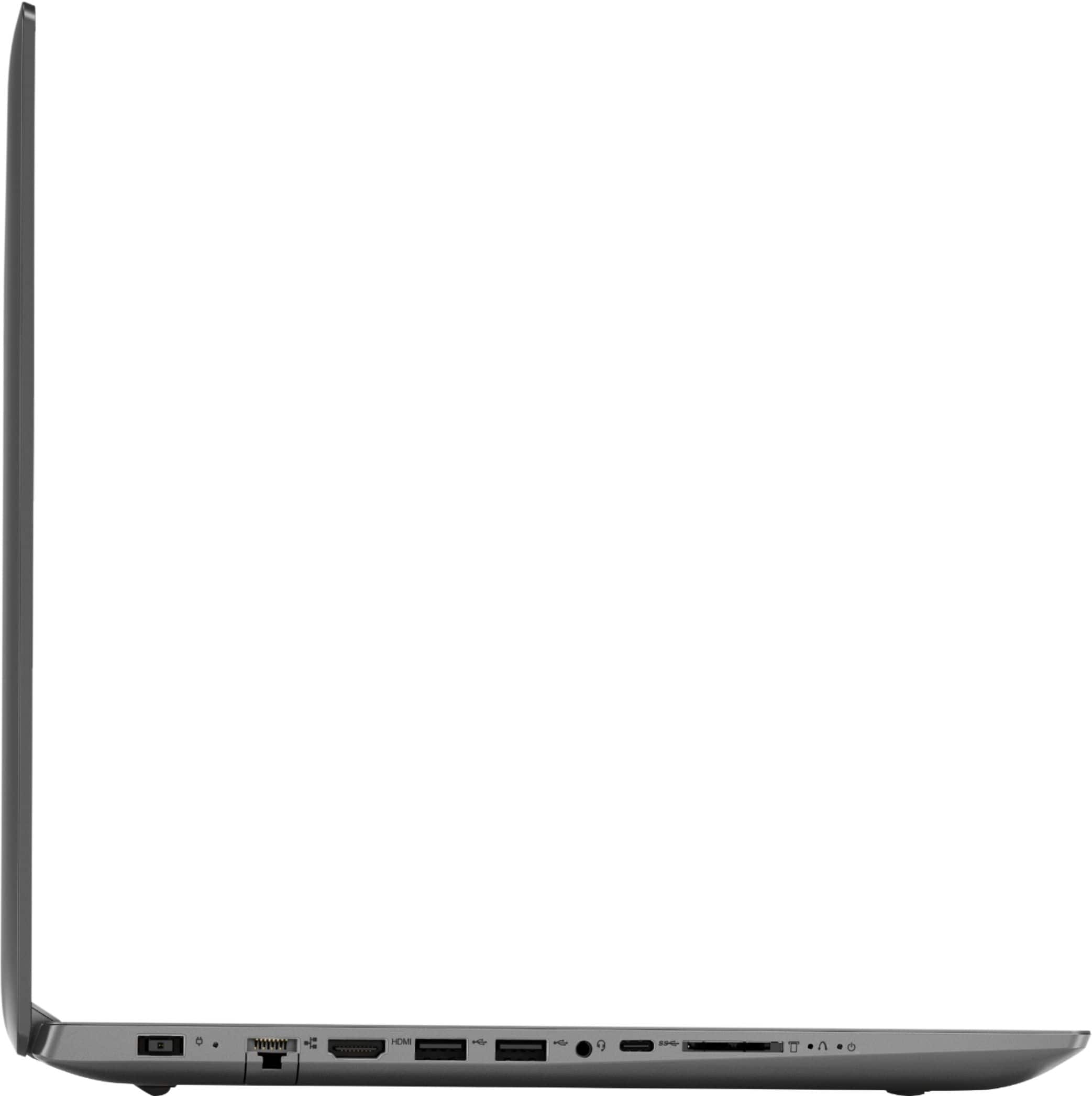
Posted .We are sorry to hear that you are having issues with your Lenovo IdeaPad 330-15 laptop. This system is equipped with OneKey Recovery System. There is a very small pin hole on the left side of the device, right near the SD card slot on the device. You will need a pin to push this reset button. Plug the device in. Let the battery charge for about 15 minutes. Push the reset button. The system should boot to a choice screen where you can choose "Restore To Factory Default". Select this. It will delete everything from the hard drive except the original factory install of the operating system. You will need to reinstall all programs and files after the reset. If you don't have copies of the files, try to make one before you restore by selecting "Boot to desktop" and trying to back up your files. If the problem persists after the factory reset, we recommend you contact Lenovo Tech Support at: 877-453-6686.
Not really that great
Posted .This reviewer received promo considerations or sweepstakes entry for writing a review.I read all the reviews and thinking this would be a great buy, I purchased it. However, despite the ratings about speed and functionality my experience was the exact opposite. It has been a snail's pace from the start and doesn't allow me to do hardly anything at all. Waste of money.
No, I would not recommend this to a friendBrand response from Lenovo Product Expert
Posted .This is a fast system with its Dual-Core/Four-Thread AMD Ryzen 3 2200U processor and 8GB of RAM. This processor has a base speed of 2.5GHz and a boost speed of up to 3.4GHz. Be sure any software you installed is compatible with Windows 10. There is no need to install Microsoft Office software. The software is already part of the operating system, you just need to activate the software with a purchased product key. If you have installed a copy of Microsoft Office, this is conflicting with the existing copy on the system and this will slow your system down. If you have installed a 3rd party anti-virus program, be sure that Windows Defender is turned off and that the trial version of McAfee Anti-Virus software is uninstalled. There can only be one anti-virus program on the system. You may need to restore your system to original factory default settings if any of the programing errors have occurred. You can do that by typing "restore" in the Cortana search window. Just click on the magnifying glass icon at the bottom left of your Windows 10 Desktop. Click on "Reset This PC" Then click on "Get Started" and follow the on screen directions to restore to factory defaults. If the problem persists, we recommend you contact Lenovo Tech Support at: 877-453-6686.
Very Slow
Posted .This reviewer received promo considerations or sweepstakes entry for writing a review.The HDD seems to run constantly. The speed is horrible. At this very moment it wont even load Facebook and I am on a good WiFi network. I have a older Thinkpad that is faster than this unit, thought this was going to be an upgrade : (
No, I would not recommend this to a friendBrand response from Lenovo Product Expert
Posted .We are sorry to hear you are having issues with your Lenovo IdeaPad 330-15 laptop. Be sure any software you installed is compatible with Windows 10. There is no need to install Microsoft Office software. The software is already part of the operating system, you just need to activate the software with a purchased product key. If you have installed a copy of Microsoft Office, this is conflicting with the existing copy on the system and this will slow your system down. If you have installed a 3rd party anti-virus program, be sure that Windows Defender is turned off and that the trial version of McAfee Anti-Virus software is uninstalled. There can only be one anti-virus program on the system. You may need to restore your system to original factory default settings if any of the programing errors have occurred. You can do that by typing "restore" in the Cortana search window. Just click on the magnifying glass icon at the bottom left of your Windows 10 Desktop. Click on "Reset This PC" Then click on "Get Started" and follow the on screen directions to restore to factory defaults. If the problem persists, we recommend you contact Lenovo Tech Support at: 877-453-6686.
DON"T BUY IT!!!!!!
Posted .This reviewer received promo considerations or sweepstakes entry for writing a review.Worst piece of junk ever. Hard drive died after 3 Months. The geek squad and the management at Orange Park is worthless. Best Buy has lost a 23 year customer over this laptop and their terrible service.
No, I would not recommend this to a friendBrand response from Lenovo Product Expert
Posted .We are sorry to hear that you are having issues with your Lenovo IdeaPad 330-15 laptop. The hard drive issue you mention may be software based. Be sure any software you installed is compatible with Windows 10. There is no need to install Microsoft Office software. The software is already part of the operating system, you just need to activate the software with a purchased product key. If you have installed a copy of Microsoft Office, this is conflicting with the existing copy on the system and this will slow your system down. If you have installed a 3rd party anti-virus program, be sure that Windows Defender is turned off and that the trial version of McAfee Anti-Virus software is uninstalled. There can only be one anti-virus program on the system. You may need to restore your system to original factory default settings if any of the programing errors have occurred. Since you can not boot your system to restore the computer back to factory settings, this system is equipped with OneKey Recovery System. There is a very small pin hole on the left side of the device, right near the SD card slot on the device. You will need a pin to push this reset button. Plug the device in. Let the battery charge for about 15 minutes. Push the reset button. The system should boot to a choice screen where you can choose "Restore To Factory Default". Select this. It will delete everything from the hard drive except the original factory install of the operating system. You will need to reinstall all programs and files after the reset. If you don't have copies of the files, try to make one before you restore by selecting "Boot to desktop" and trying to back up your files. If the problem persists after the factory reset, we recommend you contact Lenovo Tech Support at: 877-453-6686.
Terrible laptop!!
Posted .This reviewer received promo considerations or sweepstakes entry for writing a review.wish I could rate zero, touch pad stopped working within 3 months of limited use! Only way to get it fixed is to now have it sent back to Lenovo for a 2 month repair???!!!!! I have all my personal into, etc entered!! Very upset!!!!
No, I would not recommend this to a friendBrand response from Lenovo Product Expert
Posted .We are sorry to hear that you are having issues with the touchpad on your Lenovo IdeaPad 330-15 laptop. If you have not yet sent the device in for repair, you might try these fixes. First, tap the HotKey in the F6 position on your keyboard. This HotKey toggles the touchpad on/off. Second, if the F6 HotKey doesn't fix the issue, scan your computer with the Lenovo Utility software on the device. Be sure you have the latest version of Windows 10 on the computer and that the BIOS files and drivers are all up to date. This system has Lenovo utilities installed to help maintain the health of the device and keep the operating system software up to date. Type "Lenovo Vantage" in the Cortana Search window (if Lenovo Vantage is not installed on your device, you can download the APP and install it now). Select Lenovo Vantage from the list. In the window that opens, click on "Health and Support". In the expanded menu, select "Hardware Scan" In the window that opens, select "Run Quick Tests". This will scan your entire system for errors. Follow any directions that may pop up. If the problem continues after this scan, now click on "System Update". First select Windows update from the menu. Scan your system to be sure you have the latest version of Windows 10. Once that scan is complete, select "Additional Updates". This will scan your device to be sure there are no new BIOS/Driver updates needed. Follow any instructions that may pop up. If the issue still continues after these updates, we recommend you call Lenovo Tech Support at: 877-453-6686 for additional help. For 2018, Lenovo retained its place for a second year as the best laptop vendor:
https://www.laptopmag.com/articles/laptop-brand-ratings
too slow
Posted .This reviewer received promo considerations or sweepstakes entry for writing a review.the speed is tooooo slow - took a few minutes to even start
No, I would not recommend this to a friendBrand response from Lenovo Product Expert
Posted .This system should boot up in less than 30 seconds. Be sure any software you installed is compatible with Windows 10. There is no need to install Microsoft Office software. The software is already part of the operating system, you just need to activate the software with a purchased product key. If you have installed a copy of Microsoft Office, this is conflicting with the existing copy on the system and this will slow your system down. If you have installed a 3rd party anti-virus program, be sure that Windows Defender is turned off and that the trial version of McAfee Anti-Virus software is uninstalled. There can only be one anti-virus program on the system. You may need to restore your system to original factory default settings if any of the programing errors have occurred. You can do that by typing "restore" in the Cortana search window. Just click on the magnifying glass icon at the bottom left of your Windows 10 Desktop. Click on "Reset This PC" Then click on "Get Started" and follow the on screen directions to restore to factory defaults. If the problem persists, we recommend you contact Lenovo Tech Support at: 877-453-6686.