Customer Ratings & Reviews

- Model:
- F0D3000EUS
- SKU:
- 6009200
Rating by feature
- Value
Rating 4.1 out of 5 stars
- Quality
Rating 3.9 out of 5 stars
- Ease of Use
Rating 4.4 out of 5 stars
Customers are saying
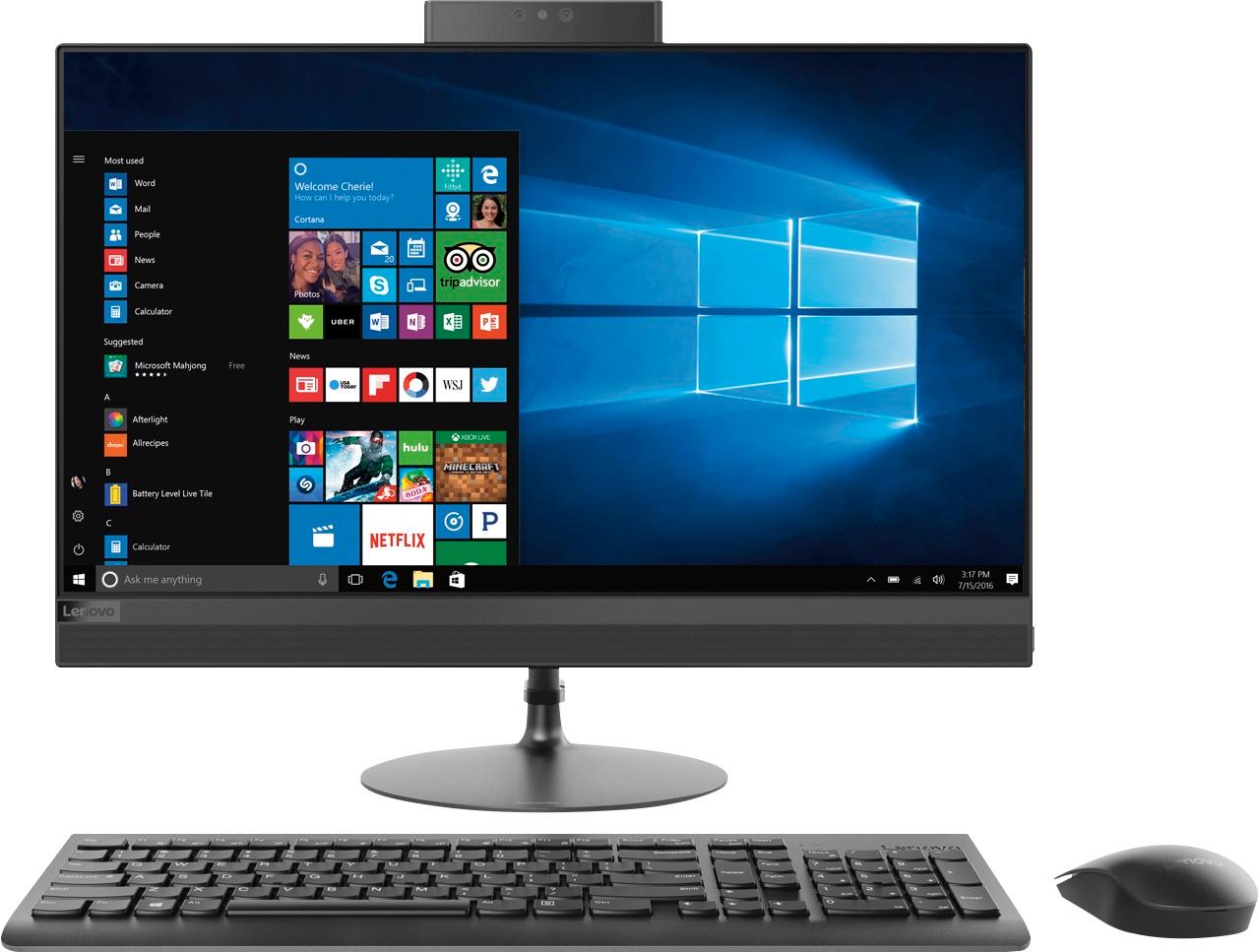
Customers appreciate the 520-24AST's touch screen, ease of use, and its affordable price. Many also highlight the all-in-one design's space-saving benefits and the computer's generally good performance. However, some users experienced issues with the CPU's processing power and the hard drive's speed. A few also reported problems with the sleep mode functionality.
This summary was generated by AI based on customer reviews.
Great open box deal
||Posted .This reviewer received promo considerations or sweepstakes entry for writing a review.Looking for a replacement computer and BB had this Lenovo at a great price. Looking further at local BB store found they had open box available. Perfect storm, and saved an extra $100.
I would recommend this to a friendBrand response from Lenovo Product Expert
Posted .Thank you for choosing the Lenovo IdeaCentre 520-24 All-In-One system. We are pleased to hear that the value, features and performance of the IdeaCentre 520-24 AIO meets your computing needs so well.

Reliable and Great Storage
||Posted .This reviewer received promo considerations or sweepstakes entry for writing a review.With this 1TB Storage, I have tons of space to store information. I had it for nearly 4 years now and it still works perfectly fine with no issues.
I would recommend this to a friendGood family computer
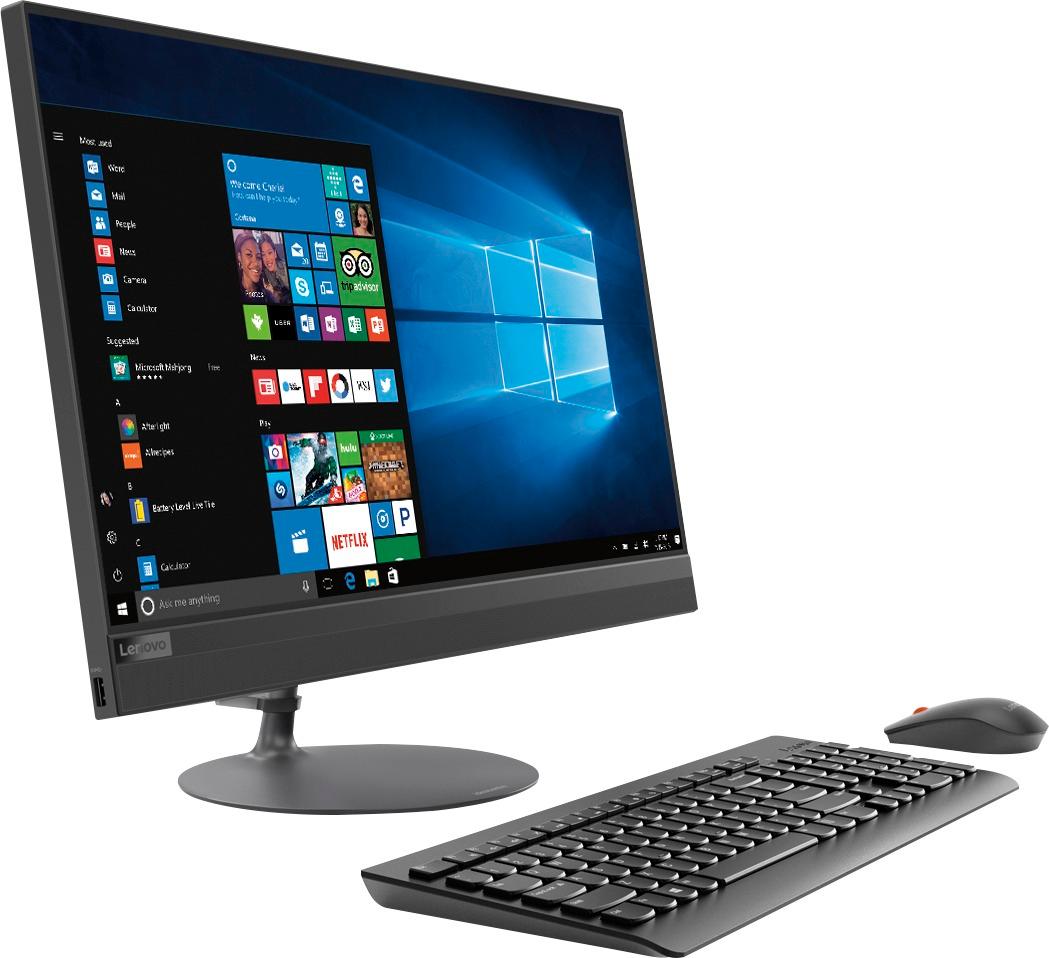
||Posted .This reviewer received promo considerations or sweepstakes entry for writing a review.This was just what the family needed. Email, web browsing, and homework. Minimal design with wireless keyboard and mouse. No frills but none needed.
I would recommend this to a friendBrand response from Lenovo Product Expert
Posted .Thank you for choosing the Lenovo IdeaCentre 520-24 All-In-One system for your family. We are pleased to hear that the value, features and performance of the IdeaCentre 520-24 AIO meets your computing needs so well.

so far great computer
||Posted .This reviewer received promo considerations or sweepstakes entry for writing a review.bought the 23" Lenovo desktop to replace an old 25" Apple desktop that just broke. didn't really want to pay a premium again for Apple, and so far I'm very happy with my purchase
I would recommend this to a friendBrand response from Lenovo Product Expert
Posted .Thank you for choosing the Lenovo IdeaCentre 520-24 All-In-One system. We are pleased to hear that the value, features and performance of the IdeaCentre 520-24 AIO meets your computing needs so well.
Awesome computer
||Posted .This reviewer received promo considerations or sweepstakes entry for writing a review.This is a great computer. Bought as an open box. Best Buy sssociate went above and beyond, opening the box and allowing me to look at the computer before purchasing.
I would recommend this to a friendBrand response from Lenovo Product Expert
Posted .Thank you for choosing the Lenovo IdeaCentre 520-24 All-In-One system. We are pleased to hear that the IdeaCentre 520-24 AIO is working out so well for you.
pretty good deal
||Posted .This reviewer received promo considerations or sweepstakes entry for writing a review.Pretty good deal on a useful all in one, not the best, but not the worst, very good for business use and keeping in line with your budget
I would recommend this to a friendBrand response from Lenovo Product Expert
Posted .Thank you for choosing the Lenovo IdeaCentre 520-24 All-In-One system. We are pleased to hear that the IdeaCentre 520-24 AIO meets your computing needs so well.
Very good computer
||Posted . Owned for 1.5 years when reviewed.This reviewer received promo considerations or sweepstakes entry for writing a review.We enjoy using the computer every day. The computer has a good resolution and it is fast with the internet.
I would recommend this to a friendI am happy with this All In One Computer
||Posted .This reviewer received promo considerations or sweepstakes entry for writing a review.Lenovo has a great reputation and I have been pleased thus far. I would have given 5 stars if it would have included PowerDVD suite.
I would recommend this to a friendBrand response from Lenovo Product Expert
Posted .Thank you for choosing the Lenovo IdeaCentre 520-24 All-In-One system. We are pleased to hear that the IdeaCentre 520-24 AIO is working out so well for you.
Lenova computer.
||Posted .This reviewer received promo considerations or sweepstakes entry for writing a review.I am enjoying my new Lenova computer. It has some features that my HP computer did not have. It is a challenge to learn all the different ways in which it operates.
I would recommend this to a friendBrand response from Lenovo Product Expert
Posted .Thank you for choosing the Lenovo IdeaCentre 520-24 All-In-One system. Here is a link to the online User Manual for this model, it may help you learn your way around your new computer: https://download.lenovo.com/consumer/desktop_pub/ideacentre_520_22_24_hmm_20170804.pdf
Good computer
||Posted .This reviewer received promo considerations or sweepstakes entry for writing a review.My old computer was also a “Lenovo all I one. I like the simplicity and space saving it provides. Computer works as it should.
I would recommend this to a friendBrand response from Lenovo Product Expert
Posted .Thank you for choosing the Lenovo IdeaCentre 520-24 All-In-One system. We appreciate your loyalty to Lenovo All-In-One systems.
Great computer
||Posted .This reviewer received promo considerations or sweepstakes entry for writing a review.Our family loves this easy to use computer that is fast and offers many programs. Excellent for surfing the web and for homework.
I would recommend this to a friendBrand response from Lenovo Product Expert
Posted .Thank you for choosing the Lenovo IdeaCentre 520-24 All-In-One system. We are pleased to hear that the performance of the IdeaCentre 520-22 AIO meets your family's computing needs so well.
Nice All-In-One
||Posted .This reviewer received promo considerations or sweepstakes entry for writing a review.Seemed great in the store but once I got it setup at home I had issues so I returned it to the Geek Squad for serving.
No, I would not recommend this to a friendNot great, not even close
||Posted .This reviewer received promo considerations or sweepstakes entry for writing a review.We bought three of these for our office. Each Director got one as our first touchscreens. One has a purple line down the screen, it flashes, does whatever it wants. One of the others is extremely slow for whatever reason and was shortly after being turned on for the first time. The third one seems to be okay, this is the reason I say 3 stars, it’s seems they get at least 1 out of 3 correct.
No, I would not recommend this to a friendBrand response from Lenovo Product Expert
Posted .We are sorry to hear that you are having issues with your Lenovo IdeaPad 520-24 All-In-One system. From the description of the issues you are experiencing, be sure any software you installed is compatible with Windows 10. There is no need to install Microsoft Office software. The software is already part of the operating system, you just need to activate the software with a purchased product key. If you have installed a copy of Microsoft Office, this is conflicting with the existing copy on the system and this will slow your system down. If you have installed a 3rd party anti-virus program, be sure that Windows Defender is turned off and that the trial version of McAfee Anti-Virus software is uninstalled. There can only be one anti-virus program on the system. You may need to restore your system to original factory default settings if any of the programing errors have occurred. You can do that by typing "restore" in the Cortana search window. Just click on the magnifying glass icon at the bottom left of your Windows 10 Desktop. Click on "Reset This PC" Then click on "Get Started" and follow the on screen directions to restore to factory defaults. If the problem persists, we recommend you contact Lenovo Tech Support at: 877-453-6686.
Great computer for my small business
||Posted .This reviewer received promo considerations or sweepstakes entry for writing a review.I love the all-in-one design because it takes up less space in my office. I run one main business program and the computer accommodates it fine.
I would recommend this to a friendBrand response from Lenovo Product Expert
Posted .Thank you for choosing the Lenovo IdeaCentre 520-24 All-In-One system. We are pleased to hear that the performance of the IdeaCentre 520-24 AIO meets your business computing needs so well. Lenovo is the number #1 manufacturer of computers in the World:
https://venturebeat.com/2019/01/10/gartner-and-idc-hp-and-lenovo-shipped-the-most-pcs-in-2018-but-total-numbers-fell/
New Lenovo All in one computer
||Posted .This reviewer received promo considerations or sweepstakes entry for writing a review.Have had it a couple of weeks and so far works fine. Salesperson was very helpful in directing us to a PC that fit our needs.
I would recommend this to a friendBrand response from Lenovo Product Expert
Posted .Thank you for choosing the Lenovo IdeaCentre 520-24 All-In-One system. We are pleased to hear that the IdeaCentre 520-24 AIO is working out so well for you.
Greaty computer for the price
||Posted .This reviewer received promo considerations or sweepstakes entry for writing a review.Glad I decided to buy this computer with the help of the Holyoke, MA team. Much faster then our old computer, a pleasure to work on it. Highly recommend
I would recommend this to a friendBrand response from Lenovo Product Expert
Posted .thank you for choosing the lenovo IdeaCentre 520-24 All-In-One system. We are pleased to hear that the performance of the IdeaCentre 520-24 AIO meets your computing needs so well.
Great computer so far
||Posted .This reviewer received promo considerations or sweepstakes entry for writing a review.Easy to set up where there were no issues. Great so far with no issues. Everything is wireless which makes it easier.
I would recommend this to a friendBrand response from Lenovo Product Expert
Posted .Thank you for choosing the Lenovo IdeaCentre 520-24 All-In-One system. We are pleased to hear that the ease of setup and use of the IdeaCentre 520-24 AIO meets your computing needs so well.
Very pleased
||Posted .This reviewer received promo considerations or sweepstakes entry for writing a review.I have been very pleased with my Lenovo computer. I am still learning all the things it can do. It is much faster and I love the larger screen.
I would recommend this to a friendBrand response from Lenovo Product Expert
Posted .Thank you for choosing the Lenovo IdeaCentre 520-24 All-In-One system. Windows 10 is the heart of the IdeaCentre 520-24 AIO. With regard to learning your way around Windows 10, you may want to try YouTube.com (just type that address in your browser address window). There are hundreds for free instructional videos there about Windows 10. Just type Windows 10 Introduction in to the YouTube search window. You can watch free videos there that will show you the basics all the way up to tips and tricks videos and they're all free.
Large screen and storage on desk is great
||Posted .This reviewer received promo considerations or sweepstakes entry for writing a review.I would have liked to had a handbook to go along with microscoft 10 and office. Having problem downloading files.
I would recommend this to a friendBrand response from Lenovo Product Expert
Posted .Thank you for choosing the Lenovo IdeaCentre 520-24 All-In-One system. Be sure the files you are trying to download to the device are compatible with the Windows 10 version and the 2016 version of Microsoft Office. With regard to learning your way around Windows 10 and Microsoft Office 2016, you may want to try YouTube.com (just type that address in your browser address window). There are hundreds for free instructional videos there about Windows 10. Just type Windows 10 Introduction in to the YouTube search window. You can watch free videos there that will show you the basics all the way up to tips and tricks videos and they're all free.
Processes a little slow but super nice!
||Posted .This reviewer received promo considerations or sweepstakes entry for writing a review.Does make we wait a little bit. Other than that i love it. Use it as a tv to watch shows in my home office.
I would recommend this to a friendBrand response from Lenovo Product Expert
Posted .The Lenovo IdeaCentre 520-24 All-In-One system is a fast system with its AMD A12-9720P processor and 8GB of RAM. Internet speed will be a function of both this device, which uses the latest 5G, 802.11AC WiFi capability and your internet speed. Be sure any software you installed is compatible with Windows 10. There is no need to install Microsoft Office software. The software is already part of the operating system, you just need to activate the software with a purchased product key. If you have installed a copy of Microsoft Office, this is conflicting with the existing copy on the system and this will slow your system down. If you have installed a 3rd party anti-virus program, be sure that Windows Defender is turned off and that the trial version of McAfee Anti-Virus software is uninstalled. There can only be one anti-virus program on the system. You may need to restore your system to original factory default settings if any of the programing errors have occurred. You can do that by typing "restore" in the Cortana search window. Just click on the magnifying glass icon at the bottom left of your Windows 10 Desktop. Click on "Reset This PC" Then click on "Get Started" and follow the on screen directions to restore to factory defaults. If the problem persists, we recommend you contact Lenovo Tech Support at: 877-453-6686.