Customer Ratings & Reviews

- Model:
- F0D3000EUS
- SKU:
- 6009200
Rating by feature
- Value
Rating 4.1 out of 5 stars
- Quality
Rating 3.9 out of 5 stars
- Ease of Use
Rating 4.4 out of 5 stars
Customers are saying
Customers appreciate the 520-24AST's touch screen, ease of use, and its affordable price. Many also highlight the all-in-one design's space-saving benefits and the computer's generally good performance. However, some users experienced issues with the CPU's processing power and the hard drive's speed. A few also reported problems with the sleep mode functionality.
This summary was generated by AI based on customer reviews.
Easy setup
||Posted .This reviewer received promo considerations or sweepstakes entry for writing a review.This is my second one and would do it again. yipee
I would recommend this to a friendBrand response from Lenovo Product Expert
Posted .Thank you for choosing the Lenovo IdeaCentre 520-24 All-In-One system. We are pleased to hear that the performance and features of the IdeaCentre 520-24 AIO meets your computing needs so well, that you purchased a second IdeaCentre 520-24 AIO. We appreciate your loyalty to the IdeaCentre 520-24 AIO and the Lenovo Brand.

Happy
||Posted .This reviewer received promo considerations or sweepstakes entry for writing a review.I love it it was a great decision to get this one.
I would recommend this to a friendBrand response from Lenovo Product Expert
Posted .Thank you for choosing the lenovo IdeaCentre 520-24 All-In-One system. We are pleased to hear that the IdeaCentre 520-24 AIO meets your computing needs so well.
Awesome Computer!
||Posted .This reviewer received promo considerations or sweepstakes entry for writing a review.Love the computer. It does everything I need and more.
I would recommend this to a friendBrand response from Lenovo Product Expert
Posted .Thank you for choosing the Lenovo IdeaCentre 520-24 All-In-One system. We are pleased to hear that the performance of the IdeaCentre 520-24 AIO meets your computing needs so well.

Nice desktop computer
||Posted .This reviewer received promo considerations or sweepstakes entry for writing a review.Good desktop computer for everyone. It works great!
I would recommend this to a friendBrand response from Lenovo Product Expert
Posted .Thank you for choosing the Lenovo IdeaCentre 520-24 All-In-One system. We are pleased to hear that the IdeaCentre 520-24 AIO meets your computing needs so well.
Nice machine
||Posted .This reviewer received promo considerations or sweepstakes entry for writing a review.Nice looking and very responsive for a non sdd drive
I would recommend this to a friendBrand response from Lenovo Product Expert
Posted .Thank you for choosing the Lenovo IdeaCentre 520-24 All-In-One system. We are pleased to hear that the performance of the IdeaCentre 520-24 AIO meets your computing needs so well.
Great computer
||Posted .This reviewer received promo considerations or sweepstakes entry for writing a review.Perfect computer for what I need it for. Works great.
I would recommend this to a friendBrand response from Lenovo Product Expert
Posted .Thank you for choosing the Lenovo IdeaCentre 520-24 All-In-One system. We are pleased to hear that the IdeaCentre 520-24 AIO meets your computing needs so well.
Great all in one computer
||Posted .This reviewer received promo considerations or sweepstakes entry for writing a review.Bought this for my wife and it works great for her.
I would recommend this to a friendBrand response from Lenovo Product Expert
Posted .Thank you for choosing the Lenovo IdeaPad 520-24 All-In-One system for your wife. We are pleased to hear that the IdeaCentre 520-24 AIO meets your wife's computing needs so well.
Slow but nice design
||Posted .This reviewer received promo considerations or sweepstakes entry for writing a review.Hate that this computer is sooo slow, didnt think it wpuld ve that slow from the start, nice design and color resolution though
No, I would not recommend this to a friendBrand response from Lenovo Product Expert
Posted .This is a fast system with its AMD A12-9720P processor and 8GB of RAM. Be sure any software you installed is compatible with Windows 10. There is no need to install Microsoft Office software. The software is already part of the operating system, you just need to activate the software with a purchased product key. If you have installed a copy of Microsoft Office, this is conflicting with the existing copy on the system and this will slow your system down. If you have installed a 3rd party anti-virus program, be sure that Windows Defender is turned off and that the trial version of McAfee Anti-Virus software is uninstalled. There can only be one anti-virus program on the system. You may need to restore your system to original factory default settings if any of the programing errors have occurred. You can do that by typing "restore" in the Cortana search window. Just click on the magnifying glass icon at the bottom left of your Windows 10 Desktop. Click on "Reset This PC" Then click on "Get Started" and follow the on screen directions to restore to factory defaults. If the problem persists, we recommend you contact Lenovo Tech Support at: 877-453-6686.
Price
||Posted .This reviewer received promo considerations or sweepstakes entry for writing a review.I purchased this All in One computer on 3/5/18 for $750.59. It is now on sale for $579.99! I think I should get a rebate. Computer is only average.
No, I would not recommend this to a friendBrand response from Lenovo Product Expert
Posted .We recommend you check with Best Buy ASAP with your receipt information.
Slow
||Posted .This reviewer received promo considerations or sweepstakes entry for writing a review.Was told by Best Buy associate that this computer would be just as fast as Pentium. Boy was I stupid to believe that! It is SLOW.
No, I would not recommend this to a friendBrand response from Lenovo Product Expert
Posted .This system should be a fast system with its Quad-Core AMD A12-9720P processor and 8GB of RAM. Be sure any software you installed is compatible with Windows 10. There is no need to install Microsoft Office software. The software is already part of the operating system, you just need to activate the software with a purchased product key. If you have installed a copy of Microsoft Office, this is conflicting with the existing copy on the system and this will slow your system down. If you have installed a 3rd party anti-virus program, be sure that Windows Defender is turned off and that the trial version of McAfee Anti-Virus software is uninstalled. There can only be one anti-virus program on the system. You may need to restore your system to original factory default settings if any of the programing errors have occurred. You can do that by typing "restore" in the Cortana search window. Just click on the magnifying glass icon at the bottom left of your Windows 10 Desktop. Click on "Reset This PC" Then click on "Get Started" and follow the on screen directions to restore to factory defaults. If the problem persists, we recommend you contact Lenovo Tech Support at: 877-453-6686.
Really good computer, It has all the latest featur
||Posted .This reviewer received promo considerations or sweepstakes entry for writing a review.This computer is real nice. When I bought it home I was on the computer for hours. I didn't want to turn it off, great computer!
I would recommend this to a friendFirst time buying a Lenova
||Posted .This reviewer received promo considerations or sweepstakes entry for writing a review.This is a nice computer but the last two that I purchased from Best Buy were Dell's and I do like them a bit better.
I would recommend this to a friendBrand response from Lenovo Product Expert
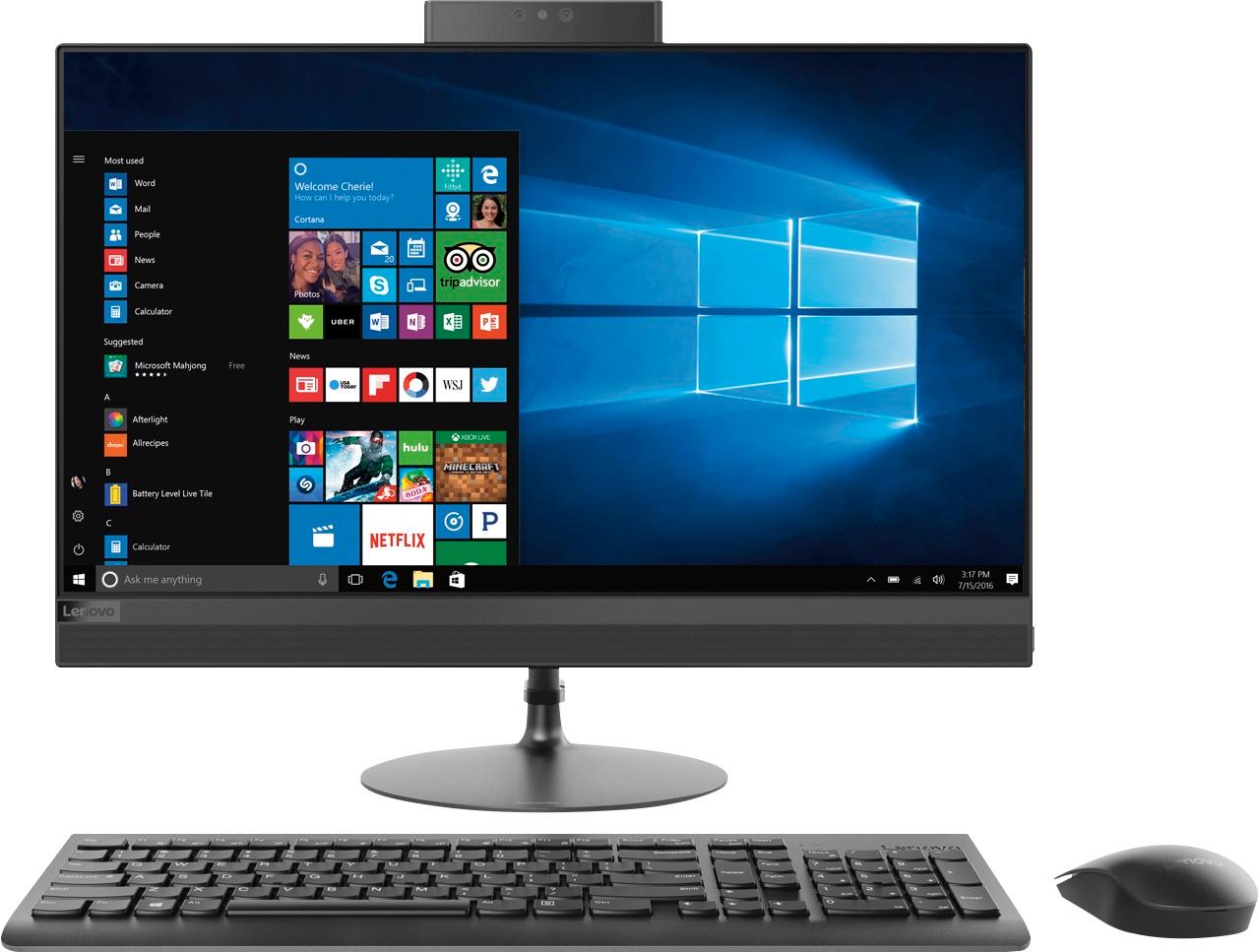
Posted .Thank you for choosing the Lenovo IdeaCentre 520-24 All-In-One system. This configuration ships with a Quad-Core AMD A12-9720P processor, supported by 8GB of DDR4-2400MHz RAM and a 1TB 7200RPM standard hard drive. The 23.8" screen is IPS WVA Borderless, with a resolution of 1920x1080 (FHD) and a brightness of 250 nits.
Not impressed!
||Posted .This reviewer received promo considerations or sweepstakes entry for writing a review.We were looking for something to replace our Asus after it became damaged and there was an error with our accident plan. This one was close In Price to what we paid for the Asus. However it was no where near as good. It did not perform no where near as good as our Asus. It was slow starting up. We couldn’t play games on it. It was just laggy on general.
No, I would not recommend this to a friendBrand response from Lenovo Product Expert
Posted .We are sorry to hear that you are having issues with your Lenovo IdeaCentre 520-24 All-In-One system. This is a fast configuration, with its Quad-Core AMD A12-9720P processor and 8GB DDE4-2400MHz RAM. Be sure any software you installed is compatible with Windows 10. There is no need to install Microsoft Office software. The software is already part of the operating system, you just need to activate the software with a purchased product key. If you have installed a copy of Microsoft Office, this is conflicting with the existing copy on the system and this will slow your system down. If you have installed a 3rd party anti-virus program, be sure that Windows Defender is turned off and that the trial version of McAfee Anti-Virus software is uninstalled. There can only be one anti-virus program on the system. You may need to restore your system to original factory default settings if any of the programing errors have occurred. You can do that by typing "restore" in the Cortana search window. Just click on the magnifying glass icon at the bottom left of your Windows 10 Desktop. Click on "Reset This PC" Then click on "Get Started" and follow the on screen directions to restore to factory defaults. If the problem persists, we recommend you contact Lenovo Tech Support at: 877-453-6686. Lenovo is the number #1 manufacturer of computers in the World:
https://venturebeat.com/2019/01/10/gartner-and-idc-hp-and-lenovo-shipped-the-most-pcs-in-2018-but-total-numbers-fell/
3 visits and still does not work
||Posted .This reviewer received promo considerations or sweepstakes entry for writing a review.Shawn installed my new Lenovo by me purchasing 200.00 plus 50.00 plan. He was to install, connect printers / scanner all in one, transfer favorites, transfer contacts. NOPE! Sasha came down 2 times and could not get scanner from printer / scanner and printers to work 100%. We do have a back door. I am connected to the wrong modem, the scanner is a pain. I have to use the computer wirelessly to get horrible speed. The old replacement computer is 8 years old and works better than Geek squad's installation. I think that they are going to refund the 250.00 when I hit the store this weekend. I have a totally worthless anchor on my hands. They are truly bad experience.
No, I would not recommend this to a friendHaving issues
||Posted .This reviewer received promo considerations or sweepstakes entry for writing a review.Started having problems with it restarting itself. Had it checked at local Best Buy and was told it needed to update. Has restarted itself 3 times since then with no update available. Got into the event log today and it shows around a dozen Kernel Power problems. Don't think an update will fix that. Going back. I still like it but want to work correctly.
No, I would not recommend this to a friendBrand response from Lenovo Product Expert
Posted .We are sorry to hear that you are having issues with your Lenovo IdeaCentre 520-24 All-In-One system. You can check your systems for all need updates. Type "Lenovo Vantage" in the Cortana Search window. Select Lenovo Vantage from the list. In the window that opens, click on "Health and Support". In the expanded menu, select "Hardware Scan" In the window that opens, select "Run Quick Tests". This will scan your entire system for errors. Follow any directions that may pop up. If the problem continues after this scan, now click on "System Update". First select Windows update from the menu. Scan your system to be sure you have the latest version of Windows 10. Once that scan is complete, select "Additional Updates". This will scan your device to be sure there are no new BIOS/Driver updates needed. Follow any instructions that may pop up. If the issue still continues after these updates, we recommend you call Lenovo Tech Support at: 877-453-6686 for additional help.
Nice size monitor
||Posted .This reviewer received promo considerations or sweepstakes entry for writing a review.Worked good at first it’s only a few weeks old & seems to be having some color glitches
No, I would not recommend this to a friendBrand response from Lenovo Product Expert
Posted .Thank you for choosing the Lenovo IdeaCentre 520-24 All-In-One system. This system has Lenovo utilities installed to help maintain the health of the device and keep the operating system software up to date. Type "Lenovo Vantage" in the Cortana Search window (if Lenovo Vantage is not installed on your device, you can download the APP and install it now). Select Lenovo Vantage from the list. In the window that opens, click on "Health and Support". In the expanded menu, select "Hardware Scan" In the window that opens, select "Run Quick Tests". This will scan your entire system for errors. Follow any directions that may pop up. If the problem continues after this scan, now click on "System Update". First select Windows update from the menu. Scan your system to be sure you have the latest version of Windows 10. Once that scan is complete, select "Additional Updates". This will scan your device to be sure there are no new BIOS/Driver updates needed. Follow any instructions that may pop up. If the issue still continues after these updates, we recommend you call Lenovo Tech Support at: 877-453-6686 for additional help.
Great design BUT!
||Posted .This reviewer received promo considerations or sweepstakes entry for writing a review.I like the design of this all in one computer but it is so slow! I already upgraded to the latest widows 10 but it’s still super slow. I am a student, and all I use this computer for are the microsoft office and microsoft edge internet browser. I might have to return it when my angry meter breaks.
No, I would not recommend this to a friendBrand response from Lenovo Product Expert
Posted .This is a fast system with its Quad-Core AMD A12-9720P processor and 8GB of RAM. Be sure any software you installed is compatible with Windows 10. There is no need to install Microsoft Office software. The software is already part of the operating system, you just need to activate the software with a purchased product key. If you have installed a copy of Microsoft Office, this is conflicting with the existing copy on the system and this will slow your system down. If you have installed a 3rd party anti-virus program, be sure that Windows Defender is turned off and that the trial version of McAfee Anti-Virus software is uninstalled. There can only be one anti-virus program on the system. You may need to restore your system to original factory default settings if any of the programing errors have occurred. You can do that by typing "restore" in the Cortana search window. Just click on the magnifying glass icon at the bottom left of your Windows 10 Desktop. Click on "Reset This PC" Then click on "Get Started" and follow the on screen directions to restore to factory defaults. If the problem persists, we recommend you contact Lenovo Tech Support at: 877-453-6686.
It's slow
||Posted .This reviewer received promo considerations or sweepstakes entry for writing a review.This proudact was not good for aut CAD projects so it wasn't good
No, I would not recommend this to a friendBrand response from Lenovo Product Expert
Posted .Always check the requirements and compatibility of specific software you need to run before purchasing any computer.
Great non glare screen
||Posted .This reviewer received promo considerations or sweepstakes entry for writing a review.Fan defect but colors r great. Fan is too loud. Returned
No, I would not recommend this to a friendBrand response from Lenovo Product Expert
Posted .This is a high performance system with its AMD A12-9720P processor and 8GB of RAM. It will generate heat whenever it is turned on, even at idle, this is normal. The onboard fan will maintain the proper operating temperature for the device. You will hear the fan whenever it runs, this too is normal.
Good value for the $$
||Posted .This reviewer received promo considerations or sweepstakes entry for writing a review.Great value .... fits perfect in the work area. Good valu
I would recommend this to a friend