Appliances Presidents’ Day SaleEnds 2/25. Limited quantities. No rainchecks.Shop now

Main Content

Customer Ratings & Reviews
$679.00
Save $70
Comp. Value: $749.00

Customer reviews

Rating 4.7 out of 5 stars with 103 reviews

Rating Filter

Rating by feature

  • Battery Life

    Rating 4.9 out of 5 stars

  • Speed

    Rating 4.8 out of 5 stars

  • Display

    Rating 4.9 out of 5 stars

Pros mentioned filter

Cons mentioned filter

93%would recommend to a friend

Customers are saying

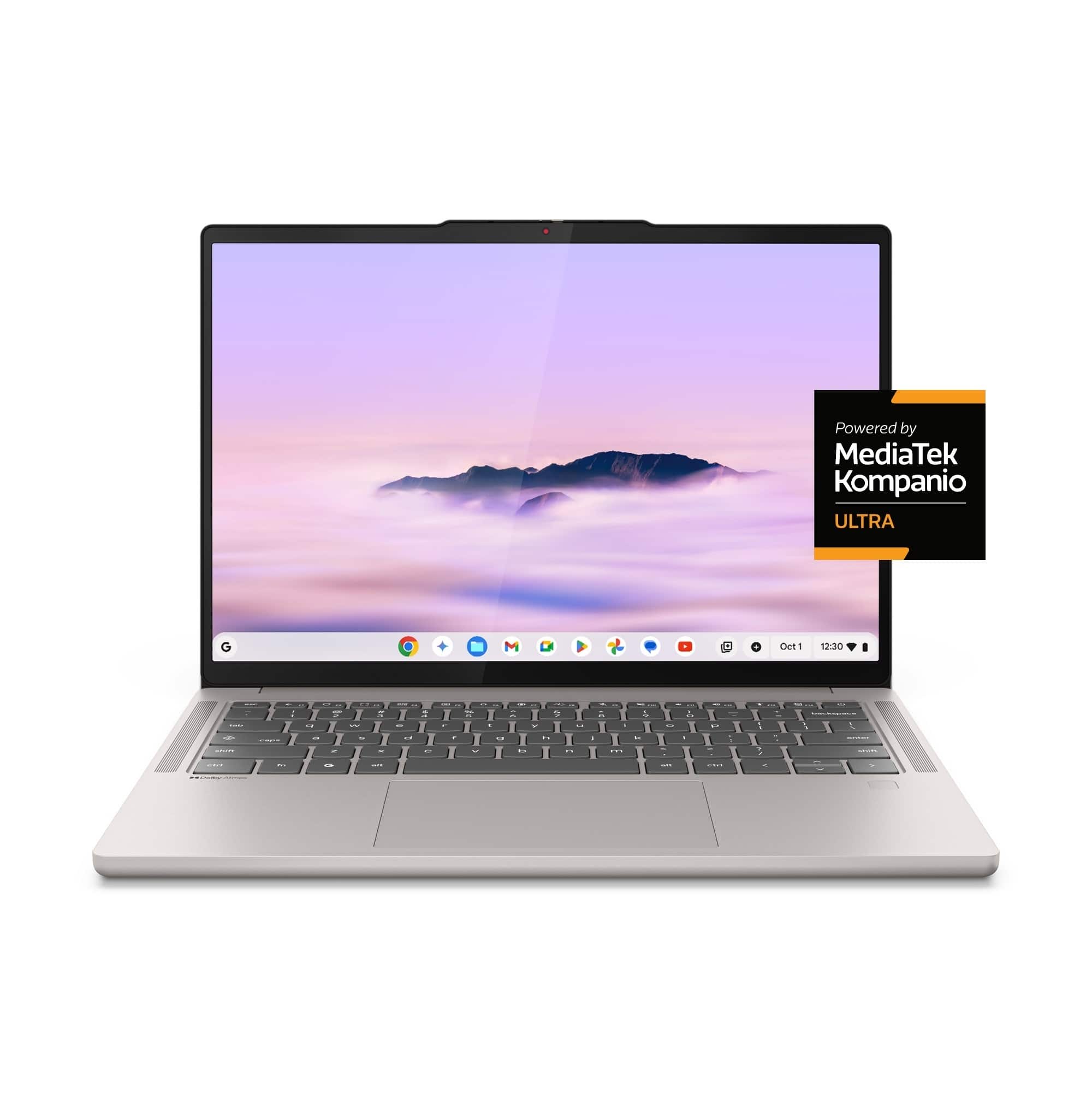
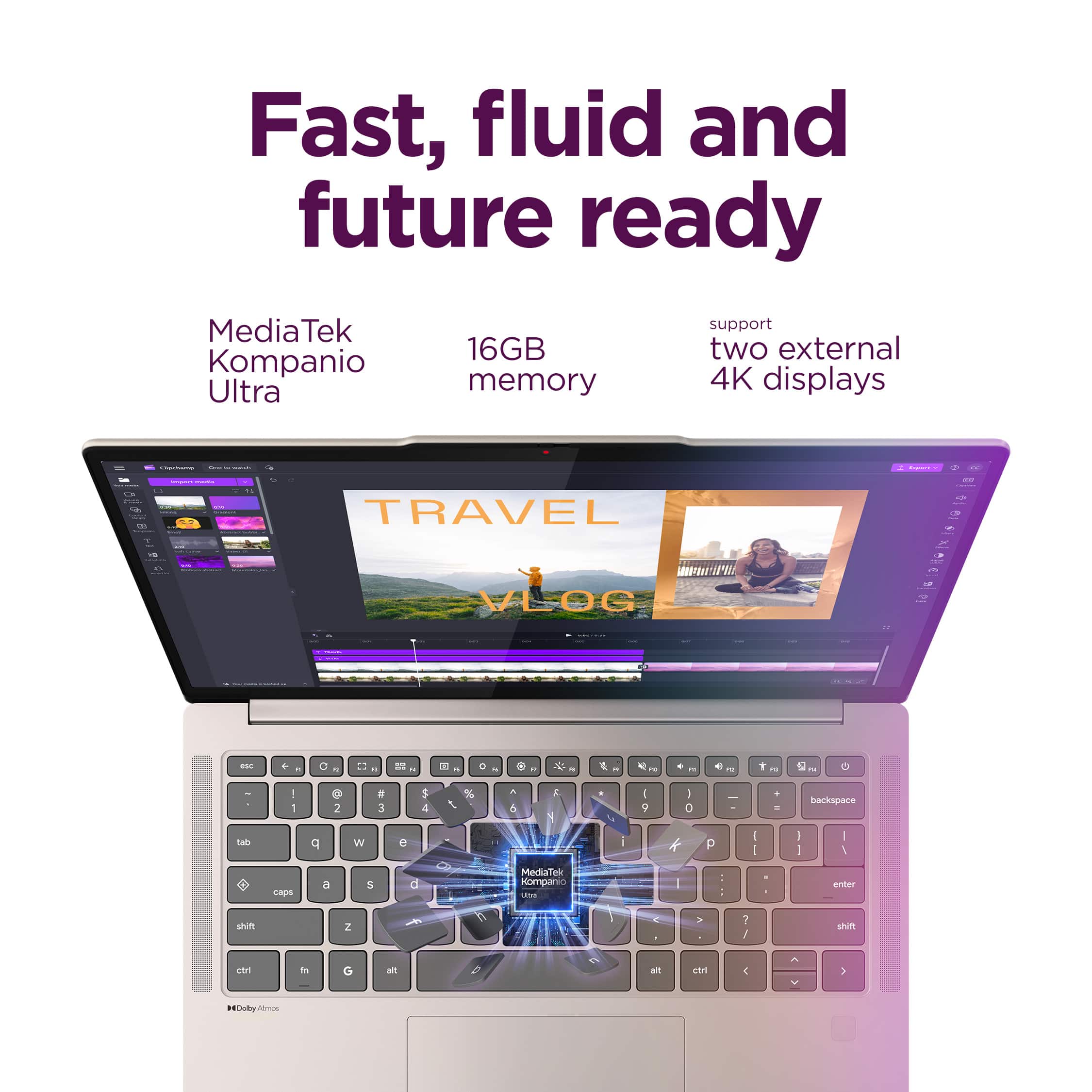
Customers enjoy the Chromebook Plus 14" for its impressive screen quality, long battery life, and fast processor speed. Many users appreciate its overall performance, finding it fast and responsive for their daily tasks. The laptop's portability and comfortable weight are also frequently praised, along with its quiet operation. With no significant drawbacks mentioned, this Chromebook appears to be a well-received device.

This summary was generated by AI based on customer reviews.

The vast majority of our reviews come from verified purchases. Reviews from customers may include My Best Buy members, employees, and Tech Insider Network members (as tagged). Select reviewers may receive discounted products, promotional considerations or entries into drawings for honest, helpful reviews.
Page 5 Showing 81-100 of 103 reviews
  • Pros mentioned:
    Screen quality

    Rated 5 out of 5 stars

    GOOD ONE…

    |
    |
    Posted . Owned for 1 week when reviewed.
    This reviewer received promo considerations or sweepstakes entry for writing a review.

    Nice speakers and screen the price was a bit high for a Chromebook but I say it was worth it.

    I would recommend this to a friend
    • Brand response from Lenovo Product Expert
      Posted .

      Hey Rotsen,

      Thank you for choosing Lenovo and for sharing your feedback with us!

      We are pleased to read that you are satisfied with your purchase.

      Please don't hesitate to reach out to us via the Q& A section of this product page or contact Lenovo Support should you have any questions or need assistance.

      Regards,
      Lenovo Lenovo

  • Pros mentioned:
    Overall performance

    Rated 5 out of 5 stars

    Research beast

    |
    |
    Posted . Owned for 2 months when reviewed.
    This reviewer received promo considerations or sweepstakes entry for writing a review.

    If you need a machine fot research, this is definitely the machine to get!

    I would recommend this to a friend
    • Brand response from Lenovo Product Expert
      Posted .

      Hello,

      Thank you for choosing Lenovo and for sharing your feedback with us!

      We are happy to know that this Chromebook Plus 14" is just the right fit for your needs.

      Please feel free to reach out to us via the Q& A section of this product page should you have any questions or need assistance.

      Regards,
      Lenovo Lenovo

  • Pros mentioned:
    Portability

    Rated 5 out of 5 stars

    Lenovo

    |
    |
    Posted .
    This reviewer received promo considerations or sweepstakes entry for writing a review.

    Love this computer. I like how lightweight it is. The touch screen was a great bonus!

    I would recommend this to a friend
    • Brand response from Lenovo Product Expert
      Posted .

      Hey EloneW,

      Thanks for choosing Lenovo and for sharing your feedback with us!

      We are glad to read that you love your Chromebook Plus 14" including its portable design and convenient features.

      Please feel free to reach out to us via the Q&A section of the product page should you have any questions or need assistance.

      Best,
      Lenovo Lenovo

  • Pros mentioned:
    Screen quality

    Rated 4 out of 5 stars

    Dead spots on touchscreen

    |
    |
    Posted .
    This reviewer received promo considerations or sweepstakes entry for writing a review.

    I love this Chromebook. It would totally get 5 stars except for the fact that there are dead spots in the touchscreen. My Samsung touchscreen was never like that. It seems very sturdy.

    I would recommend this to a friend
    • Brand response from Lenovo Product Expert
      Posted .

      Hey bren,

      Thank you for sharing your feedback with us. We are sorry to hear that you ran into an issue with your Chromebook Plus 14". We appreciate your comment regarding touchscreen troubles, as we will investigate the matter to make the necessary changes.

      If you could, please share more details on what you are referring to with "dead spots". Is this a matter of the touch function not working in certain points of the display?

      In the meantime, and to increase visibility, please follow the steps below to share this issue with other teams:
      - Press "alt+shift+i" on the device keyboard while logged in.
      - A feedback window will open.
      - In the description box, type in "issue with touch screen function".
      - Then, submit the feedback.

      You can submit your follow up comments via the Q& A section of this product page, and feel free to share any questions you may have.

      Best regards,
      Lenovo Lenovo

  • Rated 4 out of 5 stars

    Does almost everything I need it to

    |
    |
    Posted . Owned for 2 months when reviewed.
    This reviewer received promo considerations or sweepstakes entry for writing a review.

    The ARM64 Mediatek Kompanio Ultra is a nice processor, but there are some combatability issues with the Linux dev environment that make it frustrating to use sometimes. As a media consumption device it is stellar. Do wish. the touch screen was USI pen compatible also

    No, I would not recommend this to a friend
  • Pros mentioned:
    Screen quality

    Rated 5 out of 5 stars

    Chromebook

    |
    |
    Posted . Owned for 2 weeks when reviewed.
    This reviewer received promo considerations or sweepstakes entry for writing a review.

    Good quality and sound. Liking it so far! Good price

    I would recommend this to a friend
    • Brand response from Lenovo Product Expert
      Posted .

      Hey GloriaB,

      Thank you for choosing Lenovo and for sharing your feedback with us!

      We are happy to read that you are liking your Chromebook Plus 14" thus far.

      Please feel free to reach out to us via the Q& A section of this product page should you have any questions or need assistance.

      Regards,
      Lenovo Lenovo

  • Pros mentioned:
    Overall performance

    Rated 5 out of 5 stars

    Everything a great chromebook should be

    |
    |
    Posted .
    This reviewer received promo considerations or sweepstakes entry for writing a review.

    Amazing Chromebook, finally a decent replacement to the Pixelbook Go!

    I would recommend this to a friend
    • Brand response from Lenovo Product Expert
      Posted .

      Hi JonathanE,

      Thanks for choosing Lenovo and for sharing your feedback with us!

      We are pleased to read that your experience with the Chromebook Plus 14" has been amazing.

      Please feel free to reach out to us via the Q& A section of this product page should you have any questions or need assistance.

      Best,
      Lenovo Lenovo

  • Pros mentioned:
    Screen quality

    Rated 5 out of 5 stars

    Would definitely recommend

    |
    |
    Posted .
    This reviewer received promo considerations or sweepstakes entry for writing a review.

    Amazing display quality, build quality, and high RAM capacity

    I would recommend this to a friend
    • Brand response from Lenovo Product Expert
      Posted .

      Hi SudoB,

      Thanks for choosing Lenovo and for sharing your feedback with us!

      We are pleased to read that you would recommend the Chromebook Plus 14" thanks to its immersive display, design, and performance.

      Please feel free to reach out to us via the Q& A section of this product page should you have any questions or need assistance.

      Best,
      Lenovo Lenovo

  • Pros mentioned:
    Portability

    Rated 5 out of 5 stars

    lenovo

    |
    |
    Posted . Owned for 1 month when reviewed.
    This reviewer received promo considerations or sweepstakes entry for writing a review.

    best laptop I have ever owned perfect for travel etc

    I would recommend this to a friend
    • Brand response from Lenovo Product Expert
      Posted .

      Hey TimothyD,

      Thanks for choosing Lenovo and for sharing your feedback with us!

      We are glad to read that the Chromebook Plus 14" is the best laptop you've had and that it's perfect for your use.

      Please feel free to reach out to us via the Q&A section of the product page should you have any questions or need assistance.

      Best,
      Lenovo Lenovo

  • Pros mentioned:
    Screen quality

    Rated 2 out of 5 stars

    Good. Not so good.

    |
    |
    Posted .
    This reviewer received promo considerations or sweepstakes entry for writing a review.

    The pros, beautiful screen, fast surfing, and fast charge while it lasted. The cons, after four weeks it started to overheat and drain the battery while shut down. I bought the Geek Squad protaction but, since it is a chromebook, it had to be sent out and will take four to six weeks to either be repaired or junked. If junked I will get a store credit rather than a refund.

    No, I would not recommend this to a friend
  • Rated 5 out of 5 stars

    Great and beautiful device

    |
    |
    Posted . Owned for 6 months when reviewed.
    This reviewer received promo considerations or sweepstakes entry for writing a review.

    great device very fast most of the programs that we used back on windows are now cloud based so it gets the job done

    I would recommend this to a friend
  • Pros mentioned:
    Battery life, Overall performance, Portability
    Tech Insider Network Member

    Rated 5 out of 5 stars

    Best Chromebook Period.

    |
    Tech Insider Network Member
    Posted .
    This reviewer received promo considerations or sweepstakes entry for writing a review.

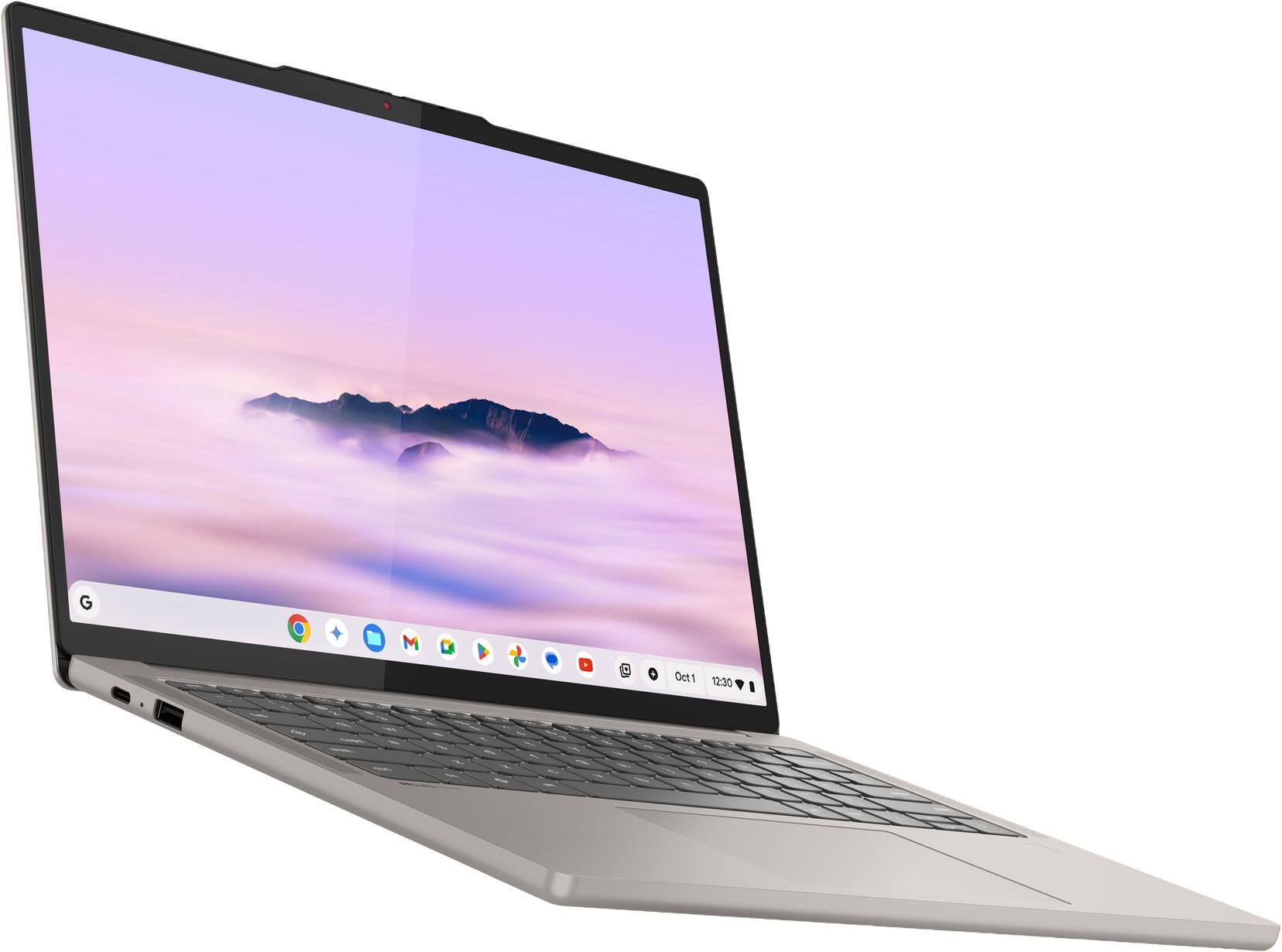
    This laptop is easily the best Chomebook I have ever used. I think that this is absolutely the best device I have seen at this price point for things that every student needs and general Web-crawling and surpassed my expectations for Chromebooks. I have been a very big supporter and user of Chromebooks as inexpensive tools for classwork for my child and for myself as a low-cost device for things like network testing, video call setup, testing and management and for quick web searches. By no means am I a power user, but I have used several generations of Chromebooks for a wide variety of tasks. That’s all said to support the fact that this is by far the best Chromebook I have had the opportunity to personally use. Right out of the box, this laptop has a premium look and feel. Most of the Chromebooks I have owned have been decidedly plasticky. Not only does this laptop have a metal shell, it does not have the “glued on veneer feel that some Chromebook I have used have when an aluminum outer is used. It is well molded as the actual casing of the laptop. Despite the use of a metal casing, this laptop is actually thinner than some of my older, plastic shelled Chromebooks and is lighter compared to my 14” Windows laptop (which also has a metal case). This compact size and low weight mean this an extremely “packable” laptop for me. I was however slightly surprised at the power supply included, which is a bit on the chonky side. I think that sometimes in the effort to show off how thin a laptop is, people forget about what needs to be packed WITH the laptop. That said, the power supply did fit in the zippered front compartment of the 14” laptop sleeve I have. I was pleased to see that this Chromebook also includes a useful number of ports- USB, USB-C and 3.5mm. Firing up the laptop I was impressed by a couple of things. First was how quiet this is. As a fan-less design it pops on like a tablet without any mechanical fanfare. Then I was impressed by how bright and colorful the screen was. Compared to the murky, lower-resolution screens on my older Chromebook devices, the OLED in this laptop really pops! It is not 4k, but to me that is completely unnecessary on a 14” screen designed for productivity. It is plenty sharp with whatever I did on it, and I was especially impressed with the vibrancy of everything. If you really need 4K while using this laptop, it is notable that the laptop can output 4k to multiple external monitors. I tested this on my office 31.5” and it looked as good as the $2000 device normally connected. Refresh rate is 60hz, but that is just fine for how I use it. Once I got into the laptop there are two more things I would mention on the hardware side. First, the keyboard and trackpad are better than any of my previous Chromebooks. I found the keys extremely responsive and without a “soggy” feel, and the keyboard has a good amount of real estate for my clumsy thick fingers so I had fewer mis-hits on keys. The trackpad is also smooth and it has a satisfying clicky-ness to it that I personally prefer. The second thing I will mention on the hardware is the speakers. Laptop speakers in general I think have improved in leaps and bounds over older generations, and these did not disappoint. They are clear, can get surprising loud without distortion and have a nice soudstage when watching a video. Aside from the premium feel of the hardware, this laptop is hands down the fastest operating laptop I have ever owned. From bootup through opening apps, downloading, browsing, video conferencing everything is zippy. Chromebooks have always excelled in operational speed and are one of the main reasons I have used them for my work for years. With 16gb of Ram, running Chrome OS from an SSD this laptop is simply faster than what I have previously experienced with any other laptop. For all the speed, and with a thin/light design I have also been very impressed with battery life. I tested the laptop by running some streaming video in the background while testing out other features for the day and I found that it took me a couple of days of activity to kill the battery. This was what I would consider excessive work-loading, so I cannot imagine anyone running out of battery in a work day if they started at a full charge. Within the Laptop’s OS there are several new features as befit a device of the “AI age”. As I am of an older generation so to speak, and I am not personally immersed in AI culture and features I am probably not the best judge of the usefulness of some of these things. I tend to work on one thing at a time, so the “smart grouping” feature, which organizes your various open items into little collections was not something I would feel necessary to use regularly, though I can see its usefulness to some. The feature that I really found a stand out is the new AI text capture system. I found this a really outstanding way to grab information from images/web/documents. This one feature dramatically reduced the amount of time to bring “real world” or otherwise non-compatible data into usable formats. I can’t express how excited I was that this could import raw data from a document into something like a spreadsheet with just a few clicks. Overall I can unreservedly recommend this laptop to anyone that has a need for a student, or for general, day to day productivity and web-based tasks.

    I would recommend this to a friend
    • Brand response from Lenovo Product Expert
      Posted .

      Hey LittleAVGuy,

      Thanks for choosing Lenovo and for sharing your feedback with us!

      We are pleased to read that the Chromebook Plus is the best Chromebook ever in your opinion. We appreciate you sharing your commentary on the design, performance and features, as we value your input.

      Please feel free to reach out to us via the Q& A section of this product page should you have any questions or need assistance.

      Best,
      Lenovo Lenovo

  • Rated 5 out of 5 stars

    Powerful fast and unexpected

    |
    |
    Posted . Owned for 1 month when reviewed.
    This reviewer received promo considerations or sweepstakes entry for writing a review.

    I wrestled with the idea of a chromebook for a while. I realzied that 95% of my core needs while on the go away from my desktop were all web based. I decided to give this a try snd it did not disappoint!

    I would recommend this to a friend
    • Brand response from Lenovo Product Expert
      Posted .

      Hi Nick,

      Thanks for choosing Lenovo and for sharing your feedback with us!

      We are pleased to read that the Chromebook Plus 14" has exceeded your expectations and that it meets your needs well.

      Please feel free to reach out to us via the Q& A section of this product page should you have any questions or need assistance.

      Best,
      Lenovo Lenovo

  • Rated 5 out of 5 stars

    Chromebook

    |
    |
    Posted . Owned for 1 week when reviewed.
    This reviewer received promo considerations or sweepstakes entry for writing a review.

    My daughter loves it. Says it fast with several items running makes easier for her online college classes and work no matter how many windows she needs open.

    I would recommend this to a friend
    • Brand response from Lenovo Product Expert
      Posted .

      Hey Erika,

      Thanks for choosing Lenovo and for sharing your feedback with us!

      We are glad to read that your daughter loves this Chromebook Plus.

      Please feel free to reach out to us via the Q& A section of this product page should you have any questions or need assistance.

      Best,
      Lenovo Lenovo

  • Rated 3 out of 5 stars

    Almost there

    |
    |
    Posted . Owned for 1 week when reviewed.
    This reviewer received promo considerations or sweepstakes entry for writing a review.

    I can see why a lot of folks would like this product. Apart from a few oddities, such as google books not rendering books correctly, it was a good product. There are two personal complaints I have with this. I don't like the lack of a hardware right click, and it feels a step behind Samsung Dex on my tablet which is the most disappointing. If I had never used Dex with my tablet I'm sure I would have loved this laptop a lot more. I think this is a well-priced, good product if you want an Android-like laptop experience. Personally, I will be sticking to Samsung Tablets with dex as much as I would rather have a laptop than a tablet because I like the user experience with dex better as it does more of the little things right for me.

    I would recommend this to a friend
    • Brand response from Lenovo Product Expert
      Posted .

      Hey Mark,

      Thank you for sharing your feedback with us. We are sorry to hear that the Chromebook Plus ended up not being a good fit for you and that you ran into an issue with Google Books. We wish to provide the best experience possible, and we appreciate your comments.

      If you could, please share details on what types of books had trouble rendering and in what orientation, along with how the issue presented itself. Also, how does the system feel like a step behind what you're used to. This information can help us make the necessary improvements and learn more about how you interact with your devices.

      We look forward to hearing from you, and please feel free to reach out to us via the Q& A section of this product page should you have any questions or need assistance.

      Best regards,
      Lenovo Lenovo

  • Rated 5 out of 5 stars

    My laptop

    |
    |
    Posted . Owned for 3 weeks when reviewed.
    This reviewer received promo considerations or sweepstakes entry for writing a review.

    I'm happy with it so far I have no complaints i'm thrilled with it

    I would recommend this to a friend
    • Brand response from Lenovo Product Expert
      Posted .

      Hey SharifM,

      Thank you for choosing Lenovo and for sharing your feedback with us!

      We are pleased to read that you are satisfied with your purchase.

      Please don't hesitate to reach out to us via the Q& A section of this product page or contact Lenovo Support should you have any questions or need assistance.

      Regards,
      Lenovo Lenovo

  • Rated 4 out of 5 stars

    Great, except for the screen

    |
    |
    Posted .
    This reviewer received promo considerations or sweepstakes entry for writing a review.

    Everything about this Chromebook is amazing except for the screen. I wish they didn't cheapen out with a 2K display. A 3K display at the minimum is needed for a 14" screen. Perfect otherwise.

    I would recommend this to a friend
    • Brand response from Lenovo Product Expert
      Posted .

      Hey explosive0,

      Thanks for choosing Lenovo and for sharing your feedback with us!

      We are glad to read that this Chromebook Plus has been great overall. We appreciate your feedback regarding display resolution, and this will be considered for future improvements.

      Please feel free to reach out to us via the Q& A section of this product page should you have any questions or need assistance.

      Best,
      Lenovo Lenovo

  • Pros mentioned:
    Battery life, Portability, Processor speed
    Tech Insider Network Member

    Rated 5 out of 5 stars

    Fantastic – Deserves 6 Stars

    |
    Tech Insider Network Member
    Posted .
    This reviewer received promo considerations or sweepstakes entry for writing a review.

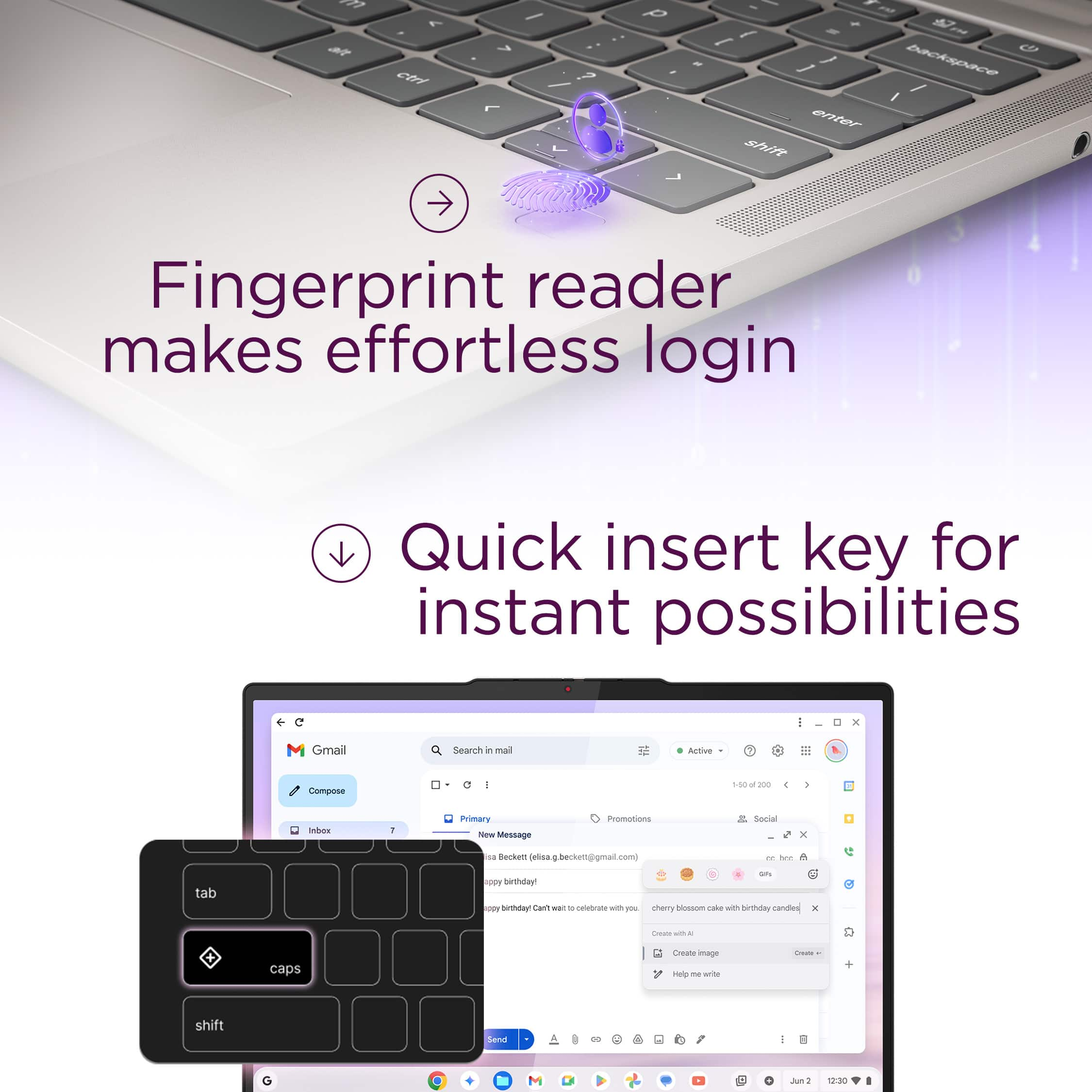
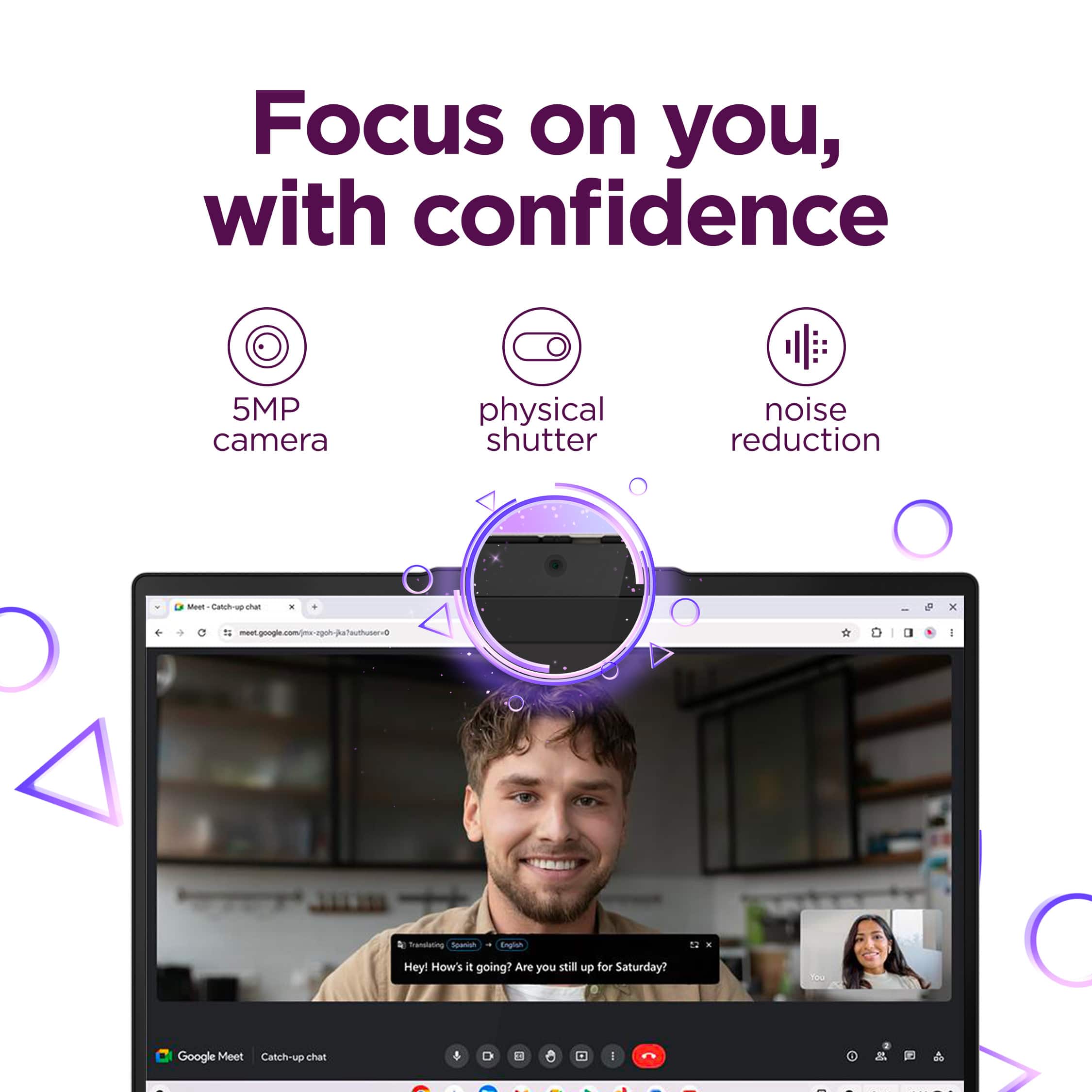
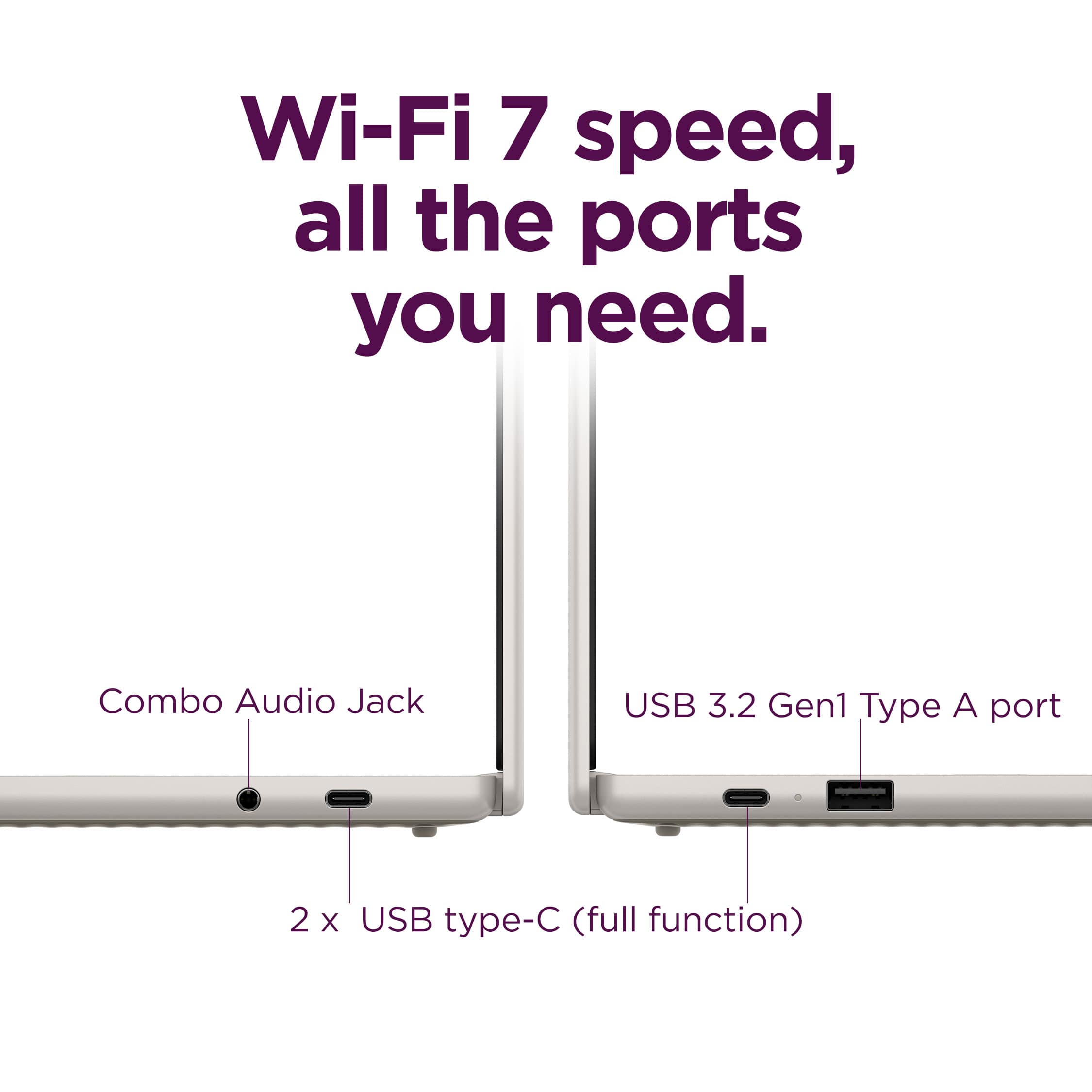
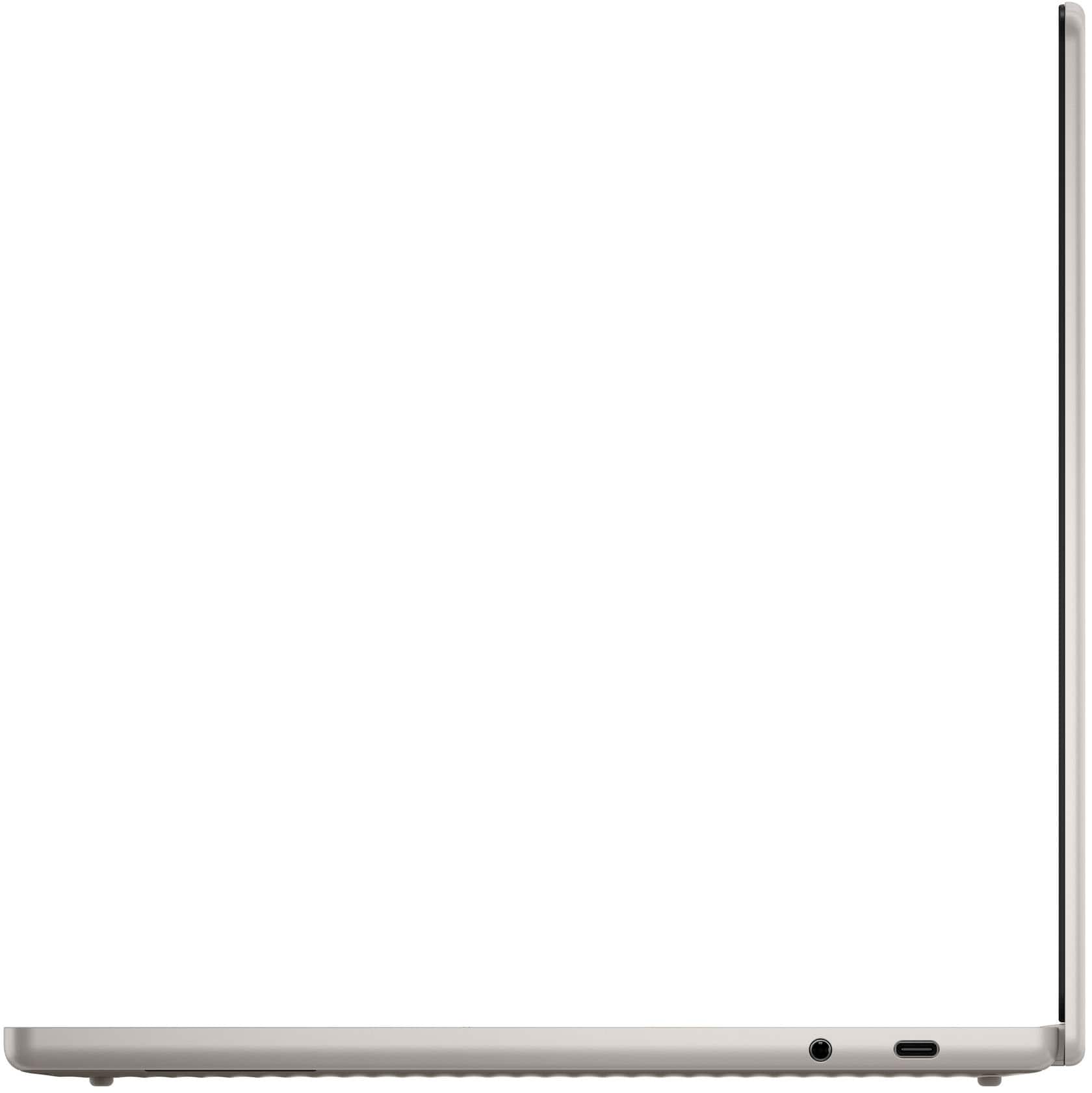
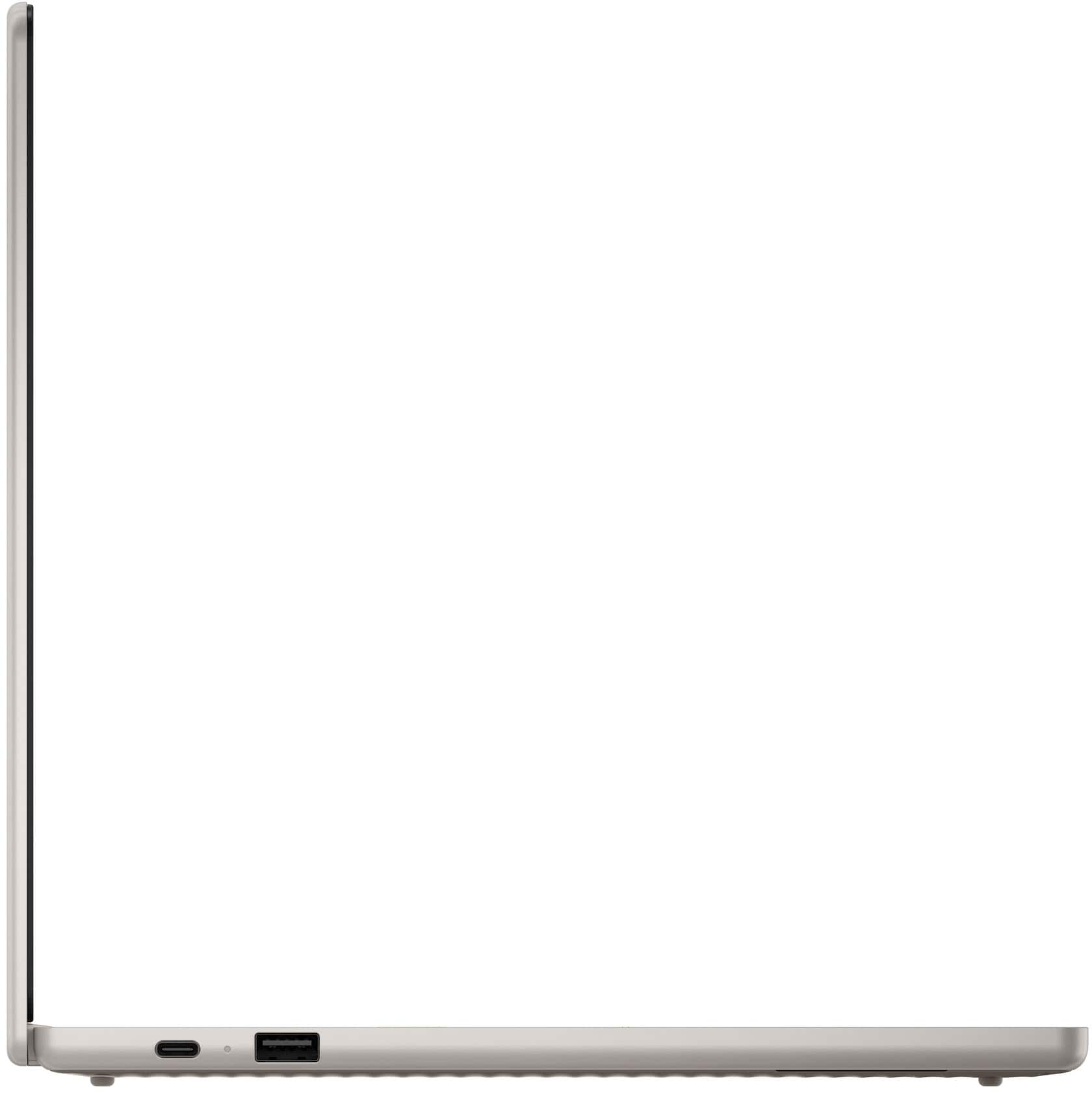
    This is one great Chromebook. There really isn’t anything negative I can say about it. I’ve always been a Windows user for my main computer, but I have to say after trying this out, I may switch to Chrome. Build Quality and Design Build quality is excellent. The bottom is made of plastic, but the top and rest are made of aluminum. Everything fits together well and has a tight fit, including the screen where there is no flex. Instead of two small hinges, there is one large hinge across the whole screen. I would say the build quality of this is better than average. It is extremely lightweight and thin so there is no problem taking it everywhere with you. Performance: The performance is great. Anything I tried to do with it was fast with no hesitation at all. Given the high-end specs that are far better than most Chromebooks, I would expect nothing less. The Wi-Fi 7 is very fast as well. I was able to get on a network right away after booting and the connection was stable. I was able to get an average speed of 1.2 Gbps. My home internet is rated at 2 Gbps. One thing to note is that when setting up the Wi-Fi, it showed a list of available connections including my 6GHz connection. Even though it showed up in the list, I could not get it to connect. I ended up using the 5GHz connection which works fine. Display and Sound: The screen is absolutely beautiful with nice brightness and contrast. The colors it produces are beautiful as well that are really crisp, but that is to be expected from an OLED screen. I do have other laptops with OLED screens, but nothing compares to this. You even get a desktop image that really shows off its abilities. The viewing angles are very wide, close to 90 degrees (basically all the way that is reasonable). The only thing I will say about it is it is hard to see in the sun. I have found that to be the case with all laptops with OLED screens, so this is probably not best for outdoors. The sound is the one thing that is less impressive. It is serviceable and gets the job done. The highs and midrange sounds are decent, but there is nothing there with the lows. While this is typical for a lot of laptops, I was hoping for something better. Keyboard and Touchpad: The keyboard has a very nice feel to it. There isn’t very much travel with the keys, but there is enough of a “click” so not to press any keys by accident when typing. The keyboard is backlit which you can turn on and off. You can’t set the brightness, but it is set to a good brightness by default. The backlight turns off after a few seconds if you don’t type or use the touchpad. As soon as you use either, the backlight turns on again. The touchpad has a very nice smooth and accurate feel when dragging. I’m a person that always taps on the touchpad to click instead of using the buttons. I have found this to be hit or miss. Sometimes it clicks when I don’t want it to, and sometimes I can’t get it to click and must use the hard buttons. Not sure why this is, but overall, it works fine. There is a fingerprint reader which works fine, however, it works when logging into your account or unlocking the device, but doesn’t work when booting up the laptop, in which case you must use the code. I could never figure out why, but I assume that may have something to do with the OS. Battery: This really shines here. It took a couple of hours to charge the battery, but I was able to get around 16 hours of battery life just doing average things like Internet, email, videos, streaming, AI, etc. That is some really impressive battery life and by far the most of any of my laptops. There is an LED indicator on the side telling you if it is charging and when it is done. The charger that came with it is a USB-C type 65W and is small and easy to carry around. I assume any kind of USB-C charger with enough power can be used. To save the battery, after a few minutes of no activity, it goes to sleep. While this seems like a good idea, I wish there was a way to change the time before it went to sleep. It really is too short. I can’t seem to find a way to change it. Camera: The camera does a decent job in both bright light and low light conditions. Of course, low light conditions don’t match that of bright light. Overall, the image is extremely clear with absolutely no noise whatsoever. However, in all lighting conditions, the colors always tend to be very washed out. Connections: It has two USB-C ports, one USB-A port and a headphone port. All work as expected. One of the USB-C ports is also used for charging. Advanced Recorder: The recorder that is included has crystal clear sound when playing back. It creates a transcript which works well. The only problem is it can mark who is speaking if you have multiple people. This is something it fails at. I’ll read something by myself, and it always marks it as different people, every time. It can summarize the transcript and does ok with this, however, you must have something very long for it to work. A page or two isn’t enough. Email, calendar, and Google meets: These applications work as you would expect from any Chromebook. The only thing is if you sign up for Google AI Pro, you get unlimited meeting and talk time. I’m a big fan of Outlook on all my Windows PCs, and the email client and calendar included works just as well and I don’t mind using them instead of Outlook on my Chromebook. There are a couple of wishes though. I wish you get a notification when a new email comes in. I also wish the icon on the taskbar would change if you had unread emails. You can pair your phone with this device and use the messages app to read and write messages which is much easier than typing on your phone when you have your computer up and running. Gemini is Google’s AI application. Buying this laptop gives you a free year of the AI Pro subscription. There really is a lot you get for it so honestly, it is better to watch a YouTube video of it. One thing worth mentioning is that it can create code that creates your favorite game. Just give a detailed description of what you are looking for, and you get code that you can run and play. This works great. There is so much more to explore. Creating images that you can automatically edit them. You can ask it to play music as well. Asking questions gives you good answers, sometimes it even tries too hard to answer them and the answers are vague. But for most questions, it is spot on. Asking it to create images works great as well. One last thing worth mentioning is that you can also ask it questions verbally which saves a lot of typing, but the result is text on the screen. I haven’t found a way to dictate it. In summary: Overall, if you are looking for a high-end Chromebook and this is in your price range, I can without a doubt recommend this. I have only positive things to say about it. Best Buy only allows 5-star reviews, but this really deserves 6 stars.

    I would recommend this to a friend
    • Brand response from Lenovo Product Expert
      Posted .

      Hey Dalton,

      Thanks for choosing Lenovo and for sharing your feedback with us!

      We are happy to read that your experience with the Chromebook Plus has been fantastic. We appreciate you describing your impressions in detail covering various aspects of the system.

      Please feel free to reach out to us via the Q& A section of this product page should you have any questions or need assistance.

      Best,
      Lenovo Lenovo

  • Rated 2 out of 5 stars

    Nice Sharp Screen

    |
    |
    Posted .
    This reviewer received promo considerations or sweepstakes entry for writing a review.

    The screen is sharp and it works OK but when using the trackpad the cursor seems to get stuck when moving around the screen which makes using quite frustrating. Another issue I can't stand is when trying to use the caps lock, you can't simply hit the caps lock button but there are a couple steps to using that feature which is incredibly annoying. Would I buy this Chromebook again? Probably not.

    No, I would not recommend this to a friend
  • Rated 3 out of 5 stars

    Touchpad is horrible

    |
    |
    Posted .
    This reviewer received promo considerations or sweepstakes entry for writing a review.

    My touchpad often freezes, making the device almost unusable. Is anyone else experiencing the same issue?

    No, I would not recommend this to a friend
    • Brand response from Lenovo Product Expert
      Posted .

      Hey Victor,

      Thanks for choosing Lenovo and for sharing your feedback with us. We are sorry to hear that you ran into an issue with your Chromebook Plus 14". We wish to provide the best experience possible, so if you'd like to work with us, we’d like to work with you to this issue to improve your experience with your Chromebook.

      To start, if your Chromebook is up to date with the latest software, we recommend completing a hardware reset (here's a link to a webpage to learn how to complete the process: https://support.google.com/chromebook/answer/3227606?hl=en&sjid=11168473644130281663-NA)) to see if this addresses the issue.
      We will investigate the matter to make the necessary changes, and in the meantime, what would be helpful for us is to submit your feedback internally to various teams by:
      1. Pressing "alt+shift+i" on the device keyboard while logged in.
      2. A feedback window will open.
      3. In the description box, type in "touchpad freezing".
      4. Submit your feedback.

      Next, you can try doing a hardware reset (visit the following link to learn how to do so: https://support.google.com/chromebook/answer/3227606?hl=en&sjid=11168473644130281663-NA), which reboots the embedded controller that manages various system components, including the touchpad.

      We hope that the information shared helps provide some insight and understanding that may improve your sentiments on the system, as well as address the issue totally.

      Please don’t hesitate to let us know what else we can do to improve your experience as your satisfaction is important to us. Feel free to leave us a note in the Q&A section of this product page to continue this discussion, along with sharing any further comments you may have regarding your experience or questions.

      Best regards,
      Lenovo Lenovo

Sponsored