Customer Ratings & Reviews
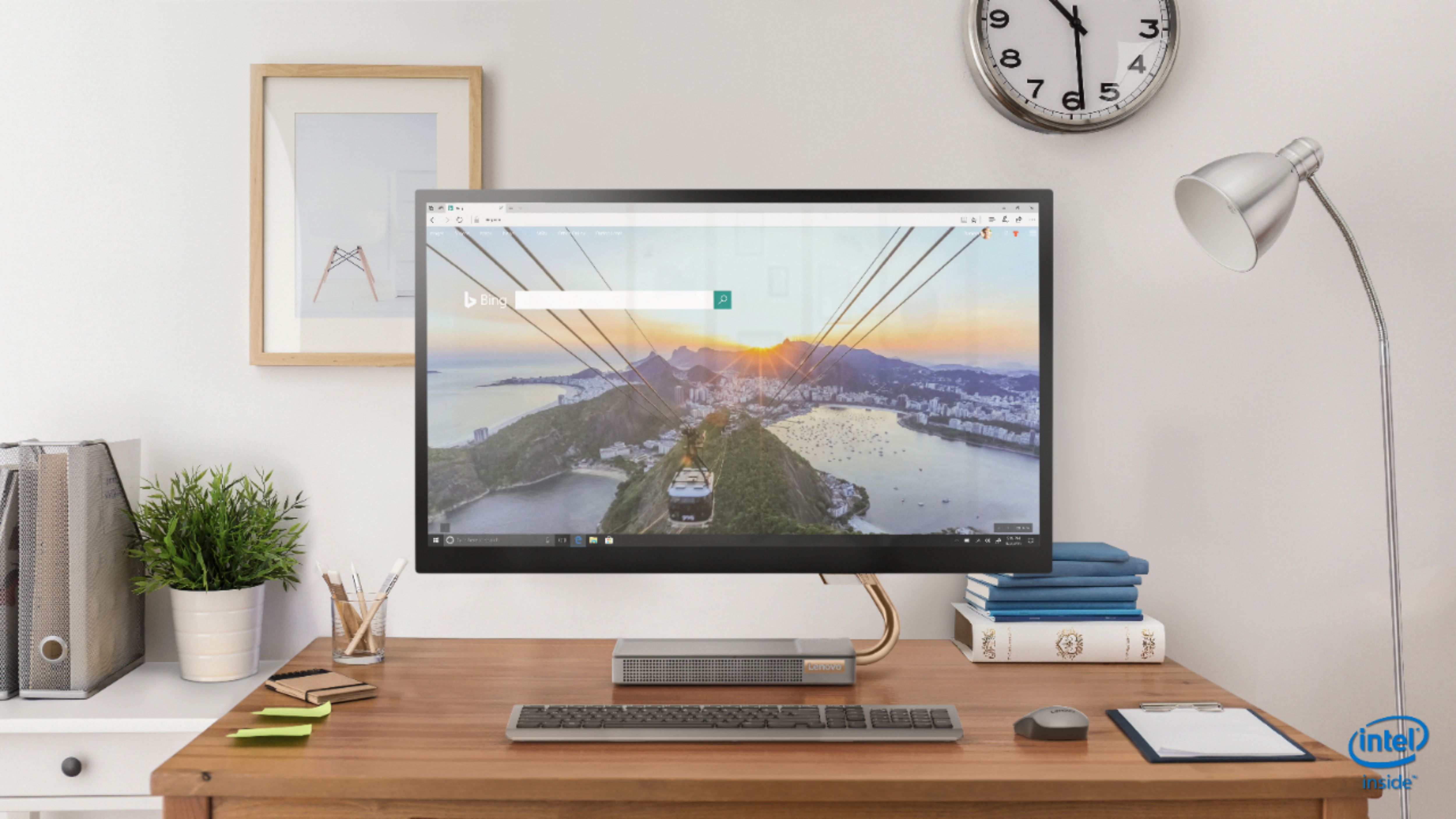
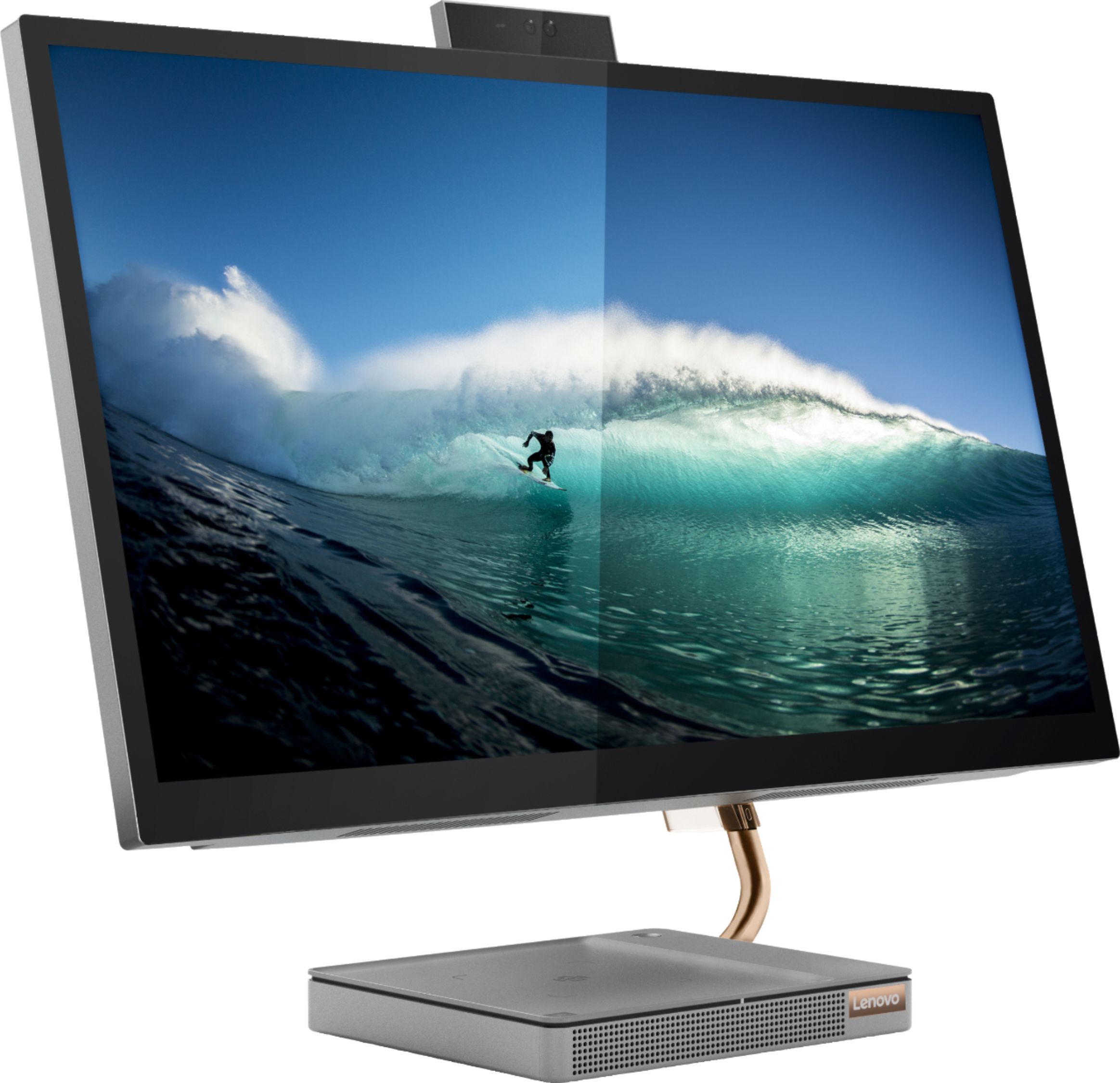
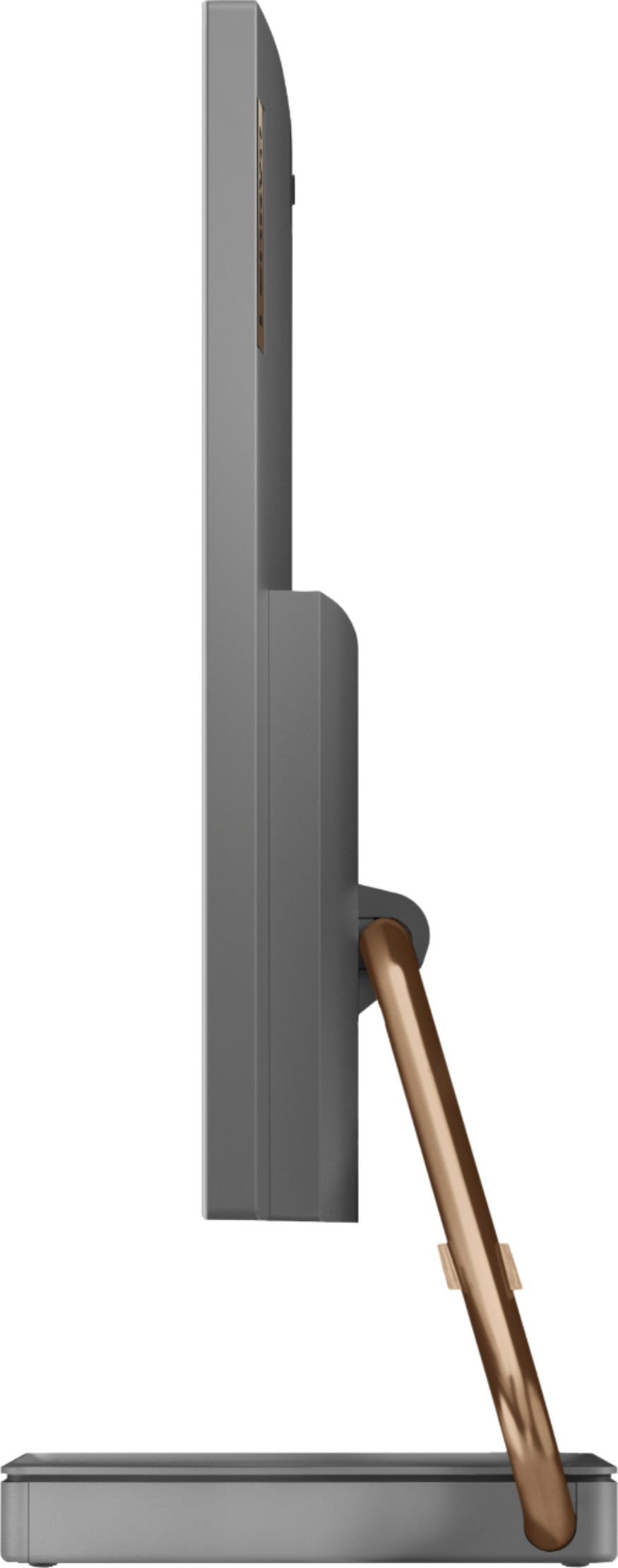
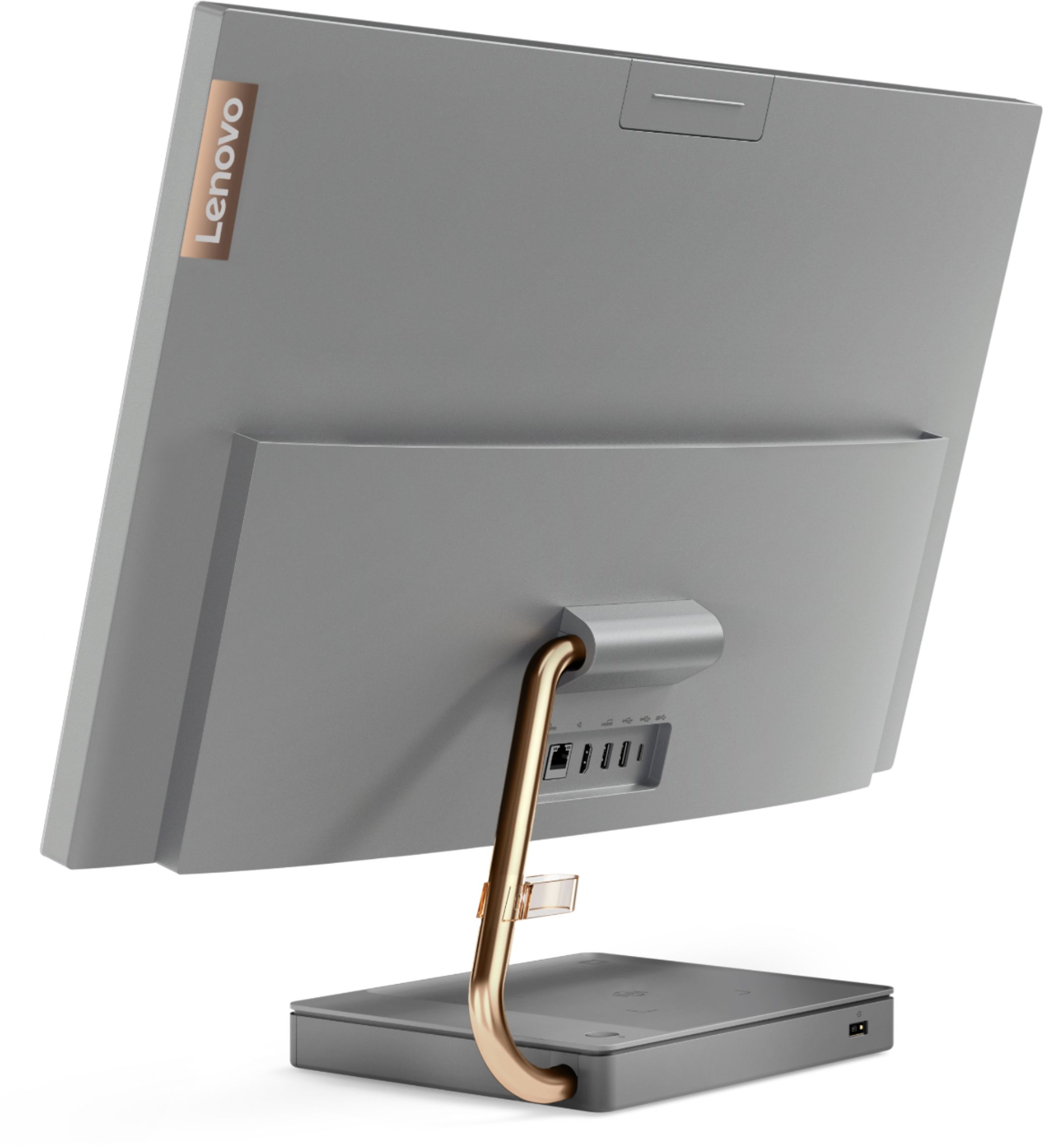

- Model:
- F0EK007HUS
- SKU:
- 6393695
Rating by feature
- Value
Rating 4.3 out of 5 stars
- Quality
Rating 4.4 out of 5 stars
- Ease of Use
Rating 4.5 out of 5 stars
Customers are saying
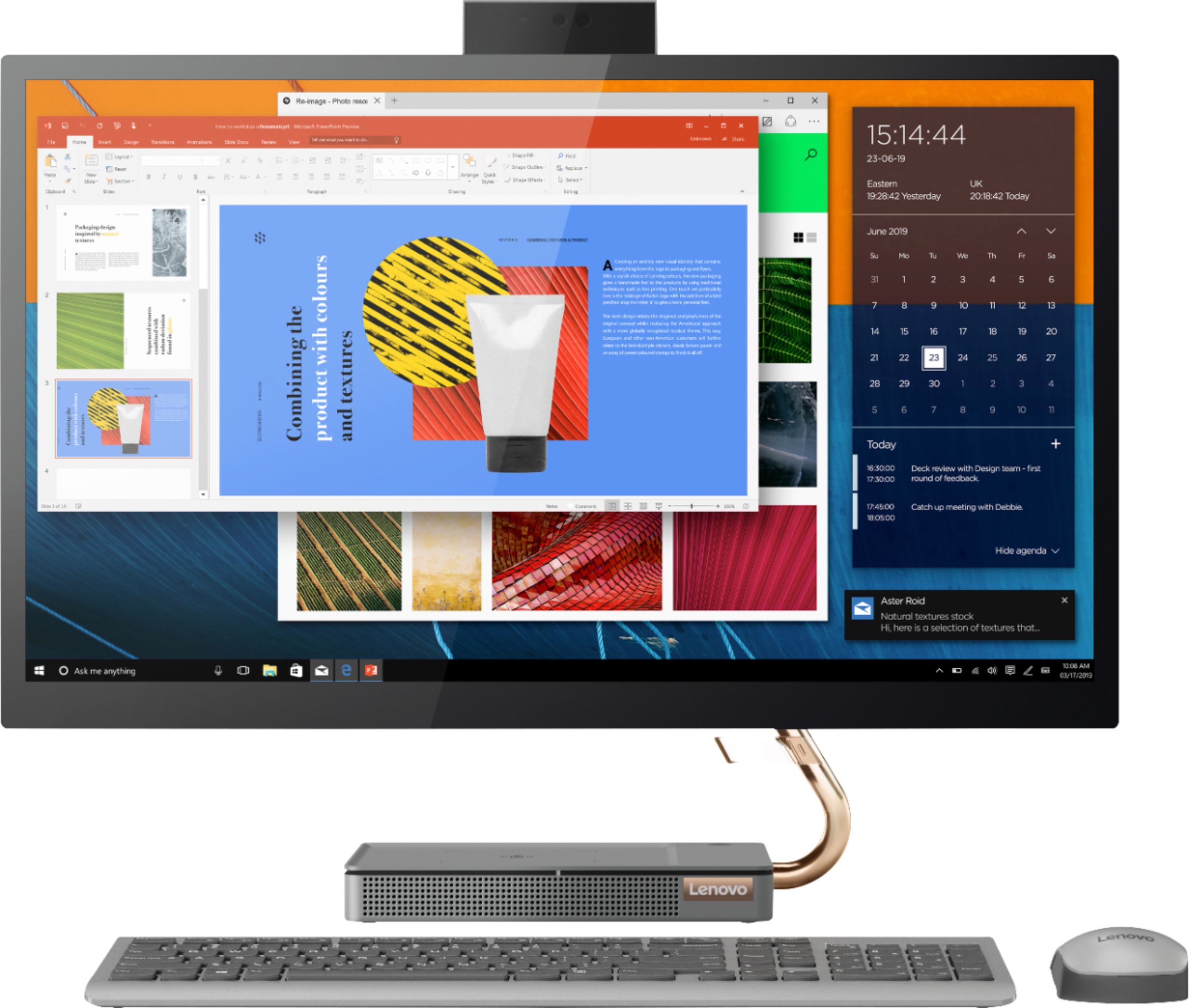
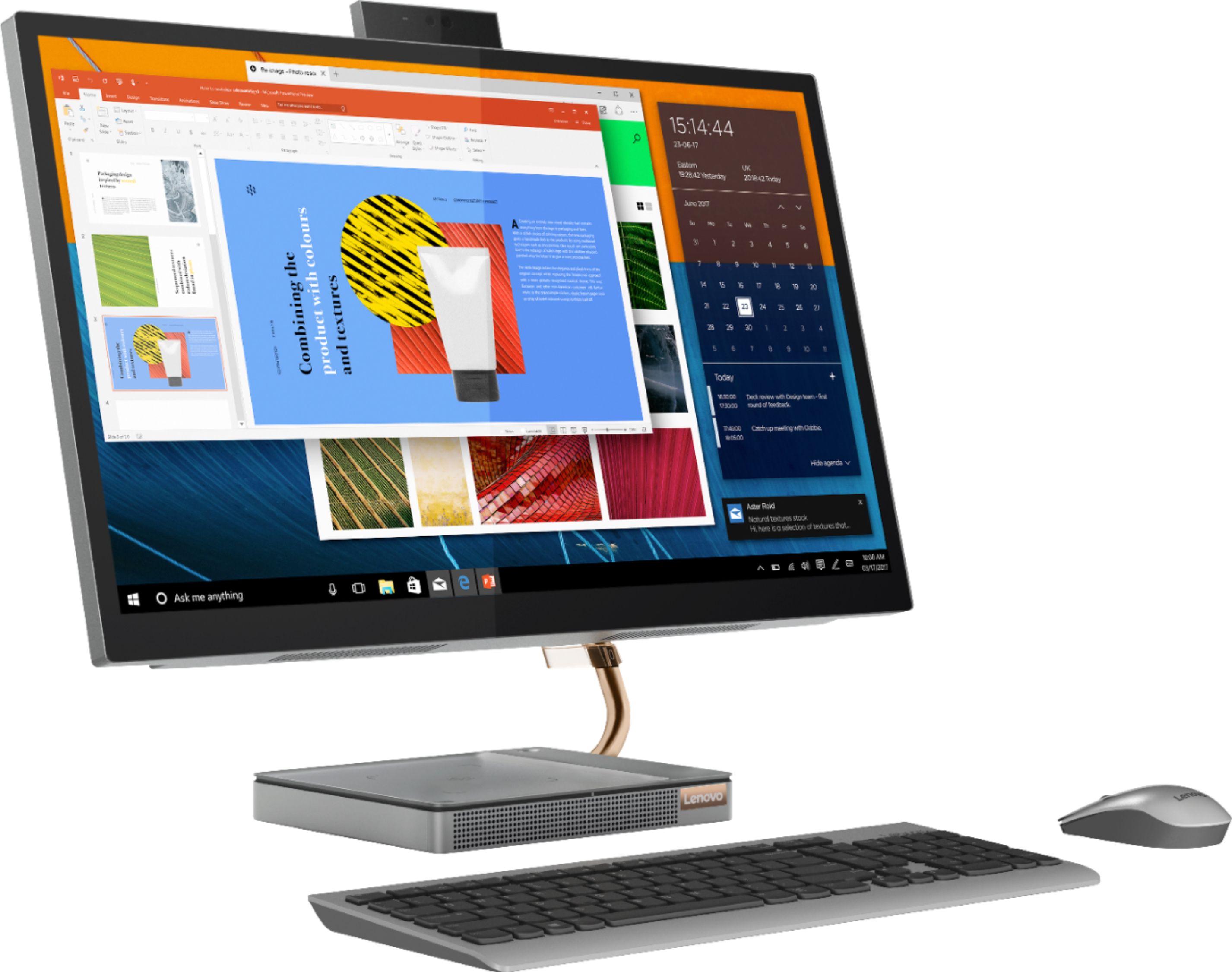
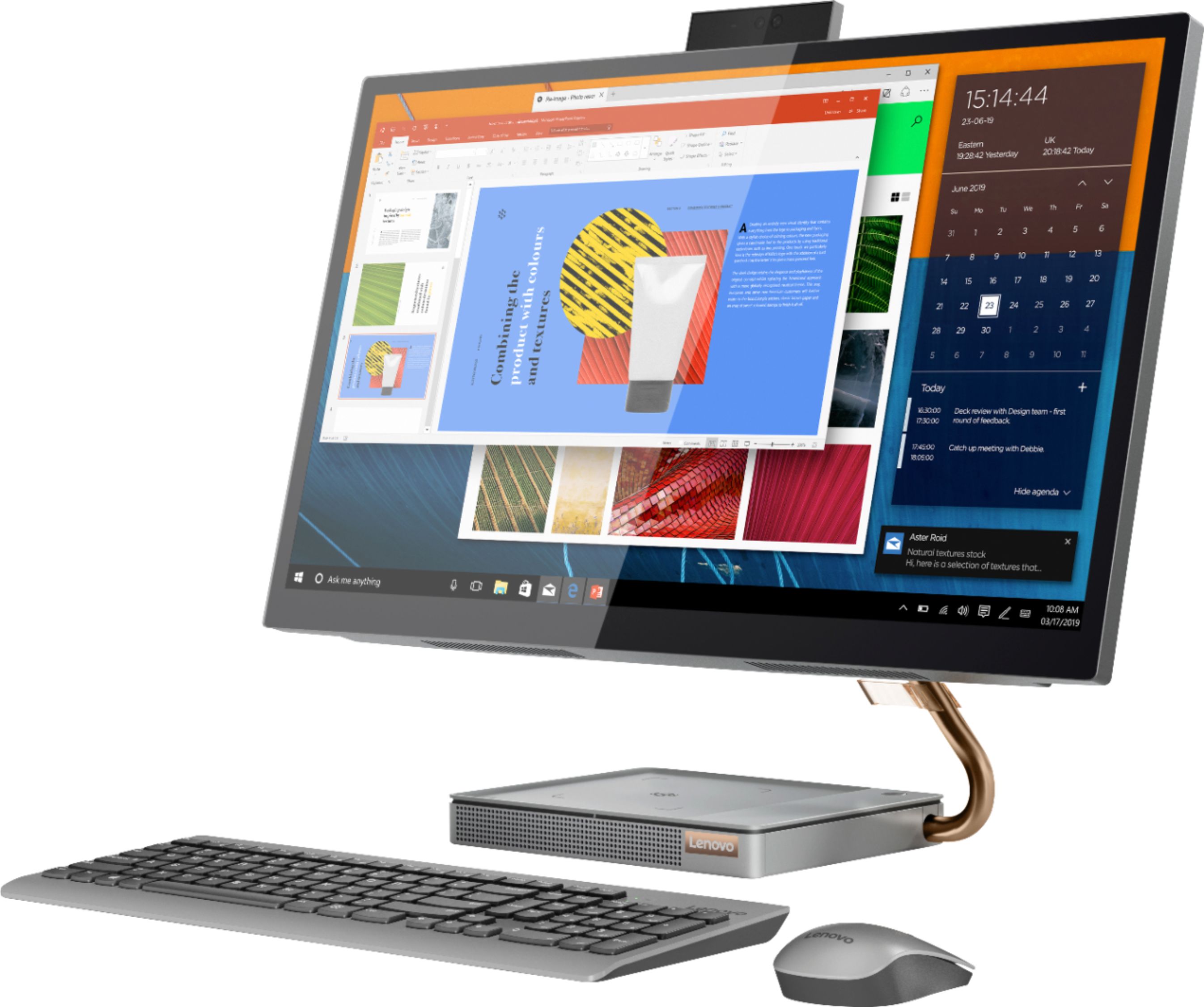
Customers regard the IdeaCentre A540's large screen size and ease of use as significant advantages, frequently praising its sleek design and responsive touchscreen. Positive feedback also highlights the generally good performance and value for the price. However, some users experienced issues with the limited number of USB ports, the quality of the camera, and occasional problems with the mouse and sleep mode functionality.
This summary was generated by AI based on customer reviews.
- Pros mentioned:Screen size
All in one
||Posted . Owned for 3 weeks when reviewed.This reviewer received promo considerations or sweepstakes entry for writing a review.Got it during Black Friday sale. It’s a good all In one. Screen size 27in is great.
I would recommend this to a friendBrand response from Lenovo Product Expert
Posted .Thank you for choosing the Lenovo IdeaCentre A540 27 All-In-One System. We are pleased to hear that the value, features and performance of the IdeaCentre A540 27 AIO meets your computing needs so well.

- Pros mentioned:Screen size
Best computer I’ve ever bought
||Posted . Owned for 1 week when reviewed.This reviewer received promo considerations or sweepstakes entry for writing a review.I absolutely love everything about this computer from the jbl speaker to the touch screen also the charger that’s wireless it moves like lightning
I would recommend this to a friendBrand response from Lenovo Product Expert
Posted .Thank you for choosing the Lenovo IdeaCentre A540-27 All-In-One system. We are pleased to hear that the features and performance of the IdeaCentre A540-27 AIO meets your computing needs so well.
- Pros mentioned:Screen size
Love It
||Posted . Owned for 3 weeks when reviewed.This reviewer received promo considerations or sweepstakes entry for writing a review.This computer is great, I am very pleased with the look and feel. Extremely easy to add a second monitor. The speakers and video work great. Love the touch screen.
I would recommend this to a friendBrand response from Lenovo Product Expert
Posted .Once again, thank you for choosing the Lenovo IdeaCentre A540-27 All-In-One system. You can keep your computer running at its best by keeping the Windows 10 Operating System and all supporting BIOS files and drivers up to date. You can easily accomplish this by scanning the computer with the Lenovo Utility software available on this computer. Just type "Lenovo Vantage" in the Cortana Search window (if Lenovo Vantage is not installed on your device, you can download the APP and install it now). Select Lenovo Vantage from the list. In the window that opens, click on "Health and Support". In the expanded menu, select "Hardware Scan" In the window that opens, select "Run Quick Tests". This will scan your entire system for errors. Follow any directions that may pop up. If the problem continues after this scan, now click on "System Update". First select Windows update from the menu. Scan your system to be sure you have the latest version of Windows 10. Once that scan is complete, select "Additional Updates". This will scan your device to be sure there are no new BIOS/Driver updates needed. Follow any instructions that may pop up. If you ever need additional help with your Lenovo computer, we recommend you call Lenovo Tech Support at: 877-453-6686 for additional help.
- Pros mentioned:Performance
Great buy
||Posted . Owned for 3 weeks when reviewed.This reviewer received promo considerations or sweepstakes entry for writing a review.Love it. I had to get a new computer in order to work from home more easily. I bought this because I like my Lenovo laptop so much. Like this just as much.
I would recommend this to a friend - Pros mentioned:Performance
Great computer
||Posted . Owned for 3 weeks when reviewed.This reviewer received promo considerations or sweepstakes entry for writing a review.Had this all in one for about a few weeks and works awesome glad we bought boots up in seconds with the ssd been multitasking alot and computer does not lag
I would recommend this to a friend - Pros mentioned:Performance
very active
||Posted . Owned for 1 month when reviewed.This reviewer received promo considerations or sweepstakes entry for writing a review.So far, it is working very good and it's giving me satisfation.
I would recommend this to a friendBrand response from Lenovo Product Expert
Posted .Thank you for choosing the Lenovo IdeaCentre A540 27 All-In-One System. We are pleased to hear that the IdeaCentre A540 27 AIO meets your computing needs so well.
- Pros mentioned:Performance
Great Computer
||Posted . Owned for 3 weeks when reviewed.This reviewer received promo considerations or sweepstakes entry for writing a review.Great computer. Stylish and the performance is top notch for the price point.
I would recommend this to a friend - Pros mentioned:Screen size
Large Screen All in One
||Posted .This reviewer received promo considerations or sweepstakes entry for writing a review.Great computer and the large screen is very user friendly. The only thing is I wish it would swivel more left to right and up and down.
I would recommend this to a friend - Pros mentioned:Ease of use
I recommend!
||Posted . Owned for 1 month when reviewed.This reviewer received promo considerations or sweepstakes entry for writing a review.So far great computer. I used to be a MAC computer but this has been a very good change over. Very intuitive. I high recommend this computer.
I would recommend this to a friendBrand response from Lenovo Product Expert
Posted .Thank you for choosing the Lenovo IdeaCentre A540-27 All-In-One System. We are pleased to hear that the IdeaCentre A540-27 AIO meets your computing needs so well.
- Pros mentioned:Screen size
A great addition
||Posted . Owned for 7 months when reviewed.This reviewer received promo considerations or sweepstakes entry for writing a review.Our first "all in one" and we love it! A large screen that fits in a small amount of space. Couldn't be happier!
I would recommend this to a friend - Pros mentioned:Speed
Lenovo - IdeaCentre
||Posted . Owned for 1 month when reviewed.This reviewer received promo considerations or sweepstakes entry for writing a review.Leary about buying all-in-one computer system, but glad I did. More desk space. Totally quiet, Optimal speed.
I would recommend this to a friend - Pros mentioned:Performance
Upgrade
||Posted . Owned for 3 weeks when reviewed.This reviewer received promo considerations or sweepstakes entry for writing a review.For the money and what I wanted from a computer I felt this was the Best Buy. I owned a Lenevo before and it performed well.
I would recommend this to a friendBrand response from Lenovo Product Expert
Posted .Thank you for choosing the Lenovo IdeaCentre A540 27 All-In-One system. We appreciate your loyalty to the Lenovo Brand and we are pleased to hear that the IdeaCentre A540 27 AIO meets your computing needs so well.
- Pros mentioned:Design
Best PC
||Posted . Owned for 1 month when reviewed.This reviewer received promo considerations or sweepstakes entry for writing a review.Powerful Pc in a beautiful design. The wireless phone charger its a plus just Love it!!!
I would recommend this to a friendBrand response from Lenovo Product Expert
Posted .Hello! Thanks for choosing the Lenovo IdeaCentre A540 All-In-One. We are pleased to hear the features and performance of the A540 All-In-One are meeting your computing needs so well!
- Pros mentioned:Ease of use
Desktop computer
||Posted . Owned for 3 weeks when reviewed.This reviewer received promo considerations or sweepstakes entry for writing a review.great product and easily access. Great buy and would highly recommend to anyone. i had been looking to purchase for a while.
I would recommend this to a friendBrand response from Lenovo Product Expert
Posted .Thank you for choosing the Lenovo IdeaCentre A540 27 All-in-One system. We are pleased to hear that the IdeaCentre A540 27 AIO meets your computing needs so well.
Complete All In One
||Posted . Owned for 9 months when reviewed.This reviewer received promo considerations or sweepstakes entry for writing a review.I love this desktop! I was a little nervous about purchasing an All-In-One computer. The sleek design and 27" screen make it look more expensive than it actually cost. Images are crystal clear. I really appreciate not having that extra large and heavy CPU that just gets in the way. I would recommend checking the ports and making sure you have enough for your daily tasks. Also, the wireless charging built into the computer base is a great touch. As with any large purchase item, I would recommend doing your research first.
I would recommend this to a friendBrand response from Lenovo Product Expert
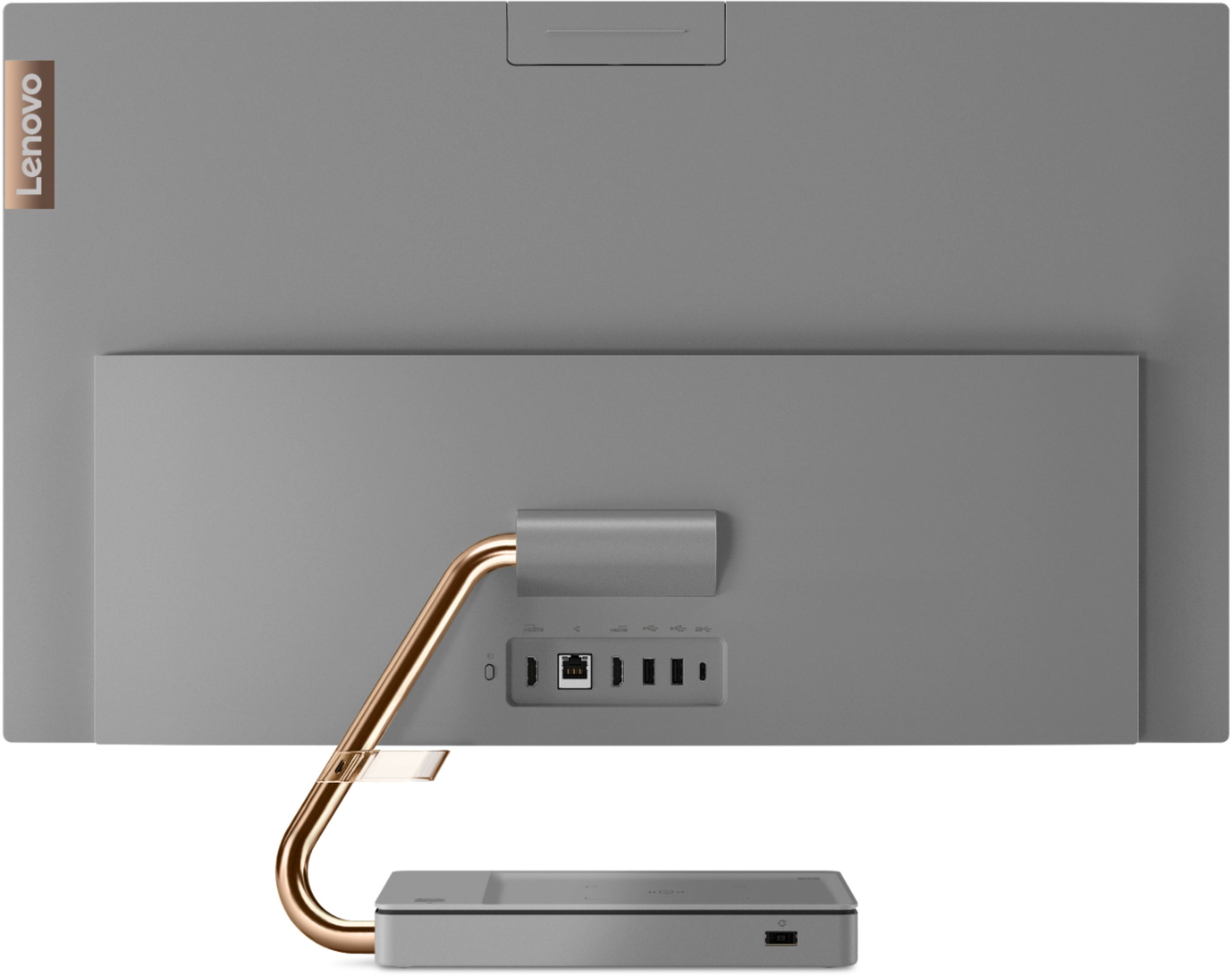
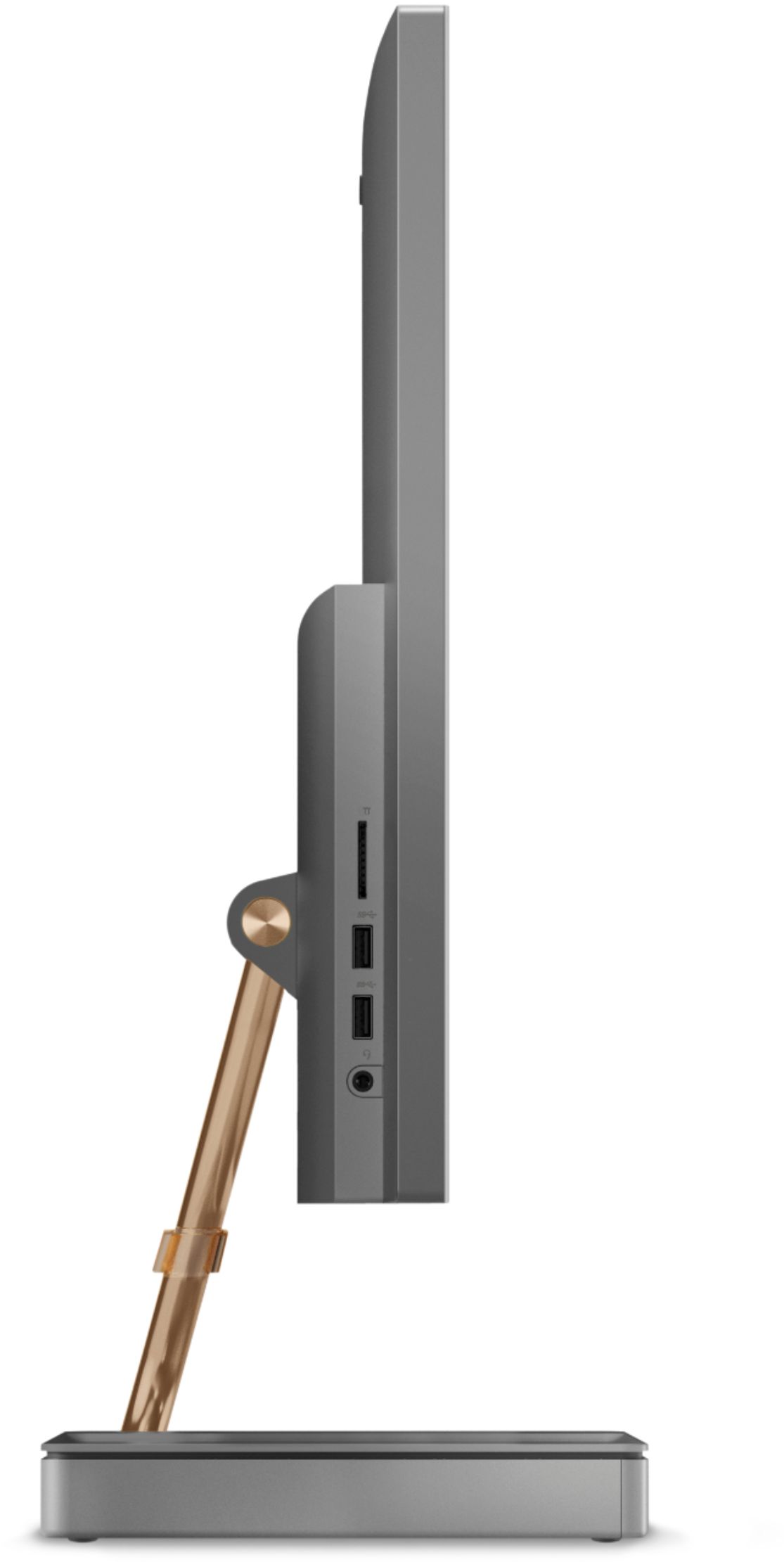
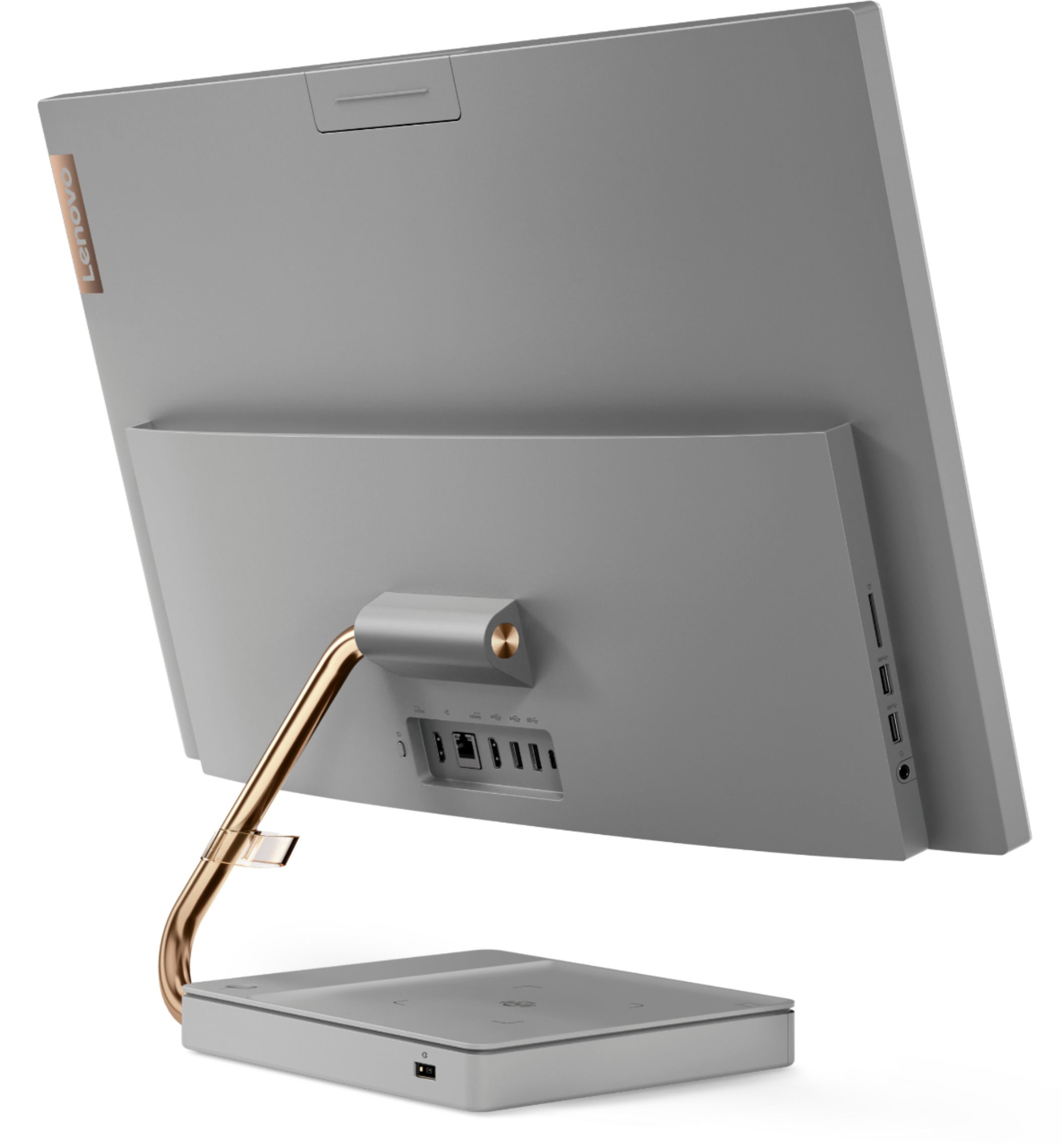
Posted .Thank you for choosing the Lenovo IdeaCentre A540-27 All-In-One system, model number F0EK007HUS. This configuration ships with Rear Ports: •1x HDMI-in, •1x USB-C 3.1 Gen 1, •1x HDMI 1.4 out, •1x Ethernet (RJ-45), •2x USB 2.0 and Left Side Ports: •1x headphone / microphone combo jack (3.5mm), •1x card reader, •2x USB 3.1 Gen 2. We are pleased to hear that the features and performance of the IdeaCentre A540-27 AIO meets your computing needs so well.
Nice touchscreen all in one
||Posted .This reviewer received promo considerations or sweepstakes entry for writing a review.For the money this is a good deal with i7, extra RSM, SSD, touchscreen and the base has a built in wireless phone charger!
I would recommend this to a friendBrand response from Lenovo Product Expert
Posted .Thank you for choosing the Lenovo IdeaCentre A540 27 All-In-One system. We are pleased to hear that the features and performance of the IdeaCentre A540 27 AIO meets your computing needs so well.
- Pros mentioned:Ease of use
Lenovo
||Posted . Owned for 1 month when reviewed.This reviewer received promo considerations or sweepstakes entry for writing a review.Great computer. Does everything I need. Lots of options on it to perform the jobs I need to run our small business.
I would recommend this to a friendBrand response from Lenovo Product Expert
Posted .Thank you for choosing the Lenovo IdeaCentre A540 27 All-In-One System for your business. We are pleased to hear that the performance of the IdeaCentre A540 27 AIO meets your business computing needs so well.
- Pros mentioned:Screen size
She’s so pretty for a PC
||Posted . Owned for 3 months when reviewed.This reviewer received promo considerations or sweepstakes entry for writing a review.Love the look and quality of this PC. The screen is big and picture quality is great. Love how sleek it is too.
I would recommend this to a friend - Pros mentioned:Ease of use
Excellent desktop computer
||Posted . Owned for 1 month when reviewed.This reviewer received promo considerations or sweepstakes entry for writing a review.I needed to order a new computer in order to work from home during the pandemic. This model is very easy to set up, is fast and very easy to use.
I would recommend this to a friendBrand response from Lenovo Product Expert
Posted .Once again, thank you for choosing the Lenovo IdeaCentre A540-27 All-In-One system. You can keep your computer running at its best by keeping the Windows 10 Operating System and all supporting BIOS files and drivers up to date. You can easily accomplish this by scanning the computer with the Lenovo Utility software available on this computer. This system has Lenovo utilities installed to help maintain the health of the device and keep the operating system software up to date. Type "Lenovo Vantage" in the Cortana Search window (if Lenovo Vantage is not installed on your device, you can download the APP and install it now). Select Lenovo Vantage from the list. In the window that opens, click on "Health and Support". In the expanded menu, select "Hardware Scan" In the window that opens, select "Run Quick Tests". This will scan your entire system for errors. Follow any directions that may pop up. If the problem continues after this scan, now click on "System Update". First select Windows update from the menu. Scan your system to be sure you have the latest version of Windows 10. Once that scan is complete, select "Additional Updates". This will scan your device to be sure there are no new BIOS/Driver updates needed. Follow any instructions that may pop up. If you ever need additional help with your Lenovo computer, we recommend you call Lenovo Tech Support at: 877-453-6686 for additional help
- Pros mentioned:Speed
Great computer
||Posted . Owned for 1 month when reviewed.This reviewer received promo considerations or sweepstakes entry for writing a review.Amazing .. fast.. responsive… I thought it would come with windows 11 but had to update to it. Great computer
I would recommend this to a friendBrand response from Lenovo Product Expert
Posted .Thank you for choosing the Lenovo IdeaCentre A540 27 All-In-One System. We are pleased to hear that the IdeaCentre A540 27 AIO is working out so well for you.