Customer Ratings & Reviews
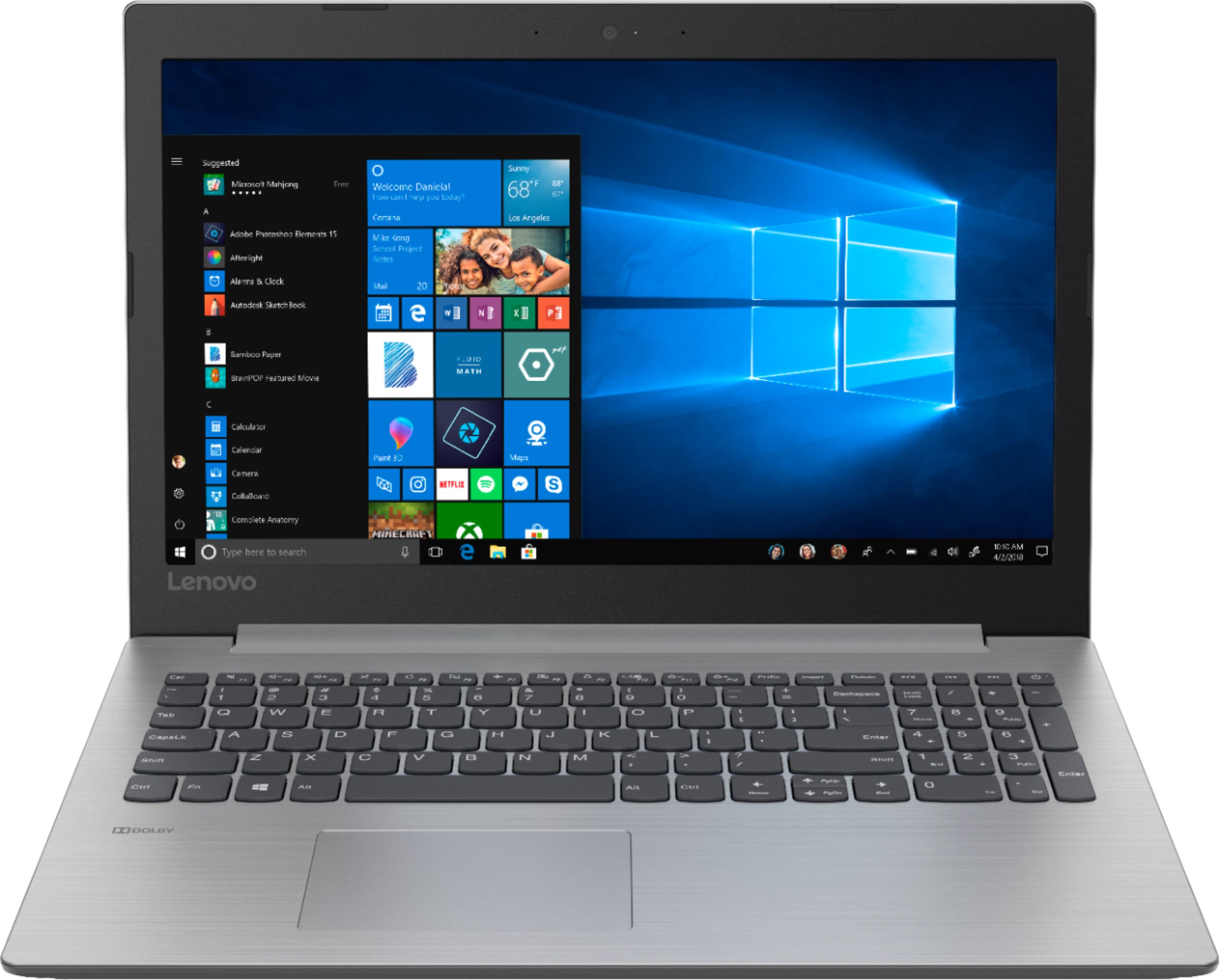
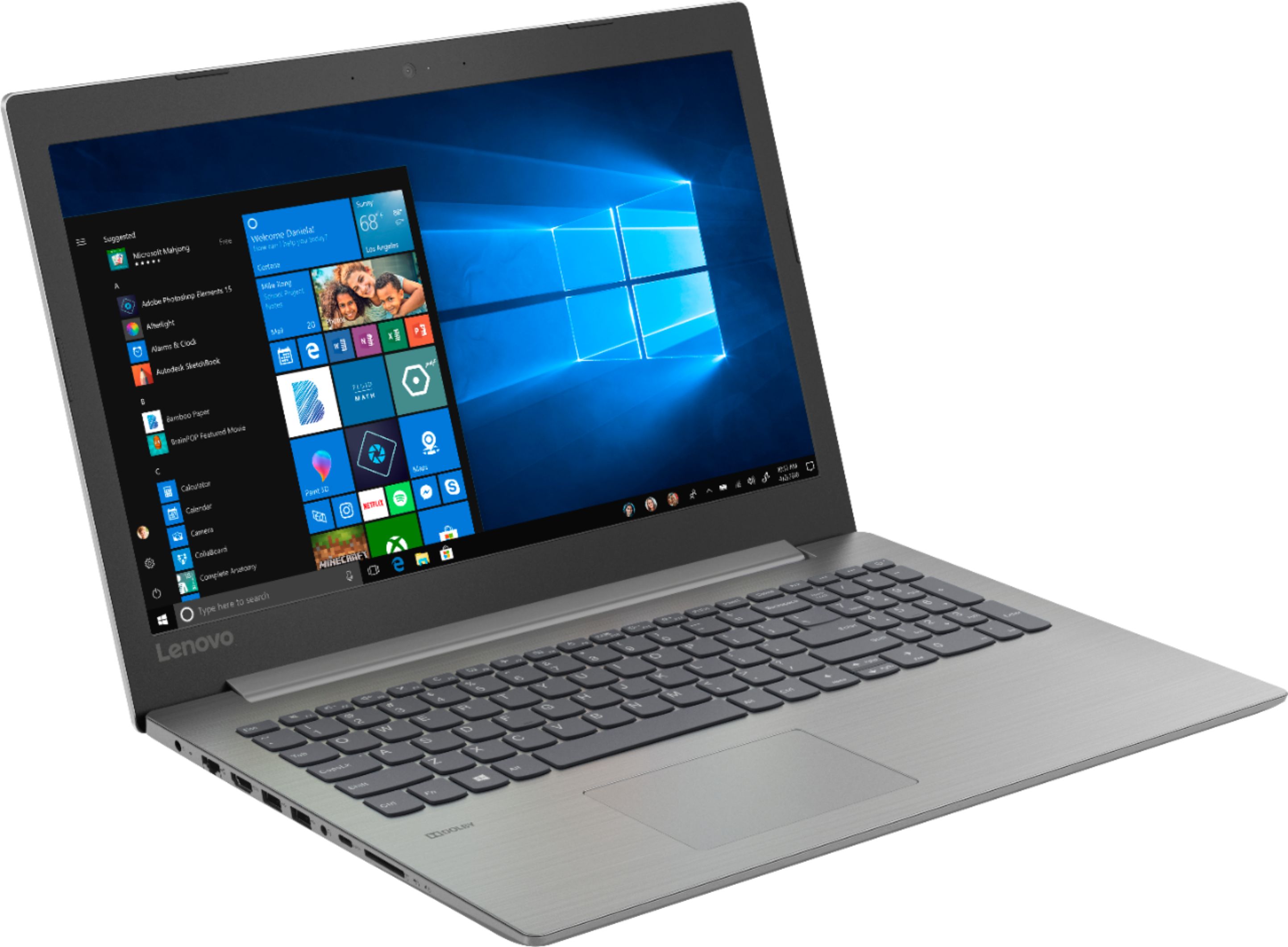
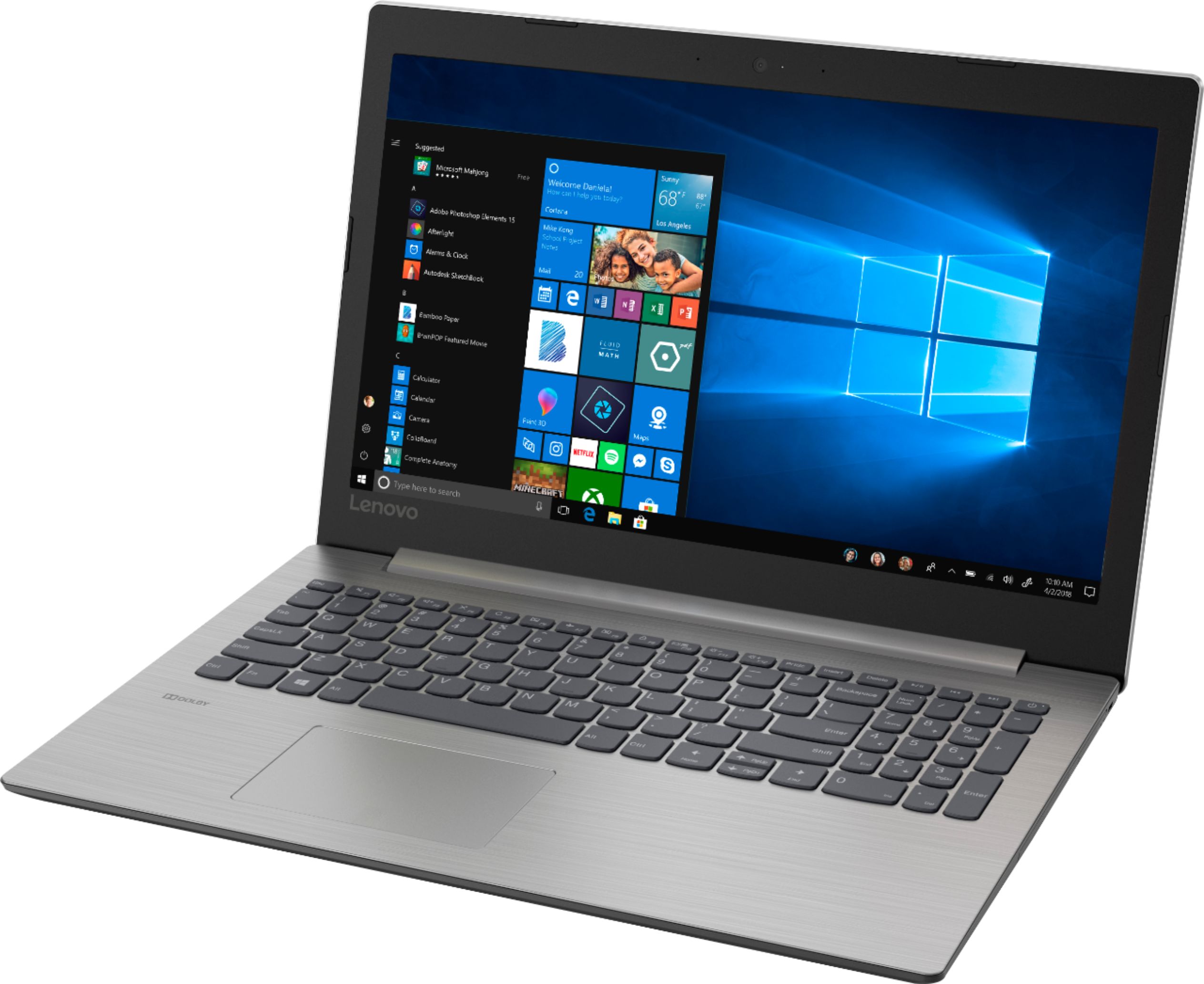
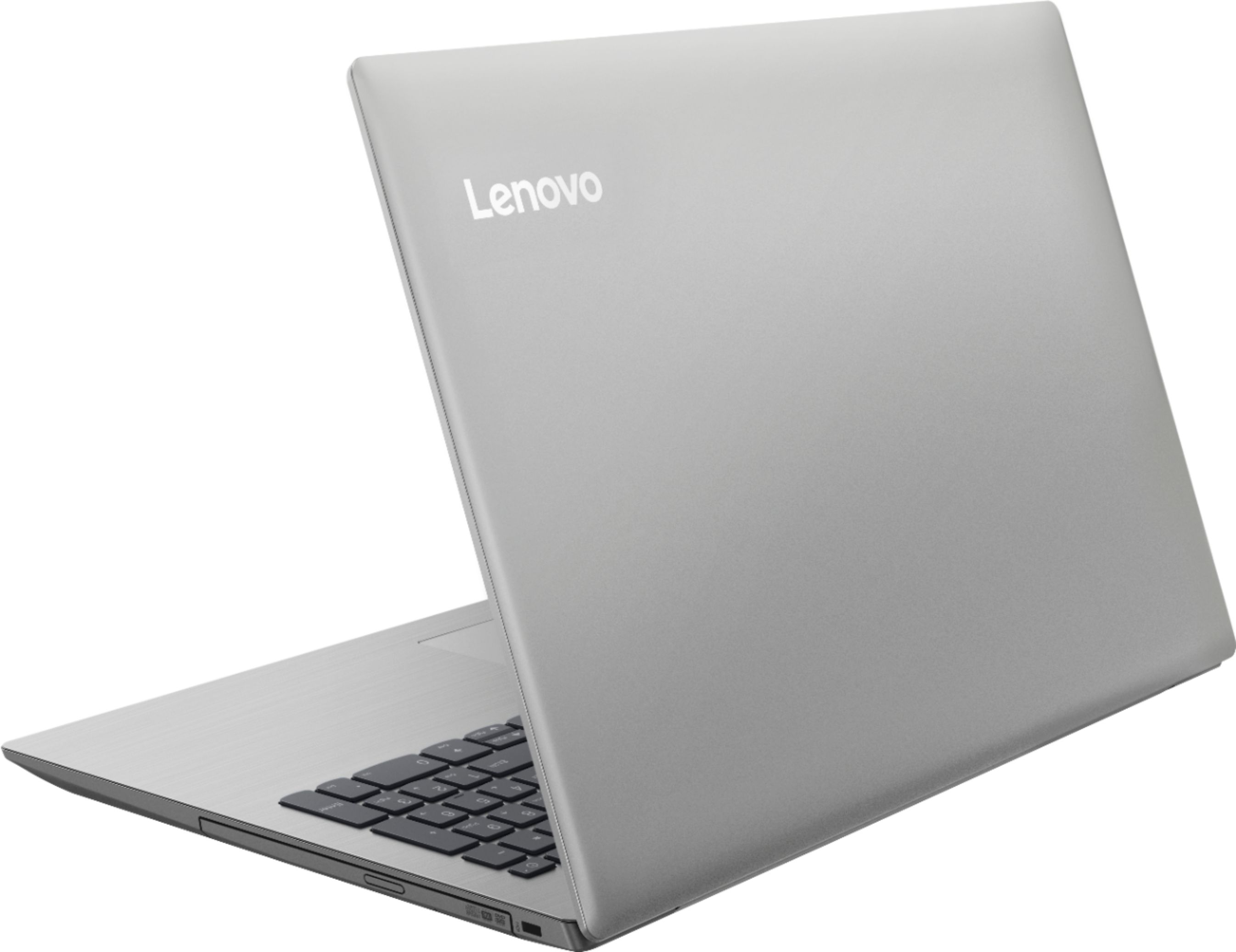





- Model:
- 81D100EDUS
- SKU:
- 6291888
Rating by feature
- Battery Life
Rating 4.2 out of 5 stars
- Speed
Rating 3.6 out of 5 stars
- Display
Rating 4.4 out of 5 stars
Customers are saying
Customers enjoy the IdeaPad 330 15.6" Laptop for its budget-friendly price, user-friendly interface, and adequate storage space. However, some users have expressed concerns about its slow performance, particularly during startup, as well as occasional freezing and crashing issues.
This summary was generated by AI based on customer reviews.
BEST ease of use laptop
||Posted . Owned for 1 year when reviewed.This reviewer received promo considerations or sweepstakes entry for writing a review.Best utilitarian laptop for ZOOM, word processing, etc.
I would recommend this to a friend- Cons mentioned:Slow
slow
||Posted .This reviewer received promo considerations or sweepstakes entry for writing a review.This computer is so slow and shuts off too soon, I do not recommend this to anyone on earth
No, I would not recommend this to a friendBrand response from Lenovo Product Expert
Posted .This system should not shut down by itself. Be sure any software you installed is compatible with Windows 10. There is no need to install Microsoft Office software. The software is already part of the operating system, you just need to activate the software with a purchased product key. If you have installed a copy of Microsoft Office, this is conflicting with the existing copy on the system and this will slow your system down. If you have installed a 3rd party anti-virus program, be sure that Windows Defender is turned off and that the trial version of McAfee Anti-Virus software is uninstalled. There can only be one anti-virus program on the system. You may need to restore your system to original factory default settings if any of the programing errors have occurred. You can do that by typing "restore" in the Cortana search window. Just click on the magnifying glass icon at the bottom left of your Windows 10 Desktop. Click on "Reset This PC" Then click on "Get Started" and follow the on screen directions to restore to factory defaults. If the problem persists, we recommend you contact Lenovo Tech Support at: 877-453-6686.

Is at great gift to anybody
||Posted .This reviewer received promo considerations or sweepstakes entry for writing a review.I buy this amazing looptop for my wife and she is in love with the good work the do for her
I would recommend this to a friendBrand response from Lenovo Product Expert
Posted .Thank you for choosing the lenovo IdeaPad 330-15 laptop for your wife. This is an entry level, light use system with its Intel Pentium processor. It is not meant for multi-tasking or demanding programs. It is good for Microsoft Office and light internet browsing. If this describes your computing needs, the IdeaPad 330-15 would be a good choice.
Laptop
||Posted . Owned for more than 2 years when reviewed.This reviewer received promo considerations or sweepstakes entry for writing a review.Great product. Great for virtual schooling. Awesome price match
I would recommend this to a friendLove it
||Posted .This reviewer received promo considerations or sweepstakes entry for writing a review.Very good quality and I use it for lots of different reasons and school is the main reason
I would recommend this to a friendBrand response from Lenovo Product Expert
Posted .Thank you for choosing the lenovo IdeaPad 330-15 laptop. We are pleased to hear that the IdeaPad 330-15 meets your computing needs so well. This is an entry level, light use system with its Intel Pentium processor. It is not meant for multi-tasking or demanding programs. It is good for Microsoft Office and light internet browsing. If this describes your computing needs, the IdeaPad 330-15 would be a good choice.
- Cons mentioned:Slow
Slow
||Posted .This reviewer received promo considerations or sweepstakes entry for writing a review.This was too slow to even use. I suggest paying more and getting something more useful.
No, I would not recommend this to a friendBrand response from Lenovo Product Expert
Posted .This is an entry level, light use system with its Intel Pentium processor. It is not meant for multi-tasking or demanding programs. It is good for Microsoft Office and light internet browsing. This system will boot from off to the Windows 10 desktop in less than 40 seconds. If you are experiencing slower performance, be sure any software you installed is compatible with Windows 10. There is no need to install Microsoft Office software. The software is already part of the operating system, you just need to activate the software with a purchased product key. If you have installed a copy of Microsoft Office, this is conflicting with the existing copy on the system and this will slow your system down. If you have installed a 3rd party anti-virus program, be sure that Windows Defender is turned off and that the trial version of McAfee Anti-Virus software is uninstalled. There can only be one anti-virus program on the system. You may need to restore your system to original factory default settings if any of the programing errors have occurred. You can do that by typing "restore" in the Cortana search window. Just click on the magnifying glass icon at the bottom left of your Windows 10 Desktop. Click on "Reset This PC" Then click on "Get Started" and follow the on screen directions to restore to factory defaults. If the problem persists, we recommend you contact Lenovo Tech Support at: 877-453-6686. For 2018, Lenovo retained its place for a second year as the best laptop vendor:
https://www.laptopmag.com/articles/laptop-brand-ratings
Easy setup
||Posted . Owned for more than 2 years when reviewed.This reviewer received promo considerations or sweepstakes entry for writing a review.Did what client needed it for. Simple to use and navigate thru.
I would recommend this to a friendLaptop Use
||Posted .This reviewer received promo considerations or sweepstakes entry for writing a review.The laptop is easy to use. It has a good battery and lots of memory. The body is sturdy.
I would recommend this to a friendBrand response from Lenovo Product Expert
Posted .Thank you for choosing the Lenovo IdeaPad 330-15 laptop. This model ships with a 2CELL 30WH, Lithium Polymer battery, with a battery life of up to 5 hours, depending on the work that the device is performing. The Lenovo IdeaPad 330-15 laptop is an entry level, light use system with its Intel Pentium processor. It is not meant for multi-tasking or demanding programs. It is good for Microsoft Office and light internet browsing. If this describes your computing needs, the IdeaPad 330-15 would be a good choice.
Great value.
||Posted .This reviewer received promo considerations or sweepstakes entry for writing a review.Great computer for the money, works great. I would recommend this computer for students.
I would recommend this to a friendBrand response from Lenovo Product Expert
Posted .Thank you for choosing the lenovo IdeaPad 330-15 laptop. We are pleased to hear that the value and performance of the IdeaPad 330-15 meets your computing needs so well. This is an entry level, light use system with its Intel Pentium processor. It is not meant for multi-tasking or demanding programs. It is good for Microsoft Office and light internet browsing. If this describes your computing needs, the IdeaPad 330-15 would be a good choice.
Nice laptop
||Posted .This reviewer received promo considerations or sweepstakes entry for writing a review.This is my second Lenovo laptop and so far it has been great. The display is excellent.
I would recommend this to a friendBrand response from Lenovo Product Expert
Posted .Thank you for choosing the lenovo IdeaPad 330-15 laptop. This is an entry level, light use system with its Intel Pentium processor. It is not meant for multi-tasking or demanding programs. It is good for Microsoft Office and light internet browsing. If this describes your computing needs, the IdeaPad 330-15 would be a good choice.
great laptop
||Posted . Owned for 1.5 years when reviewed.This reviewer received promo considerations or sweepstakes entry for writing a review.great laptop very useful I will buy more when they onsite again
I would recommend this to a friendCheap and Efficient
||Posted .This reviewer received promo considerations or sweepstakes entry for writing a review.If your looking for a computer that is cheap with basic functionality this one works
I would recommend this to a friendBrand response from Lenovo Product Expert
Posted .The Lenovo IdeaPad 330-15 laptop is an entry level, light use system with its Intel Pentium processor. It is not meant for multi-tasking or demanding programs. It is good for Microsoft Office and light internet browsing. If this describes your computing needs, the IdeaPad 330-15 would be a good choice. For 2018, Lenovo retained its place for a second year as the best laptop vendor:
https://www.laptopmag.com/articles/laptop-brand-ratings
Great Laptop
||Posted .This reviewer received promo considerations or sweepstakes entry for writing a review.Second Lenovo I’ve bought and love it, does the job
I would recommend this to a friendBrand response from Lenovo Product Expert
Posted .Thank you for choosing the Lenovo IdeaPad 330-15 laptop. This is an entry level, light use system with its Intel Pentium processor. It is not meant for multi-tasking or demanding programs. It is good for Microsoft Office and light internet browsing. If this describes your computing needs, the IdeaPad 330-15 would be a good choice.
Good value
||Posted .This reviewer received promo considerations or sweepstakes entry for writing a review.I bought it for work and don't really play games on it. It gets the job done quickly.
I would recommend this to a friendBrand response from Lenovo Product Expert
Posted .Thank you for choosing the Lenovo IdeaPad 330-15 laptop. This is an entry level, light use system with its Intel Pentium processor. It is not meant for multi-tasking or demanding programs. It is good for Microsoft Office and light internet browsing. If this describes your computing needs, the IdeaPad 330-15 would be a good choice.
Replacement laptop
||Posted .This reviewer received promo considerations or sweepstakes entry for writing a review.Works great. Was glad it had a Cd rom to be able to watch movies and download music.
I would recommend this to a friendBrand response from Lenovo Product Expert
Posted .Thank you for choosing the lenovo IdeaPad 330-15 laptop. This is an entry level, light use system with its Intel Pentium processor. It is not meant for multi-tasking or demanding programs. It is good for Microsoft Office and light internet browsing. If this describes your computing needs, the IdeaPad 330-15 would be a good choice. This model number 81D100EDUS does ship with a CD/DVD-RW drive built in. To play commercial music CDs and movie DVDs, you will need to add 3rd party Media Player Software because Windows 10 Home does not come with Media Player software preloaded.
Impressed
||Posted .This reviewer received promo considerations or sweepstakes entry for writing a review.I love my new laptop. Very sleek and good quality. Working nice so far. Day 1 success
I would recommend this to a friendBrand response from Lenovo Product Expert
Posted .Thank you for choosing the Lenovo IdeaPad 330-15. We are pleased to hear that the features and performance of the IdeaPad 330-15 meets your computing needs so well. This is an entry level, light use system with its Intel Pentium processor. It is not meant for multi-tasking or demanding programs. It is good for Microsoft Office and light internet browsing. If this describes your computing needs, the IdeaPad 330-15 would be a good choice.
I love it
||Posted . Owned for 1 year when reviewed.This reviewer received promo considerations or sweepstakes entry for writing a review.Got this laptop from bestbuy when my Macbook was acting up,it saved me
I would recommend this to a friendLove it nice and Lightweight
||Posted . Owned for 8 months when reviewed.This reviewer received promo considerations or sweepstakes entry for writing a review.I like how flexible it is .thank you great buy Easy to navigate through it
I would recommend this to a friendBrand response from Lenovo Product Expert
Posted .Thank you for choosing the Lenovo IdeaPad 330-15 laptop. This is an entry level, light use system with its Intel Pentium processor. It is not meant for multi-tasking or demanding programs. It is good for Microsoft Office and light internet browsing. This model ships with Windows 10 S-Mode Operating System. Windows 10 S-Mode provides added security by only allowing APPs available ( and therefore certified by Microsoft) at the Microsoft Store. If you don't need the added security or you need to install APPs not available at the Microsoft Store, you can switch to standard Windows 10 Home 64-bit Operating System, at no additional cost.
Like Dell
||Posted .This reviewer received promo considerations or sweepstakes entry for writing a review.Brought this for my husband as a Valentine’s gift he loves it and uses it nonstop
I would recommend this to a friendBrand response from Lenovo Product Expert
Posted .Thank you for choosing the Lenovo IdeaPad 330-15 laptop for your husband. This is an entry level, light use system with its Intel Pentium processor. It is not meant for multi-tasking or demanding programs. It is good for Microsoft Office and light internet browsing. If this describes your computing needs, the IdeaPad 330-15 would be a good choice.
Excellent PC
||Posted .This reviewer received promo considerations or sweepstakes entry for writing a review.Excellent PC! It is fast and easy to use, setting it up does not take very long.
I would recommend this to a friendBrand response from Lenovo Product Expert
Posted .Thank you for choosing the Lenovo IdeaPad 330-15 laptop. This is an entry level, light use system with its Intel Pentium processor. It is not meant for multi-tasking or demanding programs. It is good for Microsoft Office and light internet browsing. If this describes your computing needs, the IdeaPad 330-15 would be a good choice.