Customer Ratings & Reviews
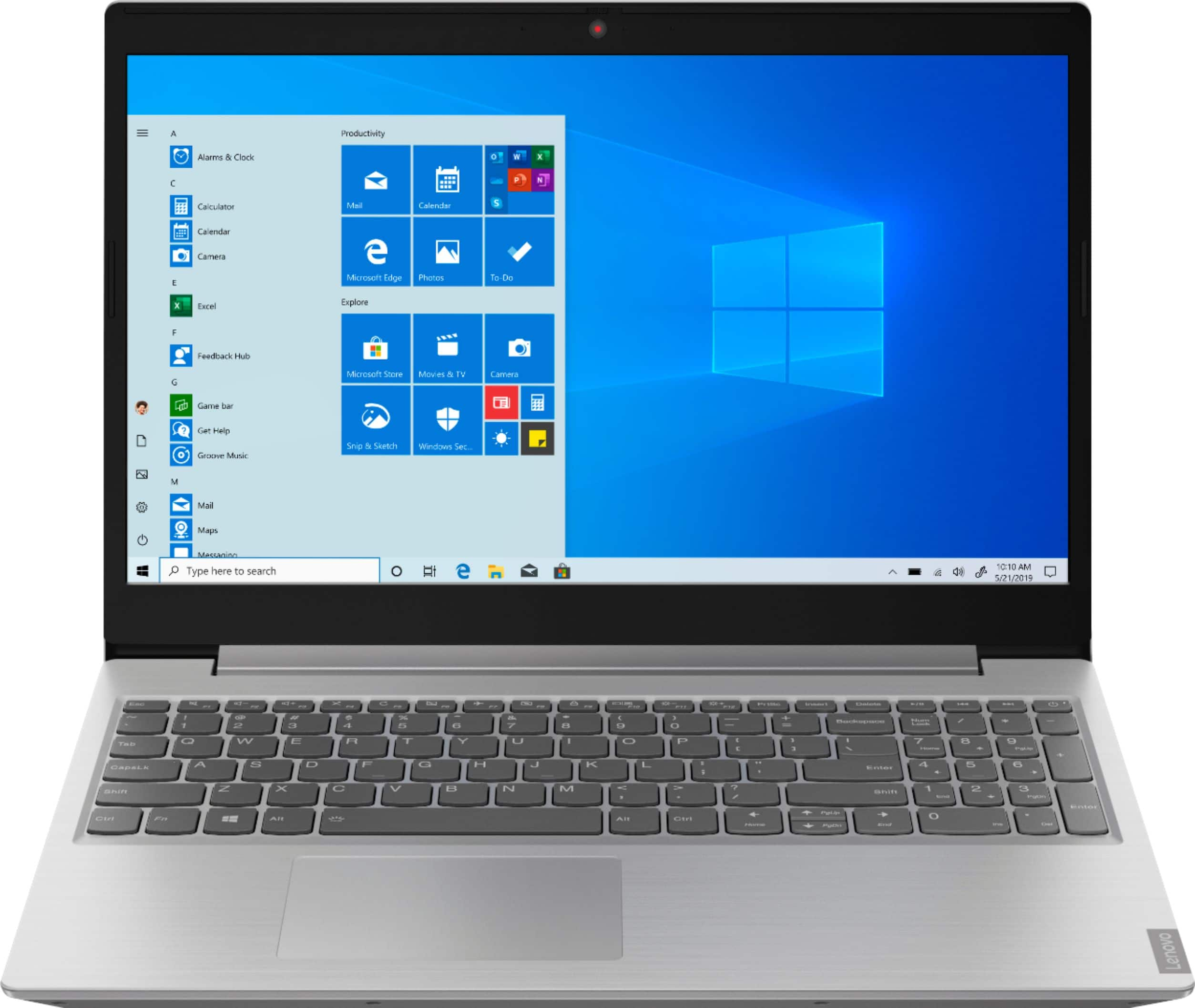
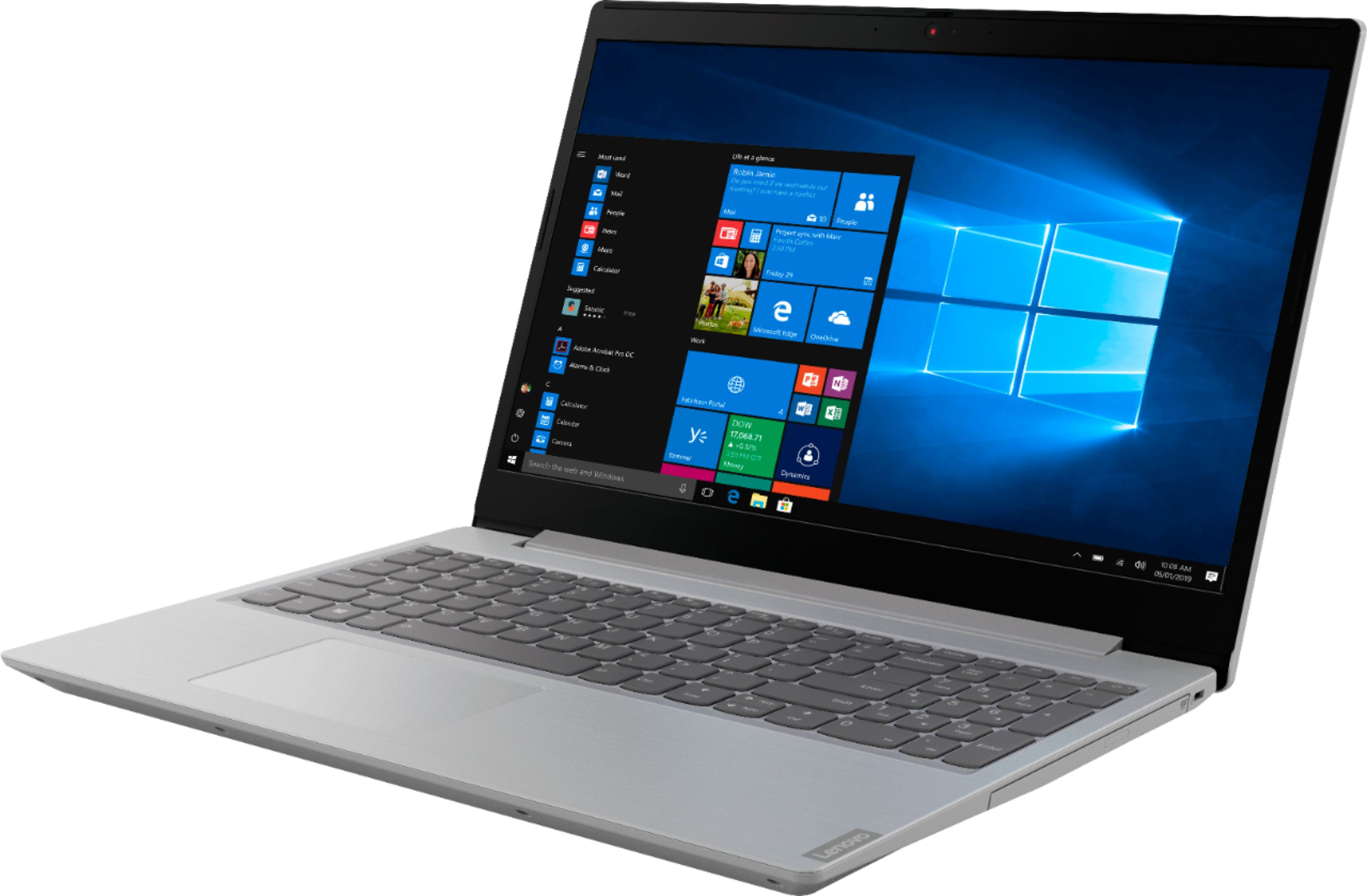
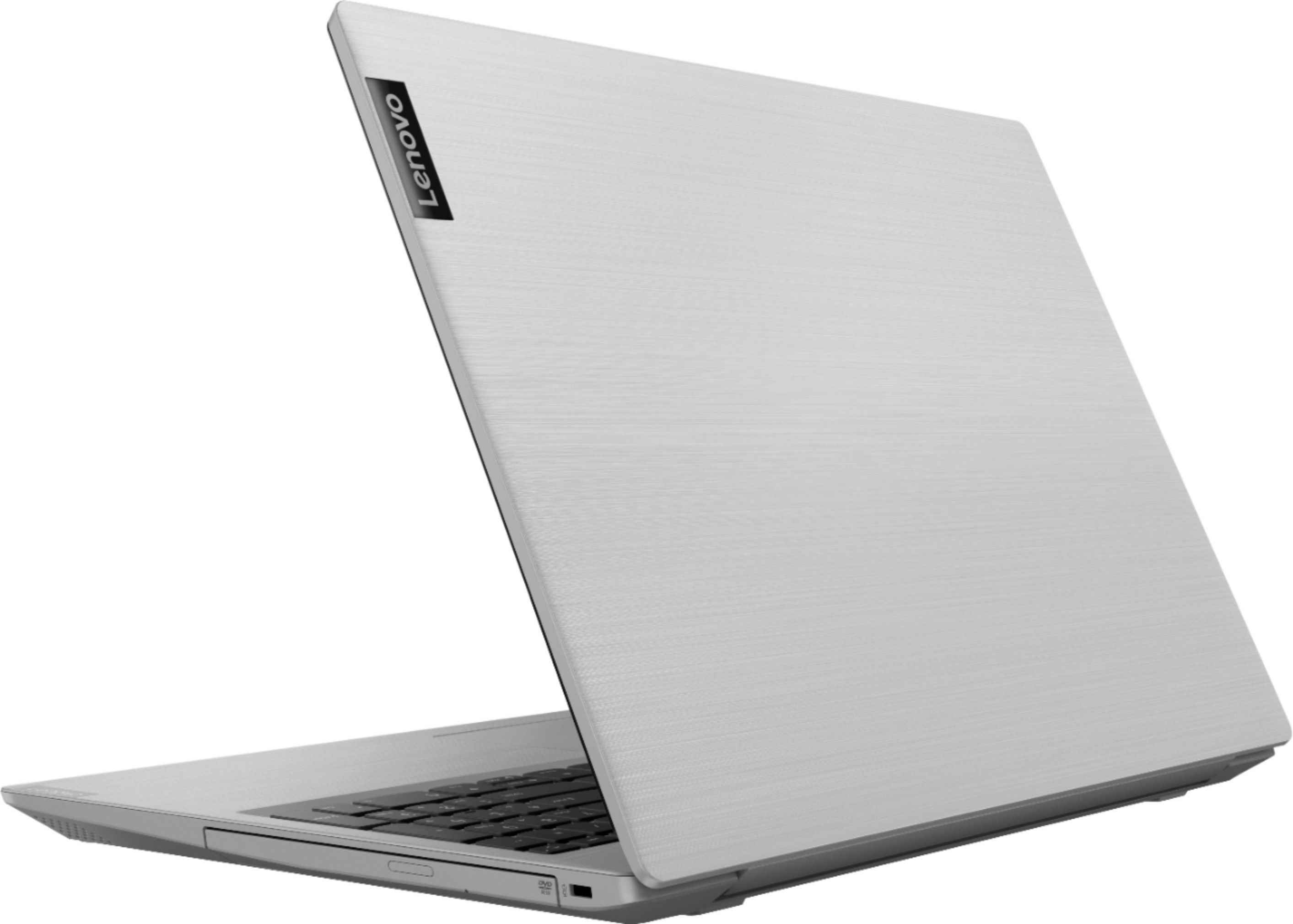
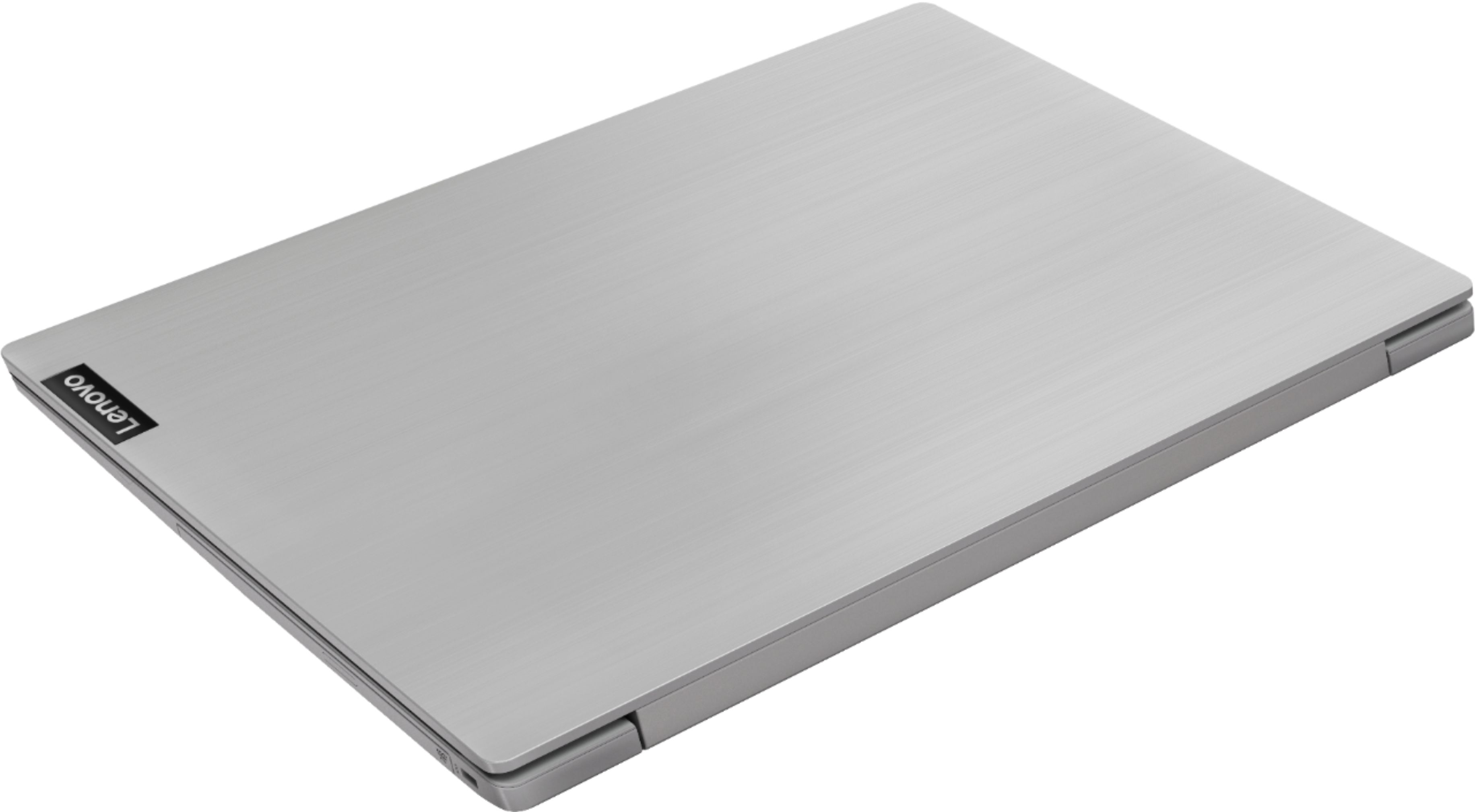


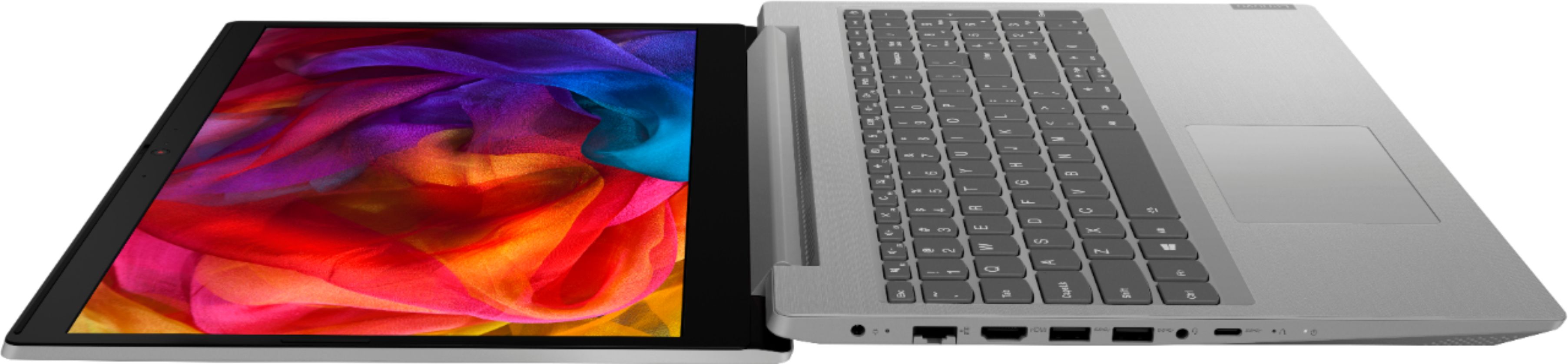
- Model:
- 81LW005PUS
- SKU:
- 6350522
Rating by feature
- Battery Life
Rating 4.0 out of 5 stars
- Speed
Rating 3.5 out of 5 stars
- Display
Rating 4.1 out of 5 stars
Customers are saying
Customers are satisfied with the price, storage, ease of use, gaming capabilities, memory, lightweight design, and performance of the L340-15API 15.6" Laptop. However, they have concerns about its slow speed, battery life, touchpad, and multitasking capabilities.
This summary was generated by AI based on customer reviews.
- Cons mentioned:Slow
not impressed
||Posted .This reviewer received promo considerations or sweepstakes entry for writing a review.super slow, even though the specs indicate it should work fine for office work. will not buy again.
No, I would not recommend this to a friendBrand response from Lenovo Product Expert
Posted .The Lenovo IdeaPad L340-15 laptop is a mid-level, moderate use configuration, with its AMD Ryzen 3 3200U processor. This Dual-Core processor has a base speed of 2.6GHz and a boost speed of up to 3.5GHz. This configuration has 8GB of DDR4-2400MHz RAM. It is good with Microsoft Office type programs, internet browsing and other moderate work. If you are getting slower than expected performance, be sure any software you installed is compatible with Windows 10. There is no need to install Microsoft Office software. The software is already part of the operating system, you just need to activate the software with a purchased product key. If you have installed a copy of Microsoft Office, this is conflicting with the existing copy on the system and this will slow your system down. If you have installed a 3rd party anti-virus program, be sure that Windows Defender is turned off and that the trial version of McAfee Anti-Virus software is uninstalled. There can only be one anti-virus program on the system. You may need to restore your system to original factory default settings if any of the programing errors have occurred. You can do that by typing "restore" in the Cortana search window. Just click on the magnifying glass icon at the bottom left of your Windows 10 Desktop. Click on "Reset This PC" Then click on "Get Started" and follow the on screen directions to restore to factory defaults. If the problem persists, we recommend you contact Lenovo Tech Support at: 877-453-6686.

Economical Laptop for light use.
||Posted . Owned for 9 months when reviewed.This reviewer received promo considerations or sweepstakes entry for writing a review.We had an issue with the charger/battery. Both were replaced and it is now working fine. Would be nice to have more power.
No, I would not recommend this to a friend- Cons mentioned:Slow
simple laptop
||Posted . Owned for 1 month when reviewed.This reviewer received promo considerations or sweepstakes entry for writing a review.is slow machine and is not much easy to use but is fore not heavy work just fore simpel use
No, I would not recommend this to a friendBrand response from Lenovo Product Expert
Posted .The Lenovo IdeaPad L340-15 laptop, model number 81LW005PUS, is a mid-level, moderate use configuration, with its AMD Ryzen 3 3200U processor. This Dual-Core processor has a base speed of 2.6GHz and a boost speed of up to 3.5GHz. This configuration has 8GB of DDR4-2400MHz RAM. It is good with Microsoft Office type programs, internet browsing and other moderate work. This model ships with Windows 10 S-Mode Operating System. Windows 10 S-Mode provides added security by only allowing APPs available ( and therefore certified by Microsoft) at the Microsoft Store. If you don't need the added security or you need to install APPs not available at the Microsoft Store, you can switch to standard Windows 10 Home 64-bit Operating System, at no additional cost. If you have switched out of S-Mode, be sure any software you installed is compatible with Windows 10. There is no need to install Microsoft Office software. The software is already part of the operating system, you just need to activate the software with a purchased product key. If you have installed a copy of Microsoft Office, this is conflicting with the existing copy on the system and this will slow your system down. If you have installed a 3rd party anti-virus program, be sure that Windows Defender is turned off and that the trial version of McAfee Anti-Virus software is uninstalled. There can only be one anti-virus program on the system. You may need to restore your system to original factory default settings if any of the programming errors have occurred. You can do that by typing "restore" in the Cortana search window. Just click on the magnifying glass icon at the bottom left of your Windows 10 Desktop. Click on "Reset This PC" Then click on "Get Started" and follow the on screen directions to restore to factory defaults. If the problem persists, we recommend you contact Lenovo Tech Support at: 877-453-6686.
Seems like it would be good
||Posted .This reviewer received promo considerations or sweepstakes entry for writing a review.When I got the laptop I let it charge for a bit and when I finally turned it on, the screen wouldn’t turn on and it was just black
No, I would not recommend this to a friendBrand response from Lenovo Product Expert
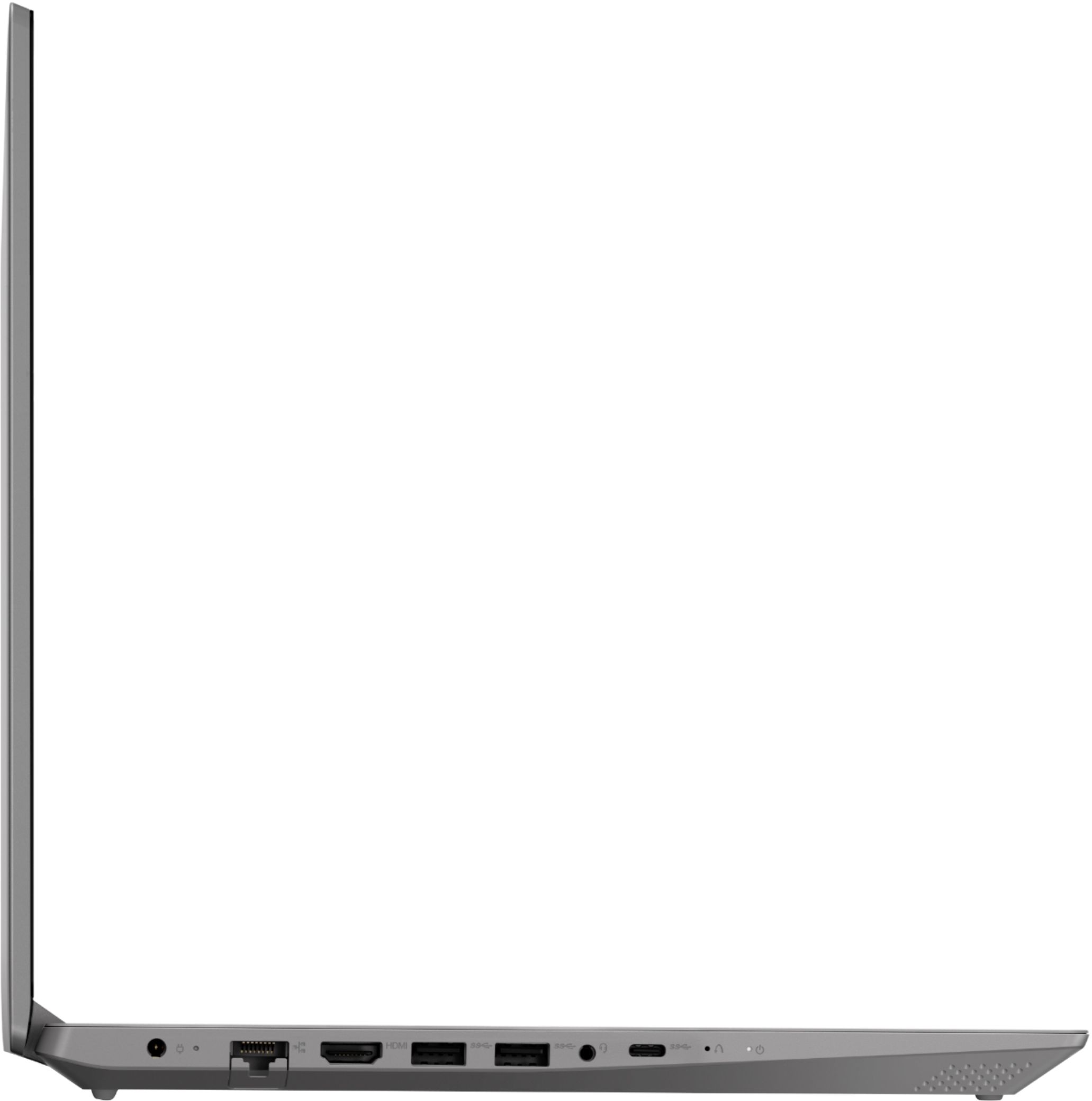
Posted .We are sorry to hear that you are having issues with your Lenovo IdeaPad L340-15 laptop. It is possible that resetting the computer back to original factory settings may correct the problem. Since you can not properly boot the computer, this system is equipped with OneKey Recovery System. There is a very small pin hole on the left side of the device, right near the USB-c port on the device. You will need a pin to push this reset button. Plug the device in. Let the battery charge for about 15 minutes. Push the reset button. The system should boot to a choice screen where you can choose "Restore To Factory Default". Select this. It will delete everything from the hard drive except the original factory install of the operating system. You will need to reinstall all programs and files after the reset. If you don't have copies of the files, try to make one before you restore by selecting "Boot to desktop" and trying to back up your files. Once you have reset the computer back to original factory settings, be sure any software you installed is compatible with Windows 10. There is no need to install Microsoft Office software. The software is already part of the operating system, you just need to activate the software with a purchased product key. If you have installed a copy of Microsoft Office, this is conflicting with the existing copy on the system and this will slow your system down. If you have installed a 3rd party anti-virus program, be sure that Windows Defender is turned off and that the trial version of McAfee Anti-Virus software is uninstalled. There can only be one anti-virus program on the system. You may need to restore your system to original factory default settings if any of the programing errors have occurred. You can do that by typing "restore" in the Cortana search window. Just click on the magnifying glass icon at the bottom left of your Windows 10 Desktop. Click on "Reset This PC" Then click on "Get Started" and follow the on screen directions to restore to factory defaults. If the problem persists, we recommend you contact Lenovo Tech Support at: 877-453-6686
Jfdmd
||Posted .This reviewer received promo considerations or sweepstakes entry for writing a review.Difficult to find compatible charger otherwise does the work Usage limited to browsing the internet
I would recommend this to a friendI didn’t like it
||Posted . Owned for 2 months when reviewed.This reviewer received promo considerations or sweepstakes entry for writing a review.Plastic, plastic everywhere, the screen doesn’t get too bright, you get that fragile sensation, don’t feel premium
No, I would not recommend this to a friendBrand response from Lenovo Product Expert
Posted .The Lenovo IdeaPad L340-15 laptop is a mid-level, moderate use configuration, with its AMD Ryzen 3 3200U processor. This Dual-Core processor has a base speed of 2.6GHz and a boost speed of up to 3.5GHz. This configuration has 8GB of DDR4-2400MHz RAM. It is good with Microsoft Office type programs, internet browsing and other moderate work. This model ships with Windows 10 S-Mode Operating System. Windows 10 S-Mode provides added security by only allowing APPs available ( and therefore certified by Microsoft) at the Microsoft Store. If you don't need the added security or you need to install APPs not available at the Microsoft Store, you can switch to standard Windows 10 Home 64-bit Operating System, at no additional cost.
Pray you don't have any issues
||Posted . Owned for 4 months when reviewed.This reviewer received promo considerations or sweepstakes entry for writing a review.Purchased this computer for my wife for Christmas 2019. She is a light computer user, so thought this would be a good machine for her. It wasn't very fast and with the Windows 10S it didn't support Zoom calls, which became important after COVID-19 hit. In late March 2020 (about 4 months after purchase, 3 months after she started using the computer) it began to freeze. When it froze all you could do was power it down using the power button (no ctrl+alt+delete). After powering it back it would for 2-3 minutes then freeze again. Dealing with their customer service/warrant group is a total joke. They offer zero support, don't send any RMA packaging to return the product for warranty review, require you pay for shipping, and say you will lose everything on the machine after you send it. If I had it to do over again I would have spent a little more money and purchased a Dell or HP product. This will absolutely be my last Lenovo. I hope this review saves someone from this total frustration and pain in the neck.
No, I would not recommend this to a friendBrand response from Lenovo Product Expert
Posted .We are sorry to hear that you are having issues with your Lenovo IdeaPad L340-15 laptop. It sounds like there is incompatible software installed on the computer. Be sure any software you installed is compatible with Windows 10. There is no need to install Microsoft Office software. The software is already part of the operating system, you just need to activate the software with a purchased product key. If you have installed a copy of Microsoft Office, this is conflicting with the existing copy on the system and this will slow your system down. If you have installed a 3rd party anti-virus program, be sure that Windows Defender is turned off and that the trial version of McAfee Anti-Virus software is uninstalled. There can only be one anti-virus program on the system. You may need to restore your system to original factory default settings if any of the programming errors have occurred. This will delete any programs you have installed and restore the computer back to the original factory installation. Since you can not boot the computer, this system is equipped with OneKey Recovery System. There is a very small pin hole on the left side of the device, right near the USB-c port on the device. You will need a pin to push this reset button. Plug the device in. Let the battery charge for about 15 minutes. Push the reset button. The system should boot to a choice screen where you can choose "Restore To Factory Default". Select this. It will delete everything from the hard drive except the original factory install of the operating system. You will need to reinstall all programs and files after the reset. If you don't have copies of the files, try to make one before you restore by selecting "Boot to desktop" and trying to back up your files. If the problem persists after the factory reset, we recommend you contact Lenovo Tech Support at: 877-453-6686.
Poor quality laptop
||Posted . Owned for 1 year when reviewed.This reviewer received promo considerations or sweepstakes entry for writing a review.This computer is not worth the money you pay for it. I got it as a gift for someone and within a short time there were wifi and other issues. It went to the shop 3 time for Best Buy before it got fixed and then it still had to have Windows reinstalled on it. This is not a quality product and the tech support for this failed.
No, I would not recommend this to a friendVery slow, locks up, cursor problem
||Posted . Owned for 1 month when reviewed.This reviewer received promo considerations or sweepstakes entry for writing a review.We hate this computer. Not only does it boot up extremely slowly, any change of program gets a long wait. Often. browsers just lock up. (Chrome, Edge). The cursor changes the size of the text at random when moving across screen (1 finger). It will deposit a cursor image on the screen which stays there, but is not the active cursor. Took it to Best Buy on day 16, and nice young lady tried to help, by setting updates to work, but problems continue. I think we gave it a good chance to work,but are now beyond return policy.
No, I would not recommend this to a friendBrand response from Lenovo Product Expert
Posted .We are sorry to hear that you are having issues with your Lenovo IdeaPad L340-15 laptop. From the description you provide of the issues you are experiencing, restoring the computer back to original factory settings. This system is equipped with OneKey Recovery System. There is a very small pin hole on the left side of the device, right near the USB-c port on the device. You will need a pin to push this reset button. Plug the device in. Let the battery charge for about 15 minutes. Push the reset button. The system should boot to a choice screen where you can choose "Restore To Factory Default". Select this. It will delete everything from the hard drive except the original factory install of the operating system. You will need to reinstall all programs and files after the reset. If you don't have copies of the files, try to make one before you restore by selecting "Boot to desktop" and trying to back up your files. Once you have the computer restored to original settings, as you start to reinstall your programs, be sure any software you installed is compatible with Windows 10. There is no need to install Microsoft Office software. The software is already part of the operating system, you just need to activate the software with a purchased product key. If you have installed a copy of Microsoft Office, this is conflicting with the existing copy on the system and this will slow your system down. If you have installed a 3rd party anti-virus program, be sure that Windows Defender is turned off and that the trial version of McAfee Anti-Virus software is uninstalled. There can only be one anti-virus program on the system. You may need to restore your system to original factory default settings if any of the programing errors have occurred. You can do that by typing "restore" in the Cortana search window. Just click on the magnifying glass icon at the bottom left of your Windows 10 Desktop. Click on "Reset This PC" Then click on "Get Started" and follow the on screen directions to restore to factory defaults. If the problem persists, we recommend you contact Lenovo Tech Support at: 877-453-6686.
Nothing but problems
||Posted . Owned for 1 year when reviewed.This reviewer received promo considerations or sweepstakes entry for writing a review.We purchased this laptop in October 2020. We have had lots of problems with it: - Much of the 8 GB RAM is consumed for device memory; only 3.8 GB is "usable" after a reboot. - The laptop steadily leaked RAM; the problem was mostly fixed by a BIOS update. - The accuracy of the display colors is poor. - Most importanly, the laptop is no longer usable due to an apparent short in the display. The display often blacks out when the display or the laptop is moved. It usually takes multiple reboots to fix the problem. - I called Lenovo support about the lack of avialable RAM and the memory leak. The support person tried to run a diag program; the diag program ran for over 90 minutes (due to the lack of RAM). Lenovo sent a follow-up message asking if my problems were fixed. I said "no", but Lenovo never responded. Sigh . . .
No, I would not recommend this to a friend- Cons mentioned:Slow
Slowest laptop ever
||Posted . Owned for 1 year when reviewed.This reviewer received promo considerations or sweepstakes entry for writing a review.This thing takes forever to start up, forever to load anything on the internet, basically takes forever to do anything. It wouldn't take much more frustration for me to driver over this thing with my car.
No, I would not recommend this to a friend Laptop
||Posted . Owned for 1 month when reviewed.This reviewer received promo considerations or sweepstakes entry for writing a review.Not want I was hoping for. Setup was not as easy as other I have purchased
No, I would not recommend this to a friendBrand response from Lenovo Product Expert
Posted .The Lenovo IdeaPad L340-15 laptop ships with Windows 10 Operating System. Windows 10 provides step by step audio instructions to activate and setup Windows 10 for the first time. There are also onscreen step by step instructions to guide you the initial setup of your new computer.
lacks power, slow
||Posted . Owned for 10 months when reviewed.This reviewer received promo considerations or sweepstakes entry for writing a review.I needed a cheap replacement computer. I got less than I paid for.
No, I would not recommend this to a friendIt’s ok but slow!
||Posted . Owned for 1 month when reviewed.This reviewer received promo considerations or sweepstakes entry for writing a review.I am used to Apple products. So I think I should have stuck with a Mac.
No, I would not recommend this to a friendBrand response from Lenovo Product Expert
Posted .The Lenovo IdeaPad S145-15 laptop is a mid-level, moderate use configuration, with its AMD Ryzen 3 3200U processor. This Dual-Core processor has a base speed of 2.6GHz and a boost speed of up to 3.5GHz. This configuration has 8GB of DDR4-2400MHz RAM. It is good with Microsoft Office type programs, internet browsing and other moderate work. This model ships with Windows 10 S-Mode Operating System. Windows 10 S-Mode provides added security by only allowing APPs available ( and therefore certified by Microsoft) at the Microsoft Store. If you don't need the added security or you need to install APPs not available at the Microsoft Store, you can switch to standard Windows 10 Home 64-bit Operating System, at no additional cost.
Nothing exceptional
||Posted . Owned for 3 weeks when reviewed.This reviewer received promo considerations or sweepstakes entry for writing a review.compared to my very old computer (Acer) this one is not much faster...
I would recommend this to a friendBrand response from Lenovo Product Expert
Posted .The Lenovo IdeaPad L340-15 laptop, model number 81LW005PUS, is a mid-level, moderate use configuration, with its AMD Ryzen 3 3200U processor. This Dual-Core processor has a base speed of 2.6GHz and a boost speed of up to 3.5GHz. This configuration has 8GB of DDR4-2400MHz RAM. It is good with Microsoft Office type programs, internet browsing and other moderate work. This model ships with Windows 10 S-Mode Operating System. Windows 10 S-Mode provides added security by only allowing APPs available ( and therefore certified by Microsoft) at the Microsoft Store. If you don't need the added security or you need to install APPs not available at the Microsoft Store, you can switch to standard Windows 10 Home 64-bit Operating System, at no additional cost. If you are getting slower than expected performance, be sure any software you installed is compatible with Windows 10. There is no need to install Microsoft Office software. The software is already part of the operating system, you just need to activate the software with a purchased product key. If you have installed a copy of Microsoft Office, this is conflicting with the existing copy on the system and this will slow your system down. If you have installed a 3rd party anti-virus program, be sure that Windows Defender is turned off and that the trial version of McAfee Anti-Virus software is uninstalled. There can only be one anti-virus program on the system. You may need to restore your system to original factory default settings if any of the programming errors have occurred. You can do that by typing "restore" in the Cortana search window. Just click on the magnifying glass icon at the bottom left of your Windows 10 Desktop. Click on "Reset This PC" Then click on "Get Started" and follow the on screen directions to restore to factory defaults. If the problem persists, we recommend you contact Lenovo Tech Support at: 877-453-6686.
Sharp angles and heavy
||Posted . Owned for 1 month when reviewed.This reviewer received promo considerations or sweepstakes entry for writing a review.The laptop is heavy To carry in back packand the angles are sharp.
I would recommend this to a friendBrand response from Lenovo Product Expert
Posted .The Lenovo IdeaPad L340-15 laptop provides a full size, 15.6-inch screen, but still only weighs 4.84 lbs. This is a mid-level, moderate use configuration, with its AMD Ryzen 3 3200U processor. This Dual-Core processor has a base speed of 2.6GHz and a boost speed of up to 3.5GHz. This configuration has 8GB of DDR4-2400MHz RAM. It is good with Microsoft Office type programs, internet browsing and other moderate work. This model ships with Windows 10 S-Mode Operating System. Windows 10 S-Mode provides added security by only allowing APPs available ( and therefore certified by Microsoft) at the Microsoft Store. If you don't need the added security or you need to install APPs not available at the Microsoft Store, you can switch to standard Windows 10 Home 64-bit Operating System, at no additional cost.
Good for the basics
||Posted .This reviewer received promo considerations or sweepstakes entry for writing a review.not bad, everything was about average but i was expect more
No, I would not recommend this to a friendBrand response from Lenovo Product Expert
Posted .The Lenovo IdeaPad L340-15 laptop is a mid-level, moderate use configuration, with its AMD Ryzen 3 3200U processor. This Dual-Core processor has a base speed of 2.6GHz and a boost speed of up to 3.5GHz. This configuration has 8GB of DDR4-2400MHz RAM. It is good with Microsoft Office type programs, internet browsing and other moderate work. This model ships with Windows 10 S-Mode Operating System. Windows 10 S-Mode provides added security by only allowing APPs available ( and therefore certified by Microsoft) at the Microsoft Store. If you don't need the added security or you need to install APPs not available at the Microsoft Store, you can switch to standard Windows 10 Home 64-bit Operating System, at no additional cost.
- Cons mentioned:Slow
Disappointed
||Posted . Owned for 10 months when reviewed.This reviewer received promo considerations or sweepstakes entry for writing a review.I’ve been bombarded with Remote work and haven’t had a chance to review this product but it has been abysmal since I got it. I’m so disappointed cost me $300 and it’s slower then my 9 year old laptop.
No, I would not recommend this to a friend Adequate computer for price
||Posted . Owned for 1 month when reviewed.This reviewer received promo considerations or sweepstakes entry for writing a review.Good value for what it will be used for. Low usage.
I would recommend this to a friendBrand response from Lenovo Product Expert
Posted .The Lenovo IdeaPad L340-15 laptop is a mid-level, moderate use configuration, with its AMD Ryzen 3 3200U processor. This Dual-Core processor has a base speed of 2.6GHz and a boost speed of up to 3.5GHz. This configuration has 8GB of DDR4-2400MHz RAM. It is good with Microsoft Office type programs, internet browsing and other moderate work. This model ships with Windows 10 S-Mode Operating System. Windows 10 S-Mode provides added security by only allowing APPs available ( and therefore certified by Microsoft) at the Microsoft Store. If you don't need the added security or you need to install APPs not available at the Microsoft Store, you can switch to standard Windows 10 Home 64-bit Operating System, at no additional cost.
- Cons mentioned:Slow
Slow,
||Posted . Owned for 3 weeks when reviewed.This reviewer received promo considerations or sweepstakes entry for writing a review.Computer is to slow can open a anything. Already having software issue with Microsoft.
No, I would not recommend this to a friendBrand response from Lenovo Product Expert
Posted .We are sorry to hear that you are having software issues with your Lenovo IdeaPad L340-15 laptop.
Be sure any software you installed is compatible with Windows 10. There is no need to install Microsoft Office software. The software is already part of the operating system, you just need to activate the software with a purchased product key. If you have installed a copy of Microsoft Office, this is conflicting with the existing copy on the system and this will slow your system down. If you have installed a 3rd party anti-virus program, be sure that Windows Defender is turned off and that the trial version of McAfee Anti-Virus software is uninstalled. There can only be one anti-virus program on the system. You may need to restore your system to original factory default settings if any of the programing errors have occurred. You can do that by typing "restore" in the Cortana search window. Just click on the magnifying glass icon at the bottom left of your Windows 10 Desktop. Click on "Reset This PC" Then click on "Get Started" and follow the on screen directions to restore to factory defaults. If the problem persists, we recommend you contact Lenovo Tech Support at: 877-453-6686.