Customer Ratings & Reviews



- Model:
- ZA970030US
- SKU:
- 6470547
Rating by feature
- Value
Rating 4.3 out of 5 stars
- Quality
Rating 4.3 out of 5 stars
- Ease of Use
Rating 4.3 out of 5 stars
Customers are saying
Customers frequently mention the wireless charging and surprisingly good sound quality as top features. The ease of use and the alarm functionality also receive positive feedback. However, some customers express that the screen size could be larger and there are concerns about the battery life and price point for some users.
This summary was generated by AI based on customer reviews.
- Pros mentioned:Alarm
Digital Alarm Clock
||Posted . Owned for 1 month when reviewed.This reviewer received promo considerations or sweepstakes entry for writing a review.I loved this alarm clock, able to set multiple wake up times if I decide to sleep in on the weekend. It also tells you the temperature and weather starting out the morning. After that it also summarized news of the morning. I can also use my Google app on my iPhone to play music and make other adjustments.
I would recommend this to a friendBrand response from Lenovo Product Expert
Posted .Thank you for choosing the Lenovo Smart Clock 2 with Wireless Charging Dock. We are pleased to hear that the features and performance of the Smart Clock 2 with Wireless Charger meets your needs so well.

Good buy
||Posted . Owned for less than 1 week when reviewed.This reviewer received promo considerations or sweepstakes entry for writing a review.Overall happy with it. Especially how much i pay for. The touchscreen is a little sensitive when navigating. Plays Music well. i wish there was more display option! The screen display is decent. Wireless charger works as it should. iphones, ear bud cases, etc. Would buy again
I would recommend this to a friend- Pros mentioned:Wireless charging
Working Wonder
||Posted . Owned for 2 weeks when reviewed.This reviewer received promo considerations or sweepstakes entry for writing a review.Just love the smooth connection with my Google Pixel! Clear and bright clock. Happy to have my phone charge without worrying about overheating with Google compatibly.
I would recommend this to a friend - Pros mentioned:Wireless charging
Lenovo Nest google display
||Posted . Owned for 3 weeks when reviewed.This reviewer received promo considerations or sweepstakes entry for writing a review.Great value and easy setup Displays the time in color, very cool also charges your phone quick
I would recommend this to a friend - Pros mentioned:Ease of use, Sound quality, Wireless chargingCons mentioned:Screen size

Impressed!
|Posted .This reviewer received promo considerations or sweepstakes entry for writing a review.I received this and opened the outer package of this Lenovo - Smart Clock 2, and then I tried to open the box that contained the clock and it was almost as hard as trying to get into Fort Knox! I’m a stickler on packaging, and I think more companies should consider that when they make a product, its a pet peeve of mine, and the reason for the four stars. As far as the clock is concerned, I was instantly impressed! Its lightweight, elegant to look at and has so many features to behold. I followed the included “quick start guide” and had it connected to power and ready to go in less than a minute. It took more time to download the App on my phone than it did to connect to power. The App is well designed and is so helpful. The clock’s display screen isn’t very big and “offensive” as most of the other clocks on the market, but its probably the best display I’ve seen and I have “the do all” competitors brand that doesn’t compete (in my opinion) w/ this Lenovo. Granted, Google is an entirely different system than what I was used to, but with time I will get used to it. I haven’t even scratched the surface of what this clock can do, and trust me, its more than an alarm clock. I love the way you can personalize the screen, I love the volume and how easy it is to set the alarm on the clock. I love how easy it adapts to the Google system. It is an impressive clock. I am really impressed w/ the charging dock, I had just purchased a do all charger (phone, AirPods, watch) and I sent it back when I received this. This charger will do that as well as any I have had. It connects so smoothly that my son has taken it over at this point. If you want a simple to use, simple to setup, simple but powerful alarm clock, this Lenovo Smart Clock 2 is the perfect choice!
I would recommend this to a friendBrand response from Lenovo Product Expert
Posted .Thank you for choosing the Lenovo Smart Clock 2. We are pleased to hear that the features and performance of the Smart Clock 2 meets your needs so well. We package the Smart Clock 2 securely to help prevent damage while shipping.
- Pros mentioned:Ease of use
Great interactive clock
||Posted . Owned for 1 month when reviewed.This reviewer received promo considerations or sweepstakes entry for writing a review.I love it! I love being able to get weather and news so easily. I also love seeing the weather graphics for what the weather is. It is quite user friendly with lots of options.
I would recommend this to a friendBrand response from Lenovo Product Expert
Posted .Thank you for choosing the Lenovo Smart Clock 2 with Wireless Charging Dock. We are pleased to hear that the features and performance of the Smart Clock 2 with Wireless Charger meets your needs so well.
- Pros mentioned:Wireless charging
Wireless charing alarm clock
||Posted . Owned for 1 month when reviewed.This reviewer received promo considerations or sweepstakes entry for writing a review.Wireless charger seems to work great so far and it also pairs up with our other google nest products no problem
I would recommend this to a friend - Pros mentioned:Sound quality, Wireless charging
Great bedroom companion, but lacks streaming video
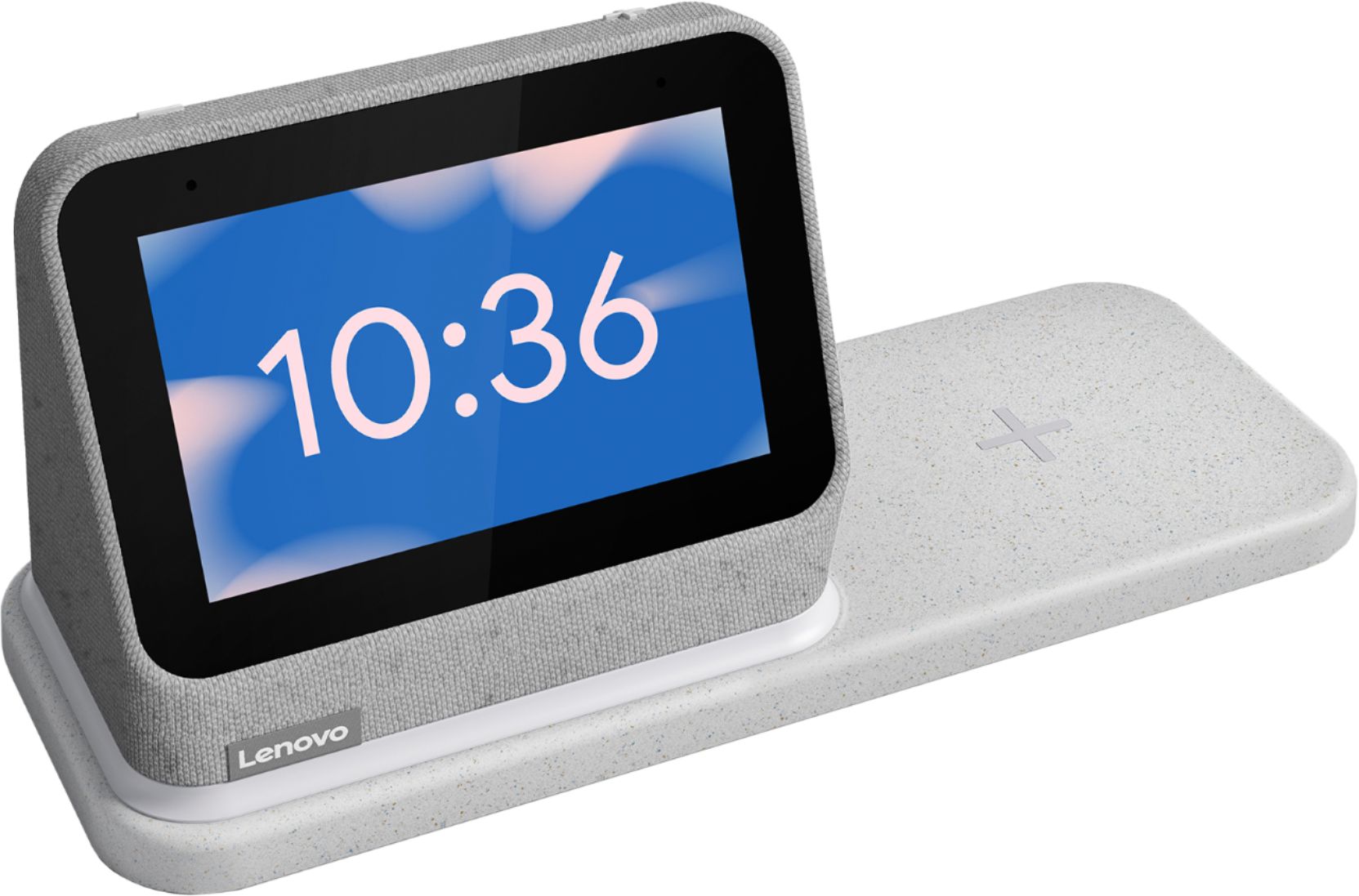
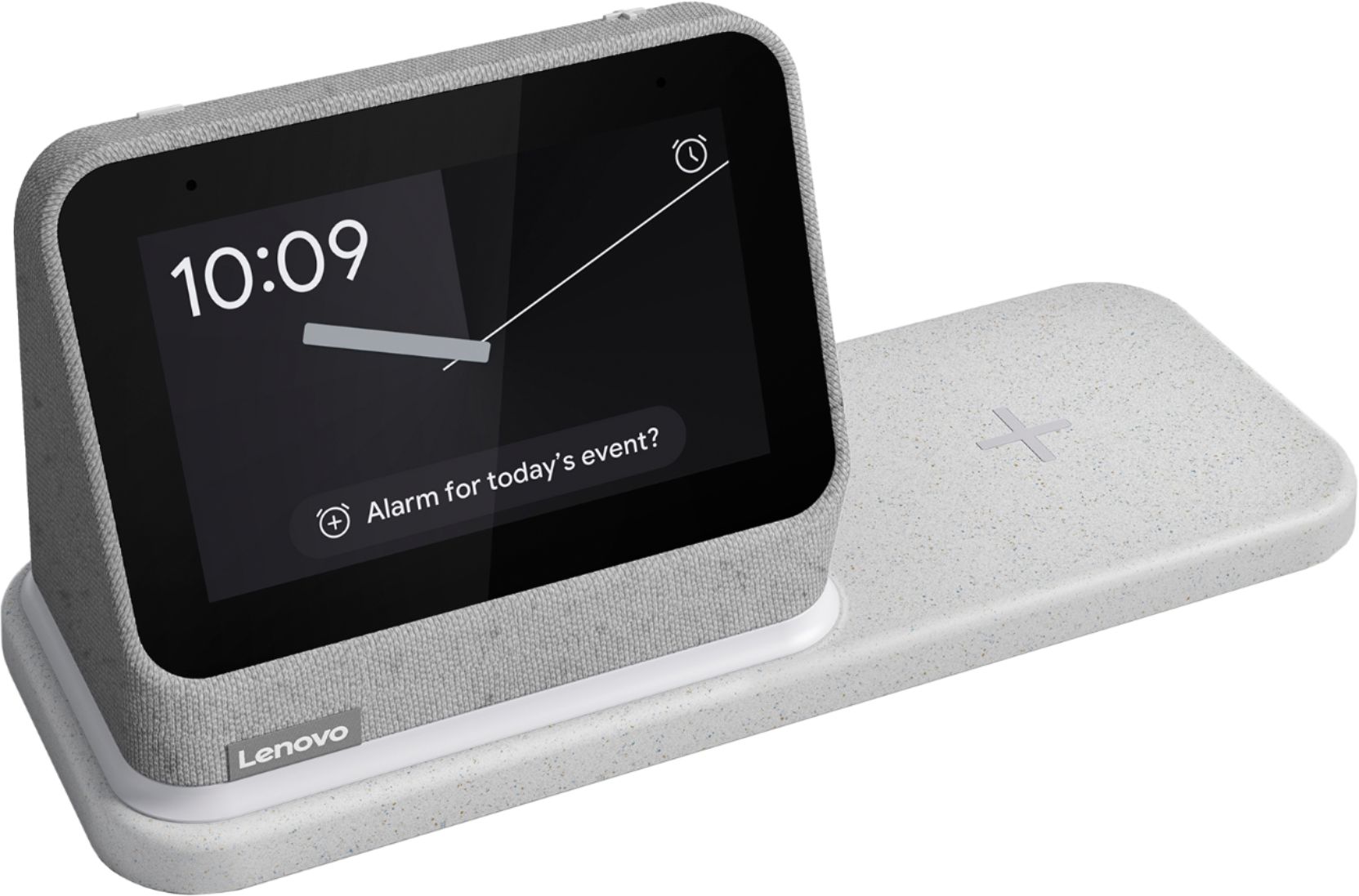
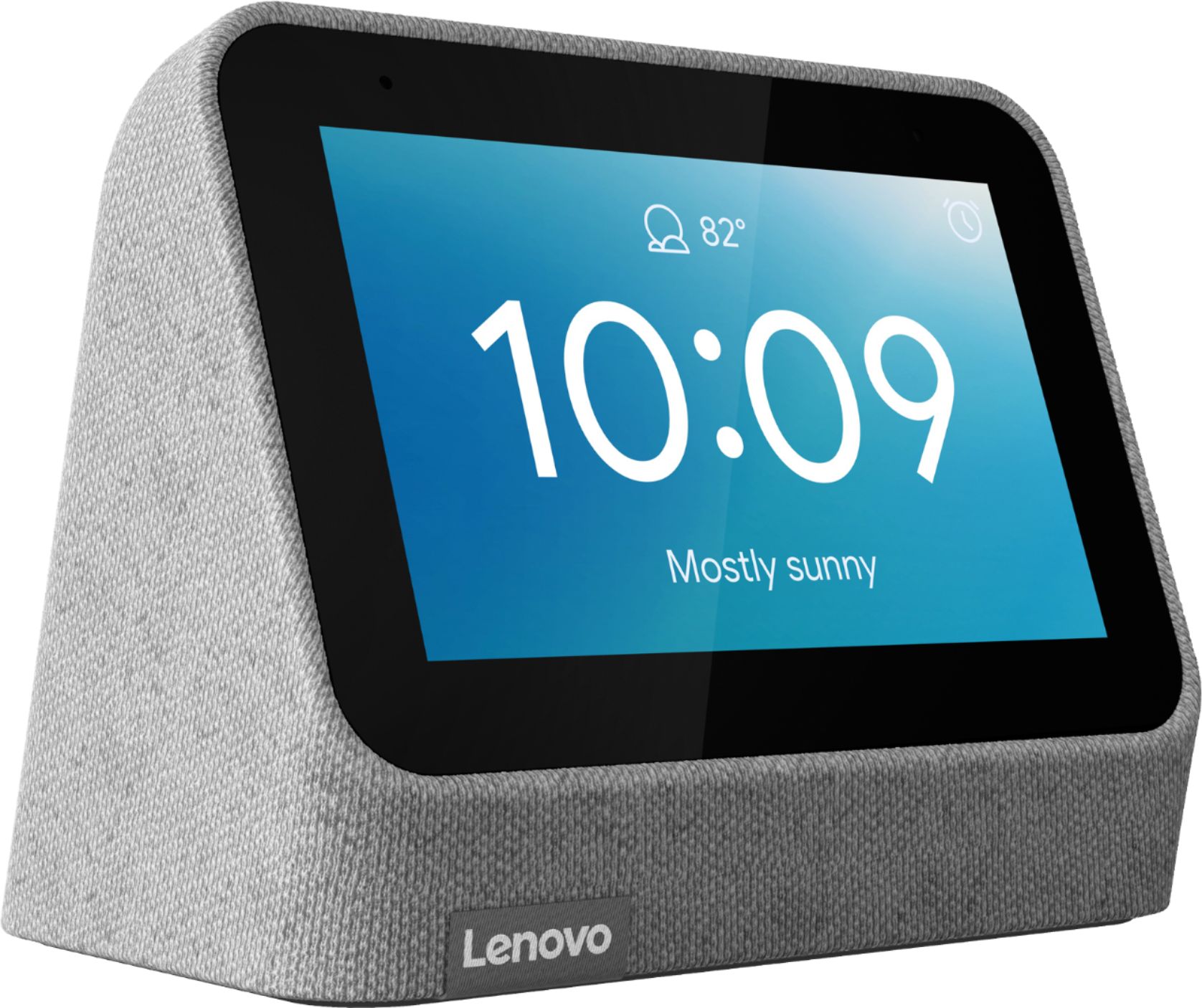
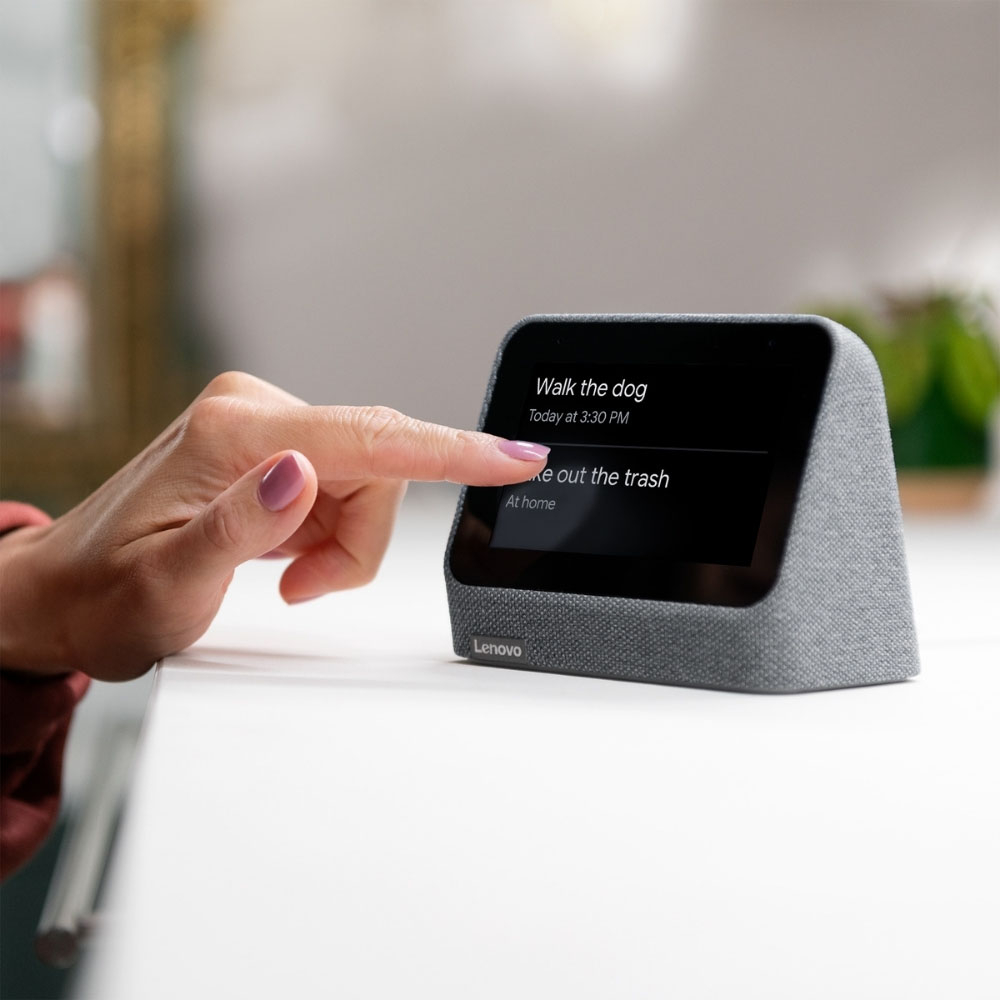
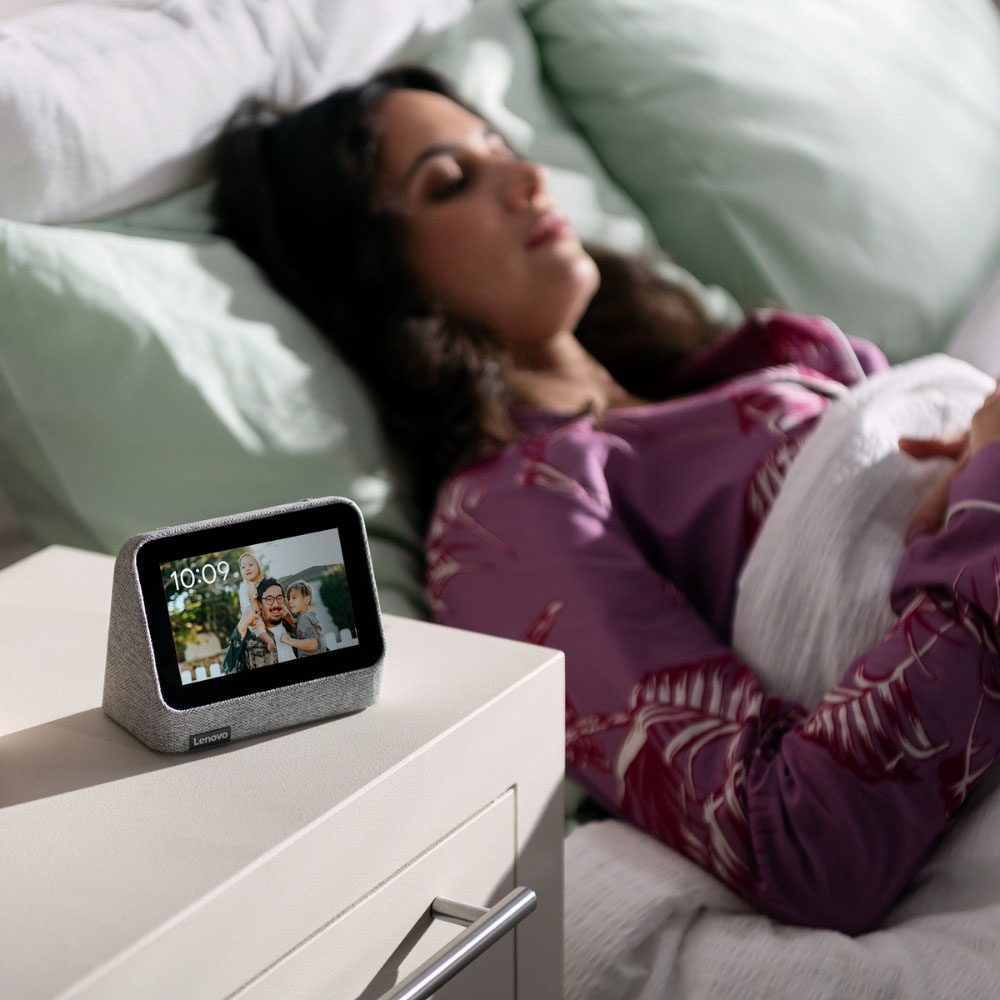
|Posted .This reviewer received promo considerations or sweepstakes entry for writing a review.## Design The Lenovo Smart Alarm Clock 2 features a fabric exterior with a 4-inch display on front. This particular model includes a wireless charging base that you can set the clock on top of to provide power to the wireless Qi charging pad on the base. This way, you can wirelessly charge your smartphone beside the Smart Alarm Clock. There is no camera on the device, providing a bit of piece of mind when placing it in the bedroom. There is a mute switch for the microphone located on the back of the unit. The Qi charging base also has a simple LED night light that glows around the base of the alarm clock. This can be enabled by saying, “hey Google, turn on the night light.” ## Setup The setup process is done through the Google Home app, so thankfully there is not yet another app to install specifically for this clock. In the Google Home app, you simply hit the + symbol to add a device, and your phone should automatically detect the Lenovo Smart Alarm Clock and walk you through the steps of joining it to your WiFi and customizing your music services. Oddly, although I’m a YouTube TV subscriber, it did not show up as one of the Live TV choices and the clock doesn’t allow me to play anything on its built-in screen. Sure, I wouldn’t sit down to watch a 2 hour movie on the tiny screen, but it would be nice to have the news on while getting ready in the morning. At the end of the setup process, the Smart Alarm Clock installed a firmware update and was then ready to use. ## Performance While the screen is small, I’m able to clearly see the time from across the room. There are different clock faces available that you can swipe through on the device. I like the weather clock face as it shows a subtle image in the background of the current conditions along with the temperature. I also like the option to use a Google Photos album that cycles throughout the day. Oddly, the display settings cannot be accessed in the Google Home app and must be done through the small touch screen interface. Hopefully, this is corrected in the future. The Smart Alarm Clock 2 also seems to do a good job of picking up my voice from across the room and it responds to queries very quickly, similar to a regular Google Nest Hub. The Smart Alarm Clock 2 doesn’t seem to support streaming video as it does not even show as an option to Chromecast video content from my phone. It works fine with my Pandora and my free Spotify account, but my requests to play content from Apple Music come back with a, “sorry, I can’t do that right now,” which is odd because Apple Music works fine on my Google Nest Hub. Hopefully Lenovo can address this in a future update as well. Sound quality is surprisingly good on this little device! Music comes through clear and doesn’t sound “tinny” as you would expect on a small speaker. At night, the unit can be set to show a simple black and white clock face. The screen gets very dim making it ideal for a dark bedroom. ## Summary Overall, the Lenovo Smart Alarm Clock 2 is a nice nightstand companion. The add-on base adds a subtle night light and Qi charging pad for your phone. It seems like there are a few kinks to work out with Apple Music, but Pandora, iHeart Radio and Spotify seem to work fine. However, if being able to stream video is important to you, you may want to consider a regular Google Nest Hub with a larger screen at a similar price point (minus the Qi charging pad and night light).
I would recommend this to a friendBrand response from Lenovo Product Expert
Posted .Thank you for choosing the Lenovo Smart Clock 2. This Smart Clock 2 does not have video streaming capability. We are pleased to hear that the other features and performance of the Smart Clock 2 are working out so well for you.
Happy
||Posted . Owned for 3 weeks when reviewed.This reviewer received promo considerations or sweepstakes entry for writing a review.Best charger thank you……………………………………………………………………..
I would recommend this to a friendNice clock
||Posted . Owned for 3 weeks when reviewed.This reviewer received promo considerations or sweepstakes entry for writing a review.Very good Alarm Clock with google home. Nice color screen with auto dim
I would recommend this to a friend- Pros mentioned:Sound quality, Wireless chargingCons mentioned:Screen size
A Smart Clock Upgrade
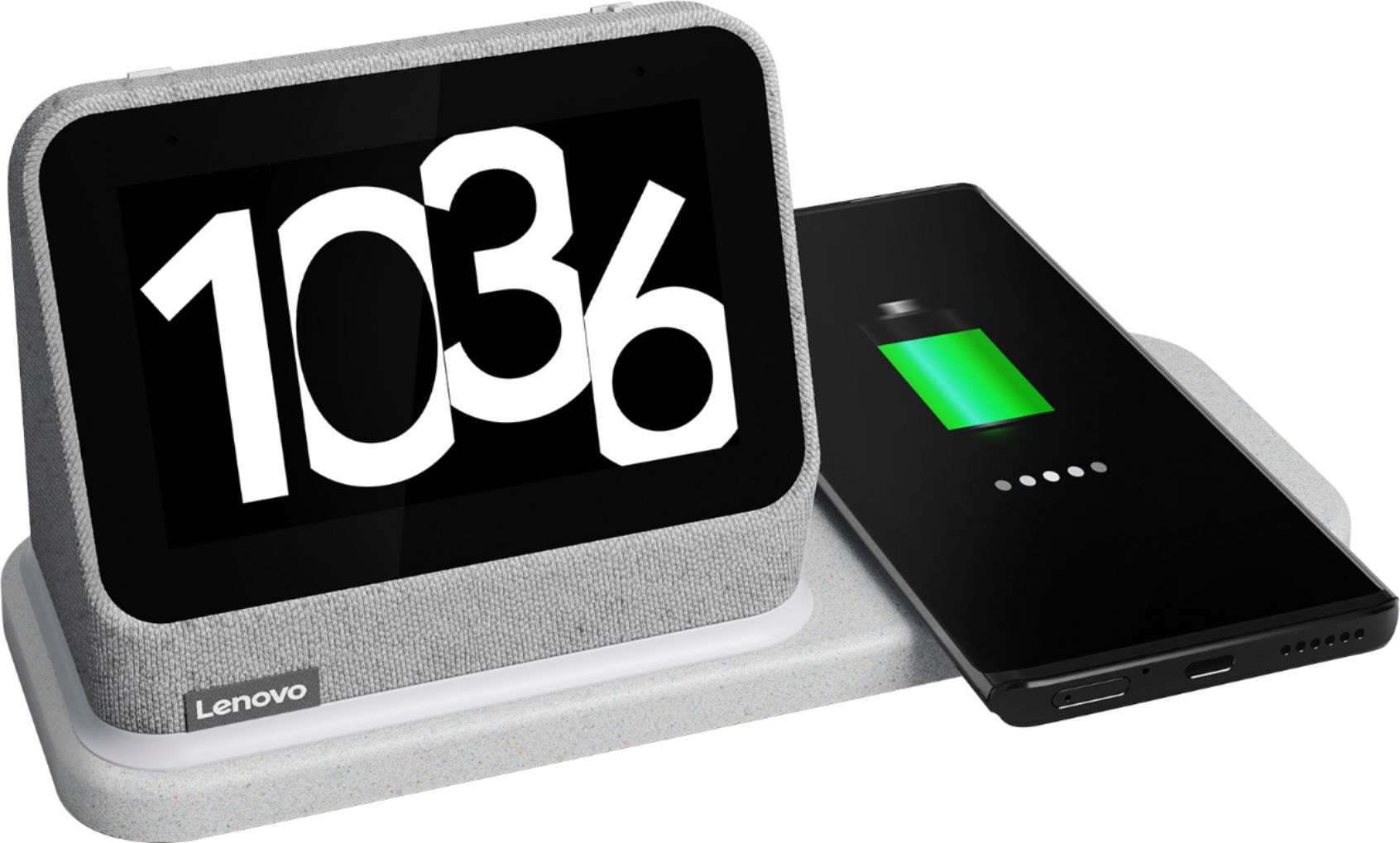
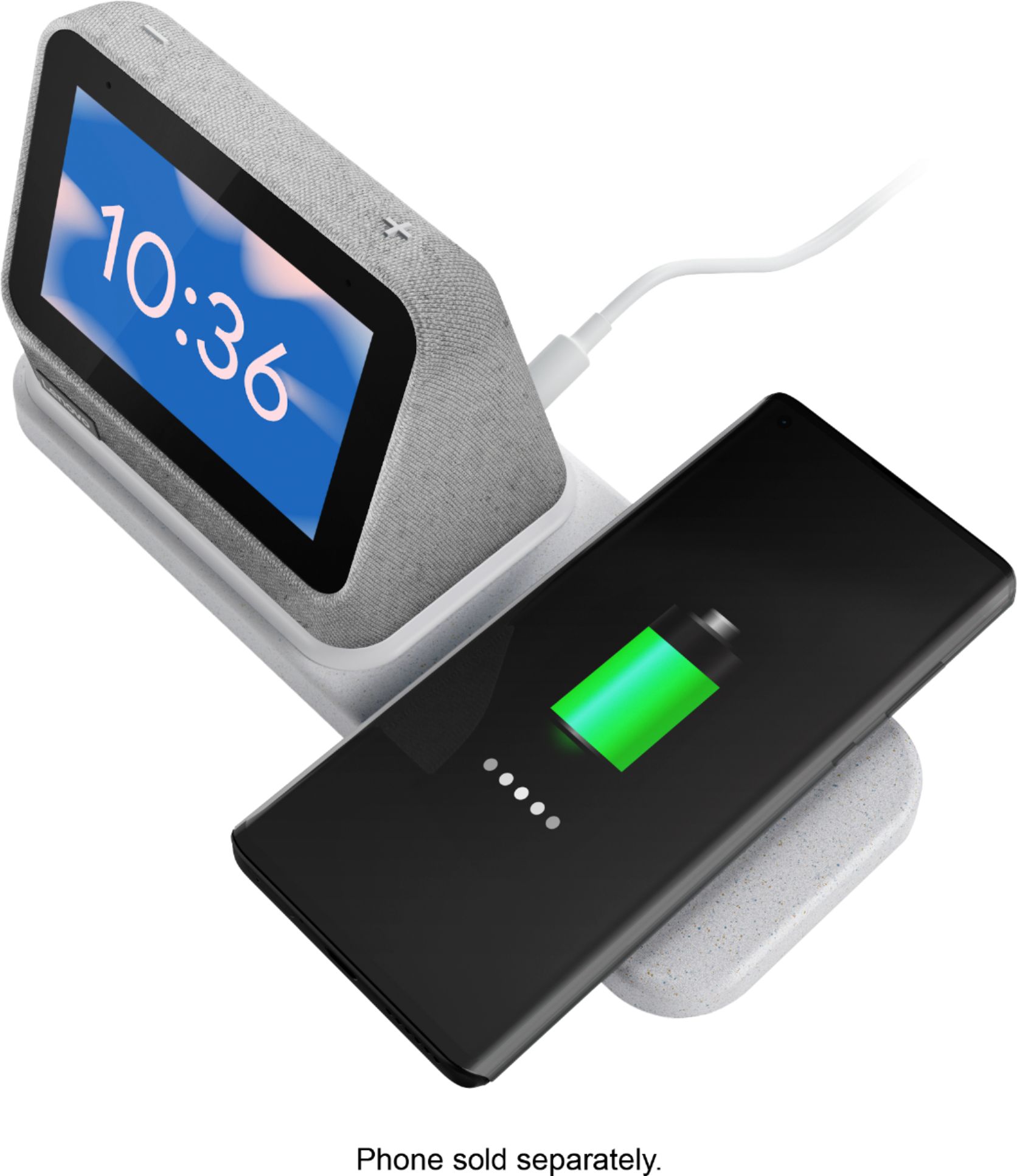
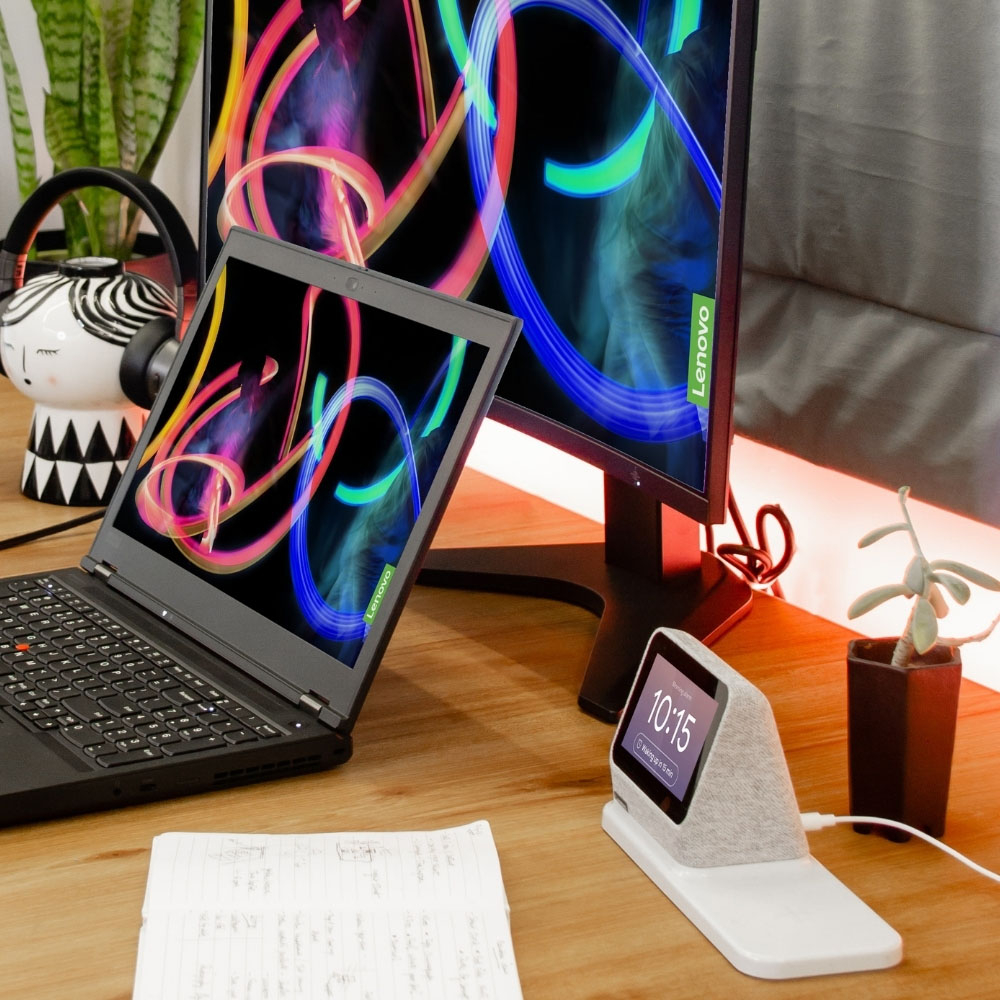
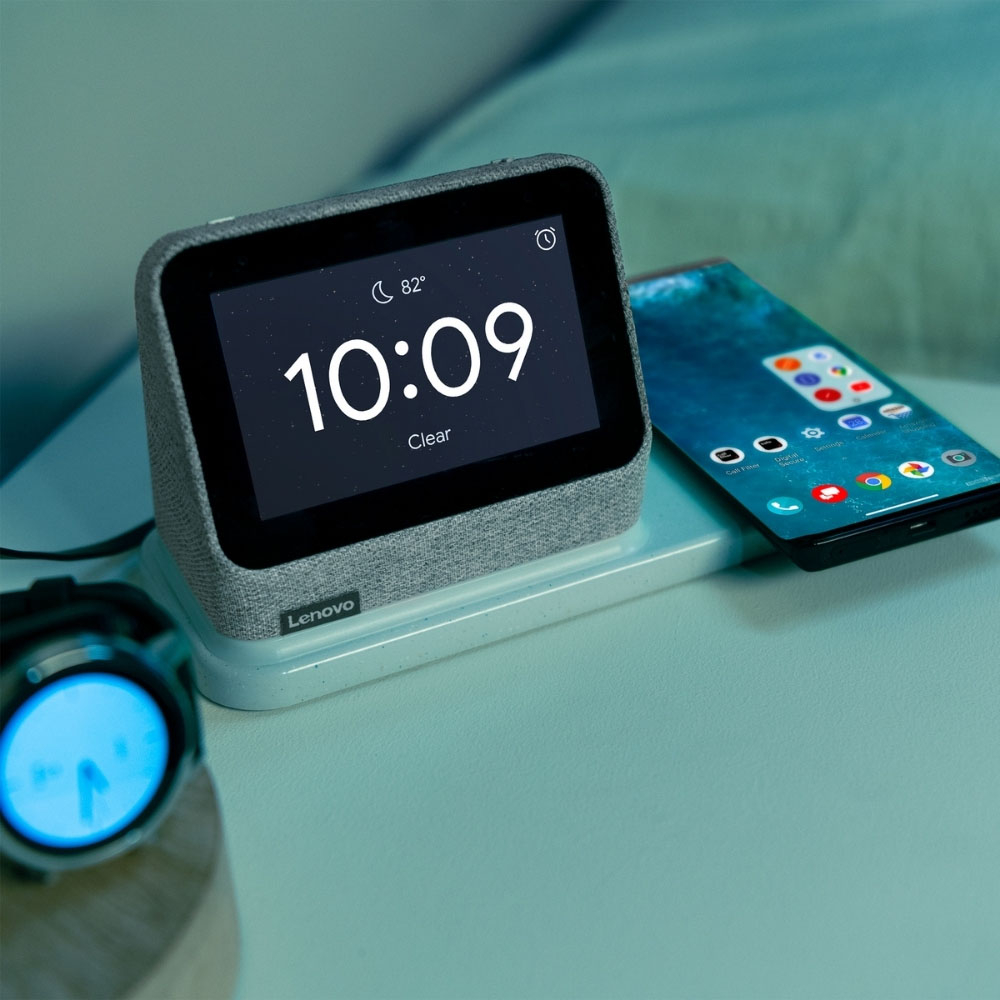
|Posted .This reviewer received promo considerations or sweepstakes entry for writing a review.Lenovo redesigned its original Smart Clock with a few major changes and some minor ones as well, and now gives us the Smart Clock 2. Like the original, you will use it every day and never think about it. It is not built to dazzle. It’s built to serve, and it does its job well. The configuration of the clock is similar, but different from the original. The screen is raised up about an inch and the speakers fire forward. The screen is just a little smaller, but it is hardly noticeable. This is an audio centric device. I think the front spacing speakers have improved clarity. Otherwise, the surround materials seem to be like the original: a gray, coarse fabric that makes the device easy to pick up and manipulate. The only visible controls on the phone are the plus and minus symbols on top which control volume. Other controls are available with the swipe of a finger on the screen. You will be up and running in minutes. Plug in the clock and you will be guided through the process of setting up the device using the Google home app. Select a clock face. Decide whether you want to set up an alarm, and you are set. The alarm can be the default wake up or you can choose a You Tube Music song of your choice. You can repeat the alarm or set up a single instance. Tell Google what you want to hear, or when you want to set an alarm. Think of this device as a smart speaker and morning information center. You can also view family pictures, but don’t expect to watch videos- there are other products for that. You can also ask Google for a plethora of other audio services like weather or news. My favorite new feature is the wireless charging dock. It cradles the Smart clock and charges up your device while you sleep. I had never used wireless charging with my iPhone before, but it works perfectly with the dock. Lay the iPhone down on its sweet spot and a white surround led on the dock lights up to let you know you have hit it. I am now using this dock exclusively to top up my iPhone every night. There is also a USB-A port on the back of the dock if you don’t want to charge wirelessly and want to use your device’s own charging cord. One caveat- don’t expect to use both wireless charging and wired at the same time as there probably won’t be enough juice for that. Both I and my wife like the visibility of the clock face whether you are in the bed or checking the time from another part of the room. Lenovo made an already good device into something even better. I love it!
I would recommend this to a friendBrand response from Lenovo Product Expert
Posted .Thank you for choosing the lenovo Smart Clock 2. We are pleased to hear that the improved features and performance of the Smart Clock 2 are working out so well for you.
- Pros mentioned:Sound quality, Wireless charging
Smart, High Quality, Attractive
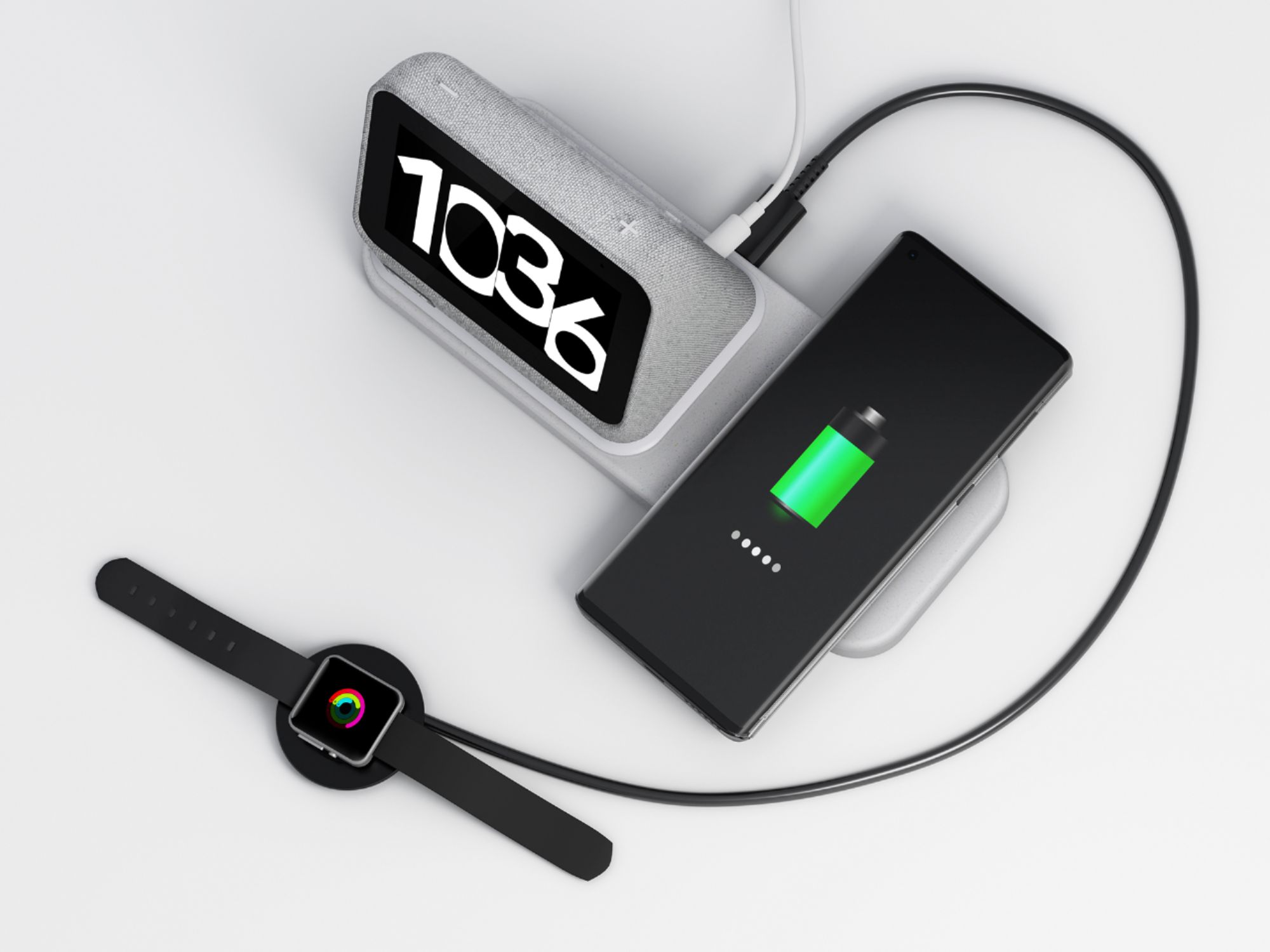
|Posted .This reviewer received promo considerations or sweepstakes entry for writing a review.For years i have had a Google Mini speaker on my night table. I use it for so many different tasks on a daily basis. I thought that was all I needed until I received the Lenovo Smart Clock 2. The Lenovo Smart Clock 2 has a 4"color touch screen with Google assistant and Chromecast. To set up the device, you go the Google Home app and just add the device to your home. The clock will automatically install a firmware update which can take a few minutes. Once installed you can now control all of the Google connected device in your home with the smart clock. To customize the clock face simply swipe right on the screen. Swipe down to set alarms, routines, play music or turn on the night light. Swiping up will adjust brightness, volume, turn on/off Do Not Disturb, and access settings. However, it is important to remember that all of these functions can be controlled by voice. In addition, there are physical volume buttons at the top of the unit. My unit came in Heather Grey which is very attractive and matches all of my other Google devices. The clock plugs into an electric outlet and can be used by itself or attached to an included base which has a built in wireless charger and a usb-A port. I use the wireless charger for my phone and ear buds and the usb-A to charge my watch. I found the wireless charger worked fast and without any noticeable heat. A nice feature of the wireless charger is that the nightlight will light up when the proper connection is made. so you won't incorrectly place your phone on the charger at night and wake up the next day with a dead phone. The speaker is loud and clear for both voice and music, certainly on par with the Google Mini. You can see your photos on the smart clock however, you cannot play video. You can assign a specific tv, in your house to play video when requested through the smart clock. So if I want to watch You Tube it will play on my master tv. I also have an Arlo video doorbell. When I want to see that camera or any other connected camera it will display on my master tv. The Lenovo Smart Clock 2 does not have a camera. So you cannot make Duo video calls, however, you can make voice calls. In summary, I love this smart clock. It's like taking the Google Mini to the next level. It is high quality, very useful and extremely attractive. Now my only problem is that everyone else in the house wants one.
I would recommend this to a friendBrand response from Lenovo Product Expert
Posted .Thank you for choosing the Lenovo Smart Clock 2. We are pleased to hear that the features and functions of the Smart Clock 2 meets your needs so well.
- Pros mentioned:Sound quality, Wireless charging
Great Bedside Accessory
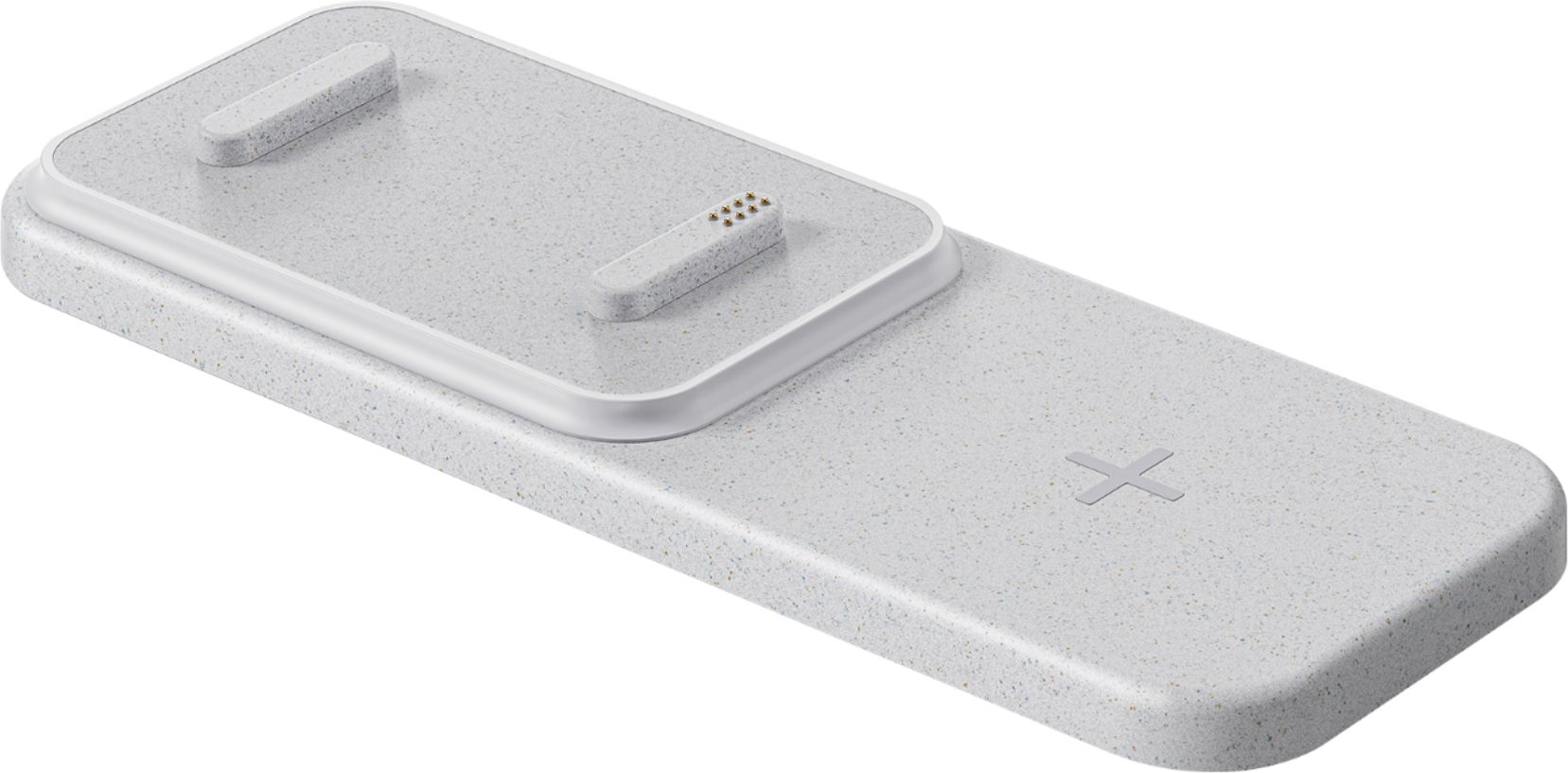
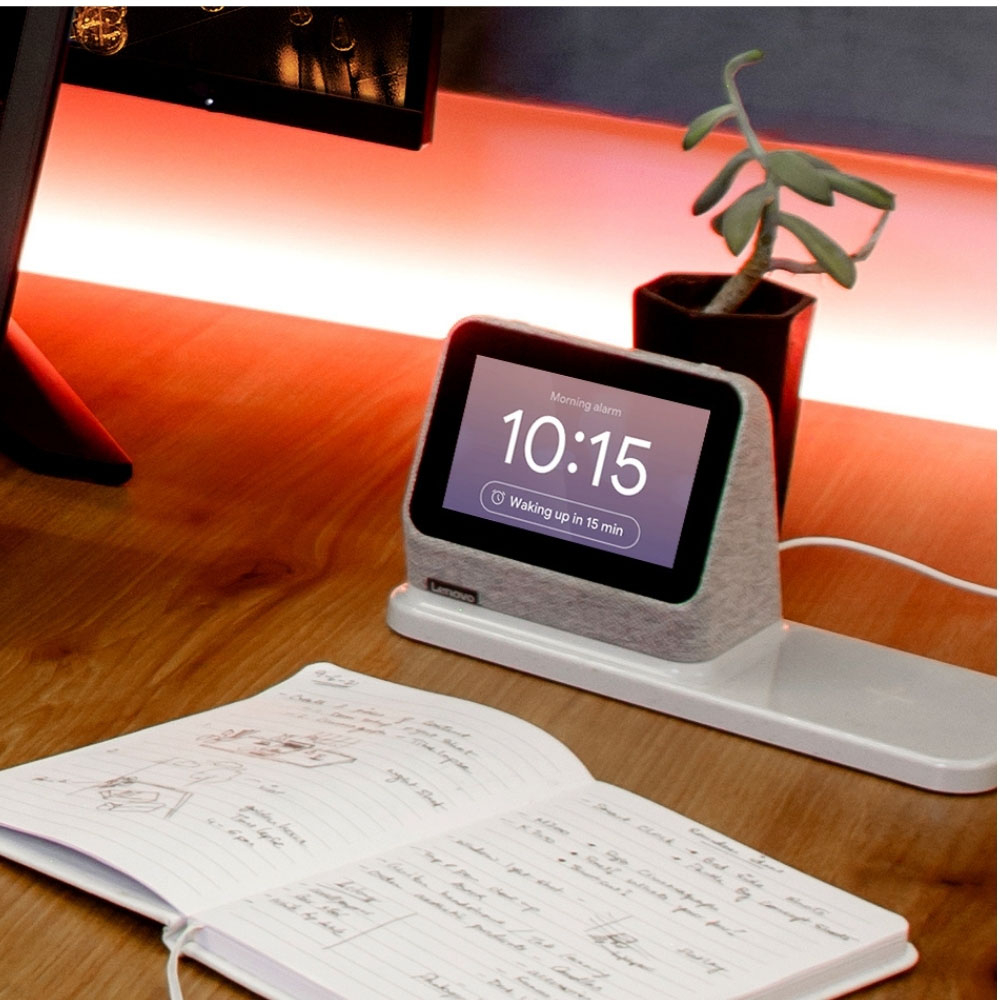
|Posted .This reviewer received promo considerations or sweepstakes entry for writing a review.A coworker of mine bought me the original Lenovo Smart Clock as a Christmas present a few years ago. I didn’t think I’d make much use of it, but it’s been my alarm clock ever since. I’ve also had a wireless charger for my phone plugged in right next to it. Needless to say I was pretty excited to see the new version of the Clock announced with a wireless charging dock and so far I’m very happy with it. The 4” screen has limited utility compared to a full size Nest Hub or something similar, but it’s just fine for setting alarms and checking the weather, which is what I’m primarily using it for. The speakers are okay and the sound comes through loud and clear, but for music I don’t think it’s a good stand-in for a dedicated smart speaker; my Nest Mini sounds much better for music. It sounds great for alarms and voice responses though, which is all I need from it. Google Assistant works well on the Clock 2 and for things like controlling the lights you get helpful onscreen controls as well. The Clock 2 on its own is a bit taller than the original model, but with the charging dock it gets significantly wider. Obviously you’re getting the benefit here of being able to also charge your phone wireless and charge another device via the USB-A port on the back of the dock. With my Pixel 4 I was able to center it on the pad and get it charging without too much fiddling and I’ve got my watch charger on the USB-A port, so everything on my nightstand is now powered and charged through a single power adapter. The dock also has a built-in night light, which wasn’t something I was looking for, but still nice to have. The system Lenovo came up with makes it really easy to add or remove the dock via the magnetic pogo pins, but I do feel like there was a small missed opportunity in designing the dock in a way where the charging pad could be on either side of the clock; with this design it can only ever be on the right hand side. I also wish the plug on the power adapter was angled 90 degrees so it would take up less room on my power strip. Overall I consider most of my criticisms of the Clock 2 to be minor and mostly unrelated to its intended use. It does the job of being a smart clock extremely well and I really appreciate the thoughtful design choices Lenovo made for this new version. If you’re already using Google Assistant devices in your home this is a great addition.
I would recommend this to a friendBrand response from Lenovo Product Expert
Posted .Thank you for choosing the Lenovo Smart Clock 2. We are pleased to hear that the features and performance of the Smart Clock 2 meets your needs so well.
Nice clock
||Posted . Owned for 3 weeks when reviewed.This reviewer received promo considerations or sweepstakes entry for writing a review.Haven’t been able to play with it much but it is clear and crisp screen. Plus you can play music on it so that’s a plus
I would recommend this to a friendWifi issues not connecting
||Posted . Owned for less than 1 week when reviewed.This reviewer received promo considerations or sweepstakes entry for writing a review.I have a iphone 13 pro and Could not get it connected to wifi, first day it did But one week later it disconnected. I tried for 30 mins to reconnect and kept sayong it couldn’t. Returning this product, not happy.
No, I would not recommend this to a friendBrand response from Lenovo Product Expert
Posted .We are sorry to hear that you have encountered an issue with your Lenovo Smart Clock. For future reference, if need be, or viewers of this response that may have experienced a similar issue, here is a link to a Lenovo Support webpage that details some troubleshooting steps for issues, including resolving connectivity problems, as this could resolve your issue: https://support.lenovo.com/us/en/solutions/ht512647-lenovo-smart-clock-2-frequently-asked-questions-faqs#53 . If after reviewing this content and your issue persist, we recommend reaching out to Lenovo Tech Support for additional assistance at this phone number: 877-453-6686.
- Pros mentioned:Sound quality, Wireless charging
REALLY Wanted To Like This, But 3.5 Stars As Is.
|Posted .This reviewer received promo considerations or sweepstakes entry for writing a review.I have had the same clock radio/alarm next to my bed for years and I was really looking forward to the Lenovo - Smart Clock 2 bringing my nightstand into the 21st Century. But as it stands right now, I think I'm going back to my old clock radio. Let's start off with the positives, of which there are many. 1. Looks Nice: The gray cloth covering looks great, and the charging/nightlight stand integrates so well into a sharp looking device. 2. Compact: Doesn't take up too much space on my nightstand. I still have plenty of room for the stack of books and magazines that normally inhabit my nightstand. 3. Beautiful Touchscreen: Despite it being a smallish touchscreen, it is highly responsive and looks great in all light environments. It can adjust itself to ambient lighting conditions and I have found that it does a very good job of being at the 'correct' light level, though I did turn on the ability to go really dark at night, and that was perfect. 4. Great Sound: For being so small, the Smart Clock 2 can get pretty loud, more than enough to listen to music while getting ready in the bathroom or puttering around. It sounds nice too, not like it is coming from such a small speaker. 5. Google Integration: Using the Google Home App you can set up a TON of features and media sources. You can get weather, sports stats, drive times, or make a call all with a 'Hey Google'. If you are deeply ingrained in the Google environment, there is probably nothing you can't do with this. 6. Easy Charging: The Charge Dock seems to have a nice large 'sweet spot' and it is easy to just drop my iPhone on it and have it start charging right away. That being said, it only charges my iPhone 12Pro at 7.5W. Now the not-so-greats: 1. Non-Google Integration is Non-Existent: If the app/service is not blessed by Google, it ain't here. I actually prefer to stream my music from my iPhone library since I have spend decades building a music collection that I love. I have yet to be able to figure out how to get it to stream music from the Music App on my iPhone. 2. Device Settings on the Clock: There is a dearth of settings that you can actually do on the clock without talking to it. If you don't want to talk (say someone is asleep beside you), and you want to change some setting, it ain't so easy. Also, there aren't a lot of options accessible from the device itself. 3. The Clock Face: Right now there are surprisingly few clock faces to choose from. This would seem like an easy thing to have available, but there are maybe six different faces and what few are there don't take advantage of the screen very well. I liked the weather face the best since it conveyed the most amount of information but even it is lacking. I have the temp, time, and conditions (cloudy/sunny/fog), and that is it. Can I not get a month/day on there? Now Lenovo may be able to add faces and features via an update in the future but out of the box, it is pretty bland. 4. The Wireless Charging Dock Plastic: This may seem like a nit-picky thing but I HATE Lenovo's choice of plastic on this. It is a speckled gray that instead of looking nice, just looks like it is dusty and I keep trying to wipe it off. Just go solid on this. 5. Google Integration: Other than email, I don't do anything with Google. I don't want to do anything with Google either, so my options for integration are few and far between. I put in some miscellaneous data into the Home App just to try things out, but frankly I don't want Google knowing that much about me and I sure as heck don't want it listening to me in my bedroom. If you turn off the mic on this, you lose most of the functionality of the Smart Clock 2. I was probably wrong to get this, but I always assume that there is an old-school mode for devices but it would seem that time is going away in favor of linking everything. Not a fan of this trend. Final Thoughts: As a device, Lenovo build a nice, compact, and highly functional piece of electronics (even if their choice of plastics stinks). There is absolutely ZERO wrong with the form and function of the Smart Clock 2. Software-wise, I'm not sure what is Lenovo and what is Google. Either way, I think the core functionality is a tad too limited. If you are deeply rooted in the Google universe and have an Android phone, you will get the most out of this Smart Clock. If you have an iPhone and are in the Apple ecosphere, you will not. If you value privacy, this is just a fancy charging base, if you are willy-nilly with your information, this thing can do a ton for you. For me, it's a let down but I would not seem to be the intended market. Oh well.
No, I would not recommend this to a friendBrand response from Lenovo Product Expert
Posted .Thank you for choosing the Lenovo Smart Clock 2. We appreciate your input.
Best buy purchase
||Posted . Owned for 1 month when reviewed.This reviewer received promo considerations or sweepstakes entry for writing a review.Great products from best buy. I buy all my electronic from best buy and tell all my friends.
I would recommend this to a friendLove it!
||Posted . Owned for 3 weeks when reviewed.This reviewer received promo considerations or sweepstakes entry for writing a review.I got it on sale as an open box, and it was in perfect condition.
I would recommend this to a friend- Pros mentioned:Google assistant, Wireless charging
Customizable Smart Clock
|Posted .This reviewer received promo considerations or sweepstakes entry for writing a review.The Lenovo Smart Clock 2 with wireless charging dock has to be one of the most customizable alarm clocks available. It helps organize your nightstand and lets you organize your life using the built in Google assistant. With a single outlet you can power the clock and wirelessly charge your phone while using the USB port to charge a watch or ear buds at the same time. The built in Google assistant allows you to control the clock and all your other Google home devices by voice command. The four inch color touch display is the perfect size for a clock and you set the brightness level to automatic or anywhere from bright to off. Using the Google Home app you can set up Night Mode that allows you to set the clock brightness and do not disturb feature based upon time and days of the week. You access the set up menu and alarm menu by swiping across or up and down on the screen. There are twelve clock faces to choose from and several also display the current weather conditions. You get to choose from seven wake up alarm tones including an impromptu piano session picked daily by Google. One of the nicer features is the Goodnight feature which plays “Country sounds” to help you fall asleep. Setting an alarm via the touch screen is intuitive and simple but it’s even easier to use the Google assistant. You can also have your daily Good Morning Routine automatically played when you turn off the alarm. You can play music on the Clock using the Google Assistant and Chromecast or your mobile device using a Blue Tooth connection. The screen is for displaying the clock and can be used to stream security video from compatible cameras but it cannot be used to stream movies or videos. To set up the clock you have to use the Google Home app on your mobile device or tablet. The power cord plugs into the clock and the clock when placed upon the charging dock will supply power to the wireless charger. There is also a USB port that can be used for charging devices. On the back of the clock there is a mute button and on the top of the clock there are volume up and down buttons. At the base of the clock there is a light ring that is used as a status indicator as well as a night light. The ring lights up when a phone or ear buds are placed on the wireless charger base. This is nice because you get a visual indicator that your phone is properly aligned on the charger. The only negative is that twelve clock faces and seven wake up tones are nice but most devices like phones and smart watches have way more options. Hopefully Lenovo will add additional faces and tones in upcoming software updates. As nice as Country sounds are I wish they would have included a few more options like falling rain or ocean waves
I would recommend this to a friendBrand response from Lenovo Product Expert
Posted .Thank you for choosing the Lenovo Smart Clock 2. We are pleased to hear that the Features and functions of the Smart Clock 2 are working out so well for you. We appreciate your input.
- Pros mentioned:Wireless charging
Smart Bedside Companion
|Posted .This reviewer received promo considerations or sweepstakes entry for writing a review.----- Summary ----- Verdict: Both functional and attractive, the Lenovo Smart Clock 2 is a welcome addition to my nightstand. Because it’s an alarm clock, smart display, speaker, and charger all in one little device, it declutters and makes my nightstand more useful. If you’re interested in a Google Assistant-enabled smart clock, this one should be at the top of your list. Pros: - Attractive design - Google Assistant - Wireless charging dock - 4” color touchscreen - Loud, crisp audio - Nightlight Cons: - No video streaming ----- Details ----- Design: What I love about the Lenovo Smart Clock 2 is that it provides a neat, centralized location for my tech. In addition to the wireless charging dock, there’s a USB-A port on the back that can be used for another device. I use that to charge my smartwatch. Other aspects of the design include volume up/down buttons on the top of the alarm clock, a microphone mute switch on the back for privacy, and a built-in nightlight. The nightlight is a ring around the charging dock under the display, and it’ll illuminate on voice command or when manually turned on from the touchscreen. I like that it’s a subtle light that illuminates my side of the bed but doesn’t disturb my wife. The fabric exterior of the alarm clock is a nice touch as well. Setup: Just a few minutes after unboxing, I had the Smart Clock 2 setup. I’m familiar with setting up Google Assistant devices in the Google Home app, but even if you’re not, the guided setup is quick and simple. I always appreciate an easy setup process. Alarm: The Smart Clock 2 wouldn’t be complete without functional alarm features. Thankfully it doesn’t disappoint. Multiple alarms can be set on a repeatable schedule and there’s a variety of customizations available like snooze length, alarm tone, setting it to slowly brighten the screen 30 minutes before wakeup time, and a Good Morning routine that can trigger when you shut off the alarm. Morning or night routines can be customized to brief you on weather or news, play music, control smart lights, and more. It’s all I could ask for in an alarm clock and more. Touchscreen: Other than being an effective alarm and displaying the time, the 4” color touchscreen on the Smart Clock 2 has different pages you can swipe between to see additional information like weather, your commute time, or quickly access Spotify playlists. My only wish is that video streaming was supported on the screen. I’m not going to watch a full movie on such a small screen, but being able to watch short YouTube videos would be nice. Audio: For its size, the audio produced by the Smart Clock 2 is good. I was pleasantly surprised by how loud it can get, as well as how crisp and clear voice responses and music are. If your main intent is to just listen to music, there are better alternatives for that, but with everything else packed into this little device, the audio was good enough for me.
I would recommend this to a friendBrand response from Lenovo Product Expert
Posted .Thank you for choosing the Lenovo Smart Clock 2. We are pleased to hear that the features and performance of the Smart Clock 2 meet your needs so well.