Rating 4.2 out of 5 stars with 709 reviews
4.2- Wireless Charging (213)
- Sound Quality (62)
- Ease of use (46)
- Alarm (36)
- Google Assistant (19)
- Screen Size (22)
- Battery Life (7)
- Price (6)
- Setup (4)
- Volume (4)
Customer Images
The vast majority of our reviews come from verified purchases. Reviews from customers may include My Best Buy members, employees, and Tech Insider Network members (as tagged). Select reviewers may receive discounted products, promotional considerations or entries into drawings for honest, helpful reviews.
- Rated 3 out of 5 stars
Glad I got it on sale
I was looking for an alarm clock to replace having to depend on just my plugged in phone - mostly to check the time in the middle of the night or in the morning. I have used Lenovo smart devices in the past, so, I thought this would be as good. I really love the mesh design and the feel of the clock overall, pretty nice and sturdy despite being made of plastic. I also like the added usb port on the back. However, this loses 2 stars for me because of the lack of options on the alarm clock. Watch faces are still pretty weak and options like auto-dim when the room is dark are missing. I have to manually dim the screen when I'm about to go to sleep. Sometimes I'll leave it at the lowest setting and throughout the day I can barely see it, which means I have to manually brighten it again throughout the day. Then there's the Qi charger. It barely works with my iPhone 12 Pro Max. It'll charge but for some reason it will lose connection throughout the night since the charger + icon is a bit raised, meaning the connection isn't flush. I don't understand why it's designed like this... maybe better for Airpods or something. To try to get around this I planned on plugging in my Magsafe charger in the back but there's no USB C port on this clock. I get it's designed for Android devices, but Android uses USB C and Qi chargers too - so the overall design of the Qi charging is definitely half-baked. I say skip this version and use your money on a Google Nest. Or another, cheaper Lenovo clock.
Posted by Juliusxx
- Rated 5 out of 5 stars
Awesome!
This is exactly what i was looking for. Gives the time and weather, charges my phone, goes dim when I'm sleeping. We have an Alexa in the living room of our small house, so this being Google enabled was a plus so both devices don't answer at once.
Posted by KimberH
- Rated 5 out of 5 stars
Nice small smart display
Great little google display. I just wish it would have ability to watch videos. But, other than that, and you can't beat the price, it's a great smart display for our home. What I really like about it is you can charge your phone and watch with it at the same time. It also has a night light. I have about 30 google products on our network at home.
This review is from Lenovo - Smart Clock (2nd Gen) 4" Smart Display with Google Assistant and Wireless Charging Dock - Abyss Blue
Posted by JimS
- Rated 5 out of 5 stars
This thing is essential in my daily routine!
I absolutely love this thing. I have one in my bedroom, and my bathroom. It's great as a digital frame, but more pragmatically useful in my morning routine. It will share the news and weather as I shower and get ready for the day. Much cheaper than a Google hub, but perfect if you don't need those extra features. I will say, the nightlight is a little frustrating. I wish you could add timers or automations to it via Google home like you can other lights. The wireless charging is decent feature, especially if you want to have it for your nightstand. But it's a slower charge for most modern flagships.
Posted by minebe
- Rated 4 out of 5 stars
A smart choice for a “Smart Clock”
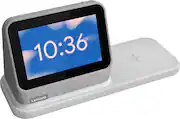
============================== >>>>> Bottom Line Up front: <<<<< ============================== The Leno Smart Clock 2 (w/charging dock) is literally capable of doing everything your old “non-smart” alarm clock does; but in my opinion, does all those things way better. Having built in Google Assistant functionality along with extra useful design features, such as a built-in night light and wireless charging base help make the Smart Clock 2 a top choice if you’re considering a smart clock…..so long as you don’t have to have to be tied into the Amazon/Alexa Eco-System. I appreciated the Smart Clock 2 being a “clock” more so than many of the media steaming/consuming, video camera chat enabled “smart displays” that are out there. As a desktop companion, there wasn't much I couldn't do to stay on top my schedule and get things done with addition of Google Assistant functionality. ========================= - Overall Design/Aesthetics: - ========================= I am a fan of simple, clean, design aesthetics. That being said, the Smart Clock 2 ticks that box off quite well. The heather grey exterior covering on the main “display unit” has a nice clean, modern look that blends in with almost any desk, counter, or night table. The fabric like material feels durable, well formed; yet somehow soft at the same time, which I really liked. The charging base and integrated night light seamlessly blend in with the main display unit, and allows both pieces to appear as one physical unit. Thanks to the high strength magnets in the docking section, they also feel extra sturdy even when just picked up by the base alone. The plastic material used on the wireless charging base feels semi-slick and a little less “luxe” feeling in texture when compared to the main unit itself. I appreciate the little “flecks” of grey coloring emplaced into the exterior shell of the docking station, as it helped to hide dust and dirt; but something about those flecks made the base seem slightly off when contrasted to the grey used in the main speaker in my opinion. The "night light" ring also seamlessly blends into the grey base and is pretty hard to notice when not actively in use. I am always fan of multiple color options, and I think the Smart Clock 2 looks even more stylish in some of the other colors they make this model in (Abyss Blue or Shadow Black). The added USB Type A port on the back also allowed me to plug my Smart watch charger for even more functionality. . ===================== - Smart Clock 2 usage: - ===================== I’ve been using the Lenovo Smart Clock 2 (and its wonderful wireless charging dock) on my main desktop for a good week now, and I have been really happy how it has been working out for me. I currently own and have used a fair share of “smart” clocks and displays over the years, which is why I when I say I think the Lenovo Smart Clock 2 is worthy of serious consideration, its not for lack of comparison/time with other devices on the market. For starters, having the integrated wireless charging pad within reach has really been useful in keeping my phones topped up on power and always within arms reach while I am working at my desk. The charging pad area itself is reasonably sized, and functioned flawlessly with my Samsung Note 20 and Galaxy S21 (they even displayed the “fast wireless” charging indicator). Unfortunately, I could not get my Samsung Galaxy Watch 2 or Watch 4 to charge. I’m not sure if it has to do with the large raised “+” sign on the middle that may prevent flush contact with enough source, or some other technical reason however as I previously mentioned in the design portion; I got around this by plugging my watch charter into the USB-A port on the back of the with no issues. Surprisingly, I have found the built-in night light to be SUPER useful. Initially, I wasn’t sure if I was going to use it all but I have found it a nice source of ambient lighting for my general desktop area. It has helped me helped me see things and documents, while allowing to keep background lighting to a minimum and helping to reduce additional eyestrain from being on the computer for hours on end. Fun fact, the light can go as bright as 11 lumens – but I don't recommend keeping it at that level if your actually using to try and sleep. To add to that, you can even control the night light by simply using Google Assistant Voice Commands as well. Lenovo’s decision to include Google Assistant is what makes the Smart Clock 2 - "smart" to begin with. I’ve watched Google’s Assistant grow tremendously over the years, and thanks to this added functionality; there are so many possibilities that open up that only this type of digital assistance integration can bring. With just my voice, the Smart Clock 2 allowed me to control my smart bulbs around my house, set the temperature my Nest thermostat, check local traffic conditions before I headed out, and even just got verbal confirmation of what was on my Google calendar for the day (keep in mind you have to have given Google Assistant permissions/settings in order to get this added functionality. Keep in mind, this also means that some Amazon/Alexa specific devices (to include commands) and applications might not possibly be compatible/controllable on/through the Smart Clock 2, but I don't count that as deal breaker as that normally doesn't tend to be the case for most devices these days. I personally may not consider this a disadvantage, but your usage patterns may vary from mine. I generally didn’t use the Smart Clock 2 to stream music (nor do I on my other smart devices) – but the 3W front firing speaks sounded just fine from what I heard. So long as you keep your expectation of what a 1.5” speakers can do, I would say it is on par with everything else out there. The last thing I want to share are my thoughts on the display and UI of the Smart Clock 2 itself. This area is where I think the Smart Clock 2 may be lacking when compared to other devices out there. When I personally compared the Smart Clock 2 to my other “smart” display devices in my house, I found the Smart Clock 2 a little shorthanded when it comes to physical screen size and added lack of additional “tech” features. Don’t get me wrong the 4-inch IPS screen is sharp and responsive, but it is smaller than I would have liked/used to. I have 5,8,10 inch devices that are notably larger, and therefore easier to see at distance - when placed side by side. Unfortunately, the Smart Clock 2's user selectable clock faces don’t help much to "enlarge" the numbers in that regard either. Unlike some of my other devices, you can’t watch any streaming video, nor is there embedded camera functionality of any type. Again, I don’t need those things in my at my personal desktop area, but I know for some folks not having those types of features could be a deal breaker, especially if other similar devices have them – yet the Smart Clock 2 does not. I loved the Smart Clock 2 for just being a super easy to use Clock, that helped me stay organized and charge my phone - plain and simple. ========================== >>>>> Closing thoughts: <<<<< ========================== Thanks to the Lenovo Smart Clock 2’s Google Assistant integration and extra useful design features (night light and wireless charging base) – I think it offers something that the other smart displays and clocks out there don’t. Unfortunately, that also go against the Smart Clock 2 as well, when directly comparing against similar units. I really appreciated the simple, yet functional User Interface (UI) and streamlined 2-piece design. My main grip, honestly is with the screen size – make it BIGGER - especially if it is being focused as a more “dedicated” clock type unit (as compared to other smart “display” that don’t necessarily call themselves “clocks”). I really think the screen size should be at least an inch or two bigger and offer more choices/customization on the clock faces or Lenovo should offer more variety of sizes in the product line. Regardless, the Smart Clock 2 is excellent "dumb" alarm clock, a great "smart: alarm clock, but perhaps not the best smart alarm clock if your committed to the Alexa/Amazon ecosystem - or want a GIANT screen. I really don't think you'll disappointed regardless though.
Posted by Solrak