Customer Ratings & Reviews
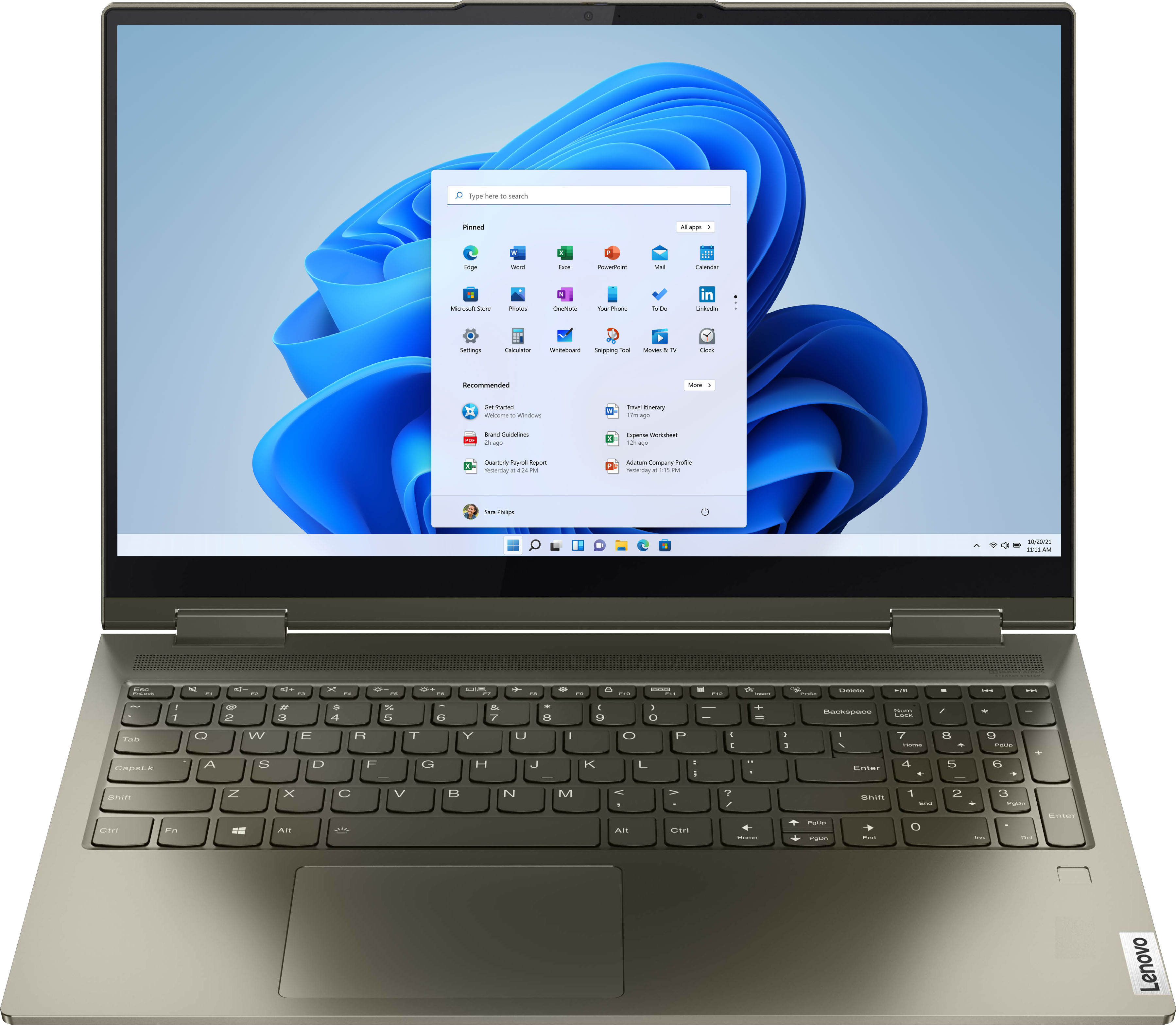
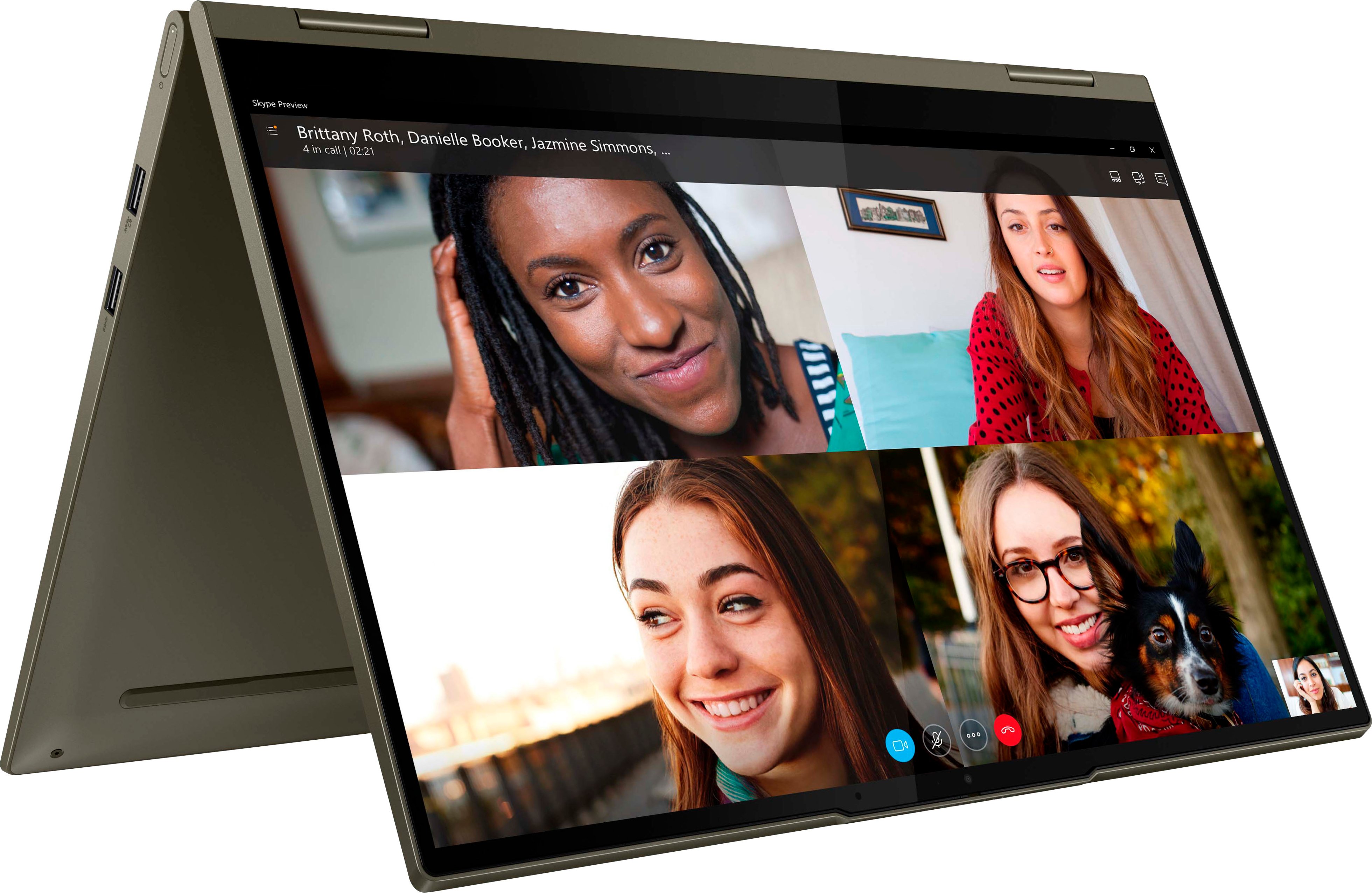
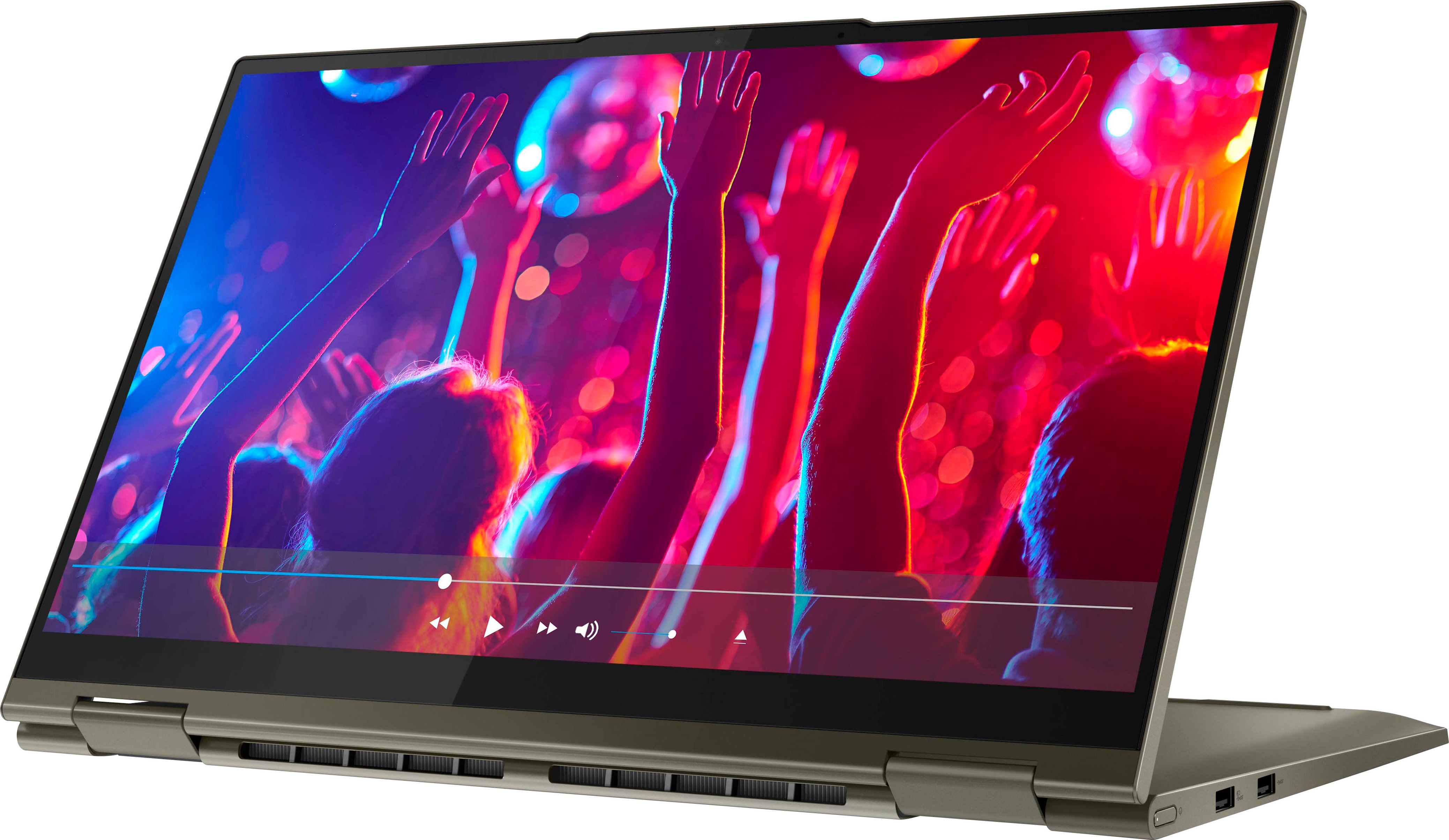
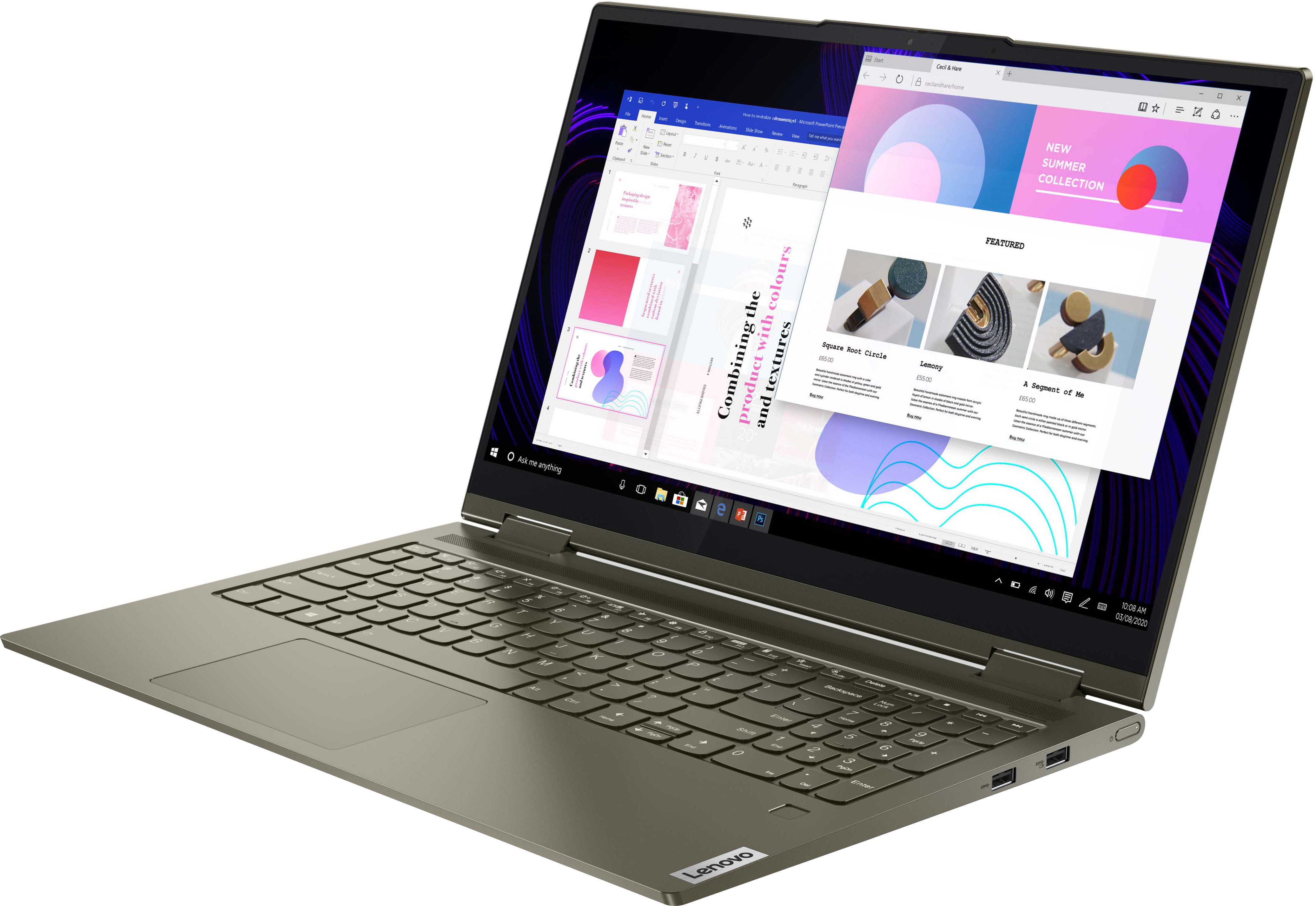




- Model:
- 82BJ007WUS
- SKU:
- 6479810
Rating by feature
- Battery Life
Rating 4.6 out of 5 stars
- Speed
Rating 4.8 out of 5 stars
- Display
Rating 4.8 out of 5 stars
Customers are saying
Customers regard the Yoga 7 15ITL5 as a fast and responsive laptop with a great touch screen and long battery life. They appreciate its lightweight design and affordable price, making it a great value for the performance it offers. On the downside, some users have concerns about its weight, limited port selection, and the pre-installed Windows 11 operating system.
This summary was generated by AI based on customer reviews.
Computer
||Posted . Owned for 1 month when reviewed.This reviewer received promo considerations or sweepstakes entry for writing a review.Great computer and service. I am happy with my purchase.
I would recommend this to a friendBrand response from Lenovo Product Expert
Posted .Thank you for choosing the Intel Evo-Certified, lenovo Yoga 7i 15. We are pleased to hear that the Yoga 7i 15 meets your computing needs so well.

Good cpu
||Posted . Owned for 1 month when reviewed.This reviewer received promo considerations or sweepstakes entry for writing a review.Works great. Some pop ups are hard to figure out ok
I would recommend this to a friendBrand response from Lenovo Product Expert
Posted .Thank you for choosing the Intel Evo-Certified Lenovo Yoga 7i 15. If you are getting pop up messages, they may be coming from the 30-day trial version of McAfee Virus Protection Software installed on this computer. Once the 30-day trial period has expired, McAfee will alert you that the McAfee VPS has expired and your computer is vulnerable to virus attack. If you have either turned on Windows Defender or installed your own choice of 3rd party VPS, be sure to uninstall McAfee. This will stop the pop ups and prevent any conflicts between McAfee and the other 3rd party VPS you installed. There can only be one active VPS on the computer at a time. Here is a link to instructions for uninstalling McAfee from a Windows computer: https://service.mcafee.com/?articleId=TS101331&page=shell&shell=article-view. If the issue continues after uninstalling McAfee, we recommend you contact Lenovo Premium Care for additional help at: 888-278-9707.
Strange
||Posted . Owned for 4 months when reviewed.This reviewer received promo considerations or sweepstakes entry for writing a review.So I wanted to like this laptop. I mean a numberical keyboard, flips to a tablet, lightweight, solid-state drive. What was not to like? Well, when I started it up, I got dizzy and had a terrible headache. There was a smell coming off it that made me physically sick! I had only ever experienced this before with an older model cell phone. I don't know if it was the plastic giving off a gas when heated up or what but it was bad! It went back to the store immediately! Maybe I'm just super sensitive to something it was made from. I don't know but I got another laptop from HP and no issues.
No, I would not recommend this to a friendBrand response from Lenovo Product Expert
Posted .We are sorry to hear that you had issues with your Intel Evo-Certified, Lenovo Yoga 7i 15, model number 82BJ007WUS. This model ships with case material made of: Aluminum (Top), Aluminum (Bottom).
Great at first, quickly became a daily annoyance.
||Posted . Owned for 6 months when reviewed.This reviewer received promo considerations or sweepstakes entry for writing a review.Bought this half a year ago, and it’s been more annoying than beneficial to have this laptop. For some reason, the laptop will sometimes not turn on after it goes to sleep when I close it shut or press the power button quickly. I have to then hold on the power button for 10 seconds for it to restart. This happens probably 50% of the time it goes to sleep. Another thing is that the battery sometimes just drains while it’s asleep. The hinge is starting to crack. Overall not satisfied with the laptop and wish I could get another laptop with more build quality.
No, I would not recommend this to a friendBrand response from Lenovo Product Expert
Posted .We are sorry to hear that you are having issues with your Intel Evo-Certified, Lenovo Yoga 7i 15, model number 82BJ007WUS waking from Sleep Mode. First check your settings for what your computer is currently configured to do when you close the lid. Here is a link to instructions for checking/changing what your Windows 11 laptop does when you close the lid: https://windowsreport.com/change-lid-close-action-windows-11/#:~:text=Use%20the%20Control%20Panel&text=If%20it's%20on%20Category%2C%20click,on%20the%20left%2Dhand%20side. If you have the Yoga 7i 15 properly configured to wake from Sleep Mode when you open the lid, but the Yoga 7i 15 still does not wake from sleep when you open the lid, now check to be sure you have the latest version of Windows 11 on the computer. Then update all BIOS files and drivers up to that latest version of Windows 11. You can easily accomplish this by scanning the computer with the Lenovo Utility software available on this computer. This system has Lenovo utilities installed to help maintain the health of the device and keep the operating system software up to date. Type "Lenovo Vantage" in the Cortana Search window (if Lenovo Vantage is not installed on your device, you can download the APP and install it now). Select Lenovo Vantage from the list. In the window that opens, click on "Health and Support". In the expanded menu, select "Hardware Scan" In the window that opens, select "Run Quick Tests". This will scan your entire system for errors. Follow any directions that may pop up. If the problem continues after this scan, now click on "System Update". First select Windows update from the menu. Scan your system to be sure you have the latest version of Windows 11. Once that scan is complete, select "Additional Updates". This will scan your device to be sure there are no new BIOS/Driver updates needed. Follow any instructions that may pop up. If the issue continues after these updates, we recommend you call Lenovo Premium Care for additional help at: 888-278-9707.
Yoga
||Posted . Owned for 2 weeks when reviewed.This reviewer received promo considerations or sweepstakes entry for writing a review.Performance seems good, enjoy the dual modes. When using in tablet mode, suddenly the keyboard did not function, including when going back to physical keyboard. System had to be restarted to recover.
I would recommend this to a friendBrand response from Lenovo Product Expert
Posted .When the Intel Evo-Certified, Lenovo Yoga 7i 15 is positioned into Tablet Mode with the screen folded back 360-degrees, the physical keyboard and touchpad automatically turn off. This is so that when you are holding the Yoga 7i 15 in Tablet Mode, you do not have to worry about inadvertent entries being made from the physical keyboard or touchpad. Once the screen is repositioned into normal Laptop Mode, the physical keyboard and touchpad will function normally again. If the physical keyboard and touchpad do not function in Laptop Mode, restart the computer then check to be sure you have the latest version of Windows 11 on the computer. Then update all BIOS files and drivers up to that latest version of Windows 11. You can easily accomplish this by scanning the computer with the Lenovo Utility software available on this computer. This system has Lenovo utilities installed to help maintain the health of the device and keep the operating system software up to date. Type "Lenovo Vantage" in the Cortana Search window (if Lenovo Vantage is not installed on your device, you can download the APP and install it now). Select Lenovo Vantage from the list. In the window that opens, click on "Health and Support". In the expanded menu, select "Hardware Scan" In the window that opens, select "Run Quick Tests". This will scan your entire system for errors. Follow any directions that may pop up. If the problem continues after this scan, now click on "System Update". First select Windows update from the menu. Scan your system to be sure you have the latest version of Windows 11. Once that scan is complete, select "Additional Updates". This will scan your device to be sure there are no new BIOS/Driver updates needed. Follow any instructions that may pop up. If the issue continues after these updates, we recommend you call Lenovo Premium Care for additional help at: 888-278-9707.
I Didn’t like the screen
||Posted . Owned for 1 week when reviewed.This reviewer received promo considerations or sweepstakes entry for writing a review.Good performance machine with a poor screen quality. I returned it because I didn’t like the screen. Looking the pixels all the time. If you don’t care about the screen, this is your machine.
No, I would not recommend this to a friendBrand response from Lenovo Product Expert
Posted .This Intel Evo-Certified, Lenovo Yoga 7i 15 model number 82BJ007WUS, ships with a Intel Evo-Certified, 15.6 inch (screen size measured diagonally) IPS - FHD (1920x1080) 10-point Multi-touch screen, with a brightness level of 300 nits, has a Glossy finish. This screen provides 100 Percent of the sRGB (72 Percent NTSC) color gamut for excellent color accuracy. This screen is made from AGC Glass for added durability. If you are getting less than expected screen image quality, we recommend you contact Lenovo Premium Care for help with the issue at: 888-278-9707.
Problems With This Model
||Posted . Owned for 1 month when reviewed.This reviewer received promo considerations or sweepstakes entry for writing a review.Had to have the motherboard replaced and was told from someone at Lenovo that they said they were having problems with this particular model
No, I would not recommend this to a friendBrand response from Lenovo Product Expert
Posted .We are sorry to hear that you are having issues with your Intel Evo-Certified, Lenovo Yoga 7i 15, model number 82BJ007WUS. We recommend you contact Lenovo Premium Care for help with the issue you are having with your Yoga 7i 15 at: 888-278-9707.
AWFUL
||Posted . Owned for 1 month when reviewed.This reviewer received promo considerations or sweepstakes entry for writing a review.Not as great as I thought it would be. Windows continues to crash due to a powershell issue everytime I shut the computer down completely. Also, if using it like a tablet or a drawing tablet, in my case, the keyboard will still be active even at a 360 fold. The sensitivity of the screen even after adjusting in Pen Settings is still awful. The only thing that I can say is that it is light in weight and some days it makes me want to throw it in the wind and see it fly like a bird! Waste of money and time. Now I understand why it was an OPEN BOX SPECIAL
No, I would not recommend this to a friendBrand response from Lenovo Product Expert
Posted .We are sorry to hear that you are having issues with your Intel Ev0-Certified, Lenovo Yoga 7i 15. Resetting your computer back to original factory settings mat correct the is issues you are having. You can reset this Windows 11 by following these instructions: https://support.microsoft.com/en-us/windows/recovery-options-in-windows-31ce2444-7de3-818c-d626-e3b5a3024da5#WindowsVersion=Windows_11. If for some reason you can not access this recovery option, this system is equipped with OneKey Recovery System. There is a very small pin hole on the bottom right side of the device, right near the top right corner of the cooling vent on the bottom of the device. You will need a pin to push this reset button. Plug the device in. Let the battery charge for about 15 minutes. Push the reset button. The system should boot to a choice screen where you can choose "Restore To Factory Default". Select this. It will delete everything from the hard drive except the original factory install of the operating system. You will need to reinstall all programs and files after the reset. If you don't have copies of the files, try to make one before you restore by selecting "Boot to desktop" and trying to back up your files. If the problem persists after the factory reset, we recommend you contact Lenovo Premium Care for additional help at: 888-278-9707.
Good computer
||Posted .This reviewer received promo considerations or sweepstakes entry for writing a review.Great so far!!! Still new so no complaints and getting used to it
I would recommend this to a friendBrand response from Lenovo Product Expert
Posted .Thank you for choosing the Lenovo Yoga 7i 2-in-1 15.6 Touch Screen Laptop with Intel Evo Core i7. We are very pleased to hear that the specifications, features, and performance of the Lenovo Yoga 7i 2-in-1 15.6 Touch Screen Laptop with Intel Evo Core i7 meet your computing needs so well.
Laptop
||Posted . Owned for 7 months when reviewed.This reviewer received promo considerations or sweepstakes entry for writing a review.Battery life is not 16 hours, great disappointment.
No, I would not recommend this to a friendBrand response from Lenovo Product Expert
Posted .This Intel Evo-Certified, Lenovo Yoga 7i 15, model number 82BJ007WUS, ships with an Intel Evo-Certified, All-Day Battery Life, thanks to its Integrated 71Wh, Lithium-Polymer Battery, which within this model configuration, has a battery life of up to 16 hours, depending on the work the device is performing. If you are getting substantially less battery life, first, set your screen brightness at less than 100-percent - try 80-percent to start with. Then, be sure Battery Charge Threshold is turned off. This power management setting should only be used when the laptop is plugged in all the time. It will prolong overall battery life by only charging the battery to 60-percent of capacity. You can turn off Battery Charge Threshold within the Lenovo Vantage APP installed on this computer. In Vantage select Battery Settings and turn off Battery Charge Threshold, if turned on. Also check what programs are running in the background on the computer. Be sure only the programs you want running in the background are. These programs will drain the battery. Here is a link to information about how to find out what programs are running in the background on your Windows 11 computer and how to manage them for better system performance: https://websiteforstudents.com/how-to-find-what-is-running-in-windows-11/. Then, finally, be sure any software you installed is compatible with Windows 11. Incompatible software will drain the battery at a faster rate. There is no need to install Microsoft Office software. The software is already part of the operating system, you just need to activate the software with a purchased product key. If you have installed a copy of Microsoft Office, this is conflicting with the existing copy on the system and this will slow your system down. If you have installed a 3rd party anti-virus program, be sure that Windows Defender is turned off and that the trial version of McAfee Anti-Virus software is uninstalled. There can only be one anti-virus program on the system. You may need to restore your system to original factory default settings if any of the programming errors have occurred. You can do that by typing "restore" in the Cortana search window. Just click on the magnifying glass icon at the bottom of your Windows 11 Desktop. Click on "Reset This PC" Then click on "Get Started" and follow the on screen directions to restore to factory defaults. If the problem persists, we recommend you contact Lenovo Premium Care for additional help at: 888-278-9707.
Learning
||Posted . Owned for 3 weeks when reviewed.This reviewer received promo considerations or sweepstakes entry for writing a review.Still learning. Havinmg a dificult time learniong!
I would recommend this to a friendBrand response from Lenovo Product Expert
Posted .Thank you for choosing the Lenovo Yoga 7i 2-in-1 with Intel Evo Core i7. We are very pleased to hear that the specifications and features of the Lenovo Yoga 7i 2-in-1 with Intel Evo Platform Core i7 meet your computing needs so well.
it was defective and couldnt get replaced
||Posted . Owned for 3 weeks when reviewed.This reviewer received promo considerations or sweepstakes entry for writing a review.a usb port didnt work, so when updated an alert popped up saying overload and i couldnt get rid of it. Then there were none available in any store to replace it nor would Lenovo replace or fix it since i bought it in a store. then the Dover BB didnt help at all. I finally got an HP from Cristiana Mall as a replacement. Not what I wanted
No, I would not recommend this to a friendBrand response from Lenovo Product Expert
Posted .We are sorry to hear that you are having issues with your Intel Evo-Certified, Lenovo Yoga 7i 15, model number 82BJ007WUS. Resetting your computer back to original factory settings may correct the issues you are having. Power off the computer. This system is equipped with OneKey Recovery System. There is a very small pin hole on the bottom right side of the device, right near the top right corner of the cooling vent on the bottom of the device. You will need a pin to push this reset button. Plug the device in. Let the battery charge for about 15 minutes. Push the reset button. The system should boot to a choice screen where you can choose "Restore To Factory Default". Select this. It will delete everything from the hard drive except the original factory install of the operating system. You will need to reinstall all programs and files after the reset. If you don't have copies of the files, try to make one before you restore by selecting "Boot to desktop" and trying to back up your files. If the problem persists after the factory reset, we recommend you contact Lenovo Premium Care for additional help. This Yoga 7i 15 ships with a 1-year limited manufacturer's warranty, covering OEM hardware issues, wherever you purchased the Yoga 7i 15 from. Call at: 888-278-9707.
NO NO NO
||Posted . Owned for 3 months when reviewed.This reviewer received promo considerations or sweepstakes entry for writing a review.1 year review. I regret buying this laptop. I wish I can return it. This laptop takes a while to get back on the log in screen. Sometimes it takes forever and I had to turn the laptop off and it still doesn't turn off. I let it go for a while until today when my charger spot doesn't charge anymore!!! i barely use this and only casually. it was a piece of crap. DON'T BUY.
No, I would not recommend this to a friendBrand response from Lenovo Product Expert
Posted .We are sorry to hear that you are having issues with your Intel Evo-Certified, Lenovo Yoga 7i 15 model number 82BJ007WUS. First, Be sure any software you installed is compatible with Windows 11. This will include any software or files that have been added to the computer since purchase. There is no need to install Microsoft Office software. The software is already part of the operating system, you just need to activate the software with a purchased product key. If you have installed a copy of Microsoft Office, this is conflicting with the existing copy on the system and this will slow your system down. If you have installed a 3rd party anti-virus program, be sure that Windows Defender is turned off and that the trial version of McAfee Anti-Virus software is uninstalled. There can only be one anti-virus program on the system. Here is a link to instructions for uninstalling McAfee from a Windows computer: https://service.mcafee.com/?articleId=TS101331&page=shell&shell=article-view You may need to restore your system to original factory default settings if any of the programming errors have occurred. You can do that by typing "restore" in the Cortana search window. Just click on the magnifying glass icon at the bottom of your Windows 11 Desktop. Click on "Reset This PC" Then click on "Get Started" and follow the on screen directions to restore to factory defaults. Now, if there is no incompatible software installed but the issues persist, check to be sure you have the latest version of Windows 11 on the computer. Then update all BIOS files and drivers up to that latest version of Windows 11. You can easily accomplish this by scanning the computer with the Lenovo Utility software available on this computer. This system has Lenovo utilities installed to help maintain the health of the device and keep the operating system software up to date. Type "Lenovo Vantage" in the Cortana Search window (if Lenovo Vantage is not installed on your device, you can download the APP and install it now). Select Lenovo Vantage from the list. In the window that opens, click on "Health and Support". In the expanded menu, select "Hardware Scan" In the window that opens, select "Run Quick Tests". This will scan your entire system for errors. Follow any directions that may pop up. If the problem continues after this scan, now click on "System Update". First select Windows update from the menu. Scan your system to be sure you have the latest version of Windows 11. Once that scan is complete, select "Additional Updates". This will scan your device to be sure there are no new BIOS/Driver updates needed. Follow any instructions that may pop up. Finally, regarding the charging of your Lenovo Yoga 7i 15, place your cursor over the Battery Icon at the bottom right of your Windows 11 Desktop Screen. The current battery charge level will show there. If the current charge level is above 50 Percent, unplug the AC adapter/charger from the computer and let the battery level drop below 50 Percent. Once the battery level is below 50 Percent, plug the AC adapter/charger into the computer. The computer will begin charging back to a full 100 Percent charge. If the issue continues after these updates, we recommend you call Lenovo Premium Care for additional help at: 888-278-9707.
disappointed
||Posted . Owned for 1 month when reviewed.This reviewer received promo considerations or sweepstakes entry for writing a review.disappointed in computer. Keeps shutting off and does not come back on. I have had lenovo before and this has never happened.
No, I would not recommend this to a friendBrand response from Lenovo Product Expert
Posted .We are sorry to hear that you are having issues with your Intel Evo-Certified, Lenovo Yoga 7i 15. First, be sure that the laptop battery has a charge of greater than 20 percent. You can check the battery charge level by opening the Lenovo Vantage APP installed on this computer. Just click on the Magnifying Glass icon at the bottom of your Windows 11 screen and type Lenovo Vantage into the search box. Click on the Vantage APP. At the top right of the Vantage Window that opens, select Device then Power. You will see the current battery charge level listed on the top right side of your screen. If it is less than 20 percent, plug the AC adapter/charger in and charge the battery. If the battery has a charge greater than 20 percent but the issue continues, now check to be sure you have the latest version of Windows 11 on the computer. Then update all BIOS files and drivers up to that latest version of Windows 11. Within the Vantage APP, click on "Health and Support". In the expanded menu, select "Hardware Scan" In the window that opens, select "Run Quick Tests". This will scan your entire system for errors. Follow any directions that may pop up. If the problem continues after this scan, now click on "System Update". First select Windows update from the menu. Scan your system to be sure you have the latest version of Windows 10. Once that scan is complete, select "Additional Updates". This will scan your device to be sure there are no new BIOS/Driver updates needed. Follow any instructions that may pop up. If the issue continues after these updates, we recommend you call Lenovo Premium Care for additional help at: 888-278-9707.
Not happy.
||Posted .This reviewer received promo considerations or sweepstakes entry for writing a review.I told the salesperson I wanted the same one as the one in the store. They sent me one with a light colored keyboard with light letters that are very hard to see. Unfortunately my husband had set it all up and loaded everything on it so I didn't want to undo all his work by sending it back. Also the different sales people in the store gave us conflicting answers to the same questions.
No, I would not recommend this to a friendGood
||Posted . Owned for 1 year when reviewed.This reviewer received promo considerations or sweepstakes entry for writing a review.Good I like this it’s really good I can recommend it for someone
I would recommend this to a friendWrong
||Posted .This reviewer received promo considerations or sweepstakes entry for writing a review.Unfortunately i bought this, first time they give me wrong model, i change for correct model...than they send me without charge...when i come back to take a charger they made me pay for it...ridiculous.. and now they sold me a worng one..so today ill come back to exchange my charge...so sad
I would recommend this to a friendYoga
||Posted .This reviewer received promo considerations or sweepstakes entry for writing a review.Amazing computer. But i dont realky know how to use it
I would recommend this to a friendBrand response from Lenovo Product Expert
Posted .Thank you for choosing the Intel Evo-Certified, Lenovo Yoga 7i 15 model number 82BJ007WUS. Here is a link to a YouTube video that describes the features and functions of the Yoga 7i 15: https://www.youtube.com/watch?v=oowgQuWE-8s. Your model ships with Windows 11 Home 64-bit Operating System installed. Here is a second YouTube video that provides so tips and tricks for Windows 11: https://www.youtube.com/watch?v=26dXRnc0EHc&t=29s. If you have questions about your new Lenovo Yoga 7i 15, we recommend you contact Lenovo Premium Care for more information at: 888-278-9707.
Returned it.
||Posted . Owned for 3 weeks when reviewed.This reviewer received promo considerations or sweepstakes entry for writing a review.Had it for 10 days. Windows would not always load. Had to go to safe mode. Screen would go black while I was using it. Returned it to Best Buy.
No, I would not recommend this to a friendBrand response from Lenovo Product Expert
Posted .We are sorry to hear that you had issues with your Intel Evo-Certified, lenovo Yoga 7i 15, model number 82BJ007WUS. This model ships with Windows 11 Home 64-bit Operating System installed. Be sure any software you installed is compatible with Windows 11, this would include any legacy software and or files you installed from an old computer. There is no need to install Microsoft Office software. The software is already part of the operating system, you just need to activate the software with a purchased product key. If you have installed a copy of Microsoft Office, this is conflicting with the existing copy on the system and this will slow your system down. If you have installed a 3rd party anti-virus program, be sure that Windows Defender is turned off and that the trial version of McAfee Anti-Virus software is uninstalled. There can only be one anti-virus program on the system. Here is a link to instructions for uninstalling McAfee from a Windows computer: https://service.mcafee.com/?articleId=TS101331&page=shell&shell=article-view. You may need to restore your system to original factory default settings if any of the programming errors have occurred. You can do that by typing "restore" in the Cortana search window. Just click on the magnifying glass icon at the bottom of your Windows 11 Desktop. Click on "Reset This PC" Then click on "Get Started" and follow the on screen directions to restore to factory defaults. If the problem persists, we recommend you contact Lenovo Tech Support at: 877-453-6686.
poor unit
||Posted .This reviewer received promo considerations or sweepstakes entry for writing a review.could not make it work took it to geek squad & they could not, so I purchased a Samsung!
No, I would not recommend this to a friendBrand response from Lenovo Product Expert
Posted .We are sorry to hear that you are having issues with your Intel Evo-Certified, Lenovo Yoga 7i 15, model number 82BJ007WUS. Be sure any software you installed is compatible with Windows 11. There is no need to install Microsoft Office software. The software is already part of the operating system, you just need to activate the software with a purchased product key. If you have installed a copy of Microsoft Office, this is conflicting with the existing copy on the system and this will slow your system down. If you have installed a 3rd party anti-virus program, be sure that Windows Defender is turned off and that the trial version of McAfee Anti-Virus software is uninstalled. There can only be one anti-virus program on the system. Here is a link to instructions for uninstalling McAfee from a Windows computer: https://service.mcafee.com/?articleId=TS101331&page=shell&shell=article-view You may need to restore your system to original factory default settings if any of the programming errors have occurred. You can do that by typing "restore" in the Cortana search window. Just click on the magnifying glass icon at the bottom left of your Windows 10 Desktop. Click on "Reset This PC" Then click on "Get Started" and follow the on screen directions to restore to factory defaults. If the problem persists, we recommend you contact Lenovo Premium Care for additional help at: 888-278-9707.