Customer Ratings & Reviews






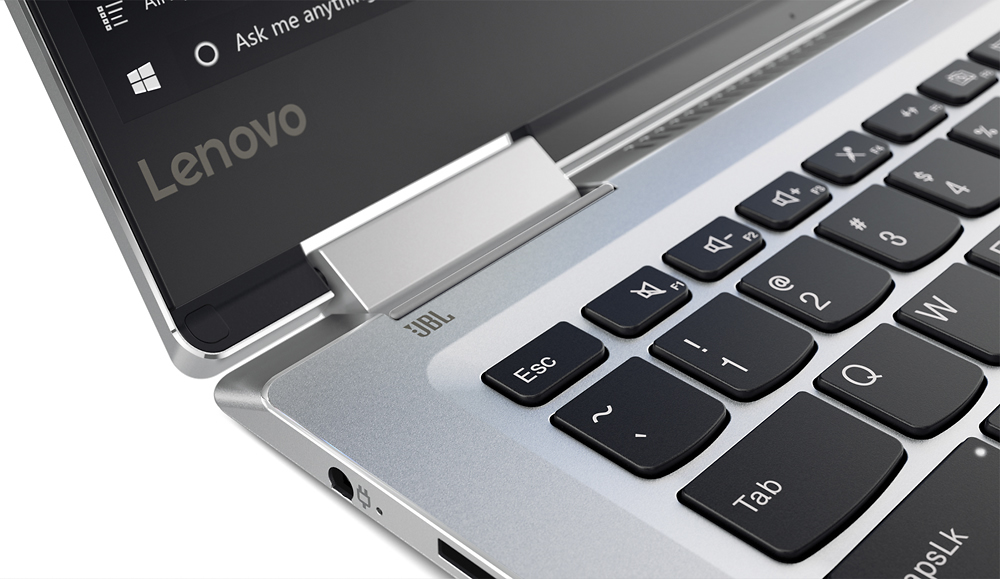
- Model:
- 80V4000GUS
- SKU:
- 5579143
Rating by feature
- Value
Rating 3.8 out of 5 stars
- Quality
Rating 3.7 out of 5 stars
- Ease of Use
Rating 4.1 out of 5 stars
Customers are saying
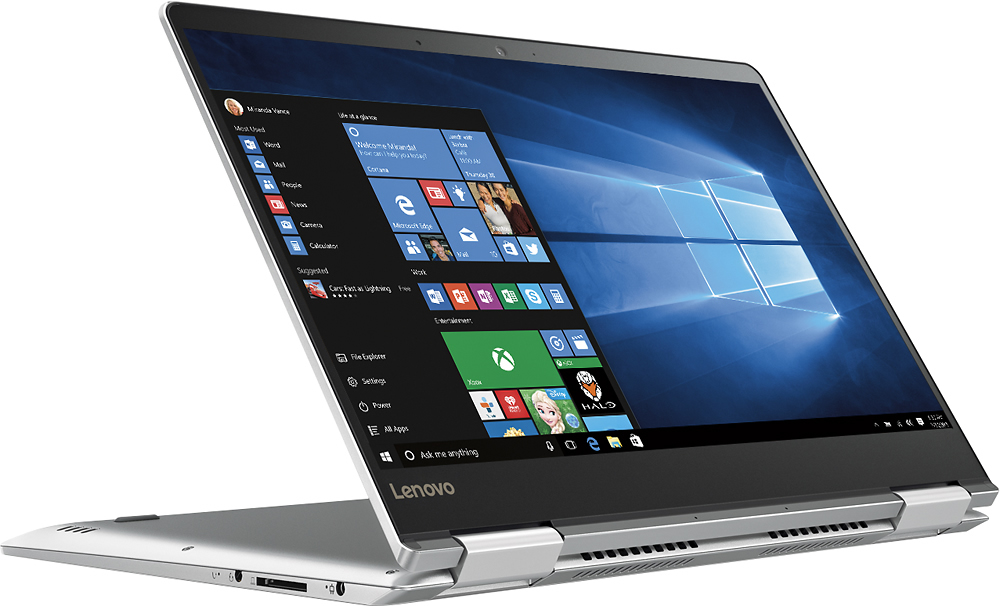
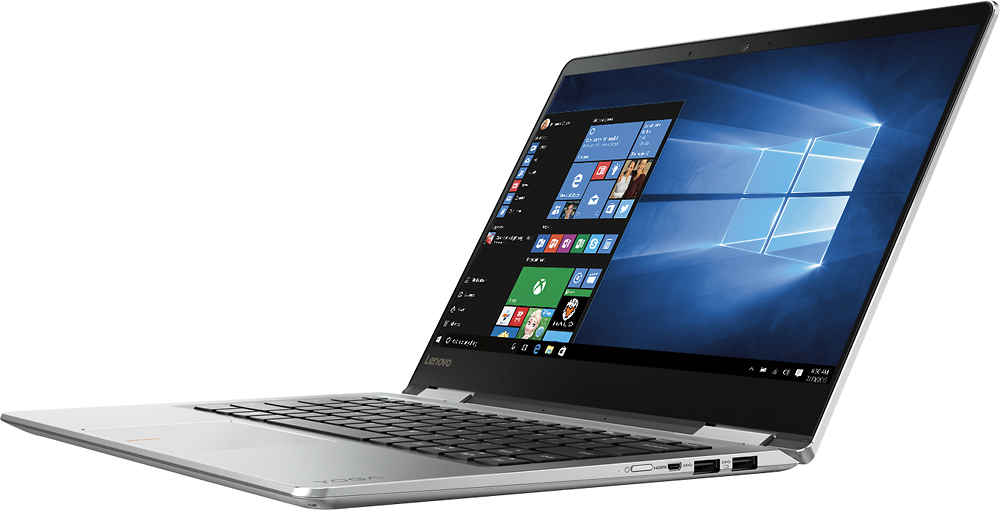
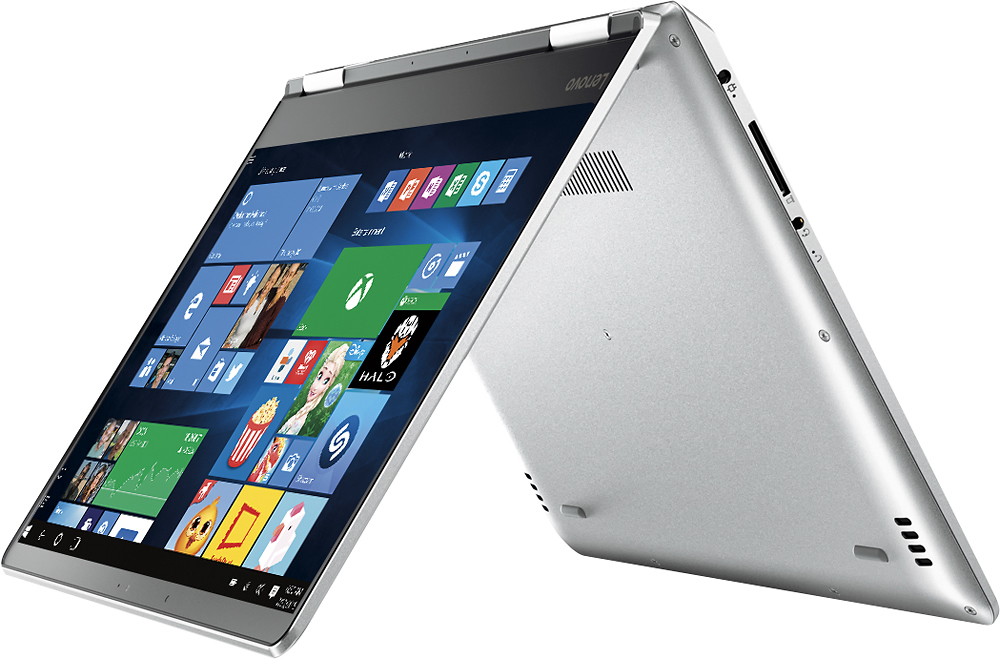
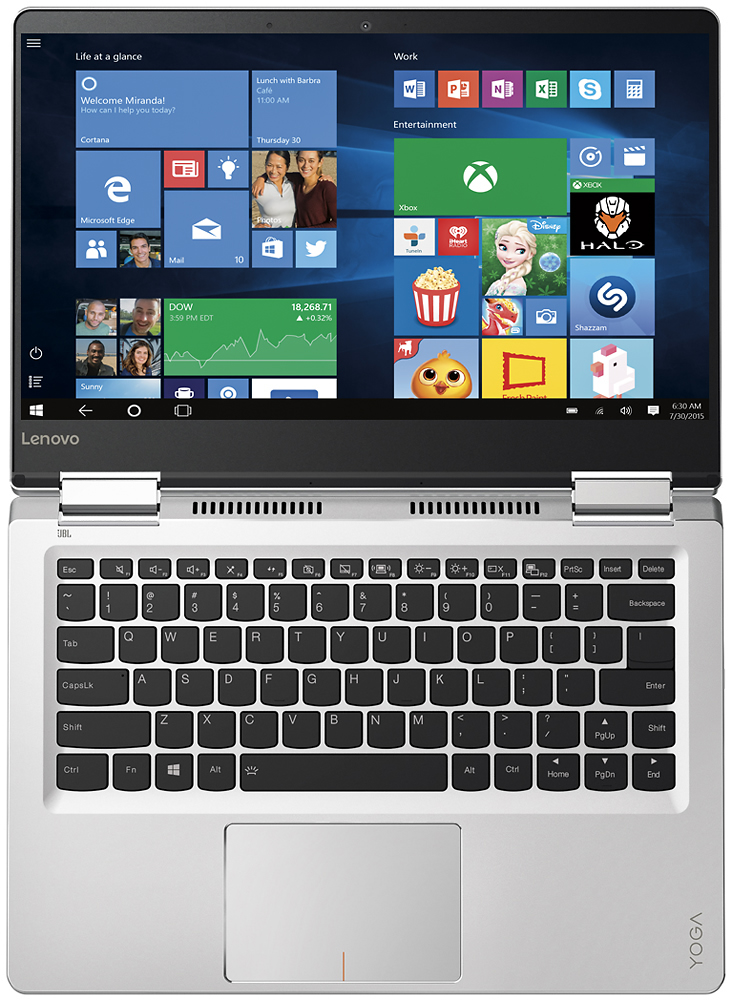
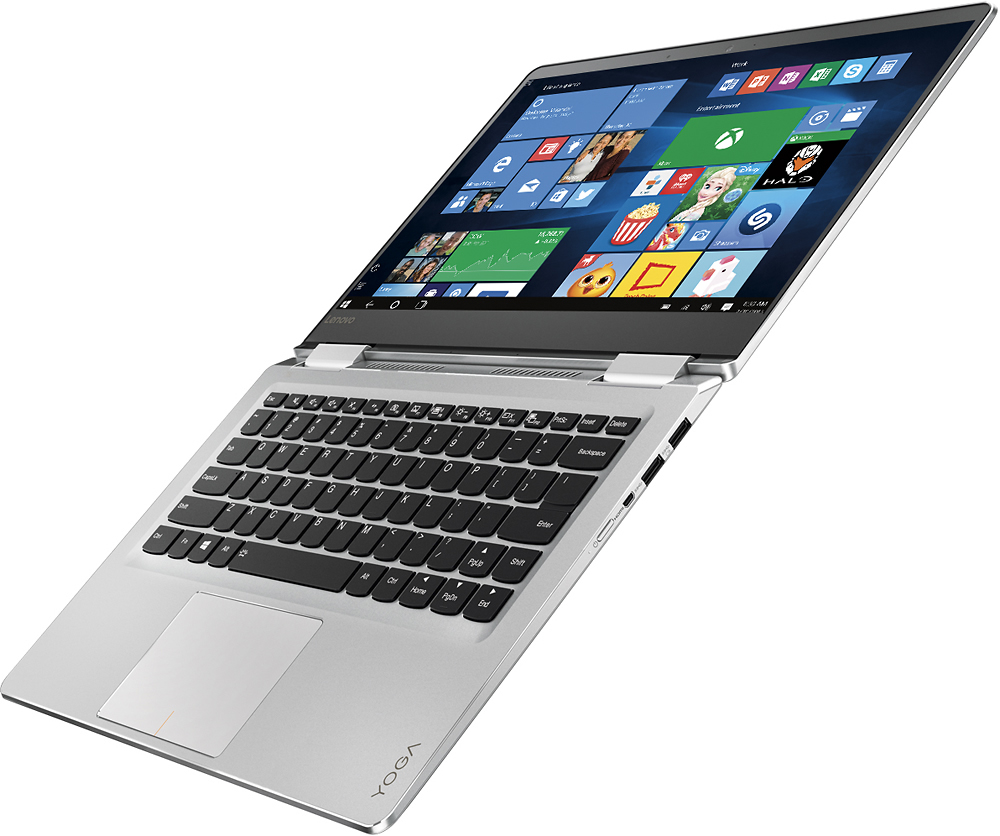
Customers admire the Yoga 710 2-in-1 laptop for its lightweight design, touchscreen capabilities, and affordable price point. Many users also appreciate its long battery life, user-friendly interface, and fast performance. While some users have expressed concerns about fan noise and the placement of the shift key, these issues do not seem to be widespread.
This summary was generated by AI based on customer reviews.
Great laptop. Excellent specs!
||Posted .This reviewer received promo considerations or sweepstakes entry for writing a review.This laptop was very affordable (I got an open box deal) and packs a number of very impressive specifications. I got this as a gift for my sister, and she loves it. My partner has a Yoga 910, and while that product is also great, I really like the form factor of the smaller version.
I would recommend this to a friendNo problem
||Posted .This reviewer received promo considerations or sweepstakes entry for writing a review.I read reviews about noise of the fan but i believe its normal , why because im not using a tablet. The keyboard shift key is far than normal but using it frequently making used to it.overall i recommend this to a friend.
I would recommend this to a friendBrand response from Lenovo Product Expert
Posted .Thank you for choosing the Lenovo Yoga 710-14. We are pleased to hear that the performance of the Yoga 710-14 meets your computing needs so well.

This is a great laptop
||Posted .This reviewer received promo considerations or sweepstakes entry for writing a review.This is a great laptop. Very nice and portable. I spent sometime looking at laptops and glad I landed on this one. Only issue I have had is I ordered mine from seller Honest_Shop1 and it came without the proper audio driver. Took me a little troubleshooting, but working fine now.
No, I would not recommend this to a friendBrand response from Lenovo Product Expert
Posted .Thank you for choosing the Lenovo Yoga 710-14. We are pleased to hear that the Yoga 710-14 is working so well for you.
Great Laptop for college work
||Posted .This reviewer received promo considerations or sweepstakes entry for writing a review.I really love how simple this computer is to use. The backlit keyboard to great. My vision is not so great and the backlit keyboard has been so useful. This would be a 5 if I could have been able to get it in silver.
I would recommend this to a friendGood laptop a little expensive
||Posted .This reviewer received promo considerations or sweepstakes entry for writing a review.This laptop turned out to be a pretty good laptop, configured easily, very portable and light. Specifically bought this for an executive in the company who really liked the laptop and didn't mind the small screen.
I would recommend this to a friendGood computer
||Posted .This reviewer received promo considerations or sweepstakes entry for writing a review.Great pic quality and fast download. The only problem is it doesnt have the ten key on right. Dont like where the shift key sits on the right side. Too hard to use. Love the ability to use as a pad or computer.
I would recommend this to a friendBrand response from Lenovo Product Expert
Posted .Thank you for choosing the Lenovo Yoga 710-14. With regard to the right shift key issue you mention, there is a free software APP called KeyTweak that may help you. You can switch the key functions of specific keys on your keyboard with this software, so you could change the right shift key with the key you hit in its place. Just Google search "KeyTweak" and you will find articles about what the software does and you will find the download location for this free APP.
great speed on the computer and great resolution
||Posted .This reviewer received promo considerations or sweepstakes entry for writing a review.Computer was easy to set up. It took a long time to load Windows 365 and I'm not sure why. I loaded it on the laptop and it took a fraction of the time. The keyboard is a little small but we're getting used to it.
I would recommend this to a friendBrand response from Lenovo Product Expert
Posted .Thank you for choosing the Lenovo Yoga 710-14. With regard to Microsoft Office 365, the software is already on the device as part of the Windows 10 operating system. You only need to purchase a product activation code to activate the programs. You don't need to install any additional software, in fact installing an additional copy of Microsoft Office 365 can dramatically slow down your device.
great 2 in 1 laptop
||Posted .This reviewer received promo considerations or sweepstakes entry for writing a review.I was looking for something well within my budget since it had been about 7 years since my last laptop, which was a sony vaio. i'm glad i found this one, runs fast and does what i need to do. my only concern is the battery but i use it a lot so i charge more often.
I would recommend this to a friendBrand response from Lenovo Product Expert
Posted .Thank you for choosing the Lenovo Yoga 710-14. With regard to the battery life, try changing your power management setting to a more conservative one. You can do this in the control panel, in the power management category on your system. Select a more conservative power management setting to extend battery life.
Nice & light with touch screen that folds easily
||Posted .This reviewer received promo considerations or sweepstakes entry for writing a review.Would have gotten 4-1/2 not 5 because the return button is in different place than the other computers we use, and we had trouble with Microsoft originally geek squad helped as they usually do.
I would recommend this to a friendSo far so good.
||Posted .This reviewer received promo considerations or sweepstakes entry for writing a review.Purchased for my son in college. He reports it has enough speed and memory for him to write papers, play games, watch videos, download music, etc. It also hasn't slowed down on him yet. So far, so good!
I would recommend this to a friendBrand response from Lenovo Product Expert
Posted .Thank you for choosing the Lenovo Yoga 710-14 for your son. We are pleased to hear that the performance of the Yoga 710-14 meets your son's computing needs so well.
14" a perfect size
||Posted .This reviewer received promo considerations or sweepstakes entry for writing a review.This machine is both sleek and sturdy, but - most important, to me - the 14" form factor is big enough to do full-scale work but small enough to fit in a travel bag. I'm surprised 14" isn't a more desirable size, but glad the Yoga built to that size. Great purchase.
I would recommend this to a friendBrand response from Lenovo Product Expert
Posted .Thank you for choosing the Lenovo Yoga 710-14. We are pleased to hear that the features and performance of the Yoga 710-14 meets your computing needs so well.
Nice fast laptop
||Posted .This reviewer received promo considerations or sweepstakes entry for writing a review.A definite upgrade from our old laptop. Only thing I'm not thrilled with is the keyboard. It has a different set up with the shift key on the right side and I'm always hitting the up arrow key by mistake.
I would recommend this to a friendBrand response from Lenovo Product Expert
Posted .Thank you for choosing the Lenovo Yoga 710-14. With regard to the right shift key issue you mention, there is a free software APP called KeyTweak that may help you. You can switch the key functions of specific keys on your keyboard with this software, so you could change the right shift key with the key you hit in its place. Just Google search "KeyTweak" and you will find articles about what the software does and you will find the download location for this free APP.
serves the purpose
||Posted .This reviewer received promo considerations or sweepstakes entry for writing a review.Its a good product nice design, good config. But While running app like Facebook it behaves weird. Like Slowwww. From browser its perfect. Not sure if it s problem of my network. otherwise pretty cool
I would recommend this to a friendBrand response from Lenovo Product Expert
Posted .Thank you for choosing the Lenovo Yoga 710-14. With regard to the issues you mention with your device, there may be driver updates for your specific system. Follow the link below to look for new driver updates for your specific system. You can also run diagnostics from the Lenovo site as well. As always, be sure to create a restore point on your system before you make any changes. You can do this by just typing "restore point" in the search window within Cortana and follow the link to create a restore point. Here is the link:
http://pcsupport.lenovo.com/us/en/products/laptops-and-netbooks/yoga-series/yoga-710-14ikb/80v4/80v4000gus/downloads?linkTrack=Caps%253ABody_SerialNumber
Good
||Posted .This reviewer received promo considerations or sweepstakes entry for writing a review.Love the compact size, general system processing - one big negative is on keyboard, right side where shift key is located, not in normal spot which causes typing errors and frustration at times...
I would recommend this to a friendBrand response from Lenovo Product Expert
Posted .Thank you for choosing the Lenovo Yoga 710-14. With regard to the right shift key issue you mention, there is a free software APP called KeyTweak that may help you. You can switch the key functions of specific keys on your keyboard with this software, so you could change the right shift key with the key you hit in its place. Just Google search "KeyTweak" and you will find articles about what the software does and you will find the download location for this free APP.
Great laptop
||Posted .This reviewer received promo considerations or sweepstakes entry for writing a review.Had used hp spectra (I7Gen 6,16 GB RAM,512 SSD)and returned due to mouse pointer duplication, high sound and low battery live. Got low configuration Lenovo yoga 710 and not seen any of the issues.Using this laptop for 2 months now and no issues found so far.
I would recommend this to a friendBrand response from Lenovo Product Expert
Posted .Thank you for choosing the Lenovo Yoga 710-14. We are pleased to hear that the performance of the Yoga 710-14 meets your computing needs so well.
Great for school
||Posted .This reviewer received promo considerations or sweepstakes entry for writing a review.Our old Lenovo got super slow. We bought this out of the box as a replacement. It works great. I only gave it 4 stars because of my own user errors with the sensitive mousepad. Otherwise it's great.
I would recommend this to a friendBrand response from Lenovo Product Expert
Posted .Thank you for choosing the Lenovo Yoga 710-14. With regard to the touchpad, you can make adjustments to the touchpad in your system settings. You can get there by clicking on the magnifying glass at the bottom left your Windows 10 screen. Type "touchpad" in the search window. Select "Mouse & touchpad settings" from the list of choices. You can make general adjustments to the touchpad there. You can also select "Additional mouse options" for more detailed adjustments to the touchpad sensitivity by increasing the delay of the touchpad.
Slick, sleek and efficient
||Posted .This reviewer received promo considerations or sweepstakes entry for writing a review.It performs exactly as it should. Just that it is prone to scratches even on gentle handling... That's how the exterior is. Screen is bright. No lags even in heavy usage. Battery lasts an entire day.
I would recommend this to a friendGreat laptop/tablet!
||Posted .This reviewer received promo considerations or sweepstakes entry for writing a review.Great laptop/tablet combination! Enough processing power and plenty of RAM for the normal everyday use. More memory could be included however that's the next model up. Great computer for the cost.
I would recommend this to a friendBrand response from Lenovo Product Expert
Posted .Thank you for choosing the Lenovo Yoga 710-14. We are pleased to hear that the features and performance of the Yoga 710-14 meets your computing needs so well.
Great 2 in 1 laptop
||Posted .This reviewer received promo considerations or sweepstakes entry for writing a review.The Yoga 710 had all the features we were looking for at a price within our budget. It has performed flawlessly for us thus far. We aren't gamers or run multiple complex programs simultaneously, so I'm not sure how it would perform in those instances.
I would recommend this to a friendBrand response from Lenovo Product Expert
Posted .Thank you for choosing the Lenovo Yoga 710-14. We are pleased to hear that the value and performance of the Yoga 710-14 meets your computing needs so well.
I think it is great
||Posted .This reviewer received promo considerations or sweepstakes entry for writing a review.Small, light weight, and fast. There is a lot of glare on the screen. I don't use it as a tablet. As a portable laptop I really like it. Use it for work and photo editing. No problems so far.
I would recommend this to a friend