Customer Ratings & Reviews






- Model:
- 80V4000GUS
- SKU:
- 5579143
Rating by feature
- Value
Rating 3.8 out of 5 stars
- Quality
Rating 3.7 out of 5 stars
- Ease of Use
Rating 4.1 out of 5 stars
Customers are saying
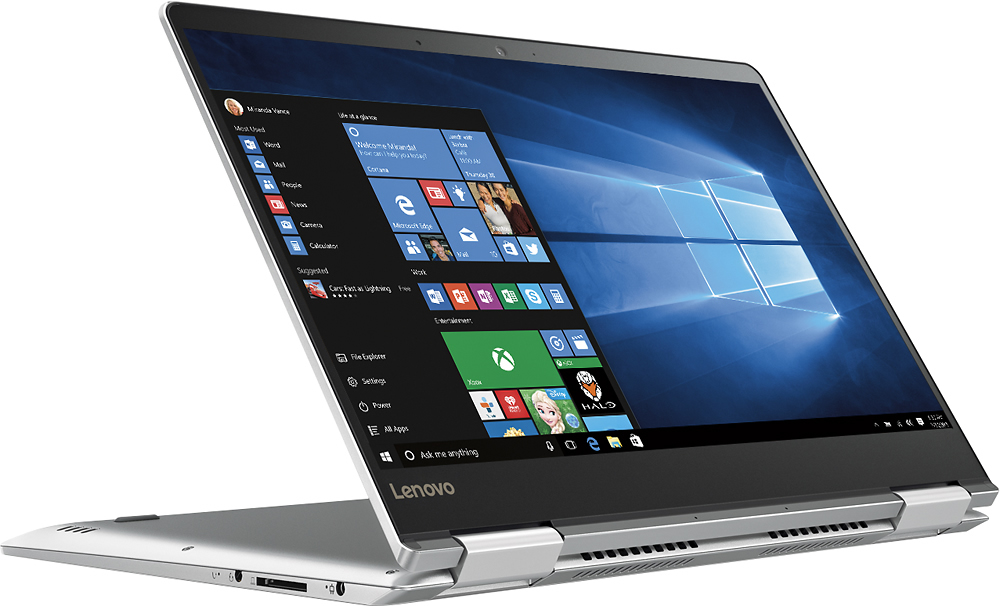
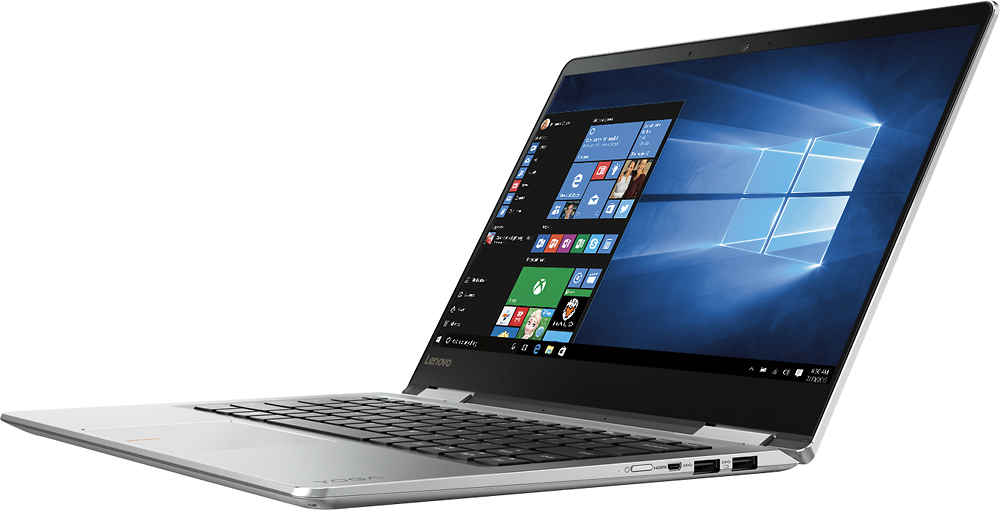
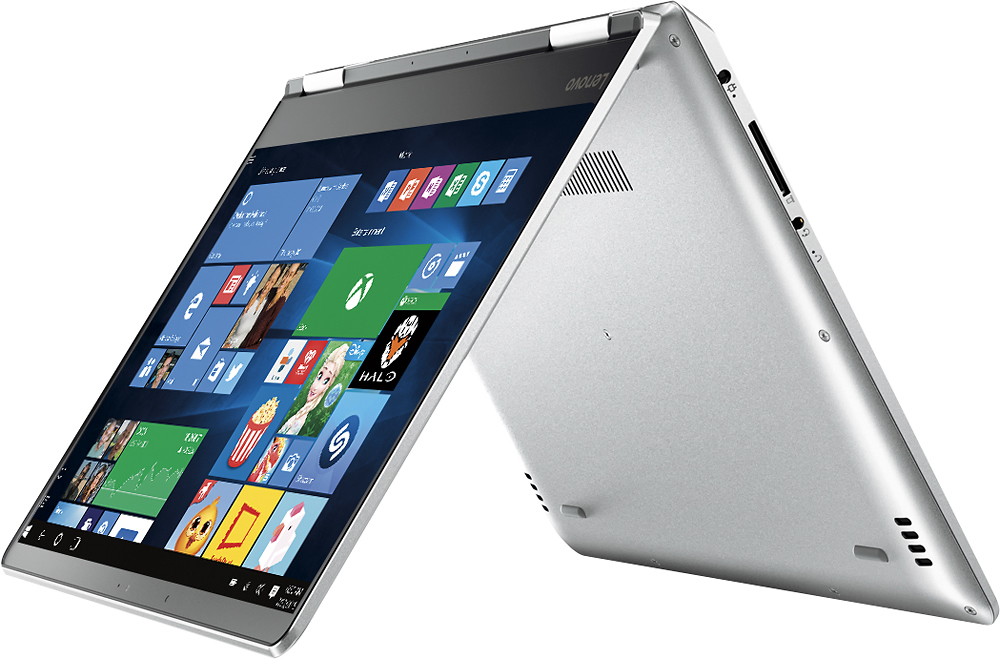
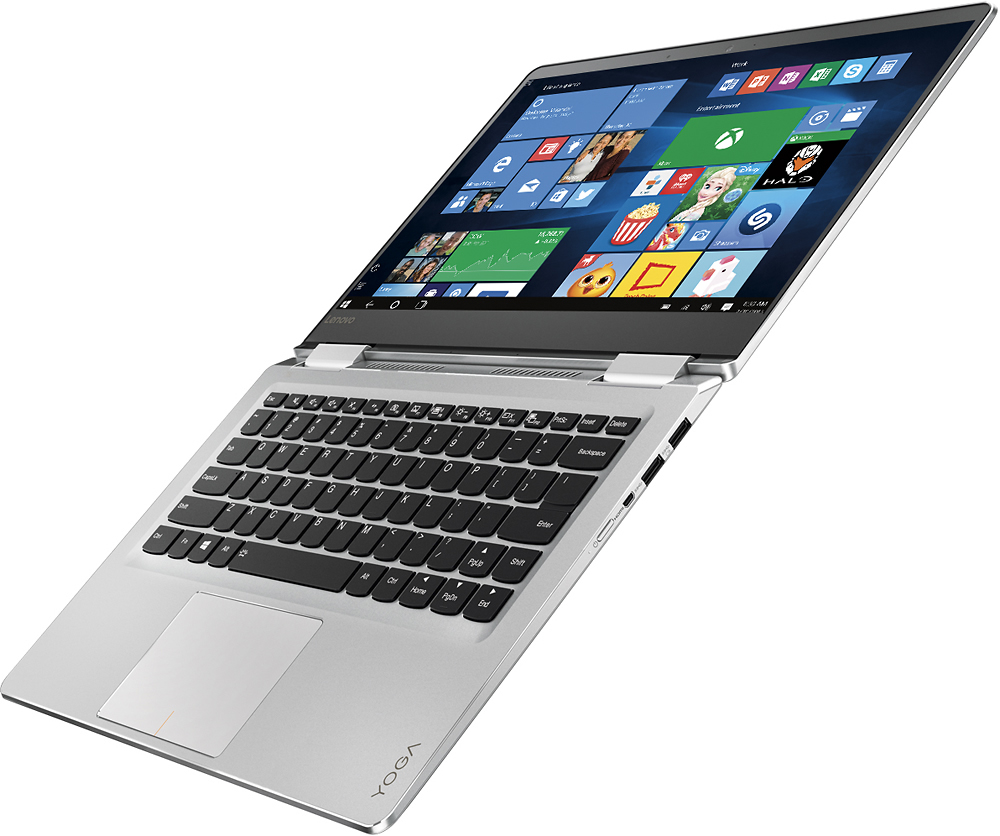
Customers admire the Yoga 710 2-in-1 laptop for its lightweight design, touchscreen capabilities, and affordable price point. Many users also appreciate its long battery life, user-friendly interface, and fast performance. While some users have expressed concerns about fan noise and the placement of the shift key, these issues do not seem to be widespread.
This summary was generated by AI based on customer reviews.
great deal
||Posted .This reviewer received promo considerations or sweepstakes entry for writing a review.daughter wanted these. she loves it.wish i had one
I would recommend this to a friendBrand response from Lenovo Product Expert
Posted .Thank you for choosing the Lenovo Yoga 710-14 for your daughter. We are pleased to hear that the Yoga 710-14 is working out so well for your daughter.

- Cons mentioned:Fan noise
FAN SO ANNOYING NOISE
||Posted .This reviewer received promo considerations or sweepstakes entry for writing a review.I placed the order on black friday. And try it after one week, when in Idle situation, the fan just run up so big noise that's make people so annoying. Besides, with usage of 3 weeks, the screen starts blinking, sometime just turned black shock when watching some videos. This computer is stylish, so wonderful outlooking, but the inside build is so disapointed. AFTER I exchange for 2 times, the the third time, I returned it. Honestly, I don't recomend this.
No, I would not recommend this to a friend Good basic carry along laptop
||Posted .This reviewer received promo considerations or sweepstakes entry for writing a review.Functionality isn't bad. Sound could be better. When floored in tablet mode harder to hear sounds. When using touch screen is a littke wobbly. Access menu not as user friendly.
I would recommend this to a friendOPEN BOX BEWARE - AUDIO DRIVERS DISAPPEAR ETC
||Posted .This reviewer received promo considerations or sweepstakes entry for writing a review.NO CUSTOMER SERVICE AVAILABLE AT BEST BUY GENEVA ILLINOIS!!! I shopped for a laptop in January and was talked into purchasing an "Open Box" certified Lenovo at my local Best Buy. This was against my better judgement but the associate assured me that this was a certified and guaranteed product. I have had regular problems with this product ever since. I have gone the Lenovo customer "service" route multiple times for the same problem. HOURS on the phone!!! Finally when I had the same problem again after a lengthy session on the phone I decided to return the computer and replace with another at the same BEST BUY as I was assured this was possible the day I purchased it. Needless to say there is a different story being told today by the BEST BUY manager on duty. No return since it is past 15 days. I have not used this computer 15 times since owning it!!! No resolution by the manager at the Best Buy where I purchased it except that "We can send it off and get it fixed". This is NOT ACCEPTABLE. I could have bought this computer new at a better price online but bought locally. NEVER AGAIN! I was told I could come back 4 hours later today to speak with Gil as the manager on duty refused any resolution except to send this computer off and leave me without this computer for who knows how long. BEST BUY in GENEVA ILLINOIS DOES NOT CARE ABOUT IT's CUSTOMERS!!
No, I would not recommend this to a friendBrand response from Lenovo Product Expert
Posted .We are sorry to hear about the audio driver issues you are experiencing with your Lenovo Yoga 710-14. Here is a link to the driver update for this problem. You can either download it yourself or ask the Geek Squad to install this new driver for you. Here is the Link:
http://pcsupport.lenovo.com/us/en/products/LAPTOPS-AND-NETBOOKS/YOGA-SERIES/YOGA-710-14IKB/80V4/80V480V4000GUS/downloads/DS118360
Keyboard is almost unusuable
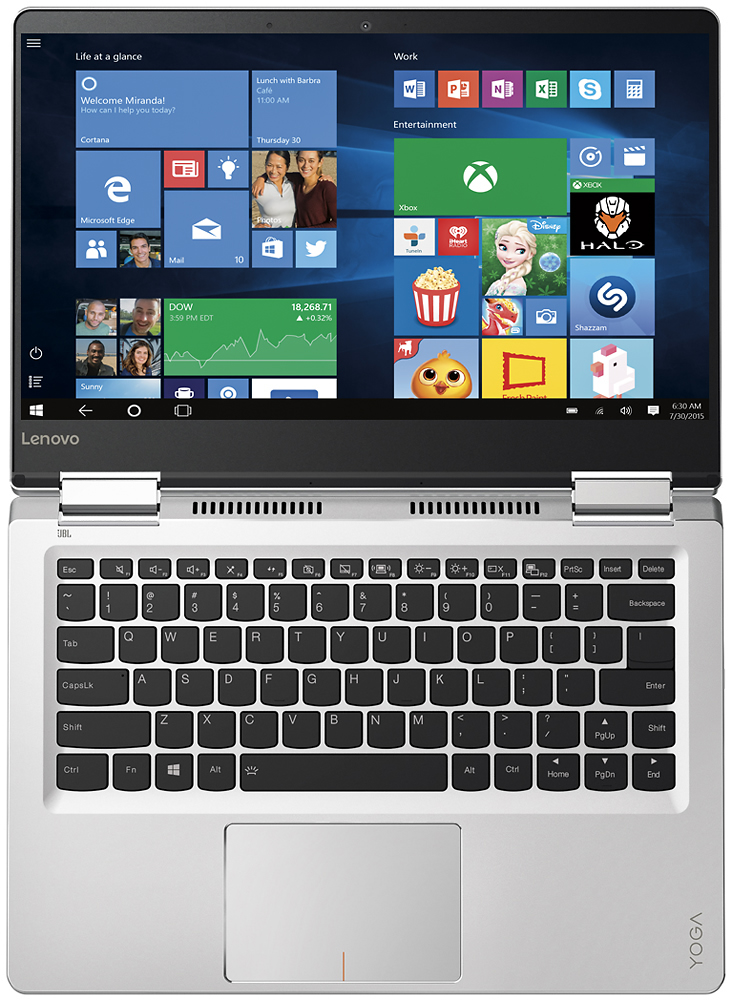
||Posted .This reviewer received promo considerations or sweepstakes entry for writing a review.This computer has the potential of being amazing, but unfortunately the right shift key is small and to the right of the up arrow. So, if you are used to using a standard keyboard you will be frustrated by the key placement. It is beyond annoying. I've been trying to "get used to" the keyboard, but I've been typing for a long time and unfortunately it is almost impossible to retrain my fingers for typing. I will be returning this item.
No, I would not recommend this to a friendBrand response from Lenovo Product Expert
Posted .With regard to the right shift key issue you mention, there is a free software APP called KeyTweak that may help you. You can switch the key functions of specific keys on your keyboard with this software, so you could change the right shift key with the key you hit in its place. Just Google search "KeyTweak" and you will find articles about what the software does and you will find the download location for this free APP.
Overall very good. The sound card is bad of box
||Posted .This reviewer received promo considerations or sweepstakes entry for writing a review.Very slim and light design. Love it. Performance wise above par. HOWEVER, the sound card is bad right out of box. Will return/exchange it.
I would recommend this to a friendBrand response from Lenovo Product Expert
Posted .Thank you for choosing the Lenovo Yoga 710-14. With regard to the audio issues you mention with your device, there may be driver updates for your specific system. Follow the link below to look for new driver updates for your specific system. You can also run diagnostics from the Lenovo site as well. As always, be sure to create a restore point on your system before you make any changes. You can do this by just typing "restore point" in the search window within Cortana and follow the link to create a restore point. Here is the link:
http://support.lenovo.com/us/en/products/Laptops-and-netbooks/Yoga-Series/yoga-710-14ikb/80V4/000GUS/downloads/DS118360
Good Laptop
||Posted .This reviewer received promo considerations or sweepstakes entry for writing a review.I loved everything about this laptop till I got it home and the wireless did not work well in my house. Had to return it.
No, I would not recommend this to a friendUpgraded to 900
||Posted .This reviewer received promo considerations or sweepstakes entry for writing a review.I decided to upgrade to the 900. While this computer is a great price, I was looking for a faster processor.
I would recommend this to a friendDecent
||Posted .This reviewer received promo considerations or sweepstakes entry for writing a review.Having a bit of a problem with the laptop tweaking out on me. I'm gonna have to bring it in to exchange it.
No, I would not recommend this to a friendBrand response from Lenovo Product Expert
Posted .With regard to the issues you mention with your device, there may be driver updates for your specific system. Follow the link below to look for new driver updates for your specific system. You can also run diagnostics from the Lenovo site as well. As always, be sure to create a restore point on your system before you make any changes. Here is the link:
http://support.lenovo.com/us/en/products/Laptops-and-netbooks/Yoga-Series/yoga-710-14ikb/80V4/000GUS?linkTrack=Caps%253ABody_SearchProduct&tabName=downloads&beta=false
already has some issues
||Posted .This reviewer received promo considerations or sweepstakes entry for writing a review.tablet mode doesnt always recognize wifi connection. have had to rebot to fix computer freezing up.
No, I would not recommend this to a friendBrand response from Lenovo Product Expert
Posted .With regard to the issues you mention with your device, there may be driver updates for your specific system. Follow the link below to look for new driver updates for your specific system. You can also run diagnostics from the Lenovo site as well. As always, be sure to create a restore point on your system before you make any changes. You can do this by just typing "restore point" in the search window within Cortana and follow the link to create a restore point. Here is the link:
http://pcsupport.lenovo.com/us/en/products/laptops-and-netbooks/yoga-series/yoga-710-14ikb/80v4/80v4000gus/downloads
Very Good
||Posted .This reviewer received promo considerations or sweepstakes entry for writing a review.Touch Screen is a little TOO touchy.....you can just bump it and things shrink or move or change.
I would recommend this to a friendgood lap
||Posted .This reviewer received promo considerations or sweepstakes entry for writing a review.great definition in the screen, we have some troubles to install the office
I would recommend this to a friendBrand response from Lenovo Product Expert
Posted .Thank you for choosing the Lenovo Yoga 710-14. Microsoft Office 365 software is already installed on this device as part of the Windows 10 operating system. There is a 30-day trial of Microsoft Office 365 included as part of the Windows 10 operating system. In order to keep the program active after the trial period, you will need to purchase a product key. You will not need to download any additional software. If you installed another copy of Microsoft Office on to the device you could have a conflict between the two copies, causing the system to run slowly.
Nice, like it
||Posted .This reviewer received promo considerations or sweepstakes entry for writing a review.Very nice and use ful plus all kind of features in it too. I like it most.
I would recommend this to a friendVery Nice Notebook
||Posted .This reviewer received promo considerations or sweepstakes entry for writing a review.These is a nice product. Portable over all. well fihished. Happy with it
I would recommend this to a friendLaptop
||Posted .This reviewer received promo considerations or sweepstakes entry for writing a review.I just didn't like that fact that it doesn't have a cd/dvd drive.
No, I would not recommend this to a friendTouch pad not so smooth
||Posted .This reviewer received promo considerations or sweepstakes entry for writing a review.Touch pad is not good as expected. Trying sending for a repair.
No, I would not recommend this to a friendBrand response from Lenovo Product Expert
Posted .Thank you for choosing the Lenovo Yoga 710-14. With regard to the touchpad, you can make adjustments to the touchpad in your system settings. You can get there by clicking on the magnifying glass at the bottom left of your Windows 10 screen. Type "touchpad" in the search window. Select "Mouse & touchpad settings" from the list of choices. You can make general adjustments to the touchpad there. You can also select "Additional mouse options" for more detailed adjustments to the touchpad sensitivity by increasing the delay of the touchpad.
slow with virus protect
||Posted .This reviewer received promo considerations or sweepstakes entry for writing a review.It does't work that well on all wifis. OK other than that
No, I would not recommend this to a friendBrand response from Lenovo Product Expert
Posted .Thank you for choosing the Lenovo Yoga 710-14. With regard to the issues you mention with your device, there may be driver updates for your specific system. Follow the link below to look for new driver updates for your specific system. You can also run diagnostics from the Lenovo site as well. As always, be sure to create a restore point on your system before you make any changes. You can do this by just typing "restore point" in the search window within Cortana and follow the link to create a restore point. Here is the link:
http://pcsupport.lenovo.com/us/en/products/Laptops-and-netbooks/Yoga-Series/yoga-710-14ikb/80V4/000GUS/downloads?linkTrack=Caps%3ABody_SerialNumber
Good laptop for beginners
||Posted .This reviewer received promo considerations or sweepstakes entry for writing a review.Very very very very noisy and heavier that what it seems.
No, I would not recommend this to a friendBrand response from Lenovo Product Expert
Posted .This system weighs 3.42 lbs. Here is a link to a BIOS update that may help the fan noise issue:
http://support.lenovo.com/us/en/products/Laptops-and-netbooks/Yoga-Series/yoga-710-14ikb/80V4/000GUS/downloads/DS118587
1) screen and 2) shift key
||Posted .This reviewer received promo considerations or sweepstakes entry for writing a review.1) not sensitive enough; 2) shift key in wrong place
I would recommend this to a friendBrand response from Lenovo Product Expert
Posted .With regard to the right shift key issue you mention, there is a free software APP called KeyTweak that may help you. You can switch the key functions of specific keys on your keyboard with this software, so you could change the right shift key with the key you hit in its place. Just Google search "KeyTweak" and you will find articles about what the software does and you will find the download location for this free APP.
Good specs, ok quality
||Posted .This reviewer received promo considerations or sweepstakes entry for writing a review.Specs are okay for the price. However, the screen and touchpad leave something to be desired. Furthermore, the first unit had a really noisy fan issue, which is not uncommon with this model - buyer beware! This is the main reason for the low star review.
No, I would not recommend this to a friend