Customer Ratings & Reviews
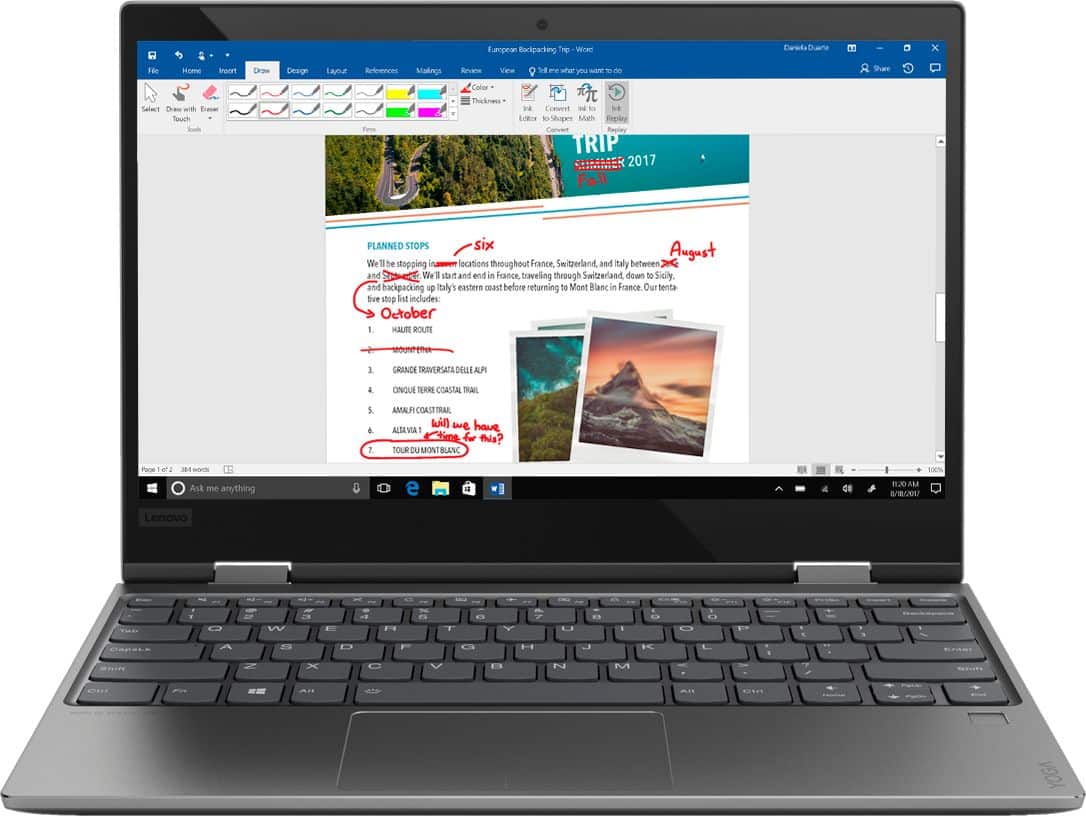

- Model:
- 81B5000KUS
- SKU:
- 6061900
Rating by feature
- Value
Rating 3.6 out of 5 stars
- Quality
Rating 3.7 out of 5 stars
- Ease of Use
Rating 4.1 out of 5 stars
Customers are saying
Customers love the Yoga 720 for its portability, light weight, and fast performance. They appreciate the touch screen and the affordable price point. However, some users have concerns about the fan noise, battery life, limited storage, and overheating issues.
This summary was generated by AI based on customer reviews.
So far, so good
||Posted .This reviewer received promo considerations or sweepstakes entry for writing a review.Bought this for my daughter for college. On a very tight budget so purchasing open box sure helped lower cost. It’s been only a few weeks and thus far she is happy with the laptop.
I would recommend this to a friendBrand response from Lenovo Product Expert
Posted .Thank you for choosing the Lenovo Yoga 720-12. We are pleased to hear that the value and performance of the Yoga 720-12 meets your computing needs so well.

Nice laptop
||Posted .This reviewer received promo considerations or sweepstakes entry for writing a review.Did some research online and visited Best Buy to find a laptop for my daughter. Decided to go with the Lenovo. Seems like a quality product without breaking the bank. My daughter seems to like very much and has never complained about any features or performance. Would recommend this laptop.
I would recommend this to a friendBrand response from Lenovo Product Expert
Posted .Thank you for choosing the Lenovo Yoga 720-12 for your daughter. We are pleased to hear that the value, features and performance of the Yoga 720-12 meets your daughter's computing needs so well. For 2018, Lenovo retained its place for a second year as the best laptop vendor:
https://www.laptopmag.com/articles/laptop-brand-ratings
- Pros mentioned:Fast, Light weightCons mentioned:Fan noise
Solid ultrabook choice
Posted .This reviewer received promo considerations or sweepstakes entry for writing a review.Pros: fast, light, good display, good keyboard and touchpad, fingerprint sensor for Windows Hello Cons: A bit rough out-of-box experience. W10 Fall Creators Update took LONG time. (I blame MS on this.) Touchpad issue required Lenovo SW update to fix. It says there's still one more touchpad software update to apply but it fails to install. Things work fine now so I'm not going to worry about it. 8GB/128GB is what I consider sweet spot configuration for ultrabooks. There aren't many offerings like this. Note this model doesn't come with backlit keyboard unlike other yoga 720 models. Regarding fan noise, after the sw updates, it doesn't come on all that often for me when I browse using Edge. I was pleasantly surprised because CPU still felt very snappy as if it's running at fast clock speed. When it does come on, it's not bad imo. While I wouldn't use this on bed while my wife is sleeping right next me, its noise is quite tolerable or barely noticeable most times. Latest MS Surface Pro has i5/8GB model without any fan but it's much more costly...
I would recommend this to a friendBrand response from Lenovo Product Expert
Posted .Thank you for choosing the Lenovo Yoga 720-12. We are pleased to hear that the value, features and performance of the Yoga 720-12 meets your computing needs so well.
my wife loves it
||Posted .This reviewer received promo considerations or sweepstakes entry for writing a review.i bought the yoga for my wife to replace a ten year old laptop. My cousin uses a yoga and recommended them to me. my wife says its so much quicker and better than her old dell
I would recommend this to a friendBrand response from Lenovo Product Expert
Posted .Thank you for choosing the lenovo Yoga 720-12 for your wife. We are pleased to hear that the performance of the Yoga 720-12 meets your wife's computing needs so well.
Excellent lap top for school
||Posted .This reviewer received promo considerations or sweepstakes entry for writing a review.I purchased this laptop for my son who is headed to college. He is thrilled with the "look" but also the performance. Most laptops will do anything required of college classes, so it is not hard to meet the requirements. But, my son likes to watch Netflix and get on line and does well with all this.
I would recommend this to a friendBrand response from Lenovo Product Expert
Posted .Thank you for choosing the Lenovo Yoga 720-12 for your son. We are pleased to hear that the features and performance of the Yoga 720-12 meets your son's computing needs so well.
Great computer
||Posted .This reviewer received promo considerations or sweepstakes entry for writing a review.Needed something that wouldn't break the bank. This computer works great. We only need something for basic use: email, Microsoft office, internet. Would buy it again.
I would recommend this to a friendBrand response from Lenovo Product Expert
Posted .Thank you for choosing the Lenovo Yoga 720-12. We are pleased to hear that the value, features and performance of the Yoga 720-12 meets your computing needs so well.
Very good for the price
||Posted .This reviewer received promo considerations or sweepstakes entry for writing a review.got the whole thing discounted during a sale. Very good for the price, only issue is the speakers. They are pretty bad, the sound warps when too loud or at a certain pitch
I would recommend this to a friendBrand response from Lenovo Product Expert
Posted .The Yoga 720-12 ships with stereo 1.5W Harmon speakers. There is Dolby Atmos sound enhancement software. This works best with headphones, be sure you turn Dolby Atmos off if you are using the system speakers for optimum audio through the system speakers.
- Cons mentioned:Battery life
Don't buy!
||Posted .This reviewer received promo considerations or sweepstakes entry for writing a review.When we first bought the laptop (6/7/2018), it worked great for my daughter. It was her graduation present from HS. She used it for her first year of college. Now, right after school was done and she had to take a summer class, the laptop dies. Looked for all the way to get it working. Find out that it is out of warranty from manufacturer (the start date was 2 months before purchase) and now Best Buy is saying that since I did not buy a Geek Squad warranty, its my problem. Its not even a year old. Lenovo is near impossible to get in touch with. Keep getting directed to an extended warranty. Basically, I have a door stop now until I can get on touch with someone. I have had better luck with Macbooks.
No, I would not recommend this to a friend Absolutely perfect
||Posted .This reviewer received promo considerations or sweepstakes entry for writing a review.I bought this laptop for school and my small business. I wanted a small 2 in 1 with enough ram to keep it moving smoothly. This is perfect. I downloaded Google Chrome and it still runs quick. After several purchases and returns I'm very satisfied with this Lenovo!
I would recommend this to a friendBrand response from Lenovo Product Expert
Posted .Thank you for choosing the Lenovo Yoga 720-12. We are pleased to hear that the performance of the Yoga 720-12 meets your computing needs so well.
Good on most days
||Posted .This reviewer received promo considerations or sweepstakes entry for writing a review.Works great and love the size. Just a tad bit annoying when the wifi is randomly shutting down and restarting due to some operating system issue.
I would recommend this to a friendGreat computer, does what I needed it to
||Posted .This reviewer received promo considerations or sweepstakes entry for writing a review.I bought this laptop for grad school. So far, great use. I had initial issues with the touchpad not working, so I contacted lenovo support and we got the issue resolved relatively quickly. It's small and powerful. Fast moving. Battery life is great. No complaints from me.
I would recommend this to a friendBrand response from Lenovo Product Expert
Posted .Thank you for choosing the Lenovo Yoga 720-12. We are pleased to hear that the Yoga 720-12 is working out so well for you. This system has Lenovo utilities installed to help maintain the health of the device and keep the operating system software up to date, including BIOS/Driver updates. Type "Lenovo Vantage" in the Cortana Search window (if Lenovo Vantage is not installed on your device, you can download the APP and install it now). Select Lenovo Vantage from the list. In the window that opens, click on "Health and Support". In the expanded menu, select "Hardware Scan" In the window that opens, select "Run Quick Tests". This will scan your entire system for errors. Follow any directions that may pop up. If the problem continues after this scan, now click on "System Update". First select Windows update from the menu. Scan your system to be sure you have the latest version of Windows 10. Once that scan is complete, select "Additional Updates". This will scan your device to be sure there are no new BIOS/Driver updates needed. Follow any instructions that may pop up.
Very user friendly and easy to navigate.
||Posted .This reviewer received promo considerations or sweepstakes entry for writing a review.It's a very sleek and compact. It has a beautiful screen display along with a very smooth touchscreen. The windows ink workplace that comes pre-installed on the laptop is very handy and very easy to use, especially with the Bamboo ink pen. Very impressed with this 2 in 1!
I would recommend this to a friendBrand response from Lenovo Product Expert
Posted .Thank you for choosing the Lenovo Yoga 720-12. We are pleased to hear that the features and performance of the Yoga 720-12 meets your computing needs so well.
Great Laptop at an awesome price!
||Posted .This reviewer received promo considerations or sweepstakes entry for writing a review.My girlfriend needed a new laptop and was too scared to move to the Mac system. For just $600, she got this awesome Yoga convertible and it works great. I think it's too small for me, but the i5 version works great, so maybe if you have small hands, it will work for you too!
I would recommend this to a friendBrand response from Lenovo Product Expert
Posted .Thank you for choosing the Lenovo Yoga 720-12. We are pleased to hear that the Yoga 720-12 is working out so well.
Happy wife happy life
||Posted .This reviewer received promo considerations or sweepstakes entry for writing a review.My wife is not a computer person but I told her that she will like this and she does. Easy setup, I say that because she did it her self, and she's not tech savy.
I would recommend this to a friendBrand response from Lenovo Product Expert
Posted .Thank you for choosing the Lenovo Yoga 720-13 for your wife. We are pleased to hear that the easy setup and performance of the Yoga 720-13 meets your wife's computing needs so well.
Good
||Posted . Owned for 11 months when reviewed.This reviewer received promo considerations or sweepstakes entry for writing a review.So far I only use for college work, nothing really big, and it works good with that, I dont think is good for video games or anything like that.
I would recommend this to a friendGreat Computer Crappy Keyboard
||Posted .This reviewer received promo considerations or sweepstakes entry for writing a review.I wanted a 2 in 1 laptop that I could use for small business work and some personal use. I really liked everything about this laptop OTHER than the keyboard. The computer was fast, nice design, easy to use but every time I would fold the computer to use it in "Tablet mode" The keyboard would get funny. Keys wouldn't work, it would not let me switch back to laptop mode without key problems and in the first week, I had an issue with keys sticking to the point I had to remove.
No, I would not recommend this to a friendBrand response from Lenovo Product Expert
Posted .This system has Lenovo utilities installed that may help with the problems you are experiencing with the keyboard functionality. Type "Lenovo Vantage" in the Cortana Search window. Select Lenovo Vantage from the list. In the window that opens, click on "Health and Support". In the expanded menu, select "Hardware Scan" In the window that opens, select "Run Quick Tests". This will scan your entire system for errors. Follow any directions that may pop up. If the problem continues after this scan, now click on "System Update". First select Windows update from the menu. Scan your system to be sure you have the latest version of Windows 10. Once that scan is complete, select "Additional Updates". This will scan your device to be sure there are no new BIOS/Driver updates needed. Follow any instructions that may pop up. If the issue still continues after these updates, we recommend you call Lenovo Tech Support at: 877-453-6686 for additional help.
Had so much trouble with this computer
||Posted . Owned for 1.5 years when reviewed.This reviewer received promo considerations or sweepstakes entry for writing a review.I loved my yoga when I first got it. However, after having it for a few months I realized that it was supposed to be touchscreen (which it was not) so I took it into Best Buy to see what was wrong and they basically told me I bought a defective computer. They sent it in to get fixed and it came back working...somewhat. After they fixed it my mouse would stop working and I could ONLY use the touchscreen. When I tried to look up what it was I saw that multiple customers also had the same problem. Well, 2 months after getting it fixed my computer just stopped work and wouldn’t turn on. Took it to a computer repair shop near me and they told me my mother board went out and I had to replace that. Once I got it back the touchscreen didn’t work at all...again. I have given up on even trying to deal with this horrible product. I had high hopes for Lenovo computers but after this, I will NEVER buy from them again.
No, I would not recommend this to a friendGood laptop for high school student
||Posted .This reviewer received promo considerations or sweepstakes entry for writing a review.Lenovo performs well. Purchased this laptop for my grandson’s 16th bday. Overall, it is a good laptop to take him into the college years. Only drawback, it does not have a back lite for the keyboard. I missed looking at that feature when purchasing.
I would recommend this to a friend- Cons mentioned:Overheating
Slow and it gets hot when using for more of 2 hrs
||Posted .This reviewer received promo considerations or sweepstakes entry for writing a review.I was expecting a lot from my YOGA, because Lenovo had good reviews, and I already have another Lenovo which is slow too but I can work with it. My new YOGA its not what I was expecting; It is slow plus it gets so hot when is charging or when I use it for more than 2 hrs. I stopped using it for the risk of fire, but had no time to go to BBuy ( I have two jobs plus 3 children)
No, I would not recommend this to a friendBrand response from Lenovo Product Expert
Posted .This system should be a fast system with its Dual Core/Four Thread Intel Core i5-7200U processor, 8GB of RAM and a 128GB solid state hard drive. Be sure any software you installed is compatible with Windows 10. There is no need to install Microsoft Office software. The software is already part of the operating system, you just need to activate the software with a purchased product key. If you have installed a copy of Microsoft Office, this is conflicting with the existing copy on the system and this will slow your system down. If you have installed a 3rd party anti-virus program, be sure that Windows Defender is turned off and that the trial version of McAfee Anti-Virus software is uninstalled. There can only be one anti-virus program on the system. You may need to restore your system to original factory default settings if any of the programing errors have occurred. You can do that by typing "restore" in the Cortana search window. Just click on the magnifying glass icon at the bottom left of your Windows 10 Desktop. Click on "Reset This PC" Then click on "Get Started" and follow the on screen directions to restore to factory defaults. Regarding this system running hot, this is a high performance system with its Core i5-7200U processor and 8GB of RAM. It will generate heat whenever it is turned on, even at idle, this is normal. The onboard fan will maintain the proper operating temperature for the device. There will be additional heat generated from the battery when you are charging the device, this too is normal. If you feel that the device is overheating, we recommend you bring the device in to your local Best Buy location and have the Geek Squad take a look at the device.
runs great & very light
||Posted .This reviewer received promo considerations or sweepstakes entry for writing a review.I bought this for my daughter. I have an HP Spectre and love mine. But, this Lenova is very high speed and with Windows 10 and Pen compatible it is a wonderful laptop --- especially for the money! I got mine on sale right before Christmas and got a wonderful bargain.
I would recommend this to a friendBrand response from Lenovo Product Expert
Posted .Thank you for choosing the Lenovo Yoga 720-12 for your daughter. We are please to hear that the value and performance of the Yoga 720-12 meets your daughter's computing needs so well.